

A tire shop lives or dies on its bays. When the phone rings nonstop, walk in customers stack up and a booked job runs long, the whole day slips, and the best scheduling software for tire shops is the tool that stops that slide before it starts. The right system lines up appointments with real bay time, not wishful thinking, so a four tire fitment, a rotation and a puncture repair each get the slot they actually need.
Tire work is not like a haircut or a dentist visit. Jobs vary wildly in length, a set of tires may not be in stock, and a customer who booked a rotation may arrive needing two new tires and an alignment check. Generic booking calendars ignore all of that. They let anyone grab any slot, and the front desk spends the day apologizing and reshuffling.
This guide compares six systems that tire shops actually use, from tire specific platforms to general shop management tools with strong scheduling. Prices quoted here come from published comparison pages and vendor listings, and they change, so check the vendor current pricing page before you sign anything. What matters most is fit for your bay count, your inventory habits and the way your customers book.
What the Comparison Shows
The table below gives a fast first pass at the best scheduling software for tire shops. A low monthly price means little if the system cannot hold a bay for the full length of a fitment job, and a high price is fair only if it replaces two or three other tools. Read the starting price as a starting point, not a final bill, since add on modules, texting fees and per user charges can move the total. Use the detail sections to judge each tool on scheduling depth, not on its marketing page.
| Tool | Best for | Starting price |
|---|---|---|
| Tekmetric | Multi bay shops that want inspections and scheduling in one place | From $199 a month |
| Shopmonkey | Growing shops that want a full shop system | From $239 a month |
| TireTutor | Tire dealers selling tires online and booking fitment | From $299 a month |
| MaxxTraxx | Single shops that want a proven desktop system | From $99 a month |
| HITS BPOS | Retail and wholesale tire businesses | Custom quote |
| TireShop | Independent dealers that want strong phone support | Custom quote |
Best Scheduling Software For Tire Shops by Job Type
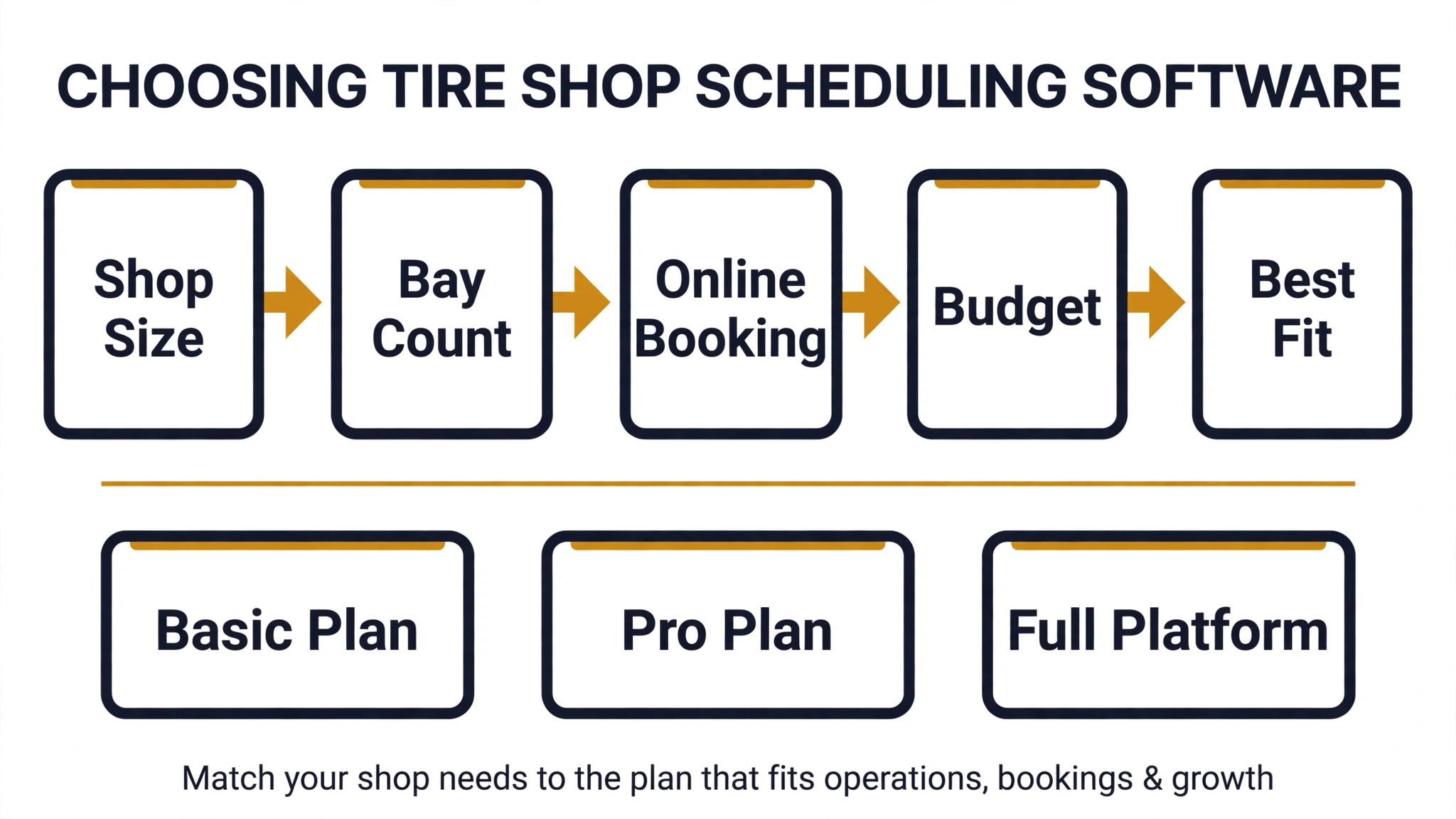
Shop size changes everything, and any shortlist for the best scheduling software for tire shops should start there. A single bay shop needs a simple calendar that stops double booking, while a multi bay shop needs bay level planning and technician assignment, and a mobile fitter needs a route and a van stock view. Pick from the row that matches your day, not from the tool with the longest feature list.
| Job type | Best pick | Why it fits |
|---|---|---|
| Single bay shop | MaxxTraxx | Simple scheduling plus point of sale without paying for multi bay complexity |
| Multi bay shop | Tekmetric | Bay planning, inspections and technician tracking in one workflow |
| Mobile fitting | TireTutor | Online tire sales tied to booked fitting slots customers can choose themselves |
Seasonal Changeover Checklist
Tire changeover season breaks weak scheduling. Bookings spike for two or three weeks, storage fills up and every customer wants the same Saturday morning slot. Run through this checklist before the rush, and set your booking rules in the software first, not during the busiest week.
– Open extra changeover slots two weeks before the rush and cap them per bay, so one bay never carries the whole day. – Block storage drop off and pickup as separate jobs, with their own time, so stored sets do not pile up at the counter. – Send reminders three days and one day before each booking, with a note on what the customer should bring. – Hold a small number of emergency slots each day for punctures and blowouts, and release them at midday if unused. – Confirm tire stock for every booked job the evening before, and call customers early when a size is missing. – Add buffer time between changeover jobs for stuck wheels, seized nuts and vehicles that arrive late. – Review no show rates weekly during the season and tighten deposits or reminders for repeat offenders. – Close online booking for a slot type once its bay plan is full, instead of letting the calendar overbook.
The Tools in Detail
Each tool below is judged on scheduling first. Point of sale, inventory and marketing matter, but they only help if the diary itself works on a busy Saturday.
1. Tekmetric
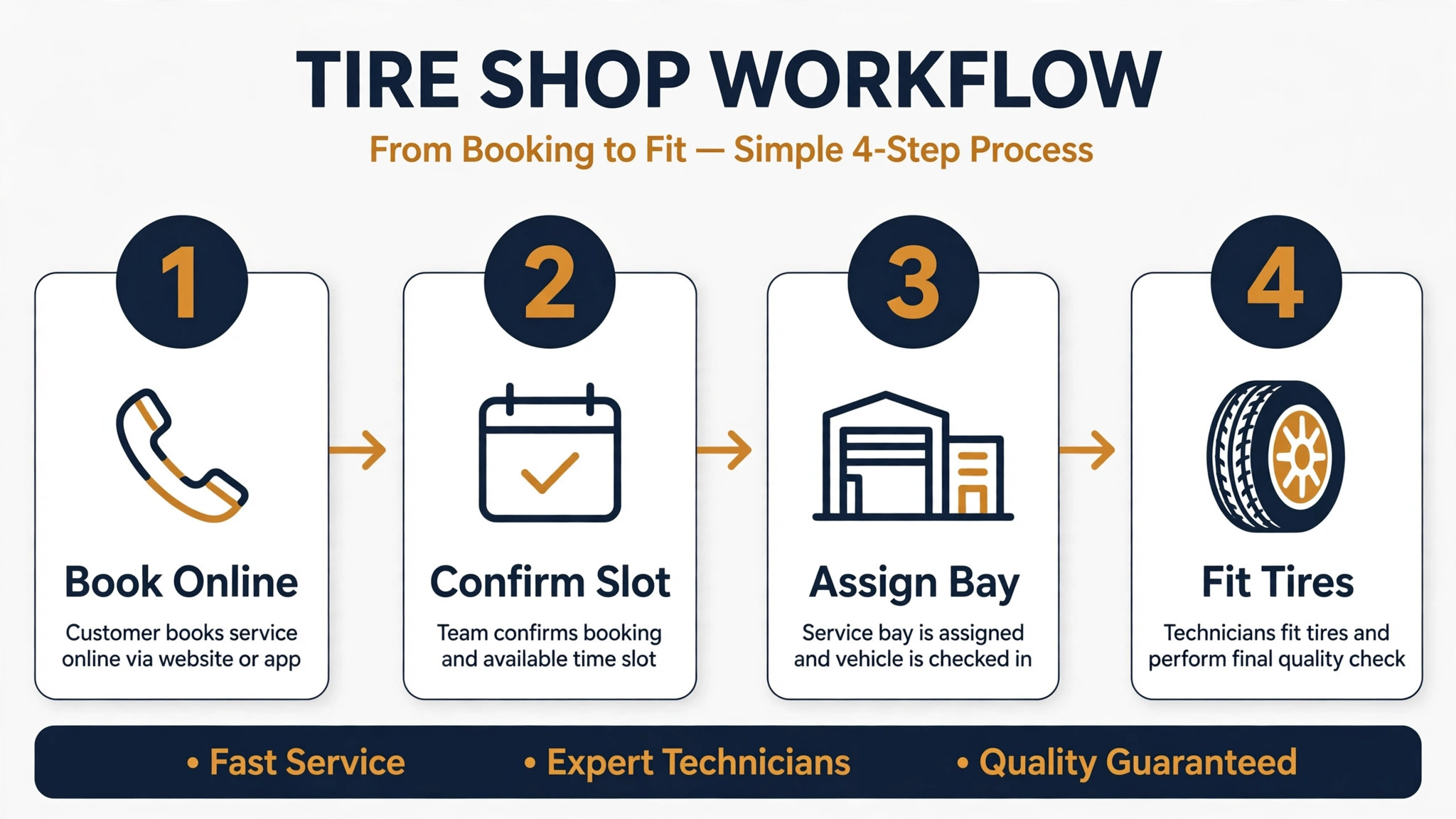
Tekmetric gives the front desk a live view of jobs, technicians and bays, and it ties digital inspections to the same ticket as the appointment. A customer who arrives for a rotation can approve extra tire work from a phone link, and the job stays attached to the original booking instead of becoming a second paper ticket. Best for multi bay shops that run inspections alongside tire work. Published comparison pages list Tekmetric from $199 a month, with a tire suite add on reported at $39 a month per shop. Check the vendor current pricing page for the latest figure.
The trade off is cost and setup time. Add on modules stack up fast, and a small shop that only needs a diary will pay for depth it never uses. Training takes longer than a simple calendar, so budget a quiet week for staff to learn the workflow before changeover season. Test it with a real week of bookings before you commit, and bring the staff who will use it every day into the trial.
2. Shopmonkey
Shopmonkey covers scheduling, estimates, invoicing, inventory and customer messaging in a cloud system the whole team can open from any device. Appointments flow into work orders without retyping, and customers get reminders and status updates that cut down on phone chasing. Best for growing shops that want one system for the whole business. Published comparison pages list Shopmonkey from $239 a month. Check the vendor current pricing page for the latest figure.
The trade off is that tire specific depth is thinner than a tire only platform. Fitment data, tire catalog handling and supplier feeds may need workarounds, so a tire dealer that sells heavily online should test those workflows first rather than assuming they exist. Test it with a real week of bookings before you commit, and bring the staff who will use it every day into the trial.
3. TireTutor
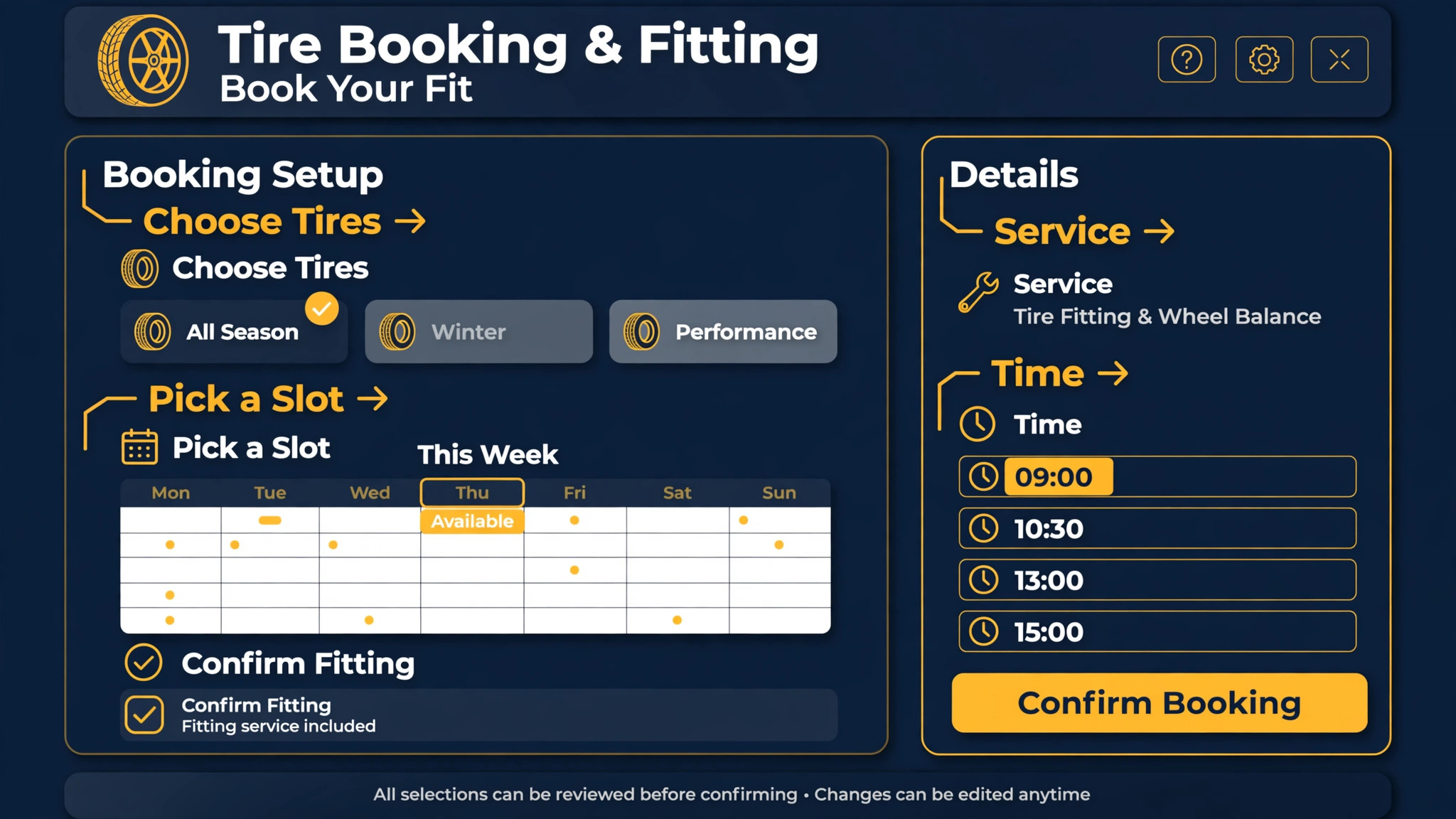
TireTutor stands out because it joins online tire shopping to appointment booking. Customers can buy tires on the dealer website and pick a fitting slot in the same flow, and supplier feed integration helps the site show stock the shop can actually supply. That cuts the classic failure where a customer books a fitment for tires that are not available. Best for tire dealers that sell tires online. Published comparison pages list TireTutor ShopTutor from $299 a month, with higher tiers for full online selling. Check the vendor current pricing page for the latest figure.
The trade off is price and fit. A repair focused shop that sells few tires online will not use the strongest part of the product, and the monthly cost sits above general shop tools. It earns its place for dealers where online tire sales drive the diary. Test it with a real week of bookings before you commit, and bring the staff who will use it every day into the trial.
4. MaxxTraxx
MaxxTraxx comes from the desktop era of shop software, and that history shows in its depth for point of sale, inventory and work orders. For a single location shop, it covers the daily routine without a large monthly bill, and staff who know older shop systems tend to settle into it quickly. Best for single shops that want a proven system at a lower price. Published comparison pages list MaxxTraxx from $99 a month. Check the vendor current pricing page for the latest figure.
The trade off is modern access. Cloud booking, customer self service and mobile views are weaker than cloud native rivals, so a shop that wants customers booking online at midnight may find it limiting. Weigh the lower price against how much online booking matters to your customers. Test it with a real week of bookings before you commit, and bring the staff who will use it every day into the trial.
5. HITS BPOS
HITS BPOS is built for tire businesses rather than adapted to them, with point of sale, inventory, appointment scheduling and labor management in one system. Add on modules cover wholesale e commerce and parts estimating, which suits businesses that sell to other dealers as well as to drivers. Best for retail tire shops and wholesale distributors. HITS does not publish pricing, so expect a custom quote after a sales conversation. Check the vendor current pricing page or ask the vendor directly for current terms.
The trade off is transparency and buying effort. With no published price, comparing it against rivals takes longer, and the full module set can feel heavy for a small retail shop. It fits best where tire volume and wholesale work justify a dedicated tire platform. Test it with a real week of bookings before you commit, and bring the staff who will use it every day into the trial.
6. TireShop
TireShop handles single and multi store retail, wholesale, oil change centers and internet sales, with scheduling, inventory and customer history in one place. Its reputation rests on support, which matters when the system goes down on a Saturday morning and the queue is already forming. Best for independent dealers that value phone support. TireShop does not publish pricing, so expect a custom quote. Check the vendor current pricing page or ask the vendor directly for current terms.
The trade off is age and buying friction. It comes from an older software generation, and the quote only route makes quick comparison harder. A dealer that wants modern self service booking should trial that part hard before committing. Test it with a real week of bookings before you commit, and bring the staff who will use it every day into the trial.
How to Choose
Start with your diary, not your wish list, when you judge the best scheduling software for tire shops. Write down your five most common jobs, how long each one really takes, and how many bays and technicians you have at peak times. Any tool that cannot model those jobs with different lengths, buffers and bay assignments will fail on your busiest day, no matter how good its reports look.
Next, check how customers reach you. If most bookings come by phone, staff speed and a clear day view matter more than a fancy online booking page. If younger customers and fleet accounts book online, self service booking, automated reminders and stock confirmation matter far more. Match the tool to the booking channel your customers already use.
Then test inventory and stock promises. A tire booking is a promise that the tire exists. Ask each vendor to show, step by step, what happens when a booked size is out of stock, how the customer is told, and how the job is rebooked. A system that books blind will create more counter arguments than it prevents.
Finally, count the total monthly cost, not the headline price. Add texting, extra users, tire modules, marketing tools and payment fees, and compare that total against the hours the system saves. A tool that costs more but kills phone tag and no shows can still be the cheaper choice over a year.
Mistakes to Avoid
The most common mistake is buying a general calendar and calling it shop software. It books a slot, but it knows nothing about bays, job lengths or tire stock, so staff keep a paper board beside it and the system becomes decoration. If the diary does not reflect the shop floor, it will be abandoned within a month.
Another mistake is opening every slot to online booking with no buffers. Saturdays fill with back to back fitments, one late arrival cascades through the day, and technicians rush jobs that should never be rushed. Buffers and capped slot types feel like lost revenue, but they protect the revenue you already booked.
A third mistake is skipping reminders and deposits during peak season. No shows hurt most when demand is highest, because a wasted bay slot cannot be resold at short notice. Reminders, confirmation texts and a deposit rule for changeover bookings pay for themselves in a single busy week.
The last mistake is training only the owner. The front desk and technicians live in the system, so they need hands on practice with real jobs, cancellations and walk ins before go live. A tool the team distrusts will be worked around, and the workarounds become the real system.

Frequently Asked Questions
How much should a tire shop pay for scheduling software?
Expect a wide range. Published comparison pages put basic shop tools near $99 a month and full tire platforms near $299 a month or more, with several vendors quoting custom prices. The right budget depends on bay count, online selling and add on modules, so get a written total that includes texting and extra users before you decide.
Can a general shop system handle tire scheduling?
Yes, for repair focused shops, and the best scheduling software for tire shops is not always a tire only product. General systems like Tekmetric and Shopmonkey handle bays, technicians and reminders well. They fall short mainly on tire catalog, fitment and supplier feed depth, so tire heavy dealers should test those workflows first.
Do customers really book tire appointments online?
Many do, especially for tire purchases and seasonal changeovers, and online booking also cuts phone time for the front desk. It works best when stock is confirmed, slot lengths match real job times and reminders go out automatically. Shops that open online booking without those controls often get more chaos, not less.
How do I cut no shows in a tire shop?
Use reminders at three days and one day before the job, make confirmation a single tap, and require a deposit for peak season changeover slots. Confirm stock the evening before, so customers are not turned away on arrival, which is a common reason they never rebook.
What is the best setup for a single bay shop?
Keep it simple, because the best scheduling software for tire shops for a single bay is the simplest one your team will use every day. One clear day view, job lengths that match reality, buffer time between jobs and automatic reminders will beat a complex multi bay system. Paying for technician tracking and wholesale modules you never open only adds cost and confusion.
How should mobile tire fitters schedule work?
Mobile fitting needs route order, van stock and travel time between jobs, not just a diary. Book jobs in geographic order, confirm the tire size and vehicle access before dispatch, and leave room for a job that runs long. A system without travel buffers will promise arrival times it cannot keep.
Should scheduling software also handle inventory?
Ideally yes, or it should connect cleanly to the tool that does. Tire bookings without stock checks create failed appointments and lost trust. At minimum, the scheduler should flag jobs where the booked size is not confirmed in stock, so staff can call the customer before the appointment day.
How long does it take to switch scheduling systems?
A simple calendar switch can take days, while a full shop system with inventory and customer history can take several weeks. Import customer and vehicle records early, run the old and new diaries side by side for a week, and avoid switching in the middle of changeover season if you can.
Our Verdict
For most multi bay shops, Tekmetric is the safest starting point, because it ties scheduling, inspections and technician work to one ticket. Single bay shops on a tight budget should look hard at MaxxTraxx, and tire dealers that sell online should trial TireTutor before anything else, since its shopping plus booking flow is the feature rivals cannot easily copy.
Whatever you choose, judge it on a real Saturday, not on a demo. Load your true job lengths, your real bay count and a week of awkward bookings, then watch how the system copes. The best scheduling software for tire shops is the one your front desk still trusts when the phone will not stop ringing.
Think about fleet and commercial accounts separately from retail bookings. Fleet jobs often arrive in batches, need purchase order numbers and have different approval steps, and a diary that treats them like retail jobs will slow both sides down. Ask vendors how fleet jobs are flagged, approved and invoiced, and whether fleet customers can book through a separate flow with their own rules.
Reporting deserves a trial of its own. Bay utilization, no show rate, average job length and repeat booking rate tell you whether the diary is working or merely looking busy. Check that reports can be filtered by bay, technician and job type, and that you can export them without help from support, because a report you cannot open on your own will not get used.
Also plan for the day the internet fails. Cloud systems need an offline or phone fallback, even if it is only a printed day sheet each morning and a rule for who takes bookings by phone. Shops that never plan for an outage discover the gap at the worst possible moment, with a full waiting room and no diary.
Staff scheduling deserves the same attention as customer scheduling. A bay plan that ignores technician skill, certification and leave will assign complex jobs to the wrong person, and rework follows. Check that the system shows technician availability, skill tags and leave in the same view as customer bookings, so the front desk never has to guess who can actually do the job.
Walk in trade needs a rule, not a hope. Tire shops live on punctures, blowouts and urgent replacements, and a diary with no walk in capacity will either turn paying customers away or wreck the booked day. Reserve a small number of flexible slots, define who can release them, and review walk in volume weekly so the reserve matches reality.
Payment handling at the counter should be part of the trial, not an afterthought. Deposits for ordered tires, part payments, fleet invoicing and refunds all pass through the same system, and a scheduler that cannot connect cleanly to payments will leave staff reconciling two records at day end. Test a deposit, a part payment and a refund in the trial.
Customer history changes how a booking should be handled. A returning customer with a known vehicle, tire size and service history can be booked in half the time of a new customer, and the system should surface that history at booking. Ask vendors to show vehicle and tire history on the booking screen, and check how quickly a repeat booking can be created.
Integration with parts suppliers and tire distributors is worth a dedicated demo. Stock feeds, ordering and delivery dates decide whether a booked job can actually happen, and a system that only tracks internal stock will miss supplier delays. Ask for a worked example where a supplier delivery slips by two days and the affected bookings are rebooked.
Mobile access for technicians is easy to overlook and hard to live without. Technicians need job details, inspection photos and completion updates on a phone or tablet in the bay, not on a counter computer they visit between jobs. Trial the technician view in a real bay, with greasy hands and poor lighting, not in a meeting room.
Data migration should be planned before the contract is signed. Customer records, vehicle histories, tire stock and open bookings all need to move cleanly, and a vendor that cannot show a migration plan with a test import should be treated with caution. Keep the old system readable for at least a month after go live.
Support quality matters more than support promises. A tire shop needs help on Saturday morning, not on Monday, so check support hours, response times and whether help comes from people who understand shop work. Ask for references from shops of your size, and call them, because a vendor reference list is only useful if you actually use it.
Online reviews and reputation should connect to the booking flow. A customer who just had a smooth booking and a fast fitment is the most likely to leave a review, and a system that asks at the right moment will collect more of them. Check whether review requests can be automated after completed jobs, and how negative feedback is flagged for follow up.
Pricing transparency should extend to texting and payment fees. Many shop systems charge separately for reminder texts, review requests and card processing, and those fees add up across hundreds of jobs a month. Ask for a written estimate of total monthly cost at your real job volume, including every per message and per transaction charge.
Multi location shops need a different conversation from single shops. Central stock visibility, shared customer records, location level reporting and permission controls all matter once a second site opens, and a system that works beautifully for one shop can strain badly at three. Trial the multi location view even if you only run one shop today, if growth is in your plan.
Seasonal staffing should be built into the diary. Changeover season often needs extra hands, and the system should handle temporary staff, limited permissions and training status without giving every helper full access. Set permission templates for seasonal staff before the rush, and review them when the season ends.
Finally, measure the diary itself. Track booking lead time, no show rate, bay utilization and average job overrun, and review those numbers monthly with the team. A scheduling system that is never measured will drift back toward phone chaos, while a measured system gets steadily better, because the team can see what is working and what is not.
Warranty and comeback jobs need a diary rule of their own. A tire or fitting fault that returns to the shop should be booked fast, flagged clearly and kept separate from paid work, so it never waits behind routine jobs or gets billed by mistake. Check that the system can tag warranty work, track its cost and report how often comebacks happen by tire brand and job type.
Fleet scheduling works best with its own booking flow. Fleet customers book in batches, need purchase order numbers and expect monthly invoicing, and a retail diary will slow both sides down. Ask vendors to show fleet job flagging, approval steps and invoicing in a live demo, and confirm that fleet customers can book through a separate flow with their own rules.
Appointment reminders should carry useful detail, not just a time. A reminder that names the vehicle, the job and what the customer should bring reduces no shows far more than a bare time reminder, and it gives the customer a chance to correct a wrong tire size before arrival. Test reminder content in the trial, and check that customers can reply to reschedule without calling.
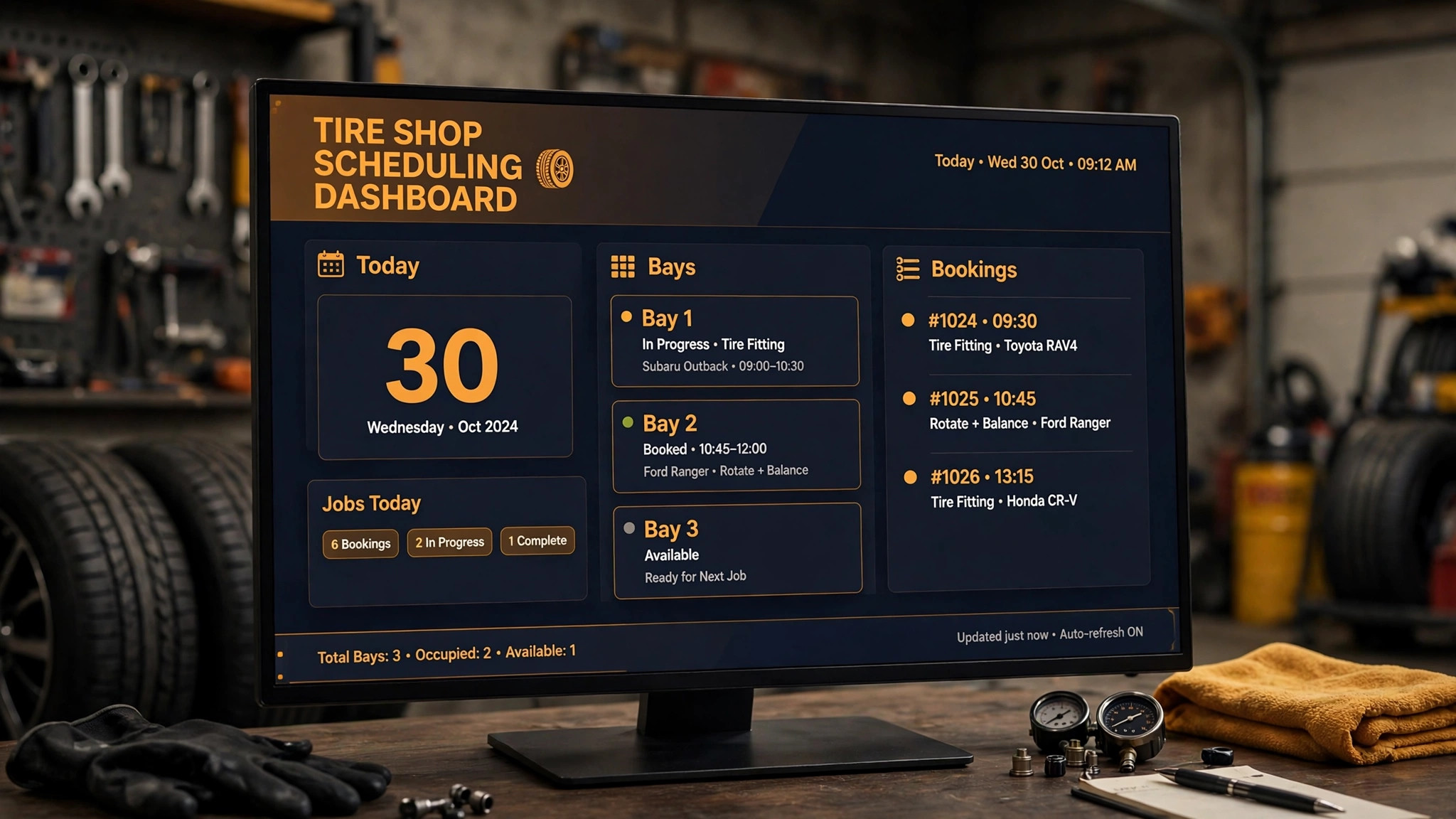
The front desk view should work at a glance from across the room. On a busy morning, staff need to see bay status, waiting jobs and late arrivals without clicking through screens, and a cluttered dashboard will be ignored in favor of a whiteboard. Trial the day view standing up, at counter distance, with a full diary loaded.
Training should cover the awkward cases, not just the happy path. Cancellations, walk ins, wrong tire sizes, late arrivals and double bookings are the moments that decide whether staff trust the system, so run the trial team through each one. A tool that handles routine bookings beautifully but fumbles cancellations will lose staff confidence in its first week.
More Reading on Stratilyze
If you run a service business beyond the tire bay, these guides cover booking, field work and the money side of the operation.
– Best Field Service Software for Appliance Repair Companies – How to Fix Calendly Double Booking – Cost of Acuity for Small Business Monthly – How to Choose a Payment Processor for Small Business – Best Time Tracking Software for Creative Agencies