

Can I trust a research tool to find the case that kills my argument? That is the question every small-firm partner asks before signing a contract, and it is the right one. The best legal research software for small firms is judged on one thing above all else, whether it finds the bad authority before the other side does, and Lexis+ is the pick I would start with for most small firms because its small-firm tiers are published and its citator, Shepard’s, has been the standard for generations.
What Should the best legal research software for small firms Find That Free Tools Miss?
Free case law is real research now. CourtListener, Google Scholar, and Justia will find a published opinion in minutes, and for a simple question that is often enough. The paid platforms earn their price on the material around the opinion, the briefs that argued it, the docket that shows what happened next, and the secondary sources that explain what it means.
The second job is verification. A case that was good law in 2019 may have been distinguished, limited, or overruled since, and a free search will not always tell you. KeyCite on Westlaw and Shepard’s on Lexis+ exist for exactly this check, and they are the reason the big two still charge what they charge. The best legal research software for small firms you choose should make that check a habit, not a chore.
Westlaw vs LexisNexis for a Three-Lawyer Firm
Westlaw and LexisNexis are the two platforms every firm compares, and their pricing is the first thing to understand. Both are largely quote-based for firms, with published small-firm rates that vary by term and library. Westlaw Advantage rates have been reported at $3,081 to $4,797 per seat a year. Lexis+ tiers for firms of one to three attorneys have been reported at $1,368 to $5,184 per attorney a year, with a Professional tier at $324 a month on a three-year term. Treat both ranges as reported, and get a written quote for your exact scope.
On depth, Westlaw’s KeyCite is widely regarded as the most precise citator, and its Practical Law secondary sources are the best in the business for transactional work. Lexis+ answers with Shepard’s, a deeper briefs and motions collection, and Law360 news built in. For litigation, the two are close enough that the deciding factor is usually which one your lawyers trained on.
For a three-lawyer firm, the math favours Lexis+ at the entry tier. Three attorneys at the reported $114 a month low end pay $4,104 a year. The same three on Westlaw Advantage at the reported $3,081 a seat pay $9,243 a year. The gap narrows as you add libraries, but the starting point is clear, and it is why Lexis+ leads this list.

The Case That Kills Your Argument
Every litigator has a story about the case they found too late. The brief was written, the argument was clean, and then the other side cited a decision that undercut the whole theory. The research tool did not fail because its database was small. It failed because the lawyer never searched for the negative authority, only for support.
The fix is a workflow, not a bigger database. Search the proposition, then search its opposite. Run the citator on every case you cite, and read the negative treatment flags before you draft, not after. Westlaw’s KeyCite and Lexis+ Shepard’s both flag negative history clearly, and the difference between them is mostly which interface your team already knows.
Small firms should also budget for the cost of a missed case. One lost motion can cost a client thousands, and one sanctions scare can cost a reputation. Against that, a Lexis+ tier at $114 to $432 per attorney a month, depending on term and coverage, is a working cost, not a luxury. The cheapest research is the research that finds the bad case first.
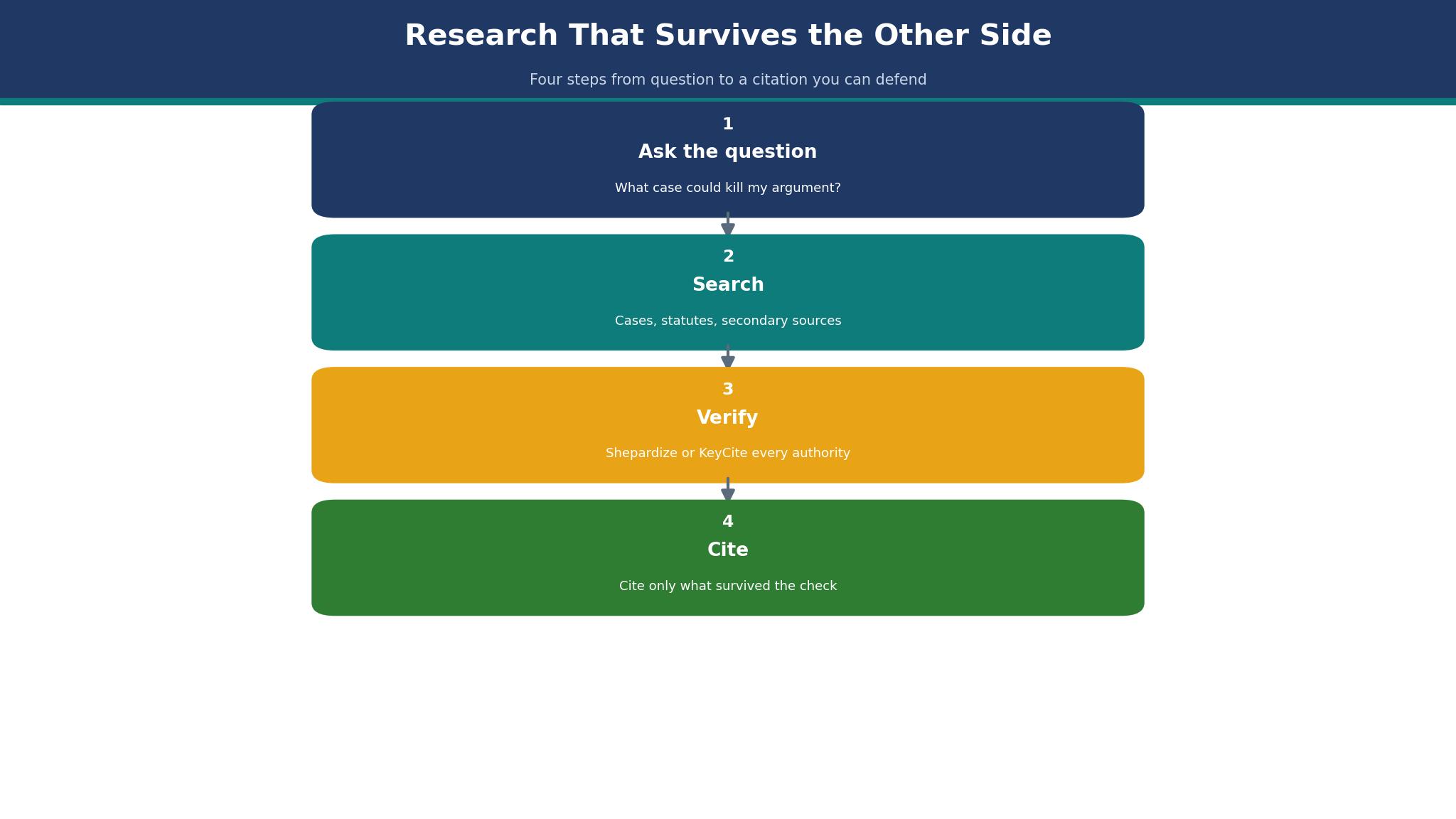
How to Choose Legal Research Software for a Small Firm
Start with the jurisdictions you actually practise in. A firm that works in two states does not need 50-state coverage on day one, and the entry tiers reflect that. Paying for a national library you never open is the most common waste in this category. Ask each vendor for the price of your two states first, then the price of adding the rest.
Then test the citator on a case you already know. Take a decision you have cited before, run it through the trial, and see whether the negative history is obvious in under a minute. If you have to hunt for it, the tool will cost you time on every matter. The best legal research software for small firms should make the dangerous case visible, not merely findable.
Finally, check what your bar membership already includes. Fastcase is free through bar associations in most states, and that may cover your primary-law needs entirely. A firm that buys Westlaw before checking its bar benefit is spending money it did not need to spend.
The 15 Tools at a Glance
Use this table to cut the list to three. It lines up every tool by fit and price, and Lexis+ leads it. The best legal research software for small firms you pick should survive this table first, then the detail section.
| Tool | Best for | Starting price |
|---|---|---|
| Lexis+ | Small firms that want the big-two depth at the lower entry price | reported from $114 per attorney a month on a three-year term |
| Westlaw | Firms that need the deepest corpus and the most precise citator | reported at $3,081 to $4,797 per seat a year for Advantage plans |
| Bloomberg Law | Firms that want dockets, news, and transactional tools in one system | quote only |
| vLex Fastcase | Solos and small firms that want professional research at a bar-member price | free through most state bars, or about $65 per user a month standalone |
| CoCounsel | Westlaw firms that want AI document review alongside research | about $100 to $200 per user a month as a reported add-on |
| Practical Law | Transactional lawyers who want model documents and checklists | included with Westlaw plans, standalone quote only |
| HeinOnline | Firms that need law reviews, historical statutes, and journals | reported from about $100 a month |
| VitalLaw | Firms that need Wolters Kluwer’s tax, securities, and regulatory content | quote only |
| CourtListener | Any firm that needs free, searchable case law with alerts | free |
| Google Scholar | Quick case lookups when you already know the citation | free |
| Justia | Free access to cases, codes, and court rules | free for case law and codes |
| Docket Alarm | Litigators who need docket alerts without a big platform | reported from $49 a month |
| UniCourt | Firms that track cases across state and federal courts | reported from $99 a month |
| CaseMine | Budget-conscious firms that want AI-assisted case search | reported from about $25 a month |
| Law360 | Firms that need legal news tied to their cases | reported from about $100 a month via LexisNexis |
How Much Research Time Does a Good Platform Actually Save?
A fair estimate is two to four hours per matter on research and verification, because a good citator and a good briefs database cut the checking time sharply. A lawyer who bills $250 an hour saves $500 to $1,000 of time per matter, which covers a month of a mid-tier subscription on a single case.
The saving is bigger on unfamiliar questions. A new area of law can take a day of research with free tools and half a day with a full platform, because the secondary sources point at the leading cases instead of leaving you to find them.
Best Pick by Job
Pick by the job you actually do. Lexis+ is the pick for most small firms, but the table below names the cases where another tool wins. The best legal research software for small firms should match the work, not the other way round.
| Budget | Pick | Why |
|---|---|---|
| Free to start | vLex Fastcase | No payment to try it properly |
| Under $50 a month | CaseMine | Cheapest paid plan here |
| Best value overall | Lexis+ | Most capability per dollar |
Do I Still Need the Library If I Buy a Research Platform?
Mostly no, but keep the habit of reading the full opinion. A platform gives you the case, the history, and the commentary, and that replaces the shelf for daily work. What it does not replace is the discipline of reading past the headnote, because the headnote is a summary and the holding lives in the text.
Keep one shelf of your core practice area in print if your courts still cite it, and keep the bar library card for the rare book. Everything else can live on the screen.
The 15 Tools in Detail
The detail section is where the ranking is proved. Each tool in this best legal research software for small firms list gets its price, its strengths, and its trade-offs, starting with Lexis+.
1. Lexis+
Lexis+ is small firms that want the big-two depth at the lower entry price. Paid plans start at reported from $114 per attorney a month on a three-year term. Shepard’s citator and the deep briefs and motions collection cover the daily work of a litigation practice, and Law360 news is built in
At about $114 per attorney a month, 3 attorneys cost $342 a month, or $4,104 a year.
The trade-off is the price rises steeply with every library added, and the one-year term costs far more than the three-year term. Lexis+ AI is included on the higher tiers, and the small-firm store lets firms of one to three attorneys buy online.
Bring Lexis+ in by importing the firm’s matters and saved research first, then invite the attorneys, and retire the old research logins only after the first real brief has gone through it.
It suits small firms that want the big-two depth at the lower entry price.
What I would do with Lexis+ first is test it on the problem in the The Case That Kills Your Argument section, with real work and a two-week clock, then decide on the evidence.
Ask Lexis+ whether renewal re-locks the three-year term or shortens it. Lexis+ quotes $114 per attorney a month on a three-year term, so ask what happens to that rate at renewal, because the first-year figure is rarely the lasting one.
2. Westlaw
Westlaw is firms that need the deepest corpus and the most precise citator. Paid plans start at reported at $3,081 to $4,797 per seat a year for Advantage plans. KeyCite is widely regarded as the most precise citator, and Practical Law’s secondary sources are the best in the business for transactional work
At about $257 per seat a month, 3 seats cost $771 a month, or $9,252 a year.
The trade-off is it is the most expensive platform here, and most plans are quote-only, so a small firm cannot budget it from the website. AI-Assisted Research is included in current subscriptions, and CoCounsel is a separate add-on.
Use Westlaw’s guided trial on a live brief with a real deadline, since only a filing tests KeyCite the way a lawyer needs it tested.
It suits firms that need the deepest corpus and the most precise citator.
On the Westlaw demo, ask for your hardest research job, the brief with a half-cited case and a deadline this week, because the sales deck never shows a lawyer under time pressure.
3. Bloomberg Law
Bloomberg Law is firms that want dockets, news, and transactional tools in one system. Paid plans start at quote only. Its docket coverage and its news integration are the best here, and its transactional tools suit a corporate practice
A firm should expect an annual contract quoted per attorney, and should compare the same scope against Westlaw in writing.
The trade-off is there is no published price, and it is usually the most expensive option for a small firm. The Practice Centres combine case law, dockets, and practical guidance in one place.
Moving to Bloomberg Law starts with the docket watchlists, because its alerts will surface every duplicate matter the old system kept quiet, and the cleanup is the real work.
It suits firms that want dockets, news, and transactional tools in one system.
Ask Bloomberg Law to run your hardest real research question live on the demo, not the polished example that their sales team prepared.
4. vLex Fastcase
vLex Fastcase is solos and small firms that want professional research at a bar-member price. Paid plans start at free through most state bars, or about $65 per user a month standalone. It covers federal and state case law, statutes, regulations, and court rules, and it is free through bar associations in most states
At $65 per user a month, 3 users cost $195 a month, or $2,340 a year.
The trade-off is it has fewer secondary sources and briefs than the big two, and the AI features vary by bar plan. Vincent AI adds plain-language search on top of the Fastcase library.
5. CoCounsel
CoCounsel is Westlaw firms that want AI document review alongside research. Paid plans start at about $100 to $200 per user a month as a reported add-on. It reads documents, drafts memos, and prepares deposition outlines on top of the Westlaw database
At about $150 per user a month, 3 users cost $450 a month, or $5,400 a year.
The trade-off is it is a separate subscription on top of Westlaw, so the combined bill is steep for a small firm. Treat the $100 to $200 figure as reported, because Thomson Reuters does not publish law-firm pricing.
6. Practical Law
Practical Law is transactional lawyers who want model documents and checklists. Paid plans start at included with Westlaw plans, standalone quote only. Its practice notes, model documents, and checklists save hours on any standard transaction
A firm that does mostly transactional work may get more value from Practical Law than from a bigger case-law library.
The trade-off is it is not a case-law research tool on its own, and it is priced for firms rather than solos. The What’s Market database shows real deal terms, which is hard to find elsewhere.
7. HeinOnline
HeinOnline is firms that need law reviews, historical statutes, and journals. Paid plans start at reported from about $100 a month. Its law journal library is unmatched, and its historical coverage goes back further than any other platform here
At about $100 per user a month, 3 users cost $300 a month, or $3,600 a year.
The trade-off is it is a research library, not a citator, so it cannot replace KeyCite or Shepard’s for verification. The session-based pricing suits a firm that researches in bursts rather than daily.
8. VitalLaw
VitalLaw is firms that need Wolters Kluwer’s tax, securities, and regulatory content. Paid plans start at quote only. Its Cheetah platform is strong on tax and securities, and its smart charts explain complex rules clearly
- Best for: firms that need Wolters Kluwer’s tax, securities, and regulatory content
- Price: quote only
- Strength: its Cheetah platform is strong on tax and securities, and its smart charts explain complex rules clearly
- Watch out: there is no published price, and it is a niche tool rather than a general research platform
9. CourtListener
CourtListener is any firm that needs free, searchable case law with alerts. Paid plans start at free. It is free, it covers millions of opinions, and its alert system watches new filings in chosen courts
A solo can run a whole research habit on CourtListener plus a citator check, and pay nothing for the case law itself.
The trade-off is it has no citator, no secondary sources, and no briefs, so verification needs a second tool. The RECAP archive makes federal filings searchable for free.
10. Google Scholar
Google Scholar is quick case lookups when you already know the citation. Paid plans start at free. It is free, fast, and familiar, and its case law coverage is solid for a quick check
A lawyer who cites from Google Scholar alone is taking a risk, because the citator check is missing.
The trade-off is it has no citator, no dockets, and no way to verify whether a case is still good law. It is the fastest way to read a case you already have the citation for.
11. Justia
Justia is free access to cases, codes, and court rules. Paid plans start at free for case law and codes. It is free, well organised, and it covers federal and state primary law clearly
Q: What does Justia do best?
A: It is free, well organised, and it covers federal and state primary law clearly
A: The catch is it has no citator and no briefs, and its search is simpler than a paid platform.
12. Docket Alarm
Docket Alarm is litigators who need docket alerts without a big platform. Docket Alarm’s paid plans start from $49 a month. Its docket alerts and its analytics on judges and parties are strong for the price
At about $49 per user a month, 3 users cost $147 a month, or $1,764 a year.
The trade-off is it is a docket tool, not a research platform, so it pairs with Fastcase rather than replacing it. The judge analytics show how a judge has ruled on similar motions before.
13. UniCourt
UniCourt is firms that track cases across state and federal courts. Paid UniCourt plans begin at $99 a month. It tracks dockets across many courts and its API lets a firm build its own alerts
At about $99 per user a month, 3 users cost $297 a month, or $3,564 a year.
The trade-off is its case-law search is thinner than the big two, and the price rises with usage. The case tracking dashboard shows every deadline in one place.
14. CaseMine
CaseMine is budget-conscious firms that want AI-assisted case search. Paid plans start at reported from about $25 a month. Its AI search finds related cases well, and its price is the lowest paid option here
At about $25 per user a month, 3 users cost $75 a month, or $900 a year.
The trade-off is its US coverage is thinner than the big two, and its citator is less established. Treat the $25 figure as reported, because CaseMine’s pricing varies by region.
15. Law360
Law360 is firms that need legal news tied to their cases. Paid plans start at reported from about $100 a month via LexisNexis. Its news coverage is fast and it is written for lawyers, not the general press
At about $100 per user a month, 3 users cost $300 a month, or $3,600 a year.
The trade-off is it is news, not research, so it cannot replace a case-law platform. It is included in some Lexis+ tiers, which is worth checking before buying it separately.
The Math Behind the Pick
A three-lawyer firm on Lexis+ at the reported $114 per attorney a month pays $342 a month, or $4,104 a year. The same firm on Westlaw Advantage at the reported $3,081 per seat a year pays $9,243 a year. The difference is $5,139 a year, which is real money for a small firm, and it is the first number to put in front of the partners. These numbers are the reason the best legal research software for small firms matters when you run Lexis+ at your size.
Research time is the second number. A lawyer who spends six hours researching a matter at $250 an hour has $1,500 of time in it. If a platform cuts that to four hours, the saving is $500 per matter. At four matters a month, that is $2,000 a month, or $24,000 a year, which dwarfs the subscription cost of either platform.
The third number is the cost of the free route. Fastcase through a bar membership costs $0, and a standalone plan starts at about $65 a user a month, or $780 a year per lawyer. For a solo with a narrow practice, that is often the right answer, and the saving against Lexis+ is about $3,300 a year per lawyer.
How to Trial Lexis+ in One Week
Run the trial on a real week. Put Lexis+ in front of 3 attorneys, give them the jobs they already do, and watch what breaks with Lexis+. A Lexis+ trial on the vendor’s sample briefs proves little, because those briefs have no half-finished citations, no urgent filing, and no client matter with a deadline this week.
Measure three numbers during the trial of Lexis+. First, how long the core job takes for 3 attorneys on Lexis+. Second, how many mistakes 3 attorneys make in a week with Lexis+. Third, whether the team still opens Lexis+ on Friday. If the third number is low, the first two do not matter for Lexis+.
Decide the switch date for Lexis+ before the trial starts. Fix the Lexis+ decision date up front, or the three attorneys trialling it will drift back to their old research habits and the trial will quietly die. Pick the date, run the week with 3 attorneys on Lexis+, and on the date either switch or walk away.
What to Ask on the Demo of Lexis+
Ask Lexis+ to show the core job on your data, not theirs. The Lexis+ demo runs on polished sample matters, so ask for your own brief instead: the half-cited case, the motion with a missing exhibit, and the client file that never quite matches the docket.
Ask Lexis+ for the price at twice your size. A tool that is cheap for 3 attorneys and expensive for double that number will punish growth, and the quote from Lexis+ should show the curve before you sign.
Ask who answers when Lexis+ breaks. A Lexis+ walkthrough covers Shepard’s and the briefs library in detail, yet the help desk behind it stays off screen, so ask which hours support answers, how fast a researcher gets a reply, and whether a human picks up on the $114 plan.
Ask Lexis+ whether saved research and briefs stay exportable after the subscription ends. If Lexis+ hands your research history back only after a week and a fee, that is a lock-in, so ask for the export terms in writing before the trial starts.
Frequently Asked Questions
Can I run legal research for a small firm without a Westlaw or LexisNexis subscription?
Yes. Fastcase is free through most state bars, and CourtListener and Google Scholar cover case law. Buy a paid plan when you need briefs, dockets, and secondary sources regularly.
How much does legal research software cost per lawyer each month?
Fastcase starts at about $65 a user a month standalone, Lexis+ small-firm tiers have been reported from $114 to $432 a month depending on term and coverage, and Westlaw Advantage has been reported at $257 to $400 a seat a month. All figures are reported, so get a written quote.
Is Westlaw or LexisNexis better for a small litigation firm?
Both are strong. Westlaw’s KeyCite is often called the most precise citator, while Lexis+ has the deeper briefs collection and Law360. Most small firms pick on price and on which interface their lawyers already know.
What does Shepardizing a case actually mean?
It means checking a case’s later history through a citator to see whether it is still good law. Shepard’s on Lexis+ and KeyCite on Westlaw flag cases that were distinguished, limited, or overruled.
Can I share one research subscription across the whole firm?
No, not honestly. Both big platforms licence per attorney, and sharing a login breaks the contract and the audit trail. Budget per lawyer, and use the free bar benefit for staff who only need occasional lookups.
Do these platforms include AI research tools now?
Yes. Westlaw has AI-Assisted Research and CoCounsel, and Lexis+ has Lexis+ AI. Both are built on the platform’s own database, but they are add-ons or higher tiers, so confirm what is included in the quote before you rely on them.
The Verdict: Lexis+ for Most Small Firms, Westlaw for Depth
Lexis+ is the pick for most small firms because its small-firm tiers are published, its entry price is the lower of the big two, and Shepard’s plus Law360 covers the daily work of a litigation practice. A three-lawyer firm can start near $4,100 a year and add libraries as the practice grows.
Westlaw is the better tool when the work is transactional or the practice lives in Practical Law, and when the firm already trains its lawyers on KeyCite. The trade-off is the price, which starts higher and climbs with every library. For a firm that needs the deepest corpus, that price is justified.
What I would do is this. Check the bar membership for free Fastcase first, run a Lexis+ trial on three live matters, and citate every case in those matters through Shepard’s. If the team finds the negative authority faster than before, sign the three-year term for the lower rate. If the work keeps pointing at Practical Law, get a Westlaw quote and compare the same scope in writing. The best legal research software for small firms you buy should find the case that hurts you before the other side does.