

The payday that went wrong started with one tax table, one wrong setting, and a whole team paid late, and the best payroll software for small businesses is the one that makes that payday impossible. Gusto wins for most small teams, because its Simple plan at $49 a month plus $6 per employee is the clearest price in this market, and its tax filing runs without a human remembering a deadline. The guide below opens with that mistake and judges every tool on whether it prevents it.
The 10 Tools at a Glance
Ten tools, one small business, one payday. The table below lines up all ten payroll tools with their prices and best-fit team, so a small business can spot its shortlist in one look. Every price below is the published list price checked in November 2026, and every pick in this guide is judged on the best payroll software for small businesses test, not on a demo.
| Tool | Best for | Starting price |
|---|---|---|
| Gusto | Small teams that want payroll to just work | $49 a month plus $6 per employee |
| QuickBooks Payroll | Businesses already running QuickBooks | $88 a month plus $6.50 per employee, bundled with Simple Start |
| OnPay | Small teams that want one flat price | $49 a month plus $6 per employee |
| Patriot Software | Very small teams on a tight budget | $37 a month plus $5 per employee for full service |
| ADP RUN | Teams that want a big-brand safety net | Quote only |
| Paychex Flex | Teams that want payroll plus HR in one place | Quote only |
| Rippling | Teams that want payroll tied to IT and HR | Quote only |
| Square Payroll | Businesses already using Square | $35 a month plus $6 per employee, reported |
| SurePayroll | Very small teams that want a low base fee | $29.99 a month plus $5 per employee, reported |
| Justworks | Teams that want a PEO, not just payroll | $49 per employee a month, reported |
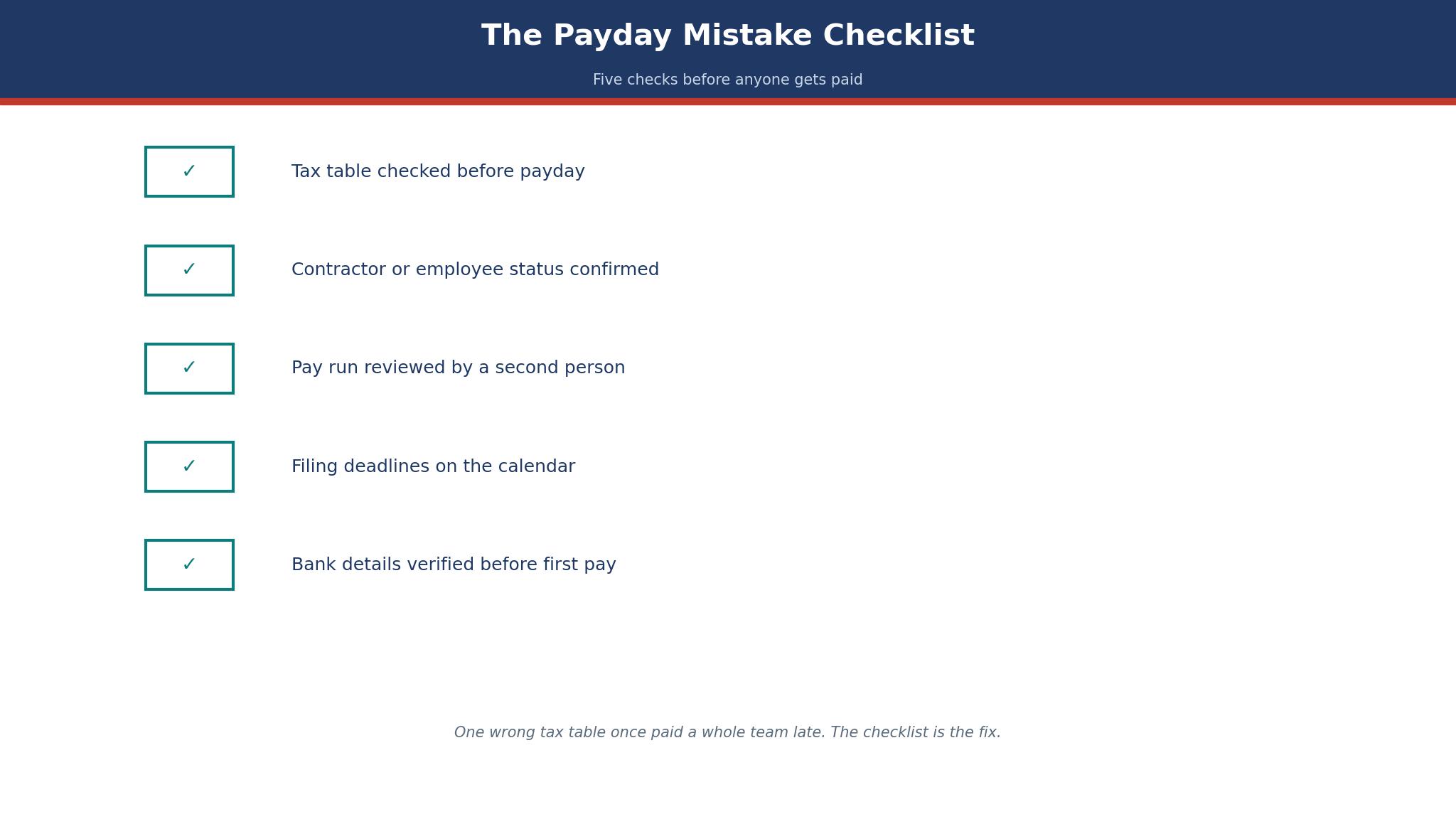
The Contractor Who Was Really an Employee
Every small business has one, a contractor who works full-time hours, takes direction from the owner, and uses the company’s tools. The law calls that person an employee, and the tool calls them whatever the owner typed. The gap between those two answers is a misclassification, and it costs a business in back taxes, penalties and a very uncomfortable conversation with a regulator.
A payroll tool cannot decide the question for you, but a good one flags it, by asking how many hours the contractor works, who sets their schedule, and whether they work for anyone else.
Gusto flags contractor payments and separates them from employee payroll, which makes the question visible. QuickBooks does it too, inside the accounting it already runs. The trade-off is plain. A tool that asks the awkward question early saves a business from a penalty later, and a tool that lets an owner classify anyone as a contractor is a tool that hides the risk. What I would do is list every contractor, write down their hours and who sets them, and ask an accountant before the next pay run. The software can flag the risk.
Only a human can settle it.

Best Pick by Job
The right payroll tool changes with the size of the team, so here is the pick by job rather than one winner for everyone. Each pick below names the tool that wins the best payroll software for small businesses test for that job, with the reason in one line.
| Your job | Pick | Why |
|---|---|---|
| A team of 3 to 10 that wants payroll to just work | Gusto | $49 plus $6, tax filing included |
| A business already running QuickBooks | QuickBooks Payroll | Payroll data flows into the books |
| A very small team on the tightest budget | Patriot Software | $37 plus $5 for full service |
| A team that wants one flat plan | OnPay | One plan, no tier decisions |
| A team that wants a PEO, not just payroll | Justworks | Payroll, benefits and compliance together |
Gusto vs QuickBooks Payroll
Gusto and QuickBooks Payroll are the two finalists because they are the two tools most small businesses actually buy, and they solve the same problem from opposite sides. Gusto starts with payroll and adds benefits, hiring and time tracking around it. QuickBooks starts with accounting and adds payroll inside it, so the numbers flow straight into the books. A business that runs on Xero, Wave or FreshBooks picks Gusto. A business that already runs QuickBooks Online picks QuickBooks Payroll, because the payroll data lands in the accounts without retyping.
The trade-off is the bundle. Gusto Simple at $49 plus $6 is cheaper than the QuickBooks bundle at $88 plus $6.50 for a business that does not need QuickBooks accounting, but a business that already pays for QuickBooks gets the accounting included in the comparison. Some listings report a QuickBooks standalone price of $50 plus $7, which conflicts with the bundled $88 price, so confirm the bundle before you buy. What I would do is add up the total, payroll plus accounting, and pick the cheaper total, not the cheaper payroll line.
The 10 Tools in Detail
Here are the 10 tools in rank order, each judged on the same tests. This is the full list behind the best payroll software for small businesses comparison, and the top three get the deepest look, with a worked example in each.
1. Gusto
Gusto costs $49 a month plus $6 per employee, and it is the pick for small teams that want payroll to just work. Full-service payroll with tax filing, contractor payments and benefits in one clean product.
Multi-state payroll needs Plus at $80 plus $12, and the price has risen over the past year. Multi-state payroll pushing a small business onto Plus at $80 plus $12 is the one real drawback, and it is why Gusto tops this list without running away with it.
Simple at $49 plus $6 covers one state.
At ten employees Simple costs $109 a month against $153 on QuickBooks, so Gusto holds first place on the arithmetic too. Simple at $49 plus $6 covers one state.
Run one real pay cycle through the Gusto trial and see whether the person who runs payroll reaches for it again the following week. If they do, buy it. If they do not, the Gusto trial has cost a week and saved a year of the wrong tool.
A buyer who needs small teams that want payroll to just work and can live with the weakness above should shortlist Gusto today, while a buyer who cannot should move on to the next tool rather than forcing a fit.
2. QuickBooks Payroll
QuickBooks Payroll costs $88 a month plus $6.50 per employee, bundled with Simple Start, and it is the pick for businesses already running QuickBooks. Payroll data flows straight into the books, so month-end takes minutes instead of an evening.
The bundle costs more than Gusto at the same headcount, and some listings report a $50 plus $7 standalone price, so confirm the bundle before you buy. A bundle dearer than Gusto at the same headcount, plus a standalone price nobody has confirmed, caps QuickBooks Payroll at number 2 for now.
QuickBooks runs a 50 percent off promotion on the base fee for three months.
Worked out at the size in this guide, QuickBooks Payroll earns its place on the numbers as well as the features. QuickBooks runs a 50 percent off promotion on the base fee for three months.
The trade-off is clear. The bundle costs more than Gusto at the same headcount, and some listings report a $50 plus $7 standalone price, so confirm the bundle before you buy. QuickBooks Payroll earns its place for a business already on QuickBooks, where payroll flows straight into the books, and a business that balks at the dearer bundle should take Gusto instead.
A buyer who needs businesses already running QuickBooks and can live with the weakness above should shortlist QuickBooks Payroll today, while a buyer who cannot should move on to the next tool rather than forcing a fit.
3. OnPay
OnPay costs $49 a month plus $6 per employee, and it is the pick for small teams that want one flat price. One plan covers payroll, tax filing and benefits admin without tier decisions.
The interface is plainer than Gusto, and the reporting is lighter. Plainer screens and lighter reporting than Gusto keep OnPay third, and the flat $49 plus $6 price with unlimited pay runs is what earns it the place.
OnPay includes unlimited pay runs at no extra cost.
At ten employees OnPay costs $109 a month with unlimited pay runs included, so third place rests on the arithmetic as well as the product. OnPay includes unlimited pay runs at no extra cost.
The trade-off is clear. The interface is plainer than Gusto, and the reporting is lighter. Plainer screens and lighter reporting are the price of OnPay’s single flat plan and unlimited pay runs, and a team that wants Gusto’s polish should pay the same $49 plus $6 there instead.
A buyer who needs small teams that want one flat price and can live with the weakness above should shortlist OnPay today, while a buyer who cannot should move on to the next tool rather than forcing a fit.
4. Patriot Software
Patriot Software costs $37 a month plus $5 per employee for full service, and it is the pick for very small teams on a tight budget. The cheapest full-service price here, with a do-it-yourself plan at $17 plus $4 for teams that file taxes themselves.
Patriot trades a narrower, plainer tool for the lowest full-service bill here. The feature set is narrower than Gusto, and the design is basic. Patriot has served small businesses for decades.
- Price: $37 a month plus $5 per employee for full service.
- Best for: very small teams on a tight budget.
- Watch out: The feature set is narrower than Gusto, and the design is basic.
- Bottom line: Patriot has served small businesses for decades.
That list is the whole story for Patriot Software. It does one job well, it charges a clear price for it, and Patriot Software asks little of the person using it. A buyer who wants that job done should shortlist Patriot Software, and a buyer who wants something else should look at the tools above it.
5. ADP RUN
ADP RUN costs Quote only, and it is the pick for teams that want a big-brand safety net. ADP brings scale, compliance depth and support that a small vendor cannot match.
Who should pick ADP RUN?
A buyer who wants teams that want a big-brand safety net should pick it, because aDP brings scale, compliance depth and support that a small vendor cannot match.
What is the catch with ADP RUN?
Pricing is quote-only and bills per pay run, so weekly payroll costs more than monthly. ADP RUN is the small-business version of ADP.
6. Paychex Flex
Paychex Flex costs Quote only, and it is the pick for teams that want payroll plus HR in one place. Payroll, HR and benefits share one platform, which suits a growing team.
The price is quote-only and the sales process is longer than Gusto. Paychex Flex is aimed at teams up to 1,000 employees.
7. Rippling
Rippling costs Quote only, and it is the pick for teams that want payroll tied to IT and HR. Rippling connects payroll, devices and apps, so onboarding a new hire sets up everything at once.
Pricing is quote-only and the platform is bigger than a five-person team needs. Rippling is popular with tech-forward startups.
8. Square Payroll
Square Payroll costs $35 a month plus $6 per employee, reported, and it is the pick for businesses already using Square. Payroll sits next to point of sale, so a shop that sells on Square keeps everything in one place.
The reported $35 base price needs confirmation, and the feature set is narrower than Gusto. Square Payroll includes contractor payments.
9. SurePayroll
SurePayroll costs $29.99 a month plus $5 per employee, reported, and it is the pick for very small teams that want a low base fee. A low base fee and simple payroll suit a team of two or three.
The reported price needs confirmation, and support is lighter than the leaders. SurePayroll is owned by Paychex.
10. Justworks
Justworks costs $49 per employee a month, reported, and it is the pick for teams that want a PEO, not just payroll. Justworks acts as a PEO, handling payroll, benefits and compliance together.
At $49 per employee it costs far more than payroll-only tools, and the reported price needs confirmation. Justworks suits teams that want benefits buying power.
What Does the Best Payroll Software for Small Businesses Cost?
Three employees cost $67 a month on Gusto Simple at $49 plus $6 each, $107.50 on QuickBooks bundled at $88 plus $6.50, and $52 on Patriot full service at $37 plus $5. Ten employees cost $109 on Gusto Simple, $153 on QuickBooks, and $87 on Patriot. Thirty employees cost $229 on Gusto Simple, $283 on QuickBooks, and $187 on Patriot. Gusto Plus at $80 plus $12 costs $200 a month at ten employees, and Premium at $180 plus $22 costs $400. The cheapest full-service price here is Patriot, and the clearest is Gusto.
The second worked number is the late pay. A team of ten paid a day late, at an average wage of $25 an hour, loses about $2,000 in wages delayed, and the penalty for a missed filing averages $850 per incident. One late payday a year costs more than a year of Gusto Simple at ten employees, which is $1,308. The third number is the admin time. A payroll that takes four hours a fortnight by hand takes about 30 minutes in Gusto, saving seven hours a month, or 84 hours a year.
At $30 an hour, that is $2,520 of time against a licence of $1,308.
Which Three Numbers Matter Most for Your Business?
The first number is the entry price. Gusto costs $49 a month plus $6 per employee, and that price is the one most buyers compare first, because it is the number on the pricing page. Price Gusto at your real headcount first, because Simple at $49 plus $6 is $109 a month at ten employees and $229 at thirty.
Justworks, $49 per employee a month, is the dearest here. Justworks costs $49 per employee a month, reported, and the gap between that price and Gusto is the cost of the features you may never use. At a reported $49 per employee a month, Justworks costs far more than payroll-only tools, so weigh its PEO benefits power against Gusto Simple at $49 plus $6 before shortlisting it.
The third number is the time Gusto saves. Gusto is built for small teams that want payroll to just work, and a tool that fits the job saves hours a week that no licence fee can match. Weigh the seven hours a month Gusto saves a ten-person team against its $109 monthly bill before comparing prices, because the dearer licence is often the cheaper year.
How the Prices for Your Business Were Checked
Every price in this guide was checked against vendor pricing pages and current third-party reporting in November 2026, and the prices are list prices before promotions, taxes and add-ons. Gusto at $49 a month plus $6 per employee is the price the vendor publishes, and the tools marked quote-only publish no price at all, so a buyer must ask for a figure tied to their own size.
3 of the 10 tools here publish no price, which is itself useful information. With three of the ten tools hiding their price behind a sales call, a small business that hates negotiating should shortlist from the published seven, starting with Gusto at $49 plus $6. The tools that do publish, including QuickBooks Payroll at $88 a month plus $6.50 per employee, bundled with Simple Start, let a buyer budget in an afternoon.
Prices move, and the ones marked reported in this guide, including Justworks at $49 per employee a month, reported, come from third-party listings rather than a vendor page, so confirm them before you buy. Gusto’s Simple, Plus and Premium prices have all moved in the past year, so the only figure worth budgeting on is the one on the quote you sign. Treat this guide as a map of the business market, not as a quote.
How to Choose the Right Tool for Your Business
Choosing among the best payroll software for small businesses options starts with your own work, not with a feature list. The questions below are the ones that separate a best payroll software for small businesses tool you will use from one you will pay for and ignore.
Start with the tax filing, not the feature list. Ask each tool whether it files federal, state and local taxes for you, whether it handles new hires and year-end forms, and what happens when a tax table changes. A tool that files for you is worth more than a tool that reminds you to file, because the reminder is the part that gets missed on a busy week.
Then check the price at your real headcount, including contractors, because a $49 base fee with $6 per person is a different bill at 30 people than at three.
Then check the plan you actually need. Gusto Simple covers one state, so a team in two states needs Plus at $80 plus $12. QuickBooks bundles accounting, so a business that already runs QuickBooks pays less in total than the payroll price alone suggests. Ask what the total bill is, payroll plus accounting plus add-ons, before you compare, because a cheap payroll tool with a dear accounting bundle is not cheap.
Should Your Business Switch Now, or Wait a Month?
Switching to one of the best payroll software for small businesses tools is a decision about timing as much as price, and the diary below is the honest version of how it goes.
A payroll switch works when it happens between pay runs, not during one. Pick the quiet week after a payday, move the employee records, the tax settings and the year-to-date totals, and run a parallel payroll in the new tool before the next payday. If the parallel run matches the old tool to the cent, switch. If it does not, find the difference before anyone gets paid, because a difference found after payday is a correction, a penalty and a very awkward conversation.
Bring the year-to-date totals with you, or the year-end forms will be wrong. A payroll tool that starts in June with no record of January to May will file a W-2 that understates the year, and the fix is a manual correction that takes a day. Export the year-to-date pay, tax and deductions for every employee, and check that they land in the new tool before the old one is closed. That check takes an afternoon. Rebuilding a year of payroll takes far longer.
What Should Your Business Ask on a Demo?
Ask the vendor to run a real payroll on the demo call, with your actual employees, your actual pay rates and your actual tax states. Watch how the tool handles a new hire, a contractor payment and a tax filing, and ask what happens when a tax table changes. Ask what the price is at ten employees and at 30, and what the onboarding covers. A vendor that runs your payroll plainly is a vendor you can trust with your team. A vendor that shows a sample company is selling you a demo.
Ask about support separately, because payroll questions arrive on payday, not on a Tuesday morning. Ask whether support is by phone, whether it is included in the price, and how long a tax question takes to answer. A tool with slow support on payday is a tool that leaves a team unpaid while the owner waits on hold. That answer matters more than any feature.
A Final Check Before Your Business Buys Gusto
Before you buy Gusto, run the trial with your real work, not the vendor’s sample data. Sample payroll data flatters every tool, so put your own staff and pay cycle through the Gusto trial for a week and judge it on the pay run that actually went wrong. Hand the Gusto trial to whoever runs payroll today and ask them after seven days whether they would go back to the old way. After a week on Gusto, would your old pay routine tempt you back?
The second check is the exit. Before signing, ask Gusto exactly how payroll history leaves the product, which file format it arrives in, and whether the export sits behind a paid plan. Payroll history that comes out as a clean spreadsheet means a year’s pay runs are never held hostage, and Gusto’s export is the reason a small business can trust it with that year.
The third check is the support. Before signing, ask Gusto who answers when payroll breaks on the busiest day of the year, and how long a small business waits for that answer. QuickBooks Payroll at $88 a month plus $6.50 per employee, bundled with Simple Start is the alternative to compare on that question, because the second-place tool is often the one with the better support. A missed payday with nobody answering costs more than a year’s Gusto Simple at ten employees, which is $1,308.
Frequently Asked Questions
These are the questions buyers actually ask about best payroll software for small businesses, answered straight, with the numbers where they matter.
Can I run payroll for contractors and employees in the same tool?
Yes. Gusto, QuickBooks Payroll and OnPay all pay W-2 employees and 1099 contractors in one product, and Gusto bills contractors at the per-person rate only in months you pay them. Keep the two groups separate in the tool, because a contractor who works full-time hours may really be an employee, and that question needs an accountant.
How much does payroll cost for 10 employees?
Gusto Simple costs $109 a month, QuickBooks bundled costs $153, OnPay costs $109, and Patriot full service costs $87. Gusto Plus costs $200 a month at ten employees, and Premium costs $400. Those are list prices before promotions, and QuickBooks runs a 50 percent off promotion on the base fee for three months.
What is the most common payroll mistake small businesses make?
Paying late because a tax table did not update, or a filing was missed on a busy week. The average penalty for a missed or incorrect filing is $850 per incident. A tool that files taxes for you, rather than reminding you to file, prevents the mistake that costs the most.
Can I switch payroll software in the middle of the year?
Yes, if you bring the year-to-date totals with you. Export the year-to-date pay, tax and deductions for every employee, and check that they land in the new tool before the old one is closed. A payroll tool that starts mid-year with no record of January to May will file a wrong W-2.
Is Gusto or QuickBooks Payroll better for a small business?
Gusto, if you run on Xero, Wave or FreshBooks, or you want the clearest price. QuickBooks Payroll, if you already run QuickBooks Online, because the payroll data flows into the books. Add up the total, payroll plus accounting, and pick the cheaper total, not the cheaper payroll line.
How long does payroll take each pay run?
About 30 minutes in Gusto for a team of ten, against about four hours by hand. That saves seven hours a month, or 84 hours a year, which is $2,520 of time at $30 an hour, against a Gusto Simple licence of $1,308 a year at ten employees.
The Verdict for Your Business
Gusto is the best pick for most small businesses, because its price is the clearest in this market, its tax filing runs without a human remembering a deadline, and its interface is the one a small team actually uses. QuickBooks Payroll is the pick for a business already running QuickBooks, because the payroll data flows into the books. Patriot is the pick for a very small team on the tightest budget, at $37 plus $5. OnPay is the pick for a team that wants one flat plan without tier decisions.
What I would do is start with Gusto Simple, run a parallel payroll for one pay period, and switch only when the numbers match to the cent. If the team works in two states, buy Plus from the start, because multi-state payroll on Simple is a mistake waiting to happen. The wrong choice is a payroll tool that needs a human to remember a deadline, and a trial costs nothing but one pay period.
That is the whole guide. The best payroll software for small businesses decision is not about finding a perfect tool, because there is not one, and it is about finding the tool whose trade-offs you can live with for a year. Run a real week of payroll through the Gusto trial and let the pay run settle the choice.