
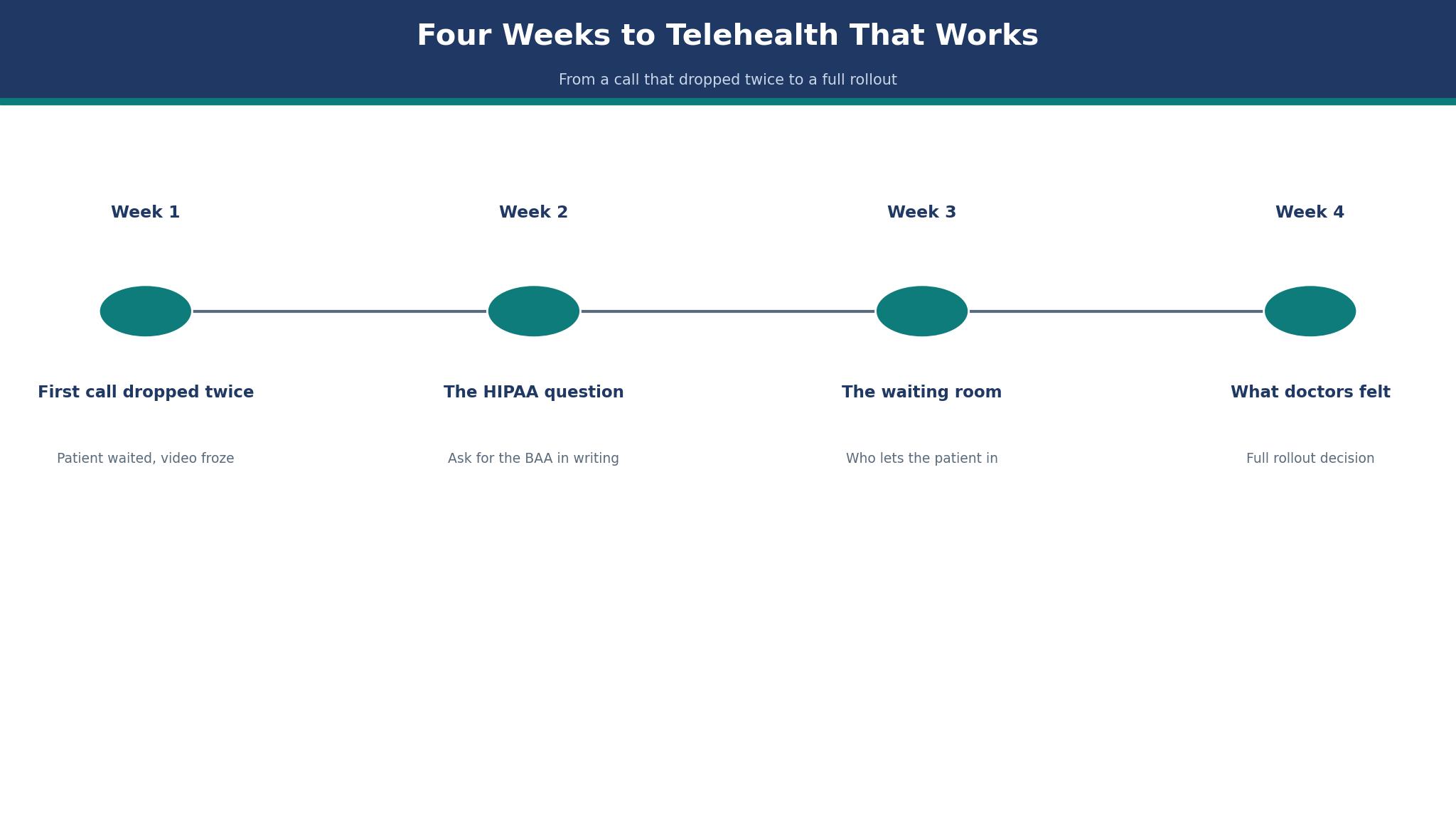
The first telehealth call went wrong twice. The patient waited in the virtual waiting room, the video froze, the call dropped, and the patient rang the clinic to ask whether the appointment was still happening. That is the moment a clinic learns that video conferencing for healthcare is not the same as video conferencing for a team meeting. The best video conferencing software for healthcare has to work for a patient who has never used it before, and Doxy.me is the pick I would start with because it is free for individual providers and the patient joins from a browser link with no download.
What Should the best video conferencing software for healthcare Do When the Patient Joins?
The patient experience is the test that matters, and it starts before the call. A patient should get a link, click it, wait in a virtual waiting room, and see the doctor. No account, no download, no app store. Doxy.me passes this test cleanly, because it was built for patients who have never done a video call before.
The second test is the BAA. A video tool that handles patient visits must sign a Business Associate Agreement, and the plan you buy must include it. Doxy.me includes a BAA on its free plan for individual providers, which is unusual. Zoom for Healthcare needs a paid plan with the BAA selected at checkout. The best video conferencing software for healthcare you pick should have the BAA sorted before the first patient, not after.
The 10 Tools at a Glance
Use this table to cut the list to three. It lines up every tool by fit and price, and Doxy.me leads it. The best video conferencing software for healthcare you pick should survive this table first, then the detail section.
| Tool | Best for | Starting price |
|---|---|---|
| Doxy.me | Clinics that want the simplest video layer with a BAA included | free for individual providers, Premium $29 per user a month on annual billing |
| Zoom for Healthcare | Health systems that already run Zoom and want familiar video | $14.16 per user a month for Pro on annual billing, $16.99 monthly |
| VSee | Small practices that want video with intake forms | free plan, paid reported from $49 a month |
| SimplePractice | Therapists who want video inside a practice management system | reported from $29 a month for Essential on annual billing |
| Spruce Health | Small practices that want video plus secure messaging | from $24 a month |
| SecureVideo | Practices that want a BAA and simple video without extras | reported from $39 a month |
| Mend | Clinics that want automated reminders with their video | reported from $49 a month |
| TheraNest | Mental health practices that want video with notes and billing | from $39 a month |
| Updox | Practices that want video inside a patient engagement platform | quote only |
| TheraPlatform | Therapy practices that want video with documentation and billing | from $49 a month |
Best Pick by Job
Pick by the job you actually do. For most clinics Doxy.me is the first name to test, and the table below shows which tool takes over when the job changes. The best video conferencing software for healthcare should match the work, not the other way round.
| Situation | Pick | Why |
|---|---|---|
| Just starting out | Doxy.me | Lowest friction start, free or cheap entry |
| Growing fast | Zoom for Healthcare | Scales without a rebuild |
| Tight budget | Zoom for Healthcare | Lowest monthly cost on this list |
The Waiting Room
The virtual waiting room is the most underrated feature in telehealth. It is where the patient waits, where the doctor sees who is next, and where the late-running clinic explains itself. A good waiting room shows the patient their place in the queue and lets the doctor admit them with one click.
Doxy.me gives every provider a personal waiting room on the free plan, and its paid plans add team rooms and branding. Zoom for Healthcare does it through its meeting lobby, which is familiar but less healthcare-specific. The tools that struggle here are the general video tools, where the patient sits in a meeting lobby with no sense of what happens next.
Test the waiting room with a real patient, not a colleague. Ask them to join five minutes early and tell you what they saw. If they were confused, the tool has failed the test that matters most, because a confused patient is a patient who does not come back.
Doxy.me vs Zoom for Healthcare for a Ten-Provider Clinic
Doxy.me and Zoom for Healthcare are the two tools a clinic compares first, and they come from different worlds. Doxy.me is a telehealth tool that does video and little else. Zoom for Healthcare is the healthcare version of a video platform the whole world already knows, with a BAA and healthcare controls added.
On price, Doxy.me is free for individual providers, with Premium at $29 per user a month on annual billing. Some sources report $35 a month, so treat the paid figure as reported and confirm it on the vendor page. Zoom for Healthcare starts with Pro at $14.16 per user a month on annual billing, or $16.99 monthly, and its healthcare bundle runs from $20.50 a user a month. A ten-provider clinic pays $290 a month on Doxy.me Premium, or about $142 a month on Zoom Pro annual.
The choice is about what the clinic already has. If the clinic has an EHR and billing already, Doxy.me is the simpler and cheaper video layer. If the clinic already runs Zoom for everything else, Zoom for Healthcare is the familiar choice, and the patients already know how to use it. For a clinic starting from scratch, Doxy.me leads this list.

How to Choose Video Conferencing Software for Healthcare
Start with the BAA, and get it in writing before the trial. A video tool without a signed BAA cannot be used for patient visits, and the free version of a general tool never has one. Ask the vendor which plan includes the BAA, and check whether it covers the whole clinic or one provider at a time.
Then test the patient join with the least technical person you know. Send them the link and watch them join, without helping. If they need help, the tool will cost the clinic a phone call for every new patient. The best video conferencing software for healthcare should be usable by a patient who has never made a video call.
Finally, check the recording and notes rules. Some tools record locally, some in the cloud, and the storage rules for patient video are strict. A tool that stores recordings where you cannot control them is a compliance problem waiting to happen.
The 10 Tools in Detail
The detail section is where the ranking is proved. Each tool in this best video conferencing software for healthcare list gets its price, its strengths, and its trade-offs, starting with Doxy.me.
1. Doxy.me
Doxy.me is clinics that want the simplest video layer with a BAA included. Paid plans start at free for individual providers, Premium $29 per user a month on annual billing. The patient joins from a browser link with no download, and the BAA is included on the free plan for individual providers
At $29 per provider a month, 10 providers cost $290 a month, or $3,480 a year.
The trade-off is it has no scheduling or billing, so it runs alongside an EHR rather than replacing one. Some sources report Premium at $35 a month, so treat the $29 figure as the annual-billing rate and the $35 figure as reported.
A small clinic can have Doxy.me running in an afternoon, because the browser join needs no downloads and the starting settings fit a ten-provider week.
It suits clinics that want the simplest video layer with a BAA included.
What I would do with Doxy.me first is test it on the problem in the The Waiting Room section, with real work and a two-week clock, then decide on the evidence.
Ask Doxy.me whether Premium still includes the BAA at renewal. Doxy.me is free for individual providers and Premium runs $29 per user a month on annual billing, so ask what that rate becomes at renewal before the whole clinic depends on it.
When a visit drops mid-call with a patient waiting, Doxy.me help matters more than its feature list. With Doxy.me, find out whether help arrives by chat, email, or phone, and whether the plan you would actually buy covers it when a visit drops mid-call.
The last check on Doxy.me is the exit. Before signing for Doxy.me, check how the contract ends, since a tool that lets one provider start free should let a clinic leave just as easily.
2. Zoom for Healthcare
Zoom for Healthcare is health systems that already run Zoom and want familiar video. Paid plans start at $14.16 per user a month for Pro on annual billing, $16.99 monthly. The video quality and the recording are the strongest here, and patients already know how to use Zoom
At $14.16 per provider a month, 10 providers cost $142 a month, or $1,699 a year.
The trade-off is the healthcare bundle runs from $20.50 a user a month, and the BAA must be selected at checkout. Standard free Zoom does not qualify for patient visits, and using it for PHI is a compliance risk.
With Zoom for Healthcare, bring the provider list over first and the care team second, and only close the old video routine once visits run through Zoom.
It suits health systems that already run Zoom and want familiar video.
The question to ask on the demo of Zoom for Healthcare is whether it handles your messiest real case, not the clean one in the sales deck.
Ask Zoom for Healthcare whether every provider keeps the same plan at renewal. Ask what Zoom for Healthcare costs after its first year, because a health system running Zoom everywhere feels any rise at once.
The support that comes with Zoom for Healthcare matters more than the feature list when something breaks. Check whether support from Zoom for Healthcare is chat, email, or phone, and whether it is included on the plan you would buy.
The last check on Zoom for Healthcare is the exit. Before signing for Zoom for Healthcare, check how the contract ends, since a health system already running Zoom should not be locked in by its video contract.
3. VSee
VSee is small practices that want video with intake forms. VSee opens free, and paid plans are reported from $49 a month. Its intake forms and its waiting room are built for healthcare, and the free plan includes a BAA
At about $49 per provider a month, 10 providers cost $490 a month, or $5,880 a year.
The trade-off is its interface is plainer than Doxy.me, and its EHR integrations are fewer. Treat the $49 figure as reported, because VSee pricing varies by plan.
Take VSee through real intake forms and real visits during the guided trial, because sample screens cannot show what a busy practice does to a video visit.
It suits small practices that want video with intake forms.
At the VSee demo, hand them a patient and ask them to take them through intake forms to a video visit, rather than the tidy walkthrough.
Check the VSee renewal before intake forms become the practice routine. VSee has a free plan and paid plans reported from $49 a month, so confirm the renewal rate for the intake-form plan before patients depend on it.
When an intake form fails before a visit, VSee help matters more than its feature list. With VSee, pin down the support channel and whether the $49-a-month plan covers a human answer when an intake form fails before a visit.
The last check on VSee is the exit. Before signing for VSee, check how the contract ends and whether the intake data leaves with you, since a free start means little without a clean exit.
4. SimplePractice
SimplePractice is therapists who want video inside a practice management system. Paid plans start at reported from $29 a month for Essential on annual billing. The video sits inside scheduling, notes, and billing, so the whole visit runs in one place
Q: What does SimplePractice do best?
A: The video sits inside scheduling, notes, and billing, so the whole visit runs in one place
A: The catch is it is a practice system, not a video-only tool, so a clinic with an EHR already will pay for features it does not need.
5. Spruce Health
Spruce Health is small practices that want video plus secure messaging. Spruce Health starts from $24 a month. Its secure messaging sits next to the video, so a patient can message before and after the visit
At $24 per provider a month, 10 providers cost $240 a month, or $2,880 a year.
The trade-off is its video is simpler than Zoom, and it suits a small practice rather than a hospital. The shared inbox lets the whole care team see the patient conversation.
Training on Spruce Health takes about an hour per person, and the team that skips it will use half the features.
It suits small practices that want video plus secure messaging.
Hand Spruce Health a patient who messages before the visit, misses it, then rejoins, and watch the demo cope with that tangle instead of a tidy sample.
Ask Spruce Health whether secure messaging stays included when the practice renews. Find out what Spruce Health charges once its opening rate ends, since a small practice feels any rise across every provider.
6. SecureVideo
SecureVideo is practices that want a BAA and simple video without extras. SecureVideo runs from a reported $39 a month. Its setup is fast, its BAA is included, and the patient joins from a link
At about $39 per provider a month, 10 providers cost $390 a month, or $4,680 a year.
The trade-off is it has few features beyond video, so a clinic that needs scheduling will need a second tool. Treat the $39 figure as reported, because SecureVideo pricing varies by plan.
Test SecureVideo in a live clinic week, because a quiet week never puts the BAA, the video, and the reconnect under pressure together.
It suits practices that want a BAA and simple video without extras.
On the SecureVideo demo, ask them to reconnect a visit that dropped mid-call under the BAA, rather than the rehearsed walkthrough.
7. Mend
Mend is clinics that want automated reminders with their video. Mend is reported to start from $49 a month. Its reminder system cuts no-shows, and its intake forms are built for healthcare
At about $49 per provider a month, 10 providers cost $490 a month, or $5,880 a year.
The trade-off is its video is less polished than Zoom, and the price is higher than Doxy.me Premium. Treat the $49 figure as reported, because Mend pricing varies by plan.
Mend takes an afternoon to set up for a small clinic, because the import takes the patient list as it stands and the reminder rules are ready to switch on.
It suits clinics that want automated reminders with their video.
At the Mend demo, hand them a patient who missed a visit and needs three reminders, and ask how the reminders run, instead of the polished walkthrough.
Check the Mend renewal before the reminder system becomes routine. Mend is reported from $49 a month, so ask what the automated reminders cost once the clinic grows past the opening rate, because a first-year figure that climbs changes the budget.
8. TheraNest
TheraNest is mental health practices that want video with notes and billing. TheraNest plans start from $39 a month. Its notes templates and its billing suit a therapy practice, and the video is built in
- Best for: mental health practices that want video with notes and billing
- Price: from $39 a month
- Strength: its notes templates and its billing suit a therapy practice, and the video is built in
- Watch out: it is built for mental health, so a general clinic will find features it does not need
9. Updox
Updox is practices that want video inside a patient engagement platform. Paid plans start at quote only. Its patient messaging and its video sit together, so the whole relationship runs in one place
A practice should expect an annual contract quoted per provider, and should ask what the video tier includes.
The trade-off is there is no published price, and it is a platform rather than a simple video tool. The fax and messaging features suit a practice that still handles paper.
Updox begins with a guided trial, so test it on live patient messages straight away, because sample screens say nothing about a real practice.
It suits practices that want video inside a patient engagement platform.
On the Updox demo, ask them to turn a patient message thread into a video visit, instead of the staged walkthrough.
Confirm the Updox renewal price before patient messages live inside it. Updox is quote only, so get the second-year price in writing, because a practice that buys a patient engagement platform on a first-year quote can be surprised at renewal.
10. TheraPlatform
TheraPlatform is therapy practices that want video with documentation and billing. Paid plans start at from $49 a month. Its documentation and its billing are built for therapy, and the video is HIPAA-compliant
At $49 per provider a month, 10 providers cost $490 a month, or $5,880 a year.
The trade-off is it is a therapy platform, so a general clinic will pay for features it does not use. The interactive tools let a therapist share worksheets during the session.
Moving to TheraPlatform starts with cleaning the patient list, because therapy practices carry the same client under different spellings across notes, billing, and video.
It suits therapy practices that want video with documentation and billing.
During the TheraPlatform demo, hand them a therapy session and ask them to take it from video through documentation to billing, not the clean walkthrough.
How Reliable Does Telehealth Video Need to Be?
More reliable than a team meeting, because a dropped call is a missed appointment, not a minor annoyance. A clinic should expect the video to hold for a 30-minute visit on a normal home connection, and the tool should recover from a brief dropout without ending the call.
Test the tool on a weak connection before you buy. Run a call on a phone with two bars of signal and see what happens. The tool that degrades gracefully, by dropping video quality before dropping the call, is the one to buy.
Do Patients Actually Prefer Video Visits?
For follow-ups and simple consultations, yes, most do, because a video visit saves a journey and a waiting room. For a first visit or a difficult conversation, most patients still prefer to be in the room, and the clinic should offer both.
The tool cannot fix a patient who does not want video, but it can make the video visit feel easy enough that the patient tries it once. After one good video visit, most patients will book the next one the same way.
The Numbers Worth Checking First
A ten-provider clinic on Doxy.me Premium at $29 per user a month pays $290 a month, or $3,480 a year. The same clinic on Zoom Pro at $14.16 per user a month on annual billing pays about $142 a month, or $1,699 a year. The difference is $1,781 a year, and it is the first number to weigh. These numbers are the reason the best video conferencing software for healthcare matters when you run Doxy.me at your size.
Call drops are the second number. A clinic that runs 200 video visits a month with a 5 percent drop rate loses 10 visits a month to technical failure. Each lost visit costs a reschedule, a phone call, and a frustrated patient. A tool that cuts the drop rate to 1 percent saves 8 visits a month.
Time is the third number. A video visit that starts on time saves the patient a journey of 30 minutes each way, or an hour per visit. At 200 visits a month, that is 200 hours of patient time saved, which is why patients keep choosing video once they have tried it.
How to Trial Doxy.me in One Week
Run the trial on a real week. Put Doxy.me in front of 10 providers, give them the jobs they already do, and watch what breaks with Doxy.me. A Doxy.me trial loaded with sample patients proves little, since those records hold no duplicate contacts, no patients who cannot join from their phone, and no dropped calls.
Measure three numbers during the trial of Doxy.me. First, how long the core job takes for 10 providers on Doxy.me. Second, how many mistakes 10 providers make in a week with Doxy.me. Third, whether the team still opens Doxy.me on Friday. When Friday use stays low, fast joins and fewer mistakes count for little with Doxy.me.
Decide the switch date for Doxy.me before the trial starts. Fix the switch date before the Doxy.me trial opens, or the trial becomes a second system the clinic keeps feeding while the old phone routine stays alive. Pick the date, run the week with 10 providers on Doxy.me, and on the date either switch or walk away.
The First 30 Days With Doxy.me
The first month with Doxy.me should be boring on purpose. Keep the old video routine running while Doxy.me takes real visits for two weeks, with the provider data moved across first. Switch all ten providers to Doxy.me in one go and the clinic spends the month fixing the switch instead of seeing patients.
By day 30, 10 providers should be using Doxy.me without thinking about it. If providers still need help joining a visit after a month, the training ran short or the setup misled them. Fix the setup of Doxy.me before blaming the team.
Review the numbers at day 30 for Doxy.me. Compare the time, the mistakes, and the satisfaction with the month before Doxy.me. If two of the three improved with Doxy.me, keep it. If nothing got better, the clinic routine is the fault, not Doxy.me.
What to Ask on the Demo of Doxy.me
Ask Doxy.me to show the core job on your data, not theirs. Give Doxy.me your own clinic list for the demo, because the sample data hides duplicate patient contacts, half-filled intake records, and the edge cases a real clinic week throws up.
Ask Doxy.me for the price at twice your size. A tool that is cheap for 10 providers and expensive for double that number will punish growth, and the quote from Doxy.me should show the curve before you sign.
Ask who answers when Doxy.me breaks. A Doxy.me demo walks a patient through a browser join with no download, yet the support queue stays off screen, so ask when support answers, how quickly, and whether the plan you would buy covers a real person when a visit drops.
Ask Doxy.me how patient records are handed back if the clinic cancels. Ask Doxy.me now how long an export takes and what it costs, because a slow paid export is a lock-in dressed as a feature.
The Verdict: Doxy.me for Simplicity, Zoom for Scale
Doxy.me is the pick for most clinics because it is free for individual providers, the patient joins from a browser with no download, and the BAA is included on the free plan. A small clinic can start today without a purchase order.
Zoom for Healthcare is the better tool for a large clinic or a health system that already runs Zoom, because the video quality and the recording are stronger, and the patients already know the interface. The trade-off is the price, which starts at $14.16 a user a month and climbs with the healthcare bundle.
What I would do is this. Start with Doxy.me free for one provider, run 20 real visits, and count the dropped calls and the patient complaints. If the numbers are good, move the clinic to Premium at $29 a user a month. If the clinic already runs Zoom everywhere, buy the healthcare bundle instead and accept the $20.50 a user a month. The best video conferencing software for healthcare you pick should make the first call work, because a patient whose first call drops twice will not book a third.
Frequently Asked Questions
Can I use video conferencing for healthcare visits without a dedicated telehealth platform?
Yes, if the video tool signs a BAA and you already have an EHR and billing. Doxy.me and Zoom for Healthcare both work this way for video-only practices.
Is Doxy.me really free for healthcare providers?
Yes, for individual providers, with a BAA included on the free plan. Paid plans start at $29 per user a month on annual billing, though some sources report $35, so confirm the current price.
Does Zoom for Healthcare include a BAA?
Yes, on paid plans, with the BAA selected at checkout. Standard free Zoom does not qualify for patient visits, and using it for PHI is a compliance risk.
What happens when a telehealth call drops mid-visit?
A good tool reconnects the same session without a new link. If the call cannot recover, the provider should ring the patient and finish by phone, then document the visit as a phone consultation.
Do I need special equipment for telehealth video?
No. A laptop with a camera and a decent microphone is enough for most visits. A headset helps with audio, and a second screen helps the provider see notes and the patient at once.
Can I record a telehealth visit?
Yes, with patient consent, and the recording must be stored under the same rules as any patient record. Check where the tool stores recordings before you enable the feature.