
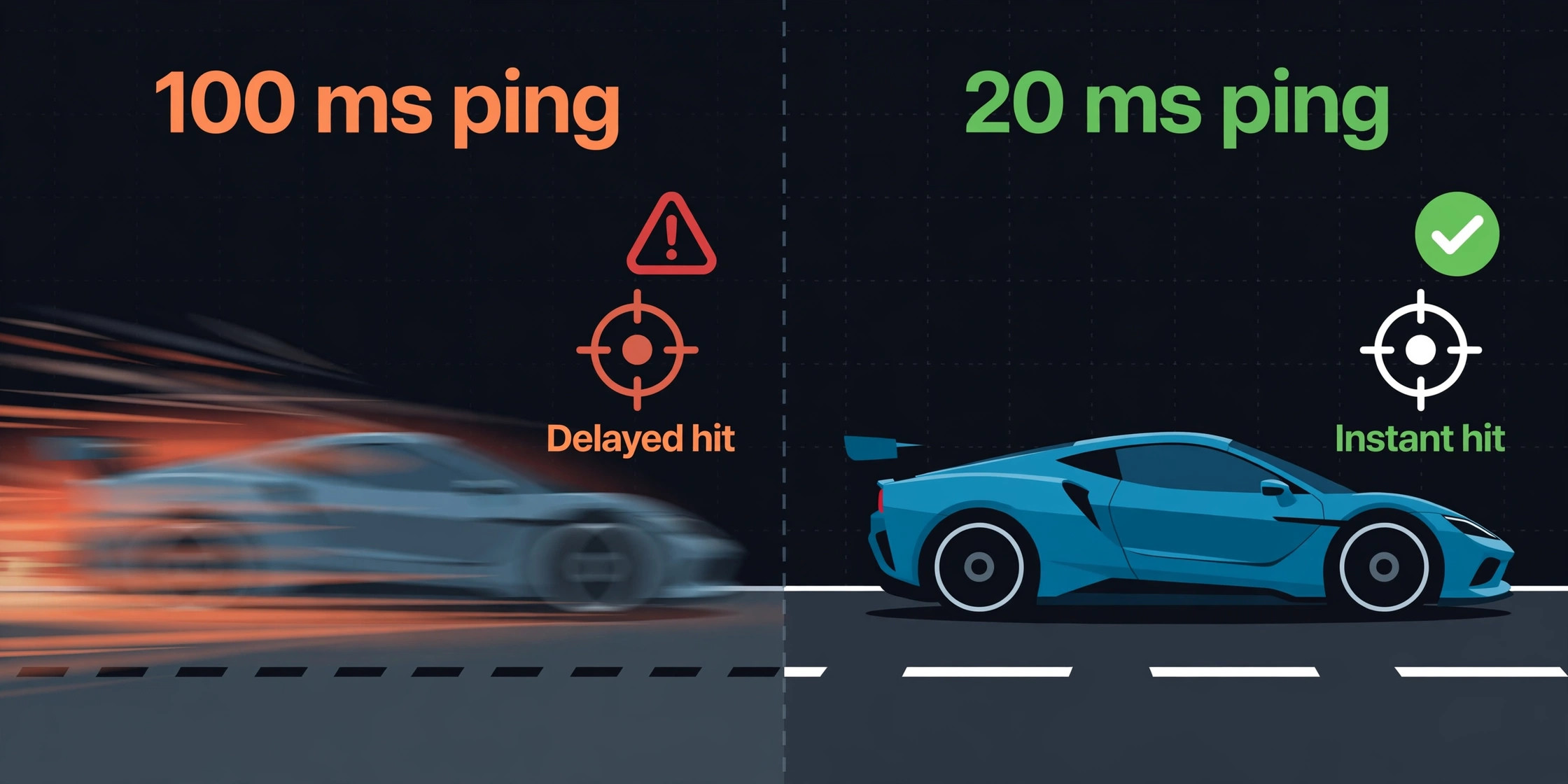
In competitive shooters, the gap between a 20 millisecond ping and a 100 millisecond ping is the gap between a shot that registers and one that arrives after you are already dead. Tournament guides and game netcode docs routinely treat sub 30 millisecond ping as the competitive target, while anything above 80 milliseconds starts to feel like playing half a beat behind the server. That gap is why choosing the best router for gaming low latency matters more than chasing the biggest speed number on the box. A router cannot fix a slow internet plan or a distant game server, but it decides how much extra delay your own home adds on top of them.
This guide covers exactly 5 routers, from a value Wi-Fi 6 pick near 170 dollars to a Wi-Fi 7 flagship near 450 dollars at deal pricing. Prices below were checked against vendor or retailer listings at draft time and will move, so treat them as a snapshot. For each router you get latency behaviour, bands, wired options, price, and the player it suits best. You also get a latency comparison table, a best pick by job table, and a setup checklist that does more for your ping than any single spec sheet feature.
Why Ping Beats Headline Speed for Gamers
Ping is the round trip time for a small packet to travel from your device to the game server and back, measured in milliseconds. Download speed, by contrast, measures how much data your connection can move at once. A 1 gigabit plan with a 90 millisecond ping will still feel worse in a fast shooter than a 100 megabit plan with a 15 millisecond ping, because shooters send tiny packets very often rather than large files occasionally. Speed matters for downloads and streaming. Ping matters for every shot, dodge, and trade in a live match.
Three numbers describe a connection better than any single ping reading. The first is average ping, which is what most speed tests show. The second is jitter, which is how much ping varies from packet to packet. A connection that swings between 15 and 90 milliseconds feels worse than one that holds steady at 40, because your game cannot predict where the next packet will land. The third is packet loss, the share of packets that never arrive. Even 1 percent shows up as rubber banding, vanishing shots, and teleporting players.
Most home latency problems come from inside the house, not from the game server. The usual culprits are a congested upload, a weak wireless signal through two walls, a router processor that stalls under load, and a household member starting a cloud backup or a 4K stream mid match. A good gaming router attacks those four problems directly. Quality of service, usually shortened to QoS, gives game packets priority over bulk traffic. A dedicated gaming port does the same job in hardware for one wired device. A fast processor keeps those decisions happening on time when the network is busy.
And a second 5 GHz band, or a 6 GHz band on newer models, gives gaming traffic a quieter road when the main band is crowded.
Bands are simpler than marketing makes them sound. The 2.4 GHz band travels farthest through walls but it is slow and crowded, since neighbours, microwaves, and smart home gadgets all share it. The 5 GHz band is faster and quieter but fades faster through walls. The 6 GHz band, found on Wi-Fi 6E and Wi-Fi 7 routers, is the quietest of all, but it has the shortest range and only newer devices can use it. For gaming, wire the main device if you can. If you cannot, use 5 GHz in the same room as the router.
Bufferbloat is the hidden latency tax most buyers never hear about. When your upload fills up, packets queue inside the router instead of flowing, and ping can jump by 50 milliseconds or more until the queue clears. This is why a match can feel fine until someone starts uploading photos or a console starts a cloud sync. Routers with smart queue management, often labelled SQM or adaptive QoS, keep that queue short by pacing traffic fairly. If your ping only spikes when someone else uses the internet, bufferbloat is the prime suspect.
The 5 Routers at a Glance
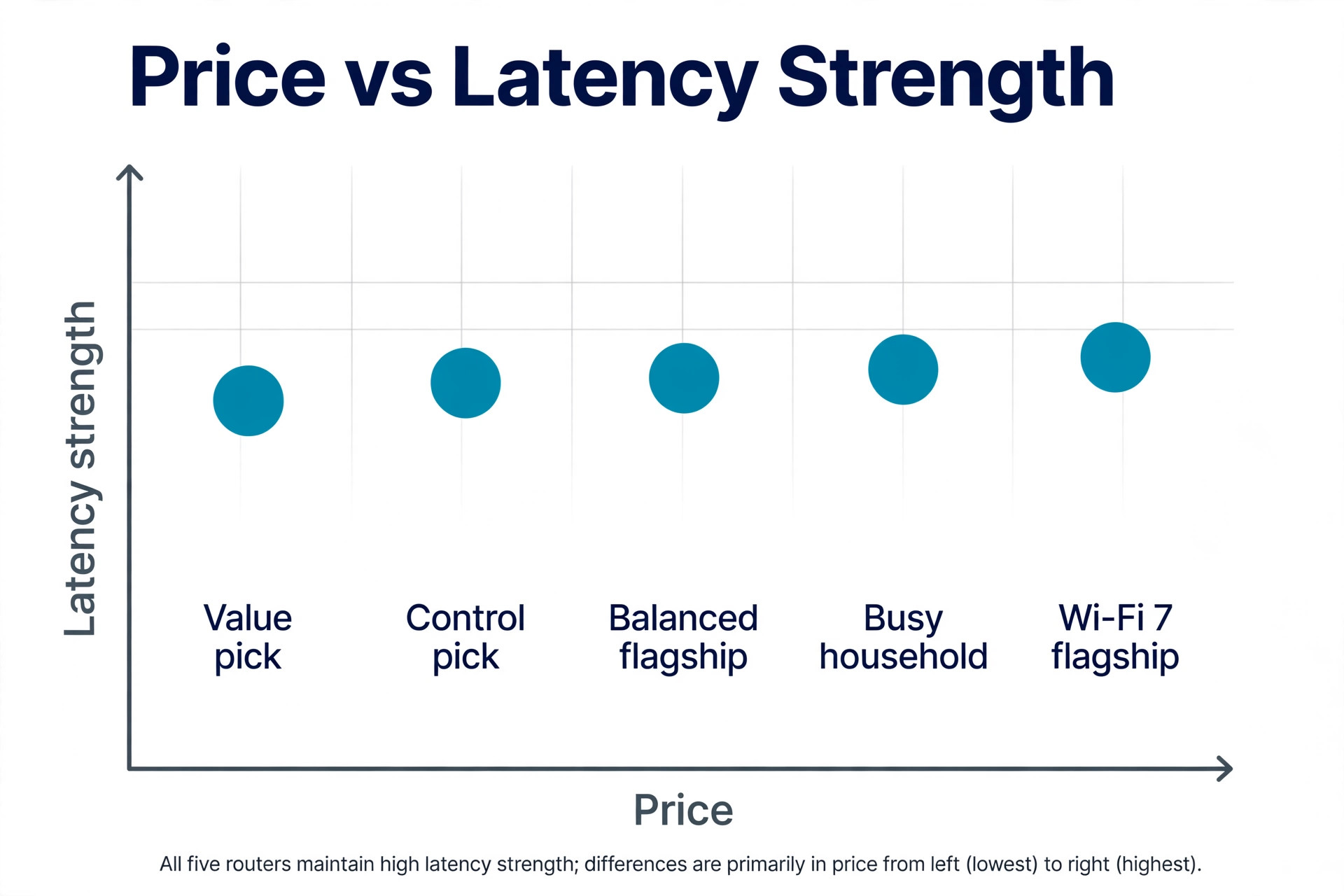
The table below is the short version of this guide. Latency strength here means how well each router protects ping under household load, not a lab measurement, because real ping depends on your plan, your distance from the router, and the game server you connect to.
| Router | Bands | Wired ports | Latency strength | Price at draft time |
|---|---|---|---|---|
| ASUS ROG Rapture GT-AX6000 | Dual band Wi-Fi 6, 2.4 and 5 GHz | Dual 2.5 Gbps ports plus gigabit LAN | Strong, with game acceleration and a dedicated gaming port | 219.99 dollars at the ASUS store |
| TP-Link Archer AX11000 | Tri band Wi-Fi 6, 2.4 and two 5 GHz | 2.5 Gbps WAN plus 8 gigabit LAN | Strong, with a game accelerator and a second 5 GHz band for gaming | 399.99 dollars at Dell |
| NETGEAR Nighthawk XR1000 | Dual band Wi-Fi 6, 2.4 and 5 GHz | 4 gigabit LAN, no multi gigabit port | Best software control, with server selection and ping tracking | 299.99 dollars at the NETGEAR store |
| ASUS RT-AX86U Pro | Dual band Wi-Fi 6, 2.4 and 5 GHz | 2.5 Gbps WAN or LAN port plus 4 gigabit LAN | Very good value, with a gaming port and mobile game mode | About 170 dollars in a current deal listing, against a 199.99 dollar list price |
| TP-Link Archer GE800 | Tri band Wi-Fi 7, 2.4 and 5 and 6 GHz | Two 10 Gbps ports plus 4 ports at 2.5 Gbps | Strongest hardware headroom, with a dedicated gaming port and panel | 449.99 dollars at Amazon, against a 600 dollar list price |
The 5 Routers in Detail
Each router below is judged on the same five points. Latency behaviour first, then bands, then wired options, then price, then the player it suits. Real world ping will still vary with your plan and your home, so treat the verdicts as starting points for your own evening test.
1. ASUS ROG Rapture GT-AX6000, the Balanced Flagship
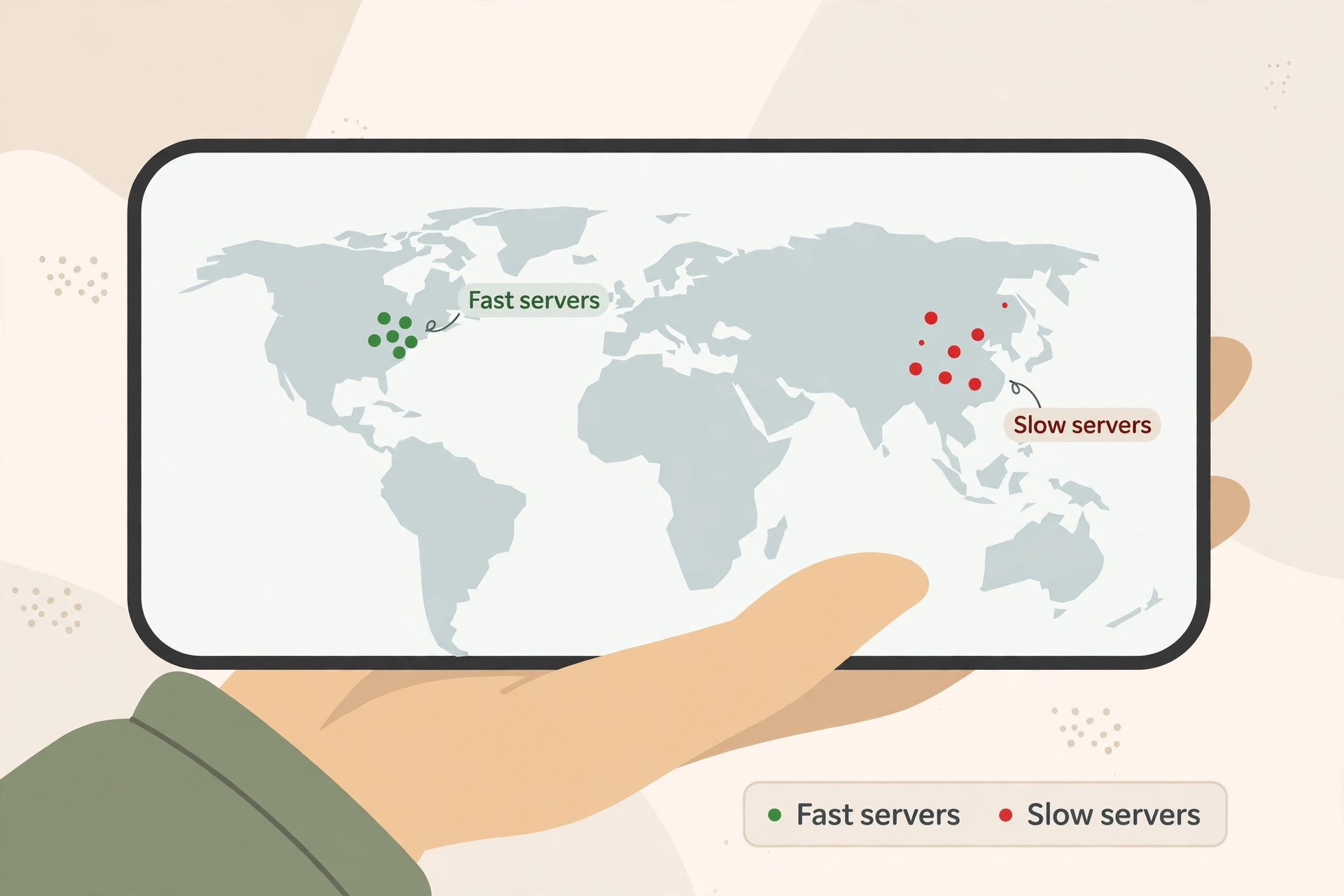
The GT-AX6000 is the easiest recommendation in this group for a player who wants strong gaming features without paying Wi-Fi 7 prices. Its latency behaviour rests on three layers that ASUS calls triple level game acceleration. The router prioritises game packets on your device, on the router itself, and on the route to the game server through a partnered private network service. In practice, the first two layers do the real work, keeping your PC or console ahead of phones, televisions, downloads, and streams. The third layer helps only for supported games and regions, so do not buy this router for that layer alone.
Bands are dual band Wi-Fi 6, with 2.4 GHz and 5 GHz radios and a combined headline speed of up to 6000 Mbps. That headline number is a sum across bands and devices, not a speed any single device will see.
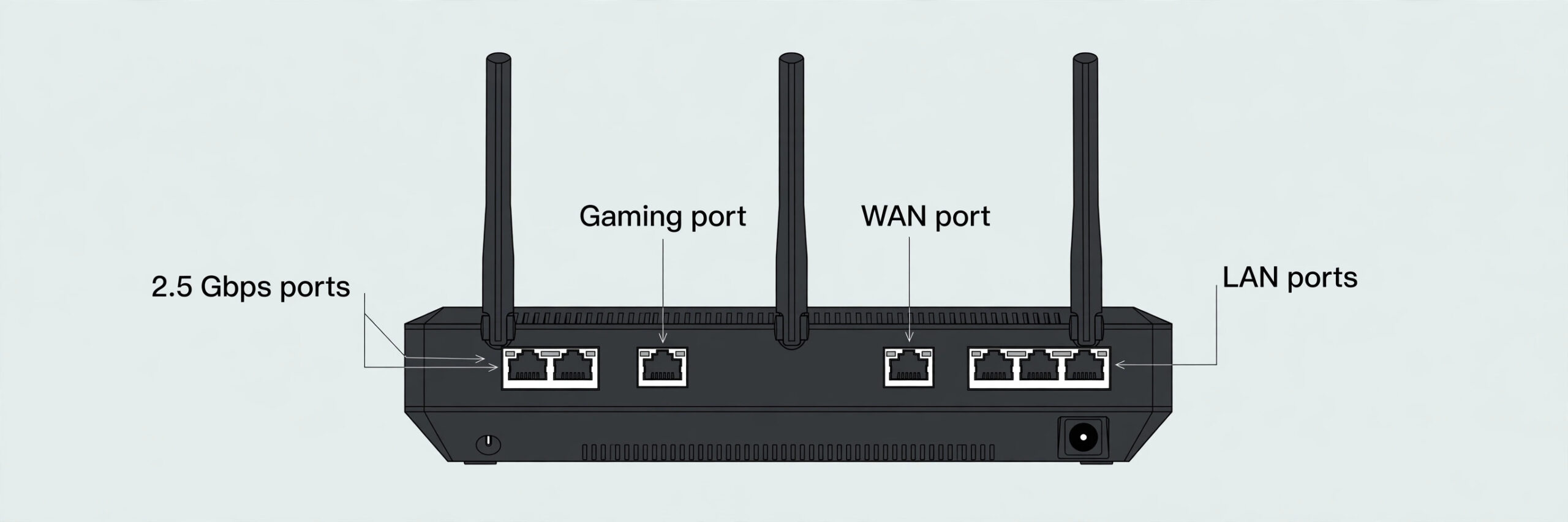
Wired options are a genuine strength. Dual 2.5 Gbps ports can serve as WAN and LAN, or be combined through aggregation for up to 3.5 Gbps of WAN bandwidth when paired with a gigabit port. A dedicated gaming port gives one wired device top priority without any setup.
Price at draft time is 219.99 dollars at the ASUS store. This router suits a competitive PC or console player in a flat or small house who can wire the main device and wants strong QoS without learning server selection software. It has no 6 GHz band, so a household with several Wi-Fi 7 devices should look at the Wi-Fi 7 pick below.
2. TP-Link Archer AX11000, the Tri Band Workhorse
The Archer AX11000 takes a different approach to low ping. Instead of squeezing one 5 GHz band harder, it gives you two of them. Its latency behaviour centres on a game accelerator that detects gaming traffic and moves it ahead of other traffic, plus a dashboard that shows real time latency, session length, and system load at a glance. That dashboard is more useful than it sounds. When ping spikes, you can see in seconds whether the problem is your game, your household load, or the router itself.
Bands are tri band Wi-Fi 6, with one 2.4 GHz band at up to 1148 Mbps and two 5 GHz bands at up to 4804 Mbps each, for a combined headline figure of up to 10756 Mbps. The practical benefit is separation. Put gaming devices on one 5 GHz band and streaming traffic on the other, and the two groups stop fighting for the same airtime. Eight external antennas help the signal hold up at distance, though no antenna beats a wired connection.
Wired options are generous. A 2.5 Gbps WAN port feeds the router from a fast plan, and eight gigabit LAN ports cover a PC, two consoles, a television, and a NAS without buying a switch. There is no 2.5 Gbps LAN port, so a single wired device tops out at gigabit speed, which only matters on multi gigabit plans.
Price at draft time is 399.99 dollars at Dell. This router suits a busy household where several people game, stream, and work at the same time and where the second 5 GHz band earns its keep every evening.
3. NETGEAR Nighthawk XR1000, the Control Freaks Pick
The XR1000 is the only router here that treats ping as something you manage match by match, not just something you hope stays low. Its DumaOS 3.0 software gives you a ping heatmap, a geo filter, and bandwidth allocation controls no other router here matches. The heatmap shows which game servers give you the best ping before you join a match. The geo filter lets you block distant servers when a closer, faster server exists. Bandwidth allocation lets you cap a streaming device or a download so it cannot steal the upload mid match.
NETGEARs own test claim deserves a careful read. With all QoS features enabled on a 100 Mbps down and 20 Mbps up connection under heavy congestion, including a game, a torrent download, and HD streaming at once, ping fell from 275 milliseconds to 64 milliseconds, against a 49 millisecond uncongested baseline. That is a vendor test under extreme congestion, not a promise for your home, but it shows this router shines when the house is busy, not when it is quiet.
Bands are dual band Wi-Fi 6 at AX5400, with 2.4 GHz at up to 574 Mbps and 5 GHz at up to 4804 Mbps. A 1.5 GHz triple core processor and four detachable antennas sit behind those radios. That hardware is modest, so this is not the router to buy for heavy file serving.
Wired options are the weak point. Four gigabit LAN ports and one gigabit WAN port cover a PC and a console, but there is no multi gigabit port of any kind, and there is no link aggregation or dual WAN support. On plans above 1 Gbps the WAN port itself becomes the ceiling. Price at draft time is 299.99 dollars at the NETGEAR store, down from a 349.99 dollar launch price. This router suits a competitive console or PC player who plays ranked matches, who suffers evening congestion from family traffic, and who will actually use the geo filter and ping heatmap.
4. ASUS RT-AX86U Pro, the Value Pick That Does the Job
The RT-AX86U Pro is the quiet achiever of this group. It has no dramatic software story and no Wi-Fi 7 badge, but it covers the gaming basics so well that most players will never notice what it lacks. Its latency behaviour comes from a dedicated gaming port, adaptive QoS, and a mobile game mode that prioritises phone gaming traffic with one tap in the ASUS Router app. A 2.0 GHz quad core processor and 1 GB of RAM give those features room to work under a normal household load, and AiProtection Pro security runs without a subscription.
Bands are dual band Wi-Fi 6 at AX5700, with 2.4 GHz at up to 861 Mbps and 5 GHz at up to 4804 Mbps, using 160 MHz channels. That is plenty for gaming, since games need low delay far more than they need multi gigabit wireless speed. RangeBoost Plus helps the 5 GHz signal hold up a room or two away, and AiMesh support means you can add a compatible ASUS unit later if a far room turns out to be a dead zone.
Wired options punch above the price. One 2.5 Gbps port works as WAN or LAN, so it can take a multi gigabit plan or feed a wired gaming PC at above gigabit speed, and four gigabit LAN ports cover the rest of the setup.
Price at draft time is about 170 dollars in a current deal listing, against a 199.99 dollar list price. That makes it the cheapest router here by a clear margin, and the value gap matters. This router suits a player on a budget, a student setup, or a second gaming room where spending 400 dollars would be hard to justify. It also suits mobile gamers, thanks to the mobile game mode. It has no 6 GHz band, so a household planning a Wi-Fi 7 upgrade within a year should look at the GE800 instead.
5. TP-Link Archer GE800, the Wi-Fi 7 Flagship
The Archer GE800 is the future proof pick, and it is honest about what that costs. Its latency behaviour comes from a turbo game acceleration engine, a dedicated gaming port, and a real time game panel that shows network health and router performance while you play. The hardware behind those features is the strongest here. A quad core processor, 2 GB of RAM, and 12 streams across three bands keep gaming traffic moving under a busy household load.
Bands are tri band Wi-Fi 7 at BE19000, with 2.4 GHz at up to 1376 Mbps, 5 GHz at up to 5764 Mbps, and 6 GHz at up to 11528 Mbps. The 6 GHz band is the real prize for newer devices, since it is far less crowded than 5 GHz in flats and dense streets. Multi link operation lets a device use more than one band at once, which helps keep latency steady when one band gets busy. The catch is device support. Only newer phones, laptops, and adapters can use 6 GHz or multi link operation, so older consoles and PCs will still play on 5 GHz.
Wired options are the best in this group by a wide margin. Two 10 Gbps ports and four 2.5 Gbps ports mean a multi gigabit plan, a wired gaming PC, a console, and a NAS can all run at full speed with no switch. This is a large router that runs warm under load, so give it open air, not a closed cabinet.
Price at draft time is 449.99 dollars at Amazon, against a 600 dollar list price. This router suits a player with a multi gigabit plan, several newer Wi-Fi 7 devices, and a wired setup that will stay in place for years. If your plan is 500 Mbps or below and your devices are Wi-Fi 6, the GT-AX6000 or the RT-AX86U Pro will give you the same match day ping for half the money or less.
How to Pick the best router for gaming low latency for Your Setup
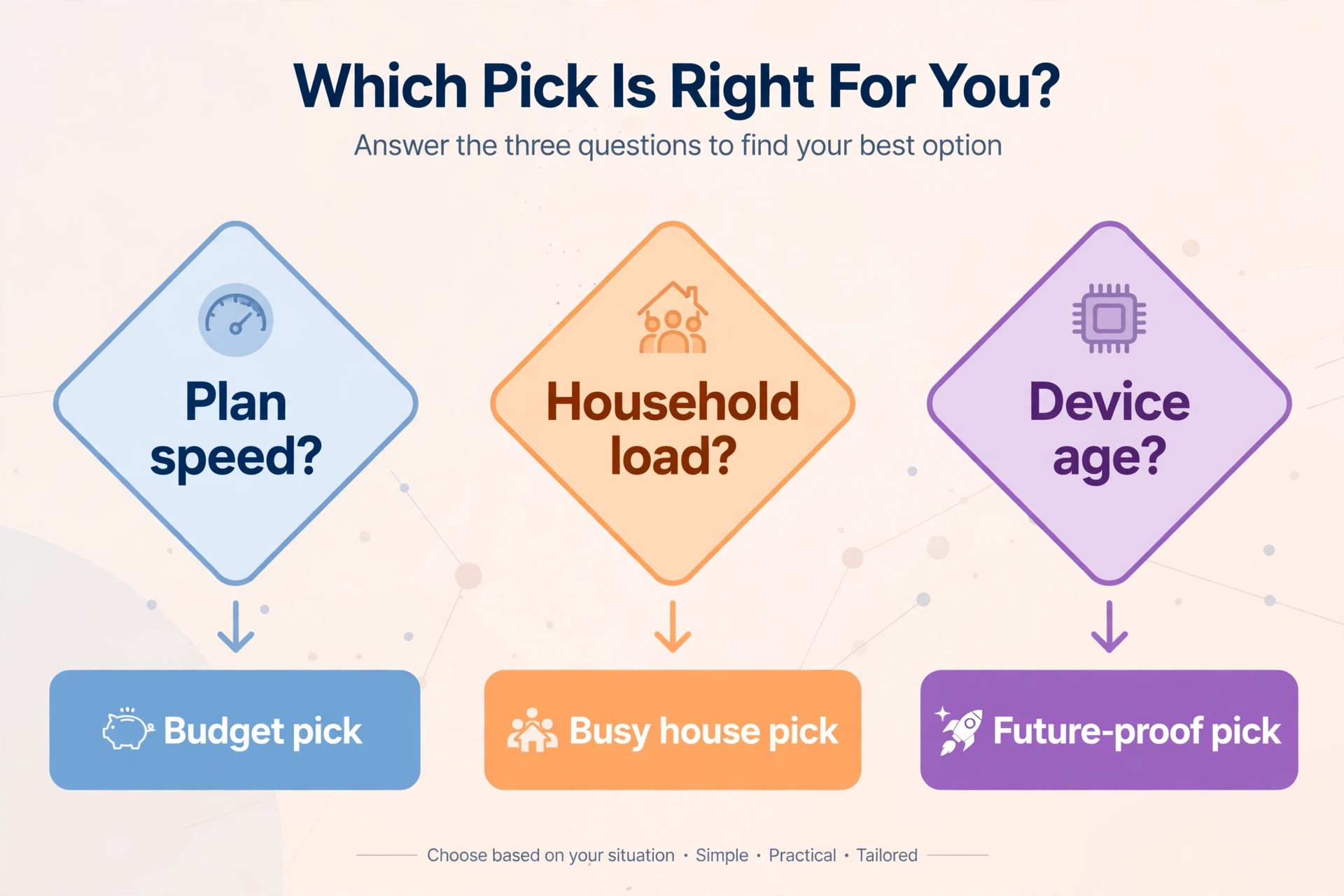
Start with your plan, not with the router. On a plan up to 500 Mbps, every router here has more speed than your connection can use, so the decision comes down to QoS quality, wired ports, and price. The RT-AX86U Pro wins that fight on value alone. On a 1 Gbps plan, the GT-AX6000 and the XR1000 enter the picture, because their stronger QoS and game prioritisation protect ping when the house gets busy. On a plan above 1 Gbps, only the GE800 uses the full plan over wire, and only it gives you a 6 GHz band worth paying for.
Buying a multi gigabit router on a 200 Mbps plan is money spent on a ceiling you will never reach.
Next, count your gamers and your peak hour load. One gamer in a quiet flat needs a gaming port and decent QoS, nothing more. Two gamers plus evening streaming needs tri band separation or strong bandwidth allocation, which points to the AX11000 or the XR1000. A house where ranked matches collide with backups, video calls, and 4K streams every evening needs the XR1000s allocation controls or the GE800s hardware headroom.
Then check your devices. A PlayStation 5, an Xbox Series X, and most gaming PCs from the last few years use Wi-Fi 6 at best, so a Wi-Fi 7 router gains them little over wireless. A new phone or laptop with Wi-Fi 7 support can use the GE800s 6 GHz band, but your console will still play on 5 GHz. If your main gaming device can be wired, the band question shrinks further, and the port layout matters more than the radio generation.
The best router for gaming low latency in your home is the one that fits those three answers together, not the one with the highest number on the box.
| Job | Best pick | Why it wins for this job |
|---|---|---|
| Competitive PC player, wired setup | ASUS ROG Rapture GT-AX6000 | Gaming port plus dual 2.5 Gbps ports plus strong QoS at a mid range price |
| Busy household, several gamers at once | TP-Link Archer AX11000 | Second 5 GHz band keeps gaming traffic apart from streaming traffic |
| Ranked console player fighting evening congestion | NETGEAR Nighthawk XR1000 | Geo filter plus ping heatmap plus bandwidth caps tame the busy hour |
| Budget gaming setup or student room | ASUS RT-AX86U Pro | Gaming port plus 2.5 Gbps port plus mobile game mode for the lowest price here |
| Multi gigabit plan with new Wi-Fi 7 devices | TP-Link Archer GE800 | Two 10 Gbps ports plus 6 GHz band plus the strongest processor in this group |
The Low Latency Setup Checklist
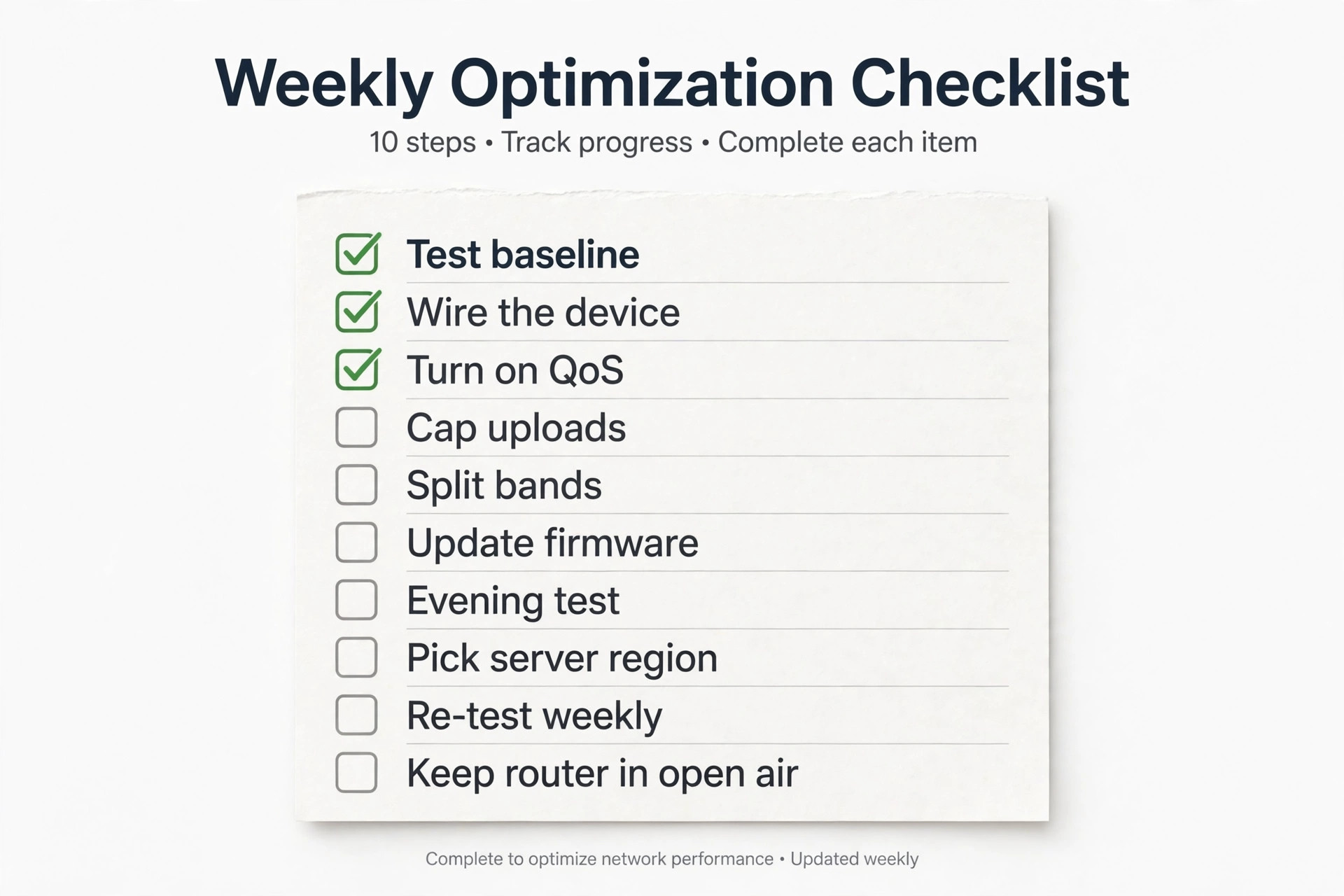
A new router alone rarely fixes ping. The checklist below is the sequence that turns a good router into a low latency setup, and it costs nothing beyond a cable and twenty minutes. Work through it in order, and test after each change so you know which step actually helped.
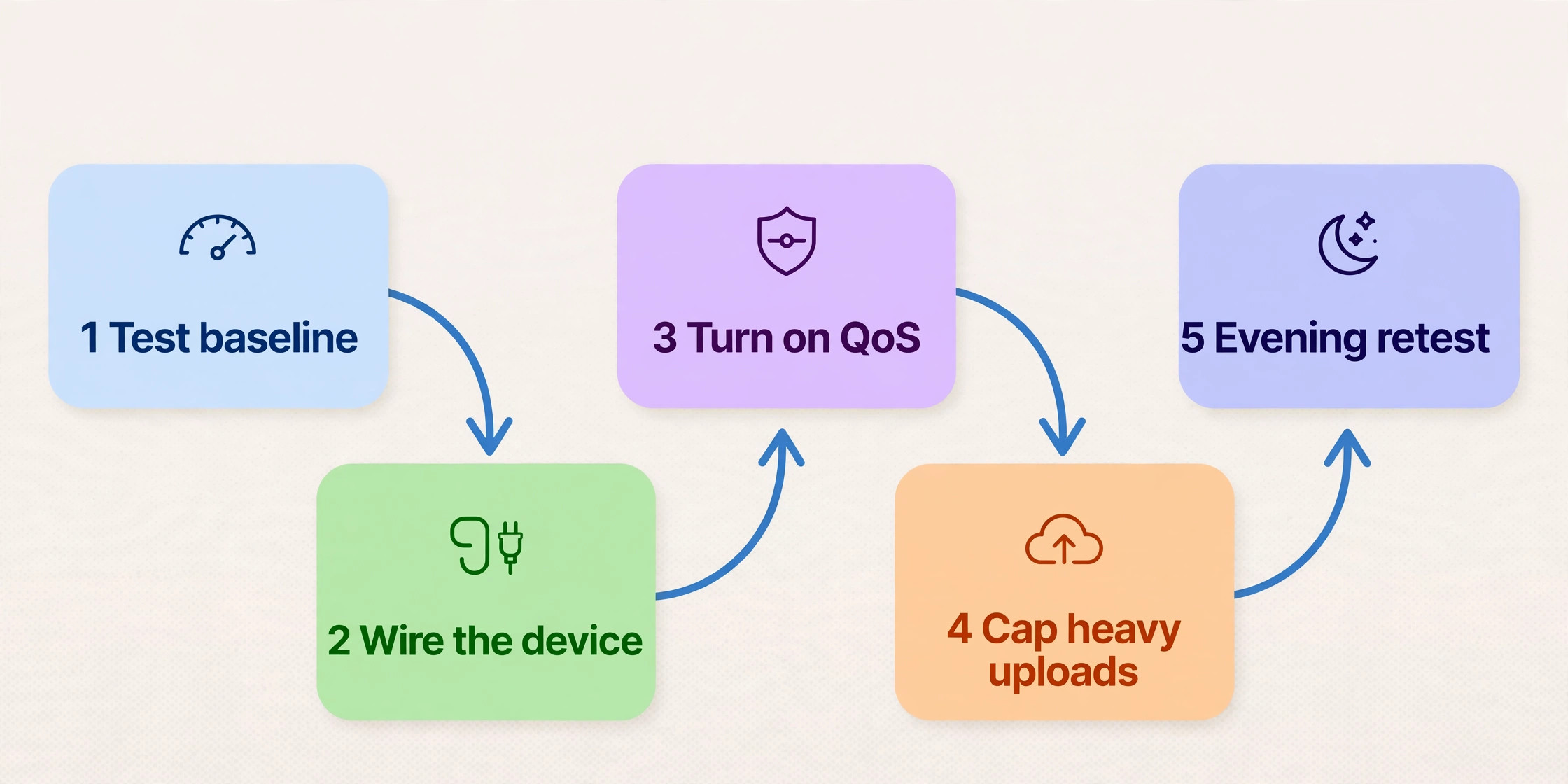
- Test your baseline first. Run a ping test to your usual game server, or check the in game ping display, at the time you normally play. Without a baseline, every later change is guesswork.
- Wire the main gaming device. Run an Ethernet cable from the router to the PC or console, and plug it into the dedicated gaming port if the router has one. This single step removes wireless variation from the equation entirely.
- Put the router in the open. Move it out of a cabinet, away from thick walls and large metal objects, and onto a shelf at waist height or above.
- Turn on QoS and pick the gaming preset. Every router here has one under a different name, such as adaptive QoS, game accelerator, or application QoS. Set your gaming device to the highest priority.
- Cap the heavy uploaders. If the router supports bandwidth allocation, cap cloud backups and console uploads so they cannot fill the upload during a match. If it does not, schedule those jobs for overnight.
- Split your bands with intent. Put gaming devices on 5 GHz, or on 6 GHz if both router and device support it. Leave phones and televisions on 2.4 GHz or on the second 5 GHz band where the router offers one.
- Update the firmware. Router makers fix latency bugs and QoS behaviour in firmware updates. Check for an update on day one and enable automatic updates.
- Test again under real load. Start a match, then start a stream and a download on another device. If ping stays within 10 milliseconds of your quiet baseline, the setup is working. If it jumps by 40 or more, revisit steps 4 and 5.
- Check the game server region. Pick the nearest server region in the game settings, and use a geo filter if your router offers one.
- Re-test after a week. New neighbours and new devices change wireless conditions. A quick weekly ping check catches a slow drift before it ruins a ranked session.
Wired Versus Wireless, the Honest Verdict
Wired wins for gaming, and it is not close. An Ethernet cable gives you a stable path with almost no variation, no neighbour interference, and no signal loss through walls. Wireless can come close in the same room as the router on a quiet 5 GHz or 6 GHz band, but it can never promise the same stability, because the air is shared with every nearby network and device. For a main gaming PC or console, a cable is the single best latency upgrade in this guide.
That said, wireless is good enough for most play when it is set up well. Casual matches and co-operative games all play fine on a strong 5 GHz signal with ping under 50 milliseconds. Mobile gaming lives on wireless by definition, and a phone on a clean 5 GHz or 6 GHz signal near the router can hold perfectly playable ping. Trouble starts at distance, through floors, or in crowded flats where dozens of networks fight for the same channels. That is where wireless ping starts to swing, and where a cable or a closer access point becomes the honest fix.
The best router for gaming low latency therefore depends on how you will connect as much as on which box you buy. A wired player should weight ports and QoS above bands, favouring the GT-AX6000 or the RT-AX86U Pro. A wireless player should weight band quality and a quiet second band, favouring the AX11000 or the GE800. A player who mixes both, with a wired PC and wireless consoles in other rooms, should favour the router with the best combination of both, which in this group is the GT-AX6000 for most budgets and the GE800 for multi gigabit homes.
Powerline adapters and wireless extenders look like easy fixes for a far room, but both add delay of their own. A powerline link can add 5 to 30 milliseconds depending on your home wiring, and a wireless extender halves the available airtime on its band. If a far room matters for ranked play, run a proper Ethernet cable or add a wired access point instead.
For wider home network planning, read the best Wi-Fi router for a 3-storey house for floor by floor coverage, the home Wi-Fi mesh setup guide for placing mesh units, and the laptop Wi-Fi dropping fix if one device drops rather than just lagging.
Frequently Asked Questions
Does a gaming router lower ping on its own?
A gaming router lowers the ping your home adds, not the ping the internet adds. If your game server sits far away or your plan is slow, no router will fix that part of the trip. What a good gaming router does is protect ping when the house gets busy, through QoS, a gaming port, and queue control. That is why the best router for gaming low latency is best judged under evening load, not on a quiet speed test at noon.
Is Wi-Fi 6 enough for gaming, or do I need Wi-Fi 7?
Wi-Fi 6 is enough for most gamers on plans up to 1 Gbps, especially with a wired main device. Wi-Fi 7 earns its price with a multi gigabit plan, several newer devices that support 6 GHz, and a crowded wireless neighbourhood. If none of those apply, spend the difference on a cable run rather than on a newer radio generation.
Is a wired connection always better than wireless for gaming?
Yes, for a main gaming device it is. A cable removes interference, wall loss, and channel contention in one move, and holds ping steady in a way wireless cannot promise. Wireless is fine for casual play and mobile gaming near the router, but for ranked matches, wire the device first and treat wireless as the fallback.
What ping should I aim for in online games?
Under 30 milliseconds is excellent for competitive shooters and fighting games, where every frame of delay shows. Between 30 and 60 milliseconds is perfectly playable for most online games, including shooters at a casual level. Above 80 milliseconds you will start to feel delay in fast games, though slower games such as turn based strategy and many co-operative titles still play fine. Stability matters as much as the number itself, so a steady 45 beats a swinging 20 to 90 every time. If your ping sits above those bands even on a wired connection, test at the modem and raise it with your provider, since the best router for gaming low latency cannot shorten a slow route to the server.
Do I need a 2.5 Gbps port on a gaming router?
You need one if your internet plan is above 1 Gbps, or if you want a wired gaming PC to run above gigabit speed to a fast local server or NAS. On plans up to 1 Gbps, a gigabit port is not a bottleneck for gaming, since games use far less bandwidth than the port allows. Treat the 2.5 Gbps port as future headroom, not as a gaming requirement on its own.
Why does my ping spike in the evening but stay fine during the day?
Evening spikes usually come from household load, not from the game. Streams, video calls, backups, and downloads all compete for upload, and a full upload queue adds delay to game packets. Turn on QoS, cap heavy uploaders, and schedule backups overnight. If spikes continue on a wired device with nothing else running, test at the modem and check whether your provider slows down at peak time.
Buy the Cable First, Then the Router
The honest summary of this guide fits in one line. Wire the gaming device, turn on QoS, and then buy the router that fits your plan and your household load. The RT-AX86U Pro is the budget pick, covering the gaming basics for about 170 dollars. The GT-AX6000 is the serious wired pick, with stronger QoS and dual 2.5 Gbps ports. The XR1000 is the ranked pick for a player who will use its server tools weekly. The AX11000 is the busy house pick, with a second 5 GHz band. The GE800 is the multi gigabit pick for new Wi-Fi 7 devices. Whichever you choose, run the checklist and test under real evening load.
That evening test is the standard the best router for gaming low latency in your home has to meet.