
A product demo on TikTok has about three seconds to earn the next three seconds. When you use CapCut for TikTok product demos, you can build that opening, the proof shots, and the closing action in one mobile editor, then test a second version the same day. The demos that work best are rarely the most polished, because viewers trust a clear, real demonstration more than a glossy advert that hides how the product actually works.
This guide gives you a repeatable demo workflow. You will plan the hook, shoot a short shot list, edit for pace and captions, check sound and claims, and publish with a template you can reuse across products. CapCut pricing varies by region and store, with published summaries putting Pro near 7 dollars and 99 cents per month or about 74 dollars and 99 cents per year in some listings, while other listings show higher desktop pricing, so confirm the price in your own store before budgeting.
Why This Approach Works
TikTok rewards demos that show a result fast. A viewer who sees the problem, the product in use, and the outcome within the first ten seconds has a reason to keep watching, while a slow brand introduction gives them a reason to swipe. CapCut fits this format because it is built for vertical video, auto captions, templates, and direct export to TikTok, which removes the friction of moving files between apps. The free tier covers core editing and 1080p export in many listings, so a small business can test demos before paying, and Pro adds higher export quality, premium templates, and a wider AI toolkit.
Start with the free tier, and pay when a locked feature actually blocks a demo you need to ship.
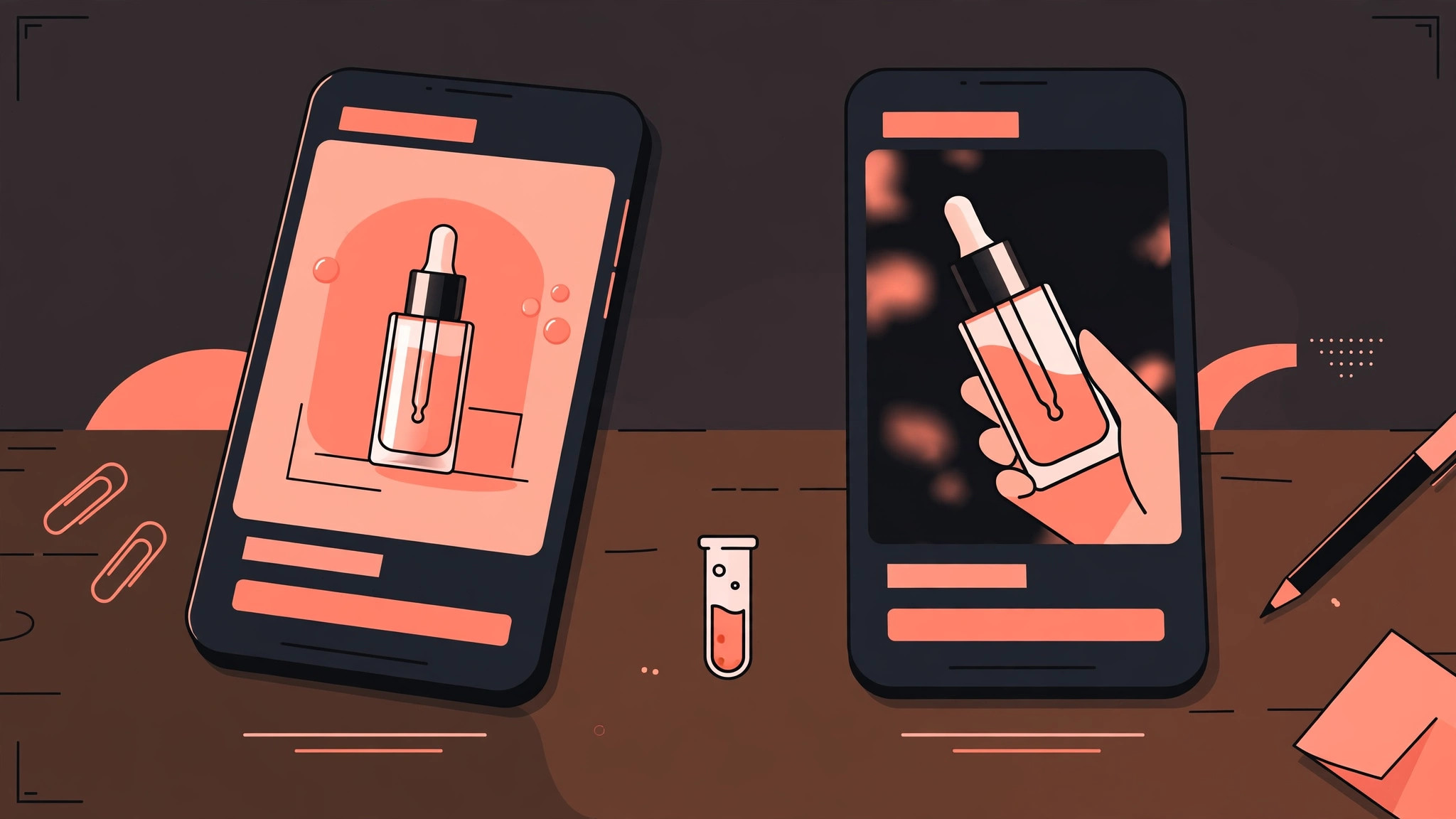
Demos also work as a testing tool, not only as adverts. A product with two different hooks can be tested in two short videos, and the stronger hook can then be reused for the next product in the range. That testing habit matters more than any single video, because it builds a library of openings that are already proven with real viewers. Keep a log of hook, length, saves, and comments for every demo, and the pattern of what your audience responds to will emerge within a few weeks, without guesswork or expensive production.
How to use CapCut for TikTok product demos Step by Step
Shoot and edit in the order below, and do not start editing before the hook is written. When you use CapCut for TikTok product demos, the hook decides whether the rest of the demo is ever seen, so it deserves writing time before camera time. A demo edited around a weak hook will stay weak, no matter how clean the captions are.
- **Write the hook before you shoot.** Write one sentence that states the result or the problem, such as a before state that viewers recognise. The hook must be visible and audible in the first three seconds, as text on screen and in the voiceover. If the hook needs explaining, it is not a hook yet, so rewrite it until a stranger understands it at a glance.
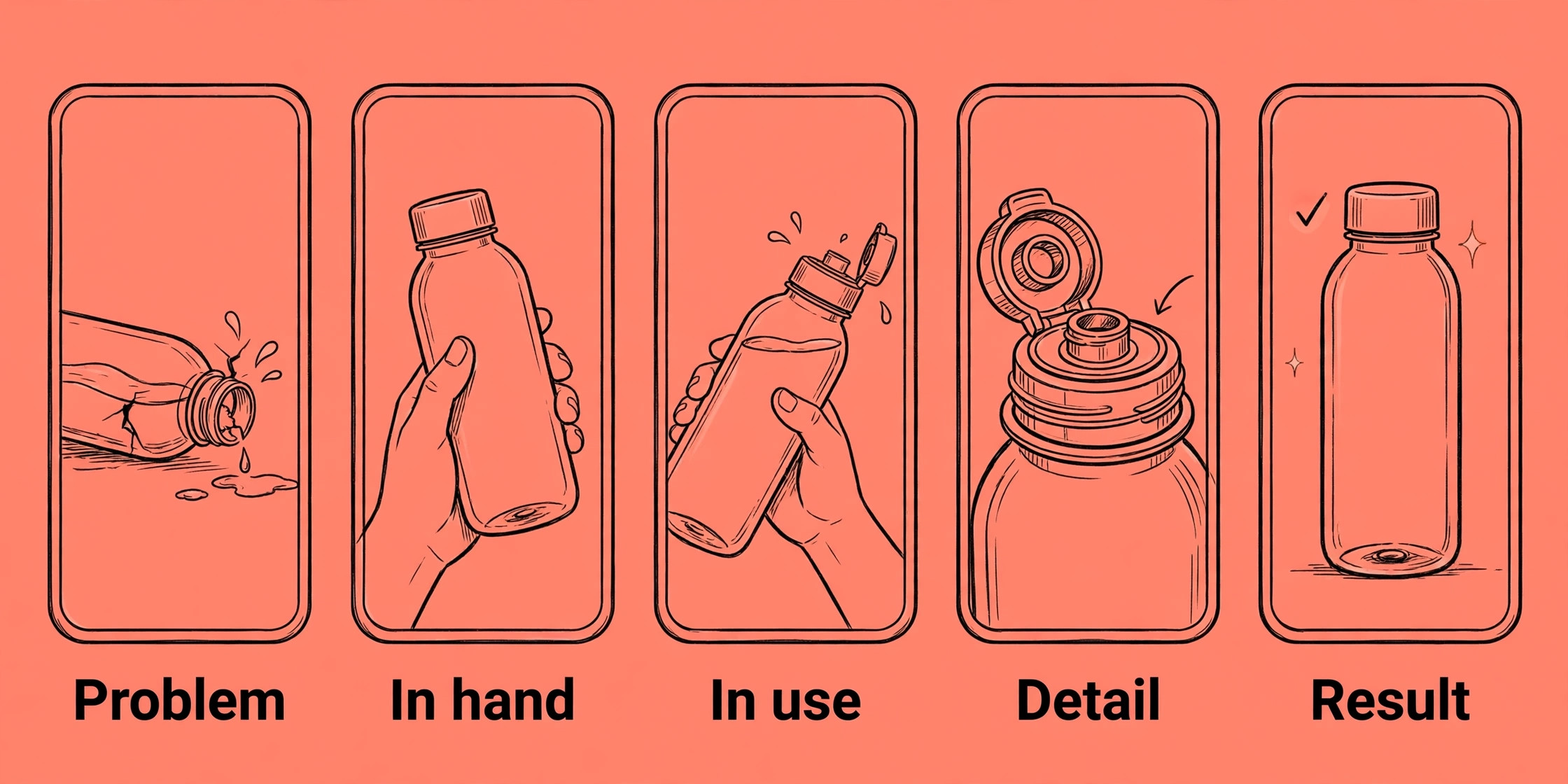
- **Plan a five shot list.** List five shots, the problem, the product in hand, the product in use, a close detail, and the result. Shoot each shot twice, once wide and once close, so editing has options. Keep clips short, and shoot vertical video at the highest quality your phone allows, with steady hands or a simple tripod.
- **Import, trim, and order for pace.** Import clips into CapCut, trim dead time from the start and end of every clip, and order them as problem, use, detail, result, action. Aim for a total length under 60 seconds for a first demo, with no single shot lingering past about four seconds unless the detail needs it. Pace is what holds attention, not effects.
- **Add captions and on screen text.** Generate auto captions, then read and correct every line, because auto captions mishear product names and numbers. Style captions for readability, large text, strong contrast, and no more than two lines at once. Add short on screen labels for steps, prices, or features, and keep text away from the edges where TikTok overlays sit.
- **Choose sound that fits the product.** Use a trending sound only when it fits the demo, and lower music under voiceover so words stay clear. Record voiceover in a quiet room, close to the phone, and check the mix on phone speakers, not only on headphones. Viewers often watch without sound first, which is why captions carry the message.
- **Add a clear closing action.** End with one action, such as visiting a link, commenting a word, or watching a related demo. Show the action as text and say it aloud, because viewers need both cues. Avoid ending with three actions at once, since a viewer given three choices usually picks none of them.
- **Check claims, prices, and disclosures.** Verify every price, size, and claim shown on screen against the real product page before export. Add any required disclosure for ads or gifted products, and keep the demo honest about what the product cannot do. A demo that overpromises earns comments that correct it, which hurts trust more than a modest claim ever would.
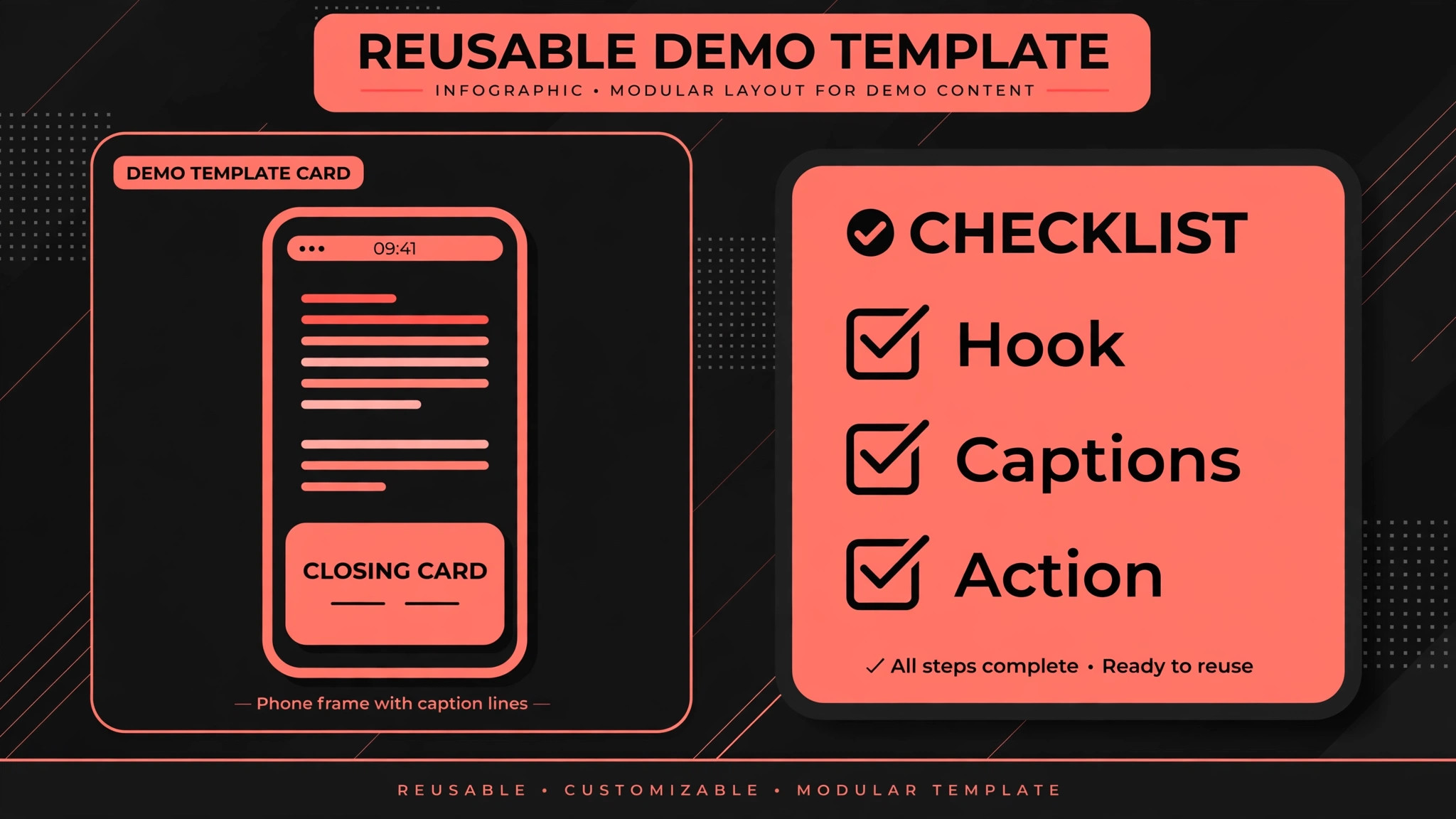
- **Export, publish, and save the template.** Export in vertical 1080p or higher, check the file on a phone, and publish from TikTok with a caption that repeats the hook in different words. Save the CapCut project as a template, with caption style, text positions, and closing card ready to reuse. The next demo should start from that template, not from a blank project.
After publishing, save the project file with the product name and hook in the file name, so the template can be found again without searching through unnamed exports. A template library with clear names is the difference between a fast second demo and a slow rebuild, and it costs nothing except a minute of naming discipline at export time.
Options Compared
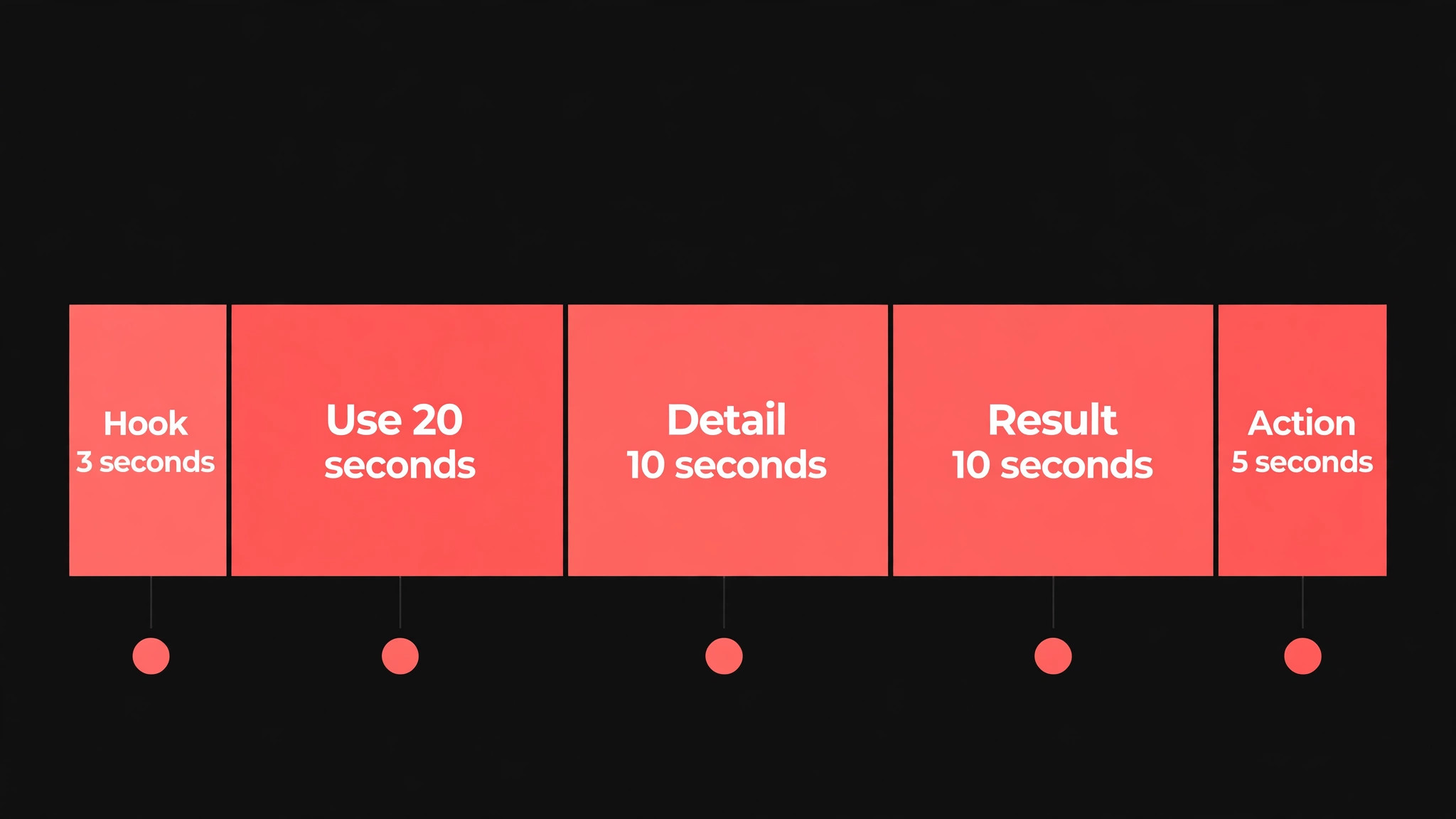
A demo has five parts, and each part has a different job. When you use CapCut for TikTok product demos, time each part before you edit, because a demo that spends too long on setup will lose viewers before the product appears. The table below gives a time guide for a demo under one minute, which is the right length for most first demos.
| Demo part | Time guide | What to show |
|---|---|---|
| Hook | First 3 seconds | Problem or result, stated plainly |
| Product in use | Next 20 seconds | Real hands, real setting |
| Detail close up | Next 10 seconds | Texture, size, or feature |
| Result | Next 10 seconds | Outcome viewers can see |
| Closing action | Last 5 seconds | One action, shown and spoken |
Adjust the timings only after testing, not before. If viewers drop off before the result, shorten the setup and move the product earlier, even if that means cutting a favourite shot. If viewers watch to the end but do not act, strengthen the closing action instead of lengthening the demo. One variable at a time, measured across several demos, is how a format improves without guesswork.
Costs and Tools to Budget For
Budget for demos in time first, because the tool cost is low. CapCut offers a free tier with core editing, and Pro pricing varies by region, platform, and store. Published summaries list Pro near 7 dollars and 99 cents per month in some app listings and near 19 dollars and 99 cents per month for desktop in others, so check the price shown in your own store or on the official site before you commit. For most small businesses, the free tier is enough to publish several test demos and learn what works before any payment.
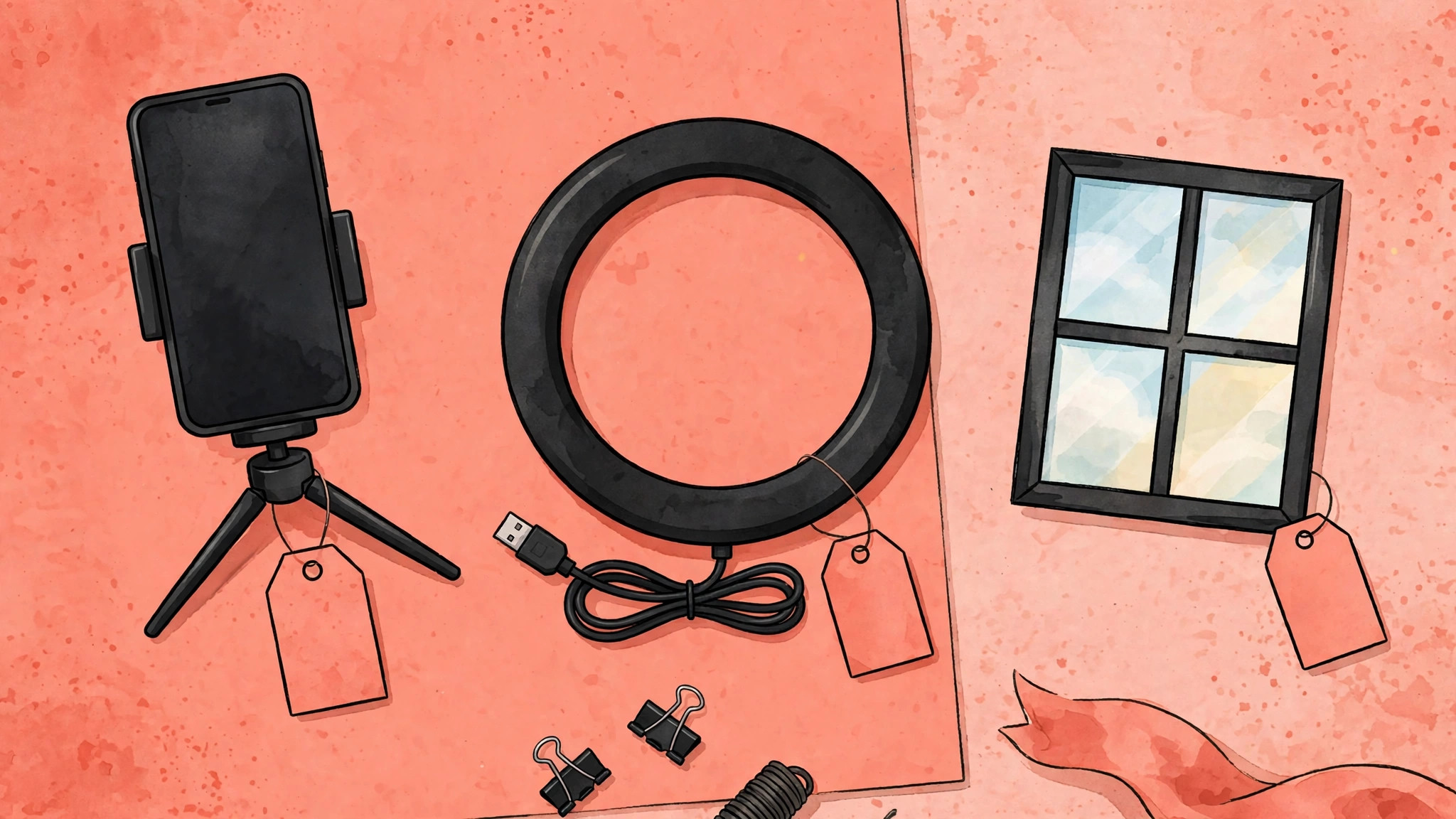
Other demo costs are small but real, such as a tripod, good light, and time for two takes of each shot. Natural light near a window is often enough for a first demo, and a phone tripod costs far less than a reshoot caused by shaky footage. Budget an hour per demo at first, including shooting, editing, caption correction, and publishing, and expect that hour to fall as the template settles and the shot list becomes habit.
Template and Checklist
Run this checklist on the phone, not only on a computer, because that is where viewers will see the demo. When you use CapCut for TikTok product demos, a checklist item that passes on a large screen can still fail on a phone, where text is smaller, overlays cover edges, and sound plays through a tiny speaker.
- The hook states the problem or result within the first three seconds, in text and voice.
- The demo shows the product in real use, not only in packaging or stock style shots.
- Total length stays under 60 seconds for a first demo, with tight trimming throughout.
- Auto captions are corrected by hand, including product names and numbers.
- On screen text stays clear of TikTok overlays at the top, bottom, and sides.
- Music sits under voiceover, and the mix is checked on phone speakers.
- Every price, size, and claim on screen matches the real product page.
- Required disclosures for ads or gifted products are present and readable.
- The closing action is single, spoken aloud, and shown as text.
- The export is vertical, sharp, and checked on a phone before publishing.
- The caption repeats the hook in different words and names the product clearly.
- The project is saved as a template for the next demo of a similar product.
Keep the checklist with the template, so every future demo inherits the same standard. When a demo underperforms, the checklist helps separate a hook problem from a technical problem, because a demo that passed every technical item but still failed probably needs a stronger opening, not better captions. That diagnosis saves the next demo from fixing the wrong thing.
Mistakes to Avoid
Demo mistakes usually come from trying to do too much in one short video. When you use CapCut for TikTok product demos, watch for these five traps, because each one feels like adding value while actually costing attention, trust, or both.
- **Starting with the brand, not the result.** Viewers swipe past brand introductions because they came for a result, not a logo. Open with the problem or the outcome, and let the brand appear naturally during the demo. A viewer who stays for the result will remember the brand without an opening title card.
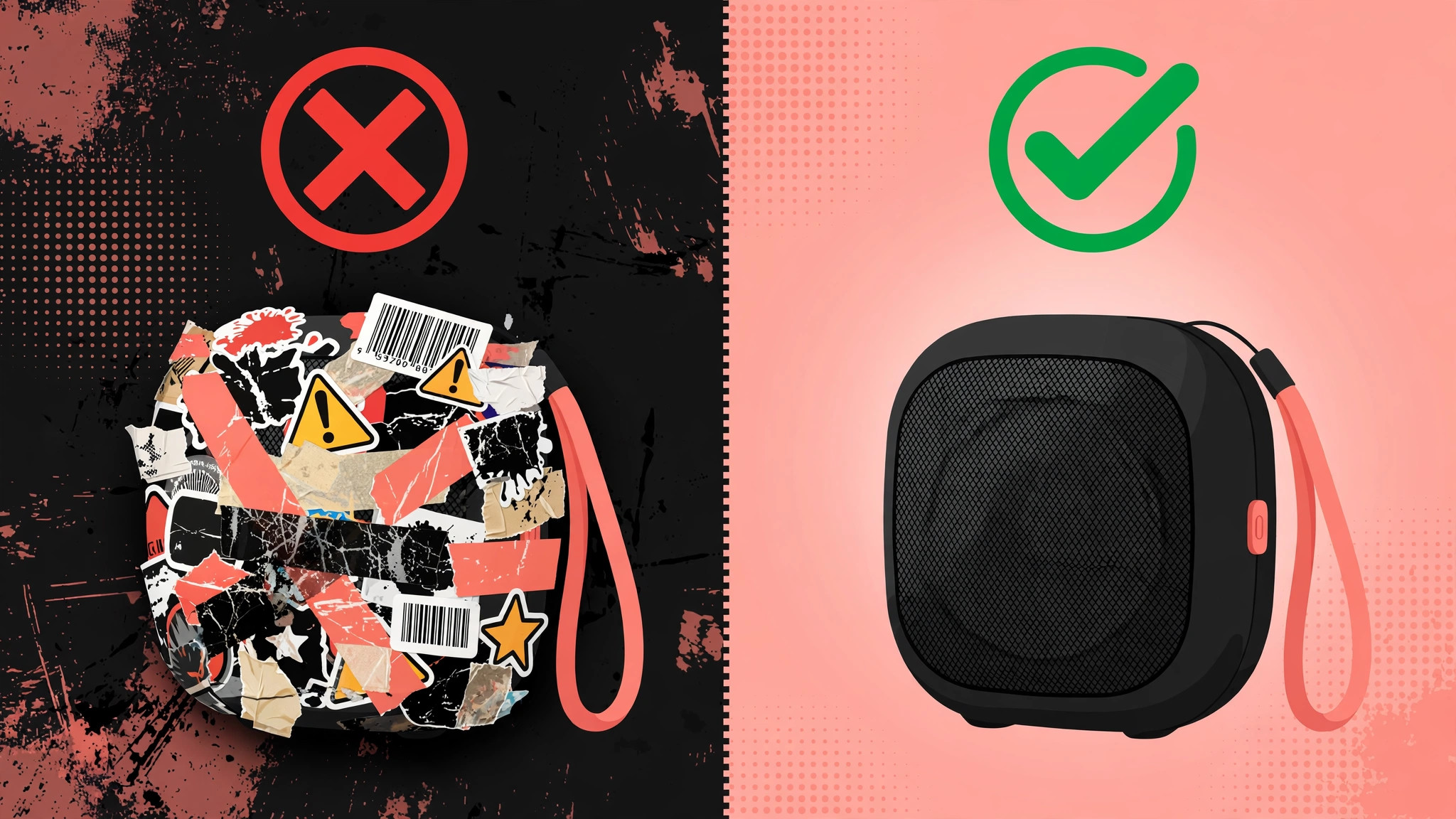
- **Hiding the product behind effects.** Filters, transitions, and stickers can hide exactly what a buyer needs to see, such as size, texture, and real colour. Use effects sparingly, and keep the product in clear light for most of the demo. Effects should support the demonstration, never replace it.
- **Publishing uncorrected auto captions.** Auto captions mishear names, numbers, and technical terms, and viewers notice. Read every caption line before export, and fix product names by hand. Correct captions also help viewers who watch without sound, who may be the majority of your audience.
- **Overpromising in the demo.** A demo that shows a result the product cannot reliably deliver will attract corrections in comments and returns from buyers. Show typical results, state limits plainly, and let honest demos build trust over time. Trust converts better than a single exaggerated clip.
- **Making every demo from scratch.** Starting blank each time wastes hours and creates inconsistent style. Save a template with caption style, text placement, and closing card, then reuse it. Consistency helps viewers recognise your demos, and speed helps you test more products.
If a demo fails, check the hook first, the closing action second, and the technical items third, because that order matches how viewers actually decide. A strong hook with a weak caption can still perform, while a perfect caption on a weak hook will never be seen. Fix in viewer order, not in production order, and the next demo will improve faster.
A Worked Example
A small shop owner needed a demo for a product that customers kept asking about in messages, yet the first draft opened with a logo, spent twenty seconds on packaging, and never showed the product working. The owner rewrote the hook before shooting, choosing one sentence that stated a problem viewers recognised, and made that hook visible as text and audible in voiceover within the first three seconds. A five shot list followed, covering the problem, the product in hand, the product in use, a close detail, and the result, with each shot filmed twice, once wide and once close, so editing had options without a reshoot.
Shooting stayed vertical at the highest quality the phone allowed, with steady hands and natural light near a window, because a shaky or dark shot would have hidden the texture and size buyers needed to see.
In CapCut, dead time was trimmed from the start and end of every clip, and the clips were ordered as problem, use, detail, result, and action, keeping the total under 60 seconds and no single shot past about four seconds except the detail shot. Auto captions were generated and then corrected by hand, because the first pass misheard the product name, and caption text was kept large, high contrast, and to no more than two lines at once, clear of the edges where TikTok overlays sit.
Music was lowered under voiceover, the mix was checked on phone speakers rather than headphones, and the closing action was shown as text and spoken aloud as a single step, instead of three competing asks. Every price, size, and claim on screen was checked against the real product page, and a disclosure was added because the product had been supplied for review.
Export was vertical at 1080p, the file was checked on a phone before publishing, and the TikTok caption repeated the hook in different words while naming the product clearly. The project was saved as a template with caption style, text positions, and closing card ready to reuse, and the file name carried the product name and hook so the template could be found again without searching unnamed exports. A second version with a different hook was filmed the same day from the same shots, which let the owner compare openings without filming twice.
The version that kept viewers past the result shot became the opening pattern for the next product in the range, and the losing hook was retired rather than reused out of habit.
Advanced Tips Worth Trying
Build a hook library from your own demos instead of inventing a new opening for every product. After each demo, record the hook wording, the demo length, saves, and comments in a simple log, and after a few weeks the log will show which openings hold viewers past the first three seconds and which ones lose them before the product appears. Reuse a proven hook structure for the next product, changing only problem and result, and retire hooks that consistently underperform. That library is more valuable than a single viral demo, because it shortens planning for every product that follows.
Protect the safe zones as a design rule, not as a final check. Place captions and labels well clear of the top, bottom, and sides where TikTok overlays sit, test text size on a phone rather than on a computer, and keep on screen labels short enough to read while the product moves. When a demo needs a price, size, or feature label, put that label beside the shot that proves it, such as size beside the close detail or texture beside the hands on shot, so viewers do not have to remember a claim from an earlier part of the video.
If a label crowds the product, shorten the label before shrinking the product shot, because the demonstration is the evidence and text is only its guide.
Use sound as a second caption track. Record voiceover in a quiet room close to the phone, keep music under voiceover so words stay clear, and check the mix on phone speakers, since many viewers watch first without sound and then with sound. A trending sound earns its place only when it fits the product and does not drown out the voiceover, and a quiet fitting track beats a loud trend that distracts from the demonstration. Save the caption style, text positions, music level, and closing card as one template, and start the next demo from that template with the product name and hook in the file name.
A template that is named clearly will be reused, while a template buried among unnamed exports will be rebuilt from scratch.
How to Measure Success
Measure a demo by the viewer journey in order, hook, watch through, action, and trust, and do not let a high view count hide a weak closing. For the hook, use TikTok analytics to compare viewers who pass the first three seconds with viewers who started, and record that share for each demo alongside its hook wording. For watch through, divide viewers who reach the result shot by viewers who started, and divide viewers who reach the closing action by viewers who started, because the gap between those two figures shows whether viewers leave during detail or during the result.
For action, count link clicks, comments using the prompted word, and saves, each divided by viewers who reached the closing action, so a demo with a strong hook but a weak closing is not mistaken for a successful demo, and record those action shares beside the hook wording for comparison across demos.
Measure trust and cost alongside audience figures. Count comments that correct a claim, price, or size, and count returns or complaints that mention the demo, because a demo that overpromises can look successful in views while damaging repeat sales. Track time per demo from shooting through caption correction to publishing, and compare that time with the hour allowed for a first demo, noting whether template reuse is shortening the work. Review figures across at least five demos before changing the format, test one variable at a time such as hook wording, demo length, or closing action, and keep the log of product, hook, length, and result beside the template.
If viewers drop before the result, shorten setup and move the product earlier, and if viewers watch to the end without acting, strengthen the closing action instead of lengthening the demo.
Review and Next Steps
Choose a demo rhythm you can hold, such as two videos per week, instead of a burst followed by silence. After each demo, record watch time, saves, comments, and link clicks, and wait until at least five demos show a pattern before altering the format. Change only one variable at a time, such as hook wording, demo length, or closing action, so any shift can be traced to that change. Keep a simple log of product, hook, length, and result, because that log becomes the playbook for the next product range, and share it with anyone who films or edits demos so the whole team learns from the same evidence rather than from separate opinions.
Check the log each month and drop hooks and formats that keep underperforming, even when they were favourites during filming. When you use CapCut for TikTok product demos week after week, the log grows into an asset, because each new product begins from openings already proven with viewers. Check whether demos that passed every technical item yet still failed share a weak opening, and check whether demos with strong openings but weak results share a closing problem, because that diagnosis decides whether the next fix belongs in the hook, in the shot list, or in the closing card.
Update the template after each monthly review, noting what changed and why, so future demos inherit the correction instead of repeating the error.
Set aside time each quarter to revisit the whole demo workflow, not just the most recent video. Go through the demo template, the phone checklist, and the monthly log side by side, and judge whether every step still prevents a real filming or editing error. Workflows tend to grow by addition, with new steps added after every problem, until the process itself becomes a burden, so pruning matters as much as building. Remove steps that no longer prevent real errors, keep the pruned items in a note so they can be restored if a problem returns, and do not keep them in the active workflow out of habit.
A short demo routine that editors actually follow on busy weeks beats a long routine that gets skipped, and that quarterly prune is what keeps the routine short.
Prepare the next product range before the current demos are forgotten. Carry forward the hook structures that held viewers past three seconds, the shot order that moved from problem to result without dead time, and the caption style that stayed readable on a phone. For each new product, verify prices, sizes, and claims against the real product page before shooting, confirm any disclosure needed for ads or gifted products, and film each shot twice, once wide and once close, so editing has options. If a product has no visual result, plan a process demo instead, showing steps, tools, and a concrete outcome statement such as time saved or effort reduced, with close shots and clear captions carrying the proof.
That preparation, combined with the monthly log review and the quarterly workflow prune, keeps demos consistent across a range while leaving room to test one new hook at a time.
Think about who films, edits, and checks demos as the volume grows, even if one person does all three today. Write the shot list, caption rules, overlay safe zones, and claim checking step in a form a new helper can follow without a long explanation, and include the goal of each step, not only the action, so a helper can make sensible decisions when a shot is missing or a caption is misheard. Test that handover by asking someone unfamiliar with the product to follow the template for a short demo, and note every question they ask, because each question points to a gap that should be filled before the next product range.
Good handover notes in this form are not extra administration, they are the record that lets demos stay honest, readable, and repeatable when the person who made the first demo is unavailable.
For related reading on Stratilyze, the guide to YouTube Shorts in CapCut shows how the same editor serves a second platform, and the guide to Instagram Reels for business in CapCut covers short video for a different audience. Read the Shorts guide first if you plan to reuse demos across platforms, because one well shot demo can serve two feeds when the hook and captions are adapted, and the method here for use CapCut for TikTok product demos transfers well to both.
Frequently Asked Questions
How long should a TikTok product demo be?
Under 60 seconds works well for most products, because it forces a tight structure of hook, use, detail, result, and action. Very simple products can work in 20 to 30 seconds, while products that need setup may need the full minute. Cut dead time first, and only add length when a step genuinely needs it.
Do I need CapCut Pro for TikTok demos?
No, the free tier covers core editing, captions, and 1080p export in many listings, which is enough to test demos. Pro adds higher export quality, premium templates, and wider AI tools. Upgrade when a locked feature blocks a demo you need, not before you have published several test demos.
Should demos use trending sounds?
Use a trending sound only when it fits the product and does not drown out the voiceover. A fitting sound can help discovery, while a mismatched sound distracts from the demonstration. When in doubt, choose clear voiceover and quiet background music over a loud trend.
How do I film a product demo on a phone?
Shoot vertical video in good natural light, keep the phone steady, and film each shot twice, once wide and once close. Clean the product, remove clutter from the background, and record voiceover in a quiet room. Good light and steady shots matter more than an expensive camera.
What should the caption say?
Repeat the hook in different words, name the product clearly, and give one next step, such as a link or a comment prompt. Avoid stuffing the caption with hashtags that have nothing to do with the product. A clear caption helps viewers who find the video from search or a share.
How do I use CapCut for TikTok product demos for a product with no visual result?
Show the process instead of the result, such as the steps, the tools, or the before state that viewers recognise. Use close shots, clear captions, and a concrete outcome statement, even if the outcome is time saved or effort reduced. A process demo with honest claims can perform as well as a visual result demo.
A Demo Plan You Can Repeat
A strong TikTok demo is a fast promise, real proof in use, and one clear next step, edited tightly and captioned correctly. Shoot a short shot list, cut dead time, check every claim, and save the project as a template. When you use CapCut for TikTok product demos this way, each new product gets faster to film and easier for viewers to trust, which is the combination that turns casual viewers into buyers.