

If you are searching for the best laptop for students under 600, the good news is that a student laptop at that price in 2026 is not the compromise it was five years ago. A 300 dollar Windows laptop now runs full Office apps, dozens of browser tabs, and video calls without stuttering, while a 600 dollar machine adds a faster processor, more storage, and a lighter body that matters on a long walk between classes.
The trick is knowing where the money actually helps and where it is wasted, because the cheapest laptop with 4 GB of memory and slow storage will frustrate daily, while the most expensive laptop under the cap may spend its budget on a touchscreen or a large screen you never needed. This guide compares seven student laptops that regularly sell under 600 dollars, with real specs and street prices checked from published comparisons, and it gives a specific reason to skip each one, so you can match the machine to your major, your bag, and your software.
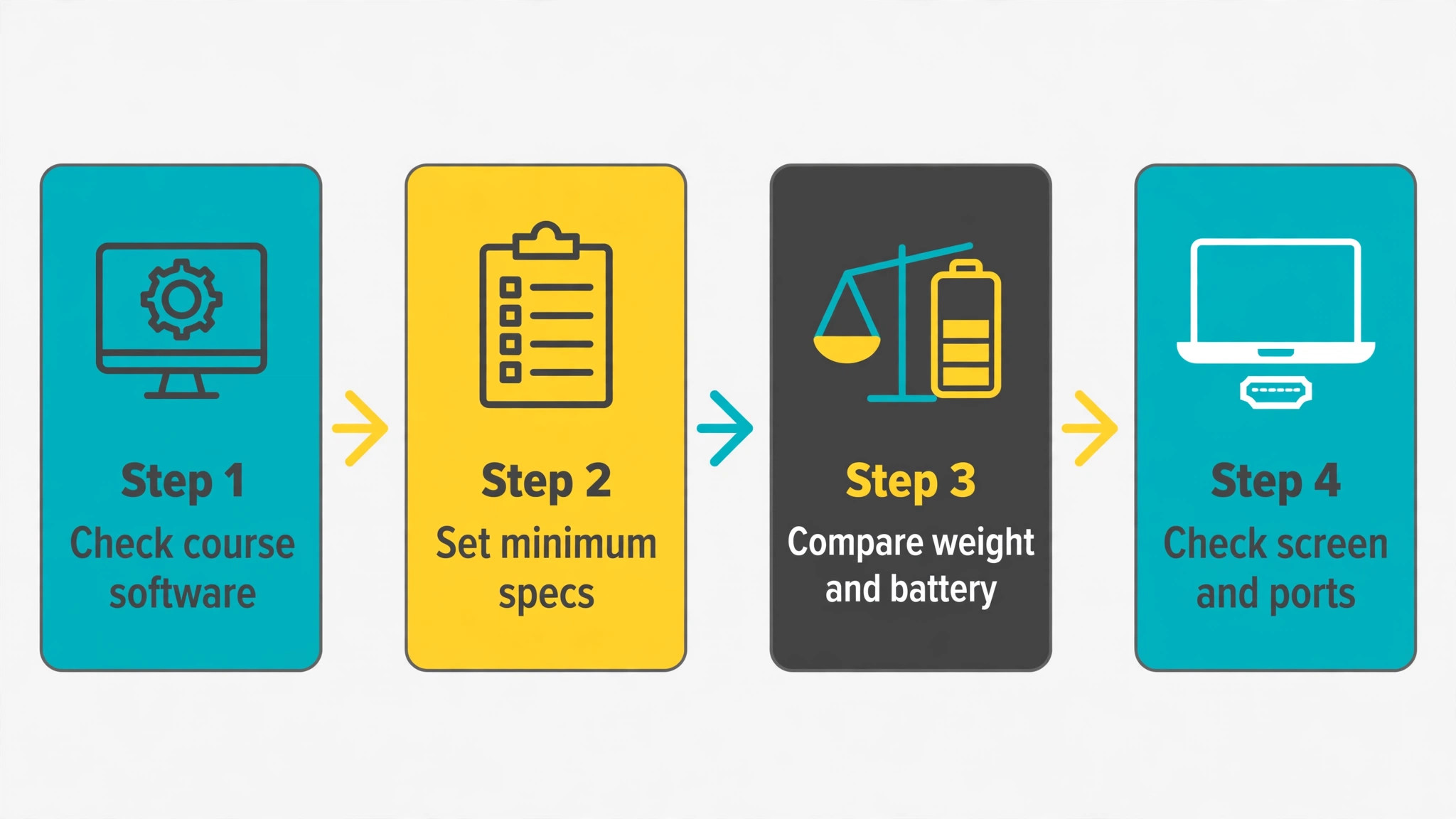
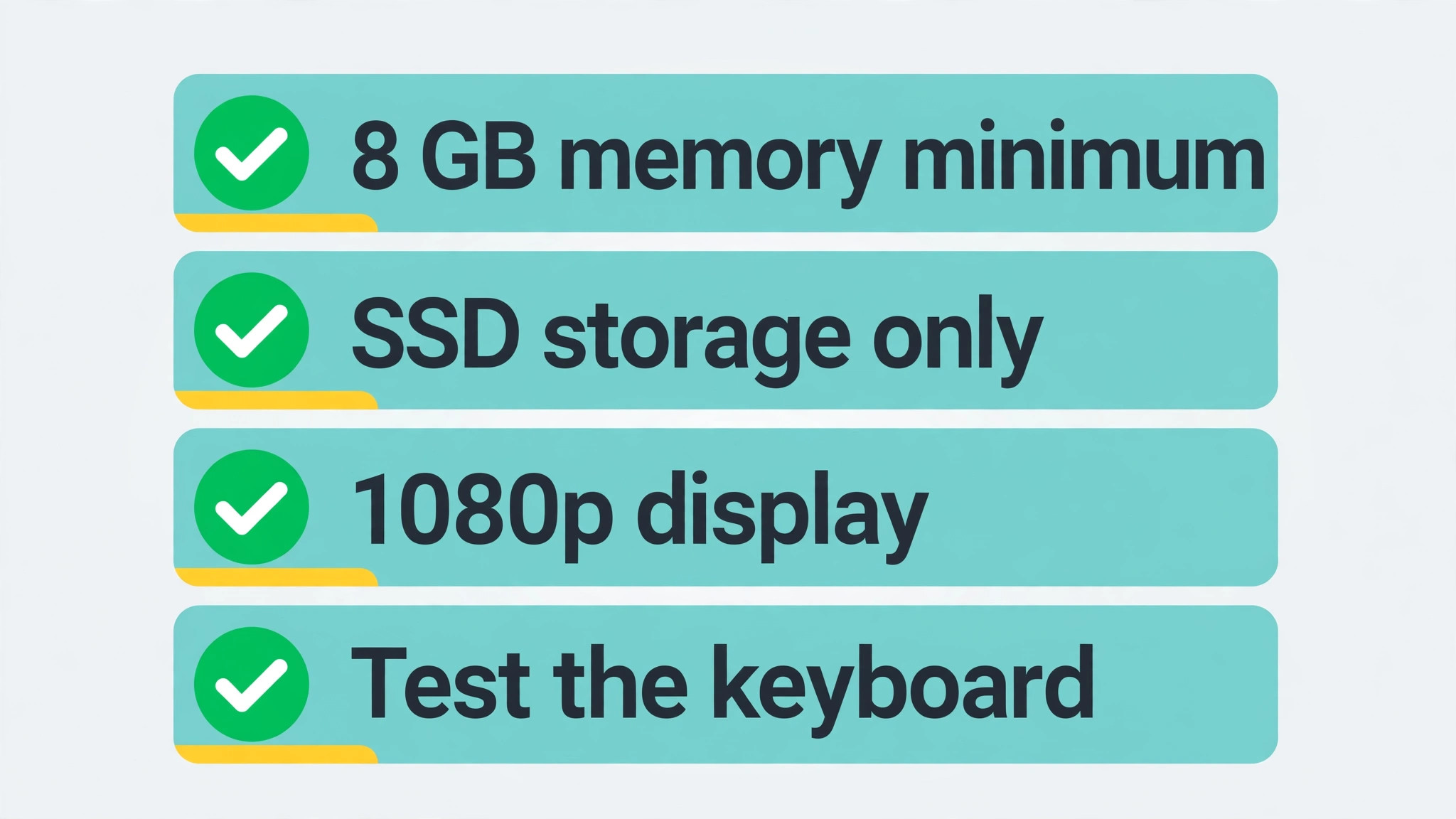
The first rule for student buying is to set minimum specs and refuse to go below them. Eight GB of memory is the minimum for comfortable multitasking in 2026, and 16 GB is better if you run many tabs, large documents, and video calls together. Storage must be a solid state drive, preferably NVMe, not eMMC, because eMMC feels slow for booting, opening apps, and handling large files. The display should be 1080p, which is 1920 by 1080, because lower resolutions make text fuzzy and reading tiring over long study sessions.
Battery life should cover a full teaching day, which means roughly 8 hours or more in normal use, not a manufacturer maximum measured with the screen dimmed and Wi-Fi off. Any laptop that fails those minimums should be rejected, no matter how low its price, because a laptop that cannot run a study day is not a bargain.
Platform is the second decision, and it should follow software, not fashion. Windows runs full desktop Office, most university software, and the widest range of apps, which makes it the safe default for most students. ChromeOS runs Google Workspace, web apps, and Android apps well, with fast boot and simple management, but it cannot run Windows only desktop software, which matters for some engineering, design, and business courses. MacOS at this price means refurbished older models, which can be excellent value for writing and media work, but which need careful battery and support checks. Check your course software list before choosing a platform, and choose the platform that runs required software natively, because workarounds cost time every week.
How to Choose a Student Laptop Under 600 Dollars
Processor choice matters less than memory and storage at this price, but it still sets the ceiling. That balance is central when you judge the best laptop for students under 600, since a fast processor cannot rescue slow storage or thin memory. An Intel Core i3, an AMD Ryzen 3, or a Ryzen 5 in this range handles essays, research, presentations, and video calls comfortably, while an Intel N series processor handles basic productivity but struggles sooner under heavy multitasking. A Snapdragon based Windows laptop offers excellent battery life and a bright display, but app compatibility needs checking for specialised software.
For most students, a Ryzen 5 or Core i5 at the top of the budget beats a Ryzen 3 or Core i3 at the bottom, provided memory and storage do not drop to pay for it. Never trade 16 GB of memory for a faster processor badge, since memory affects daily smoothness more than a processor step at this level.
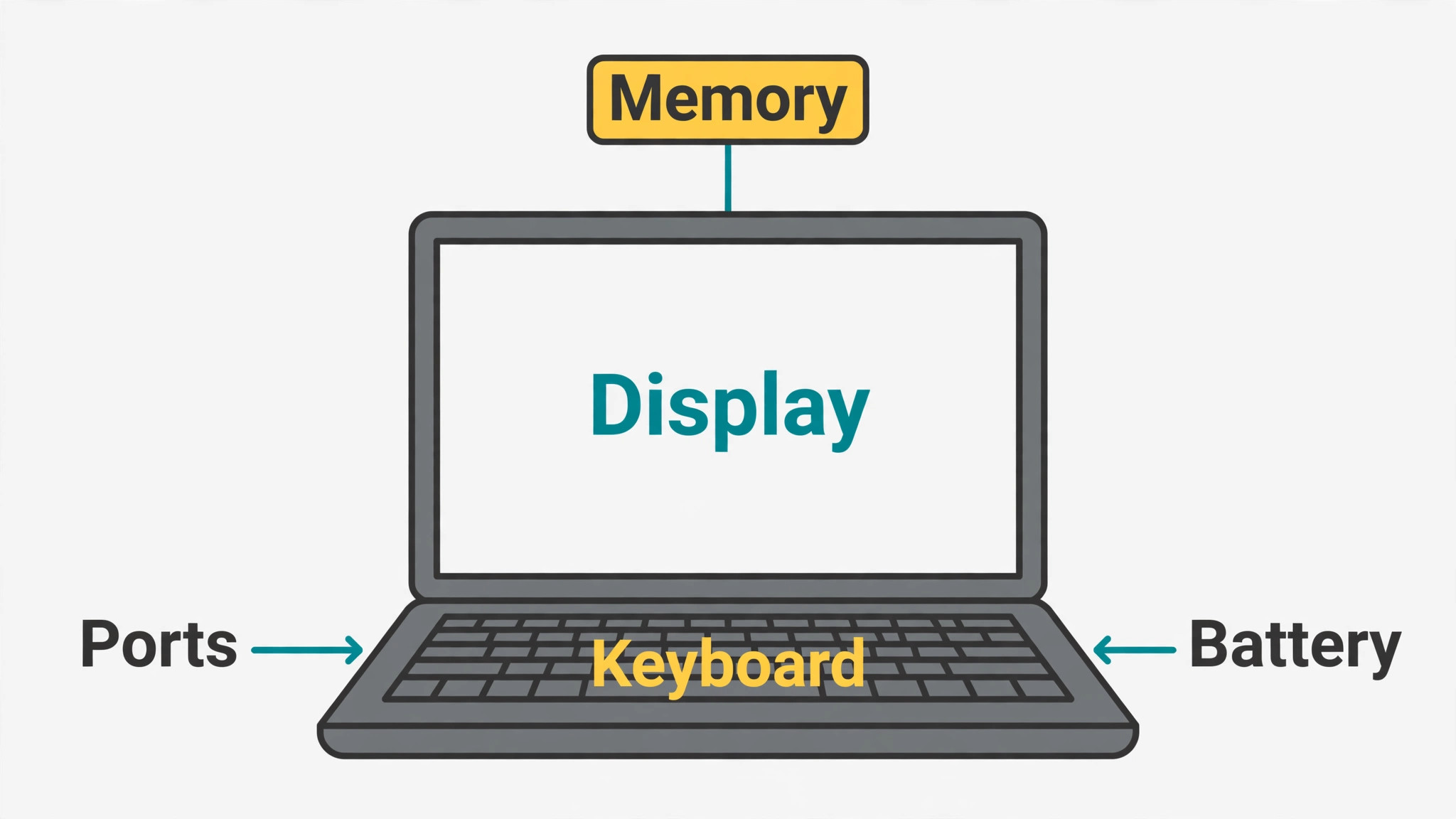
Weight and build matter because a student laptop travels. A 15.6 inch laptop near 4 pounds is fine for a desk and a short walk, but it becomes a burden in a bag already full of books, especially on a campus with hills or long distances. A 14 inch or 13 inch laptop near 3 pounds or less is noticeably easier to carry all day, and a sturdy hinge and keyboard matter more than a thin bezel for daily durability. Keyboard comfort deserves a hands on test where possible, since you will type thousands of words on it, and a shallow, cramped keyboard will tire hands faster than any processor difference.
Check port selection too, since a laptop with only USB-C ports needs dongles for projectors, flash drives, and older accessories, while a laptop with USB-A, HDMI, and a headphone jack connects directly in most classrooms.
Battery claims need translation. Manufacturers measure battery life in ideal conditions, while real student use, with Wi-Fi on, brightness up, video calls, and many tabs, cuts that figure by a third or more. A laptop rated at 10 hours will often deliver 7 to 8 hours in real use, which still covers a teaching day, while a laptop rated at 6 hours may die mid afternoon. Look for independent battery comments, prioritise larger batteries where weight allows, and carry a charger for long days regardless of rating. A laptop that dies before the last lecture is a study problem, not a minor inconvenience.
Best Laptop for Students Under 600 Compared in Seven Models
| Laptop | Processor and memory | Storage and display | Street price noted | Weight and battery |
|---|---|---|---|---|
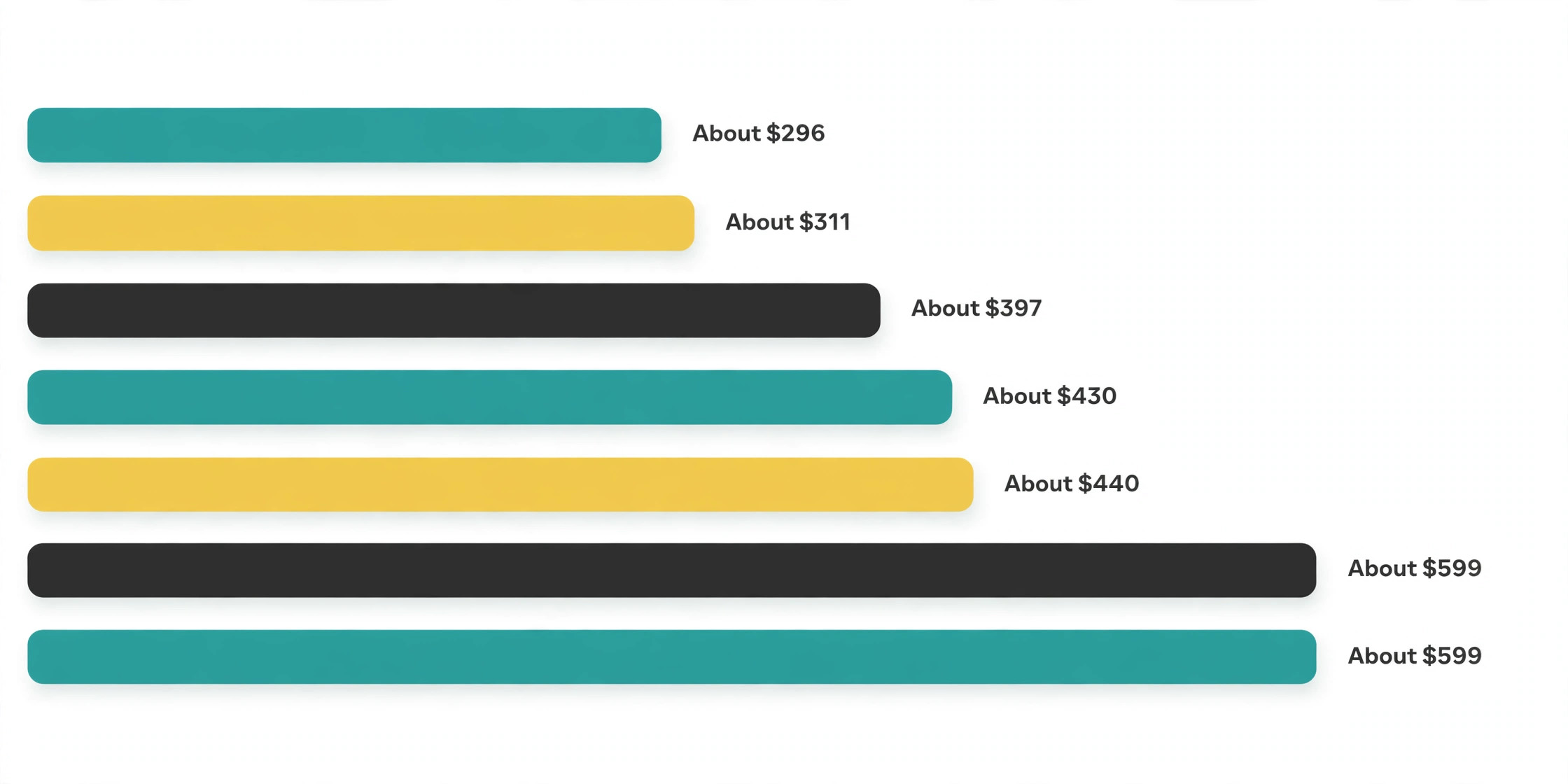
| Acer Aspire Go 15 | AMD Ryzen 3, 8 GB | 128 GB SSD, 15.6 inch 1080p IPS | About 397 dollars | About 3.9 pounds, full day use |
| Lenovo IdeaPad Slim 3 15 | Intel N150, 8 GB | 128 GB UFS, 15.6 inch 1080p | About 430 dollars | Slim body, basic productivity |
| Acer Aspire 3 | AMD Ryzen 3 7320U, 8 GB | 128 GB NVMe, 15.6 inch 1080p | About 311 dollars | Budget build, everyday use |
| Lenovo IdeaPad 1 | Intel dual core, 12 GB | 512 GB SSD plus 128 GB eMMC, 15.6 inch 1080p | About 296 dollars | Value pick, mixed storage |
| ASUS Chromebook Plus CX34 | Intel Core i3-1215U, 8 GB | 128 GB storage, 14 inch 1080p | About 440 dollars | ChromeOS, online learning |
| HP Pavilion Aero 13 | AMD Ryzen 5 5625U, 8 GB | 256 GB SSD, 13.3 inch bright display | About 599 dollars | 2.21 pounds, up to 11 hours claimed |
| Dell Inspiron 14 5430 | Intel Core i5-1335U, 8 GB | 512 GB SSD, 14 inch 1080p | About 599 dollars | 3.26 pounds, up to 9 hours claimed |
Prices are listing snapshots from published comparisons and move with sales, so confirm the exact configuration and delivered total before ordering. Price movement is normal for the best laptop for students under 600, and a sale price on a downgraded configuration is not a bargain. Configuration matters more than model name at this price, since the same model name can ship with different memory, storage, and display options, and a listing that hides a downgrade can turn a good pick into a poor one. Check memory, storage type, display resolution, and processor for the exact listing you buy, not for the model family in general.
Acer Aspire Go 15, the Practical Windows All Rounder
The Aspire Go 15, in its Ryzen 3 configuration with 8 GB of LPDDR5X memory and a 128 GB PCIe NVMe SSD, is a straightforward Windows 11 laptop for everyday schoolwork. Its 15.6 inch Full HD IPS display gives room for writing, presentations, and research side by side, and its price near 397 dollars leaves budget for a mouse, a bag, or software. For a student whose workload is Word, PowerPoint, web research, and video calls, this configuration is a solid foundation, and its simplicity is a strength, since there are no exotic parts to fail or confuse.
Skip it if you need large local storage or heavy multitasking. A 128 GB drive fills quickly with course files, photos, and apps, especially once Windows and updates take their share, and 8 GB of memory will feel tight with many tabs and large documents open together. Buy it only if you store most work in the cloud, keep local files lean, and use an external drive or cloud storage for archives. Students in media, engineering, or data courses should step up to a model with more memory and storage rather than stretching this one.
Lenovo IdeaPad Slim 3 15, the Slim Basic Productivity Pick
The IdeaPad Slim 3 15, in its Intel N150 configuration with 8 GB of memory and 128 GB of UFS storage near 430 dollars, is a slim Windows laptop for basic productivity. Its appeal is portability and a clean design at a moderate price, and it handles documents, browsing, and video calls for students with light workloads. Slimness matters for students who carry a laptop all day and value a modern look without paying for premium materials.
Skip it if your workload is heavier than basic, since the N series processor and UFS storage, which is slower than NVMe SSD storage, will show strain sooner under many tabs, large spreadsheets, or specialised software. Published budget guidance warns that some configurations in this family ship with weaker panels, so confirm the exact display resolution and panel type before buying. A student who needs sustained performance should prefer a Ryzen or Core model in this guide over this slim basic pick.
Acer Aspire 3, the Ultra Budget Windows Starter
The Acer Aspire 3, in a Ryzen 3 7320U configuration with 8 GB of memory and a 128 GB NVMe SSD near 311 dollars, is the cheapest genuinely usable Windows laptop in this comparison. It runs Windows 11, Office, Chrome with plenty of tabs for basic work, and video calls without the punishment that ultra cheap laptops used to inflict. For a student on a tight budget who needs full Windows and nothing more, it is a remarkable value, and its low price leaves room for accessories and software.
Skip it if you need a premium feel, a bright display for outdoor use, or long term headroom. The plastic body is plain, speakers are thin, and 128 GB of storage plus 8 GB of memory limit future growth. Published guidance also warns that some Aspire 3 configurations use eMMC storage, which feels slow, so confirm NVMe SSD on the exact listing. Buy this laptop for basic work today, not as a four year investment for a demanding major.
Lenovo IdeaPad 1, the High Value Mixed Storage Pick
The Lenovo IdeaPad 1, in a configuration with an Intel dual core processor, 12 GB of memory, and 512 GB of SSD plus 128 GB of eMMC storage near 296 dollars, offers an unusual value mix. More memory than most budget picks helps multitasking, and large total storage helps students with many files, while the price stays near the bottom of the range. For a student who wants Windows, generous memory, and storage without paying mid range prices, this model is hard to beat on paper.
Skip it if you need strong processor performance or a premium display, since the dual core processor is the limiting factor for heavier work, and mixed SSD plus eMMC storage needs care to keep the operating system and main apps on the fast drive. Check which drive holds Windows on the exact listing, and do not assume all 640 GB performs equally. Students running demanding software should prefer a Ryzen 5 or Core i5 model, even at a higher price, rather than relying on memory alone to carry a weak processor.
ASUS Chromebook Plus CX34, the ChromeOS Learning Pick
The ASUS Chromebook Plus CX34, with an Intel Core i3-1215U processor, 8 GB of memory, and 128 GB of storage near 440 dollars, is a strong choice for students whose work lives in Google Workspace and web apps. Its 14 inch 1080p display is a good size for carrying and reading, ChromeOS boots fast, updates quietly, and manages security with less fuss than Windows, and battery life commonly covers a school day. For a student in a Google Classroom environment, with no Windows only software requirement, this is a focused and reliable pick.
Skip it if your course needs Windows desktop software, such as full desktop Office features, engineering tools, or specialised lab software that has no web equivalent. ChromeOS cannot run those apps natively, and workarounds cost time and reliability. Also note that 128 GB of local storage suits cloud first work, but students with large offline media libraries should plan cloud or external storage. Choose this laptop only after confirming your course software runs on the web or on ChromeOS.
HP Pavilion Aero 13, the Lightest Full Windows Pick
The HP Pavilion Aero 13, with an AMD Ryzen 5 5625U processor, 8 GB of memory, and a 256 GB SSD near 599 dollars, is the lightest full Windows laptop in this comparison at just over 2 pounds. Its 13.3 inch display is bright and sharp for reading PDFs and watching lectures, its aluminium chassis feels premium, and its claimed battery life up to 11 hours covers long days. For a student who walks long distances between classes or carries heavy books, the weight saving alone justifies the price, and the Ryzen 5 processor gives headroom that budget picks lack.
Skip it if you need many ports or a large screen, since port selection is limited, with mainly USB-C ports and a headphone jack, and the 13.3 inch display, while sharp, offers less room for side by side work than a 15.6 inch screen. Students who rely on USB-A drives, HDMI projectors, and wired accessories without dongles should factor a hub into the total cost. Also confirm the exact configuration at purchase, since Pavilion Aero models vary, and the 599 dollar figure sits at the budget cap, leaving little room for accessories.
Dell Inspiron 14 5430, the Balanced Mid Range Pick
The Dell Inspiron 14 5430, with an Intel Core i5-1335U processor, 8 GB of memory, and a 512 GB SSD near 599 dollars, is the balanced pick for students who want a capable processor, generous storage, and a portable 14 inch body in one machine. Its claimed battery life up to 9 hours covers a teaching day, its 14 inch display balances readability and portability, and Dell build and support are familiar to many university IT departments. For a student who wants one laptop to last a degree, with no single weakness, this is a strong final choice at the cap.
Skip it if you need 16 GB of memory for heavy multitasking, since this configuration ships with 8 GB, and published guidance warns to check whether memory is soldered on the exact model before buying. If memory is soldered and cannot be upgraded, 8 GB is a permanent ceiling, and a student in a demanding major should look for a 16 GB configuration, even if it means a different model or a sale price. Also confirm the display panel and port layout on the exact listing, since Inspiron configurations vary by retailer.
Rejection Reasons and Models We Left Out
Every model above has a clear skip reason, and those reasons matter more than praise, because they prevent a mismatch. Skip the Aspire Go 15 and Aspire 3 if storage or memory headroom matters more than price. Skip the IdeaPad Slim 3 if your workload exceeds basic productivity. Skip the IdeaPad 1 if processor power matters more than memory quantity. Skip the Chromebook Plus CX34 if any required software needs Windows desktop. Skip the Pavilion Aero 13 if ports or screen size matter more than weight. Skip the Inspiron 14 if soldered 8 GB memory will limit a demanding degree. A laptop bought for the wrong reason will disappoint even if reviewers loved it for a different student.
Models left out of the main seven were excluded for specific reasons, not overlooked. Large screen 17 inch laptops were excluded because weight and battery trade offs hurt student portability, even when specs look strong. Low resolution HD displays were excluded because text readability suffers over long reading sessions. Four GB memory models were excluded because they stutter under normal student multitasking in 2026. Models regularly priced above 600 dollars outside sales were excluded because a student budget should not depend on a rare discount to stay under cap. Those exclusions keep the comparison honest, since a list that includes unsuitable models only to praise them would mislead more than it helps.
Buying Checklist and Final Decision Guide
- Confirm course software runs natively on the platform you choose, Windows, ChromeOS, or MacOS.
- Require 8 GB of memory minimum, 16 GB preferred, and an NVMe SSD, not eMMC, for the main drive.
- Require a 1080p display, and test keyboard comfort where possible before buying.
- Check the exact listing configuration, including processor, memory, storage type, and display, not just the model name.
- Weigh the laptop in its bag with books, or compare weight figures honestly, before choosing a 15.6 inch model.
- Check port selection against classroom needs, including USB-A, HDMI, and headphone jack, and budget for a hub if needed.
- Confirm battery life in independent comments, not just manufacturer claims, and carry a charger for long days.
- Confirm delivered total, including tax, shipping, and any student discount, before ordering, since street prices move.
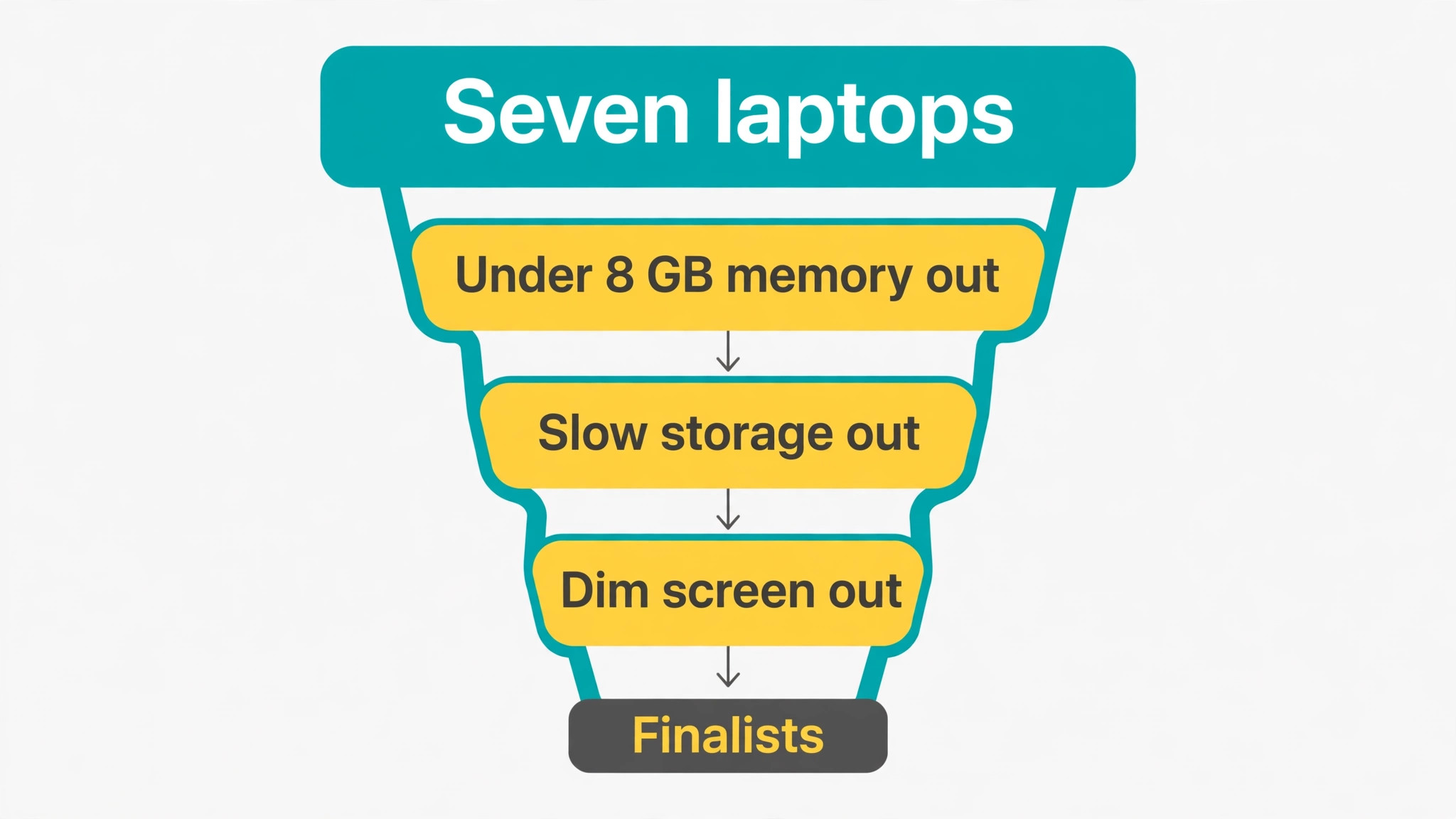
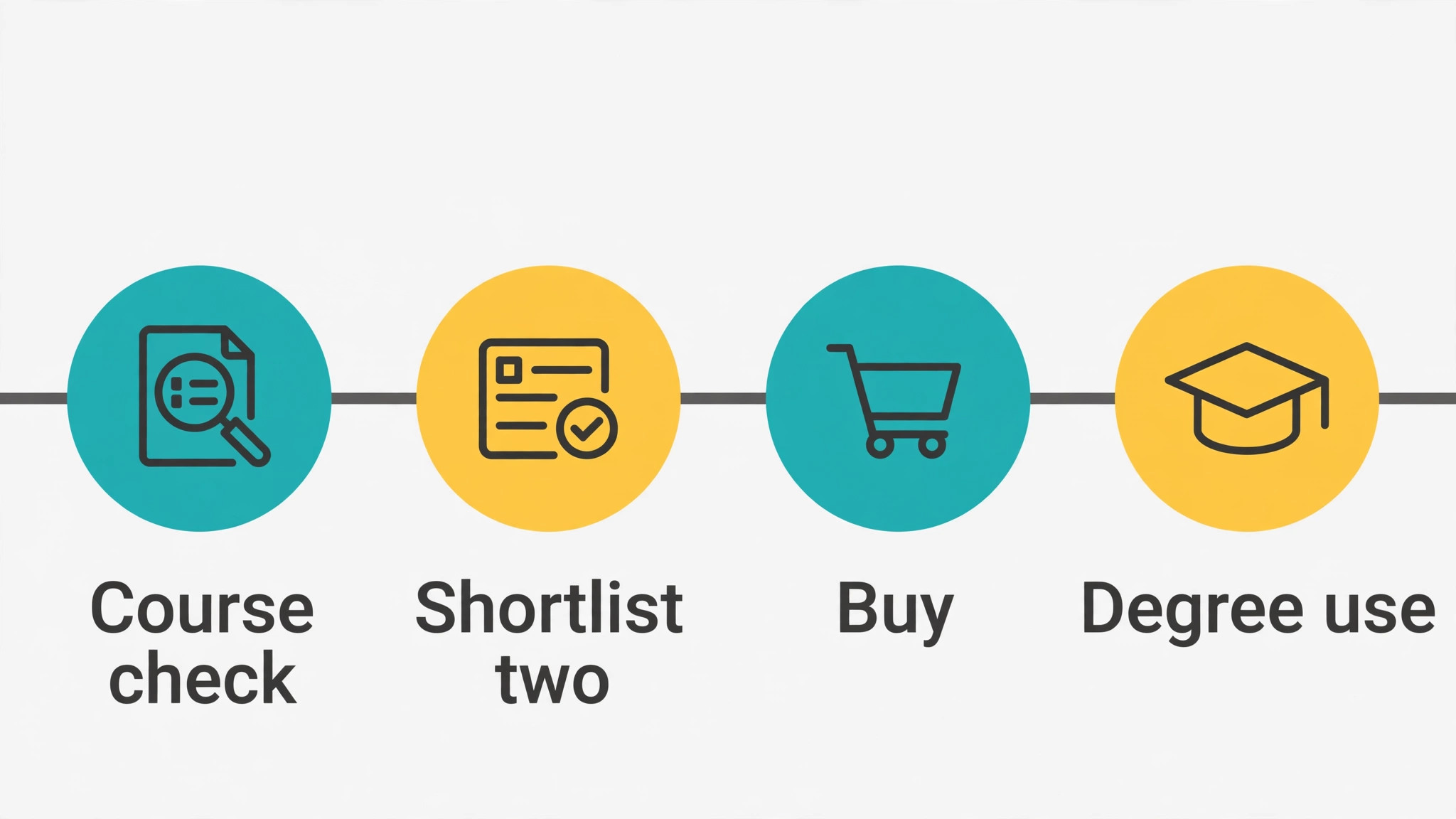
Use the checklist to narrow the seven to two finalists, then choose by the factor that matters most daily. That narrowing step is how you find the best laptop for students under 600 for your own major and bag, rather than for an average student. If weight matters most, choose the Pavilion Aero 13. If value matters most, choose the Aspire 3 or IdeaPad 1, with eyes open about their limits. If balance matters most, choose the Inspiron 14 or Aspire Go 15. If your work is Google based, choose the Chromebook Plus CX34. A finalist chosen by daily reality will serve a degree better than a winner chosen by spec sheet alone.
Mistakes Students Make Buying Laptops
The first mistake is buying on price alone and accepting 4 GB of memory or eMMC storage. Those two downgrades ruin daily use more than any other saving, and they cannot be fixed cheaply later if memory is soldered or storage is slow. Spend the extra amount to reach 8 GB and NVMe SSD, even if it means a smaller screen or a plainer body, because daily smoothness comes from those two specs.
The second mistake is buying a large screen for a small bag. A 17 inch laptop looks impressive on a desk and miserable in a backpack, and students who choose it often leave it at home, which defeats the purpose of a student laptop. Choose screen size by carrying reality, not by desk fantasy, and remember that an external monitor in a dorm room can add screen space cheaply for desk work while the laptop stays portable.
The third mistake is ignoring software requirements until after purchase. A ChromeOS laptop for a Windows only course, or a Windows laptop without the graphics power for a design course, creates a semester of workarounds. Check the course software list, ask seniors in the same major, and confirm with university IT if unsure. That one check prevents the most expensive student laptop mistake, which is owning the wrong platform.
The fourth mistake is trusting a sale price without checking configuration. Retailers discount specific configurations, sometimes with less memory, slower storage, or a lower resolution display than the reviewed model. Always compare the exact listing specs against this guide minimums, and walk away from a discounted listing that fails them, no matter how attractive the headline price looks.

More Reading for Student and Home Office Gear
If a laptop choice is clearer now, the wider gear guides on Stratilyze cover the rest of the study setup. The guide to a tablet for digital art beginners helps art students choose a drawing companion, the guide to a desk lamp for eye strain helps set up comfortable reading light, the guide to a chair for long study sessions covers seating for long days, and the guide to headphones for online teaching helps you choose audio for calls and lectures. Read the chair guide next if long study sessions hurt your back, since seating affects study stamina as much as laptop weight affects carrying comfort.
Frequently Asked Questions
What is the best laptop for students under 600 overall?
There is no single winner for every student, because weight, platform, and major matter more than a universal ranking. Any guide that names one best laptop for students under 600 without asking about major and carrying distance should be treated with caution. For balance, the Dell Inspiron 14 with a Core i5 and 512 GB SSD near 599 dollars is a strong overall pick, while the HP Pavilion Aero 13 is best for portability at a similar price. For value, the Acer Aspire 3 near 311 dollars and Lenovo IdeaPad 1 near 296 dollars are remarkable, provided their limits suit your workload. Choose by daily reality, using the buying checklist, rather than by a single best label.
How much RAM and storage do students need in a laptop under 600?
Require 8 GB of memory minimum, with 16 GB preferred for heavy multitasking, large documents, and many browser tabs. Memory and storage minimums decide whether the best laptop for students under 600 stays usable for a full degree or frustrates from the first term. Require a solid state drive, preferably NVMe, with at least 256 GB for most students, and 512 GB if you keep many files locally or study media, design, or engineering. A 128 GB drive works only for cloud first students who keep local files lean and use external or cloud storage for archives. Do not accept 4 GB of memory or eMMC storage as a main drive in 2026, since both hurt daily smoothness.
Is a Chromebook good enough for college students?
A Chromebook is good enough when course work lives in Google Workspace, web apps, and browser based tools, and when no Windows only desktop software is required. The ASUS Chromebook Plus CX34 in this guide, with a Core i3 and 8 GB of memory, handles online learning well, boots fast, and manages security simply. It is not sufficient for courses requiring Windows desktop software, such as some engineering, design, or business tools, so confirm course software compatibility before choosing ChromeOS over Windows.
Should students buy a 14 inch or 15.6 inch laptop?
Choose 14 inch or smaller for portability, especially if you walk long distances, carry heavy books, or use the laptop in crowded lecture halls. Choose 15.6 inch for desk based work, side by side documents, and students who rarely carry the laptop far, since the larger screen eases reading and multitasking. A dorm external monitor can add desk screen space cheaply, which makes a portable 14 inch laptop plus a monitor a flexible combination for many students.
How long should a student laptop under 600 last?
A well chosen student laptop under 600 dollars should last a three to four year degree for typical essay, research, presentation, and video call work, provided memory and storage meet minimums and the battery is cared for. Demanding majors, such as engineering, design, or data science, may outgrow a budget laptop sooner, especially on processor, memory, or graphics, and should prioritise 16 GB configurations and stronger processors where possible. Battery capacity will fade over years, so budget for a battery replacement or a charger habit in later years rather than expecting day one battery life forever.
When is the best time to buy a student laptop under 600?
Back to school sales, holiday sales, and manufacturer student discount periods commonly offer the best prices, but configuration matters more than timing. A discounted laptop with downgraded memory, storage, or display is not a bargain at any time, while a correctly configured laptop at full price beats a compromised laptop on sale. Check student discount programmes, refurbished options from reputable sellers with warranty, and exact listing specs before buying, and buy when a correct configuration appears at a fair price rather than waiting indefinitely for a perfect sale.
The Student Pick That Holds Up
A student laptop is a daily tool, not a trophy, and the best choice is the one that disappears into study rather than demanding attention. It boots quickly, holds a charge through lectures, types comfortably for essays, and runs required software without workarounds. When you judge the best laptop for students under 600 by minimum specs, platform fit, weight reality, and exact configuration, you avoid the two classic student mistakes, which are buying too cheap to work and buying too large to carry.
Narrow the seven to two finalists with the checklist, choose by the factor you will feel daily, and confirm the exact listing before ordering. That laptop, bought for your major and your bag rather than for a headline price, will carry a degree far better than a more expensive machine bought for the wrong reasons.