
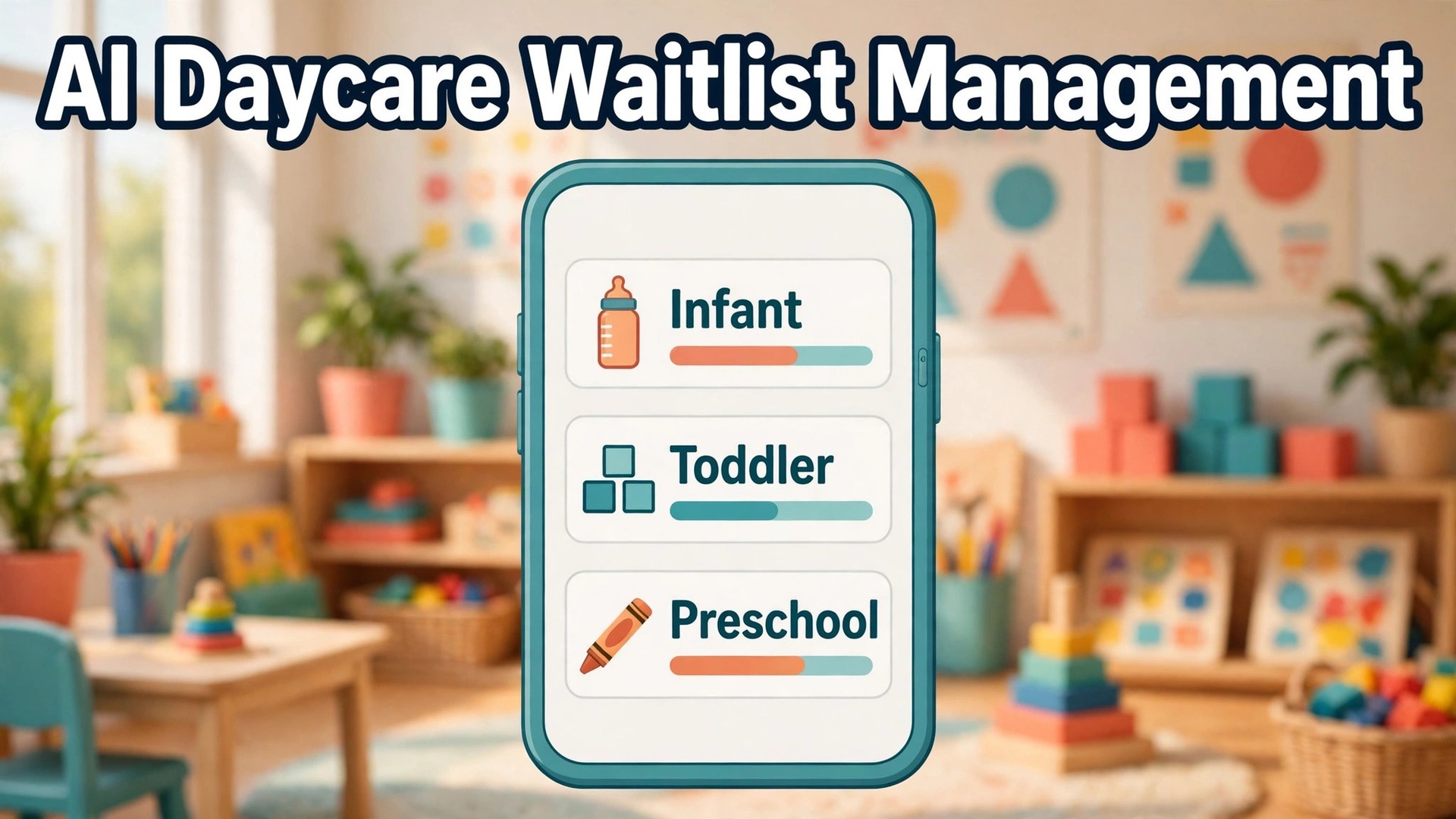
A spreadsheet waitlist and a managed waitlist look similar on a quiet day, and they behave completely differently on the day a room opens up. The spreadsheet tells you a name, a date and a phone number, and leaves the director to work out whether the child fits the room, whether the family is still interested, and whether anyone else should have been offered the place first. A managed system answers all three questions before the director picks up the phone, and that difference is why centres that use AI for daycare waitlist management fill seats faster, with fewer arguments and fewer empty chairs between enrolments.
A waitlist is not a queue. It is a set of rooms, each with an age range, a capacity, a staffing ratio and a start date window, matched against families whose children age, move, change plans and sometimes disappear without telling anyone. A child who waited for an infant room may now fit a toddler room. A family that wanted September may now need January. A sibling priority that mattered last year may no longer apply. Software helps when it tracks those moving parts automatically, flags the families who actually fit an open seat, and keeps the list honest through regular check ins. It does not help when it simply stores names in a prettier list.
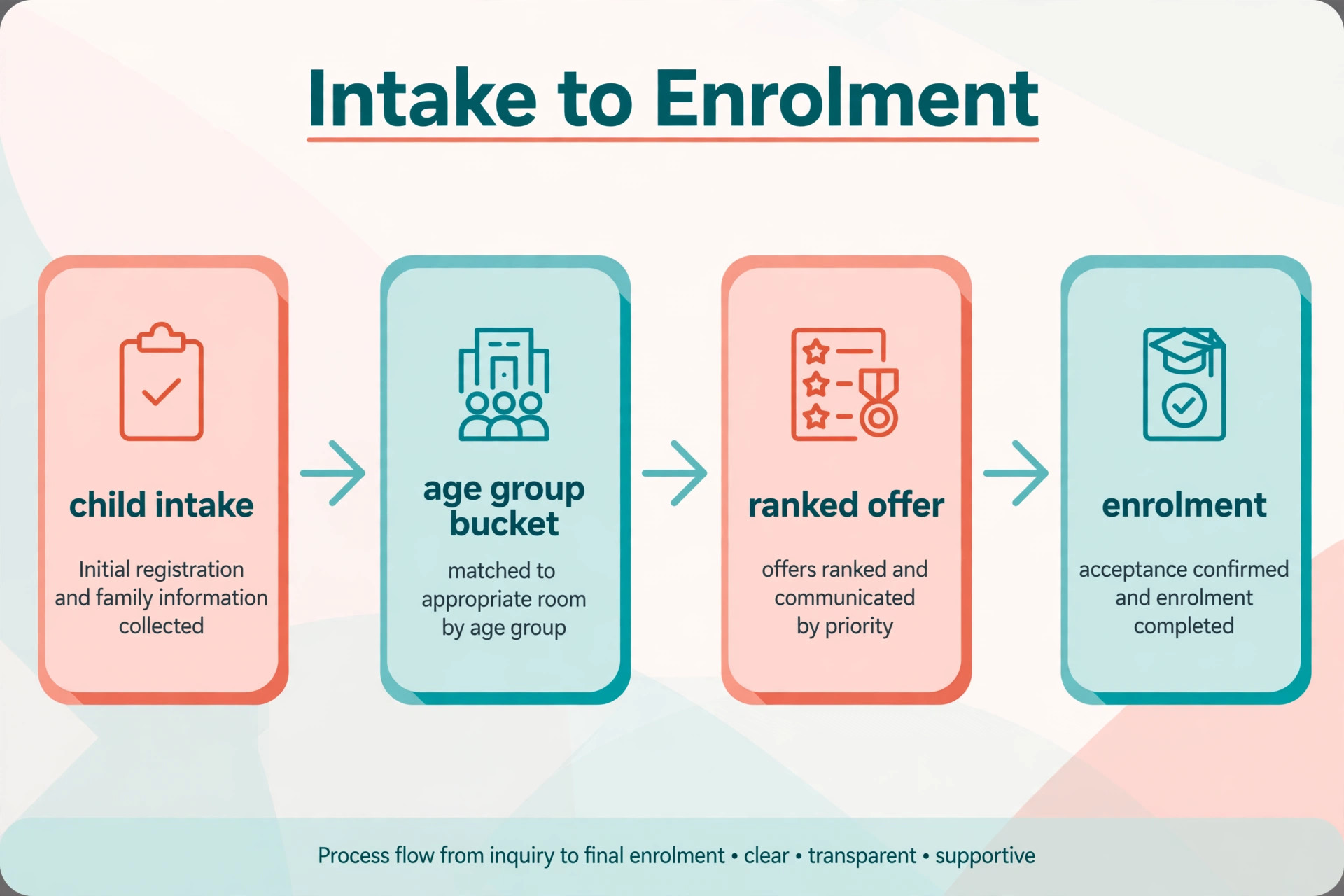
This guide builds the workflow in the order a director actually fills a seat. It starts with age group buckets, because buckets decide who can even be considered. It covers priority rules, offer sequences, expiry handling and enrolment packets, because those four steps decide whether an open seat becomes a signed enrolment or a second round of calls. It finishes with tool choices, tours and nurture, costs and privacy, mistakes and the numbers that show whether enrolment actually improved.
How to Use AI for Daycare Waitlist Management Without Losing Families
A working waitlist answers six questions for every open seat, in the same order, without exception. Which room opened, for which age group, and from which date. Which families fit that room by age and start date. Which of those families rank first under the published priority rules. Whether those families are still interested and reachable. How long each family has to accept before the offer moves on. And what paperwork, deposit and start date turn an acceptance into a confirmed enrolment. When those answers live in software rather than in one director inbox, a seat fills in days rather than weeks, and the director can prove why that family was offered the place first.
Most centres start from one of three positions. Some run a spreadsheet, a notebook and a shared inbox, with the list living in one person head as much as in any file. Some use a general childcare management tool with a basic waitlist feature bolted on. Some already use waitlist focused tools such as WaitListPlus or Seedlist, or enrolment CRMs such as illumine or MyKidReports, and want rules based ranking, move up forecasting and automated offers layered on top. The workflow in this guide fits all three, because the steps stay the same even when the tool changes. What changes is how much manual checking a director has to do before each offer.
Think of the AI help as four separate helpers rather than one smart system. The first helper organises, sorting families into age buckets and updating those buckets as children age. The second helper ranks and forecasts, applying priority rules and projecting when move ups will open seats. The third helper communicates, sending check ins, offer messages, tour reminders and nurture sequences. The fourth helper closes, sending the enrolment packet, collecting forms and deposits, and moving the family from waitlist to enrolled without retyping. When you demo a tool, ask which helper it actually delivers well, because a demo that shows all four may only do one of them reliably in a busy enrolment season.
Age Group Buckets That Match Real Rooms
Age group buckets are the foundation of any waitlist, because a seat is only useful to a family whose child fits the room on the start date. Infant, toddler, preschool and pre kindergarten rooms each carry an age range, and those ranges are set by licensing and staffing rules, not by preference. A system that sorts families only by join date, without age buckets, will offer infant seats to preschool children and waste the director time on calls that could never succeed. Bucketing by age, with automatic movement as children age, prevents that waste.
Move up forecasting is where bucketing becomes genuinely useful. As children age out of one room into the next, they open seats behind them, creating a cascade that can be mapped months ahead. Vendor descriptions of waitlist forecasting stress exactly this point, that each child transition date, built from the birthday, projects which rooms will free up and when, including the chain reaction where one move up opens a seat in the room below. A director who can see that cascade in September can plan offers for January, rather than scrambling when a room empties unexpectedly.
Buckets must also handle edge cases honestly. Edge cases are where you see whether you use AI for daycare waitlist management well or only for simple lists. Unborn children, listed by due date, need a bucket that updates when the child is born. Children with a flexible start date need a range, not a single date, so they can be considered for seats that open earlier or later than first planned. Children who will age out of a room before a seat opens should be flagged, so the director does not offer a place the child will outgrow in a month. A bucket system that only handles the simple cases will fail on the families who need the most care.
Data quality decides whether buckets work at all. Birthdays must be accurate, start date windows must be current, and room age ranges must match the licensed ranges for each room, not a generic template. A single wrong birthday can put a child in the wrong bucket for a year, and a room range copied from another centre can offer seats that licensing would never allow. Check bucket assignments at intake, confirm them at each check in, and review the full bucket list monthly, especially before the main enrolment season.
Priority Rules That Families Can Understand
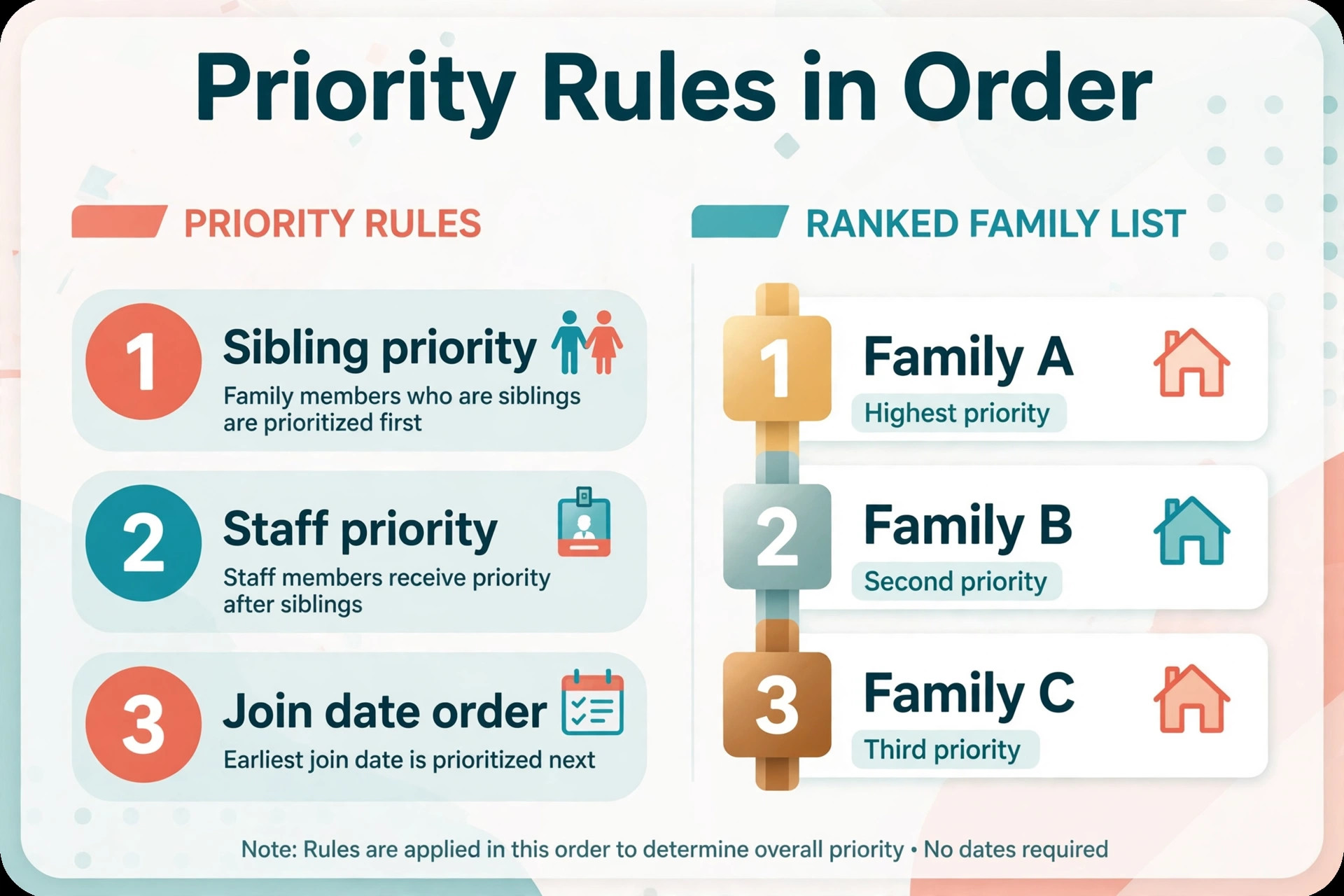
Priority rules decide who gets offered a seat first when several families fit the same room, and they are the part of waitlist management most likely to cause conflict. Common published priority patterns put currently enrolled siblings first, then currently enrolled children moving rooms, then siblings of enrolled children, then staff children, then all other families in join date order. Your order may differ, and local practice and licensing may shape it, but the order must be written, published to families in plain language, and applied the same way every time.
Rules based ranking in software should make that order visible, not mysterious. Vendor descriptions of enrolment CRMs describe ranking families by sibling status, staff priority and inquiry date at every centre, with manual adjustment where a director needs to move a family for a documented reason. That manual adjustment matters, because real life produces exceptions, such as a family facing a sudden change in circumstances. The key discipline is to record the reason for every manual move, so the ranking stays auditable even when it is not purely automatic.
Join date alone is rarely a fair rule on its own, because it ignores siblings, staff needs and room fit. A family that joined yesterday with a sibling already enrolled may reasonably rank above a family that joined last year for a different room, and a system that cannot explain that distinction will look unfair even when it is acting sensibly. Publish the rule order, show the reason beside each ranking, and train front desk staff to explain it calmly, with the same words, every time. Consistency in explanation matters as much as consistency in ranking.
The Offer Sequence That Fills Seats Fast
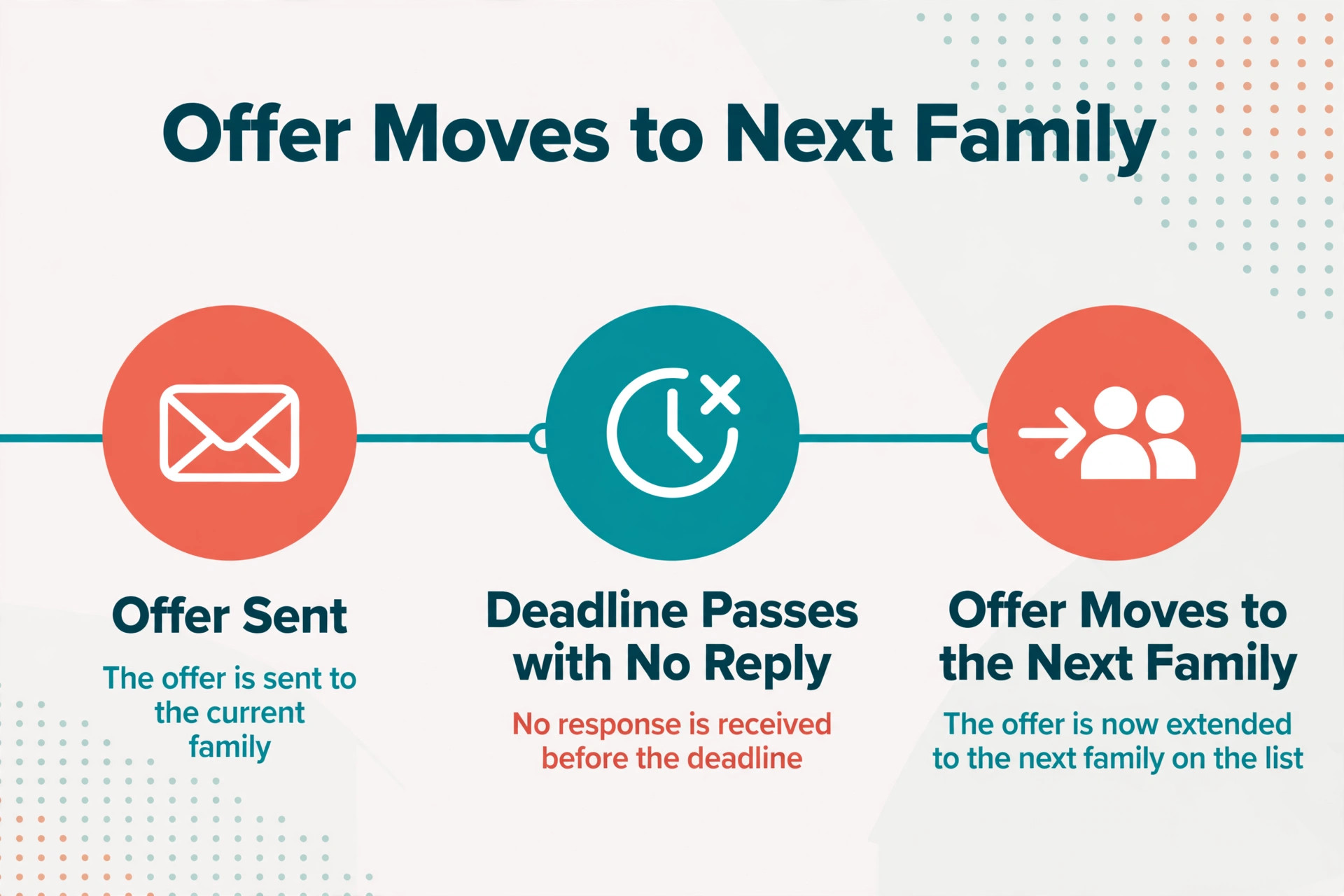
An offer sequence is the timed chain of steps from an open seat to a signed enrolment, and a slow sequence is how seats stay empty. A good sequence starts the moment a seat is confirmed, not when the director finds time to check the list. The system identifies the top ranked fitting families, sends the first offer with a clear accept deadline, and moves automatically to the next family if the deadline passes without a reply. That automation matters, because a seat offered on Monday and chased by hand all week is a seat that could have been filled by Wednesday.
Offer messages should contain everything a family needs to decide, without a second phone call. Full detail in the first message is a hallmark when you use AI for daycare waitlist management well. Name the room, the age group, the start date window, the schedule options, the fee basis in general terms, the deposit required, and the deadline to accept. A message that says a place is available, without a room, a date or a deadline, will generate a round of questions that delays the decision. A message that contains the full detail lets a ready family accept the same day, and lets an unready family decline quickly so the offer can move on.
Deadlines need to be firm, fair and communicated in advance. Families should know at join time that offers carry a response window, and what happens when that window passes. A window that is too short will feel like pressure and lose families who needed a day to arrange childcare logistics. A window that is too long will leave the seat empty while other families wait. Many centres find a window of a few days works for standard offers, with a shorter window for urgent late openings, but the right length depends on your families and your season, so test it and review it after each enrolment round.
Expiry Handling That Keeps the List Honest
Expiry handling is the discipline that stops a waitlist from becoming a list of names nobody can reach. Families move, change plans, enrol elsewhere, or simply stop checking email, and a list that never expires will grow stale until half the names on it are unreachable. Regular check ins, with a clear expiry rule, keep the list honest. A family that confirms interest stays. A family that does not respond after a set number of check ins, over a set period, moves to inactive, with a clear route back if they return.
Check in messages should be short, friendly and easy to answer. Short check ins keep the list honest when you use AI for daycare waitlist management. A single question, such as whether the family still wants a place and whether the start date has changed, with a one tap reply, will get more responses than a long form. Vendor descriptions of waitlist tools describe periodic reminder emails that let parents see their position and confirm interest, with customisable content and control over how much list data families can see. That control matters, because families want to know roughly where they stand, but publishing exact positions can create arguments about ranking that the centre cannot resolve by email.
Expiry rules must be published at join time, not invented when a family complains. Families should know that the centre will check in every few months, that non response after a stated number of attempts will move them to inactive, and that they can reactivate by confirming interest. A published rule feels like administration. An unpublished removal feels like rejection, even when the family had already enrolled elsewhere and simply never told you.
The Enrolment Packet That Closes the Place
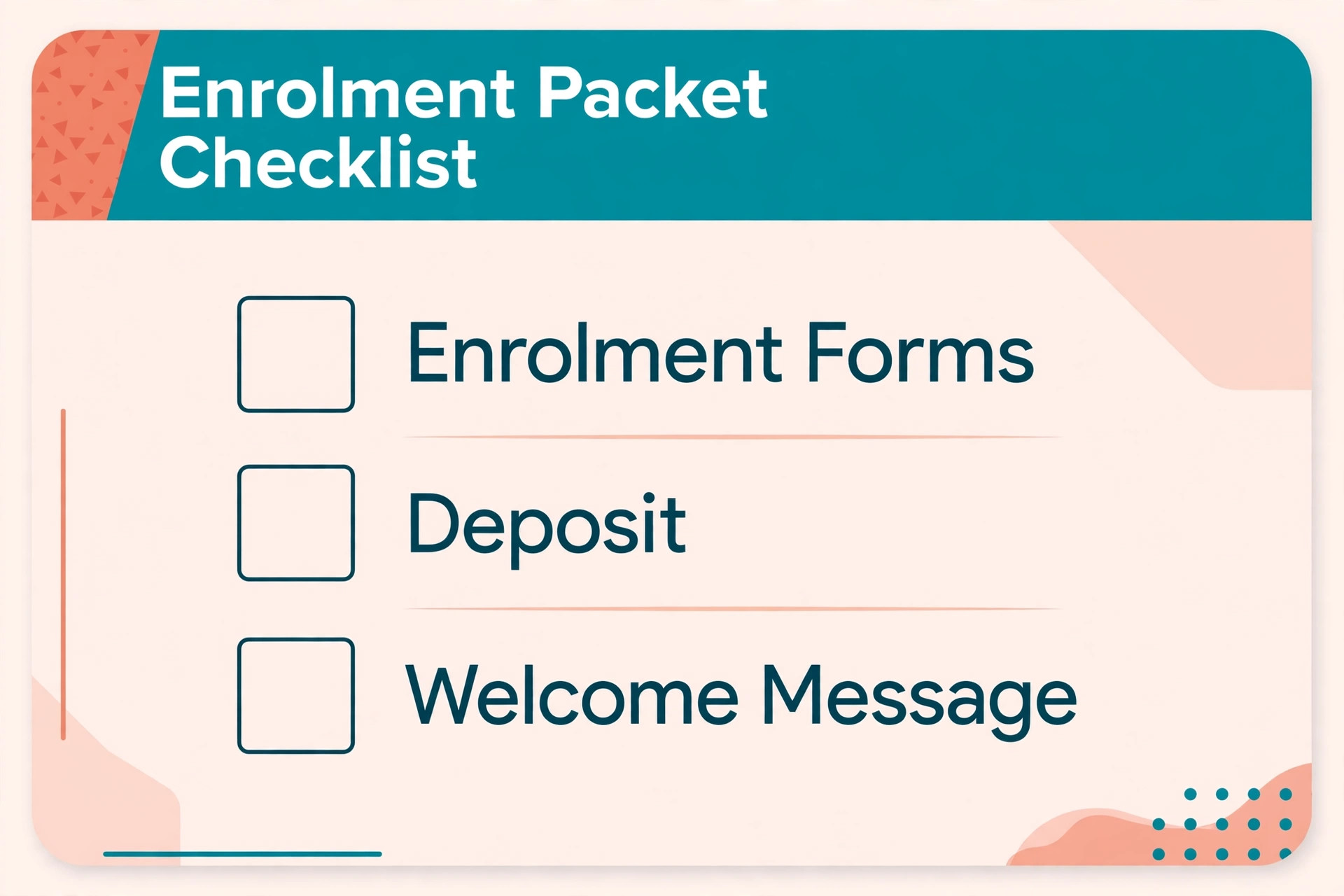
An enrolment packet is the set of forms, consents, medical and emergency detail, fee agreements and deposit steps that turn an accepted offer into a confirmed place. A packet sent as a single organised bundle, with a clear checklist and a deadline, gets completed faster than a packet sent as a series of separate emails over two weeks. Families juggling work and childcare need to see the whole task at once, so they can complete it in one sitting or plan the pieces that need a doctor signature or a second parent.
Digital packets should prefill everything the centre already knows, so families are not asked to retype the child name, birthday and start date they already gave at intake. Prefilling reduces errors, shortens completion time and signals that the centre values the family time. It also reduces the risk of a form error that delays the start date, such as a birthday typed differently on two forms. Check the prefill at intake quality stage, because a packet prefilled from bad intake data will simply repeat the error more efficiently.
Deposit and fee steps need the same clarity as the forms. Clear money steps matter when you use AI for daycare waitlist management, because surprises pause enrolments. State the deposit amount basis, the payment method, the refund or credit rule in plain language, and the date by which payment confirms the place. Families who understand the money step will complete it promptly. Families who discover a surprise fee or an unclear refund rule at payment stage will pause, and that pause can lose a place that was already accepted. Put the money summary on the first page of the packet, not buried at the end.
Best Pick by Job for Daycare Waitlist Tools
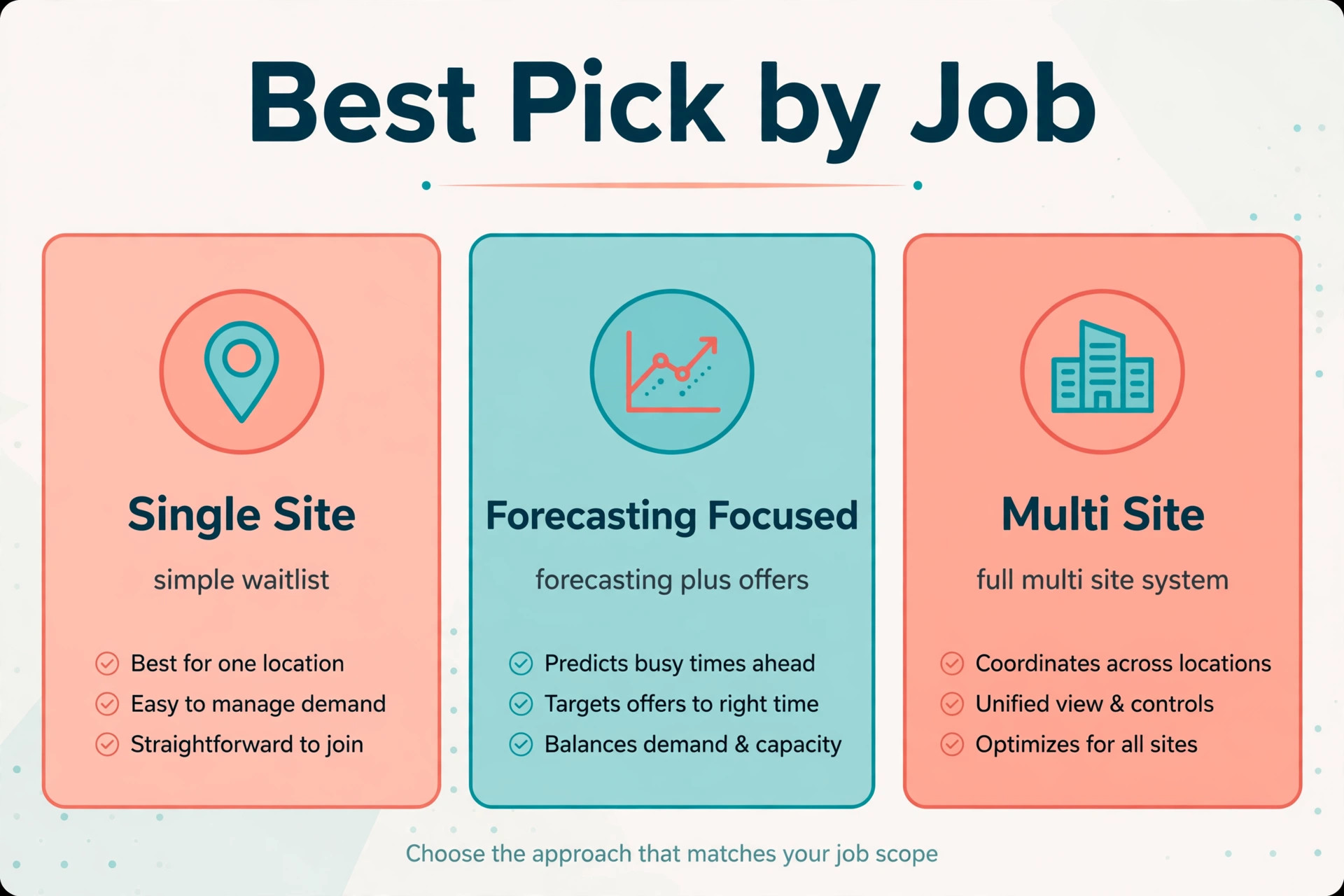
No single tool fits every centre, because a single site nursery and a multi site group buy different things even when the feature list looks similar. The table below sorts the main options by the job they do best, based on how vendors position them and how reviewers describe their fit. Treat it as a starting point for demos, not as a verdict, and judge each option on your own offer scenario, with a real room opening and a real ranking dispute.
| Centre shape | Best fit approach | Why it fits |
|---|---|---|
| Single site centre with a simple list | WaitListPlus | Age based lists, parent portal and email reminders built for daycare waitlists |
| Centre needing move up forecasting | Seedlist | Room transition forecasting and cascade mapping months ahead, alongside existing tools |
| Growing centre needing enrolment CRM | illumine or MyKidReports | Inquiry pipeline, tours, rules based waitlists and nurture in one enrolment system |
| Multi site group | illumine enterprise style CRM | One pipeline across centres, roll up reporting and role based permissions |
Pricing separates these tools in ways a feature list hides. Some waitlist tools publish low monthly prices, some enrolment CRMs quote only after a demo, and multi site pricing depends on centre count and add ons. Treat any third party price you read as a starting point and check the vendor page for your exact centre count, because the price for one site and the price for ten sites are different products in practice. Check what the price includes for parent portals, automated check ins and move up forecasting, since those features often sit outside the headline plan.
Tours, Nurture and Follow Up That Keep Warm Families Warm
Tours are the conversion point for most centres, and waitlist management should treat them as part of the same pipeline, not as a separate diary. Linked tours are part of why centres use AI for daycare waitlist management instead of a standalone list. When a family joins the waitlist, the system should offer a tour slot, send reminders, and record attendance, so the director can see which waiting families have visited and which have never seen the rooms. A family that has toured is far more likely to accept an offer than a family that has only filled in a form, and the offer sequence should reflect that difference without breaking the published priority rules.
Nurture sequences keep waiting families warm during long waits, especially for infant rooms where the wait can stretch for months. A short monthly update, with centre news, a reminder of the room and start window, and a simple check in question, keeps the centre in mind without feeling like marketing. Vendor descriptions of enrolment CRMs describe drip campaigns and automated tour reminders that keep families engaged until they are ready, with follow ups in the first days after inquiry. That early follow up matters most, because a family that hears nothing in the first week after inquiry will often enrol elsewhere before the waitlist even matters.
Follow up after a tour deserves its own sequence. A thank you message the same day, a short summary of the room and start window discussed, and a clear next step, whether that is joining the waitlist, completing a packet or booking a second visit, will convert more tours than a generic message sent a week later. Record tour notes in the family record, including schedule needs and concerns raised, so the offer message later can speak to those concerns rather than starting from zero.
Costs, Privacy and Trade Offs for a Small Centre
The cost of this workflow is not one subscription. It is the waitlist or CRM platform, any parent portal or messaging add on, the time to clean the existing list, write priority rules and build enrolment packets, and the director hours spent checking rankings in the early weeks. Centres already paying for a childcare management platform may add waitlist features for a smaller increment. Centres moving from a spreadsheet pay for the whole platform at once, plus training, and should budget for a slower first enrolment round while the team learns the new sequence.
Privacy is a trade off that deserves direct attention, because waitlist records hold children names, birthdays, medical detail and family contact information. The system must restrict access by role, so only staff who need the list can see it, and it must keep an audit trail of ranking changes and offer decisions. Parent portal access should show a family only its own record and its approximate position, not other families detail. A tool that cannot answer those questions clearly is not ready for children data.
The trade offs are real and worth naming plainly. A specialist waitlist tool may handle buckets and forecasting beautifully, but it may need manual work to connect billing and attendance. A full enrolment CRM may handle the whole pipeline, but it may bring a longer setup and a steeper learning curve. An automated offer sequence may fill seats faster, but it can also feel impersonal if messages are not written in the centre voice. None of these trade offs is a reason to avoid the tools. Each is a reason to match the tool to the centre size you have now, with a clear path to the size you plan to reach.
Mistakes That Leave Rooms Empty
The most common mistake is treating the waitlist as a single queue sorted by date. A date only list ignores room fit, sibling priority and start windows, so it offers seats to families who cannot take them and delays offers to families who can. Fix the structure first, with buckets and published priority rules, then let software apply those rules. Software scales whatever you feed it, good or bad.
The second mistake is letting the list go stale. A list that is never checked will fill offer rounds with unanswered messages, while reachable families wait behind stale names. Set a check in rhythm, publish the expiry rule, and review the inactive list quarterly. A list that stays current fills seats in one or two offers. A list that goes stale takes five or six offers, with days lost at each step.
The third mistake is sending offers without a deadline. An offer with no deadline sits open while the director waits politely, and the seat stays empty while other families wait. A clear deadline, communicated at join time and repeated in the offer message, lets families decide promptly and lets the offer move on without awkward chasing. Firm deadlines feel fair when they are published. Unpublished chasing feels personal, even when it is not intended that way.
Results to Measure Across One Enrolment Season
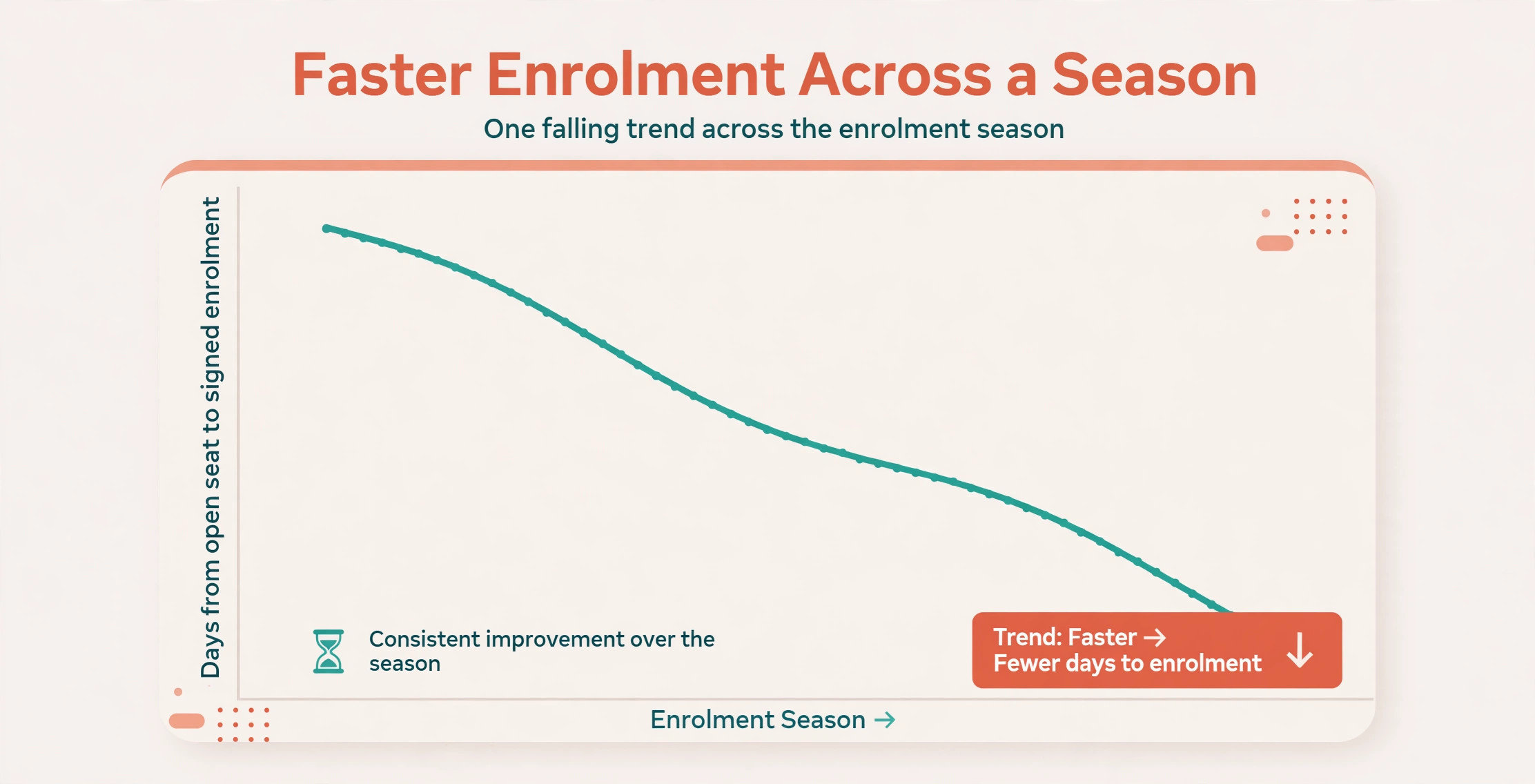
Measurement should start before the new workflow, so the improvement is visible rather than claimed. Record four numbers from last season as a baseline where records allow. First, the average days from open seat to signed enrolment. Second, the average offers needed per filled seat. Third, the share of waitlist families who are reachable and current. Fourth, the share of rooms filled to licensed capacity at season start. Those four numbers together show speed, efficiency, list health and occupancy, and no single number can hide a failure in another area.
After rollout, track the same numbers monthly, plus two more. Track tour to enrolment conversion, meaning the share of toured waitlist families who accept an offer, because that number shows whether tours and nurture are working. Track packet completion time, meaning days from acceptance to completed packet, because a long packet time shows friction after the decision has already been made. Review the numbers with the enrolment team, not just in the office, because front desk staff hear the family concerns that numbers alone cannot explain.
A Ninety Day Rollout Checklist
Use this checklist to prepare the enrolment season without breaking daily care.
1. Clean the existing list, confirm birthdays and start windows, and sort every family into the correct age bucket. 2. Write and publish priority rules, including sibling, staff and join date order, and train staff to explain them consistently. 3. Set offer deadlines and the sequential offer rule, and write offer message templates with room, date and deadline included. 4. Set check in rhythm and expiry rules, publish them at join time, and archive inactive records rather than deleting them. 5. Build the enrolment packet as one bundle with prefilled fields, a checklist, a deposit step and a welcome message. 6. Link tours to the waitlist record, and set nurture and post tour follow up sequences. 7. Run rankings and offers as recommendations for one enrolment round, with a director confirming every offer. 8. Review days to fill, offers per seat, list currency and packet completion monthly, and fix the top cause.
That checklist is deliberately short. A longer rollout plan looks impressive and gets ignored. Eight steps, done properly, change an enrolment season more than a fifty page manual that nobody reads.
The Verdict for Directors Tired of Spreadsheet Guessing
The best version of this workflow treats software as a waitlist keeper that the whole team can read, not as a replacement for the director who knows the families. Let it sort buckets, apply priority rules, forecast move ups, send check ins and offers, and chase packets. Keep people on ranking exceptions, distressed families, tour conversations and every decision where a family circumstance does not fit the rule. That split gives a small centre the coordination of a larger group without losing the personal knowledge that makes enrolment feel human.
Start before the main season, with clean buckets, published rules and a tested offer sequence, then add forecasting and automated nurture once the list data is clean.
That order works when you use AI for daycare waitlist management, because clean data must come before automation. Choose the tool that fits the centre count you have, with room to grow, and judge it on a room opening with a ranking dispute rather than on a clean signup demo. Measure days to fill, offers per seat, list currency and packet completion, and fix the worst number first. Done that way, the workflow pays for itself in fewer empty chairs, fewer disputed offers and calmer enrolment seasons for everyone, from the front desk to the first day in a new room.
Frequently Asked Questions
Do I need specialist waitlist software to start?
No. Start by sorting your existing list into age buckets, writing priority rules and setting offer deadlines in the system you already use, and add one helper, such as automated check ins, before replacing the whole platform. Specialist tools earn their place when move up forecasting, rules based ranking and automated offers become daily needs. Replace the system only when a clear gap remains after the first helper proves itself.
How do I explain priority rules to a family that waited longer?
Show the published rule order and the reason the other family ranked first, such as a sibling already enrolled or a room fit difference, in calm, consistent language. Acknowledge the wait, explain the rule, and confirm the family position for the next fitting seat. Families accept a rule they can see, even when they dislike the outcome, far more readily than a decision that looks unexplained.
What should I do when a family does not reply to an offer?
Wait until the published deadline passes, then move the offer to the next ranked family and record the non response on the first family record. Send a short follow up asking whether the start date or schedule was the issue, and adjust the bucket or window accordingly. Do not hold a seat open beyond the deadline out of politeness, because that delay costs every family waiting behind it.
How often should I check in with waiting families?
Check in every few months during a long wait, and more often as a likely seat approaches, with a short message and a one tap reply. Families should know the check in rhythm and the expiry rule at join time, so a check in feels like care rather than pressure. Review response rates after each round, and shorten or lengthen the rhythm based on what families actually answer.
Can a small single site centre benefit from waitlist software?
Yes, because even one site loses weeks to stale names, slow offers and delayed packets when the list is managed by hand. Age buckets, sequential offers with deadlines and a single enrolment packet pay off at any size, and the cost is usually one tool subscription rather than new staff. Start with buckets and offer deadlines, which show results in the first room opening, and add forecasting next.
How do I handle a child who ages into a different room while waiting?
Move the child to the correct bucket on the transition date, update the start window, and notify the family of the new room and likely timing. Forecast that move in advance where possible, so the family is not surprised and the director can plan the cascade it creates. Record the move reason on the family record, so the ranking history stays clear even after the bucket changes.
More Reading on Stratilyze
– Use AI for Plumbing Company Dispatch – Use AI for Pest Control Route Scheduling – Use AI for Roofing Company Estimates – Best Quote Software for Trades Businesses – Automate Small Business with AI