

Compare two small businesses hit by the same restriction notice. One keeps tapping the blocked button, posts more to make up for lost reach, and opens a second account to keep selling. The other stops, reads the restriction, audits its recent actions, cleans up the content that triggered it, and appeals once with a clear record. Weeks later, the first account is deeper in trouble and the second is posting normally. The difference is not luck. It is method, and this guide gives you the method to fix Instagram account restricted small business owners need, in the order that actually helps.
A restriction is Instagram way of pausing something, not necessarily ending your account. It may limit one action, such as following or commenting, limit how many people see your content, or in serious cases disable the account entirely. Those are different problems with different fixes, and treating them as one problem is the first mistake. This guide starts by naming the restriction type, because every later step depends on it.
Before you change anything, capture the evidence. Screenshot the exact restriction message, including its wording and any date it shows. Note what you can still do and what you cannot, whether posts still appear to followers, and what changed recently, such as a new scheduling tool, a burst of following, a giveaway, or a post that drew complaints. That record guides the audit and becomes the basis of any appeal, where specific facts beat general protests every time.
How to Fix Instagram Account Restricted Small Business Problems in Order
The workflow runs from restriction type to action audit, then appeal, content cleanup, and a recovery checklist. That order matters because each step answers a question the next step needs. The restriction type tells you whether waiting, appealing, or cleaning up comes first. The action audit tells you what triggered it. The appeal tells Instagram what you found and fixed. The cleanup stops the trigger recurring. Skipping to the appeal before the audit produces an appeal with nothing to say, and skipping cleanup after a successful appeal invites a second restriction.
Do not test the restriction by repeating the blocked action. Tapping follow, like or comment repeatedly after a block does not prove the block has lifted, and it can extend it, because the system sees more of the very behaviour it flagged. Test once, gently, after a pause, and only after you have removed the likely trigger. Patience here is not passive waiting. It is active fixing while the account rests, so the account that returns is cleaner than the account that was restricted.
Work from the account itself, not from forum posts about limits. Instagram does not publish universal hourly or daily limits for likes, comments, follows or messages, and the thresholds vary with account age, history and recent behaviour. A number that was safe for a large established account can trigger a block on a young or recently inactive business account. Your own Account Status screen and your own recent activity are the reliable evidence, not a stranger quota list.
| What you see | Most likely restriction type | First action |
|---|---|---|
| One action blocked, rest of account works | Temporary action block | Stop that action, audit recent bursts and tools |
| Content removed or reach sharply reduced | Content or guideline action | Check Account Status, review removed content |
| Account Status shows a violation history | Repeated guideline problems | Clean up content and appeal where offered |
| Cannot log in at all | Disabled account | Use the in app appeal route for disabled accounts |
| Followers say posts are hard to find | Reduced distribution | Audit content quality, hashtags and engagement patterns |

Read the Restriction Type Before You Do Anything Else
Open Settings, then Account, then Account Status, and read it slowly. Account Status is Instagram own dashboard for what has been done to your account, and it separates guessing from fact. It shows content actions, guideline issues, and whether anything is affecting your account standing. If it shows nothing while one action is blocked, that combination itself is information. It points at a temporary action limit rather than a guideline violation, and the fix leans toward stopping the trigger and waiting rather than appealing content.
Read the exact message on screen as well, because different messages mean different things. A message saying an action was blocked and to try again later usually means one action is paused. A message saying certain activity is restricted can mean a broader temporary limit. A disabled account screen means login and access are removed, which is a different process with an in app appeal route. Copy the wording into your notes exactly, because the wording is what support, and any adviser you later consult, will use to identify the case.
Check what still works, action by action. Can you log in. Can you post. Can you send messages. Can followers see new posts. Can you follow new accounts. Test each one once, gently, and write down the result. That map tells you whether the restriction is narrow or broad, and it gives you a baseline to compare against during recovery. A restriction that blocks only following needs a different recovery plan from one that limits all distribution, and the map is what keeps you from treating them the same.
Check for a linked problem at the same time. A business account linked to a Facebook Page, a Meta Business Suite setup, or an ad account can carry problems across products, and a restriction in one place can affect posting or advertising in another. Note any linked Page or ad account issues in the same record, but fix the Instagram restriction first, because that is the account the appeal and cleanup must address. Untangling linked products comes after the core restriction is understood.

Audit Recent Actions Like an Investigator, Not a Defendant
List the last two weeks of activity honestly, including the parts you would rather forget. Rapid bursts of likes, comments, follows or messages are the most common action block trigger, especially when they look scripted rather than human. A new account, or an inactive account that suddenly becomes very active, raises more suspicion than the same activity on an aged and trusted account. Write down the bursts, the tools involved, and the dates, because that timeline is the audit, and an audit that skips the embarrassing parts is not an audit.
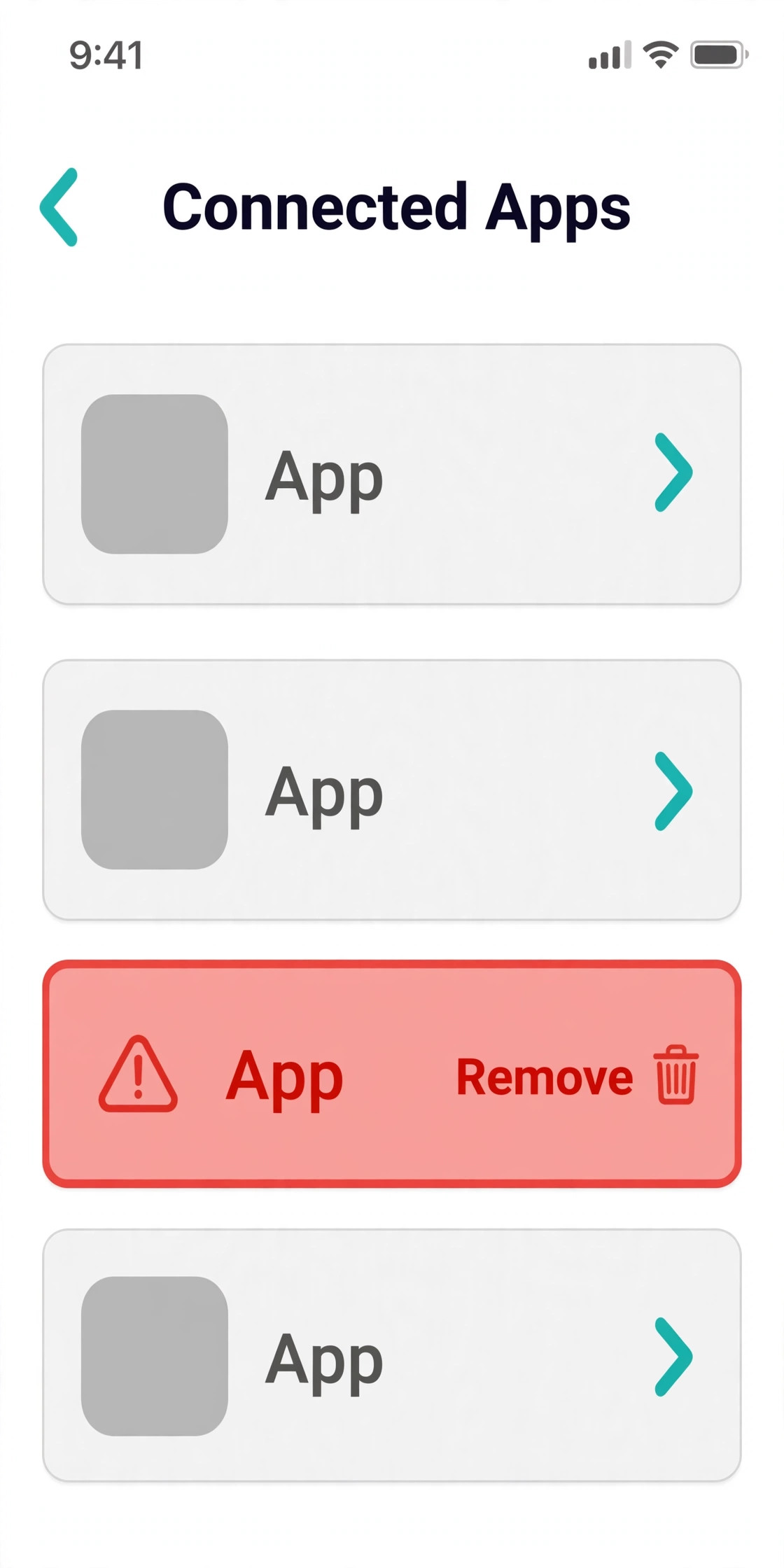
Check every third party app and tool connected to the account. Automation tools, auto likers, follow and unfollow services, growth services, and some scheduling or follower management apps can behave in ways Instagram treats as risky, and handing your username and password to a third party app is itself named in Instagram spam guidance as a problem. Open the apps and websites settings, list everything connected, and remove anything you do not recognise or no longer need. Change your password after removing tools, so removed tools cannot keep acting through a saved login.
Review the content that may have drawn reports or guideline action. Posts that reuse other people content without permission, use banned or misleading hashtags, repeat the same comment across many posts, or make claims the business cannot support can each attract enforcement, especially when combined with rapid activity. Look at your recent posts, stories, reels and comments with fresh eyes, and note anything that could plausibly have been reported or flagged. You do not need to agree with every flag to fix it. You need to understand what a reviewer or an automated system could have seen.
Check the human factors that stack with automation signals. Logging in from a new device, a heavily shared connection, or a sudden location change can make a session look suspicious, and running several accounts from one network can link their behaviour and increase scrutiny. Those factors alone rarely cause a restriction, but they add to a stack of small signals that together cross a threshold. Note them in your audit, secure the account with two factor authentication, and avoid adding new devices or networks while the account is restricted.
Also check who else can act on the account. A team member running a giveaway from a personal phone, a freelancer testing a new tool, or a family member helping with messages can each create activity the owner never sees, and that activity still counts as account behaviour. Ask everyone with access what they did in the last two weeks, and write their answers into the audit. Owners who try to fix Instagram account restricted small business cases without asking the team often fix only their own activity and miss the activity that actually triggered the restriction.
Appeal Once, With Facts and a Fix List
Appeal only where Instagram offers an appeal route for your restriction type, and use the in app route it provides. For a disabled account, that route is presented when you try to log in, and it asks you to confirm identity, often with a government document that matches the profile name exactly. Mismatched names, a business name on a personal document, or a blurry photo are common reasons appeals fail, so prepare the document carefully before submitting. For content actions, Account Status usually offers a review request on the specific item, and that request should address that item, not the whole account history.
Write the appeal in three short parts. What Instagram flagged, in the words of the message or Account Status. What you found when you audited actions, tools and content. What you changed, with specifics a reviewer can verify. A useful appeal names the tool you removed, the burst activity you stopped, the posts you deleted or edited, and the password change and two factor setup you completed. A vague appeal that says the business is legitimate and asks for the account back gives a reviewer nothing to verify, and verification is what an appeal needs.
Submit once and note the date, then wait. Repeated appeals, messages through unrelated channels, and public complaints do not speed review up, and they can muddy the record of a clean single appeal. Frame the outcome as uncertain in your own planning, because Instagram does not guarantee reinstatement, and any source promising a guaranteed result or a fixed timetable is guessing. While waiting, keep the account quiet. Do not post at full volume, do not run growth activity, and do not open a replacement account to keep selling, because a replacement account can be linked to the restricted one and restricted in turn.
If the appeal is rejected, read the response for what it still flags, and re audit from that response before considering a further request where one is offered. A rejection often means the fix list was incomplete, the identity document did not match, or the flagged content is still present somewhere you missed, such as an old story highlight or a linked post. Fix the specific gap, then appeal again with the updated list. A louder appeal without a better fix list rarely changes the outcome. That lesson applies broadly to anyone trying to fix Instagram account restricted small business problems, because reviewers respond to completed fixes, not to repeated requests.

Clean Up Content and Habits So the Restriction Does Not Return
Content cleanup starts with the flagged items and continues to anything similar. Delete or edit posts, comments and captions that break guidelines, reuse other people work without permission, or repeat the same message across many posts. Check story highlights and pinned posts too, because old content that stays visible can still draw reports and still count in a review. Cleanup is not about deleting your best performing posts. It is about removing the specific items a reviewer could flag, and keeping the posts that represent the business honestly.
Fix the habits that produced the trigger, not just the posts that show it. Replace burst activity with a steady daily routine, such as a modest number of genuine comments and follows spread across the day, rather than hundreds in one sitting. Stop buying or trading likes, follows, views or comments, and stop using any tool that acts on your behalf without permission. If scheduling matters, use a reputable tool that publishes through the official route and does not ask for your password to act as you, and keep the schedule human in pace.
Review hashtags and captions with the same discipline. Remove banned, misleading or irrelevant hashtags, and stop copying the same block of hashtags onto every post regardless of content. Write captions that describe the actual post, credit other creators where their work appears, and avoid claims about results, qualifications or guarantees that the business cannot support. Those small edits reduce report risk across the whole account, not just on the flagged post, and they make future content easier to defend if it is ever reviewed.
Rebuild engagement honestly after cleanup. Reply to real comments on your own posts, answer messages from customers, and post content that shows the actual work, team and premises of the business. Genuine engagement builds the trust signals that automated activity destroys, and it gives followers a reason to keep interacting without any growth trick. A small business account that posts less often but more honestly usually recovers distribution faster than one that posts constantly while still using the habits that caused the restriction.
Recovery Checklist and the Quiet Return to Normal
Use this checklist in order, and do not skip to normal posting until the earlier steps are ticked. The checklist is the overview proof of this guide, because it turns a vague hope for recovery into a sequence of verifiable steps, and it is the method to fix Instagram account restricted small business cases without creating a second restriction in the process.
1. Read Account Status and copy the exact restriction wording into your notes. 2. Map what still works, action by action, and note what changed recently. 3. Audit the last two weeks of activity, including bursts, tools and new devices. 4. Remove unrecognised or risky third party apps and change the password. 5. Turn on two factor authentication and secure the linked email account. 6. Delete or edit flagged content and anything similar, including highlights. 7. Appeal once through the in app route, with flagged issue, findings and changes. 8. Keep the account quiet while waiting, with no burst activity and no replacement account. 9. Return gradually, with a steady human pace, honest captions and credited content. 10. Review Account Status weekly for a month and log any new flag the same day.
Return gradually, not all at once. A sudden return to burst activity after a restriction looks like the same behaviour resuming, even when the intent is innocent enthusiasm. Start with posting and replying, then add following and commenting slowly over days, and watch Account Status and reach after each step up. If a warning appears, pause and re audit before continuing, because a second restriction during recovery is harder to appeal than the first, and it suggests a trigger is still present.
Protect the business pipeline while recovering. Use email to existing customers, local listings, a website booking page, and other channels that do not depend on the restricted account, so sales do not depend on a single platform. Update the website and booking information that customers need, because followers who cannot find you on Instagram will look elsewhere. A business that can survive a platform pause is a business that can also afford to recover slowly and properly, rather than rushing back and risking a repeat.

What to Post, and What to Avoid, During a Restriction
While an account is restricted, the safest posting rule is simple. Post less, post honestly, and post only content that clearly belongs to the business. A short update showing real work, a customer question answered helpfully, or a behind the scenes photo of the team at work all signal a genuine business account. A burst of promotional posts, a giveaway demanding follows and tags, or a run of copied trending content signals the opposite, and it risks a new flag while the first one is still being reviewed.
Avoid engagement bait during this period, even when it feels harmless. Posts that ask followers to like, tag friends, follow, and share in exchange for entry, or that repeat the same call to action across many posts, can look like artificial engagement growth. That is especially risky during recovery, when the account is already under scrutiny. One genuine post that earns real comments from real customers is worth more during recovery than ten posts engineered to inflate numbers, because genuine comments build the trust signals the account needs.
Also avoid reposting other creators work without credit or permission while restricted. A business account under review should be beyond reproach on originality, because a copyright or originality complaint during recovery can stack a new problem onto the old one. If a supplier image, a customer photo, or a trending sound is used, make sure permission or proper credit is in place, and keep a note of where permission came from. That care costs minutes per post and protects weeks of recovery work.
Use the quiet period to improve the profile itself. Check that the bio describes the business accurately, that the link leads to a working booking or contact page, and that highlights show current services rather than old offers that no longer apply. A clean, accurate profile helps a reviewer see a real business, and it helps customers who find the account during the restriction to still book. Profile improvements are safe, useful work that does not involve the blocked actions at all. That kind of quiet, useful work is exactly what owners should do when they fix Instagram account restricted small business accounts, instead of chasing visibility while the account is under review.
Mistakes That Turn a Restriction Into a Ban
The most common mistake is repeating the blocked action to test whether the block has lifted. Each repeat adds to the very signal that caused the block, and it can extend a temporary limit into a longer one. Test once, gently, after a pause and after removing the trigger, and accept the result. A block that is still in place is information, not an invitation to try harder.
The second mistake is opening a replacement account to keep selling. A new account from the same device, network or business details can be linked to the restricted account, and it can be restricted in turn for circumventing the original action. The short term sales are not worth the risk of two restricted accounts and a harder appeal. Keep the business visible through other channels, and let the original account recover through the proper route.
The third mistake is appealing before auditing, with a message that protests innocence but lists no changes. An appeal with no fix list asks a reviewer to trust that nothing will happen again, while an appeal with a specific list of removed tools, deleted content and security changes asks a reviewer to verify work already done. Verification is easier to approve than trust, which is why the audit always comes before the appeal in this guide.
The fourth mistake is cleaning up only the flagged post while keeping the habits that produced it. A deleted post with the same growth tool still connected, the same burst routine still in place, and the same hashtag block still copied onto every new post will produce a new flag quickly. Cleanup means tools, habits and content together, because the system that flagged the account sees behaviour patterns, not just single posts.
How to Prove the Account Stays Healthy After Recovery
Recovery is not proven by a single day of normal posting. It is proven by a month of clean Account Status, steady reach, and no new flags, while the business posts at a human pace. Check Account Status weekly for that month, log the result, and treat any new flag as a same day audit, not a message to leave for later. Early action on a small flag prevents it growing into a second restriction.
Build a simple posting routine that the whole team can follow. Post at a steady pace, reply genuinely, credit other creators, avoid burst following or commenting sessions, and check hashtags before use. Keep a short list of approved tools, and remove any new tool that asks for a password to act on the account. That routine protects the account far better than a monthly check that finds problems weeks late, and it gives new team members a clear standard instead of a set of unwritten habits.
Watch for quiet signals as well as formal warnings. A sudden drop in reach, followers reporting that posts are hard to find, or comments disappearing can each signal a distribution problem before Account Status shows a formal action. Treat a sudden reach change as a diagnostic event, re audit recent content and activity, and compare against the baseline you recorded during recovery. That habit turns account health from a mystery into a routine, and it catches problems while they are still small. It is the habit that keeps owners who fix Instagram account restricted small business accounts from needing to fix the same account twice.

The Restriction Verdict for Small Businesses
A restricted account is a warning with a fix list attached, not a verdict on the business. Read the restriction type, audit actions and tools honestly, appeal once with specific changes, clean up content and habits together, and return gradually. That sequence is the practical way to fix Instagram account restricted small business problems, and it is also the routine that keeps a recovered account healthy afterwards.
Start with Account Status, not with the blocked button. Stop the trigger, secure the account, and let one careful appeal describe work already done. Keep other channels active while waiting, and return at a human pace. Done that way, a restriction becomes a short interruption with a known cause, and the account that returns is stronger, cleaner and easier to defend than the one that was restricted.

Frequently Asked Questions
How long does an Instagram action block last?
There is no universal duration you should plan around, because Instagram does not publish fixed limits and the length varies with the restriction type, account history and behaviour. Temporary action blocks often lift once the trigger stops, but a block can last longer where activity continues or guideline problems stack up. Stop the trigger, remove risky tools, and check Account Status rather than relying on a timetable from a forum post.
Can I appeal a restricted Instagram account?
Yes, where Instagram offers an appeal route for your restriction type, use the in app route it provides. For a disabled account, the route appears when you try to log in and asks for identity confirmation. For content actions, Account Status usually offers a review request on the specific item. Appeal once with the flagged issue, your audit findings, and the specific changes you made, and frame the outcome as uncertain, because reinstatement is never guaranteed.
Should I open a new account while my business account is restricted?
No. A replacement account can be linked to the restricted one through device, network or business details, and it can be restricted in turn. Keep the business visible through email, local listings, a website booking page and other channels, and let the original account recover through the proper route. A second restricted account makes the appeal harder, not easier.
Does deleting the flagged post fix a restriction on its own?
Deleting the flagged post helps, but it rarely fixes the problem alone, because restrictions usually reflect a pattern of behaviour, not just one post. Remove similar content, remove risky tools, stop burst activity, secure the account, and appeal where offered with the full fix list. Cleanup means tools, habits and content together, or the same trigger will produce a new flag.
What causes Instagram to restrict a business account?
Common causes are rapid bursts of likes, comments, follows or messages, automation or growth tools acting on the account, buying or trading engagement, posting content that breaks community guidelines, and using third party apps with your password. Instagram does not publish exact limits, and thresholds vary with account age, history and recent behaviour, so your own activity audit matters more than any quota list.
How do I stop a restriction happening again after recovery?
Return gradually at a human pace, keep a short approved tool list, avoid burst activity and password sharing tools, write honest captions, credit other creators, and check Account Status weekly for a month. Treat any new flag as a same day audit. That routine, plus other sales channels that do not depend on one platform, is what keeps a recovered account healthy and a business resilient.
More Reading on Stratilyze
– Automate Small Business with AI – Best Customer Feedback Software for Small Business – Best Review Management Software for Local Businesses – Best Live Chat Software for Small Business Websites