

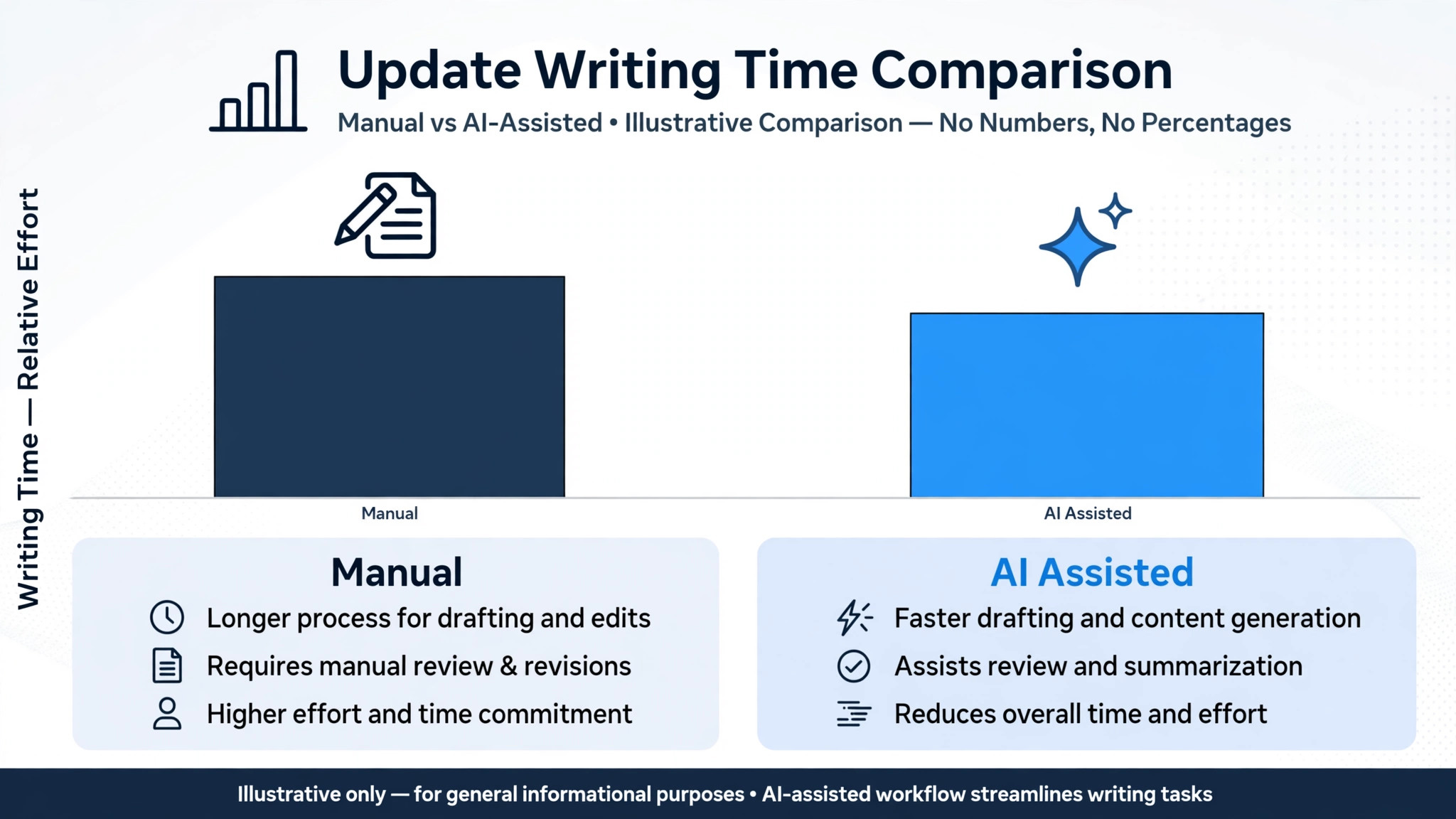
Buildertrend reports that early users of its AI Client Updates feature cut the time spent on client updates by 97 percent, from 30 to 60 minutes down to 6.5 minutes on average. Those vendor figures come from early users, not an independent study, but they point to a real problem. Builders spend hours writing updates by hand, so updates go out late and clients fill the silence with worry. When you use AI for home builder client update communication, you are fixing that silence first, because a client who knows what happened this week, what happens next, and what changed in the budget will trust you through a delay that would otherwise become a dispute.
A home build is the largest purchase most clients ever make, and it is also the purchase they understand least. Clients cannot see progress inside walls, they cannot judge whether a schedule slip matters, and they cannot tell a normal delay from a serious problem. Regular, plain updates are what turn that uncertainty into confidence. This guide builds an update system for builders of any size, from milestone summaries through delay explanations, photo updates and change-order notes, with an update template you can copy.
Why Builder Clients Lose Trust Mid-Build
The first reason is silence during slow phases. A build has weeks where visible progress is small, such as inspections, permits, or work inside walls, and clients who hear nothing during those weeks assume nothing is happening. That assumption is wrong, but it feels true to a client driving past a quiet site. A short update that names the invisible work, such as a passed inspection or a delivered material order, prevents the assumption from forming.
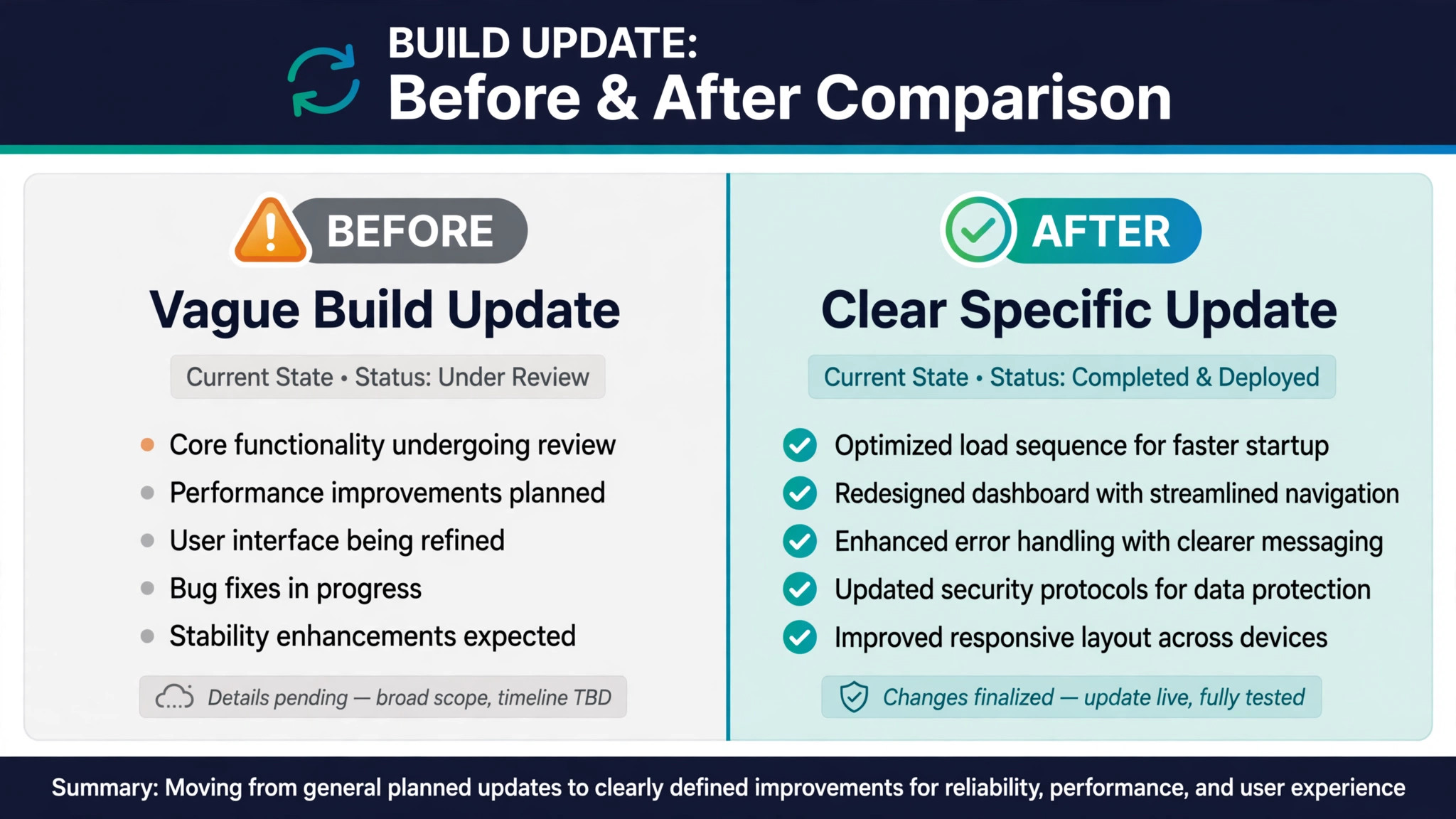
The second reason is jargon and vagueness. An update that says framing is progressing tells a client almost nothing. Which rooms are framed, what was inspected, what remains, and what happens next are the details that make an update useful. Clients do not need construction expertise. They need a plain account of what changed since the last update, what it means for the schedule, and what decision, if any, they need to make.
The third reason is surprise costs and surprise delays. A change order that appears without explanation, or a completion date that moves without warning, damages trust far more than the cost or the delay itself. Clients can accept a delay they understand and a cost they approved. They cannot accept a bill or a moved date that arrives as a surprise, because surprise feels like the builder was hiding something, even when the builder was simply busy.
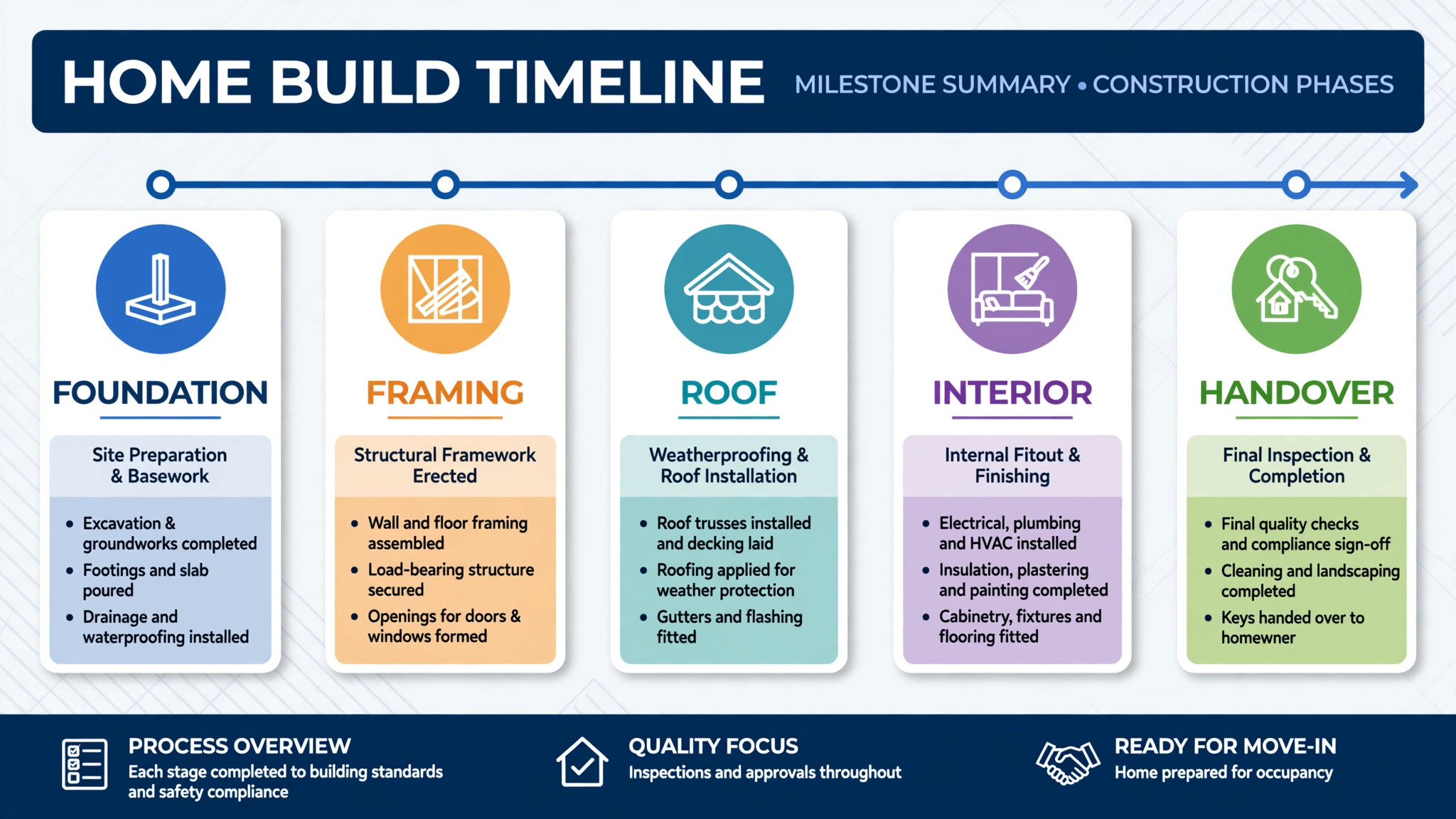
How to Use AI for Home Builder Client Update Communication in Seven Steps
This workflow takes a build from weekly site activity to a client update the homeowner actually reads. Each step names the input, the draft, and the human check, so automation speeds the writing without sending anything the project manager has not verified. When you use AI for home builder client update communication in this order, the site record feeds the draft, the draft gets checked, and the client gets a clear, honest account every week.
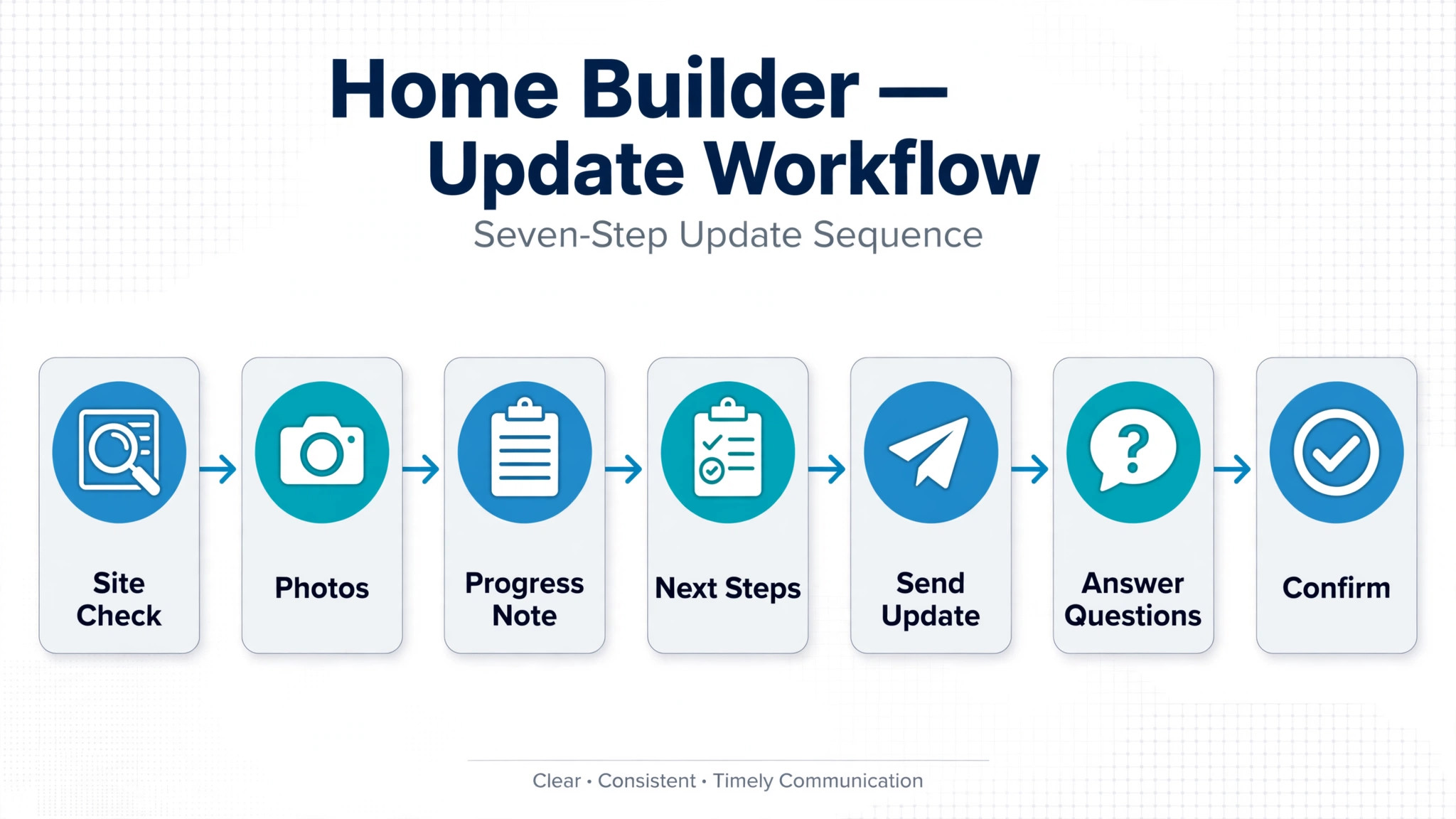
Step 1. Collect the Site Record Before Writing Anything
An update can only be as good as the site record behind it. Before drafting, gather the daily logs, schedule items, completed tasks, inspections passed or failed, deliveries received, photos taken, and any change orders or invoices from the week. If the site team did not log consistently, the update draft will have little to work with, which is why the first habit to build is logging, not writing.
Use AI to summarise the site record into a draft update outline, listing completed work, current work, and next work as separate groups. Check the outline against the real record yourself, because a log entry that was misread, or a task marked complete that is actually still open, will become a false promise in the client update. Correct the log at the source when you find an error, so the next update does not repeat it.
Step 2. Write Milestone Summaries in Plain Language
A milestone summary should answer four questions in order. What was completed since the last update. What is happening now. What happens next, and when. What, if anything, the client needs to decide. Keep each answer to two or three sentences, in plain words, with no trade jargon unless it is explained. A client should be able to read the summary in two minutes and know exactly where their home stands.
Use AI to draft the summary from the checked site outline, translating trade terms into plain language as it goes. Then edit the draft yourself, checking every claim against the site record. Replace vague phrases with specific facts, such as naming the rooms framed, the inspection passed, or the delivery received. Specificity is what makes a summary believable, and vagueness is what makes clients call to ask what is really happening.
End every milestone summary with the schedule position in plain terms. State whether the build is on schedule, ahead, or behind, and by how much, in days rather than percentages. A client who hears that framing finished three days early, or that inspections added four days, can plan their own life around the build. A client who only hears that progress is good cannot plan anything.
Step 3. Explain Delays Early, Honestly, and With a New Date
Delays are where client trust is won or lost. The rule is simple. Tell the client about a delay on the day you learn of it, explain the cause in one plain sentence, state the effect on the schedule, and give the new date or the date when the new date will be known. A delay message that follows that structure will disappoint the client, but it will not anger them the way a discovered delay does.
Use AI to draft the delay explanation from the schedule change and the cause, then check it yourself for accuracy and tone. Remove any language that blames the client, the weather, or a supplier and replace it with a factual account of what happened and what is being done about it. If a supplier delivery slipped, say what the new delivery date is and what work will continue in the meantime, so the client sees a plan rather than a problem.
Never hide a delay inside a general update. A delay deserves its own clear statement at the top of the update, not a vague line buried in the middle. Clients who learn about a delay from the builder, early and plainly, will usually accept it. Clients who learn about it from a neighbour, a site visit, or a missed date will not, and the trust lost there is hard to rebuild.
Step 4. Pair Every Update With Photos That Prove Progress
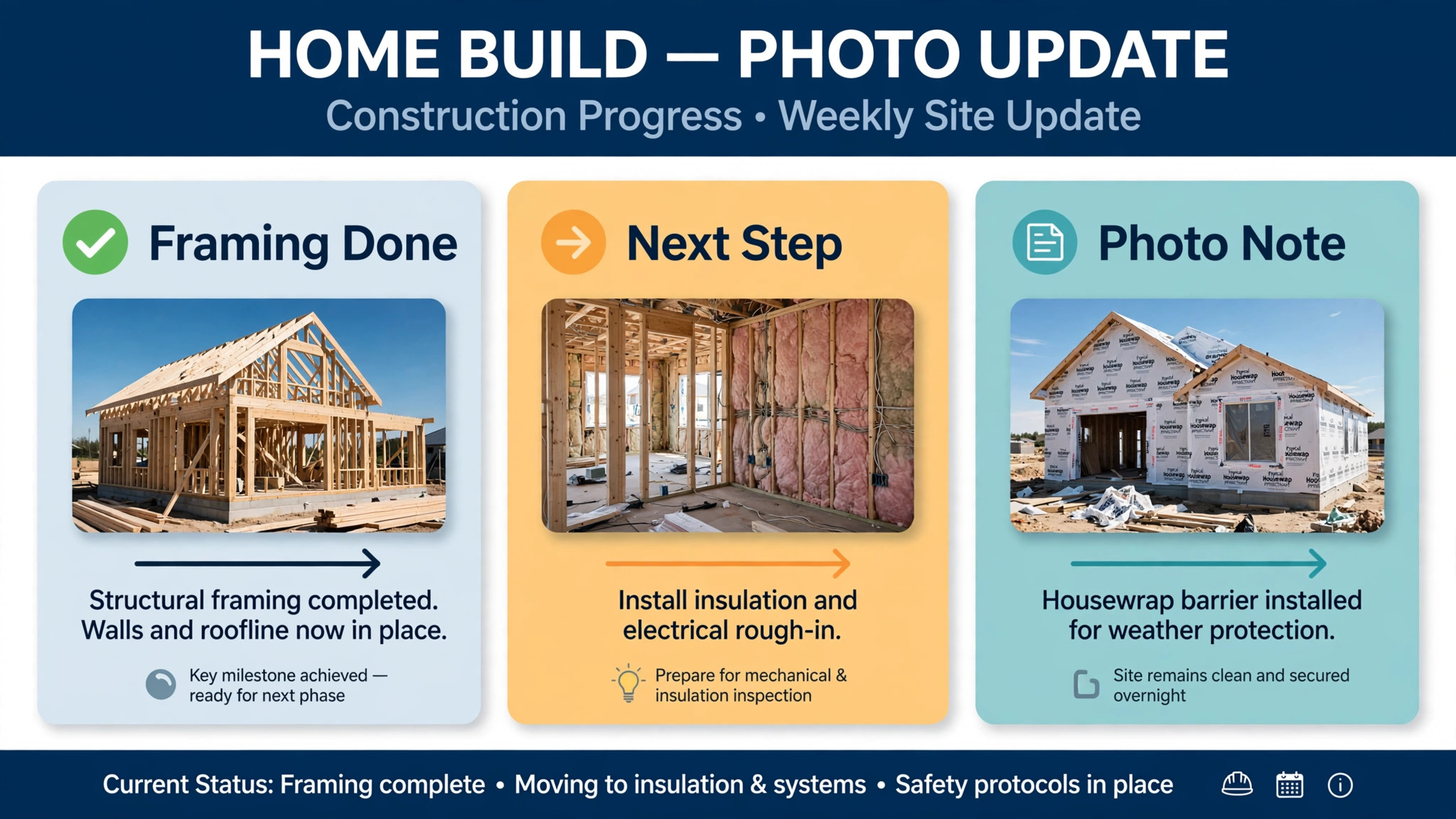
Photos are the most persuasive part of any builder update, because they let a client who lives far from the site see their home changing. A good photo set for a weekly update includes an overall site view, a close view of the main work completed that week, and a detail shot that shows quality, such as a finished joint, a level surface, or an installed fixture. Three good photos beat twenty random site snaps.
Use AI to draft captions for the photos from the site record, naming what each photo shows, where in the home it is, and what it means for progress. Check every caption yourself against the photos, because a caption that names the wrong room, or claims work is complete when the photo shows it half done, will destroy trust instantly. Keep captions short, factual, and free of marketing language, since the photos themselves are the selling point.
Step 5. Write Change-Order Notes Clients Can Actually Approve
Change orders cause more disputes than any other part of a build, and unclear notes are usually the cause. A change-order note should state what is changing, why the client or the build needs it, what it costs, how it affects the schedule, and what happens if the client declines. That structure lets a client approve with confidence, rather than signing a document they do not understand.
Use AI to draft the note from the change-order record, including the cost breakdown and the schedule effect, then verify every figure yourself against the estimate and the contract. Check the cost, the scope, and the schedule days, because an error in a change-order note becomes a billing dispute later. State whether the cost is fixed or an allowance, and what could move it, so the client is not surprised by a later adjustment.
Give the client a clear approval route and a deadline that respects their schedule. A note that requires a signature within 24 hours, with no explanation of why the deadline matters, pressures the client and breeds resentment. Explain the deadline in one sentence, such as a material order that must be placed by a certain date, and offer a short call to walk through the change. A client who understands a change will approve it faster than a client who feels rushed into it.
Selections are the second great source of builder client friction, after change orders. Clients face dozens of decisions, from fixtures to finishes, often with deadlines they do not understand, and a missed selection can stall a whole trade. A shared selections timeline, visible to the client in the portal, lists each decision, its due date, its status, and what happens if it slips. That visibility prevents most selection delays before they happen.
Use AI to draft reminder messages from the selections timeline, naming the specific decision, its due date, and the options or showroom visit needed. Check each reminder yourself for accuracy, because a reminder for a decision already made will confuse the client and undermine the system. Send the first reminder a week before the due date, and a second two days before, with a clear route to ask questions or book a showroom visit.
Step 7. Close Each Phase With a Summary and a Walk Through
At the end of each major phase, such as foundation, framing, or lock up, send a phase summary that is longer than a weekly update and more reflective. State what was completed in the phase, what inspections passed, what changed in budget and schedule across the phase, and what the next phase involves. That summary gives the client a sense of progress that weekly updates, read one at a time, cannot provide.
Use AI to draft the phase summary from the weekly updates and the phase record, then check it yourself against the contract, the budget, and the schedule. Walk the client through the phase in person or by video where possible, pointing out the completed work and answering questions on the spot. A walk through catches misunderstandings while they are still cheap to fix, before the next phase covers the work.
Client Update Template You Can Copy
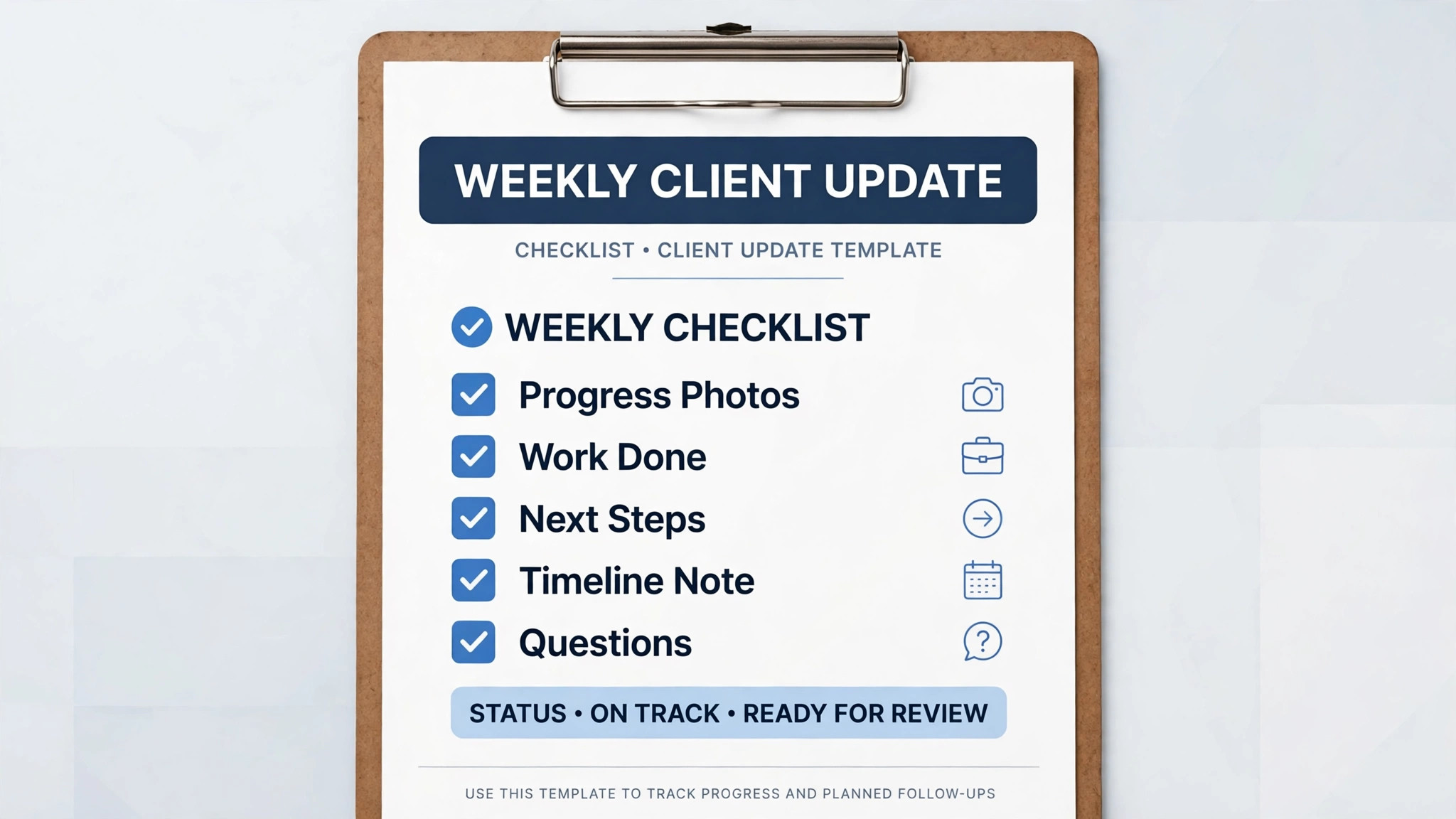
Use this template for every weekly update when you use AI for home builder client update communication, and adjust the length by phase. A quiet week gets a short update, while a milestone week gets a longer one, but the structure stays the same, so clients learn where to find what they need.
Opening line. One sentence on the overall position, such as framing complete and on schedule, or inspections passed with a four day schedule effect. Put the headline first, so a busy client gets the news even if they read nothing else.
Completed this week. A short list of the work finished since the last update, named specifically by room or area, with inspections passed and deliveries received included.
Happening now. A short list of the work currently under way, with the trade or team involved, so the client knows who is on site and what they are doing.
Coming next. A short list of the next steps, with expected dates, so the client can see the near future of the build.
Schedule position. A plain statement of whether the build is on schedule, ahead, or behind, and by how many days, with any delay explained at the top of the update rather than buried here.
Budget and change orders. Any change order or budget movement since the last update, with the cost, the reason, and the approval status, or a statement that nothing changed.
Decisions needed. Any selection or approval the client owes, with its due date and the route to decide, or a statement that no decision is due this week.
Photos. Three to five captioned photos matched to the completed work, ordered to follow the summary, with honest captions for any problem shown and its fix plan.
Closing line. One sentence confirming the next update date and the contact route for questions before then, so the client never wonders when they will hear from you again.
Tools That Fit a Builder Update Workflow
Pick tools that hold the schedule, the daily logs, the photos, the change orders and the client portal in one place, because updates fail when the site record lives in one system, the photos in another, and the client messages in a third. The tools below cover the main patterns builders actually use.
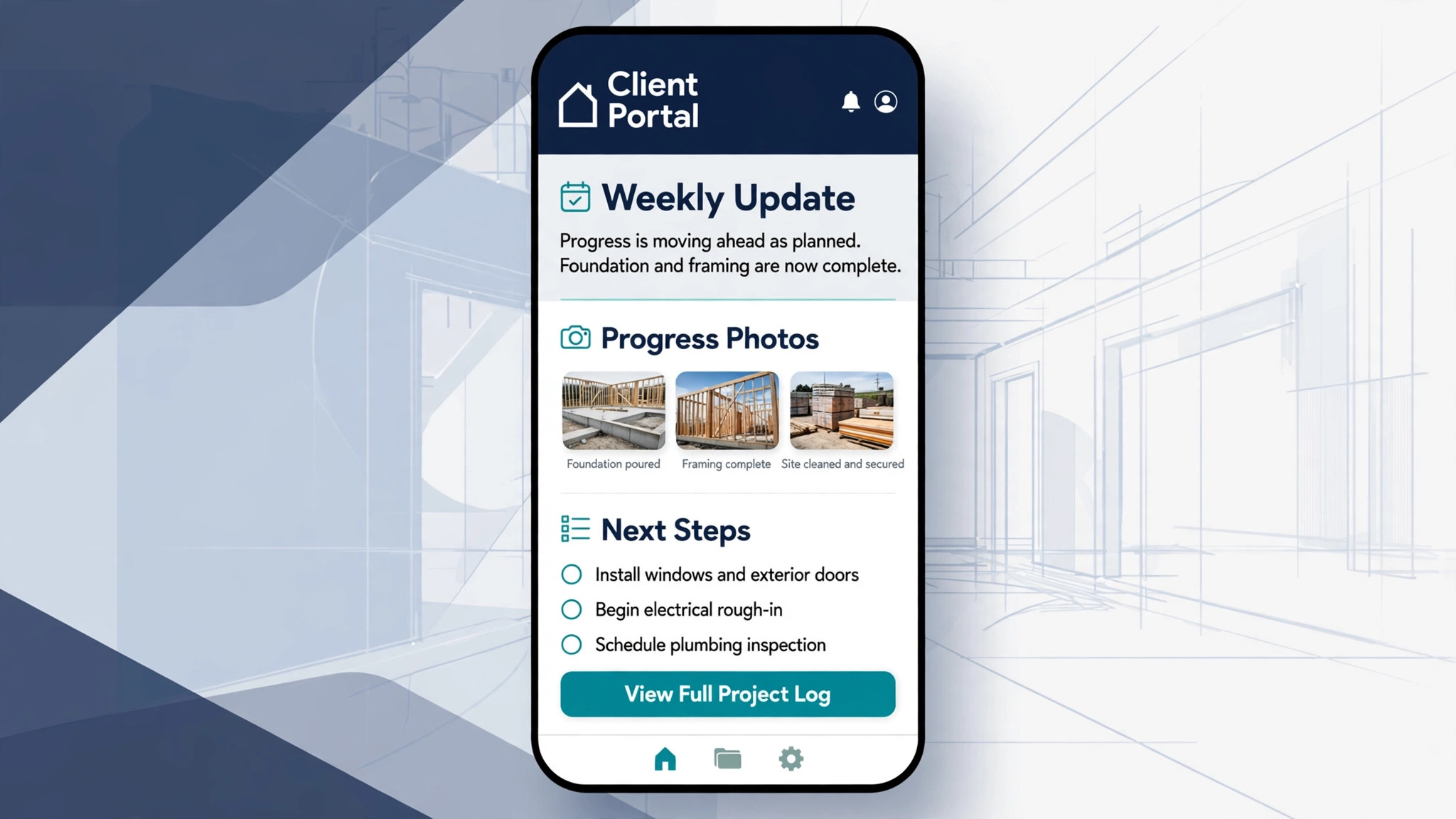
Buildertrend for AI Client Updates and Client Portals
Buildertrend is a construction management platform for residential builders, with scheduling, daily logs, change orders, selections, and a client portal. Its AI Client Updates feature, launched in mid 2025, drafts a written progress summary for the homeowner from information already in the job, including daily logs, schedule items, change orders and invoices. A project manager reviews and edits the draft, then publishes it to the client portal. Buildertrend reports early users cut update time from 30 to 60 minutes to 6.5 minutes on average, which matches the vendor figures cited at the start of this guide.
The limit is that the AI can only summarise what the team has already entered. If nobody files a daily log or updates the schedule that week, the draft has little to work with, so the tool rewards teams that already log consistently. Buildertrend pricing is now a custom quote, so check the vendor current pricing page before budgeting, and confirm which plan includes the AI update features.
CoConstruct for Custom Builder Client Communication
CoConstruct is a cloud based platform built for custom home builders and remodelers, with estimating, scheduling, client portals, selections, and change-order management. Its strength for update communication is the client portal, where clients can view progress, make selections, approve change orders, and see budget effects in real time. That shared visibility is exactly what the update template in this guide needs to work.
The limit is its future. CoConstruct was acquired by Buildertrend in 2021, it is no longer sold to new customers, and existing customers can add projects only through March 31, 2027, according to current comparison reporting. New builders should therefore choose Buildertrend or another actively developed platform, rather than starting on CoConstruct now. Check the vendor current position before making any decision based on older reviews.
Projul for AI Assisted Builder Updates
Projul is a construction management platform for residential contractors, with estimating, scheduling, invoicing, job costing, and a client portal. Its AI Connect feature lets the AI assistant a builder already uses read a project notes, schedule, and files, and draft a progress update for a team member to review and send. That approach suits builders who already use a general AI assistant and want it connected to project data, rather than learning a separate AI feature.
The limit is that the AI draft still needs the same human check as any other draft, and the connection only works if project notes and schedules are kept current. Check the vendor current pricing page before subscribing, and test the update draft flow with a real project before rolling it out to all clients.
JobTread for Job Costing and Client Updates
JobTread is a construction management platform with estimating, scheduling, job costing, and client communication tools. Its strength for update communication is the link between job costs and client messages, so budget movements and change orders in an update can be traced to the job cost record. That traceability matters when a client questions a figure, because the builder can show the source rather than asserting it.
The limit is that a costing strength does not replace the update discipline in this guide. The template, the logging deadline, and the human check still need to be built by the builder team, whatever platform holds the data. Check the vendor current pricing page, and confirm the client portal and messaging features match the update rhythm your clients expect.
What AI Can and Cannot Do in Builder Updates
AI is strong at drafting, summarising and captioning. It can draft a milestone summary from daily logs, summarise a phase from weekly updates, draft a change-order note from the cost record, and draft photo captions from the site record. Those tasks are repetitive and time sensitive, and automating them means clients hear from the builder every week, not only when the project manager finds an hour to write.
AI cannot verify site progress, judge work quality, or decide whether a delay matters. It cannot walk a site, inspect a joint, or judge whether a trade is ready for the next phase. It cannot handle a sensitive conversation about a serious defect, a large cost overrun, or a completion date that has moved by months. Those moments need a human project manager, with judgment, honesty and accountability, and any workflow that routes them to an automated message is unsafe.
Mistakes That Break Builder Client Updates
The first mistake when you use AI for home builder client update communication is publishing a draft without checking it against the site record. A draft that claims work is complete when it is not, or that names the wrong room, will be spotted by the client on their next site visit, and the trust lost there is hard to rebuild. Check every claim, every figure, and every photo caption before publishing.
The second mistake is burying a delay inside a general update. A delay deserves its own clear statement at the top, with the cause, the schedule effect, and the new date. Clients who learn about a delay from the builder, early and plainly, will usually accept it. Clients who discover it themselves will not, and the dispute that follows costs far more than the delay itself.
The third mistake is sending updates without photos, or with uncaptioned photos. Clients who live far from the site cannot judge progress from words alone, and a photo without a caption leaves them guessing what they are looking at. Pair every update with three to five captioned photos, matched to the completed work, and ordered to follow the summary.
The fourth mistake is letting selections drift without a shared timeline. A missed selection stalls a trade, and a stalled trade moves the completion date, yet the client often does not know a decision was due. Keep the selections timeline visible in the portal, remind clients a week and two days before each due date, and record every decision the day it is made.
How AI Assisted Updates Compare With Manual Updates
| Feature | AI assisted updates | Manual updates only |
|---|---|---|
| Update frequency | Weekly, on a fixed rhythm | When the project manager finds time |
| Writing time | Minutes of review per update | 30 to 60 minutes per update |
| Schedule clarity | Plain position in days, every week | Often vague, or missing |
| Delay handling | Early, plain, with a new date | Often discovered by the client |
| Photo use | Captioned, matched to the summary | Often missing or uncaptioned |
| Change-order clarity | Structured note, cost and schedule shown | Often a bare document to sign |
| Client trust | Built weekly, survives a delay | Fragile, breaks on first surprise |
The table shows the core argument for builders who use AI for home builder client update communication. AI does not make a builder honest, organised, or communicative on its own. It gives an honest, organised builder the speed to communicate every week, which is what turns a good build into a trusted one.
A Five Week Implementation Plan
Week one is logging and templates. Set the weekly logging deadline, write the update template, and draft the milestone, delay, and change-order formats. Test them on one live project for a week, and fix any template part that the site team finds hard to fill.
Week two is tool setup. Choose the platform that holds the schedule, logs, photos and portal together, connect the AI drafting feature, and test the draft and review flow with the same live project. Confirm that a project manager check is a hard gate before any update publishes.
Week three is rhythm. Roll the weekly update out to all active projects, with the Friday update rhythm and the Thursday logging deadline. Track which projects miss the deadline and why, and fix the logging habit before blaming the update system.
Week four is review. Read a month of updates as a group, look for the most common client question, and fix the template or the site record that addresses it. Review delay messages and change-order notes specifically, since those are where trust is won or lost.
Week five is steady state. Add phase summaries and walk throughs to the rhythm, put a monthly review of update quality in the calendar, and refine one template at a time. Client communication is now a routine, not a rush before a client complains, and the routine is what carries trust through the whole build.
Verdict
Clients do not expect a perfect build. They expect to know what happened, what happens next, what changed in the budget, and when they will hear from you again. Collect the site record, write milestone summaries in plain language, explain delays early with a new date, pair every update with captioned photos, and write change-order notes a client can actually approve. When you use AI for home builder client update communication in that order, with a human check before every publish, automation gives you the speed to do it every week, and the weekly rhythm gives you the trust to survive the delays that every build contains.
Start with the logging deadline and the weekly template. Those two changes alone will lift more client relationships than any new software, because they fix the silence that causes most disputes. Add the delay rule and the photo habit next, and never publish a draft you have not checked against the site record. Builders who do those things will finish builds with clients who recommend them, which is the cheapest marketing a builder will ever earn.
Frequently Asked Questions
How often should a builder update clients?
Weekly, on a fixed day, with a shorter update in quiet weeks and a longer one at milestones. A fixed rhythm matters more than length, because clients who know an update arrives every Friday will wait for it, while clients who hear nothing for three weeks will assume the worst. During a delay or a critical phase, add a short interim message between weekly updates, so the client never learns important news from another source.
What should a weekly builder update include?
The overall position first, then work completed, work happening now, work coming next, the schedule position in days, any budget or change-order movement, any decision the client owes, and three to five captioned photos. That structure lets a busy client get the headline in seconds and the detail when they want it. A weekly update that omits the schedule position or the decisions due is incomplete, however well written the rest is.
How should a builder explain a delay to a client?
On the day the builder learns of it, at the top of the update, with the cause in one plain sentence, the effect on the schedule, and the new date, or the date when the new date will be known. Avoid language that sounds like blame or excuse, and state what work will continue in the meantime. Clients accept delays they understand far more readily than delays they discover, and an early plain explanation protects trust that a late vague one cannot rebuild.
Can AI write client updates without a project manager check?
No. AI can draft a summary from daily logs, schedule items, change orders and invoices, but a project manager must verify every claim, figure, and photo caption before publishing. The AI can only summarise what the team entered, so a missing log or a wrong task status becomes a false promise in the update. Keep the human check as a hard gate, with no exception for a busy week.
How many photos should a builder update include?
Three to five, matched to the completed work and ordered to follow the summary. Include an overall site view, a close view of the main work completed that week, and a detail shot that shows quality. Caption each photo with what it shows, where in the home it is, and what it means for progress. If a photo shows a problem, include it with an honest caption and the fix plan, rather than hiding it.
What makes a change-order note clear enough to approve?
A statement of what is changing, why it is needed, what it costs, how it affects the schedule, and what happens if the client declines. State whether the cost is fixed or an allowance, and what could move it. Give a clear approval route and explain any deadline in one sentence, such as a material order date. A client who understands a change will approve it faster than a client who feels rushed into signing a document they do not understand.
How do builders stop selections from stalling a build?
Keep a shared selections timeline visible in the client portal, listing each decision, its due date, its status, and what happens if it slips. Remind clients a week before the due date, and again two days before, with a clear route to ask questions or book a showroom visit. Record every decision in the portal the day it is made, with product, colour, model and price where relevant, so disputes can be settled from the shared record.
What should happen at the end of each build phase?
Send a phase summary stating what was completed, what inspections passed, what changed in budget and schedule across the phase, and what the next phase involves. Walk the client through the phase in person or by video where possible, answering questions on the spot. End with the next phase plan, including its start date, main milestones, and any client decisions due before it begins, so the client stays engaged rather than anxious between phases.