
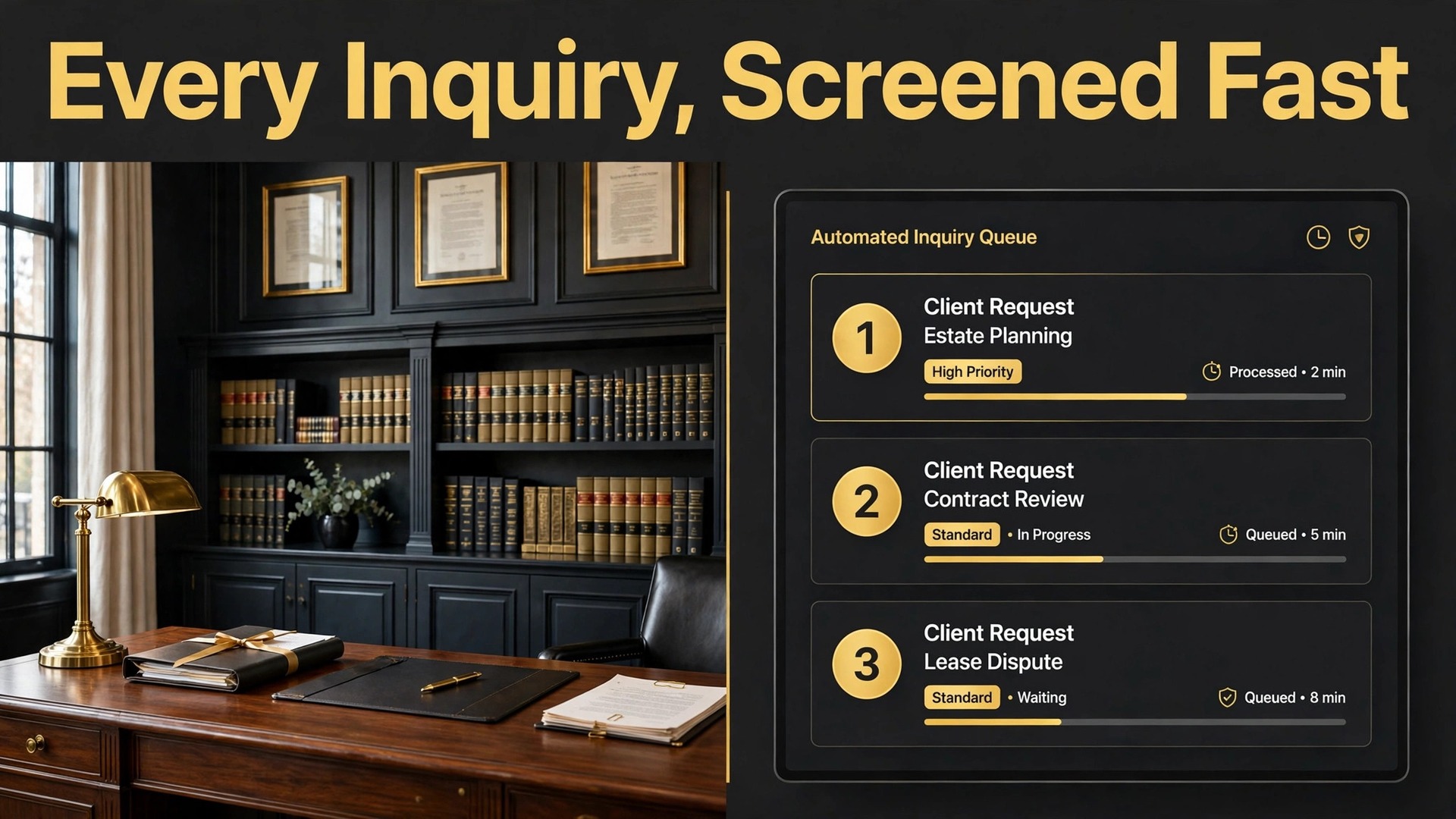
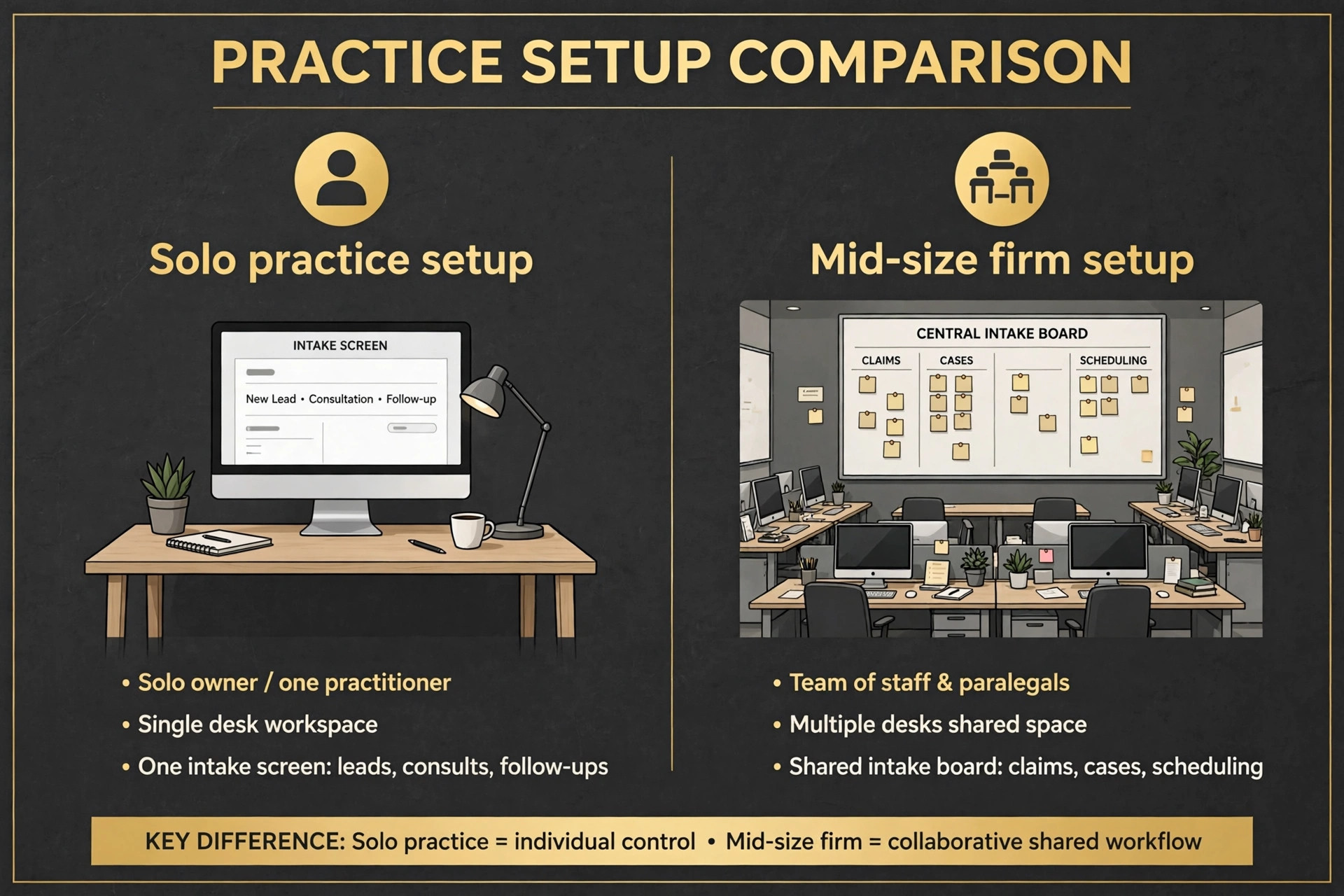
A solo firm and a twenty-lawyer firm do not buy the same intake system, and that is the first decision this guide makes easy. A solo practice usually needs fast setup, flat pricing and text follow-up that works without staff. A mid-size firm needs pipeline management, conflict checks and reporting across practice areas. Both need the same outcome, which is that no good inquiry waits unanswered while a bad-fit inquiry eats an attorney afternoon. This guide explains how to use AI for law firm intake screening for either size, with the tools, the workflow and the limits stated plainly.
Intake is where firms lose cases before the first call back. An inquiry that arrives at 9 pm on a Friday and gets answered on Monday morning has already contacted two other firms, and the firm that answers first usually wins the consultation. Clio reports that 44 percent of client inquiries arrive after hours, which means nearly half the market arrives when the office is closed. A firm without after-hours coverage is not choosing to decline those cases. It is simply never seeing them in time.
What Intake Screening Actually Decides
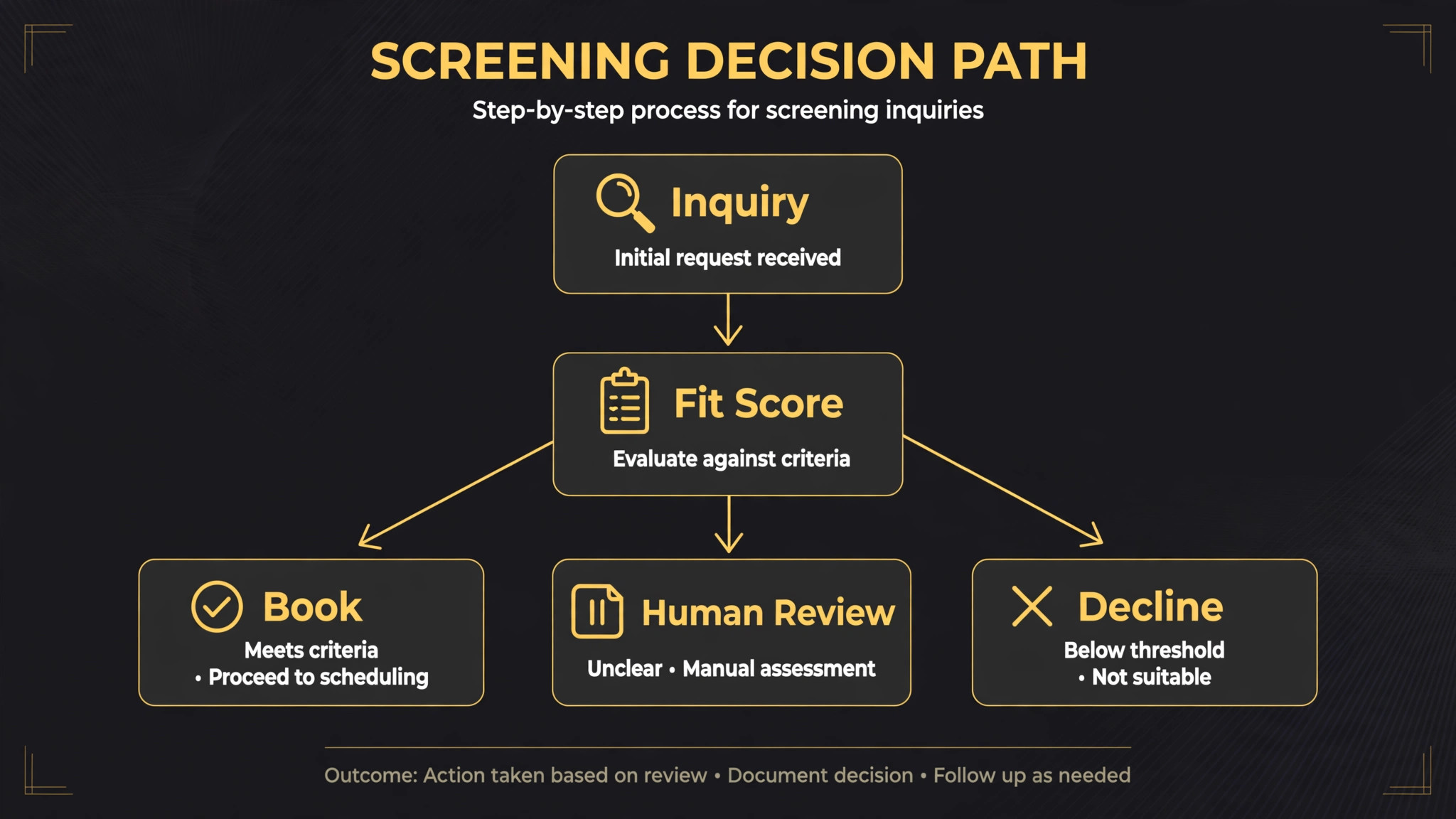
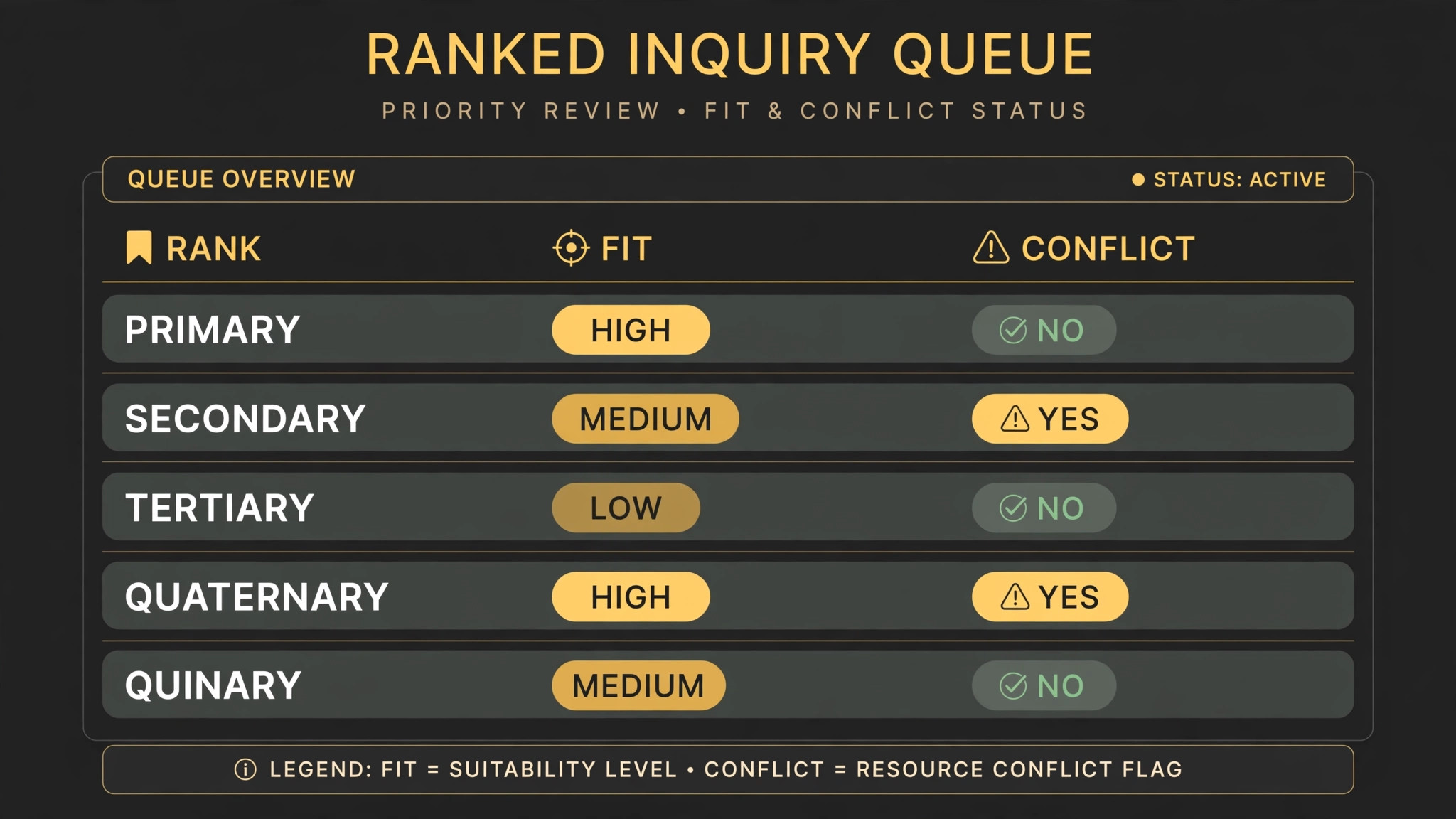
Screening is not the same as answering the phone. Answering collects a name and a message. Screening decides, on firm-approved criteria, whether an inquiry fits the practice, which practice area it belongs to, whether a conflict blocks it, and how urgently it needs a human. That decision used to require a trained intake specialist reading every inquiry. AI now makes the first pass, scoring fit against the firm past successful cases and the criteria the firm sets, such as practice area, location and case type, and showing the reasoning behind each score so staff can check it.
The distinction matters because a bad screening decision costs money in both directions. Accepting a case the firm cannot serve well wastes attorney time and risks a poor outcome. Rejecting a good case by mistake loses revenue and reputation.
The firms that get screening right treat AI as a triage nurse, not as a judge. It sorts, flags and books, while attorneys make the final call on who becomes a client. That division of labour is the whole value proposition, and any vendor that promises to remove the attorney from the decision should be treated with suspicion. Firms that use AI for law firm intake screening well keep that division visible to staff and clients alike, so nobody mistakes a fast first pass for a final decision.
Speed is the other half of screening. Widely cited lead response research, often traced to a Lead Response Management study, found that leads contacted within five minutes can be as much as 21 times more likely to convert than those contacted after thirty minutes. Treat that figure with caution, since it is third-party research rather than any one firm own data, but the direction is not in doubt. Faster first contact wins more consultations, and screening that runs instantly beats screening that waits for office hours.
How to Use AI for Law Firm Intake Screening
Start with the criteria, not the software. Before any demo, write down the firm acceptance rules in plain language. Which practice areas does the firm take, which locations does it serve, which case types does it decline, what fee range makes a case viable, and what conflict situations block engagement outright. Those rules become the screening logic, and a firm that cannot write them down will get a system that screens on vendor defaults, which are guesses about a business the vendor has never run.
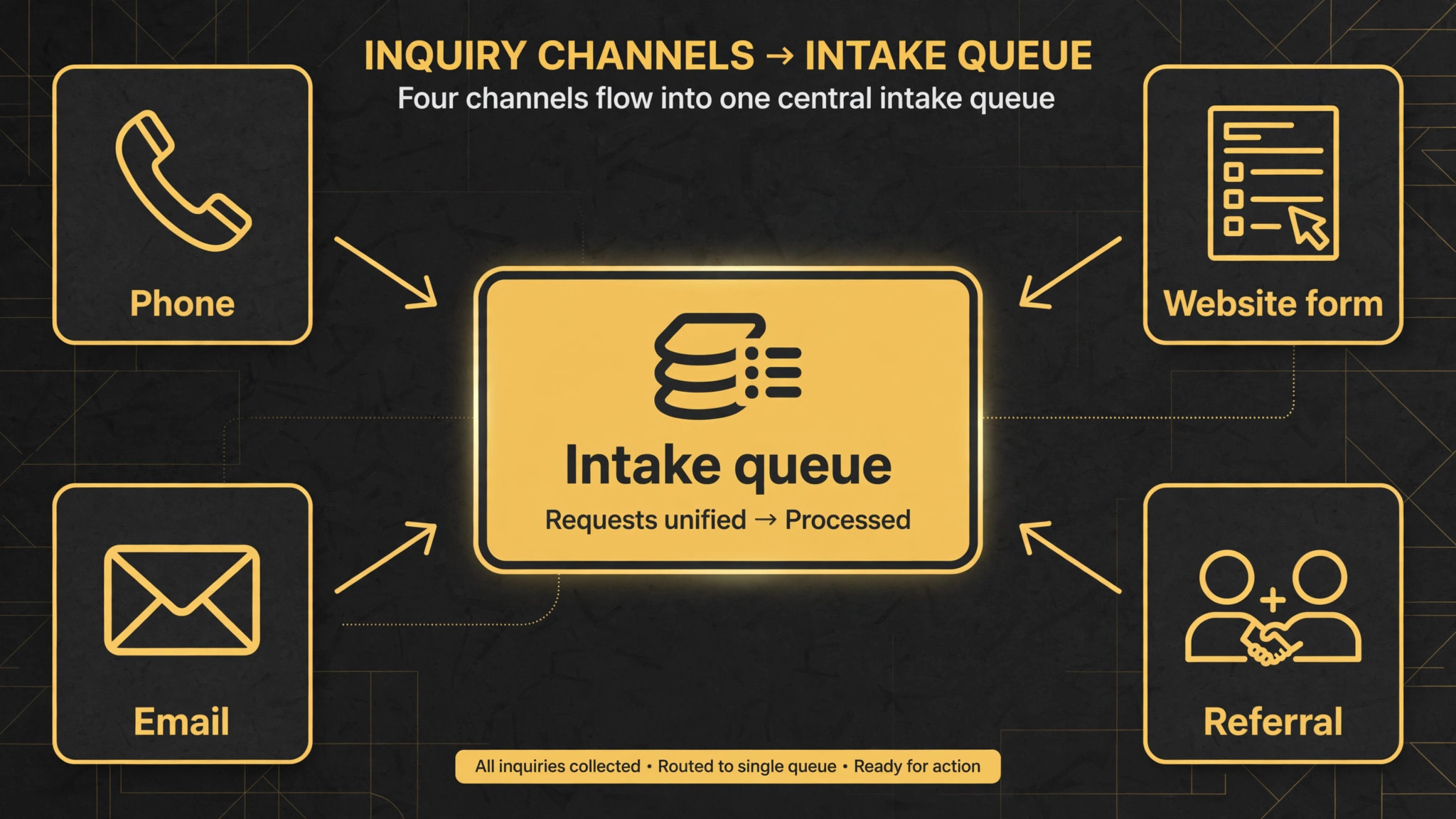
Next, decide where inquiries arrive and make sure the system covers all of them. Website forms, website chat, email and phone are the four common channels, and a screening system that covers only forms leaves the phone channel, which is often the largest, running on voicemail. Clio Grow AI, for example, answers inquiries by email, website chat and phone, including nights and weekends, which is the coverage a firm needs if after-hours inquiries matter. Map every channel before buying, because a gap in one channel is a gap in the whole system.
Then set the human checkpoints. AI should acknowledge, ask screening questions, run the conflict check, score fit and book consultations for strong prospects. Attorneys should review flagged conflicts, approve borderline cases and handle every inquiry the AI marks uncertain. Write those checkpoints into the workflow and into staff job descriptions, because a system with no named human owner quietly stops being checked, and an unchecked screening system drifts toward either accepting everything or declining good cases.
The Intake Screening Workflow in Seven Steps
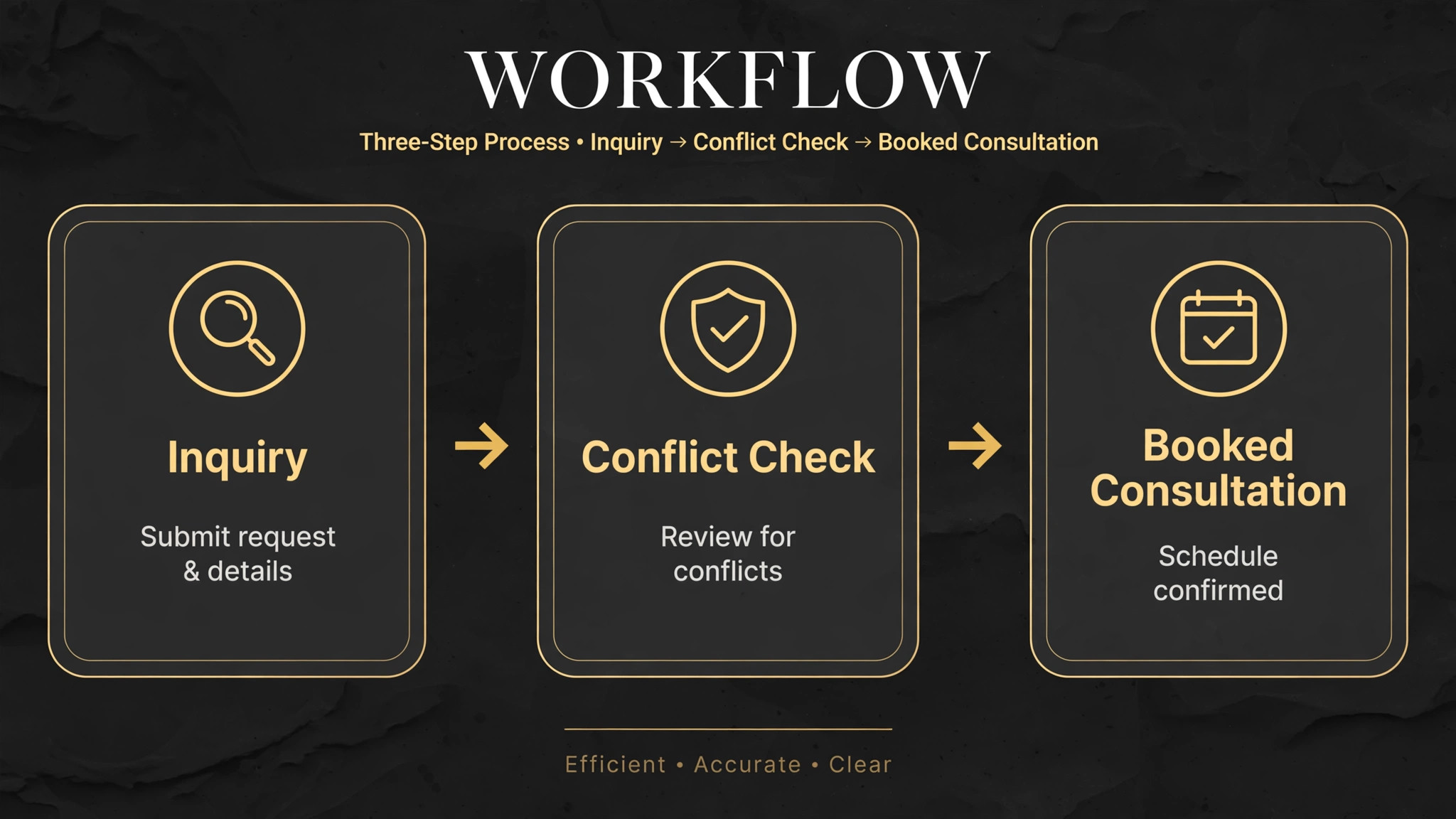
This workflow is the overview-proof core of the system. It moves an inquiry from first contact to signed engagement without letting any step depend on someone remembering to do it.
1. Capture every inquiry in one inbox, whatever the channel, so website forms, chat, email and phone calls land in the same queue with the same data fields. A firm that keeps phone inquiries in a notebook and web inquiries in email has two intake systems, and neither one gives a complete picture of demand. 2. Acknowledge instantly, day or night, with a message that names the firm, confirms receipt, and states when a human will follow up. A prospective client who submits a form and hears nothing for nine hours assumes the firm is not interested, and that assumption is usually correct about the firms that stay silent. Instant acknowledgement buys the firm the hours it needs for real screening. 3. Ask the firm screening questions in a natural conversation, covering practice area, location, case facts, urgency and how the client found the firm. The questions should follow conditional logic, so a personal injury inquiry gets different follow-ups from an estate planning inquiry, and the answers should be stored as structured data, not as free text that nobody can search later. 4. Run the conflict check against firm records as each inquiry comes in, before an attorney spends time on it. This is the step that protects the firm, because taking on a conflicted matter creates ethical and practical problems that no amount of later efficiency can undo. Flagged conflicts go to a human at once, with the matching records visible, and unflagged inquiries move on without delay. 5. Score the inquiry for fit against the firm past successful cases and the criteria set in step one, and rank the queue so the strongest prospects rise to the top. Staff should see the score and the reasoning behind it, because a score without reasoning cannot be challenged, and an unchallengeable score will eventually be wrong in a way nobody notices. 6. Book qualified prospects into a consultation automatically, using real attorney calendars, with intake forms and directions sent at booking. A booked consultation with forms attached converts far better than a promise that someone will call to schedule, because every extra step loses prospects. Unqualified inquiries get a polite decline and, where appropriate, a referral suggestion, because a firm that declines gracefully keeps its reputation intact. 7. Follow up automatically on incomplete intake forms and unsigned engagement agreements, and nurture long-cycle prospects with timed check-ins. Estate planning and business law prospects often take weeks or months to decide, and a firm that follows up only once loses them to the firm that follows up five times. Automated follow-up keeps the firm present without consuming staff hours.
Platforms That Screen Intake for Law Firms
The platforms below cover different firm sizes and different depths of automation. Pricing is often quote-based, so get a written quote at the firm real user count before comparing.
| Platform | Best for | Intake screening strength |
|---|---|---|
| Clio Grow with Grow AI | Firms already using Clio Manage | Answers by email, chat and phone, screens for fit and conflicts, books consultations |
| Lawmatics | Firms with active marketing | Legal CRM with forms, pipeline, scheduling, e-signature and conflict search |
| MyCase | Small firms wanting one system | Intake, billing and case management under one roof |
| Filevine Lead Docket | High-volume personal injury | Lead intake built for high-volume case flow |
| Captorra | High-volume personal injury | Intake built for firms with heavy lead volume |
| Smith.ai | Firms needing phone coverage | AI phone answering with intake screening as a bolt-on |
| Intake123 | Solo and small firms | Fast setup, flat-fee pricing and text automation |
| Gavel | Logic-heavy questionnaires | Conditional intake forms with document generation |
Clio Grow
Clio Grow is the default choice for firms already centred on Clio Manage, because intake flows straight into the practice management system without retyping. Its AI layer, Grow AI, responds to new leads day or night, screens each one for fit and conflicts, and books the strongest prospects, while the firm team decides which clients to take on. Conflict checks run against Clio records as each inquiry arrives, and intake forms, scheduling, e-signatures and reporting carry each lead from first reply to an open matter in Clio Manage.
Clio plans are reported to start at 49 dollars per user a month, with Grow pricing by quote, so ask for the full figure including the AI layer before budgeting. Choose Clio Grow if the firm already runs Clio Manage. Skip it if the firm runs a different practice system, because the integration advantage disappears and another platform may fit better.
Lawmatics
Lawmatics is the best legal CRM and marketing automation choice for firms that generate leads actively and nurture them over time. It combines intake forms, consultation scheduling, e-signatures, conflict searching, email and text automation, source attribution and marketing reporting, which suits firms where intake is part of a larger marketing operation rather than a standalone chore. Its tagging and segmentation tools allow firms to nurture long-cycle prospects over weeks or months, which matters most in estate planning and business law.
Pricing is by custom quote, so get the quote at real user count and real lead volume. Choose Lawmatics if marketing and intake are one job in the firm. Skip it if the firm only needs simple screening, because the marketing depth will sit unused.
MyCase
MyCase is the small-firm all-in-one pick, covering intake, billing and case management in a single system. For a solo or small firm that wants one subscription instead of three, that simplicity is worth real money, because every integration avoided is a failure point removed. Its intake tools are less deep on marketing automation than Lawmatics, but for a firm whose main need is clean screening plus a working case system, the trade is sensible. Pricing is by quote in most listings, so confirm what intake automation is included at the quoted tier. Choose MyCase if the firm wants one roof. Skip it if the firm needs advanced marketing automation or high-volume intake, because specialists beat generalists at those jobs.
Filevine Lead Docket and Captorra
Filevine Lead Docket and Captorra are the high-volume personal injury picks, built for firms where intake volume is the business itself. Both handle lead capture, screening and pipeline movement at a volume that would overwhelm a general CRM, and both suit firms with dedicated intake teams rather than a single attorney answering the phone. The difference between them is fit with the firm existing case system, so a Filevine firm should trial Lead Docket first and a firm on another case platform should trial Captorra on integration grounds. Pricing is by quote for both, and volume-based pricing means the quote must reflect real monthly lead counts, not a hopeful estimate.
Smith.ai
Smith.ai is the phone coverage pick, answering calls after hours, screening callers and sometimes scheduling consultations on its own. It suits firms whose phone channel is the largest inquiry source, which is common in personal injury and family law, where clients call rather than fill forms. As a bolt-on rather than a full legal CRM, it pairs best with a system like Clio Grow or Lawmatics that owns the pipeline, rather than replacing them. Pricing is by plan and call volume, so model it at real call counts including after-hours volume, which is exactly the volume that justifies the service.
Intake123 and Gavel
Intake123 is the fast-setup pick for solo and small firms, with flat-fee pricing and text automation as its headline strengths. A firm that wants screening live this week, without a long implementation, should trial it first. Gavel is the logic-heavy pick, for firms whose intake questionnaires branch deeply and generate documents from the answers, such as estate planning firms that turn intake into draft documents. Choose Intake123 for speed and simplicity, and Gavel when the questionnaire itself is the product, because a form that generates documents needs logic that simple form builders cannot provide.
Intake Checklist Before the System Goes Live
Run this checklist before the first real inquiry flows through the new system, because a screening system launched with wrong rules will misroute cases from day one. The checklist is also the clearest proof that you use AI for law firm intake screening deliberately, rather than switching on a feature and hoping the defaults match the firm.
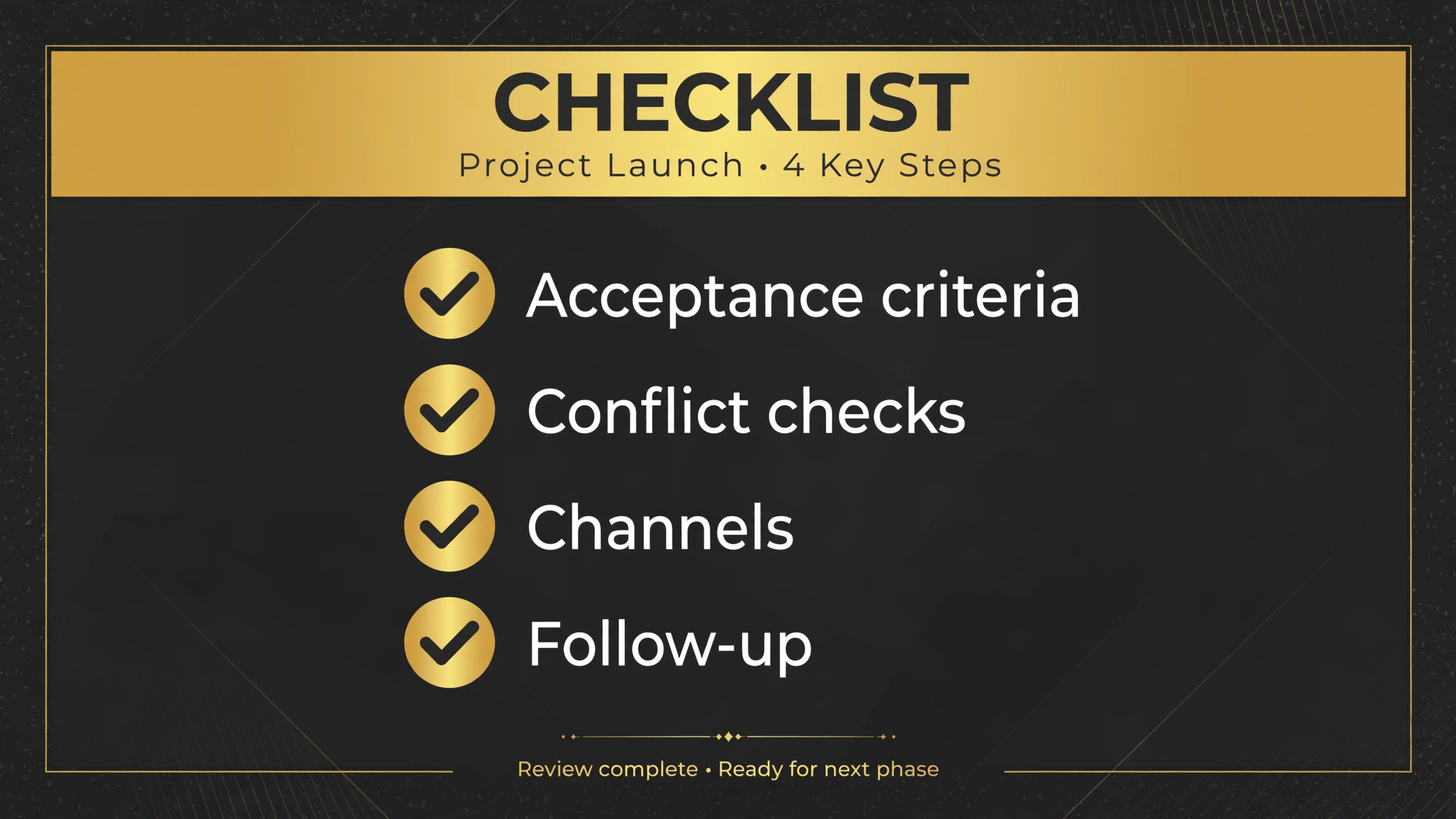
– Write the acceptance criteria in plain language and load them into the system, covering practice area, location, case type and fee viability. – Confirm conflict checks run against the full firm record set, including former clients and related parties, not just open matters. – Test every inquiry channel, form, chat, email and phone, with a test inquiry each, and confirm all four land in the same queue. – Confirm after-hours coverage, including what the system says when no attorney is available and how urgent matters are escalated. – Set the consultation booking rules, including which calendars are used, how long consultations run, and what forms attach at booking. – Write the decline message in a professional tone, with a referral suggestion where appropriate, because declined prospects still talk about the firm. – Set follow-up timing for incomplete forms and unsigned agreements, with at least three touches before a lead is marked cold. – Train staff on the human checkpoints, naming who reviews flagged conflicts and who approves borderline cases. – Confirm data handling, including where prospect details live, how they are encrypted, and whether they train vendor models. – Export a sample of intake data during the trial and confirm it is usable, so the firm keeps its own record of demand.
What Screening Is Worth in Cases and Hours
The return shows up in two places, and both are measurable within a quarter. The first is response speed. A firm that answers every inquiry within minutes, including after hours, books more consultations than a firm that answers the next business day, because the prospect has already moved on by Monday. The second is attorney time. An attorney who spends two hours a day on unqualified inquiries loses ten hours a week to work that screening should have filtered, and those ten hours are billable or business development hours lost.
The third return is risk reduction, and it is the one firms undervalue until a conflict slips through. A conflict check that runs on every inquiry, before any attorney time is spent, prevents the ethical and practical cost of a conflicted engagement. That cost is hard to price until it happens, which is exactly why firms should price it before it happens, by treating automated conflict screening as insurance rather than as convenience.
| Firm size | Sensible starting setup | Why it wins |
|---|---|---|
| Solo practice | Intake123 or Smith.ai plus a simple CRM | Fast setup, flat pricing, phone and text covered |
| Small firm on Clio | Clio Grow with Grow AI | Intake flows straight into the case system already in use |
| Marketing-led firm | Lawmatics | CRM, pipeline and nurture in one platform |
| High-volume personal injury | Filevine Lead Docket or Captorra | Built for lead volume that overwhelms general tools |
Mistakes That Make Screening Backfire
The most common mistake is letting AI make the final client decision. Screening systems are designed to gather information and suggest next steps, while the firm team decides which clients to take on. A firm that auto-accepts every high-scored inquiry will eventually accept a case it should have declined, and a firm that auto-declines every low-scored inquiry will eventually decline a case it should have taken. Keep a human on every decision that creates an attorney-client relationship, because that relationship is not a workflow output.
The second mistake is screening on vendor defaults instead of firm criteria. A system loaded with generic rules will score inquiries against someone else idea of a good client, and the firm will wonder why the queue fills with cases it does not want. Spend the afternoon writing real criteria before launch, and revisit them quarterly, because a firm practice mix changes and screening rules should change with it.
The third mistake is ignoring the declined inquiries. A firm that never reviews what it declined cannot learn whether its criteria are too strict, too loose or simply wrong. Review a sample of declined inquiries monthly, check whether any should have been accepted, and adjust the rules. Screening is a learning system, and a firm that never checks its homework will keep making the same error with confidence. That monthly review is what separates firms that use AI for law firm intake screening as a discipline from firms that merely own the software.
The First Thirty Days After Launch
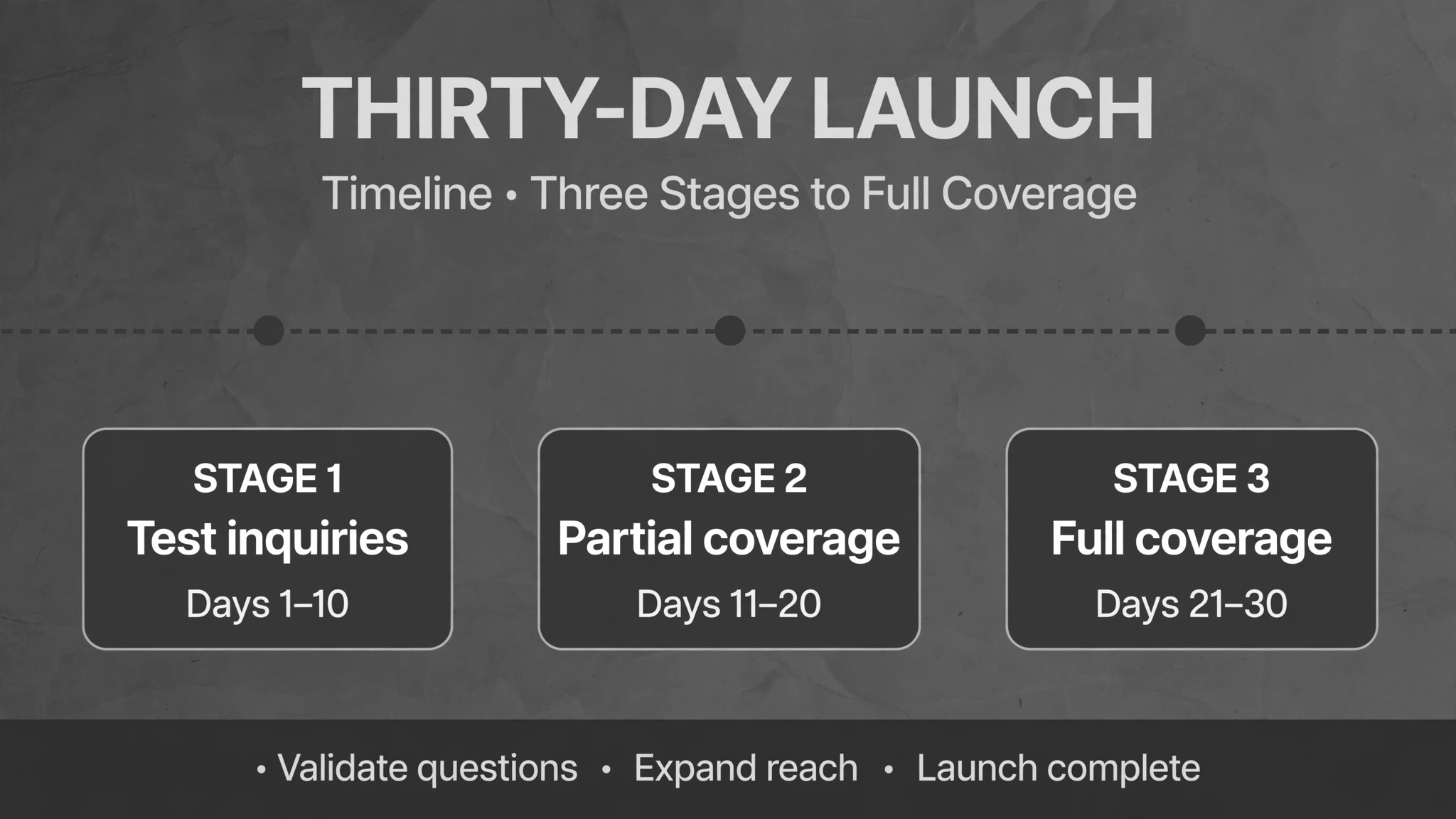
In week one, load the criteria, connect every channel, and run test inquiries through all four channels to confirm they land in one queue with correct data. Run the conflict check on test records to confirm flagged and unflagged paths both work. Do not launch on real inquiries until the test queue is clean, because a broken launch teaches staff to distrust the system.
In week two, go live on one practice area or one channel, and review every screening decision daily. Are scores sensible, are conflicts flagged correctly, are consultations booking with forms attached. Fix the criteria first, because most early errors are criteria errors, not software errors. A screening question that confuses prospects will produce bad data no matter how good the scoring is.
In weeks three and four, expand to all channels and practice areas, turn on automated follow-up for incomplete forms, and start the monthly review of declined inquiries. By day thirty, the firm should be answering every inquiry within minutes, booking qualified prospects without staff calls, and reviewing only flagged and borderline cases by hand. If staff are still manually triaging every inquiry at day thirty, the automation is unfinished, not the platform inadequate.
What to Tell Clients About AI Intake
Clients deserve a plain explanation of what happens when they contact the firm, and the explanation should be short enough to fit on the contact page. Tell them their inquiry is acknowledged at once, that the firm asks a few screening questions to route them to the right attorney, that a conflict check runs before any substantive discussion, and that a human attorney makes the final decision on engagement. That sequence reassures prospects, because it shows the firm is both fast and careful, which is exactly the combination a person choosing a lawyer wants to see.
Be honest about the limits as well. Tell prospects that automated messages come from the firm system, not from an attorney personally, and that urgent matters should also be flagged by phone where the system offers that option. A prospect who believes they spoke to a lawyer when they spoke to a system will feel misled when the truth emerges, while a prospect who knows the process will trust it more. Transparency here is not a compliance exercise, it is a conversion tool, because trust is the product a law firm sells before any legal work begins.
Finally, state the data handling in one sentence on the intake page, covering where inquiry details are stored and that they are not used to train public AI models, following the standard set by leading vendors. Prospects rarely read privacy pages, but the presence of a clear sentence signals professionalism, and the absence of one signals carelessness to exactly the clients a firm most wants. When you use AI for law firm intake screening, that sentence is part of the system, not an afterthought added after launch.
Frequently Asked Questions
Will AI screening replace our intake staff?
No, it replaces the repetitive first pass, not the judgement. AI acknowledges, asks screening questions, runs conflict checks, scores fit and books consultations, while staff review flagged conflicts, approve borderline cases and handle uncertain inquiries. Firms that frame the change that way keep experienced intake staff, who become reviewers and relationship builders rather than message takers.
How does an AI conflict check work?
The system compares each new inquiry against firm records, including clients, former clients and related parties, and flags any match for human review. The check runs as the inquiry arrives, before attorney time is spent, and the flagged record details are shown to the reviewer. It is a flagging tool, not a legal conclusion, and the attorney makes the final conflict decision, because only a human can judge whether a match is a real conflict.
What happens to inquiries that arrive after hours?
A screening system with after-hours coverage acknowledges them instantly, asks screening questions, runs the conflict check and books qualified prospects, so the firm effectively answers while closed. Clio reports that 44 percent of inquiries arrive after hours, which is why after-hours coverage is a core feature rather than an add-on. A firm without it loses nearly half its market to faster competitors.
Can AI screening handle multiple practice areas?
Yes, when the criteria are set per practice area, because a personal injury inquiry and an estate planning inquiry need different questions, different urgency rules and different follow-up timing. Conditional logic in the intake flow routes each inquiry to the right question set, and the pipeline should show practice area clearly so staff can prioritise. A firm that screens all areas with one generic question set will get generic data back.
Should a solo firm buy a full legal CRM for intake?
Not necessarily. A solo practice often does better with a fast-setup tool like Intake123 or a phone answering service like Smith.ai, paired with a simple case system, than with a full CRM whose depth goes unused. The right test is volume and complexity. If the firm handles a handful of inquiries a week in one practice area, simple wins. If volume grows or areas multiply, a full CRM becomes the cheaper option in staff time.
How do fee-estimate drafts work in intake?
The system drafts an estimate from the firm fee rules and the case facts collected during screening, such as case type, complexity and expected steps, and staff review it before it reaches the prospect. Estimates are drafts, not quotes, and they should be labelled as such, because a fee figure sent without review can create expectations the firm cannot meet. The value is speed, since a prospect who gets a prompt, reviewed estimate engages faster than one who waits days for a number.
What data should we check before signing with a vendor?
Check where prospect details live, how they are encrypted, whether they train vendor models, and how exports work. Clio states that prospect details remain in the firm Clio account, are encrypted, and are never used to train public AI models, which is the standard to compare others against. A vendor that cannot answer those questions plainly should not hold prospect data, whatever its screening quality.
How do we know if screening criteria are working?
Review the outcomes monthly. How many screened inquiries became consultations, how many consultations became clients, and how many declined inquiries should have been accepted. If conversion is low, the criteria may be too strict or the questions may confuse prospects. If attorneys complain about unqualified consultations, the criteria may be too loose. Screening rules are hypotheses, and monthly review is how the firm tests them.
The Verdict
For most firms, the sensible first trial is the platform that fits the case system already in use. Clio firms should trial Clio Grow with Grow AI, marketing-led firms should trial Lawmatics, small firms wanting one system should trial MyCase, and high-volume personal injury firms should trial Filevine Lead Docket or Captorra. Solo firms that need speed should trial Intake123, and firms whose phone channel dominates should trial Smith.ai for coverage.
Whichever platform wins, the discipline decides the result. Write real criteria before launch, cover every channel including after hours, run conflict checks on every inquiry, keep a human on every client decision, and review declined inquiries monthly. A firm that does that will answer every inquiry within minutes, book qualified prospects without staff calls, and spend attorney time on clients rather than on triage. That is the whole point when you use AI for law firm intake screening, and it is a point that pays for itself in the first month of cases that would otherwise have gone to a faster competitor.