
More than 221 million tickets and memberships have been sold through one vendor in this guide, according to third party comparisons, yet most small museums still sell tickets with a system built for someone else. That gap is the point of this guide to the best ticketing software for small museums. A small museum does not need enterprise fundraising depth or stadium throughput. It needs timed slots that do not overfill a small gallery, membership that can be sold at the desk in seconds, and group bookings that do not break the slot plan.
Small museums also run on small teams. The person selling tickets in the morning may lead a school group at noon and write a funder report in the afternoon, so the ticketing system must be learnable in a day and trustworthy under pressure. This guide compares five tools on that reality, from low cost per ticket options to full supporter platforms, and shows which one fits a free entry museum, a paid exhibition museum, and a timed entry venue.
How the Best ticketing software for small museums Compares at a Glance
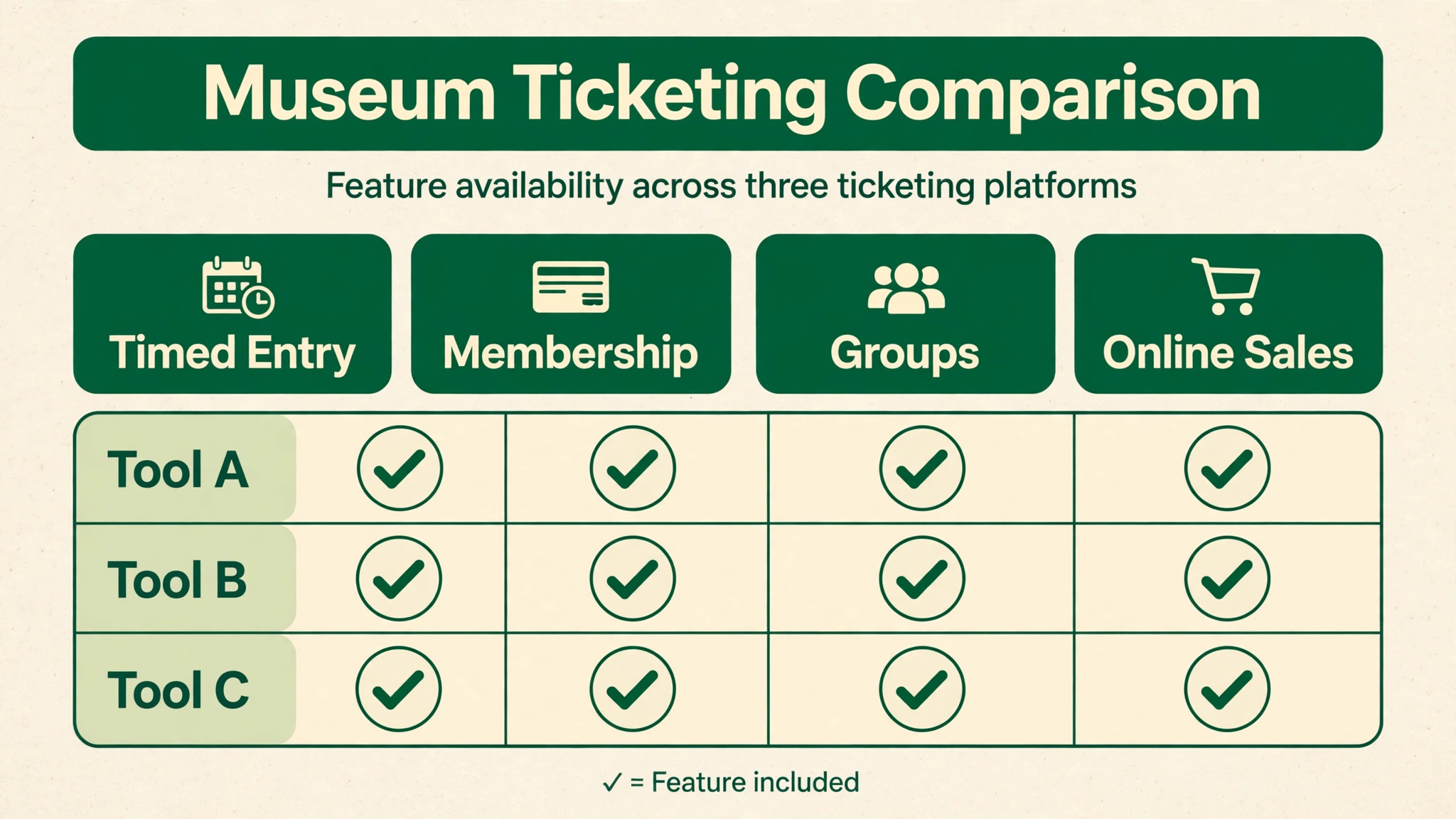
Use this table to narrow the field before reading the full reviews of the best ticketing software for small museums. Pricing notes are a starting point only, since vendors change plans often, so check the vendor’s current pricing page before you budget.
| Tool | Best for | Pricing note | Standout strength |
|---|---|---|---|
| Blackbaud Altru | Membership plus fundraising museums | Quote based | One supporter record for tickets and gifts |
| ACME Ticketing | Timed entry throughput | Quote based | High volume timed entry and membership upsell |
| Tix | Low volume or walk up museums | 25 cents box office and 1.50 dollars online reported | No monthly fee, simple pricing |
| Veevart | Salesforce based museums | 135 dollars per user per month listed by directories | Ticketing plus collections and fundraising |
| TicketSource | Free or occasional paid events | No monthly fee plus booking fee on paid tickets | Free for free events |
The Tools in Detail
Blackbaud Altru
Best for small museums that want ticketing, membership, and fundraising in one supporter record.
Blackbaud Altru combines online and in person ticket sales, timed entry, group sales, membership, and fundraising reporting in one system for cultural organisations. That single supporter record matters for a small museum, because the same person may buy a ticket, join as a member, and later make a donation, and staff should see all three without merging spreadsheets. Earned and contributed revenue sit together, which helps a small team report to a board without building reports by hand.
Altru is quote based, with implementation, training, and support typically included in the proposal, so ask for a full written breakdown covering implementation, payments, and any partner products. It is a larger system than a simple ticketing tool, so a museum with only free entry and occasional paid events may pay for depth it rarely uses. It fits best when membership and fundraising are core revenue, not side activities.
ACME Ticketing
Best for museums where timed entry throughput and membership upsell at the door are the main problems.
ACME Ticketing is built for high volume attractions, with timed entry, point of sale, and membership sold as an upgrade at checkout. Third party comparisons credit ACME with more than 500 attractions and more than 221 million tickets and memberships sold, which speaks to throughput under pressure. For a museum with timed slots, school groups, and a busy front desk, that capacity focus matters more than fundraising depth.
Pricing is quote based with no published fees, so request a proposal that separates platform fees, payment processing, and implementation. Fundraising tools are lighter than in Altru or Tessitura style systems, so a museum that depends on major donor cultivation may need a separate donor tool. Choose ACME when the queue, the slot, and the membership conversion at the door are the daily problems.
Tix
Best for small museums with low ticket volumes or mostly walk up sales that want low fixed cost.
Tix is a general cloud ticketing tool for venues including museums, theatres, and festivals, with online and box office sales, barcode scanning, customer purchase history, email marketing, donation and membership processing, and season packages. Third party listings put its pricing at 25 cents per box office ticket and 1.50 dollars per online ticket, with no monthly subscription fee, which makes it unusually cheap for a low volume museum. Check the vendor’s current pricing page before budgeting on those figures.
The limit is museum specific control. Tix offers no timed entry or capacity management by time slot in third party reviews, so a museum that needs strict slot control for small galleries will struggle. It fits free entry museums with occasional paid exhibitions, or small paid museums with steady walk up traffic and simple ticket types. If timed entry is essential, shortlist a tool that manages capacity by slot natively.
Veevart
Best for museums that want ticketing, membership, fundraising, and collections on a Salesforce based platform.
Veevart is a museum platform built on Salesforce, covering ticketing, membership management, fundraising, point of sale for the front desk and gift shop, rentals, and collection management. Timed tickets, group bookings, member discounts, and event publishing sit alongside donor records, so a visitor, a member, and a donor can be one record rather than three. Payments are processed through Adyen, and reporting covers visitation patterns, popular exhibits, and sales trends.
Pricing is not published on the vendor site, while third party directories list Veevart from 135 dollars per user per month, so treat that figure as a directory listing, not a vendor quote, and ask for a proposal for your team size and seasonal seats. Salesforce based systems also need staff comfort with that ecosystem, or a partner for setup. Veevart fits museums that already use Salesforce, or that want collections and visitors in one database for the long term.
TicketSource
Best for museums with free events or only occasional paid exhibitions that want no monthly fee.
TicketSource is a general ticketing platform used by theatres, schools, and community centres, with no monthly subscription fee and free use for free events. For paid events, it charges a booking fee on each ticket, so the cost scales with sales rather than with a fixed subscription. That model suits a small museum that runs a few paid exhibitions or events a year and does not want to pay every month for a system that sits idle between them.
The trade off is control and depth. Basic time slots work for simple entry, but advanced timed entry capacity control, membership depth, and visitor data ownership are thinner than in museum focused tools. Check the current booking fee on the vendor page, since that fee decides total cost at your volume. TicketSource fits as a low risk start, or as a tool for occasional events alongside a main system for daily admissions.
Best Pick by Job
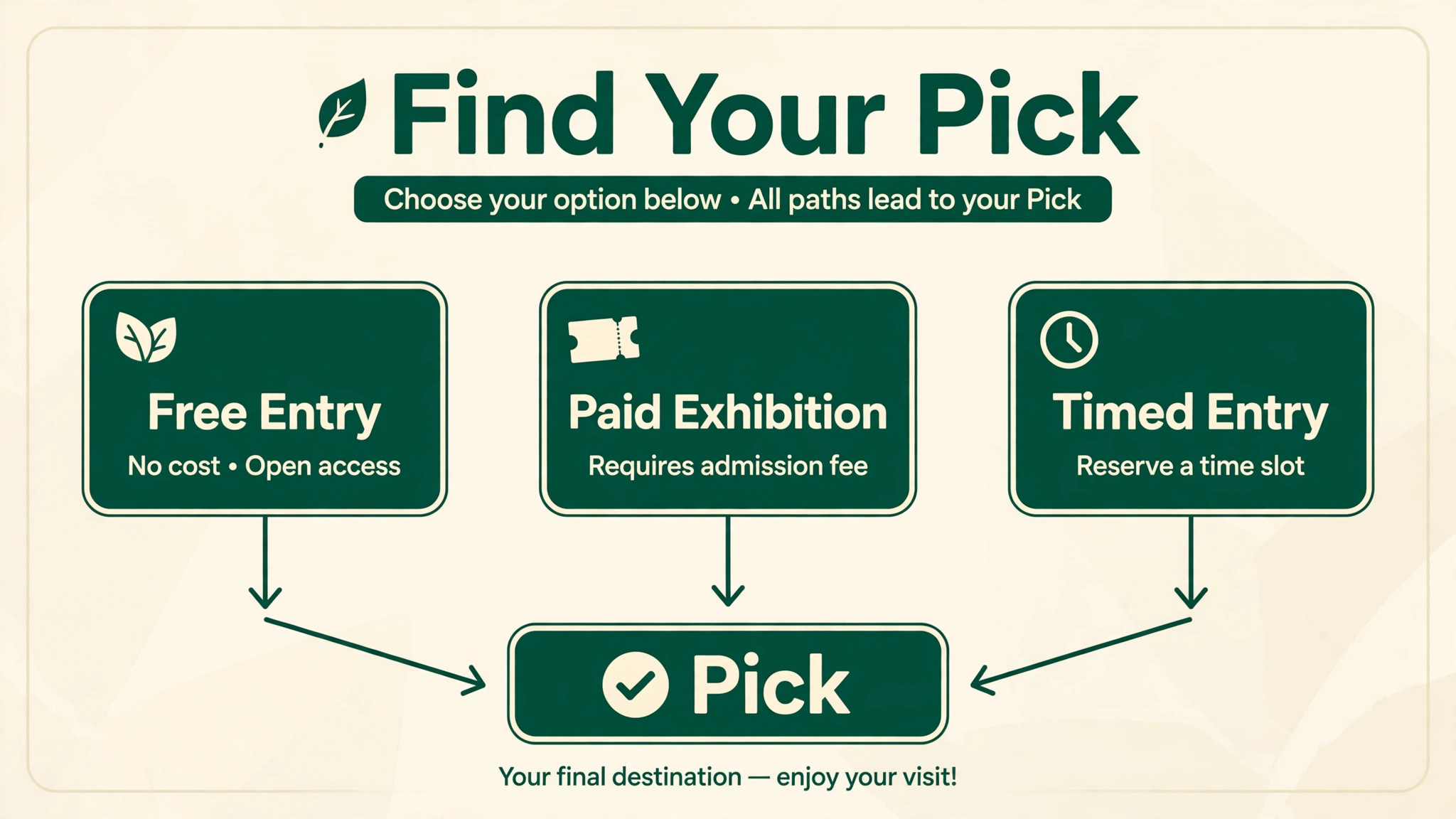
When you compare the best ticketing software for small museums, match the pick to the entry model, not to the largest feature list. Free entry museums need reservation and donation handling. Paid exhibition museums need low cost per ticket. Timed entry venues need strict capacity by slot and fast check in.
| Your situation | Best pick | Why it fits |
|---|---|---|
| Free entry museum | TicketSource | No monthly fee for free events, with paid fees only when you charge |
| Paid exhibitions | Tix | Low per ticket cost for modest volumes without a subscription |
| Timed entry venue | ACME Ticketing | Capacity by slot plus membership upsell at checkout |
How to Choose
Start with your busiest day, not your average day. Walk through a peak Saturday hour by hour, including school groups, members arriving together, and a popular exhibition slot filling up, and test each tool against that hour. Score the tool on slot control, membership check speed, group handling, and offline fallback if the internet fails at the desk. Drop any tool that fails a job you face weekly, even if its price looks attractive.
Next, model total cost on real volume. Include subscription fees, per ticket fees on free and paid tickets, payment processing, and any per user fees for seasonal staff. A directory figure is not a quote, so ask each vendor for a written proposal for your team size, your ticket count, and your season length. Finally, test data ownership by asking for a sample export and by importing a small set of old member records in the trial, since export and import pain only appears after you have committed.
Mistakes to Avoid
Choosing on headline price alone is the most common error, because per ticket fees, seasonal user fees, and processing can reverse the ranking at your volume. Buying an enterprise system for a simple ticketing job is another costly mistake, since staff will avoid features they do not understand and the system will decay into a checkout with extra steps. A third mistake is ignoring group bookings in the demo, which then break slot capacity on the first school visit. Finally, do not migrate member history without cleaning it, since duplicate records and expired memberships imported badly will confuse the desk for months.

What Small Museums Actually Need
Small museums need fewer features than vendors sell, but they need the right ones to work flawlessly. Timed entry, when needed, must control capacity by slot and by gallery, not just by day, since a small gallery can be full at 11 in the morning while the daily total looks modest. Membership checking must take seconds, because a queue forms quickly when each member check needs several screens. Group booking must hold capacity without double counting, since a school group of thirty can otherwise fill a slot meant for individuals.
Reporting is the quiet requirement that funders notice. A small museum must report visitation, membership, group numbers, and donation income, often to different funders with different formats. A system that exports clean visitation and supporter data saves days of manual work at reporting time, while a system that locks data behind custom reports creates a bottleneck. Ask for sample reports in the demo, using your own categories, rather than accepting vendor sample dashboards.
Finally, small museums need resilience. Internet outages, volunteer staff turnover, and seasonal hires all test a system that looked fine in a vendor demo. Offline check in, simple role permissions for volunteers, and a short written desk guide matter more than advanced analytics for most small teams. Judge the tool on a busy Saturday with a new volunteer at the desk, since that is the real test, and the best ticketing software for small museums passes that test without a manager standing nearby.
Pricing Models Explained
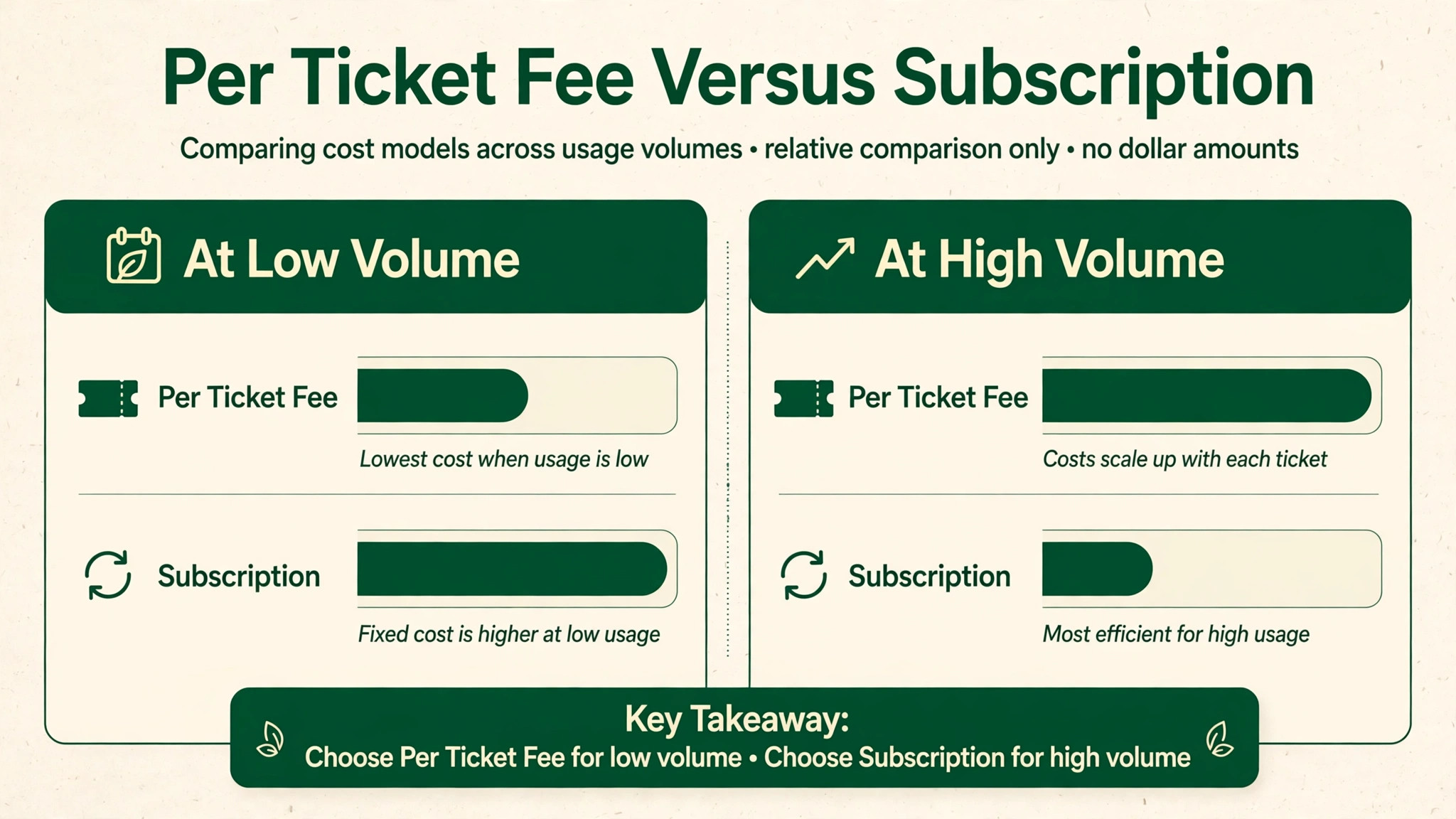
Ticketing pricing falls into three models, and each suits a different museum. Per ticket pricing charges a fee on each ticket sold, sometimes with different rates for box office and online sales. That model suits low volume or seasonal museums, since cost falls when sales fall, but it punishes success, since a popular exhibition suddenly costs far more in fees. Check whether free tickets incur fees, since some platforms charge on reservations even when entry is free.
Subscription pricing charges a monthly or annual fee, sometimes per user, with lower or no per ticket fees. That model suits steady high volume museums that want predictable costs, but seasonal staff seats can inflate the bill if every summer volunteer needs a paid user. Ask whether seasonal or part time seats are priced differently, and whether the subscription includes support and training or charges for them separately.
Quote based enterprise pricing bundles platform, implementation, training, and support into a proposal tied to organisation size. That model can be fair for a complex museum, but it hides comparison, since two proposals rarely include the same items. Ask every quote based vendor for the same breakdown, covering platform, processing, implementation, training, support, and any partner products, so proposals can be compared like for like before a board decision.
Timed Entry Done Well
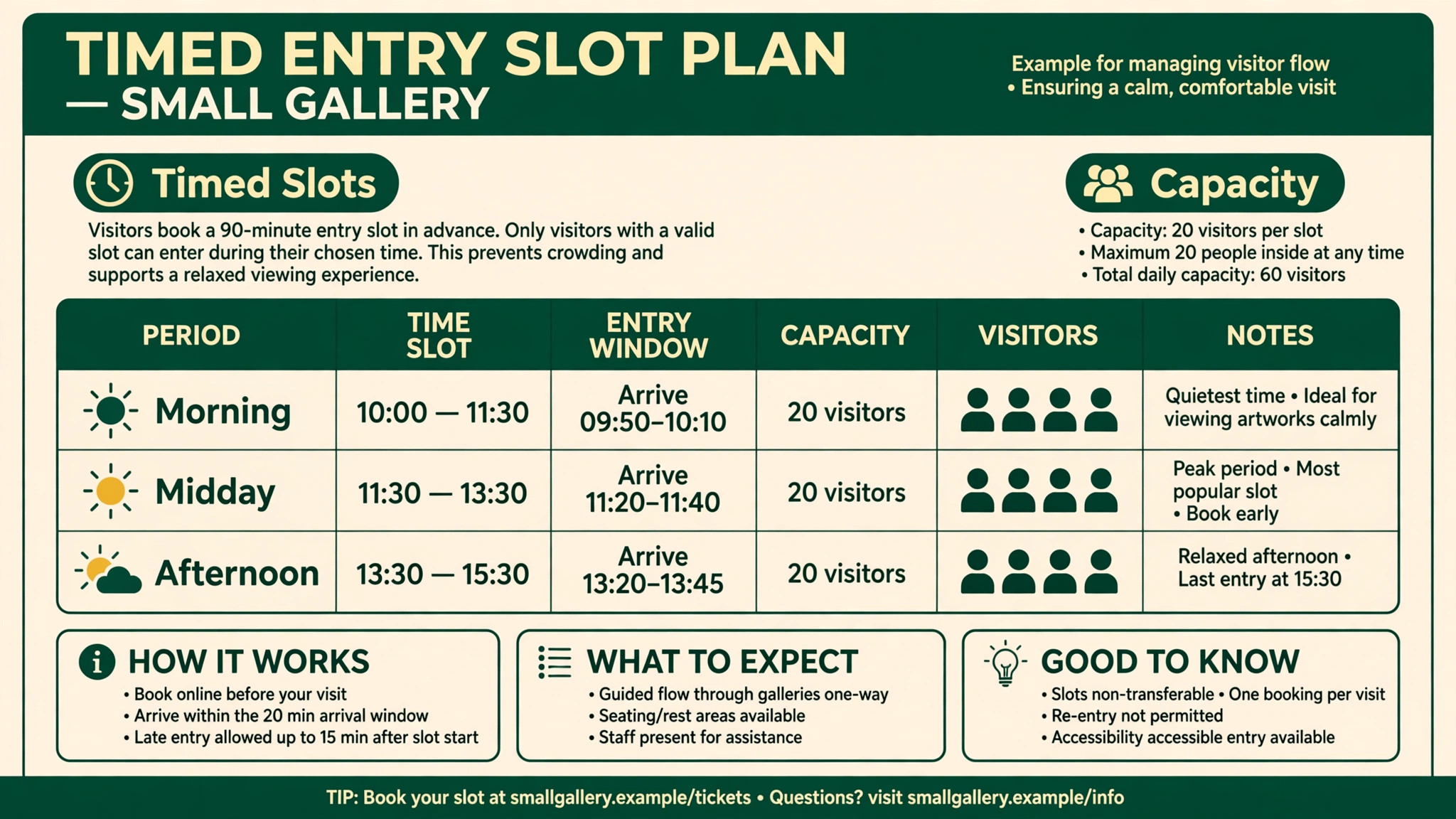
Timed entry works when slots match the physical reality of the building. Set slot length by gallery size and dwell time, not by a round number, since a small gallery with a twenty minute dwell needs shorter slots than a large hall where visitors linger for an hour. Leave a buffer between slots for clearing and cleaning, especially for fragile exhibits or school group changeovers, and publish the buffer as part of the plan so visitors do not arrive to a locked gallery.
Capacity must be set by slot and by space, with group capacity handled separately from individual capacity. A school group should not consume the same slot pool as individuals in a way that leaves individuals locked out, nor should individuals be able to book into a slot reserved for a group. Test this interaction in a demo with a group booking and several individual bookings in the same slot, and watch whether the totals stay correct.
Communication completes timed entry. Confirmation messages should state the slot, the entry point, and the late arrival rule clearly, since a visitor who arrives an hour late creates a queue problem at the desk. Staff need a simple override for genuine cases, such as a delayed school bus, without breaking the slot plan for everyone else. A system that cannot handle a late group gracefully will create desk arguments on the busiest days.
Staffing the Desk on a Busy Weekend
Busy weekends test ticketing systems through people, not software features. A new volunteer who cannot check in a member quickly will create a queue no matter how good the slot plan looks on paper, so desk training must cover the five most common tasks before any advanced reporting. Those tasks are selling a timed ticket, checking in a member, handling a group arrival, processing a donation, and renewing a membership, and each one should be practised with real data in a trial system before the volunteer faces a real queue.
Role permissions should match the volunteer role, with refunds, price overrides, and membership changes restricted to supervisors. That restriction protects the museum from honest mistakes as much as from misuse, since a volunteer who can accidentally refund a whole group booking creates a reconciliation problem that takes hours to untangle. Keep the supervisor override simple, such as a code or a supervisor login, so help does not require leaving the desk during a rush.
A short written desk guide beats a long manual. One page per common task, with screenshots from your own system and the exact steps for a late arrival, a lost ticket, and a lapsed membership, gives volunteers confidence and keeps answers consistent. Update the guide whenever a workflow changes, and store printed copies at the desk rather than only on a shared drive that no one opens mid shift.
Finally, plan the desk layout around the system. A scanner that needs bright light, a receipt printer that jams, or a tablet that loses connectivity in a stone building will all create queues that software alone cannot fix. Test the full desk setup in the actual entrance, with real tickets and real members, on a busy day rehearsal before a major exhibition opens. That rehearsal reveals lighting, connectivity, and layout problems while they are still cheap to fix.
Reporting to Funders Without Manual Counts
Funders ask for visitation, membership, and income figures that should come from the ticketing system, not from hand counts at month end. Before you choose, list the exact figures each funder requires, including visitation by ticket type, group numbers, membership totals, and donation income, and ask each vendor to produce those figures from trial data. A system that produces them in one export saves days of work each reporting cycle, while a system that needs manual merging will create errors exactly when accuracy matters most.
Keep definitions consistent across years, so a member visit counted one way this year is counted the same way next year. Changing definitions mid stream makes trend reporting meaningless and undermines funder confidence. Document the definitions in the desk guide, and review them once a year before the main reporting season, rather than discovering a mismatch while a deadline is already close.
Membership and Group Visits in Practice
Membership growth depends on the desk moment. When a visitor enjoys an exhibition, the best time to offer membership is at checkout, with the ticket price credited and the benefit explained in one sentence. The system should complete that upgrade in the same transaction, issue a digital card or a temporary proof, and record household members correctly. If the upgrade needs a second form, a second payment, or a visit to a separate website, most visitors will decline and leave with only a ticket.
Renewals need the same care. Prompt members before expiry, ideally at a visit or by message shortly before the date, rather than after they arrive to find their membership lapsed. A lapsed member turned away at the desk is a lost renewal and a poor experience, while a member reminded in time renews with goodwill intact. Test renewal prompts in a demo with an expiry date in the near future, and confirm what staff see when a member is close to expiry.
Group visits need a named leader, a group rate, and a single payment or invoice, plus practical details such as arrival time, lunch arrangements, and workshop add ons. The system should hold group capacity, send the leader one clear confirmation, and let staff check in the group quickly without scanning thirty individual tickets one by one. For the best ticketing software for small museums, group handling is not an extra feature. It is a weekly job that decides whether schools return next term.
Checklist Before You Buy
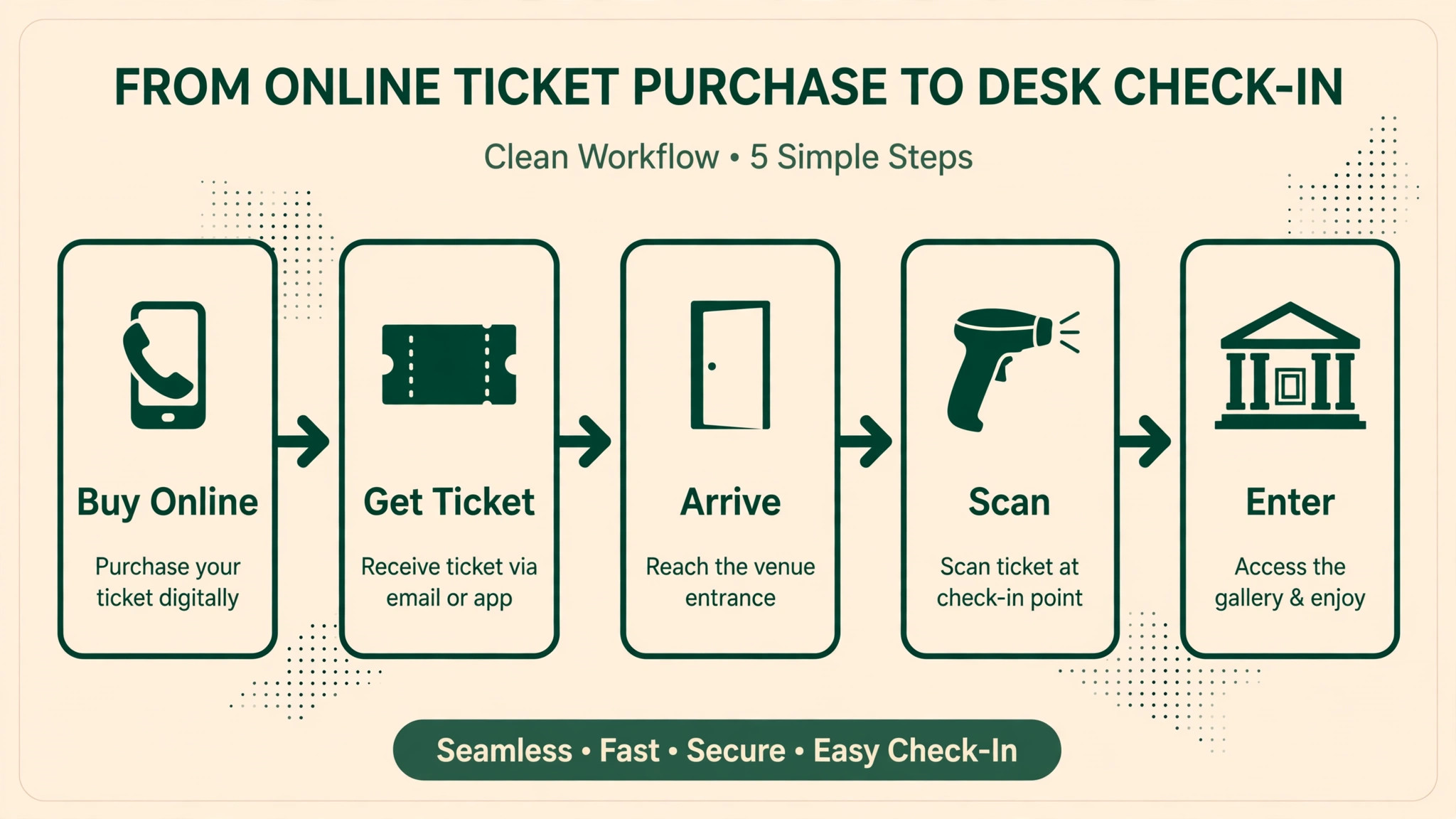
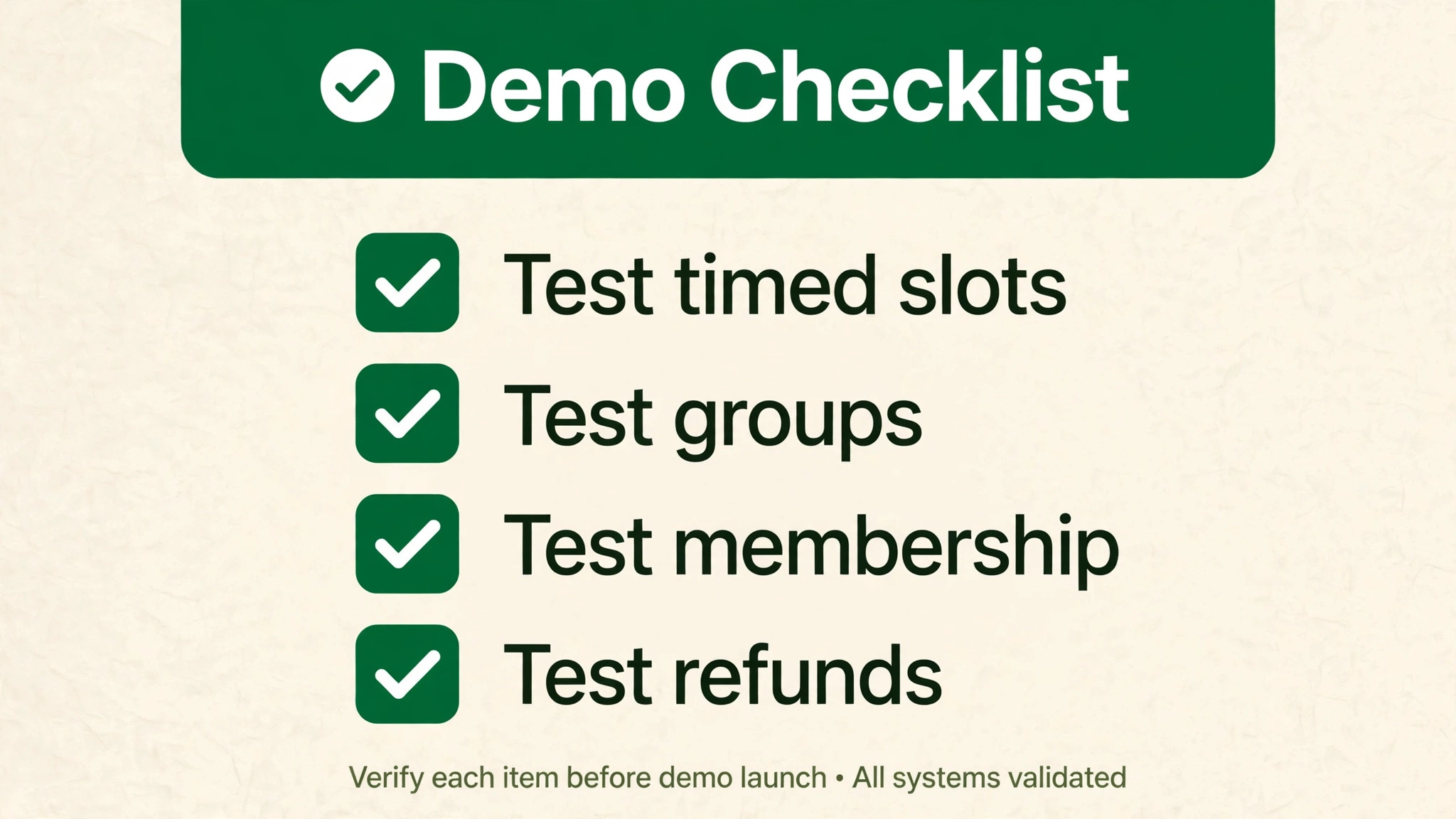
Before you sign, run one real day through the system. Sell a timed ticket online and check it in at the desk. Sell a membership upgrade at checkout and check the member status on a second visit. Book a school group with a group rate and confirm individual slots stay correct. Process a donation alongside a ticket purchase. Renew an expired membership and confirm the new expiry date. If any job needs a spreadsheet or a second system, that gap is part of the price.
– Sell a timed ticket online and check it in at the desk in under a minute – Sell a membership upgrade at checkout and verify status on a return visit – Book a school group without breaking individual slot capacity – Process a donation alongside a ticket purchase in one transaction – Renew an expired membership and confirm the new expiry date – Test offline fallback when internet fails at the desk – Export a sample visitor and member record and check the fields – Get the total annual cost in writing for your ticket volume and team size
Frequently Asked Questions
Do small museums need timed entry software?
Timed entry matters when gallery space, fragile exhibits, or popular exhibitions create crowding, or when school groups arrive in waves. A small museum with free flow entry and low daily volume may not need slot control at all, and paying for it adds complexity. Judge by your busiest day, not your average day, since a system bought for average days fails on the days that matter most.
How should membership work at the ticket desk?
Membership should be sellable as an upgrade at checkout, with the ticket price credited or discounted when a visitor joins on the day. Staff need to check membership status in seconds, including household members, and renewals should prompt before expiry rather than after a lapsed visit. If joining takes a separate form and a separate payment, conversion will stay low no matter how good the membership offer is.
What is the difference between per ticket fees and monthly subscriptions?
Per ticket fees scale with volume and suit low or seasonal museums, while monthly subscriptions suit steady high volume museums that want predictable costs. Model both on your real annual ticket count, including free tickets if they incur fees, and add payment processing. A tool that looks free at low volume can become expensive at high volume, and the reverse is also true.
Can one system handle tickets, membership, and donations?
Yes, when the system keeps one supporter record for all three. That record lets staff see that a ticket buyer became a member and later donated, which changes how you thank them and what you invite them to next. Systems that split tickets from donations force manual merging, and manual merging is where donor history gets lost. Test the single record claim in a demo with one person doing all three actions.
How do group visits and school bookings work?
Group bookings need a group rate, a single invoice or payment, a named group leader, and capacity held for the group without blocking individual slots incorrectly. School groups also need safeguarding notes, arrival times, and lunch or workshop add ons in some museums. Confirm that group capacity, individual capacity, and timed slots interact correctly, since a group that overfills a slot creates a crowded gallery and a poor school visit.
Should a free entry museum buy ticketing software at all?
A free entry museum may still benefit from timed reservations for popular exhibitions, donation prompts at booking, and visitor data for reporting to funders. If entry is truly free flow with no capacity pressure, a simple reservation or donation tool may be enough, and a full ticketing system would add cost without benefit. Start from the problem, such as crowding or funder reporting, rather than from the software category.
What data should a small museum own from ticketing?
Own the visitor record, including visit dates, ticket types, membership status, donation history, and group bookings, in a form you can export. A platform that holds your visitor data hostage makes switching painful and limits funder reporting. Ask how data exports work, what fields export, and whether historical data stays readable after you leave, before you sign.
How long does implementation take for a small museum?
A simple ticketing setup can go live in weeks, while a system with membership migration, donor history, and timed entry rules should plan one to three months. Data cleanup usually takes longer than software setup, since old member records need consistent fields before import. Run the new system alongside the old one for at least one busy weekend before cutover, with real tickets and real members in both.
Verdict
ACME Ticketing leads for timed entry venues where slot control and membership upsell matter most. Blackbaud Altru leads for museums where membership and fundraising are core revenue and one supporter record justifies the larger system. Veevart leads for Salesforce based museums that want collections in the same database. Tix leads for low volume paid museums that want low per ticket cost with no subscription. TicketSource leads for free entry museums and occasional paid events. That spread is the honest answer for the best ticketing software for small museums.
Decide by entry model, then test on a busy weekend. A free entry museum, a paid exhibition museum, and a timed entry venue need different strengths, so do not let a long feature list override the entry job. Run the checklist jobs in both finalist demos, model total annual cost on your real ticket volume, and let the front desk team have the final say. The system that keeps slots, members, groups, and donations in one trustworthy record is the system that lets a small museum welcome more visitors without longer queues or lost donor history. That is the test that matters most.
More Reading on Stratilyze
These related guides cover nearby buying decisions and may help you compare costs and workflows before you commit.
– Best Donation Software for Schools – Best Membership Software for Dance Studios – Best Booking Software for Outdoor Rental Businesses – Best Online Ordering Software for Restaurants – Best POS System for Gift Shops