

Two fence installers can measure the same boundary and quote prices $2,000 apart. The difference is rarely the fence. It is post spacing, gate hardware, concrete, waste, slope and the time spent digging in hard ground, all of which a good estimating tool forces into the open before the customer signs. A comparison of tools that only lists features misses that point, which is why this guide judges each option on one question first. Does it help an installer price a real fence accurately, quickly and in a way the customer trusts? The best estimate software for fence installers is the tool that answers that question on every job, not only on a flat, easy boundary.
This guide compares 11 tools that estimate fence work, from in-home sales platforms to field service systems with estimating built in. It records published prices where a vendor page or a recent comparison lists them, and marks other tools as quote only, with a note to check the vendor’s current pricing page before budgeting.
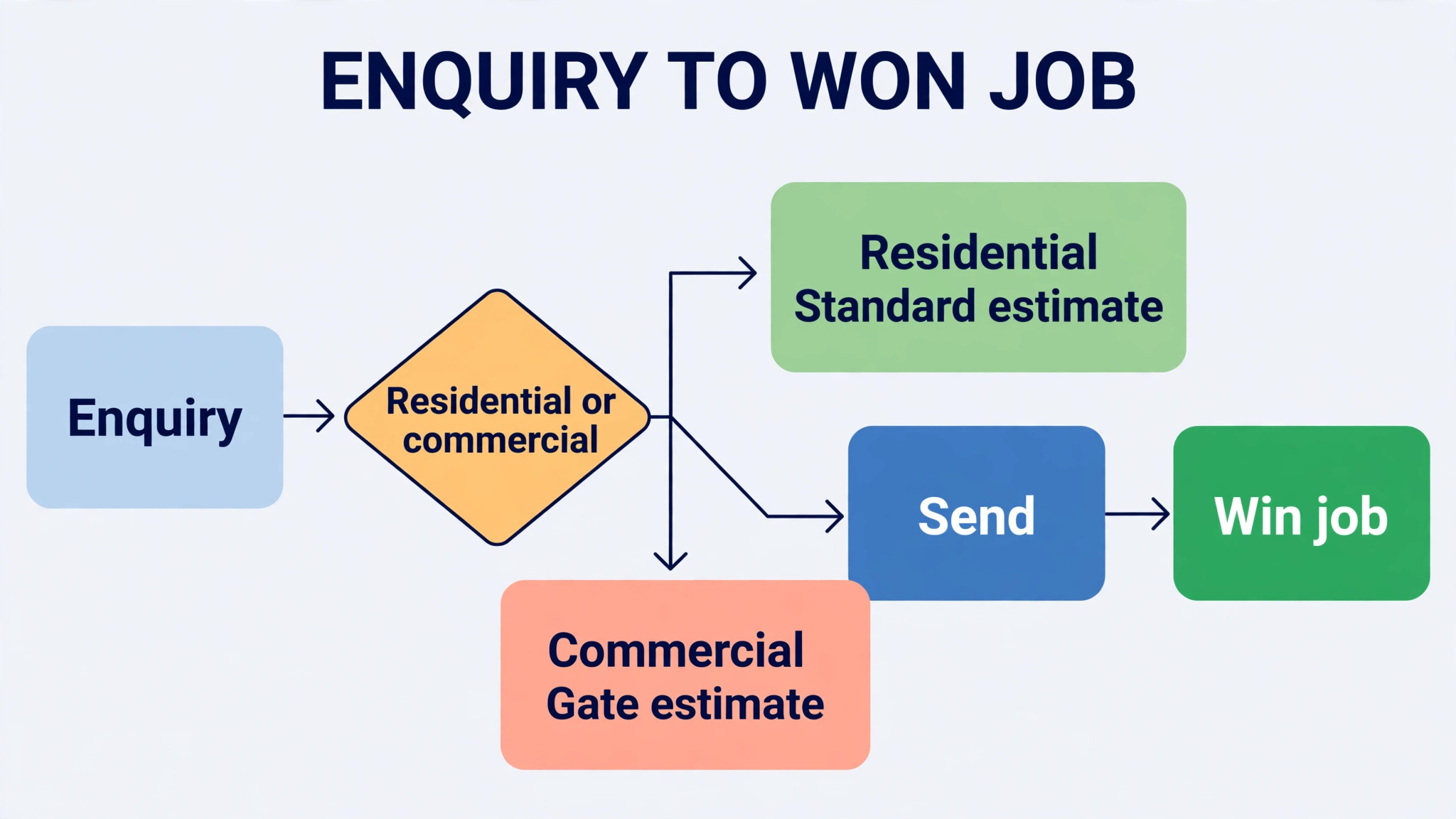
The pattern is clear. Residential installers win with fast templates and clear customer proposals. Commercial and farm installers win with quantity accuracy, phase costing and production scheduling. The sections below show which tool fits each shape, and give a post and material checklist that catches the quantities most estimates miss.
At a glance comparison
The table below compares the 11 tools at a glance, including the best estimate software for fence installers for residential, commercial and farm work.
| Tool | Best for | Starting price | Standout strength |
|---|---|---|---|
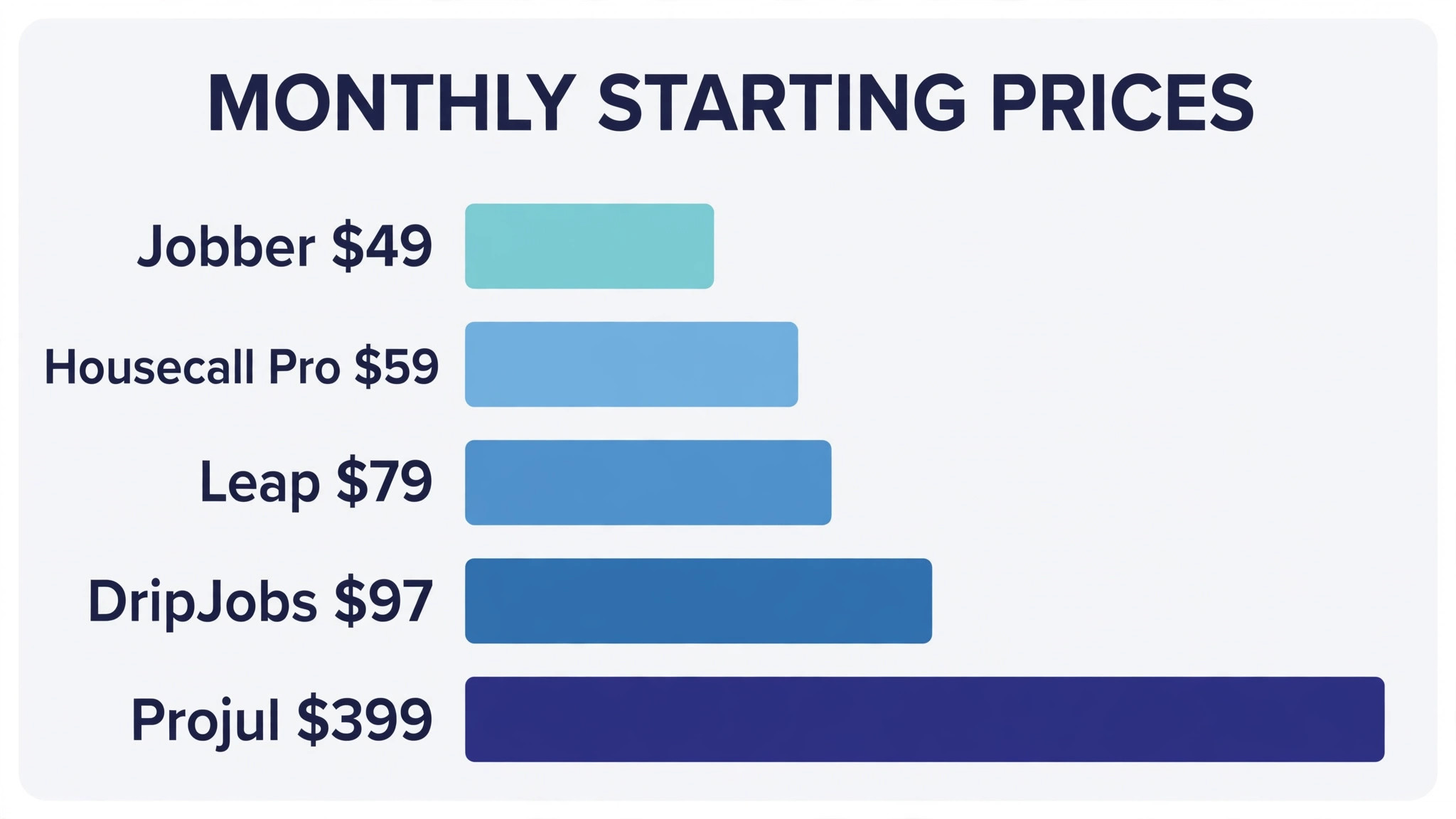
| Leap | Residential contractors who sell in the home | From $79 per month for the basic customer system for one user, as listed on the vendor pricing page summary. Check the vendor’s current pricing page | In-home estimating, proposals, contracts and financing options |
| Jobber | Small fence firms that want quoting plus scheduling | From $49 per month as listed in a 2026 comparison. Check the vendor’s current pricing page | Quoting, scheduling, invoicing and payments in one field system |
| Housecall Pro | Fence firms that want a simple mobile workflow | From $59 per month as listed in a 2026 comparison. Check the vendor’s current pricing page | Mobile estimates, scheduling and payments for field teams |
| Estimate Rocket | Contractors who want estimate first job management | Quote only. Check the vendor’s current pricing page | Estimates linked to scheduling, invoicing and job tracking |
| Knowify | Fence firms that also manage larger projects | Quote only. Check the vendor’s current pricing page | Job costing, contracts and project tracking for contractors |
| Projul | Contractors who want live material and labour costs | From $4,788 per year, about $399 per month, as listed in a comparison listing. Check the vendor’s current pricing page | Estimates with live industry cost data and templates |
| DripJobs | Contractors who want estimating plus follow-up | From $97 per month as listed in a 2026 comparison. Check the vendor’s current pricing page | Estimates with automated follow-up and a sales pipeline |
| AccuLynx | Larger contractors with measurement and production needs | Quote only. Check the vendor’s current pricing page | Measurement, estimating, production and customer tools for exterior contractors |
| SumoQuote | Contractors who want fast, polished proposals | Quote only. Check the vendor’s current pricing page | Fast proposal building with photos, options and signatures |
| FieldPulse | Small contractors who want a simple all-in-one | Quote only. Check the vendor’s current pricing page | Estimates, scheduling, invoicing and customer records in one app |
| ServiceTitan | Large fence and field service firms | Quote only. Check the vendor’s current pricing page | Full field service platform with estimating, dispatch and reporting |
Prices marked quote only mean the vendor does not publish a starting price on its pricing page at the time of research. Use the trial to confirm total cost, including payment fees and add-ons, before comparing monthly figures directly.
The tools in detail
Each tool below is judged on estimating first, including quantity maths, material templates, option pricing and revision history, then on scheduling, invoicing and customer communication. A tool that schedules well but miscalculates posts will cost more than it saves. Judging tools this way is the fairest test of the best estimate software for fence installers.
Leap
Leap pairs a customer system with an in-home sales app, so an estimator can build a fence estimate, present good, better and best options, capture a signature and take payment at the customer’s home. That matters for fence work, because the sale often closes at the kitchen table while measurements and material choices are still fresh.
The price rises sharply for the full sales app and for larger teams, so a small fence installer should price the customer system alone first and add the sales app only when in-home closing becomes a regular job. Also confirm that fence specific items, including posts, panels, gates and hardware, can be templated cleanly rather than typed fresh each time.
Before you commit, price a real job in Leap, including a slope, two corners and a gate, and compare post counts, concrete and labour against your actual cost. Watch how a change to fence style updates every quantity, and check whether the revised estimate keeps a clean history. A system that passes that job will handle ordinary fences easily.
Ask Leap how estimates, invoices and customer records export, and test that export with a real job before you depend on it for tax or dispute records.
Jobber
Jobber is a field service system that covers quoting, scheduling, invoicing and payments, which suits a small fence firm that needs one tool for the whole job rather than a separate estimating app. An estimate can turn into a scheduled job and then into an invoice without retyping customer, address and line items.
Its estimating strength is general rather than fence specific, so the owner should build fence templates for common jobs, including timber, vinyl and chain link, with post spacing and gate hardware as separate lines. Test a real job end to end, including a change order for extra posts, before judging whether the templates save time.
The question to settle in the trial is customer presentation, not only maths. Ask Jobber how the proposal looks to a homeowner, whether options are clear, and whether the customer can approve and sign without a second visit. A clear proposal closes jobs that a plain estimate leaves open.
Check Jobber for integration with your accounting tool and supplier price lists, since an estimating system that cannot share data will create double entry.
Housecall Pro
Housecall Pro gives field teams a mobile workflow for estimates, scheduling, dispatch and payments, which suits a fence crew that works from trucks rather than an office. An estimator can price a job on site, send it for approval and schedule the crew from the same app, cutting the delay between site visit and signed estimate.
As with other general field tools, fence specific costing needs template work. Build material lists for posts, concrete, panels and gates, and test how the system handles linear footage, slopes and gate widths. A tool that prices a flat residential fence well can still struggle with a sloped farm boundary.
Cost control matters as much as estimating speed. Ask Housecall Pro for a written list of per user charges, add-on prices and any measurement or integration fees, then model the cost at your current crew size and at the size you plan to reach. The cheapest solo plan can still be the dearest system once team charges are added.
Trial Housecall Pro with your busiest estimator, not only with the owner, since estimator feedback will show whether templates actually save time on real boundaries.
Estimate Rocket
Estimate Rocket is built around estimates, with scheduling, invoicing and job tracking attached to the estimate record. That shape suits a fence installer whose main risk is inaccurate or slow estimates, since the estimate stays the central record from first visit to final invoice.
Estimate first tools need a material check. Confirm that quantity calculations, waste allowances and supplier price updates work for fence materials, and that a revised estimate keeps a clear history. A clean revision history protects the installer when a customer questions a price change.
Finally, check how Estimate Rocket handles change after digging starts. Test a job that grows by several posts and changes gate style mid-install, and see whether the change order, schedule and invoice stay linked. Fence work changes often once ground conditions are known, and a system that hides revisions will create invoice disputes.
Confirm Estimate Rocket support hours for site day problems, because an estimating fault on the morning of a large job cannot wait for an email reply.
Knowify
Knowify suits fence firms that run larger or phased projects, since it combines estimating with job costing, contracts and project tracking. A commercial gate project or a farm fencing job with several phases benefits from cost tracking by phase, rather than a single estimate total that hides where money was spent.
Project depth can slow a simple residential job, so a firm that mostly builds short garden fences should test the quick estimate path carefully. If a simple fence takes too many screens to price, staff will revert to paper for small jobs and the system will hold only large jobs.
Before you commit, price a real job in Knowify, including a slope, two corners and a gate, and compare post counts, concrete and labour against your actual cost. Watch how a change to fence style updates every quantity, and check whether the revised estimate keeps a clean history. A system that passes that job will handle ordinary fences easily.
Ask Knowify how estimates, invoices and customer records export, and test that export with a real job before you depend on it for tax or dispute records.
Projul
Projul offers estimating with templates and live industry cost data for materials and labour, which helps a fence installer price jobs when timber, steel and concrete prices move. A template that updates material costs automatically reduces the risk of quoting last month’s prices on this month’s job.
Live cost data still needs local checking. Supplier prices vary by region, so confirm that the data matches your suppliers for posts, panels and gates, and test whether you can override costs per job. A system that locks you to national averages will misprice local work.
The question to settle in the trial is customer presentation, not only maths. Ask Projul how the proposal looks to a homeowner, whether options are clear, and whether the customer can approve and sign without a second visit. A clear proposal closes jobs that a plain estimate leaves open.
Check Projul for integration with your accounting tool and supplier price lists, since an estimating system that cannot share data will create double entry.
DripJobs
DripJobs combines estimating with automated follow-up and a sales pipeline, which suits a fence installer who loses jobs to slow follow-up rather than to price. An estimate that goes out quickly and receives a timed follow-up is more likely to close than a cheaper estimate that sits unanswered for a week.
Follow-up automation needs care. Check that messages can be personalised by job type, including residential, commercial and farm work, and that a customer who already accepted does not keep receiving chase messages. Automation that feels generic can damage trust as fast as silence.
Cost control matters as much as estimating speed. Ask DripJobs for a written list of per user charges, add-on prices and any measurement or integration fees, then model the cost at your current crew size and at the size you plan to reach. The cheapest solo plan can still be the dearest system once team charges are added.
Trial DripJobs with your busiest estimator, not only with the owner, since estimator feedback will show whether templates actually save time on real boundaries.
AccuLynx
AccuLynx is an exterior contractor platform with measurement, estimating, production scheduling and customer management, which suits larger fence and exterior firms with several crews. Aerial measurement and production tools help when jobs are large, phased or spread across sites, and the customer record follows the job from estimate to completion.
Its scale makes it a poor fit for a one crew residential installer, both on price and on setup time. A larger firm should test production scheduling and crew assignment against real jobs, while a small firm should shortlist a simpler tool and revisit this platform only when crew numbers grow.
Finally, check how AccuLynx handles change after digging starts. Test a job that grows by several posts and changes gate style mid-install, and see whether the change order, schedule and invoice stay linked. Fence work changes often once ground conditions are known, and a system that hides revisions will create invoice disputes.
Confirm AccuLynx support hours for site day problems, because an estimating fault on the morning of a large job cannot wait for an email reply.
SumoQuote
SumoQuote focuses on fast, polished proposals, with photos, good, better and best options and digital signatures. For a fence installer, a proposal that shows the fence style, gate options and price tiers clearly can close a sale faster than a plain line item estimate, especially when the customer is comparing several installers.
Proposal polish needs accurate quantities behind it. Test how the system calculates posts, panels and concrete from linear footage, and whether it handles slopes, corners and gates without manual correction. A beautiful proposal built on wrong quantities creates problems at install time.
Before you commit, price a real job in SumoQuote, including a slope, two corners and a gate, and compare post counts, concrete and labour against your actual cost. Watch how a change to fence style updates every quantity, and check whether the revised estimate keeps a clean history. A system that passes that job will handle ordinary fences easily.
Ask SumoQuote how estimates, invoices and customer records export, and test that export with a real job before you depend on it for tax or dispute records.
FieldPulse
FieldPulse is a simple all-in-one for small contractors, covering estimates, scheduling, invoicing and customer records. It suits a fence installer who wants one app for the whole business without a long setup, and whose jobs are mostly residential fences and gates rather than large commercial projects.
Simplicity should be tested against fence specifics. Build templates for common fence types, test gate pricing and post quantities, and confirm that scheduling handles crew assignment for multi-day jobs. If those basics work, the simpler tool will save more time than a deeper platform.
The question to settle in the trial is customer presentation, not only maths. Ask FieldPulse how the proposal looks to a homeowner, whether options are clear, and whether the customer can approve and sign without a second visit. A clear proposal closes jobs that a plain estimate leaves open.
Check FieldPulse for integration with your accounting tool and supplier price lists, since an estimating system that cannot share data will create double entry.
ServiceTitan
ServiceTitan is a full field service platform for larger firms, with estimating, dispatch, scheduling, payments and reporting in one system. A fence firm with several crews, office staff and commercial work benefits from dispatch control, job tracking and reporting that a small tool cannot match.
That power comes with price and setup cost that only makes sense at scale. A small installer should not buy it on the hope of future growth, since the monthly cost and training time will burden the business long before the extra features are needed. Revisit it when crew and office numbers justify a platform of this size.
Cost control matters as much as estimating speed. Ask ServiceTitan for a written list of per user charges, add-on prices and any measurement or integration fees, then model the cost at your current crew size and at the size you plan to reach. The cheapest solo plan can still be the dearest system once team charges are added.
Trial ServiceTitan with your busiest estimator, not only with the owner, since estimator feedback will show whether templates actually save time on real boundaries.
Best pick by job
Use this table to shortlist by job type, then trial the top two in your row on a real sloped boundary. The best estimate software for fence installers for a garden fence is not the best pick for a farm boundary, because quantity risk grows with length, slope and gate count.
| Job | Pick | Why it fits |
|---|---|---|
| Residential fences | Jobber or SumoQuote | Fast templates with clear proposals customers can approve on site |
| Commercial gates | Leap or AccuLynx | In-home options, contracts and production scheduling for larger jobs |
| Farm fencing | Projul or Knowify | Quantity accuracy, phase costing and live material prices |
Shortlist two tools from your row and trial both on real jobs. The table narrows the field, but only a trial on your own orders, routes or estimates shows which system your team will actually use every day.
How to choose best estimate software for fence installers
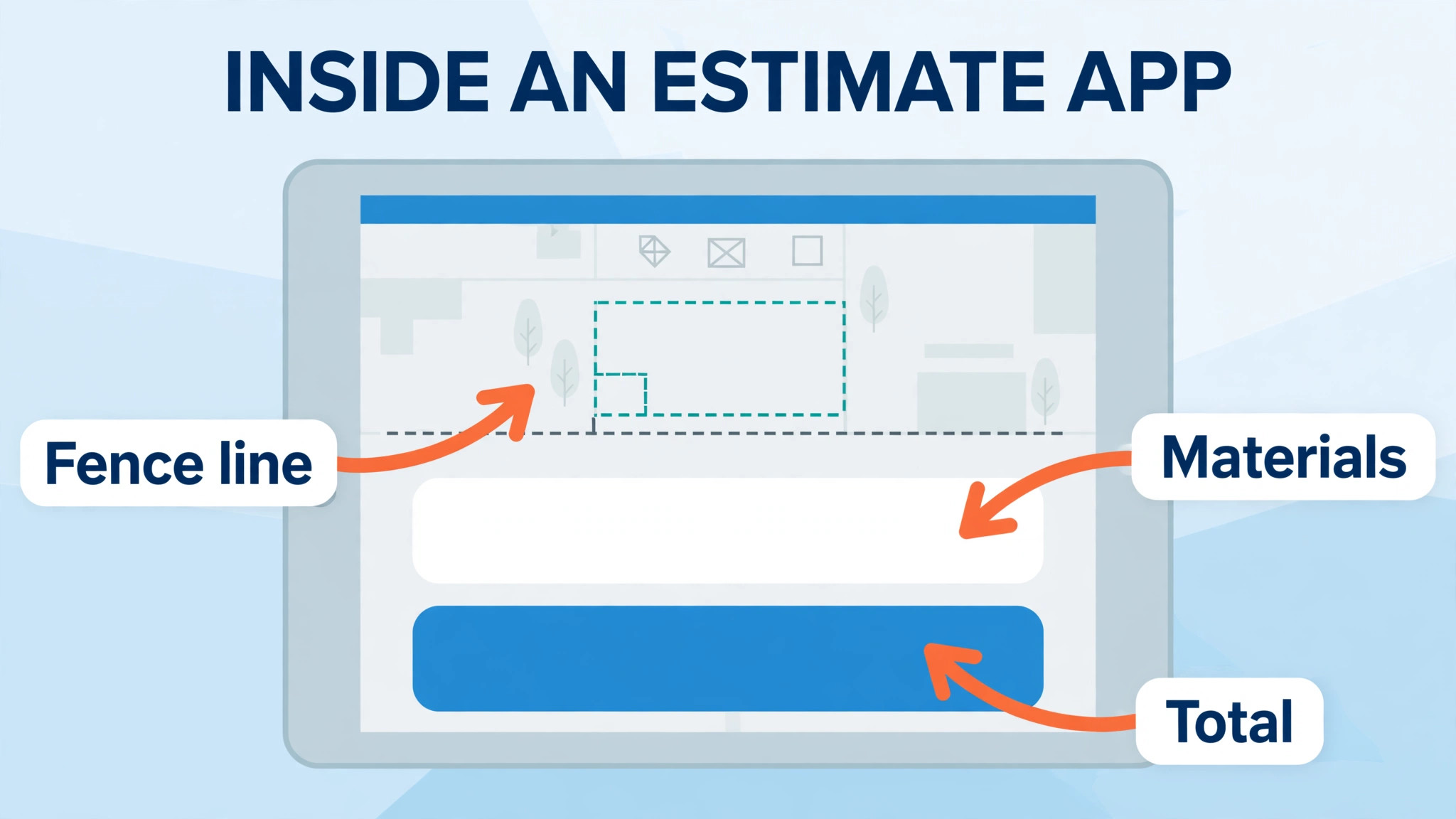
Start with a real job, not a demo template. Take a past fence with a slope, two corners and a gate, and price it in each shortlisted tool. Compare post counts, concrete quantities, gate hardware and labour time against your actual job cost. The tool whose maths matches your real job is the one to trust.
Next, check how options are presented. Good, better and best pricing helps customers choose a fence style without a second visit, but only if each option recalculates quantities correctly. Test a customer who upgrades from timber to vinyl mid-quote, and confirm that posts, hardware and labour all update together.
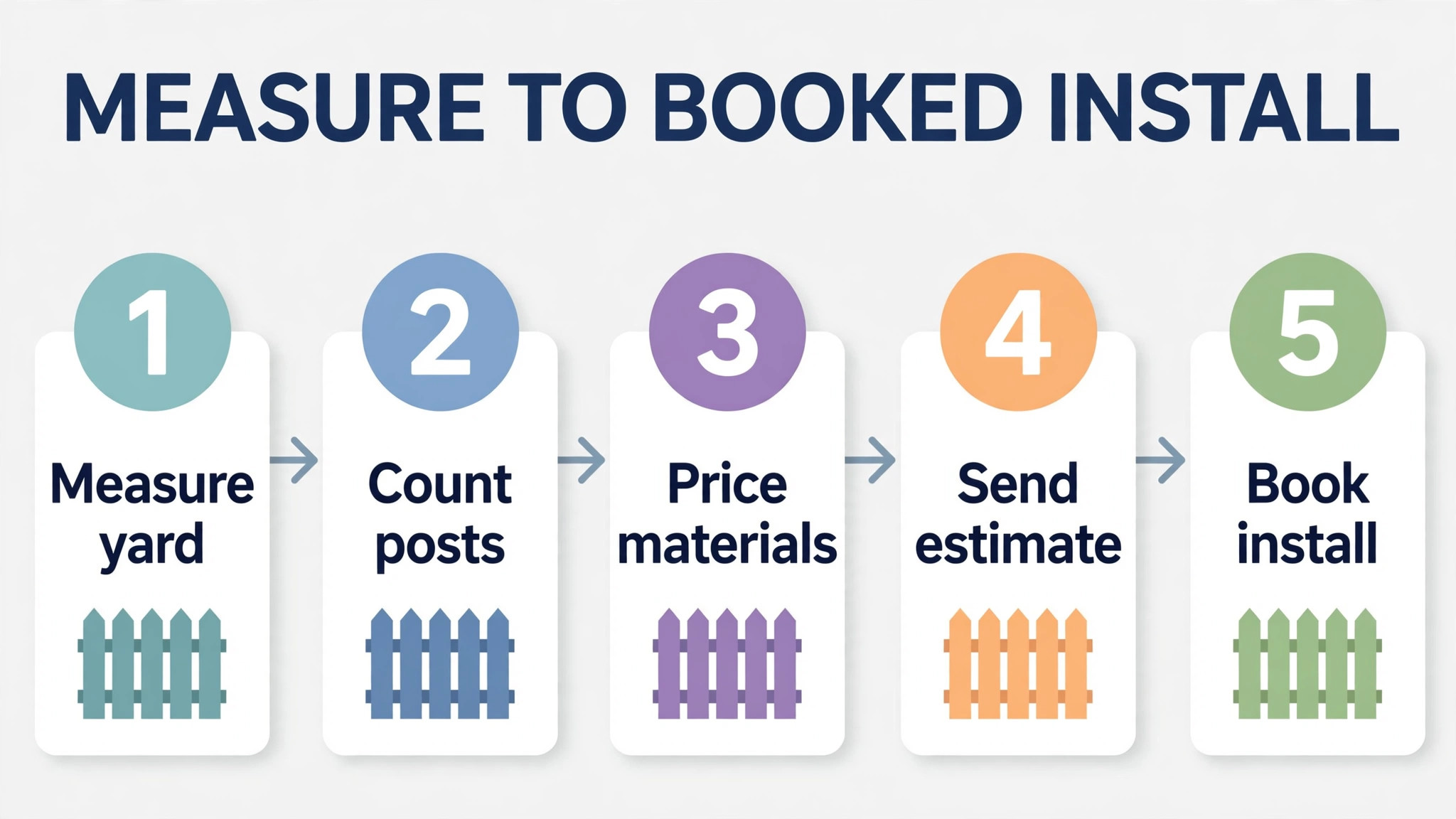
Then follow the estimate past approval. Confirm that the approved estimate becomes a job, a schedule and an invoice without retyping, and that change orders keep a clear history. A fence job often changes after digging starts, so the change order path matters as much as the first estimate.
Finally, check material price handling. Timber, steel and concrete prices move, so confirm whether the tool updates supplier prices, allows manual overrides and shows the date of the price used. An estimate built on stale prices either loses margin or loses the job when the price is corrected.
When you compare prices, remember that the best estimate software for fence installers is not the cheapest monthly plan but the system whose total cost per accurate estimate, including team and add-on charges, stays lowest across a full year.
Mistakes to avoid
– Pricing by linear footage alone. A single rate per foot hides post spacing, gates, slopes and ground conditions. Break every estimate into posts, panels, gates, concrete and labour, so a change in any one item is visible. – Forgetting gate hardware and automation. Gates carry hinges, latches, posts and sometimes motors and access controls. Missing those lines turns a profitable fence into a loss on the gate alone. – Skipping a waste allowance. Cutting, breakage and short lengths waste material on every job. Include a waste allowance per material, and review it against actual waste each month. – Sending an estimate without a validity date. Material prices and crew availability change, so an undated estimate can be accepted months later at a loss. State how long the price holds on every proposal. – Approving a change by phone without a record. Verbal changes to length, style or gates cause disputes at invoice time. Record every change as a revised estimate with a customer signature before work continues. That written change record is also the best way to judge the best estimate software for fence installers without trusting a demo.
Most of these mistakes share one cause. The tool was chosen from a demo rather than from a real week of work, so the trial should always use real orders, real routes or real estimates.

Post and material quantity checklist
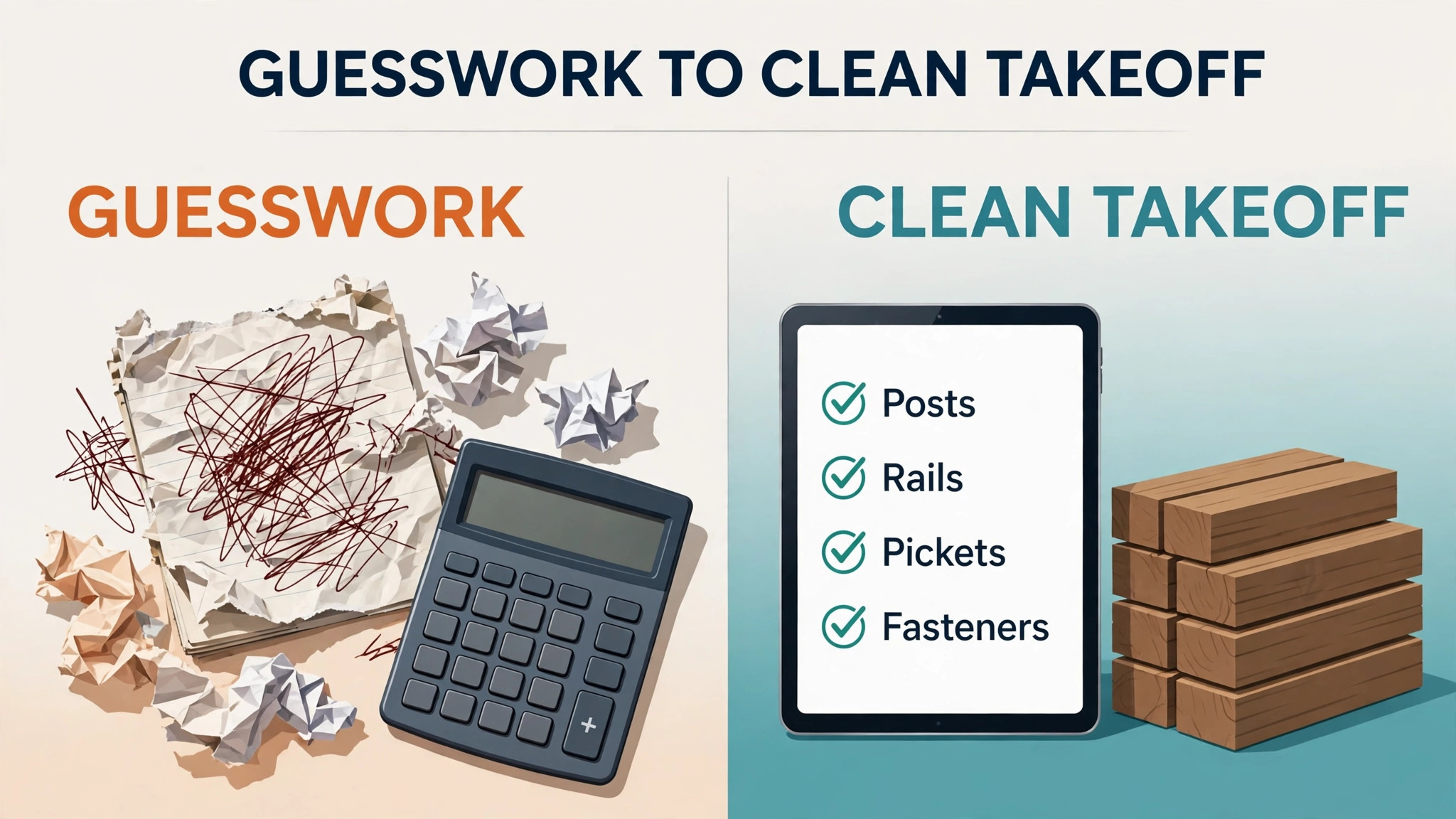
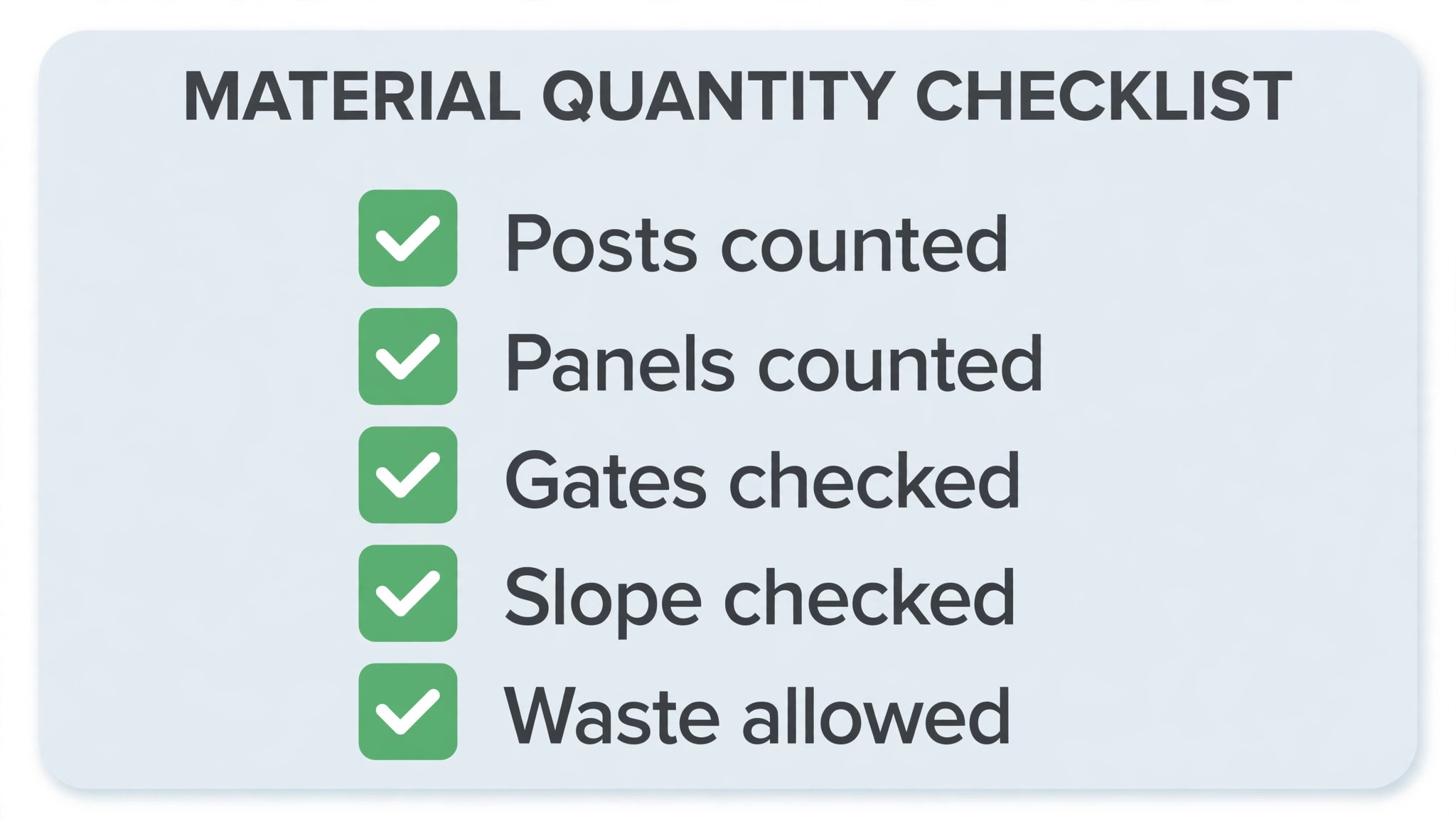
Use this checklist on every job in the category below, and keep it inside the order record so a second team member can follow it without asking the owner. A firm that follows this list will get more value from the best estimate software for fence installers than a firm that buys better software but keeps informal habits.
– Measure total length, then divide by post spacing to get post count, adding posts for corners, ends and each gate. – Add gate posts as heavier posts where the gate size or automation requires them, not as standard line posts. – Calculate panels or boards from length and panel width, allowing for cuts at corners and at the final bay. – List concrete per post, with extra allowance for gate posts and for soft or wet ground conditions. – Include rails, caps, fasteners, hinges, latches and any automation or access control as separate lines. – Record slope and ground conditions, and add labour time for digging in rock, roots or hard clay. – Apply a waste allowance per material, and note the allowance on the estimate so the customer sees it is planned. – Confirm supplier prices and lead times for every material before sending, and state the price validity date on the proposal.
Frequently Asked Questions
What does fence estimating software cost?
Published prices in this guide run from about $49 per month to about $399 per month, with several larger platforms on quote only. Check the vendor’s current pricing page, since team size and add-ons change the monthly bill sharply.
Can general field service software estimate fences well?
Yes, if fence templates are built properly. General tools need templates for post spacing, gates and materials, while specialist sales tools may handle options and financing better. Test both on a real sloped job.
How do I handle slopes and uneven ground?
Record slope as a separate factor, add labour for stepped or racked panels, and check that the tool recalculates posts and panels for the slope rather than pricing a flat run. Never price a sloped boundary as if it were flat.
Should estimates show good, better and best options?
Options help customers choose without a second visit, provided each option recalculates quantities. Test an upgrade mid-quote to confirm posts, hardware and labour all update together.
How long should an estimate price hold?
Most installers hold a price for 14 to 30 days, depending on material volatility. State the validity date on the proposal, and reprice if the customer accepts after that date.
What is the most common quantity mistake?
Post count is the most common error, especially at corners, ends and gates. Count posts from the plan, not from a rough length divided by spacing, and add gate posts separately.
Do I need separate software for commercial gates?
Not always, but commercial gates need contract, production and access control handling that residential tools may lack. A firm doing regular commercial work should shortlist a platform with production scheduling.
How long does switching take?
A small installer can switch in two to three weeks, including template building. A larger firm should allow a month, including crew training and a parallel period where old and new estimates are compared.
Verdict
For most residential fence installers, Jobber is the sensible default, because it combines estimating with scheduling and invoicing at a published starting price, and its templates can be shaped for common fence types. Installers who sell in the home and close at the table should shortlist Leap or SumoQuote instead, since proposal quality directly affects close rates.
For farm and commercial work, the deciding factor is quantity accuracy under length, slope and phase changes, which puts Projul and Knowify ahead despite higher or quote only pricing. Whichever tool you choose, price a real sloped job with gates in the trial, and trust the tool whose post and material maths matches your actual job cost.
A final practical step is to keep one old estimate format available during the first month, so a crew can compare a new system estimate with a known job cost. That comparison catches template errors early, while the old format still protects pricing on live jobs.
More Reading on Stratilyze
– Best Field Service Software for Appliance Repair Companies – Cost of Jobber for a Small Business, Monthly – Best Proposal Software for Marketing Agencies – Best Membership Software for Dance Studios – How to Choose a Payment Processor for a Small Business