
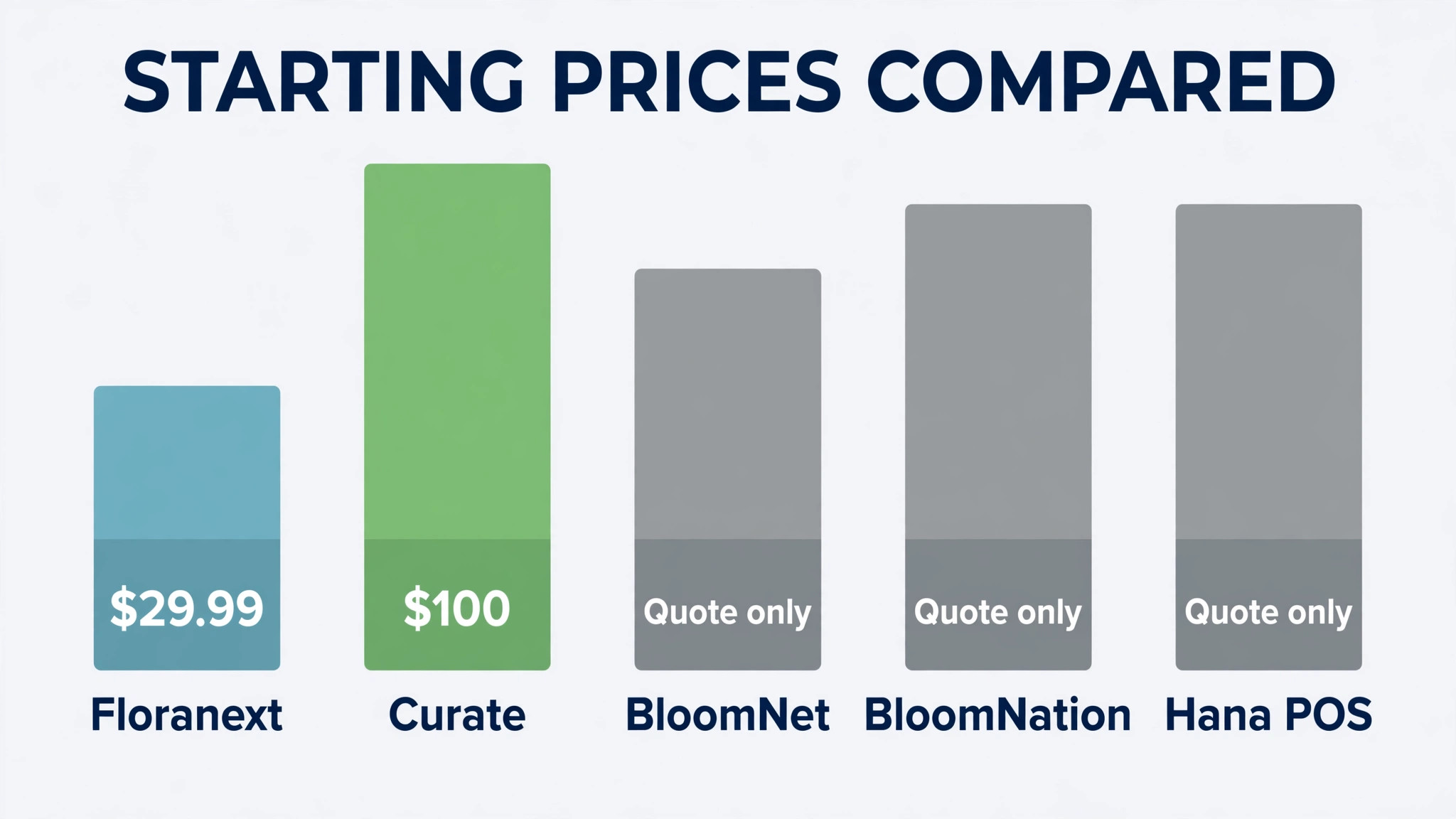
Across the 13 tools compared here, published starting prices run from $29.99 per feature per month to $150 per month, with several vendors on quote only pricing. Florists lose money in small, repeated ways. A phone order written on a scrap of paper, a wedding stem list kept in a spreadsheet, a delivery van sent out without a confirmed address. Each mistake costs one bouquet, one redelivery or one unhappy customer, and together they eat the margin on a week of good sales. That is why choosing the best order management software for florists matters more than choosing a prettier website, because the order system is where revenue turns into delivered work.
This guide compares 13 tools that handle florist orders, from counter point of sale systems to event proposal platforms and wholesale inventory suites. It looks at what each tool does well, what it charges where that price is published, and which kind of florist it actually fits. Prices change, so every published figure here carries a note to check the vendor’s current pricing page before you budget.
The short answer for most single shops is to start with a florist specific point of sale and add event tools only when weddings make up a steady share of revenue. Larger operations need the opposite order, with inventory and procurement settled first, because stock waste grows faster than order volume. The sections below explain that choice tool by tool, then match picks to three kinds of florist business.
At a glance comparison
The table below gives the fastest way to compare the 13 options, including the best order management software for florists at each price point and the single strength that justifies a closer look.
| Tool | Best for | Starting price | Standout strength |
|---|---|---|---|
| Floranext | Walk-in shops adding online orders | From $29.99 per feature per month as listed on a review of its pricing | Modular buying that lets a shop add one feature at a time |
| BloomNet | Shops that want wire service reach | Quote only. Check the vendor’s current pricing page | Wire service orders plus a full shop system |
| Curate | Wedding and event florists | From $100 per month as listed in a 2026 review. Check the vendor’s current pricing page | Proposals and event folders built for weddings |
| BloomNation | Shops that want a marketplace storefront | Quote only. Check the vendor’s current pricing page | A marketplace presence with point of sale tools |
| Hana POS | Shops that want one web based counter system | Quote only. Check the vendor’s current pricing page | A web based point of sale made for florists |
| FloristWare | Independent shops that want a simple counter | Quote only. Check the vendor’s current pricing page | Straightforward point of sale and shop automation |
| Details Flowers | Event florists who sell design services | Quote only. Check the vendor’s current pricing page | Event organisation with proposals and payments |
| QuickFlora | Small shops that want low cost ordering | Quote only. Check the vendor’s current pricing page | Low cost online ordering and shop tools |
| Strelitzia | Shops that want a European style shop system | Quote only. Check the vendor’s current pricing page | Shop management with a florist specific catalogue |
| Komet Sales | Wholesalers and larger florist operations | Quote only. Check the vendor’s current pricing page | Sales, procurement and inventory for larger operations |
| IRIS Floral POS | Shops that want point of sale plus events | Quote only. Check the vendor’s current pricing page | Point of sale, websites and event planning in one |
| Floral Frog | Small and midsize florists on a budget | From £29 per month as listed in a 2026 review. Check the vendor’s current pricing page | Order management with payments and address lookup |
| FlowerBuddy | Shops that want inventory control first | From $150 per month as listed in a 2026 review. Check the vendor’s current pricing page | Inventory tracking alongside order handling |
Prices marked quote only mean the vendor does not publish a starting price on its pricing page at the time of research. Use the trial to confirm total cost, including payment fees and add-ons, before comparing monthly figures directly.
The tools in detail
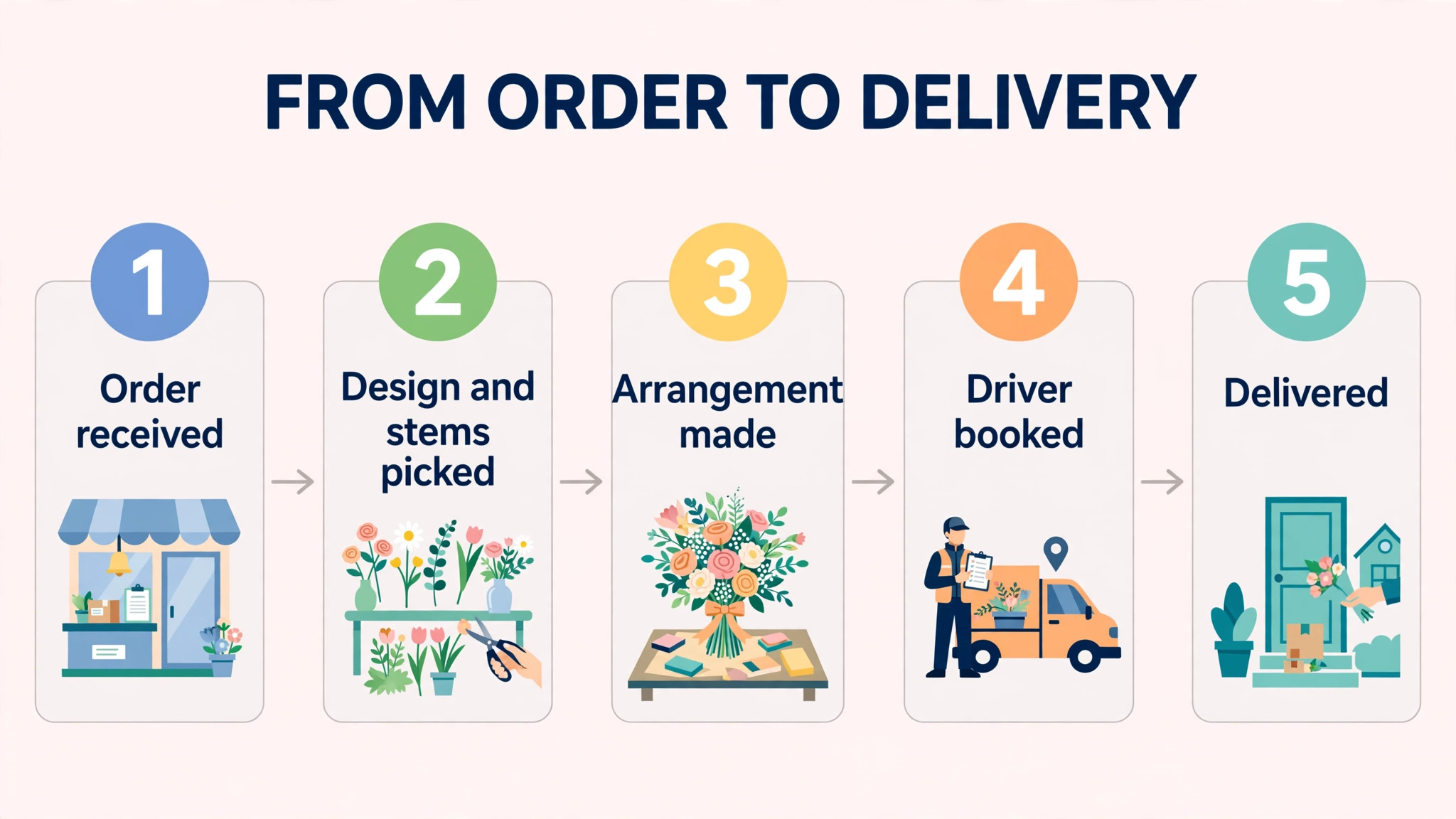
Each tool below is judged on the same questions. Does it handle the order from first contact to delivery, does it keep customer and stock records clean, and does it stay usable on a peak holiday when staff are tired and orders are arriving fast. Judging tools this way is the fairest test of the best order management software for florists.
Floranext
Floranext suits a shop that wants to start small and add pieces later. Its website, point of sale and wedding tools are sold as separate modules, so a single location can buy online ordering first and add delivery or event work when the order book justifies it. That modular shape matters for a florist because wedding season and holiday peaks do not arrive evenly, and a fixed bundle can sit idle for months.
In daily use, the point of sale side handles order entry, payment, ticket printing and house accounts, while the website side handles delivery charges and holiday pricing. The wedding module adds proposals, shopping lists and cost tracking, which helps an event florist keep stem counts and deposits in one place. Check the vendor’s current pricing page before budgeting, since module prices can change.
Before you commit, ask Floranext for a trial that covers a real holiday week, including a day when the shop takes both walk-in and online orders at once. Watch how delivery addresses, substitutions and refunds are handled, and check whether the owner can see outstanding orders at a glance at closing time. A system that passes that week will handle ordinary days easily.
BloomNet
BloomNet is the florist network option for a shop that wants orders from other florists as well as its own customers. Its system covers order entry, customer accounts, card printing and delivery tracking, which keeps a wire order on the same screen as a walk-in order. That single view reduces the chance that a relay order is printed twice or missed during a busy holiday rush.
The trade-off is dependence on a network workflow. A shop that sells almost entirely direct may pay for reach it rarely uses, while a shop in a delivery heavy area may find the extra orders pay for the system quickly. Ask how wire fees are charged on top of the subscription before signing, and test the delivery screen with a real holiday route.
The question to settle in the trial is support, not features. Ask BloomNet how support works on a Saturday morning, when a delivery problem cannot wait until Monday, and whether help comes from people who understand florist orders. A fast answer on a peak day is worth more than an extra report that nobody opens.
Curate
Curate is built for the event side of floristry rather than the daily retail counter. It turns an enquiry into a proposal, a contract and a payment schedule, and it keeps every event folder in one place so stem lists, rentals and labour notes stay attached to the job they belong to. That structure is valuable when one wedding involves several deliveries, a ceremony setup and a reception changeover.
Its weakness for a pure retail shop is scope. A walk-in business that rarely books events may find proposal tools sitting unused, while an event florist will use them every week. Trial it with a real past wedding, including late changes and a partial payment, and judge whether the proposal layout actually speeds up closing.
Cost control matters as much as ordering speed. Ask Curate for a written list of payment fees, website charges and add-on prices, then compare the cost of 100 orders through this system with the same 100 orders through your current method. The cheapest monthly plan can still be the dearest system once those extras are added.
BloomNation
BloomNation gives a florist a marketplace storefront alongside point of sale and delivery tools. Customers can see real designs from the shop, order online and pay at checkout, while staff track the order through preparation and delivery. For a shop with weak website traffic, that built-in audience can matter more than any single back office feature.
The question to settle before choosing it is margin. Marketplace orders can carry fees or terms that differ from direct website orders, so compare the cost of an order through the marketplace with the cost of the same order through your own site. If most orders are local and repeat, a direct site may keep more of each sale.
Finally, check how BloomNation handles change. Test a wedding order that changes flowers, date and delivery address after the deposit is paid, and see whether the revised order keeps a clean history. Florist work changes often, and a system that hides revisions will create arguments about what was actually agreed.
Hana POS
Hana POS is a web based point of sale designed for flower shops, with marketing, online ordering, email and front of house tools in the same system. Staff can take an order at the counter, check stock and send a confirmation without switching between a till program and a separate website dashboard. That matters on Valentine’s Day and Mother’s Day, when queues and phone orders arrive together.
Because it is web based, it works from a browser rather than a single shop computer, which helps a second location or a home based designer share the same order list. Check how it handles card payments, refunds and delivery routing during the trial, and confirm whether marketing tools are included or charged as an add-on.
Before you commit, ask Hana POS for a trial that covers a real holiday week, including a day when the shop takes both walk-in and online orders at once. Watch how delivery addresses, substitutions and refunds are handled, and check whether the owner can see outstanding orders at a glance at closing time. A system that passes that week will handle ordinary days easily.
FloristWare
FloristWare is a point of sale system for flower shops that automates routine shop work, from order entry to customer records. Its appeal is simplicity. A small team can learn the counter screen quickly, and the owner can see daily orders, payments and customer history without building reports by hand.
Simplicity has a limit. A shop that grows into weddings, multiple vans or a large online catalogue may outgrow a counter-first system and need event or delivery modules from another vendor. Use the trial to test the exact jobs you do weekly, including refunds, substitutions and standing orders, rather than judging it on a quiet demo day.
The question to settle in the trial is support, not features. Ask FloristWare how support works on a Saturday morning, when a delivery problem cannot wait until Monday, and whether help comes from people who understand florist orders. A fast answer on a peak day is worth more than an extra report that nobody opens.
Details Flowers
Details Flowers is a cloud system for florists and designers who organise events. It offers an events calendar, proposals, contracts, electronic signatures, invoicing and payment automation, which covers the full path from first enquiry to final payment. That breadth helps a studio that sells design time as well as flowers.
Its event focus shows in the workflow. Recipes, rentals and supplier notes sit inside the event, so a designer can cost a job from the same folder that holds the client agreement. A retail only shop may find that depth unnecessary, but an event florist should test it with a multi-day install and a change order midweek.
Cost control matters as much as ordering speed. Ask Details Flowers for a written list of payment fees, website charges and add-on prices, then compare the cost of 100 orders through this system with the same 100 orders through your current method. The cheapest monthly plan can still be the dearest system once those extras are added.
QuickFlora
QuickFlora targets small flower shops that need online ordering and basic shop management without a large monthly bill. The pitch is practical. Customers order from the shop website, staff see the order in one queue, and the owner avoids paying for enterprise features that a two person shop will never open.
Low cost tools often charge separately for extras, so read the full price list before committing. Check what is included for delivery management, payment processing and website hosting, and confirm whether support is by email only. A cheap plan that leaves the owner stuck on a holiday weekend is not cheap.
Finally, check how QuickFlora handles change. Test a wedding order that changes flowers, date and delivery address after the deposit is paid, and see whether the revised order keeps a clean history. Florist work changes often, and a system that hides revisions will create arguments about what was actually agreed.
Strelitzia
Strelitzia is a florist software option that covers shop management with a catalogue built around flowers and arrangements. Staff can record orders, manage products and follow deliveries from one system, which suits a shop that sells many ready designs alongside bespoke bouquets.
Availability and support hours matter more than feature lists for a smaller vendor. Before choosing it, confirm that support covers your trading hours, that payment options match your customers, and that the catalogue handles your own product names and seasonal price changes without a workaround.
Before you commit, ask Strelitzia for a trial that covers a real holiday week, including a day when the shop takes both walk-in and online orders at once. Watch how delivery addresses, substitutions and refunds are handled, and check whether the owner can see outstanding orders at a glance at closing time. A system that passes that week will handle ordinary days easily.
Komet Sales
Komet Sales is built for larger floral operations, with sales management, online ordering, procurement and inventory in one system. It suits a wholesaler or a multi-location florist that buys in bulk, tracks stock across sites and needs procurement records tied to sales. A single shop may find that depth heavier than it needs.
The buying test is stock accuracy. Enter a real week of purchases, sales and waste, then check whether the stock report matches the cold room. If it does, the system will save hours at ordering time. If it needs constant manual correction, the extra features are not paying for themselves.
The question to settle in the trial is support, not features. Ask Komet Sales how support works on a Saturday morning, when a delivery problem cannot wait until Monday, and whether help comes from people who understand florist orders. A fast answer on a peak day is worth more than an extra report that nobody opens.
IRIS Floral POS
IRIS Floral POS combines point of sale, website management and event planning tools for florists. That combination suits a shop that sells at the counter, online and for events, because the same customer record can appear in a retail order and later in a wedding proposal. Staff spend less time retyping names, addresses and delivery notes.
Combined systems need a careful trial. Test a customer who orders online, collects in store, then books an event, and watch whether the record stays clean at each step. Also check delivery scheduling, since a system that handles events well can still struggle with timed van routes.
Cost control matters as much as ordering speed. Ask IRIS Floral POS for a written list of payment fees, website charges and add-on prices, then compare the cost of 100 orders through this system with the same 100 orders through your current method. The cheapest monthly plan can still be the dearest system once those extras are added.
Floral Frog
Floral Frog is a cloud system for small and midsize florists, with order management, integrated payments and an automatic address finder. The address tool sounds minor, but it cuts delivery errors, which are expensive in flowers because a redelivery often means a second bouquet and a disappointed recipient.
Its price point makes it a sensible first system for a shop moving off paper or spreadsheets. The owner should still test peak day performance, including several orders arriving at once, and confirm that reports show daily takings, delivery completion and outstanding orders without extra exports.
Finally, check how Floral Frog handles change. Test a wedding order that changes flowers, date and delivery address after the deposit is paid, and see whether the revised order keeps a clean history. Florist work changes often, and a system that hides revisions will create arguments about what was actually agreed.
FlowerBuddy
FlowerBuddy puts inventory control next to order handling, which helps a shop that loses money on waste rather than on marketing. When stems are recorded as they arrive and as they are used, the owner can see which designs sell, which flowers sit too long, and when to cut an order before a holiday.
Inventory discipline only works if staff record use consistently. During the trial, run the system for a full week including a delivery day and a market day, and check whether the stock count at the end matches the cold room. A system that staff bypass under pressure will not fix waste on its own.
Before you commit, ask FlowerBuddy for a trial that covers a real holiday week, including a day when the shop takes both walk-in and online orders at once. Watch how delivery addresses, substitutions and refunds are handled, and check whether the owner can see outstanding orders at a glance at closing time. A system that passes that week will handle ordinary days easily.
Best pick by job
No single tool wins for every florist, so this section matches picks to the job. The best order management software for florists for a walk-in shop is not the same tool as the best pick for a wedding studio, and buying the wrong shape is the most common expensive mistake in this market.
| Job | Pick | Why it fits |
|---|---|---|
| Walk-in shop | Floranext or Floral Frog | A counter system staff learn fast, with online orders in the same queue |
| Wedding florist | Curate or Details Flowers | Proposals, contracts and event folders that keep stem lists with the job |
| Online delivery florist | BloomNation or Hana POS | A storefront that feeds orders straight into delivery and payment |
Shortlist two tools from your row and trial both on real jobs. The table narrows the field, but only a trial on your own orders, routes or estimates shows which system your team will actually use every day.
How to choose best order management software for florists
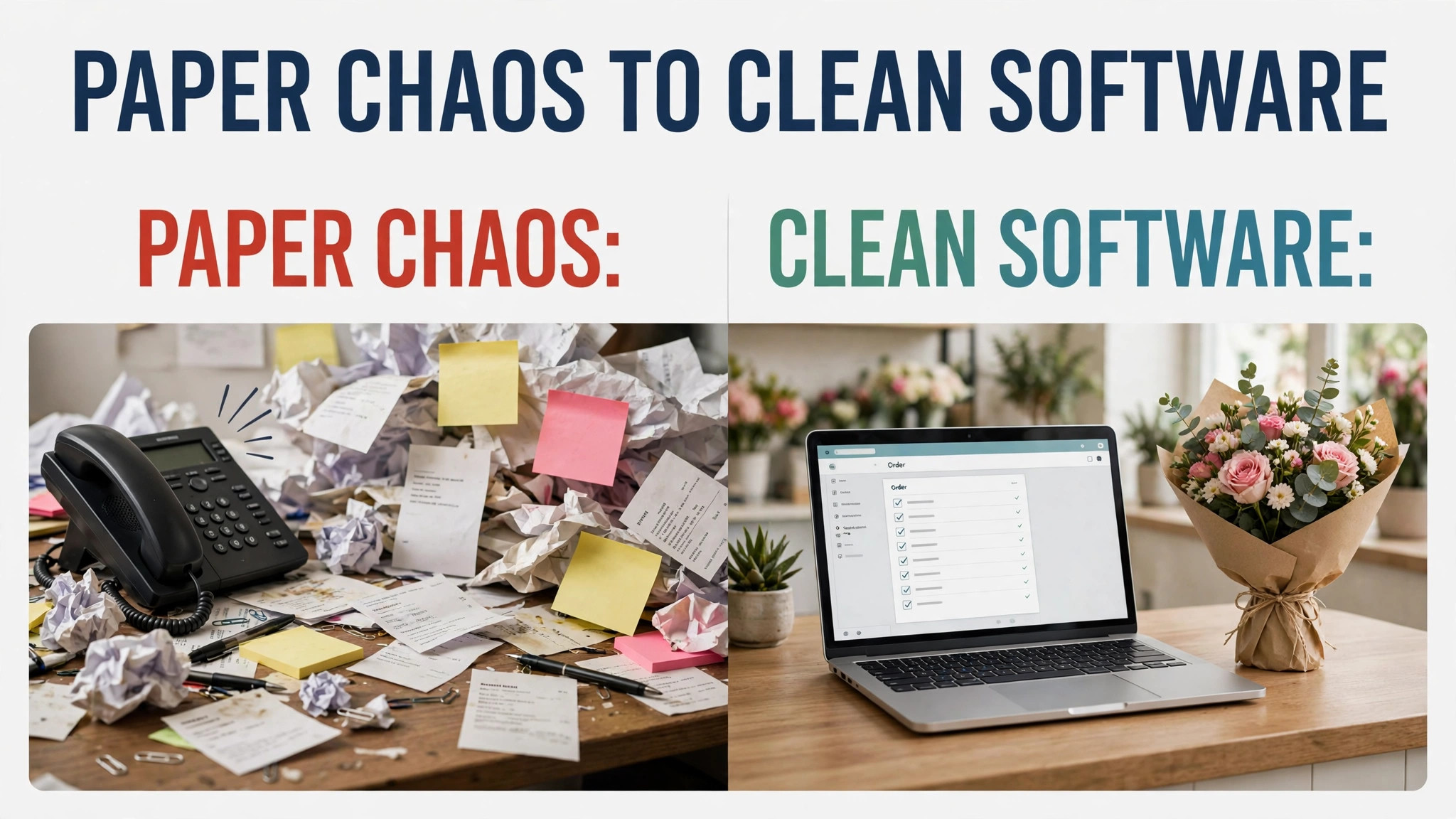
Start with your order mix, not with a feature list. Count last month’s orders by type, including walk-in, phone, online, wedding and funeral work, and note which type caused the most errors. A shop where most errors are delivery mistakes needs delivery and address tools first, while a shop where errors are costing mistakes needs proposal and recipe costing first.
Next, test the system on a peak day, not a quiet one. Enter several orders at once, change one delivery address after printing, process a refund, and add a substitution when a flower is out of stock. The tools that survive that test with clean records are the ones that will survive Valentine’s Day, and the ones that need workarounds will cost staff time every holiday.
Then check the total cost, not just the monthly subscription. Payment processing fees, marketplace commissions, website hosting, hardware and support charges can double the headline price. Ask for a written list of every extra charge, and compare the cost of 100 orders through each system rather than comparing monthly fees alone.
Finally, confirm the exit path before you sign. Ask how to export customers, orders and product lists, and whether historical orders stay readable after cancellation. A system that locks your order history inside its own format becomes expensive to leave, even if a better tool appears next year.
When you compare prices, remember that the best order management software for florists is not the cheapest monthly plan but the system whose total cost per delivered order, including fees and staff time, stays lowest across a full year.
Mistakes to avoid
– Buying for weddings when retail pays the rent. Event tools look impressive in a demo, but a shop that earns most revenue at the counter should buy a counter system first and add event tools later. – Ignoring delivery on the trial. Many shops test ordering and payment but never test a full van route, including a failed delivery and a redelivery. That gap shows up on the first busy Saturday. – Letting staff keep side spreadsheets. If the new system is slower than a spreadsheet for one common job, staff will keep the spreadsheet and the system will hold only part of the truth. Fix that job before launch. – Forgetting funeral sensitivity. Funeral orders need careful wording, confirmed times and discreet delivery notes. A system that cannot hold those notes will force staff back to paper for the most sensitive orders. – Skipping a waste check. A system that cannot track stems used against stems bought will not reduce waste, no matter how good its order screen looks. Run a waste report in the trial week.
Most of these mistakes share one cause. The tool was chosen from a demo rather than from a real week of work, so the trial should always use real orders, real routes or real estimates. That real week test is also the best way to judge the best order management software for florists without trusting a demo.

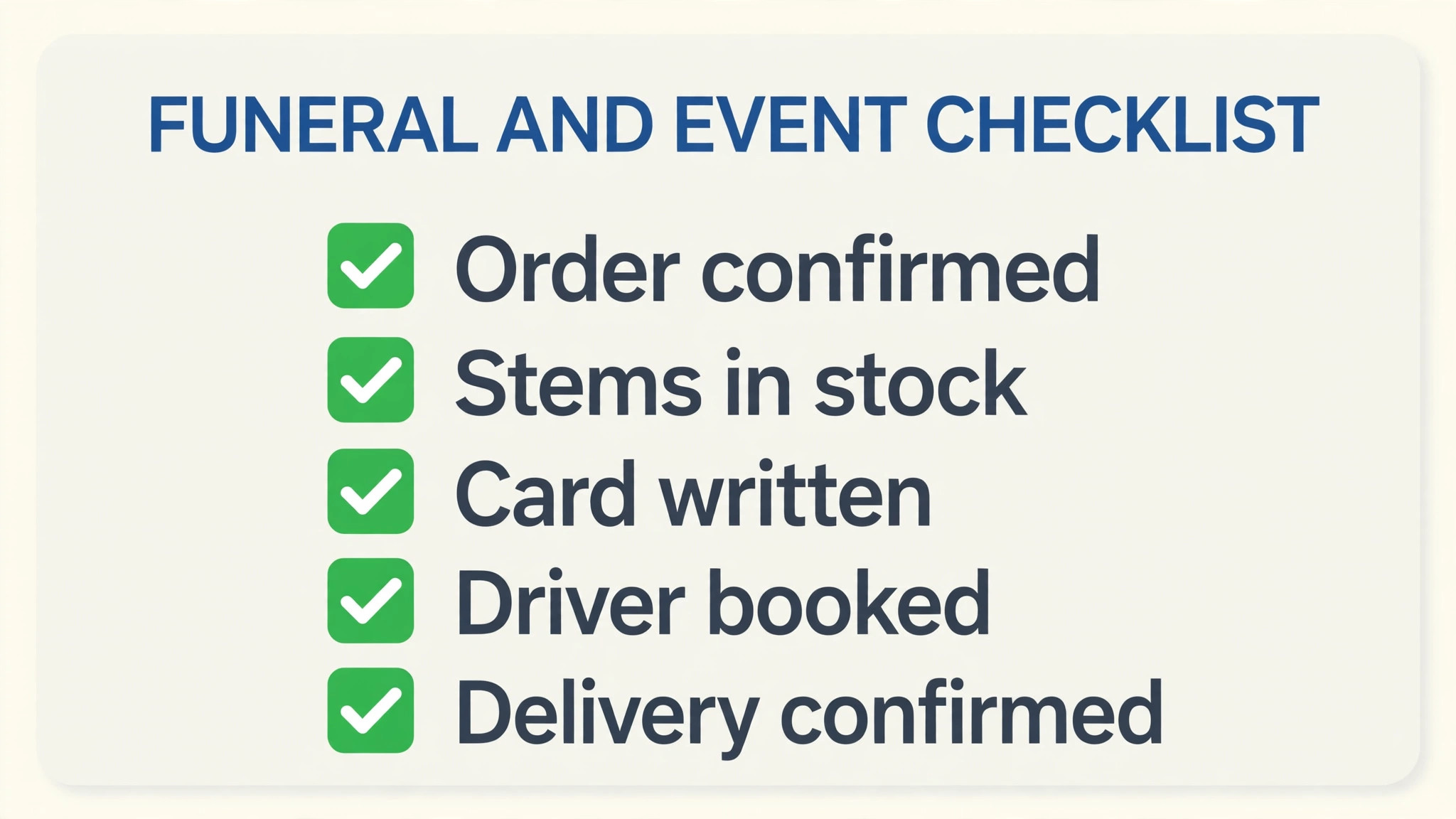
Funeral and event order checklist
Use this checklist on every job in the category below, and keep it inside the order record so a second team member can follow it without asking the owner. A shop that follows this list will get more value from the best order management software for florists than a shop that buys better software but keeps informal habits.
– Confirm the recipient, delivery address, access notes and the exact delivery window before the order is accepted. – Record the occasion, card message wording and any wording the family asked to avoid, exactly as given. – Attach the recipe or stem list to the order so a second florist can build the same design if the first is away. – Confirm the deposit, the balance due date and who pays, before flowers are ordered for a wedding or funeral. – Check stock and supplier lead time for every flower on the list, and agree a substitution rule with the customer in advance. – Assign the delivery, the setup and the collection or removal as separate jobs with a named person for each. – Send a delivery confirmation with a photo where the customer agreed to it, and log any failed delivery attempt at once. – Close the order only after payment, delivery and any hire item return are all recorded, so month end reports stay accurate.
Frequently Asked Questions

Do florists need specialist software, or will a general point of sale work?
A general point of sale handles payment, but it rarely handles delivery routes, recipes, event folders and funeral notes in one place. A florist specific system keeps those jobs together, which is where most florist errors happen.
What does florist order software usually cost?
Published starting prices in this guide run from about $29.99 per feature per month to $150 per month, with several vendors on quote only pricing. Always check the vendor’s current pricing page, since module and add-on charges vary widely.
Can one system handle retail orders and weddings?
Yes, but the balance matters. Systems such as IRIS Floral POS and Floranext cover both, while Curate and Details Flowers lean toward events. Choose by the share of revenue each side brings, not by the longest feature list.
How long does it take to switch systems?
A small shop can move in two to four weeks if customer lists and products are clean. Event florists should allow longer, because open proposals and deposits need careful transfer and double checking.
Does order software reduce flower waste?
It can, but only if staff record stock use honestly. Systems with inventory tracking show which designs waste most, yet a shop that bypasses stock entry under pressure will keep wasting flowers.
What should a shop check about delivery features?
Check address lookup, route order, driver assignment, failed delivery handling and customer confirmation. Test all five in the trial, since a delivery feature that looks good in a demo can fail on a real route.
Is a marketplace storefront worth the fees?
It depends on where orders come from. A shop with weak website traffic may gain enough orders to cover marketplace terms, while a shop with strong repeat local customers may keep more margin on its own site.
What happens to order history if I cancel?
That varies by vendor, so ask before signing. Confirm whether customers, orders and product lists export in a usable format, and whether past orders stay readable after the subscription ends.
Verdict
For most single location shops, Floranext or Floral Frog is the sensible starting point, because both keep the counter, online orders and delivery in one queue without asking a small team to learn an event platform. Wedding heavy studios should start with Curate or Details Flowers instead, since proposal and costing tools pay for themselves on the first large event.
Whichever tool you shortlist, run the peak day test and the waste check before paying for a year. The cheapest system that staff actually use on a holiday, with clean delivery records and honest stock counts, will beat a feature rich system that staff work around. Choose the tool that survives your busiest week, not the one with the longest demo.
More Reading on Stratilyze
– Best Field Service Software for Appliance Repair Companies – Cost of Jobber for a Small Business, Monthly – Best POS System for Gift Shops – Cost of HoneyBook for a Small Business, Monthly – How to Choose a Payment Processor for a Small Business