
A thesis stalls in the same place every time. The research is done, the notes fill three folders, but the draft is forty pages of fragments, the citations are a mess, and the deadline is three months away, and that is the exact pain the best ai tools for thesis writing are built to remove. The tools do not write the thesis. They remove the friction between the research you did and the argument you need to make.
This guide compares eight tools that thesis writers actually use in 2026, judged on long document handling, academic language, citation support, and price. Prices here come from vendor pages and comparisons checked in late 2026, so confirm the current price before you commit, because academic tool pricing changes often.
The eight tools split into three jobs. Scrivener and Overleaf hold the long document together. Grammarly, Trinka and Paperpal fix the language to academic standard. QuillBot, Writefull and Jenni AI help with paraphrasing, drafting and citations when the words will not come.
Why a Thesis Draft Feels Impossible to Finish
A thesis is not an essay, it is a book, and most writing tools are built for essays. A forty thousand word document with chapters, figures, tables and hundreds of references breaks tools that were never designed for it. The writer ends up fighting the software instead of writing.
The second problem is language. Academic writing has rules that general tools do not know, from hedging and citation style to the difference between a claim and a finding. A grammar checker that fixes commas but misses academic tone leaves the draft sounding like a blog post.
The third problem is integrity. A paraphrase that is too close to the source is plagiarism, and an AI drafted paragraph without a citation is a risk. The tools in this list help with language and structure, but the argument and the evidence must stay yours, and your university policy decides where the line sits.
The fix is a stack, not a single tool. One tool holds the document, one polishes the language, and one checks the citations. Each tool below is judged on the one job it does best, and the guide shows how they fit together.
The best ai tools for thesis writing below are judged on the job each tool does, not on the demo it shows.
The 8 AI Tools for Thesis Writing at a Glance
The table below is the short version. Read it to narrow the list to two or three tools, then read the detail section before you pay for anything. Use it to shortlist the best ai tools for thesis writing worth testing on your own work.
| Tool | Main job | Best for | Starting paid price |
|---|---|---|---|
| Scrivener | Long form writing project | Multi chapter theses | about 60 dollars one time |
| Grammarly | Grammar and clarity | Everyday language polish | about 12 dollars a month billed yearly |
| QuillBot | Paraphrasing and summarising | Restating sources safely | about 8 dollars a month billed yearly |
| Trinka | Academic grammar and style | Scholarly language checks | about 7 dollars a month |
| Paperpal | Academic writing suite | From sources to submission | about 12 dollars a month |
| Writefull | Academic phrasing | Sentence level writing | about 8 dollars a month |
| Overleaf | Collaborative LaTeX editor | Science theses | about 8 dollars a month |
| Jenni AI | AI drafting with citations | Beating the blank page | about 12 dollars a month |
The table above narrows the field, but the right answer for most readers is a pair of tools, not one. The detail section shows what each tool actually does, what it costs, and where it falls short, so the choice follows the job rather than the marketing.
Best Pick by Job
| Job type | First pick | Second tool | Why this pair works |
|---|---|---|---|
| Long thesis, many chapters | Scrivener | Grammarly | Project structure plus language polish covers the whole draft |
| Science thesis in LaTeX | Overleaf | Trinka | Collaborative LaTeX plus academic language checks |
| Non native English writer | Paperpal | Trinka | Academic language trained on scholarly text, not general web text |
| Paraphrasing sources safely | QuillBot | Writefull | Paraphrase modes plus sentence level academic phrasing |
| Stuck on a blank page | Jenni AI | Scrivener | Drafting help with citations plus a project structure to hold it |
| Final polish before submission | Paperpal | Grammarly | Submission readiness checks plus a full language pass |
A thesis writer running the best ai tools for thesis writing as a stack gets further than one running a single checker hard. Scrivener holds the chapters, Paperpal polishes the academic language, and Overleaf handles the formatting when the document is ready. That combination covers the three jobs that decide whether a thesis gets submitted on time.
Budget changes the answer. A student can write a whole thesis on Scrivener for a one time payment of about 60 dollars, with Grammarly free for basic checks. The paid language tools earn their fee in the final month, when a single unclear chapter costs more than a subscription.
How to Judge the Best AI Tools for Thesis Writing
Judge every option on long document handling and structure first. The best ai tools for thesis writing are only useful if they survive a forty thousand word document, so test each tool on your longest chapter before you trust it. A tool that slows down or loses formatting on chapter five will cost you a weekend.
Next, test academic language and tone accuracy on your own work. A tool that looks strong on a feature list but stumbles on academic language and tone accuracy will cost more time than it saves, so run it on a real task before you compare anything else. The test should use your files, your audience and your deadline, not the vendor demo data.
Then weigh citation and integrity support against integration with where you write. A tool that wins on citation and integrity support but fails on integration with where you write is a bad buy, and a tool that handles both is worth paying for. Check the citation and integrity support first, because a failure there shows up in the first week, while a failure on integration with where you write shows up in the first month.
Finally, model the cost across the whole thesis, not one month. A one time purchase of about 60 dollars for Scrivener beats a 12 dollar monthly subscription over a year of writing. Count the months until submission, and buy the plan that covers them all.

What to Check Before You Pay for a Thesis Writing Tool
Check the free tier on your real work first. A free tier that covers a full week of real tasks tells you more than any demo, and a free tier that runs out in a day tells you the paid plan is the real price. Run the trial on the job you will actually do, not on the sample data the vendor provides.
Read the licence and the export rules before you buy. A tool that keeps your work locked inside its own format costs you every time you switch, and a tool that limits commercial use on the plan you bought costs you when you publish. The licence page is short, and reading it takes ten minutes.
Ask what happens when you cancel. A tool that exports your work cleanly is a tool you can leave, and a tool that holds your data hostage is a tool you should not enter. Check the export options on day one, while leaving is still cheap.
Talk to one real user before you commit to a year. A yearly plan saves money only if you still use the tool in month eleven, and a monthly plan costs more but lets you leave. Start monthly, prove the value over two months, then switch to yearly if the tool earns it.
The 8 AI Tools for Thesis Writing in Detail
1. Scrivener
Scrivener is built for long documents, with a corkboard and outliner that let you rearrange chapters like index cards, and research materials stored beside the draft. It is the standard tool for theses, books and any project too big for a single document.
It costs about 60 dollars as a one time purchase, with no subscription. That single payment covers the whole thesis, which makes it the cheapest serious tool in this list over a year of writing.
Scrivener fits any thesis with more than three chapters. The trade off is that it does not check language or citations, so it pairs with a polishing tool.
Draft a full chapter in Scrivener, using the corkboard and outliner to rearrange sections like index cards and keeping research materials beside the draft. The test is whether a thesis with more than three chapters stays manageable when the argument moves. If rearranging a chapter takes minutes instead of an afternoon of cutting and pasting, the sixty dollar one time purchase covers the whole thesis. If your thesis is short or you live in Word, the structure is overkill, and a polishing tool is the better spend, since Scrivener does not check language or citations.
2. Grammarly
Grammarly catches grammar, spelling, punctuation and clarity problems as you type, in the browser, in Word and in Google Docs. It is the most widely used writing assistant in the world, and it works wherever you write.
The free tier covers basic checks and tone detection, while Pro costs about 12 dollars a month billed yearly and adds full sentence rewrites and a plagiarism checker. The free tier alone is enough for a first draft.
Grammarly fits every thesis writer for the everyday language pass. The trade off is that it is a general tool, so it misses academic nuance that Trinka and Paperpal catch.
Run Grammarly over a chapter you consider finished and read every suggestion it makes on grammar, spelling, punctuation and clarity. The free tier covers basic checks and tone detection, and it alone is enough for a first draft. If the pass catches errors you missed and the clarity suggestions genuinely improve sentences, Pro at twelve dollars a month is worth it for the full rewrites and the plagiarism checker. If it keeps flagging academic phrasing as errors, remember it is a general tool, and the academic nuance that Trinka and Paperpal catch is exactly what Grammarly misses.
3. QuillBot
QuillBot paraphrases text in eight modes, from formal to simple, and adds a summariser, grammar checker and citation generator. It is the best tool in this list for restating source material without changing its meaning.
The free tier limits paraphrase length and modes, and Premium costs about 8 dollars a month billed yearly. The price is low enough to keep for a whole thesis.
QuillBot fits writers who paraphrase a lot of source material. The trade off is that a paraphrase can still sound unnatural, so every result needs a human read.
Take a paragraph of source material you need to restate and run it through QuillBot in formal mode, then read the result aloud. The test is whether the paraphrase keeps the meaning without sounding like a machine wrote it. If the restatement is clean and the summariser and citation generator help too, Premium at eight dollars a month is low enough to keep for a whole thesis. If every paraphrase needs a human rewrite to sound natural, the tool is only drafting, not finishing, and the time you save is the time you spend fixing it.
4. Trinka
Trinka is a grammar and language tool built specifically for academic and technical writing, with checks for style, consistency and publication readiness. It understands subject terminology that general tools flag as errors.
The free plan covers 10,000 words a month, and Premium starts at about 7 dollars a month. It is the cheapest academic specific tool in this list.
Trinka fits non native writers and technical fields. The trade off is a smaller feature set than Paperpal, with no full submission workflow.
Run Trinka over a chapter full of subject terminology and see what it flags. A general tool calls your terminology an error. Trinka should understand it, and its checks for style, consistency and publication readiness should catch the things a supervisor would circle. If the free ten thousand words a month cover your drafting pace, stay free. If you write faster than that and Premium at seven dollars a month keeps the checks running, it is the cheapest academic specific tool in this list, and the smaller feature set beside Paperpal only matters if you need a full submission workflow.
5. Paperpal
Paperpal is an academic writing assistant trained on millions of scholarly articles, covering drafting, editing, citations and submission readiness checks. It is the most complete academic tool in this list.
The free plan covers limited usage, and Prime costs about 12 dollars a month, with a yearly plan at about 139 dollars. A three year saver plan suits PhD candidates who write for years.
Paperpal fits thesis writers who want one academic tool for the whole path. The trade off is that it can be slow on very large documents, so check the final draft in sections.
Use Paperpal across a full chapter, drafting, editing, citations and the submission readiness checks together, and see whether one academic tool carries the whole path. The free plan covers limited usage, so test the free tier first and pay when the limits bite. If the complete workflow holds together and the checks catch issues before a supervisor does, Prime at twelve dollars a month, or about a hundred thirty nine a year, is fair for the most complete academic tool in this list. If it slows down on very large documents, check the final draft in sections, since that is the known limit.
6. Writefull
Writefull checks your sentences against a database of published academic text, showing how phrases are actually used in your field. It is the best tool in this list for learning the phrasing conventions of academic English.
Plans start at about 8 dollars a month, with institutional licences for universities. The free tier covers basic checks for testing.
Writefull fits non native writers who want to sound like their field. The trade off is that it works sentence by sentence, so it does not help with structure or argument.
Take ten sentences you are unsure about and check them against the Writefull database of published academic text, seeing how phrases are actually used in your field. The test is whether your sentences start sounding like your field instead of like a translation. If the phrasing clicks and the conventions become habits, eight dollars a month is cheap for learning academic English properly. If you need help with structure or argument, look elsewhere, since Writefull works sentence by sentence and does not help with either.
7. Overleaf
Overleaf is a browser based LaTeX editor that compiles documents as you write, with collaboration, templates and reference management built in. It is the standard for science and engineering theses that need proper typesetting.
The free tier covers basic projects, and paid plans start at about 8 dollars a month for more collaborators and features. Many universities provide it free through an institutional licence.
Overleaf fits science theses with equations, figures and many references. The trade off is the LaTeX learning curve, which humanities writers do not need to pay.
Typeset a chapter with equations, figures and many references in Overleaf and compile it as you write, with a collaborator editing beside you. The test is whether the LaTeX workflow pays off or fights you. If the equations and references compile cleanly and the templates save formatting time, the paid plan at eight dollars a month is fair, and many universities provide it free through an institutional licence, so check that first. If you write in the humanities and never touch an equation, the learning curve is a tax with no benefit.
8. Jenni AI
Jenni AI helps you draft with sources, offering autocomplete, paraphrase and citation support inside a writing editor. It is built for academic writing, and it feels more scholarly than a general chatbot.
The free plan covers limited use, and paid plans start at about 12 dollars a month. Plan names and prices have changed more than once, so confirm the current price on the vendor site before subscribing.
Jenni AI fits writers who stall on a blank page. The trade off is that it can invent sources, so every citation it suggests must be verified before it enters the thesis.
Open a blank chapter in Jenni AI and let the autocomplete and paraphrase get the first draft moving, with citation support inside the writing editor. The test is momentum. If the tool gets you past the blank page and the draft that follows is genuinely yours, twelve dollars a month is fair for a writing partner. If the citations it suggests need verifying one by one, verify them, since Jenni AI can invent sources and every citation it suggests must be checked before it enters the thesis. A tool that beats the blank page is worth paying for. A tool that invents your evidence is not.
A Thesis Workflow From Notes to Submission
The order matters. Structure first, draft second, polish third, and check last. A tool used out of order creates rework, so run the steps in sequence. The best ai tools for thesis writing that fit your work are the ones that survive this order.
| Step | Job | Best tool | What good looks like |
|---|---|---|---|
| 1 | Structure the thesis | Scrivener | Chapters, sections and research in one project |
| 2 | Draft with support | Jenni AI | Cited drafting help when the blank page wins |
| 3 | Paraphrase sources | QuillBot | Source material restated without changing meaning |
| 4 | Polish the language | Paperpal | Academic language checks trained on scholarly text |
| 5 | Format the document | Overleaf | LaTeX typesetting that handles figures and references |
| 6 | Check before submission | Trinka | Grammar, style and integrity checks on the full draft |
Run the workflow on one chapter before you commit to it. Structure, draft, paraphrase, polish, format and check a single chapter, and time each step. The workflow that produces a clean chapter in a week will produce a clean thesis in a term. The workflow that produces a mess on one chapter will produce a bigger mess on ten.
What a Thesis Stack Costs at Real Volume
Prices below use annual billing where it is cheaper, and they assume one writer working on one thesis. A one time purchase is shown as a single figure, not a monthly cost. The best ai tools for thesis writing below are priced at real volume, not at headline rates.
| User type | Volume | Tool stack | Monthly cost |
|---|---|---|---|
| Student, tight budget | 12 months | Scrivener one time plus Grammarly free | About 60 dollars once |
| Student, language help | 6 months | Scrivener plus QuillBot Premium | About 110 dollars |
| Non native writer | 12 months | Scrivener plus Paperpal Prime yearly | About 199 dollars |
| Science thesis | 12 months | Overleaf plus Trinka Premium | About 176 dollars |
| Full support stack | 12 months | Scrivener plus Paperpal plus Grammarly Pro | About 343 dollars |
For most of the thesis, Scrivener plus free tools are enough to get the whole draft written. The bill only starts making sense in the final months, when language polish and submission checks decide whether the thesis is accepted. A mistake is expensive there and cheap everywhere else, so pay at the end and stay free until then.

Three Thesis writers Setups That Actually Work
A single tool rarely covers the whole job, and the setups below are the pairs that readers actually run. Each one costs less than a single enterprise platform, and each one is easier to learn than a tool that tries to do everything.
Setup 1 fits long thesis, many chapters. Scrivener does the heavy work, and Grammarly covers the gap it leaves. Project structure plus language polish covers the whole draft. Run this setup for a month before you add anything else, because most readers never need a third tool, and the money saved is better spent on the work itself.
Setup 2 fits science thesis in LaTeX. Overleaf does the heavy work, and Trinka covers the gap it leaves. Collaborative LaTeX plus academic language checks. Run this setup for a month before you add anything else, because most readers never need a third tool, and the money saved is better spent on the work itself.
Setup 3 fits non native English writer. Paperpal does the heavy work, and Trinka covers the gap it leaves. Academic language trained on scholarly text, not general web text. Run this setup for a month before you add anything else, because most readers never need a third tool, and the money saved is better spent on the work itself.
The common thread across all three setups is the same. Buy the pair that matches the job you do most often, learn it properly, and add a third tool only when a real gap appears. A stack that grows with the work beats a stack bought all at once.
Mistakes to Avoid With Thesis Writing AI
The best ai tools for thesis writing fail in the same few ways, and each mistake below costs time or money. Avoid them and the stack works.
Submitting AI drafted text as your own. A paragraph written by AI and submitted without disclosure is academic misconduct at most universities. Use AI to polish your words, paraphrase sources and beat a blank page, and check your university policy on disclosure before you submit anything.
Paraphrasing so closely it stays plagiarism. Changing a few words in a source sentence is still the source sentence. Paraphrase the idea, not the words, then check the result with a tool that flags close matches. A paraphrase that keeps the original structure is a risk, not a rewrite.
Polishing language before the argument is set. A beautifully written chapter with a weak argument is still a weak chapter. Fix the argument first, then polish the language, because a grammar tool cannot tell you that chapter three contradicts chapter two.
Formatting the thesis before the content is finished. Typesetting a draft that still changes wastes days. Write in Scrivener or Word until the content is settled, then move to Overleaf for final formatting. The tools that format best are the ones you use last.
First Week Setup Checklist for Thesis Writers
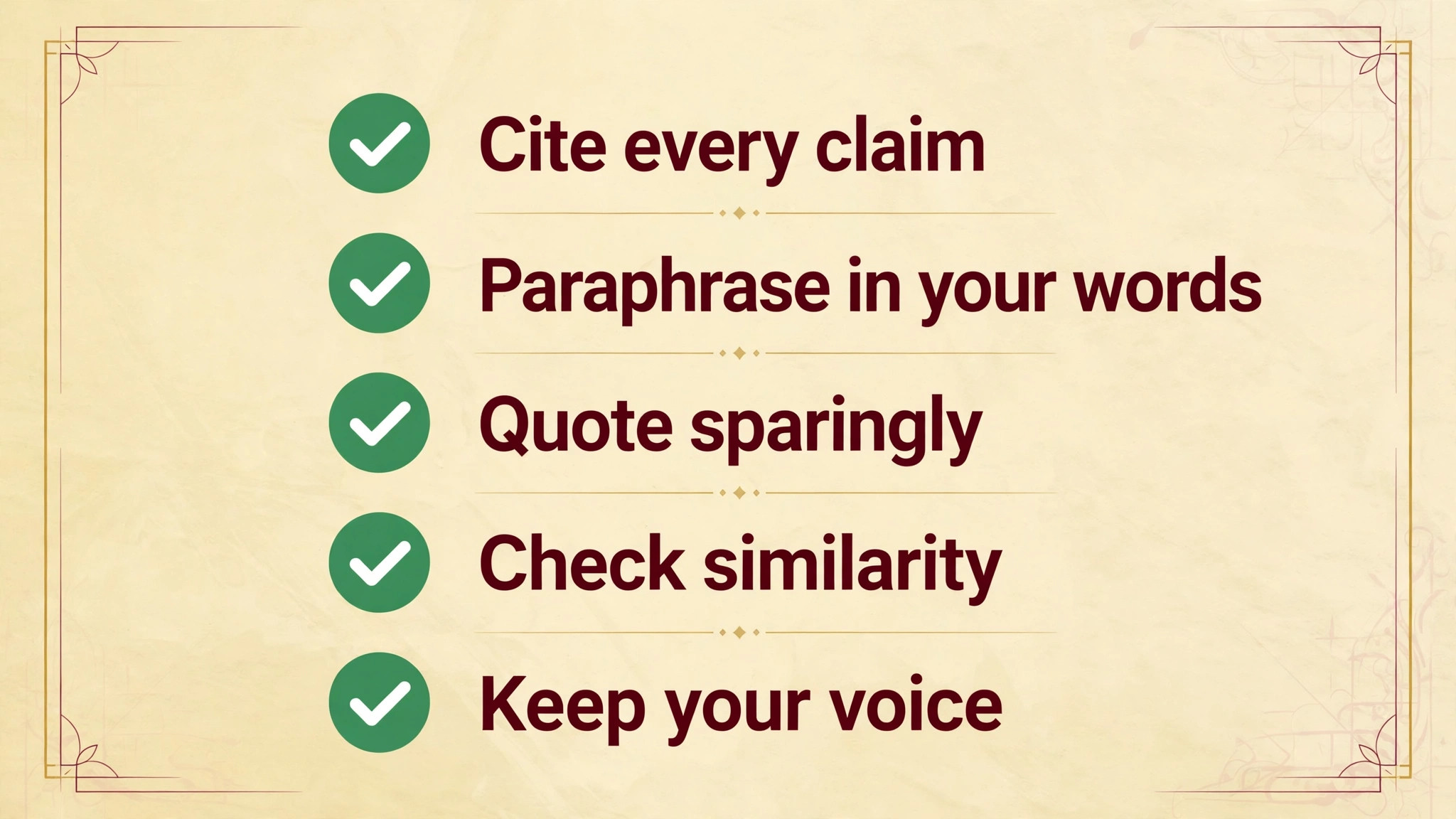
Use this checklist when you set up your stack, and keep a copy with your project notes. It turns the best ai tools for thesis writing into a working setup in a week.
- Set up your Scrivener project with one folder per chapter.
- Import your research notes and reference library into the project.
- Write a one sentence argument for each chapter before drafting.
- Test Paperpal and Trinka on one page you have already written.
- Check your university policy on AI assistance and disclosure.
- Set up Overleaf only if your field uses LaTeX for submission.
- Draft one section end to end in the new workflow and time it.
- Back up the whole project in two places before you write chapter two.
Related Guides
Keep exploring with these guides on Stratilyze:
- Best AI Grant Writing Tools for Community Organizations (10 Tools)
- Best AI Grant Writing Tools for Small Nonprofits (15 Tools)
- Best Cheap AI Writing Tools (8 Tools)
Frequently Asked Questions
Which AI tool is best for writing a thesis?
Scrivener plus Paperpal is the best combination for most thesis writers. Scrivener holds a long multi chapter document together for a one time payment of about 60 dollars, and Paperpal polishes academic language and checks submission readiness from about 12 dollars a month. Grammarly is the simpler alternative for general language polish.
Can I use AI to write my thesis?
You can use AI to help you write, but not to write it for you. Most universities allow AI for grammar, paraphrasing and drafting support, and require disclosure where AI was used. Submitting AI generated text as your own work is academic misconduct, so check your university policy before you start.
Is Grammarly or Trinka better for academic writing?
Trinka is better for academic writing, because it is trained on scholarly text and checks academic style, technical terms and publication readiness. Grammarly is better for general language, clarity and tone, and it works in more places. Many thesis writers use both, Trinka for the academic pass and Grammarly for the everyday pass.
How do I paraphrase sources without plagiarising?
Restate the idea in your own structure, not the source sentence with a few words swapped, then cite the source. QuillBot helps by offering paraphrase modes, and Writefull shows how phrases are used in published academic text. Always check the result against the original before you keep it.
What does a thesis writing tool stack cost?
About 60 dollars once for Scrivener, plus free tools, is the cheapest real stack. A typical paid stack runs about 20 to 30 dollars a month for a language tool like Paperpal or Grammarly Pro, which is about 200 to 350 dollars over a year of writing. Start free, then pay for the final months.
Should I write my thesis in LaTeX or Word?
Use LaTeX with Overleaf if your field expects it, especially in science and engineering, where equations, figures and references are easier to manage. Use Scrivener or Word for humanities and social sciences, where the writing matters more than the typesetting. Ask your supervisor which format the examiners expect.
Our Call for Thesis Writers, and When the Runner-Up Wins
Our call is Scrivener plus Paperpal for most thesis writers, because structure and academic language are the two bottlenecks in a long thesis, and this pair covers both. Scrivener holds the project together for a one time fee, and Paperpal polishes the language to submission standard. That is what the best ai tools for thesis writing are for, a stack that ships rather than a list that impresses.
The runner-up is Overleaf plus Trinka, and it wins when the job is a science thesis in LaTeX. If your field expects LaTeX formatting and your writing needs academic specific checks, that pair handles the whole path from draft to submission. Start there when the format is fixed.