
The verdict is short. Descript is the safest first buy for most nonprofits, because it turns editing into word processing, so a communications officer with no audio training can cut an episode, remove filler words and publish a clean show. That does not make it right for every organisation, and the best ai podcast tools for nonprofits are the ones that fit a small team with a small budget rather than the ones with the longest feature list. A nonprofit podcast lives or dies on whether one busy person can record, edit and publish an episode in a single afternoon, so this guide judges every tool on time saved per episode.
Nonprofits face a problem that commercial podcast guides ignore. There is no audio engineer, no editor on retainer and no budget for a studio, and the person making the podcast is usually the same person writing the newsletter and running the social accounts. The software has to do the technical work, which covers cleaning the audio, cutting the pauses and writing the show notes, and it has to do those jobs without a learning curve that eats a week. Each tool below was checked as live in November 2026, and the prices are vendor list prices or reported figures where the vendor publishes none, so confirm the current figure before paying.
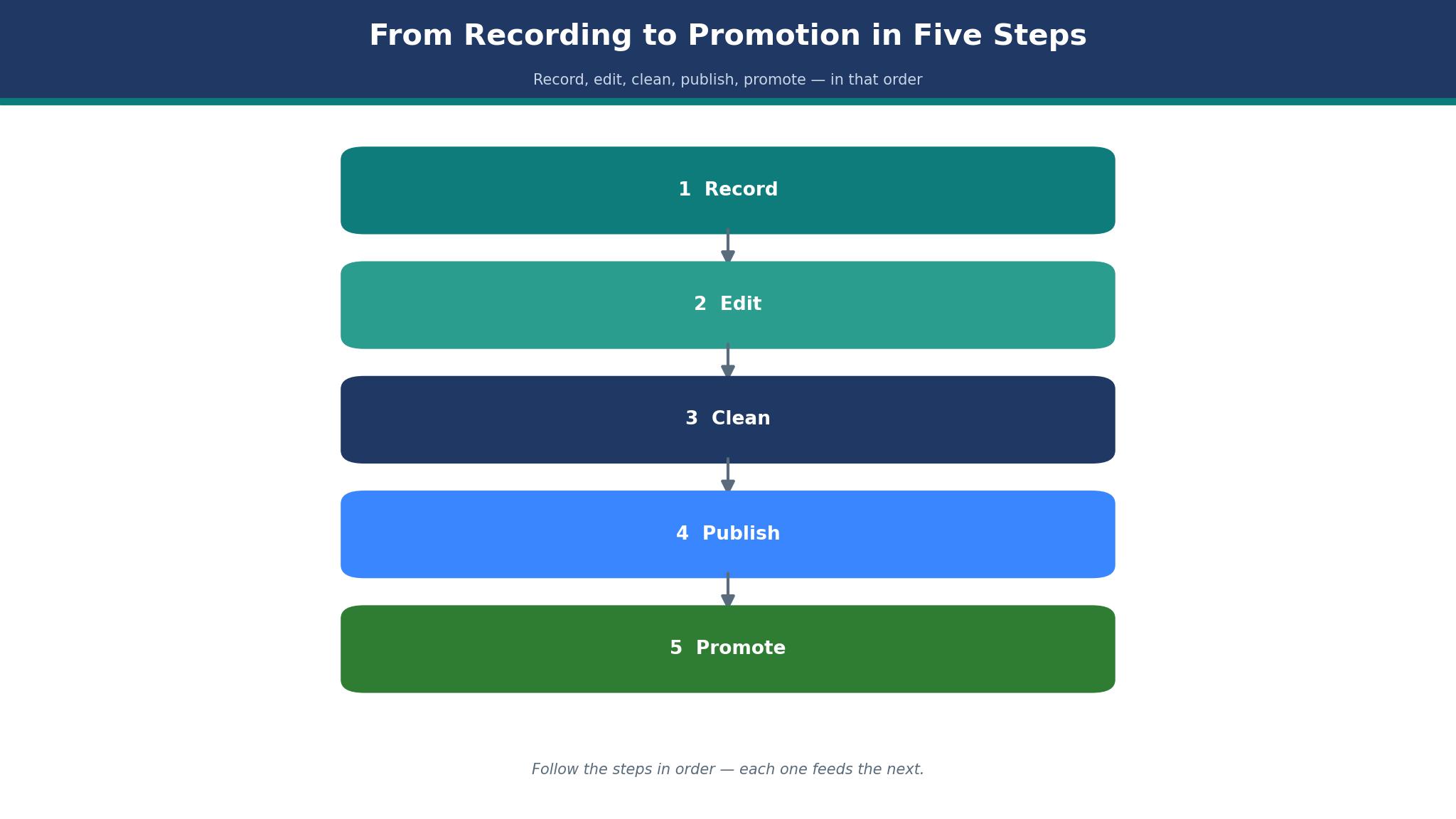
The eight tools here split into three groups. Descript, Riverside and Adobe Podcast cover recording and editing. Podcastle and Auphonic clean and finish the audio. Opus Clip, Castmagic and Headliner turn one episode into the clips and written material that spread it. Each group solves a different part of the job, and a nonprofit that only needs one part should not pay for all three.
The One Afternoon Test That Exposes Weak Podcast Tools
A nonprofit podcast runs on one afternoon a week, and the test is whether the software fits that window. Record a thirty minute interview, edit it, clean the audio, write the show notes and publish it, all inside the trial, and time every step. If the episode takes six hours, the podcast will die within a month, because no communications officer has six spare hours a week. The strong tools in this guide pass this test because they remove the technical steps that eat the afternoon.
The second part of the test is audio quality on bad equipment. Nonprofit guests record on laptop microphones in echoey rooms, and the software must make that sound acceptable. Listen to the result on a phone speaker, since that is how most listeners will hear it, and check whether the background hum and the room echo are gone. A tool that only works with studio audio is a tool for a different kind of organisation, and a nonprofit needs the cleanup to work on the worst recording in the folder.
The third part is distribution. A podcast episode that only lives on one platform reaches a fraction of the audience, and the software should turn one recording into clips, quotes, transcripts and social posts without a second round of work. The best ai podcast tools for nonprofits treat the episode as raw material for a week of content, and the detail sections below call out which tools do that and which ones leave the communications officer starting from scratch every Monday.
What a Nonprofit Podcast Actually Costs Per Year
The sticker price of podcast software rarely matches the first-year bill. A 12 dollar plan looks cheap until the organisation adds a second seat, a transcription add-on and a hosting fee, and the monthly cost doubles without any new episode being made. The best ai podcast tools for nonprofits are priced by the full stack, not by the headline plan, and the detail sections below name the add-ons that matter most.
Free plans deserve a hard look too. Descript, Riverside, Podcastle and Headliner all offer free tiers, and for a monthly show they can be enough. The catch is the limit that matters most, which is usually the transcription hours, the export quality or the number of seats. A free plan that caps the team at one editor will force an upgrade the moment a volunteer joins, so check the seat limit before building a workflow around a free tier.
The 8 Tools at a Glance
| Tool | Main job | Best for | Starting price |
|---|---|---|---|
| Descript | Edit audio by editing text | Most nonprofits | Free, paid from 12 dollars a month |
| Riverside | Remote recording studio | Remote interviews | Free, paid from 15 dollars a month |
| Adobe Podcast | Audio cleanup | Bad recordings | Free, paid from 10 dollars a month |
| Podcastle | Record and edit in one place | Simple all in one | Free, paid from 12 dollars a month |
| Auphonic | Automatic audio finishing | Polished sound | From 11 dollars a month |
| Opus Clip | Short clips from episodes | Social clips | From 15 dollars a month |
| Castmagic | Show notes and transcripts | Written content | From 23 dollars a month |
| Headliner | Audiograms and promotion | Episode promotion | Free, paid from 10 dollars a month |
Best Pick by Job
| Job type | First pick | Second tool | Why this pair works |
|---|---|---|---|
| Starting a show | Descript | Podcastle | Descript edits fastest and Podcastle adds simple recording |
| Remote interviews | Riverside | Descript | Riverside records cleanly and Descript edits the result |
| Bad audio quality | Adobe Podcast | Auphonic | Adobe Podcast removes echo and Auphonic polishes the finish |
| Social clips | Opus Clip | Headliner | Opus Clip finds the moments and Headliner makes the audiograms |
| Written content | Castmagic | Descript | Castmagic writes the notes and Descript holds the transcript |
The right podcast tool depends on the weekly work, so two teams can buy the same product and reach opposite verdicts. A team recording remote interviews needs clean separate tracks, while a team promoting on social media needs clips and audiograms. A product that handles the secondary need competently still lets the team down when it fumbles the episodes that fill the schedule. Choose the first tool for the weekly work that matters most, and keep the second waiting for the episodes the first cannot finish.
How to Judge the best ai podcast tools for nonprofits
Start with a real episode, because a demo file hides every weakness that matters. Take one actual interview, run it from recording to published show inside the trial, and count how many steps need manual work. A tool that removes filler words with one click, cleans the audio automatically and drafts the show notes will save hours a week. A tool that needs the same edit done by hand three times will cost hours, and the trial is the time to find that out.
Next, test the audio cleanup on the worst recording in the folder. Pick the guest who recorded on a laptop in a kitchen, run the cleanup and listen on a phone speaker. Ask whether a listener would stay for ten minutes, because a listener who leaves in the first minute never hears the message. The best ai podcast tools for nonprofits make a bad recording listenable, and the tools that do it well make the difference obvious in the first test.
Then check the publishing flow end to end. Export the episode, upload it to the host and confirm the show notes, transcript and clips all come from the same session. If any step needs a second system, the communications officer will eventually skip it, and the episode will reach fewer people. Look at the export limits too, since a monthly cap on transcription hours is a real cost that belongs in the year-one maths.
The 8 Tools in Detail
Editing strength sets the order below, so the tool a nonprofit can edit with fastest leads the list.
1. Descript
Descript is the fastest way to edit a podcast, and its text based editing is the reason. The tool transcribes the recording, and the editor deletes words from the transcript to cut the audio, which means a communications officer can edit without learning audio software. Paid plans are reported from 12 dollars a user a month, with higher tiers adding more transcription hours and AI voices. The filler word removal, Studio Sound cleanup and Overdub voice cloning all sit in the same editor.
The drawback is the transcription cap and the price climb. The entry tier limits monthly transcription hours, so a team that publishes weekly will hit the ceiling fast, and the tier most teams actually need costs more than the headline figure. The AI voices are good but not perfect, and a listener can sometimes hear the difference. A team that records long episodes will pay for the hours.
Descript suits most nonprofits, and it suits a monthly or weekly show best. It fits an organisation with one communications officer, a team that needs to edit fast without audio skills and anyone who wants the transcript, the edit and the show notes in one place. The text editing is the feature that matters, because deleting a sentence from a transcript is faster than cutting a waveform.
Record one real episode, edit it in Descript and publish it the same day. If the episode is live by dinner and the audio sounds clean, the tool has earned its fee.
2. Riverside
Riverside is the remote recording studio of this guide, and its local recording is the reason. Each guest records locally in high quality, so a bad internet connection does not ruin the audio, and the tool uploads the separate tracks after the call. Paid plans are reported from 15 dollars a month, and the platform adds AI editing, transcripts, show notes and clip generation. The video quality is strong, which matters for nonprofits that publish video versions too.
The drawback is that Riverside is a recorder first and an editor second. The editing tools are good but lighter than Descript, so a team that needs deep text editing will still export to another tool. The price rises with recording hours, and the free tier limits both hours and exports. A team that records long interviews will feel the cap.
Riverside suits nonprofits that interview remote guests. It fits an organisation whose guests live in different cities, a team that records video alongside audio and anyone who has lost an interview to a bad connection. The local recording is the feature that matters, because a clean recording makes every later step easier.
Record a remote interview with a guest on a weak connection and check the audio afterwards. If the tracks are clean and separate, Riverside is doing its job.
3. Adobe Podcast
Adobe Podcast is the cleanup tool, and its Enhance Speech feature is the reason. It removes background noise, echo and room sound from a recording with one click, turning a laptop microphone recording into something close to studio quality. Paid plans are reported from 10 dollars a month, and the platform adds a web studio for recording and editing, plus transcripts and AI editing. The cleanup is the strongest in this guide.
The drawback is the narrow scope. Adobe Podcast is brilliant at cleanup and thinner on full editing, distribution and clip generation than the all in one tools, so a team that needs the whole workflow will need a second tool. The free tier limits the monthly cleanup hours, and the studio features are simpler than Descript. A team that records clean audio already will get less value from it.
Adobe Podcast suits nonprofits with bad recording conditions. It fits an organisation whose guests record on phones and laptops, a team that records in echoey rooms and anyone whose episodes sound rough. The cleanup is the feature that matters, because a listener who cannot hear the guest clearly will not stay.
Run the worst recording in the folder through Enhance Speech and listen on a phone speaker. If the echo is gone and the voice is clear, the tool has paid for itself.
4. Podcastle
Podcastle is the simple all in one, and its low learning curve is the reason. It records, edits, cleans and publishes from one browser window, so a volunteer can learn it in an afternoon. Paid plans are reported from 12 dollars a month, and the platform adds AI voices, text to speech, a video studio and hosting. The interface is the friendliest in this guide.
The drawback is depth. Podcastle covers less ground on advanced editing and clip generation than Descript or Riverside, and the AI voices are thinner. The free tier limits recording and editing hours, and the hosting features are basic. A team that grows into a serious show may need to move on.
Podcastle suits small nonprofits starting a first show. It fits an organisation with volunteers, a team that wants one tool for everything and anyone who values simplicity over depth. The all in one design is the feature that matters, because a volunteer who can learn the tool in an afternoon will use it the same week.
Record and publish one episode entirely inside Podcastle with a volunteer doing the work. If the episode is live without a support call, the simplicity is real.
5. Auphonic
Auphonic is the automatic audio finisher, and its levelling is the reason. It balances loudness across speakers, removes hum and hiss, and produces a broadcast standard file without the editor touching a dial. Paid plans are reported from 11 dollars a month, charged by monthly audio hours, and the platform adds chapters, metadata and direct publishing to hosts. The sound quality is excellent.
The drawback is that Auphonic finishes audio and does little else. It does not record, does not edit content and does not make clips, so it is an add-on to an editor rather than a replacement. The credit system takes learning, and a team that publishes long episodes will burn credits fast. A team that already has clean audio will get less value.
Auphonic suits nonprofits that care about polished sound. It fits an organisation whose episodes feature multiple speakers at different volumes, a team that publishes to broadcast standards and anyone who wants the final file to sound professional without an engineer. The levelling is the feature that matters, because a listener notices uneven volume before they notice anything else.
Run a finished episode through Auphonic and compare the before and after on headphones. If the speakers sound even and the hum is gone, the tool is doing its job.
6. Opus Clip
Opus Clip is the clip maker, and its moment finding is the reason. It watches a full episode, finds the moments most likely to work on social media and cuts them into vertical clips with captions. Paid plans are reported from 15 dollars a month, and the platform adds AI captions, virality scoring and scheduling. The clip quality is strong, and the captions are accurate.
The drawback is the credit system and the scope. Opus Clip makes clips and does nothing else, so it is an add-on rather than a podcast tool, and the monthly credits limit how many episodes can be clipped. The virality score is a guess, not a promise, and a team that follows it blindly will clip the wrong moments. A team with no social audience will get less value.
Opus Clip suits nonprofits that promote on social media. It fits an organisation with an active social following, a team that needs a week of clips from one episode and anyone whose episodes contain strong quotable moments. The moment finding is the feature that matters, because a clip that stops the scroll is worth more than a full episode nobody finds.
Feed one episode into Opus Clip and post the top three clips. If the clips earn more engagement than a plain episode link, the tool is earning its fee.
7. Castmagic
Castmagic is the written content engine, and its show notes are the reason. It turns one recording into transcripts, show notes, quotes, social posts, newsletters and timestamps, so a single episode becomes a week of written material. Paid plans are reported from 23 dollars a month, and the platform adds custom prompts, multiple shows and team seats. The output quality is high, and the custom prompts let a team shape the voice.
The price and the narrow scope are the weak points here. Castmagic is the most expensive tool in this guide, and it does not record or edit audio, so it is an add-on to a recorder and editor. The output needs a human edit, because the AI sometimes invents a quote or misstates a fact. A team that publishes rarely will struggle to justify the fee.
Castmagic suits nonprofits that publish written content alongside audio. It fits an organisation with a newsletter and a blog, a team that needs show notes and social posts from every episode and anyone who wants one recording to feed a whole content calendar. The written output is the feature that matters, because a podcast that also feeds the newsletter reaches twice the audience.
Run one episode through Castmagic and use the output for the newsletter and social posts that week. If the written material is usable with a light edit, the tool is doing its job.
8. Headliner
Headliner is the promotion tool, and its audiograms are the reason. It turns audio clips into shareable videos with waveforms, captions and images, so an episode can be promoted on social media without a video editor. Paid plans are reported from 10 dollars a month, and the platform adds transcription, clip creation and full episode videos. The free tier is generous for a small show.
The drawback is depth. Headliner promotes audio and does little else, so it is an add-on rather than a podcast system, and the editing tools are basic. The free tier limits video exports, and the templates can look similar across shows. A team that needs full editing will need another tool.
Headliner suits nonprofits promoting a monthly show. It fits an organisation with a small social following, a team that needs a quick audiogram for each episode and anyone who wants promotion without a video editor. The audiogram is the feature that matters, because a moving waveform with captions stops the scroll better than a static link.
Make an audiogram for the latest episode and post it alongside the episode link. If the audiogram earns more clicks than the link alone, Headliner is doing its job.
The Three Mistakes That Kill Nonprofit Podcasts
The first mistake is buying studio software for a kitchen table recording. A nonprofit does not need a digital audio workstation with a hundred tracks, and the editor who buys one will spend weeks learning it and never publish. Pick the tool that fits the recording conditions the organisation actually has, not the studio it wishes it had.
The second mistake is ignoring the transcription cap. A 12 dollar plan looks cheap until the team publishes a weekly hour long show and the transcription hours run out mid-month, forcing an upgrade or a pause. Ask for the full hour limits before committing, and include the overage cost in the year-one maths. The best ai podcast tools for nonprofits are judged here on the full cost, not the entry price.
The third mistake is publishing without promotion. An episode that only appears on the podcast host reaches the existing audience and nobody else, and the show will not grow. Pick a tool that turns one episode into clips and written posts, and promote every episode the week it goes live.
Making the Final Call on Podcast Tools
Start by listing the non-negotiables, because the list is shorter than most teams expect. Fast editing, audio cleanup, transcription hours and promotion are the four that eliminate most tools quickly. List them, test every tool against the list, and discard any tool that fails a non-negotiable. The best ai podcast tools for nonprofits pass all four without a workaround, and a tool that fails a core requirement will be replaced within a year, with the migration cost exceeding any saving.
Next, run a trial on the top two choices with a real episode. Measure three things, time from recording to published show, whether the audio sounds clean on a phone speaker and whether the promotion material is ready the same day. Judge by those three measures and the winner is usually the right tool, even when a cheaper rival exists. Then check the human factor, call support during the trial, ask a hard question about a transcription limit, and judge the answer.
Frequently Asked Questions
Which podcast tool is best for a nonprofit with no audio experience?
Descript is the best starting point for a nonprofit with no audio experience, because editing text is easier than editing waveforms and the cleanup is built in. Podcastle is the better pick when the team wants the simplest all in one, since a volunteer can learn it in an afternoon. A nonprofit with no audio skills should start with Descript and switch only if the team needs simpler recording.
How much does podcast software cost a nonprofit per month?
A nonprofit pays between 10 and 23 dollars a month on the entry tiers in this guide, with the median around 13 dollars. Adobe Podcast and Headliner are the cheapest at a reported 10 dollars, and Castmagic is the most expensive at a reported 23 dollars. The practical entry point for the best ai podcast tools for nonprofits is higher, since the cheapest tier often limits transcription hours.
Does a nonprofit need a separate podcast host?
Yes, most tools in this guide edit and clean audio but do not host the public feed, so the organisation still needs a host to distribute the show to listeners. Podcastle includes basic hosting, and Riverside and Descript export files that work with any host. A nonprofit should budget for hosting separately, usually between 10 and 20 dollars a month.
Can AI editing replace a human editor for a nonprofit show?
AI editing can replace the technical work of a human editor, which covers removing filler words, levelling volume and cleaning noise, but it cannot replace judgment about what to cut and what to keep. Most nonprofits land in the middle, using AI for the daily work and a human for the final listen. The tools in this guide are built for that middle, with AI that prepares the episode rather than deciding it.
Is Descript or Riverside better for a nonprofit podcast?
Descript is better for a nonprofit that needs fast editing, because text based editing is quicker than waveform editing and the cleanup is built in. Riverside is better for a nonprofit that records remote interviews, because local recording protects the audio from bad connections. A team that records in one room should test Descript first, while a team that interviews remote guests should test Riverside first.
What happens to my episodes if I cancel podcast software?
Most tools in this guide allow an export of audio files, transcripts and show notes, but the export format varies and some project data may need reformatting. Ask for the export terms before paying, run a test export during the trial and keep a local copy of every recording. A tool that traps the user on exit deserves a pass, and the export test is worth an hour of trial time.
The Verdict on Podcast Tools for Nonprofits
Descript takes the top spot because it is the tool a nonprofit is least likely to regret. It edits fastest, the cleanup is built in and the transcript becomes the show notes, so one person can publish an episode in an afternoon. The transcription cap is the main cost to watch, but the entry is fair for what it covers.
Riverside is the pick for remote interviews, Adobe Podcast is the pick for bad recordings and Opus Clip is the pick for social promotion. The best ai podcast tools for nonprofits are not the ones with the longest feature list, they are the ones that turn one afternoon of work into a published episode, a set of clips and a week of written posts without a second system.
Choose by the recording conditions first, the editing speed second and the price third. Run a real trial on a live episode, measure the three things that matter and set a review date. A nonprofit that picks this way will spend less time fighting audio software and more time telling the stories donors actually hear.