
The verdict is short. FreshBooks is the safest first buy for most small businesses, because it turns time and expenses into a clean invoice in minutes, and clients can pay online without a phone call. That does not make it right for every business, and the best ai invoicing tools are the ones that fit the way a business bills rather than the ones with the longest feature list. Invoicing lives or dies on whether the money arrives on time, so this guide judges every tool on payment speed first.
Small businesses face a problem that generic accounting guides ignore. There is no accounts team, no one chasing late payments and no time for a weekly billing session, and the person sending invoices is usually the same person doing the work. The software has to do the chasing, which covers sending the invoice, reminding the client and recording the payment, and it has to do that work without a learning curve that eats a weekend. I checked all fifteen tools as live in November 2026, and the prices are vendor list prices or reported figures where the vendor publishes none, so confirm the current number before paying.
The fifteen tools here split into three groups. FreshBooks, QuickBooks Online, Xero and Wave are full accounting systems with invoicing inside. Zoho Invoice, Square Invoices, Stripe Invoicing, PayPal Invoicing and Invoicely are invoice-first tools. HoneyBook, Bonsai, Invoice Ninja, ZipBooks, Billdu and Harvest serve freelancers and service businesses.
The Seven Day Test That Exposes Weak Invoicing Tools
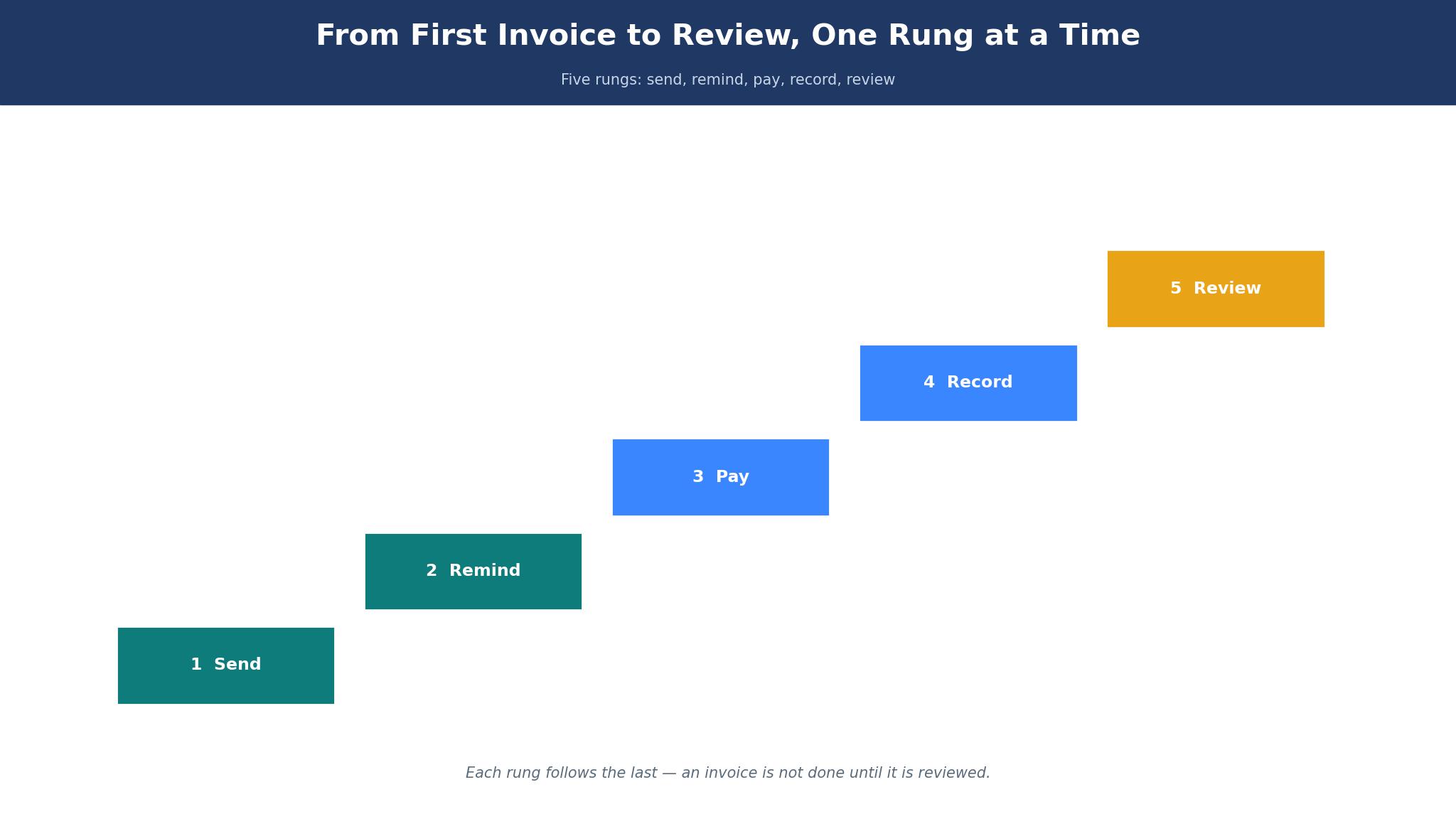
Invoicing runs on seven days of a client’s patience, and the test is whether the software gets the money in that window. Send a real invoice through the trial, watch when the client opens it, when the reminder goes out and when the payment lands, and time every step. If the invoice takes a week to send and another month to get paid, the tool has failed, and the business is lending the client money for free.
The second part of the test is the invoice itself. A client who cannot understand an invoice will not pay it, and the software must produce a clear, professional document with the work itemised, the due date visible and a payment button that works. Check the invoice on a phone, since that is where most clients open it, and confirm the pay button is obvious. The best ai invoicing tools treat the invoice as a sales document, not a spreadsheet, and the detail sections below call out which tools do that and which ones leave the client confused.
The third part is the fee. A payment processing fee of 3 percent on every invoice is a real cost, and on 100,000 dollars of annual billing it takes 3,000 dollars. Look at the full fee schedule before committing, including card fees, bank transfer fees and late payment charges. A tool with a low subscription and a high processing fee can cost more than a tool with a higher subscription and a lower fee.
What a Small Business Actually Pays in Year One
The sticker price of invoicing software rarely matches the first-year bill. A 15 dollar plan looks cheap until the business adds a second user, a payment add-on and a late fee feature, and the monthly cost doubles without any new invoice being sent. The best ai invoicing tools are priced by the full stack, not by the headline plan, and the detail sections below name the add-ons that matter most.
Free plans deserve a hard look too. Wave, Zoho Invoice, Square Invoices, PayPal Invoicing, Invoice Ninja and Invoicely all offer free tiers, and for a business sending a handful of invoices a month they can be enough. The catch is the limit that matters most, which is usually the number of clients, the payment options or the branding.
The 15 Tools at a Glance
| Tool | Main job | Best for | Starting price |
|---|---|---|---|
| FreshBooks | Invoicing plus accounting | Most small businesses | From 19 dollars a month |
| QuickBooks Online | Full accounting | Growing businesses | From 35 dollars a month |
| Xero | Cloud accounting | Accountant led firms | From 15 dollars a month |
| Wave | Free invoicing | Tight budgets | Free, paid from 16 dollars a month |
| Zoho Invoice | Free invoicing | Zoho users | Free |
| Square Invoices | In person plus online | Sellers using Square | Free, processing fees apply |
| Stripe Invoicing | Online payment invoices | Online businesses | Percentage per paid invoice |
| HoneyBook | Client management | Service businesses | From 19 dollars a month |
| Bonsai | Freelancer business suite | Freelancers | From 21 dollars a month |
| Invoice Ninja | Free invoicing plus time | Budget freelancers | Free, paid from 14 dollars a user a month |
| ZipBooks | Invoicing plus bookkeeping | Simple accounting | Free, paid from 15 dollars a month |
| Billdu | Simple invoice maker | Quick invoices | From 5 dollars a month |
| PayPal Invoicing | Invoices via PayPal | PayPal users | Free, processing fees apply |
| Harvest | Time plus invoicing | Time based billing | From 11 dollars a user a month |
| Invoicely | Simple invoicing | Small teams | Free, paid from 10 dollars a month |
Best Pick by Job
| Job type | First pick | Second tool | Why this pair works |
|---|---|---|---|
| Starting out | FreshBooks | Wave | FreshBooks bills fastest and Wave costs nothing to start |
| Growing business | QuickBooks Online | Xero | QuickBooks scales furthest and Xero adds accountant depth |
| Tight budget | Wave | Zoho Invoice | Wave is free and Zoho Invoice adds a clean free tier |
| Freelancers | Bonsai | HoneyBook | Bonsai covers contracts and HoneyBook adds client flow |
| Online payments | Stripe Invoicing | Square Invoices | Stripe collects online and Square adds in person payments |
The right tool depends on how the money comes in. A freelancer billing by the hour needs time tracking, while a shop selling in person needs a payment link that works at the counter. A product that covers the other side decently still disappoints when it stumbles on the daily billing.
How to Judge the best ai invoicing tools
Start with a real invoice, because a demo file hides every weakness that matters. Take one actual job, create the invoice inside the trial, send it to a real client and track it until the payment lands. A tool that sends fast, reminds automatically and records the payment will save hours a month.
Next, test the payment flow on a phone. Open the invoice on a small screen, tap the pay button and confirm the payment completes without a desktop. Ask whether the client sees the due date and the amount clearly, because a client who cannot find the pay button will not pay. The best ai invoicing tools make payment a one tap job, and the tools that do it well make the difference obvious in the first test.
Then check the chasing. Send an invoice, wait for the due date and confirm the reminder goes out without the owner writing it. A tool that chases politely and automatically is worth more than a tool with a hundred report types.
The 15 Tools in Detail
Billing speed sets the order below, so the tool a business can invoice with fastest leads the list.
1. FreshBooks
FreshBooks is the fastest invoicing tool in this guide, and its simplicity is the reason. It turns tracked time and expenses into a professional invoice in minutes, sends it by email and lets clients pay by card or bank transfer online. Paid plans are reported from 19 dollars a month, with higher tiers adding more clients, automation and team seats. The interface is the friendliest in this guide, and the mobile app is strong.
The drawback is depth. FreshBooks covers less ground on inventory, payroll and advanced accounting than QuickBooks Online, so a growing business may need to move on. A business with complex accounting will hit limits sooner.
FreshBooks suits most small businesses, and it suits service businesses best. It fits a consultant, a designer or any business that bills by the job. The invoicing flow is the feature that matters, because an invoice sent today gets paid sooner than one sent next week.
Send one real invoice through FreshBooks and track it to payment. If the money lands within a week without a reminder email from the owner, the tool has earned its fee.
2. QuickBooks Online
QuickBooks Online is the full accounting system, and its depth is the reason. It covers invoicing, expenses, payroll, inventory and reporting in one place, and most accountants already know it. Paid plans are reported from 35 dollars a month, with higher tiers adding more users, automation and project tracking. The integrations list is the widest in this guide.
What counts against QuickBooks is cost and weight. QuickBooks Online costs more than the invoice-first tools, and the interface carries the weight of a full accounting system, with more menus than a small business needs. A business that only needs invoicing will pay for accounting it never uses.
QuickBooks Online suits growing businesses. It fits a business with an accountant and a team that needs payroll and inventory alongside invoicing. The depth is the feature that matters, because a business that outgrows a narrow tool pays twice, once for the tool and once for the migration.
Send one real invoice and run one month of expenses through QuickBooks Online. If the books balance without a spreadsheet, the depth is real.
3. Xero
Xero is the cloud accounting system, and its bank reconciliation is the reason. It matches bank transactions to invoices automatically, so the books stay current without manual entry, and the dashboard shows cash flow at a glance. Paid plans are reported from 15 dollars a month, with higher tiers adding more users, projects and expenses. The interface is clean, and the accountant tools are strong.
The drawback is the invoicing speed. Xero invoices well but the flow is slower than FreshBooks, and the entry tier limits invoices and bills. A business that bills daily will feel the extra clicks.
Xero suits businesses with an accountant. It fits a firm whose accountant already uses Xero and a business that values clean bank reconciliation. The reconciliation is the feature that matters, because books that match the bank are books the owner can trust.
Send one real invoice and reconcile one week of bank transactions in Xero. If the match is automatic, the tool is doing its job.
4. Wave
Wave is the free invoicing tool, and its price is the reason. It offers unlimited invoicing, estimates and receipts for free, with paid plans from a reported 16 dollars a month adding bookkeeping and payroll. The interface is clean, and the invoicing is fast enough for a small business. The free tier is genuinely useful, not a demo.
The drawback is the depth and the support. Wave covers less ground on inventory, projects and advanced reporting than the paid systems, and the support is limited on the free tier. A business that grows past a handful of clients may need to move on.
Wave suits businesses on a tight budget. It fits a new freelancer and a side business that needs professional invoices without a subscription. The free tier is the feature that matters, because an invoice sent free is money the business keeps.
Send five real invoices through Wave in a week and track the payments. If the money arrives without a fee beyond processing, the free tier works.
5. Zoho Invoice
Zoho Invoice is the free invoice tool for Zoho users, and its integration is the reason. It is free, with no client limit on the free tier, and it connects to the wider Zoho suite for accounting, CRM and email. The invoicing is clean, the templates are professional and the payment options cover cards and bank transfers.
The drawback is the scope. Zoho Invoice is an invoicing tool, not a full accounting system, so a business that needs payroll or inventory will need another tool. A business outside the Zoho ecosystem will get less value from it.
Zoho Invoice suits Zoho users and budget businesses. It fits a small business already on Zoho and a freelancer who needs free invoicing. The free tier is the feature that matters, because a tool that costs nothing and does the job is hard to beat.
Send one real invoice through Zoho Invoice and check the payment flow on a phone. If the client pays without a call, the tool works.
6. Square Invoices
Square Invoices is the seller’s invoice tool, and its payment link is the reason. It creates invoices that clients can pay online, and it connects to Square’s point of sale, so a business can bill online and in person from one system. The invoicing itself is free, with processing fees on payments, and the platform adds estimates, contracts and recurring invoices.
The drawback is the accounting depth. Square Invoices is thinner on bookkeeping, reporting and time tracking than the full systems, so a business that needs those jobs will need a second tool. A service business with no in person sales will get less value.
Square Invoices suits sellers using Square. It fits a shop, a market stall or any business that takes payments in person and online. The payment link is the feature that matters, because a client who can pay from the invoice will pay sooner.
Send one real invoice with a Square payment link and confirm the payment lands. If the money arrives the same day, the tool is doing its job.
7. Stripe Invoicing
Stripe Invoicing is the online payment invoice tool, and its checkout is the reason. It creates hosted invoices that clients pay by card, bank or wallet, with automatic tax calculation and dunning for failed payments. The pricing is a small percentage per paid invoice, with details on the vendor site, and the platform adds subscriptions, revenue recovery and deep reporting.
The drawback is the technical feel. Stripe Invoicing is built for online businesses and developers, so a non-technical owner will find the dashboard dense. A business that bills in person will get little value.
Stripe Invoicing suits online businesses. It fits a software company and a subscription business whose clients pay online. The checkout is the feature that matters, because a payment page that converts is worth more than a pretty invoice.
Send one real invoice through Stripe and track the payment. If the client pays without a support email, the checkout works.
8. HoneyBook
HoneyBook is the client flow tool, and its pipeline is the reason. It covers inquiry, proposal, contract, invoice and payment in one flow, so a service business can take a client from first message to paid invoice without switching tools. Paid plans are reported from 19 dollars a month, and the platform adds templates, scheduling and client portals.
The drawback is the scope. HoneyBook is built for service businesses, so a product business will find it narrow, and the accounting is lighter than QuickBooks Online.
HoneyBook suits service businesses. It fits a photographer, a planner or any business that sells a service with a proposal and a contract. The flow is the feature that matters, because a client who signs and pays in one place rarely drops out.
Run one real client through the full HoneyBook flow from inquiry to payment. If the client reaches payment without a phone call, the tool works.
9. Bonsai
Bonsai is the freelancer suite, and its contracts are the reason. It combines proposals, contracts, time tracking, invoicing and tax help in one place, so a freelancer can run the whole business without a second tool. Paid plans are reported from 21 dollars a month, and the platform adds a client portal, scheduling and accounting.
The drawback is the price and the depth. Bonsai costs more than the invoice-only tools, and the accounting is lighter than a full system.
Bonsai suits freelancers. It fits a designer, a writer or any freelancer who needs contracts and invoices together. The contracts are the feature that matters, because a signed contract before the work starts prevents most payment disputes.
Send one proposal, contract and invoice through Bonsai for a real client. If all three complete without a second tool, the suite works.
10. Invoice Ninja
Invoice Ninja is the free invoicing tool for budget freelancers, and its feature depth is the reason. The free tier covers unlimited invoices and clients, with paid plans reported from 14 dollars a user a month adding more users, white labelling and advanced features. The platform adds time tracking, expenses, quotes and a client portal, and it can be self hosted.
The drawback is the polish. Invoice Ninja looks and feels more technical than FreshBooks, and the setup takes longer. A business that wants a beautiful invoice will find the templates plain.
Invoice Ninja suits budget freelancers. It fits a freelancer who needs unlimited invoices free and a developer who wants self hosting. The free tier is the feature that matters, because unlimited free invoices are rare.
Send ten real invoices through Invoice Ninja in a month and track the payments. If the money arrives and the cost stays zero, the free tier works.
11. ZipBooks
ZipBooks is the simple accounting tool, and its price is the reason. The free Starter plan covers unlimited invoices, quotes and estimates, with paid plans from 15 dollars a month adding time tracking, recurring invoices and reconciliation. The interface is clean, and the invoicing is fast.
The drawback is the missing app and the depth. ZipBooks discontinued its mobile app, so the tool is browser only, and the accounting is lighter than QuickBooks Online. A business that needs a mobile app will be frustrated.
ZipBooks suits small businesses that invoice from a desktop. It fits a freelancer and a small firm that wants free invoicing with basic bookkeeping. The free tier is the feature that matters, because a business that invoices free keeps the margin.
Send one real invoice and reconcile one week of transactions in ZipBooks. If the books balance in the browser, the tool works.
12. Billdu
Billdu is the simple invoice maker, and its speed is the reason. It creates invoices, estimates and expenses in minutes, with a mobile app that works well on the road. Paid plans are reported from 5 dollars a month, with higher tiers adding more users, recurring invoices and inventory. The price is the lowest in this guide.
The drawback is depth. Billdu covers less ground on accounting, reporting and integrations than the full systems, so a growing business will outgrow it. A business that needs a full accounting system will need a second tool.
Billdu suits businesses that need quick invoices. It fits a tradesperson and a small shop that invoices from a phone. The speed is the feature that matters, because an invoice sent from the job site gets paid sooner than one sent from the office a week later.
Create and send one real invoice from a phone in Billdu. If the client pays without a call, the speed is real.
13. PayPal Invoicing
PayPal Invoicing is the PayPal invoice tool, and its reach is the reason. It lets a business send invoices that clients pay with PayPal, card or bank, and most clients already have a PayPal account, so the payment friction is low. The invoicing itself is free, with processing fees on payments, and the platform adds recurring invoices and partial payments.
The drawback is the fee and the depth. PayPal processing fees apply on every payment, and the accounting is thin, so a business that needs books will need another tool. A business with high volume will feel the fees.
PayPal Invoicing suits businesses whose clients use PayPal. It fits a freelancer with international clients and a small shop that wants low payment friction. The reach is the feature that matters, because a client who already has an account pays faster.
Send one real invoice through PayPal and confirm the payment lands. If the client pays without creating a new account, the reach works.
14. Harvest
Harvest is the time plus invoicing tool, and its time tracking is the reason. It tracks billable hours, turns them into invoices and shows which projects make money, so a time based business can bill accurately. Paid plans are reported from 11 dollars a user a month, and the platform adds expenses, estimates and team reporting.
The drawback is the scope. Harvest is built for time based billing, so a product business will find it narrow, and the accounting is lighter than a full system. A business that bills by the job rather than the hour will get less value.
Harvest suits time based businesses. It fits an agency and a consultancy that bills by the hour. The time tracking is the feature that matters, because hours that are tracked get billed.
Track one week of real work in Harvest and invoice it the same week. If the invoiced total matches the hours worked, the tool works.
15. Invoicely
Invoicely is the simple invoicing tool, and its free tier is the reason. The free plan covers invoicing, estimates and basic reporting, with paid plans reported from 10 dollars a month adding more users, recurring billing and expenses. The interface is clean, and the invoicing is fast.
The drawback is depth. Invoicely covers less ground on accounting, time tracking and integrations than the full systems, so a growing business will outgrow it. A business that needs more than invoicing will need a second tool.
Invoicely suits small teams that need simple invoicing. It fits a team of two or three that sends a handful of invoices a month. The simplicity is the feature that matters, because a tool that takes an afternoon to learn gets used the same week.
Send five real invoices through Invoicely in a week and track the payments. If the money arrives without a support call, the tool works.
The Three Mistakes That Delay Invoice Payments
The first mistake is sending invoices late. An invoice sent a month after the work is done will be paid a month later still, and the business is lending the client money for free. A fast invoice is a fast payment.
The second mistake is ignoring the processing fee. A 3 percent card fee on every invoice is a real cost, and on 100,000 dollars of annual billing it takes 3,000 dollars. Ask for the full fee schedule before committing, and include the processing cost in the year-one maths. The best ai invoicing tools are judged here on the full cost, not the entry price.
The third mistake is chasing by email instead of automatically. A business owner who writes a reminder email for every late invoice will spend hours a month on chasing, and some invoices will still slip through.
Making the Final Call on Invoicing Tools
Start by listing the non-negotiables, because the list is shorter than most businesses expect. Fast invoicing, online payment, automatic reminders and clear fees are the four that eliminate most tools quickly. Put the list in writing, check each tool against it, and drop any tool that fails a non-negotiable. The best ai invoicing tools pass all four without a workaround, and a tool that fails a core requirement will be replaced within a year, with the migration cost exceeding any saving.
Next, run a trial on the top two choices with a real invoice. Measure three things, time from job done to invoice sent, whether the client pays on a phone and whether the reminder goes out without the owner writing it. The winner on those three measures is usually the right buy, even when a cheaper tool exists.

Frequently Asked Questions
Which invoicing tool is best for a small business starting out?
FreshBooks is the best starting point for a small business, because it turns time and expenses into a clean invoice in minutes and clients can pay online. Wave is the better pick when the budget is zero, since its free tier covers unlimited invoices.
How much does invoicing software cost a small business per month?
A small business pays between 0 and 35 dollars a month on the entry tiers in this guide, with the median around 15 dollars. Wave, Zoho Invoice and PayPal Invoicing are free at entry, and QuickBooks Online is the most expensive at a reported 35 dollars. The practical entry point for the best ai invoicing tools is higher, since the cheapest tier often limits clients or adds processing fees.
Does invoicing software replace an accountant?
Invoicing software can replace the billing work of an accountant, which covers sending invoices, chasing payments and recording income, but it cannot replace judgment on tax, payroll and year-end accounts. Most businesses land in the middle, using software for daily billing and an accountant for the year-end. The tools in this guide are built for that middle, with software that prepares the books rather than closing them.
Is FreshBooks or QuickBooks Online better for invoicing?
FreshBooks is better for a business that wants fast invoicing, because its flow is quicker and its interface is simpler. QuickBooks Online is better for a business that needs full accounting, because its depth covers payroll, inventory and reporting.
Can clients pay an invoice online without an account?
Yes, most tools in this guide let clients pay an invoice online without creating an account, usually by card or bank transfer through a payment link. FreshBooks, Square Invoices, Stripe Invoicing and PayPal Invoicing all support guest payment. Check the payment options during the trial, and test the flow on a phone before sending a real invoice.
What happens to my invoices if I cancel the tool?
Most tools in this guide allow an export of invoices, clients and payments as files, but the export format varies and some data may need reformatting. Ask for the export terms before paying, run a test export during the trial and keep a local copy of every invoice. A tool that makes exit painful is a tool to avoid, and one hour on the export test during the trial is time well spent.
The Verdict on Invoicing Tools
FreshBooks takes the top spot because it is the tool a small business is least likely to regret. It invoices fastest, the clients pay online and the interface is the friendliest in this guide, so a business can go from job done to paid invoice in days.
QuickBooks Online is the pick for full accounting, Wave is the pick for a zero budget and Bonsai is the pick for freelancers. The best ai invoicing tools are not the ones with the longest feature list, they are the ones that send the invoice the day the work ends, remind the client without the owner writing an email and collect the payment on a phone without a second system.
Choose by the billing flow first, the payment fee second and the price third. Run a real trial with one invoice, measure the three things that matter and set a review date. A business that picks this way will spend less time chasing money and more time on the work clients actually pay for.