
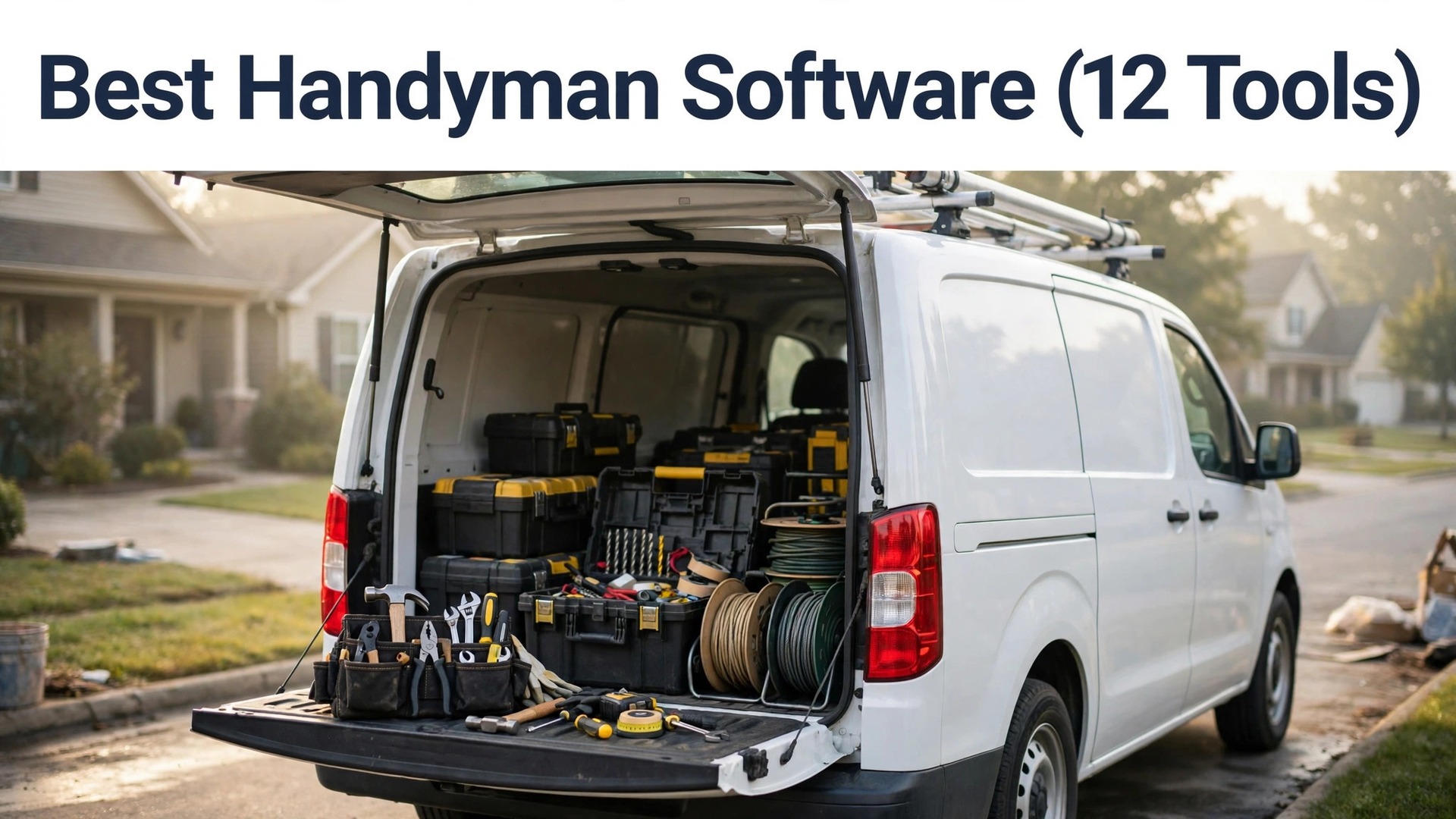
It is 7 a.m. on a Tuesday, and a handyman is loading his van in the driveway while his phone buzzes with the day’s jobs. A leaking tap at eight, a fence repair at ten, a quote for a kitchen refit at noon, and an invoice from yesterday that still has not gone out. The best handyman software is the tool that turns that list into paid work before the sun goes down, and this guide follows one crew through the day to show which of the twelve tools actually does it.
A handyman business loses money in the gaps between jobs. A missed call becomes a lost repair, a paper quote sits unsigned in a truck, and an invoice sent a week late gets paid a month late. The software in this guide exists to close those gaps, and the difference between the tools is not whether they schedule jobs, since all twelve do that, but how they handle the parts that make a small crew money.
Those parts are quoting, dispatch, payments and repeat work. A crew that sells maintenance visits needs the visit tracked, renewed and billed without a spreadsheet. A crew that does larger repairs needs a quote a homeowner can sign on a phone. The crew in this guide is three people, the owner and two techs, doing six to eight jobs a day, and the prices below are the real published list prices, worked out at the crew sizes a handyman business actually has.
7 a.m.: The First Job of the Day
The day starts at the van, not at a desk. The owner opens the app and sees the board, who is going where, which jobs are confirmed, and which customer still has not answered. The first job is a leaking tap twenty minutes away, and the tech going to it can see the customer’s address, the job notes and the last three visits on his phone before he starts the engine. That board is the first thing the best handyman software has to get right. A crew that runs this on paper spends the morning on the phone asking the office where the next job is, and the office spends the morning guessing.
This is the first test any handyman tool has to pass, and it is a test of the dispatch board. Housecall Pro is built around the board, with scheduling, estimates, invoicing, payments and a price book that techs use in the field. Jobber covers the full job cycle with scheduling, quoting, invoicing, online payments and a client hub in one app.
The second test is the missed call. A homeowner rings at 7.30 while the owner is under a sink, and the call goes to voicemail. Workiz is built for crews that take most bookings by phone, with call tracking that ties every booked job back to the call that created it, so the crew can see which advertising actually books work.
10 a.m.: The Quote on Site
The second job of the day is a fence repair, and the homeowner wants a price before the owner leaves the driveway. This is the moment a handyman tool earns its money, because the quote has to be built, sent and signed while the owner is still standing in the garden. A tech who has to go home, type up a quote and email it that evening will lose the job to the crew that quoted on site, and every handyman knows it.
Jobber is the fastest tool here for a small job, because a tech can quote, schedule and invoice from the same screen, and the Core plan starts at $29 a month on annual billing for one user. Housecall Pro is stronger when the quote is really a proposal, because the Essentials plan at $149 a month adds the sales proposal tool, flat rate pricing and photo reports, and a homeowner who sees a proper proposal signs faster than one who sees a scribbled number.
The price book is the part most crews forget until they need it. FieldEdge has the deepest flat rate price book here, since a tech can build a quoted price from parts and labour in front of the customer without calling the office. The best handyman software for a crew that quotes on site is the one with a price list the tech can trust, and the one that lets the customer sign on the phone.
Jobber vs Housecall Pro
Jobber and Housecall Pro are the two tools most handyman crews actually compare, because both publish prices, both cover the full job cycle, and both start under $60 a month on annual billing. Jobber is strongest at quoting and invoicing speed, while Housecall Pro is strongest at selling the next job through proposals, service plans and review requests.
On price, Jobber Core at $29 a month on annual billing is half the price of Housecall Pro Basic at $59 a month, but the plans are not equal. Jobber Connect at $99 a month adds QuickBooks and Xero sync plus automated reminders, while Housecall Pro Essentials at $149 a month adds five users, flat rate pricing and QuickBooks sync. A crew with five techs pays $149 a month on either tool, so the choice at that size is about features rather than money.
Worked example, from the draft prices. A solo handyman pays $29 a month on Jobber Core, which is $348 a year, against $59 a month on Housecall Pro Basic, which is $708 a year. The gap is $360 a year, and a solo operator who never sells a maintenance plan is paying $360 a year for a proposal tool he never opens. A five-person crew pays $149 a month on either, so the money stops deciding and the work starts deciding. A crew that wins jobs with proposals and sells maintenance plans should take Housecall Pro. A crew that wins jobs with fast quotes and clean invoicing should take Jobber.
1 p.m.: The Invoice Before Leaving the Driveway
Lunch is a sandwich in the van, and the job after it is a tap replacement that takes forty minutes. The owner finishes the job, wipes his hands, and sends the invoice before he leaves the driveway. The customer pays by card on the spot, the money is in the account, and there is no invoice to remember tonight, no envelope to post, and no chase in three weeks. That is the habit that keeps a small crew alive, and it is the habit the software has to make easy.
Jobber charges about 2.7 percent plus 30 cents online, while Housecall Pro charges 2.59 percent for card present payments with no per transaction fee. Worked example, from the draft prices. A crew that cannot take a card on site will keep taking cash, and the records will split, and that is the part of the best handyman software maths most crews forget to check.
The invoice habit also decides which plan a crew needs. Jobber Core covers scheduling, quoting, invoicing and online payments for one user, and the missing pieces are two way texting and job costing, which sit on the Grow plan at $149 a month. Housecall Pro Basic lacks the agreement and proposal tools that matter to a crew selling maintenance plans, and those sit on Essentials at $149 a month.
4 p.m.: The Review Request
The last job of the day ends at 4 p.m., and the owner does the thing most handymen forget, which is to ask for a review while the customer is still happy. The job went well, the customer is standing in her clean kitchen, and the owner sends the review request from the app before he packs his tools. A request sent that evening gets answered. A request sent next week gets forgotten, and a crew that never asks has no reviews when the next customer searches.
Housecall Pro is the strongest tool here for the review habit, because the proposal and review tools sit on the same plan as the dispatch board, and the request goes out as part of the job closeout rather than as a separate chore. The tool matters less than the timing, but the timing only happens when the tool makes the request automatic.
The day also proved something about the price model, and it is the thing a crew should decide before it buys. Jobber and Housecall Pro charge per user, so the bill grows with every tech. Service Fusion charges per company, so the bill stays flat as the crew grows. A crew that knows its headcount in a year will pick faster than a crew that only counts today.

The 12 Tools at a Glance
| Tool | Main job | Best for | Starting price |
|---|---|---|---|
| Jobber | Scheduling, quoting and invoicing | one to five person crews | $29 a month |
| Housecall Pro | Dispatch, proposals and memberships | crews selling maintenance plans | $59 a month |
| ServiceTitan | Full operations platform | crews scaling past ten techs | Quote-based |
| FieldEdge | Dispatch and flat rate pricing | crews with a pricebook focus | Quote-based |
| Workiz | Scheduling, calls and payments | crews that live on the phone | Quote-based |
| Service Fusion | Flat price field service | crews wanting unlimited users | Flat monthly rate |
| Kickserv | Simple scheduling and invoicing | solo techs and two person crews | $60 a month |
| mHelpDesk | Scheduling, CRM and invoicing | crews wanting a simple CRM | Quote-based |
| FieldPulse | Field service for small teams | small teams wanting simple dispatch | Quote-based |
| SimPRO | Job management for trades | trade businesses with project work | Quote-based |
| Tradify | Job tracking for small trades | small trade businesses | Paid plan |
| Connecteam | Team communication and scheduling | crews needing staff communication | Free tier |
How to Choose the Best Handyman Software?
Start with the headcount a year from now, because the price model follows it. A crew staying under five techs can take Jobber or Housecall Pro and pay per user without pain. A crew planning to reach ten techs should look at Service Fusion, since the flat per company price stops rising as techs are added. A crew that will stay solo can take Kickserv and keep the bill at $60 a month.
Count how many jobs a week need a written quote, since a crew quoting every job needs the proposal tools that sit on the middle plans. Check whether the crew sells maintenance plans, since only Housecall Pro and ServiceTitan treat agreements as a first class feature. Ask whether the office or the techs will run the schedule, since a tech led crew needs a mobile app that works offline in a basement.
A crew that answers those questions finds two tools left standing.
The 12 Tools in Detail
The twelve tools below cover the full job cycle, from the dispatch board to the invoice, and each one is measured here as the best handyman software for a different kind of crew. Each one is judged on quoting, dispatch, payments and the price model, so a crew can see what the monthly bill does as the team grows. The first two get the longest look, because they are the two a crew will actually choose between.
1. Jobber
Jobber covers the full job cycle for a small crew, with scheduling, quoting, invoicing, online payments and a client hub in one app. Jobber starts at $29 a month on annual billing for Core. Connect at $99 a month on annual billing adds QuickBooks and Xero sync, automated reminders and routing, while Grow at $149 a month adds two way texting and job costing. The price rises with every user, since extra users cost $29 a month each, so a crew of ten pays far more than a crew of one.
The strength is the speed of the job cycle. A tech can quote, schedule and invoice from the same screen, and a solo handyman can sign up, set up a price list, and dispatch a first job the same day, which is the speed a one person operation needs.
Worked example, from the draft prices. A three-person crew on Connect pays $99 a month plus $29 for each extra user, which is $157 a month, or $1,884 a year. A five-person crew pays $229 a month on the same shape, which is $2,748 a year. Jobber suits a one to five person crew that wants the simplest full system, and the upgrade path from Core to Connect to Grow is the clearest in this guide.
2. Housecall Pro
Housecall Pro is built around the dispatch board, with scheduling, estimates, invoicing, payments and a price book that techs use in the field. Housecall Pro starts at $59 a month on annual billing for Basic. Essentials at $149 a month on annual billing adds five users, flat rate pricing, photo reports and QuickBooks sync, while MAX at $299 a month adds service plans and the sales proposal tool. Basic lacks the agreement and proposal tools that matter to a crew selling maintenance plans.
The strength is selling the next job. The proposal tool, the service plans and the review requests turn one job into repeat work, and a crew that sells maintenance plans will earn the Essentials price back in renewals. Housecall Pro suits a crew selling maintenance plans and wanting stronger proposals.
Here is the trade-off stated plainly. Housecall Pro is dearer than Jobber at one user, but you gain the proposal tool, the service plans and the review requests that turn one job into repeat work. If repeat work is the business, buy Housecall Pro. If fast quotes and clean invoicing are the business, buy Jobber and keep the $30 a month.
3. ServiceTitan
ServiceTitan is the operations platform for larger field service businesses, with dispatch, pricebook, marketing automation, reporting and call booking in one system. ServiceTitan sells on quote-based pricing per technician. The automation depth is unmatched here, since pricebook driven proposals, membership renewals and marketing campaigns run from the same customer record.
ServiceTitan does not publish a price and sells through a demo, so a small crew cannot weigh the cost without a sales call.
4. FieldEdge
FieldEdge is a dispatch and flat rate pricing tool for service crews, with a pricebook, scheduling, invoicing and QuickBooks integration. FieldEdge sells on quote-based pricing. The flat rate pricebook is the deepest here, since a tech can build a quoted price from parts and labour in front of the customer without calling the office.
FieldEdge does not publish a price, and the onboarding is heavier than the entry tools, so a small crew should budget for a longer setup.
5. Workiz
Workiz is built for crews that take most bookings by phone, with call tracking, scheduling, dispatch, invoicing and payments tied to each call. Workiz sells on quote-based pricing since it removed published prices in 2026. Call tracking ties every booked job back to the call that created it, which lets a crew see which advertising actually books work.
Workiz removed its published prices in 2026, so a crew cannot compare the real monthly cost without a sales call, and that is a real cost in time.
6. Service Fusion
Service Fusion covers scheduling, dispatch, estimates, invoicing and payments at one flat monthly rate, with unlimited users included in the price. Service Fusion charges a flat monthly rate per company rather than per user. The flat rate is the whole point, since a crew can add techs all year without the bill moving, which no per user tool here can match.
The feature set is narrower than ServiceTitan or Housecall Pro MAX, so a crew that wants deep proposals or marketing automation will need a second tool. Here is the trade-off stated plainly. Service Fusion is cheaper than Jobber once the crew passes five techs, but you lose the proposal depth and the client hub polish. If the crew is growing fast, buy Service Fusion. If the crew is staying small, buy Jobber.
7. Kickserv
Kickserv is a simple scheduling, dispatch and invoicing tool for small crews, with customer history, job tracking and online payments. Kickserv starts at $60 a month on annual billing for the Start plan, which covers up to five users. The flat $60 a month price covers the whole crew, so a two person business pays the same as a solo tech and the bill never surprises.
Kickserv lacks the proposal depth, the membership tools and the marketing automation of Housecall Pro, so a crew that sells maintenance plans will need a second tool.
8. mHelpDesk
mHelpDesk combines scheduling, customer management, invoicing and payments in one system aimed at small service businesses. mHelpDesk sells on quote-based pricing. The built in CRM tracks the full customer history, so a crew can see every past job, quote and payment before it calls a customer back.
mHelpDesk does not publish a price, and the interface feels older than Jobber or Housecall Pro, so a crew should trial it before committing.
9. FieldPulse
FieldPulse is a field service tool for small teams, with scheduling, estimates, invoicing, time tracking and customer management. FieldPulse sells on quote-based pricing. The mobile app is clean and fast, which matters for a tech who opens it twenty times a day in a truck or a basement.
FieldPulse does not publish a price, so a small team cannot weigh the cost against Jobber or Housecall Pro without a sales call.
10. SimPRO
SimPRO is a job management system for trade businesses, with quoting, scheduling, project tracking, inventory and invoicing. SimPRO sells on quote-based pricing. Project tracking is stronger than the entry tools, since a multi day job with stages, materials and labour stays in one record from quote to invoice.
SimPRO sells through a demo with no published price, and the setup is heavier than the entry tools, so it suits a crew that already runs project work.
11. Tradify
Tradify is a job tracking tool for small trade businesses, with quoting, scheduling, invoicing and time tracking in a simple layout. Tradify sells paid plans with a free trial. The quote to invoice flow is the fastest here for a small job, since a tech can quote, schedule and invoice from the same screen.
Tradify lacks the membership and marketing depth of Housecall Pro, so a crew that sells maintenance plans will need a second tool. It suits small trade businesses that want the fastest quote to invoice flow in this guide.
- Trial the quote flow with a real small job first.
- Check that the invoice matches the quote to the dollar.
- Confirm the time tracking fits the way the crew actually works.
12. Connecteam
Connecteam is a team app that pairs scheduling and job dispatch with staff chat, forms and training, so a crew can run communication and jobs in one place. Connecteam offers a free tier with paid plans above it. The staff communication tools are the best here, since a crew can send a form, a shift update or a training video to every tech from one screen.
Connecteam is a team app first and a job system second, so a crew that needs deep quoting or invoicing will find it thin. It suits crews needing staff communication alongside scheduling, and a crew that already has a job system should trial the free tier for the communication alone.
Q. Would Connecteam suit a crew of ten techs who never see the office? A. Yes, because the chat, forms and training reach every tech from one screen, and the free tier proves it before you pay. Q. When should that crew look elsewhere? A. When quoting and invoicing are the main job, because Connecteam is a team app first and the job system is thinner than Jobber.
What Does Handyman Software Cost per Month?
The entry prices run from $29 to $299 a month for a single user, and the spread is wider than it looks because the plans include different user counts. Jobber Core is $29 a month on annual billing for one user, Housecall Pro Basic is $59 a month for one user, and Housecall Pro MAX is $299 a month for eight users. ServiceTitan, FieldEdge, Workiz, mHelpDesk, FieldPulse and SimPRO do not publish a price, so the quote is part of the buying process for those six.
The table below prices the best handyman software at three crew sizes, using published list prices from October 2026 on annual billing. Tools that do not publish a price are left out of the table, since a quote cannot be compared with a list price.
| Tool | 1 user a month | 3 users a month | 5 users a month | Card payment cost |
|---|---|---|---|---|
| Jobber Core and Connect | $29 | $149 | $229 | Card payments about 2.7 percent plus 30 cents online |
| Housecall Pro | $59 | $149 | $299 | Card present 2.59 percent with no per transaction fee |
| Service Fusion | Flat monthly rate | Flat monthly rate | Flat monthly rate | Card processing through the chosen processor |
| Kickserv | $60 | $60 | $60 | Card processing through the chosen processor |
| FieldPulse | Quote-based | Quote-based | Quote-based | Card processing through the chosen processor |
Best Pick by Job
| Job type | First pick | Second tool | Why this pair works |
|---|---|---|---|
| Solo handyman or two person crew | Jobber | Kickserv | Jobber is the simplest full system, Kickserv is cheaper to start |
| Crew selling maintenance plans | Housecall Pro | Jobber | Housecall Pro puts agreements on the middle plan, Jobber covers the basics |
| Crew wanting flat unlimited user pricing | Service Fusion | FieldEdge | Service Fusion charges per company, FieldEdge adds pricebook depth |
| Crew scaling past ten techs | ServiceTitan | Service Fusion | ServiceTitan leads on automation, Service Fusion keeps the bill flat |
| Crew that lives on the phone | Workiz | Housecall Pro | Workiz tracks calls to jobs, Housecall Pro adds proposals |
The pattern across this list is that the best handyman software splits by price model as much as by feature. Jobber and Housecall Pro charge per user, so the bill grows with every tech. Service Fusion charges per company, so the bill stays flat as the crew grows. A crew that knows its headcount in a year will pick faster than a crew that only counts today.
What I would do, if this were my crew and my money, is start on Jobber Core at $29 a month and spend the first week building the price list, not shopping for features.
Price the twenty most common jobs before launch day, import the customer list, and run one tech on the new tool for three days while the rest of the crew stays on paper. Most crews finish the switch in three to five working days when the customer list is clean, and in two weeks when it is not, and the price list is the work that decides which of those two it is.
Is Jobber Better Than Housecall Pro for a Small Crew?
Jobber is better for a small crew that wants the lowest starting price and the clearest upgrade path, since Core at $29 a month undercuts Housecall Pro Basic at $59 a month and the Connect plan at $99 a month adds QuickBooks sync and automated reminders. Housecall Pro is better for a crew that sells memberships and service agreements, since the Essentials plan at $149 a month on annual billing includes service plans, flat rate pricing and photo reports that Jobber only matches on Grow.
Frequently Asked Questions
How much does Jobber cost for a crew of five?
A five-person crew pays $229 a month on Jobber Core and Connect pricing, which is $2,748 a year, against $299 a month on Housecall Pro, which is $3,588 a year. A solo handyman pays $29 a month on Jobber Core, which is $348 a year, against $59 a month on Housecall Pro Basic.
Does handyman software include payment processing?
Every tool here takes card payments, either through its own processor or through a chosen gateway. Jobber charges about 2.7 percent plus 30 cents online, while Housecall Pro charges 2.59 percent for card present payments with no per transaction fee. On a $200 job paid by card in person, Housecall Pro takes about $5.18, so the card rate is worth checking alongside the subscription.
Can I use handyman software without QuickBooks?
Yes, every tool here runs its own invoicing and reporting, and QuickBooks sync is an optional add-on. Jobber adds QuickBooks sync on Connect at $99 a month, while Housecall Pro adds it on Essentials at $149 a month on annual billing. A crew that does not use QuickBooks should not pay for the plan that includes it.
How long does it take to switch from paper to handyman software?
Most crews finish in three to five working days when the customer list is clean, since the work is building the price list and importing open invoices. The price list is the slow part, since every common job needs a price before the first quote goes out. A crew with years of paper records should budget two weeks and keep the paper book as a backup for the first week.
Is ServiceTitan worth it for a small handyman crew?
No, ServiceTitan is built for crews scaling past ten techs, and its quote-based pricing and heavy onboarding do not suit a small crew. A crew under five techs should take Jobber or Housecall Pro, and revisit ServiceTitan when the team and the job volume grow.
Do these tools work offline on a job site?
Jobber, Housecall Pro, FieldPulse and Workiz all offer mobile apps that work in the field, and a tech who opens the app twenty times a day in a truck or a basement needs it to work there. Test the app on a real job site before you pay, because a board that is hard to read on a phone will be ignored by noon, and the office will be back on the phone asking where the tech is.
What the Day Proved
The day proved that handyman software is not bought for its dashboard, and it is not bought for its feature list. It is bought for the van at 7 a.m., the quote signed in the garden at 10 a.m., the invoice paid in the driveway at 1 p.m., and the review request sent at 4 p.m.
Jobber is the best handyman software pick for a one to five person crew, because Core starts at $29 a month on annual billing and covers scheduling, quoting, invoicing and payments in one app. Housecall Pro is the pick for a crew that sells maintenance plans, and Service Fusion is the pick for a crew that wants flat pricing with unlimited users.
The numbers back that up. A solo handyman pays $29 a month on Jobber against $59 on Housecall Pro, a five-person crew pays $149 a month on either, and Kickserv stays flat at $60 a month whatever the crew size. The fence job booked for Thursday, the three invoices paid on the driveway, and the review request sent while the customer was still happy are what the day proved, and that is what the right tool does.