
A jewellery seller, a furniture seller and a food seller all need product photos, and yet the right editor for one of them is often the wrong editor for the other two. This guide to the best photo editing software for ecommerce starts with the seller, not the software, because the product decides what the photo has to do. Find the seller who looks like you, then read the tools that fit that seller.
The Jewellery Seller: Tiny Products, White Backgrounds
Ana’s photos are the hardest in this guide, because her products are tiny. A ring photographed badly looks like a smudge, and a customer who cannot see the detail will not buy. She shoots on a white background with a softbox light, and she needs an editor that can remove the background cleanly, sharpen the metal without adding noise, and keep the colour of the stone true. She lists ten new pieces a week, so the editor also has to be fast.
Her shortlist from the best photo editing software for ecommerce starts with Adobe Photoshop at $22.99 a month, because the masking and generative fill let her remove reflections, swap backgrounds and clean a product shot without reshooting it. PhotoRoom is second, because it turns a phone snapshot into a clean listing image in seconds, and background removal is the fastest here. Affinity is third, because it is free since Canva made the whole suite free on 30 October 2025, and the pixel editing is genuinely professional, with layers, masks and RAW support at no cost.
The deal-breaker for Ana is the background edge. A background remover that leaves a halo around a ring makes the whole listing look cheap, however fast it is. Her second deal-breaker is the batch. Ten pieces a week means 40 photos a month at least, and an editor with no batch workflow will eat her evenings.
What would I do if I were Ana? I would shoot on white, remove backgrounds in PhotoRoom for speed, and keep Affinity on the desktop for the pieces that need real retouching. That pair costs nothing, and it covers the two jobs she has, which are speed and precision, in that order.

Three Sellers, Three Different Photos
Meet the three sellers this guide is written for. Ana sells handmade jewellery from a spare room, photographing rings and earrings the size of a thumbnail. She needs white backgrounds, sharp detail and a way to remove a background in seconds, because she lists ten new pieces a week. Marcus sells furniture from a warehouse, photographing sofas and tables that cannot be moved to a studio. He needs room scenes, colour that matches the fabric, and batch editing for a catalogue of 400 products.
Priya sells spice blends and sauces online, and her photos have to make food look edible. She needs colour that is true, not vivid, because a sauce that looks orange on screen and brown in the jar gets returned.
Buy the wrong one and each of them regrets it differently, so this guide to the best photo editing software for ecommerce gives each seller their own shortlist, and the full tool run later is grouped the same way.
| Tool | Price | Best for |
|---|---|---|
| Adobe Photoshop | $22.99 a month | Deep retouching |
| Adobe Lightroom | $11.99 a month | Large catalogues |
| Canva Pro | $15 a month | Fast graphics |
| Affinity | Free | Free pro editing |
| Capture One | $18 a month | Colour accuracy |
| Luminar Neo | $119 one-time | Fast AI edits |
| Photopea | Free | Free PSD editing |
| GIMP | Free | Free desktop editing |
| Pixlr | Free tier | Quick browser edits |
| Pixelmator Pro | $49.99 one-time | Mac stores |
| PhotoRoom | Free tier | Background removal |
| Fotor | Free tier | Simple AI edits |
| PicMonkey | Paid, 7 days free | Photo plus design |
| VistaCreate | Free tier | Fast templates |
| ClipDrop | Free tier | Quick cleanups |
Photoshop vs Canva Pro
Photoshop and Canva Pro are the two most named tools in this guide, and they do different jobs. Photoshop is the industry standard for retouching, compositing and generative editing, with layers, masks and PSD compatibility no rival matches. Canva Pro is a browser design suite with templates, background removal, Magic Resize and a huge stock library for store graphics. One edits photos. The other makes graphics from photos.
The trade-off is depth against speed. Photoshop is deeper and slower to learn, but you lose nothing, because a store that needs pixel-level retouching has no substitute for it. Canva Pro is faster and easier, but you lose the retouching, because a store that needs real photo editing must pair it with Affinity or Photoshop. If your job is making a listing image, a banner and a social post from one photo in minutes, buy Canva Pro. If your job is making the photo itself perfect, buy Photoshop.
The Furniture Seller: Large Products, Room Scenes
Marcus cannot photograph a sofa the way Ana photographs a ring. The sofa stays in the warehouse, the light is whatever comes through the skylights, and the customer wants to see the sofa in a room, not on a white background. His editor has to handle large files, correct the colour of fabric under mixed light, and apply the same grade across the whole catalogue.
His shortlist from the best photo editing software for ecommerce starts with Adobe Lightroom at $11.99 a month for the 1TB plan, because presets and batch export are the reason stores buy it, and one preset can grade a hundred product photos in an afternoon. Capture One is second at $18 a month for Pro, because the colour handling and tethered shooting are the best here, so a studio can see the true colour of a product on screen while shooting it. Photoshop is third, because a scratched table leg or a stained cushion needs pixel-level retouching, and nothing else does that job as well.
The deal-breaker for Marcus is the catalogue. An editor with no catalogue or batch workflow will make him edit 400 photos one at a time, and that is a month of evenings. His second deal-breaker is colour. A sofa that looks grey on screen and beige in the living room gets returned, and the return costs more than the sale was worth. That is why Capture One earns its place here, even at $18 a month, because colour accuracy is the whole job for a furniture seller.
Worked example, from the prices in this guide. Marcus needs Lightroom for the catalogue and Photoshop for the retouching, which is $11.99 plus $22.99, or $34.98 a month. Over a year that is $419.76. Against that, a single returned sofa costs more than a month of both tools, so the subscription pays for itself the first time a colour-accurate photo prevents a return.
The Food Seller: Colour That Must Look Edible
Priya’s problem is the opposite of what most editors promise. Every editor in this guide wants to make photos brighter, more vivid and more saturated, and for food that is exactly wrong. A sauce made more vivid looks orange on screen and brown in the jar, and the customer who opens the jar feels cheated. A spice blend pushed toward red looks exciting and tastes like a lie. Priya needs colour that is true, not colour that is loud.
Her shortlist from the best photo editing software for ecommerce starts with Capture One, because colour accuracy is its whole reputation, and a studio can see the true colour of a product on screen while shooting it. Lightroom is second, because the presets let her grade a whole range of products the same way, so the sauces look like a family on the shelf. Canva Pro is third, because the listing image still needs a banner and a social post around it, and Magic Resize turns one photo into all three in minutes.
The deal-breaker for Priya is the vivid button. Any editor whose one-click enhance pushes saturation up is a risk, because the enhancement will be applied to a whole batch before anyone notices. Her second deal-breaker is the phone edit. A photo graded on a phone screen will look different on a laptop, so she needs an editor that works on a proper screen with a colour profile she can trust.
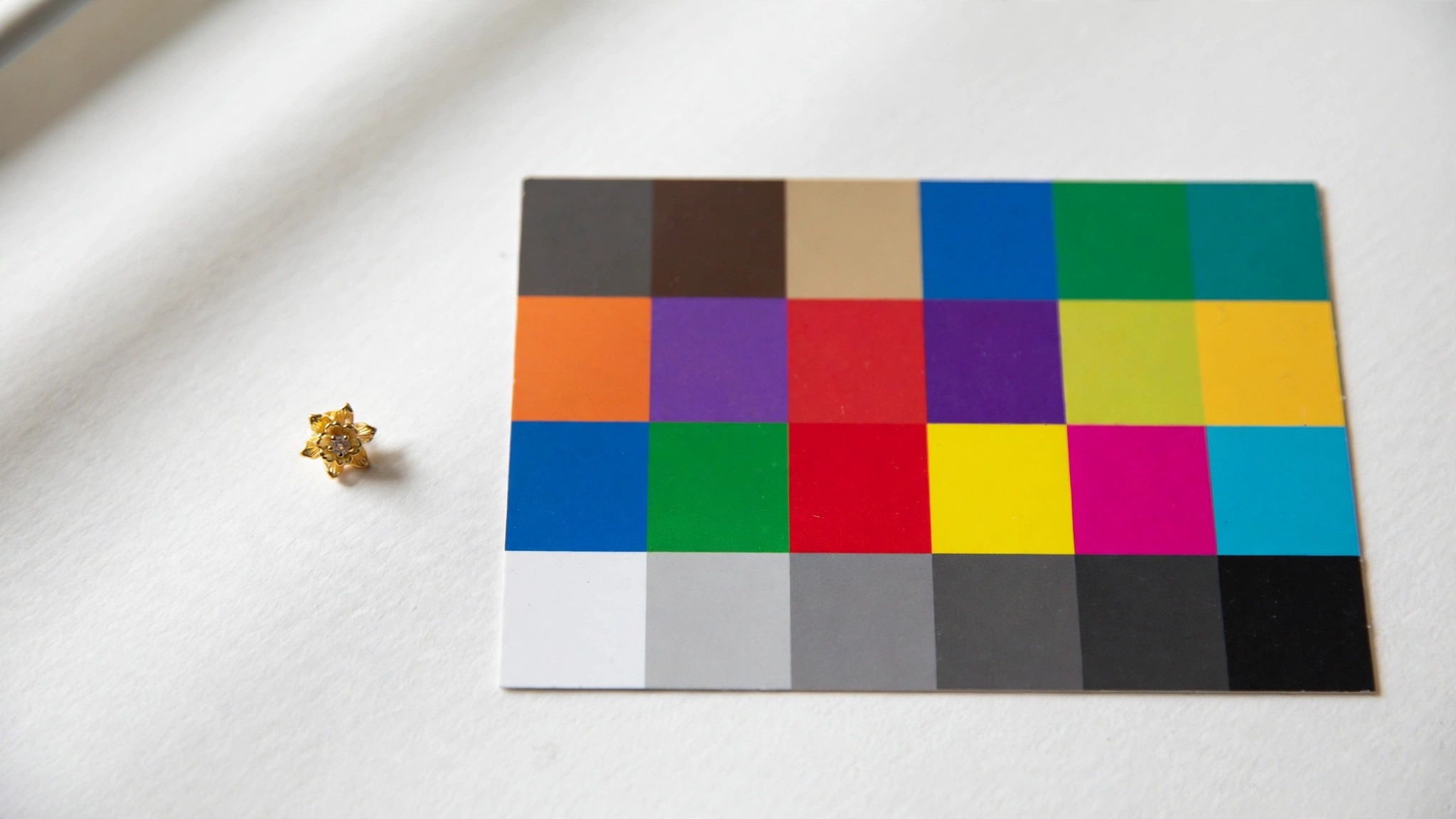
Here is the non-obvious section only this topic could carry. Food colour has a rule that no other product has. The photo must look slightly less exciting than the real thing, because the customer compares the photo with the food in front of them, not with another photo. A jewellery photo can be brighter than life and nobody minds. A food photo that is brighter than life gets returned. Priya should grade for truth, shoot in daylight, and check every photo against the jar itself before it goes live.
Best Pick by Job
| Seller | First pick | Second tool | Why this pair works |
|---|---|---|---|
| Jewellery seller | Photoshop | PhotoRoom | Retouching plus fast backgrounds |
| Furniture seller | Lightroom | Capture One | Batch grading plus true colour |
| Food seller | Capture One | Lightroom | True colour plus consistent grading |
| Small store on a budget | Affinity | Photopea | Both free, both professional |
| Store needing fast graphics | Canva Pro | PhotoRoom | Graphics plus backgrounds |
If you are Ana, pair PhotoRoom with Affinity and spend nothing. If you are Marcus, buy Lightroom and Capture One and treat the $29.99 a month as insurance against returns. If you are Priya, grade for truth in Capture One and use Canva Pro only for the banners. The table above is the short version of the best photo editing software for ecommerce, and the detail run below is the long version, grouped by the same three sellers.
Which Editor Is Best for Product Photos?
Photoshop is the best editor for product photos that need deep retouching, because it costs $22.99 a month and nothing else in this list matches its control over layers, masks and PSD files. Lightroom is the best editor for a store with a large catalogue, because presets and batch export let one grade run across a hundred photos. Canva Pro is the best editor for a small store that needs fast graphics, because background removal and Magic Resize turn one photo into a listing image, a banner and a social post in minutes.
The honest answer is that most stores need two editors, not one. A catalogue tool for the bulk work and a retouching tool for the hard photos is the pair that gets used, and the cheapest version of that pair is Lightroom at $11.99 a month plus Affinity for free.
What Does Photo Editing Software Cost for a Store?
A store’s editing bill depends on whether it pays monthly, once, or nothing at all. Photoshop at $22.99 a month plus Lightroom at $11.99 a month is $34.98 a month, or $419.76 a year. Canva Pro at $15 a month is $180 a year if paid monthly, or $120 a year if paid annually, so the annual plan saves $60. Affinity is free, GIMP is free, and Photopea is free in the browser, so a store on a zero budget can edit professionally without paying anything.
Worked example, from the prices in this guide, and the sum the best photo editing software for ecommerce guides skip. A store that buys Photoshop for a year pays $275.88. A store that uses Affinity instead pays nothing, and the AI tools inside Affinity need a paid Canva Pro account at $15 a month, so the store that wants generative fill inside Affinity pays $180 a year. The free route saves $275.88 a year, and the only thing it loses is the Adobe name on the invoice.
Is Canva Better Than Photoshop for Ecommerce?
Canva Pro is better than Photoshop for making graphics fast, and Photoshop is better than Canva Pro for editing photos properly. Canva Pro costs $15 a month or $120 a year, and its background removal and Magic Resize are the ecommerce features, since one product photo becomes a listing image, a banner and a social post in minutes. Photoshop costs $22.99 a month, has no free plan, and has no batch catalogue workflow, so a store editing hundreds of photos needs Lightroom beside it.
The question to ask is what you do most. If you spend your day making sale banners and social posts, Canva Pro is the better buy. If you spend your day removing reflections from a watch face, Photoshop is the better buy. Most stores do both, which is why the honest answer is to buy Canva Pro for the graphics and Affinity for the retouching.
How to Choose the Best Photo Editing Software for Ecommerce
Start with the product, not the price. A jewellery seller needs background removal and sharp detail. A furniture seller needs batch grading and true colour. A food seller needs colour that is true, not vivid. A store with 400 products needs a catalogue and presets. A store with 40 products needs speed and simplicity. The editor that fits the product will still fit in a year.
Next, try the free week properly. Photoshop can be tried for a week at no cost, Lightroom opens with seven days free, and Capture One runs free for a month. Put a real shoot through the trial, not a demo photo, and time how long 20 photos take. If the trial week ends and the photos are not done, the editor is too slow for your catalogue, however good it looks.
Finally, count the pair, not the single tool. Most stores need a catalogue tool and a retouching tool, and the pair is what the month costs. Lightroom plus Affinity is $11.99 a month. Photoshop plus Lightroom is $34.98 a month. Canva Pro plus Affinity is $15 a month. Write the pair down before you buy.
The 15 Tools in Detail
The fifteen tools below are grouped by the seller they fit best, in the same order as the sellers above. Read your group first, then skim the rest.
For the jewellery seller: Photoshop, PhotoRoom and Affinity.
1. Adobe Photoshop
Photoshop is the industry standard for retouching, compositing and generative editing, with layers, masks and PSD compatibility no rival matches. Adobe Photoshop costs $22.99 a month as a single app on annual billing. Generative fill and precise masking let a store remove reflections, swap backgrounds and clean a product shot without reshooting it.
Photoshop costs $22.99 a month with no free plan, and it has no batch catalogue workflow, so a store editing hundreds of photos needs Lightroom beside it. Adobe Photoshop can be tried for a week at no cost, long enough to retouch a batch of genuine product shots.
Worked example, from the prices in this guide. A store that buys Photoshop and Lightroom pays $34.98 a month, which is $419.76 a year. A store that buys Photoshop alone pays $275.88 a year, and then edits its catalogue one photo at a time. The $143.88 difference is the price of the batch workflow.
For stores needing pixel-level retouching, Adobe Photoshop is the straightforward pick here. It is the first pick for Ana, and the tool every other editor in this guide is measured against.
One honest warning before you buy. Photoshop is the deepest editor here and the slowest to learn, so a store that buys it for a quick background removal will feel cheated. Buy it for the retouching, not the speed.
2. Adobe Lightroom
Lightroom is the photographer catalogue tool, with RAW processing, presets, batch edits and cloud sync across desktop and mobile. Adobe Lightroom costs $11.99 a month for the 1TB plan on annual billing. Presets and batch export are the reason stores buy it, since one preset can grade a hundred product photos in an afternoon.
Lightroom cannot do pixel-level retouching, so a store that needs to remove a scratch from a product still needs Photoshop or Affinity. Lightroom opens with seven days free, and a store with a large catalogue can push a real shoot through its workflow in that week.
Worked example, from the prices in this guide. A furniture seller with 400 products grades them in four batches of 100, and the preset does the heavy work on each batch. The subscription is $11.99 a month, which is $143.88 a year, and that is less than the cost of one returned sofa.
For stores with large catalogues, Adobe Lightroom is the straightforward pick in this list. It is the first pick for Marcus, and the tool that turns a catalogue from a chore into an afternoon.
The trade-off is the one from the comparison above. Lightroom is fast across a catalogue and weak on a single photo, but you lose the retouching, because a scratched table leg still needs Photoshop or Affinity. If your catalogue is the job, buy Lightroom first.
3. Canva Pro
Canva Pro is a browser design suite with templates, background removal, Magic Resize and a huge stock library for store graphics. Canva Pro costs $15 a month or $120 a year for Pro. Background removal and Magic Resize are the ecommerce features, since one product photo becomes a listing image, a banner and a social post in minutes.
Canva cannot retouch at the pixel level, so a store that needs real photo editing must pair it with Affinity or Photoshop. Canva Pro has no free trial, so the first paid month is the real test. For small stores needing fast graphics, Canva Pro is the straightforward pick in this list.
4. Affinity
Affinity is a professional desktop editor for photo, vector and layout work, now free for everyone with a free Canva account. Affinity is free since Canva made the whole suite free on 30 October 2025. The pixel editing is genuinely professional, with layers, masks and RAW support, at no cost, which makes it the best free editor here.
The AI tools inside Affinity need a paid Canva Pro account, so a store that wants generative fill inside Affinity pays $15 a month anyway. Affinity has no free trial, because there is nothing to trial, and the first week is the real test. For stores on a zero budget, Affinity is the straightforward pick in this list.
5. Capture One
Capture One is the RAW editor known for colour accuracy and tethered shooting, used by studios that shoot products all day. Capture One costs $18 a month for Pro on an annual plan. Colour handling and tethered shooting are the best here, so a studio can see the true colour of a product on screen while shooting it. Capture One costs $18 a month and has a steeper learning curve than Lightroom, so a small store should trial it before switching. Capture One runs free for a month, which gives a fashion or jewellery store time to grade an entire lookbook before paying.
For the furniture and food sellers: Lightroom, Capture One, Luminar Neo and Fotor.
6. Luminar Neo
Luminar Neo is an AI assisted editor with sky replacement, relighting and portrait tools aimed at fast single photo edits. Luminar Neo costs $119 as a one-time purchase. The AI relight and enhance tools are genuinely fast, since a dull product shot can be lifted in one click without manual masking. Luminar Neo has no catalogue or batch workflow, so a store with hundreds of photos will still need Lightroom for the bulk work. Luminar Neo gives a week without charge, and a store wanting fast AI edits can run its trickiest product shots through it.
7. Photopea
Photopea is a free browser editor that opens PSD, XCF and RAW files with layers, masks and adjustment tools. Photopea is free in the browser with an optional paid tier. PSD compatibility is the reason to use it, since a store can open and edit a designer file without buying Photoshop.
Is Photopea enough for a store? Yes, if the store already has designer files and needs to edit them without a subscription. The browser speed and the ads on the free tier will slow a store that edits all day, so a store editing daily should take Affinity instead. For stores needing PSD editing free, Photopea is the straightforward pick in this list.
8. GIMP
GIMP is a free open source editor with layers, masks, retouching and plugin support, maintained by a community rather than a company. GIMP is free and open source. The price is zero and the capability is deep, since GIMP handles retouching, compositing and colour work without a subscription. GIMP has no catalogue, no cloud sync and a dated interface, so a store that values speed should take Affinity instead.
9. Pixlr
Pixlr is a browser editor with quick retouching, background removal and AI tools aimed at fast edits without an install. Pixlr offers a free tier with paid plans above it. The speed is the point, since a store can open a photo, remove the background and export it without installing anything. Pixlr lacks the depth of Photoshop or Affinity, so a store that needs careful retouching will outgrow it quickly.
10. Pixelmator Pro
Pixelmator Pro is a Mac only editor with layers, machine learning retouching and RAW support at a one-time price. Pixelmator Pro costs $49.99 as a one-time purchase on Mac. The one-time price is the appeal, since $49.99 buys a professional editor with no subscription, and the machine learning tools are fast. Pixelmator Pro runs on Mac only, so a store with a Windows computer cannot use it at all.
11. PhotoRoom
PhotoRoom is a background removal and product photo tool that turns a phone snapshot into a clean listing image in seconds. PhotoRoom offers a free tier with a paid Pro plan. Background removal is the fastest here, since a store can photograph a product on a desk and get a white background listing image instantly.
What PhotoRoom does well for a store:
- Background removal in seconds, without masking by hand.
- A clean white background listing image from a phone snapshot.
- Batch background removal for a seller listing ten pieces a week.
PhotoRoom is a background tool rather than a full editor, so a store that needs colour grading or retouching must pair it with another tool. For stores removing backgrounds daily, PhotoRoom is the straightforward pick in this list.
12. Fotor
Fotor is a simple editor with AI enhancement, background removal and batch processing aimed at non-designers. Fotor offers a free tier with a paid Pro plan. The AI enhance and batch tools are easy to use, so a store can improve a whole folder of photos without learning an editor. Fotor lacks the precision of Photoshop or Affinity, so a store selling high-value products will feel the ceiling quickly.
13. PicMonkey
PicMonkey combines photo editing with design templates for social posts, banners and listing graphics in one browser tool. PicMonkey sells paid plans with a free trial. The photo plus design combination suits a small store, since one tool covers the listing image and the sale banner around it. PicMonkey has no free tier beyond the trial, and its editing depth is below Photoshop or Affinity. PicMonkey allows seven days free, a short stretch a store can spend building real graphics and templates for its listings.
14. VistaCreate
VistaCreate is a template design tool with thousands of layouts for social posts, ads and store banners, plus basic photo editing. VistaCreate offers a free tier with a paid Pro plan. The template library is the reason to use it, since a store can produce a professional sale graphic in minutes without a designer. VistaCreate is a design tool rather than a photo editor, so a store that needs real retouching must pair it with Affinity or Photoshop.
15. ClipDrop
ClipDrop is an AI toolset for removing backgrounds, cleaning up objects and relighting photos, built for fast product shot fixes. ClipDrop offers a free tier with a paid Pro plan. The cleanup tools are the fastest here, since an unwanted object or a messy background disappears in one click. ClipDrop is a set of AI tools rather than a full editor, so a store needs another tool for catalogues, presets and exports.
Frequently Asked Questions
Is Affinity really free now?
Yes, Canva made the whole Affinity suite free on 30 October 2025, so the old $69.99 one-time price no longer applies. A free Canva account is needed to download and activate it, and the AI tools inside Affinity need a paid Canva Pro account at $15 a month.
What is the best free photo editor for ecommerce?
Affinity is the best free photo editor for ecommerce, because it is a professional desktop editor with layers, masks and RAW support at no cost. GIMP is the second choice for a store that wants open source, and Photopea is the best choice for a store that needs to open PSD files without paying.
Do I need Photoshop if I have Canva Pro?
Not always. Canva Pro covers background removal, Magic Resize and fast graphics, so a small store may never need Photoshop. You need Photoshop when the photo itself needs pixel-level retouching, such as removing a reflection from a watch face or cleaning dust from a product shot, which Canva Pro cannot do.
What is the cheapest way to remove product backgrounds?
PhotoRoom is the cheapest fast way, with a free tier that removes backgrounds in seconds from a phone snapshot. Affinity is the cheapest professional way, because it is free and the masking tools are genuinely professional. Canva Pro at $15 a month is the cheapest way that also makes the banner and the social post.
Which editor is best for a large product catalogue?
Lightroom is the best editor for a large catalogue, at $11.99 a month for the 1TB plan, because presets and batch export grade a hundred photos in an afternoon. Capture One at $18 a month is the better pick when colour accuracy matters more than speed, such as for furniture and fashion.
Can I edit product photos on my phone?
Yes. PhotoRoom turns a phone snapshot into a clean listing image in seconds, and Lightroom syncs across desktop and mobile. A phone is fine for backgrounds and quick fixes, but a food seller grading colour should use a proper screen, because a photo graded on a phone will look different on a laptop.
Pick Your Seller, Then Pick Your Editor
If you are Ana, pair PhotoRoom with Affinity and spend nothing. If you are Marcus, buy Lightroom and Capture One, grade the whole catalogue with one preset, and treat the subscription as insurance against returns. If you are Priya, grade for truth in Capture One, shoot in daylight, and check every photo against the jar itself before it goes live. That is the whole guide to the best photo editing software for ecommerce in three sentences, and the price maths above is there to check the numbers behind them. Pick your seller first, then pick your editor, and put a real shoot through the free trial before you pay.