
The problem is familiar to anyone who has built a form that people actually finish. Typeform looks beautiful, the one question at a time flow feels friendly, and then the bill arrives, or the response limit hits in the middle of a campaign. You are left choosing between paying more, cutting questions, or moving to a tool that looks dated. That trade off is unnecessary in 2026. Several Typeform alternatives now match the conversational feel, and some beat Typeform on price, logic, integrations, or survey depth. This guide compares 8 of them on the points that decide a purchase: completion experience, logic and scoring, integrations, response limits, data control, and total cost. Pricing notes reflect listings seen in October 2026. Always check checkout before you buy, because response limits and renewal prices change often.
Typeform alternatives fall into three groups. The first group copies the conversational style closely, with one question per screen, progress indicators, and polished themes. The second group focuses on surveys and research, with question banks, analysis, and panel tools. The third group focuses on practical business forms, with payments, approvals, and deep integrations into the tools you already use. Knowing which group you need saves time, because a beautiful form that cannot score a quiz or send data to your CRM is the wrong tool, however good it looks.
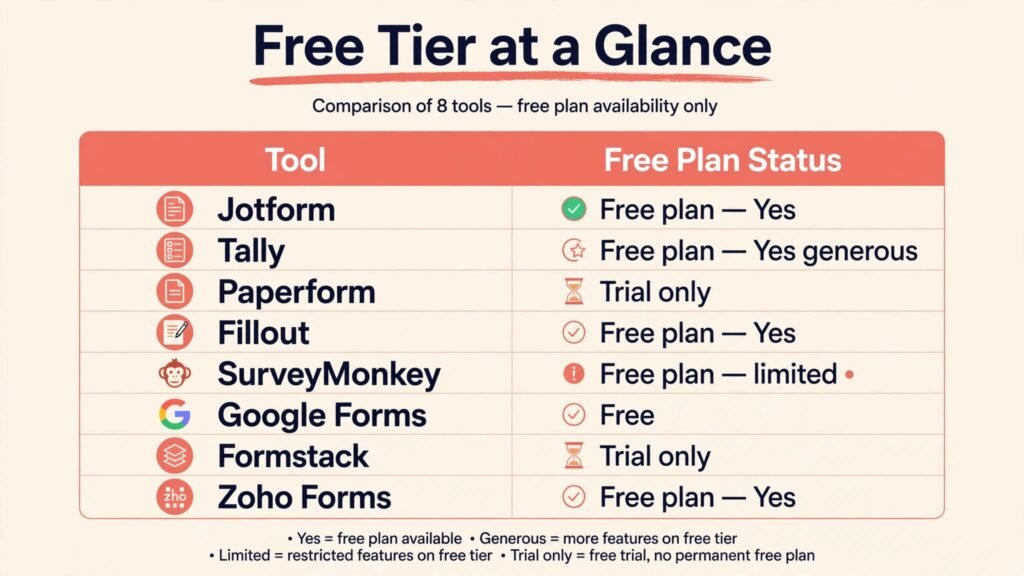
Snapshot: how the 8 compare
| Tool | Best for | Free plan | Conversational feel | Key limit to check |
|---|---|---|---|---|
| Jotform | Business forms and payments | Yes | Good, with many templates | Submission limits on lower tiers |
| Tally | Simple, low cost forms | Yes, generous | Clean and minimal | Fewer advanced survey tools |
| Paperform | Branded, polished forms | No, trial only | Very strong | Higher price than Tally |
| Fillout | Airtable and Notion linked forms | Yes | Strong | Depends on your base setup |
| SurveyMonkey | Research surveys at scale | Yes, limited | Moderate | Analysis features sit on paid tiers |
| Google Forms | Free internal surveys | Yes, free | Basic | Limited design and logic depth |
| Formstack | Workflows and approvals | No, trial only | Good for business use | Needs setup time for complex flows |
| Zoho Forms | Teams already using Zoho | Yes | Good | Best value inside Zoho, less so outside it |
Conversational forms that feel like Typeform
1. Jotform
Jotform is the most complete general replacement for Typeform, especially for businesses. It offers thousands of templates for contact forms, applications, bookings, orders, and registrations, plus a form builder that supports conditional logic, calculations, file uploads, signatures, and payments. The conversational style is available through its card form layout, which shows one question at a time, while the classic layout suits longer administrative forms. That flexibility matters, because not every form should be conversational. A job application with uploads and sections works better in a classic layout, while a lead quiz works better one question at a time.
Jotform also connects to payment providers, spreadsheets, email tools, and CRMs, and it includes approval workflows, PDF generation, and a mobile app for viewing submissions offline. Teams use it for intake, onboarding, event registration, and customer feedback without hiring a developer. The template library alone can save a day of setup, because most common forms already exist in a usable form.
Watch out for: submission and storage limits on lower plans, and the sheer number of settings can feel busy at first. Start from a template close to your goal, then adjust fields rather than building from a blank page. Pricing in October 2026 includes a free tier with limited submissions, plus paid tiers for more submissions, storage, and HIPAA friendly features on higher plans. Check checkout for monthly submission limits and for payment processing fees, which sit outside the Jotform price.

2. Paperform
Paperform is the closest match if design is your main reason for staying with Typeform. Pages look editorial and polished, with custom fonts, colours, images, and video that make a form feel like part of your brand rather than a third party widget. Logic, calculations, payments, and scheduling are built in, and you can create landing pages that combine text, media, and a form in one place. That makes Paperform strong for lead capture, bookings, and creative briefs where first impressions matter.
Paperform also handles multi step flows well, with conditional pages that change based on earlier answers. You can score a quiz, show a tailored result, and send different follow up emails from the same form. For agencies and studios, that combination of beauty and logic is hard to find elsewhere at this level of polish.
Watch out for: there is no free plan beyond a trial, and the price is higher than Tally or Google Forms. Paperform is worth it when the form is a brand touchpoint, such as a client intake or a premium lead magnet. For high volume internal forms, a cheaper tool will do the same job without the design cost. Pricing in October 2026 is paid after a trial, with tiers for submissions and features. Check checkout for submission limits and for the cost of extra team seats.

3. Tally
Tally is the value pick that surprises people. It offers unlimited forms and responses on its free tier, with a clean, minimal design that feels modern without trying to copy Typeform exactly. Logic, calculations, file uploads, and integrations are available, and the builder is fast because it avoids clutter. For startups, creators, and small teams that need many forms without a large bill, Tally removes the anxiety of hitting a response cap mid campaign.
Tally also integrates with tools such as Notion, Google Sheets, and Zapier style automation, so submissions can flow into the systems you already use. The form pages load quickly, work well on mobile, and support custom domains on paid plans. That combination makes Tally a strong default for lead forms, waitlists, feedback, and simple surveys.
Watch out for: survey analysis, panel management, and advanced reporting are thinner than SurveyMonkey, and design options are more restrained than Paperform. If you need deep branching research surveys with quotas and weighting, look at the survey group below. Pricing in October 2026 includes a generous free tier, with a paid tier for custom domains, team features, and higher upload limits. Check checkout for upload and integration limits before a large campaign.
4. Fillout
Fillout earns its place through its links to Airtable, Notion, and other databases. Instead of a form that only emails you a submission, Fillout can create or update a record directly in your base, prefill fields from existing data, and let respondents update their own records through a secure link. That is powerful for directories, applications, client portals, and internal tools where the form is the front door to a database. Logic, calculations, and multi page flows are strong, and the design is clean and modern.
For teams already running on Airtable, Fillout often replaces a patchwork of forms, automations, and manual copying. You can build an application form that writes to the right table, a booking form that checks availability, or an update form that lets a client edit only their own fields. That saves hours of admin work each week.
Watch out for: Fillout’s value depends on your database setup. If you do not use Airtable or a supported base, much of the advantage fades, and a general builder such as Jotform may be simpler. Pricing includes a free tier, with paid tiers for more submissions, advanced logic, and team features. Check checkout for submission limits and for the cost of features tied to your base size.
Surveys and research first
5. SurveyMonkey
SurveyMonkey remains the standard when survey method matters more than form beauty. It offers question banks, templates for customer satisfaction, employee feedback, and market research, plus logic, quotas, and analysis tools that turn raw answers into charts and comparisons. You can segment results, filter by answer, export data, and track trends over time. For teams that run repeated surveys and need defensible results, that depth matters.
SurveyMonkey also offers audience tools in some regions, which help you reach respondents outside your own list, and integrations with analytics and CRM tools. The survey experience is solid, if less playful than Typeform, and respondents can complete surveys on mobile without friction.
Watch out for: the free tier is limited, and the most useful analysis features sit on paid plans. Design customisation is also narrower than Paperform or Typeform. Choose SurveyMonkey when the survey is research, not just a contact form. Pricing in October 2026 includes a limited free tier, with paid tiers for more responses and analysis. Check checkout for response limits and for annual versus monthly pricing.

6. Google Forms
Google Forms is the free workhorse. It is free for personal and Workspace users, integrates with Sheets for instant analysis, and handles quizzes with scoring, file uploads, and basic logic. For internal surveys, class quizzes, event RSVPs, and quick feedback, Google Forms is often enough, and everyone already knows how to use it. Responses land in a spreadsheet you can chart, filter, and share without extra tools.
Watch out for: design options are basic, branding is limited, and logic depth is shallow compared with Jotform or Formstack. Payment collection, advanced approvals, and polished customer facing forms are not its strengths. Use Google Forms when cost is zero priority and the audience is internal or already in Google Workspace. For a customer facing lead form, a more polished tool will convert better. Pricing is free within Google accounts, with Workspace plans covering team features. Check checkout only if you need Workspace admin features.
Business workflows, payments, and approvals
7. Formstack
Formstack is built for business processes, not just single forms. It combines forms with documents, signatures, and workflow automation, so a submission can trigger approvals, generate a document, collect a signature, and update another system. That makes Formstack strong for HR onboarding, vendor intake, compliance forms, and sales approvals where a form is only step one. Integrations with CRM, storage, and payment tools are broad, and the builder supports complex logic.
Watch out for: Formstack needs more setup time than Tally or Paperform, and the price reflects its workflow features. Small teams with simple forms will pay for power they do not use. Choose Formstack when a form must move through people and systems, not just land in an inbox. Pricing in October 2026 is paid after a trial, with tiers for submissions, workflows, and compliance features. Check checkout for workflow and user limits.
8. Zoho Forms
Zoho Forms is the natural pick for teams already using Zoho CRM, Books, or other Zoho apps. Forms feed directly into Zoho tools, approvals and notifications fit the wider Zoho workflow, and the price is competitive for small teams. The builder supports logic, payments, file uploads, and multi page forms, and templates cover common business needs. For a small business standardising on Zoho, this integration alone can justify the choice.
Watch out for: outside the Zoho world, Zoho Forms is good but not distinctive, and integrations with non Zoho tools are less deep than Jotform or Formstack. If your stack is Google, Salesforce, or HubSpot centred, compare those integrations first. Pricing includes a free tier, with paid tiers for more submissions and features. Check checkout for submission limits and for the features included at each tier.
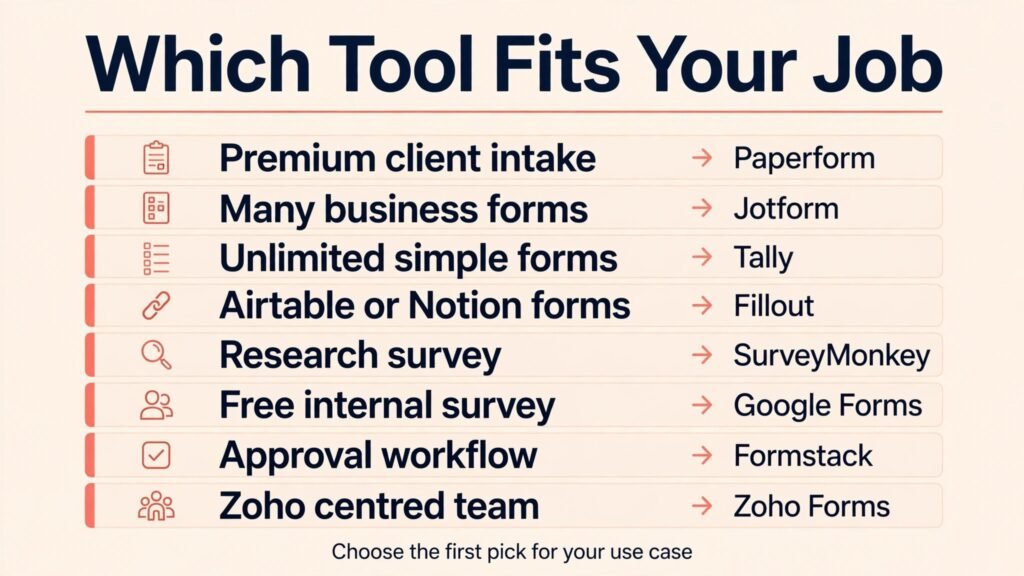
Typeform alternatives by job: which fits yours
| Your job | First pick | Why it wins |
|---|---|---|
| Client intake or lead capture that must look premium | Paperform | Brand polish plus logic and payments |
| Many business forms on a budget | Jotform | Templates, payments, and integrations in one place |
| Unlimited simple forms for a startup | Tally | Generous free tier and fast building |
| Forms linked to Airtable or Notion | Fillout | Records update directly, no manual copying |
| Research survey with analysis | SurveyMonkey | Question banks, quotas, and segmentation |
| Free internal survey or quiz | Google Forms | Zero cost and Sheets analysis |
| Approval workflow after submission | Formstack | Documents, signatures, and routing built in |
| Zoho centred small business | Zoho Forms | Native Zoho data flow and price |
How to pick without overpaying
Count responses honestly before you choose a tier. A campaign that expects 500 responses needs a plan that covers that number with headroom, not a plan that caps at 100 and charges overage fees. Also count forms, not just responses. Teams often need ten small forms, and a plan priced per form can cost more than a plan priced per submission. Read the limit that applies to your pattern.
Test completion on a phone with a real respondent, not just in preview. Ask a colleague to complete the form without instructions and watch where they pause. A form that looks good in the builder can still confuse on mobile if questions are long, file uploads are awkward, or progress is unclear. The best test is a five person pilot before a public launch.
Check data handling early if you collect personal or health related information. Ask where data is stored, whether you can export and delete responses, and whether higher tiers offer compliance features you need. A cheap form that creates a compliance problem is not cheap. Also confirm who can see submissions, because team access controls matter once more than one person handles responses.
Finally, map the integration that matters most and test it. A form that must create a CRM lead, a spreadsheet row, or a payment record should do that in a trial, with a real test submission. Do not trust a logo on an integrations page alone. Test the field mapping, the failure case, and the notification email. That one test prevents most post launch fixes. If your forms support a content business, our guide to best-ai-tools-for-freelance-writers may help with the content those leads will receive.
Mistakes that hurt completion rates
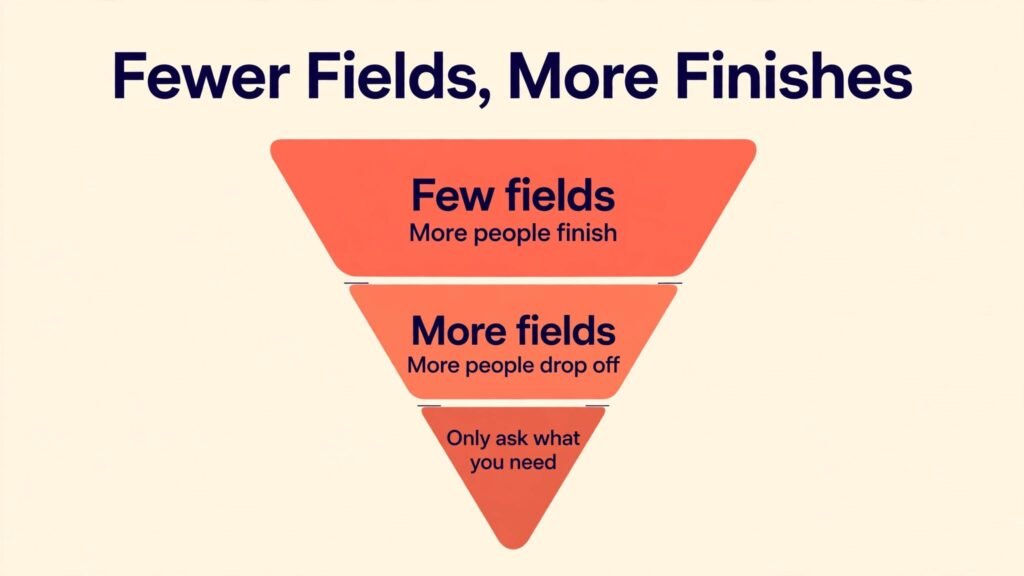
The biggest mistake is asking too much too soon. Every extra field lowers completion, especially on mobile. Ask only what you need to take the next step, and move nice to have questions to a follow up. A lead form needs a name, a contact method, and one qualifying question. It does not need a full profile on first contact.
Another mistake is weak logic. If a respondent answers that they are not interested in a service, do not show them five follow up questions about it. Use branching to skip irrelevant sections, show a tailored thank you page, and route different answers to different teams. Good logic makes a form feel short even when it collects detailed data.
A third mistake is a vague thank you page. Tell respondents what happens next, when they will hear back, and what to do if they need help. A strong thank you page also reduces support messages and missed follow ups. Add a confirmation email with the same details, and test it in spam folders as well as the inbox.
Do not ignore accessibility and language. Use clear labels, sufficient contrast, and error messages that explain how to fix a problem. Avoid placeholder text as the only label, because it disappears when typing starts. If your audience includes non native speakers, keep sentences short and avoid jargon in questions.
Frequently asked questions
Which Typeform alternative is closest in look and feel?
Paperform is closest for polished, brand led forms, while Tally offers a cleaner minimal feel at a lower price. Jotform’s card layout also mimics the one question at a time flow, with more template and payment options behind it.
Can I import my Typeform forms into another tool?
Most tools support importing from a link or a file in some form, but layouts, logic, and themes rarely transfer perfectly. Expect to rebuild design and check logic after import. Budget an hour per complex form for testing, and keep the original live until the new form is verified.
What is the cheapest good Typeform alternative?
Google Forms is free for basic surveys, and Tally offers unlimited forms and responses on its free tier with a low paid upgrade. For a customer facing form, Tally is usually the best balance of cost and polish, while Paperform justifies its price only when design is central.
Do these tools support quizzes with scoring?
Yes, Jotform, Paperform, Fillout, and Google Forms all support scoring and tailored results, with different levels of control. Test scoring, result pages, and email follow ups in a trial, because result logic is where tools differ most.
Which tool is best for payments through a form?
Jotform and Paperform both support payments well, with multiple providers and order style forms. Formstack also handles payments inside workflows. Compare processing fees, refund handling, and the checkout experience on mobile before you commit, because those details affect conversion.
How do response limits work in practice?
Most paid plans cap monthly submissions, and some cap total stored responses or file uploads. When you exceed a limit, forms may pause or overage charges may apply, depending on the tool. Choose a tier with at least 25 percent headroom over your expected peak month.
Is SurveyMonkey overkill for a simple feedback form?
Usually yes. SurveyMonkey earns its price on repeated research, segmentation, and analysis. For a simple feedback form after a purchase or event, Tally, Jotform, or Google Forms will be faster and cheaper, with enough reporting for day to day decisions.
Pricing and limits in plain terms
Pricing for form tools is easy to misread, because the headline price rarely tells the full story. The first factor is the submission limit. A plan that allows 100 submissions a month sounds generous until a newsletter campaign sends 2,000 people to a signup form in one week. Some tools pause the form at the limit, others charge overage fees, and others keep collecting but restrict viewing. Ask the vendor which behaviour applies, because a paused form during a launch is worse than a higher monthly bill.
The second factor is storage and uploads. A job application form with CV uploads, a photo contest, or a support form with screenshots will use storage quickly. Check whether uploads count against a separate limit, how long files are kept, and whether you can move files to your own storage automatically. A tool that stores everything forever sounds helpful until a storage upgrade becomes mandatory.
The third factor is seats and permissions. A solo creator needs one seat. A team with marketing, sales, and support staff needs role based access, so one person cannot delete or edit another team’s forms by accident. Some tools charge per seat, others include several seats on a team plan. Count the people who need edit access, not just the people who view results, because viewers are often free or cheaper.
The fourth factor is annual versus monthly billing. Annual billing usually saves 15 to 25 percent, but it locks you in before you know your real response volume. A safer pattern is to start monthly for two or three months, measure peak submissions, then switch to annual on the tier that fits that peak with headroom. That approach costs a little more at first and prevents paying for a year of the wrong tier.
The fifth factor is payment and add on costs. If you collect payments through a form, processing fees sit on top of the form tool price. If you need HIPAA friendly features, advanced security, or single sign on, those features often sit on higher tiers or enterprise plans. List every must have feature before you compare prices, then compare only the tiers that include all of them. A cheap plan missing one essential feature is not a bargain.
A practical budget example helps. A small business running a lead form, a booking form, and a feedback form, with about 300 submissions a month, will usually fit a mid tier plan on Jotform, Paperform, or Formstack, or a low paid plan on Tally. A research team running monthly surveys to 5,000 respondents needs a survey focused plan with analysis, not a form plan with a high submission count but weak reporting. Match the plan to the work, not to the brand name.
Also consider the cost of switching later. Export your form questions, logic notes, and submission data before you cancel any tool, and keep a copy of your thank you pages and email templates. Switching is rarely hard technically, but rebuilding logic from memory wastes time. A short migration note for each form, listing its fields, logic, integrations, and follow up emails, makes future moves far easier and protects you if a vendor changes pricing.
How real teams use these tools
A coaching business offers a clear example. The coach uses Paperform for a premium application, because the application is the first impression for a high ticket offer. The form asks about goals, budget range, and availability, then shows a tailored thank you page with a booking link for qualified applicants and a resource page for others. That logic alone saves screening calls and makes the offer feel considered.
A nonprofit offers a different example. It runs volunteer signups, event registrations, and donor feedback on Tally, because volume is uneven and budget is tight. During a campaign week, submissions spike, and the free tier headroom removes the worry of a paused form. Responses flow into a spreadsheet where volunteers are assigned, and the team spends its budget on the event itself rather than on form software.
A product team offers a third example. It runs quarterly customer satisfaction surveys in SurveyMonkey, segments results by plan and region, and tracks the same questions over time. That trend data matters more than form beauty, because the team needs to know whether a product change moved satisfaction up or down. A simple form tool could collect the answers, but it could not analyse them in the same way.
An operations team offers a fourth example. It uses Formstack for vendor onboarding, where a form triggers a document, a signature, and an approval chain. The form is only the start. The value is the workflow that follows, with an audit trail showing who approved what and when. No simple form builder replaces that chain without extra automation tools.
These examples show why a single ranking misses the point. The best tool is the one that fits the workflow after the form, not just the form itself. Map that workflow before you choose, test it with a real submission, and check that the data lands where your team already works. If it does, the form will be used. If it does not, even a beautiful form will be abandoned.
Final take
There is no single winner here, because forms serve different jobs. If design sells your service, choose Paperform. If you need many practical business forms, choose Jotform. If budget is tight, choose Tally. If research quality matters, choose SurveyMonkey. If the form feeds a database or a workflow, choose Fillout or Formstack. Start with a trial, build one real form with your own questions, and test it on a phone with a real respondent. The tool that survives that test, within your response budget, is the right Typeform alternative for you. Keep your old Typeform live until the new form has handled a full week of real traffic, and compare completion rates side by side before you cancel anything. That comparison gives you evidence, not just a feeling, and it protects a campaign that is already working while you improve the system behind it. Keep a simple log of completion rate, time to complete, and follow up response rate for both tools, so the final decision rests on measured results rather than on which interface felt nicer during a demo.