
Teachable charges a transaction fee on its basic plan, Thinkific offers a free tier with no transaction fee on paid plans, and Kajabi bundles email and funnels for a much higher monthly price. Which of those is the better deal depends entirely on how many students you have, how you sell, and whether you want an all in one business or a focused course platform. That comparison is the heart of choosing among Teachable alternatives in 2026, because the platforms look similar on a features page and diverge sharply once you add fees, students, and marketing tools. This guide compares 10 platforms on course creation, student experience, selling tools, fees, and support, with pricing notes from listings seen in October 2026. Always check checkout before you buy, because transaction fees and plan limits change often.
Teachable itself is a solid platform. It handles video hosting, course structure, quizzes, certificates, and payments, and many creators built their first school on it. Reasons to leave usually fall into four groups: fees on lower plans, limited design control, marketing tools that require extra software, or a need for community, coaching, or live classes that Teachable handles only partly. The alternatives below are grouped by the model they serve best: solo creators, schools and teams, all in one businesses, and community led learning.
Teachable alternatives at a glance
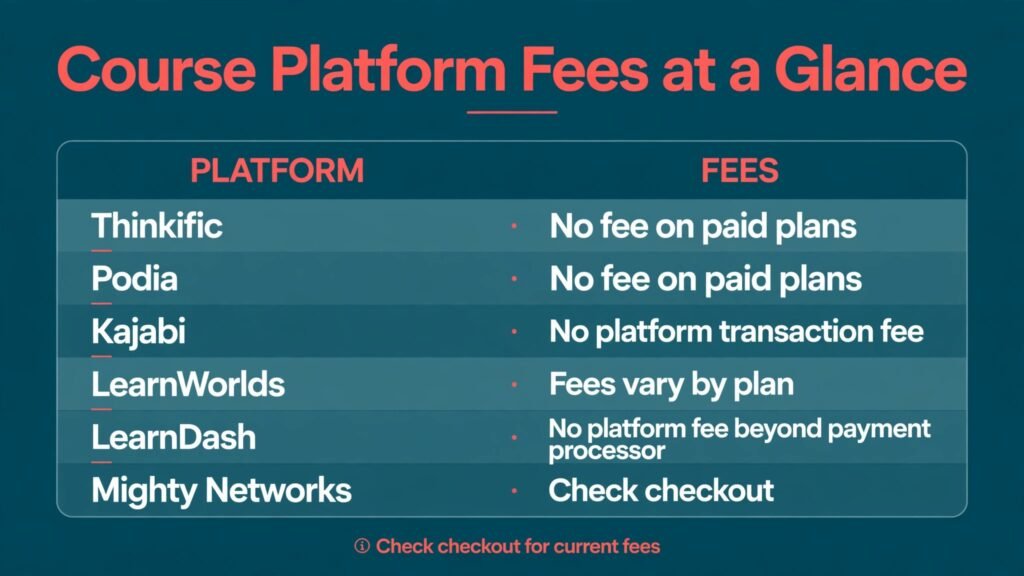
| Platform | Best for | Free plan | Transaction fee note | Standout feature |
|---|---|---|---|---|
| Thinkific | Solo creators and schools | Yes | No fee on paid plans, check checkout | Strong course builder, low friction start |
| Podia | Creators selling courses and digital products | No, trial only | No fee on paid plans, check checkout | Simple storefront for courses, downloads, and coaching |
| Kajabi | All in one creator business | No, trial only | No platform transaction fee, check checkout | Email, funnels, and site in one system |
| LearnWorlds | Interactive, branded schools | No, trial only | Fees vary by plan, check checkout | Interactive video and branded apps |
| Mighty Networks | Community plus courses | No, trial only | Check checkout | Community, events, and courses together |
| Teachery | Simple, low cost courses | No, trial only | Check checkout | Very simple setup, low price |
| Graphy | Creators in India and global markets | Yes, limited | Check checkout | Local payment options and mobile apps |
| TalentLMS | Team training and onboarding | Yes, limited | Check checkout | Fast corporate training setup |
| LearnDash | WordPress course sites | No, plugin licence paid | No platform fee beyond payment processor, check checkout | Full WordPress control |
| Xperiencify | Gamified courses and engagement | No, trial only | Points, streaks, and engagement tools |
For solo creators getting started
1. Thinkific
Thinkific is the most direct Teachable alternative for a creator who wants to start without a large upfront cost. The free tier lets you build a course, publish a landing page, and enrol students, which is enough to validate an idea before paying. The course builder supports video, text, quizzes, assignments, and drip schedules, and the student experience is clean on desktop and mobile. Thinkific also supports bundles, coupons, memberships, and affiliate tools, so selling is not an afterthought.
Thinkific’s strength is balance. It is not the cheapest all in one system, and it is not the most customisable, but it does the core jobs well: create, sell, teach, and support students. Integrations with email tools, analytics, and payment providers cover most creator stacks, and the app store adds community and advanced features when you need them.
Watch out for: advanced marketing automation, funnels, and email sequences usually require a separate email tool, unlike Kajabi. Design control is good but theme based, so a highly custom brand site may need workarounds. Pricing in October 2026 includes a free tier, with paid tiers for more courses, custom domains, and advanced features. Check checkout for transaction fee terms, because fee policy is the detail that most affects a creator’s margin.
2. Podia
Podia suits creators who sell more than courses. One storefront can sell a course, an ebook, a template, a webinar, and a coaching session, with a single checkout and a simple customer account. That simplicity is Podia’s appeal. There is no plugin maze, no separate funnel builder to learn, and students get a clean library of everything they bought. Email marketing is built in on higher tiers, so creators can send broadcasts and sequences without a second subscription.
Podia also handles memberships, which makes it a good fit for creators who combine a course with ongoing content. The builder is straightforward, uploads are fast, and the checkout experience is smooth on mobile. For a creator with a small catalogue and a direct audience, Podia often feels calmer than larger platforms.
Watch out for: course features are solid but less deep than LearnWorlds for interactive video or TalentLMS for team training. Advanced quizzes, certificates, and learning paths exist, but the focus is selling simplicity, not academic depth. Pricing is paid after a trial, with tiers for products, email, and team features. Check checkout for transaction fee terms and for email subscriber limits on each tier.
3. Teachery
Teachery is the low cost, low fuss option. It offers unlimited courses and students on its paid plans, with a simple editor that gets a course live in a day. There are no complex funnel builders, no app store to navigate, and no steep learning curve. For a first course, a workshop recording, or a small paid resource library, Teachery removes the excuse to delay launch.
Teachery supports video, audio, text, downloads, and basic drip content, plus payment integration and landing pages. Students get a simple, focused learning experience without distractions. That focus can help completion, because students are not lost in community feeds, upsells, and extra features.
Watch out for: Teachery is deliberately simple. It lacks the marketing depth of Kajabi, the interactive tools of LearnWorlds, and the community features of Mighty Networks. If you plan to scale to a large school with many instructors, start with Thinkific or LearnWorlds instead. Pricing in October 2026 is a flat monthly or yearly rate with unlimited courses and students on paid plans. Check checkout for payment processor fees, which sit outside the platform price.
For branded schools and interactive learning
4. LearnWorlds
LearnWorlds is built for schools that care about brand and interaction. You can create a fully branded site, mobile app, and course player, with interactive video that adds questions, notes, and clickable elements inside lessons. That interactivity helps completion, especially for professional training where passive video watching is not enough. LearnWorlds also supports live classes, assessments, certificates, and learning paths, which suit academies, corporate trainers, and certification providers.
The platform includes a website builder, blog, and sales pages, so a school can run its public site and its courses in one place. Marketing tools cover coupons, bundles, affiliates, and integrations with email platforms. For a school with a distinct brand, LearnWorlds offers more control than Teachable without moving to WordPress.
Watch out for: the price is higher than Thinkific or Podia, and setup takes longer because there are more options to configure. Small creators with one course may not use the interactive and app features enough to justify the cost. Pricing is paid after a trial, with tiers for features and transaction terms. Check checkout for the fee on your chosen tier and for app related costs.

5. Graphy
Graphy, formerly known for creator tools in India and growing globally, suits creators who need local payment options, mobile first learning, and branded apps at a competitive price. It supports live classes, recorded courses, tests, and community features, with a mobile app experience that matters in markets where most students learn on a phone. Creators can sell courses, memberships, and digital products from one dashboard.
Graphy also offers marketing tools, coupons, and affiliate features, plus integrations with payment providers relevant to its core markets. For a creator with an audience in India, Southeast Asia, or other mobile first regions, Graphy can convert better than a platform built only for card payments in North America and Europe.
Watch out for: brand recognition and third party integrations outside its core markets are narrower than Thinkific or Kajabi, and documentation in some regions is thinner. Test payment options with your own audience before migrating a live school. Pricing includes a limited free tier, with paid tiers for features and apps. Check checkout for transaction terms and for app costs.
6. Xperiencify
Xperiencify focuses on a problem most course platforms ignore: students do not finish. It uses gamification, points, streaks, celebrations, and action steps to keep students moving through a course. Lessons are structured around small wins, reminders, and progress visuals that reward completion rather than just content consumption. For creators whose courses suffer from low completion, that engagement layer can matter more than another video feature.
Xperiencify also supports courses, memberships, and coaching programs, with email and SMS reminders, quizzes, and progress tracking. The student experience feels like a guided program, not a video library, which suits transformation focused courses in health, business, and skills training.
Watch out for: design and course structure follow Xperiencify’s engagement model, so creators who want a traditional school layout may feel constrained. Pricing is also higher than simple platforms, reflecting the engagement tooling. Pricing is paid after a trial. Check checkout for student limits and for the features included at each tier before you commit a large cohort.
For all in one creator businesses
7. Kajabi
Kajabi is the all in one answer. It combines a website, course platform, email marketing, funnels, landing pages, and automation in one subscription. A creator can build a site, launch a course, run a webinar funnel, send a sequence, and sell a coaching offer without stitching together five tools. That integration saves time and reduces the risk of a broken link between systems, which is a common cause of lost sales.
Kajabi’s templates for pages, emails, and funnels are polished, and its analytics show the full journey from opt in to purchase. For creators with a proven offer and a growing email list, Kajabi often pays for itself by replacing separate email, funnel, and site tools.
Watch out for: the monthly price is the highest in this list, and it only makes sense once revenue covers it. Beginners with no audience may pay for power they do not use. Community and course depth are good but not best in class for every niche, so compare LearnWorlds for interactive schools and Mighty Networks for community first models. Pricing in October 2026 is paid after a trial, with tiers for products, contacts, and automation. Check checkout for contact limits, which decide the right tier as your list grows.

For community and team learning
8. Mighty Networks
Mighty Networks combines community, courses, events, and memberships in one place. Members can discuss lessons, join live events, share progress, and access courses from a single feed and app. That combination suits coaches, membership groups, and niche communities where belonging drives retention. A course alone can feel lonely, while a course inside a community gives students peers, accountability, and reasons to return.
Mighty Networks supports paid memberships, course bundles, live events, and branded apps on higher tiers. Hosts can create spaces for cohorts, topics, or levels, and members can message each other and join subgroups. For a creator whose value is the group as much as the content, this model often outperforms a standalone course platform.
Watch out for: course tools are good but less deep than LearnWorlds for assessments and interactive video, and the community feed needs active hosting to stay valuable. If you will not moderate and post regularly, a simpler course platform may serve students better. Pricing is paid after a trial, with tiers for members, spaces, and apps. Check checkout for member limits and app costs.

9. TalentLMS
TalentLMS is built for team training rather than public course sales. Companies use it for onboarding, compliance, product training, and partner certification, with user groups, learning paths, reports, and automation that assign courses when someone joins a team. Setup is fast, the interface is simple for learners, and administrators can track completion and scores without a learning specialist.
TalentLMS supports video, documents, quizzes, live sessions via integrations, and gamification basics. It also handles multiple branches for different teams or clients, which helps agencies and franchises deliver the same training with local variations. For internal training, that structure matters more than a beautiful sales page.
Watch out for: TalentLMS is not designed as a public creator storefront. Selling courses to the public, with funnels and affiliates, is weaker than Thinkific or Kajabi. Use it when the audience is employees, partners, or clients who must complete training. Pricing includes a limited free tier, with paid tiers priced by active users. Check checkout for active user counting, because that decides cost as teams change.
10. LearnDash
LearnDash is a WordPress plugin that turns a WordPress site into a full course platform. It offers drip content, quizzes, assignments, certificates, learning paths, and groups, with complete control over design, hosting, and integrations. Creators who already run WordPress, or who want to own their data and site fully, often choose LearnDash over any hosted platform. You can combine it with membership plugins, forums, and ecommerce tools to build exactly the school you want.
LearnDash also works well for creators who sell through WooCommerce, because checkout, coupons, and order management follow WordPress rules. That control appeals to schools with specific branding, language, or integration needs that hosted platforms cannot meet.
Watch out for: LearnDash is a plugin, not a hosted service. You handle hosting, updates, backups, and plugin compatibility, or you pay a host and developer to do it. Total cost includes hosting and add ons, not just the licence. Pricing is a yearly licence for the plugin, with tiers for sites and features. Check checkout for renewal pricing and for the add ons you will actually need, such as groups or gradebooks. For creators building a wider digital product business, our guide to how-to-create-a-digital-product-with-ai covers product planning that pairs well with any platform here.
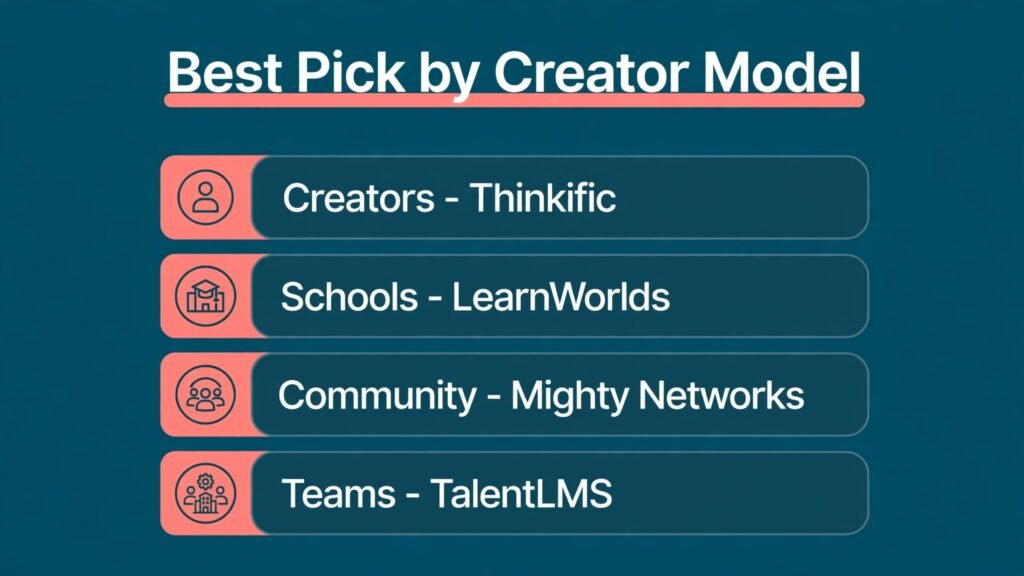
Best pick by creator model
| Your model | First pick | Runner up | Reason |
|---|---|---|---|
| First course, small audience | Thinkific | Teachery | Low cost start, room to grow |
| Selling courses plus downloads and coaching | Podia | Kajabi | One storefront, simple checkout |
| Branded academy or certification school | LearnWorlds | LearnDash | Brand control and interactive learning |
| Community led membership | Mighty Networks | Podia | Retention comes from peers, not just videos |
| All in one business with email and funnels | Kajabi | Thinkific plus email tool | Integration saves time once revenue supports it |
| Team training and onboarding | TalentLMS | LearnDash | Groups, paths, and completion reports |
| WordPress owner who wants full control | LearnDash | Thinkific | Own the site, data, and checkout |
| Engagement problem, low completion | Xperiencify | LearnWorlds | Gamification and guided action steps |
How to compare fees honestly
Transaction fees are the most misunderstood cost in course platforms. A platform fee is separate from the payment processor fee, which usually sits around card processing rates in your region. If a platform charges a transaction fee on top of that, your margin shrinks on every sale, especially on low priced courses. A 10 percent platform fee on a 49 dollar course is a different burden than the same fee on a 499 dollar course, so calculate fees in dollars per sale, not just as a percentage.
Work through a simple example before you choose. Take your expected price, subtract the payment fee and any platform fee, then subtract the monthly platform cost divided by expected monthly sales. That gives a realistic net per sale. A higher monthly plan with no transaction fee often wins once you sell more than a few dozen courses a month, while a low monthly plan with a fee can win for a first launch with uncertain sales. Do the maths for your price point, not for a generic creator.
Also check what counts as a sale, and whether free trials, payment plans, and instalments are treated differently from a single full payment. A student on a payment plan may trigger fees on each instalment, which changes the total cost of a sale over several months. If you offer instalments, model the full payment schedule, not just the first payment, so your margin calculation reflects the whole student journey and not only launch week. Some fees apply to all payments, including memberships and coaching, while others apply only to course sales. Check whether coupons, bundles, and affiliate commissions interact with fees, because affiliate payouts on top of platform fees can leave a thin margin. Read the fee page for your tier, and ask support in writing if the wording is unclear. That written answer protects you if terms change later.
How to choose in four steps
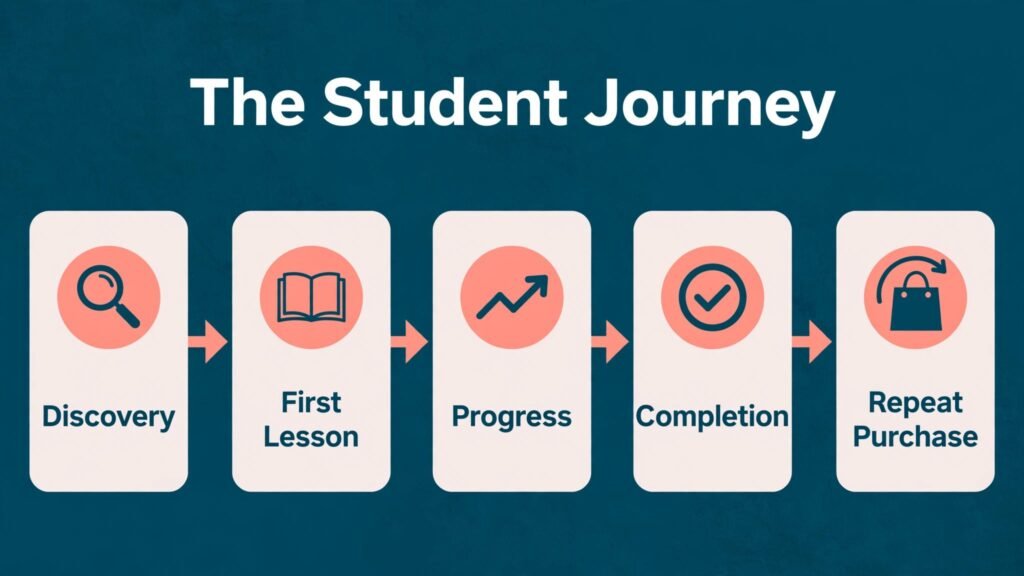
First, define your student journey in one paragraph. A student discovers you, joins a free resource, buys a course, completes lessons, and then buys the next offer. Write down the tools needed at each step. If email and funnels dominate, Kajabi or a Thinkific plus email stack fits. If community dominates, Mighty Networks fits. If assessment dominates, LearnWorlds or TalentLMS fits. The journey removes platforms that excel at a step you do not need.
Second, test the student experience yourself. Enrol in a demo course, watch a lesson on a phone, take a quiz, and check the certificate and progress screens. Ask a friend to do the same without guidance. A platform that confuses students will generate support messages and refund requests, however good the creator dashboard looks. Pay attention to mobile video, download options, and offline access if your audience learns on the move.
Third, test selling with a real checkout. Build a landing page, set a price, apply a coupon, and buy your own course with a test payment. Check the receipt, the welcome email, and the student account creation. A smooth checkout is worth more than a beautiful landing page, because a failed payment at launch costs sales you cannot recover easily. Also test refund handling, because a clear refund process protects your reputation.
Fourth, plan for migration. Export a sample lesson, check video hosting limits, and confirm that student progress can move if you change platforms later. Hosted platforms vary in export options, while WordPress with LearnDash gives you the most control. Even if you never move, knowing the exit path keeps you honest about lock in and data ownership. For creators who also teach others, our guide to best-ai-tools-for-course-creators can help with course content planning across platforms.
Mistakes to avoid with a new platform
The most common mistake is building a huge course before validating demand. A short paid workshop, a pilot cohort, or a presale page will tell you more than months of recording. Choose a platform that lets you launch small, then expand, rather than a platform that rewards building a large library before your first sale.
Another mistake is pricing without fees in mind. Set your price after fees, taxes, affiliate payouts, and platform costs, not before. A course priced to feel cheap can become unprofitable once fees and support time are counted. Price for the value and the outcome, and test a higher price with a smaller pilot group before discounting widely.
A third mistake is ignoring completion. A course that students do not finish generates fewer testimonials, fewer referrals, and fewer repeat sales. Use drip schedules, action steps, reminders, and community prompts to support completion. Xperiencify and LearnWorlds help here, but even simple tools such as weekly emails and short lessons improve completion on any platform.
Do not copy a competitor’s platform choice blindly. A creator with a large email list and a team can justify Kajabi, while a solo creator with a small audience may do better on Thinkific or Podia. Your audience size, price point, and team capacity matter more than a testimonial from a creator at a different stage. Choose for your next twelve months, not for someone else’s business.
Frequently asked questions
Is Thinkific really free to start?
Yes, Thinkific offers a free tier for a limited number of courses, which is enough to validate an idea. Paid tiers add more courses, a custom domain, and advanced features, and transaction fee terms vary by plan, so check checkout before you launch paid sales.
Which Teachable alternative has no transaction fees?
Several paid plans on Thinkific, Podia, and Kajabi advertise no platform transaction fee, but payment processor fees still apply. Always confirm the fee for your exact tier in writing, because free tiers and lower tiers often have different terms.
Can I move my Teachable courses to another platform?
In most cases, yes, with rebuilding. Videos, text, and quizzes usually need to be recreated or imported through available tools, and student progress rarely transfers perfectly. Keep Teachable live until the new school is tested, and tell students clearly about any new login steps.
Is Kajabi worth it for a beginner?
Usually not at the start. Kajabi earns its price when email, funnels, and site tools replace separate subscriptions and when sales volume covers the monthly cost. Beginners often do better starting on Thinkific or Podia and moving to Kajabi once revenue is steady.
Which platform is best for live classes?
LearnWorlds and Graphy both support live classes well, with LearnWorlds offering stronger interactive and branded options. Mighty Networks also handles live events inside a community, which suits cohort programs that combine live sessions with discussion.
Do I need a community for my course to succeed?
Not always, but community helps retention for membership and cohort courses. For a self paced skills course, a good course structure and email support may be enough. Add community when students benefit from peer feedback, accountability, or ongoing discussion, not just because a platform offers it.
What about selling on WordPress with LearnDash?
LearnDash gives full control and no platform transaction fee beyond payment processing, but you manage hosting, updates, and compatibility. It suits creators who already use WordPress or who need custom integrations, and it pairs well with WooCommerce for checkout and coupons.
A different kind of closing: choose for the next sale, not the dream school
It is tempting to choose a platform for the school you hope to run in three years. Choose instead for the next sale you need to make. If that sale is a first course to a small list, Thinkific or Podia will get you live fastest. If that sale is a branded academy with assessments, LearnWorlds or LearnDash will serve you better. If that sale depends on a community that stays, Mighty Networks is the honest pick. Platforms can change as you grow, and students care more about a clear course, a smooth checkout, and support when they are stuck than about the logo in the footer. Before launch, ask three former students or peers to complete your checkout and first lesson, and fix every friction point they report. That small test often reveals more than weeks of comparing feature tables, and it gives you confidence on launch day. Launch small, measure completion and net revenue per sale, and upgrade when the numbers, not the feature list, tell you to. A platform that helps you make the next sale, support the next student, and keep the next cohort engaged is doing its job. The rest is decoration, and decoration can wait until revenue pays for it. Keep your course promise clear, your checkout smooth, and your student support fast, and the platform choice will support growth rather than block it.