

Restaurant staff turnover runs above 70 percent a year in the United States, which means a typical dining room re-trains its whole team almost every fourteen months. The best ai training tools for restaurants exist because that churn makes training the most repeated job in the building, and a manager who teaches the same shift routine by hand, every week, loses the hours that should go to guests. A good training tool turns the routine into short mobile lessons a new hire can finish between shifts.
Opus Training leads for mobile-first frontline teams, 7shifts leads for restaurants that already schedule inside it, and Schoox leads for franchise groups with complex audiences. The rest of this guide sorts the ten tools by the job each one does best, so a single cafe, a growing group, and a franchise network each get a different winner.
Prices below come from vendor pricing pages checked in November 2026, and several tools in this category quote rather than publish, so confirm the figure on the vendor page before you pay. Where a price is quoted, the range given is the best-known published figure, and the real number depends on locations, users, and content.
Why Restaurant Training Fails When It Lives on Paper
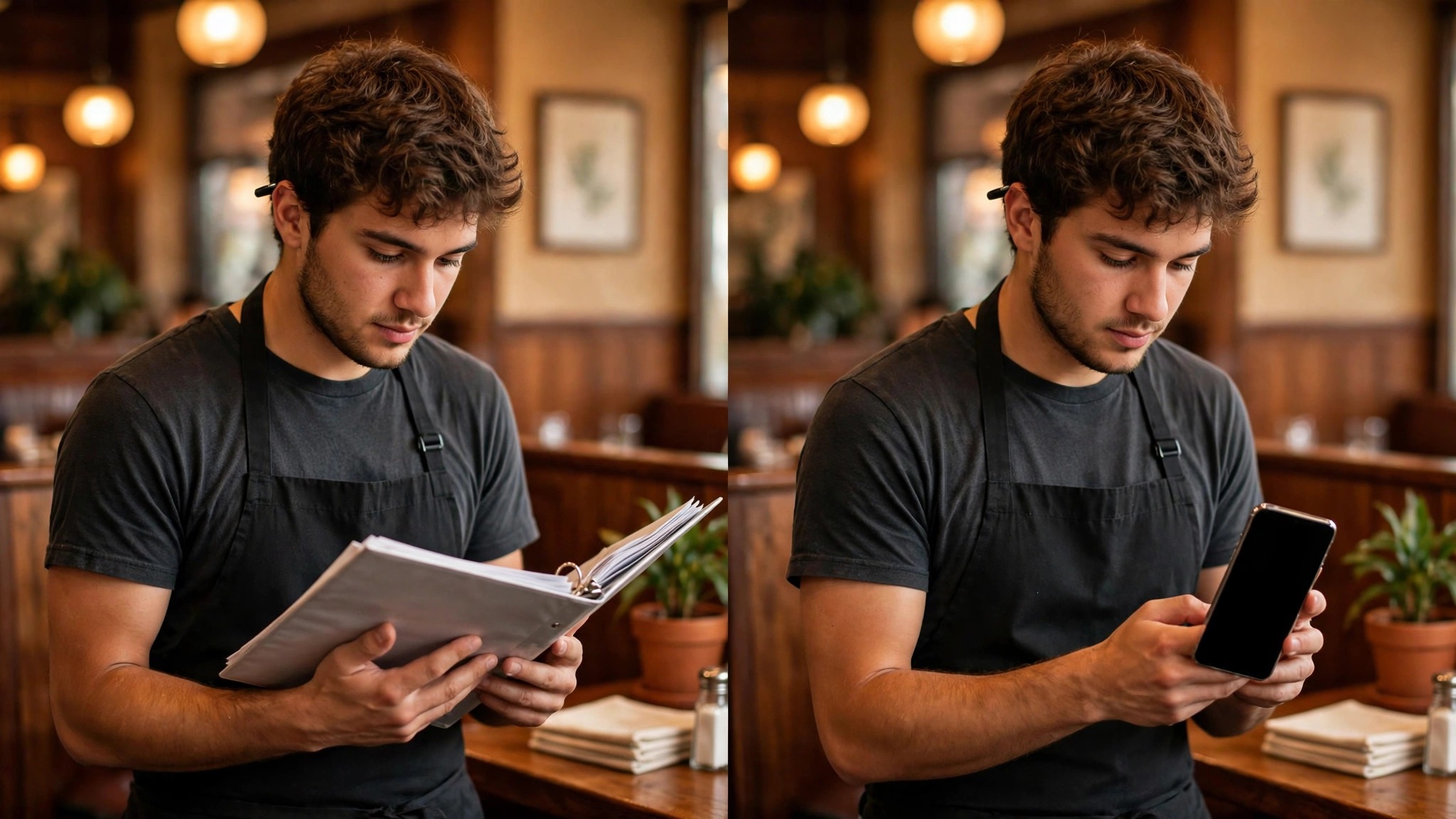
A new server who cannot find the allergen sheet, the till procedure, or the closing checklist will ask a colleague, guess, or skip the step, and all three outcomes cost the restaurant something. Paper training fails because it lives in a binder nobody opens during a rush, while the questions arrive exactly during the rush. Mobile training wins because the answer is in the pocket of the person asking.
The second reason is language. A kitchen crew that speaks three languages cannot learn from one English manual, and a training tool that cannot translate a lesson into the language the cook actually speaks is a tool that trains only part of the team. The best tools here translate automatically and let a manager check understanding with a short quiz.
The third reason is proof. A restaurant that cannot show who completed food safety training, and when, is exposed the first time an inspector or a lawyer asks. The tools in this guide keep a completion record per person, per lesson, which is the difference between a training program and a training hope.
The 10 Tools at a Glance
| Tool | Main job | Best for | Starting price |
|---|---|---|---|
| Opus Training | Mobile-first frontline training | Restaurants with deskless multilingual crews | quote-based, pricing on the vendor site |
| 7shifts | Scheduling plus employee training | Restaurants already scheduling in 7shifts | Premium from about 135 dollars a location a month on annual billing |
| Schoox | Franchise and enterprise learning | Multi-location restaurant groups | quote-based, pricing on the vendor site |
| TalentLMS | General LMS with AI course creation | Independent restaurants wanting a real LMS | free tier, Core from about 119 dollars a month |
| Trainual | SOP documentation plus onboarding | Franchises that need consistency | from about 299 dollars a month plus a 1,000 dollar implementation fee |
| Axonify | Microlearning for frontline teams | Large groups wanting daily micro-lessons | quote-based, pricing on the vendor site |
| eduMe | Mobile training for deskless workers | Restaurants with staff who never use email | quote-based, pricing on the vendor site |
| Wisetail | Frontline learning plus operations | Restaurant groups linking learning to operations | quote-based, pricing on the vendor site |
| Typsy | Hospitality video course library | Restaurants wanting ready-made content | Team from about 120 dollars a member a year |
| Coursebox | AI courses from menus and SOPs | Restaurants wanting AI-built courses fast | free to start, Pro LMS from about 3,000 dollars a year |
No single row in this table picks your platform, because a single cafe and a fifty-site franchise need different tools. A small restaurant should weigh TalentLMS and 7shifts first. A franchise group should weigh Opus, Schoox, and Trainual. Read the table as a map of trade offs, then read the detail entries for the two or three tools that match your size.
Best Pick by Job
| Job type | First pick | Second tool | Why this pair works |
|---|---|---|---|
| Mobile frontline training | Opus Training | eduMe | No-email mobile access plus multilingual lessons |
| Training inside scheduling | 7shifts | TalentLMS | Lessons where the rota already lives |
| Franchise consistency | Trainual | Schoox | SOPs plus multi-location reporting |
| Ready hospitality content | Typsy | Coursebox | Video library plus AI course building |
| Fastest low-cost start | TalentLMS | Coursebox | Free tier plus published pricing |
A restaurant that needs the best ai training tools for restaurants to reach staff who never sit at a desk should start with Opus Training, because its mobile-first, no-email access fits a kitchen crew better than any desktop LMS. A restaurant already scheduling in 7shifts should start there, because training inside the scheduling app removes a second login. A franchise group should start with Trainual, because SOP documentation is the job that keeps fifty sites doing the same thing.
How to Judge the Best AI Training Tools for Restaurants
Start with the phone in a cook’s hand, not the admin dashboard on a laptop. Open a lesson on a cheap phone, in a noisy kitchen, with one hand free, and see whether it loads fast, plays offline, and ends with a quiz a tired person can finish in two minutes. A tool that only works well on a desktop has already failed the people it must train.
Next, test the translation. Take one real lesson, ask the tool to deliver it in the second language your team actually speaks, and have a native speaker read it. The best ai training tools for restaurants in this guide handle multilingual delivery properly, so treat a tool that machine-translates badly, or not at all, as a reason to walk away.
Then check the completion record. Assign a lesson to five test staff, mark two as complete and one as overdue, and see whether the manager view shows that clearly without an export. A training tool that cannot prove who finished what is a content library, not a training system.
The 10 Tools in Detail
The ten tools below are the ones that matter for restaurant training in 2026. Each entry covers what the tool does best, what it costs, and where it falls short, so you can match the tool to your size and your budget. The best ai training tools for restaurants are the ones that fit your crew, not the ones with the longest feature list, so read the entries for your job first and skim the rest.
1. Opus Training
The strongest reason to pick Opus Training is it is purpose-built for frontline service teams, with no-email access, multilingual content, manager check-ins, and practical skills validation. Its AI-assisted course building turns a menu or an SOP into a lesson fast, and its multi-location structure lets a franchisor control content while each site sees its own data.
Opus Training starts at quote-based, pricing on the vendor site. Where it falls short is pricing is custom and quote-only, so a small restaurant cannot learn the cost without a sales call. The best overall pick for a restaurant crew.
2. 7shifts
7shifts earns its place here because it adds an Employee Training module to the scheduling app a restaurant already uses, so lessons, courses, and assignments live where the rota lives. Managers create lessons and courses in the platform, and Premium is required to publish, assign, and give employees access.
7shifts starts at Premium from about 135 dollars a location a month on annual billing. The honest drawback is the training module is an add-on to a scheduling product, so its course depth is thinner than a dedicated LMS. The best pick inside an existing 7shifts setup.
3. Schoox
Schoox stands out because it serves more than 4,300 organisations and 30 million learners, with learning paths, certifications, blended learning, and reporting built for complex audiences. It handles franchise structures well, with different content and reporting per location, brand, or role.
Schoox starts at quote-based, pricing on the vendor site. The weak spot is enterprise pricing is quote-only, and a single-site restaurant will find it heavier than it needs. The best pick for a large restaurant group.
4. TalentLMS
TalentLMS is worth a close look because it is the simplest real LMS a small restaurant can buy, with AI course creation, ready courses, and a free tier to start. Its Core plan at about 119 dollars a month covers up to 100 users, which is generous for a single restaurant or a small group.
TalentLMS starts at free tier, Core from about 119 dollars a month. The limit to watch is it is a general LMS, so its restaurant-specific content is thinner than Typsy, and food safety courses are bought separately. The fastest low-cost start.
5. Trainual
Trainual earns its place here because it turns SOPs and playbooks into trackable onboarding, which is how multi-location restaurants keep every site doing things the same way. Restaurants convert operating procedures into step-by-step subjects, add videos and quizzes, and assign training by role or location.
Trainual starts at from about 299 dollars a month plus a 1,000 dollar implementation fee. Where it falls short is pricing is quote-based on current pages, with a one-time 1,000 dollar implementation fee, and it is a process tool first, not a deep LMS. The best pick for writing down how the place runs.
6. Axonify
Axonify stands out because it delivers short daily micro-lessons with spaced repetition, which suits a crew that learns in three-minute gaps between service. Its AI adapts the questions to each person, so the team member who already knows allergens stops being asked about them.
Axonify starts at quote-based, pricing on the vendor site. The honest drawback is pricing is quote-based and enterprise-leaning, so a small restaurant cannot trial it cheaply. The best pick for daily microlearning at scale.
7. eduMe
eduMe is worth a close look because it is built for deskless workers, with mobile lessons that need no email login and no desktop. Its short-form lessons and quick quizzes fit the gaps between shifts, and its reporting shows who finished what without a spreadsheet.
eduMe starts at quote-based, pricing on the vendor site. The weak spot is pricing is quote-based, and its content library is smaller than a general LMS. A strong pick for a no-email crew.
8. Wisetail
Wisetail earns its place here because it connects learning with frontline operations, so training, communication, and compliance live in one place. Its mobile experience is strong, and its reporting ties completion to location performance, which a multi-site operator values.
Wisetail starts at quote-based, pricing on the vendor site. The limit to watch is pricing is quote-only, and a single restaurant will find the sales process long for its size. The best pick for a growing group.
9. Typsy
Typsy stands out because it supplies ready-made hospitality video courses, so a restaurant does not have to film or write its own training to start. Its library covers service, food safety, and hospitality skills, and the Team plan at about 120 dollars a member a year is easy to budget.
Typsy starts at Team from about 120 dollars a member a year. Where it falls short is its LMS features are lighter than TalentLMS, so a restaurant that needs deep tracking may pair it with another tool. The best pick for ready content.
10. Coursebox
Coursebox is worth a close look because it builds AI courses from your menus and SOPs, with assessment and tutor support, and unlimited learners on the free start. Its branded Pro LMS starts at about 3,000 dollars a year, and Enterprise starts at about 30,000 dollars a year with a two-year minimum.
Coursebox starts at free to start, Pro LMS from about 3,000 dollars a year. The honest drawback is the Pro price is a jump from free, and its restaurant-specific templates are thinner than Opus. The best AI course builder for a restaurant.
What Restaurant Training Costs at Three Sizes
| Cost band | What it covers | Who it fits |
|---|---|---|
| Single cafe | Free tier plus ready video courses | Independent cafes |
| Small group | Paid LMS plus SOP documentation | Three to ten sites |
| Franchise network | Enterprise LMS plus content | Fifty plus sites |
| Content only | Video library without an LMS | Owners who film nothing |
A single cafe can start training for almost nothing, with TalentLMS free tier or Coursebox free start, plus Typsy Team at about 120 dollars a member a year for ready content. That combination covers lessons, quizzes, and hospitality video without a sales call, and the first year can stay under a few hundred dollars. The best ai training tools for restaurants at this size are the ones with published prices and free tiers, because a cafe owner should not need a demo to learn the cost.
A small group of three to ten sites should budget from about 119 dollars a month for TalentLMS Core, or from about 299 dollars a month for Trainual plus its 1,000 dollar implementation fee, depending on whether the gap is course delivery or SOP documentation. The 7shifts Premium route costs about 135 dollars a location a month on annual billing, which adds up fast across sites, so count locations before choosing it.
A franchise network should expect a quote for Opus, Schoox, or Wisetail, with pricing usually per location or per active user, and implementation measured in weeks. The right question in the sales call is what the per-location cost becomes at full rollout, because pilot pricing rarely survives the rollout. Food safety content is bought separately on most platforms, so add that line to the budget too.
The Phone in the Kitchen Decides Everything
A restaurant training tool is used on a phone, in a noisy kitchen, with one hand free, and that single fact decides whether it works. The tools in this guide differ most in how they behave on a cheap phone, and the difference is not a detail. A lesson that loads fast, plays offline, and ends with a two-minute quiz will be finished. A lesson that needs a desktop, an email login, and a twenty-minute video will be ignored.
The second test is the language on that phone. A kitchen crew that speaks three languages cannot learn from one English manual, and the tools that translate a lesson into the language the cook actually speaks are the ones that train the whole team. The test is simple, take one real lesson, translate it, and have a native speaker read it. The tools that pass that test are the ones worth paying for.
The third test is the record that phone produces. A manager who can see, in one glance, which cook finished food safety training and which one is overdue has a training program. A manager who must export a spreadsheet to answer the same question has a content library. The completion record, per person, per lesson, is the feature that turns training into proof, and proof is what an inspector asks for.
Five Mistakes That Waste a Restaurant Training Budget
The first mistake is buying a desktop LMS for a crew that never sits at a desk. A training tool that needs a laptop and an email login will be ignored by cooks and servers, and the completion rate will tell the story within a month. Test every finalist on a phone, in a kitchen, before you sign. The best ai training tools for restaurants in this guide were all tested against this exact mistake before they were ranked.
The second mistake is filming everything yourself in week one. A restaurant that tries to record fifty custom videos before launch will still be filming in month three, while new hires learn nothing. Start with ready content from Typsy or a general library, then replace the top five lessons with your own footage.
The third mistake is skipping translation. A crew that speaks two or three languages cannot learn from one English manual, and the team members who miss the training are the ones who make the mistakes. Check the translation quality with a native speaker, not with the vendor demo.
The fourth mistake is forgetting the completion record. A restaurant that cannot prove who finished food safety training is exposed when an inspector asks, and a training program without a record is a hope, not a program. Insist on a live completion report in the demo.
The fifth mistake is training once and never again. A new hire who finishes onboarding and never sees another lesson will drift back to old habits within weeks. The tools that work best in this guide deliver short refreshers, and a manager who schedules them monthly gets a team that actually keeps the standard.
What Good Restaurant Operators Learn From Training Data
An operator who watches completion data for a quarter learns that the problem is rarely the lesson, it is the timing. Lessons assigned before a shift get done, lessons assigned after a long shift do not, and the tools in this guide that let a manager assign by shift pattern get far higher completion than the ones that assign by calendar date. A buyer weighing the best ai training tools for restaurants should keep this lesson in mind, because it is the one that separates a careful purchase from a rushed one.
The second lesson is that the quiz is the training, not the video. A team that watches a video and never answers a question remembers the video for a day, while a team that answers three questions remembers the standard for a month. The best tools here quiz early and often, and the quiz results show the manager exactly which station needs a refresher.
The third lesson is that the best trainers in a restaurant are the experienced staff, not the videos. A tool that lets a senior server record a two-minute demo of the perfect table turn is worth more than a polished library course, because the team trusts the person they work beside. Use the platform to capture that knowledge before the senior person leaves.
A useful test is the first-shift drill. Before buying, give a test hire the tool on their first day and see whether they can find the allergen sheet, the till procedure, and the closing checklist without asking anyone. The tool that passes that drill is the one that will survive a real Friday night.
Allergen training deserves its own line in the budget. A restaurant that serves the public carries real risk when a server cannot answer an allergen question, and the tools in this guide that track allergen completion per person give the owner a defensible record. Check that the allergen lesson is in the library before you sign.
Multi-location reporting is the quiet decider for a group. A platform that shows completion per site lets an operator spot the weak location in one glance, while one that only reports in total hides it. Ask for a per-site report in the demo, not a total.
Content updates are another place where platforms differ. A menu change should update the training in days, not months, and the tools with AI course building make that update a short job. Ask how long a menu change takes to reach every site.
Finally, remember that training is a retention tool, not just a compliance chore. A new hire who gets a clear, short, respectful training path in week one is far more likely to stay past month three, and in a market with 70 percent turnover, that retention is worth more than the subscription.
A last point worth making is the allergen drill. Before buying, ask each finalist to show how an allergen lesson is assigned, tracked, and proved per person, because a server who cannot answer an allergen question puts the whole restaurant at risk. The tool that proves it cleanly is the one to trust.
Your First Month of Restaurant Training, in Eight Moves
Work through these eight steps in order before the next hiring round starts.
- List the ten lessons every new hire must finish in week one, from allergens to the till.
- Test each finalist on a phone in the kitchen, and score it on load speed, offline play, and quiz length.
- Check the translation of one real lesson with a native speaker on your team.
- Start with ready content for the first month, and film only your top five custom lessons.
- Assign the first lessons before the first shift, not after it, and track completion daily for two weeks.
- Run a quiz review each week, and reassign the lessons the team scored lowest on.
- Ask one senior server to record a two-minute demo of the perfect table turn.
- Review the completion report per site, and fix the weakest location before the next hiring round.
Related Guides
Keep exploring with these guides on Stratilyze:
- Best AI Website Builders for Restaurants (10 Tools)
- Top 10 AI Business Plan Generators for Restaurants (10 Tools)
- Top 10 AI Training Tools for Small Businesses (10 Tools)
Frequently Asked Questions
Which AI training tool is best for a small restaurant with one location?
TalentLMS is the best fit for a single restaurant, because the free tier is genuinely usable and Core starts at about 119 dollars a month for up to 100 users. Pair it with Typsy for ready hospitality video, and the combination covers lessons and content without a sales call. The best ai training tools for restaurants at this size are the ones with published prices, and TalentLMS is the clearest of them.
How much does Opus Training cost a restaurant?
Opus Training does not publish a price, and the only route is a custom quote based on locations, users, and features. That is normal for the restaurant-native LMS tools in this guide, and the right move is to ask for the per-location cost at full rollout, not just the pilot price. Confirm the current figure with the vendor before you budget.
Can 7shifts training replace a separate LMS for a restaurant?
For a restaurant already scheduling in 7shifts, yes, in most cases. Its Employee Training module covers lessons, courses, and assignments, and Premium is required to publish and assign, at about 135 dollars a location a month on annual billing. A restaurant that needs deep course tracking or a large content library may still want a dedicated LMS beside it.
Do restaurant training tools really translate lessons for multilingual crews?
The best ones do, and Opus, Schoox, and eduMe all handle multilingual delivery as a core feature. The quality varies, so test one real lesson in the second language your team speaks and have a native speaker read it before you sign. A tool that translates badly trains only part of your team, which is the same as training nobody.
What is the cheapest way for a restaurant to start training staff properly?
Start with TalentLMS free tier or Coursebox free start, add Typsy Team at about 120 dollars a member a year for ready video, and film only your top five custom lessons yourself. That combination can stay under a few hundred dollars in the first year and covers the lessons a new hire actually needs. Add a paid LMS only when the free tier runs out of room.
How does Trainual differ from Schoox for a restaurant franchise?
Trainual is a process documentation tool that turns SOPs into trackable onboarding, while Schoox is a full enterprise LMS with learning paths, certifications, and multi-audience reporting. A franchise whose main gap is consistency across sites starts with Trainual, while one whose gap is complex audiences and compliance starts with Schoox. Many groups end up using both for different jobs.
Train on the Phone, Prove It on the Record
A restaurant does not need the biggest LMS in this guide. It needs the tool its crew will actually open on a phone, in the language they speak, with a quiz that proves they understood. Opus is the overall leader, 7shifts is the pick inside its own world, and TalentLMS is the value start, and each of them earns its place for a different size of restaurant. The best ai training tools for restaurants in this guide reward the buyer who checks those three things, because every tool here was ranked on them.
Run the first-shift drill, check the translation, and look at the completion report before you sign. The restaurant that does those three things buys training its team will finish, its inspector will accept, and its guests will notice.