

Do I need to post every day to win listings. No, the agent who tries burns out by week three, which is worse than posting three times a week and keeping it up. Later is the pick for most agents, because it starts at 25 dollars a month, its visual planner shows the feed before anything publishes, and its link in bio tool turns a listing post into a showing request. This guide to the best instagram tools for real estate agents is built for a solo agent with one phone, one car and a dozen listings a month, not for a brokerage with a marketing team.
Picture the buyer first. She scrolls your feed on her phone while she waits for a coffee, and she judges you by the last five posts before she ever reads your name. A seller does the same thing from the other side, and he picks the agent whose listings look like a magazine spread over the agent whose feed looks like a pile of random photos. The tool does not sell the house. It decides whether the house gets seen at all, and whether the person who sees it trusts you enough to call.
The buying problem in this category is the seat. Hootsuite charges 99 dollars per user a month and Sprout Social charges 199 dollars per seat a month, which is fine for a brokerage and ruinous for a solo agent. Later charges a flat 25 dollars a month, Buffer charges 5 dollars per channel a month, and Canva is free until the Pro features call for 15 dollars a month. This guide prices each tool for one agent, so the comparison reflects a real business rather than a team plan, and the maths below is worked out for that one agent.
Do I Need to Post Every Day?
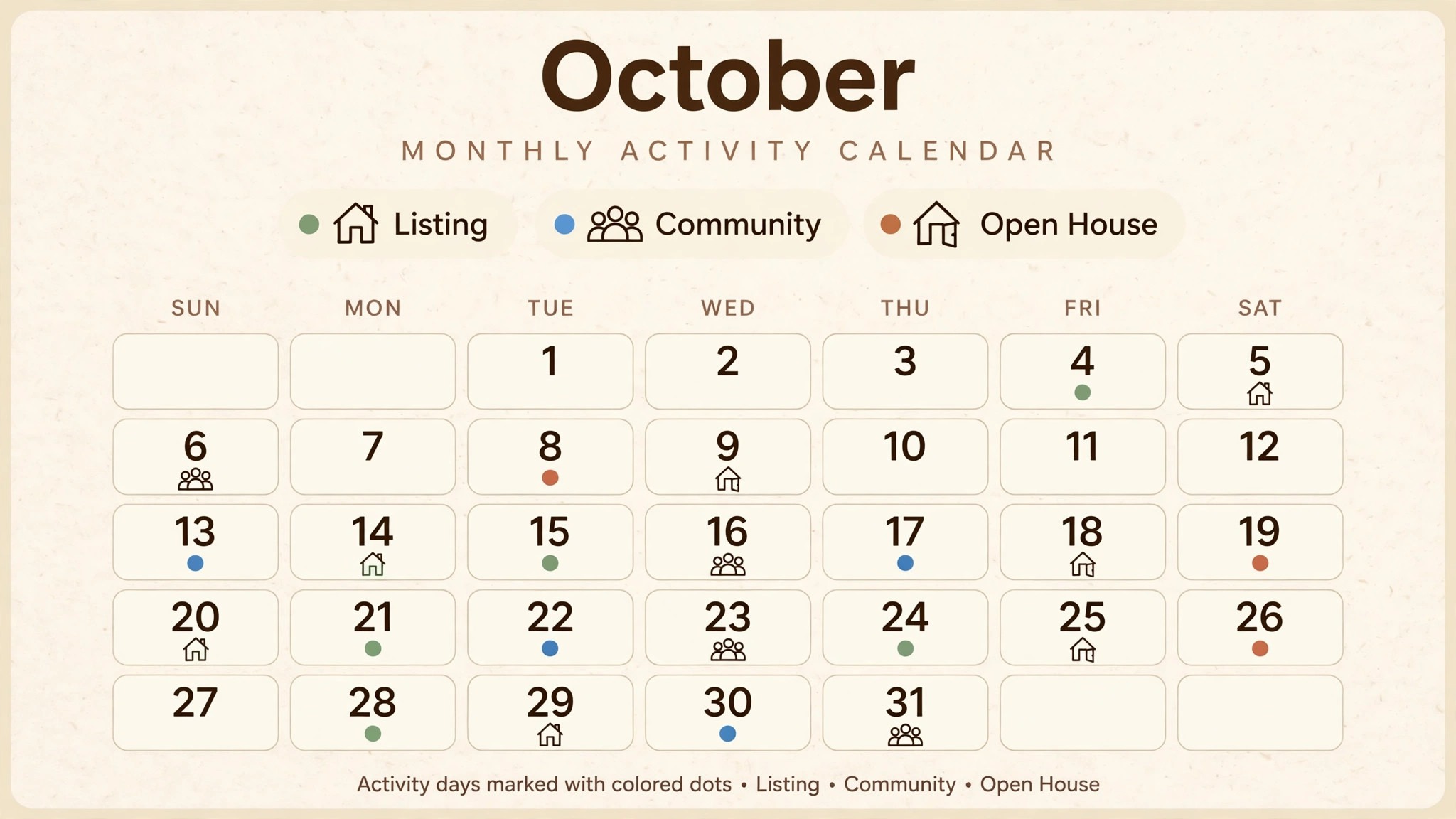
Three times a week is the rhythm that works, and it is a rhythm a working agent can actually keep. A listing on Monday, a community post on Wednesday and an open house clip on Friday gives a follower a reason to come back without flooding the feed. Posting daily burns out the agent and the audience, while posting once a week lets the feed go stale. The posts that matter most are the ones that show a home, a neighbourhood and a happy client, because those three win the listing.
Here is the maths for a solo agent who posts three times a week. That is about twelve posts a month, and Buffer free covers three channels with ten queued posts per channel, so the free plan almost covers a month before it needs a refill. Later Starter at 25 dollars a month covers the whole month with the grid preview included, which works out at about 2 dollars per listing posted if you post twelve listings. Sprout Standard at 199 dollars a month works out at about 16 dollars per listing for the same twelve posts, and the tool does not change the listing, so the price per post is the number that matters.
How to Choose the Best Instagram Tools for Real Estate Agents Without Paying for a Team Plan?
Start with the feed, not the feature list. An agent whose feed looks like a portfolio wins listings, and the tool that shows the grid before publishing is the tool that builds that portfolio. Later, Tailwind and Plann all show the grid, while Buffer and Hootsuite schedule without a preview. An agent who posts without seeing the grid is guessing, and the feed shows it, so the grid preview is the first thing to test on any tool in this list.
Next, check the link in bio tool, because Instagram does not allow links in captions. Later includes a link in bio page that turns a listing post into a showing request, and Buffer and Metricool offer similar pages on their paid plans. An agent who posts listings without a link in bio tool is posting into a dead end, because the follower has nowhere to go. Test the link page on a phone, because most followers arrive on mobile, and a page that looks fine on a laptop can be unusable on a small screen.
Then look at the inbox question, and do not let it drive the purchase. Later holds Instagram DMs and comments only on the Growth plan at 50 dollars a month, Hootsuite starts its inbox on Standard at 99 dollars per user a month, and Sprout starts on Standard at 199 dollars per seat a month. An agent who answers DMs in the phone app does not need to pay for an inbox.
Pay for the planner first and add the inbox when the DM volume proves it is needed. The best instagram tools for real estate agents for a solo agent are the ones with a flat price rather than a per seat price, and the table below shows why.
| Tool | Main job | Best for | Starting price |
|---|---|---|---|
| Later | Visual Instagram planner | Most agents | 25 dollars a month |
| Hootsuite | Full social management | Brokerages and teams | 99 dollars per user a month |
| Buffer | Simple scheduling | Budget conscious agents | Free, 5 dollars per channel a month |
| Sprout Social | Analytics and listening | Data led teams | 199 dollars per seat a month |
| Tailwind | Visual planning and design | Pinterest plus Instagram | 14.99 dollars a month |
| Metricool | Analytics and scheduling | Agents who track numbers | Free, 25 dollars a month |
| Canva | Listing graphics and video | Design without a designer | Free, Pro 15 dollars a month |
| Plann | Visual planning and strategy | Agents who plan a month ahead | 15 dollars a month reported |
What Do I Do With a Listing That Will Not Photograph Well?
Every agent has one. The kitchen is dark, the garden faces the wrong way, the rooms are small, and the photos look flat no matter how many angles you try. The mistake is posting the bad photos anyway and hoping nobody notices, because on Instagram everybody notices, and a flat photo tells a buyer the house is flat too. The fix is to post something else about the same house, and there are four kinds of post that work when the photos do not.
First, post the floor plan. A clean floor plan tells a buyer the shape of the house in five seconds, and it gets saved more than any photo, because buyers save plans and come back to them. Second, post the neighbourhood. A morning coffee spot, a school gate, a park at golden hour, and the walk to the station are the reasons a buyer picks one street over the next, and they photograph far better than a dark kitchen. Third, post yourself in the house on camera, talking about the one thing that makes it worth seeing in person, because a face on camera builds trust faster than a photo ever will.
Fourth, post the before and after. A tired room with a fresh coat of paint, a garden after a morning of work, or a hallway with the clutter gone tells a buyer the house has been cared for, and it tells a seller you are the agent who prepares a home properly. None of these need a professional photographer, and all four are easier to make in Canva than a listing graphic. Canva Pro at 15 dollars a month adds brand kits and background removal, and the free plan covers thousands of listing templates, so the design cost is zero to start.
What would I do with a listing like that. I would skip the wide shots entirely, lead with the floor plan on Monday, post the neighbourhood walk on Wednesday, and film a sixty second tour on Friday where I say out loud what the photos cannot show. Then I would watch which post brought the DMs, because the post that brings ten DMs deserves a sequel and the post that brings nothing deserves to be dropped. That is how a solo agent turns a difficult listing into the post that wins the next listing.

Later vs Buffer: Visual Planning Against Simple Scheduling
The first difference is the grid. Later shows the feed exactly as it will look before anything publishes, so an agent can arrange listing photos and open house clips into a portfolio. Buffer schedules without a preview, so the agent posts blind and hopes the feed looks right. An agent who cares about the look of the feed should weigh Later more heavily, and an agent who cares only about the schedule should weigh Buffer more heavily.
The second difference is the price shape. Later charges a flat 25 dollars a month for one user and one social set, while Buffer charges 5 dollars per channel a month, so an agent with two channels pays 10 dollars on Buffer and 25 dollars on Later. A solo agent with one Instagram account and one Facebook page pays less on Buffer, and an agent with three social sets pays less on Later Growth at 50 dollars a month. That split is the trade off, stated plainly. Buffer is cheaper, but you lose the grid preview. Later costs more, but you gain the feed that wins listings.
The deciding factor is the feed, and the maths backs it up. An agent with a 40 dollar budget should own both, with Later planning the feed at 25 dollars and Canva Pro designing the graphics at 15 dollars, because that pair covers the look and the schedule for less than half the price of Hootsuite Standard. An agent who posts the same content everywhere and wants the cheapest reliable schedule should buy Buffer, and an agent whose listings win on the look of the feed should buy Later.
Can I Schedule a Month Ahead and Forget It?
You can schedule a month ahead, but you should not forget it, because Instagram rewards the agent who answers. Later, Plann and Tailwind all let you plan a month of posts in one sitting, and that sitting is the best use of a quiet Sunday afternoon. Plan twelve posts around three listings, two open houses and one client story, photograph every listing in daylight, write the captions in advance, and load the whole month into the scheduler. The goal is a feed that looks intentional from the first post, and a month planned in advance is how a busy agent gets there.
The part you cannot automate is the reply. A follower who comments on a listing and gets an answer in an hour books a showing, and a follower who waits a day calls the next agent, so the inbox is a daily job even when the posts are scheduled. Later holds DMs only on Growth at 50 dollars a month, so most solo agents answer in the phone app, and that is fine. The schedule saves the planning time, and the phone saves the lead, and the two together are the whole routine.
Here is a thirty day plan that works for a new agent, and it needs no tool beyond Later and Canva. Days one to seven are the setup, so pick the tool, build the brand kit in Canva, and plan the first twelve posts. Days eight to twenty one are the rhythm, so post three times a week and answer every DM within the hour. Days twenty two to thirty are the review.
Open Metricool, check which posts brought profile visits and which brought DMs, and plan the next month around the winners. A post that brought ten DMs deserves a sequel, and a post that brought nothing deserves to be dropped. The best instagram tools for real estate agents earn their price in that review week, because that is when you see which tool actually brought the showing requests.
The 8 Tools in Detail
The eight tools below are grouped by the job they do for a working agent, not by the size of the company behind them. Visual planners come first, because the feed is the job. Simple schedulers come next, because the budget is real. Team platforms and design tools come last, because most solo agents need them only as a second tool. This roundup of the best instagram tools for real estate agents stays honest about what each tool actually does for a working agent, and what it charges one agent to do it.
Visual planners, the feed first
1. Later
Later is the visual first Instagram planner, and it is the default pick for agents who live on Instagram. The Starter plan costs 25 dollars a month billed annually, or 18.75 dollars a month on the annual rate, and it covers one user, one social set, the drag and drop calendar, the visual grid preview and the link in bio tool. The Growth plan at 50 dollars a month adds three social sets, three users and the Conversations inbox.
The visual planner is the core strength. Later shows the feed exactly as it will look before anything publishes, so an agent can arrange listing photos, open house clips and client stories into a grid that reads like a portfolio. The link in bio tool turns each post into a clickable path to the listing page, the showing form or the agent website, and that path is where a follower becomes a lead.
The limit is the network range. Later dropped X support in August 2025, and its analytics are basic on the lower tiers compared with Sprout Social. An agent who works Instagram and TikTok will get everything needed here, and an agent who needs every network and deep analytics should look at Hootsuite or Sprout Social instead.
Here is the worked maths for one agent. Starter at 25 dollars a month is 300 dollars a year, and an agent who posts twelve listings a month pays about 2 dollars per listing posted. Growth at 50 dollars a month is 600 dollars a year, and it only earns that price when the DM volume is high enough to need the inbox. Start on Starter, and move to Growth when the DMs prove you need it.
2. Hootsuite
Hootsuite is the full social management platform for brokerages and teams, and it is the enterprise pick in this guide. The Standard plan costs 99 dollars per user a month billed annually, or 149 dollars month to month, and it covers ten social accounts, scheduling, an inbox and basic analytics. The Advanced plan at 249 dollars per user a month adds team approval workflows.
The team workflow is the core strength. A brokerage with five agents can route every post through an approval step, keep the brand voice consistent, and watch every account from one dashboard, and Hootsuite also covers the widest range of networks. The limit is the per user price. A solo agent pays 99 dollars a month for a tool built for teams, and a three person team pays 297 dollars a month before any add on. A brokerage that needs approvals and team control should buy it, and a solo agent should buy Later or Buffer instead.
3. Buffer
Buffer is the simplest scheduler in this guide, and it is the budget pick for agents who want scheduling without a learning curve. The free plan covers three channels with ten queued posts per channel, and Essentials costs 5 dollars per channel a month billed annually, or 6 dollars month to month. The Team plan at 12 dollars per channel a month adds unlimited team members.
The price is the core strength. An agent with one Instagram account and one Facebook page pays 10 dollars a month on Essentials, or nothing at all on the free plan, and the scheduling works exactly as promised. The interface is the cleanest in this guide, and a new agent can schedule the first week of posts in ten minutes.
The limit is the visual gap. Buffer shows no grid preview, so an agent cannot see how the feed will look before publishing, and the inbox covers comments only, with no DMs. An agent who wants the cheapest reliable scheduler should buy it, and an agent who wants the feed to look intentional should pair it with Later or Canva.
4. Sprout Social
Sprout Social is the analytics and listening platform for data led teams, and it is the most expensive tool in this guide. The Standard plan costs 199 dollars per seat a month billed annually for five profiles, and Professional at 299 dollars per seat adds deeper reporting. The Advanced plan at 399 dollars per seat adds listening and automation.
The analytics are the core strength. Sprout shows which posts bring profile visits, which stories bring DMs and which listings bring showing requests, with reporting a solo agent cannot get anywhere else. The limit is the price. A solo agent pays 199 dollars a month for analytics that a 25 dollar tool covers well enough, and the per seat model punishes a growing team. A brokerage that runs on data and can afford the seat should buy it, and a solo agent should buy Later and Metricool instead.
5. Tailwind
Tailwind is the visual planning and design tool for Instagram and Pinterest, and it is the pick for an agent who works both networks. The entry plan costs 14.99 dollars a month, and it covers scheduling, a visual planner, design tools and hashtag suggestions for Instagram and Pinterest. The platform started on Pinterest and added Instagram later, so the Pinterest depth is real.
The two network depth is the core strength. An agent who posts listing photos to Instagram and pins the same photos to Pinterest boards gets two audiences from one workflow, and Tailwind schedules both from the same calendar. The limit is the narrow focus. Tailwind covers Instagram and Pinterest well and little else, so an agent who also posts to Facebook and LinkedIn needs a second tool.
6. Metricool
Metricool is the analytics and scheduling platform for agents who track numbers, and it is the best value analytics tool in this guide. The free plan covers one brand with basic scheduling and analytics, and paid plans are reported from 25 dollars a month. The platform covers Instagram, Facebook, TikTok, LinkedIn, YouTube and X, with ad reporting included.
The analytics are the core strength, and they deserve a closer look.
- The best time to post, worked out from your own audience rather than a generic chart
- The posts that bring the most profile visits, so you can make more of them
- The competitors that are growing faster, so you can see what they are doing differently
- An inbox that opens on the free plan and reads YouTube comments as well as Instagram comments
The limit is the planner. Metricool schedules well but its visual planning is thinner than Later, so an agent who cares most about the grid should buy Later. An agent who cares most about the numbers should buy Metricool, and an agent who wants both should own both, with Later planning the feed and Metricool reporting the results.
Design and planning, the second tools
7. Canva
Canva is the design tool every agent should own, and it is the cheapest way to make listing graphics look professional. The free plan covers thousands of templates for posts, stories, reels covers and flyers, and Pro at 15 dollars a month billed monthly, or 120 dollars a year, adds brand kits, background removal, a content planner and premium stock photos.
The template library is the core strength. An agent picks a listing template, drops in the photos, changes the price and the address, and exports a post that looks designed rather than thrown together. The brand kit keeps the colours and the fonts consistent across every post, so the feed reads like one brokerage rather than ten different agents. The limit is the scheduling. Canva plans and publishes posts, but it is a design tool first, so an agent who needs a real scheduler, a grid preview and an inbox should pair it with Later or Buffer.
Would I pay for Pro. Yes, the moment the feed starts bringing showing requests, because the brand kit alone is worth 15 dollars a month when every post looks like it came from the same agent. Would I pay for it on day one. No, because the free plan covers the templates a new agent needs, and the money is better spent on photography until the habit is proven.
8. Plann
Plann is the visual planning and strategy tool for agents who plan a month ahead, and it is the quietest pick in this guide. Paid plans are reported from 15 dollars a month, and the platform covers a visual planner, scheduling, hashtag groups, analytics and a strategy workspace that helps an agent plan a month of content around listings, open houses and client stories.
The strategy workspace is the core strength. Plann helps an agent plan the month before posting anything, with prompts for listing content, open house content and community content, so the feed never runs dry. The limit is the small community. Plann has fewer users than Later or Buffer, so the tutorials, the templates and the third party integrations are thinner. An agent who wants a planning first tool with a strategy workspace should buy it, and an agent who wants the biggest community and the most templates should buy Later.
Best Pick by Job
| Job type | First pick | Second tool | Why this pair works |
|---|---|---|---|
| Solo agent, one account | Later | Buffer | Later plans the feed, Buffer schedules it cheap |
| Agent who designs listings | Canva | Tailwind | Canva builds the graphics, Tailwind schedules them |
| Brokerage with a team | Hootsuite | Sprout Social | Hootsuite runs approvals, Sprout runs analytics |
| Agent who tracks results | Metricool | Later | Metricool reports the numbers, Later plans the posts |
| Agent on a zero budget | Buffer | Canva | Both are free to start, and both cover the basics |
A solo agent who wants one tool for the whole Instagram job should start with Later, because the drag and drop calendar, the visual grid preview and the link in bio tool turn a scattered posting habit into a feed that sells houses. An agent on a tight budget should start with Buffer free and Canva free, then add Later when the feed starts bringing showing requests, and a brokerage with a team should buy Hootsuite at 99 dollars per user a month. The best instagram tools for real estate agents are the ones that make the feed look intentional, and Later does that better than any other tool at this price.
Frequently Asked Questions
How much does Later cost per month?
Later Starter costs 25 dollars a month billed monthly, or 18.75 dollars a month billed annually, for one user and one social set. The Growth plan costs 50 dollars a month, or 37.50 dollars billed annually, for three social sets and three users, and it adds the Conversations inbox. The Scale plan costs 110 dollars a month for larger teams.
Which Instagram tool is best for real estate agents?
Later is the best pick for most agents, because it starts at 25 dollars a month, its visual planner shows the feed before anything publishes, and its link in bio tool turns a listing post into a showing request. Buffer is the pick for an agent on a tight budget, and Canva is the pick for an agent who needs listing graphics that look designed. The best instagram tools for real estate agents all share one trait, a feed that looks intentional.
Is Hootsuite worth 99 dollars a month for a solo agent?
No. Hootsuite Standard at 99 dollars per user a month is built for brokerages and teams, with approval workflows and ten social accounts that a solo agent will never use. A solo agent should buy Later at 25 dollars a month or Buffer at 5 dollars per channel a month, and spend the saved 74 dollars on photography. A brokerage with five agents should buy Hootsuite, because the approval workflow earns its price.
Can Canva schedule Instagram posts?
Yes. Canva Pro includes a content planner that schedules posts, stories and reels to Instagram, Facebook and other networks. The free plan designs the graphics but does not schedule them, so an agent on the free plan should pair Canva with Buffer free or Later. An agent who wants one tool for design and scheduling should buy Canva Pro at 15 dollars a month.
What is the best free Instagram tool for agents?
Buffer free is the best free scheduler, with three channels and ten queued posts per channel, and Canva free is the best free design tool, with thousands of listing templates. An agent who pairs the two gets scheduling and design for nothing, and that pair covers the first month of posting. When the feed starts bringing showing requests, Later at 25 dollars a month is the first paid tool to buy.
How many times a week should an agent post on Instagram?
Three times a week is the right rhythm for most agents, a listing on Monday, a community post on Wednesday and an open house clip on Friday. Posting daily burns out the agent and the audience, while posting once a week lets the feed go stale. The posts that matter most are the ones that show a home, a neighbourhood and a happy client, because those three win the listing.
The Three Questions to Ask on a Demo
Ask these three questions before you pay for any tool in this list, and do not buy until all three have a clear answer. First, can I see the feed as a grid before anything publishes, and does the grid show my real listing photos or a generic preview. Second, does the link in bio tool turn a post into a showing request, and can I test that path on my own phone before I pay. Third, what does it cost for one agent with one account, and what does the price become when I add a second agent or a second account.
A tool that answers all three clearly is a tool you can build a routine on. Later answers them with the grid preview, the link in bio page and a flat 25 dollars a month. Buffer answers them with the cheapest schedule in this list and a free plan that proves the habit first. Canva answers them with templates that make a listing look designed in ten minutes. The rest of the list is useful in the right job, but these three are the ones that pass the test without a footnote.
Design the listings in Canva, plan the feed in Later, and answer every DM within the hour. That routine is the whole job, and it is the only honest way to choose among the best instagram tools for real estate agents.