

Password vaults hold the keys to a whole business, yet surveys of small teams repeatedly find shared logins in chat messages, reused passwords across tools and former staff whose access was never removed. A migration is the one moment when every one of those habits can be fixed at once, instead of being carried into the next tool. This guide explains how to migrate LastPass to 1Password small team in order, with a vault and item mapping table and a sharing checklist that leaves no account behind.
The lesson from those switches is that preparation beats speed. This guide therefore slows down at the points where teams usually rush, namely the mapping, the pilot and the closure date, and it keeps the rest brisk. Follow it in order, test each stage with real work, and the move becomes a project with an end date rather than a lingering parallel system.
Why Teams Consider Moving from LastPass to 1Password
A small team usually moves password managers after a security incident, a price change or a trust concern, and the real benefit is tighter vault control rather than a longer feature list. The move is worth doing well, because a rushed password migration can lock staff out of the very systems it was meant to protect.
A second point deserves attention, because it decides whether the work sticks. The small team that writes down its own standards, such as naming, sharing rules and review dates, keeps the benefit after the initial enthusiasm fades. The small team that relies on memory or on one enthusiastic person loses it when that person is busy or leaves. Written standards are dull, but they are what turn a good week into a good year, and they cost almost nothing to create compared with the cost of redoing work that was never recorded.
The third point is timing. Starting during a quiet period, with a small pilot and a clear review date, gives the small team room to fix problems without pressure. Starting during the busiest period, with everything moving at once, turns small mapping errors into visible failures. Choose the pilot carefully, protect the review date, and let the pilot result decide the pace of the wider rollout rather than a calendar deadline set before anyone saw the real data.

How to migrate LastPass to 1Password small team Without Losing Live Work
Begin with the mapping, not with the import button, because the mapping is where the move is won or lost. Every row in the table below represents a decision, and each decision should have an owner and a test. When the small team can explain each row in plain language, the work involved in migrate LastPass to 1Password small team becomes routine. When rows are left vague, the import merely moves confusion from one system to another, and the team pays for that confusion for months.
There are several ways to carry out the work, and the right one depends on size, data quality and how much time the small team can give it. The table below compares the realistic options, including what each one suits best. Judge each option against your own volume and skill, not against a sales claim, and run the cheapest option that still passes a trial of migrate LastPass to 1Password small team with real work. A method that works on a sample but fails on real data is not a method, it is a demo.
| Option | What it involves | Best for |
|---|---|---|
| 1Password import tool | Imports LastPass exports into vaults with items, folders and notes mapped to the new structure | A small team with a standard LastPass setup |
| CSV export and import | A manual export cleaned in a spreadsheet before import, giving control over vault assignment | A team that needs to split vaults during the move |
| Assisted business migration | 1Password business onboarding help for larger teams with policies and directory sync | A team with compliance or directory needs |
1Password import tool
1Password import tool is worth considering because imports LastPass exports into vaults with items, folders and notes mapped to the new structure It suits a small team with a standard LastPass setup Try it with real work for a short trial, judge it on whether the small team can use it without constant help, and keep it only if it saves time or reduces errors compared with the previous way.
CSV export and import
CSV export and import is worth considering because a manual export cleaned in a spreadsheet before import, giving control over vault assignment It suits a team that needs to split vaults during the move Try it with real work for a short trial, judge it on whether the small team can use it without constant help, and keep it only if it saves time or reduces errors compared with the previous way.
Assisted business migration
Assisted business migration is worth considering because 1Password business onboarding help for larger teams with policies and directory sync It suits a team with compliance or directory needs Try it with real work for a short trial, judge it on whether the small team can use it without constant help, and keep it only if it saves time or reduces errors compared with the previous way.
What Moves, What Breaks and What Must Be Rebuilt
The table below is the heart of the plan. Work through it row by row as you migrate LastPass to 1Password small team with your own data, and mark each row as moves cleanly, needs rebuilding or needs a decision. Rows marked needs a decision are the ones to resolve before import, since deciding them afterwards means rework. Keep the completed table as the project record, because it answers most questions the small team will ask during the rollout, and it prevents the same decision being debated three times by three different people.
| Item | Where it goes | What to check |
|---|---|---|
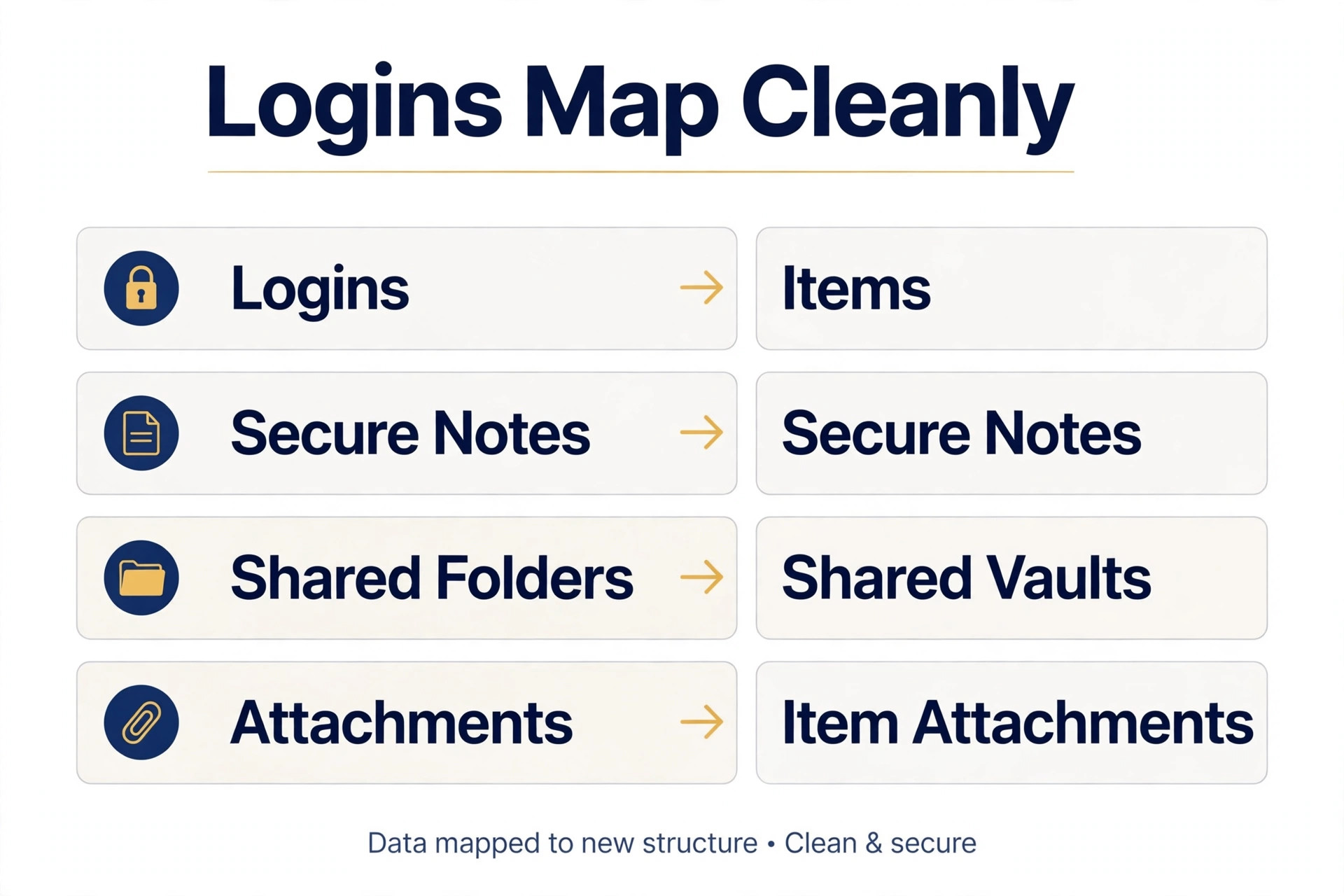
| Vaults | 1Password vaults per team or project | Split one shared vault into several, since broad vaults over share secrets |
| Logins and passwords | 1Password items with matching fields | Export, import, then verify a sample of high value logins |
| Secure notes | 1Password secure notes | Check formatting after import, since long notes can truncate |
| Shared folders | Shared vaults with member access | Recreate sharing per vault, never by copying old folder membership blindly |
| Emergency access | 1Password business recovery options | Set recovery before deleting the old vault |
| Two factor seeds | Re enrol authenticator items where needed | Some one time codes do not export, so plan re enrolment |
| Attachments | 1Password item attachments | Verify large attachments separately after import |
| Admin policies | 1Password business policies and reports | Recreate password rules and review access reports |
Two rows in that table usually cause the most trouble, and they are worth naming plainly. The first is anything involving permissions or sharing, since a wrong share can expose sensitive work or block a colleague at a critical moment. The second is anything involving history, since history that arrives flattened or unattributed looks complete but misleads anyone who relies on it. Test both rows in the pilot with real examples, and do not accept a vendor assurance in place of a test result.
Once the mapping is settled, the order of work matters as much as the mapping itself. Move the smallest meaningful slice first, verify it completely, and only then widen the move. That order limits the blast radius of any error, gives the small team confidence from a real success, and creates a repeatable routine for the remaining slices. Teams that move everything at once rarely get that confidence, and they often spend the savings from speed on fixing errors that a pilot would have caught.
The Workflow Step by Step
Follow the steps below in order, because each one builds on a finished earlier step. Skipping ahead to the import before the mapping is settled creates work that has to be redone, while following the order means the import itself is the easy part. Print the list for migrate LastPass to 1Password small team, tick each step off, and do not move on until the current step works with real data from the small team.
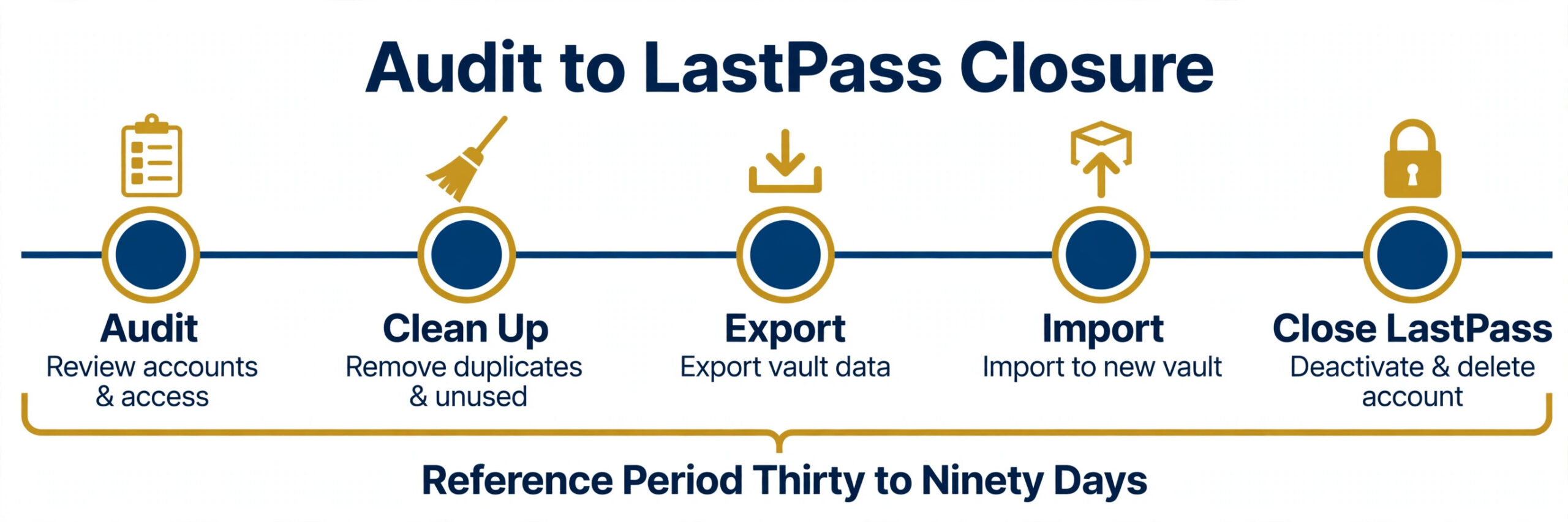
- Audit vaults and sharing first. List every vault, who can see it, and which items are shared outside the team, since a migration is the best time to revoke stale access. When this step is done, the result should be visible to the people who need it, rather than described in a plan that has not been tested.
- Clean up before export. Delete dead logins, duplicates and ex employee shares, so the new vault starts clean rather than carrying old clutter. The test for this step is simple. Ask whether a new team member could follow it without asking the person who set it up, and fix the gaps that answer reveals.
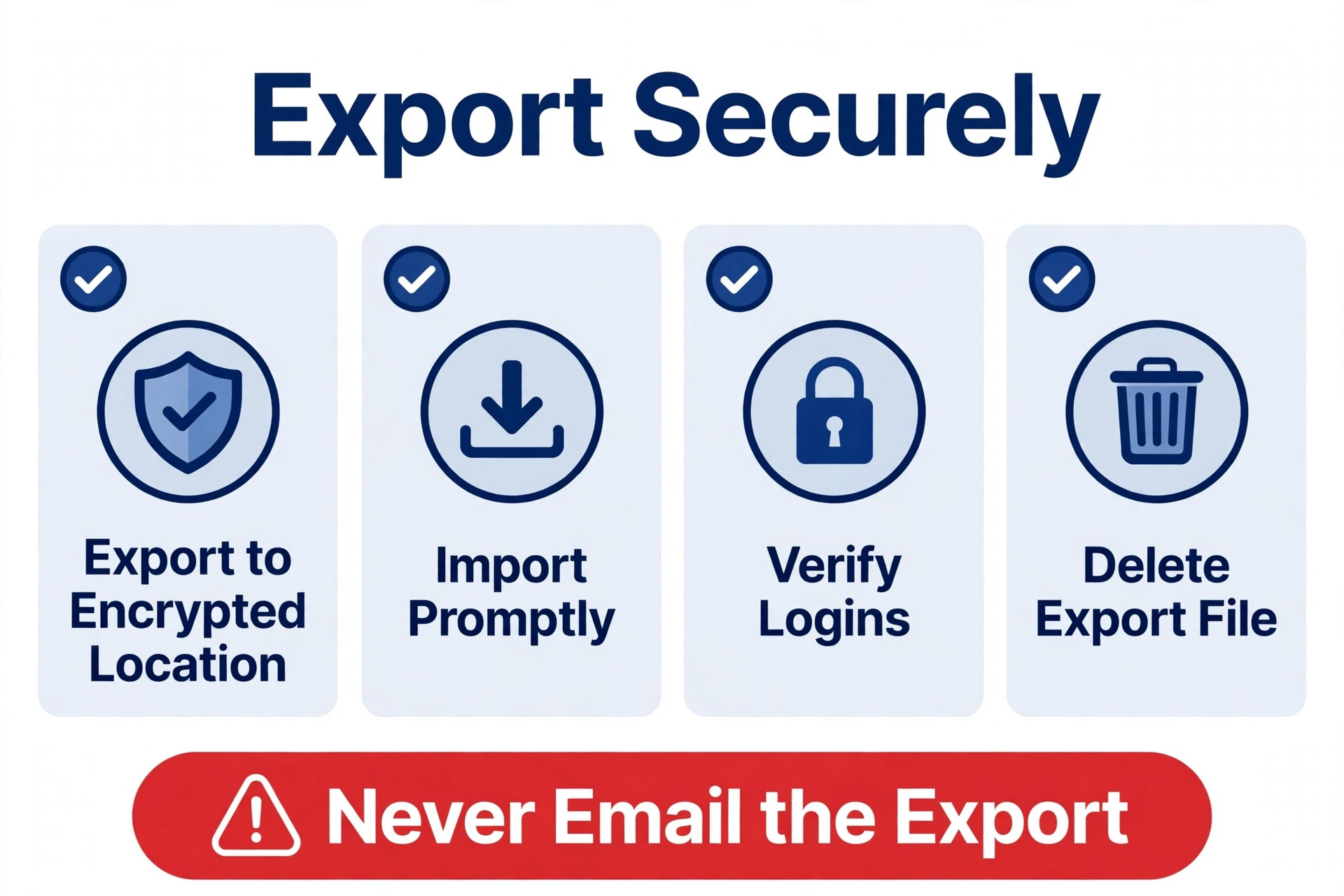
- Export from LastPass securely. Export to an encrypted location, never to a shared drive or email, and delete the export file once the import is verified. Do not rush this step to reach the next one. A weak result here creates rework later, while a solid result here makes every later step faster.
- Create the 1Password vault structure. Build vaults per team or project, assign members per vault, and agree naming before importing anything. Record what was decided in this step, including anything deliberately left out, so the next person does not reopen settled choices.
- Import and verify a sample. Import the export, then test high value logins such as email, banking and cloud admin, and check secure notes and attachments. If this step feels confusing in practice, simplify it before scaling it. A step that only works for its creator will fail when the team grows.
- Re enrol two factor items. For authenticator seeds that do not export, re enrol each service in 1Password and store recovery codes in a separate secure vault. Check this step against real work, not sample data. Sample data hides the edge cases that real work exposes in the first week.
- Train the team and set policies. Show staff how to use Watchtower, how to share by vault, and what to do when someone leaves, then set business policies. Agree who owns this step after launch, since a step without an owner drifts, even when it worked well during setup.
- Close LastPass on a set date. Confirm every member can sign in to 1Password, revoke LastPass access, and delete old exports and shared folders. Treat this step as finished only when its result is visible to the people who need it, not when it is merely planned.
The Checklist to Run Before Cutover
Use this checklist as the gate before you complete migrate LastPass to 1Password small team, not as an afterthought. Every item should have a name beside it and a date, since a checklist without owners is a wish list. Run through it with the people who will live with the result, not only with the person who set it up, because the people who use the system daily spot problems that the setup person cannot see. If an item fails, fix it and rerun the checklist, rather than waiving it under time pressure.
| Check | What good looks like |
|---|---|
| Pilot verified with real data | A real slice of work moved, checked and signed off by its owner |
| Permissions and sharing tested | Access checked for members, guests and external shares |
| History and links confirmed | Old history findable and key links updated to the new location |
| Team trained on daily habits | Staff can complete core tasks without help from the setup person |
| Rollback plan written | A written way back, with a decision point and a named owner |
| Closure date communicated | Everyone knows when the old system stops and where to go instead |
The rollback note deserves emphasis, because it is the item most plans skip. A rollback plan is not pessimism, it is professionalism. It states what triggers a pause, who decides, how the small team returns to the old system, and how long that return stays possible. Writing it before cutover costs an hour. Needing it without having written it costs days of confusion, and it is usually needed on the one migration where nobody expected trouble.

Trade Offs and Costs to Weigh Honestly
The trade is familiarity against control. LastPass is familiar to many teams, while 1Password business vaults, Watchtower reports and travel mode give admins clearer oversight. A team that never reviews access reports will gain little from any switch, so the admin habit matters more than the logo.
Check the vendor pricing pages before committing, since business pricing is per user and family or teams tiers differ. Compare the total for your headcount including any admin or directory features, and confirm what happens to vault access when a subscription lapses.
Beyond the subscription, price the time honestly when you migrate LastPass to 1Password small team. Setup, cleanup, training and the first month of support all cost hours, and those hours have value even when they do not appear on an invoice. A tool that costs little per month but takes many hours to maintain can cost more than a pricier tool that runs itself. Write down both numbers, the subscription and the hours, and judge the total, since the cheapest headline price often hides the most expensive habit.
Also check what happens when you stop paying. Your data, your history and your templates should stay yours in a usable form, and the export route should be tested before you depend on it. A system that holds data hostage is not a bargain at any price, and the time to discover that is before migration, not during an exit years later when the data matters most.

Mistakes That Quietly Undo the Work
The mistakes below are common because each one feels reasonable at the time. Read the list with the small team, agree which mistake your setup is most likely to make, and put one guard in place against it, since a named mistake is far easier to avoid than a vague warning to be careful.
- Moving everything at once. A full move before a pilot means a mapping error affects the whole small team instead of one slice, and fixing it under pressure costs more than the pilot ever would.
- Skipping the permission audit. Old shares and stale access carry over quietly, and the first time anyone notices is usually when the wrong person sees something sensitive or the right person is locked out.
- Trusting the import without testing. An import report that says success does not mean dates, owners and history landed correctly. Spot check real records, especially the ones the small team relies on daily.
- Letting one person hold all the knowledge. If only one person knows how the new system works, holidays and departures break it. Train a second person on every key step and write the routine down.
- Never setting a closure date. Without a date, the old system lingers, the team splits across two tools, and the benefit of the move never arrives. Set the date at the start and communicate it clearly.
How to Tell Whether It Is Working
Pick four numbers and track them monthly, because evidence beats feeling when judging whether migrate LastPass to 1Password small team is working. Choose numbers you can collect without extra admin, such as time saved, errors, completion rates or satisfaction, and record them in one place on the same day each month. A trend over three months tells you far more than a single good or bad week, which may reflect holidays, deadlines or one unusual event.
Compare the new numbers with the baseline recorded before the change, and be honest about what they say. If a number improves, keep doing what caused it and say so to the team, since people repeat work that is praised. If a number gets worse, change one thing, not five, so you can tell what helped. Changing five things at once leaves you guessing, even when the numbers improve.
Set a review date now, ninety days from launch, and put it in the calendar with the name of the person who owns the review. Without a named owner and a date, reviews slip, and a slipped review means a system that slowly stops matching the work. The review itself need not take long, since one hour with the four numbers and the user answers is enough to decide what to keep, what to change and what to stop.
More Reading for This Kind of Work
For the systems around this one, Stratilyze also covers a related Stratilyze guide a related Stratilyze guide a related Stratilyze guide Read the guide that matches your next bottleneck first, because fixing the biggest bottleneck next gives a larger gain than polishing a part of the work that already runs well.
One more consideration is how the small team handles exceptions, because every workflow meets a case that does not fit the template. Decide in advance what happens then, whether the exception is handled by hand, escalated to a named person, or logged for a later template change. A workflow without an exception rule either breaks on the first odd case or gets quietly bypassed, and bypassed workflows teach people that the routine is optional. Write the exception rule beside the template, keep it to two sentences, and review it when exceptions start to repeat, since a repeated exception is really a missing step.
Another point worth settling is what good looks like after ninety days, not just after launch week. Launch week success usually means the setup works, while ninety day success means the routine survived busy periods, staff changes and competing priorities. Judge the work on the second measure, and protect it with the review date, the named owner and the four numbers from the measurement section. Those three guards cost little, and they are the difference between a system that lasts and a system that is remembered fondly at the next relaunch.
A final habit that helps is a short written log of changes, kept beside the template rather than in someone head. Each entry needs only a date, what changed and why, and that log answers most arguments about how the work used to be done. Without it, the team debates from memory, and memory favours whoever speaks loudest. With it, decisions stay traceable, new joiners learn the reasoning instead of just the rules, and the next review starts from evidence rather than opinion.
Training deserves a note of its own, because a workflow is only as good as the least confident person using it. Train in short sessions with real examples from your own work, let people practise with a colleague before they face a real task, and write the three most common questions and answers where everyone can see them. People who feel confident use the system, while people who feel unsure avoid it and fall back on old habits, which quietly recreates the very problem the workflow was meant to solve.
Communication around the change matters as much as the setup itself. Tell the small team what is changing, why it is changing, when it takes effect and where to get help, and say it in the channel they already read rather than in a new tool they have not adopted yet. A change announced once in one place will be missed by half the audience, so repeat the message at the pilot, at cutover and at the first review, and keep the wording consistent each time.
Finally, resist the urge to add features in the first month. The first month is for proving the core workflow with real work, fixing the mapping errors the pilot missed, and letting habits form. New features added during that period confuse the measurement, since you can no longer tell whether a change in the numbers came from the workflow or from the feature. Freeze the scope for ninety days, log feature requests for the review, and judge them then against the numbers rather than against enthusiasm.
Frequently Asked Questions
Does everything transfer automatically from LastPass to 1Password?
No, and expecting a perfect transfer is the most common planning error. Core records such as tasks, files or contacts usually move, while rules, automations, saved views and some permissions must be rebuilt by hand. The mapping table in this guide shows which rows need rebuilding for this particular move. List every such row before import, assign an owner to each, and test the rebuilt pieces with real work before the wider rollout, since a rebuild discovered after cutover always takes longer.
What happens to history and old records in the move?
History needs its own decision, separate from live work. In most moves you can bring recent history across, while older history is better kept as an export or a read only archive. Bringing everything across clutters the new system and slows adoption, while bringing nothing leaves the team unable to answer questions about past work. A sensible middle path is to import open work plus the last quarter of completed work, and archive the rest where it stays searchable.
How long does this migration take for a small team?
A small setup with clean data can move in a week or two including a pilot, while a larger setup with many custom fields, automations and shared folders usually needs three to six weeks once testing and retraining are counted. The pilot gives the honest timeline, since it reveals mapping errors and training gaps that no estimate can predict. Do not promise a date before the pilot result, and build buffer into any date you do promise.
What is the biggest risk in this migration?
The biggest risk is mapping error in the rows the team relies on daily, such as statuses, permissions or deadlines. If those rows map wrongly, every board, report or shared folder looks wrong and trust collapses fast. A pilot with real data catches this before it spreads, which is why the pilot is not optional. Test the riskiest rows first, with the people who own that work watching the result. That result is the payoff for doing this in order, because you migrate LastPass to 1Password small team step by step instead of changing everything at once.
Should the old system stay open after the move?
Yes, but read only and for a fixed period, often thirty to ninety days. That window lets the team check old history without drifting back to the old tool for new work. Set the closure date at the start and communicate it clearly, since an open ended reference period quietly becomes a permanent second system, and the benefit of the move never arrives.
Is the LastPass export file safe to handle?
Only if handled carefully. Export to an encrypted device, import promptly, then delete the export file and empty the trash, since an unencrypted export contains every password in plain form. Never send the export by email or store it on a shared drive, even briefly, since that copy is easy to forget and hard to recall.
Where This Leaves You
Start with the mapping table and the pilot, then the checklist, then the closure date, and do those three things before any wider rollout, because a wider rollout without them is how a promising move becomes a lingering parallel system. The small team that runs a simple, written routine well will get more from the new tool than a team with a fancier setup and no routine, and that advantage grows every month the routine runs.
Pick the first step today, test it with real work tomorrow, and let the numbers over the next ninety days tell you what to improve next. That disciplined approach is what makes this kind of change pay, rather than becoming another project that starts with enthusiasm and fades within a month. The payoff for doing this in order is that you migrate LastPass to 1Password small team step by step instead of changing everything at once.
