

The right move here is a phased one, not a weekend switch, and that verdict holds even when the new tool looks simple. When you switch Trello to Asana marketing team for a marketing team, the fastest path that still protects your work is to audit first, pilot with a small group, move in phases, and keep the old system read only until the new one has proven itself for a full month. Teams that skip the pilot usually pay for it later, in lost files, missed deadlines and support questions that could have been answered in advance.
This guide gives you that phased path in full. It covers what transfers cleanly, what must be rebuilt by hand, what the move costs at realistic team sizes, and the checklist that turns a hopeful migration into a finished one. Every section is written for someone who has to do the work, not just approve it, so steps are specific, owners are named, and the checks at the end are ones you can actually run.
Why this move makes sense now
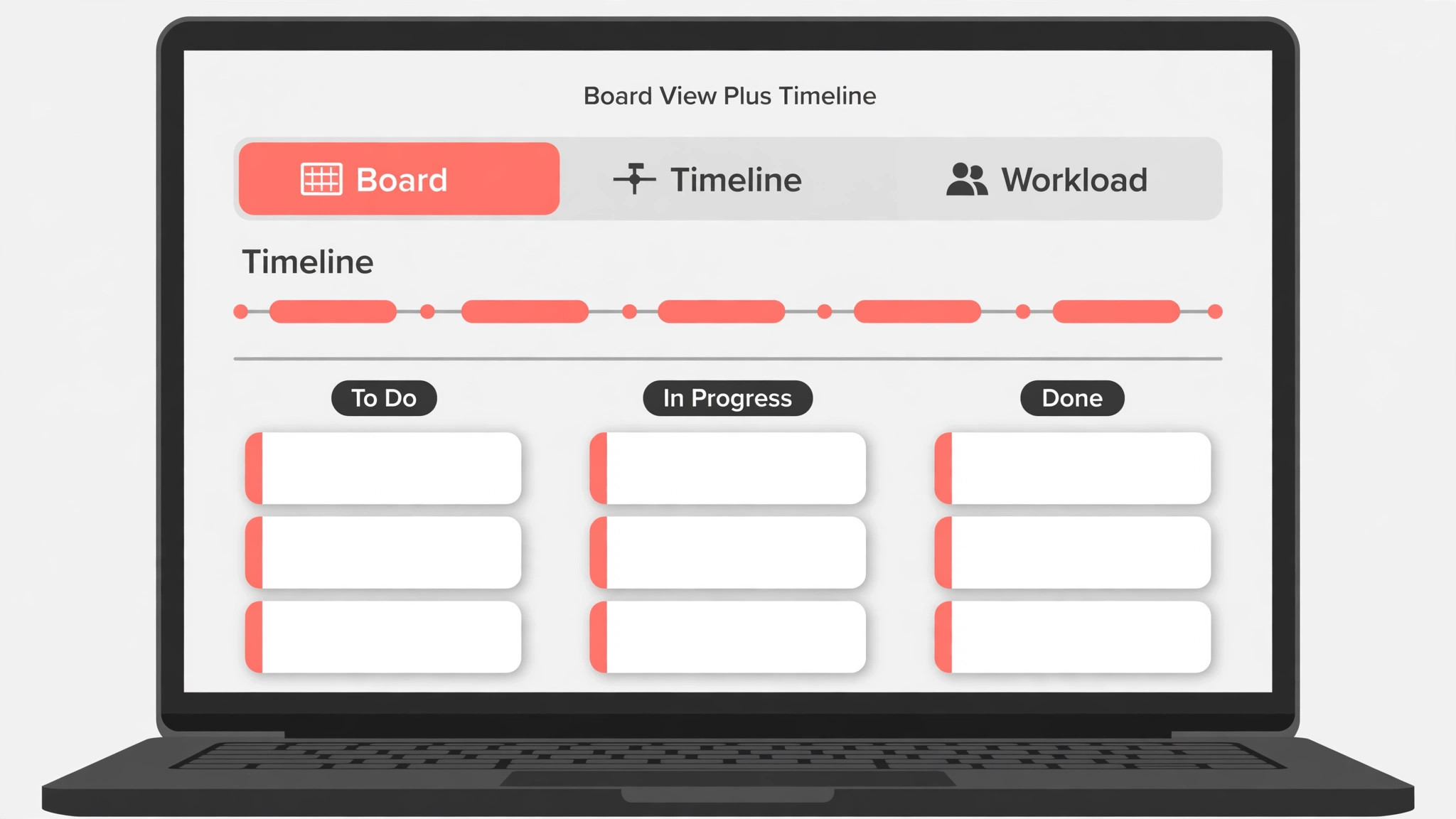
Trello wins when a marketing team thinks in cards on a board, while Asana wins when the same team needs deadlines, dependencies and reporting across campaigns. The risk in this move is not the import, because Asana offers a Trello importer, but the habit change. Marketers who drag cards all day must learn to trust due dates, assignees and project views instead. The migration below keeps the board view available in Asana from day one, so the team sees familiar columns while managers gain the timeline and workload views that Trello never gave them.
The case for moving is strongest when the old tool costs more in time than the new tool costs in money or learning. That calculation is easy to get wrong, because people count licence fees and forget the hours spent working around missing features, searching for files, or rebuilding reports by hand. Add up the workaround hours for a month before you decide, and price them honestly, because a tool that saves each person an hour a week pays for itself quickly at almost any team size, while a tool that adds an hour a week never pays, no matter how cheap the licence looks.

Signs the move is worth doing now include a team that avoids the old tool, a workflow that depends on one expert, reports that are built by hand every month, and new joiners who take weeks to learn a system that should take days. Signs to wait include a major deadline in the next month, a team that is already changing other tools at the same time, and a move driven only by a discount that expires before the team is ready. Timing matters as much as tool choice, and a good move in a bad month becomes a bad move.
- The old tool is avoided, not just disliked, by the people who use it daily.
- One person holds most of the knowledge, and nobody else can cover for them.
- Reports, exports or approvals are rebuilt by hand every month.
- New joiners take far longer to become productive than the work justifies.
- The new tool removes a specific daily friction, not just a general feeling.
Audit what you actually have before you move
Start by listing what exists, not by exporting it. Count the workspaces, boards, projects, lists, notebooks or campaigns that are actually in use, and separate them from the ones that were created for a test, a former colleague, or a project that ended years ago. Most teams find that a third of what they own is dead weight, and moving dead weight costs time and creates confusion in the new system. Archive or delete the dead weight in the old tool first, with a backup kept aside, so the migration moves only work that still matters.
When you switch Trello to Asana marketing team, the audit is also where you find the owners. Every shared area needs a named owner who can answer questions, approve the move, and check the result. Areas with no owner are where data loss hides, because nobody notices when they transfer badly. Assign an owner to every area before the move starts, even if the owner is temporary, and give each owner a simple check, which is to open the new version and confirm that the important items are present and correct.
- List every workspace, project, list or notebook that is still in use.
- Name an owner for each area, and record who checks the transferred version.
- Note every integration, automation and external share that must be rebuilt.
- Export a backup of the source data and keep it until a month after cutover.
- Decide what will not move, and write that decision down so nobody hunts for it later.

How to switch Trello to Asana marketing team in four phases
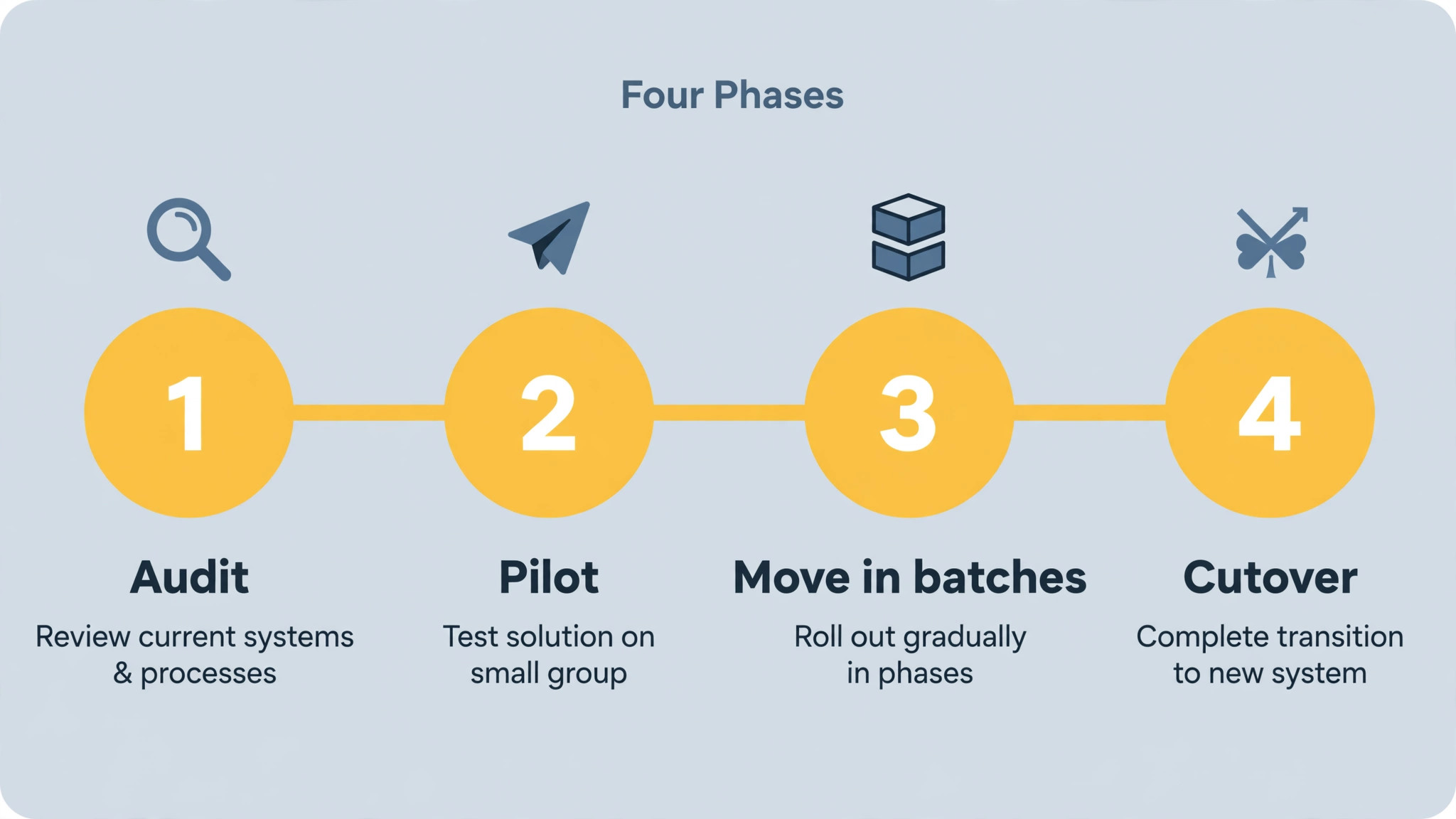
Work in four phases, and do not start phase three until phase two has passed its checks. Phase one is the audit above, plus a pilot with a small group and real work. Phase two moves one area end to end, checks it, and fixes the process. Phase three moves the rest in batches, with a check after each batch. Phase four is cutover, when the old system becomes read only, the new system becomes the place of work, and the team is told plainly where to go and what has changed.
When you switch Trello to Asana marketing team in this phased way, problems stay small, because each batch is checked before the next one starts. A problem found in a pilot costs an afternoon to fix. The same problem found after a full migration costs a week, because it is now spread across every area and every user. The pilot also gives the team a success story to point to, which matters more than any announcement email when the wider team is asked to change a daily habit.
- Run the audit and assign an owner to every area that will move.
- Pick a pilot group of three to five people and move one real area for them.
- Check the pilot area item by item, fix the process, and update the plan.
- Move the remaining areas in batches, checking each batch before starting the next.
- Rebuild integrations, automations and external shares in the new system.
- Train the wider team in short sessions tied to their real work.
- Make the old system read only, announce the cutover, and keep the backup for a month.
What transfers cleanly and what needs rebuilding
No importer moves everything, and the honest way to plan is to sort the move into three groups, which are items that transfer cleanly, items that transfer with fixes, and items that must be rebuilt by hand. Items in the first group can be trusted to an importer with a spot check. Items in the second group need a check on every record, because a small difference in field types or permissions can change the meaning of the data. Items in the third group should be rebuilt deliberately, because a bad import of automations or permissions is worse than a clean rebuild.
When you switch Trello to Asana marketing team, use the transfer table below as the starting point for that sorting, and add your own rows for anything unusual in your workspace. Test the table on a copy first, because a test import on real data reveals field mismatches, character limits and permission differences that a feature list never mentions. Keep the test copy separate from live work, so a failed test cannot affect the team.

| Old item | New home | What to check |
|---|---|---|
| Trello board | Asana project | One project per campaign keeps reporting clean |
| Trello list | Asana section | Sections preserve the board’s left to right flow |
| Trello card | Asana task | Keep card descriptions intact, they hold the brief |
| Trello checklist | Asana subtask | Subtasks report better than checklists in Asana dashboards |
| Trello Power-Up | Asana integration | Check each Power-Up, because some have no direct equivalent |
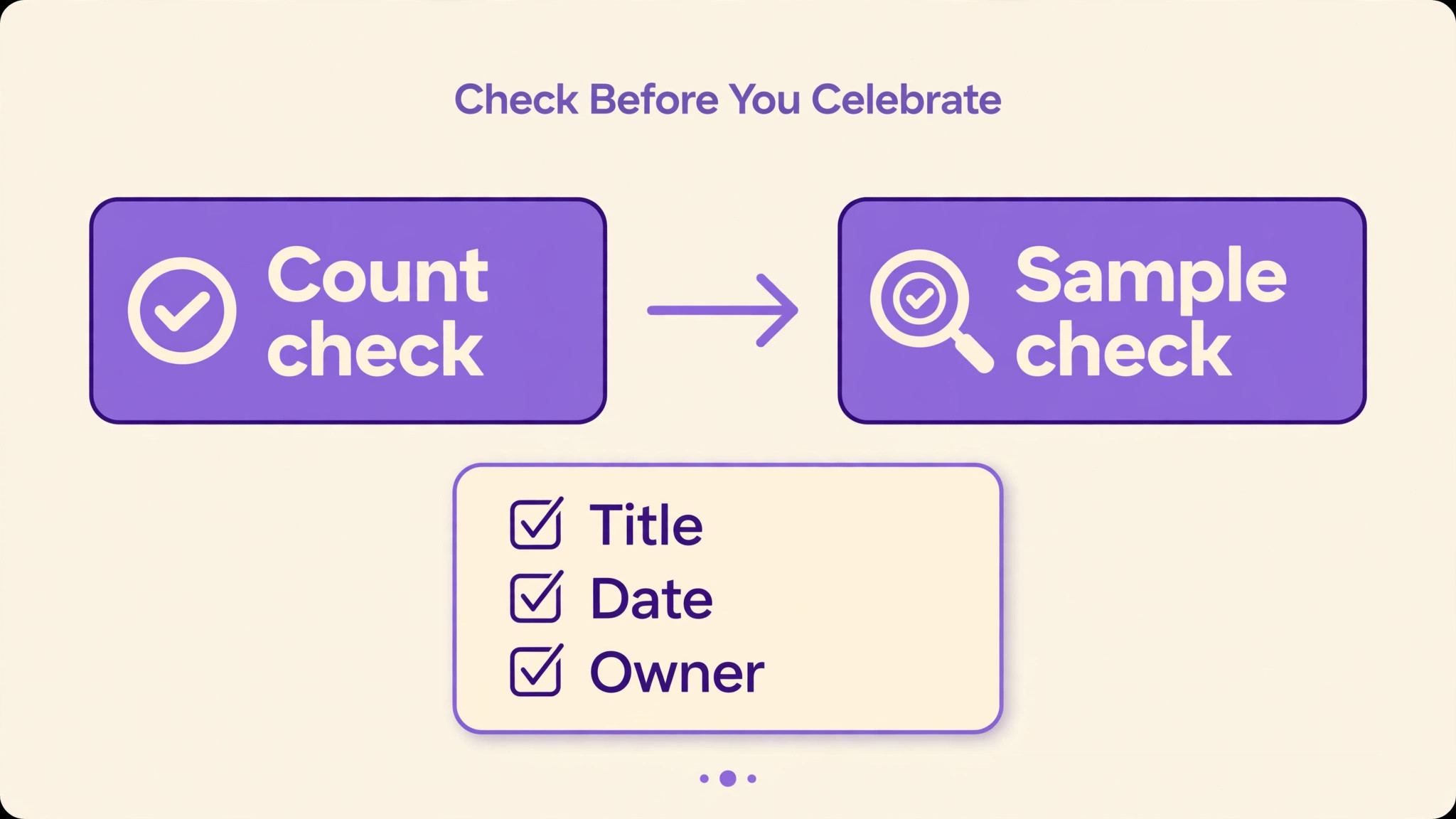
After the import, check counts before you check content. If the old area had 240 items and the new area has 238, find the two missing items before you celebrate. Then check a sample of items in depth, opening attachments, following links, and confirming that dates, owners and statuses survived. Count checks catch bulk loss, while sample checks catch subtle corruption, and a migration needs both before it can be called finished.
Cost and plan check
Current comparisons list Trello Standard at 5 dollars per user per month and Premium at 10 dollars, while Asana Starter is listed at 10 dollars and 99 cents per user per month and Advanced at 24 dollars and 99 cents. For a ten person marketing team that puts Trello Premium near 100 dollars per month and Asana Starter near 110 dollars, so price is rarely the deciding factor. Confirm both figures on the vendor pages before you budget.
When you switch Trello to Asana marketing team, price the move at your real size, not at the size in the marketing example. A plan that looks cheap for five people can become expensive at fifty, especially when pricing is per channel, per seat, or per user in different ways on the two sides. Write down the number of seats, channels, users or subscribers you actually have, multiply by the plan you actually need, and add the cost of any app, importer or add on that the migration requires. That total, not the headline monthly figure, is the budget to approve.
| Cost item | What to count | Notes |
|---|---|---|
| New tool licences | Seats or channels in use | Price the plan with the features you need, not the cheapest tier |
| Old tool overlap | Months of parallel running | Budget at least one month of overlap for a safe cutover |
| Importer or app fees | One off or monthly app cost | Check whether the app is needed after migration or only during it |
| Staff time | Hours for audit, pilot and checks | This is usually larger than the licence cost, so do not omit it |
Do not cancel the old tool on the day the new tool goes live. Overlap costs a month of fees, but it buys the ability to check history, recover a missed item, and answer questions without panic. Set a calendar reminder for the cancellation date, and cancel only after the new system has run cleanly for a full month and the backup has been tested by opening it.

Template and checklist to run the move
When you switch Trello to Asana marketing team, run the move from a written checklist, not from memory, because migrations have too many small steps for memory to be reliable. Copy the checklist below into your own tracker, assign an owner and a date to each item, and do not mark an item done until its check has actually been run. A checklist that is marked done on hope is worse than no checklist, because it hides unfinished work behind a tick.
- [ ] Audit complete, with owners named for every area that will move.
- [ ] Backup exported, stored separately, and opened to confirm it is readable.
- [ ] Pilot group chosen, pilot area moved, and pilot checks passed.
- [ ] Transfer table completed, including items that must be rebuilt by hand.
- [ ] Remaining areas moved in batches, with a count check after each batch.
- [ ] Integrations, automations and external shares rebuilt and tested.
- [ ] Team trained in short sessions, with a one page guide for new joiners.
- [ ] Old system made read only, cutover announced, and cancellation date set.
Use the checklist as a meeting agenda in the migration weeks, and review it at the same time each week. Items that stay unchecked for two weeks are usually blocked, not forgotten, so ask what is blocking them and fix that, rather than adding more items. A short checklist that moves is better than a long one that stalls, and the weekly review is what keeps it moving.
Mistakes that cost teams time
The most common mistake is moving everything, including dead work that nobody uses. A migration is a rare chance to tidy up, and teams that skip the tidy up import years of clutter into a new tool and then blame the new tool for feeling messy. The second mistake is trusting an importer without checks, because importers are good at moving records and bad at moving meaning, and a status, permission or link that changes meaning in transit is a silent error that surfaces weeks later.
When you switch Trello to Asana marketing team, watch for the third mistake as well, which is changing too much at once. A new tool, a new structure, new names and new processes in the same week overwhelms even a willing team. Keep names and structure familiar at first, change the tool, and then improve the structure once the team is settled. The fourth mistake is under communicating, because people who hear about a move late will keep working in the old system, and split work is the hardest kind to reunite.
- Moving dead work instead of archiving it first.
- Trusting an importer without count checks and sample checks.
- Renaming and restructuring everything in the same week as the move.
- Announcing the move once, instead of before, during and after.
- Cancelling the old tool before the new system has run for a full month.
Test with a small group first, and treat that group as a pilot, not as a demo. Give the pilot a real deadline, a real set of files or tasks, and a named person who collects problems daily. A pilot that uses toy data teaches nothing, because toy data has no awkward permissions, no duplicate names, and no missing owners. Real data surfaces the problems that matter, and fixing them for five people is far cheaper than fixing them for fifty people after a full rollout.
Documentation is the part most teams skip, and it is the part new joiners need most. Write one short page that explains where things live, who owns each area, and what to do when something looks wrong. Keep that page to one screen if possible, because a ten page manual will not be read. Update the page in the same week that a process changes, not at the end of the quarter, because stale documentation is worse than no documentation, since people follow it and then blame the tool.
Permissions deserve a second pass after the first week, because the first pass is always too generous or too strict. Check who can edit, who can invite, and who can delete, and remove access for people who no longer need it. A quarterly access review takes an hour for a small team and prevents the slow drift that turns a tidy workspace into a shared drive where nobody knows who owns what. Record the review date so the next one is not forgotten.
Training works best in short sessions tied to real work, not in long presentations about features. Show the team one workflow they will use tomorrow, let them try it on their own work, and answer questions as they arise. A thirty minute session that ends with real tasks completed beats a two hour overview that ends with notes nobody rereads. Repeat the short session for the next workflow a week later, rather than teaching everything at once.
Backups and exports are not glamorous, but they are what save a migration when a step goes wrong. Export the source data before the move, keep that export in a separate folder, and do not delete it until the new system has run cleanly for a full month. Test the export by opening it, because a file that cannot be opened is not a backup. The same rule applies to the new system, so schedule a regular export from day one.
Naming matters more than most teams expect, because search is how people find work after the move. Agree on a simple naming pattern before the migration, such as date first for meeting notes, client name first for project files, or campaign name first for marketing assets. Apply the pattern to new items from day one, and rename the most used old items as you move them. Do not try to rename everything at once, because that stalls the move for weeks.
Measure the result after thirty days, not after three days, because early numbers reflect novelty and confusion in equal measure. Pick three numbers before the move, such as time to find a file, number of missed deadlines, or number of support questions, and measure the same three numbers after a month. If the numbers have not improved, the problem is usually the workflow, not the tool, and changing tools again will not fix a workflow nobody follows.
Keep the old system read only for a fixed period, and tell everyone the end date on day one. A read only old system lets people check history without splitting new work across two places, which is the failure mode that ruins most migrations. After the end date, archive the old system rather than deleting it, so history remains available without tempting anyone to keep working in two places at once.
Communication during a move should be short, frequent and honest about what is changing and what is not. Send one message before the move, one on the day, and one a week later, and keep each message to the three things the reader must do. Long announcements get skimmed, and skimmed announcements create support tickets. A short message that is actually read beats a thorough message that is filed away unread.
Edge cases will appear, and the plan should expect them rather than pretend they will not. A file with a strange name, a record with no owner, a task with no date, and a member with two accounts are normal in any real workspace. Handle edge cases in a separate list, fix them one by one, and do not let one awkward record block the whole migration. The goal is a working system for the majority, with a clear list for the remainder.
Review the new setup with the people who use it daily, not just with the person who set it up. Daily users notice friction that an administrator never sees, such as an extra click on every task, a view that hides the next deadline, or a notification that arrives at the wrong time. Fix the top three frictions in the first month, because small frictions compound into abandonment. A system that feels easy after a month is a system that will still be used in a year.
Plan for the next person who joins, because every system is eventually handed to someone new. A new joiner should be able to find the main workspace, understand the structure in ten minutes, and complete a simple task without asking for help. If that test fails, the problem is the structure or the documentation, not the new joiner. Run the test with a real newcomer when you can, and fix what confuses them first.
Test with a small group first, and treat that group as a pilot, not as a demo. Give the pilot a real deadline, a real set of files or tasks, and a named person who collects problems daily. A pilot that uses toy data teaches nothing, because toy data has no awkward permissions, no duplicate names, and no missing owners. Real data surfaces the problems that matter, and fixing them for five people is far cheaper than fixing them for fifty people after a full rollout.
Test with a small group first, and treat that group as a pilot, not as a demo. Give the pilot a real deadline, a real set of files or tasks, and a named person who collects problems daily. A pilot that uses toy data teaches nothing, because toy data has no awkward permissions, no duplicate names, and no missing owners. Real data surfaces the problems that matter, and fixing them for five people is far cheaper than fixing them for fifty people after a full rollout.
Test with a small group first, and treat that group as a pilot, not as a demo. Give the pilot a real deadline, a real set of files or tasks, and a named person who collects problems daily. A pilot that uses toy data teaches nothing, because toy data has no awkward permissions, no duplicate names, and no missing owners. Real data surfaces the problems that matter, and fixing them for five people is far cheaper than fixing them for fifty people after a full rollout.
More reading for Asana users
If this guide has helped you plan the move, the wider guides on Stratilyze cover the systems around it. When you switch Trello to Asana marketing team, it helps to read the guide to moving a Trello team to ClickUp first, because it covers a similar transfer in detail, then the guide to running a content calendar in Trello for the surrounding workflow, and the guide to moving an Asana workspace to Monday for the daily habits that make the new tool stick. Read them in that order if time is short, because the first one answers the questions most teams ask in the first week, while the other two help after the move is live.
Frequently Asked Questions
How long does this move usually take?
For a small team with one workspace, plan one to two weeks including audit, pilot and checks. For a larger team with many areas, plan four to six weeks, because the batch checks and the training take longer than the import itself. Do not promise a weekend move unless the workspace is tiny and the team is small, because a rushed move creates the very problems the migration was meant to solve.
What should I back up before I start?
Export the full source data, including attachments, comments and sharing settings where the export supports them, and store that export in a separate folder from live work. Open the export to confirm it is readable, because a backup that cannot be opened is not a backup. Keep it until at least a month after cutover, and only then archive it, rather than deleting it in the first week.
Will I lose anything in the move?
Some things always need rebuilding, such as automations, complex permissions and certain views, and the transfer table in this guide lists the common cases. When you switch Trello to Asana marketing team, expect to rebuild those parts by hand and to check counts and samples after every batch, so any loss is found while the old system is still available. Loss usually comes from skipping checks, not from the importer itself.
Can I run both tools at the same time?
Yes, and for most teams running both in parallel for two to four weeks is the safest option. Use the old system as read only history and the new system for new work, so nothing splits across two places. Parallel running costs a month of overlap fees, but it buys the ability to check, recover and answer questions without panic, which is cheap compared with a lost record.
How do I get the team to actually use the new tool?
Train in short sessions tied to real work, keep names and structure familiar at first, and give every person one task to complete in the new tool during training. Appoint a champion in each team who answers questions in the first two weeks, and fix the top three frictions quickly, because small annoyances compound into abandonment. A tool that feels easy after a month is a tool that will still be used in a year.
When is it safe to cancel the old tool?
Cancel only after the new system has run cleanly for a full month, after count checks and sample checks have passed for every area, and after the backup has been tested by opening it. Set a calendar reminder for the cancellation date on the day of cutover, so the decision is not forgotten, and archive the old data rather than deleting it outright, so history remains available if a question arises later.
A Marketing Board the Team Will Actually Use
The best migration is the boring one, where the audit was done, the pilot passed, the batches were checked, and cutover felt uneventful. That outcome comes from discipline, not from a clever importer, and it is available to any team that follows the order in this guide. Start with the audit this week, pick the pilot group, and move one area well, because one area moved well teaches the team more than a whole workspace moved in a hurry.
Once the pilot passes, the rest of the move is repetition with checks, and the new system becomes the place of work almost without drama. Keep the checklist visible, keep the old system read only until the month is up, and review the new setup after thirty days with the people who use it daily. A move done that way does not just change tools, it leaves the team with cleaner work, clearer owners, and a system that new joiners can understand in days, not weeks.