
A sales demo lost to email ping pong is a deal that never got a fair hearing. When a prospect has to exchange five messages to find a time, interest cools, calendars fill, and a competitor with a booking link wins the meeting. When you use Calendly for sales demo booking, the prospect picks a real time from your live availability, receives confirmation and preparation details instantly, and arrives knowing what the demo will cover. That smooth first step sets the tone for the whole sale.
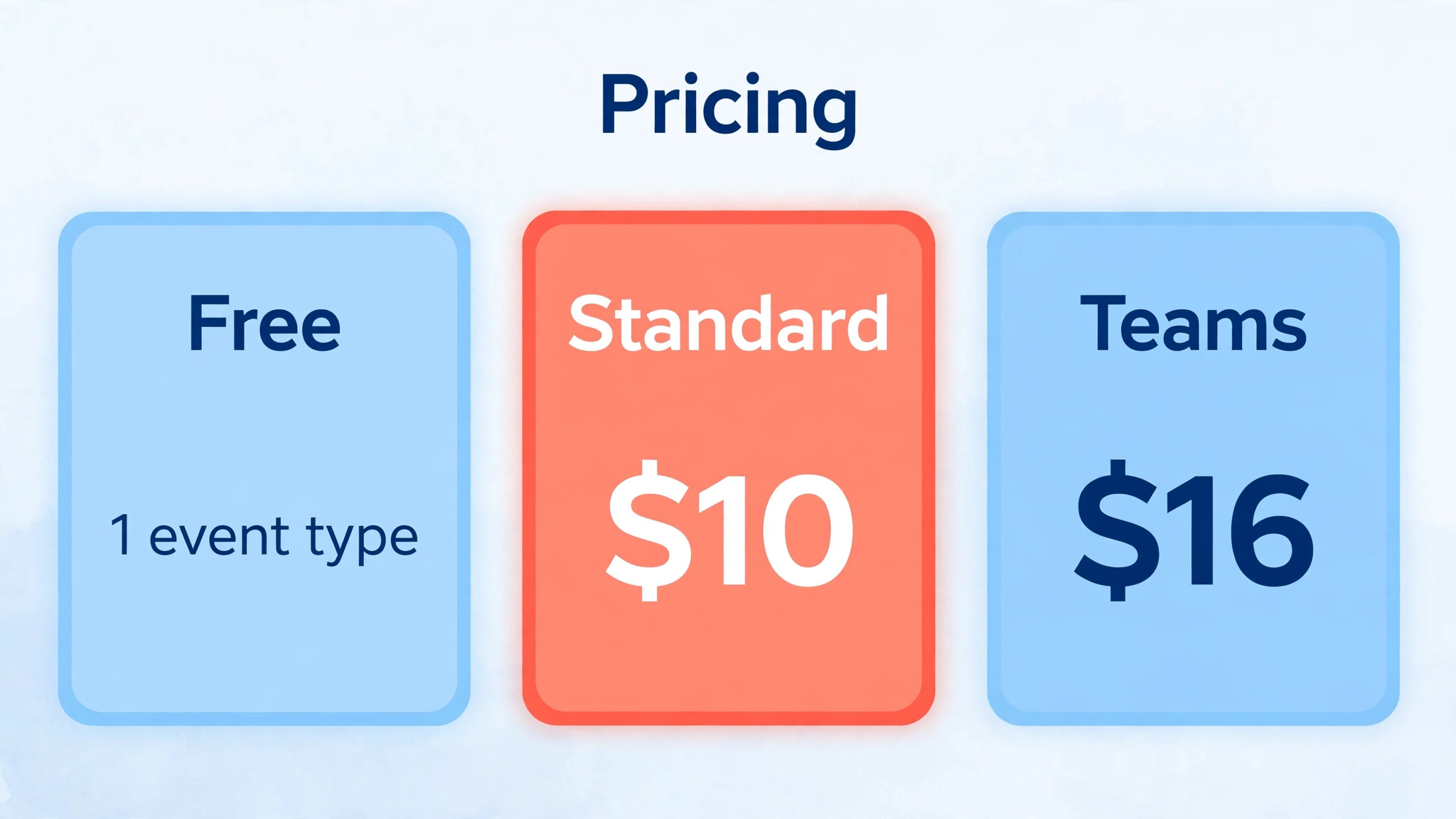
This guide builds a demo booking system that a small sales team can run without constant admin. You will set up event types, connect calendars, add routing for teams, write confirmation and reminder messages, prepare a demo checklist, and review booking results weekly. Calendly pricing checked at draft time lists a free plan with one event type and one calendar, Standard at 10 dollars per seat per month billed yearly, and Teams at 16 dollars per seat per month billed yearly for round robin and routing. Confirm current pricing on the official pricing page.
Why This Approach Works
Booking links work because they remove friction at the exact moment a prospect is most interested, which is right after they read a page, an email, or a referral. A link that shows real availability, with clear demo lengths and preparation notes, lets the prospect commit without waiting for a reply. For the sales team, the same link prevents double bookings, because Calendly checks the connected calendar before offering times, and it creates a consistent first experience, because every prospect receives the same confirmation, questions, and preparation guidance. Consistency at booking stage signals professionalism before the demo even starts.
Booking data also improves sales management. When bookings are logged consistently, a manager can see which demo types convert, which times fill fastest, and where no shows cluster, without asking reps for manual reports. That visibility lets the team fix real problems, such as demos scheduled too far out, or preparation questions that do not qualify well, instead of guessing. Treat booking as part of the sales process, with its own measures and reviews, and it will improve the demo itself, because better qualified, better prepared prospects make for better conversations.
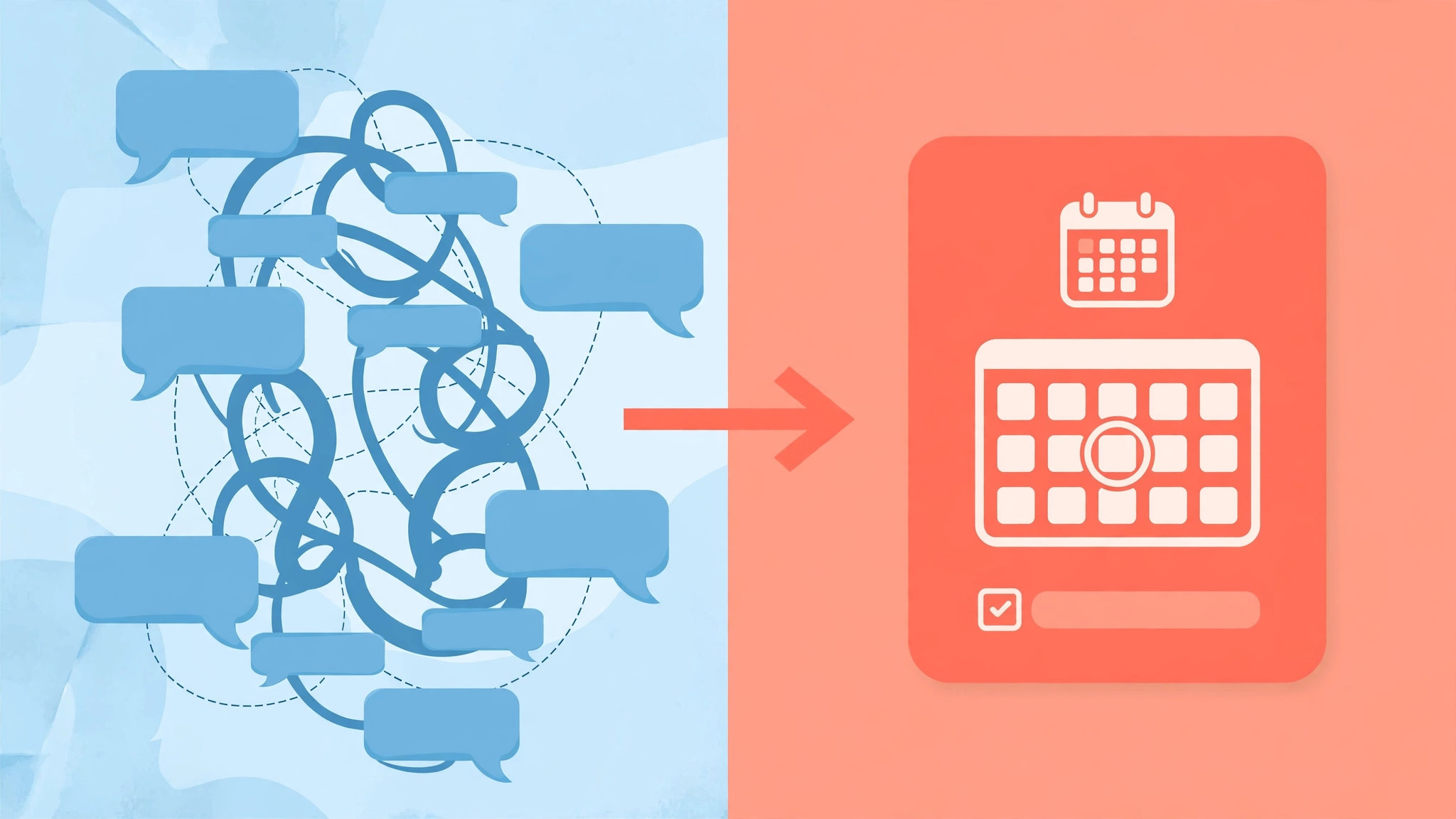
How to use Calendly for sales demo booking Step by Step
Set up booking in the order below, starting with the demo offer itself, not with the tool settings. When you use Calendly for sales demo booking, the demo length, audience, and preparation questions must be agreed first, because those decisions shape every event type, routing rule, and message that follows.
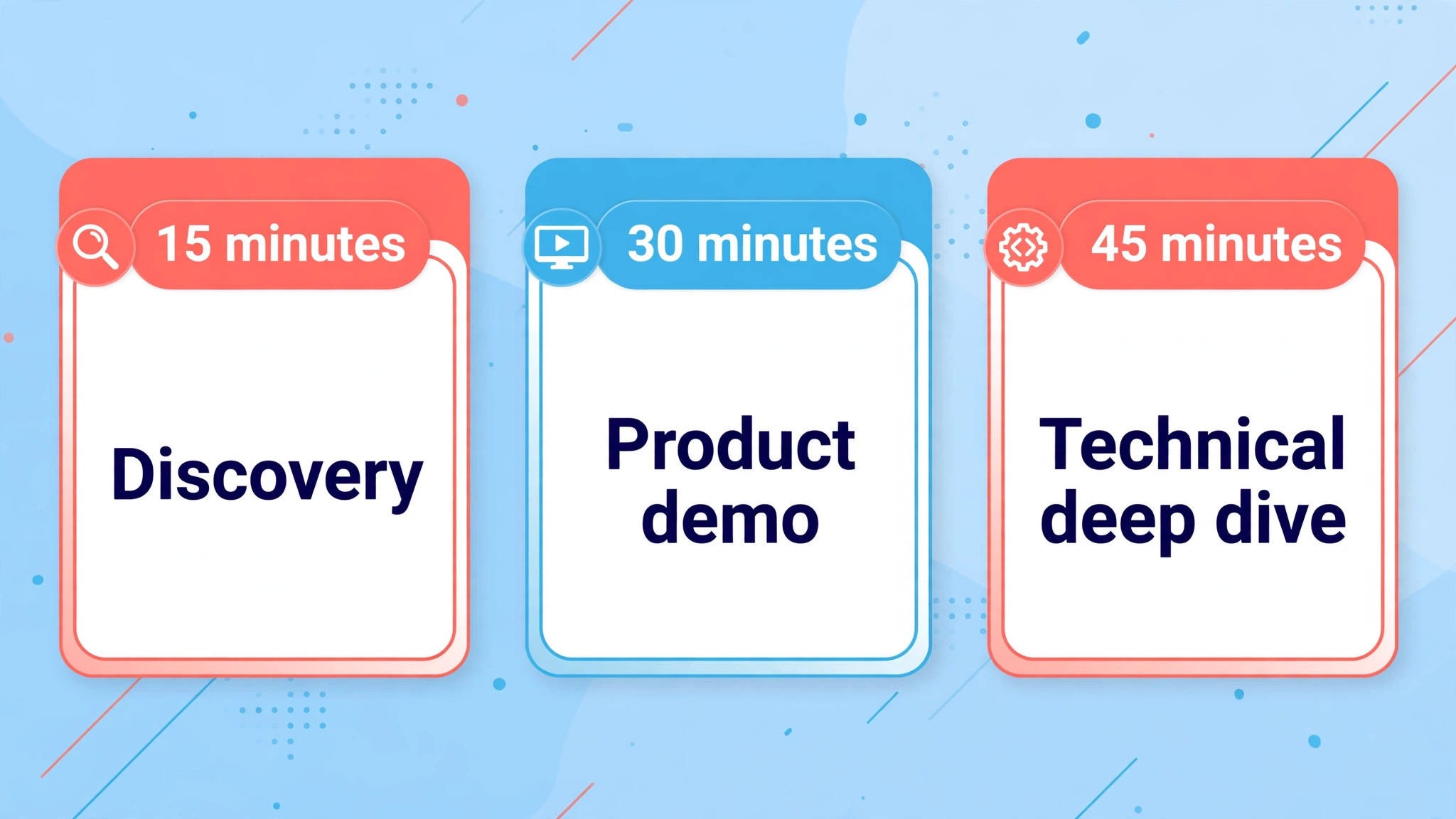
- **Define demo types and lengths.** List the demo types you actually offer, such as a 15 minute discovery call, a 30 minute product demo, and a 45 minute technical deep dive, and assign a length and a purpose to each. Keep the list short, because too many choices confuse prospects and split booking data. Each type should have a clear audience, such as new prospects, existing customers, or technical evaluators.
- **Connect calendars and set availability.** Connect each rep’s work calendar, set working hours, buffer times between meetings, and a minimum notice period, such as 4 hours, so same day chaos is avoided. Add a maximum booking window, such as 14 days ahead, so prospects book soon rather than far in the future when interest fades. Test availability with a colleague booking as a prospect before publishing any link.
- **Create event types with clear descriptions.** Write event descriptions that state what the demo covers, who should attend, what to prepare, and what happens afterwards. Add intake questions that qualify the prospect, such as company size, current tool, and timeline, but keep questions to five or fewer, because long forms reduce bookings. A clear description reduces no shows, because prospects who know what to expect are more likely to attend.
- **Set up routing for teams.** For teams, use round robin routing on the Teams plan so demo requests distribute fairly, or use routing rules based on territory, company size, or product interest where available. Test routing with test bookings for each rule, and confirm that each rep receives the right bookings with the right preparation details. Fair, transparent routing prevents internal disputes and missed prospects.
- **Write confirmation and reminder messages.** Write a confirmation message that repeats the time in the prospect’s zone, the meeting link, the agenda, and the preparation steps. Add reminders at sensible intervals, such as one day before and one hour before, with a reschedule link in each message. A prospect who can reschedule easily is far more likely to attend later than a prospect who simply no shows.
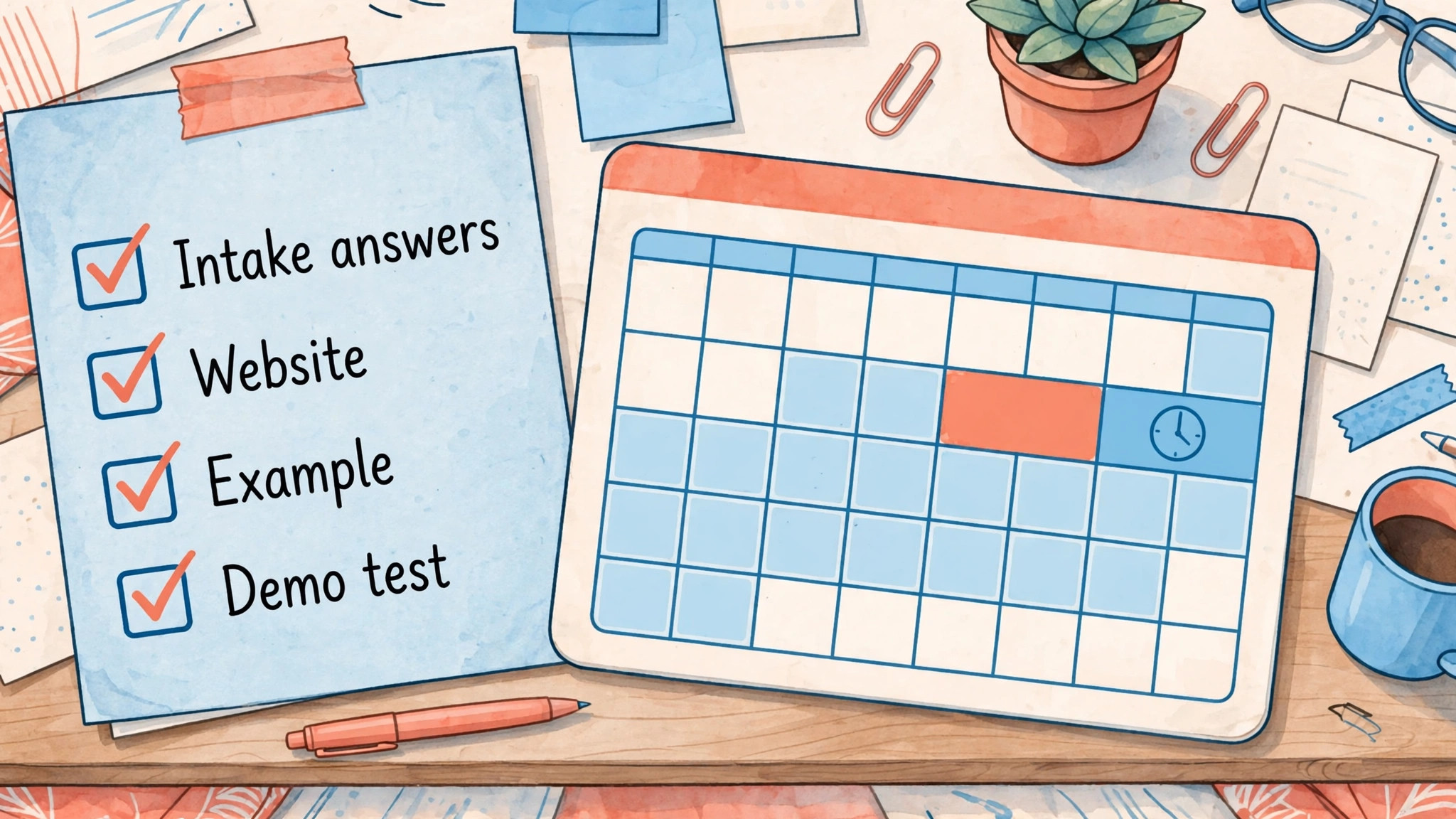
- **Add a demo preparation checklist for reps.** Give each rep a preparation checklist, including reviewing intake answers, checking the prospect’s website, preparing a relevant example, and testing the demo environment. Preparation time should be booked as a buffer before the demo, not squeezed between other meetings. A prepared rep converts better, and preparation is visible to prospects within the first minutes.
- **Embed links where prospects already are.** Place booking links on the demo page, in follow up emails, in social profiles, and in sales signatures, with the demo type matched to the context. A discovery link belongs in a cold outreach follow up, while a technical demo link belongs after a first conversation. Context matched links convert better than a single generic link sent everywhere.
- **Test the full journey as a prospect.** Book a demo as a prospect, check confirmation, reminders, calendar events, and intake data, then attend a test demo to check the meeting link and preparation flow. Fix any broken link, wrong time zone display, or missing question before sharing the link publicly. A test booking takes fifteen minutes and prevents the errors that cost real deals.
After launch, review bookings weekly for the first month, checking no show rates, reschedule rates, and intake quality. If no shows cluster at a particular time or demo type, adjust availability or preparation messages for that slot before changing the whole system. Small, targeted fixes based on booking data will improve results faster than a full redesign.
Options Compared
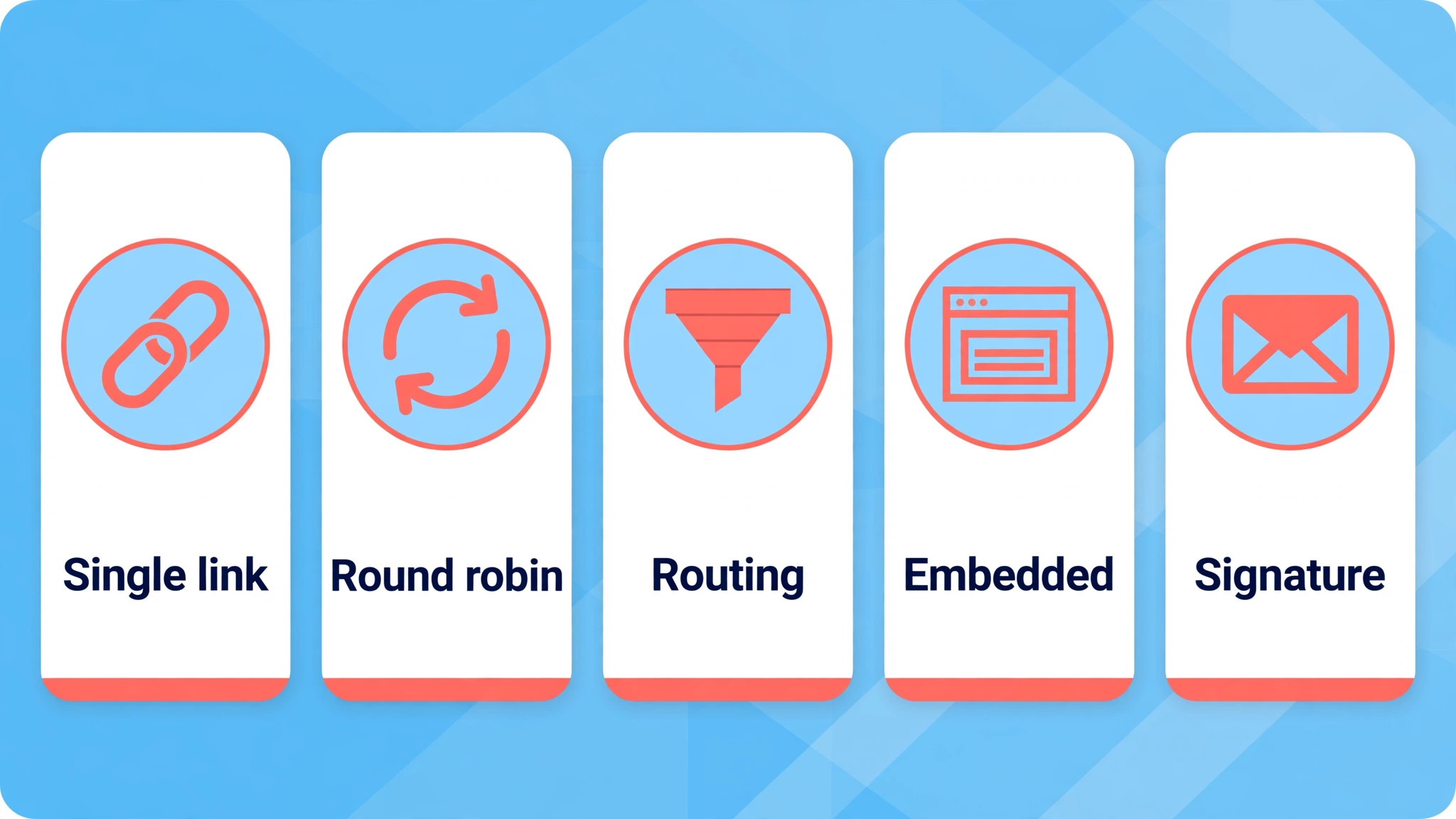
Demo booking options differ in how much control they give the sales team and how much effort they ask of the prospect. When you use Calendly for sales demo booking, the table below compares the main approaches, so you can choose the setup that fits team size and deal complexity rather than copying a larger team’s system.
| Booking approach | Best for | Watch out for |
|---|---|---|
| Single rep link | Solo rep or founder led sales | No cover when the rep is away |
| Round robin team link | Small sales teams sharing demos | Needs fair routing and cover rules |
| Routing by qualification | Larger teams with segments | Complex rules need testing |
| Embedded website booking | Inbound demo requests | Needs clear demo type choice |
| Email signature link | Follow up and referrals | Generic link may misqualify |
Start with a single rep link or a simple round robin, and add routing rules only when volume or segmentation genuinely requires them. Complex routing that is poorly tested will misroute prospects, which is worse than a simple system that works. Add complexity in response to booking data, not in anticipation of problems that have not yet occurred.
Costs and Tools to Budget For
Budget for demo booking in seats and setup time. Calendly lists a free plan with one event type and one calendar, which suits a solo rep with a single demo type, while Standard at 10 dollars per seat per month billed yearly adds unlimited event types, multiple calendars, and integrations. Teams at 16 dollars per seat per month billed yearly adds round robin, routing, and sales workflow features. Only hosts need seats, so a team of five reps pays for five seats even if they take thousands of bookings. Confirm current pricing on the official pricing page.
Setup time is usually a day, including event types, messages, routing tests, and embedding links, plus a few hours for preparation checklists and rep training. That time pays back quickly if even one extra demo per week is booked and attended, because a demo that would have been lost to email ping pong is worth far more than the setup effort. Track bookings and attendance before and after launch, so the payback is visible to the whole team.
Template and Checklist
Run this checklist before publishing any booking link, and again after any change to calendars, routing, or messages. When you use Calendly for sales demo booking, the checklist is the gate that stops double bookings, wrong time zones, and unqualified demos from reaching the sales team.
- Demo types and lengths are agreed, with a clear audience for each type.
- Calendars are connected, with working hours, buffers, and notice periods set.
- Event descriptions state agenda, audience, preparation, and next steps.
- Intake questions are five or fewer and qualify company, need, and timeline.
- Routing rules are tested with test bookings for each rule and rep.
- Confirmation messages repeat time, meeting link, agenda, and preparation.
- Reminders include a reschedule link and are sent at sensible intervals.
- A preparation checklist is available for reps, with buffer time booked.
- Booking links are placed in the right contexts, matched to demo type.
- A full test booking journey is completed, from link to test demo.
- Time zone display is checked from a prospect view in another zone.
- A weekly booking review is scheduled for the first month after launch.
Keep the completed checklist with the event type settings, including screenshots or notes of routing rules and message wording. When a rep leaves or a calendar changes, the documentation lets the team update booking without rediscovering settings. Documentation written at setup is the difference between a quick fix and a day of confusion when something changes.
Mistakes to Avoid
Demo booking mistakes usually come from treating the link as a technical detail rather than as part of the sale. When you use Calendly for sales demo booking, watch for these five mistakes, because each one loses demos, wastes rep time, or damages first impressions.
- **Offering too many demo types.** Too many choices confuse prospects and split booking data, so they delay or abandon booking. Offer two or three clear types with distinct audiences, and guide prospects to the right one with plain descriptions. Choice should help prospects, not test their patience.
- **Skipping buffer and notice settings.** Back to back demos without buffers leave reps unprepared and tired, while no notice period allows same hour bookings that nobody can prepare for. Set buffers for preparation and a minimum notice period that respects rep time. A well paced calendar converts better than a packed one.
- **Writing vague event descriptions.** A description that only says book a demo gives prospects no reason to prepare or attend. State the agenda, who should attend, what to prepare, and what happens after, in plain words. Prospects who know what to expect attend more often and engage more deeply.
- **Forgetting the reschedule link.** Prospects whose plans change will no show if rescheduling is hard, while an easy reschedule link turns a lost demo into a later demo. Include a reschedule link in confirmation and reminder messages, and treat reschedules as normal, not as failures. A rescheduled demo is still a demo.
- **Never reviewing booking data.** Booking data that is never reviewed hides problems such as no show clusters, poor qualification, or times that never fill. Review bookings weekly at first, then monthly, and adjust availability, messages, or questions based on evidence. A booking system that is never reviewed slowly stops serving the sales team.
If demo attendance is low, check preparation and timing before blaming prospect quality. Demos booked too far ahead, with vague agendas and no reminders, will always no show more often, regardless of lead quality. Fix the booking experience first, then judge lead quality, because a good prospect given a poor booking experience will still fail to attend.
A Worked Example
A prospect who had downloaded a product guide on a Tuesday morning received a follow up email that afternoon with a booking link for a 30 minute product demo, rather than a request to suggest times by reply. The link showed only real availability from the rep calendar, within a 14 day booking window, and the prospect chose a slot two days later instead of waiting for an email exchange to settle a time. Five short intake questions appeared before confirmation, covering company size, current tool, main problem, timeline, and attendees, and the prospect answered them in under a minute because none of the questions required a long written answer.
Confirmation arrived at once, repeating the time in the prospect zone, the meeting link, the agenda, and the preparation steps, so there was nothing left to clarify by email.
Behind that smooth booking sat preparation that the prospect never saw. The rep had set a minimum notice period of 4 hours and buffer times between meetings, so the chosen slot did not land directly after another demo with no time to prepare. On the morning of the demo, the rep used the buffer to review the intake answers, look at the prospect website, prepare a relevant example drawn from the stated main problem, and test the demo environment. A reminder one day before had included a reschedule link, and a second reminder one hour before repeated the meeting link, so the prospect arrived on time and already knowing what the demo would cover.
The first minutes of the call therefore went to the prospect problem rather than to introductions, login trouble, or a search for the right example.
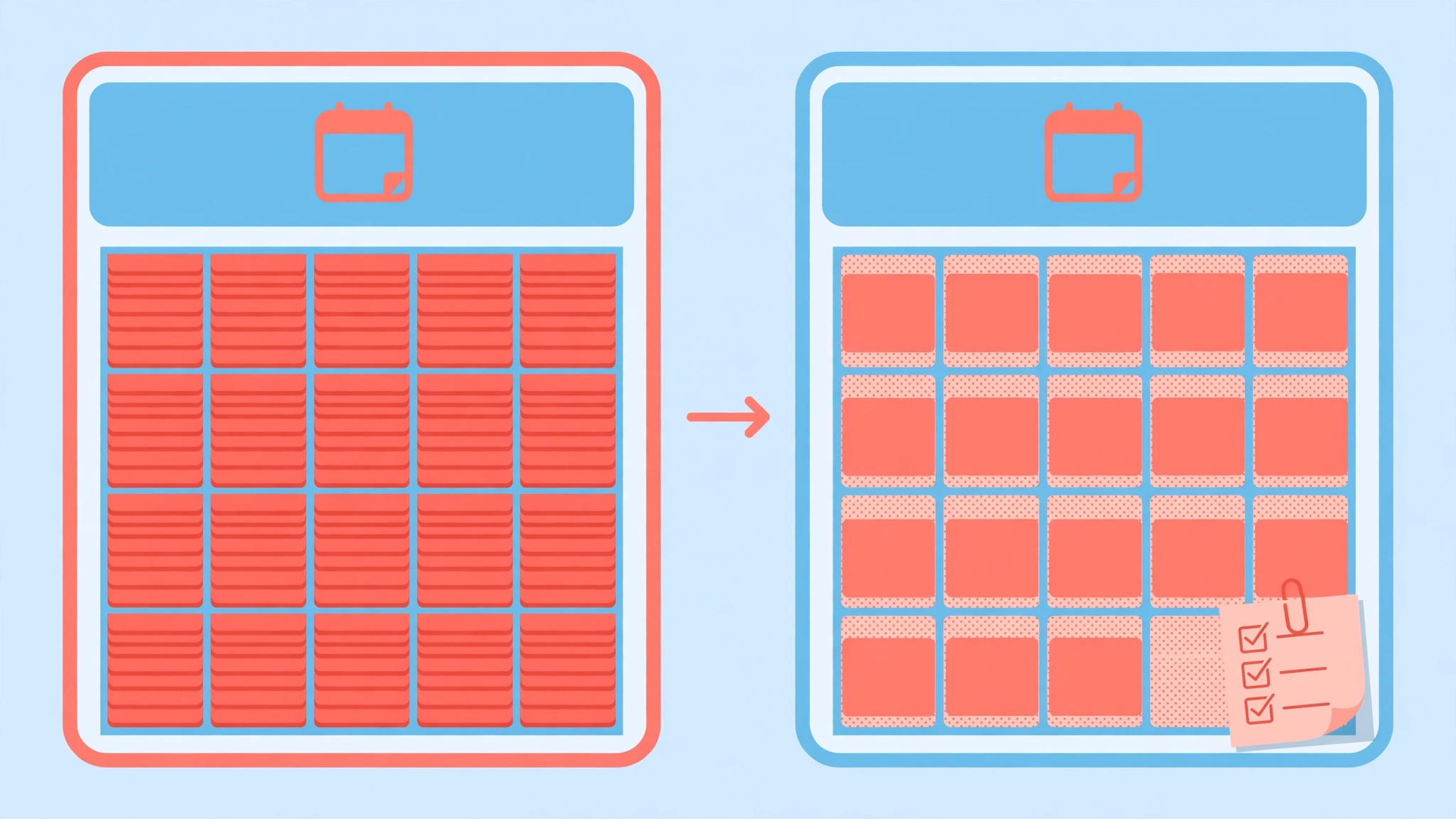
The demo ended with a clear next step agreed in the call, and the rep logged the outcome against the booking record the same day, noting which intake answers had proved most useful and which agenda item had sparked the strongest response. That note later helped the team shorten the event description for the 30 minute demo, because the agenda item that mattered most had not been the one listed first. The worked example showed the team something a settings checklist could not, which was that booking success depended less on the link itself than on the preparation time protected around it, and that a buffer treated as optional would soon disappear under a packed calendar.

Advanced Tips Worth Trying
Once bookings flow steadily, the sharpest improvement comes from matching the booking link to the place it appears, rather than sending one generic link everywhere. A discovery link belongs in a cold outreach follow up, a standard product demo link belongs on the demo page, and a technical deep dive link belongs after a first conversation, when several stakeholders are ready to attend. Each link should carry its own description and intake questions, because a technical evaluator needs different preparation from a first time prospect, and a generic description forces both to guess.
When a link is placed in a new location, test it as a prospect first, checking the time zone display, the confirmation wording, and the intake data that reaches the rep.
Routing is the second area worth refining, but only after volume justifies it. A small team should stay with a simple round robin link, with clear cover rules for holidays and sickness, and add qualification routing only when bookings regularly arrive for distinct segments, such as territory or company size. Every new routing rule needs a test booking for each branch, including a booking that falls outside every rule, so a prospect is never left without an owner. A routing rule that misfires will lose a deal quietly, because the prospect assumes the silence means disinterest, while the team assumes the booking went to someone else.
Finally, protect preparation time as firmly as availability itself. Book a buffer before every demo that is long enough to review intake answers and test the demo environment, and treat that buffer as unavailable for other meetings, not as spare time that can be filled. If a rep reports that buffers keep disappearing, the fix is usually a shorter demo list or a smaller daily booking cap, rather than asking reps to prepare faster. A calendar that looks full but leaves no room to prepare will convert worse than a calendar with fewer, better prepared demos.
How to Measure Success
Measure attendance first, because a booking that never becomes a conversation has no value however busy the calendar looks. Divide the number of demos attended by the total number booked in the same period, and calculate that rate separately for each demo type, since a 15 minute discovery call and a 45 minute technical deep dive will naturally behave differently. Pull both figures from the booking tool and the calendar, and review them weekly for the first month, then monthly. A rate that falls for one type only points to that type agenda, length, or reminder wording, while a rate that falls across all types points to availability or timing, such as demos booked too far ahead.
Next, measure reschedules and the step after the demo. Divide rescheduled bookings by total bookings to find the reschedule rate, and divide demos that progressed to an agreed next step by demos attended to find the progression rate. A high reschedule rate with a healthy progression rate usually means prospects still want the demo but the original timing was wrong, which suggests a shorter booking window or better reminder timing. A low progression rate despite good attendance usually means intake questions are not qualifying well, or reps arrive underprepared, and the booking record will show which explanation fits.
Finally, break every rate down by rep, time of day, and demo type before changing the system, because overall averages hide the patterns that actually need fixing. If no shows cluster in late afternoon slots, adjust availability for those hours rather than rewriting every confirmation message. If one rep converts far better than the rest, study that rep preparation routine and share it, rather than assuming the difference comes from lead quality. Change one element at a time, wait for a full review cycle, and keep a short note of each change and the rate it was meant to move.
Review and Next Steps
Review bookings every week for the first month, with the booking tool open and the calendar beside it, and look at four figures together before anyone suggests a change. Those figures are bookings per demo type, attendance rate, reschedule rate, and progression from demo to an agreed next step. Compare each figure with the previous week, and then break the figures down by rep, time of day, and demo type, because an overall average can hide a single slot or a single type that is dragging the whole system down.
If one demo type converts far better than the others, study its description, agenda, and preparation routine before copying its wording elsewhere, since the advantage may come from preparation rather than from the description alone. If attendance drops at a particular time, adjust availability or reminder timing for that slot first, rather than rewriting every message in the system.
A new rep who shadows a review week will quickly grasp how the team decided to use Calendly for sales demo booking without turning booking into a maze of demo types. Keep a monthly booking note that records the four figures, one change made, and the reason for that change, and share it with the whole sales team, including reps who were not in the review meeting. Reps who understand why an event type, a buffer, or a reminder interval was set will defend that setting with prospects, while reps who receive a change without explanation will quietly work around it.
The note also becomes the training document for a new hire, who can read three months of notes and understand the booking system faster than by shadowing a dozen calls.
After the first month, move the review to a monthly rhythm, but keep a lighter weekly glance, with one person checking no show clusters and reschedule patterns each Friday. At the monthly review, also check details that decay silently, such as calendars no longer connected, reps who have left, and booking links embedded in old emails or social profiles. A link that points to a departed rep will lose demos without any error message, and only a routine check will find it.
Once a quarter, read the event types, the intake questions, the confirmation wording, and the review notes together, and ask whether each item still earns its place. Demo types tend to multiply, with a new type added for every special request, until prospects face a choice that confuses them and splits booking data into fragments too small to interpret. Prune types that book rarely, merge types whose audiences overlap, and keep the intake list at five questions or fewer, removing any question that reps no longer use in preparation.
Keep pruned wording in a note, so a removed type can be restored if demand returns, but do not keep it live out of habit, because a live type that nobody books still costs prospects attention.
Handover should be prepared while the system runs well, in a document that a new sales manager could follow without a long explanation. That document should record the demo types and their audiences, the calendar and buffer settings, the routing rules, and the confirmation and reminder wording. Include the goal of each setting, not only the setting itself, so a successor can judge what to do when a new segment or territory appears. Test the document by asking a colleague who has never managed bookings to add a new rep, and fill every gap their questions reveal.
Looking ahead, add complexity only when booking data demands it, such as routing by territory or company size when volume and segmentation genuinely require it, and test each new rule with a booking for every branch before it goes live. Expansion done in that order, with evidence first and complexity second, keeps booking fast for prospects and fair for reps, which is the combination that turns a booking link into the first step of a good sale rather than a piece of admin that everyone tolerates.
For related reading on Stratilyze, the guide to consultation bookings with Calendly covers a different booking context with the same tool, the guide to interview scheduling with Calendly shows intake questions for screening, and the guide to moving from Calendly explains what changes when a team switches tools. Read the consultation guide first if your demos include advice elements, because preparation habits there transfer directly, and the method here for use Calendly for sales demo booking shares the same booking discipline.
Frequently Asked Questions
How many demo types should I offer?
Two or three demo types usually work best, such as discovery, product demo, and technical deep dive, each with a clear audience. More types confuse prospects and split data, while one type forces every prospect into the same conversation regardless of need. Let booking data guide whether a new type is genuinely needed.
Which Calendly plan suits a small sales team?
Standard at 10 dollars per seat per month billed yearly suits most small teams, with unlimited event types and integrations, while Teams at 16 dollars per seat per month billed yearly adds round robin and routing for shared demo loads. Only hosts need seats, so cost scales with reps, not with bookings. Start on Standard and move to Teams when routing becomes necessary.
How do I reduce demo no shows?
Send a clear confirmation with agenda and preparation steps, reminders one day before and one hour before, and an easy reschedule link in every message. Book demos soon, within about 14 days, rather than far ahead, and keep intake questions short so prospects arrive qualified and prepared. Reschedules should be treated as normal, because a rescheduled demo still converts.
Should demos be 15, 30, or 45 minutes?
Match length to purpose, with 15 minutes for discovery, 30 minutes for a standard product demo, and 45 minutes for technical deep dives with several stakeholders. Longer is not better by default, because a demo that runs long without a clear agenda loses attention. State the length honestly in the event description so prospects can plan.
What intake questions should a demo booking ask?
Ask five or fewer questions that qualify need, such as company size, current tool, main problem, timeline, and attendees. Avoid long forms that reduce bookings, and avoid questions that can be answered better in the demo itself. Good intake helps reps prepare relevant examples, which improves conversion more than any single question.
How do I use Calendly for sales demo booking for a team across time zones?
Let Calendly display times in the prospect’s zone, and set each rep’s working hours in their own zone so availability is accurate. Add buffer times to avoid back to back cross zone demos, and test booking from a prospect view in another zone before publishing. Clear time zone handling prevents the missed meetings that damage trust with international prospects.
Turn Bookings Into Conversations
A demo booking system succeeds when prospects can book in under a minute, arrive prepared, and meet a rep who already understands their need. Define clear demo types, connect calendars honestly, write confirmation and reminders that help, and prepare every demo with a checklist. When you use Calendly for sales demo booking in that disciplined way, booking stops being admin and starts being the first step of a good sale, because the demo begins well before anyone joins the call.