
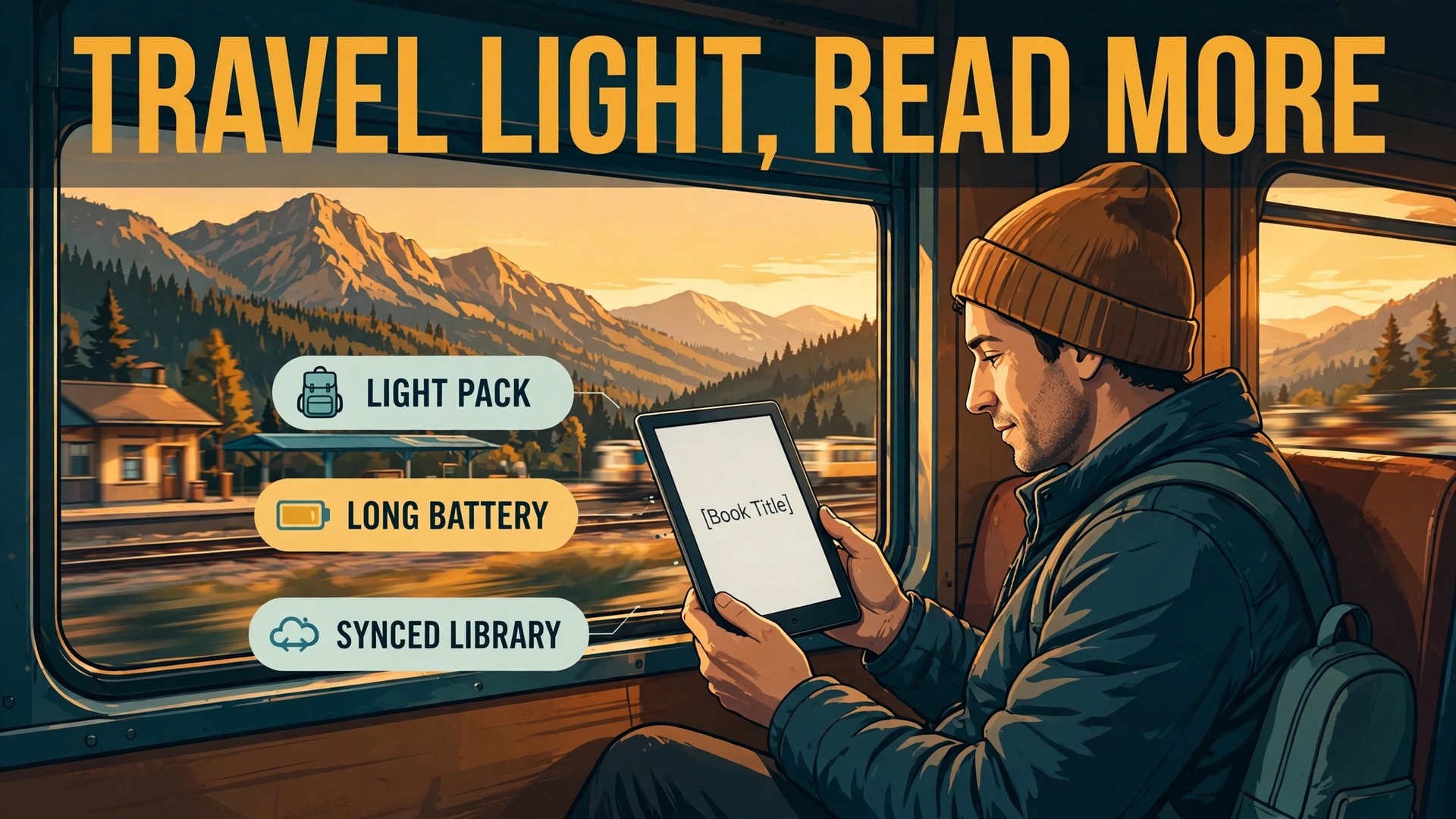
A paperback stack eats bag space, and a phone eats attention. That is why travellers who read a lot should use e-reader for travel reading instead of carrying either one as the main reading device. One reader weighing roughly as much as a single paperback can hold thousands of books, last for weeks on a charge, and stay readable in bright sun. It also does one job only, so a chapter does not turn into a scroll through messages, maps, and news. This guide turns that advantage into a working system, from choosing the device to syncing the library, planning battery for a long trip, and keeping a backup route open if the reader fails far from home.
The system matters more than the device. A reader bought the night before a flight, with no books downloaded and a half charged battery, will disappoint even if the hardware is excellent. A modest reader that is fully synced, charged, cased, and backed up will carry a whole trip without a second thought.
Why a Dedicated Reader Wins on a Trip
A phone can hold books, and a tablet can hold even more, but neither one is built for hours of reading in varied light. A phone screen is glossy, it reflects sun, and it invites every notification installed on the device. A tablet is heavier, its battery drains faster under a bright screen, and it is the device you also need for maps, tickets, and messages, so reading competes with everything else. An e-reader screen uses reflected light in a way that resembles paper, which is why it stays readable outdoors without turning brightness to maximum, and the screen only draws significant power when the page changes, which is why battery life is measured in weeks rather than hours.
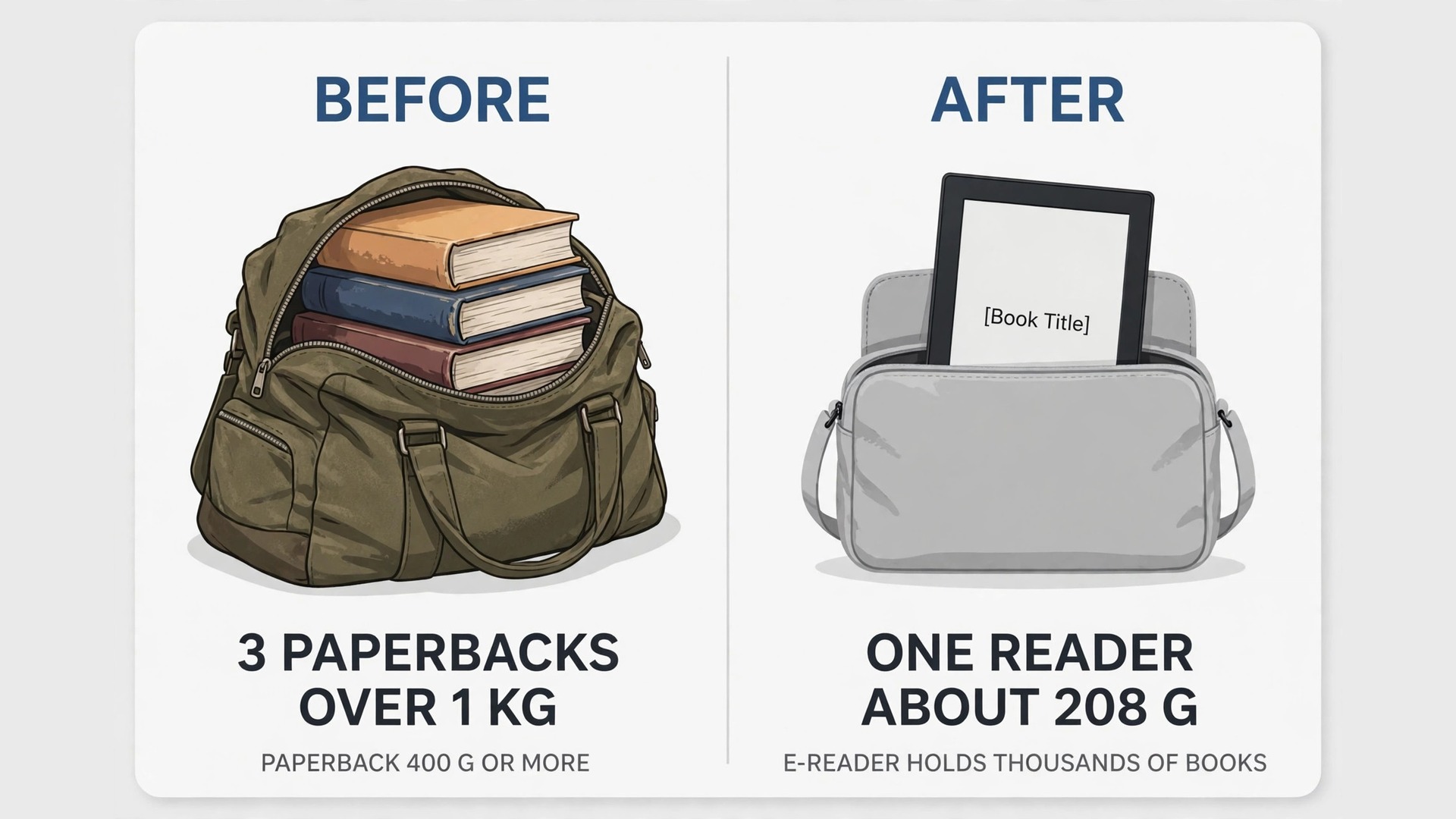
Weight tells the same story. A single thick paperback often weighs 400 grams or more, and three of them pass a kilogram quickly. A basic 6 inch reader weighs around 158 grams in its 2024 form, and a 6.8 inch Paperwhite weighs about 208 grams, according to Amazon specifications for those models. Add a slim case and the total is still well under one paperback. For a traveller with a cabin bag limit, that difference can decide whether a jacket, a camera lens, or a second pair of shoes also fits.
The comparison below keeps the choice honest. No device wins on every row, and the right pick depends on how you actually read on a trip.
| Choice | Best for | Weakest point | Trip verdict |
|---|---|---|---|
| E-reader | Long reading sessions, sun, battery | Colour comics and large PDFs | Best main reading device |
| Phone | Short reads and audiobooks | Glare, distraction, battery | Best backup, not the main reader |
| Tablet | Magazines, comics, PDFs | Weight, glare, battery drain | Best for visual material only |
| Paperback | One beloved book, no charging | Weight, one book only, no light | Best as a single spare |
The practical answer for most trips is a reader as the main device and the phone as the backup. That pairing gives you weeks of reading, a spare route if the reader fails, and no extra charger type if both use USB-C, which current Kindle and Kobo models do. If you read mostly comics or heavily illustrated magazines, a colour reader or a tablet deserves a closer look, and the device section below explains that trade-off. Travellers who use e-reader for travel reading as a daily habit usually settle on this pairing and stop debating hardware after the first trip.
Pick the Device and Case Before You Pack
Buy or confirm the reader at least a week before departure. That buffer gives time to test sync, test the case fit, notice a faulty cable, and download books on home Wi-Fi rather than on hotel Wi-Fi.
Size, weight, and one handed reading
A 6 inch reader suits travellers who read in crowded trains, in bed, or with one hand free for a rail or a coffee. A 7 inch reader suits larger type, PDFs, and readers who find small screens tiring, but it takes more pocket and bag space and weighs more. Try holding the reader for ten minutes before you commit, with the case on, because a device that feels fine for thirty seconds can feel heavy after an hour. Physical page turn buttons help some readers, especially in bed or with gloves, while others prefer a clean touchscreen.
Neither choice is wrong, but buttons are worth paying for if you read with cold hands or while holding a child or a bag strap.
Waterproofing, warm light, and storage
Waterproofing matters more on trips than at home. A reader gets used near pools, on beaches, in rain, and in steamy bathrooms, and a splash that would ruin a paperback can end a trip read. The Paperwhite and several Kobo models carry an IPX8 rating, which Amazon and Kobo describe as surviving immersion in up to 2 metres of fresh water for up to 60 minutes. That rating covers accidents, not deliberate underwater reading, and salt water and sand still deserve care, but it removes the fear that one splash ends the book.
Warm light matters for night reading. A standard front light can feel harsh in a dark room or a night train berth, while an adjustable warm light shifts the tone toward amber and feels easier late at night. If you read in bed while a partner sleeps, or in a hostel dorm, warm light plus a low brightness setting is the combination that keeps the peace. Check for this feature before buying, because the basic Kindle models have historically lacked it while Paperwhite models include it.
Storage is rarely the limit it once was. A 16 GB reader holds thousands of standard ebooks, since a typical ebook is only one or two megabytes. Audiobooks change the maths, because a single audiobook can take several hundred megabytes, and a colour comic collection grows faster still. If you listen to audiobooks on the reader, or you carry a large comic library, choose 32 GB. If you read text books only, 16 GB will cover several trips without a cleanup.
Colour, black and white, and what to skip
Colour e-ink has improved, and it makes comics, illustrated guides, and annotated maps far more useful. It still shows colour at lower resolution than black and white text, and colour readers cost more and drain battery faster. A black and white reader remains the better pick for novels and nonfiction, which is what most travellers read most. Choose colour only if illustrated material is a large share of your reading.
The case and the bag position
The case is part of the device, not an accessory. A good travel case covers the screen fully, wakes the reader on opening and sleeps it on closing, and adds grip without adding a thick frame. A folio case that folds into a stand helps on trains and planes, where a tray table stand beats holding the reader for three hours.
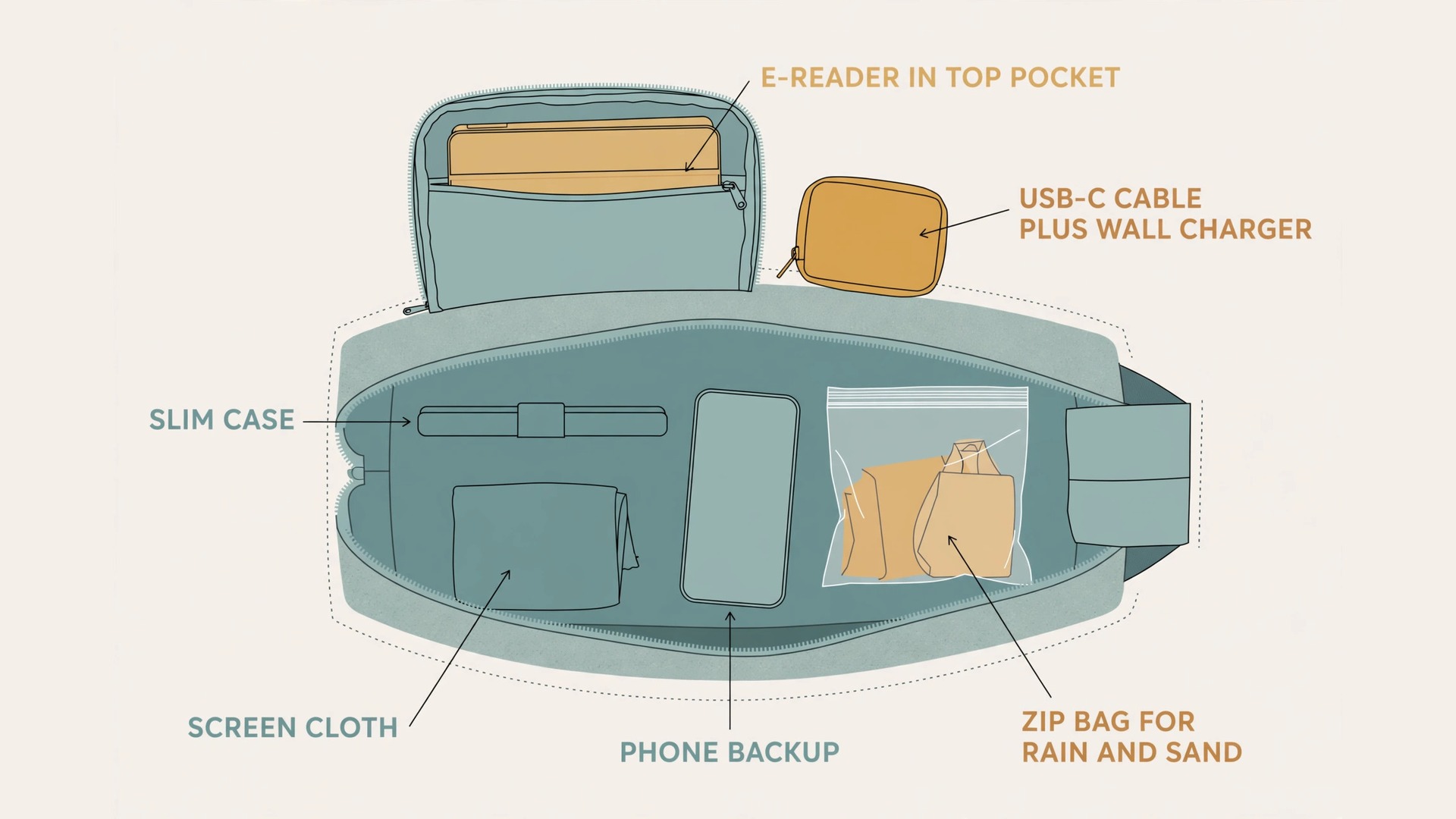
Pack the reader where you can reach it without unpacking the bag. A top pocket, a jacket pocket, or the outer pocket of a daypack works. On a plane, keep the reader in the seat pocket or your personal item, not the overhead bin.
How to Use E-Reader for Travel Reading Without Losing a Book Mid Trip
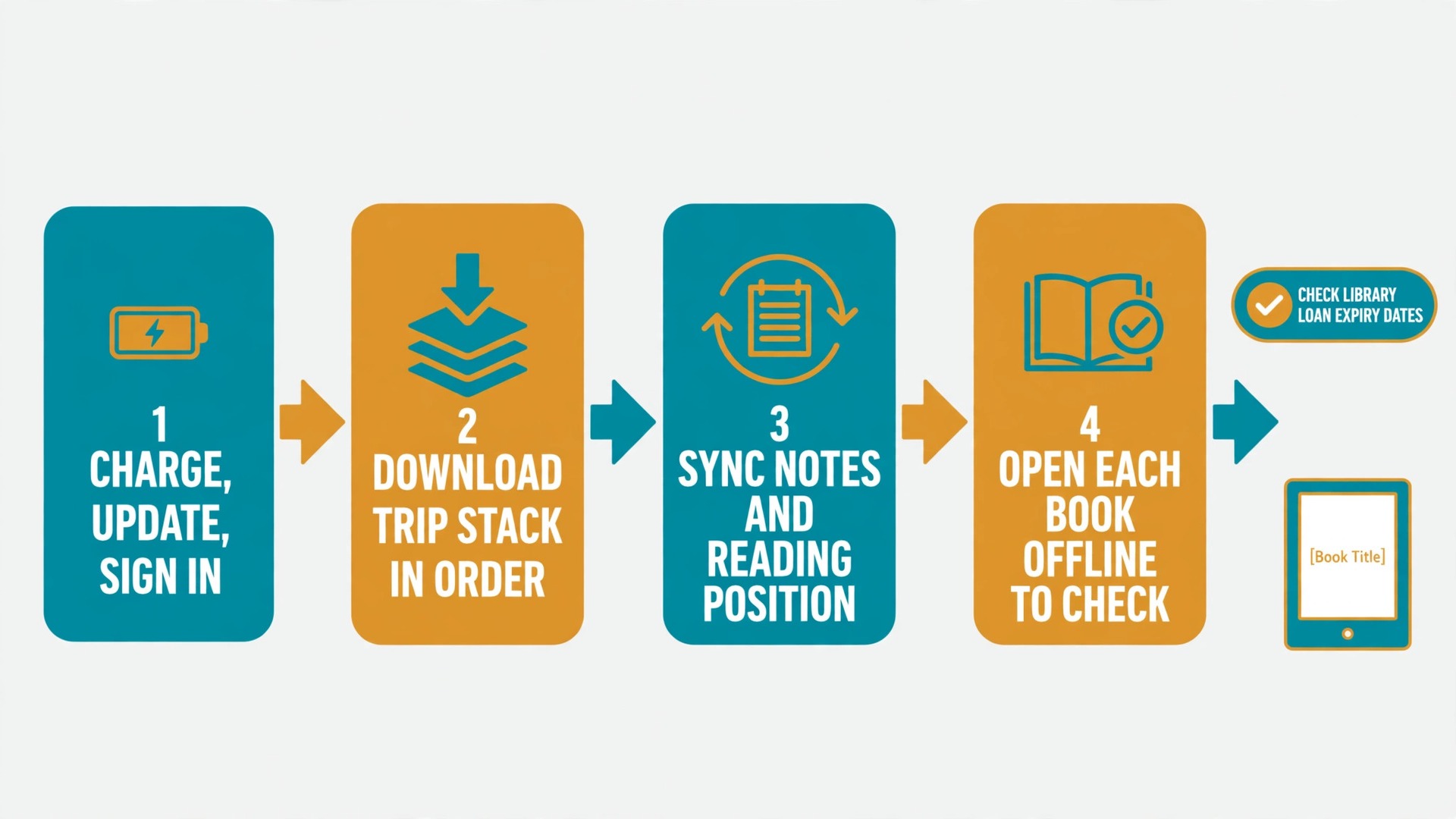
This is the section to finish before you leave home, not at the airport. Library sync done well takes about thirty minutes, and it prevents the most common travel reading failure, which is opening the reader on day three and finding the next book still in the cloud. Work through the steps in order, then open every book you plan to read and check that the first page loads without Wi-Fi.
Step one, charge, update, and sign in
Charge the reader to full the night before the sync session, not the night before the flight. Connect to home Wi-Fi, check for a software update, and let it finish. Sign in to the correct store account, and check that the account matches the one that owns your books. A reader signed into a second account, or a family member account, will show an empty library and cause a panic that a factory reset cannot fix. Confirm the account name on the device settings screen, and write down which email it uses if you manage more than one account.
Step two, download the trip stack in order
Download books in the order you expect to read them, and download more than you think you need. A good trip stack has a main book, a second book for when the first one drags, a light book for tired evenings, and one nonfiction book for short gaps. Download at least one extra book beyond that, because taste changes on a trip. Open each downloaded book once, turn a few pages, and confirm the download is complete. A book that shows a cover but has not finished downloading will stop at the same page every time, usually on a plane.
This one check is the habit that separates travellers who use e-reader for travel reading smoothly from those who discover a missing book at 35,000 feet.
Step three, sync notes, highlights, and reading position
If you read on more than one device, sync before departure so the reading position, highlights, and notes match everywhere. Open the current book on the reader, let it sync on Wi-Fi, and check that the last page you read on the phone matches the reader. On Kindle, this is the Whispersync setting. On Kobo, the equivalent sync runs through the Kobo account and the reading app.
Library books and the expiry trap
Library books are the best free travel reading, and they carry one trap, which is expiry. A borrowed ebook has a lending period, commonly 21 days on many library systems, and it simply expires when that period ends, even if you are halfway through. Borrow with the trip dates in mind, not the moment you feel like reading. If the trip starts in ten days and lasts fourteen days, a book borrowed today may expire before the return flight. Borrow closer to departure, or borrow a second copy of the plan through a different route, such as a purchased book for the second half of the trip.
On Kindle in the United States, library books borrowed through Libby can be sent to the Kindle, where they appear as library books with an expiry date. The steps are borrow in Libby, choose the Kindle reading option, sign into Amazon when prompted, and choose the device to deliver to. On Kobo, library borrowing runs through OverDrive on supported models, where you sign into the library account on the device itself and borrow directly. Check which route your device supports before departure, because Libby cannot be installed as an app on a Kindle e-reader itself, and the browser route on the device is not the way to set this up.
Do the borrowing on a phone or computer, then sync the reader on Wi-Fi and confirm the library book opens.
If a library book expires mid trip, the reader will usually show the cover but refuse to open the text. That is not a device fault, and no reset will fix it. The fix is a new loan or a purchase, which needs Wi-Fi. For a long trip, keep at least one purchased book downloaded that has no expiry date.
Documents, articles, and personal files
Many travellers read more than books, and a reader handles articles and documents well if they are sent correctly. On Kindle, the Send to Kindle service takes documents and web articles from a browser, an email address, or an app, and delivers them to the device library. Send articles a few days before departure, then open each one on the reader and check the formatting. On Kobo, the equivalent route is sideloading EPUB files over USB, which gives more control over the file but needs a computer and a cable. Test one file of each type before you rely on the method, and keep the originals on the phone as well.
The Travel Reading Packing Checklist
This checklist is the overview proof element of this guide, because it turns the whole system into one page you can run through the night before departure. Print it, or copy it into a phone note, and tick each item off physically. It is the fastest way to check that you are ready to use e-reader for travel reading without a last minute scramble.
- Reader charged to full, with the charging cable tested in the same socket you will use on the trip.
- Reader case fitted, screen clean, and the reader packed in a pocket you can reach without unpacking.
- Trip stack downloaded in reading order, with each book opened once and the first pages checked offline.
- One extra purchased book downloaded, with no expiry date, as insurance against a library loan expiring.
- Current book synced, so the reading position matches the phone or tablet you also read on.
- Library loans checked against trip dates, with expiry dates noted and a backup book ready for the second half.
- Articles and documents sent to the reader and opened once, with originals kept on the phone.
- Phone reading app signed in and synced, with the same trip stack available as the backup library.
- USB-C cable packed, plus a small wall charger that matches the reader, not only a laptop port.
- Screen cloth packed, and a small zip bag for rain, beach sand, and boat spray.
- Travel adapter checked for the destination, if the charger plug differs from home.
- Reader account email noted, in case a sign in prompt appears on hotel Wi-Fi.
- Audiobook headphones or earbuds packed and paired, if you listen as well as read.
- A paperback or a magazine packed as a last resort, only if bag space truly allows it.
Run the checklist in this order, because the order prevents rework. Charging first means the sync session never pauses for a low battery warning. Downloading before packing means a missing book is found while home Wi-Fi is still available.

Battery Planning for Long Trips
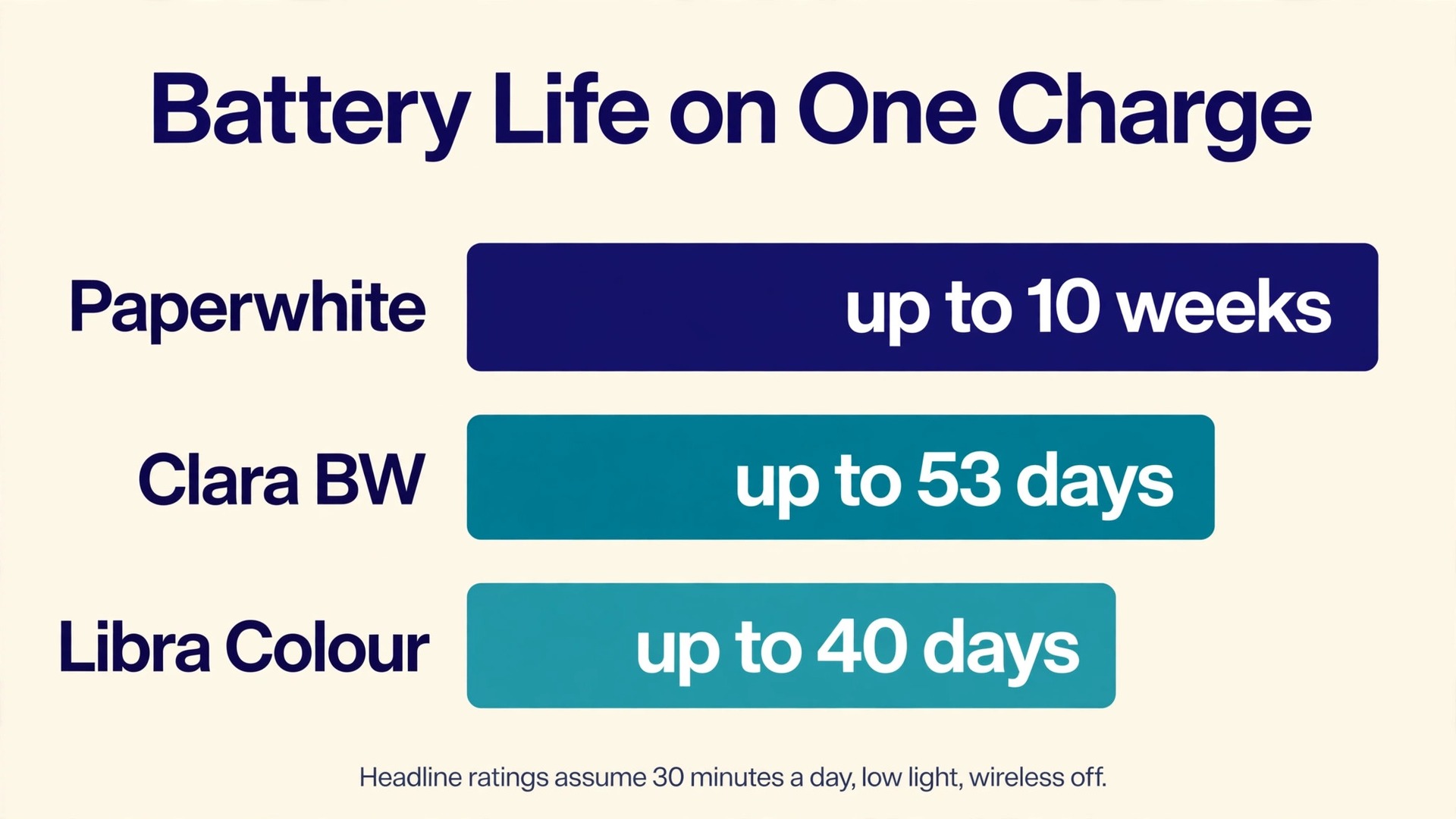
Battery planning starts with honest numbers, not headline claims. Amazon rates the Paperwhite at up to ten weeks on a single charge, but that figure assumes thirty minutes of reading per day, wireless off, and the light at a modest level. Kobo rates the Clara BW at up to 53 days on the same thirty minutes per day basis, with Wi-Fi and Bluetooth off and the front light at low brightness, and the Libra Colour at up to 40 days on a similar basis. Those figures are useful for comparing models, and they are not a promise for a traveller who reads three hours a day with the light up and the radio on.
Anyone who plans to use e-reader for travel reading for several hours a day should translate the headline before trusting it.
Translate the headline into trip maths. If you read two hours a day, that is four times the thirty minute test basis, so a ten week rating becomes roughly two and a half weeks in simple terms, before light level and wireless use are counted. A heavy reader at four hours a day on a bright beach will get less again. That is still excellent for a two week trip, and it is not enough for a six week trip without a charging plan. The table below gives planning figures you can use, with the warning that your own use will move them.
| Trip length | Daily reading | Battery plan |
|---|---|---|
| Weekend, 2 to 3 days | Up to 3 hours | Charge to full, no charger needed |
| One week | 2 hours | Charge to full, pack a cable |
| Two weeks | 2 to 3 hours | Charge to full, top up once mid trip |
| Three to four weeks | 3 hours or more | Charge to full, top up weekly, carry a charger |
| Five weeks or more | Heavy daily reading | Weekly charging routine, plus a power bank |
The biggest battery drains on a trip are not page turns. They are wireless searching for a network, a bright front light, and audiobook playback over Bluetooth. A reader that keeps searching for hotel Wi-Fi will drain faster than one in airplane mode, and a reader left with Wi-Fi on in a bag will keep trying. Audiobook streaming over Bluetooth reduces battery life noticeably on Kindle models, according to Amazon, so plan audiobook listening as a separate battery budget, not a free extra.
A charging routine that works anywhere
Charge the reader from a wall charger, not only from a laptop. Amazon notes that a Paperwhite charges in under two and a half hours with a 9W USB power adapter, compared with about five hours from a computer USB port. That difference matters on a travel day, when a laptop port may be busy, slow, or asleep. Pack the wall charger and the cable together, in the same small pouch, so the pair is never split across two bags.
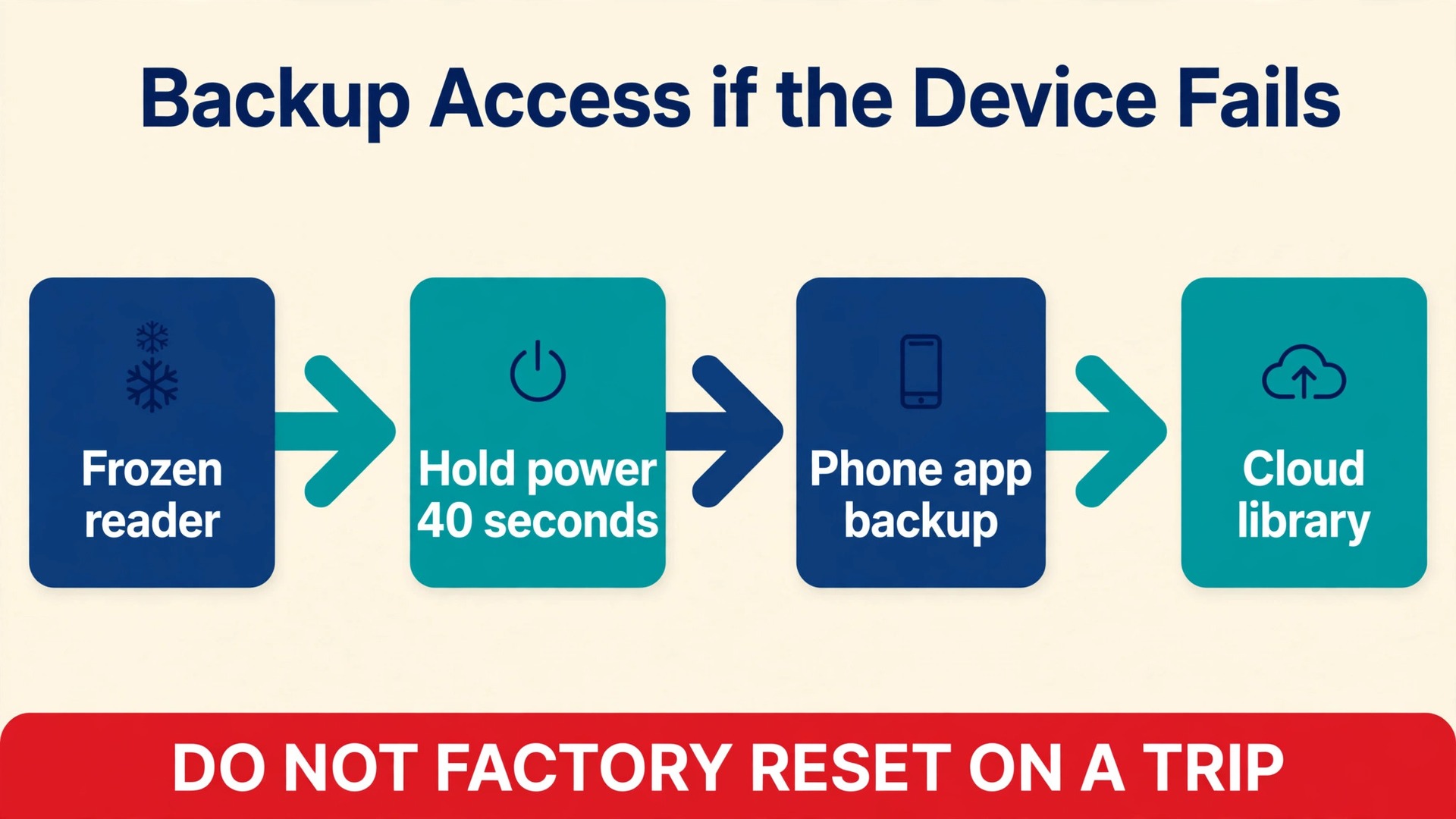
Set a charging rhythm for the trip. Top up when the battery shows around a third remaining, not when it shows a warning. A top up during dinner, or overnight on a rest day, keeps the reader above half for the next leg. If the reader will not turn on after a long gap, charge it for at least thirty minutes before judging it dead, and hold the power button for a full forty seconds on Kindle models, which is the restart hold Amazon documents for an unresponsive device.
Airplane mode is the single best battery habit. Turn it on after the sync session, and leave it on for the whole trip except for deliberate sync windows. Sync once or twice a week, on reliable Wi-Fi, to fetch a new book or update a position, then turn airplane mode back on. That habit alone can stretch a two week trip into a comfortable margin, and it also stops the reader from downloading a large file over a slow hotel network at the worst moment.
A small power bank is worth packing on trips longer than two weeks, or on trips with long bus and train days. The reader draws little power, so even a modest power bank can recharge it several times over, and the same bank also serves the phone. Keep the power bank charged, and test the reader cable with it before departure.
Reading in Sun and at Night
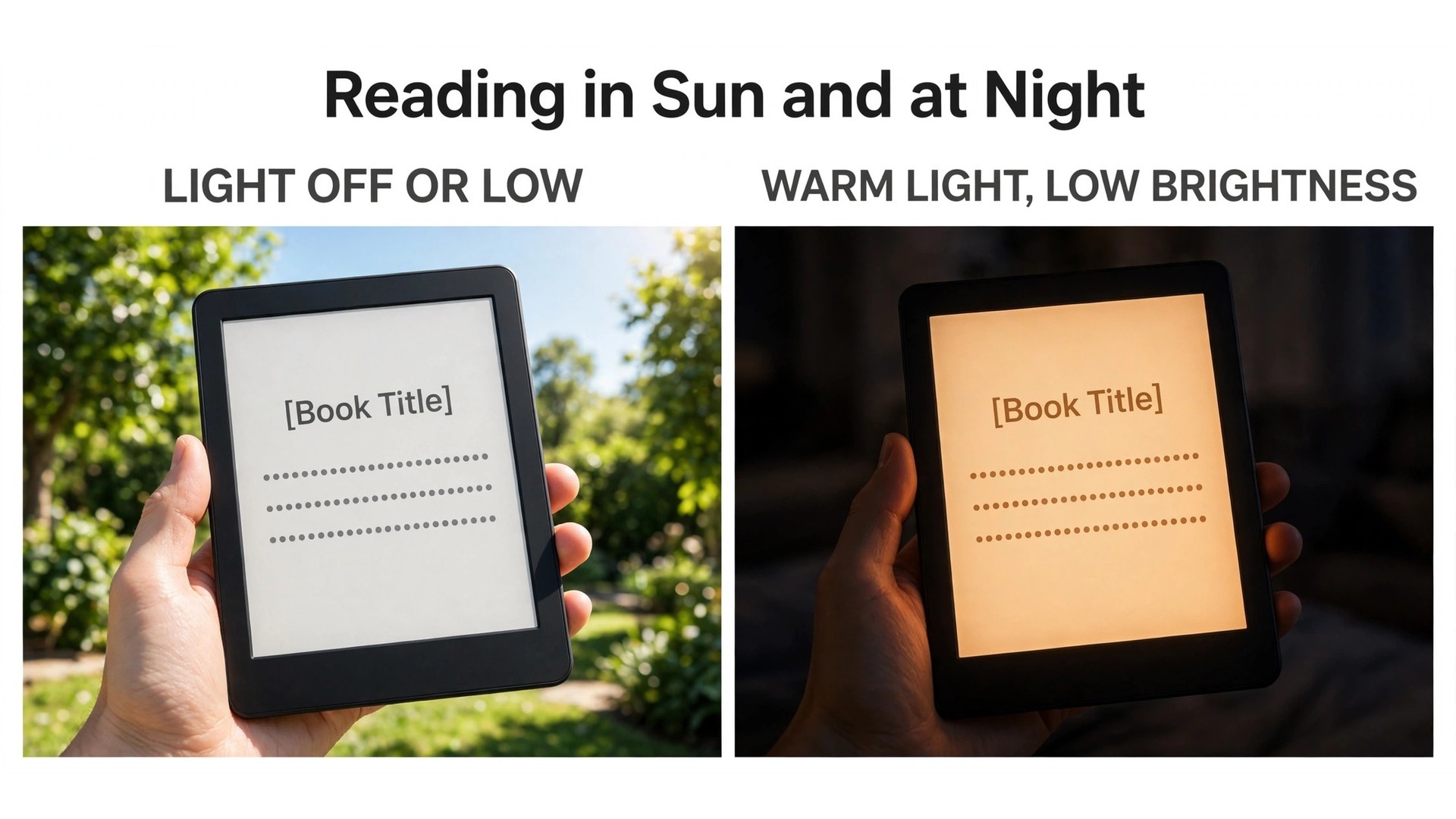
E-ink earns its keep outdoors. In direct sun, turn the front light off or very low, and let reflected daylight do the work. The screen will look like paper, and the battery will thank you, because the light is the main power draw in daylight. Increase font size slightly outdoors, because glare and movement make small type harder to track. Shade is better than sun for long sessions, even on an e-ink screen. A shaded bench, a cafe awning, or the shadow side of a train carriage keeps the screen even and keeps you cooler.
On a beach, keep the reader in the shade when you are not reading, and keep sand out of the case hinge and the charging port with a zip bag. These small habits matter most when you use e-reader for travel reading outdoors for hours at a time.
At night, the rules reverse. Use the warm light if your model has it, keep brightness as low as you can still read comfortably, and use dark mode only if it genuinely helps you. Dark mode suits some readers in a dark room, but it can make the screen look patchy on e-ink, and it is not automatically better for sleep. The more reliable night habit is a fixed wind down time, a low light level, and a lighter book for the last thirty minutes before sleep. Save dense nonfiction for daylight.
Backup Access if the Device Fails
Every travel system needs a fallback, and reading is no exception. A reader can freeze, crack, run flat, or simply vanish from a bag, and the trip still has days left. The backup plan should be set up before departure, not invented on a station platform, because app sign ins, two factor codes, and downloads all need Wi-Fi and calm. That preparation is what lets you use e-reader for travel reading with confidence, knowing a failure costs an evening, not the trip.
The phone is the first backup. Install the matching reading app, Kindle or Kobo, sign in to the same account, and sync the same trip stack before departure. Open each book once in the app and confirm it downloads for offline reading, because an app that only shows covers will fail exactly when the reader does. The phone screen is worse for long reading, but it is perfectly fine for finishing a chapter, reading in a queue, or covering a day until a replacement or a repair is possible. Keep the phone app synced weekly, in the same sync window as the reader, so the reading position never drifts far apart.
The second backup is the cloud library itself. Your purchased books live in the store account, not only on the device, so a replacement reader, a borrowed tablet, or a browser reader can reach them. Know your account email and password method before departure, and make sure two factor authentication works without your home phone number alone, for example through an authenticator app that travels with you. The third backup is local and low tech. Keep one or two books as files or in a second app on the phone, outside the main store account, so a sign in problem never leaves you with nothing to read.
What to do when the reader stops working
If the reader freezes, hold the power button for a full restart before anything else. On Kindle, that means holding for about forty seconds until the device restarts. On Kobo, a similar long hold of fifteen to twenty seconds restarts most models. Do not factory reset a frozen reader on a trip, because a reset wipes downloads and forces a full sign in and re-download, which is the worst possible fix when Wi-Fi is weak.
If you are planning the trip around the reading, and you use e-reader for travel reading as your main setup, the guide to best AI travel planning tools helps with routes and itineraries, and the roundup of best AI tools for travel agents shows how professionals build trips. For the phone side of the backup plan, the guide to fixing iPhone battery drain after an update keeps the backup device alive, and the guide to freeing phone storage without deleting photos makes room for offline books.
If hotel Wi-Fi misbehaves during a sync window, the guide to fixing Wi-Fi that keeps dropping on a laptop covers the same kind of fault on a larger device, and the guide to choosing a budget tablet for note taking helps if you want a larger screen for illustrated material alongside the reader.
Frequently Asked Questions
Do I need Wi-Fi every day to read on an e-reader?
No. Once books are downloaded, they read fully offline, and Wi-Fi is only needed to buy, borrow, or sync new books. Turn airplane mode on after the pre departure sync, and use Wi-Fi only in deliberate sync windows. That habit saves battery and avoids the frustration of a half downloaded book on a slow network.
How many books should I download before a two week trip?
Download five to seven books for two weeks, even if you expect to read only two or three. Taste changes on a trip, a book can disappoint, and a library loan can expire. The extra books cost no weight and no bag space, and they turn a reading stall into a simple switch rather than a trip to a bookshop you may not have time for.
Is a waterproof reader worth it for a beach holiday?
Yes, if you read near water at all. An IPX8 rating, which covers immersion in up to 2 metres of fresh water for up to 60 minutes on Paperwhite and several Kobo models, turns a splash into a non event. It does not make the reader safe for salt water swimming or for sand, so keep it in a zip bag on the beach and rinse off splashes with fresh water when you can.
Can I borrow library books for a trip abroad?
It depends on the library and the device. In the United States, Libby loans can be sent to a Kindle, and Kobo models with OverDrive borrow directly on the device. Outside the United States, Kindle library sending is generally not available, so check your library system before departure. Borrowed books also expire on a fixed date, so borrow close to departure and keep a purchased backup book downloaded.
What should I do if my e-reader battery dies on a long journey?
Switch to the phone reading app, which should already hold the same books offline, and charge the reader at the next wall socket. A laptop USB port charges slowly, so prefer a wall charger, and give a deeply flat reader at least thirty minutes on charge before judging it. For trips over two weeks, a small power bank removes this problem almost entirely.
Is a colour e-reader better for travel reading?
Only if illustrated material is a large share of your reading. Colour e-ink makes comics, guides, and maps far more useful, but it costs more, drains battery faster, and shows colour at lower resolution than black and white text. For novels and nonfiction, which most travellers read most, a black and white reader remains lighter, cheaper, and longer lasting.
Pack Tonight, Read From the First Morning
The whole system fits into one evening. Charge the reader, sync the stack, check the expiry dates, pack the cable with the charger, and put the reader where you can reach it. Do that, and the first morning of the trip starts with a book already open, a battery already full, and no setup left to do. Travel rewards the traveller who prepares the small things well, and reading is one of the smallest and most rewarding of them. A light bag, a full library, and a reader that simply works will carry more of the trip than any single gadget upgrade.
Once you use e-reader for travel reading this way, the system becomes habit, and the next trip needs only a fresh stack and a full charge.