
Social feeds move fast, and a post that looks like every other post gets scrolled past without a second thought. When you use Midjourney for social media post design, you can create a distinct visual direction for a campaign in an afternoon, then test several compositions before committing to one. The catch is text, because image models still garble words, so the smartest workflow treats Midjourney as the image maker and a design tool as the place where headlines and prices are added.
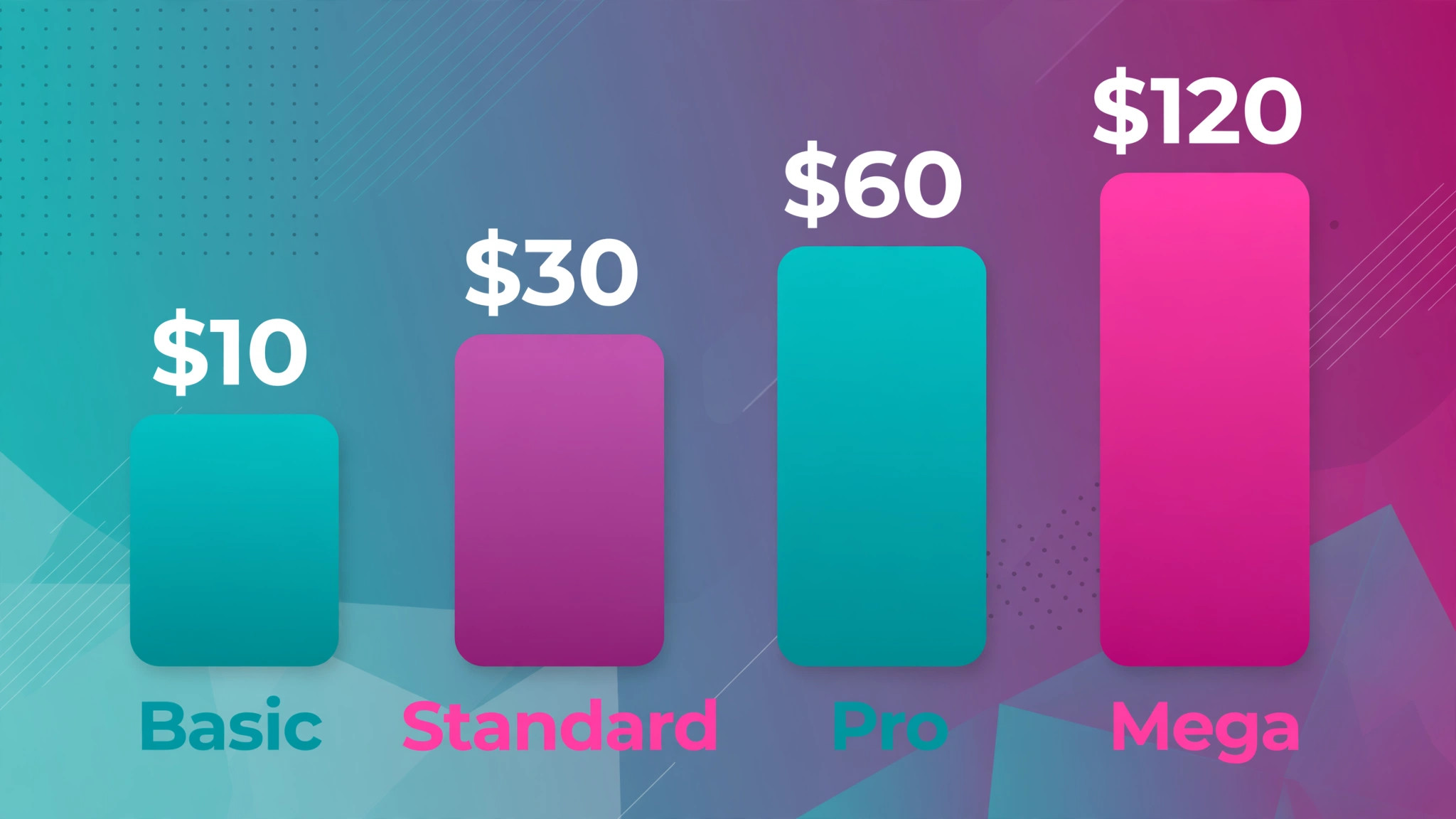
This guide sets out a practical prompt workflow, a size checklist for the main platforms, and an editing routine that keeps posts consistent. Midjourney pricing checked at draft time lists Basic at 10 dollars per month with about 3 hours and 20 minutes of fast generation, Standard at 30 dollars per month with 15 fast hours and unlimited relaxed generation, Pro at 60 dollars per month with stealth mode, and Mega at 120 dollars per month. There is no free plan, so start with Basic or Standard based on volume.
Why This Approach Works
Midjourney excels at mood, composition, and visual variety, which are exactly what social posts need to stand out. A single prompt can produce four directions, and variations can refine the strongest one without a photoshoot. The limits matter just as much, because generated images can include wrong hands, odd text, or a style that drifts across a campaign. A disciplined workflow controls those risks by fixing the style reference, the aspect ratio, and the colour direction before generating at scale, and by checking every image at post size, where flaws hide in a large preview but show on a phone.
Treat Midjourney as a fast concept studio, and keep final text, logos, and prices in a design tool where they stay sharp and accurate.
Consistency is the second advantage of a fixed workflow. A feed that holds one style across weeks looks like a brand, while a feed that changes style with every post looks like a collection of experiments. Save prompts, style references, and colour notes in one document, and reuse them for each new post in the campaign. That document also lets a teammate generate on brand images without guessing the original direction, which matters as soon as more than one person touches the account.
Generate in the order below, and do not generate at scale before the direction is fixed. When you use Midjourney for social media post design, a fixed direction saves fast hours, because every prompt works toward the same look instead of exploring a new look each time. Fix first, generate second, and edit third, in that order, every time.
- **Fix the campaign direction first.** Write one sentence for the campaign, naming the audience, the feeling, and the single message. Choose a colour direction and a style, such as flat illustration, photo style, or editorial collage, and write them down. Without a fixed direction, every prompt becomes a new experiment, and the feed looks scattered.
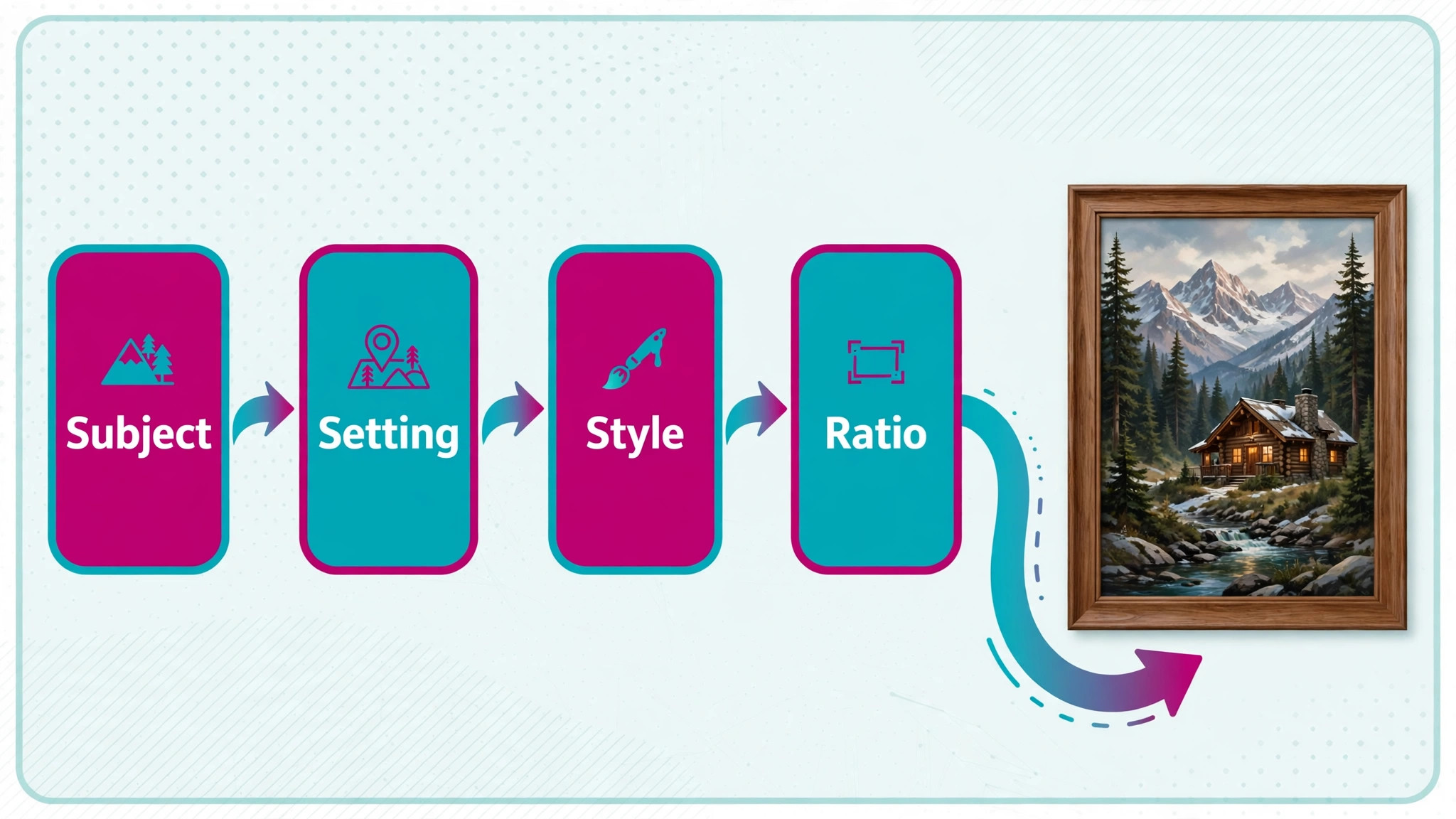
- **Write prompts in four parts.** Structure each prompt as subject, setting, style, and technical detail, in that order. Name the subject plainly, describe the setting in a few words, state the style, then add aspect ratio and lighting. Keep prompts under about 60 words for a first run, because longer prompts often bury the subject under decoration.
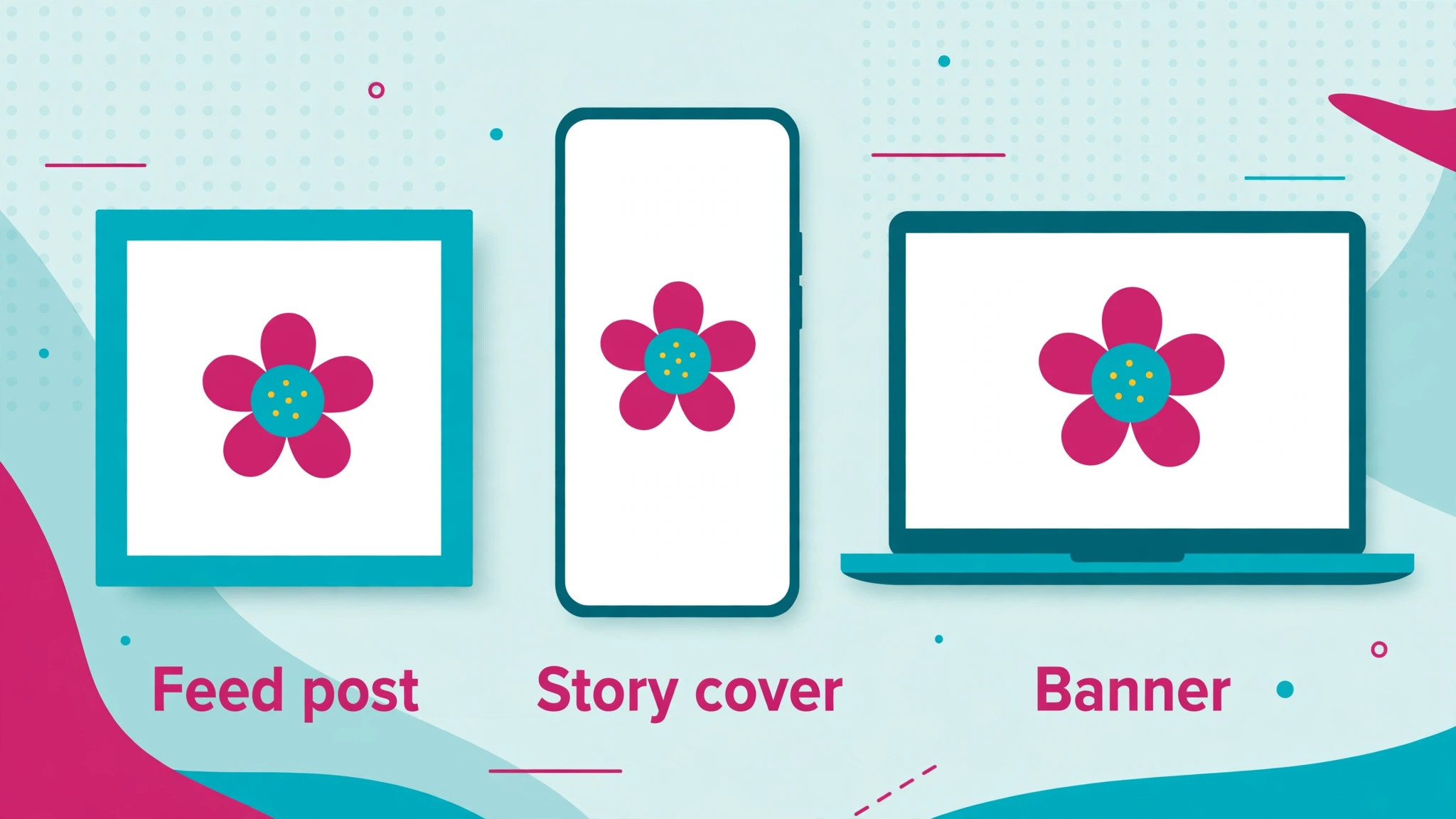
- **Set the aspect ratio for the platform.** Add the aspect ratio parameter for the intended placement before generating, such as square for a feed post, vertical for stories and reels covers, and wide for a banner. Generating at the right ratio beats cropping later, because cropping can cut hands, faces, or key objects. Generate each ratio as a separate job, not as a crop of one image.
- **Generate four, then vary the best.** Run one prompt to get four images, pick the strongest composition, and use variations to refine it. Change one element at a time, such as background, colour, or angle, so you learn what improved the result. Avoid generating dozens of unrelated prompts, which wastes fast hours and leaves no clear winner.
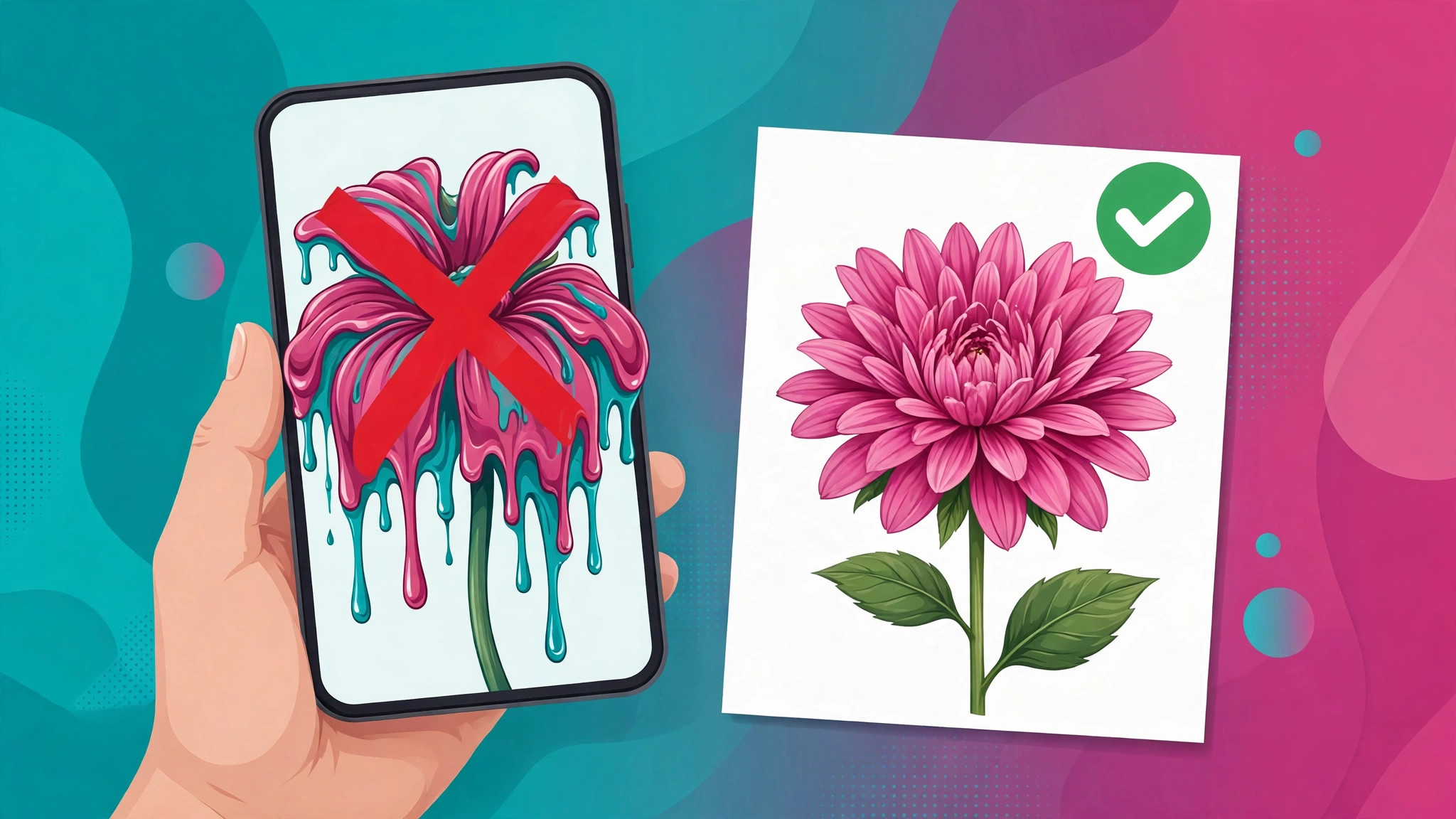
- **Check images at post size on a phone.** View each candidate at the size followers will see it, on a phone, not only on a large monitor. Look for garbled text, extra fingers, warped objects, and muddy contrast. Reject images with text errors outright, because a misspelled word in a post damages credibility far more than a plain image would.
- **Add text and branding in a design tool.** Export the chosen image and add headlines, prices, logos, and calls to action in a tool built for text, such as Figma or Canva. Keep headline text short, high contrast, and away from platform overlays. This split keeps generated art beautiful and real information accurate, which is the whole point of the workflow.
- **Build a small style reference set.** Save the best prompts, style references, and colour notes in one document for the campaign. Use the same style reference for the next posts, so the feed holds together across weeks. A reference set also lets a teammate generate on brand images without guessing the original direction.
- **Export, name, and archive every post.** Export at the platform size and format, name files with campaign, platform, and date, and archive the prompt beside the final image. An archive makes it easy to recreate a winning style, fix a post, or answer a question about where an image came from. Good filing is part of good design work.
After the first batch, review the feed as a grid, not as single posts, because a grid reveals drift that single images hide. If two posts clash in style or colour, adjust the style reference before generating more, rather than letting the clash grow across the campaign. A grid review takes five minutes and saves a feed that would otherwise need a rebuild.
Options Compared
Different placements need different shapes, and generating the right shape first is cheaper than cropping later. When you use Midjourney for social media post design, the table below is the size standard to check before any generation run, because a post generated in the wrong ratio will either lose its subject to a crop or arrive with empty space that weakens the composition.
| Placement | Ratio to generate | Design note |
|---|---|---|
| Feed post square | Square 1 to 1 | Keep the subject centred with margin |
| Story and reels cover | Vertical 9 to 16 | Keep text in the safe middle area |
| Wide banner | Wide 16 to 9 | Avoid key details at the far edges |
| Portrait post | Portrait 4 to 5 | Works well for feed portrait posts |
| Profile and cover art | Platform size | Check crop on phone and desktop |
Check the ratio table against your scheduling tool as well, because some tools crop previews differently from the platform itself. Preview each post in the scheduler and on the platform, and fix any crop that cuts a face, a headline, or a logo before the post goes live. A preview check takes a minute and prevents the most visible kind of post error.
Costs and Tools to Budget For
Budget for Midjourney by volume, not by enthusiasm. Midjourney lists Basic at 10 dollars per month, Standard at 30 dollars per month, Pro at 60 dollars per month, and Mega at 120 dollars per month, with lower monthly rates on yearly billing. Standard adds unlimited relaxed generation, while Pro adds stealth mode for private images. Confirm current rates on the official plans page, because fast hours and billing terms change, and track fast hour use weekly so relaxed generation covers overflow.
For most regular posting, Standard is the practical starting point, because 15 fast hours plus unlimited relaxed generation covers steady volume without a hard stop. Basic suits occasional use, while Pro becomes necessary when images must stay private, such as unreleased client campaigns. Do not buy Mega for social posts alone, because its extra fast hours suit studios with very high daily volume, not a typical weekly posting schedule.
Template and Checklist
Run this checklist before scheduling, on a phone, at post size. When you use Midjourney for social media post design, the checklist catches the errors that look invisible on a large monitor, such as small text errors, weak contrast, and crops that cut the subject at the edges.
- Campaign direction, style, and colour notes are written before any generation.
- Each prompt names subject, setting, style, and technical detail in that order.
- Aspect ratio matches the intended placement, generated natively, not cropped.
- Four images are generated per prompt, with variations made from the strongest one.
- Images are checked at post size on a phone for text errors and warped details.
- No generated text with errors is published, and real text is added in a design tool.
- Headline text is short, high contrast, and clear of platform overlays.
- Style references and prompts are saved for reuse across the campaign.
- Exports use the platform size and format, with files named by campaign and date.
- Commercial terms are checked, including stealth mode needs for private client work.
- Fast hour use is tracked, so relaxed generation covers overflow on Standard and above.
- Final posts are reviewed by a second person before scheduling.
Keep the checklist beside the style reference document, so new team members inherit the same standard without a long handover. When a post fails after publishing, check which checklist item was skipped, because the pattern of skipped items usually points to a workflow gap, such as no phone check or no ratio check, rather than a single careless moment.
Mistakes to Avoid
Midjourney mistakes are easy to make because generation feels fast and free, until fast hours run out or a flawed post goes live. When you use Midjourney for social media post design, watch for these five mistakes, because each one wastes either money, time, or credibility.
- **Putting headlines inside the prompt.** Image models still misspell words, so a prompt that asks for a long headline usually returns a garbled one. Generate the image without text, then add accurate text in a design tool. The extra step takes minutes and prevents the most common Midjourney embarrassment.
- **Cropping one image for every platform.** A square image cropped to vertical loses the subject, while a vertical image cropped wide loses context. Generate each ratio separately, with composition planned for that shape. Native ratios look intentional, while forced crops look like an afterthought.
- **Chasing endless variations.** Endless generation burns fast hours and delays posting, without improving the result. Set a limit, such as three variation rounds per post, then pick the best and move on. A good post published beats a perfect post that never leaves the drafts folder.
- **Letting style drift across a campaign.** When every post uses a different style, the account looks like a collection of strangers. Fix style references and colour notes at campaign start, and reuse them. Consistency builds recognition, which is what turns a single good post into a recognisable feed.
- **Publishing without a phone check.** Flaws that are invisible on a large monitor show clearly on a phone, where followers actually see the post. Check every image at post size, on a phone, before scheduling. A two minute check prevents a public mistake that screenshots will preserve.
If style drift is your recurring problem, the fix is usually a shorter style reference, not a longer one. A reference that fits on one page gets used, while a long document gets ignored. Reduce the reference to style, colours, ratio rules, and three example prompts, and the team will actually follow it.
A Worked Example
A small retailer planned a week of posts for a new product range and began by fixing one campaign direction in a single sentence naming the audience, the feeling, and the single message, together with a colour direction and a flat illustration style. That sentence and the colour notes went into one document before generation, so every prompt worked toward the same look. The first prompt followed the four part structure, naming the subject plainly, describing the setting in a few words, stating the style, and adding aspect ratio and lighting, and it stayed under about 60 words so decoration did not bury the subject.
Separate jobs were run for a square feed post, a vertical story cover, and a wide banner, because generating at the intended ratio beats cropping, which can cut hands, faces, or key objects.
One prompt produced four images, the strongest composition was picked, and variations refined it by changing one element at a time, first background, then colour, then angle, so the team could see what improved the result. Variation rounds were capped at three per post, which stopped endless generation from burning fast hours without improving the outcome. Each candidate was viewed at post size on a phone, not only on a large monitor, and two images were rejected outright, one for garbled text and one for a warped object that looked acceptable at large size but obvious at phone size.
The chosen image was exported and headlines, prices, and the call to action were added in a design tool, keeping headline text short, high contrast, and away from platform overlays, so generated art stayed beautiful and real information stayed accurate.
When the first batch was reviewed as a grid rather than as single posts, two posts clashed in colour, a drift that single image checks had missed. The style reference was tightened before more generation, the clashing posts were regenerated from the corrected reference, and the final grid held one style across the week. Files were exported at platform size and format, named by campaign, platform, and date, and the prompt was archived beside each final image, so a winning style could be recreated and a post could be fixed without guessing its origin. That archive also let a teammate generate on brand images for the following week without asking for the original direction again.
Advanced Tips Worth Trying
Keep the style reference to one page that a teammate will actually use, covering style, colours, ratio rules, and three example prompts, because a long document gets ignored while a short one gets followed. For each campaign, write the direction sentence first, then list the colour direction and the style in plain words, and reuse that same reference for every post in the campaign. When a new product joins, vary only subject and setting, keeping style, colours, and ratios fixed. Review the feed as a grid each week, and if two posts clash, fix the reference before generating more, rather than letting the clash grow across the feed.
Treat fast hours as a budget with a weekly check, not as an unlimited resource. On Standard, 15 fast hours plus unlimited relaxed generation covers steady volume, so track fast hour use weekly and let relaxed generation cover overflow, while on Basic, with about 3 hours and 20 minutes of fast generation, a three variation round limit per post matters even more. Generate four images per prompt, pick the strongest, and vary one element at a time.
For private client work, use Pro with stealth mode, since private images should not be generated in a public setting, and check commercial terms before commercial use, especially where company revenue crosses the 1 million dollar threshold that requires Pro or Mega under the terms checked at draft time.
Separate art from information in every post, without exception. Generate the image without text, reject any image with text errors outright, and add headlines, prices, logos, and calls to action in a design tool where they stay sharp and accurate. Check the finished post in the scheduler as well as on the platform, and fix any crop that cuts a face, headline, or logo before posting. A two minute phone check at post size prevents a public mistake that screenshots will preserve, and a second person review before scheduling catches the flaws that familiarity hides after a long generation session.
How to Measure Success
Measure a social campaign by style consistency, generation efficiency, and audience response, and keep those three figures separate so a popular post does not hide a drifting feed. For consistency, divide posts that match the style reference on grid review by all posts in the batch, and count how many posts needed regeneration after that grid check, because a high regeneration count points to a weak reference rather than to bad prompts.
For efficiency, record fast hours used per post, variation rounds per post, and rejected images divided by generated images, and track those figures weekly against the plan limits, such as Basic at about 3 hours and 20 minutes or Standard at 15 fast hours, so relaxed generation can be planned before fast hours run out. For audience response, use saves and shares per post from platform figures for the same period after posting, and compare styles across a month rather than judging a style from a single post.
Review the three figures together each month and retire styles that consistently underperform on saves and shares, while keeping styles that hold consistency with low regeneration and low variation rounds. If rejection rises, check whether phone checks are catching garbled text or warped details that large monitor checks missed, and restore the phone check before changing prompts. If fast hour use rises without better audience response, tighten the variation limit and the prompt length, since longer prompts often bury the subject and generate more discarded images.
Change one element at a time, such as style reference wording or ratio planning, so any movement in consistency, efficiency, or audience response can be traced to that change rather than to several changes made together.
Review and Next Steps
Batch social design by week instead of producing posts one by one. Spend one day writing prompts and generating the week images, then spend the next day adding text, checking on a phone, and scheduling. Each month, compare styles by saves and shares, and drop styles that keep underperforming. Log prompt, ratio, and result for every post, so future style choices rest on recorded outcomes rather than guesses. Over time, the batch routine cuts production time while keeping the feed coherent, provided the style reference is fixed before generation and not rewritten halfway through a batch.
Look at the feed grid each month as a stranger would, and judge whether its style alone identifies the brand. When you use Midjourney for social media post design in weekly batches, that grid review stops individual posts from drifting apart. If the grid fails that test, tighten the style reference before the next batch, and pause generation until the reference is fixed. Check the grid for colour drift, for ratio mistakes where a square image was cropped to vertical and lost its subject, and for text that sits too close to platform overlays.
A grid that holds together across weeks looks like a brand, while a grid that changes style with every post looks like a collection of experiments, and that distinction is visible to followers even when they cannot name it.
Keep learning notes as you go, in a single document that grows with each campaign. After every batch, add one line about a prompt structure that worked, a variation change that improved a composition, or a mistake that will be avoided next time, such as generating in the wrong ratio or publishing without a phone check. Over a year, that document becomes a personal manual tied to real campaigns, which is far more useful than a generic guide because it reflects the audiences and constraints of the actual account. Review the document monthly, and turn repeated notes into template changes, so lessons become part of the workflow instead of staying as private knowledge.
A learning document that is actually used will compound in value, while a document written once and forgotten helps nobody, so keep it short, honest, and close to the work.
Set aside time each quarter to revisit the whole design workflow, not just the most recent batch. Go through the design template, checklist, and review notes together, and judge whether every item still prevents a real error. Design routines tend to accumulate steps, with a new step added after every problem, until the routine itself becomes a burden. Pruning matters as much as building, and a quarterly review is the right moment to remove steps that no longer prevent real errors. Store pruned items in a note for possible restoration, but leave them out of the active routine rather than keeping them from habit.
A short routine editors truly follow beats a long routine skipped under pressure, and quarterly pruning keeps the routine short.
Plan the next campaign before the current one ends, using the log of prompt, ratio, and result as the starting point. Carry forward the style reference that held the grid together, the ratio set that avoided cropping, and the prompt structure that kept subjects clear within about 60 words. For a campaign with many products, fix one style reference for the whole campaign, generate each product in the same ratio set, add text in the same design template, and review the feed as a grid weekly.
Check commercial terms and stealth needs before generating for a new client, confirm the plan covers the expected volume, and track fast hour use from the first week so relaxed generation is planned rather than discovered mid campaign. That forward planning, combined with weekly batches and monthly grid reviews, keeps a growing feed coherent without slowing posting to a halt.
Think about handover early, even if one person generates every post today. Write the campaign direction, style reference, colour notes, ratio rules, and archive naming rule in a form a new teammate can follow without a long explanation, and include the reason for each rule, not only the rule itself, so a helper can make sensible decisions when a prompt returns an unexpected result. Test that handover by asking someone unfamiliar with the campaign to generate one post from the reference, and note every question they ask, because each question points to a gap that should be filled before the next campaign.
Good handover notes in this form are not extra administration, they are the record that lets a feed stay recognisable when the person who set its style is unavailable, and they protect the archive that lets winning styles be recreated instead of reinvented.
For related reading on Stratilyze, the guide to product mockups in Midjourney shows how the same tool handles product presentation, and the guide to book cover design in Midjourney covers a longer format with stricter text needs. Read the mockups guide first if your posts feature products, because product accuracy rules carry over directly, and the method here for use Midjourney for social media post design applies to both with only the ratio changing.
Frequently Asked Questions
It can attempt short words, but results are unreliable, with frequent misspellings and warped letters. Generate images without text, then add headlines, prices, and calls to action in a design tool. That split gives you beautiful art and accurate information in the same post.
Standard at 30 dollars per month suits most regular posting, because 15 fast hours plus unlimited relaxed generation covers steady volume. Basic at 10 dollars per month suits occasional use, while Pro at 60 dollars per month adds stealth mode for private client work. Start low and upgrade when fast hours run out.
What aspect ratio should I use for each platform?
Generate square for feed posts, vertical for stories and reels covers, and wide for banners, each as a separate job. Portrait 4 to 5 also works well for feed posts that need more height. Always generate at the intended ratio rather than cropping a different shape.
How do I keep a consistent style across posts?
Fix a style reference, colour direction, and prompt structure at campaign start, and save them in one document. Reuse the same references for each post, and limit variation rounds so the style does not drift. Review the feed as a grid each week to spot drift early.
Can I use Midjourney images commercially?
Paid plans include general commercial terms, but companies with revenue above 1 million dollars per year must use Pro or Mega under Midjourney terms checked at draft time. Check the current terms on the official site before commercial use, and use stealth mode on Pro or above for private client work.
Fix one style reference for the whole campaign, then vary only the subject and setting per product. Generate each product in the same ratio set, add text in the same design template, and review the feed as a grid weekly. That structure keeps many products looking like one campaign instead of many separate posts.
Pick a Style and Ship It
Midjourney gives social posts a distinct visual voice, but only when style, ratio, and text are controlled. Generate art without text, check it on a phone, add accurate headlines in a design tool, and reuse a fixed style across the campaign. When you use Midjourney for social media post design with those controls, each post looks intentional, reads clearly, and builds a feed people recognise.