

Most creators lose more good ideas than they publish. A study of creative work habits often finds the same pattern, which is that ideas arrive at inconvenient moments, get scribbled into a phone note or a chat message to oneself, and then vanish into an archive nobody revisits. The loss is not caused by a lack of ideas. It is caused by a capture system with no second step. When you use Obsidian for content ideas creators get a vault that does both jobs, because every captured idea becomes a linked note that can be found again, connected to related notes, and reviewed on a schedule.
The tool is free for personal use, stores notes as plain markdown files on your own device, and works offline, which makes it a durable home for a creator’s raw material rather than another subscription that holds your thinking hostage.
Obsidian is a note app built around links. You write notes in markdown, you link notes to each other with double brackets, and the app builds a graph that shows how your ideas connect. For creators, that structure mirrors how ideas actually work. A video idea connects to a newsletter angle, which connects to a research note, which connects to a question from your audience. In a folder-based app, each idea sits alone. In Obsidian, each idea gains neighbors, and neighbors are where new content comes from. The second half of an idea is often a link you did not expect, and a linked vault surfaces those links instead of leaving them to chance.
This guide builds a complete system, not just a list of features. You will set up a vault designed for capture, learn a fast capture habit that takes under a minute per idea, use templates so every idea arrives with enough context to be usable later, run a weekly review that turns raw sparks into a publishing pipeline, and avoid the setup traps that turn many Obsidian vaults into elaborate gardens nobody harvests. By the end, your vault will hold ideas you can actually find, and your publishing calendar will stop depending on whether inspiration strikes on a deadline day.
Why Creators Lose Ideas and How a Vault Fixes It
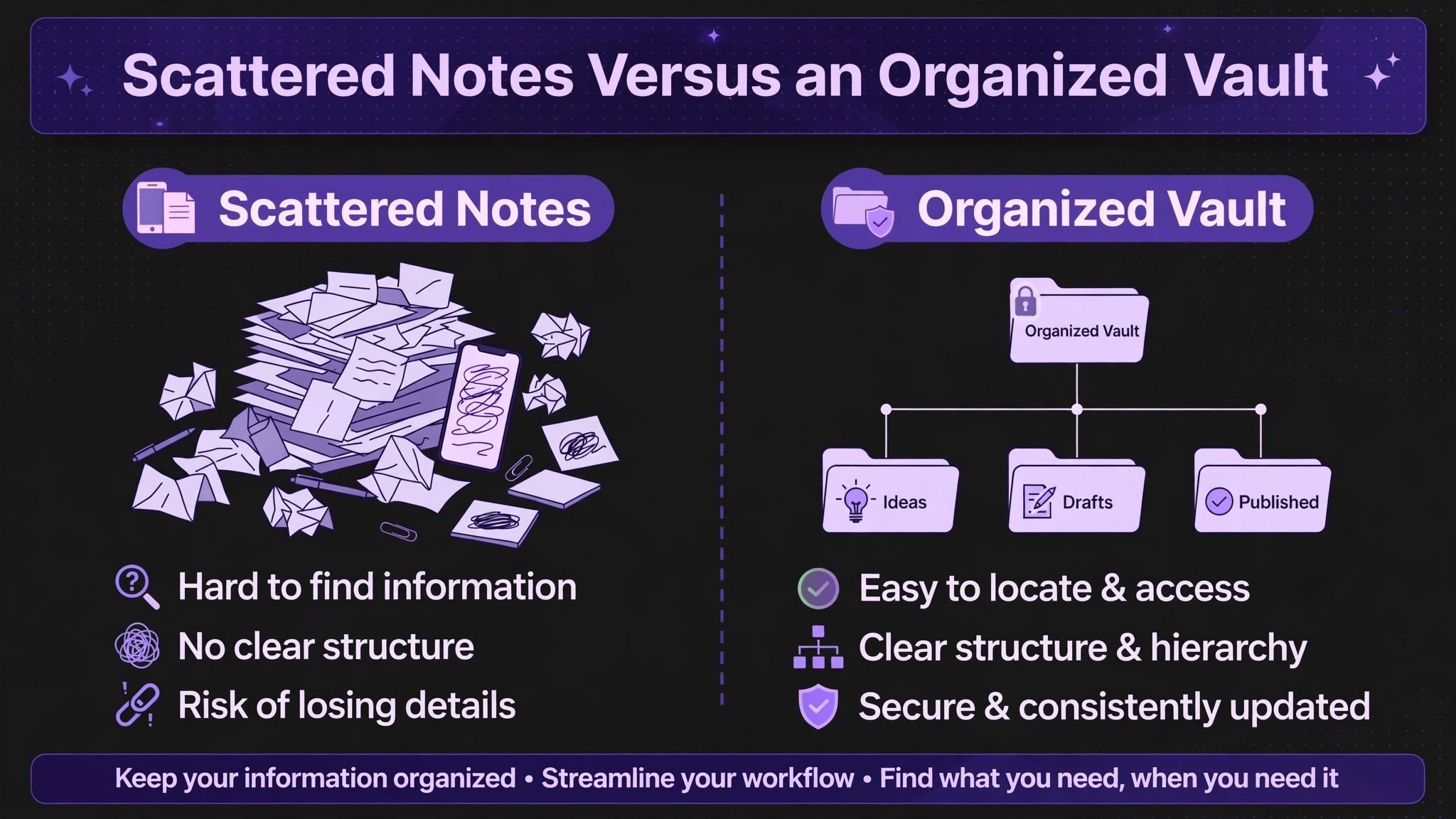
Ideas fail in four predictable ways. First, they are captured without context, so a note that says “video about pricing” means nothing three weeks later. Second, they are captured in too many places, so the creator cannot remember whether the idea lives in a phone note, a document, or a chat thread. Third, they are captured and never reviewed, so the pile grows while the publishing queue stays empty. Fourth, they are judged too early, so a half-formed spark gets discarded before it has a chance to combine with another idea. A good capture system fixes all four, and Obsidian’s design happens to address each one directly.
Context comes from a template. When every idea note asks for the same few fields, such as the audience, the angle, the source, and the next step, even a rushed capture carries enough information to be useful later. A single home comes from a rule, which is that every idea goes into the vault, no matter where it first appeared. If an idea arrives in another app, it gets moved to the vault within a day. Review comes from a weekly habit, scheduled like any other editorial meeting, where raw ideas get promoted, combined, or discarded on purpose. And delayed judgment comes from separating capture from evaluation. During capture week, everything counts. During review, you decide.
That separation is what keeps fragile ideas alive long enough to become strong ones.
| Failure mode | What it looks like | Obsidian fix |
|---|---|---|
| No context | A note that says “pricing video” and nothing else | Idea template with audience, angle, and source fields |
| Scattered homes | Ideas spread across five apps and a notebook | One vault rule with a daily inbox note |
| No review | Hundreds of notes, zero published from them | Weekly review session with promote, combine, or discard decisions |
| Early judgment | Half-formed sparks deleted before they mature | Capture first, evaluate later, with a parking area for weak ideas |
| No connections | Each idea sits alone, unrelated to past work | Links and tags that surface related notes automatically |
The table shows why the tool alone is not the system. Obsidian gives you links, templates, and search, but the habits decide whether those features produce content. A creator with a simple vault and a weekly review will out-publish a creator with a beautiful vault nobody opens. Keep that principle in mind through the setup section, and resist the urge to build a complex system before you have captured fifty ideas. The system should grow around real notes, not around imagined ones.
Setting Up a Creator Vault in One Afternoon
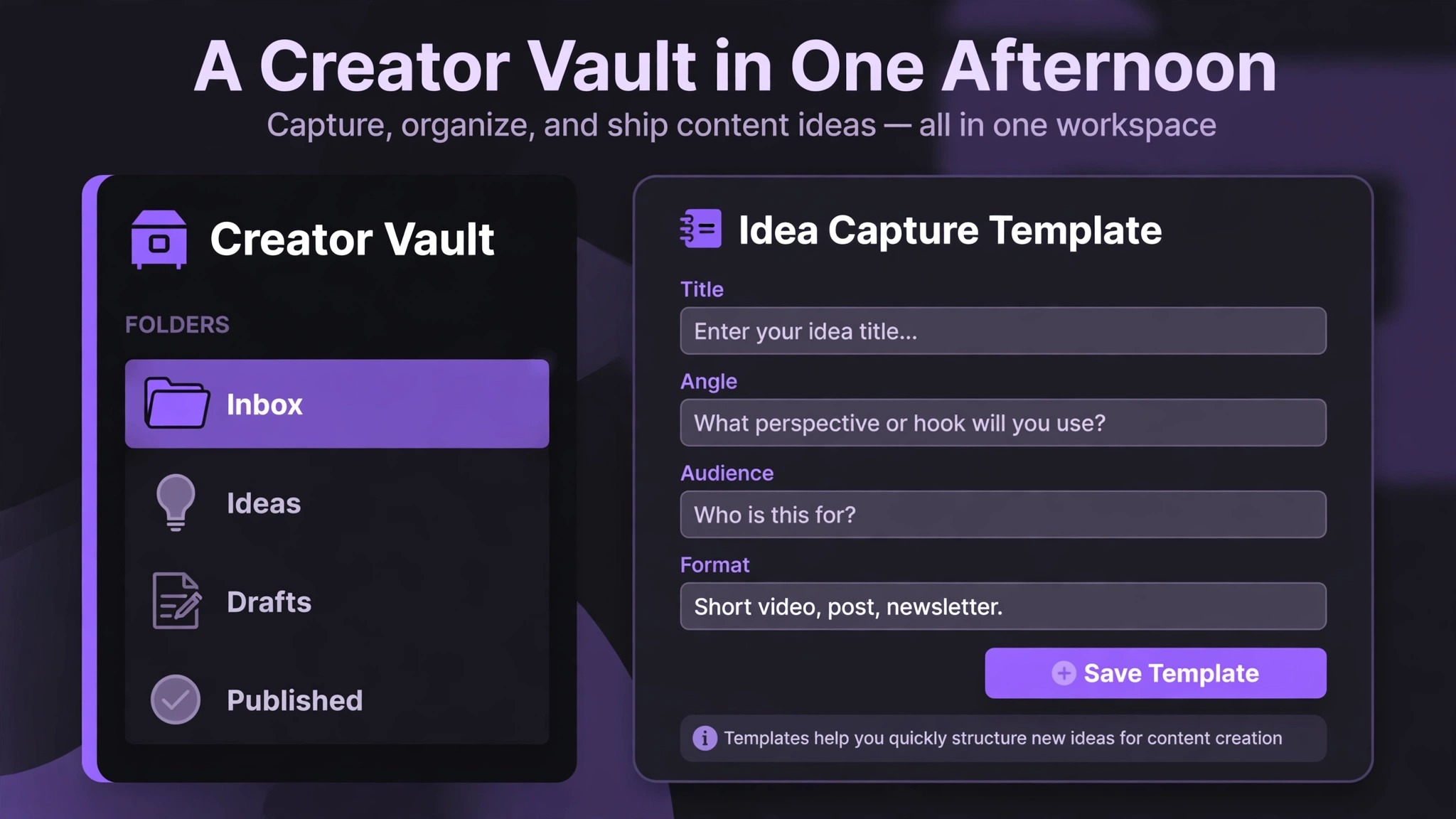
Create one vault for content ideas, separate from any personal journal or work notes, so that search results stay relevant and the graph stays readable. Inside the vault, use a small folder structure that you can explain in one breath. An Inbox folder holds raw captures. An Ideas folder holds promoted ideas that survived review. A Drafts folder holds ideas in active production. A Published folder holds finished pieces with links back to the ideas that produced them. A Resources folder holds research notes, quotes, and references. Five folders are enough. When you use Obsidian for content ideas creators keep the structure small on purpose, because every extra folder is a decision that slows capture.
More folders create filing decisions, and filing decisions slow capture, which is the one step that must stay fast.
Daily notes are the front door of the vault. Enable the daily notes feature and set it to open a new note each day, then use that note as your capture inbox during the day. When an idea strikes, add one line to today’s daily note with a link to a new idea note, or write the idea directly in the daily note if you are in a hurry. Either way, the idea is timestamped and findable by date, and the daily note becomes a log of what you were thinking about on any given day.
Creators who skip daily notes often end up with an inbox folder full of untitled notes, because there was no single place where the day’s thinking landed first.
Tags should stay few and functional. A tag is useful when it answers a question you actually ask, such as which format an idea suits, which audience it serves, or what stage it is in. Tags like video, newsletter, and short-form earn their keep. Tags that describe vague moods or dozens of micro-topics do not, because nobody searches for them later. Aim for under fifteen tags total in the first three months, and let new tags earn their place by being used at least three times. Links matter more than tags for creators, because a link between two idea notes is a creative connection, while a tag is just a label.
When you notice two ideas belong together, link them, and write one sentence explaining why.
Templater and Daily Capture Shortcuts
The community plugin called Templater lets you insert a template with a hotkey, which turns idea capture into a two-second action. Install it from the community plugins browser, create a Templates folder, and save your idea template there, then assign a hotkey to insert it. With that setup, capturing an idea means opening a new note, pressing the hotkey, and filling in four fields. The friction drops low enough that you will capture ideas you would otherwise let pass, and that is the whole game. A capture system that takes a minute gets used. A capture system that takes five minutes gets skipped when you are busy, which is exactly when the best ideas arrive.
Dataview for a Living Idea Index
The community plugin called Dataview can build automatic tables inside a note, listing your ideas by tag, status, or date. A single index note can show all ideas tagged for video that are still in the Ideas folder, sorted by newest first, without you maintaining the list by hand. This is worth setting up only after you have at least thirty ideas, because an index of five notes adds nothing. When the vault grows, though, an automatic index becomes the fastest way to browse your pipeline, and it updates itself as you promote or publish ideas. Treat Dataview as a second-month upgrade, not a first-day requirement.
The Sixty Second Capture Habit
A capture habit must survive real life. Ideas arrive while walking, while watching a video, while reading comments, and while falling asleep, and the system has to work in all four situations. The rule is simple. Capture the idea in under sixty seconds, in the vault or in a single temporary inbox that empties into the vault daily. If capture takes longer, you will start filtering, and filtering at capture time is how good ideas die. Write the idea badly and fix it later. A rough note that exists beats a perfect note that never got written.
Mobile capture deserves special attention, because most ideas arrive away from a desk. Obsidian’s mobile app syncs with the desktop vault through its paid sync service or through a third-party folder sync of your choice, and either route lets you capture on a phone and review on a computer. Set up the mobile app before you need it, test it once with a real note, and place the app where your thumb can reach it. If opening the vault takes more than a few taps, use a phone widget or a quick note app as a temporary inbox, and move those notes into the vault during your daily shutdown. The temporary inbox is acceptable only with a daily emptying rule.
Without that rule, it becomes a second vault, and the scattered-home problem returns.
Capture four things every time, even in a rush. The idea itself in one sentence. The audience it serves. Where it came from, such as a comment, a book, a conversation, or a trend you noticed. And the format it might suit, such as a video, an essay, or a short post. Four fields take seconds, and they are the difference between a note you can use and a note you stare at blankly. If you truly have only ten seconds, capture the idea sentence and the source, and fill in the rest during your next review. Never capture only a keyword. A keyword without context is a riddle, not an idea, and future you will not solve it.
When you use Obsidian for content ideas creators often ask whether every spark deserves its own note. The answer is yes for anything with a sentence of context, and no for bare fragments. Give a real idea its own note so it can be linked, tagged, and promoted. Keep bare fragments in the daily note until review, where you can combine several fragments into one note or discard them together. This split keeps the Ideas folder meaningful. If everything becomes an idea note, the folder stops signaling quality. If only polished ideas become notes, you lose the raw material. The daily note plus the Ideas folder gives you both a rough pile and a curated shelf.
How to Use Obsidian for Content Ideas Creators in a Weekly Review
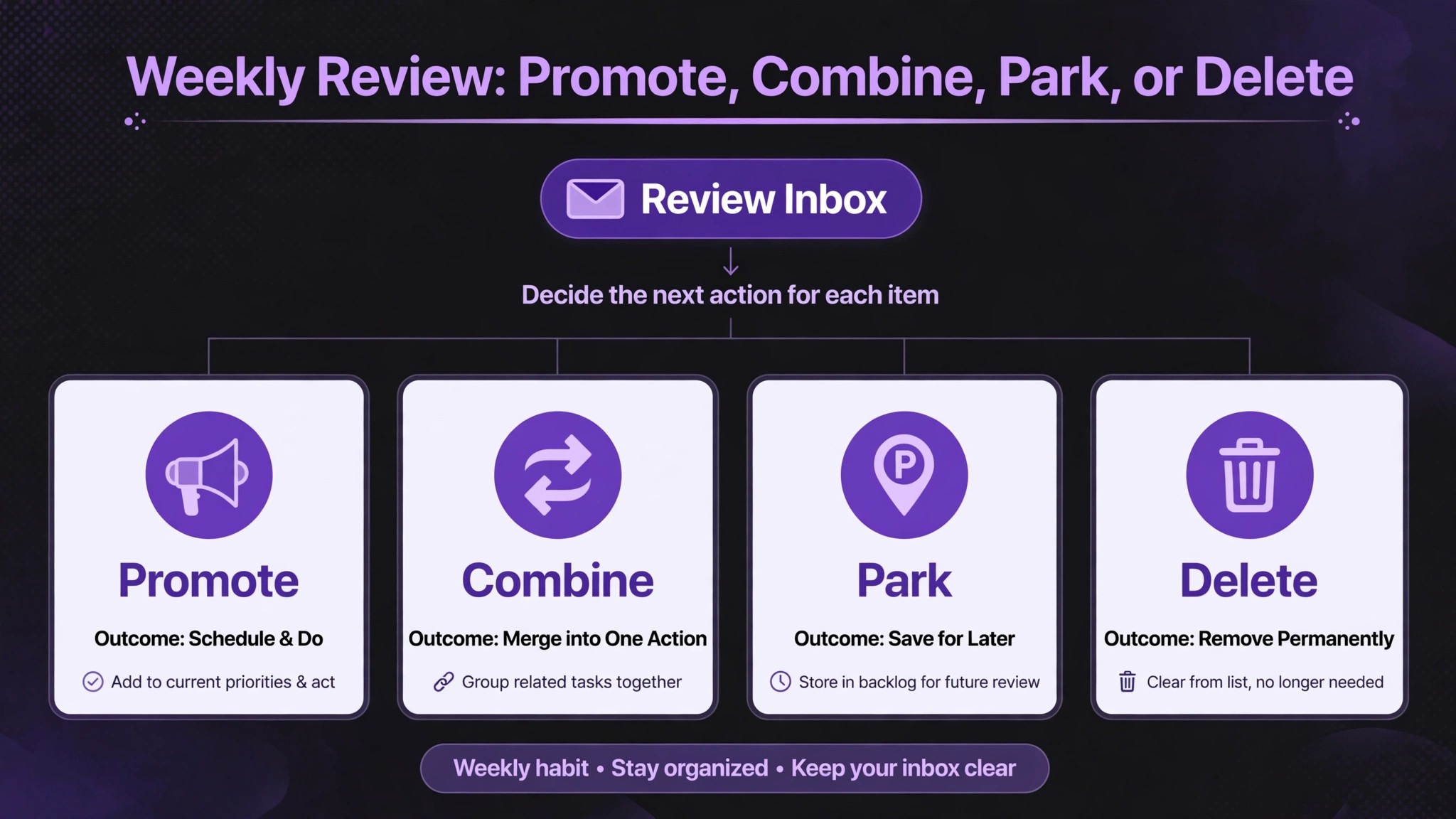
The weekly review is where capture turns into content. Schedule forty-five minutes at the same time each week, open your inbox and recent daily notes, and work through every unreviewed capture. For each one, make one of four decisions. Promote it to the Ideas folder with a filled template. Combine it with an existing idea by linking the two and writing a sentence about the combination. Park it in a holding note for ideas that are interesting but not timely. Or delete it, because a deliberate deletion is better than a pile of dead notes that makes the vault feel overwhelming.
Most creators find that about a third of captures get promoted, a third get combined or parked, and a third get deleted, and that ratio is healthy.
During review, look for clusters. Open the graph view and look for notes with many links, because a well-connected idea is often a topic your audience cares about repeatedly, and it may deserve a series rather than a single post. Also look for orphans, which are notes with no links at all. An orphan is either a genuinely new direction worth exploring, or a note that needs a link to related work before it can grow. Link orphans deliberately during review, and write a line explaining the connection. The graph is not decoration. It is a map of what you have been thinking about, and review is when you read that map and decide where to go next.
End every review by choosing next week’s production slate. Pick two or three promoted ideas and move them to Drafts, with a working title and a first paragraph drafted before the session ends. A review that ends with no decisions is just tidying, and tidying feels good without producing anything. A review that ends with a slate produces content, because the hardest part of publishing is starting, and a drafted first paragraph removes that barrier. Record the slate in a weekly note, so you can look back and see which ideas became pieces and which ones stalled, and adjust your taste over time based on evidence rather than memory.
When you use Obsidian for content ideas creators gain a second benefit from review, which is that it trains judgment. After a few months of promoting, combining, and deleting, you start recognizing strong ideas faster at capture time, because you have seen what survives review and what does not. Your capture notes get sharper, your templates get filled with better angles, and your publishing queue fills with ideas that already passed a test. That compounding effect is why the weekly review matters more than any plugin or theme. Tools do not compound. Habits do.
Turning Linked Notes Into Finished Pieces
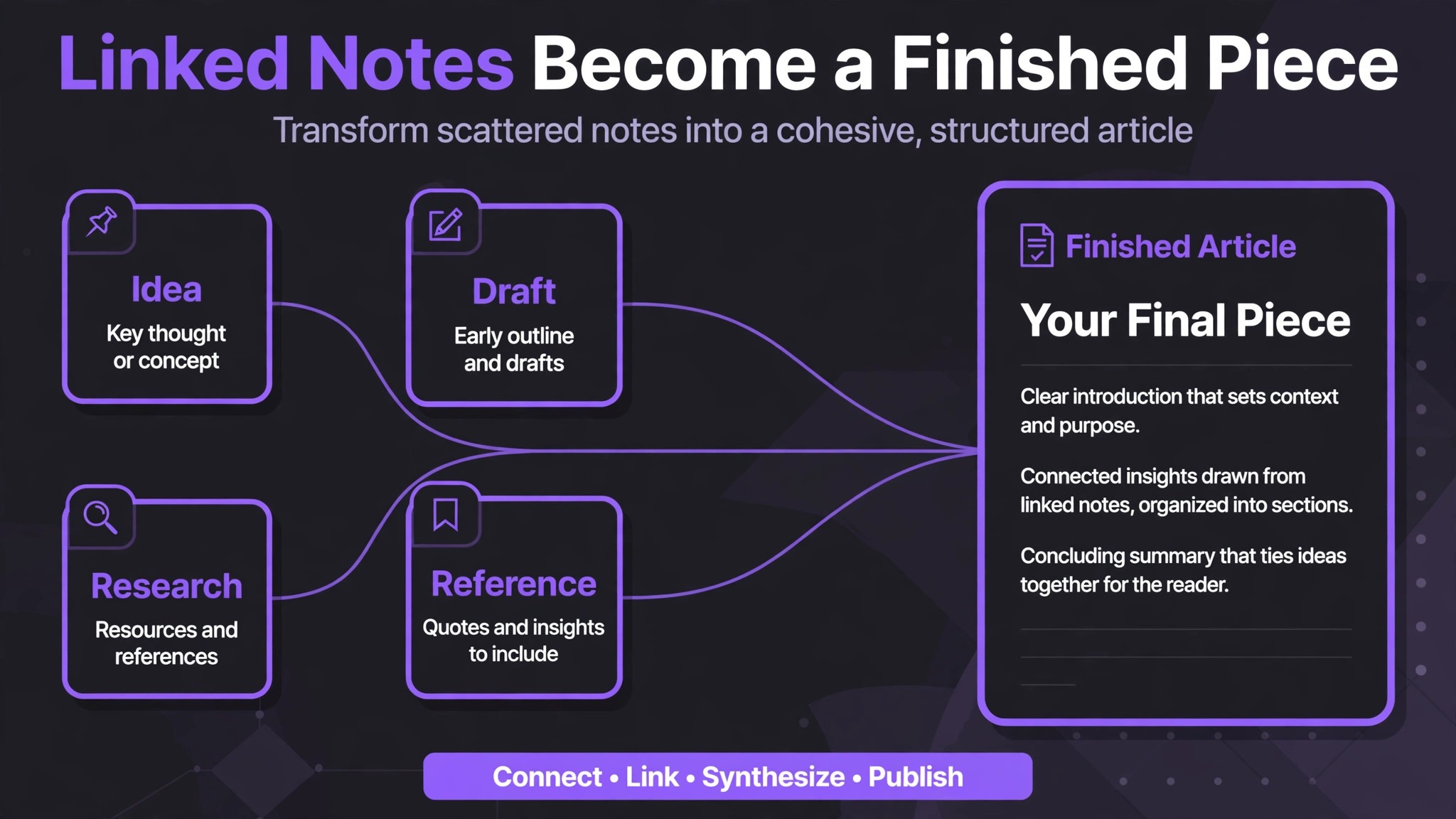
A promoted idea becomes a piece through a drafting process that stays inside the vault. Open the idea note, expand it into an outline by adding headings and bullet points underneath the template fields, and link in research notes, quotes, and examples as you gather them. Because the outline lives in the same note as the idea, you never lose the original angle, and you can see how the piece evolved. When you use Obsidian for content ideas creators find drafting easier because research notes and idea notes live in the same searchable place. When the outline is solid, draft in the same note or in a linked draft note, depending on how long the piece will be.
Short pieces can live entirely in the idea note. Long pieces deserve a separate draft note linked back to the idea, so the idea note stays clean as a record.
Links also help during drafting, because related notes act as a personal research library. Before writing, open the backlinks panel on your idea note and read the notes that link to it. You may find an old observation, a quote, or a half-formed angle that strengthens the piece, and you may discover that you already wrote about a neighboring topic, which lets you cross-reference your own work. Creators who publish regularly build this library without noticing, and after a year it becomes one of their most valuable assets, because it holds their thinking in a form they can reuse. A vault that only captures new ideas and never feeds drafts is half a system. The backlinks panel closes the loop.
Publication completes the cycle, and the vault should record it. When a piece goes live, move its draft note to Published, add the publication date, and link the published piece back to every idea note that contributed to it. This record does three things. It shows you which ideas actually produce output, which helps you judge future ideas. It creates a body of cross-linked work that makes your next piece easier to research. And it gives you a portfolio view of your output over time, which is motivating on weeks when publishing feels slow.
A creator who can open a Published folder and see months of finished work has proof that the system works, and proof sustains habits better than enthusiasm.
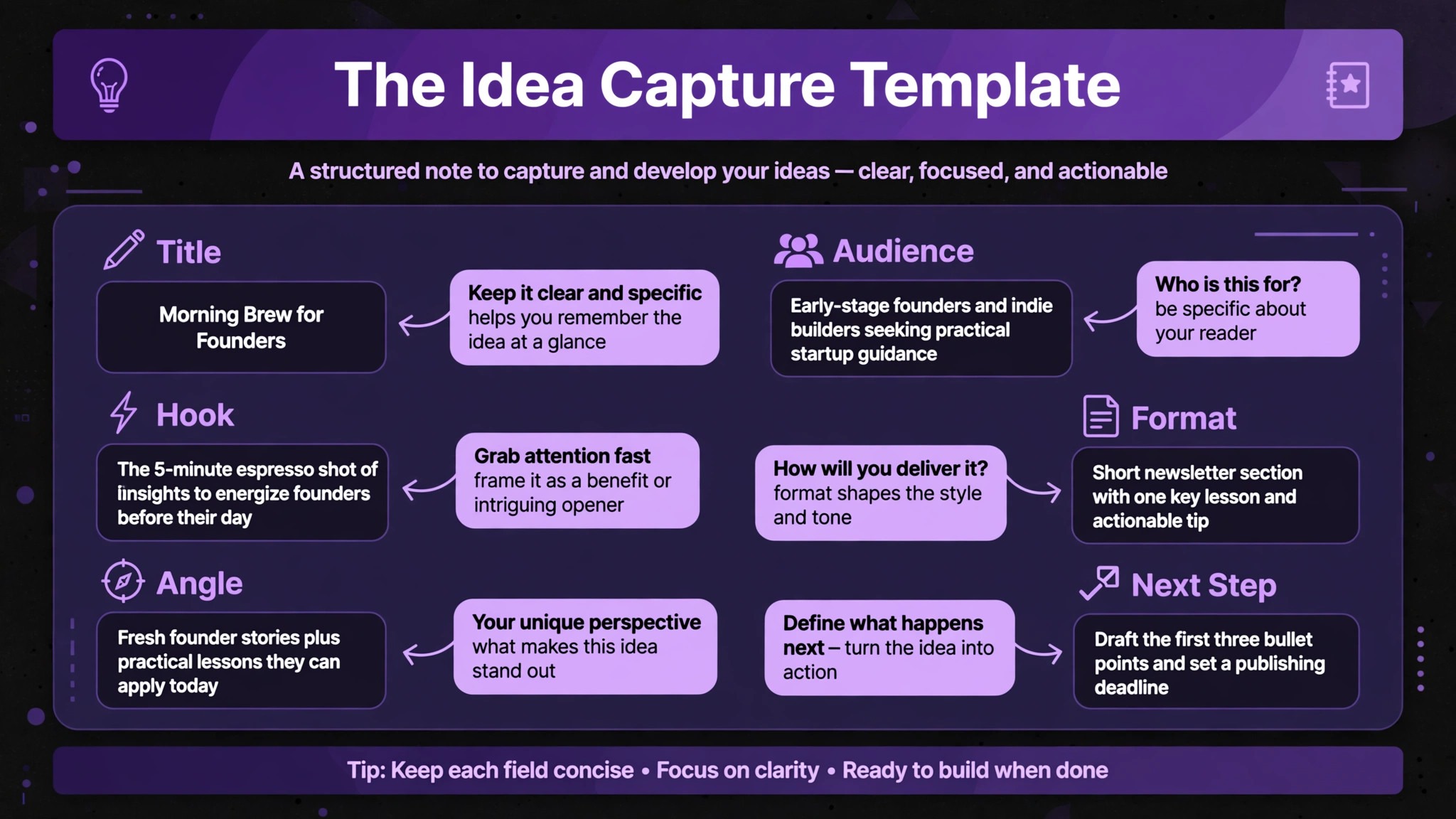
The Idea Capture Template
Copy this template into your Templates folder and use it for every new idea note. It is deliberately short, because a long template discourages capture, and every field earns its place by preventing a common failure. When you use Obsidian for content ideas creators who fill this template consistently end up with a pipeline they can trust, because no idea arrives without an audience, an angle, and a next step.
| Template field | What to write | Why it matters |
|---|---|---|
| Idea in one sentence | The core claim or question of the piece | Stops vague notes that mean nothing later |
| Audience | Who this is for and what they need | Keeps content aimed at real readers, not everyone |
| Angle | What makes this different from existing coverage | Prevents generic pieces that add nothing |
| Source | Where the idea came from, with a link if possible | Lets you retrace and credit the spark |
| Format | Video, essay, newsletter, short post, or series | Matches the idea to the right medium early |
| Related notes | Links to two or three connected notes | Builds the graph and surfaces combinations |
| Next step | The smallest action that moves this toward drafting | Turns ideas into a queue, not a museum |
| Status | Captured, promoted, drafting, or published | Powers review and automatic indexes |
Keep the template stable for at least a month before changing it. Constant template tweaks are a form of procrastination, and they break the comparability of your notes. If a field consistently stays blank, remove it after a month of evidence, not after a day of impatience. If you repeatedly add the same extra note outside the template, that is evidence the template needs a field. Let real use drive changes, and keep the template short enough that filling it never feels like paperwork.
The Weekly Idea Review Checklist
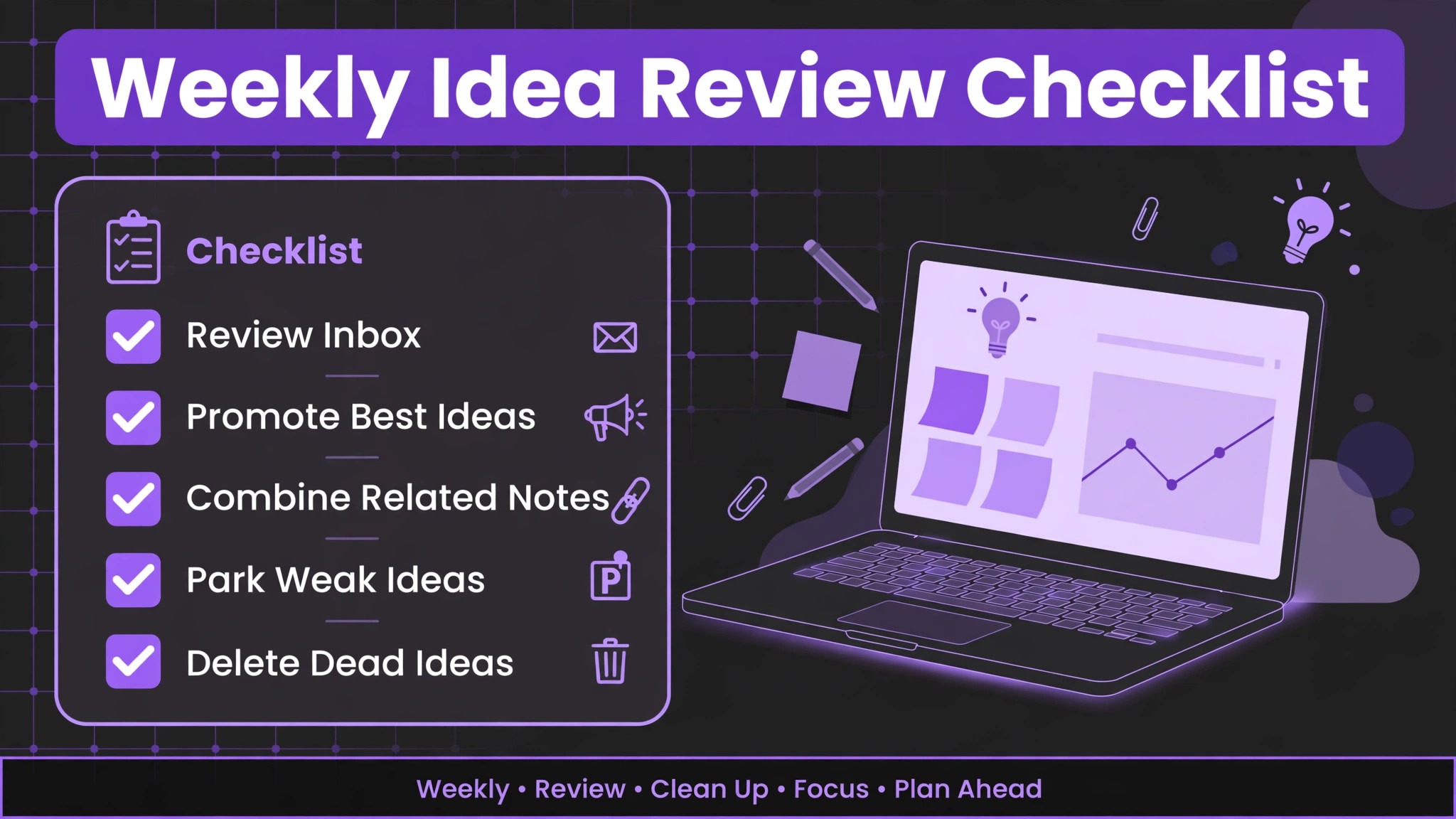
Run this checklist in order during your forty-five minute review, and do not skip the final step, which is choosing next week’s slate. A checklist keeps review consistent on weeks when motivation is low, and consistency is what makes the system survive busy periods.
- Open the inbox and all daily notes from the past seven days, and list every unreviewed capture.
- For each capture, decide to promote, combine, park, or delete, and record the decision in the note.
- Fill in missing template fields on every promoted idea, especially audience and angle.
- Link each promoted idea to at least two related notes, and write a sentence explaining each link.
- Open the graph view, note any clusters that suggest a series, and any orphans that need links.
- Park interesting but untimely ideas in the holding note with a one-line reason for parking.
- Delete dead captures deliberately, and note any pattern in what you delete, since it reveals your taste.
- Choose two or three ideas for next week’s production slate, move them to Drafts, and draft a first paragraph for each.
- Update your index note or Dataview query so the pipeline view reflects the new slate.
- Close the review by writing one sentence about what you learned about your audience this week.
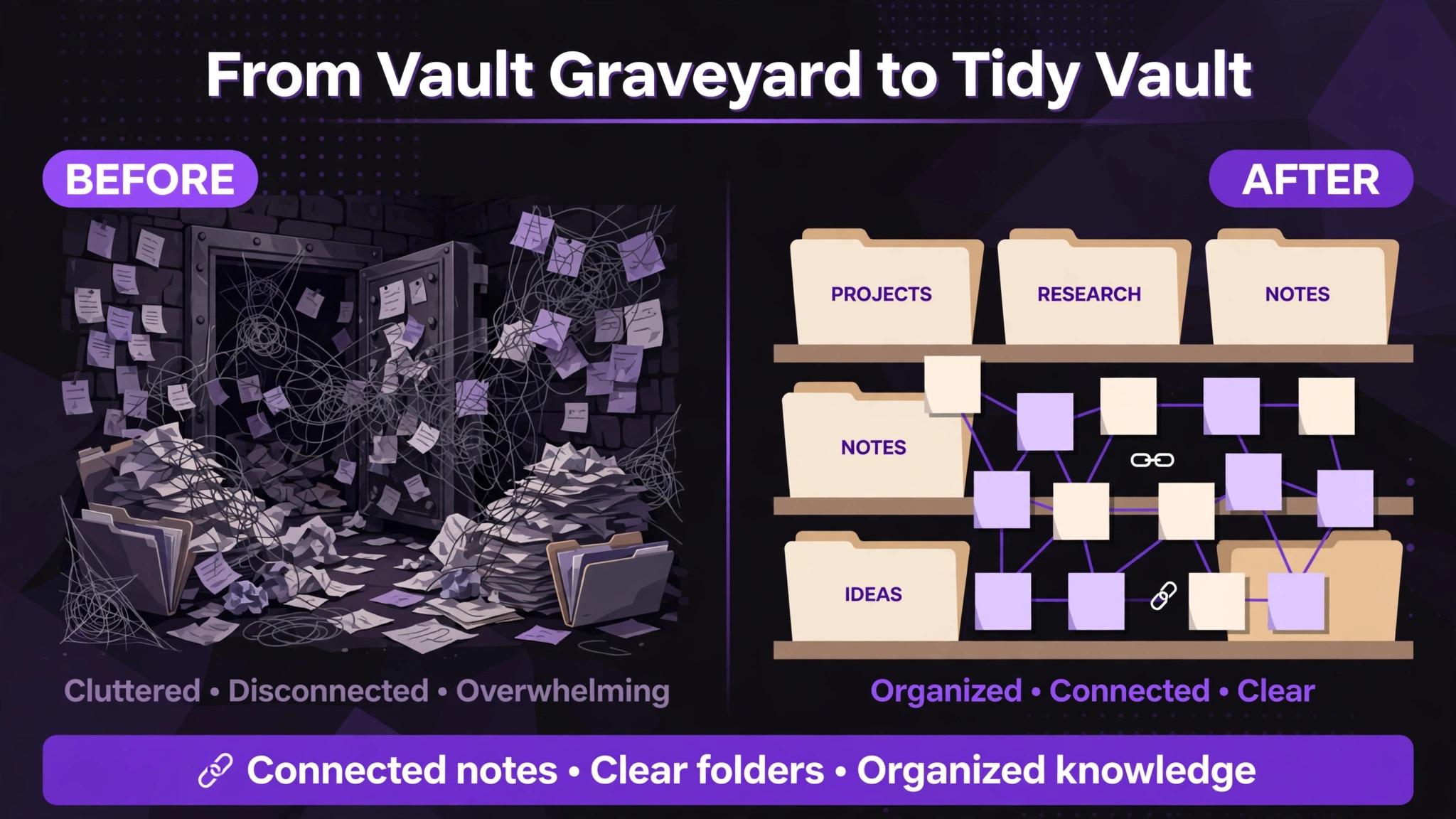
Mistakes That Turn Vaults Into Graveyards
The most common mistake is overbuilding before capturing. New users install a dozen plugins, design a complex folder hierarchy, and watch hours of setup videos before writing their first idea note. Setup feels like progress, but it produces nothing publishable, and the vault becomes associated with chores rather than creativity. Start with daily notes, one template, and a weekly review. Add plugins only when a real problem appears, and only one at a time, so you can tell whether it helped.
A second mistake is capturing without reviewing. A vault with five hundred unreviewed notes is not an asset. It is a source of guilt, and guilt makes creators avoid opening the app. If your inbox has grown past one hundred unreviewed captures, declare a reset. Spend one long session triaging ruthlessly, delete most of it, and restart the weekly review from a clean inbox. A smaller, reviewed vault beats a large, ignored one, and the reset itself teaches you which ideas actually mattered, because the ones you remember without reading are the ones worth keeping.
A third mistake is judging ideas during capture. When you use Obsidian for content ideas creators should let bold ideas sit until review, because distance often turns a risky spark into a strong angle. When you capture, you are not the editor. You are the scout, and the scout reports everything interesting. Save judgment for review, when you have distance and can compare ideas side by side. Creators who judge at capture time end up with a vault full of safe, obvious ideas, because bold ideas feel risky in the moment. Let bold ideas sit for a week. Many of them improve with distance, and the ones that do not can be deleted at review without any cost.
More Reading on Stratilyze
Readers building a creator system may also enjoy planning a content calendar in Google Sheets for bloggers, tracking freelance projects in Notion, and running a meeting notes system in Obsidian. Each one covers a different part of the pipeline described here, from finding ideas to shipping finished work on schedule.
Frequently Asked Questions
Is Obsidian really free for creators?
Yes, Obsidian is free for personal use, including the desktop and mobile apps, with notes stored as plain markdown files on your device. Paid options exist for commercial use, for the official sync service, and for publishing a vault as a website, but none of those are required to run the capture system in this guide. A creator can start free and add paid features only if a specific need appears.
Do I need plugins to capture ideas in Obsidian?
No, the core system needs only daily notes, templates, and links, all of which are built in. Community plugins like Templater and Dataview make capture faster and indexes automatic, but they are upgrades, not requirements. Start without plugins, capture fifty ideas, and add one plugin at a time only when you can name the problem it solves.
How is Obsidian different from a regular notes app for creators?
The difference is links and local files. Links turn isolated notes into a connected graph, so related ideas surface each other and combinations become visible. Local markdown files mean your notes remain readable and portable even if you stop using the app, which matters for a body of work you may build over years. A regular notes app can capture ideas, but it rarely helps them combine.
What if I capture ideas on my phone most of the time?
Use the mobile app with a sync method you have tested, or use a single temporary inbox app that you empty into the vault every day. The key rule is one home for ideas, with a daily emptying habit for any temporary inbox. Test the sync with a real note before you rely on it, so a good idea is never lost to a setup you never verified.
How long should the weekly review take?
Plan forty-five minutes once a week, with a longer first session if you are triaging a backlog. If review regularly takes more than an hour, you are probably capturing too much or reviewing too rarely. Capture less, review weekly without skipping, and keep the promote, combine, park, or delete decisions fast. Review is a habit, not a deep work session.
Yes, because the template includes a format field, and the review slate works for any medium. A video creator promotes ideas into scripts and storyboards, a newsletter creator promotes them into issues, and both benefit from linked research notes and a weekly slate. The system organizes ideas, and the format field routes each idea to the right production process.
From Scattered Sparks to a Publishing Pipeline
A creator’s output is limited less by talent than by what happens between an idea and a deadline. When you use Obsidian for content ideas creators replace luck with a routine, which is capture in under a minute, a template that preserves context, a weekly review that makes decisions, and a slate that turns decisions into drafts. Set up the vault this afternoon, capture the next idea that strikes you, and hold your first review seven days from now. After a month of reviews, open your Published folder and count what the system produced. That count, more than any plugin or theme, is the proof that your ideas finally have a home that leads somewhere.