
An agency with 40 caregivers and 120 clients schedules roughly 2,000 visits in a normal month. Each visit carries a caregiver match, a care plan, a start time, a travel window, a clock in record and a billing code, and a single missed visit can mean a vulnerable client left without care. This guide to best scheduling software for home care agencies starts from that arithmetic, because scheduling in home care is a safety job before it is an admin job.
The tools below were judged on the same questions. Does the scheduler match caregivers to clients by skills, language, location and availability. Does it verify visits in a way payers accept. Does it handle call offs fast, without a frantic phone tree. And what does it cost at a realistic client count. A tool that wins on price but fails on a call off is not a bargain, and a tool that wins on features but confuses caregivers will sit unused in the field.
What Home Care Scheduling Has to Get Right
The first job is matching. A client who needs dementia care, a Hoyer lift transfer and a Spanish speaking caregiver cannot be matched by availability alone. The scheduler must weigh skills, certifications, language, location, gender preference and past pairing, then show the best fit first. Agencies that match by hand spend hours on a puzzle the software should solve in seconds, and they still make worse matches.
The second job is visit verification. Many payers require electronic visit verification, which records where and when a visit started and ended, usually through GPS, a phone call or a device check in. The rules vary by state and by payer, and some states require the state’s own system rather than an agency chosen tool. A scheduling platform must fit the agency’s state model, or the agency will bill visits it cannot prove.
The third job is the call off. Caregivers get sick, cars break down and clients go to hospital, and the schedule changes daily. The system must find a qualified replacement fast, notify them, confirm acceptance, and update the client and the family without a chain of phone calls. An agency’s reputation is built on how it handles the bad days, and the scheduler is the tool that decides whether a call off becomes a covered visit or a missed one.
Why the best scheduling software for home care agencies Is Not a Generic Roster Tool
A generic roster tool tracks shifts. A home care scheduler tracks visits, and the difference matters. A visit has a client, a care plan, tasks to complete, notes to record, a verification record and a billing code, while a shift has only a worker and a time. A tool built for shifts forces the agency to bolt on care plans, visit notes and verification through workarounds, and workarounds break under daily pressure.
The second difference is the field workforce. Caregivers work alone in client homes, often with limited tech comfort and variable phone signal. They need a simple mobile app that shows the day, the client notes, the tasks and the clock in button, and that works when the signal is weak. A system designed for office staff will look fine in a demo and fail at the first home visit.
The third difference is billing and payroll. Visit hours feed both client invoices and caregiver pay, and errors in either direction cost money or trust. A home care platform ties the verified visit directly to billing and payroll exports, so the agency stops retyping hours from one system into another. That single link removes a whole class of errors.

Features and Fees at a Glance
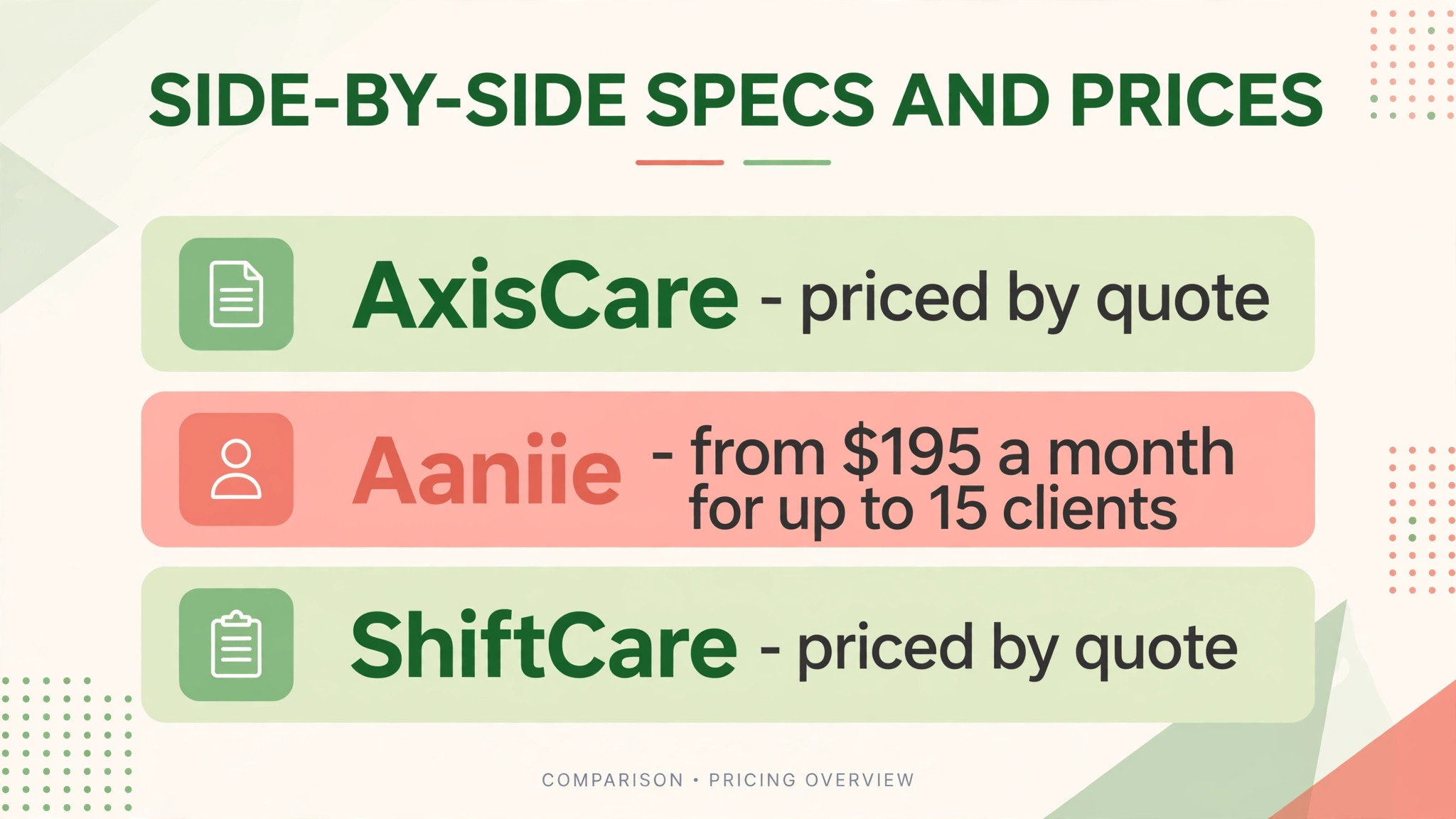
| Tool | Starting price | Best for |
|---|---|---|
| AxisCare | priced by quote | non-medical agencies of all sizes |
| AlayaCare | priced by quote, enterprise scale | mid size and larger agencies |
| WellSky Personal Care | priced per active client | private duty agencies |
| CareSmartz360 | priced by active clients and users | agencies prioritising scheduling and verification |
| Aaniie | from $195 a month for up to 15 clients | small agencies wanting caregiver engagement |
| ShiftCare | priced by quote | small agencies wanting a simple start |
Read the table as a shortlist, not as a ranking. The cheapest tool may suit a small agency perfectly, while the most expensive tool may be the only one that handles a specific workflow. Use the table to pick three finalists, then read their full sections below before deciding.
Six Tools Under the Microscope
AxisCare
AxisCare is the pick for non-medical home care agencies that want a system staff can adopt quickly. It connects scheduling, visit verification, care documentation, billing, reporting and mobile communication in one platform, with a native mobile app that handles geofenced clock ins, GPS, two way chat, electronic signatures and visit creation. Pricing is by quote, scaled to agency size.
The strength is usability. Reviewers consistently praise the intuitive interface, easy setup and responsive support, and the attribute matching system scores caregivers against client needs instead of forcing manual searching. The weakness is clinical depth and some add on costs. Texting and other extras can add to the bill, the CRM features are thinner than on broader platforms, and users report occasional desktop glitches.
Choose AxisCare if the agency is non-medical and wants fast adoption across office and field staff. Skip it if the agency needs deep clinical documentation, where a more medical platform fits better.
AlayaCare
AlayaCare is the pick for mid size and larger agencies that need clinical depth and multi-branch control. It offers an end to end platform with scheduling, visit verification, documentation, billing and payroll, plus telehealth video, AI powered analytics, route optimisation and family portals. Pricing is by quote and sits at enterprise scale, reflecting its target customer.
The strength is breadth and clinical power. A multi-branch agency gets visual scheduling with drag and drop, route optimisation that cuts caregiver travel, and analytics that surface trends across branches. The weakness is the learning curve and cost. Onboarding takes longer, the mobile app trails the web version in some areas, and customisation can require workarounds.
Choose AlayaCare if the agency is mid size or larger and needs telehealth, analytics and complex scheduling. Skip it if the agency is small and non-medical, because the price and ramp up will outweigh the benefits.
WellSky Personal Care
WellSky Personal Care is the pick for established private duty agencies that want one place for scheduling, billing, HR and CRM. It covers the full private duty workflow, with a mobile app that lets caregivers see schedules, request open shifts and clock in by phone, plus a family portal for real time care plan access. Pricing runs per active client, so the bill grows with the client census rather than with staff count.
The strength is the private duty fit. The workflows match how private duty agencies actually operate, from intake to billing, and the family portal is a genuine differentiator for client trust. The weakness is integration breadth and documentation limits. Third party connections are fewer than on rival platforms, and it does not handle some medical documentation needs, so a clinical agency should check fit carefully.
Choose WellSky Personal Care if the agency is private duty focused and wants per client pricing. Skip it if the agency needs deep clinical documentation or a wide integration library.
CareSmartz360
CareSmartz360 is the pick for agencies that prioritise scheduling and visit verification workflows. It combines care specific scheduling with GPS and phone based visit verification, billing, documentation and custom workflows, with pricing based on active clients and users. It suits agencies that want the scheduling engine tuned for home care rather than adapted from generic rostering.
The strength is the verification story. GPS and telephony check in cover the common payer requirements, and the scheduling tools handle recurring visits, replacements and route planning in one place. The weakness is configuration time. The wide feature set takes longer to set up well, and smaller agencies may find the depth more than they need at first.
Choose CareSmartz360 if scheduling and verification are the top priorities. Skip it if the agency wants the simplest possible start, where a lighter tool fits better.
Aaniie
Aaniie is the pick for small agencies that want caregiver engagement built into operations. It starts from $195 a month for up to 15 clients, and it combines scheduling, visit verification and home care operations with caregiver rewards and engagement tools designed to improve retention. That engagement angle is unusual in this category and directly addresses the turnover problem every agency faces.
The strength is the retention focus. Caregiver rewards, recognition and easy mobile access help keep good caregivers, which is worth more than any scheduling feature, because every departure costs recruiting and training time. The weakness is scale and offline limits. Offline access is limited to downloaded records, and a large multi-branch agency may outgrow its scope.
Choose Aaniie if the agency is small and caregiver retention is the biggest pain. Skip it if the agency is large or multi-branch and needs enterprise depth.
ShiftCare
ShiftCare is the pick for small agencies that want a simple start with the core jobs covered. Pricing is by quote, and it covers scheduling, visit verification, client and caregiver management, billing and reporting in a clean system that a small team can learn quickly.
The strength is simplicity. The interface is clear, the setup is fast, and the price suits a small agency that cannot afford a long implementation. The weakness is depth at scale. Larger agencies with complex payer rules, multi-branch reporting and advanced clinical needs will find its toolset lighter than the enterprise platforms.
Choose ShiftCare if the agency is small and wants the fastest path to organised scheduling. Skip it if the agency is mid size or larger with complex payer and branch requirements.
Which System Fits Each Agency Shape
Use this table to match the tool to the job, because the best overall tool is not always the best tool for a specific business. The choice should follow the job that matters most, whether that job is saving money, handling compliance, or covering several branches.
| Job | Best pick | Why it wins for that job |
|---|---|---|
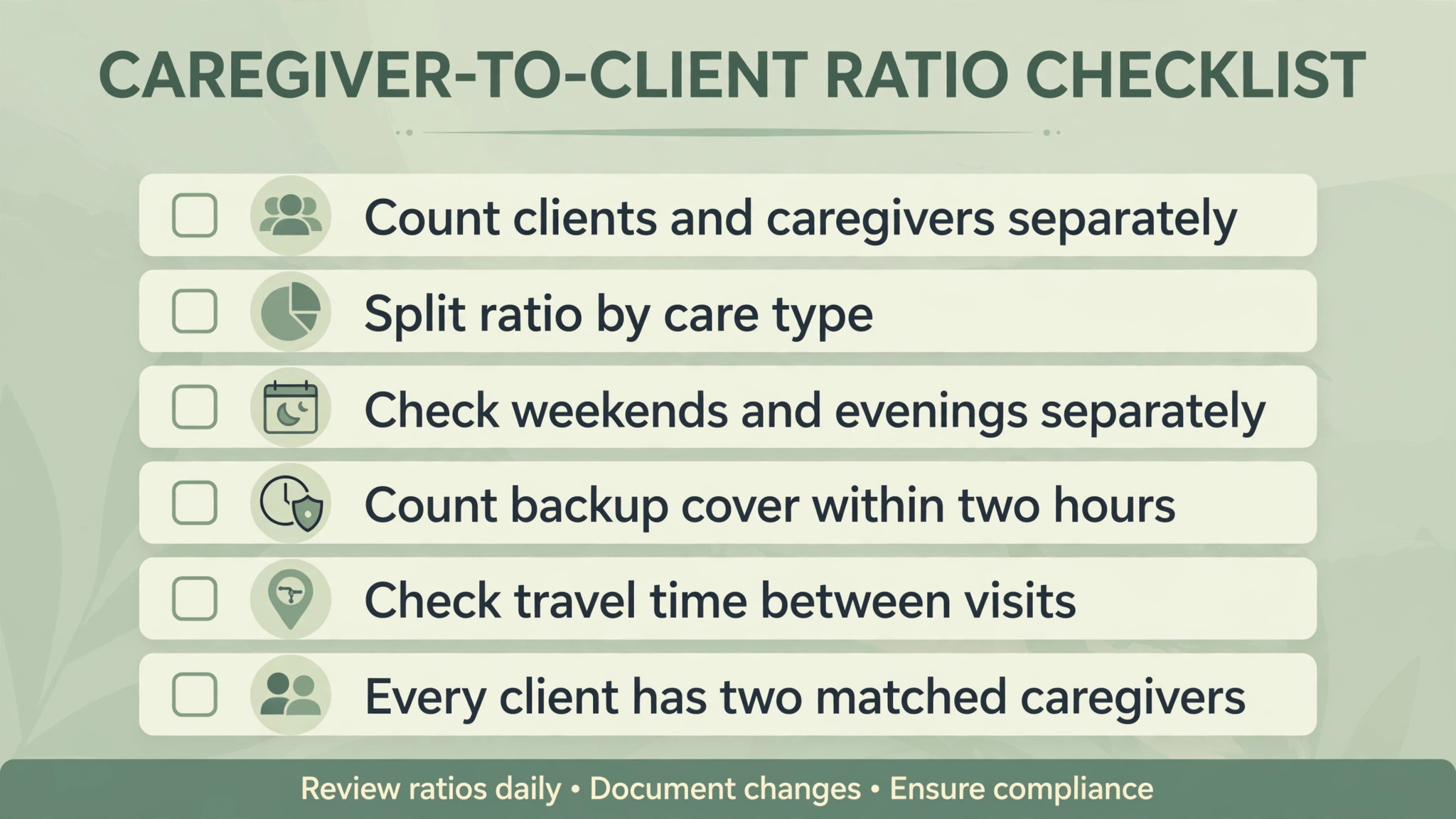
| Small non-medical agency | AxisCare | Fastest adoption across office and field |
| Mid size or multi-branch agency | AlayaCare | Clinical depth, telehealth and branch analytics |
| Private duty focus | WellSky Personal Care | Workflows built for private duty, per client pricing |
| Scheduling and verification first | CareSmartz360 | Care specific scheduling with GPS and phone verification |
| Caregiver retention focus | Aaniie | Rewards and engagement built into operations |
| Simplest small start | ShiftCare | Clean system, fast setup, small agency price |
Caregiver-to-Client Ratio Checklist
Ratios decide whether a schedule is safe or fragile, and a best scheduling software for home care agencies decision should start from the ratio, not from the feature list. Work through this checklist with real numbers before choosing, because a tool that cannot support the ratio will fail no matter how good its interface looks.
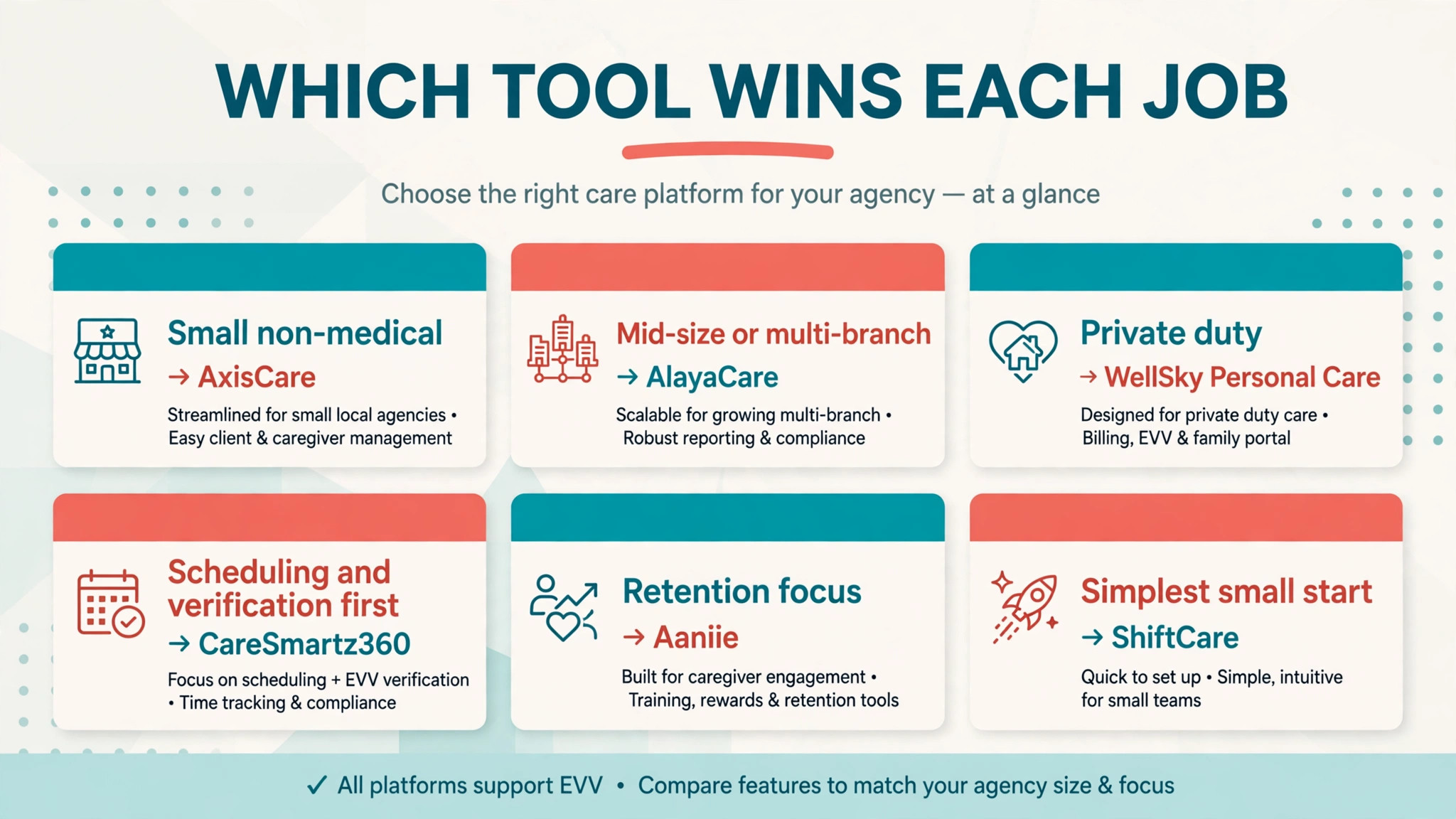
– Count active clients and active caregivers separately, and exclude caregivers on leave or unavailable for the next month. – Divide clients by caregivers to get the headline ratio, then split it by care type, because heavy care clients need a lower ratio than companion care clients. – Check weekend and evening coverage separately, since the ratio that works on weekdays often breaks on weekends. – Count backup capacity, meaning caregivers who can cover a call off within two hours, not just total headcount. – Check travel time between visits, because a caregiver with six clients spread across a county cannot complete the day safely. – Verify that every client has at least two matched caregivers, so one call off never leaves a client uncovered. – Confirm the scheduler can enforce these ratios automatically, flagging any assignment that breaks the backup rule. – Review the ratio monthly, because client acuity and caregiver availability change faster than annual plans assume.
A healthy small agency often runs one caregiver to four or five clients on a weekly roster, with backup cover for every shift. If the ratio is worse than that, the priority is recruiting, not software, because no scheduler fixes a staffing gap. If the ratio is healthy, the scheduler’s job is to protect it by flagging overload before it becomes a missed visit.
The Cost Question
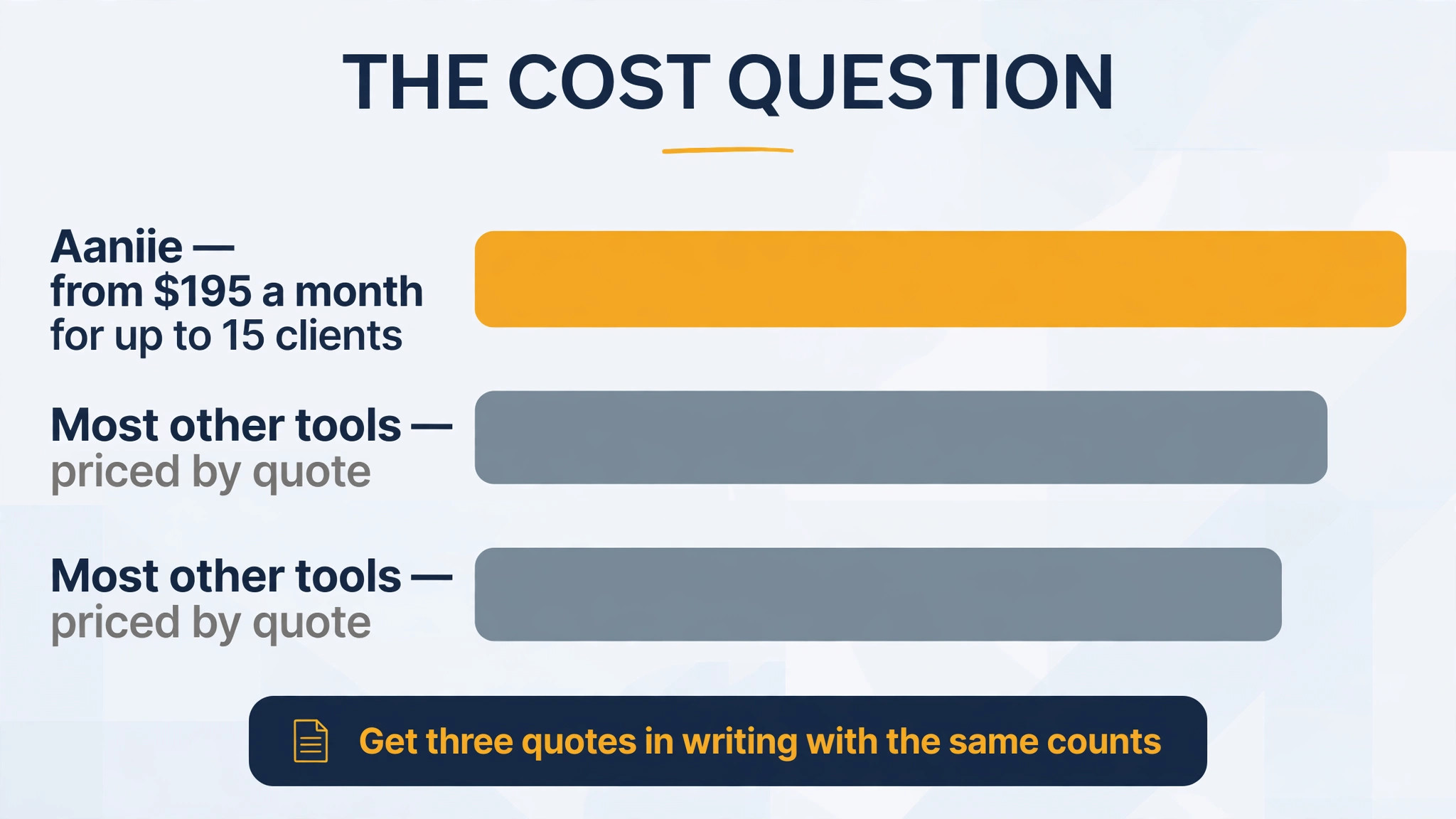
Home care software pricing is mostly quote based, which makes comparison harder and the trial more important. AxisCare, AlayaCare, WellSky Personal Care, CareSmartz360 and ShiftCare all price by quote or by client count, so the headline on a pricing page will not tell an agency its real bill. Aaniie is the exception in this guide, with a published start from $195 a month for up to 15 clients, which gives small agencies a concrete floor for comparison.
The pricing model matters as much as the number. Per active client pricing, as WellSky Personal Care uses, grows with census, which suits an agency adding clients but not staff. Per user pricing grows with staff, which suits an agency with stable headcount. Quote based enterprise pricing, as AlayaCare uses, bundles depth with a higher floor, which only makes sense once the agency needs that depth.
Get three quotes in writing, with the same client count, caregiver count and branch count, and ask each vendor to list every add on separately. Texting, training, implementation, data migration and extra branches all hide outside the headline quote, and the cheapest quote can become the most expensive bill once those lines are added.
Also ask about contract length and exit terms before signing, because home care agencies change size fast and a multi-year lock in can trap a shrinking agency in enterprise pricing. Prefer a contract that scales down as well as up, confirm the data export format in writing, and check whether implementation help is included or billed by the hour. A vendor that answers these questions plainly is usually the vendor that will support the agency well after the sale.
Caregiver Adoption in the Field
The best scheduler in the office is worthless if caregivers do not use it in the field, and adoption is where many home care rollouts fail. Caregivers vary widely in tech comfort, phone quality and signal strength, and a system that assumes a new phone and fast data will frustrate the very people it must serve. The trial should include caregivers of every comfort level, not just the tech confident ones, and it should include a home with weak signal.
Simplicity wins adoption. The app should open to the day’s visits, show the client name, address, tasks and clock in button on one screen, and record notes without a maze of menus. Every extra tap is a reason to fall back to paper notes and phone calls, and paper notes create the billing errors the system was bought to remove. Watch a caregiver complete a full visit unaided during the trial, and count the taps and the questions asked.
Training should be short, repeated and paid. A single group session on launch day is not enough, because caregivers join at different times and forget under pressure. Record short videos for each task, run a practice visit before the first live day, and keep a help contact that answers fast during the first month. A best scheduling software for home care agencies rollout that invests in caregiver confidence will see verification rates climb, while one that skips training will see workarounds spread.
Billing Accuracy and Payroll Trust
Verified visits feed two money flows, client invoices and caregiver pay, and errors in either flow damage trust fast. A client overbilled by an hour will dispute the invoice, and a caregiver underpaid by an hour will look for another agency. The scheduler must therefore tie the verified visit directly to both outputs, with no retyping in between, and the office must reconcile both outputs weekly until the numbers prove stable.
The common failure points are predictable. Rounding rules differ between billing and payroll, travel time is paid by some payers and not by others, and cancelled visits still appear on timesheets when the clock in record is not cleaned up. The trial should test each of these cases deliberately, with a visit that runs long, a visit that is cancelled at the door, and a visit with travel between two clients, then check that the invoice and the payslip both show the right numbers.
Transparency helps as much as accuracy. Caregivers who can see their own verified hours in the app trust the payslip, and clients who receive clear visit summaries trust the invoice. Choose a tool that shows both sides their own records without an office request, because visibility prevents most disputes before they start. An agency that gets billing and payroll right keeps both its clients and its caregivers, which is the foundation the whole business stands on.
Family Communication and the Portal
Families of home care clients want to know that care happened, and they want to know it without calling the office. A family portal that shows visit times, caregiver notes and upcoming schedule answers most of those calls before they are made, which saves office time and builds trust at the same time. The portal should be simple enough for an elderly spouse or an adult child to open on a phone, because a portal nobody opens is just a feature on a pricing page.
Privacy needs care here. Families should see their own loved one’s visits and notes, not other clients, and staff should control which note types are visible to families. A sensitive observation about a client’s mood or health may belong in the clinical record but not in a family feed, so the tool must separate internal notes from family visible updates. Test this separation during the trial with a real family member, because a privacy mistake damages trust faster than any scheduling error.
Communication during incidents matters most. When a caregiver finds a client unwell, or a visit runs long, the family should hear it from the agency quickly and clearly, not discover it hours later. A best scheduling software for home care agencies choice should include incident alerts and family messaging that work from the field, so the caregiver can flag a problem in one tap and the office can follow up within minutes. That speed is what families remember when they recommend an agency to others.
Switching Without Missed Visits
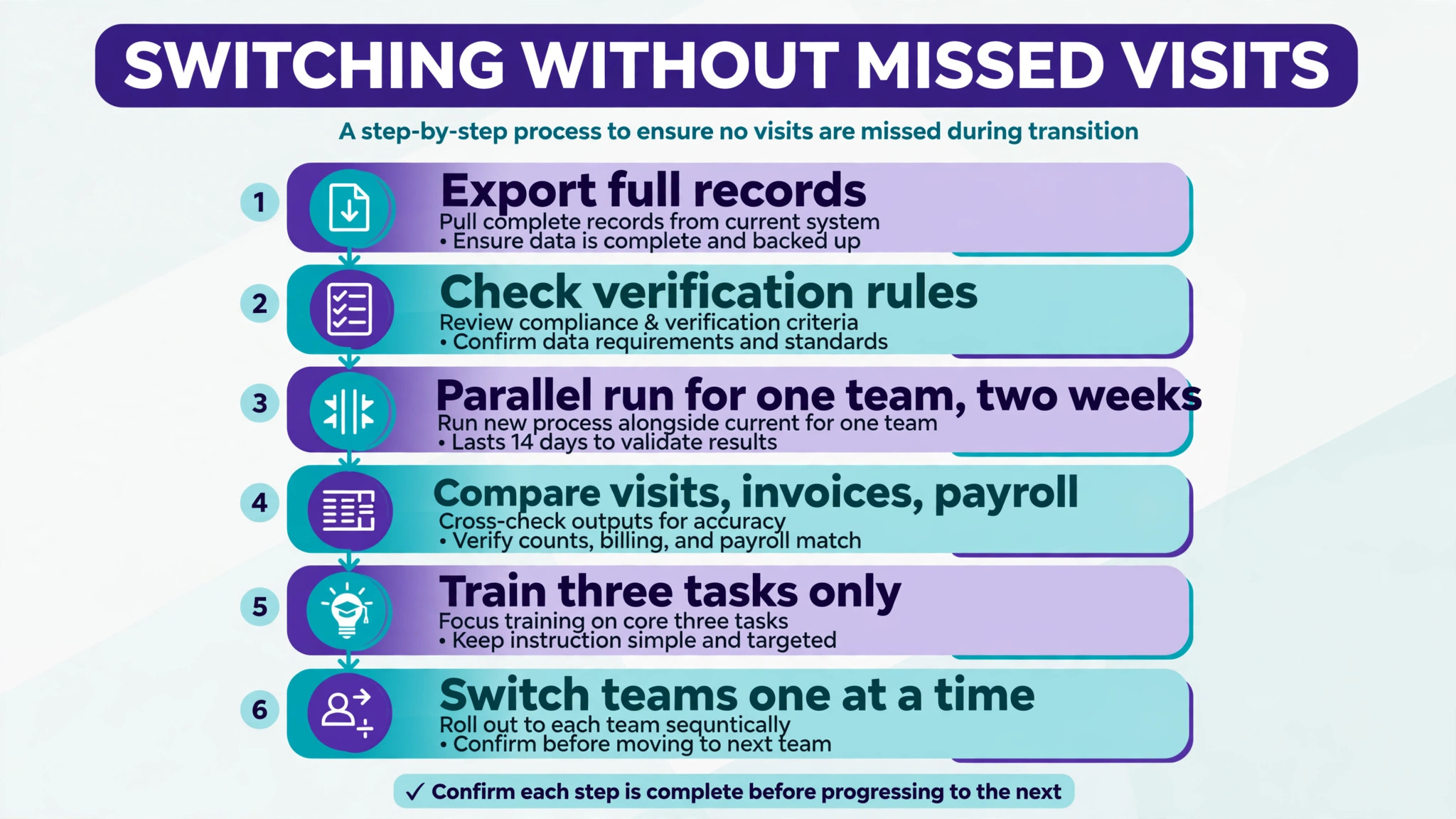
Switching scheduling tools fails most often on a Monday morning, when a visit is missed because the new system did not carry the schedule correctly. A short, careful sequence protects clients through the change.
1. Export the full client list, care plans, caregiver profiles, schedules and billing history, and confirm the new tool can import them intact. 2. Confirm the visit verification method fits the agency’s state and payer rules before any live visit runs on the new system. 3. Rebuild the schedule for one team first, and run it in parallel with the old system for two weeks. 4. Compare every verified visit, every invoice and every payroll export between the two systems during the parallel run. 5. Train caregivers on three tasks only, which are viewing the day, clocking in, and recording visit notes, then expand training once those habits feel automatic. 6. Switch teams one at a time, never the whole agency on one day, and keep the old system readable for thirty days after the last team moves.
The Verdict for Agencies
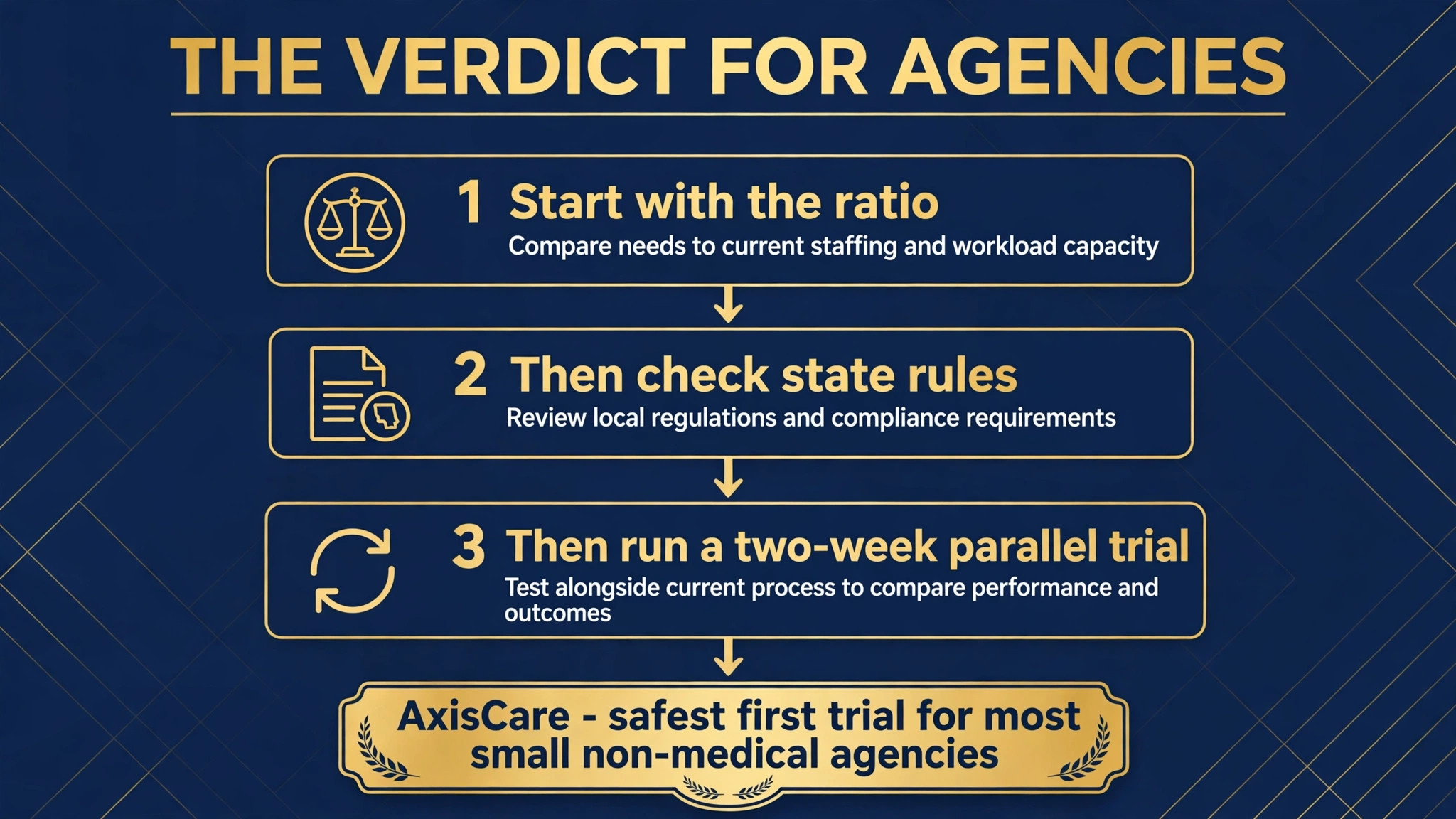
Start with the ratio, then the state rules, then the trial. For most small non-medical agencies, AxisCare is the safest first trial, because it balances scheduling strength, verification and ease of use better than the extremes. A mid size or multi-branch agency should start with AlayaCare instead, and a private duty agency should start with WellSky Personal Care, because the best pick by job table above points to the tool built for that exact situation.
The best scheduling software for home care agencies decision does not need to be perfect, it needs to be tested. Run a real parallel schedule for two weeks, price the tool at next year’s client count, and judge it on whether call offs get covered faster and visits get verified cleanly. A tool that passes that test is worth keeping, even if a rival looks better on a pricing page, because daily work is the test that actually matters.
For a final check, compare the shortlist on verified visits and payroll accuracy before you sign a contract. Ask each vendor to show a call off being covered, a visit being verified, and an invoice being generated from that verified visit, all in one demo.
If any step needs a workaround, that workaround will repeat daily, and daily workarounds are what turn a promising system into a burden the office resents. Judge the demo on the awkward cases, because the ordinary days will take care of themselves once the hard ones work. A shortlist built around best scheduling software for home care agencies should still be tested with real caregivers and real clients, because a pricing page cannot show how a tool performs on a bad Monday. When the trial ends, judge the choice by missed visits avoided and hours saved, not by the length of the feature list.
More Reading on Stratilyze
Readers comparing tools usually check the neighbouring guides next. The guide to scheduling apps covers a closely related decision, the guide to online booking software for service businesses explains the booking around it, and the guide to CRM software for small firms helps with the client records around it.
Frequently Asked Questions
What is electronic visit verification and why does it matter
Electronic visit verification records where and when a home care visit started and ended, usually through GPS, a phone call or a device check in. Many payers require it before they pay a claim, so a visit without verification can become unpaid work. Check the agency’s state and payer rules before choosing, because some states require the state’s own system rather than an agency chosen tool.
How much does home care scheduling software cost
Most platforms price by quote, scaled to client count, caregiver count and branches. Small agencies should expect a low three figure monthly bill, while mid size and enterprise agencies pay substantially more. Aaniie publishes a start from $195 a month for up to 15 clients, which gives small agencies a concrete comparison point. Get three quotes in writing with the same counts before deciding.
Can one tool handle scheduling, billing and payroll
Yes, on most tools in this guide. AxisCare, AlayaCare, WellSky Personal Care and CareSmartz360 all tie verified visits to billing and payroll exports, which removes the retyping that causes errors. Confirm the payroll export format matches the agency’s payroll system during the trial, because a mismatch creates manual work every pay period.
How do agencies handle caregiver call offs
The system should find a qualified replacement fast, using skills, location and availability matching, then notify and confirm acceptance automatically. The best tools score caregivers against client needs and show the best fit first, rather than forcing a coordinator to call down a list. Test a call off during the trial, because the bad day workflow is the one that matters most.
Should a small agency pay for enterprise software
No, unless the agency genuinely needs multi-branch reporting, telehealth or advanced clinical tools. A small non-medical agency will get more value from a tool staff adopt quickly, at a lower price, than from an enterprise platform it uses at a fraction of its power. Upgrade when client count, branch count or payer complexity forces it, not before.
What happens to client records if I cancel
That depends on the tool, which is why export terms matter before you sign. Most tools allow a client, care plan and visit history export, but the format and completeness vary. Export records monthly, keep a copy outside the system, and test the export during the trial rather than discovering a problem on cancellation day.