
Freelance writing pays by the finished piece, not by the hour spent staring at a blank page.
The 13 best AI tools for freelance writers at a glance
The verdict up front: most freelance writers need four tools, not thirteen. A research assistant for angles and facts, a drafting tool for long form work, an editing pass for polish, and one system for getting paid and showing work. The rest of this guide helps you pick the right one in each slot, and skip the rest.
| Tool | Best job | Free plan | Paid from |
|---|---|---|---|
| ChatGPT | Pitching and idea research | Yes | $20 per month |
| Perplexity | Cited research | Yes | $20 per month |
| AnswerThePublic | Finding reader questions | Limited | Around $20 per month |
| Claude | Long form drafting | Yes | $20 per month |
| Jasper | Brand voice drafting | No | $49 per month |
| Rytr | Short form on a budget | Yes | $9 per month |
| Grammarly | Grammar and tone | Yes | $12 per month |
| ProWritingAid | Deep editing reports | Limited | $30 per month |
| Hemingway Editor | Readability | Yes | $19.99 one time |
| Bonsai | Contracts, invoicing, taxes | No | $19 per month |
| Wave | Free invoicing | Yes | Free core |
| Journo Portfolio | Writer portfolio | Yes | $14 per month |
| Carrd | One page personal site | Yes | $9 per year |
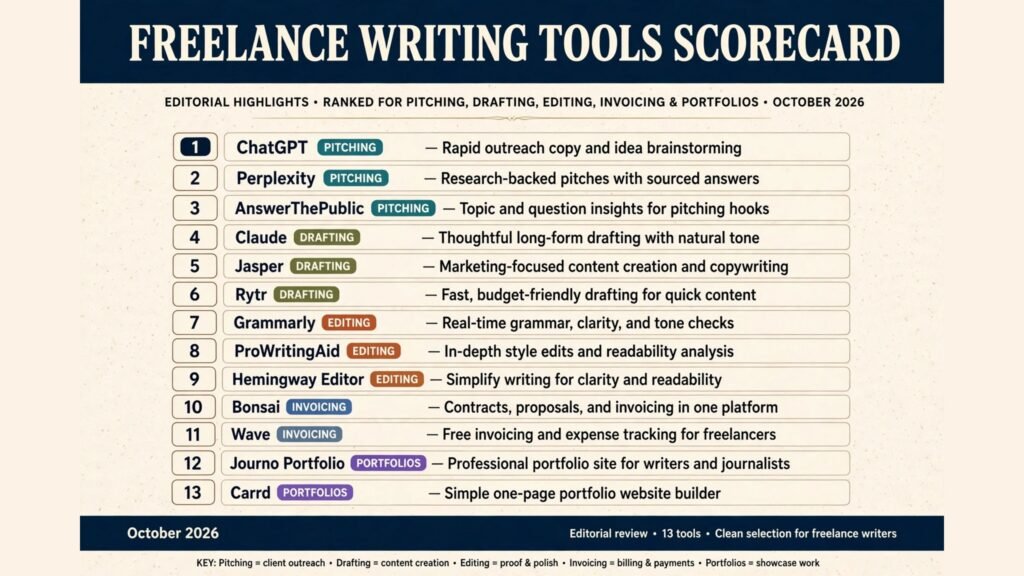
Prices are October 2026 list prices where confirmed. Where sources disagreed, the draft flags it and says check checkout, because a wrong price in a buying guide is worse than no price.
Best pick by job
| Job | Best pick | Budget pick |
|---|---|---|
| Pitching and idea research | Perplexity | AnswerThePublic free tier |
| Long form drafting | Claude | Rytr |
| Editing and proofing | Grammarly | Hemingway Editor free web version |
| Client management and invoicing | Bonsai | Wave |
| Portfolio and personal brand | Journo Portfolio | Carrd |
Pitching and idea research
Pitching is where most freelance income is won or lost. Editors reject vague ideas, not weak writers. These three tools help you arrive with a sharp angle, a real question readers are asking, and sources you can cite.
ChatGPT
ChatGPT remains the most useful general purpose research assistant for freelancers, and its Plus plan costs $20 per month. Use it to brainstorm ten angles on one topic, to draft pitch emails in an editor’s preferred length, and to turn interview notes into a structured outline. Its strength is breadth: it can move from topic research to a pitch draft to a social post in one session.
Watch out for: factual claims. ChatGPT can state a statistic with total confidence and no source. Treat every number it gives you s a claim to verify, never as a fact to publish. For anything you will put your byline on, cross check with a cited source, which is where the next tool earns its place
Perplexity
Perplexity is the research tool to use when a pitch or article needs sources an editor can check. It answers with citations, and its Pro plan costs $20 per month. Ask it for recent reporting on a topic, for competing claims on a contested point, or for the original source behind a widely repeated statistic. For news, tech and business writing, that cited workflow saves the most time.

Watch out for: citation depth. A citation is not the same as a verified fact, and Perplexity sometimes cites a page that itself repeats an unconfirmed claim. Open the source, read the relevant paragraph, and quote from the source, not from the summary.
AnswerThePublic
AnswerThePublic turns a seed keyword into the questions real people type into search engines: who, what, why, how, and the comparisons and prepositions around a topic. That question map is a pitch goldmine, because an editor can see instantly that readers are asking the question your piece answers. The free tier allows only a few searches per day. Paid plans start around $20 per month according to recent listings, but sources disagree on the current tiers, so check checkout before budgeting for it.
Watch out for: volume. AnswerThePublic shows you the shape of demand, not its size. A question can look popular in the wheel and still have tiny search volume. Pair it with a keyword tool before promising an editor a traffic story.
Drafting long form
Drafting is the most visible job AI does for writers, and the most misunderstood. The right tool here produces a strong first draft you can rewrite in your own voice. The wrong tool produces generic text that reads like every other AI assisted article, which editors now spot quickly.
Claude
Claude is the strongest long form drafting tool for freelancers in 2026, and its Pro plan costs $20 per month. It holds long documents in context better than most rivals, follows detailed style instructions, and produces drafts that need editing rather than rewriting. Give it your outline, your source notes, and a sample of your published voice, and the first draft comes back structured and readable.

Watch out for: length. Claude will happily write 2,000 words when 800 would serve the reader better. Set a word target, then cut. Editors pay for tight copy, not for volume. If you write fiction as well as client work, our guide to best AI book writing software covers long manuscript tools in more depth.
Jasper
Jasper is built for writers who serve multiple clients with different brand voices. It stores brand voice profiles, so a fintech client and a wellness client get different drafts from the same brief, and it includes templates for blog posts, ads and email. The Creator plan starts at $49 per month, which is steep for a solo freelancer, but it makes sense once you bill several clients a month and need voice consistency across all of them.
Watch out for: cost creep. Jasper’s value depends on using its brand voice and template features. If you only use it as a generic drafting box, you are paying a premium for a job Claude or ChatGPT does for $20. Audit your actual usage after the first month.
Rytr
Rytr is the budget drafting option, with a free plan and a Premium plan at $9 per month. It covers blog outlines, sections, emails and social captions, and it is fast for short pieces and product descriptions. For new freelancers who are not yet earning enough to justify a $20 subscription, Rytr is a sensible starting point.
Watch out for: depth. Rytr is better at short and medium pieces than at long, researched articles. On a 2,500 word feature, expect to do more structural work yourself. It is a starter tool, not a forever tool, and that is fine. Many writers start on Rytr and graduate to Claude once client volume justifies it.
Editing and proofing
No editor accepts a first draft, and no AI draft should reach a client without an editing pass. These three tools catch different problems, which is why serious writers often use two of them in sequence.
Grammarly
Grammarly is the editing tool most freelance writers already know, and for good reason. Its free tier catches grammar and spelling across the browser, and Premium costs $12 per month billed annually ($30 month to month). Premium adds tone suggestions, clarity rewrites, and a plagiarism checker, which matters when clients run your work through originality checks. It works inside Google Docs, Word, email and the browser, so it follows you to wherever the client wants the work done.
Watch out for: accepting every suggestion. Grammarly optimises for standard, safe English. It will flatten a deliberate stylistic choice into plain copy if you let it. Accept the grammar fixes, question the style rewrites, and keep the sentences that sound like you.
ProWritingAid
ProWritingAid is the deeper editing tool, for writers who want reports rather than just corrections. It analyses sentence variety, overused words, pacing, dialogue tags, readability and more, across a whole manuscript. That report view is genuinely useful for long articles and books, where a single weak habit repeated across 3,000 words is invisible in a line by line check. Premium costs $30 per month on monthly billing, with annual plans lower, but listings disagree on the exact annual figure, so check checkout.

Watch out for: report overload. Twenty reports on one draft is a recipe for rewriting a good piece into a worse one. Pick two reports per draft, usually sentence length and overused words, fix those, and stop. For a fuller comparison of editing focused tools, see our roundup of best free AI writing tools.
Hemingway Editor
Hemingway Editor does one job and does it well: it shows you which sentences are hard to read. The web version is free and needs no account. It highlights long sentences, passive voice and adverbs, and gives a reading grade level. The desktop app is a $19.99 one time purchase for offline work, while Editor Plus adds AI rewrites from $8.33 per month billed annually.
Watch out for: mistaking readability for quality. Hemingway penalises long sentences even when a long sentence is the right choice, and it has no grammar checking at all. Use it after Grammarly, not instead of it: Grammarly for correctness, Hemingway for tightness.
Client management and invoicing
Unpaid work is the quiet tax on freelance writing. Chasing invoices, writing contracts and tracking expenses eats hours that no client bills for. These two tools attack that problem from opposite ends: one is a full business system, the other is free invoicing done well.
Bonsai
Bonsai is the all in one business tool for freelancers: proposals, attorney vetted contract templates, invoicing, time tracking, client CRM and US tax preparation in one place. That breadth is its selling point. A new client can go from proposal to signed contract to paid invoice without leaving the system, and the tax module tracks deductible expenses and quarterly estimates for US based writers. Pricing is per user, and the realistic entry point is Essentials at $19 per user per month billed annually ($25 month to month). Note that the cheaper Basic tier does not include invoicing or contracts, so Essentials is the plan most working freelancers actually need.

Watch out for: paying for features you will not use. If you have two steady clients and simple invoicing needs, Bonsai is more system than you need. Its value appears when you juggle many clients, contracts and tax deadlines at once. Writers scaling toward an agency setup should also read our guide to best AI tools for content agencies.
Wave
Wave is the free alternative for invoicing and basic accounting. Invoicing, estimates and expense tracking cost nothing on the core plan, which is hard to beat for a writer starting out. It looks professional to clients, sends payment reminders, and accepts card payments for a processing fee. For a solo writer with straightforward finances, Wave covers the money side without a monthly subscription.
Watch out for: scope. Wave is an invoicing and accounting tool, not a client management system. It has no contract templates, no proposals and no project pipeline. Pair it with a simple contract template from a legal template service, and upgrade to Bonsai when client volume makes manual follow up painful.
Portfolio and personal brand
Editors check your portfolio before they reply to your pitch. A portfolio that is out of date, hard to navigate, or missing your best clips costs you assignments you never hear about. These two tools solve that problem at very different prices.
Journo Portfolio
Journo Portfolio is built specifically for writers, and it shows. It imports published articles automatically, backs them up as PDFs in case the original page goes offline, and organises clips by topic or publication. That automatic backup is the feature that matters most: links rot, publications close, and a clip you cannot show is a clip you do not have. You can build for free and upgrade to publish, with the Unlimited plan at $14 per month billed annually ($18 month to month).
Watch out for: template limits. Journo Portfolio sites look clean and professional, but they look similar to each other. If your brand depends on a distinctive visual identity, you will hit the edges of its customisation quickly. For most writers, though, clean and current beats distinctive and stale.
Carrd
Carrd builds simple one page websites, and its pricing is almost absurdly low: Pro starts at $9 per year, with higher tiers at $19 and $49 per year. A Carrd page can hold your bio, your best clips, your services and a contact form, and it loads fast on any device. For a writer who already has clips hosted elsewhere, or who wants a landing page that points editors to a portfolio, Carrd is the cheapest credible option online.
Watch out for: it is one page. Carrd is not a blogging platform and not a portfolio system. If you need many pages, a blog, or automatic clip imports, use Journo Portfolio instead. If you need a sharp front door for your freelance business, Carrd is enough, and the money you save buys a month of a drafting tool.
Pricing compared
| Tool | Free plan | Paid from | Best value point |
|---|---|---|---|
| ChatGPT | Yes | $20 per month | Plus, for research and pitching |
| Perplexity | Yes | $20 per month | Pro, for cited research |
| AnswerThePublic | Limited | Around $20 per month | Free tier, for occasional pitches |
| Claude | Yes | $20 per month | Pro, for long form drafting |
| Jasper | No | $49 per month | Creator, once you serve several clients |
| Rytr | Yes | $9 per month | Premium, for new freelancers |
| Grammarly | Yes | $12 per month annual | Premium annual, for daily editing |
| ProWritingAid | Limited | $30 per month | Annual plan, for long pieces |
| Hemingway Editor | Yes | $19.99 one time | Desktop app, for offline editing |
| Bonsai | No | $19 per month annual | Essentials, for multi client writers |
| Wave | Yes | Free core | Free core, for starting out |
| Journo Portfolio | Yes | $14 per month annual | Unlimited, for clip backup |
| Carrd | Yes | $9 per year | Pro, for a one page site |
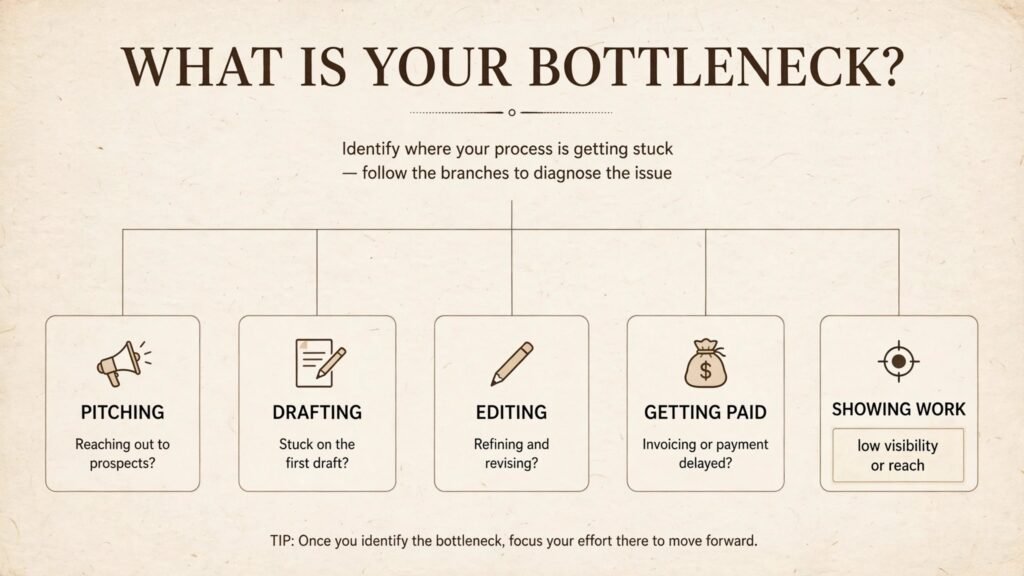
A realistic starter stack costs $20 to $40 per month: Claude or ChatGPT for drafting, Grammarly free for editing, Wave for invoicing, and Carrd for a front door. A full working stack, with Perplexity, Grammarly Premium, Bonsai and Journo Portfolio, runs roughly $65 to $85 per month, which one decent assignment covers. If your monthly writing income is below $500, stay on free tiers until client volume justifies each subscription. Tools should follow income, not precede it.
How to choose
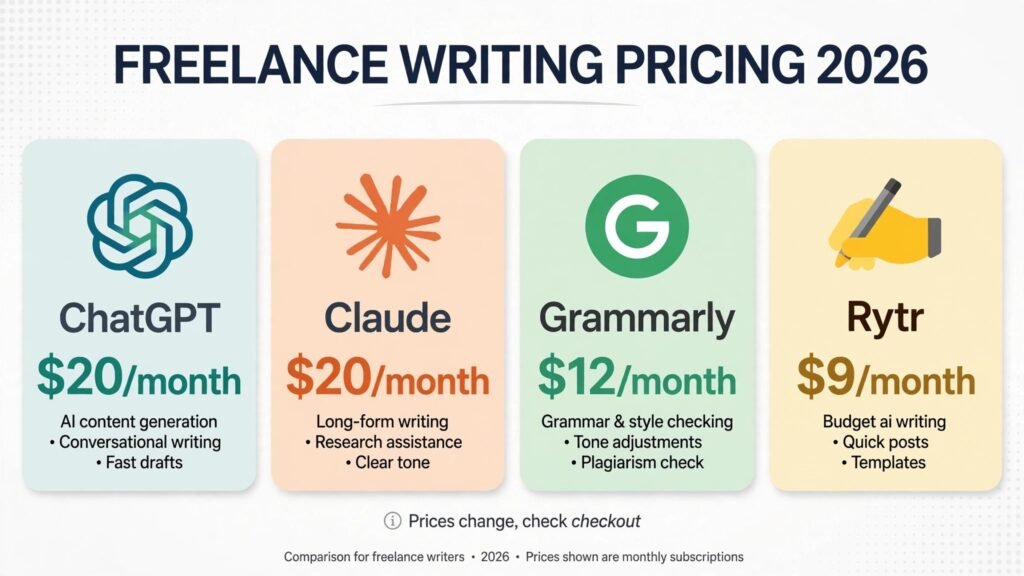
Start from the bottleneck, not from the tool list. If editors ignore your pitches, your problem is research and angles, so start with Perplexity and AnswerThePublic. If you land assignments but drafting eats your week, your problem is drafting, so start with Claude. If clients return work with corrections, your problem is editing, so start with Grammarly and Hemingway. If you are paid late or not at all, your problem is business systems, so start with Bonsai or Wave. Buying a drafting tool when your real problem is unpaid invoices is the most common waste in this whole category.
Second, count subscriptions against assignments, not against features. A $49 tool that helps you land one extra $300 article a month pays for itself six times over. A $9 tool you open twice a month does not. Review your stack every quarter, cancel what you did not use, and keep a note of which tool earned its fee.
Third, protect your voice. The fastest way to lose clients in 2026 is to submit work that reads like everyone else’s AI output. Use AI for research, structure and first drafts, then rewrite in your own voice, add your own reporting, and keep the sentences only you would write. Editors hire writers for judgment and voice, not for output volume. For broader writing tool coverage, including general content work, see our guide to best AI tools for content creators.
Frequently asked questions
Do I need to pay for AI writing tools as a freelance writer?
No, not at first. Free tiers of ChatGPT, Claude, Grammarly, Hemingway and Wave cover research, drafting, basic editing and invoicing well enough to land your first clients. Pay when a specific bottleneck costs you assignments or hours, and pay for the tool that fixes that bottleneck, not for the most popular tool in the category.
Will clients know I use AI tools?
They may, and that is not automatically a problem. Most clients care about accuracy, originality and voice, not about your process. Disclose AI use when a client asks, never submit AI text unverified, and keep your reporting and voice genuinely yours. If a client bans AI assistance outright, respect that contract term and work without it.
Which single tool is best for a new freelance writer?
Claude, on its free tier to start and Pro at $20 per month once you have steady work. It drafts well, follows style instructions, and handles long pieces better than most rivals. Pair it with Grammarly free and Wave free, and you have a working freelance stack for $0 to $20 per month.
Is Grammarly or ProWritingAid better for freelancers?
Grammarly, for most freelancers. It works everywhere you write, its free tier is genuinely useful, and Premium adds plagiarism checking that clients value. ProWritingAid is better for long form writers who want deep manuscript reports, and many writers use Grammarly daily and ProWritingAid for big pieces. If you write fiction alongside client work, our best AI story generators guide covers narrative tools specifically.
How do I avoid my writing sounding AI generated?
Write the outline yourself, add reporting only you could have done, and rewrite the AI draft rather than polishing it. Cut generic openers, replace vague claims with specific facts, and read the final piece aloud. If a sentence sounds like it could appear in anyone’s article, it probably should not appear in yours.
Should I use AI for pitches?
Yes, for research and structure, not for the pitch itself. Use Perplexity to find the angle and the sources, use ChatGPT to draft ten versions of the idea, then write the actual pitch email yourself, in your voice, tailored to that editor. A pitch is a writing sample. Sending a generic one tells the editor exactly what your articles will read like.
Conclusion
The best AI tools for freelance writers are the ones that remove unpaid work from your week. Perplexity sharpens your pitches with sources. Claude turns outlines into strong first drafts. Grammarly and Hemingway tighten the result. Bonsai or Wave makes sure you get paid. Journo Portfolio or Carrd makes sure editors can see your work. Start with the bottleneck that costs you the most time or money, add one tool at a time, and review the stack every quarter. The writers who earn the most from AI tools are not the ones with the most subscriptions. They are the ones whose tools quietly disappear into a workflow that produces better work, faster, and gets paid on time.