
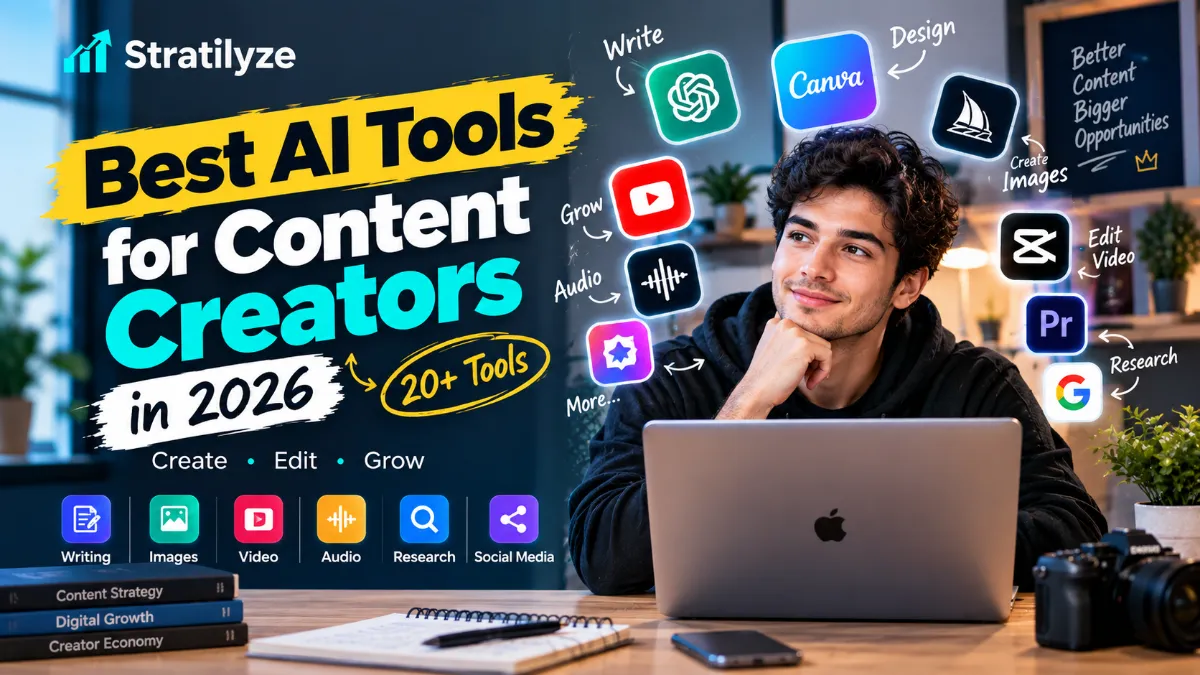
Creating content in 2026 is less about doing everything manually and more about building a workflow that lets you spend more time on ideas, storytelling, and creative decisions.
AI can now help with almost every part of that process. You can use it to research topics, develop scripts, write captions, create images, edit videos, generate voiceovers, make music, repurpose long videos into short clips, and even automate parts of social media publishing.
But there is a problem: there are too many AI tools.
A creator who searches for the best AI tools for content creators can quickly end up with dozens of overlapping apps. Some are excellent for writing but weak for visuals. Others are great at video but unnecessary if you mainly publish blogs or newsletters.
This guide focuses on the tools that can actually fit into a creator workflow in 2026.
Rather than treating one tool as the winner, the better approach is to choose the right AI tool for the specific part of content creation you want to improve.
Best AI Tools for Content Creators at a Glance
| AI Tool | Best For | Main Content Type |
|---|---|---|
| ChatGPT | Ideas, scripts, writing and research | Text, images, ideas |
| Claude | Long-form writing and creative thinking | Text |
| Google Gemini | Research, writing and Google ecosystem workflows | Text, research |
| Canva | Graphics, social posts and visual content | Images, video, design |
| Adobe Express | Social content and branded designs | Images, video, design |
| Midjourney | Creative AI images | Images |
| Ideogram | Images with text and graphic layouts | Images |
| Leonardo AI | Creative images and visual assets | Images |
| Adobe Firefly | Generative images and creative editing | Images, video |
| Runway | AI video generation and creative video | Video |
| CapCut | Short-form video editing | Video |
| Descript | Video and podcast editing | Video, audio |
| OpusClip | Turning long videos into shorts | Video |
| InVideo AI | Prompt-based video creation | Video |
| HeyGen | AI avatar and presenter videos | Video |
| ElevenLabs | AI voice and narration | Audio |
| Suno | AI music creation | Music |
| Perplexity | Research and information discovery | Research |
| Gamma | Presentations and visual documents | Presentations |
| Notion AI | Content planning and organization | Text, planning |
| Grammarly | Editing and writing improvement | Text |
| QuillBot | Paraphrasing and rewriting | Text |
| Buffer AI Assistant | Social content and repurposing | Social media |
| Metricool | Social content and performance workflows | Social media |
You do not need all 24 tools. In most cases, a creator can build a strong workflow with three to six carefully chosen tools.
1. ChatGPT – Best Overall AI Tool for Content Creators
ChatGPT is one of the most flexible options for creators because it can support multiple stages of the content process instead of doing only one job.
You can use it for:
- Brainstorming content ideas
- Creating content calendars
- Writing video scripts
- Developing YouTube titles
- Creating social media captions
- Outlining blog posts
- Rewriting content
- Summarizing research
- Creating hooks and headlines
- Generating image concepts
- Analyzing uploaded content
- Repurposing one idea into multiple formats
Its biggest advantage is flexibility.
For example, you could start with a YouTube video idea, develop the outline, create a script, generate five possible titles, write a description, create social captions and then develop thumbnail concepts.
That makes ChatGPT particularly useful as the central thinking and planning tool in a creator workflow.
OpenAI has also continued expanding its image-generation capabilities in 2026, including ChatGPT Images 2.0 and later image improvements.
Best for: Almost every type of creator
Good for: Writing, ideas, research, scripts, images and repurposing
2. Claude – Best for Long-Form Creative Work
Claude is particularly useful when your content requires longer-form thinking and careful editing.
Creators can use Claude for:
- Blog outlines
- Long-form articles
- YouTube scripts
- Newsletter drafts
- Story development
- Content restructuring
- Editing
- Brainstorming
- Research analysis
- Turning rough notes into organized content
One of its strongest use cases is creative collaboration.
Instead of asking AI to produce a finished article immediately, you can give it your rough idea and ask it to challenge the concept, identify weak points and suggest better structures.
That approach can produce more original content than simply asking an AI tool to “write a blog post.”
Best for: Writers, bloggers and long-form creators
Good for: Ideas, scripts, articles and editing
3. Google Gemini – Best for Google-Centered Workflows
Google Gemini is another strong general-purpose AI option for creators.
It can help with:
- Content ideas
- Scripts
- Research
- Summaries
- Social posts
- Brainstorming
- Image creation
- Document-based work
- Content planning
Gemini is particularly interesting for creators who already spend a lot of time inside Google’s ecosystem.
For example, a creator might use AI to organize research, develop a content outline and turn information into different content formats.
Best for: Creators already using Google services
Good for: Research, writing, ideas and productivity
Canva remains one of the easiest options for creators who need attractive visual content without becoming professional designers.
Canva’s AI-powered Magic Studio includes tools for:
- Social media posts
- Presentations
- Images
- Short videos
- Captions
- Background removal
- Image editing
- Design generation
- Text generation
- Resizing content for different platforms
Canva’s current AI tools include Magic Write, Magic Media, Magic Edit, Magic Eraser, Magic Grab and other creator-focused features.
This makes Canva particularly useful for creators who need to produce multiple visual formats from the same idea.
Best for: Instagram, YouTube thumbnails, Pinterest, social graphics and general design
5. Adobe Express – Best for Branded Content
Adobe Express is another strong all-in-one option.
Its AI features can help creators:
- Generate images
- Generate templates
- Create text effects
- Edit images
- Caption videos
- Remove video backgrounds
- Animate content
- Resize designs
- Schedule social posts
Adobe has also added AI Assistant features to Express, although some of those features are still being rolled out as beta functionality.
Adobe Express is especially useful if you want your social content to maintain a consistent visual identity.
Best for: Branded social content and creators already using Adobe products
6. Midjourney – Best for Creative AI Images
Midjourney is aimed more toward creators who want highly stylized and visually distinctive imagery.
It can be useful for:
- YouTube thumbnails
- Concept art
- Editorial visuals
- Character concepts
- Creative campaigns
- Fantasy artwork
- Brand mood boards
- Visual storytelling
The main appeal is creative exploration rather than simple template-based design.
Best for: Artists, designers, visual storytellers and creators who want distinctive imagery
7. Ideogram – Best for AI Images With Text
Ideogram is particularly useful when the image itself needs readable typography.
That makes it interesting for:
- Posters
- Social graphics
- Thumbnail concepts
- Quote graphics
- Promotional designs
- Logos and visual concepts
For creators, this can solve one of the common problems with AI-generated images: getting useful text into the image.
Best for: Graphic-heavy social content and designs containing text
8. Leonardo AI – Best for Creative Asset Generation
Leonardo AI is another option for creators who need AI-generated visuals.
It can be useful for:
- Characters
- Illustrations
- Concept art
- Game assets
- Social media visuals
- Product concepts
- Creative campaigns
Leonardo is worth considering if image generation is a major part of your workflow rather than an occasional task.
Best for: Visual creators and digital artists
9. Adobe Firefly – Best for AI Creative Work Inside Adobe
Adobe Firefly is designed around generative creative workflows.
Creators can use Firefly for tasks such as:
- Image generation
- Generative editing
- Creative concepts
- Image variations
- Text effects
- Video generation
- Sound effects
Adobe’s current Firefly Pro offering also combines generative AI capabilities with other Adobe creative tools.
Best for: Creators already invested in the Adobe ecosystem
10. Runway – Best for AI Video Creation
Runway is aimed at creators who want more advanced AI video capabilities.
Runway can be useful for:
- Generative video
- Image-to-video
- Creative effects
- Storyboards
- Experimental filmmaking
- Visual storytelling
Runway has also moved beyond its older Gen-3 generation, with newer workflows including Gen-4.5 and Edit Studio/Aleph-related tools.
This makes Runway more interesting for creators who want AI to become part of the actual visual production process rather than simply using AI to write a script.
Best for: Filmmakers, visual creators and advanced video workflows
11. CapCut – Best for Short-Form Video
CapCut is particularly useful for TikTok, Instagram Reels and YouTube Shorts.
Its AI features can help with:
- Script generation
- AI video creation
- Voiceovers
- Auto captions
- Avatars
- Video editing
- Voice effects
- Templates
- Social video formatting
CapCut’s AI video maker can combine scripts, visuals, voiceovers and captions into a video workflow.
If your main content is short-form video, CapCut is one of the tools worth testing first.
Best for: TikTok, Reels and YouTube Shorts
12. Descript – Best for Editing Video Like a Document
Descript takes a different approach to video editing.
Instead of relying entirely on a traditional timeline, creators can work with a transcript and edit the video through the text.
AI features can help with:
- Removing filler words
- Removing silence
- Captions
- Transcription
- Audio cleanup
- Video clips
- Content repurposing
Descript’s 2026 creator guidance highlights AI-assisted editing tasks such as removing filler words and silences, generating captions, reframing videos and finding useful clips.
Best for: YouTubers, podcasters and talking-head creators
13. OpusClip – Best for Repurposing Long Videos
OpusClip is built around a very useful creator problem:
How do you turn one long video into many short pieces of content?
OpusClip can identify potentially useful moments from long videos and turn them into short-form clips.
It also provides:
- AI captions
- Reframing
- AI B-roll
- Audio enhancement
- Voiceover
- Social publishing
- Automated clipping workflows
OpusClip says its current system supports different types of long-form videos, including podcasts, vlogs, interviews, sports and other formats.
Best for: Podcasters, YouTubers and creators who publish long-form video
14. InVideo AI – Best for Prompt-Based Video Creation
InVideo AI is designed to help creators turn prompts and ideas into videos.
It can be useful for:
- YouTube videos
- Explainer videos
- Social videos
- Marketing content
- Script generation
- Voiceovers
- Stock footage
- AI-generated video workflows
It is particularly useful for creators who want to produce videos without spending hours learning advanced editing software.
Best for: Beginners and faceless-video creators
15. HeyGen – Best for AI Avatar Videos
HeyGen is designed for AI-generated presenter and avatar videos.
Potential creator use cases include:
- Educational videos
- Product explainers
- Social videos
- Multilingual content
- Training content
- Marketing videos
- Presenter-style videos
HeyGen’s current platform supports AI video creation with avatars and multilingual workflows. Its September 2026 material highlights 177+ languages and dialects.
Best for: Creators who want presenter-style videos without filming every video themselves
16. ElevenLabs – Best for AI Voice and Narration
ElevenLabs is one of the most useful AI tools for creators working with audio.
It can be used for:
- Voiceovers
- Narration
- Audiobooks
- Podcast production
- Character voices
- Multilingual audio
- Video narration
ElevenLabs has also developed a creator-focused voice marketplace. In 2026, the company reported that creators on its Voice Library had earned more than $22 million through the marketplace.
For creators, the bigger point is that AI voice tools are becoming useful production tools rather than simply novelty voice generators.
Best for: YouTube narration, podcasts, audiobooks and voice-based content
17. Suno – Best for AI Music Creation
Suno is worth considering if music is part of your content workflow.
Creators can use AI music for:
- Background music
- Original songs
- Intro music
- Outro music
- Short-form videos
- Creative projects
- Music experimentation
Suno launched its v6 generation in September 2026, adding more control over editing, mashups, sampling and creation from text, audio, images and video.
Best for: Musicians, video creators and anyone who needs original music concepts
18. Perplexity – Best for Content Research
Perplexity is particularly useful before you start creating content.
Instead of asking an AI simply to write something, you can use research-focused tools to investigate:
- Current events
- Product information
- Industry trends
- Competitors
- Statistics
- Market research
- Topic ideas
- Supporting sources
Perplexity’s Research mode can perform multiple searches, analyze sources and produce a structured report.
For creators, this makes it useful during the research stage, before writing or recording.
Best for: Bloggers, journalists, YouTubers and research-heavy creators
19. Gamma – Best for Presentations and Visual Content
Gamma is useful when your content includes presentations, visual documents or educational material.
You can use it for:
- Presentations
- Educational content
- Pitch decks
- Reports
- Visual documents
- Content that can later be adapted into social posts
This can be particularly useful for creators who publish educational or business-focused content.
Best for: Educators, consultants, business creators and presentation-heavy workflows
20. Notion AI – Best for Content Planning
Notion becomes more useful when you have many ideas but struggle to organize them.
Creators can use it to manage:
- Content calendars
- Ideas
- Research
- Editorial plans
- Scripts
- Notes
- Brand information
- Content databases
AI can help turn scattered information into structured content plans.
Best for: Creators with large content libraries or multi-platform workflows
21. Grammarly – Best for Editing
Grammarly is useful after you’ve created the first draft.
It can help identify:
- Grammar issues
- Spelling mistakes
- Awkward wording
- Clarity problems
- Tone issues
- Sentence-level improvements
For creators, this is important because AI-generated drafts often need editing before publication.
The goal should not be to make everything sound perfectly polished. It should be to make the final content clear while preserving your own voice.
Best for: Bloggers, newsletter writers, students and professional creators
22. QuillBot – Best for Rewriting and Paraphrasing
QuillBot can help creators rewrite existing text while changing its wording or structure.
Useful applications include:
- Rewriting sentences
- Simplifying complicated text
- Improving clarity
- Paraphrasing research notes
- Creating alternative versions
- Editing drafts
It works best as an editing tool rather than a replacement for original thinking.
Best for: Writers who frequently revise and repurpose text
Buffer AI Assistant is designed around social media workflows.
It can help creators:
- Generate post ideas
- Rewrite content
- Create platform-specific versions
- Repurpose existing content
- Schedule social posts
- Manage multiple channels
Buffer’s current AI Assistant is designed to help with brainstorming, refining and repurposing content.
This is particularly useful when you already have good content but don’t want to manually rewrite it for every platform.
Best for: Social media creators and multi-platform publishing
Metricool combines content creation workflows with social media management and analytics.
It can help with:
- Content ideas
- Captions
- Social planning
- Publishing
- Performance analysis
- Content optimization
- Hashtag research
- Repurposing
Metricool’s 2026 research found that 95% of surveyed social media professionals use AI in their work, with 75% saying they use it daily.
The advantage here is that content creation is connected to performance data.
Best for: Social media creators who want to connect content creation with analytics
Which AI Tools Should Content Creators Actually Use?
The biggest mistake is assuming that more tools automatically mean more productivity.
They don’t.
If you have 15 different AI apps but spend more time moving content between them than creating content, your workflow has become more complicated rather than better.
A better approach is to build your stack around your biggest bottleneck.
If You Are a YouTuber
A practical stack could look like:
ChatGPT → Descript → OpusClip → Canva → ElevenLabs
Use ChatGPT for ideas and scripts, Descript for editing, OpusClip for Shorts, Canva for thumbnails and ElevenLabs when you need AI narration.
If You Create TikTok or Instagram Reels
Try:
ChatGPT → Canva → CapCut → Buffer
ChatGPT can help with hooks and scripts.
Canva can handle visual assets.
CapCut can handle short-form editing.
Buffer can help with repurposing and publishing.
If You Are a Blogger
A useful workflow is:
Perplexity → ChatGPT/Claude → Grammarly → Canva
Use research tools first.
Then develop the article with an AI writing partner.
After that, edit the draft carefully and create supporting visuals.
This is much better than asking one AI tool to create an entire article and publishing the result unchanged.
If You Run a Faceless YouTube Channel
Consider:
ChatGPT → InVideo AI → ElevenLabs → CapCut → Canva
The workflow can cover:
- Topic research
- Script creation
- Video production
- Voiceover
- Editing
- Thumbnail creation
However, the creator still needs to provide the angle, verify information and improve the final video.
If You Are a Podcaster
A strong combination could be:
ChatGPT → Descript → OpusClip → Canva → Buffer
Your long podcast becomes the main content asset.
Then you can create:
- Full podcast
- YouTube video
- Short clips
- Quote graphics
- Social posts
- Newsletter ideas
That is where AI becomes much more useful than simply asking it to generate random content.
Best AI Tools for Content Creators by Category
| Need | Best Options |
|---|---|
| Overall AI assistant | ChatGPT |
| Long-form writing | Claude |
| Google ecosystem | Gemini |
| Research | Perplexity |
| Social graphics | Canva |
| Branded content | Adobe Express |
| Creative images | Midjourney |
| Text-heavy images | Ideogram |
| AI visual assets | Leonardo AI |
| Generative creative work | Adobe Firefly |
| AI video | Runway |
| Short-form editing | CapCut |
| Video editing | Descript |
| Long-to-short videos | OpusClip |
| AI video generation | InVideo AI |
| AI avatars | HeyGen |
| Voiceovers | ElevenLabs |
| AI music | Suno |
| Presentations | Gamma |
| Content organization | Notion AI |
| Writing improvement | Grammarly |
| Paraphrasing | QuillBot |
| Social publishing | Buffer |
| Social analytics | Metricool |
How to Build an AI Content Creation Workflow
Instead of collecting AI tools randomly, think about content creation as a pipeline.
Step 1: Research
Start with tools such as Perplexity, Gemini or ChatGPT.
Find out:
- What people are searching for
- What questions audiences have
- What competitors are publishing
- What information needs verification
Step 2: Develop the idea
Use ChatGPT or Claude to challenge the idea.
Ask:
- What is the strongest angle?
- What would make this different?
- What does the audience actually need?
- What information is missing from existing content?
Step 3: Create the core content
Depending on the format, this could mean:
- Blog article
- YouTube video
- Podcast
- Newsletter
- Social post
- Tutorial
Step 4: Produce visuals
Use Canva, Adobe Express, Midjourney, Ideogram, Leonardo AI or Firefly depending on the project.
Step 5: Edit
This is one of the most important stages.
Use tools such as:
- Descript
- CapCut
- Grammarly
- Adobe Express
But don’t accept every AI suggestion automatically.
Step 6: Repurpose
One piece of content can become several assets.
For example:
1 YouTube video
can become:
- 5 Shorts
- 3 Instagram posts
- 1 LinkedIn post
- 1 newsletter
- 5 quote graphics
- 1 blog post
OpusClip, Buffer, ChatGPT, Canva and CapCut can help with this process.
Step 7: Publish and measure
Use Buffer or Metricool to organize distribution and monitor performance.
Then use the data to decide what to create next.
Do You Need 20+ AI Tools?
No.
The number of tools you use is much less important than whether each tool solves a real problem.
A solo creator might need only:
ChatGPT + Canva + CapCut + one research tool
A YouTuber might benefit from:
ChatGPT + Descript + OpusClip + Canva + ElevenLabs
A blogger might prefer:
Perplexity + Claude + Grammarly + Canva
A professional social media creator might use:
ChatGPT + Canva + Buffer + Metricool + CapCut
Start small.
Add another tool only when you can clearly identify a problem that your existing stack cannot solve.
AI Can Make Content Faster, But It Does Not Automatically Make It Better
This is probably the most important point in this entire guide.
AI can dramatically reduce the time required for first drafts, editing, production and repurposing.
But faster production can also create more generic content.
Adobe’s 2026 creator research found that 93% of surveyed creators said creative AI helps them produce content faster, while 57% said AI outputs typically still require moderate or extensive editing before they are ready to share. The same research found that 85% believe the final creative decision should remain theirs.
That distinction matters.
The strongest creator workflow is not:
AI → Publish
It is:
Idea → AI assistance → Human judgment → Editing → Original perspective → Publish
Your experience, opinions, examples, storytelling and taste are what make the content yours.
How to Use AI Without Making Your Content Generic
Give AI your perspective
Don’t simply ask:
“Write a post about productivity.”
Instead, provide:
- Your audience
- Your opinion
- Your examples
- Your experience
- Your preferred style
- The problem you’re solving
The better the input, the more useful the output becomes.
Edit the first draft
Never assume the first AI-generated draft is the final version.
Look for:
- Generic statements
- Repeated ideas
- Incorrect facts
- Weak examples
- Unnatural wording
- Missing context
Add original information
This could include:
- Your own examples
- Screenshots
- Demonstrations
- Personal workflows
- Original comparisons
- Data
- Interviews
- Case studies
- Lessons from experience
That’s where your content gains value beyond what a generic AI response can provide.
Are AI Tools Worth It for Content Creators in 2026?
For many creators, yes.
But the value depends on where AI saves you time.
If you’re spending hours editing videos, an AI video editor may be more valuable than another writing assistant.
If you struggle to create visuals, Canva or Adobe Express may provide more value.
If research consumes most of your time, Perplexity or another research workflow may be the better investment.
If you already have long videos but struggle to publish consistently on social media, OpusClip may have more practical value than another chatbot.
The best AI tool is therefore not necessarily the most powerful one.
It is the tool that removes the biggest bottleneck in your workflow.
Final Verdict
The best AI tools for content creators in 2026 are not really competing for one universal winner. Different tools solve different parts of the creative process.
ChatGPT is the strongest all-around option for ideas, writing and creative planning.
Claude is excellent for long-form thinking and writing.
Gemini is useful for research and Google-centered workflows.
Canva and Adobe Express are strong choices for visual content.
Midjourney, Ideogram and Leonardo AI are useful when image creation is central to your work.
For video, Runway, CapCut, Descript, OpusClip and InVideo AI cover very different creator needs.
For audio, ElevenLabs is a strong choice for voice work, while Suno is increasingly useful for music creation.
For research, Perplexity can save significant time.
And for distribution, Buffer and Metricool can help turn individual pieces of content into a more organized publishing system.
The important thing is not to use all 20+ tools.
Choose the smallest AI stack that makes your creative workflow faster without taking away your voice.
AI should handle more of the repetitive work so you can spend more time on the part machines still struggle to replace: your ideas, judgment, taste and point of view.
Frequently Asked Questions
What is the best AI tool for content creators in 2026?
ChatGPT is one of the best all-around AI tools for content creators in 2026. It can support brainstorming, research, scripts, writing, image creation and content repurposing. However, creators who focus heavily on video, design or audio may get more value from specialized tools.
What is the best free AI tool for content creators?
ChatGPT, Canva, CapCut, Adobe Express and several other tools offer free access or free functionality, although limits vary. The best choice depends on whether you create text, images, video or social content.
What is the best AI tool for YouTube creators?
There is no single best option. ChatGPT can help with ideas and scripts, Descript can help with editing, OpusClip can turn long videos into Shorts, Canva can help with thumbnails and ElevenLabs can provide AI narration.
Can AI create an entire video?
Yes. Tools such as InVideo AI and some newer video-generation platforms can automate large portions of video production. However, human review is still important for accuracy, storytelling, pacing and originality.
Canva, ChatGPT, CapCut, Buffer and Metricool are strong choices, but they solve different problems. Canva focuses on visuals, ChatGPT on ideas and copy, CapCut on video, Buffer on publishing and repurposing, and Metricool on content management and performance.
Can AI replace content creators?
AI can automate many production tasks, but it does not automatically replace the creator’s perspective, judgment, storytelling or relationship with an audience. In practice, AI is more useful as a creative and production assistant.
How many AI tools should a content creator use?
Most creators do not need dozens of tools. A focused stack of three to six tools is often enough. Start with your biggest bottleneck and add tools only when they solve a specific problem.
Is AI-generated content good for SEO?
AI-generated content is not automatically good or bad for SEO. What matters is whether the content genuinely helps users, is accurate, original and provides meaningful value. AI should be used to improve the content process rather than simply mass-producing pages.
If you are building a broader AI content workflow, these Stratilyze guides are also relevant: