
Four weeks before an event, specifications should already be in vendor hands. Two weeks before, final headcounts and banquet event orders should be settled. Those two deadlines, drawn from standard event planning checklists, explain why vendor coordination fails so often. It is not one big mistake that breaks an event. It is a dozen small handoffs, each slightly late, each slightly unclear, until the load in window becomes a queue at the dock and the caterer, the AV crew and the decorator are all waiting for the same door. Planners who want to use AI for event planner vendor coordination are usually trying to fix that chain of handoffs, not to replace the relationships that make events work.
The comparison that matters here is between a planner who chases vendors by memory and inbox search, and a planner whose system knows every vendor, every deadline and every open question at a glance. The first planner spends event week answering the same question five times. The second planner spends event week solving the two problems nobody predicted. Software does not make vendors more reliable. It makes unreliability visible earlier, when there is still time to fix it, and that earlier warning is worth more than any feature list.
This guide builds the workflow in the order planners actually use it. Vendor shortlist, quote comparison, contract milestones, load in schedule and day of packet, followed by tool choice, automation boundaries, costs, mistakes, a rollout checklist and measurement.
How to Use AI for Event Planner Vendor Coordination From Brief to Load Out
Coordination answers five questions in order. Which vendors does this event need. What exactly is each vendor providing, for what price and by when. What could block them on the day. Who do they call when it does. And how will the planner know a problem early enough to fix it. Tools that help you use AI for event planner vendor coordination slot into each question, but they do not replace the whole chain at once, and trying to automate everything for the next event is the fastest way to create confusion among vendors who already know the old routine.
Most planners start from one of three places. Some run events from email threads and a spreadsheet. Some use a project tool with tasks but no vendor specific structure. Some already run event software and want AI features layered on top, such as draft messages, summary notes and deadline tracking. The workflow in this guide works for all three, because the steps stay the same even when the software changes. What changes is how much chasing a human has to do at each step.
Think of AI in vendor coordination as three separate helpers, not one brain. The first helper organises, which covers vendor records, documents and deadlines in one place. The second helper drafts, which covers outreach messages, quote comparison summaries and reminder notes. The third helper watches, which covers deadline alerts, missing document flags and change logs. When you evaluate a tool, ask which helper it actually provides, because a vendor that sells all three in one demo may only deliver one of them well.
A Vendor Shortlist Built on Evidence, Not Memory
A shortlist built from memory repeats the same vendors for every event, whether or not they fit this one. A shortlist built on evidence starts from the event brief. How many guests, what kind of event, what venue, what budget range, what style, what dietary needs, what technical needs and what load in constraints. Each answer narrows the field, and the narrowing should be written down, so the planner can explain to the client why these five caterers made the list and the other fifteen did not.
Build a vendor record that outlives any single event. For each vendor, keep contact details, capacity, typical price range, service area, insurance status, past events with ratings from the planner, and notes on reliability, such as arriving on time, handling changes calmly or needing extra supervision. When you use AI for event planner vendor coordination, software can help here by turning scattered notes and past emails into a structured record, but the ratings must come from the planner, not from the software. A vendor the system likes because it replied fast is not necessarily a vendor who delivers well under pressure.
Shortlist in two rounds. The first round filters on hard facts, covering availability on the date, capacity for the guest count, service in the venue area and insurance that meets the venue requirement. The second round weighs fit, covering style, price, past performance and flexibility on changes. Present the client with three to five options per category, with a one line reason each made the list and one honest caveat each carries. Clients decide faster when the choice is framed that way, and planners avoid the endless long list that signals indecision rather than thoroughness.

Quote Comparison That Surfaces the Real Price
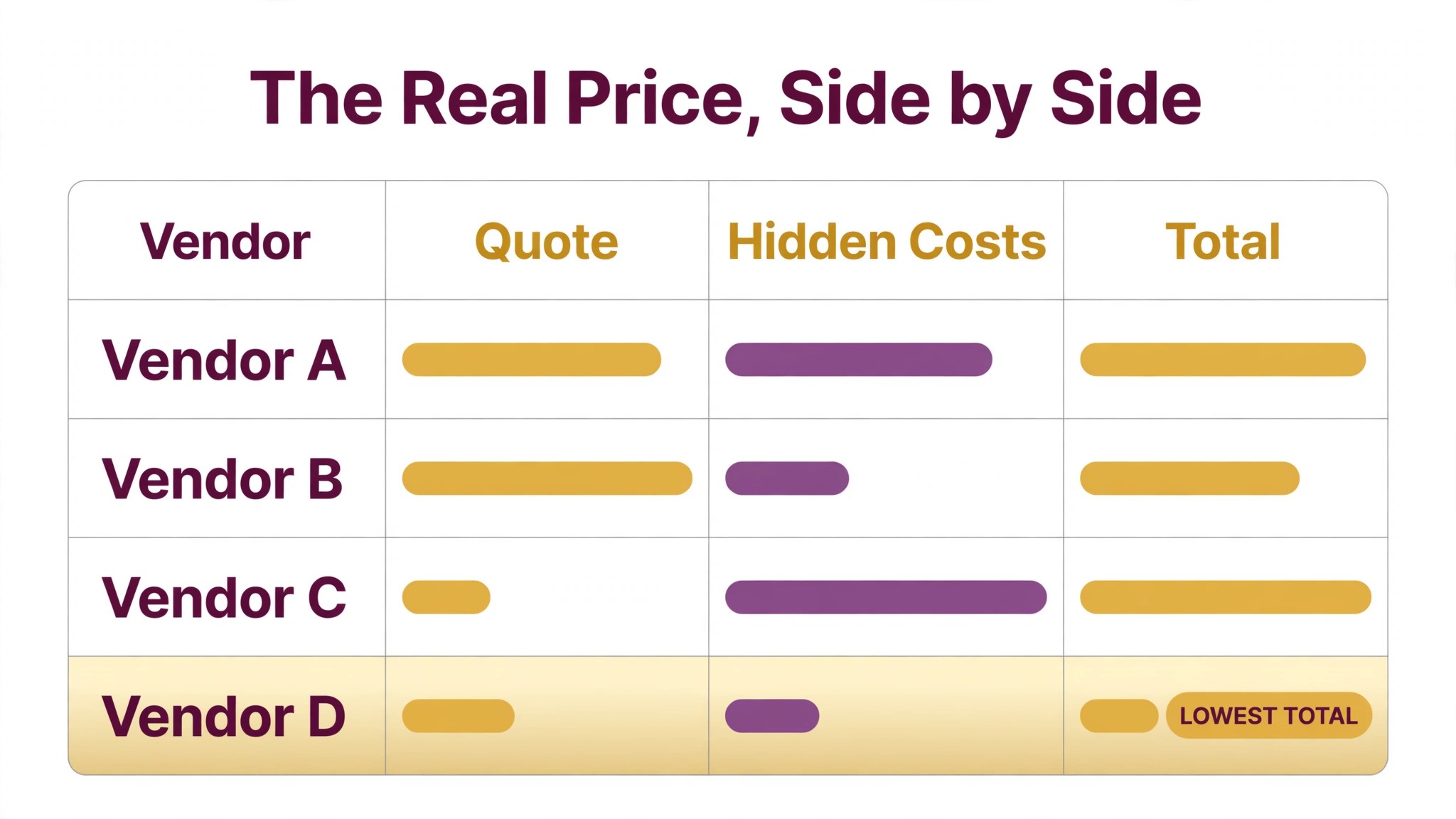
Quotes fail to compare when they describe different things. One caterer quotes food only, another quotes food plus staffing plus rentals, and a third quotes a package with a minimum spend that changes the total once the guest count moves. Comparing the headline numbers in that situation misleads the client and embarrasses the planner later, when the final invoice arrives higher than the chosen quote promised.
Fix the comparison by sending every vendor in a category the same brief. Same guest count, same service style, same hours, same venue, same inclusions to price separately, such as staffing, rentals, delivery and overtime. Ask each vendor to confirm what is included, what is excluded, and what triggers extra charges. When quotes return, line them up in one table with the same rows for every vendor, so gaps show up as blank cells rather than hiding inside paragraph text.
AI can draft that comparison table and flag the gaps, provided the brief was standardised first. It can pull totals, per guest figures, staffing counts and overtime rates into rows, and it can highlight where one vendor omitted a cost another included. The planner still verifies the figures against the original quotes, because a misread number in a comparison table is worse than a slow manual table. Check totals, check per guest maths, and check that any minimum spend or service charge is stated in the same way for every vendor.
Price is only one column in a good comparison. Add columns for availability confidence, past performance, flexibility on guest count changes, cancellation terms and the date the quote expires. A slightly higher quote with flexible guest count terms can be cheaper than a lower quote that charges heavily for every change, because guest counts almost always move in the final two weeks. Show the client the trade off plainly, and let the client choose with full information rather than on price alone.
Contract Milestones That Prevent Last Minute Surprises
A contract is a schedule of promises, and most event surprises come from promises that were never written as milestones. The deposit date, the menu finalisation date, the headcount deadline, the balance date, the insurance certificate date and the final walkthrough date should all appear as dated milestones in the planner system, with an owner and a reminder. When a milestone slips, the system should say so immediately, not at the final meeting when it is too late to recover.
Break contract management into four checks. First, the commercial check, covering total price, payment schedule, cancellation terms, overtime rates and what counts as a change that costs extra. Second, the service check, covering exactly what will be delivered, in what quantity, at what time and by whom. Third, the compliance check, covering insurance certificates, permits, food handling requirements and venue rules. Fourth, the change check, covering how changes are requested, priced and confirmed in writing. A contract that passes all four checks rarely produces a surprise on the day.
AI helps most with the tracking and the reading, not with the negotiation. It can extract milestone dates from a signed contract into the planner timeline, draft reminder messages as each date approaches, and flag a contract that lacks a key clause, such as a cancellation term or an overtime rate. The planner still reads the contract and negotiates the terms, because software cannot judge whether a cancellation clause is fair or whether a vendor pushback is a bluff. Use the machine to make sure nothing is forgotten, and use the human to make sure nothing unfair is signed.
Change orders deserve their own discipline. Every change after signing, from a guest count move to a room layout change, should be logged with the date, the requester, the price effect and the vendor confirmation. AI can keep that log tidy and can draft the confirmation message, but the planner should approve each entry. An unlogged change becomes a dispute at invoice time, and a dispute at invoice time poisons an otherwise good event and a vendor relationship the planner may need again.

A Load In Schedule That Keeps the Dock Clear
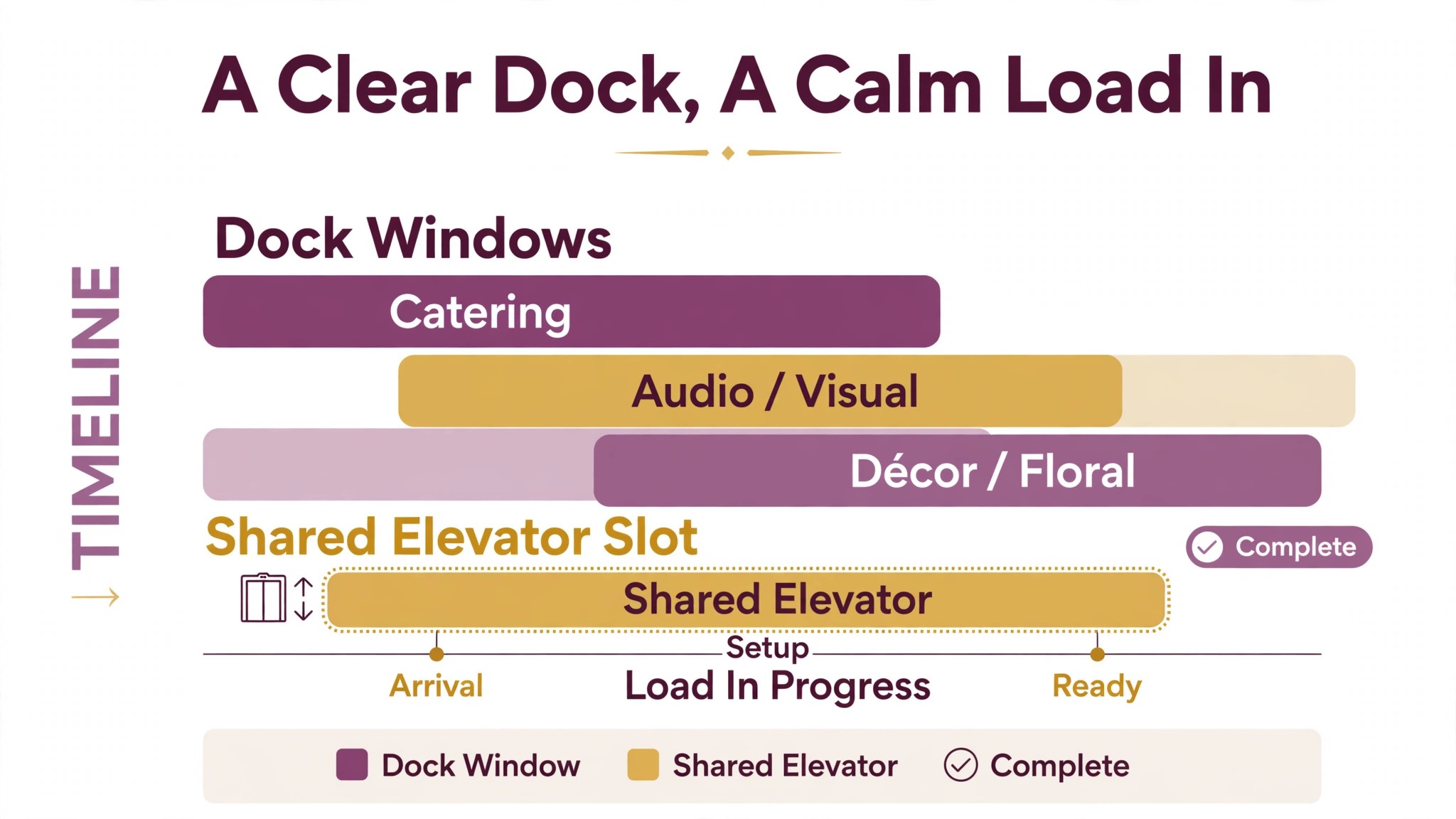
Load in is where good planning meets physics. Only so many vehicles fit at a dock, only one crew can rig lighting at a time, and the decorator cannot dress a room the AV crew is still cabling. A load in schedule that ignores those constraints will look fine on paper and collapse on the day, with crews waiting, tempers rising and setup running into guest arrival.
Build the schedule backward from doors open, not forward from first arrival. Fix the guest arrival time, then the final walkthrough, then sound and lighting checks, then catering setup, then decor, then AV rigging, then deliveries, then dock access. Each step gets a start time, an end time, a location, a crew size and a dependency, meaning the step that must finish before it begins. Standard planning guidance stresses staggering deliveries by vendor type and complexity, with specific windows and entry points, and that staggering is the core of a workable schedule.
Assign the scarce resources explicitly. Dock doors, freight elevators, power drops, parking bays and storage rooms should each appear in the schedule with their holder and their window. When two vendors need the same elevator in the same hour, the conflict should be visible a week before the event, not discovered when both crews arrive. AI can draft the first version of the schedule from vendor requirements and venue constraints, and it can flag overlaps, but the planner should walk the schedule mentally through the venue, room by room, before sending it out.
Confirm the schedule twice, once a week before and once the day before. Vendors change crew sizes, deliveries slip and venues move access times, and each change ripples through the schedule. Send updates as a new version with the changes highlighted, not as a fresh document vendors must compare line by line. A vendor who cannot see what changed will work to the old version, and the old version is the one that causes the dock queue.
The Day Of Packet Every Vendor Actually Reads
A day of packet fails when it is too long to read and too vague to act on. Vendors under time pressure read the first page, skim the rest and call the planner for everything else, which defeats the purpose. A packet that works is short, specific and organised by vendor, so each vendor can find their part in seconds and ignore the rest without missing anything that affects them.
Give every vendor the same front page, covering event name, date, venue address, planner mobile number, venue contact, emergency procedure and the single most important timing, which is doors open. Then give each vendor their own section, covering arrival time and entry point, contact on site, setup window, location in the venue, power and access needs, handover point and load out time. End with a shared timeline of the event itself, so every vendor knows when speeches, service and entertainment happen, even if their part ends earlier.
AI can assemble the packet from the vendor records, the schedule and the contract milestones, and it can tailor each vendor section automatically. The planner should still read every vendor section before sending, checking names, times and entry points against the latest schedule. One wrong entry point in an otherwise perfect packet sends a crew to a locked door, and that crew will remember the packet as unreliable for the next event.

Best Pick by Job for Event Vendor Coordination Tools
Tool choice should follow the planner shape, not the feature list. A solo planner running weddings needs a different system than a corporate team running conferences, and both will regret buying the other system. The table below sorts the main approaches by the job they do best, based on how vendors position them and how planners describe using them in practice.
| Planner shape | Best fit approach | Why it fits |
|---|---|---|
| Solo planner or small team | A project tool plus templates and shared docs | Low cost, fast setup, and vendor records and schedules in tools the team already knows |
| Growing team with repeat events | Event software with vendor and timeline features | Vendor records, milestones and day of packets in one place, with less manual chasing |
| Corporate or conference team | Full event platform with registration and reporting | Handles large vendor lists, multi day schedules and stakeholder reporting in one system |
| Planner already on a CRM | The CRM plus a scheduling and document layer | Keeps client and vendor history together, with a lighter event specific layer on top |
Read the table as a starting point, not a verdict. A solo planner planning fast growth may prefer event software early, because migrating vendor history later is painful and error prone. A corporate team that values flexibility may prefer the project tool approach and accept manual workarounds for registration. Pilot any tool on one real event, with at least five vendors, and judge it on load in day, because a tool that looks tidy in planning and fails under load in pressure is the wrong tool.
Pricing needs a written quote for the real event volume and team size, because published prices rarely tell the full story. Some tools charge per event, some per user, some per vendor record, and some for premium features such as branded client portals. Map the price at the current volume and at double the volume before committing, and ask what happens to past event records if the subscription ends, because vendor history is an asset the planner should never lose to a cancelled subscription.
What to Automate and What to Keep Human
Automation works best on repeatable steps with clear inputs. Vendor record updates, milestone reminders, quote comparison tables, first draft outreach messages, schedule overlap flags and day of packet assembly are all strong candidates. These steps save hours every event, they rarely need judgment, and a mistake is usually visible before anything goes to a vendor. Automate them first, and measure the chasing time saved before adding anything more complex.
Keep a human on anything involving negotiation, disappointment or a change of plan. A vendor price negotiation, a client told their first choice caterer is unavailable, a last minute venue rule change and a crew problem on the day all need a person. Software can draft the message, but a person should decide what it says, because tone and relationships matter when a vendor is being asked to stretch. The same rule applies to any vendor record where the evidence is thin or contradictory. If the system is guessing about reliability, a planner should call and ask, not let the guess become a booking.
A practical split for a first rollout looks like this. The system tracks milestones, drafts messages and assembles packets. The planner reviews every vendor shortlist, every contract milestone and every day of packet before it goes out. That review list shrinks as confidence grows, but the packet check should never disappear, because a single wrong time in a packet reaches every vendor at once. Speed without accuracy on event day is worse than a slower manual packet that every vendor can trust.
Costs and Trade Offs of Vendor Coordination Software
The cost when you use AI for event planner vendor coordination is not one subscription. It is the platform, any document or messaging add on, the time to build vendor records and templates, and the planner hours spent checking drafts in the early events. Planners already paying for event software may add AI features for a smaller increment. Planners moving from email and spreadsheets pay for the whole platform at once, plus setup, and should budget for a slower first event while records and templates are built.
The trade offs are real and worth naming. A full event platform gives vendor history, milestones and packets in one place, but it takes longer to set up and may force an unwanted workflow. A project tool approach gets a small team running in days, but it needs manual discipline to keep records current, and that discipline fades under event week pressure. An AI drafting feature saves message time, but it can also produce polite messages that miss a critical detail, such as a changed entry point, which confuses vendors if nobody checks.
None of these trade offs is a reason to avoid the tools. Match the tool to the team size you have now, with a clear path to the size you plan to reach.
There is also a hidden cost worth budgeting for, which is record maintenance. Vendors change prices, contacts, capacities and insurance status, and a record that is a year out of date misleads the shortlist. Assign that maintenance to one person, refresh core vendor records each season, and treat a stale record as a risk to flag, not a detail to ignore. A shortlist built on stale records is worse than a shortlist built from scratch, because it looks reliable while being wrong.
Mistakes That Break Vendor Coordination
The most common mistake is automating a broken vendor list. If vendor records are vague today, AI shortlists built on those records will be vague faster. If quote briefs differ by vendor today, AI comparison tables will compare unlike with unlike. Fix the records and the brief first, with written standards for what a vendor record must contain and what a quote brief must specify, then let software apply those standards. Software scales whatever you feed it, good or bad.
The second mistake is giving vendors windows the venue cannot support. A load in window that ignores dock capacity, elevator sharing and power limits creates a queue that no amount of messaging can fix. Build the schedule from the venue constraints, not from vendor preferences alone, and protect buffer time between crews that share a scarce resource. A schedule with honest buffers finishes on time more often than a packed schedule that looks efficient and fails at the first delay.
The third mistake is sending the day of packet once and assuming it was read. Vendors skim, vendors forward old versions to crew members, and vendors miss updates buried in email threads. Send the packet two days before, confirm receipt from each lead vendor, highlight changes in every update, and keep a printed master at the planner station. Confirmation is a small chore that prevents the large failure of a crew working to an outdated plan.
The fourth mistake is ignoring vendor feedback after the event. Vendors know which load in windows were unrealistic, which instructions were unclear and which venue rules caused friction. If they stop reporting those problems because nobody acts on them, the next event repeats the same errors with confidence. Hold a short debrief after each event, fix the top three recurring complaints in the templates, and tell vendors what changed. That loop turns a generic system into one shaped for your venues and vendors.
Vendor Coordination Checklist for the First Event With AI Help
Use this checklist to roll out a plan to use AI for event planner vendor coordination without breaking the next event.
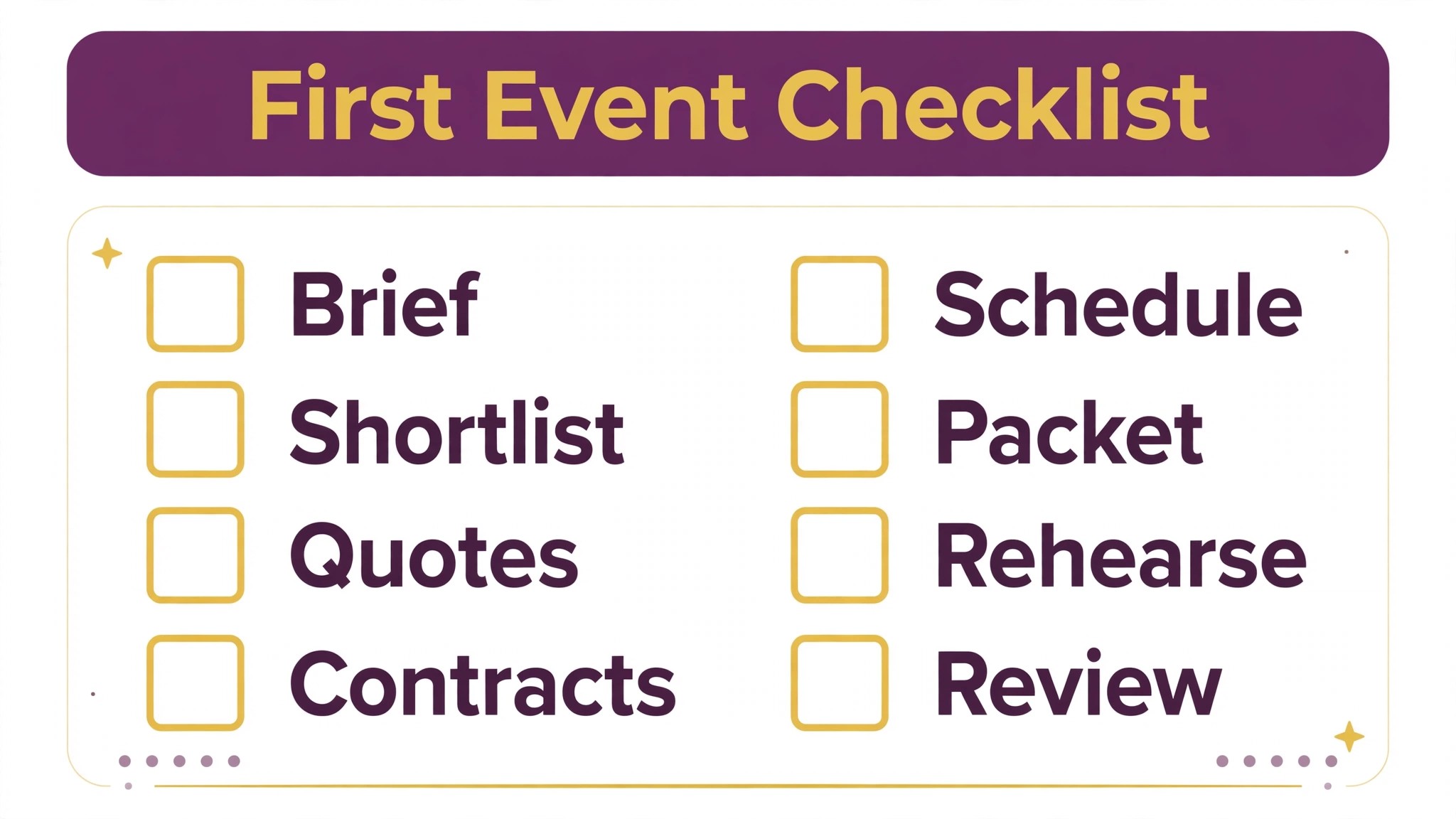
1. Write the event brief in full, covering guest count, event type, venue, budget range, style, dietary needs, technical needs and load in constraints. 2. Build or clean vendor records for every category, with contact, capacity, price range, insurance status and a planner reliability note. 3. Send every vendor in a category the same quote brief, with inclusions, exclusions and extra charge triggers stated plainly. 4. Line up quotes in one table with the same rows for every vendor, and flag every blank cell before the client decides. 5. Extract every contract milestone into the timeline, with an owner and a reminder, and log every change order in writing. 6. Build the load in schedule backward from doors open, assigning dock doors, elevators, power drops and parking explicitly. 7. Assemble the day of packet by vendor, confirm receipt from each lead vendor, and print a master copy for the planner station. 8. Debrief vendors after the event, fix the top three recurring problems in the templates, and refresh the bench vendor for each critical category.
That checklist is deliberately short. A longer rollout plan looks impressive and gets ignored. Eight steps, done properly, change coordination more than a fifty page manual that nobody reads.
How to Measure Vendor Coordination Results
Measurement should start before you use AI for event planner vendor coordination at scale, so the improvement is visible rather than claimed. Record four numbers for one event on the old method. First, the hours spent chasing vendors per event. Second, the number of missed or late milestones per event. Third, the number of day of vendor queries that the packet should have answered. Fourth, the number of load in conflicts or delays on the day.
After rollout, track the same four numbers per event, plus two more. Track the vendor confirmation rate, meaning the share of lead vendors who confirm the packet before the event, because a low rate predicts day of confusion. Track the change order dispute rate, meaning changes disputed at invoice time, because a falling rate shows the change log is working. A planner who only tracks events delivered will miss the quality change, since an event can succeed while the coordination behind it was chaotic and unrepeatable.
Set targets that fit the starting point. A planner drowning in chasing should aim to cut chasing hours first, because every hour saved can go back into client experience or the next event. A planner with good chasing but frequent milestone slips should focus on contract tracking and reminders. A planner with strong tracking but chaotic load in days should focus on the schedule and scarce resource assignment. One priority at a time beats five targets chased at once, because the team can see which change caused which result.

The Vendor Coordination Verdict for Planners Who Want Calmer Event Days
The best approach when you use AI for event planner vendor coordination is to treat software as a disciplined organiser, not a replacement planner. Let it keep records current, track milestones, draft comparisons and assemble packets. Keep people on shortlists, negotiations, bad news and every decision where the record is thin or the stakes are high. That split gives a small team the coverage of a larger office without losing the relationships vendors trust.
Start small, with one event and five vendors, then expand once milestone slips fall and packet confirmations rise. Choose the tool that fits the team you have, with room to grow, and judge it on load in day rather than demo day. Measure chasing hours, milestone slips, packet queries and load in conflicts, and fix the worst number first. Done that way, coordination software pays for itself in fewer frantic event weeks, fewer dock queues and calmer days for everyone, from the first vendor brief to the final load out.
Frequently Asked Questions
Will vendors mind dealing with AI drafted messages?
Most vendors care about clarity and accuracy, not about who drafted the first version, provided the message is correct and a planner is reachable for questions. Keep messages specific, with names, times, entry points and prices stated plainly, and review every message before it goes out. A clear drafted message beats a rushed human message with a wrong time, and vendors judge the planner on the result, not the production method.
Can AI really compare quotes fairly?
It can compare quotes fairly only when every vendor received the same brief. Send the same guest count, service style, hours, venue and inclusion list to every vendor in a category, then let software line up the totals and flag gaps. The planner still verifies the figures against the original quotes, because a misread total in a comparison table misleads the client more than a slow manual table ever would.
What should I do when a vendor misses a contract milestone?
Contact the vendor the day the milestone slips, not at the next scheduled meeting, and ask what is blocking it. Log the slip, agree a new date in writing, and check whether the slip affects later milestones, such as headcount deadlines or balance payments. A single slipped milestone is normal. A pattern of slips from one vendor is evidence for the reliability record, and it should affect the next shortlist.
How early should the day of packet go out?
Send the packet two days before the event, confirm receipt from each lead vendor, and send highlighted updates for any change after that. Earlier packets go stale as details change, while later packets leave vendors no time to brief their crews. Keep a printed master at the planner station on the day, because phones run out of battery and venue wifi fails at the worst moment.
Do small planners benefit from coordination software?
Yes, because even a small planner juggles several vendors per event, and the chasing load grows faster than the event count. Vendor records, milestone reminders and packet assembly pay off at any size, and the cost is usually one tool subscription rather than new staff. Start with records and reminders, which show results within one event, and add quote comparison and packet assembly next.
What if a vendor never confirms the packet?
Treat non confirmation as a risk flag, not a minor admin gap. Call the lead vendor directly, confirm the arrival time, entry point and setup window by voice, and note the confirmation in the record. If the same vendor repeatedly fails to confirm, that pattern belongs in the reliability note and should affect future shortlists, because a vendor who cannot confirm a packet is a vendor who may not follow it on the day.
More Reading on Stratilyze
– Use AI for Plumbing Company Dispatch – Automate Small Business with AI – Best Website Builder for Tradespeople – Best Quote Software for Trades Businesses