
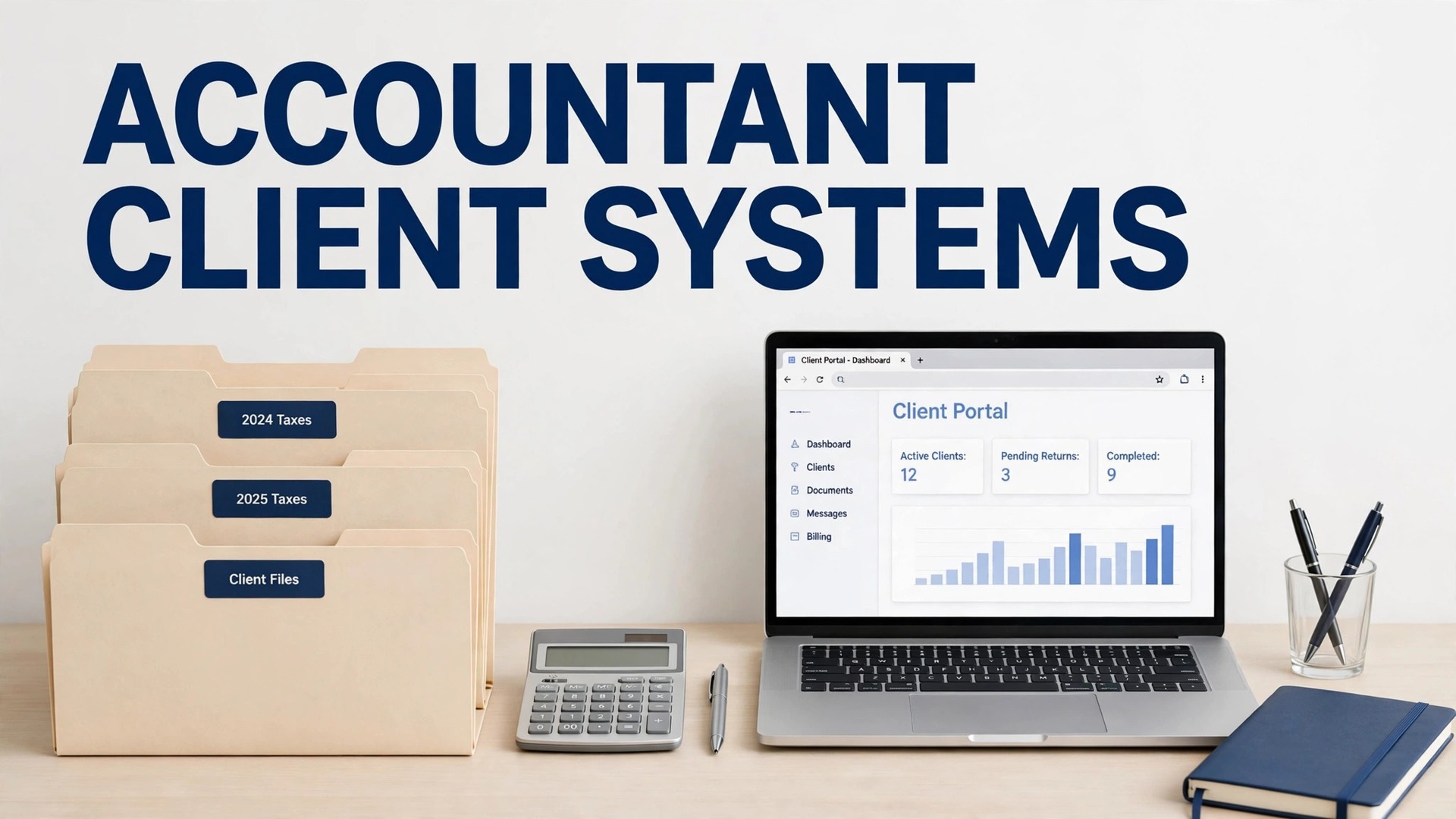
Karbon looks like the strongest all round system for a growing firm, TaxDome wins when the client portal is the priority, and Financial Cents wins on price for a solo accountant. That split is the honest answer to which tool is the best client management software for accountants, because a solo practice and a twenty person firm do not buy the same thing, even when they use the same words to describe it.
An accounting firm lives or dies on work that arrives in the wrong format, at the wrong time, from clients who are busy running their own businesses. A good client management system turns that chaos into a workflow. It tracks who owes what, chases documents automatically, stores signed returns safely, and shows the whole firm what is done, what is waiting and what is overdue.
This guide compares seven tools on the points that matter in a real practice. Portal quality, document collection, workflow automation, billing and price per seat all get a fair hearing, including the limits that vendor demos skip. Prices are starting points on annual billing where stated, and seasonal staff costs deserve a close look before you sign.
Seven systems side by side
Start here for price and fit, then read the tool sections for the trade offs that decide a purchase. Annual billing is common in this category, and some tools charge a full year per seat upfront, which changes the cash flow picture for a small firm.
| Tool | Starting price | Best for |
|---|---|---|
| Karbon | From $59 per user per month, billed annually | Growing firms where work runs through email |
| TaxDome | From $800 per seat per year | Tax and accounting firms wanting one portal |
| Canopy | From $74 per user per month, billed annually | Tax practices and tax resolution work |
| Financial Cents | From $19 per month for Solo | Solo accountants and small firms |
| Jetpack Workflow | From $40 per user per month, billed annually | Firms needing recurring task tracking only |
| Uku | From $19 per member per month, billed annually | Small firms watching profitability |
| Xero Practice Manager | Included with Xero partner plans | Firms already running on Xero |

Why the best client management software for accountants beats a generic CRM
A generic CRM tracks sales. An accounting practice tracks recurring work with deadlines, documents and approvals. A tax return, a monthly bookkeeping close and a payroll run each have their own steps, owners and client dependencies. A practice system builds those jobs as repeatable workflows, so a new hire can follow the same process that a senior partner follows, without reinventing it each season.
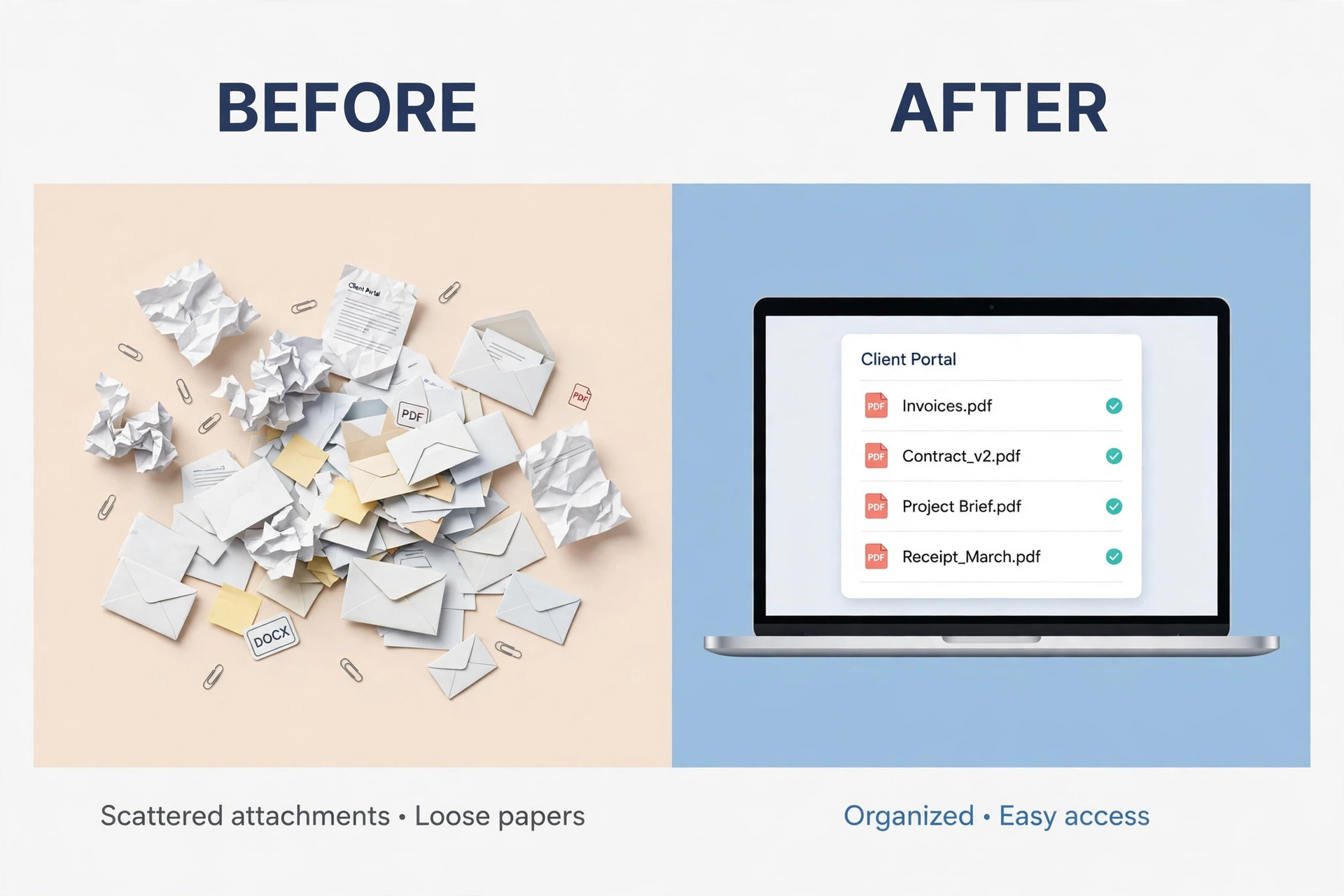
Document collection is the second difference. Clients send bank statements, receipts and tax forms by email, text and paper, and staff waste hours chasing missing items. A practice portal gives each client one secure place to upload, sign and message, with automatic reminders when a document is late. That single change can cut the most frustrating part of tax season more than any other feature.
Security and audit trail form the third difference. Client financial data needs controlled access, permission levels and a record of who viewed or changed a document. A generic CRM rarely offers that depth, while practice tools are built around client confidentiality, e-signatures and secure storage as core features, not add-ons added later.
Finally, a practice system connects work to billing. When a job is marked complete, an invoice can follow, and when a client pays late, the system can show it alongside the work status. That link stops the common firm problem where work is done, invoices lag, and cash flow suffers even though the team is busy.
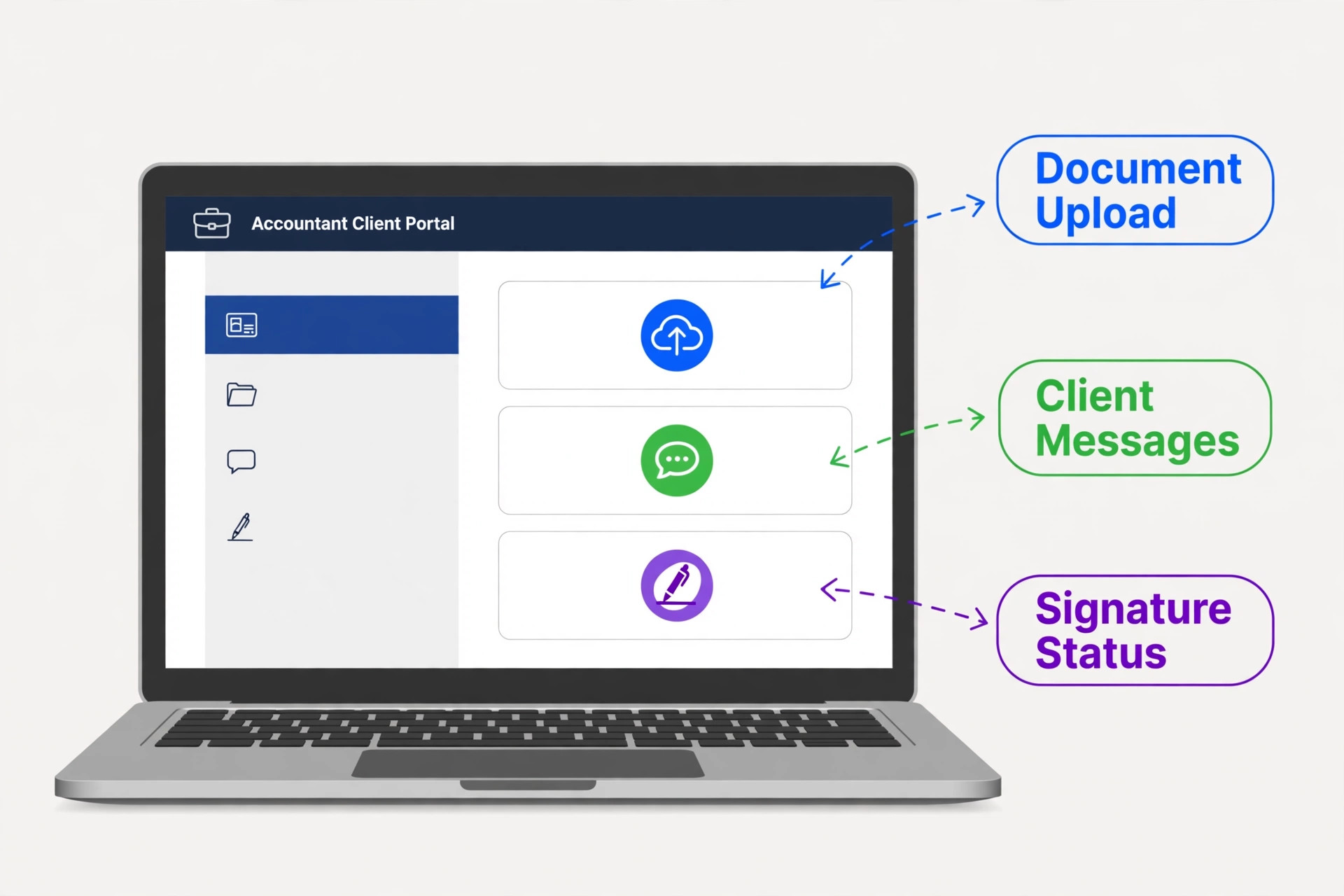
Karbon
Karbon excels where client work arrives by email. It turns emails into tasks, assigns work across the team, and shows every job, deadline and owner on one workflow board. Collaboration is its strength, with comments, notes and client requests tied to the job itself, so nothing hides in a personal inbox when someone is on leave.
The Team plan at $59 per user per month lacks automatic client reminders and API access, so many firms need the Business plan at $89 per user per month from day one. E-signatures need a separate DocuSign add-on, which adds cost. Choose Karbon for email driven teamwork at scale, and skip it if you want a complete portal and billing suite in the base price.
TaxDome
TaxDome is the most complete all in one option in this list. Every plan includes a CRM, a branded client portal with a mobile app, e-signatures, intake forms, proposals, payments and ready made workflow automations. For a tax heavy firm, that breadth means one system for the client journey from first enquiry to signed return and paid invoice.
The trade off is commitment. TaxDome bills annually upfront with no monthly option, and onboarding packages are reported from $999 to $3,499. A solo accountant paying $800 a seat per year must be sure the portal and automation will be used daily. Choose TaxDome for a polished, complete portal, and skip it if monthly billing flexibility matters more.
Canopy
Canopy suits tax heavy practices, including tax resolution work, with a portal, document management, workflow and billing in a modular system. Its tax preparation tools and newer AI features, including document renaming and smart prep assistance, aim to cut the manual work around returns and IRS cases.
Modular pricing means the headline tier is not the full cost. Workflow, document management and billing can be separate paid add-ons on top of the base fee, so the real total per user can climb well above $74. Choose Canopy for tax depth, and skip it if you want a single, predictable all in price without add-on maths.
Financial Cents
Financial Cents is the value pick for a solo accountant or small firm that wants to be running in a week. The Solo plan starts at $19 per month, the Team plan at $49 per user per month on annual billing, and the system covers workflows, client portal, document collection and reminders without the enterprise price tag of larger rivals.
It is less deep than Karbon on email driven collaboration and less complete than TaxDome as a billing suite, though for most small firms that gap never matters. Choose Financial Cents for fast setup and fair pricing, and skip it if your firm needs the deepest workflow automation for a large team.
Jetpack Workflow
Jetpack Workflow does one job well. It tracks recurring client work, deadlines and owners, with templates for monthly, quarterly and annual jobs. A firm that already has a portal and billing tool, and only needs reliable workflow tracking, will find it simple, stable and easy to adopt.
It has no built in client portal, so document collection and client messaging still need another tool. That split can be fine for a firm with an existing portal, but it is a deal breaker for a firm wanting one system. Choose Jetpack for pure workflow discipline, and skip it if you want client facing features included.
Uku
Uku combines workflow, time tracking, billing and profitability reporting, which helps a small firm see which clients actually make money. Its Solo plan starts at $19 per member per month, and its modular approach lets a firm add features as it grows, without paying for a large suite on day one.
It is newer and smaller in market presence than Karbon or TaxDome, so integration breadth and community resources are thinner. Choose Uku when profitability insight and flexible billing matter, and skip it if you want the largest vendor ecosystem and longest track record.
Xero Practice Manager
Xero Practice Manager suits a firm already committed to Xero, since it is included with partner plans at Silver status and above, or from $149 per month for up to 10 users for new and Bronze partners. It covers jobs, time, invoicing and client records inside the Xero world, with no separate practice subscription to manage.
It has no built in client portal, so firms still need a separate tool for secure document collection and client messaging. That gap matters during tax season. Choose it when Xero is already the centre of the firm, and skip it if a portal is the main reason you are buying.
Pick by firm size and season shape
A solo accountant, a small firm and a seasonal practice face different pressures. This table matches the system to the firm, not to the vendor with the loudest marketing. The best client management software for accountants for a solo practice is rarely the same system a fifteen person firm would choose.
| Your situation | Best pick | Why it fits |
|---|---|---|
| Solo accountant | Financial Cents | Low entry price, fast setup, enough portal and workflow for one person |
| Small firm, steady growth | Karbon | Email driven workflow and team collaboration that scales |
| Seasonal practice, tax heavy | TaxDome | Complete portal, automation and billing for peak season volume |

Document collection checklist for tax season
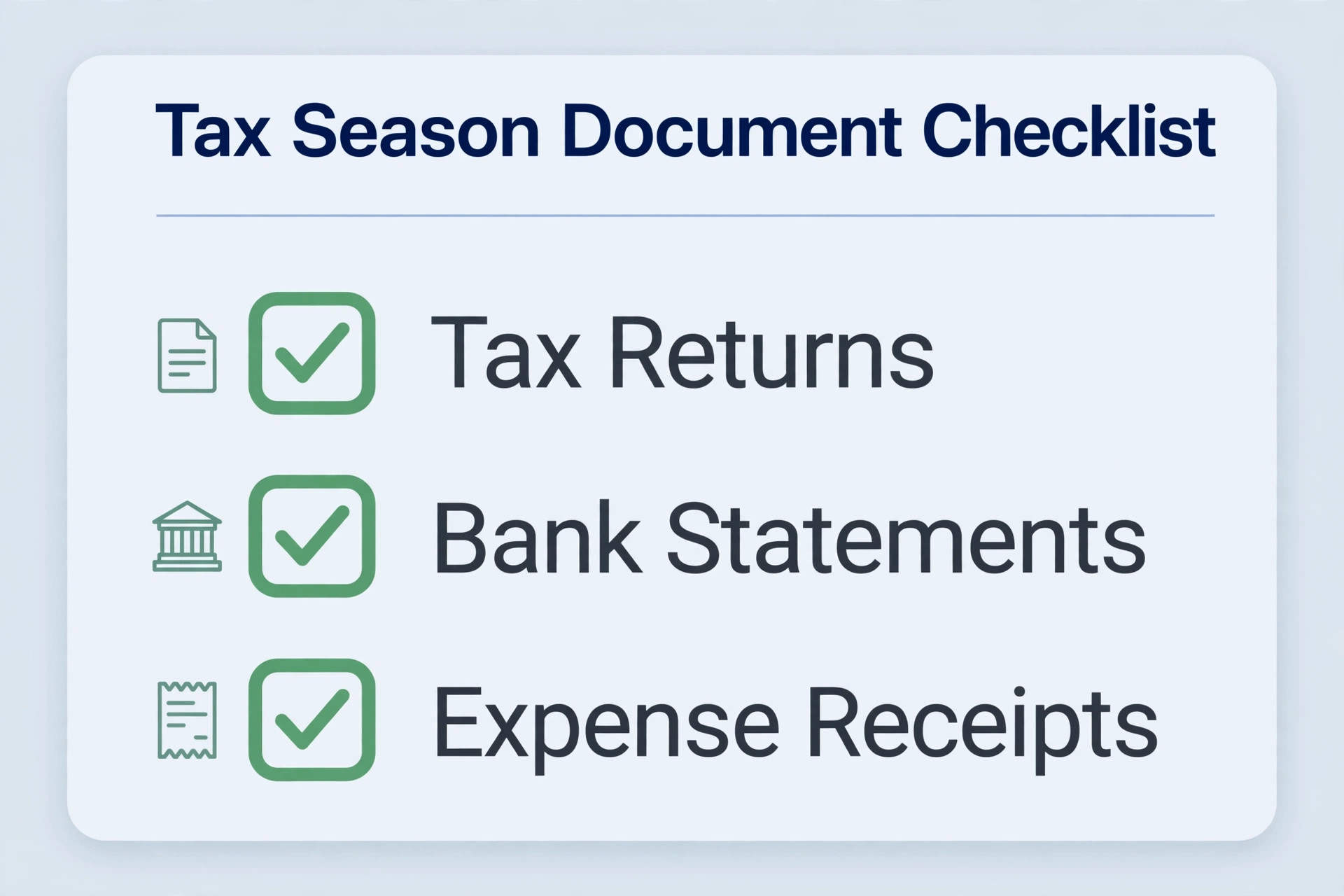
The portal only helps if clients use it. Use this checklist to set up collection before busy season, and the chasing emails almost disappear. The best client management software for accountants still fails when clients are asked for documents at the last minute with no clear list.
– Build a standard document list for each service, with tax returns, bookkeeping and payroll lists kept separate. – Send the list eight weeks before the deadline, with a single portal link and a named contact for questions. – Turn on automatic reminders at two weeks, one week and three days before the deadline, with no manual chasing. – Allow clients to upload from a phone, since many will photograph documents rather than scan them. – Mark each document as received, reviewed or missing in the workflow, so staff never ask twice for the same file. – Lock completed returns behind e-signature before filing, and store the signed copy in the client record. – Give seasonal staff portal access limited to their assigned clients, and remove it when the season ends. – Review uncollected documents weekly in busy season, and call the top ten late clients personally each Friday.
What a firm really pays per year
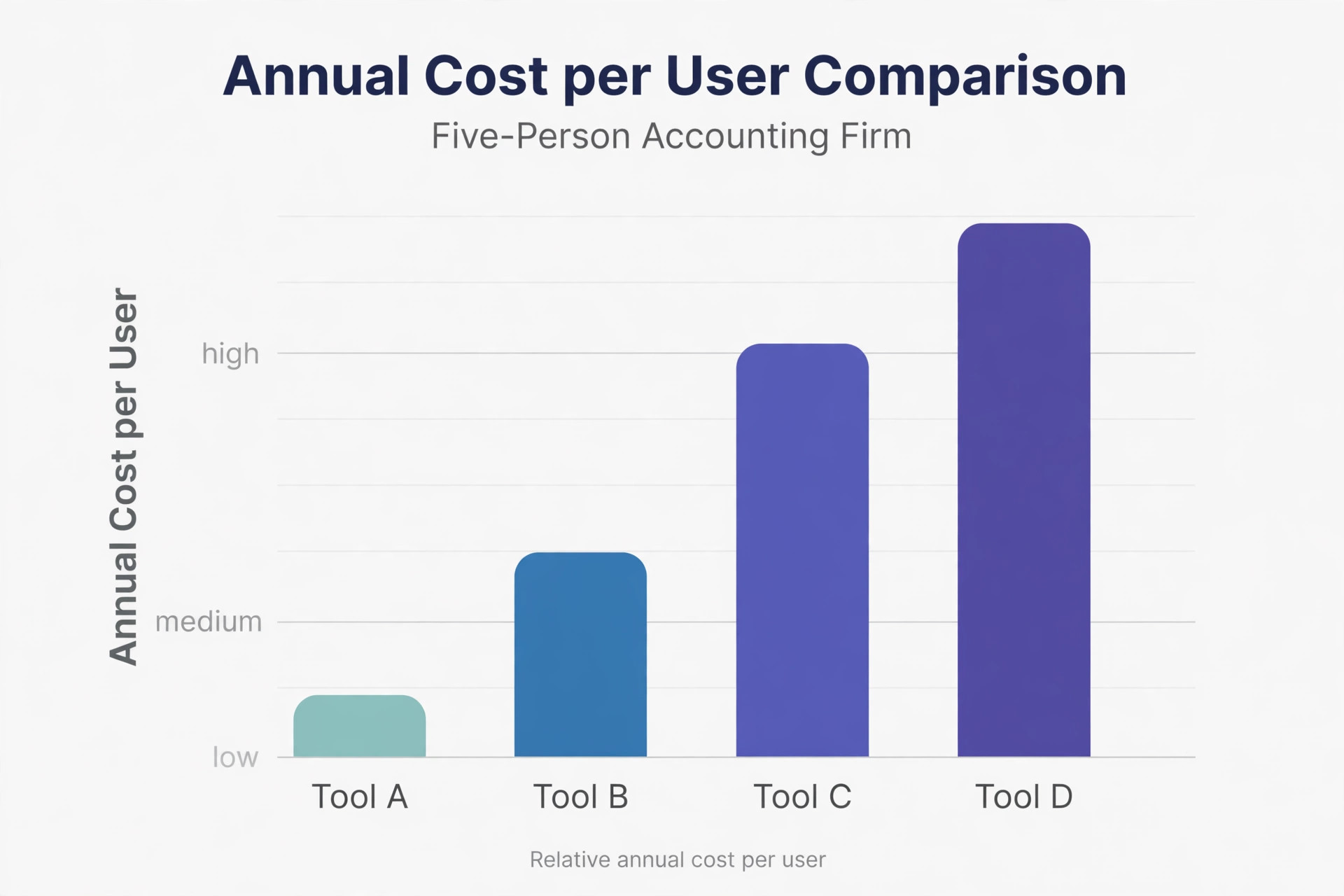
Work in annual totals, since most tools bill annually. Karbon Team at $59 per user per month costs $708 per user per year, and Business at $89 costs $1,068. TaxDome Essentials at $800 per seat per year and Pro at $1,000 look similar on paper, but TaxDome charges the full year upfront, while Karbon spreads the annual rate monthly. Cash flow, not just total, should shape the choice for a small firm.
Seasonal staff change the maths. A firm that adds three temporary staff for four months should check whether seats can be added and removed, or whether each seat is a full year commitment. A tool that allows flexible seats can save thousands in a seasonal practice, while a rigid annual seat model punishes exactly the firms that need help at peak times.
Add the extras that vendor pages bury. Canopy add-ons for workflow, documents and billing can push the real total well above the headline tier. Karbon e-signatures through DocuSign add cost, and TaxDome onboarding can add $999 to $3,499. Ask for a written total for your team size, including add-ons, before signing, and compare that number, not the advertised starting price.
Finally, count migration time. Moving client records, templates and workflows from spreadsheets or an old system takes days, and staff need training before busy season, not during it. A cheaper tool that takes a month to adopt can cost more in lost billable hours than a pricier tool that the team learns in a week. Start migration in a quiet month, and run one service line first.
Client onboarding sets the tone for the whole relationship, and a practice system should make it feel professional from the first message. A new client who receives a clear portal invitation, a document list and a timeline for first deliverables will trust the firm quickly. A new client who receives scattered email requests over several weeks will wonder whether the firm is organised enough to handle their tax affairs. Build one onboarding workflow per service and use it for every new client without exception.
Workflow templates are the real asset in practice software, not the dashboard. A firm should build templates for tax returns, monthly closes, payroll runs and annual accounts, each with steps, owners, deadlines and client dependencies. Those templates make training faster, make quality consistent, and make it possible to see where a job is stuck. A firm that buys software without building templates will simply move its existing chaos into a prettier interface.
Client communication inside the portal protects both sides. Messages tied to a job, with documents attached to the same record, create a clear history that email cannot match. When a client asks what was requested and when, staff can point to the portal record instead of searching inboxes. That history also helps when staff change, because a new team member can read the full client story without asking colleagues to reconstruct it from memory.
Pricing and scope should live close to the workflow, not in a separate spreadsheet. When a job grows beyond its original scope, the system should make it easy to flag the change, agree a revised fee and record the agreement. Firms that track scope informally often do unpaid work for months before noticing. A practice system that links jobs, time and billing makes scope creep visible early, when it can still be discussed fairly with the client.
Security practices deserve a written policy, not just a vendor promise. Staff should use two factor authentication, strong passwords and role based access, and should never download client documents to personal devices. The firm should review access quarterly, remove seasonal staff promptly, and train new hires on data handling before they touch a client file. A secure portal with weak staff habits is still a risk, and clients trust firms that take data protection seriously.
Reporting for a firm should answer three questions each week. Which jobs are overdue, which clients owe documents, and which invoices are unpaid. A practice system that cannot answer those questions at a glance is not doing its main job, no matter how many other reports it offers. Build a weekly review around those three lists, assign owners to each overdue item, and track whether the lists shrink over time. That discipline is what turns software into management.
Migration from spreadsheets or an old system needs a quiet month and a clear order. Start with active clients, then recent clients, then archived clients, and keep the old system read only during the transition so no work is lost. Test the migration with a small group first, check that documents, deadlines and notes arrive intact, and train staff on the new workflow before busy season. A rushed migration during tax season will create errors that take months to untangle.
Advisory work is where practice software can add real value beyond compliance. A firm that tracks client goals, business performance and key dates can offer timely advice, not just annual returns. The system should record advisory notes alongside compliance jobs, so a partner can see the full client picture before a meeting. Firms that use practice software only for deadlines will miss the advisory revenue that makes a practice more profitable and more resilient.
Finally, choose a system that the smallest team member can use confidently. A powerful tool that only senior staff understand will create bottlenecks, because every job must pass through the same few people. A tool that junior staff and seasonal hires can learn in days spreads the work, reduces key person risk, and lets senior staff focus on review and advice. Test usability with a junior team member during the trial, not just with the partner who chose the tool.
Choosing the best client management software for accountants for a firm that plans to grow is different from choosing for a firm that plans to stay small. A growing firm needs permission levels, workflow templates and reporting that work for ten staff, not just three, while a stable solo practice needs simplicity and low cost above all else. Decide which firm you will be in three years, not just which firm you are today, and choose the system that fits that future without forcing a painful migration in the middle of a busy season.
Document security should be reviewed with the same seriousness as pricing, because a single data incident can damage a firm reputation for years. Ask vendors about encryption, access logs, data location and breach procedures, and check whether client documents can be exported securely if you leave. A firm that can answer client questions about security confidently will win larger clients, while a firm that cannot answer them will lose trust before work even starts.
Workflow reporting should be simple enough for a weekly partner meeting. A board that shows jobs by stage, overdue items and clients awaiting documents gives partners a clear picture in five minutes. A report that requires filtering, exporting and manual calculation will be ignored, and overdue jobs will hide until a deadline forces attention. Choose reporting that partners will actually open every Monday morning.
Client pricing conversations become easier when job data is visible. A firm that knows how long each client job takes, how many document chases it needed, and how often scope changed can price renewals fairly and explain fee increases with evidence. That data also reveals clients who cost more than they pay, allowing a calm conversation about fees or scope before resentment builds on either side.
Finally, keep one person responsible for system health, even in a small firm. That person owns templates, permissions, portal setup and quarterly list cleaning, and ensures that new hires learn the same workflow as existing staff. Without an owner, a practice system slowly drifts, with each staff member inventing their own workaround, until the firm is paying for a system that nobody fully trusts.
When a firm compares systems, the best client management software for accountants is the one that staff open every morning without being told, because daily use is what keeps workflows current and deadlines visible. A system that only partners open will always lag behind reality, while a system that the whole team trusts becomes the single source of truth for client work. Test daily use with junior staff during the trial, and choose the best client management software for accountants based on that real adoption, not on a demo presented to partners alone.
Practice mistakes that software alone cannot fix
One common mistake is buying the largest suite before the firm has standard workflows. A powerful tool with no standard process just automates confusion faster. Document the steps for a tax return, a monthly close and a payroll run first, then choose the tool that fits those steps, not the tool with the longest feature list.
Another mistake is launching the portal without telling clients why it helps them. Clients who receive a portal link with no explanation will keep emailing documents, and staff will keep chasing two systems at once. A short launch message, a one page guide and a phone number for help will move most clients to the portal in the first month.
A third mistake is giving every staff member full access to every client. That creates privacy risk and confusion, especially with seasonal staff. Set access by role and by assigned client, review permissions quarterly, and remove seasonal access promptly when the season ends. Good access control protects the firm as much as it protects clients.
A fourth mistake is measuring activity instead of completion. A board full of tasks started tells the manager nothing about what is ready to file. Track jobs by stage, with clear definitions for waiting on client, in review and ready to file, and review overdue jobs weekly. That discipline turns a workflow tool into a management tool.
How to test finalists before busy season
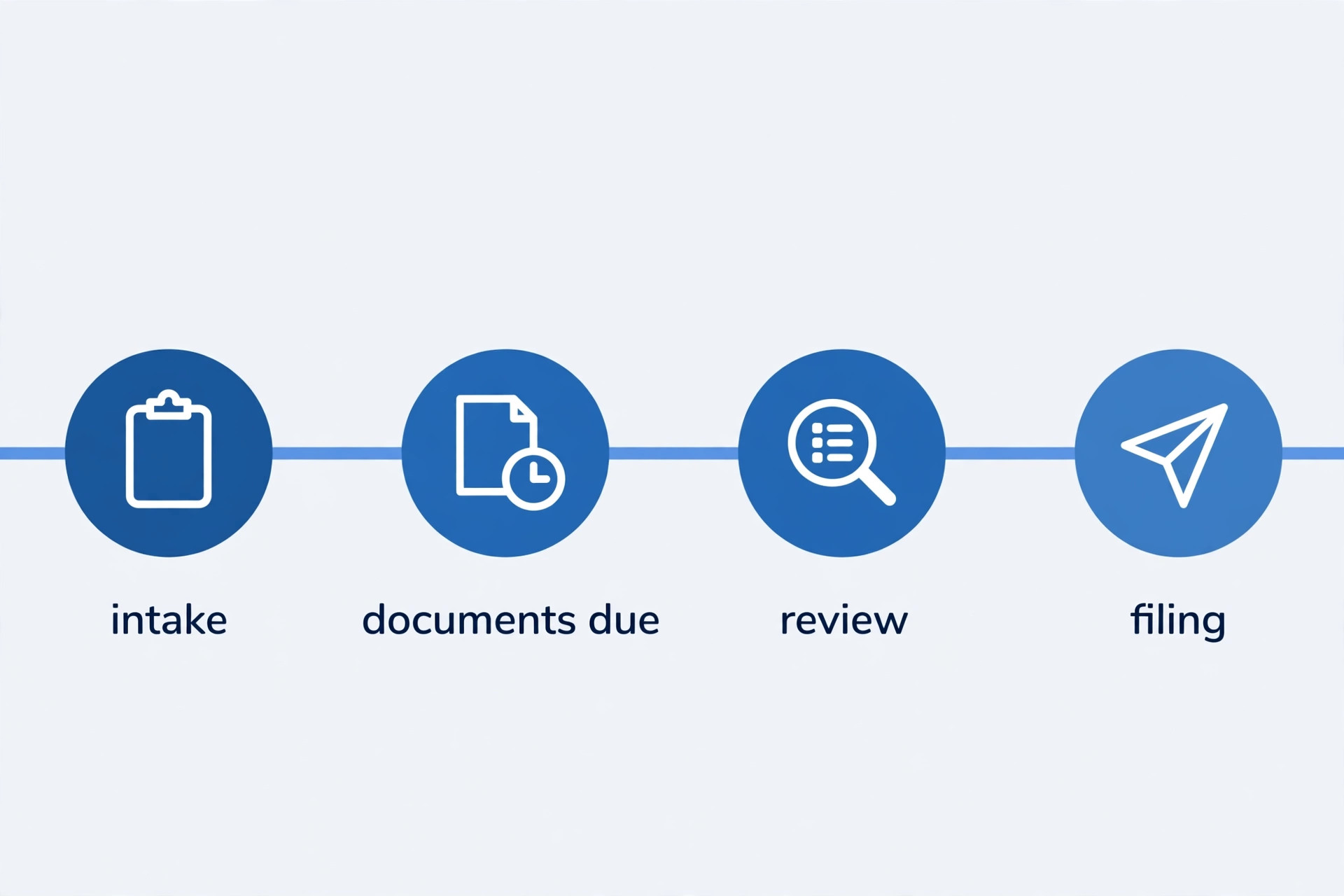
Test with a real client file, not a demo file. Import a small set of real clients, build one tax workflow and one monthly bookkeeping workflow, and run them for two weeks. Note where staff get stuck, where clients get confused, and where the system needs a workaround. A demo never shows those friction points.
Test document collection with a friendly client. Send the portal link, the document list and a reminder, then watch the client experience from their side. If uploading from a phone is awkward, or if the reminder wording confuses the client, fix the setup now. During busy season, that friction multiplies across hundreds of clients.
Test billing and e-signature end to end. Complete a job, send an invoice, collect a payment and get a document signed, all inside the trial. A tool that handles workflow beautifully but forces billing into a separate system may still be right, but you should choose it knowing the split, not discovering it after purchase.
End with a seat and season check. Price the tool for your core team, for peak season staff and for a year of growth. Ask about contract length, seat flexibility and exit terms, including how client data can be exported. A practice system holds years of client history, so the exit path matters as much as the entry price.
More Reading on Stratilyze
– Best Accounting Software for Small Businesses – Best Tax Preparation Software for Accountants – Best Bookkeeping Software for Freelancers – Best Invoicing Software for Accountants
Frequently Asked Questions for Accounting Firms
Do solo accountants need practice management software?
A solo accountant with under fifty clients can manage with spreadsheets and email, but the cost appears in chasing documents and missed deadlines. A low cost tool like Financial Cents or Uku pays for itself if it saves a few hours a month and prevents one late filing.
Is TaxDome worth the annual upfront payment?
For a tax heavy firm that uses the portal, automation and billing daily, the annual model can be good value. For a firm that only needs workflow tracking, the upfront commitment is harder to justify. Test the portal with real clients before committing to a full year.
Can these tools handle both tax and bookkeeping work?
Karbon, TaxDome, Canopy and Financial Cents all handle mixed practices, with workflows for tax, bookkeeping and payroll style work. Check that templates exist for each service you offer, and that reporting separates them, so profitability by service stays visible.
How secure is client data in a practice portal?
Practice portals use encryption, access controls and audit trails, and they are far safer than email attachments for tax documents. Check the vendor security page, set role based access, and use two factor authentication for every staff account.
What happens to client data if we leave a tool?
Export options vary, so ask before buying. Check whether client records, documents, workflows and messages can be exported in usable formats, and whether the vendor charges for export help. A clear exit path is a sign of a vendor that expects to earn renewal, not lock in customers.
Should seasonal staff get full system access?
No. Seasonal staff should see only their assigned clients and jobs, with access removed when the season ends. Role based permissions protect client privacy and reduce the risk of accidental changes to jobs outside their scope.
The verdict for accounting firms
Karbon is the strongest pick for a growing firm that lives in email, TaxDome is the strongest pick for a firm that wants one complete portal, and Financial Cents is the strongest pick for a solo accountant watching cost. There is no single winner, because firm size and season shape change the answer more than any feature list can.
Start by writing down your standard workflows, then test two finalists with real client files before busy season. Check the annual total including add-ons, check seat flexibility for seasonal staff, and check the export path. A tool chosen on those tests will survive tax season, and a tool chosen on a demo alone may not.
The system will not fix a firm with no process, but a good system will make a good process faster, safer and easier to scale. Choose the tool your team will actually use every day, launch the portal with a clear client message, and review overdue jobs weekly. That routine is what turns practice software into calmer busy seasons.