
Your Friday rota has three gaps, two servers have swapped shifts by text, and nobody told the manager. That is the daily problem the best employee scheduling software for restaurants is built to fix. It puts the rota, time clock, shift swaps and team messages in one place, so changes are visible to everyone and labour cost stays in sight.
A restaurant rota is not a simple calendar. It must handle split shifts, tip roles, student availability, overtime rules and a sudden rush that needs extra hands. A general calendar cannot do that well. The fourteen tools below were judged on restaurant realities, including per location versus per user pricing, POS links and how easy swaps are for staff on a phone.
This guide starts with the tools built for restaurants, then covers strong general tools that work well for a single site. Prices are starting points at the sizes stated, and payroll is usually an add-on, so check the full monthly total before you compare headline prices.
Compare all fourteen at a glance
Use this table to narrow the list fast. Per location pricing suits a restaurant with many part timers, while per user pricing suits a small core team. The best employee scheduling software for restaurants for a single cafe will look very different from the pick for a five site group.
| Tool | Starting price | Best for |
|---|---|---|
| 7shifts | From $39.99 per location per month | Restaurants and bars |
| Homebase | From $30 per location per month | Single location restaurants on a budget |
| Deputy | From $5 per user per month | Multi location groups |
| When I Work | From $2.50 per user per month | Small teams wanting simple scheduling |
| Connecteam | From $29 per month for the first 30 users | Teams wanting scheduling plus operations |
| Sling by Toast | Free for scheduling up to 30 users | Toast restaurants starting free |
| Push Operations | From $6 per month, check the vendor page | Restaurants wanting native payroll |
| HotSchedules | Price by quote | Large restaurant groups |
| ZoomShift | Check the vendor page | Small restaurants wanting a simple rota |
| Planday | Check the vendor page | Restaurants with shift based teams |
| Shiftbase | Check the vendor page | Restaurants needing time and absence tracking |
| TimeForge | Check the vendor page | Restaurants wanting labour cost control |
| Snap Schedule | Check the vendor page | Managers wanting a desktop rota planner |
| Workforce.com | Check the vendor page | Growing groups needing compliance depth |
Why the best employee scheduling software for restaurants beats a general calendar tool
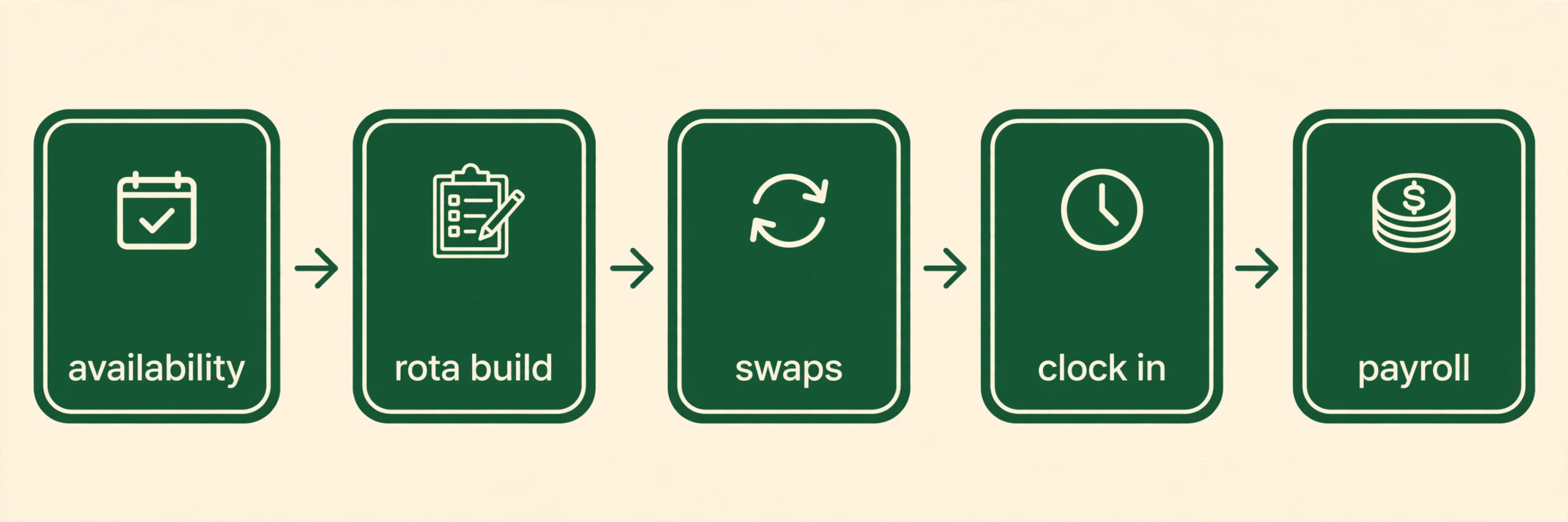
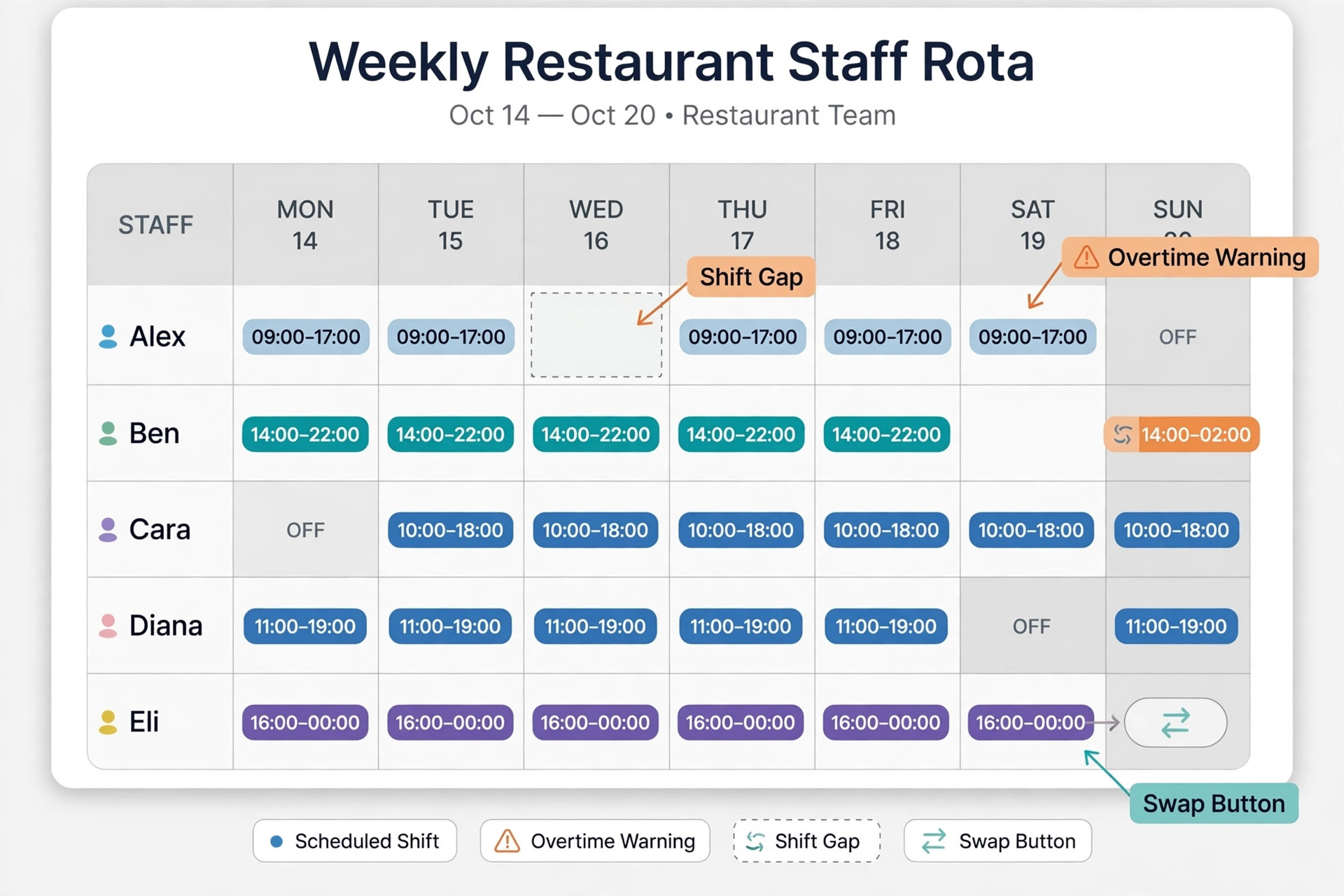
A restaurant team changes every week. Students change term times, part timers pick up extra shifts, and a good server may work at two sites. A tool built for restaurants lets staff set availability, request swaps and confirm shifts from a phone, without the manager chasing texts across five group chats.
Labour cost is the other reason. A rota that looks full can still lose money if it schedules too many senior staff at quiet times. Restaurant tools link to sales data or forecasts, flag overtime before it happens, and show cost per shift as the rota is built. That visibility turns scheduling from guesswork into a controlled cost.
Compliance adds a third layer. Break rules, minor age rules, overtime thresholds and tip handling vary by place and role. A general scheduler leaves those checks to the manager. A restaurant tool builds them into the rota, warning before a shift breaks a rule rather than after payroll has already processed it.
Finally, the time clock matters. Staff who clock in on a phone with location checks, or on a tablet at the door, give the manager true hours instead of remembered hours. That accuracy feeds payroll, reduces disputes and makes the next rota easier, because the manager can see who actually worked each shift.
7shifts
7shifts is built only for restaurants, with scheduling, tip pooling, labour forecasting and compliance in one place. It links to major POS systems, so sales data can shape the rota, and staff manage availability and swaps from a clear mobile app.
Paid plans start above the free Comp plan, which covers one location with a small team. Payroll is a separate add-on, and tip management sits on higher tiers. Choose it for restaurant depth, and skip it if you need a cheap general tool for a non restaurant team.
Homebase
Homebase covers scheduling, time tracking, messaging, hiring and payroll in one app for hourly teams. Its free Basic plan covers one location with up to 10 staff, and paid plans add GPS clock in, auto scheduling and labour forecasting.
It is a general hourly tool, not a restaurant specialist, so tip pooling and sales forecasting are thinner than 7shifts. Payroll costs extra. Choose it for low cost and breadth, and skip it if restaurant specific forecasting is the priority.
Deputy
Deputy charges per user, with scheduling, time tracking, compliance controls and demand forecasting from the Core plan up. It suits groups that need consistent rules across sites, strong reporting and integration with payroll providers.
Per user pricing grows fast with many part timers, and there is a monthly minimum. Native payroll is limited, relying on partners. Choose it for multi site control, and skip it if your team is large and mostly part time.
When I Work
When I Work keeps scheduling simple, with drag and drop rotas, shift swaps, time tracking and team messaging. It connects to common payroll tools and is easy for a manager to learn in a day, which suits a single restaurant with a stable team.
It lacks deep restaurant forecasting and tip management, and the cheapest tier is basic. Choose it for simplicity and low per user cost, and skip it if you need sales driven labour planning.
Connecteam
Connecteam combines scheduling, timesheets, chat, forms and tasks in one app for frontline teams. It suits a restaurant that also needs checklists, training and daily updates, without buying a second operations tool.
Scheduling depth is good but not restaurant specific, and some features sit behind hub pricing. Choose it for an all in one frontline app, and skip it if pure rota depth matters most.
Sling by Toast
Sling offers free scheduling and team communication for up to 30 users, with time tracking on a paid tier from $1.70 per user per month. Its link to Toast suits restaurants already using Toast for orders and payments.
Free scheduling is basic, and payroll and forecasting are limited. Choose it for a free start inside the Toast world, and skip it if you need forecasting or multi site controls.
Push Operations
Push Operations pairs restaurant scheduling and time tracking with native payroll, which reduces export work at month end. It is built for restaurants, with labour cost visibility and team communication in the same system.
Full pricing is by quote for larger setups, so the entry figure does not tell the whole story. The ecosystem is smaller than 7shifts. Choose it for payroll in one place, and skip it if you want published, predictable pricing.
HotSchedules
HotSchedules, part of Fourth, is a long established restaurant scheduling platform for larger groups and chains. It handles forecasting, labour rules and multi site rotas, with reporting suited to operators managing many locations.
Pricing is quote only, and setup can be heavier than modern self serve tools. Choose it for scale and chain reporting, and skip it if you want a quick, low cost start for one site.
ZoomShift
ZoomShift offers a straightforward rota builder, shift swaps, time tracking and messaging without a steep learning curve. It suits a small restaurant that needs a reliable weekly rota and a mobile app staff will actually open.
It lacks the forecasting depth and POS breadth of the leaders. Choose it for simplicity at a small site, and skip it if labour forecasting drives your rota decisions.
Planday
Planday covers scheduling, time tracking, payroll preparation and employee communication for shift based businesses. It suits restaurants with varied contracts, since it handles availability, overtime and absence in one workflow.
Pricing and plan details vary by region, so a quote is needed for a firm total. Choose it for contract and absence handling, and skip it if you want a published restaurant only feature set.
Shiftbase
Shiftbase combines rota building, time registration and absence management, with reporting that shows labour hours against plan. It works well for a restaurant that wants the rota and the clock in one place without a large platform.
Restaurant specific tools like tip pooling and POS forecasting are limited. Choose it for clean time and absence control, and skip it if forecasting is essential.
TimeForge
TimeForge focuses on scheduling, time clock, labour reporting and sales based forecasting for restaurants and retail. It helps managers build rotas against expected sales and track actual labour cost through the week.
The interface feels older than newer rivals, and integrations vary. Choose it for sales linked labour control, and skip it if a modern mobile experience matters most to your team.
Snap Schedule
Snap Schedule is a desktop focused scheduler with strong rota templates, shift patterns and reporting. It suits a manager who plans rotas on a computer and wants precise control over repeating patterns and coverage rules.
It is less mobile first than cloud rivals, and team self service is thinner. Choose it for detailed desktop planning, and skip it if staff need full mobile swap control.
Workforce.com
Workforce.com offers scheduling, time and attendance, and compliance tools for shift based teams across locations. It suits a growing group that needs consistent rules, approvals and reporting as sites are added.
Pricing is by quote and setup takes longer than self serve tools. Choose it for compliance at scale, and skip it if you want an instant start for a single restaurant.
Which tool fits your restaurant shape
Match the tool to your site count and staff pattern, not to the longest feature list. The best employee scheduling software for restaurants for a seasonal seaside cafe will fail a five site group, and a chain tool will overwhelm a single cafe.
| Your situation | Best pick | Why it fits |
|---|---|---|
| Single location, small team | Homebase | Free start, low paid tiers, enough depth for one site |
| Multi-location group | Deputy | Per user control, forecasting and consistent rules across sites |
| Seasonal staff, many part timers | 7shifts | Per location pricing, swaps and restaurant forecasting |
Shift swap checklist that stops rota chaos
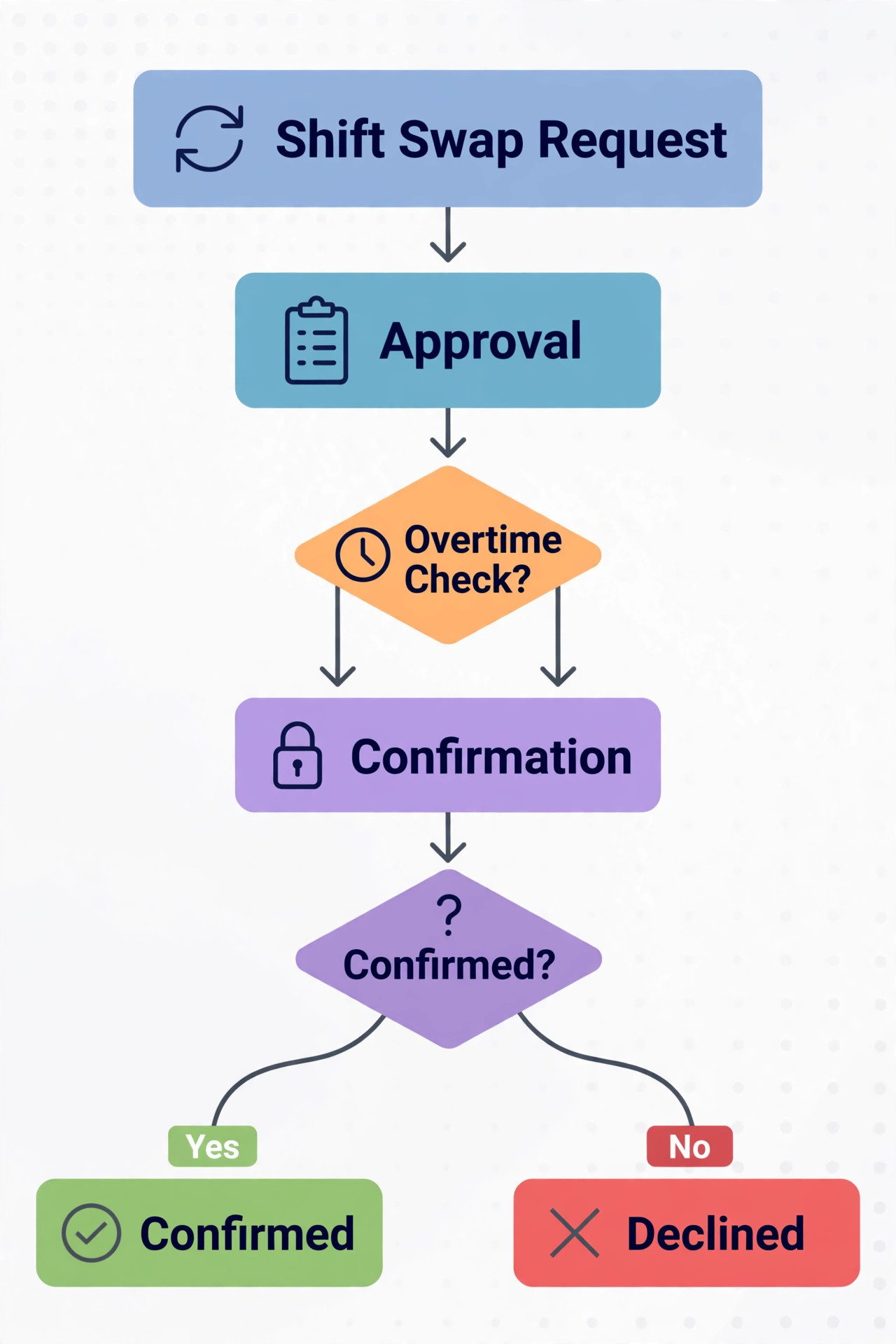
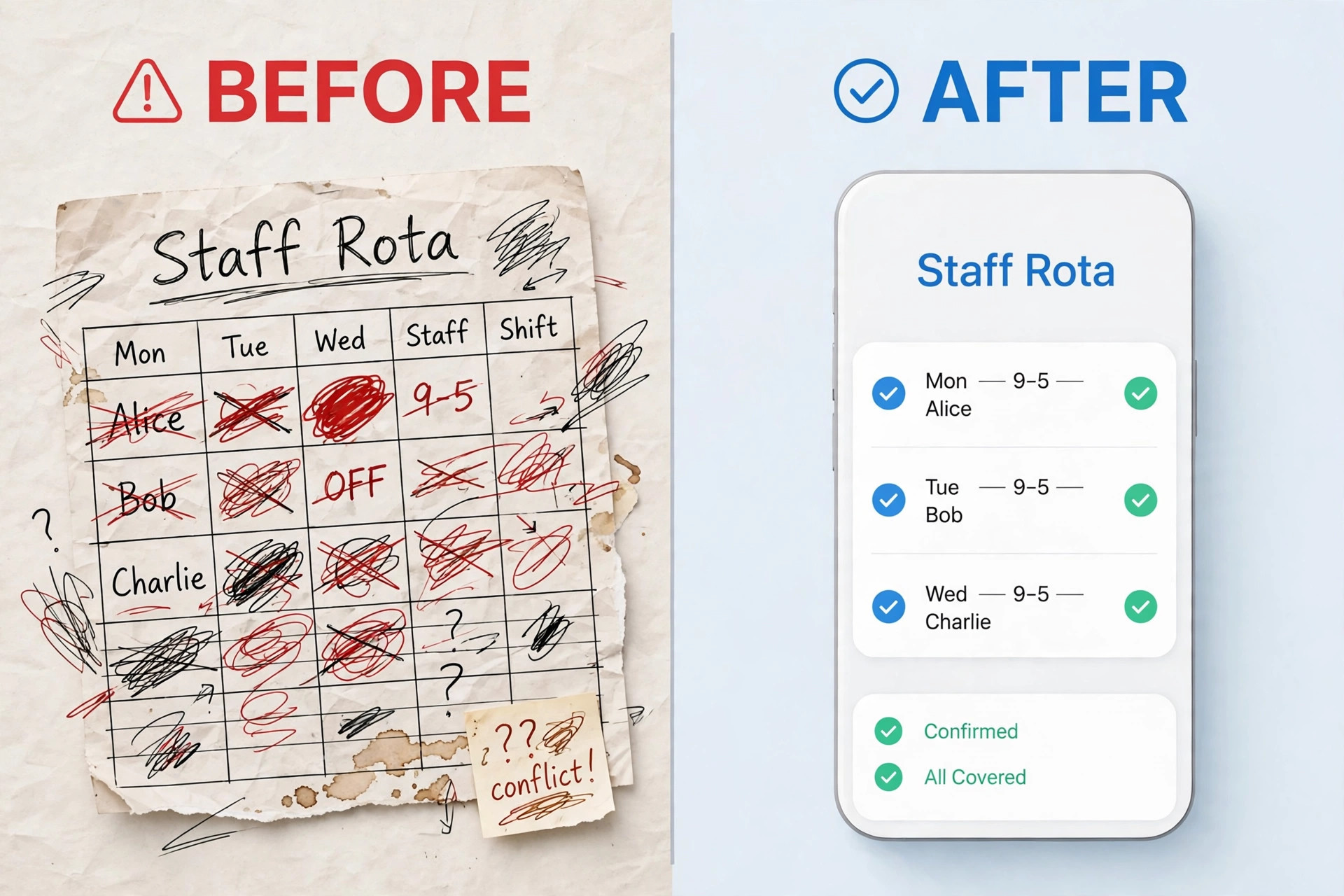
Software only works if swaps follow a clear process. Put this checklist in place before launch, and the rota stays accurate even when staff change shifts late. The best employee scheduling software for restaurants still needs rules that staff understand.
– Publish the rota at the same time each week, and freeze changes after that point except through the app. – Require every swap to be requested in the app, with the replacement confirmed before the shift starts. – Block swaps that create overtime, break rules or leave a role uncovered, and show the reason to staff. – Let staff set availability in advance, and treat unavailability entered late as a swap request, not a promise. – Confirm every accepted swap with a notification to the manager, the outgoing staff member and the replacement. – Record no shows and late arrivals in the same system, so patterns are visible at the next rota build. – Keep a standby list for Friday and Saturday, with staff who have agreed to be called first. – Review swap volume weekly, and fix recurring gaps by hiring or changing shift patterns, not by firefighting.
The real monthly cost, including payroll add-ons
Compare the full stack, not the rota price alone. A restaurant on 7shifts at $39.99 per location per month may add payroll at $39.99 per location plus $6 per employee, while Homebase payroll is $49 per month plus $6 per employee. A per user tool like Deputy at $5 per user looks cheap for ten staff, but costs $200 a month for forty part timers before any add-on.
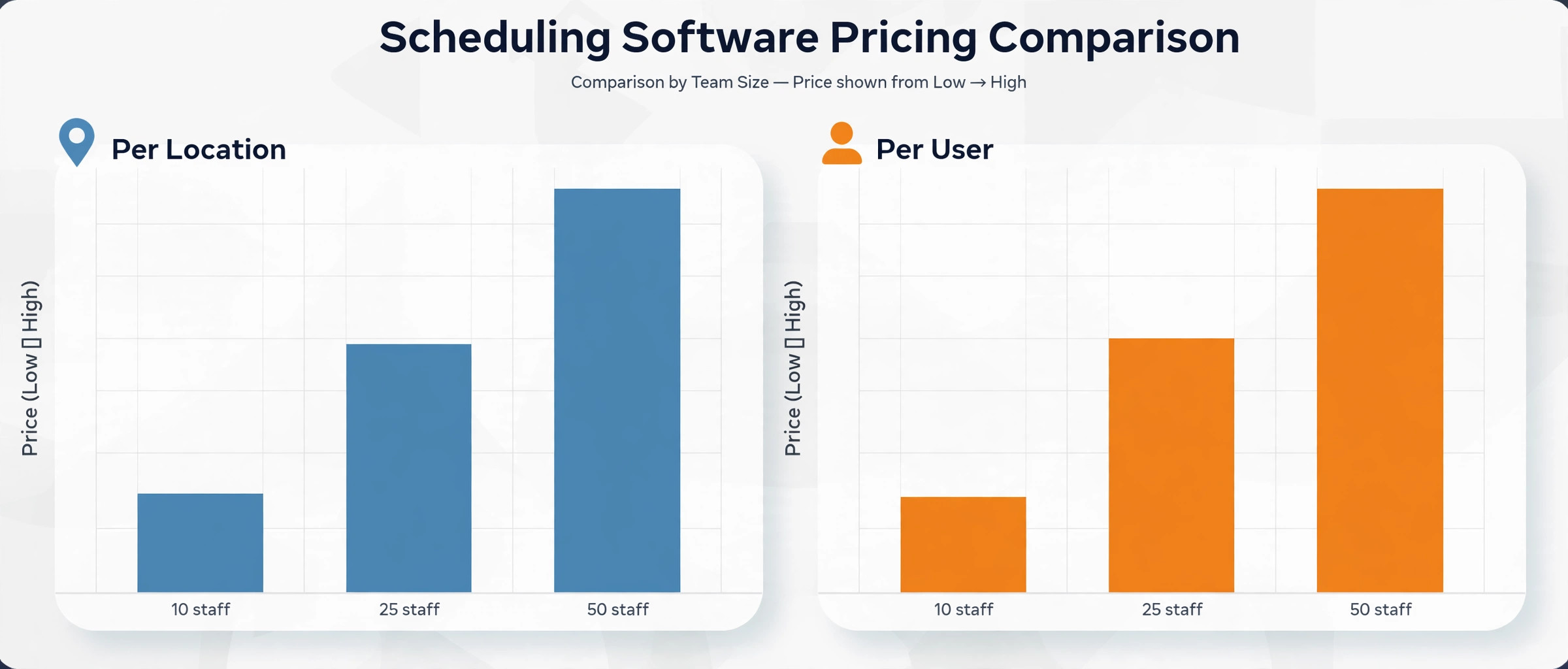
Count locations and active staff separately. Per location pricing rewards a large part time team, because adding a server costs nothing extra. Per user pricing rewards a small, stable team, because the bill follows headcount. Run both models on your actual roster for a busy month and a quiet month, since seasonal swings change the winner.
Add the cost of the time clock, SMS or app notifications, and any POS integration that sits on a higher tier. Some tools include the clock on the entry plan, while others charge for GPS tracking or advanced reporting. A tool that saves one hour of manager time a week is worth more than a small subscription saving, so include manager hours in the comparison.
Watch contract terms as well as price. A monthly plan costs more but lets a seasonal restaurant pause or downgrade in quiet months. An annual plan saves about ten percent on some tools, but locks in a cost through a slow season. For a new restaurant, start monthly, prove the workflow, then switch to annual once the rota process is stable.
Labour forecasting deserves a deeper look, because it is the feature that separates a good rota from a cheap rota. A forecast built from past sales, bookings and weather patterns can suggest how many servers, bartenders and kitchen staff a Friday night actually needs. A manager who builds from memory will overstaff quiet nights and understaff busy ones, and both errors cost money. Test forecasting during a trial by comparing its suggestion with the actual rota for three past weeks.
Availability management is often the weakest part of a restaurant rota system. Students change term times, staff take second jobs, and parents need school holiday cover. A tool that lets staff update availability in advance, with a cutoff date, gives the manager a realistic pool to schedule from. A tool that allows last minute availability changes without limits will keep producing rotas that fall apart on the day, no matter how good the scheduling interface looks.
Communication inside the scheduling app reduces the chaos of group chats. When shift offers, swap requests, announcements and confirmations all live in one place, staff stop missing messages buried in personal chats. Managers should still use a group chat for social messages, but every rota decision should live in the app, so there is one record of who agreed to what and when. That record also settles disputes about missed shifts fairly.
Break and rest compliance is easy to overlook until an inspection or a staff complaint. A good tool warns when a shift pattern breaks a rest rule, when a minor is scheduled past a permitted hour, or when a staff member works too many days without a break. Those warnings protect the business and the team, and they are far cheaper than fixing a compliance problem after it has already happened. Check the exact rules for your location during the trial.
Multi site scheduling adds a layer of complexity that single site tools hide. Staff who work at two sites, managers who cover absence at another location, and labour reporting that must combine sites all need consistent rules. A group should test cross site scheduling, shared staff pools and combined reporting before rollout, and should pilot at one site first. A tool that works beautifully for one restaurant can still fail a group if cross site visibility is weak.
Onboarding new staff through the scheduling app saves manager time in the first week. A new hire who can enter availability, read rota rules, complete basic training documents and confirm their first shifts in the app starts work prepared. A new hire who receives rota information by scattered messages will ask the same questions repeatedly and may miss their first shift. Build a simple onboarding checklist inside the tool and reuse it for every hire.
Time clock accuracy directly affects payroll disputes. A clock that records location, photo or PIN confirmation gives the manager evidence when hours are questioned, while a manual timesheet invites honest mistakes and occasional exaggeration. Test clock in and clock out on the devices staff will actually use, including personal phones and a shared tablet, and confirm that missed punches can be corrected with an audit trail rather than silently edited.
Seasonal hiring changes the maths for every pricing model. A seaside restaurant may double staff in summer and halve it in winter, while a city restaurant may peak around holidays and events. Price each finalist for peak staff, off peak staff and a second location, and ask whether seats or locations can be paused. A tool that charges for peak headcount all year will cost far more than a tool that allows seasonal adjustment, even if the headline price looks similar.
Finally, the rota should be reviewed, not just published. A monthly review that compares scheduled hours with actual hours, labour cost with sales, and swap volume with staffing gaps will reveal patterns that a weekly rota hides. If one role always needs cover, hire for it. If one day always runs over budget, change the shift pattern. Scheduling software provides the data for those decisions, but only a regular review turns data into lower costs and calmer weeks.
Choosing the best employee scheduling software for restaurants starts with counting active staff in a busy month, not in a quiet month. A restaurant with forty part timers will pay far more on a per user plan than on a per location plan, and that difference can exceed the cost of a whole extra feature tier. Run the numbers for peak season, off season and a second location before signing, and ask whether the vendor allows seasonal downgrades. The best employee scheduling software for restaurants for a growing group is the one whose pricing still makes sense when the team doubles for summer.
Training managers on the new rota system matters as much as choosing it, because a tool used inconsistently will produce inconsistent rotas. Give each manager a short practice week with real availability data, a swap scenario and a sick cover scenario, and check that they can publish, approve and correct a rota without help. Managers who learn by doing will adopt the tool faster than managers who only watch a demo, and staff will trust a rota that arrives on time and stays accurate through the week.
Integration with payroll should be tested with a full pay run, not just a data export. A restaurant that exports hours, corrects breaks and overtime manually, and re-enters data into payroll has not saved time, it has moved work from one system to another. Test the full flow during the trial, including a missed punch, an overtime shift and a split shift, and confirm that corrections appear correctly in payroll. The best employee scheduling software for restaurants should reduce payroll work, not merely digitise the rota.
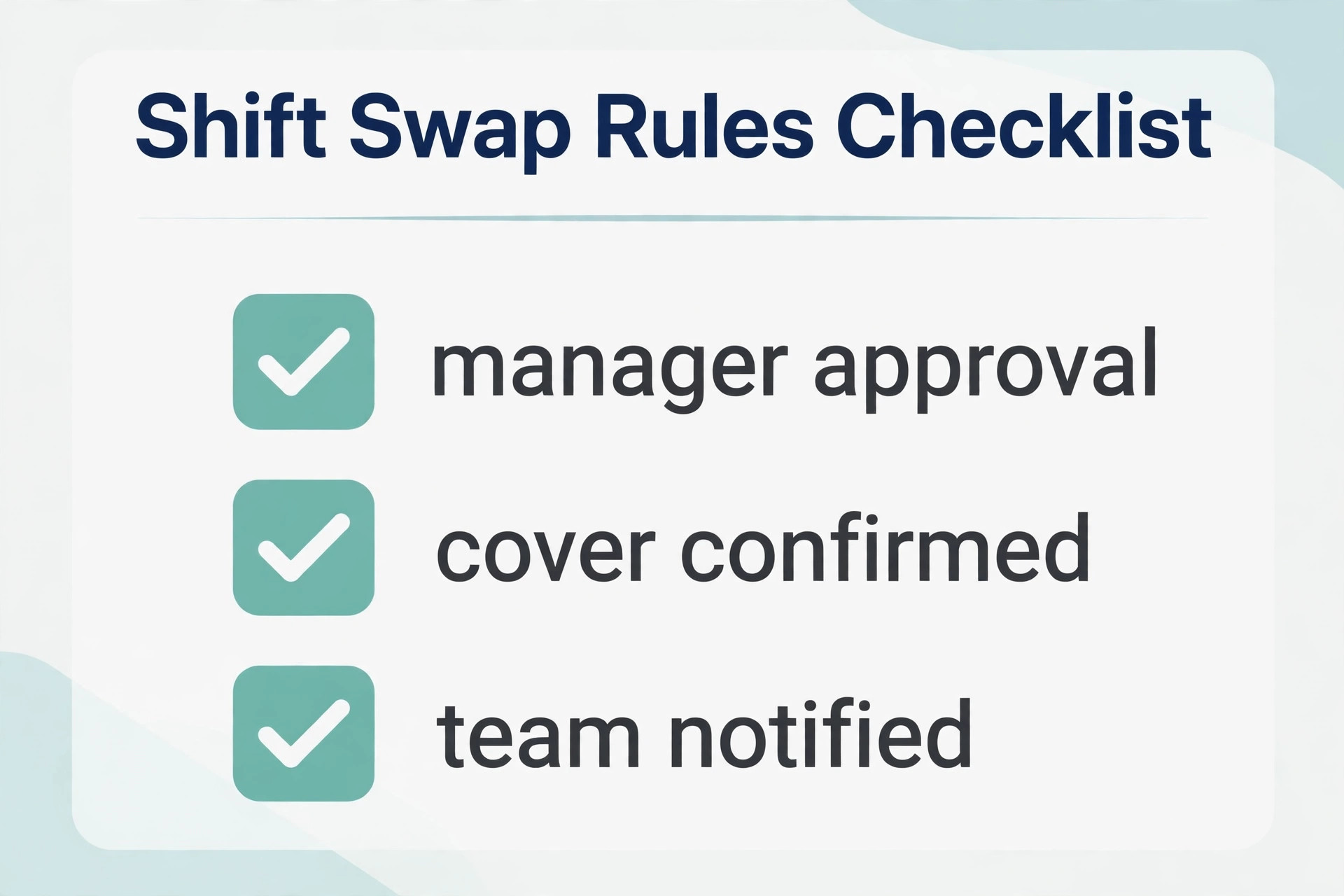
Rota mistakes that cost money every week
One common mistake is building the rota from last week instead of from expected sales. Last week may have had a holiday, a match or bad weather, and copying it repeats the error. A forecast based on sales, bookings and day of week gives a better starting point, and the manager can adjust from there.
Another mistake is scheduling the same people for every busy shift because they are reliable. That creates burnout, overtime and resentment, and it hides the need to train a second team for peak times. Rotating peak shifts and building a standby pool spreads the load and keeps the reliable staff willing to stay.
A third mistake is approving swaps by text. A swap agreed in a chat may never reach the rota, so two people arrive for one shift or nobody arrives at all. Every swap must live in the app, with a confirmation that the manager can see, or the rota on paper and the rota in reality will drift apart.
A fourth mistake is ignoring labour percentage until payroll day. By then the cost is fixed. Checking labour cost while building the rota, and again midweek, lets a manager trim a quiet Tuesday shift or add cover for a busy Friday before the money is spent.
Testing finalists with a real rota week
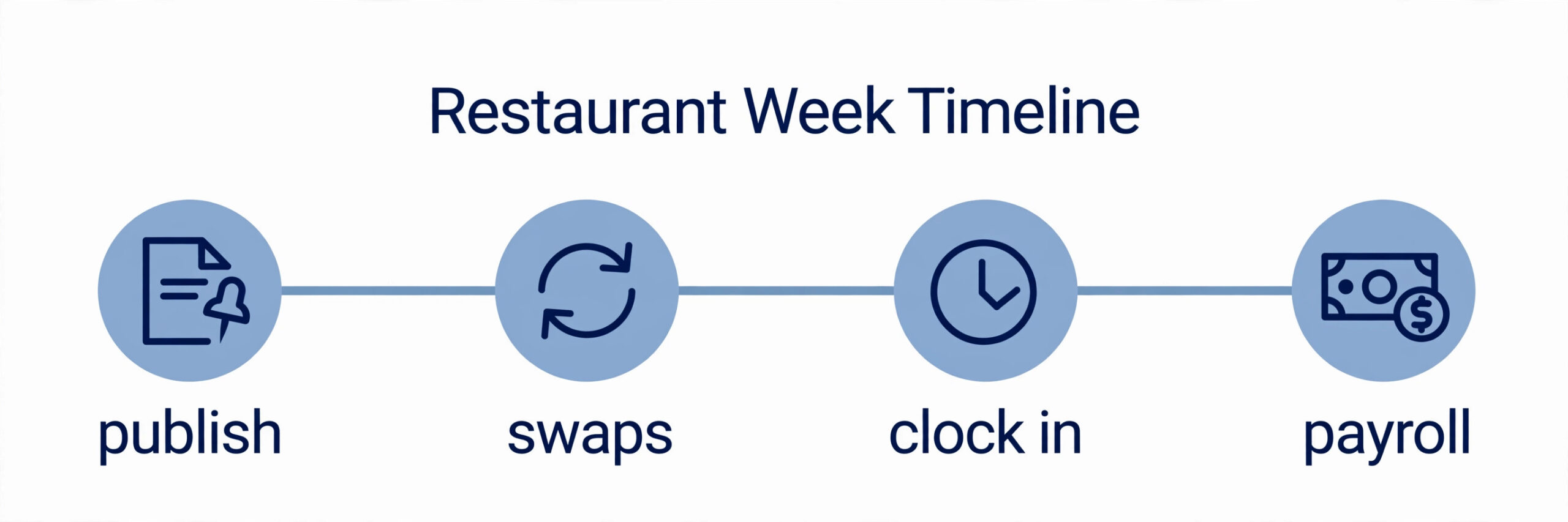
Run a real week in parallel, not a demo week. Build the next rota in both finalists, using true availability, sales forecasts and role needs. Time how long each rota takes, and note how many questions staff ask about the app. A tool that is fast for the manager but confusing for staff will fail at swap time.
Test swaps, sick cover and a no show during the trial. Ask a staff member to request a swap, ask another to cover a sick shift, and check that the manager sees both instantly. A tool that handles the calm week but breaks on a chaotic Saturday is not ready for a restaurant.
Test the clock and payroll export with real shifts. Clock staff in and out for a week, then export the hours and check them against the rota. Errors in hours, breaks or overtime at this stage will repeat at payroll, so fix the setup now or choose the tool that gets hours right first time.
End with a cost check at three staff counts. Price each finalist for your current team, for peak season and for a second location. A tool that is cheap now but expensive at peak season, or that charges per location in a way that punishes growth, should be chosen with eyes open, not by surprise.
More Reading on Stratilyze
– Best Restaurant Management Software for Small Restaurants – Best POS Systems for Small Restaurants – Best Payroll Software for Restaurants – Best Team Communication Apps for Hourly Staff
Frequently Asked Questions for Restaurant Managers
What is the cheapest way to schedule a small restaurant team?
Homebase free plan and Sling free scheduling both cover a small team at no subscription cost. Paid plans start around $30 per location or $2.50 per user a month. Check whether time tracking and payroll are included before calling a plan free.
Is per location or per user pricing better for restaurants?
Per location pricing usually wins when many part timers share shifts, because adding staff does not raise the bill. Per user pricing wins for a small core team. Count active staff in a busy month and run both models before deciding.
Do these tools handle tip pooling?
7shifts handles tip pooling on higher tiers, and Homebase offers tip management features, but depth varies. If tips matter, test tip setup during the trial with your real roles and splits, rather than trusting a feature list.
Can staff swap shifts without manager approval?
Most tools allow manager approval rules, so a swap can be auto approved if it breaks no rule, or held for approval if it creates overtime or a gap. Set the rule before launch, and make sure staff see why a swap was blocked.
Will scheduling software connect to my POS?
7shifts, Deputy, Homebase and When I Work connect to common POS and payroll systems, but the exact link depends on your provider. Confirm the connection for your POS during the trial and test a sales import before buying.
How long does it take to switch from spreadsheets?
A single site can usually move in one to two weeks, including staff setup, availability entry and one parallel rota week. Multi site groups should allow a month, with one pilot site first, then a rollout once swaps and clock ins work smoothly.
Our verdict for restaurant operators
For a restaurant or bar, 7shifts is the strongest all round pick, because it is built for restaurant work from the rota to tips and forecasting. A single location restaurant on a budget should start with Homebase, and a multi site group should test Deputy for control across sites. All three can work, but the shape of your business should decide.
The tool itself matters less than the process around it. Publish on time, require swaps in the app, check labour cost midweek, and review the rota against sales each month. A simple tool used well will beat a powerful tool that staff avoid, every single week.
Pick two finalists, run one real rota week in each, and price them at peak staff count. Then commit, train the team on swaps and clock ins, and keep the rota as the single source of truth. That discipline is what turns scheduling software into lower labour cost and fewer Friday gaps.