
A missed call, a van without the right part and an invoice sent a week late can cost a plumbing business more in one month than a year of software. The best field service software for plumbers fixes that chain by linking calls, dispatch, quoting, job notes and invoicing in one mobile friendly system that works from the van as well as the office.
Plumbing work is urgent, mobile and part heavy. A burst pipe cannot wait for office hours, a water heater job needs the correct parts on the first visit, and a customer who cannot book online will often call the next firm on the list. Software built for field service handles those realities, while a general calendar or spreadsheet leaves the office chasing paper all day.
Prices below are starting points from vendor and comparison pages in late 2026, and you should check the vendor page before you buy. Several larger platforms price by quote, so we say so plainly instead of repeating a reported range as if it were a list price. Entry prices also differ by industry signup, so confirm the plumbing price, not a generic trade price.
Plumbing Tools At A Glance
Use the table to shortlist by crew size, then read the sections for dispatch, quoting and parts handling. A tool that suits a solo plumber can frustrate a five van crew, so crew size matters more than headline price.
| Tool | Starting price | Best for |
|---|---|---|
| Jobber | $29 per month | Solo plumbers and small crews that want a polished all in one system |
| Housecall Pro | $79 per month | Residential shops that prioritise online booking and marketing |
| ServiceTitan | Check the vendor page | Large plumbing fleets that need deep reporting and pricebook control |
| Workiz | $65 per month | Call heavy shops that live by the phone and online booking |
| FieldPulse | $99 per user per month | Growing residential teams that want detailed estimating and inventory |
| FieldEdge | Check the vendor page | Established fleets that already centre on QuickBooks and repair data |
| Service Fusion | Check the vendor page | Larger office and field teams that want QuickBooks depth |
| BuildOps | Check the vendor page | Commercial plumbing and complex project work |
| QuoteIQ | Check the vendor page | Small crews that want broad mobile quoting and job tools |
| ServiceM8 | Check the vendor page | Mobile first teams that want job cards and add on depth |
| Kickserv | Check the vendor page | Small service businesses that want simple scheduling and invoicing |
| RazorSync | Check the vendor page | Small field teams that need scheduling, dispatch and invoicing |
| Simpro | Check the vendor page | Larger trade firms with job costing, scheduling and inventory needs |
| CompanyCam | Check the vendor page | Crews that need photo documentation on every job |
Why Trade Software Beats A Calendar And A Spreadsheet
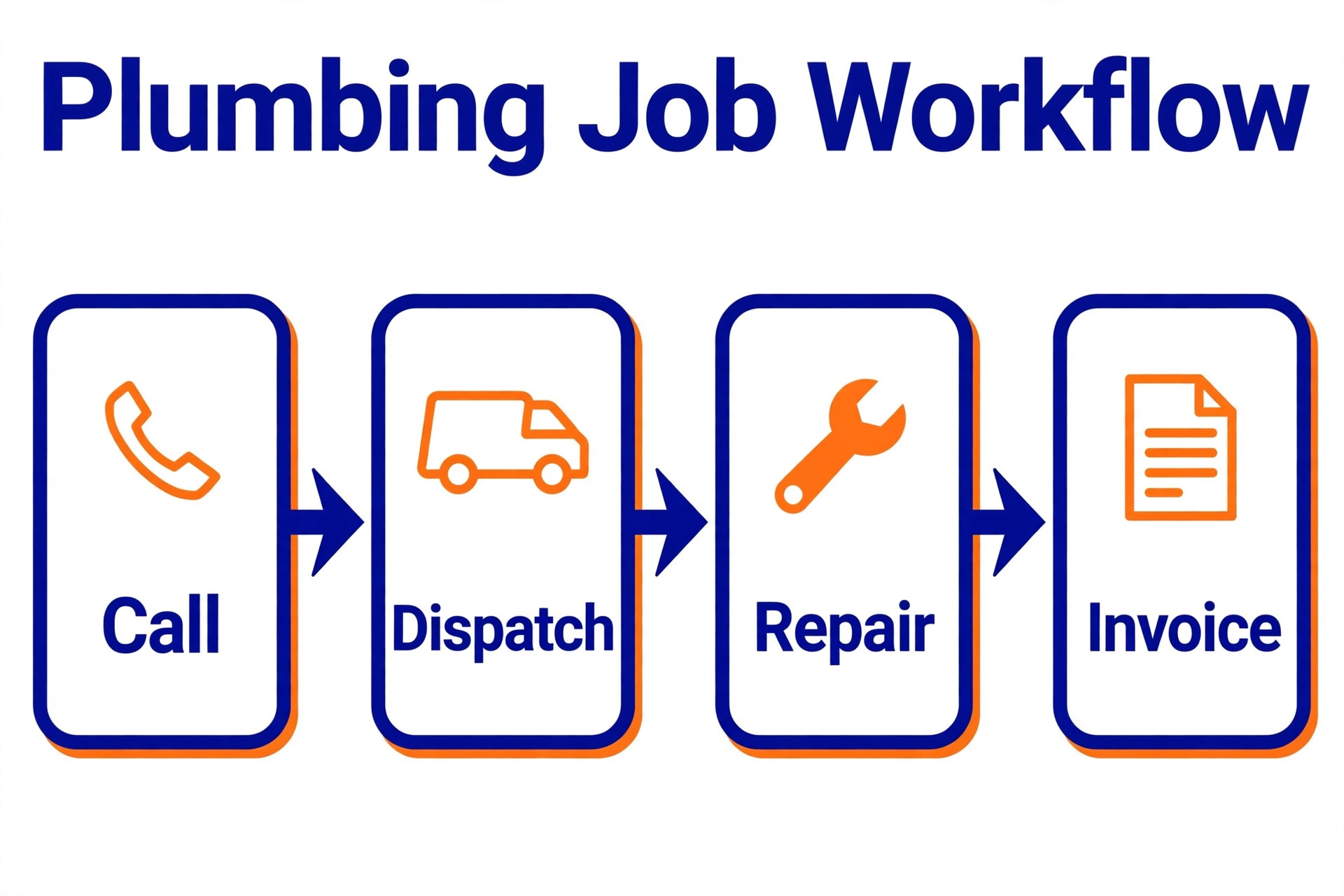
A calendar shows when a job starts, but it does not show whether the part is in the van, whether the customer has paid a deposit or whether the last visit left an unresolved leak. The best field service software for plumbers links booking, dispatch, job history, parts and invoicing, so the office and the tech see the same job from different places. That shared view cuts return visits and missed information.
Online booking and customer messaging are a second gain. Customers can book, reschedule, approve a quote and pay from a phone, while the office sends arrival updates without a string of calls. For a residential plumber, that convenience wins jobs from firms that still rely on voicemail and paper quotes.
Quoting and invoicing speed is a third gain. A tech can build a quote on site, get a signature, convert it to a job and invoice from the same record, instead of carrying paper back to the office. Faster quotes mean faster approvals, and faster invoices mean better cash flow, which matters most to small crews.
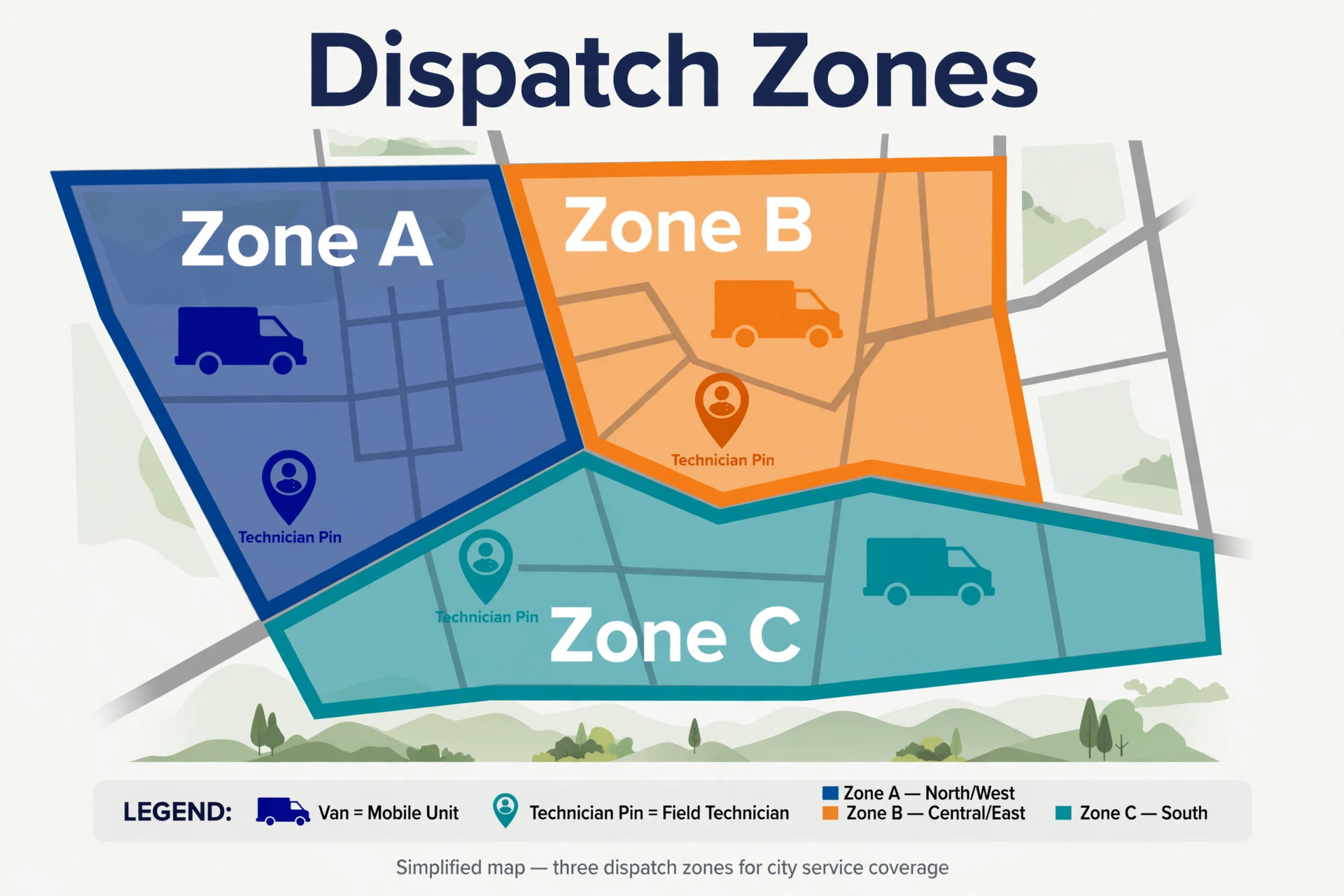
Dispatch order matters more than dispatch speed, because sending the nearest tech is not always sending the right tech. A job that needs a gas qualification, a specific part or a two person lift should go to the crew that can finish it, not simply to the closest van. Good dispatch software shows skills, parts and job history beside distance, so the office makes a finishable assignment rather than a fast one.
Customer communication after booking is where trust is built, because a customer waiting for a plumber worries about arrival time, price and disruption. Automated arrival updates, a clear quote before work starts and a photo record after completion reduce calls to the office and increase review scores. That communication is not admin overhead, it is part of the service the customer pays for.
Fourteen Tools For Plumbing Crews
1. Jobber
Jobber covers scheduling, quoting, invoicing, customer records and payments in a clean mobile system that a small crew can learn fast. Quotes, jobs and invoices flow from one customer record, and the Client Hub lets customers approve work and pay online. For a solo plumber moving off paper, that flow is a major step up. Starting price is $29 per month.
Advanced trade features sit on higher tiers, and some users find agreement handling and commercial controls lighter than specialist rivals. Pricing also varies by user count and plan, so a growing crew should price the tier it will actually use. Choose Jobber for a smooth all round start, and compare Workiz or FieldPulse when trade depth matters more.
2. Housecall Pro
Housecall Pro is strong on residential booking, with online scheduling, dispatch, estimates, invoicing, payments and marketing tools in one app. Customers can book themselves, techs get job details on a phone, and the office can follow up with automated reminders and review requests. For a residential shop, that booking strength wins work. Starting price is $79 per month.
Flat rate pricing features need a higher Essentials tier, and the plumbing signup price can differ from other trades, so confirm the exact plan before budgeting. Larger or commercial heavy shops may also find some controls lighter than ServiceTitan. Pick it when residential booking and customer communication lead the buying decision.
3. ServiceTitan
ServiceTitan is the heavyweight choice for large shops, with a governed pricebook, dispatch, marketing, reporting and agreement handling built for volume. Multi branch firms gain from central pricing control, detailed reporting and workflows that keep many techs and office staff in step. For a fleet, that control protects margin at scale. Starting price is not published, so check the vendor page.
Cost and implementation are the barriers. Pricing is by quote per technician, onboarding takes time, and a small shop will pay for depth it never uses. It is also a poor fit for a solo plumber who wants to start this week. Reserve ServiceTitan for fleets that have outgrown small crew tools and can support a proper rollout.
4. Workiz
Workiz suits shops where the phone drives work, with call handling, online booking, scheduling, invoicing and payments in a trade focused system. The workflow is built around fast job creation from a call, so office staff can book, dispatch and invoice without retyping details. For a busy residential office, that speed matters on a Monday morning. Starting price is $65 per month.
Workiz is less strong as a full enterprise platform than ServiceTitan, and some advanced reporting and commercial features are lighter. A large fleet may outgrow it, while a small shop may find the call features more than it needs. Choose it when call volume and booking speed are the daily bottleneck.
5. FieldPulse
FieldPulse gives growing teams detailed estimating, job management, customer records and native inventory in one subscription. Estimates can carry costs, markup and margin visibility, and the mobile workflow suits techs who need full job detail in the field. For a team moving beyond simple quoting, that depth is valuable. Starting price is $99 per user per month.
The interface feels denser than Jobber or Housecall Pro, and some advanced sales features cost extra. Per user pricing also rises fast with crew size, so a larger team should model the full monthly bill. Pick FieldPulse when estimating accuracy and parts tracking matter more than the simplest possible setup.
6. FieldEdge
FieldEdge offers a mature field workflow with work orders, equipment history and a strong QuickBooks connection, which suits fleets that already run finance through QuickBooks. The maintained repair content helps techs price and record common jobs consistently, and the office workflow is proven across many service firms. Starting price is not published, so check the vendor page.
Pricing is by quote with reported setup costs, so a small shop should get a written total before committing. The system can also feel less flexible than newer rivals for the price. Choose it when QuickBooks centred operations and equipment history are already central, not as a first tool for a solo plumber.
7. Service Fusion
Service Fusion targets larger office and field teams with scheduling, dispatch, invoicing, inventory and a strong QuickBooks integration. The system handles higher job volume and more office users than a small crew tool, and the finance link keeps office and field records in step. For a growing firm with a real office team, that scale helps. Starting price is not published, so check the vendor page.
Pricing is by quote after a demo, so budget planning needs a sales conversation and a written quote. Smaller shops may find the system heavier than needed, and implementation takes more care than a simple signup. Shortlist it when team size and QuickBooks depth justify a larger platform.
8. BuildOps
BuildOps is built for commercial service and project work, with quote versions, project handoff, purchasing and cost tracking that suit larger jobs. A commercial plumber gains from formal project records, version control and purchasing discipline that residential tools rarely provide. For complex work, that structure reduces costly handover gaps. Starting price is not published, so check the vendor page.
It is far more than a routine residential shop needs, and pricing is by quote at a level reported well above small crew tools. A residential solo plumber would pay for project power that sits unused. Reserve BuildOps for commercial and project heavy firms, and compare FieldPulse or ServiceTitan for mixed residential work.
9. QuoteIQ
QuoteIQ gives small crews itemised quoting, mobile job tools, forms and subscription handling in a mobile first package. Techs can build detailed quotes in the field, capture signatures and manage recurring work without returning to the office. For a crew that quotes on site every day, that mobile strength is a daily benefit. Starting price is not published, so check the vendor page.
Inventory on QuoteIQ needs a higher tier, and some users report mobile loading issues and no supplier price sync. Pricing also varies by user band, so confirm the tier that includes the features you need. Choose it for mobile quoting breadth, and test it on a weak signal route before committing a whole crew.
10. ServiceM8
ServiceM8 is a mobile first job platform with job cards, scheduling, quoting, invoicing and a marketplace of add ons for payroll and other needs. Techs get clear job detail on a phone, and the office can build a system around the add ons that matter. For a team that lives on mobile, that focus feels natural. Starting price is not published, so check the vendor page.
Pricing and add on costs should be checked on the vendor page, because the total depends on the add ons chosen. Some depth that rivals include in a base plan sits behind an add on here. Pick ServiceM8 when mobile job handling leads, and price the full add on stack before comparing it with an all in one rival.
11. Kickserv
Kickserv offers straightforward scheduling, dispatch, invoicing and customer records for small service businesses, with a gentler learning curve than enterprise platforms. A small plumbing shop can start quickly, keep job history in one place and invoice from the same record. That simplicity suits owners who want software, not a project. Starting price is not published, so check the vendor page.
Kickserv lacks some of the deep trade features, marketing automation and pricebook control found in larger rivals. A growing fleet may outgrow it, and commercial project work will need another system. Choose it for a clean small crew start, and review the fit again when crew size or job complexity rises.
12. RazorSync
RazorSync covers the field service core, with scheduling, dispatch, invoicing, customer records and mobile access for techs. The system is straightforward to learn, and a small team can move from paper to digital without a long implementation. For a shop that mainly needs reliable dispatch and billing, that focus is enough. Starting price is not published, so check the vendor page.
Advanced quoting, inventory and marketing depth are lighter than in larger rivals, so a shop that needs those features may need a second tool. Pricing should also be confirmed on the vendor page for the current plan. Pick RazorSync for core dispatch reliability, and shortlist FieldPulse when estimating and parts depth lead.
13. Simpro
Simpro serves larger trade firms with job management, scheduling, quoting, inventory and reporting in a system built for trade scale. Firms with many techs, stock locations and complex jobs gain from its costing and workflow depth. For a growing trade business, that structure supports control as volume rises. Starting price is not published, so check the vendor page.
Simpro is an enterprise style investment, with implementation and pricing by quote, so a small residential shop will find it heavy and costly. The learning curve also needs staff time. Reserve it for larger firms that can support a rollout, and compare Jobber or Workiz for small crew simplicity.
14. CompanyCam
CompanyCam is a photo documentation tool that tags, organises and shares job photos across a crew, which helps plumbing firms prove work, record before and after conditions and settle disputes. Photos link to jobs and locations, so office staff and customers can see exactly what a tech found and fixed. That record is valuable on warranty and damage questions. Starting price is not published, so check the vendor page.
CompanyCam is not a full field service system on its own, so most firms pair it with a scheduling and invoicing tool. That pairing adds a second subscription and needs clear rules about which system holds the job record. Choose it as a documentation layer beside Jobber, Housecall Pro or FieldPulse, not as a replacement for dispatch and billing.
How The Best Field Service Software For Plumbers Fits Each Crew Type
The pick depends on crew type more than on brand size, so start from the crew below and then test dispatch and quoting with real jobs.
| Job | Best pick | Why it fits |
|---|---|---|
| Solo plumber | Jobber | Scheduling, quoting and invoicing in one clean mobile system. |
| Small crew | Housecall Pro or Workiz | Booking strength suits residential crews, while Workiz suits call heavy offices. |
| Emergency cover | Housecall Pro | Online booking and fast dispatch help urgent jobs reach a tech quickly. |
A solo plumber should not buy fleet software, and a fleet should not squeeze into a solo tool. Crew type, job mix and parts handling decide the pick, and a two week trial on real jobs will confirm it faster than any feature list.
Parts Stock Checklist For The Van
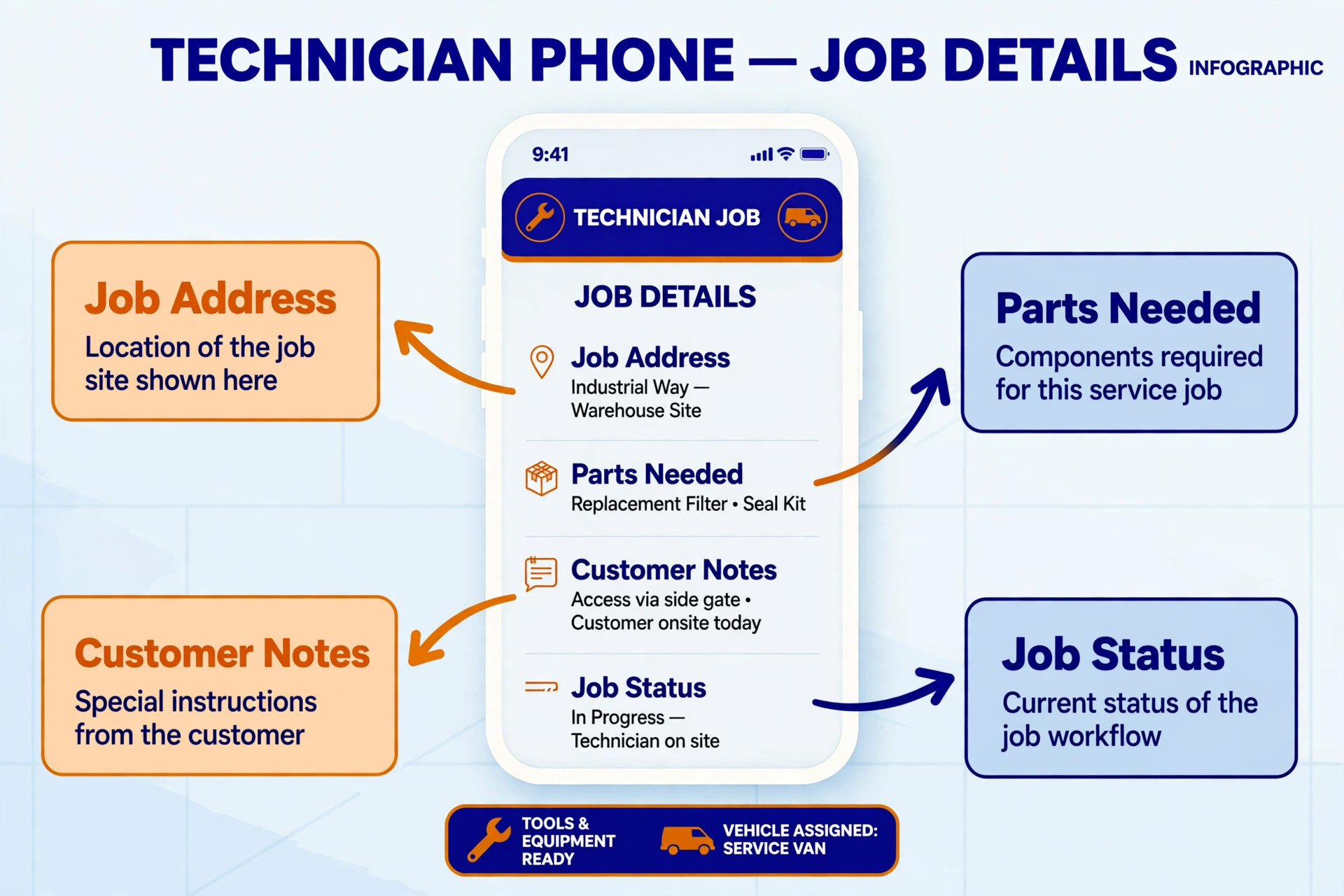
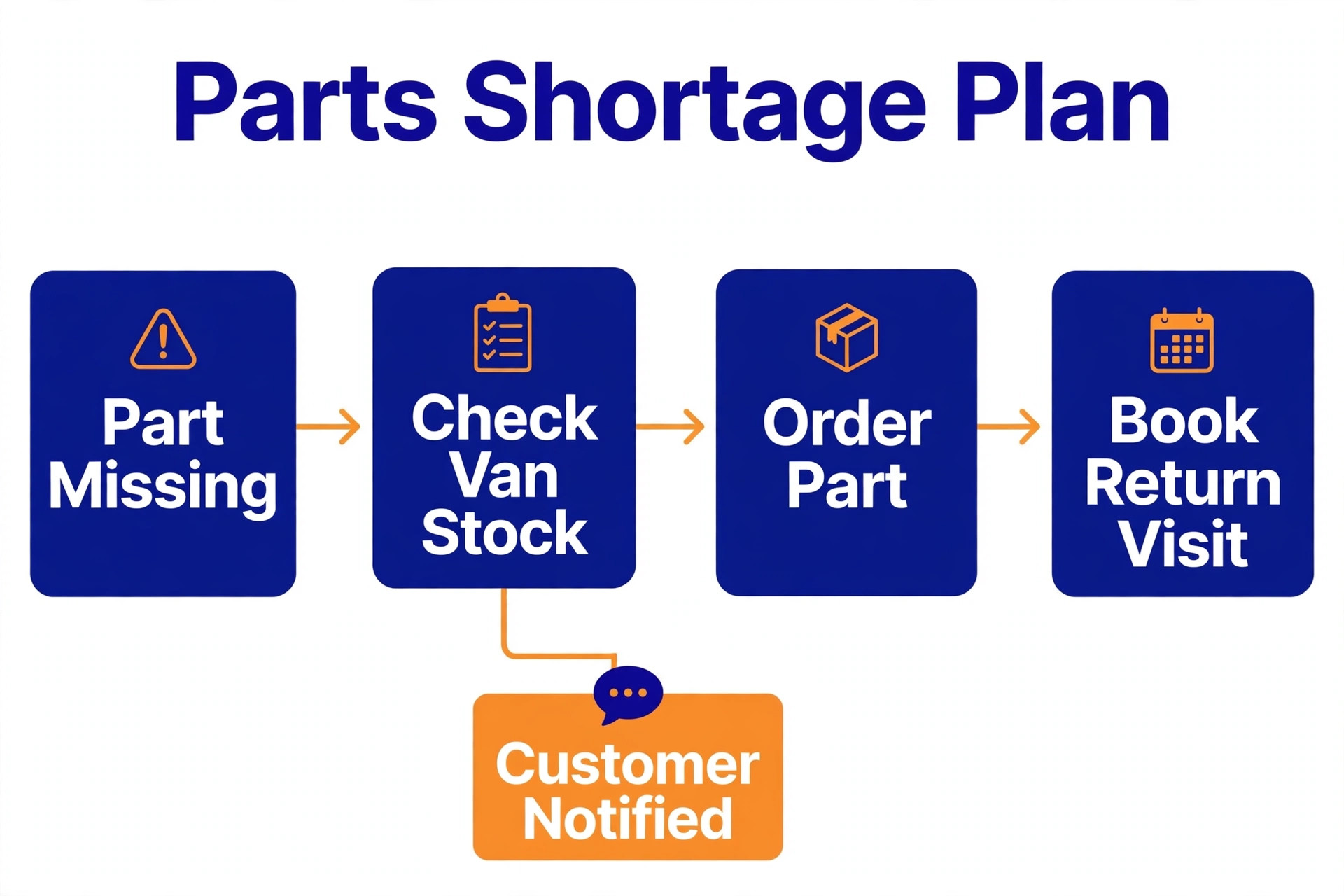
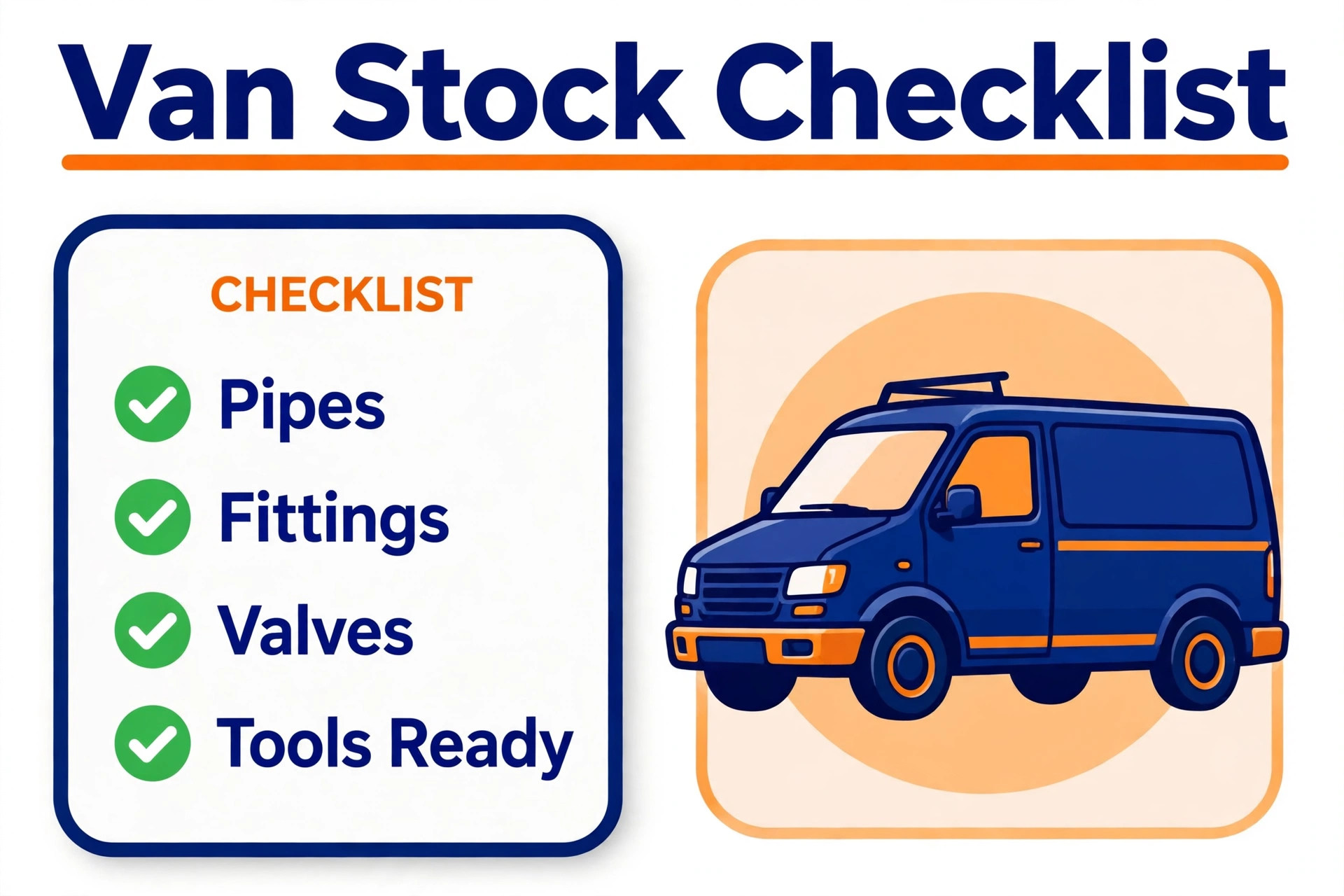
The best field service software for plumbers should pass this parts stock checklist, because a missing part turns a one visit fix into a costly return visit.
– Confirm that parts used on a job reduce van or warehouse stock at once, without a separate spreadsheet update. – Check that common parts can be added to a quote quickly, with correct pricing and markup applied. – Verify that low stock alerts reach the office before a tech leaves for a job that needs that part. – Test that part history by customer and by equipment shows what was fitted last time. – Confirm that purchasing and supplier records link to the job, so part costs sit in job profit correctly. – Check that a tech can record a part used in the field, even with weak mobile signal, and sync it later.
Test parts handling with a real water heater job, from quote to fitted part to invoice. If any step needs a spreadsheet or a phone call to the office, the system will slow the crew on the busiest days, which is exactly when it must work best.
What a Real Month Costs a Plumbing Business
Per user pricing punishes growing crews, while flat team pricing can favour them, so model the bill for your real crew size. That crew maths applies to the best field service software for plumbers as much as to any other trade tool. A $99 per user tool for five techs costs far more than a flat team plan at a similar headline, and the difference grows with every hire. Always price the tool for next year crew size, not only for today.
Add ons and implementation change the total for larger platforms. ServiceTitan, FieldEdge, Service Fusion and BuildOps price by quote, and implementation, training and pricebook setup can add a large first year cost. Ask for that total in writing, and compare it with the all in monthly cost of a small crew tool over twelve months.
Payment processing, text messaging and marketing add ons also add up. A tool that charges per text or per payment can look cheap on subscription and expensive in a busy month. Check those rates, set a monthly cap where possible, and review the first three invoices against the quoted price before renewing.
Mistakes That Cost Plumbing Firms Money
The best field service software for plumbers cannot fix a dispatch habit that leaves techs idle, and the mistakes below waste more money than any subscription ever will.
Buying fleet software for a solo van. Enterprise tools need office staff, pricebook setup and reporting routines that a solo plumber cannot feed, so the system sits half used while the subscription runs. Start small, and upgrade when crew size proves the need.
Skipping pricebook setup. When prices, parts and labour rates are left vague, quotes vary by tech and margin leaks job by job. Spend the first week building a clean pricebook, even if it delays the launch by a few days, because every quote after that will be faster and fairer.
Letting techs work outside the app. When job notes, photos and parts stay on paper or in personal phones, the office record goes stale and invoicing slows. Make app use part of job closeout, and check it on the first ten jobs, not after a month of drift.
Ignoring online booking. Customers who cannot book online at night will call the next firm in the morning, so a tool without a good booking page loses jobs before dispatch ever starts. Test the booking page on a phone as a customer would, and fix friction before launch.
How To Test Finalists With Real Jobs
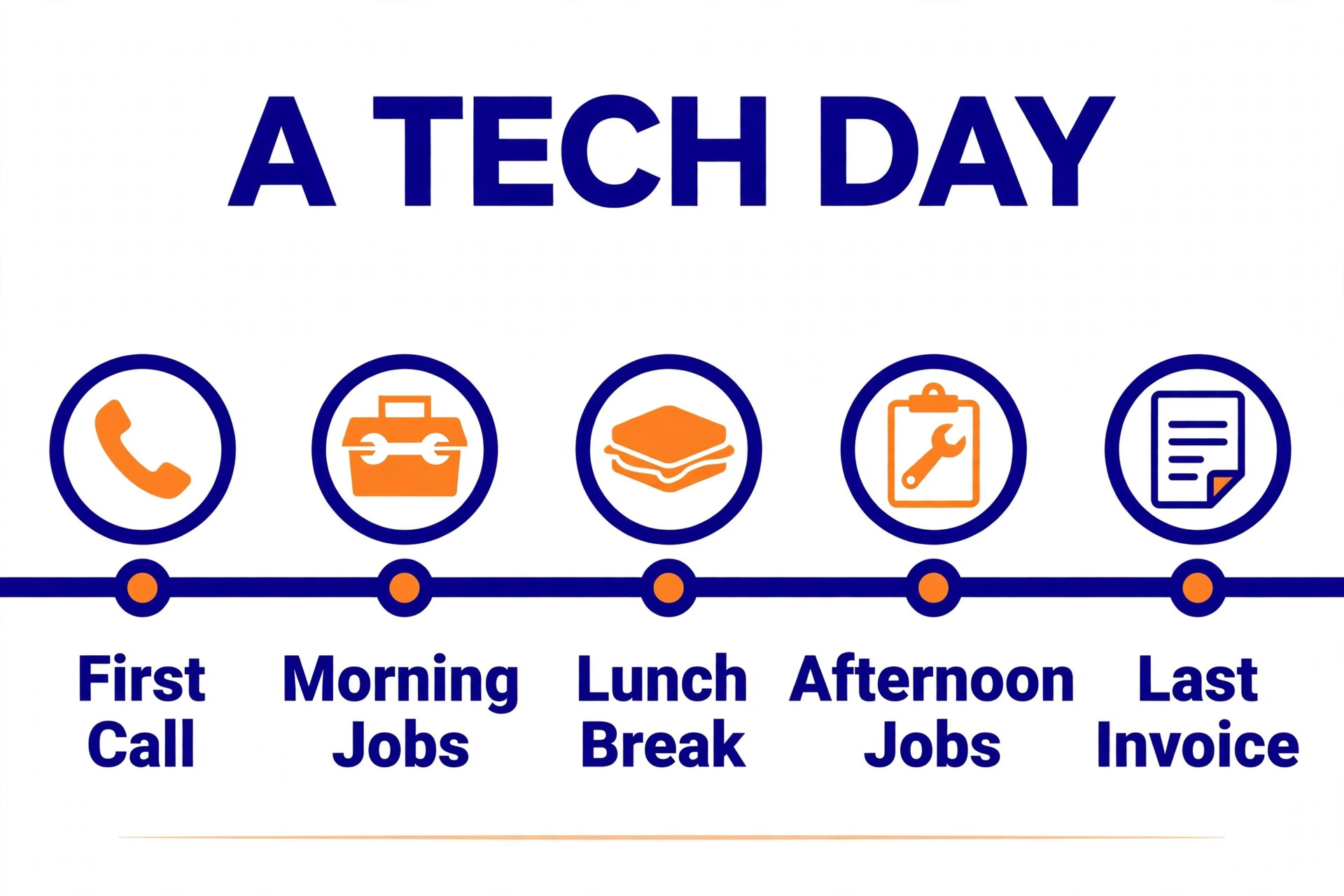
Test finalists with a week of real jobs, including an emergency call, a quoted replacement and a return visit for a part. Record how long booking, dispatch, quoting, parts recording and invoicing take in each tool. Real job timing beats a demo, because the messy jobs reveal the friction that clean demos hide.
Give the app to techs in the field, not only to office staff. Ask techs to record parts, photos and notes from a van, with weak signal if possible, and note every extra tap or workaround. A tool that techs avoid will fail, however good its office dashboard looks in a sales meeting.
Score the trial on dispatch speed, quote accuracy, parts handling, invoice speed and customer communication. A tool that wins four of the five by a clear margin is usually the right buy, while a tool that wins on reporting but loses on dispatch will frustrate customers every day.

Rolling Out Field Software With A Working Crew
Roll out with one crew first, and let that crew prove the workflow on real jobs before the whole firm switches. A pilot crew will find the friction in parts recording, photo capture and invoice closeout, and those fixes benefit every crew that follows. A firm wide launch without a pilot usually creates a firm wide workaround instead. Build the pricebook before the launch date, because a tool without clean prices produces inconsistent quotes from day one. Start with the fifty most common jobs and parts, price them with margin included, and add rarer items over time. A short, accurate pricebook beats a long, guessed pricebook every time. Review the first month on return visits, invoice speed and customer reviews, not on how many features were switched on. If return visits fall and invoices go out same day, the rollout is working. If techs still carry paper, find the step they avoid and fix it before adding new features.
Warranty tracking protects margin, because a return visit for a part still under warranty should be claimed from the supplier, not absorbed by the firm. Record part warranties, supplier details and installation dates on the job record, and review warranty claims monthly so no claim expires unnoticed. That habit turns warranty work from a loss into a recovered cost, and it also gives the office a clear answer when a customer questions a repeat fault.
After hours cover needs a clear rota, because emergency calls at night test both staff goodwill and customer patience. Use the scheduling system to publish an on call rota, route urgent bookings to the on call tech, and record after hours jobs with the same detail as daytime jobs. A fair rota with proper records keeps emergency cover sustainable, while an informal rota burns out the same techs and loses customers when cover fails.
Supplier price changes should flow into quotes quickly, because parts prices move and a quote built on old prices can erase margin on a large job. Review supplier prices monthly, update the pricebook in the tool, and date each price change so old quotes can be explained. A pricebook that lags supplier reality by months will quietly turn profitable jobs into break even work.
More Reading on Stratilyze
– Best field service software for electricians, a plain text guide on Stratilyze to read next. – Best scheduling software for trades, a plain text guide on Stratilyze to read next. – Best invoicing software for small trades, a plain text guide on Stratilyze to read next.
Frequently Asked Questions
What is the best software for a solo plumber
Jobber is a strong solo pick, with scheduling, quoting and invoicing in one mobile system at a small crew price. A solo plumber who needs mainly booking and payments could also test Housecall Pro, but Jobber gives the cleaner all round start.
When should a plumbing firm move to ServiceTitan
Move when crew size, job volume and reporting needs exceed what small crew tools handle cleanly. Signs include a large pricebook that needs central control, multi branch dispatch and reporting that small tools cannot produce without manual work.
Do I need inventory tracking in field service software
Yes, once return visits for missing parts become a regular cost. Even a simple parts catalogue with stock alerts saves money, while a full inventory system suits larger crews with warehouse stock and purchasing routines.
Can customers book a plumber online at night
Yes, with tools like Housecall Pro, Jobber and Workiz that offer online booking pages. Test the page on a phone, keep the form short, and confirm that urgent jobs reach a human quickly rather than sitting in an inbox until morning.
How much does field service software cost per month
Small crew tools start from around $29 to $99 a month depending on plan and user count, while larger platforms price by quote per technician. Model the full crew, add ons and processing fees, and ask for a written first year total for quote based tools.
Should techs use the app or can the office enter jobs later
Techs should use the app in the field, because late office entry loses part details, photos and job notes. Make app closeout part of each job, and keep the mobile workflow short so techs actually complete it before leaving site.
The Final Verdict for Plumbing Businesses
The best field service software for plumbers for most small crews is Jobber, because it balances scheduling, quoting, invoicing and mobile use at a price a small firm can sustain. Housecall Pro is the better pick when residential online booking leads, while ServiceTitan suits fleets that need pricebook control and deep reporting at scale.
Trial two finalists on a week of real jobs, test parts handling on a live replacement, and price the full crew for twelve months. The tool your techs will actually use from the van is the tool that will cut return visits, speed invoicing and protect margin.