
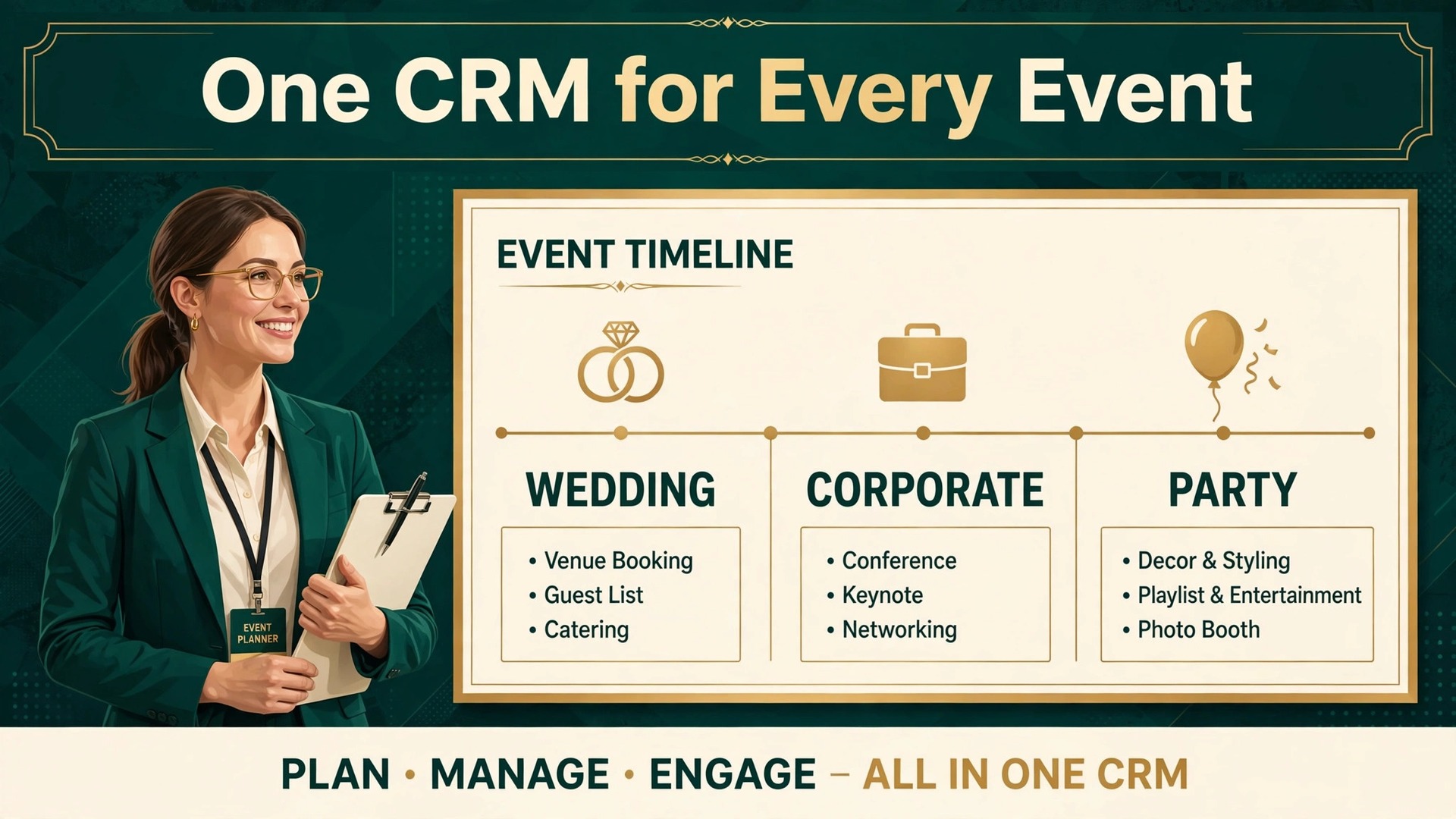
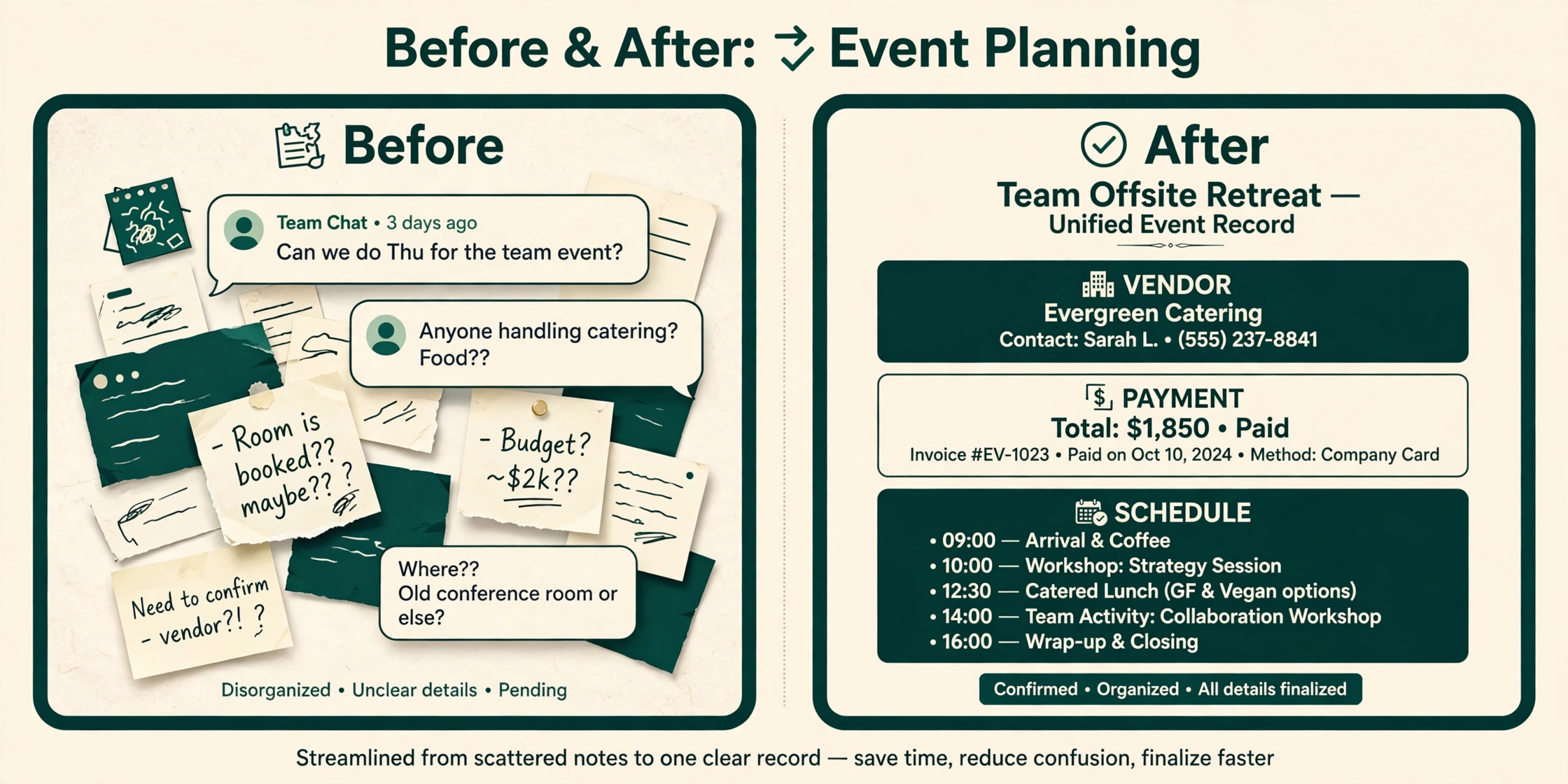
A planner loses a booking in three places, and none of them is talent. The inquiry sits unanswered in an inbox, the vendor confirmation lives in a separate chat, and the payment schedule lives in a spreadsheet nobody opens. The best CRM for event planners small business is the system that closes those three gaps, so a lead, a vendor and a payment all point to the same event record.
Event planning is not ordinary sales work. A wedding, a corporate launch and a birthday party share a pipeline, but they diverge fast after booking. Timelines, guest lists, seating, vendor orders, deposits and event day packets all need a home, and a general CRM that only tracks deals will leave the hardest part of the job in spreadsheets and messages.
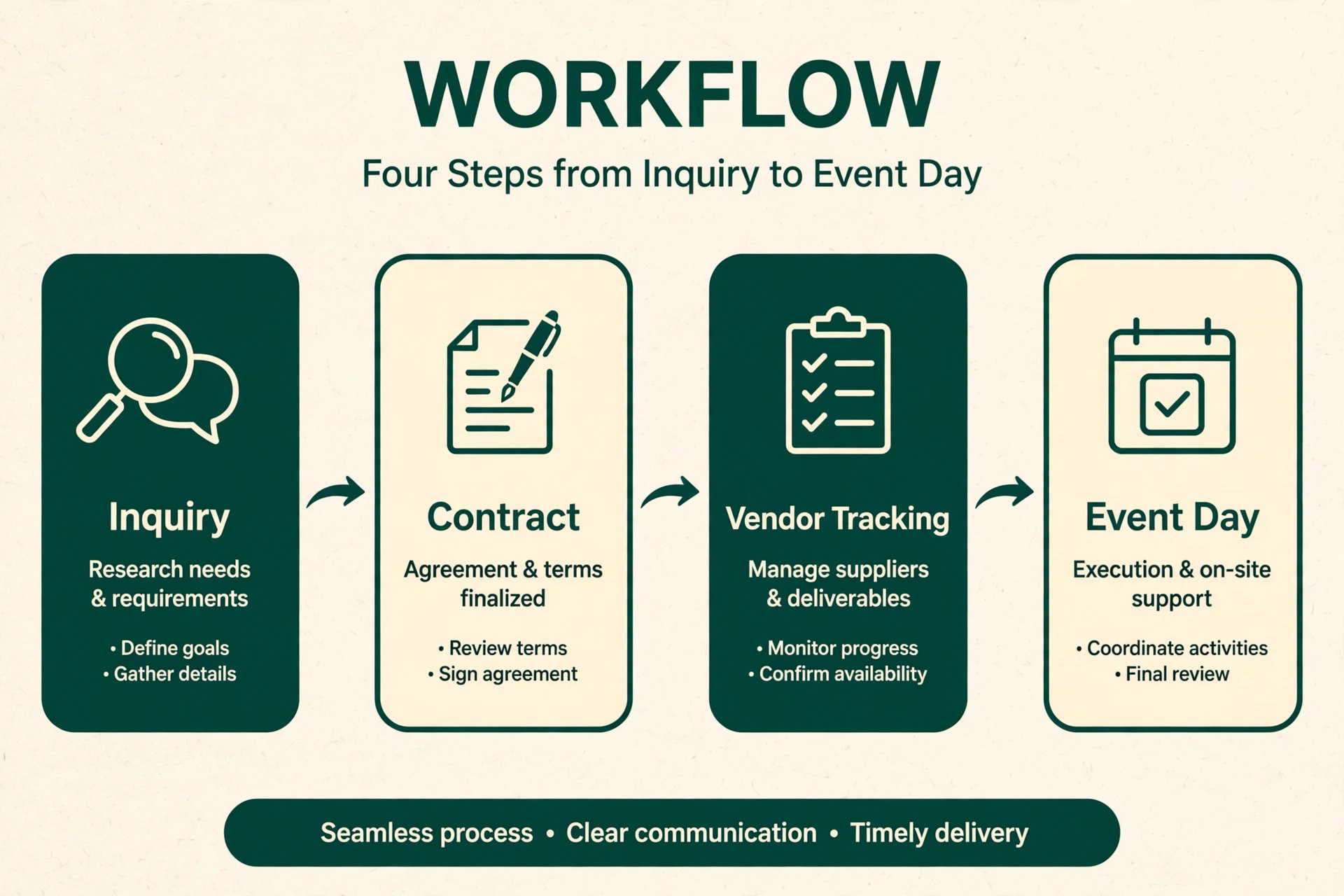
This guide compares thirteen tools on the same questions. Does the system carry a lead from inquiry to signed contract, does it track vendors and event day details, how does pricing work at a real event volume, and where does each tool fall short. Prices are starting points checked at writing time, so confirm the current price on the vendor page before you buy.
Thirteen Planner CRMs Side by Side
Read the table as a shortlist, not as a ranking. A budget suite suits a solo planner with a small book, while a planner native platform suits a firm running many events at once. Pick three finalists, then read their full sections before committing to a contract.
| Tool | Starting price | Best for |
|---|---|---|
| HoneyBook | from $36 a month in recent comparisons | solo wedding and social planners who want one booking flow |
| Aisle Planner | from $59 a month in recent comparisons | wedding planners with design heavy workflows |
| Planning Pod | from $39 a month in recent comparisons | planners and venues running many event types at once |
| Dubsado | from $20 a month in recent comparisons | planners who want deep, custom client workflows |
| 17hats | from about $15 a month in recent comparisons | solo planners who want a budget all in one suite |
| Agiled | from $24 a month billed annually in recent comparisons | planners who want CRM, invoicing, contracts and project tools in one value bundle |
| Tripleseat | from $150 a month in recent comparisons | venues and venue focused planners handling many inquiries |
| Moxie | from $12 a month in recent comparisons | solo planners who want a modern, affordable client suite |
| Bonsai | from $25 a month in recent comparisons | planners who also sell creative or consulting services |
| Plutio | from $19 a month in recent comparisons | small planner teams who want projects, proposals and invoicing together |
| Zoho CRM | with a free tier and paid plans from about $14 a user a month in recent comparisons | planners who want a strong general CRM at a low cost |
| Pipedrive | from $14 a seat a month billed annually in recent comparisons | planners who want a clear visual sales pipeline above all |
| HubSpot | with a free CRM and paid plans from about $20 a month in recent comparisons | planners who want free CRM basics plus marketing depth as they grow |
How the best CRM for event planners small business Keeps Every Event on Track
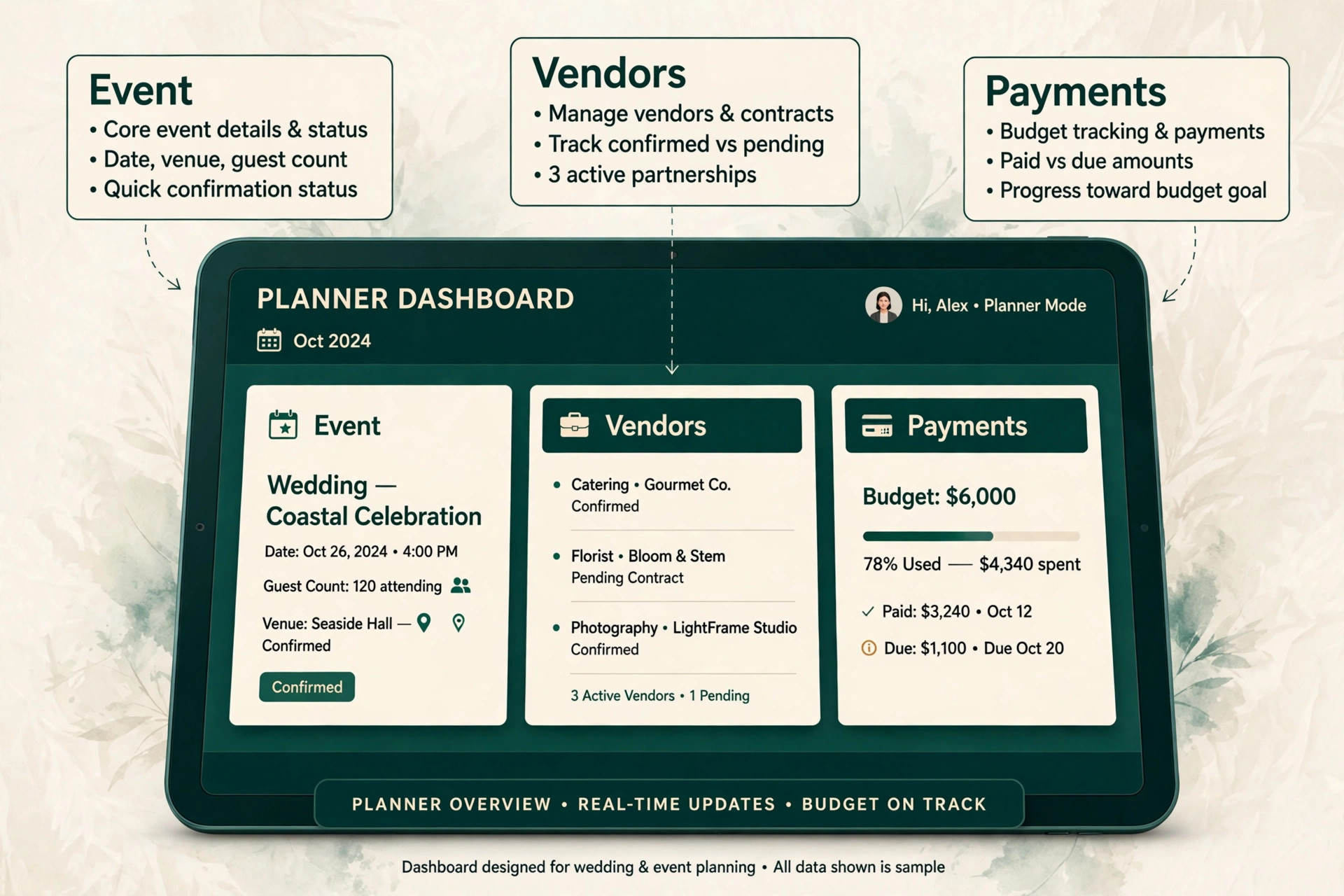
A planner CRM earns its fee when one record answers four questions at once, namely who the client is, what has been paid, which vendors are confirmed, and what happens next. When those answers live in one place, the planner stops hunting through inboxes on event day and starts running the event.
Client trust is the second test. Couples and corporate clients judge a planner by how clearly they are kept informed, especially in the final month before an event. A client portal with timelines, documents, payments and messages reduces calls and prevents the small misunderstandings that turn into event day disputes.
Margin is the third test. Vendor costs, deposits, pass through charges and final balances decide whether an event made money, and a system that shows paid, due and outstanding against the same event gives the owner a chance to act before a shortfall becomes a loss.
Thirteen Tools, Reviewed One by One
HoneyBook
HoneyBook fits solo wedding and social planners who want one booking flow. It turns an inquiry into a booked event in one document, with proposal, contract and retainer payment in a single client sitting, plus automation for follow ups. A planner who books from inquiries will value how fast a lead becomes a signed client. At a starting point of from $36 a month in recent comparisons, check the vendor page for the current plan. The limit is event planning depth is thinner than on a planner native platform, so complex seating, timelines and vendor tracking may need a second tool.
Test that limit with a real client during the trial, and walk away if the workaround becomes a daily chore.
Aisle Planner
For wedding planners with design heavy workflows, Aisle Planner earns its place through one clear job. It embeds contracts and e-signature into a wedding native workspace with checklists, timelines, budgets, vendor management and client collaboration in one place. A wedding planner can run the whole planning journey without leaving the platform. The starting point is from $59 a month in recent comparisons, so confirm the live price before you budget. Watch out for it is wedding focused, so corporate and social planners will find templates and workflows too narrow, and per event pricing climbs with volume. If that weakness touches your main income stream, choose a different finalist.
Planning Pod
Planning Pod is worth a trial when your main job is planners and venues running many event types at once. It covers event management, seating, banquet event orders, vendor tracking and client tools in an event native system, with pricing by event count. A firm running weddings, corporate events and parties together gets one home for all three. Pricing starts at from $39 a month in recent comparisons in recent comparisons, and the vendor page is the final word. Where it falls short is the interface is functional rather than polished, proposals are less beautiful than HoneyBook, and the entry event cap can force a quick upgrade for a busy book of business.
Judge it on the job you will use every week.
Dubsado
Choose Dubsado when planners who want deep, custom client workflows is the work that pays the bills. Its workflows, questionnaires, contracts, invoices and scheduling can be shaped around a templated client journey, so onboarding feels consistent for every client. A planner who loves systems will build a journey once and reuse it all year. The entry price is from $20 a month in recent comparisons as a starting point, and the full bill depends on users and add ons. The trade off is setup takes real time, and event specific features like seating and timelines are thinner than on Planning Pod or Aisle Planner, so the planner must build those parts.
Price that trade off honestly, because a cheap plan that misses the main job costs more in lost bookings.
17hats
17hats fits solo planners who want a budget all in one suite. It bundles CRM, contracts, invoices, scheduling and basic project tools at a low entry price, which suits a planner starting out or running a small book. The suite covers the business side without a platform level bill. At a starting point of from about $15 a month in recent comparisons, check the vendor page for the current plan. The limit is the interface feels older than HoneyBook or Dubsado, and add ons for scheduling and recurring billing can lift the real cost closer to $80 a month for the full feature set.
Test that limit with a real client during the trial, and walk away if the workaround becomes a daily chore.
Agiled
For planners who want CRM, invoicing, contracts and project tools in one value bundle, Agiled earns its place through one clear job. It bundles CRM, proposals, contracts with e-signature, deposit invoicing, time tracking, scheduling and a client portal, replacing three or four separate subscriptions. A planner who counts total cost will see the value quickly. The starting point is from $24 a month billed annually in recent comparisons, so confirm the live price before you budget. Watch out for it is not event native, so seating, banquet orders and wedding specific workflows need workarounds or a second tool for complex events. If that weakness touches your main income stream, choose a different finalist.
Tripleseat
Tripleseat is worth a trial when your main job is venues and venue focused planners handling many inquiries. It is built for venues, with lead management, event orders, contracts and booking tools shaped around venue sales. A venue team that lives on group bookings and banquet orders will find the workflow familiar from day one. Pricing starts at from $150 a month in recent comparisons in recent comparisons, and the vendor page is the final word. Where it falls short is the price and venue focus make it a poor fit for a solo planner, and a planner without a venue may pay for venue features that stay unused. Judge it on the job you will use every week.
Moxie
Choose Moxie when solo planners who want a modern, affordable client suite is the work that pays the bills. It covers CRM, proposals, contracts, invoicing and scheduling in a clean modern interface at a low entry price. A new planner can look professional from the first inquiry without a large monthly commitment. The entry price is from $12 a month in recent comparisons as a starting point, and the full bill depends on users and add ons. The trade off is event specific depth is lighter than on Planning Pod, so complex multi vendor productions may need spreadsheets beside it for timelines and seating.
Price that trade off honestly, because a cheap plan that misses the main job costs more in lost bookings.
Bonsai
Bonsai fits planners who also sell creative or consulting services. It combines proposals, contracts, invoicing, time tracking and client management for independent service businesses, with a polished client experience. A planner who mixes events with consulting or design work gets one system for both income streams. At a starting point of from $25 a month in recent comparisons, check the vendor page for the current plan. The limit is it is not event native, so vendor tracking, seating and event day packets need custom fields or a second tool. Test that limit with a real client during the trial, and walk away if the workaround becomes a daily chore.
Plutio
For small planner teams who want projects, proposals and invoicing together, Plutio earns its place through one clear job. It bundles CRM, project management, proposals, invoicing and client portals in a flexible workspace that a small team can shape around its own process. A team that already thinks in projects will adopt it fast. The starting point is from $19 a month in recent comparisons, so confirm the live price before you budget. Watch out for event specific templates are thinner than on planner native tools, and the flexibility that helps a team can also mean more setup before the first event runs cleanly. If that weakness touches your main income stream, choose a different finalist.
Zoho CRM
Zoho CRM is worth a trial when your main job is planners who want a strong general CRM at a low cost. Its pipeline, automation, email integration and reporting suit a planner who mainly needs lead and client tracking, with integrations to other tools for events. A planner comfortable connecting tools will get serious CRM power for little money.
Pricing starts at with a free tier and paid plans from about $14 a user a month in recent comparisons in recent comparisons, and the vendor page is the final word. Where it falls short is it has no event native planning tools, so timelines, seating, vendor orders and event day work must live elsewhere, which adds a second system to manage. Judge it on the job you will use every week.
Pipedrive
Choose Pipedrive when planners who want a clear visual sales pipeline above all is the work that pays the bills. Its visual pipeline, deal tracking and automation are easy to learn in days, and it works well for a planner whose main weakness is lead follow up. Integrations can connect it to booking and invoicing tools for the rest of the job.
The entry price is from $14 a seat a month billed annually in recent comparisons as a starting point, and the full bill depends on users and add ons. The trade off is it has no client portal for events, no seating workflow and no job costing for events, so it must be paired with a planning tool rather than replacing one. Price that trade off honestly, because a cheap plan that misses the main job costs more in lost bookings.
HubSpot
HubSpot fits planners who want free CRM basics plus marketing depth as they grow. Its free CRM covers contacts, deals, email tracking and pipelines, and paid tiers add marketing automation, landing pages and reporting that suit a growing planner brand. A planner who also invests in content and lead generation gets room to grow. At a starting point of with a free CRM and paid plans from about $20 a month in recent comparisons, check the vendor page for the current plan. The limit is event planning features are absent, so the planner must pair it with a planning tool, and paid tiers climb quickly once marketing features and extra users are added.
Test that limit with a real client during the trial, and walk away if the workaround becomes a daily chore.
Planner Picks Matched to the Event Type
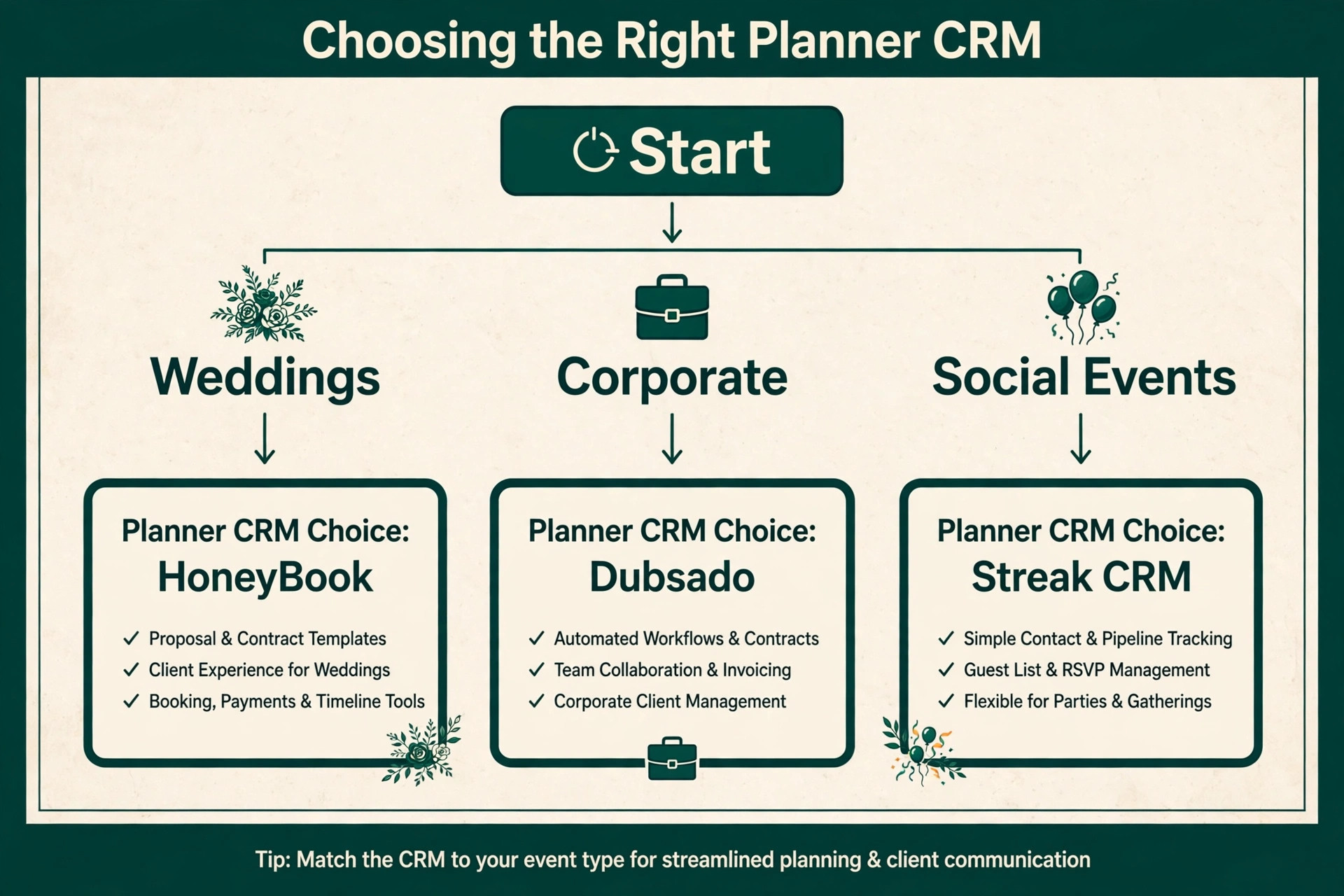
The right CRM changes with the event type that pays the bills. Weddings, corporate events and social events are different jobs, and the tool that wins one may not win another. Use this table to match the pick to the job, then confirm the fit by running one real event through a trial.
| Job | Best pick | Why it wins |
|---|---|---|
| Weddings | Aisle Planner | Wedding native timelines, budgets, vendors and seating |
| Corporate | Planning Pod | Event orders, seating and vendor tracking for complex events |
| Social events | HoneyBook | Fast inquiry to contract to payment flow for smaller events |
The Vendor Tracking Checklist Before You Pay
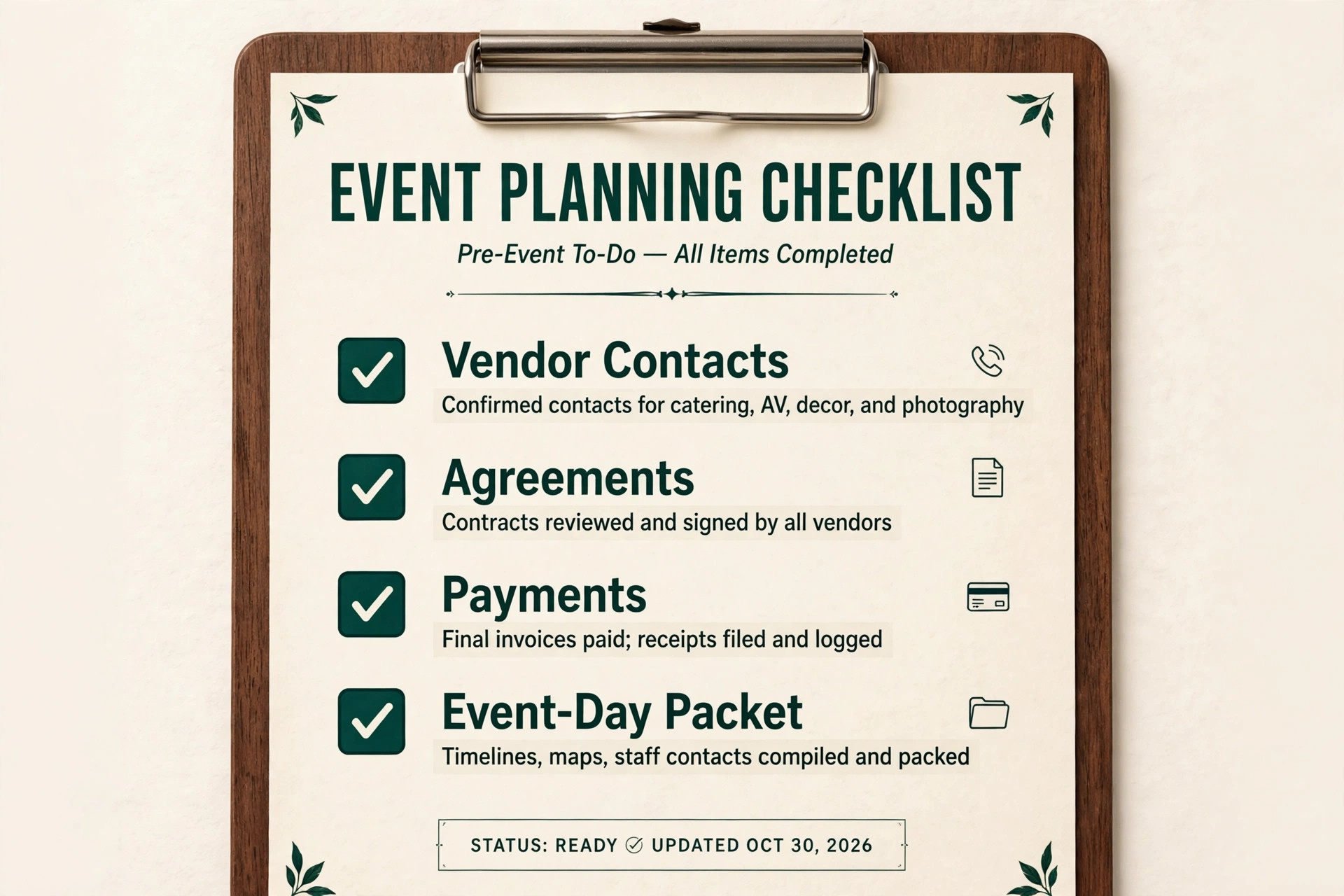
A CRM only helps on event day if vendor data is complete and current. Run through this checklist with a real upcoming event before you commit, and fix every gap in the trial rather than after launch.
– Record every vendor with contact, service, fee, payment terms and arrival time in the event record, not in a chat thread. – Attach the signed agreement and the final brief to the same vendor record, so the event day team works from one version. – Log every deposit, balance and pass through charge against the vendor, with due dates visible in the event timeline. – Confirm load in, setup and strike times for each vendor, and share a single event day packet with the whole team. – Track dietary, access and venue restrictions beside the vendor who needs them, so nothing relies on memory. – Send a final confirmation to every vendor three days before the event, and log the reply in the CRM. – Review vendor performance after the event, so the next booking starts from evidence rather than habit.
What a Planner CRM Really Costs Each Month
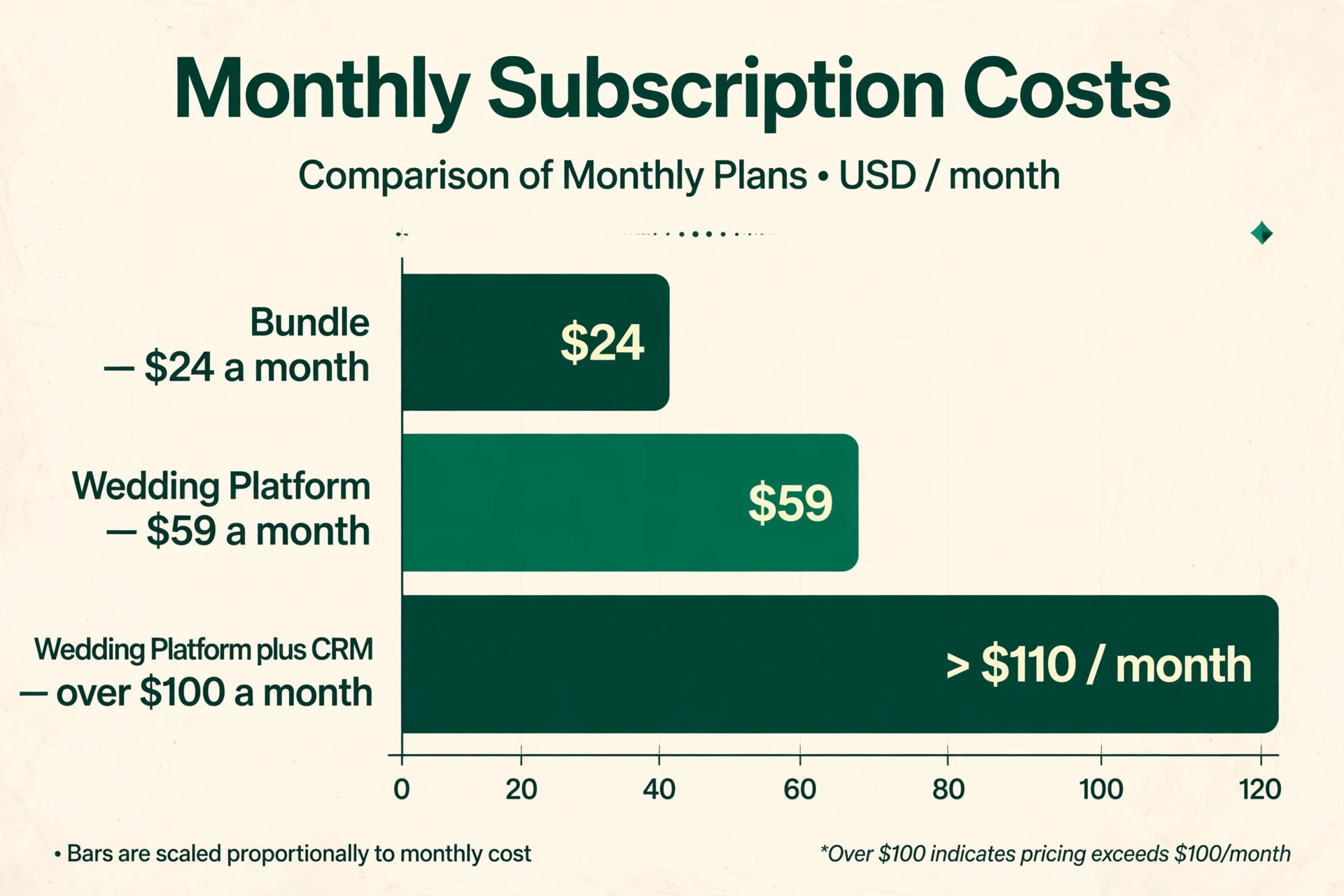
The headline price hides the real decision, because per event pricing, extra users, payment processing and a second tool for planning move the total. A planner on a $24 bundle may pay that single fee and nothing else, while a planner on a $59 wedding platform plus a general CRM for marketing may pay over $100 a month for the pair. Compare totals at the real event volume, not single plan prices.
Per event pricing needs special care. Aisle Planner and Planning Pod price by project or event count in recent comparisons, so a busy season costs more than a quiet season on the same plan. Get the tier thresholds in writing, including what counts as an active event and what happens when the count is exceeded mid season.
Mistakes That Lose Planner Bookings
The most common mistake is buying for leads alone. A pipeline tool can win more inquiries and still leave vendor tracking, timelines and payments in chaos. Buy for the whole event, from inquiry to event day packet, not just for the first enquiry.
The second mistake is running two systems that never sync. A CRM for clients plus spreadsheets for vendors plus chats for timelines creates gaps where a vendor confirmation or a payment is forgotten. One system for the event, even if it is not perfect in every area, usually beats several good tools that never talk to each other.
Testing Three Planner Finalists on One Real Event
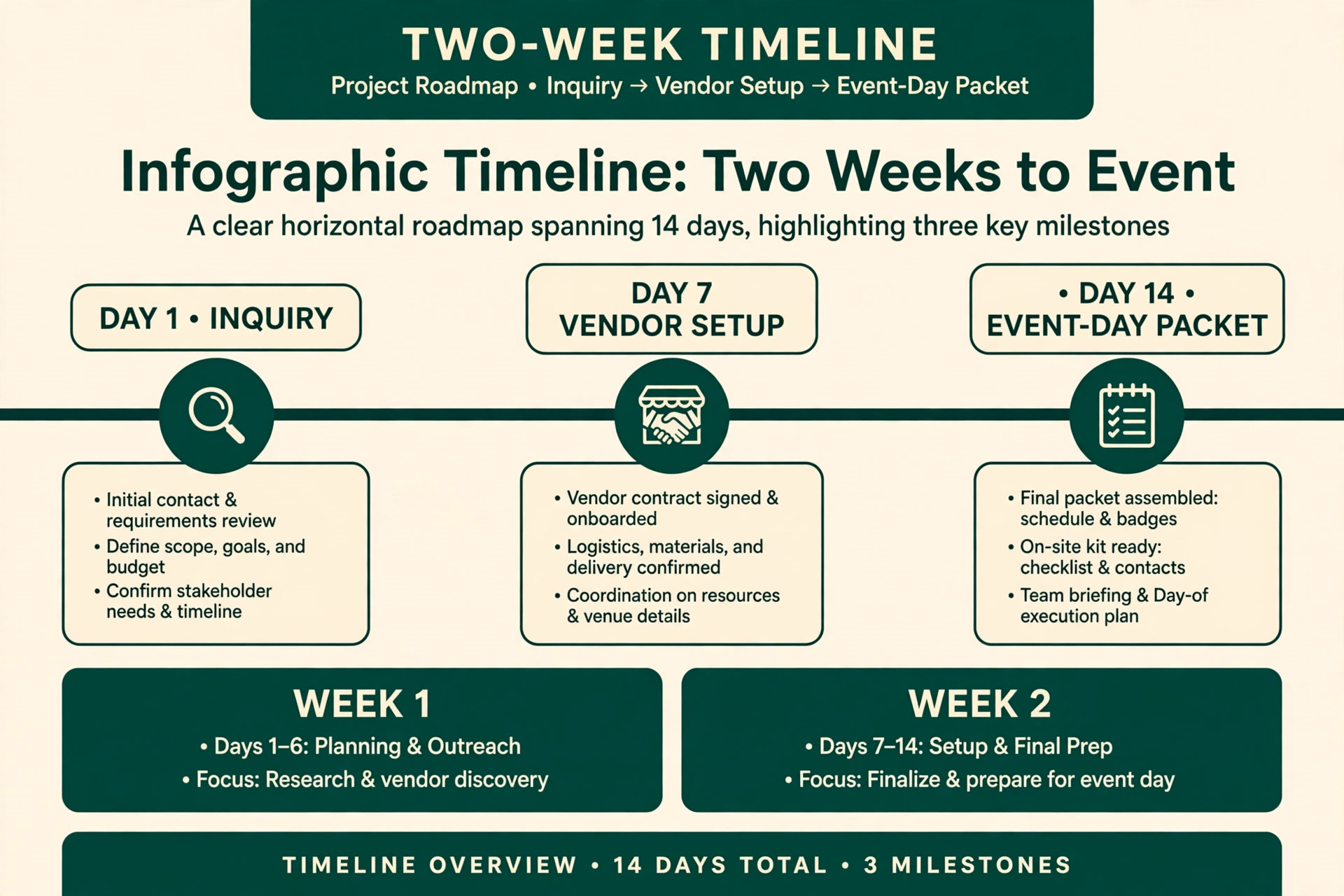
Do not test finalists on demo data, because demo events hide the messy parts of real planning. Instead, load one real upcoming event into each finalist, with real vendors, real payments and a real timeline, and run the daily routine exactly as the team would after launch. A trial that mirrors real work exposes slow screens and missing fields before any money changes hands.
Score each finalist on inquiry response, contract and payment flow, vendor tracking, timeline clarity and event day packet creation. The tool with the highest total for your main event type wins, even if another tool wins on design alone. If a task takes seven clicks in real use, that gap will cost hours in a busy season.
Choosing the best CRM for event planners small business Without Buying a Venue System
A planner CRM should be judged on event day, not on demo day, because the system that looks polished in a sales call can still fail when ten vendors, three timelines and a final payment all need attention at once. The best CRM for event planners small business will answer, in one record, who the client is, what has been paid, which vendors are confirmed, and what happens next, without forcing the planner to open a second tool. Test that record with a real event during the trial.
Pricing by event count needs a full year view, because a planner who runs ten events in spring and two in winter will pay different amounts in different months on a per event plan. The best CRM for event planners small business for a seasonal practice is one whose annual cost, averaged across busy and quiet months, still feels fair, and whose tier thresholds are written down before signing. Ask what counts as an active event, and when an event leaves the count, before budgeting.
Client communication is the feature clients actually notice, because a couple or a corporate client judges a planner by how informed they feel in the final month. A portal with timelines, documents, payments and messages in one place reduces calls and prevents misunderstandings, while a CRM that only tracks deals leaves the client experience to inboxes and chats. Trial the portal as a client would, on a phone, in a hurry, and fix every confusing step before launch.
Vendor data is only useful when it is complete, and completeness needs a system that makes entry easy on event day rather than only in the office. The best CRM for event planners small business will let the planner update a vendor confirmation, a payment and an arrival time from a phone, because vendor details change on the move and a system that needs a desk will always lag behind reality. Test vendor updates from a phone during the trial.
Payment schedules deserve the same care as timelines, because deposits, balances and pass through charges decide whether an event made money. A CRM that shows paid, due and outstanding against the same event, with due dates visible in the timeline, lets the owner chase a balance before event day rather than after it. A system that hides payments in a separate invoicing tool will let balances slip, and slipped balances become awkward conversations.
Do not buy a venue system for a planning practice, or a planning system for a venue, because the two jobs differ even when they share clients. The best CRM for event planners small business for a solo planner is a booking led suite with vendor tracking, while the best choice for a venue team is a venue sales system, and buying the wrong one means paying for features that stay unused while the real job stays in spreadsheets. Match the system to the business that pays the bills.
Migration should start with active events, not with history, because a planner who migrates five years of past events first will still be migrating when the next event needs the system. Load active events with clients, vendors, payments and timelines intact, then past clients for referrals, then templates, and keep the old system running in parallel for two weeks so any record can be checked in the old place if the new place looks wrong.
Team roles matter even in a small planning business, because an assistant, a lead planner and a venue contact should not all see the same financial details. The best CRM for event planners small business will offer permissions that let each role see what it needs and nothing more, protecting client privacy and preventing accidental changes to prices or vendor terms. Set those permissions before the first live event, not after the first error.
Finally, review the CRM after the first busy season against bookings, vendor errors and payment delays, not against how much the team enjoyed the interface. The best CRM for event planners small business will show its value in fewer missed confirmations, faster payments and calmer event days, and if those numbers have not moved, the problem is usually the workflow, not the tool. Fix the workflow first, and only change tools when the tool itself is the bottleneck.
More Reading on Stratilyze
– Best CRM for Home Builders at a Small Business – Best Website Builder for Real Estate Agents – Best Email Marketing Software for Gyms
Frequently Asked Questions
Do I need a planner specific CRM, or is a general CRM enough?
A general CRM is enough when the planner mainly needs lead tracking and the event details already live in a trusted planning tool. A planner specific CRM earns its fee when timelines, seating, vendor orders and event day packets must live beside the client record, because that combination is where general tools fall short.
How does per event pricing work?
Per event pricing charges by the number of active events or projects in a tier, so a busy season costs more than a quiet season. Check what counts as an active event, when an event leaves the count, and what happens when the tier is exceeded mid season, before budgeting for a full year.
Can HoneyBook handle a full wedding?
HoneyBook handles inquiry, proposal, contract and payment beautifully, but complex wedding planning, including seating, detailed timelines and vendor coordination, often needs a second tool. Wedding planners who need that depth should trial Aisle Planner alongside HoneyBook.
Should a solo planner pay for Tripleseat?
Usually not, unless the planner works mainly with venues or runs venue sales. Tripleseat is built for venue teams, and a solo planner without a venue will pay for venue features that stay unused. A solo planner should start with HoneyBook, Dubsado or Moxie instead.
What should I migrate first when switching CRM?
Migrate active events first, with clients, vendors, payments and timelines intact, then past clients for referrals, then templates. Keep the old system running in parallel for two weeks, so staff can check a record in the old place if the new place looks wrong.
How do I keep vendors updated without endless messages?
Give every vendor one event day packet from the CRM, with arrival, setup, contact and restriction details in one document, then send a single final confirmation three days before the event. Log replies in the CRM, so the whole team works from one version rather than separate chats.
A Planner Specific Shortlist to Take Into Your Trial
For most solo planners, HoneyBook is the sensible first trial for booking speed, and Dubsado is the sensible first trial for custom workflows, with event depth priced honestly on top. Wedding planners should trial Aisle Planner first, and firms running many event types should trial Planning Pod first. That shortlist is a practical way to choose without paying for a venue system you will not use.
Whichever tool you shortlist, run one real event through it from inquiry to event day packet before you pay for a year. The best system is the one where a lead, a vendor and a payment all point to the same event, and the team can answer any client question without hunting through inboxes. That test, run properly, will choose the tool for you.