
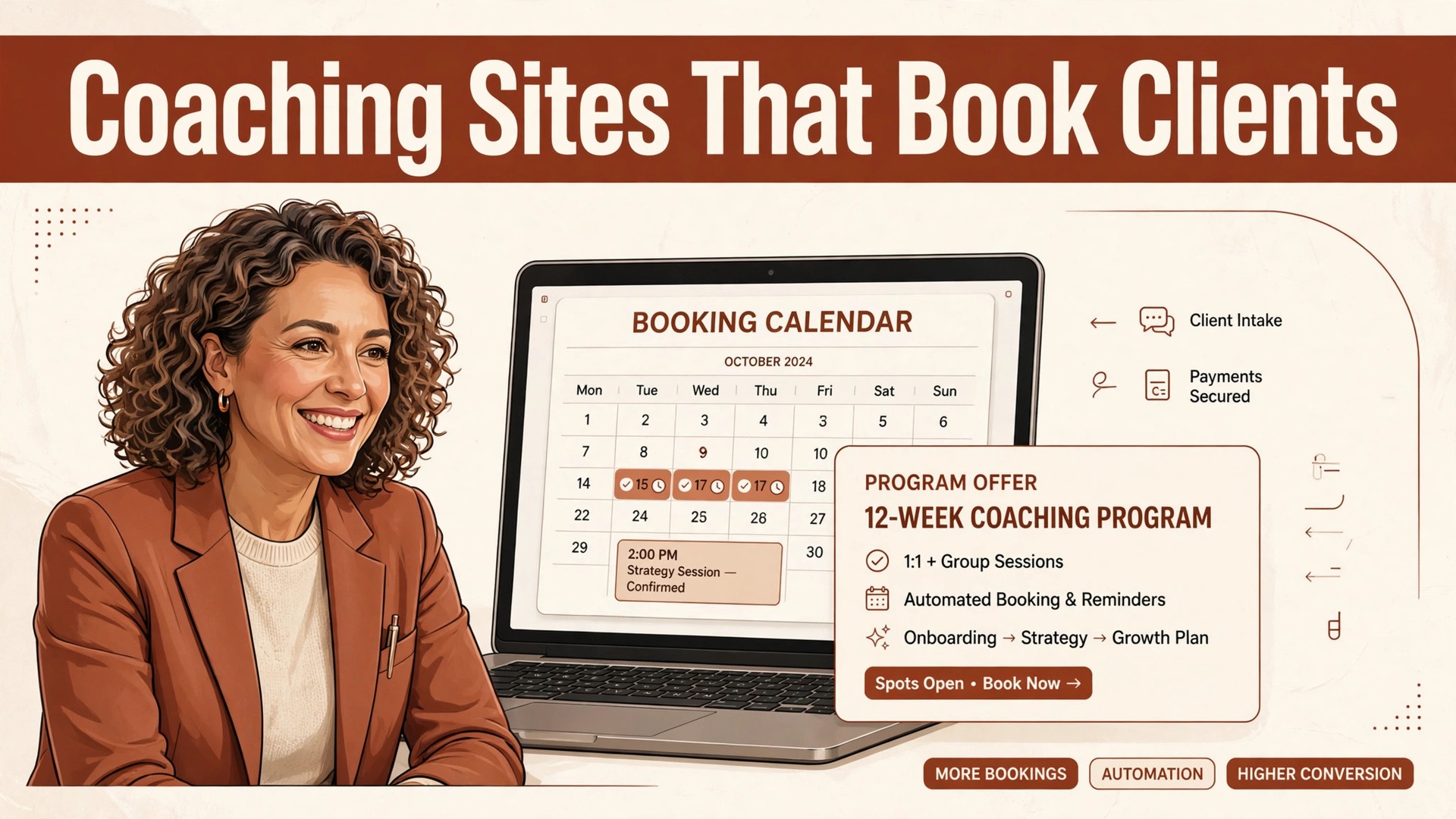
If a coach sells programs from a website that only describes the coach, the site is doing half the job. The best website builder for coaches must book sessions, sell programs, capture leads and build authority, and the builder that does one of those jobs best is not always the builder that does all four well. That split is why this guide starts with the job, not the brand.
A coaching site has a harder task than a brochure site. A visitor arrives with a problem, a budget and a doubt, and the site must answer all three in one visit. It must show proof, explain the method in plain words, offer a clear next step and make booking or buying feel safe. A builder that makes those four steps easy will earn its fee. A builder that only makes pages pretty will not.
This guide compares eleven builders on the same questions. Can a visitor book a session without emailing back and forth, can a program be bought and delivered in the same system, does the site support writing and search traffic, and what does the full monthly bill become once add ons are counted. Prices are starting points checked at writing time, so confirm the current price on the vendor page before you buy.
Eleven Coaching Builders Side by Side
Read the table as a shortlist, not as a ranking. A cheap builder suits a new coach with a referral practice, while an all in one platform suits a coach whose income already comes from programs. Pick three finalists, then read their full sections before committing to a contract.
| Tool | Starting price | Best for |
|---|---|---|
| Wix | from $17 a month billed annually | coaches who want design freedom plus booking in one place |
| Squarespace | from $16 a month billed annually | coaches whose brand is visual and whose site must look polished fast |
| Kajabi | from $143 a month billed annually in recent comparisons | coaches selling programs, courses and memberships from one system |
| Teachable | from $29 a month in recent comparisons | coaches whose main product is a course rather than one to one sessions |
| Thinkific | from $36 a month in recent comparisons | coaches who want a professional course site with room to grow |
| Showit | from $19 a month in recent comparisons | coaches who want a fully custom visual brand |
| WordPress | hosting from a few dollars a month plus theme and plugin costs | coaches who want full ownership and long term search growth |
| GoDaddy | from about $10 a month billed annually in recent comparisons | new coaches who need a simple site live this week |
| Strikingly | from $16 a month in recent comparisons | coaches who need a short, sharp one page site |
| Podia | from $39 a month in recent comparisons | coaches selling courses, downloads and memberships without fuss |
| Systeme.io | with a free plan and paid plans from $27 a month in recent comparisons | coaches on a tight budget who need funnels and email included |
Why the best website builder for coaches Beats a Pretty Brochure Site
A brochure site tells a visitor who the coach is. A coaching site moves a visitor toward a decision. The difference shows in the booking button, the program page, the lead magnet and the follow up email, and a builder that treats those four as core features will outperform a prettier builder that treats them as extras.
Booking is the first test. A coach who answers booking emails all week is doing admin work that a calendar should do. The right builder connects availability, time zones, reminders and payment, so a client can book a discovery call or a paid session at midnight without waiting for a reply. That convenience alone can lift conversion for a busy coach.
Program sales are the second test. A coach selling a course, a group program or a membership needs checkout, delivery, email follow up and access control in one flow. When those pieces live in separate tools, clients get confused passwords, missed emails and support messages, and the coach spends launch week fixing access instead of teaching.
Authority is the third test, and it is slower. Regular writing, client stories and useful guides build search traffic and trust over months, not days. A builder with a strong blog, clean pages and simple search settings rewards that work, while a builder with weak blogging makes every article harder to publish and harder to find.

Eleven Builders, Reviewed One by One
Wix
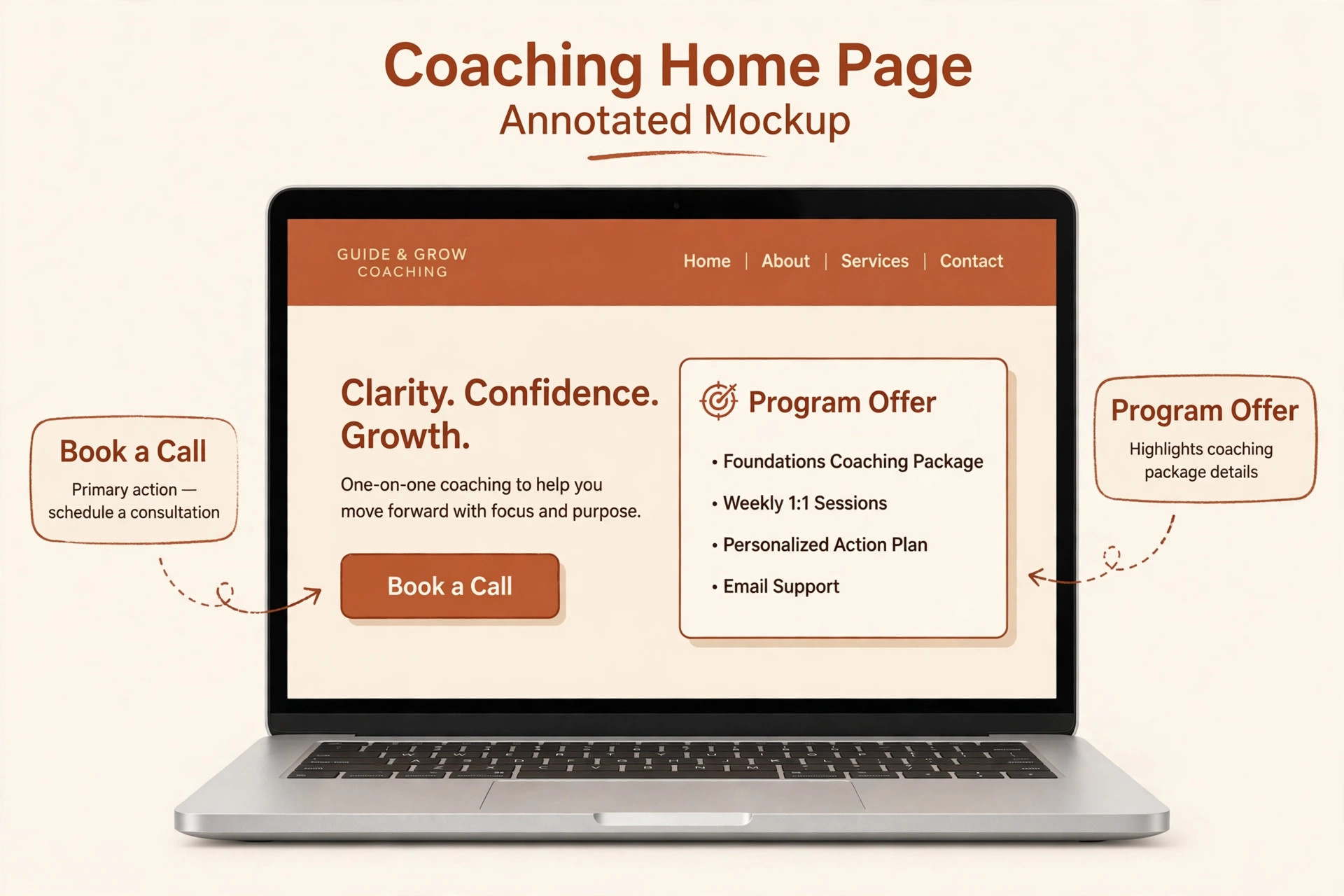
Wix fits coaches who want design freedom plus booking in one place. Its drag and drop editor, coaching templates, booking app and payment tools cover a site, a session calendar and package sales without a second platform. The app market adds email, forms and memberships when the practice grows. At a starting point of from $17 a month billed annually, check the vendor page for the current plan. The limit is course depth and email automation are thinner than on a dedicated coaching platform, so a coach selling large programs may outgrow it. Test that limit with a real client during the trial, and walk away if the workaround becomes a daily chore.
Squarespace
For coaches whose brand is visual and whose site must look polished fast, Squarespace earns its place through one clear job. Its templates present photography, testimonials and long form writing with a calm, professional finish, and scheduling plus commerce tools handle bookings and package sales. A coach who writes and speaks for a living will value how little design work the site demands. The starting point is from $16 a month billed annually, so confirm the live price before you budget. Watch out for deep coaching funnels, membership tiers and advanced automation need add ons, so price the full stack rather than the entry plan alone. If that weakness touches your main income stream, choose a different finalist.
Kajabi
Kajabi is worth a trial when your main job is coaches selling programs, courses and memberships from one system. It combines a website, courses, email, pipelines and a community in one subscription, so a coach can sell a program, deliver it and follow up without stitching tools together. That single system is the reason its price can still be cheaper than four separate bills.
Pricing starts at from $143 a month billed annually in recent comparisons in recent comparisons, and the vendor page is the final word. Where it falls short is the monthly cost is high for a new coach with few clients, and design freedom is narrower than on a general builder, so it suits a selling practice more than a new brochure site. Judge it on the job you will use every week.
Teachable
Choose Teachable when coaches whose main product is a course rather than one to one sessions is the work that pays the bills. Its course builder, student pages and payment handling are simple to launch, and coaching add ons let a coach pair a course with live sessions. A coach with a clear curriculum can publish fast and iterate on student feedback. The entry price is from $29 a month in recent comparisons as a starting point, and the full bill depends on users and add ons. The trade off is the website itself is basic next to Wix or Squarespace, so a coach who needs a strong public brand site may pair it with a separate site.
Price that trade off honestly, because a cheap plan that misses the main job costs more in lost bookings.
Thinkific
Thinkific fits coaches who want a professional course site with room to grow. It offers course pages, communities, memberships and payment tools with a clean student experience, and its free trial lets a coach test a real course before paying. The platform suits coaches who teach in cohorts or evergreen programs. At a starting point of from $36 a month in recent comparisons, check the vendor page for the current plan. The limit is one to one booking and coaching workflows are less central than course delivery, so session heavy coaches should test the booking flow first. Test that limit with a real client during the trial, and walk away if the workaround becomes a daily chore.
Showit
For coaches who want a fully custom visual brand, Showit earns its place through one clear job. Its drag and drop design freedom lets a coach build a site that looks nothing like a template, with WordPress blogging underneath for search traffic. A design led coach, or a coach working with a designer, gets unusual freedom here. The starting point is from $19 a month in recent comparisons, so confirm the live price before you budget. Watch out for booking, payments and courses arrive through integrations rather than native tools, so the setup takes more planning than an all in one platform. If that weakness touches your main income stream, choose a different finalist.
WordPress
WordPress is worth a trial when your main job is coaches who want full ownership and long term search growth. WordPress with a booking plugin, a course plugin and a payment plugin can do almost anything, and the coach owns the site, the content and the data. Search tools and blogging depth are stronger here than on most closed builders. Pricing starts at hosting from a few dollars a month plus theme and plugin costs in recent comparisons, and the vendor page is the final word. Where it falls short is the coach must maintain updates, security and plugin compatibility, or pay someone to do it, so the low hosting price is not the full cost.
Judge it on the job you will use every week.
GoDaddy
Choose GoDaddy when new coaches who need a simple site live this week is the work that pays the bills. Its guided builder, domain, hosting and basic marketing tools sit in one account, and the editor asks simple questions rather than presenting a blank canvas. A coach starting out can publish a credible site in a day. The entry price is from about $10 a month billed annually in recent comparisons as a starting point, and the full bill depends on users and add ons. The trade off is design depth and coaching specific tools are limited, so a growing practice may hit the ceiling sooner than on Wix or Squarespace.
Price that trade off honestly, because a cheap plan that misses the main job costs more in lost bookings.
Strikingly
Strikingly fits coaches who need a short, sharp one page site. Its one page sites suit a coach with one offer, one booking link and a short story, and the editor stays simple even for a non technical owner. A launch offer, a retreat or a single program fits this format well. At a starting point of from $16 a month in recent comparisons, check the vendor page for the current plan. The limit is a full multi page site with a blog, courses and memberships is a poor fit, because the format is built for brevity rather than depth. Test that limit with a real client during the trial, and walk away if the workaround becomes a daily chore.
Podia
For coaches selling courses, downloads and memberships without fuss, Podia earns its place through one clear job. It bundles a website, courses, digital downloads, email and community in a friendly dashboard, with no transaction fees on its higher plans in recent comparisons. A coach who dislikes technical setup will find the learning curve gentle. The starting point is from $39 a month in recent comparisons, so confirm the live price before you budget. Watch out for design customisation and advanced marketing automation are lighter than on Kajabi, so a coach with complex funnels should compare carefully. If that weakness touches your main income stream, choose a different finalist.
Systeme.io
Systeme.io is worth a trial when your main job is coaches on a tight budget who need funnels and email included. It combines pages, funnels, email, courses and affiliate tools at a price far below most all in one rivals, which makes it attractive for a coach testing a first program. The free plan lets a coach validate an offer before spending. Pricing starts at with a free plan and paid plans from $27 a month in recent comparisons in recent comparisons, and the vendor page is the final word. Where it falls short is templates and design polish lag behind Squarespace and Wix, and the community features are simpler than on a dedicated coaching platform.
Judge it on the job you will use every week.
Coaching Picks Matched to the Main Job
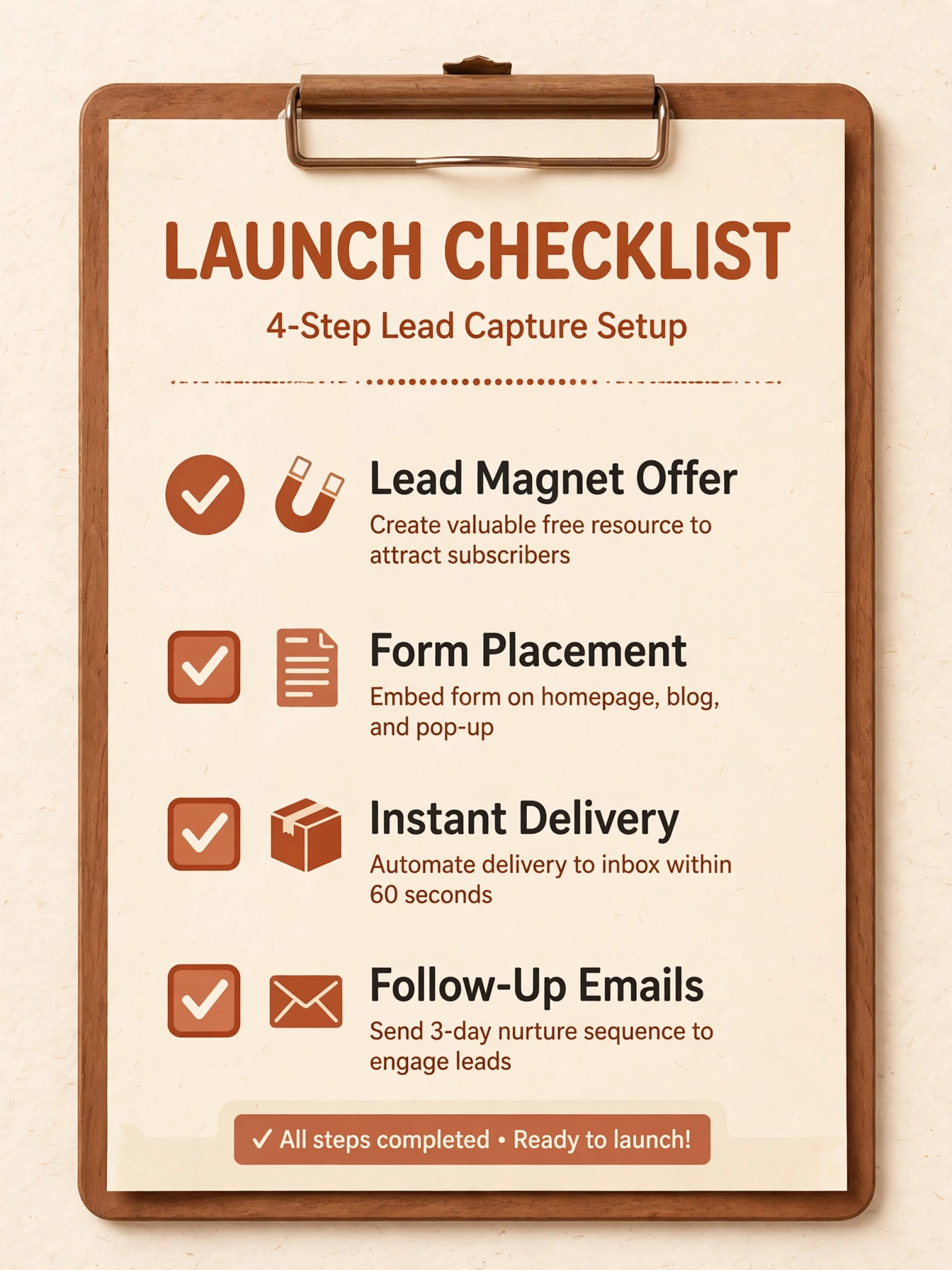
The right builder changes with the job that pays the bills. Booking first, program sales first and authority blog first are different sites, and the builder that wins one may not win another. Use this table to match the pick to the job, then confirm the fit by building one real page in a trial.
| Job | Best pick | Why it wins |
|---|---|---|
| Booking first | Wix | Booking, payments and a flexible site in one dashboard |
| Program sales first | Kajabi | Courses, email, pipelines and community in one system |
| Authority blog first | WordPress | Blogging depth, search tools and full ownership |
The Lead Magnet Checklist Before Launch
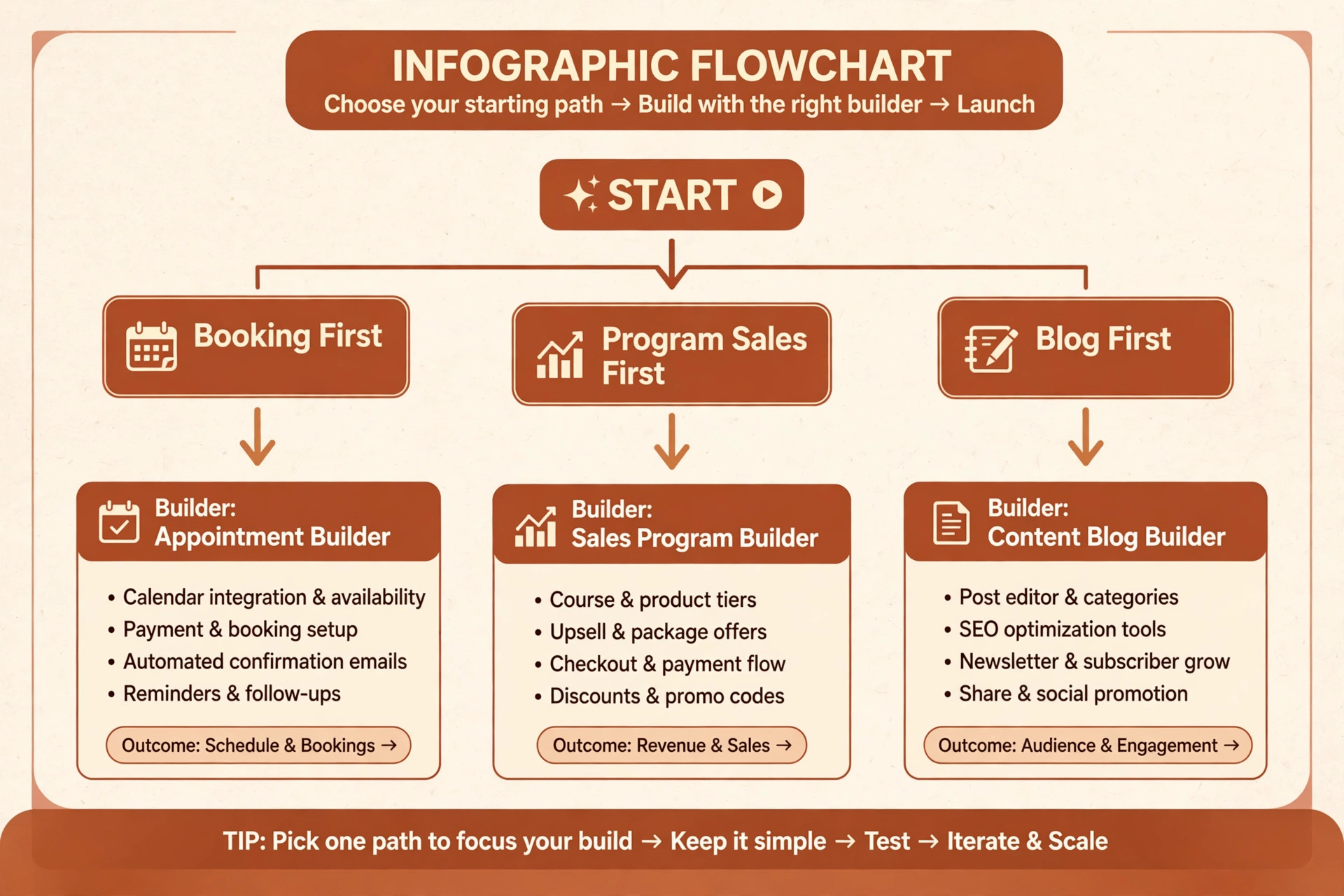
A lead magnet only works when the site turns a download into a conversation. Run through this checklist with a real offer before you pay for a year, and fix every gap in the trial rather than after launch.
– Offer one clear free resource tied to one problem, not a general guide that tries to cover everything. – Put the signup form above the fold on the home page and on every article page. – Deliver the resource instantly by email, with a plain subject line and a working download link. – Follow up with three useful emails before any sales message, each answering a question a new subscriber actually asks. – Add a booking link to the third email, so a warm subscriber can move to a call without searching the site. – Tag subscribers by interest, so a career coaching lead does not receive weight loss program emails. – Test the whole flow on a phone, because most subscribers will sign up and read on a mobile device.
What a Coaching Site Really Costs Each Month
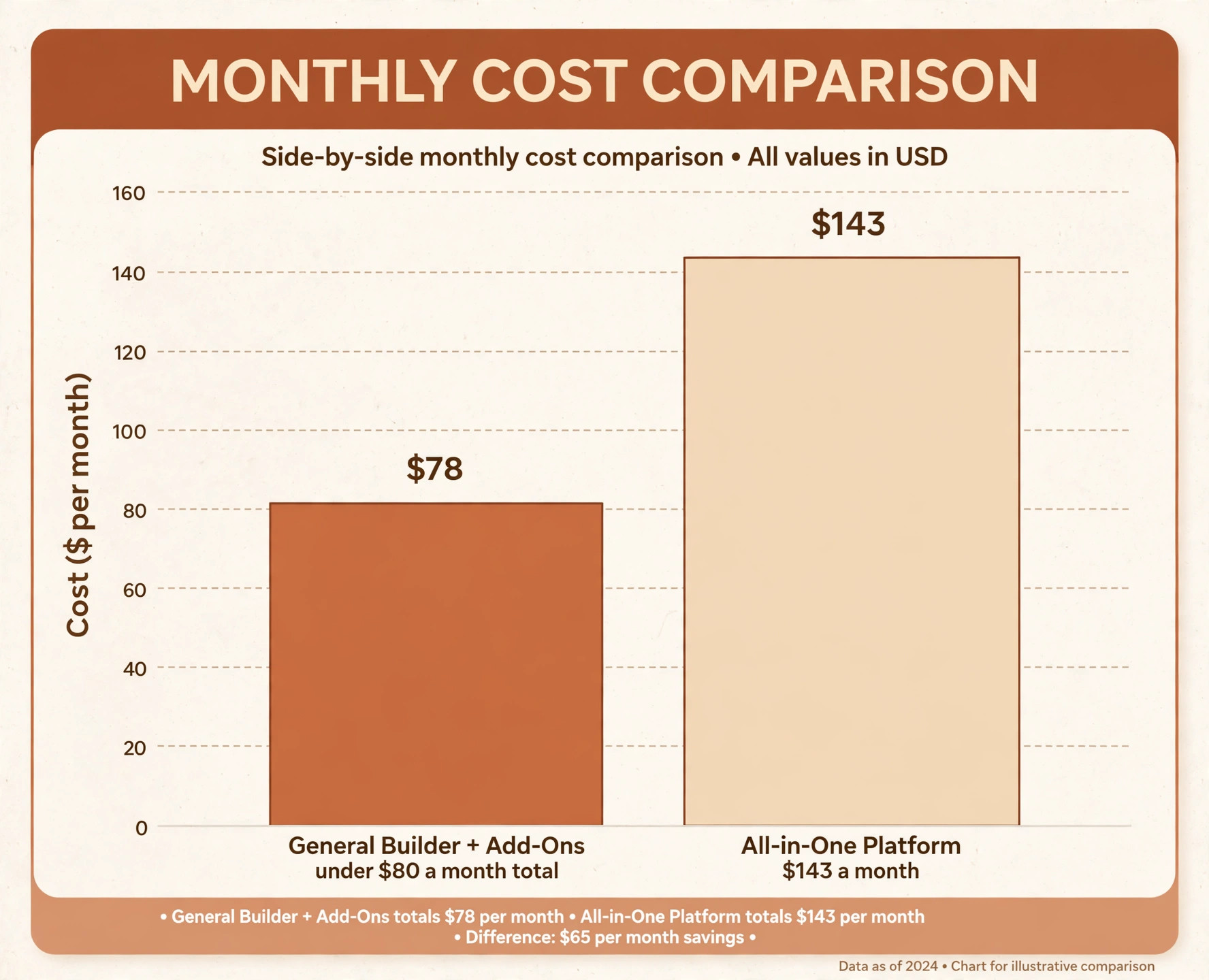
The headline builder price hides the real decision, because booking tools, email, course hosting and payment fees move the total by tens or hundreds each month. A coach on a $17 builder plus a booking add on and an email tool may pay under $80 a month in total, while a coach on a $143 platform may pay that single fee and nothing else. Compare totals at the real setup, not single plan prices.
Payment fees deserve their own line in the budget. Most builders charge no platform fee on higher plans but still pass on card processing, usually around 3 percent plus a small fixed fee per transaction in recent comparisons. On a $500 program, that fee matters, and a builder that adds its own transaction fee on top can quietly take a second cut.
Time is the second hidden cost. A builder that needs a developer for every change costs more than its subscription suggests, while a builder the coach can update alone saves both money and delay. Count the hours for one month of updates, including new pages, program changes and email sends, and price that time honestly.
Mistakes That Cost Coaches Clients
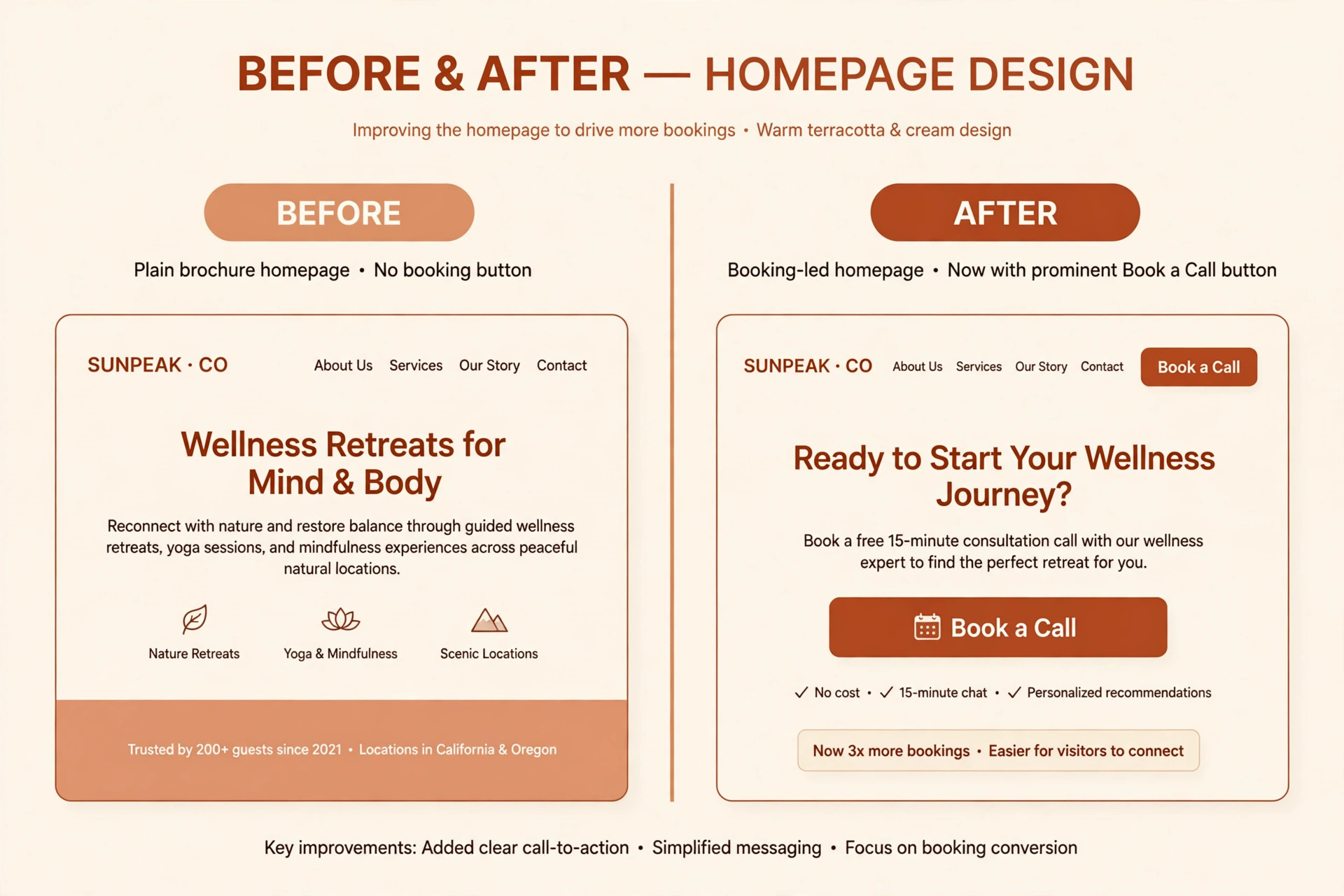
The most common mistake is choosing on design alone. A beautiful site with a buried booking button sends visitors away, while a plainer site with a clear call, a working calendar and a fast checkout keeps them. Judge the booking flow first, the program flow second and the design third, because design without a next step does not sell coaching.
The second mistake is launching a site and never publishing again. A site with five pages and no new articles, stories or resources will rank for almost nothing and look stale to returning visitors. Plan one useful article or resource a fortnight for the first three months, and treat publishing as part of the job, not as a launch task.
The third mistake is offering too many next steps. A home page that asks a visitor to book, buy, download, join and follow at once asks for nothing clearly. Pick one main action for the home page, one for each program page and one for each article, and let every other link support that action rather than compete with it.
A Two Week Trial That Actually Decides Anything
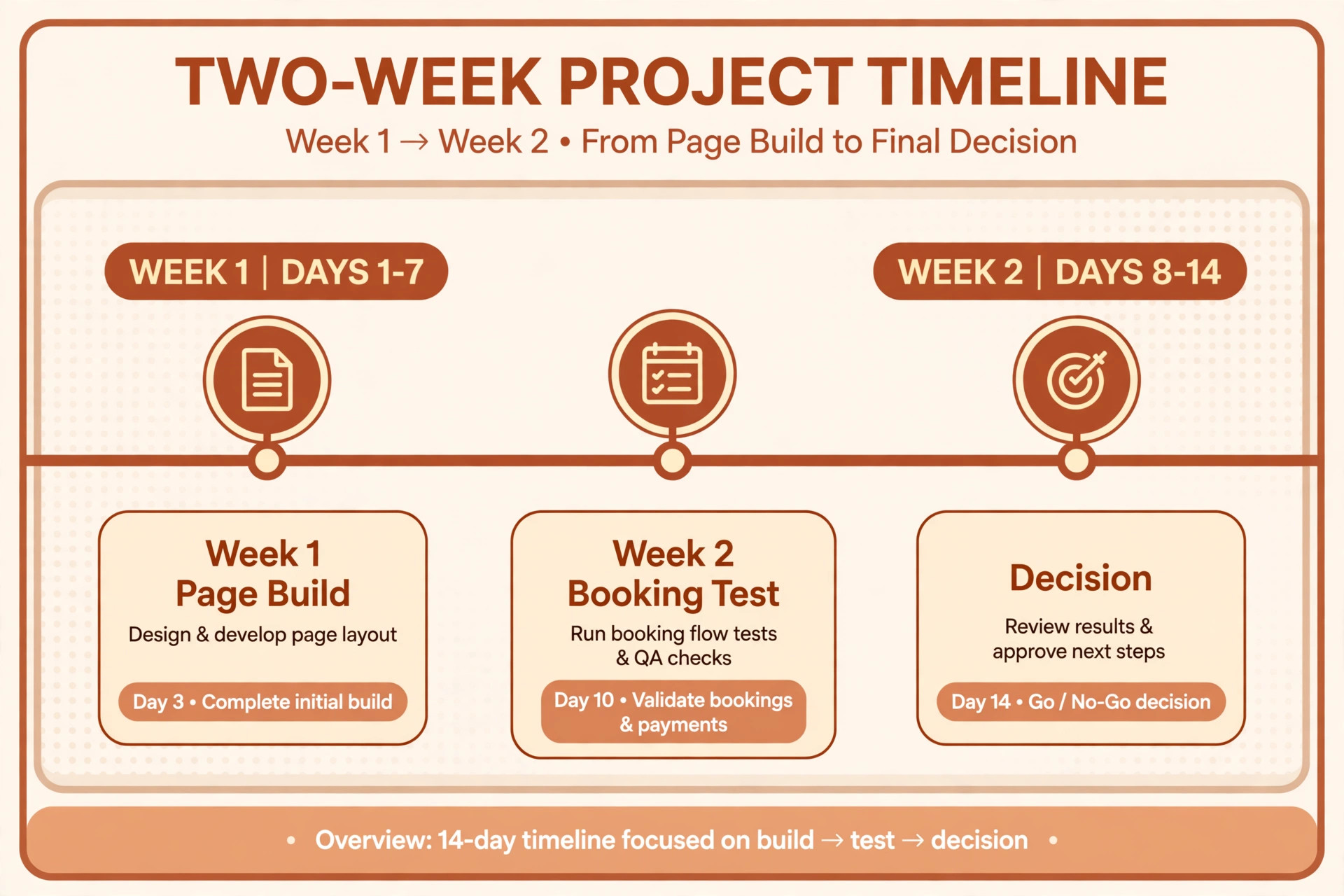
Week one should build the real site, not a demo. Publish the home page, one program page and one lead magnet, connect the calendar and test a booking from a phone. If any step needs a workaround in week one, it will need that workaround every week after launch.
Week two should sell something, even if the sale is a free discovery call. Send the lead magnet to a small real audience, watch where visitors drop off, and ask two people who did not book why they stopped. Their answers will tell you more than any feature list, and they will point to the builder change that matters most.
Choosing the best website builder for coaches Without Overpaying
A coach does not need the most expensive builder, only the builder whose paid features match the income they already produce. The best website builder for coaches for a new practice is often the cheapest builder that books sessions reliably, because a new coach has more need for clients than for advanced funnels. Start with booking, a clear offer page and a lead magnet, and add program tools only when program income can pay for them.
Price the builder at the size you will be in six months, not at the size you are today, because a plan that fits ten clients may strain at fifty. The best website builder for coaches should still feel affordable when bookings double, and it should not force a painful migration at the exact moment the practice is busiest. Check the next tier price now, and note what triggers it, whether that trigger is contacts, products, users or storage.
Separate the builder fee from the marketing tools that often hide beside it. Email, scheduling, course hosting and payment processing can each add a monthly charge, and a builder that looks cheap can become expensive once those four are added. Write down the full stack cost for each finalist, including the email tool you will actually use, before comparing headline prices.
A trial should prove revenue, not just design. The best website builder for coaches will let a visitor book a discovery call, download a lead magnet and buy a small offer without confusion, and those three flows should be tested with real people during the trial. Ask two test visitors where they hesitated, and fix the hesitation before launch, because a hesitation in a trial becomes a lost booking after launch.
Content is where a coaching site earns its keep over time, because useful articles and client stories bring search visitors who already trust the coach. The best website builder for coaches therefore needs a blog that is easy to publish on, with clean titles, simple image handling and search settings that do not require a developer. A builder that makes publishing a chore will slowly starve the site of the very content that brings new clients.
Testimonials need care on a coaching site, because a vague claim helps nobody and a specific result story helps everyone. Publish testimonials that name the problem, the work and the outcome in the client’s own words, with permission recorded, and place them beside the relevant offer rather than on a separate praise page nobody visits. A builder that makes testimonial blocks easy to place will help the coach use proof where it converts.
Do not buy a platform for a program that does not exist yet. The best website builder for coaches for a coach with a proven one to one offer is a booking led site, while the best choice for a coach with a selling group program is an all in one platform, and those are different purchases. Buy for the offer that already sells, and upgrade when the next offer proves itself with real buyers.
Check who can update the site when the coach is busy coaching. The best website builder for coaches is one the coach, or a virtual assistant, can update in minutes, because a site that waits for a developer for every price change or new testimonial will quickly go stale. Test a price change, a new page and an image swap during the trial, and time each task, because those three tasks are the weekly reality of running a coaching site.
Finally, set a review date three months after launch and judge the builder against bookings, program sales and email growth, not against how much you enjoyed building the site. The best website builder for coaches will show its value in those three numbers, and if the numbers have not moved, the problem is usually the offer or the traffic, not the template. Fix the offer first, and only change builders when the builder itself is the bottleneck.
More Reading on Stratilyze
– Best Website Builder for Real Estate Agents – Best Email Marketing Software for Gyms – Best CRM for Home Builders at a Small Business
Frequently Asked Questions
Do I need an all in one platform, or is a general builder enough?
A general builder is enough when most clients come from referrals and book one to one sessions, because booking plus a simple site covers the job. An all in one platform earns its fee when programs, courses, email and community already produce income, because replacing four bills and four logins with one system saves time and support messages.
Can I sell a coaching program on Squarespace or Wix?
Yes, both handle paid products, bookings and member areas, though the depth differs. Squarespace suits a small program catalogue with beautiful pages, while Wix suits a coach who wants more apps and booking flexibility. A coach selling a large course library should trial Kajabi, Teachable or Thinkific alongside them.
How important is blogging for a coach?
Very important over time, because useful articles bring search visitors who already trust the coach before the first call. A builder with a strong blog and clean search settings rewards steady writing, while a weak blog makes each article harder to publish and harder to find, so publishing slows down.
Should a new coach pay for Kajabi straight away?
Usually not, unless a program is already selling. A new coach should start on a cheaper builder, prove the offer with real clients, and move to an all in one platform when program income covers the fee. Paying $143 a month before the first sale adds pressure without adding clients.
Can I move my site later if I choose wrong?
Content and email lists can usually move, but design, booking setup and course structures often need rebuilding. Keep copies of all copy, images and client lists outside the platform from day one, and check export terms before signing, so a later move is a project rather than a rebuild from scratch.
What should a coaching home page say first?
It should name the problem, the person it helps and the next step in one short opening. A visitor who cannot tell within seconds whether the coach helps people like them will leave, however good the programs are. Put proof and a booking or download action close to that opening, not at the foot of the page.
A Coach Specific Shortlist to Take Into Your Trial
For most coaches starting out, Wix is the sensible first trial for flexibility, and Squarespace is the sensible first trial for a polished brand, with booking priced honestly on top. Coaches whose income already comes from programs should trial Kajabi first, and coaches who teach courses should trial Teachable or Thinkific beside it. That shortlist is a practical way to choose without paying for a platform you will not use.
Whichever builder you shortlist, build one real booking page, one real program page and one real lead magnet before you pay for a year. The best builder is the one clients can book on without emailing, buy from without confusion, and read without friction. That test, run properly, will choose the builder for you.