
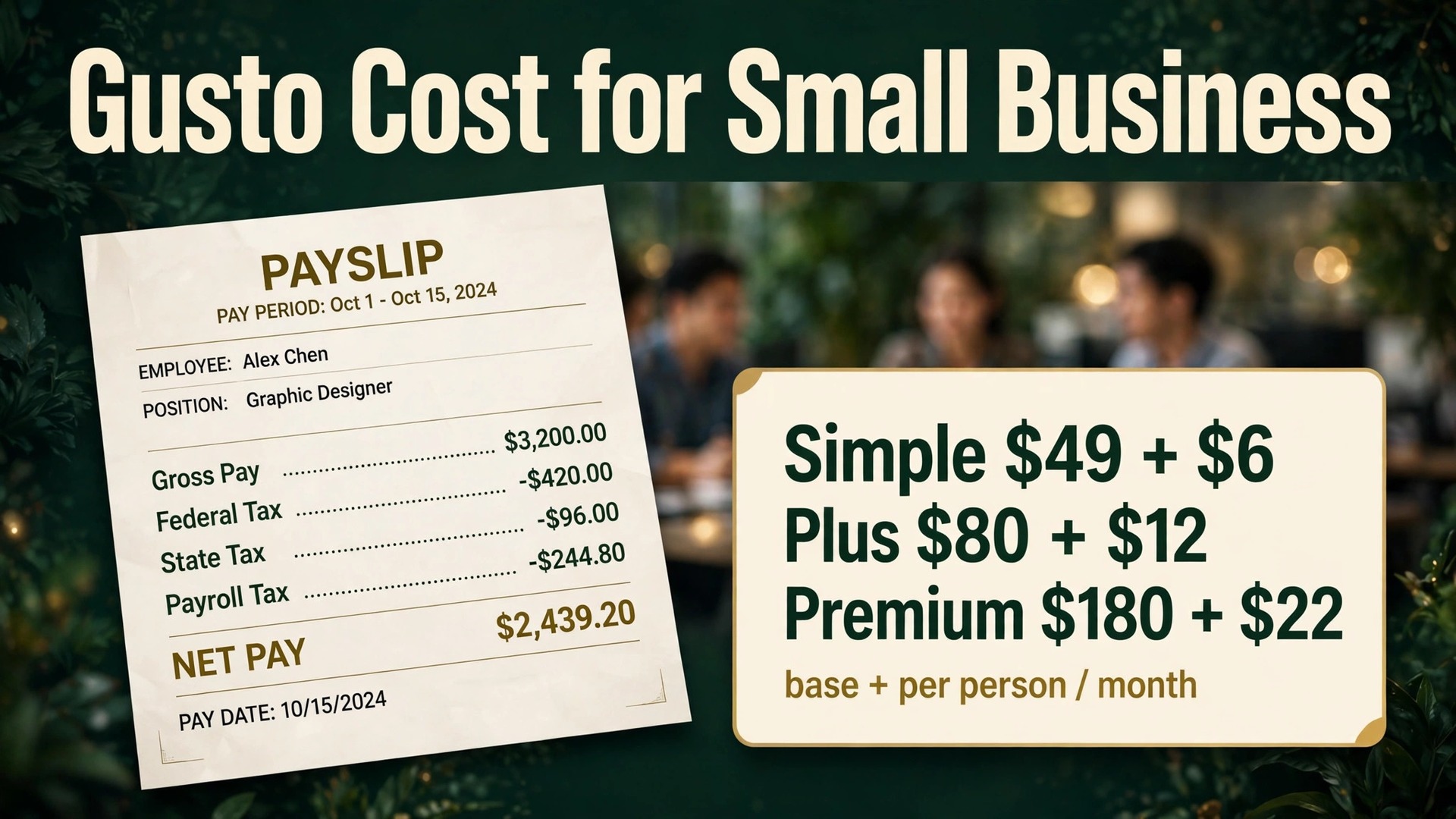
Payroll software looks cheap until the per person fee meets a growing team, and then it looks very different. A spreadsheet charges nothing per employee, a manual payroll service charges by the hour, and Gusto charges a base fee plus a fee per person, which means the bill grows every time the business hires. The cost of Gusto for small business monthly therefore rewards a business that counts heads honestly before choosing a plan, because headcount is the bill.
That growth pattern is also why Gusto suits small businesses better than most payroll tools. The base fee is modest, the per person fee is published clearly, and there is no contract locking the business in, so a team can start small, grow, and leave if the fit fails. The risk is not the headline rate, it is the add ons, the benefits premiums, and the tier jump that arrives when multi state payroll or time tracking becomes necessary.
This guide compares Simple, Plus, and Premium, runs worked monthly totals for 3, 10, and 25 person teams, and flags the costs that sit outside the subscription, from benefits and workers compensation to state tax registration. Prices here are starting points drawn from published pricing guides at writing time, so check the vendor page before you buy, because Gusto changed its Simple base fee in early 2026 and promotions shift often.
Three Gusto Plans and the Base Plus Per Person Model
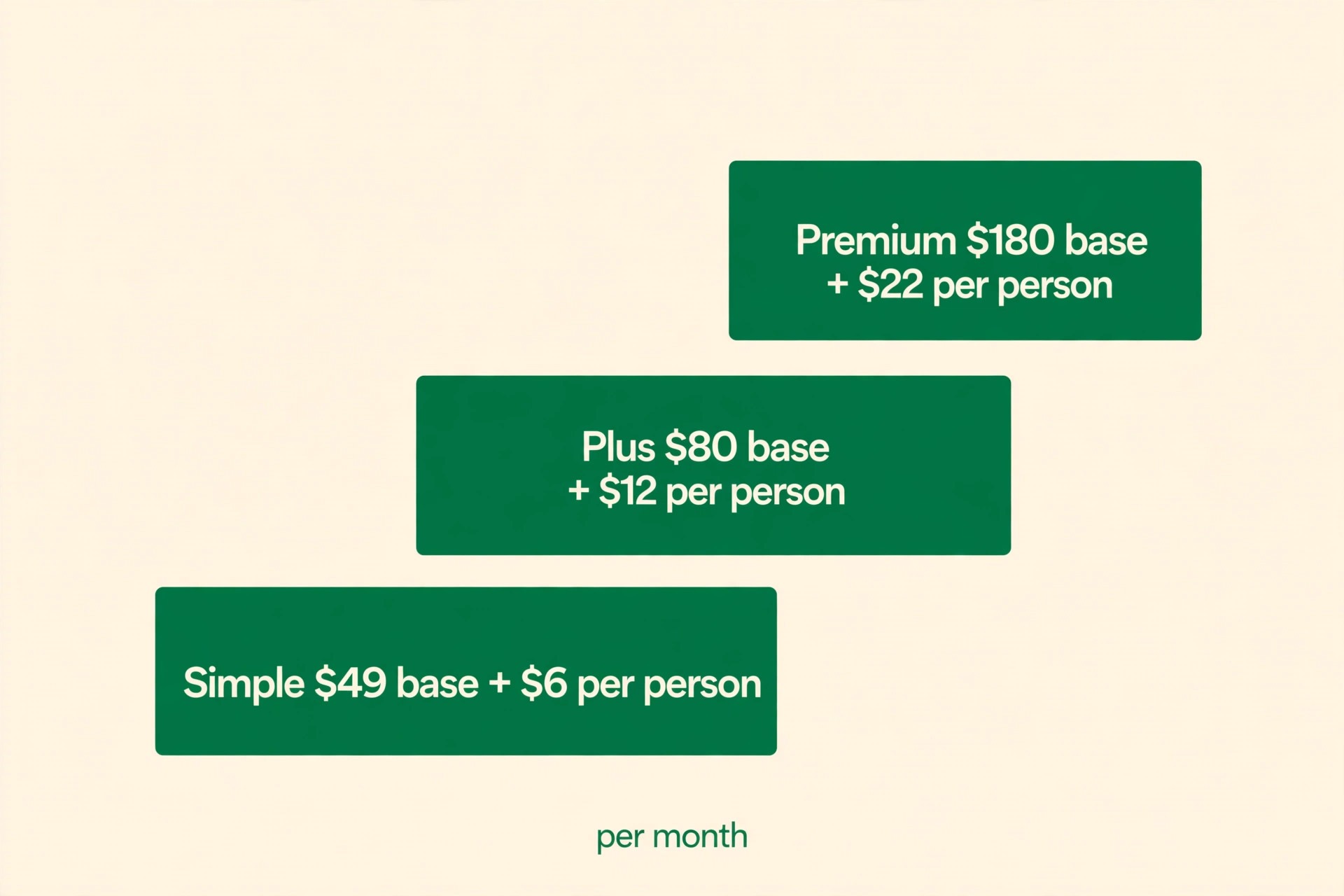
Gusto prices payroll as a monthly base fee plus a monthly fee per person, and that two part structure is the first thing to understand. The base fee pays for the platform, tax filings, and support, while the per person fee scales with the number of active people paid. Gusto charges only for active employees in published guides, so the bill rises as the business hires and falls when people leave, which is fairer than a flat seat licence that charges for dormant accounts.
| Plan | Base fee a month | Per person a month | Best for |
|---|---|---|---|
| Simple | $49 | $6 | Single state teams needing core payroll |
| Plus | $80 | $12 | Growing teams in several states |
| Premium | $180 | $22 | Larger teams with heavier HR needs |
Simple covers unlimited payroll runs, federal, state, and local tax filings and payments, employee self service, and contractor payments, with no contract. It suits a single state team that needs core payroll done correctly without HR extras, and it is the right starting point for most businesses under ten people operating in one state.
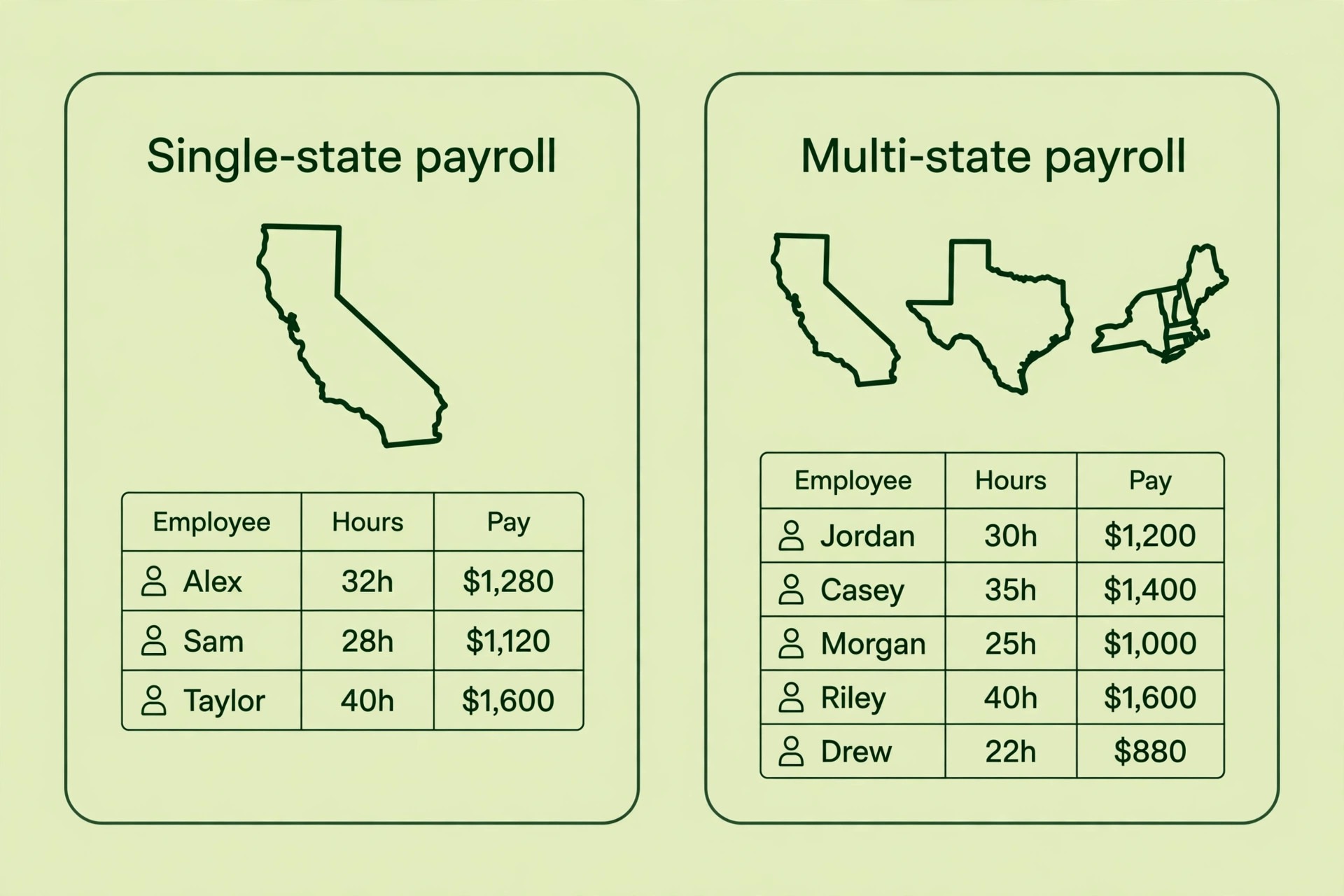
Plus adds multi state payroll, time tracking and scheduling, PTO management, next day pay in published guides, contractor invoice management, and workforce cost reports. Those additions matter the moment the business hires across state lines, manages hourly staff with shifts, or needs time data flowing into payroll without manual entry. Plus is the plan most growing teams land on, and the step from Simple is driven by geography and hourly staff more than by headcount alone.
Premium adds dedicated support, HR guidance and tools, compliance alerts, custom admin roles, and same day and instant pay where eligibility applies, plus Gusto Business Compliance in some listings. It suits teams of fifty or more with heavier HR needs, or smaller teams with complex compliance duties that justify paying for expert guidance. A team without a specific Premium trigger should not buy it for reassurance alone, because reassurance at $22 per person is an expensive comfort.
A separate Contractor Only plan exists in published guides at $35 a month plus $6 per person, with the base fee discounted to zero for the first six months in some listings, though new Contractor Only enrolments reportedly stopped in October 2026. A business that only pays contractors should check the current contractor terms on the vendor page rather than assuming that plan is available, because contractor rules changed recently.
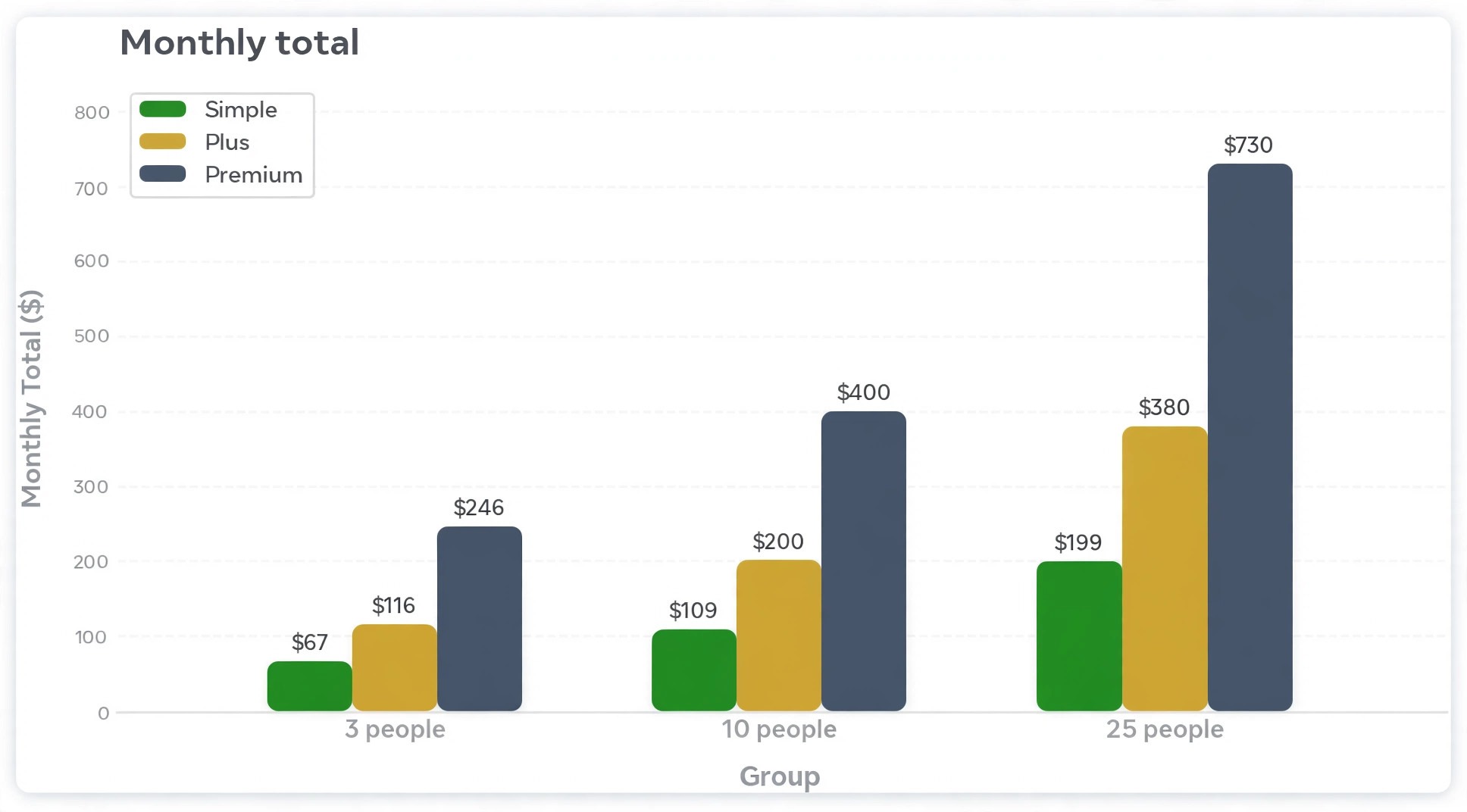
How the cost of Gusto for small business monthly adds up at 3, 10, and 25 people
The worked totals below use simple arithmetic on the published rates, meaning base fee plus headcount multiplied by the per person rate. They exclude wages, employer taxes, benefits premiums, workers compensation, and add ons, which are real costs but not part of the Gusto subscription, and a budget that confuses the two will understate the true cost of employing people.
A 3 person team pays $67 a month on Simple, $116 on Plus, and $246 on Premium. Over a year those totals become $804, $1,392, and $2,952. The gap between Simple and Plus at this size is $49 a month, which buys multi state payroll and time tracking the team may not need, so a single state 3 person team should start on Simple and upgrade only when geography or hourly staff force it.
A 10 person team pays $109 a month on Simple, $200 on Plus, and $400 on Premium. Yearly totals reach $1,308, $2,400, and $4,800. The gap between Simple and Plus widens to $91 a month, and the gap between Plus and Premium reaches $200 a month, which is $2,400 a year, so the Premium decision at ten people needs a concrete HR or compliance reason, not a general wish for better support.
A 25 person team pays $199 a month on Simple, $380 on Plus, and $730 on Premium. Yearly totals reach $2,388, $4,560, and $8,760. At this size the per person fee dominates the base fee, especially on Premium, where 25 people contribute $550 of the $730 monthly total. That dominance means headcount forecasting matters more than base fee negotiation, because every hire adds $6, $12, or $22 a month depending on plan, and hiring ten people on Premium adds $220 a month before wages.
| Team size | Simple a month | Plus a month | Premium a month | Simple a year | Plus a year | Premium a year |
|---|---|---|---|---|---|---|
| 3 people | $67 | $116 | $246 | $804 | $1,392 | $2,952 |
| 10 people | $109 | $200 | $400 | $1,308 | $2,400 | $4,800 |
| 25 people | $199 | $380 | $730 | $2,388 | $4,560 | $8,760 |
Tax sits on top of list prices where applicable, and the first invoice is the true monthly figure to carry into the next budget. Keep that invoice alongside the pricing page, because the difference between the two is usually tax or an add on, and knowing which one prevents a surprise at the next renewal.
Simple Against Plus, the Decision That Matters Most
Simple against Plus is the decision most small businesses actually face, because Premium sits above the size where most readers of this guide operate. The deciding factor is rarely headcount, and it is almost always geography or time. A single state team with salaried staff and no time tracking need can stay on Simple for years, while a team with staff in two states, or hourly staff with shifts and overtime, needs Plus from the first multi state hire or the first hourly timesheet.
Multi state payroll is not a feature that can be worked around with spreadsheets once it arrives. Each state has its own withholding, unemployment insurance, and filing rules, and a mistake in one state creates penalties that dwarf the $31 base fee gap and the $6 per person gap between Simple and Plus. A business planning a hire in a second state should upgrade to Plus before that hire starts, not after the first payroll run fails.
Time tracking follows the same logic for hourly teams. Plus includes time tracking and scheduling, which feeds hours directly into payroll and reduces manual entry errors, missed overtime, and disputes about hours worked. A business with five hourly staff spending an hour a week reconciling timesheets manually is already paying more in staff time than the Plus step costs, and the step also removes a source of friction with employees.
PTO management, workforce cost reports, and contractor invoice handling round out Plus, and they matter most to a team where managers approve leave, track labour costs by project, or pay many contractors. A team that manages leave in email and tracks costs in spreadsheets will find those Plus features a genuine upgrade in visibility, while a team that already handles both cleanly elsewhere gains less from them.
Premium earns its price when HR complexity, not headcount alone, demands expert help. Certified HR experts, compliance alerts, and dedicated support suit a business navigating tricky employment questions, multi state compliance, or a rapid hiring wave where mistakes carry legal risk. A business facing its first complex termination, accommodation request, or wage complaint will value expert guidance far above the $22 per person rate in that moment.
Custom admin roles matter for teams where payroll access must be split carefully, such as a finance lead who runs payroll, an HR lead who manages onboarding, and a manager who approves time but never sees pay rates. Premium lets those permissions be separated cleanly, which reduces both error and exposure. A small team where one owner does everything gains nothing from custom roles, because there is nobody to separate permissions between.
Same day and instant pay, where eligibility applies, is a Premium feature with a real recruitment angle in tight labour markets. Workers who can access pay faster value that flexibility, and a business competing for hourly staff may find faster pay a differentiator worth paying for. A business with salaried staff paid monthly will rarely use it, and should not buy Premium for a feature its pay cycle never triggers.
Gusto Business Compliance, listed on Premium in some guides, bundles compliance monitoring and alerts that help a business stay ahead of filing deadlines and regulatory changes. That bundle suits a business operating in many states or in a regulated industry, where a missed filing costs far more than the subscription step. A single state business with straightforward payroll gains little from it, and should treat it as a future upgrade rather than a day one purchase.

Costs Beside the Subscription That Change the Real Total
Wages and employer taxes are the largest costs beside the subscription, and they dwarf the Gusto fee, which is worth stating plainly. A business budgeting payroll software must budget the payroll itself, meaning gross pay, employer Social Security and Medicare, federal and state unemployment insurance, and any local taxes. Gusto calculates and files many of those taxes, but it does not pay them from its subscription fee, and confusing the two produces a budget that fails at the first pay run.
Benefits premiums are the next cost beside the subscription. Health insurance, retirement contributions, and other benefits selected through Gusto carry premiums and employer contributions that sit entirely outside the base plus per person rates. A business comparing Gusto with a rival on subscription price alone, while ignoring benefits administration fees and premium handling, is comparing only part of the bill, so request the full benefits cost picture before deciding.
Workers compensation is another separate cost, often arranged through Gusto or a separate carrier, and its price depends on industry, state, and payroll volume rather than on the Gusto plan. A construction or cleaning business will pay far more for workers compensation than an office based consultancy, and that difference has nothing to do with Simple, Plus, or Premium. Price workers compensation alongside the subscription, not after it.
Add ons round out the extra costs, including state tax registration services, priority support on Simple or Plus at about $30 a month plus $3 per person in published guides, and PEO services for larger teams. State tax registration matters when entering a new state, because registering correctly and on time prevents penalties, and paying for registration help once is cheaper than fixing a late registration later. Priority support suits a business that cannot wait in a queue during a payroll deadline, while a business with flexible timing gains little from it.
Contractors, Part Time Staff, and Who Counts as a Person
Gusto charges for active people, and the definition of active matters for budgeting. Full time and part time employees who are paid in a month count, while contractors are billed at the plan per person rate only in months they are paid, in published guides. That rule rewards a business with seasonal contractors, because a contractor paid three months a year costs three months of per person fees, not twelve.
Part time staff count the same as full time staff for the per person fee, which surprises some owners who expect a part time discount. A business with ten part time staff pays the same Gusto subscription as a business with ten full time staff at the same headcount, even though wages differ enormously. Budget the subscription by headcount, not by hours worked, and the figure will stay accurate.
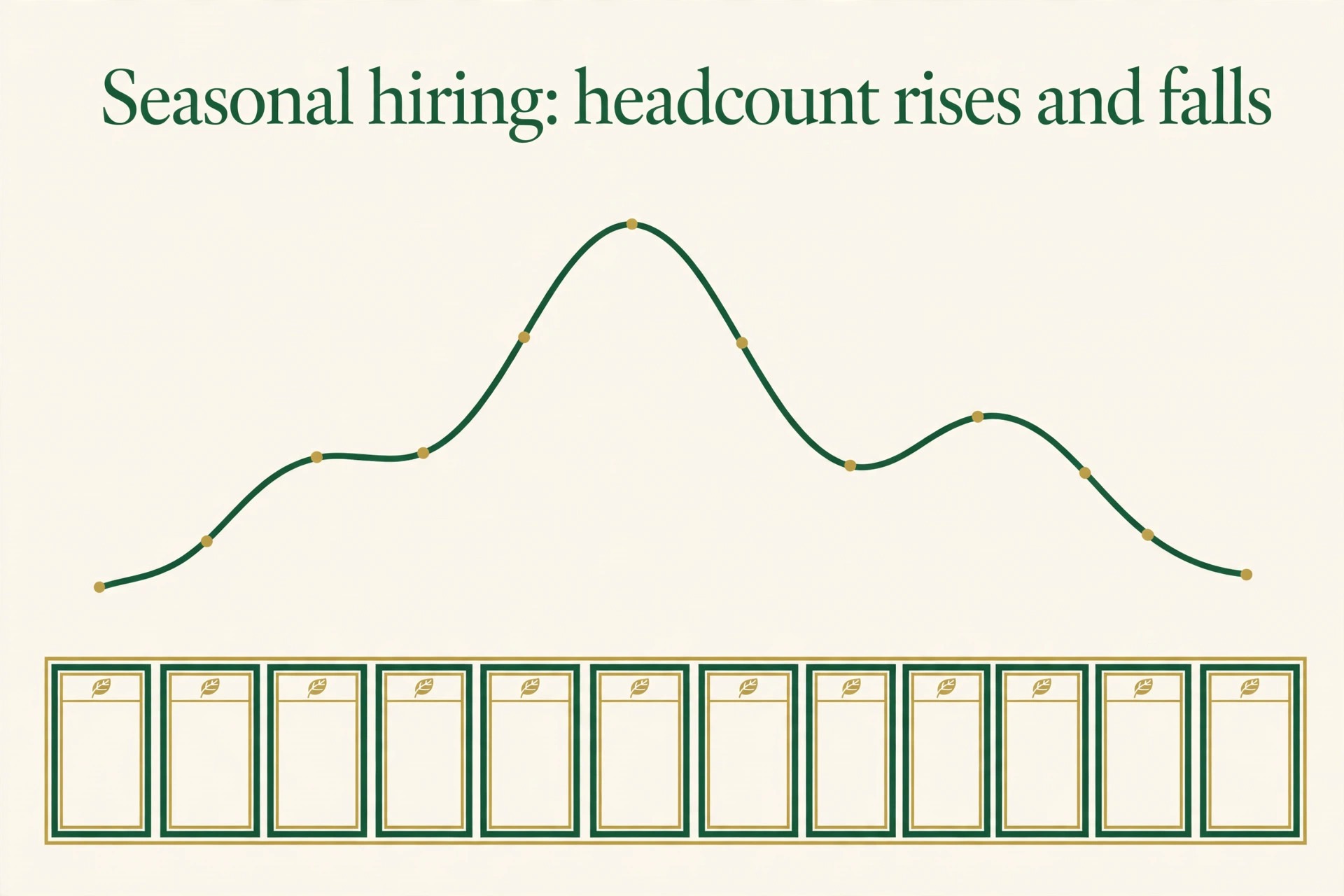
Seasonal hiring creates a subscription pattern worth planning for. A business that grows from ten to twenty people for a summer season will see its Gusto bill roughly double on the per person portion for those months, then fall back as seasonal staff leave. That rise and fall is fair, but it should be forecast in the seasonal budget rather than discovered on the summer invoices, because a seasonal plan that ignores it understates summer costs.
Contractor heavy businesses should compare the Contractor Only terms carefully against a full plan, because a business that later hires its first employee will need to move to Simple, Plus, or Premium anyway. Starting on a contractor plan and then migrating mid year is workable, but the migration should be planned around a payroll cycle boundary, not attempted the week a first employee starts, when payroll accuracy matters most.
Keeping Payroll Accurate as the Team Grows
Payroll accuracy depends on data hygiene more than on software choice, and Gusto rewards clean inputs. Employee details, tax withholding forms, bank details, and state registrations must be correct before the first run, because a payroll run with wrong bank details or wrong withholding creates corrections, delays, and employee frustration that no software feature can undo. Spend the onboarding hour getting data right, and every later run becomes routine.
Onboarding checklists are where Plus and Premium HR tools earn their keep for growing teams. A consistent onboarding flow that collects forms, sets up benefits, assigns training, and confirms payroll details reduces the chance that a new hire misses a form or starts without correct withholding. A business hiring one person a quarter can manage onboarding manually, while a business hiring monthly should treat onboarding structure as a requirement, not a luxury.
Payroll calendars deserve a named owner and a shared schedule. Pay dates, tax filing deadlines, benefits enrolment windows, and quarterly reviews should sit on one calendar visible to finance and HR, with a backup owner for holidays and sickness. A missed pay run damages trust faster than any software outage, and a calendar with a backup owner is the cheapest insurance against it.
Quarterly payroll reviews catch drift before it becomes a problem. Compare headcount, plan fit, add ons, and benefits costs against the budget, check that leavers stopped being charged, and confirm that new state registrations are complete. That review takes under an hour and prevents the slow subscription creep that affects every growing business, because payroll tools, like all subscriptions, grow quietly unless someone watches them.
Mistakes That Inflate a Gusto Bill
The first mistake is choosing Premium for reassurance without a concrete HR trigger. Premium costs $131 a month more than Simple at ten people, and $330 more at twenty five, which is thousands a year for expert guidance a team may never call on. Start on the lowest plan that covers real payroll needs, and upgrade when a specific compliance question, multi state hire, or hourly workforce forces it.
The second mistake is forgetting that benefits, workers compensation, and taxes sit outside the subscription. A budget that shows only $109 a month for a ten person team on Simple, without wages, taxes, and benefits, is not a payroll budget at all, and it will fail at the first pay run. Build the full payroll budget with subscription, wages, taxes, benefits, and workers compensation as separate lines.
The third mistake is letting leavers and finished contractors linger on the bill. Gusto charges for active people, so leavers should stop costing money, but only if their records are closed correctly and on time. A leaver left active through an extra payroll cycle, or a contractor left on the roster after a project ends, adds per person fees for months nobody notices, and a quarterly roster review prevents it.
The fourth mistake is delaying the Simple to Plus upgrade when multi state hiring or hourly time tracking arrives. Running multi state payroll on a single state plan, or reconciling hourly timesheets manually while paying for a tool that could automate them, creates error risk and staff time costs that exceed the upgrade price. Upgrade at the trigger, not a quarter after it.
Gusto Against Rippling, OnPay, and Square Payroll
Rippling is the closest rival for growing teams, because it bundles payroll with HR, IT, and device management in a single platform, and its pricing is typically quote based rather than published per person. A business that wants one system for payroll, laptops, and app access may find Rippling compelling, while a business that only needs payroll will find Gusto clearer and cheaper, because Rippling charges for breadth the business may never use.
OnPay is a strong rival on price, with a single plan structure that appeals to businesses tired of tier decisions. OnPay suits a business that wants straightforward payroll without choosing between Simple, Plus, and Premium, and its published pricing is often lower at small headcounts. Gusto wins on benefits depth, integrations, and HR tooling, while OnPay wins on simplicity and a single rate that never forces a tier debate.
Square Payroll suits businesses already running Square for payments and point of sale, because payroll then sits inside a system staff already know. A retail or restaurant business on Square gains from that integration, while a business with no Square presence gains nothing from it and should compare Gusto on payroll merits alone. The lesson is that the best payroll tool is often the one that fits the systems already in place, not the one with the lowest headline rate.
The cost of Gusto for small business monthly compares favourably at small headcounts, especially on Simple, where $49 plus $6 per person undercuts many rivals for core payroll. As headcount and complexity grow, the comparison shifts toward breadth, integrations, and HR depth, and a business approaching fifty people should get quotes from at least two rivals before renewing, because the market moves and loyalty without comparison is the most expensive habit in software buying.

A Worked Month for Two Different Small Businesses
Take a three person design studio operating in one state, with salaried staff and no hourly tracking. On Simple, the monthly subscription is $67, or $804 a year, before wages and taxes. Plus would cost $116 a month for multi state payroll and time tracking the studio does not need, so the $49 monthly saving stays in the budget, and the studio upgrades only if it hires in a second state or takes on hourly staff.
Now take a twenty five person home services business with hourly technicians across three states, shift scheduling, and PTO tracking. On Plus, the monthly subscription is $380, or $4,560 a year, before wages and taxes. Simple would cost $199 a month but cannot handle multi state payroll or time tracking properly, so the $181 monthly step buys compliance and automation the business uses daily. Premium would cost $730 a month, and the extra $350 buys HR guidance the business may value, but only if it faces complex HR questions regularly, so Plus is the honest default here.
The lesson is that the right plan follows geography, hourly staff, and HR complexity, not headcount alone. Write those three facts down, price each plan against them, and the choice usually becomes obvious. If two plans both fit, choose the cheaper one and revisit in a quarter, because upgrading payroll software is far easier than recovering a year of overpayment.
Keeping the Gusto Bill Aligned With Headcount
The most reliable control on the cost of Gusto for small business monthly is a monthly roster check that takes ten minutes and prevents the most common waste. List every active person, confirm each one should still be paid, and close leavers and finished contractors on the same day their work ends. When the cost of Gusto for small business monthly rises without a hiring round, the cause is almost always a roster that was never cleaned, and a monthly check finds it before it compounds.
Plan fit deserves the same monthly glance, especially in a growing business. A team that upgraded to Plus for a second state hire should confirm that state is still active, and a team that bought Premium for a complex HR case should confirm the case still justifies the rate. The cost of Gusto for small business monthly stays fair when the plan follows current geography and HR complexity, not the complexity of a year ago that has since been resolved.
Add ons need a quarterly review of their own, because priority support, state registration help, and benefits extras are easy to add and easy to forget. List every add on, note what it was bought for, and switch off anything whose reason has expired. The cost of Gusto for small business monthly includes those forgotten add ons silently, and a quarterly list turns silent costs into visible choices.
Finally, forecast the subscription alongside hiring plans, not after them. A hiring plan that adds ten people on Plus adds $120 a month before wages, and a plan that adds ten on Premium adds $220, so finance should see those figures in the hiring proposal itself. When the cost of Gusto for small business monthly is forecast with hiring, the payroll budget stays accurate through growth, and growth stops producing surprise invoices.
Frequently Asked Questions About Gusto Pricing
How much does Gusto Simple cost for a small team?
Simple costs $49 a month plus $6 per person a month in published guides. A 3 person team pays $67 a month, a 10 person team pays $109, and a 25 person team pays $199, before wages, taxes, benefits, and add ons. Confirm the current figures on the vendor page before budgeting.
When does a business need Gusto Plus instead of Simple?
Plus becomes necessary when the business pays people in more than one state, manages hourly staff with time tracking and scheduling, or needs PTO management and workforce cost reports. A single state team with salaried staff can stay on Simple, while geography or hourly work is the usual trigger for Plus.
Premium adds dedicated support, HR guidance and tools, compliance alerts, custom admin roles, same day and instant pay where eligible, and compliance monitoring in some listings. It suits larger teams or businesses with complex HR and compliance needs, and it costs $180 a month plus $22 per person.
Are wages and employer taxes included in the Gusto subscription?
No. The subscription covers the platform, payroll runs, tax filings, and support, but wages, employer taxes, benefits premiums, and workers compensation are separate costs paid on top. Build a full payroll budget with each of those as its own line, or the budget will fail at the first pay run.
Does Gusto charge for contractors the same way as employees?
Contractors are billed at the plan per person rate only in months they are paid, in published guides, while employees count when active. A business with seasonal contractors therefore pays contractor fees only in active months, but it should confirm current contractor terms on the vendor page, because contractor enrolment rules changed in late 2026.
Can a business change Gusto plans as it grows?
Yes, and changing plans is the expected path, because most businesses start on Simple, move to Plus when geography or hourly staff require it, and consider Premium only when HR complexity demands it. Plan changes should be timed around a payroll cycle boundary, and the roster should be audited at the same moment so leavers do not linger on the bill.
More Reading on Stratilyze
– Cost of Slack for a Small Business Monthly – Cost of Zoom for a Small Business Monthly – Hiring Your First Employee Without Payroll Headaches, plain text title, link not verified at writing time – Small Business HR Tools That Grow With Headcount, plain text title, link not verified at writing time