

Your money is in the account and you cannot move it. Payments may still arrive, but sending and withdrawing are blocked, and every supplier invoice that falls due while the limitation sits there makes the problem more urgent. That is the blunt reality when you need to fix PayPal account limited small business trouble, and it is why this guide starts with cash flow rather than with paperwork. The limitation itself is usually a verification process, not a permanent seizure, but the business still needs a plan for the days or weeks while review runs.
PayPal limits accounts for several documented reasons, including identity checks, unusual activity, dispute patterns, and missing business information. In most cases the account page lists specific steps to remove the limitation, and the work is to complete those steps exactly, with clear documents, through the official path. This guide works through that process in order, from reading the notice safely, through building one complete document packet, to reviewing holds and confirming resolution. It also covers what not to do, because the most common mistakes in a limitation case are workarounds that create a second, harder problem.
Before you upload anything, record the money position. Note the available balance, any pending or held balance, any reserve terms shown on the account, and the bank account on file. Note what still works, meaning whether you can receive, send, withdraw, or refund. Four lines are enough, and they matter twice over. First, they shape the cash plan for the waiting period. Second, they give you a baseline to check against when the limitation lifts, so you can confirm the release is complete rather than assuming it.
What a PayPal Limitation Actually Blocks
A limited account does not behave the same way in every case, because PayPal applies limits at different levels. One account may be blocked from sending and withdrawing while still receiving payments. Another may be blocked from receiving as well. A third may be limited only for specific actions, such as closing the account or changing certain details. The notice inside your account, not a general article, states which actions are blocked for you, and that statement is the starting point for every later step.
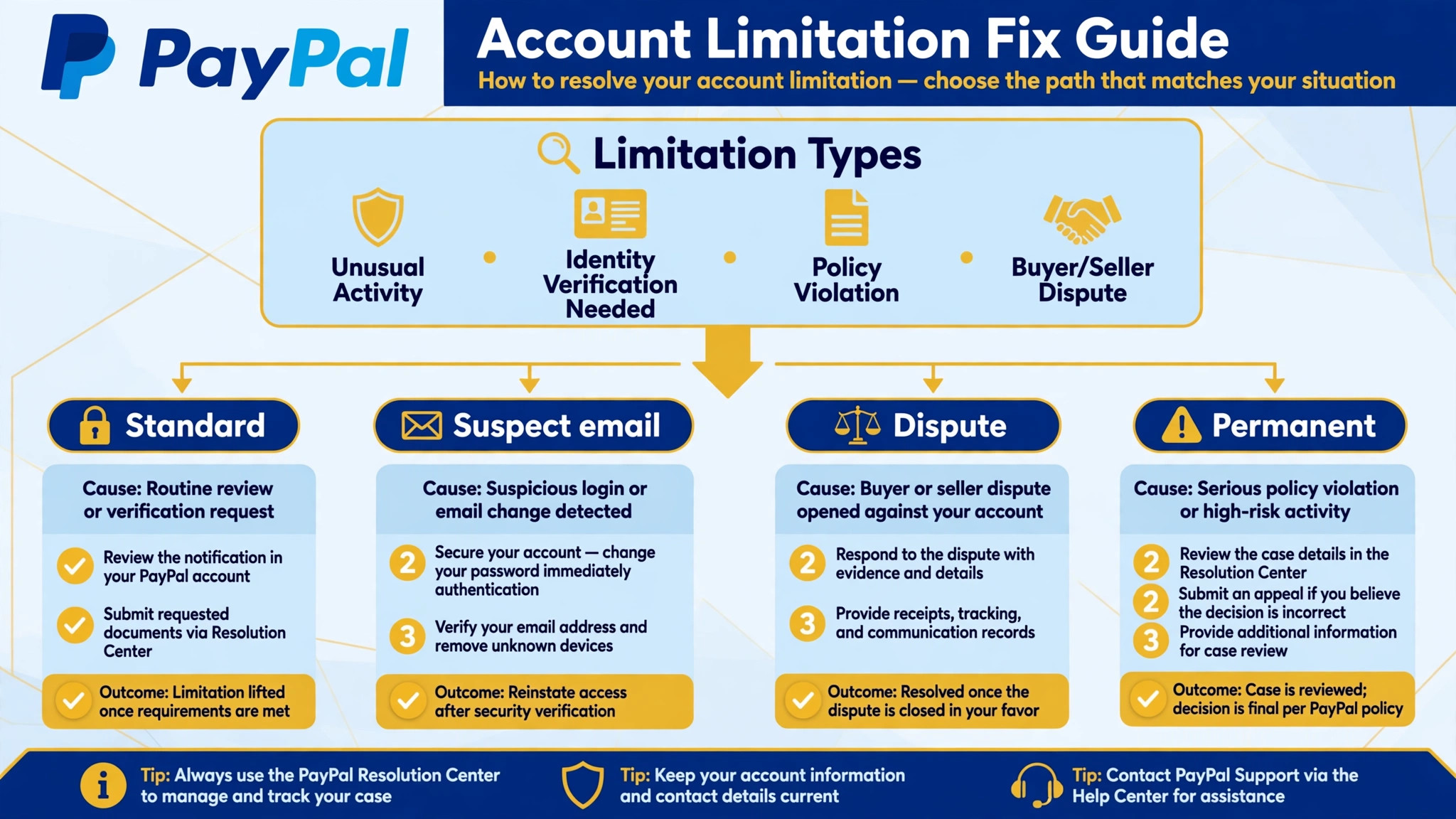
The distinction between a limitation and a permanent limitation matters for planning, and any plan to fix PayPal account limited small business trouble should start by naming which kind of case it is. A standard limitation is a hold until you satisfy the verification requests listed in the Resolution Center, and funds are typically released on the schedule shown in the account once review clears.
A permanent limitation, by contrast, can hold funds for a defined period under the user agreement, with guides commonly reporting 180 days for permanent cases. Do not assume your case is permanent because the notice looks severe, and do not assume it is routine because a friend case resolved fast. Read your own notice, note the exact wording, and plan from that.
Check the notice inside the account before trusting any email about it. PayPal own help material states that if you receive an email saying your account is limited but you cannot see a limitation in the Resolution Center, the email may be fake. That check protects you twice. It stops you from sending identity documents to a scammer, and it stops you from panicking over a case that does not exist. Sign in through a bookmark or the app you already use, never through a link in a surprising email, and forward a suspect email to the phishing address PayPal publishes for that purpose.
| What you see | What it usually means | Your next move |
|---|---|---|
| Red banner, steps listed in Resolution Center | Standard limitation with a clear fix path | Complete the listed steps in order |
| No limitation in Resolution Center, email claims one | Suspect email, no case open | Do not click, verify by signing in directly |
| Limitation plus high dispute rate | Risk review alongside verification | Fix disputes and documents together |
| Permanent wording, funds held | Permanent limitation path | Read the user agreement terms for your case |
Keep that table in mind as you read the next section, because the notice reading step decides whether the rest of this guide applies to you at all. A business that works a standard limitation correctly usually resolves it. A business that chases a fake email, or that treats a permanent case as routine, wastes the window where careful action could have helped.
Read the Limitation Notice Inside PayPal
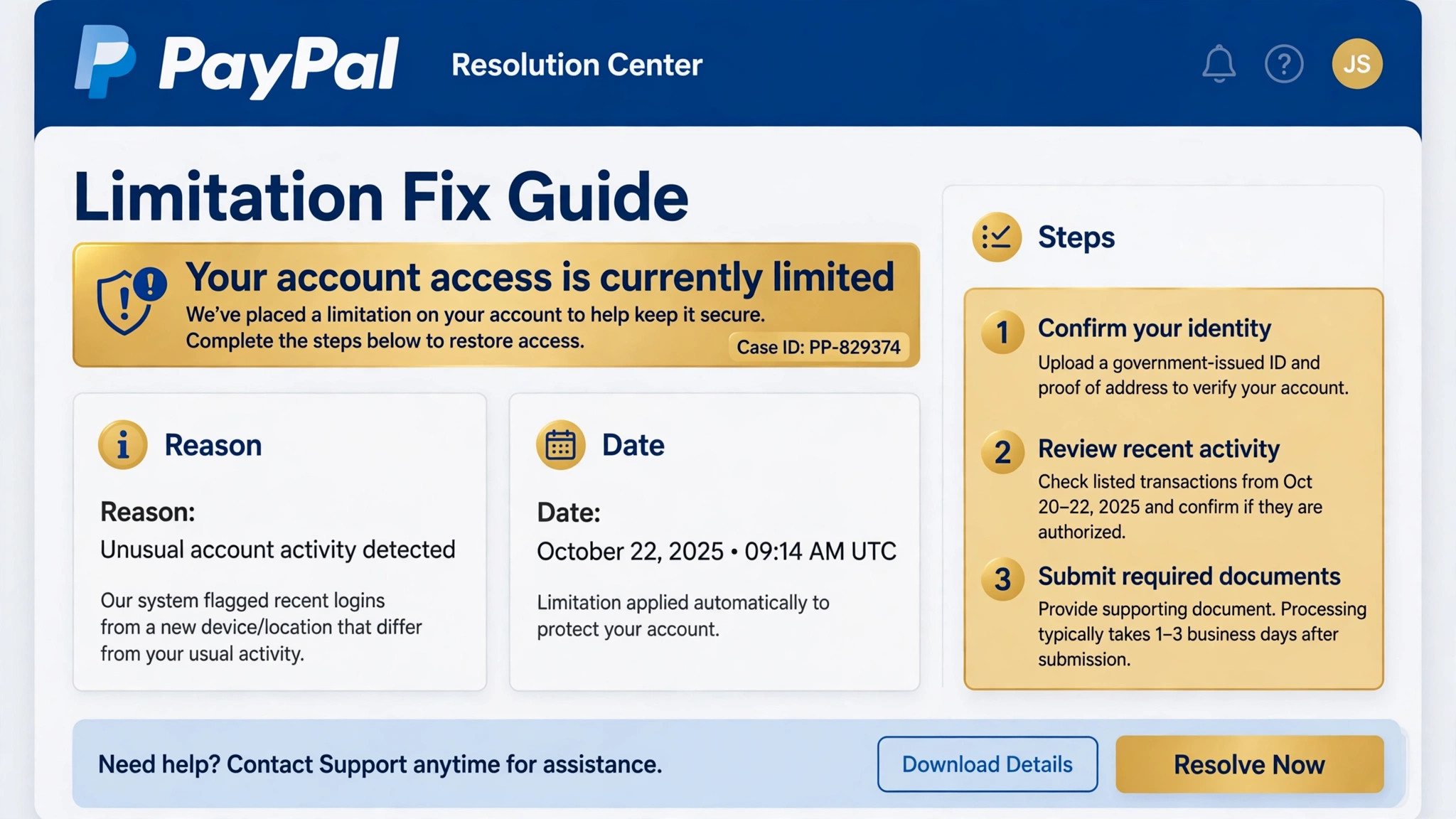
Sign in directly and open the Resolution Center, or tap the bell icon at the top of the dashboard, and read the limitation entry in full. Note the reason as written, the date, any reference number, and the exact list of steps PayPal asks you to complete. Do not paraphrase the reason from memory later. Copy the wording into your case notes, because the document packet you build must answer the request as written, not the request you think was meant.
Test what still works before you change anything, because the fastest way to fix PayPal account limited small business cases cleanly is to know exactly which actions are blocked on day one. Try the actions the notice names, and record the result for each. Can customers still pay you. Can you issue a refund. Can you send money. Can you withdraw to the bank on file. That record matters for customer communication, because you need to tell buyers honestly what you can still do for them. If refunds still work, say so and process them promptly. If receiving still works but withdrawing does not, tell suppliers about timing before they chase payment, rather than after.
Watch for extra requests hiding behind the headline reason. A limitation opened for identity verification may also ask for proof of fulfilment, supplier invoices, or business registration, depending on the account history. Read every step in the Resolution Center, not only the first one, and build the packet for all of them at once. Submitting half a packet and waiting for a request for the rest doubles the review time, because each round of back and forth adds days. One complete submission is the fastest submission, even though it takes longer to prepare.
Save every screen and every confirmation. Screenshot the limitation entry, the steps list, and each upload confirmation, and keep the case reference where you can find it. If a later message asks for a document you already sent, the confirmation proves it, and the case moves forward instead of restarting. Small businesses lose more time to lost confirmations than to difficult documents, and a simple folder with dated screenshots prevents that loss entirely.
Build One Complete Document Packet for PayPal
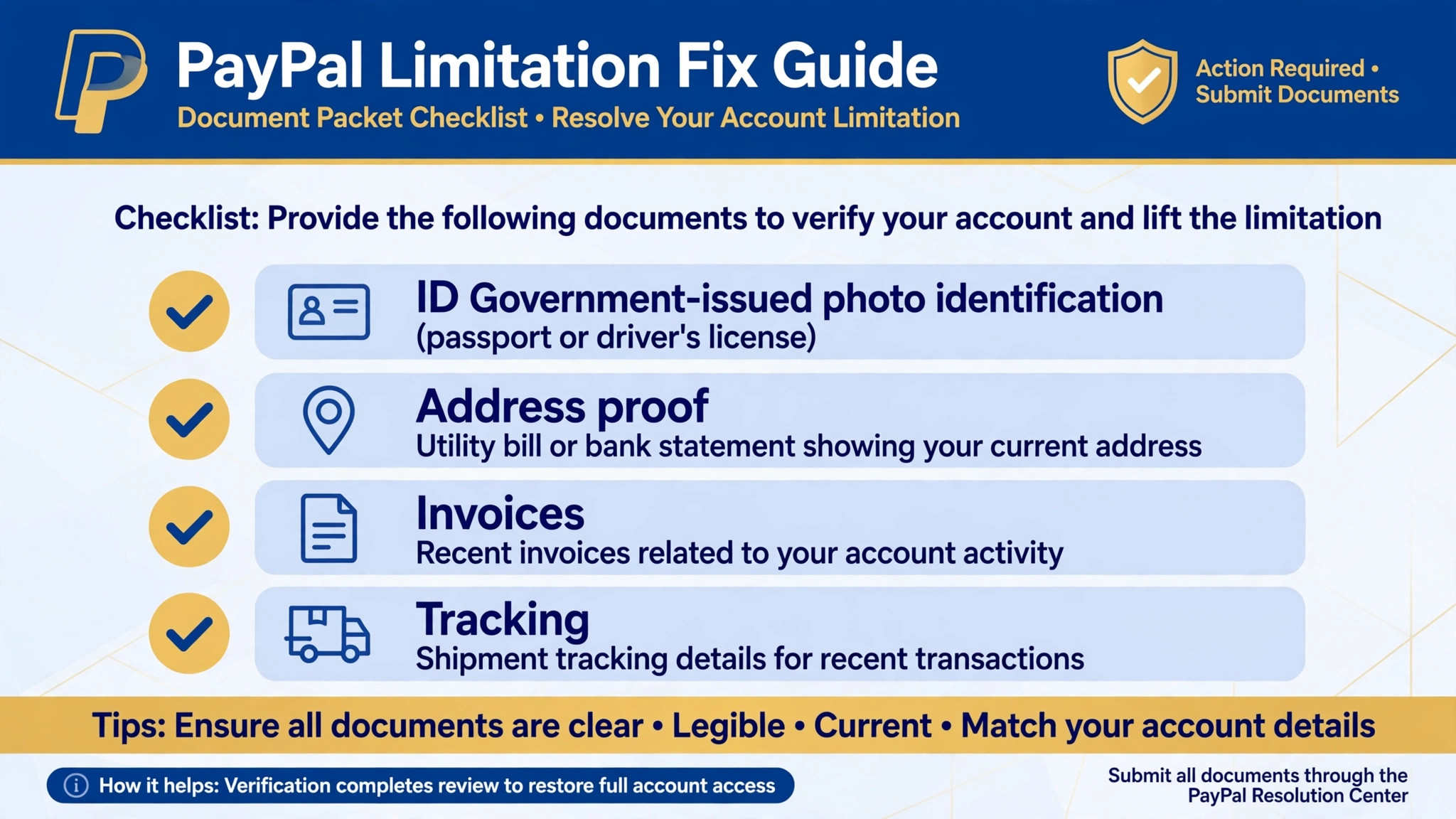
Reviewers match documents to requests, so the packet must be complete, clear, and labelled plainly. Start with the exact items the Resolution Center lists for your case, and add only documents that prove the points those items raise. A government photo ID, such as a passport or driving licence, is the standard proof of identity, and PayPal asks for it in identity cases including long inactive accounts. Proof of address commonly means a recent utility bill or bank statement showing the registered address. Business cases commonly add registration documents, supplier invoices, and proof of fulfilment such as tracking records.
Scan in colour, keep every edge visible, and check that no document is expired or cut off at the margins. Blurry scans and cropped pages are the most avoidable cause of delay, because a reviewer cannot approve what they cannot read, and the request for a clearer copy restarts the clock on that item. Name files plainly, such as ID front, ID back, bank statement March, supplier invoice, so the reviewer can match each file to a request without guessing. A packet that is easy to match is a packet that moves.
Write one short cover note with the packet, and keep it to a phone screen, since reviewers working to fix PayPal account limited small business cases read short factual notes faster than long letters. State the business name, the case reference, the files attached by name, and one question if there is a genuine question to ask. Skip the business history, skip the hardship story, and skip any argument about fairness.
Reviewers are matching documents to a checklist, and a short factual note helps them do that faster than a long letter. Submit the packet once, through the Resolution Center path the notice gives you, and save the confirmation. Do not send identity documents by replying to an email, because email is not the secure upload path for this process.
If the notice asks for information about specific transactions, answer those transactions directly. Match each transaction to an invoice, a tracking number, or a refund record, and explain in one line what was sold, when it shipped, and whether the buyer confirmed receipt. Disputes and chargebacks that sit unexplained look like risk to a reviewer, while the same disputes with invoices and tracking attached look like ordinary trading. The packet should turn every question mark in the account history into a document, because unanswered questions are what keep a limitation open.
The Identity Check That Most Cases Turn On
Identity verification is the step that most standard limitations turn on, and it fails more often on detail than on substance. The name on the ID must match the name on the account, the address on the proof must match the registered address, and the documents must be current. A business that changed premises, changed legal name, or changed owner without updating the account will trip this check even when every document is genuine. If your details changed, update the account details through the proper path and note the change in the cover note, so the reviewer sees a reason for the mismatch rather than a mystery.
Check the account holder details before uploading, because a detail mismatch is one of the easiest reasons an attempt to fix PayPal account limited small business trouble stalls. Confirm the legal name, the business name, the registered address, the phone number, and the email address on file, and correct anything you control.
If the account was opened under a personal name and later used for business trading, that mismatch may itself be part of the case, and the honest fix is to align the account type and details with the real trading position. Do not create a second account to sidestep the mismatch, because PayPal user agreement lists opening additional accounts while an account is restricted as a restricted activity, and a second account can turn a verification delay into a permanent problem.
Security steps often sit alongside identity steps, and they should be completed in the same session where possible. Change the password if the notice asks for it, review security questions, and confirm that no unknown device or email has access to the account. A limitation opened for security reasons will not lift on documents alone if the security step is left undone, and a reviewer who sees both steps complete has one less reason to ask for more. Treat the checklist as a whole, not as a menu where you pick the easy items and skip the awkward ones.
After submission, PayPal documentation reports that review of the account usually takes three business days once the required steps are complete, with the overall time depending on the complexity of the case. Simpler identity cases are commonly reported as resolving within one to two days, while business cases can take several business days. Those ranges are guides, not promises, and your case may sit outside them. What matters is that the clock runs from a complete submission, not from the first upload, which is why the packet approach in the last section saves time overall.

Review Holds, Reserves, and the Money Timeline
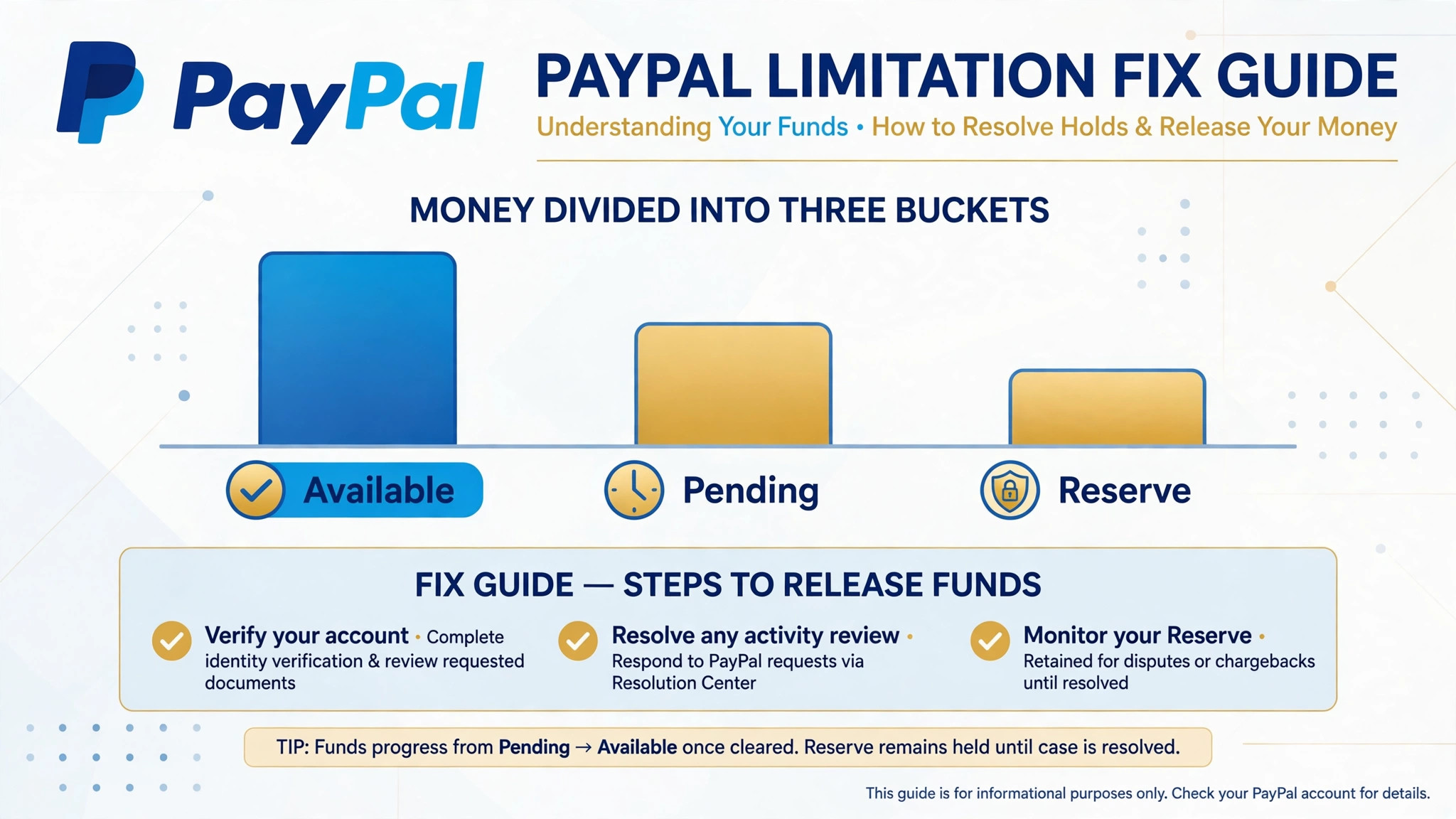
While the limitation is open, separate the money into three buckets in your planning, because each bucket releases on a different logic. Available balance is money you can use once the limitation lifts. Pending or held balance is money tied to specific transactions, disputes, or review, and it releases when those items clear. Reserve terms, where shown, are a percentage or amount PayPal holds against future disputes, and they release on the schedule stated in the account, not on the day the limitation lifts. Planning as if all three buckets release together leads to a cash shortfall on the day you expected to be whole.
Talk to suppliers and staff early, with dates rather than hopes. Tell them the account is under review, the documents are submitted, and the expected review window, and give them a fallback payment route for urgent invoices. A supplier who hears a plan on day one will usually wait. A supplier who hears silence and then a missed payment will not. The same logic applies to customers. If fulfilment is delayed because payouts are held, tell buyers promptly, offer refunds where refunds are the honest answer, and keep shipping where shipping is still possible. Trust kept during a limitation is worth more than the margin on one delayed order.
Do not move money through workarounds while the limitation is open. Do not ask customers to pay a personal account instead, do not route payments through a second account, and do not use a friend account to receive business funds. Each workaround creates a fresh compliance problem, and it also breaks the paper trail that proves genuine trading. The clean path is slower in the short term and safer in every other way, because reviewers, suppliers, and customers can all follow it. If cash flow becomes critical, a short term business credit line or a supplier payment plan arranged openly is a better answer than a hidden workaround.
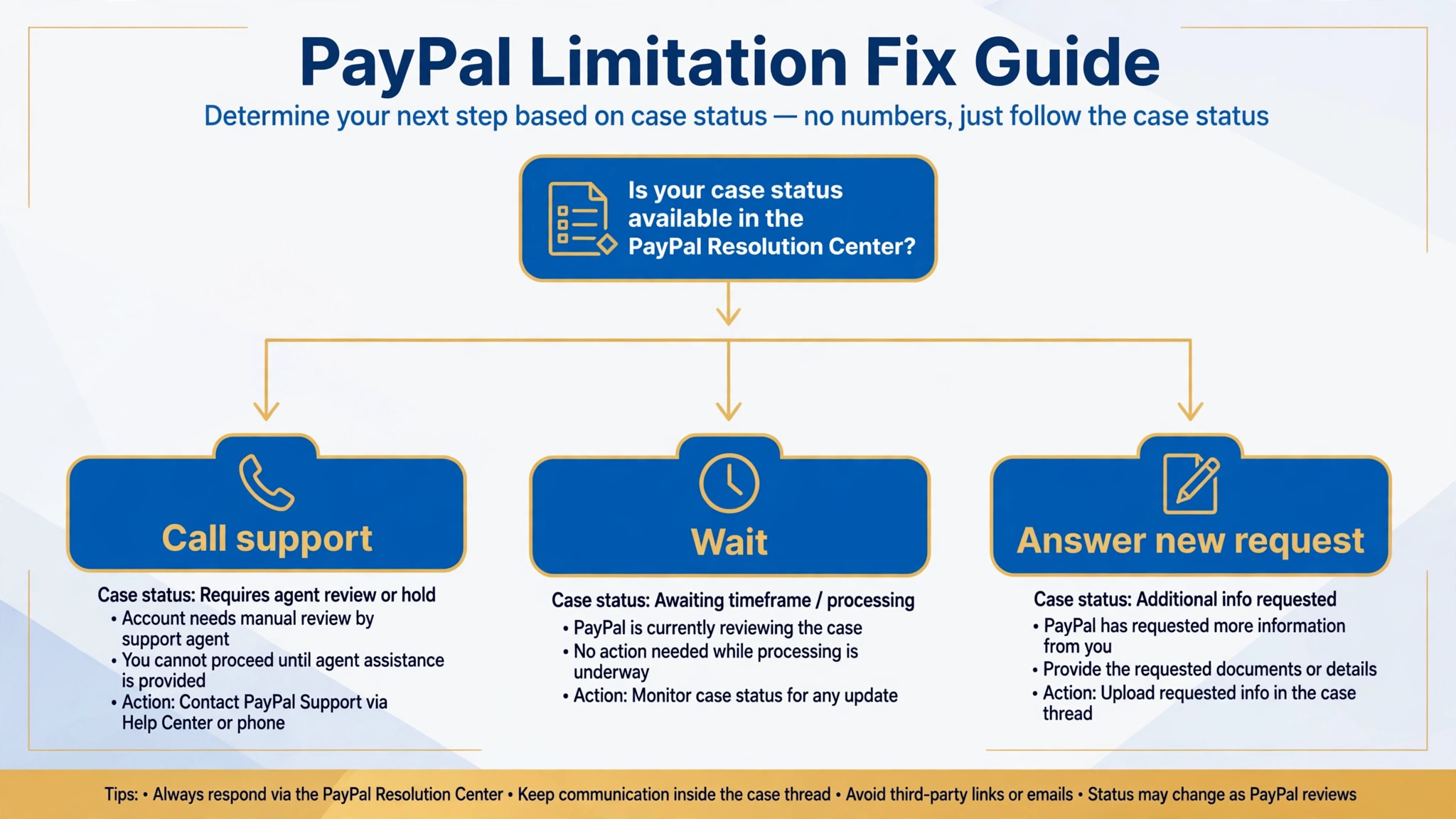
Check the account daily during review, but do not reupload the same packet daily, since patience is part of any sound plan to fix PayPal account limited small business trouble. If PayPal emails asking for more information, answer that request promptly with the specific document named. If every step is complete and the account is still limited, PayPal own guidance says either an email asking for more information has been sent or review is still in progress, so the next move is to watch the inbox, not to submit the same files again. Repeated uploads of the same packet do not speed review, and they can create duplicate items that a reviewer must sort through.
Resolution Checklist for PayPal
Use this checklist to confirm resolution, rather than assuming the first sign of movement means the case is closed. First, confirm the Resolution Center shows no open steps and no remaining limitation entry. Second, confirm each blocked action now works, meaning sending, withdrawing, and any other action the notice named. Third, confirm the balance buckets, meaning available, pending, and reserve amounts, match the schedule shown in the account. Fourth, confirm no new email or inbox message asks for further information. A case is resolved when all four checks pass, not when one of them does.
| Resolution check | How to test it | Pass looks like |
|---|---|---|
| No open steps | Open Resolution Center and read the entry | No limitation listed, no steps outstanding |
| Actions restored | Try sending a small amount and a withdrawal | Both complete without a block message |
| Balances correct | Compare available, pending, and reserve figures | Figures match the account schedule |
| No follow up requested | Check inbox and email for new requests | No new document request outstanding |
| Records saved | Folder holds notice, packet, and release proof | Full case file available for future reference |
If one check fails while the others pass, treat the case as still open and answer the failing check directly. A limitation that lifts for sending but not for withdrawing is not resolved, and a balance that looks free but carries a reserve is not fully released. Patience at this stage prevents a second case, because acting as if the account were fully clear while a step remains can trigger a fresh review. Save the release proof with the case file, and keep the file for at least a year, because a future review may ask about the history.
After resolution, fix the cause that opened the case so it does not recur, because the best way to fix PayPal account limited small business trouble for good is to remove the pattern that caused it. If disputes opened it, tighten fulfilment, tracking, and refund speed. If identity opened it, keep account details current and renew documents before they expire. If inactivity opened it, keep the account in regular legitimate use rather than letting it sit dormant for months. A limitation that recurs within a short period draws stricter review than a first case, so the weeks after resolution are the right time to fix the underlying pattern, not to return to the habits that caused it.

How to Fix PayPal Account Limited Small Business Cases Without a Second Account
The temptation to open a second account is strongest in the second week, when suppliers are waiting and the review inbox is quiet. Resist it, and put the same energy into the open alternatives instead. Arrange a short payment plan with the suppliers who matter most, move new customer payments to a card processor or bank transfer route you already hold, and tell customers plainly which route to use for now. Those steps are slower than a hidden second account, but they keep the paper trail clean and they keep the original case free of a new violation.
A second account also fails on practical grounds. Payment systems link accounts through names, addresses, devices, bank details, and tax information, so a new account opened by the same business is usually connected to the old one quickly. When that connection is found, both accounts can face action, and the original limitation becomes harder to resolve because the business now looks as if it tried to evade review. The honest route protects the business twice, once by keeping the case clean and once by keeping customer payments traceable.
If cash flow truly cannot wait, talk to the bank or to an existing card provider about a short term facility, and document the arrangement in the business records. A disclosed credit line, a supplier plan, or a temporary switch to bank transfer are all normal business responses to a payment hold. A secret second account is not a normal response, and reviewers treat it as one. The businesses that come out of limitations strongest are the ones whose records show every payment, every supplier plan, and every customer message in the open, with nothing hidden behind a new login.
When to Escalate and What Not to Do
Escalate through official support when the reported review window has passed with no answer, when the Resolution Center shows an error, or when a specific transaction or payout needs a separate explanation. Contact support to understand the request, not to demand removal over the phone, because PayPal own help material states that in most cases the customer service team cannot remove a limitation over the phone. A support call that asks what document is missing, or what step is unclear, is useful. A call that asks for the limitation to be lifted without documents is not.
Do not open a new account while limited, do not pay a third party recovery service, and do not share passwords or verification codes with anyone, because PayPal will never ask for a code by phone, email, or text. Offers to fix a limitation for a fee are commonly scams, and the only legitimate path runs through the Resolution Center and review. Do not send identity documents through email or chat to an unverified contact, and confirm you are on the genuine PayPal domain before entering anything. A limitation already puts the business under stress, and that stress is exactly what scammers target.
Protect the business reputation while the case runs, since a careful plan to fix PayPal account limited small business trouble includes customer communication, not only documents. Answer buyer messages promptly, even when the answer is that a refund will take a few days, because silence during a limitation reads as disappearance. Keep fulfilment going where the account allows it, and pause new paid campaigns that depend on PayPal payouts until the money path is clear. A limitation handled openly, with documents submitted and customers informed, is a temporary operational problem. A limitation handled with workarounds and silence can become a trust problem that outlasts the review itself.
Close With the Money Plan, Not Just the Paperwork
A limited PayPal account is fixed with documents, but it is survived with a money plan. Submit one complete packet, answer follow ups promptly, and plan cash flow as if the money will not arrive until the review window ends. That combination keeps suppliers paid, customers informed, and the case clean, which are the three things that decide whether a limitation is a bad week or a bad quarter.
Once the account is clear, keep the habits that cleared it. Keep details current, keep invoices and tracking attached to transactions, keep disputes low by shipping fast and refunding honestly, and keep the case file where the next person who needs it can find it. Those habits cost little day to day, and they are the difference between a business that passes the next review without noticing it and a business that faces the same limitation twice. The paperwork gets the account back. The habits keep it back.
Frequently Asked Questions About Fixing a PayPal Limitation
How long does it take to fix a limited PayPal account?
It depends on the case. PayPal documentation reports that review usually takes three business days once all required steps are complete, with simpler identity cases commonly reported within one to two days and business cases taking several business days. The clock runs from a complete submission, so a half finished packet takes longer overall than a complete one prepared carefully.
Can PayPal support remove a limitation over the phone?
In most cases, no. PayPal own help material states that the customer service team usually cannot remove a limitation over the phone, and asks owners to complete the steps in the Resolution Center and wait for contact by email. A call can help clarify what document is missing, but it does not replace the upload and review process.
What documents does PayPal usually ask for?
It depends on the limitation, but common items are a government photo ID, proof of address such as a recent utility bill or bank statement, business registration documents, supplier invoices, and proof of fulfilment such as tracking records. Upload exactly what the Resolution Center lists for your case, in clear colour scans, with plain file names.
Should I open a new PayPal account while mine is limited?
No. PayPal user agreement lists opening additional accounts while an account is restricted as a restricted activity, and a second account can turn a verification delay into a permanent problem. Work the original case through the Resolution Center, and keep the business trading through openly arranged alternatives.
What happens to my money if the limitation becomes permanent?
PayPal user agreement provides for funds to be held for a defined period in permanent cases, with guides commonly reporting 180 days. Read the terms shown for your own case rather than assuming a figure, and plan cash flow on the conservative side while any limitation is open.
How do I know a limitation email is real?
Sign in directly through a bookmark or the app you already use, and check the Resolution Center. PayPal own help material states that an email claiming a limitation that does not appear in the Resolution Center may be fake. Do not click links in surprising emails, and do not send identity documents by email reply.
More Reading on Stratilyze
– Fix a PayPal Payment Not Received Problem for a Small Business, plain text title, link not verified at writing time – Small Business Payment Options Beyond a Single Provider, plain text title, link not verified at writing time – How to Handle Customer Refunds Without Losing Trust, plain text title, link not verified at writing time – Small Business Cash Flow Checklist for a Slow Month, plain text title, link not verified at writing time