
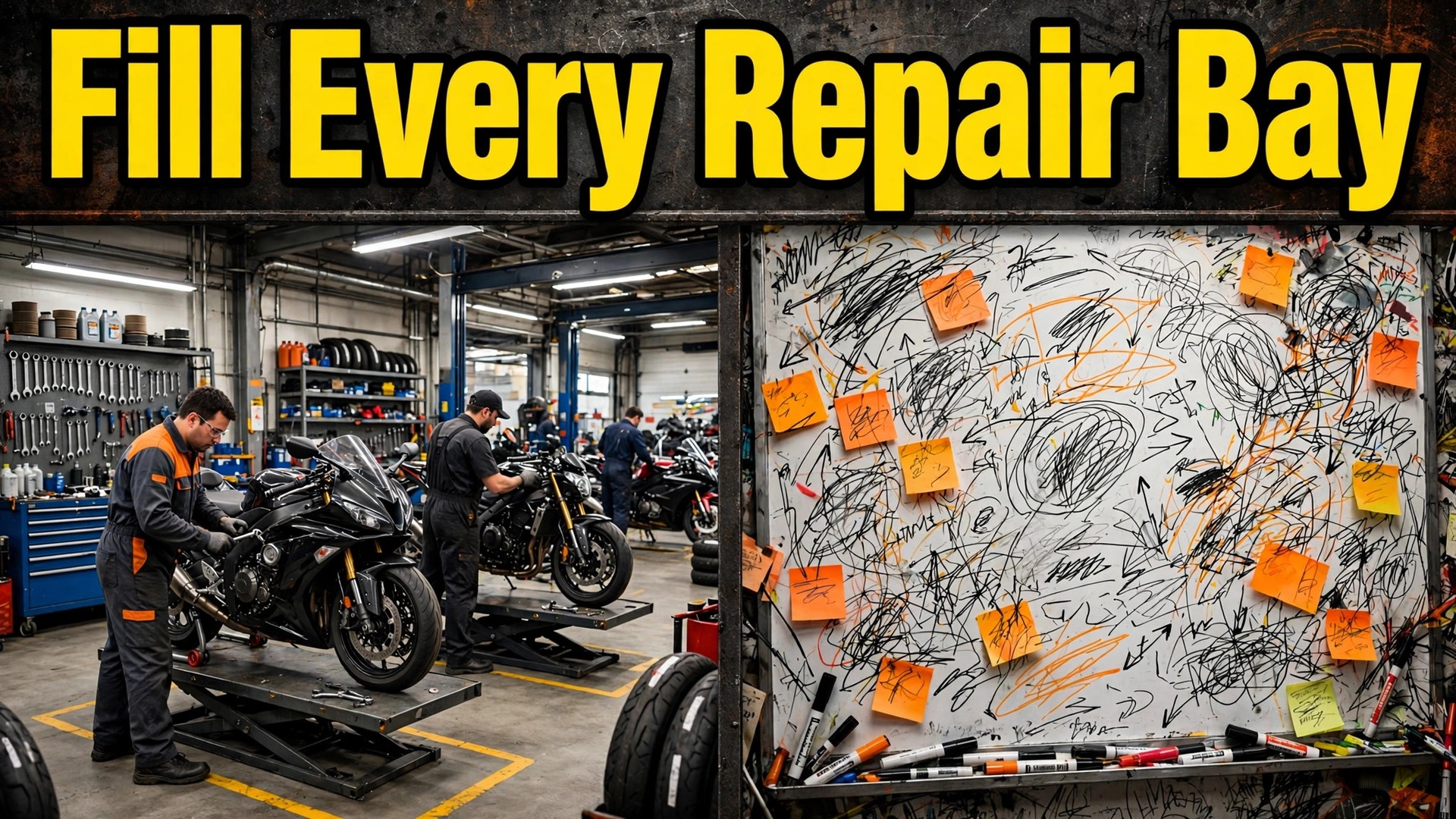
Two repair shops open at eight in the morning. In the first, the phone rings, the owner writes jobs on a whiteboard, and a technician walks to the counter to ask what is next. In the second, bookings already sit on a board for the day, parts are checked, technicians are assigned, and customers get a message when their bike is ready. The difference is not effort, because both shops work hard. The difference is the booking system, and that contrast is the reason to use AI for motorcycle repair shop booking, because a shop that runs on memory will always lose work to a shop that runs on a clear plan.
Motorcycle repair is not like a simple appointment. A bike arrives with a fault, a history, and parts that may or may not be in stock. The job may take an hour or a week, and the customer needs to know which one before they leave the bike behind. When booking is vague, the shop promises dates it cannot keep, technicians start jobs without parts, and customers ring for updates that nobody has time to give. This guide sets out a workflow that fixes that sequence, from the first fault report to the photo that proves the job is done.
Prices in this guide are ranges drawn from vendor pages and published guides at writing time, so confirm on the vendor page before you buy. Shop tools change plans often, and the price that matters is the one on the checkout page for your technician count, bay count, and location count.
Why Motorcycle Repair Shops Lose Work Without a Clear Booking System
A repair shop has a fixed number of bays, a fixed number of technicians, and costs that barely change whether three bikes or six bikes are worked on. A bay that sits empty while a technician waits for parts is a direct loss, because rent, wages, and insurance are paid anyway, and the slot cannot be sold again once the day passes. A shop with four bays that averages two and a half bikes in work is giving away a large share of its capacity every single week.
The leaks usually hide in four places. First, customers enquire and then wait days for a reply, because the owner is on the shop floor and the inbox fills up. Second, jobs are booked without a fault description, so a technician opens a bike and finds a job that needs parts or skills that are not available that day.
Third, parts are ordered late, because nobody checked stock at booking, so a bike sits on a stand for two weeks waiting for a small part. Fourth, customers ring for updates, because nobody told them what happens next, and every update call stops a technician mid job. Each leak looks small on its own, yet together they decide whether a shop grows or stalls.
Data helps a shop see which leak matters most. Jobs completed by type, by technician, by bay, and by wait reason shows whether servicing fills the week while diagnostics pile up, or whether parts delays cause most lost days. The weekly board is where the money is won or lost, one job at a time.
Automation does not fix a weak workshop on its own. It makes a good workshop easier to run, because it triages faults sooner, checks parts earlier, and surfaces the numbers a shop owner needs before changing the diary. Think of automation as a tireless service writer, not as a replacement for judgment about which technician, which bay, and which job deserves priority.
How to Use AI for Motorcycle Repair Shop Booking
To use AI for motorcycle repair shop booking well, start with the customer journey rather than with a software demo. A rider discovers the shop, reports a fault, books a drop off window, gets an estimate, approves extra work, waits for parts if needed, and then collects a finished bike with photos and an invoice. Every step in that chain either builds trust or breaks it, and the booking system should make each step shorter, clearer, and harder to get wrong. Map the journey on paper first, then judge each tool against it.
The core workflow has five moving parts, and they must work together. Fault triage sorts each enquiry into service, repair, diagnostic, or urgent work before a bay is promised. Parts lookup checks stock and supplier availability at booking, not after the bike is stripped down. Technician matching pairs each job with the right skills and the right bay. Arrival windows spread drop offs through the day so the counter is not swamped at eight in the morning. Completion photos prove the work and cut disputes at collection.
Set one rule before you switch anything on. No customer should need to phone the shop to do something the booking page should handle, meaning fault reporting, booking, estimate approval, and collection updates should all work from a phone in under a minute. If a task still needs a phone call, it is not automated yet, and it will still eat shop time at the worst moment.
| Workflow part | What good looks like | Failure it prevents |
|---|---|---|
| Fault triage | Every job sorted by type and urgency | Wrong technician, wrong bay, wrong day |
| Parts lookup | Stock checked before the bike arrives | Bikes stuck on stands for weeks |
| Technician matching | Right skills on the right job | Rework and slow diagnostics |
| Arrival windows | Drop offs spread through the day | Morning counter chaos |
| Completion photos | Photos sent before collection | Disputes about what was done |

Fault Triage That Sorts Every Enquiry Before a Bay Is Promised
Triage is where most repair bookings go wrong, because customers describe faults in everyday language while technicians need specifics. One rider says the bike will not start, while another says the brakes feel soft, and both bookings look the same on a diary that only records a name and a time. A triage form that asks only for make and model will book both jobs into the same slot, and the technician will spend the first hour discovering what the job really is.
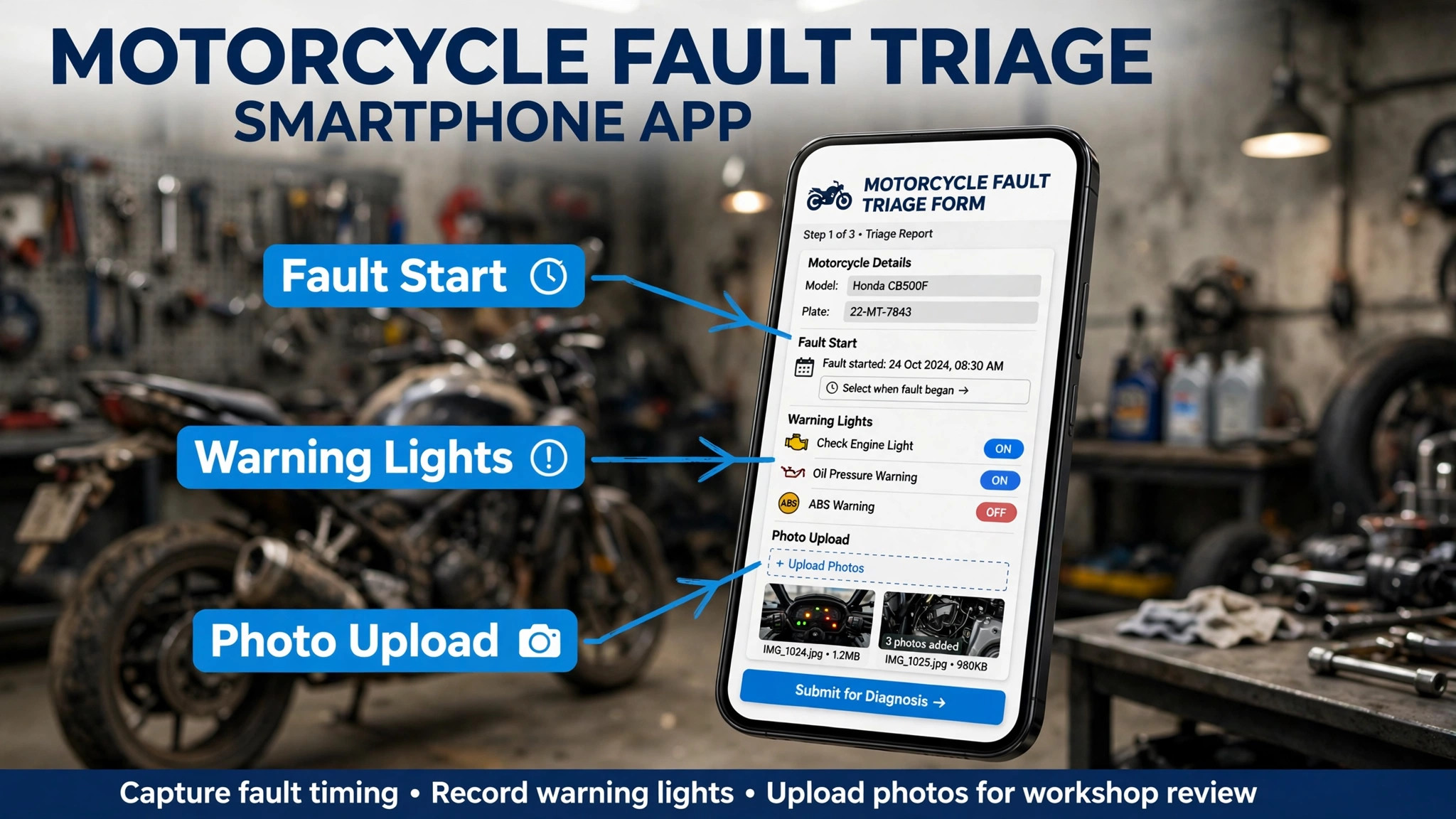
Build triage as a short set of concrete questions. Ask when the fault started, whether it happens hot or cold, whether warning lights show, what sounds or smells the rider noticed, and whether the bike is safe to ride in. Keep the questions plain, because plain answers triage far better than technical terms customers may misuse. Add a photo and short video upload option, because thirty seconds of a starting fault or a leaking fork tells a technician more than a paragraph of description. When you use AI for motorcycle repair shop booking, triage is the step that turns vague enquiries into bookable jobs.
Automation helps most at the sorting stage. It can route a routine service to the next free service slot, route a safety fault to an urgent review, and flag jobs that need a diagnostic hour before a repair estimate is promised. Those suggestions should stay suggestions, because a service writer should still approve any job that looks borderline. A safety fault booked as a routine service will anger a customer who expected a quick job, while a routine service booked as urgent will block a bay that a real emergency needed.
Test triage the way a rider would, on a phone, one handed, with greasy hands in mind, meaning large buttons and short fields. If the form takes more than three minutes, simplify it. If it asks for a registration number before it asks what is wrong, reorder it, because riders abandon forms that feel like admin before they feel like help. Vehicle details still matter, and the system should capture make, model, year, and mileage, but that capture should sit after the fault description, not before it.
Parts Lookup That Stops Bikes Sitting on Stands for Weeks
Parts delays are the most expensive failure in a repair shop, because a bike on a stand blocks a bay, blocks a technician, and blocks the next job, all for want of a part that may cost very little. A shop that checks parts only after stripping a bike down will always have bikes waiting, while a shop that checks parts at booking can order ahead, warn the customer, or reschedule before the bike ever arrives. Parts lookup is therefore a booking step, not a workshop afterthought.
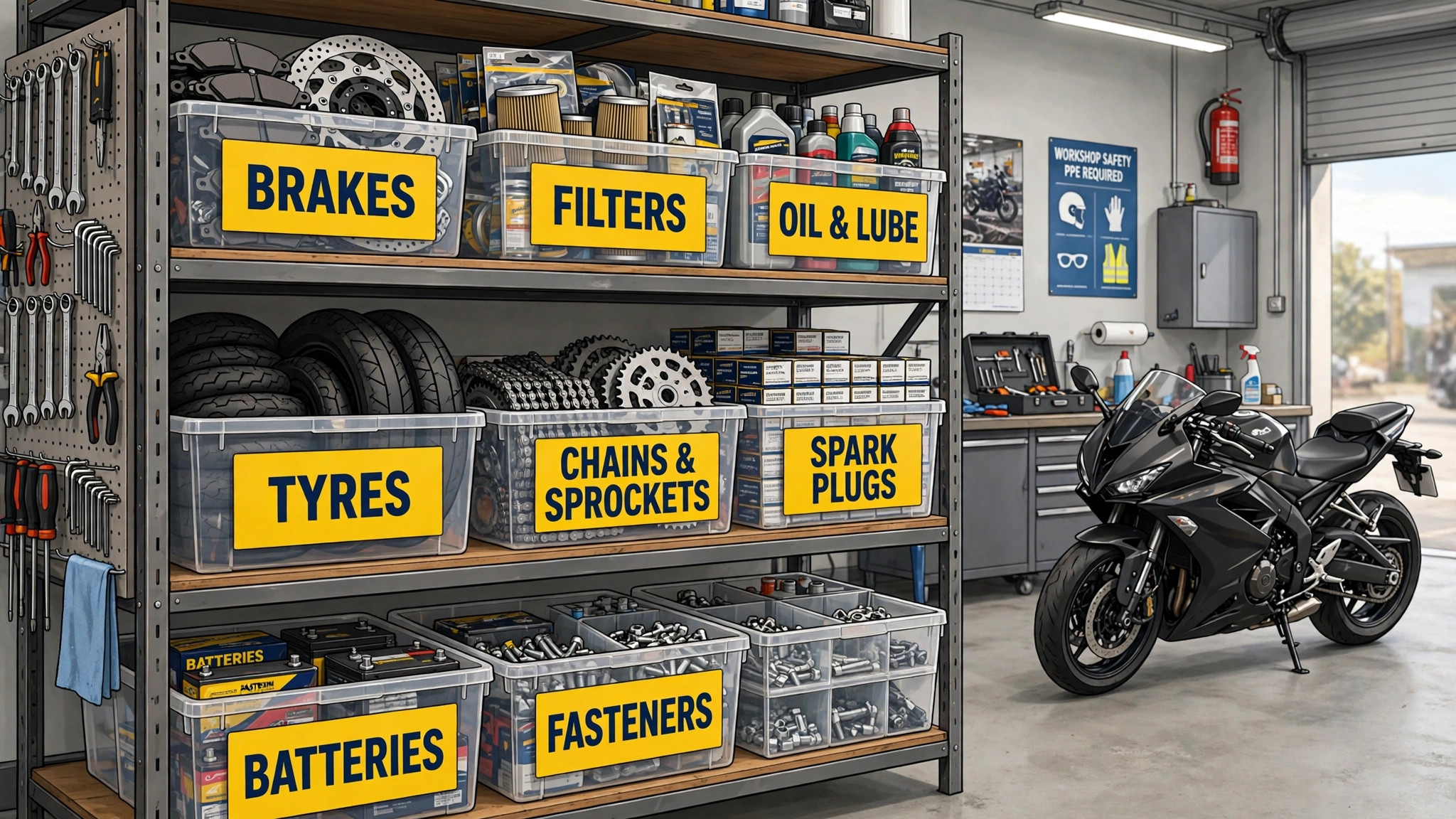
Build parts lookup into the booking flow. When a job type is known, the system should check the parts catalog for common items, such as service kits, brake pads, chains, and filters, and flag anything out of stock. For less common parts, it should check supplier availability and lead time, and show that lead time to the customer before they commit to a drop off date. A customer who knows a part takes ten days will plan around it, and that early warning is why shops use AI for motorcycle repair shop booking to check parts first.
Automation helps by linking job types to parts lists, so a routine service automatically suggests its kit, and a chain replacement automatically suggests chain, sprockets, and lubricant. Those suggestions should stay editable, because bikes vary by year and by previous work, and a wrong parts list costs more than a manual check. Keep a minimum stock list for fast moving items, and review it monthly, because the parts that run out most often are usually the parts that are cheapest to hold.
Watch parts data weekly. Look for jobs that waited longest, because that list usually reveals one or two suppliers or part types that cause most delays. Look also for jobs where parts were ordered twice, because that signals the ordering step is unclear. Both patterns are fixable with clearer job cards and a single ordering owner per job, and both directly protect bay capacity. A shop that orders parts at booking frees bays, shortens jobs, and collects payment sooner.
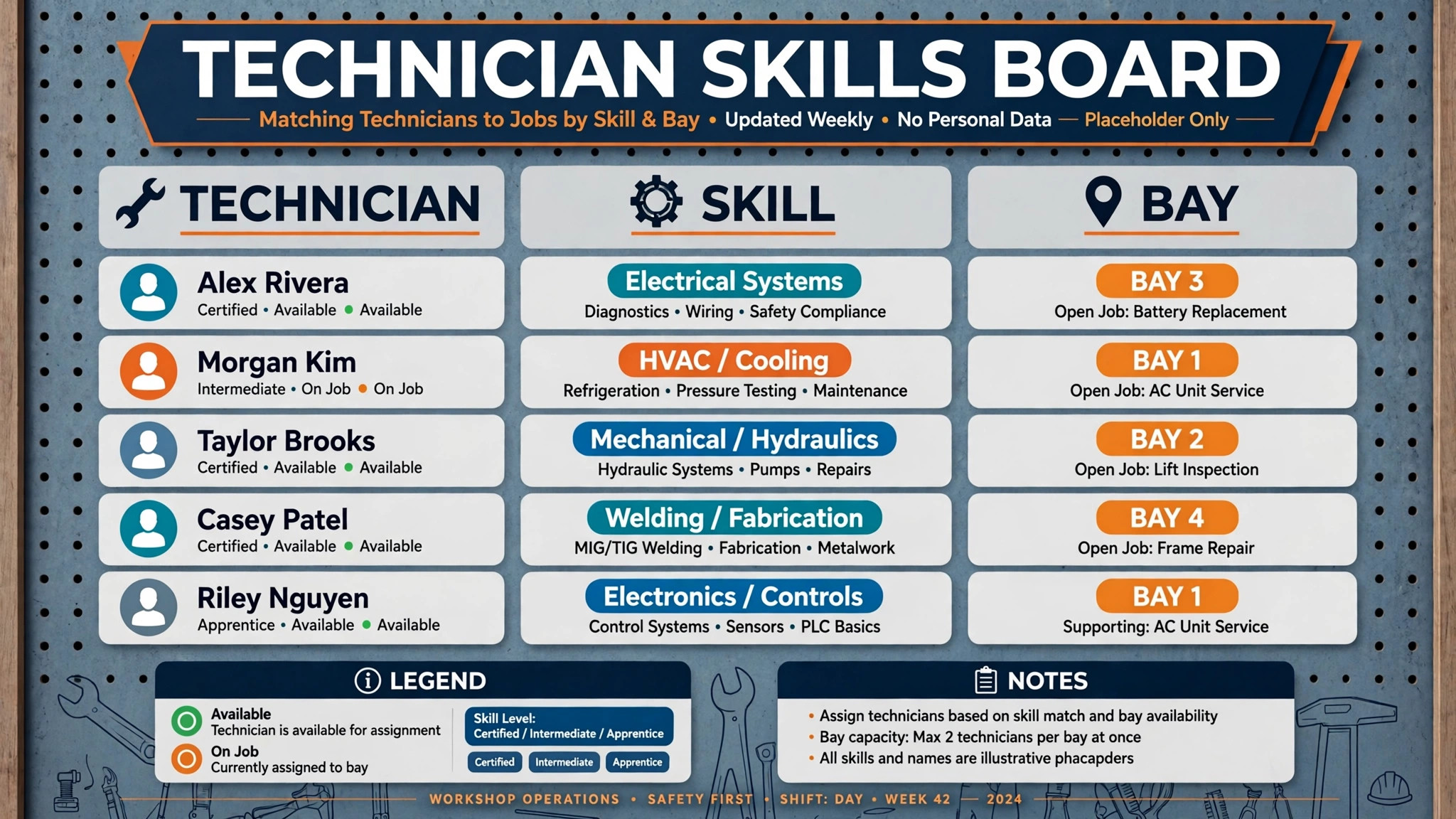
Technician Matching That Puts the Right Skills on the Right Job
Not every technician should take every job, because motorcycle work splits sharply by skill. One technician may be fast on servicing and brakes, another may be the only person who can trace an electrical fault, and a third may be best on vintage bikes with parts that no longer follow standard patterns. A diary that assigns jobs by whoever is free will waste the specialist on routine work and leave the hard job waiting for the only person who can do it.
Build a skills map before you automate matching. List every technician, note their strengths, note jobs they should never take alone, and note their availability windows. Automation can then rank technicians by skill fit, current workload, and bay availability, and suggest the best match for each new job. The service writer should still approve the pick for complex jobs, because a suggestion cannot see that a technician is already tired, or that a job needs two people for a heavy lift. Use the data to make matching easier, not to override shop floor judgment.
Consider bay fit alongside skill fit. A job that needs a lift and a diagnostic bench should not be booked into a bay without them, and a job that needs a road test should be booked when a tester is available. Automation that only matches people and ignores bays will still create clashes, because the technician may be free while the equipment is not. Map bays the same way you map people, with equipment, size limits, and jobs each bay can handle.
Track matching results over a quarter. If one technician completes most diagnostics while others avoid them, that is a training gap, not a scheduling trick, and the team needs a plan to spread skills. If one job type always overruns, the problem may be the estimate, not the technician. The matching log tells a shop owner where to train, where to hire, and where to price differently.
Arrival Windows That End the Morning Counter Chaos
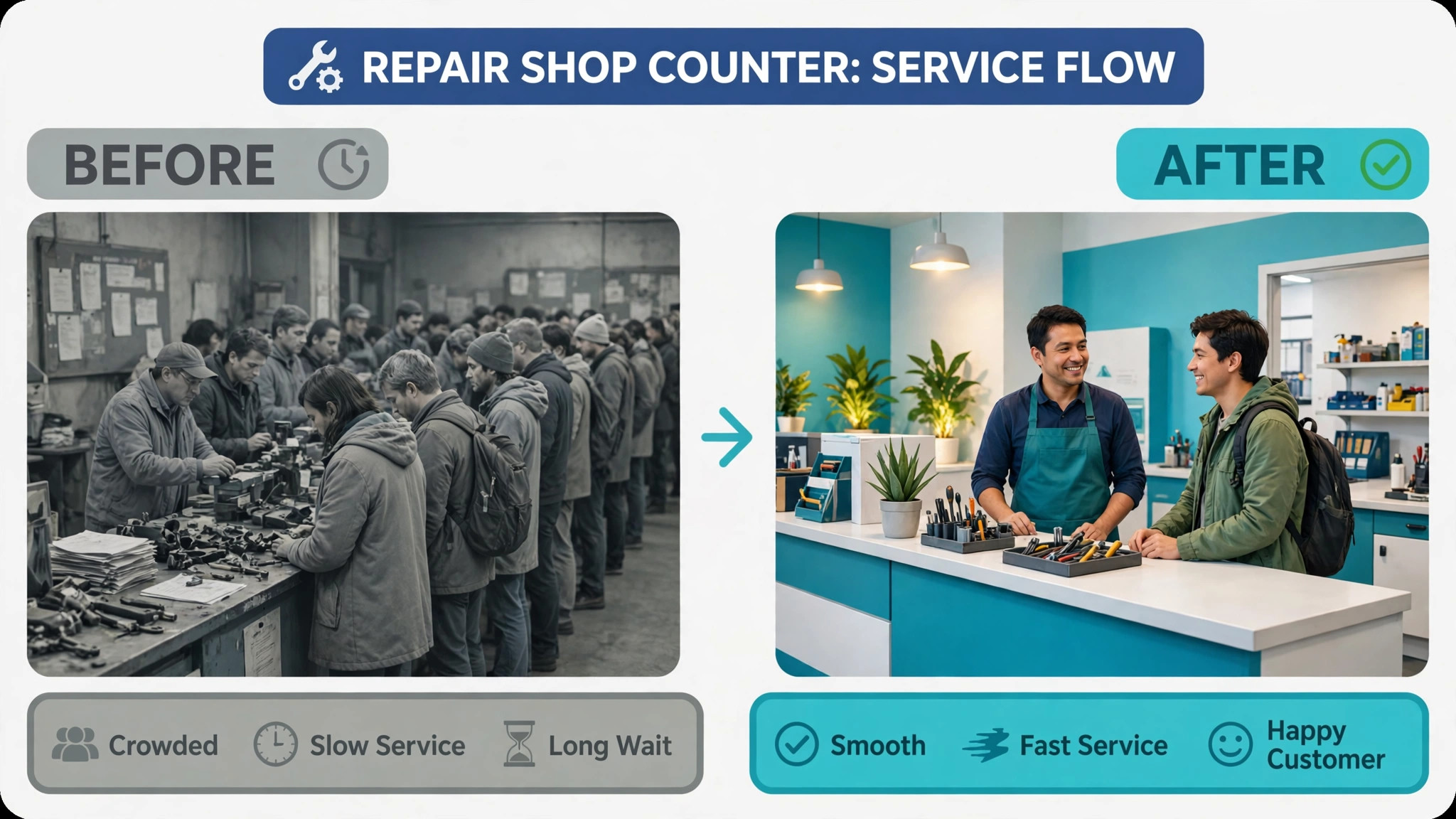
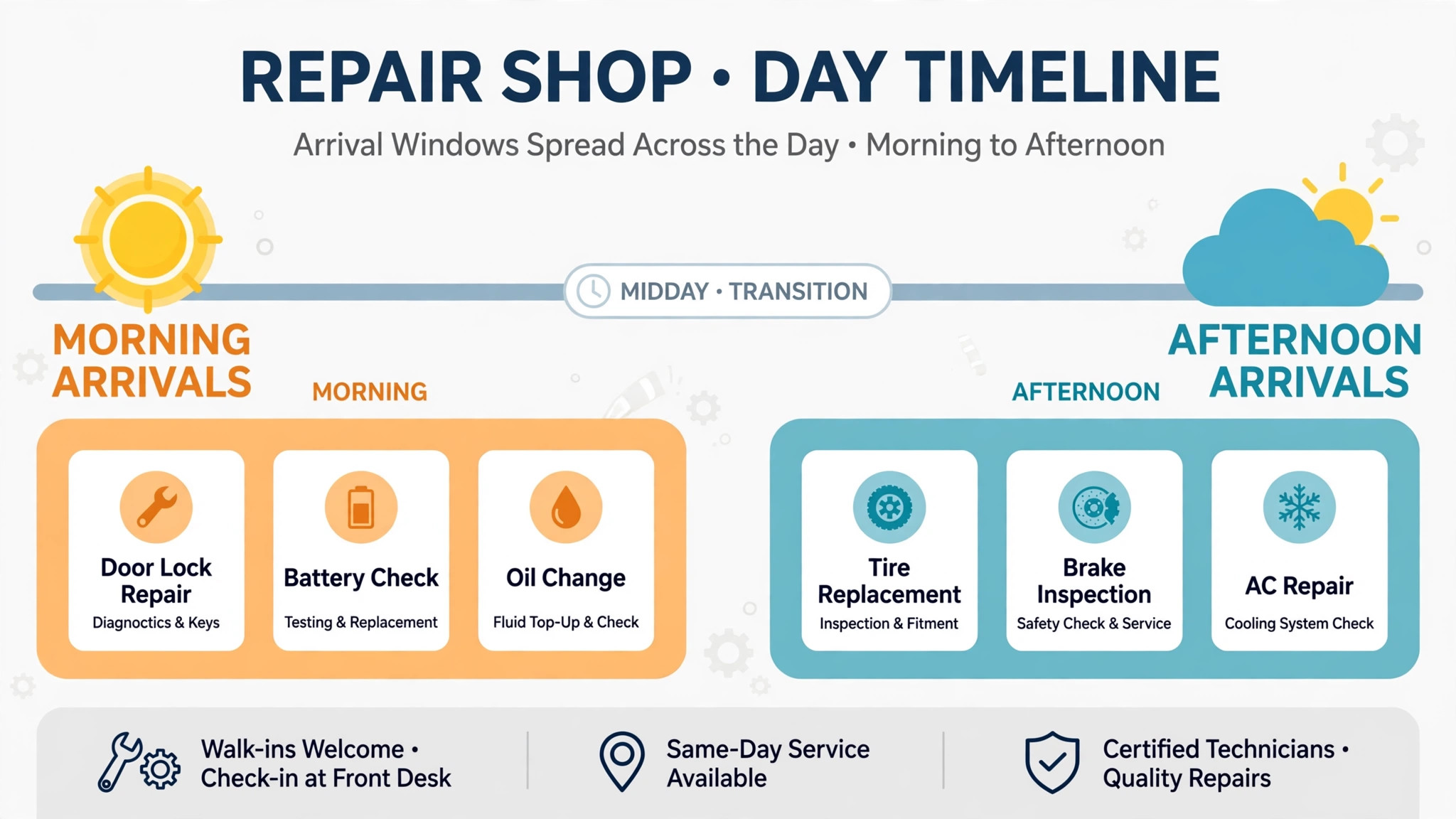
Most repair shops suffer the same morning pattern. Every customer arrives at eight, every bike needs checking in, every fault needs discussing, and the counter queue grows while technicians wait for their first job. Arrival windows break that pattern by spreading drop offs through the day, so each customer gets attention, each bike gets a proper check in, and technicians start work in a planned order rather than in queue order.
Set windows to match job type. A routine service with a known parts kit can use a short drop off window, while a diagnostic job needs a longer check in, because the technician should hear the fault from the customer before the bike goes on a stand. Offer windows that fit rider life, such as early drop off before work and late collection after work, and charge no penalty for a customer who arrives inside their window. A window system that punishes customers for being on time will fail, because riders will simply ignore it.
Automation helps by capping each window, so a popular morning window cannot overbook, and by sending a reminder the day before with the window, the address, and what to bring, such as keys, locks, and service history. Riders who miss their window should be offered the next free window at once, not told to ring the shop. That instant rebooking keeps the diary full without adding counter work, and it keeps customers from drifting to a rival shop.
Measure window performance weekly. Look for windows that always run late, because that signals check in takes longer than planned or too many jobs share one window. Look also for windows that stay empty, because that signals riders do not want that time or do not know it exists. Adjust one variable at a time, and keep a simple log of each change and its effect.
Completion Photos That Cut Disputes and Win Repeat Work
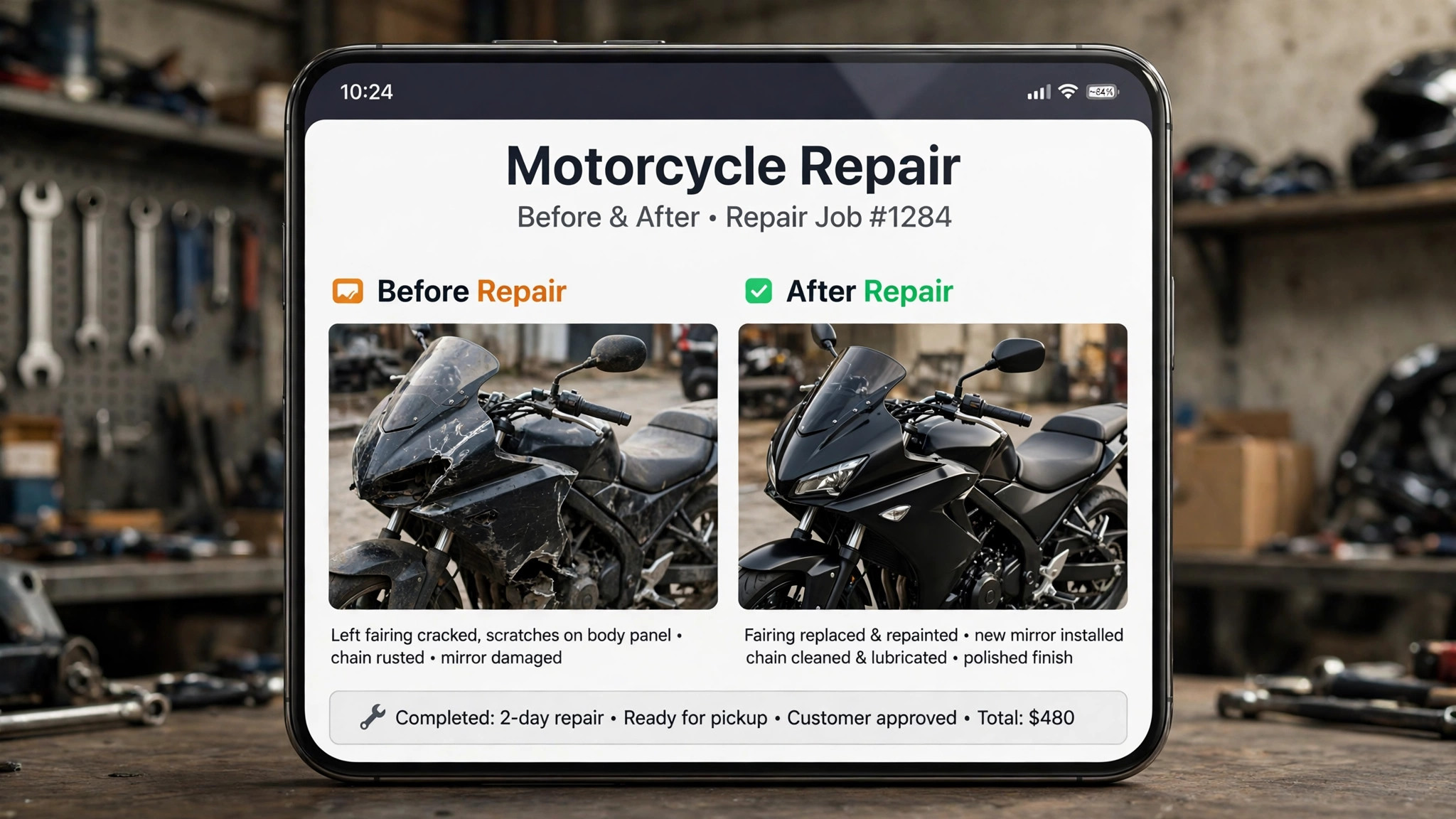
Collection is the moment a customer judges the whole job, and it is also the moment disputes start. A customer who cannot see what was changed, what was worn, or what still needs attention will ask questions that the counter cannot answer without fetching a technician. Completion photos solve this by showing the work before the customer arrives, so collection becomes a confirmation rather than an interrogation.
Build photos into the job card, not as an optional extra. Ask technicians to photograph the old part beside the new part, the completed assembly, and any advisory item that needs future work. Keep photos short and captioned in plain language, such as a worn chain, a cracked hose, or a tyre near its limit. Send the photos with the ready message, so the customer arrives already knowing what was done and what comes next. That message also creates a record that protects the shop if a dispute arises later.
Automation helps by prompting for photos at the right job stage, filing them against the correct bike and customer, and sending them in a consistent format. It should not replace technician judgment about what to photograph, because only the technician saw the bike in pieces. A photo set that shows everything and explains nothing is almost as unhelpful as no photos, so captions matter more than photo count.
Use completion photos as a sales tool with care. An advisory photo of a worn part, sent with a clear price and a suggested date, wins future work far better than a phone call that interrupts a customer at work. Do not use photos to pressure a customer into work they did not ask for, because trust lost at collection costs far more than one extra job gains.
Tools Worth Testing First
MotoDesk for Powersports Shop Management
MotoDesk suits powersports repair shops that need work orders, estimates, parts and labor on one job, customer and bike history, and status updates by message or email. Its strength is the shop floor view, because owner, service writer, and technician see the same next step for each job. Test how a job moves from drop off to ready for invoice, how parts are added to a job, and how a customer update is triggered by a status change.
Orderry for Motorcycle Repair Scheduling
Orderry handles work orders, scheduling by bay or technician, parts and inventory, purchase orders, and payments for motorcycle repair shops. Its calendar view helps a shop plan team workload and connect online bookings to the same diary staff use. Test how a booking lands in the diary, how inventory is checked at booking, and how a technician sees jobs on a phone on the shop floor.
TorqueBench for Independent Repair Shops
TorqueBench is built for independent motorcycle and powersports shops, with estimates, work orders, scheduling, customer and bike history, and parts and labor tracking on one screen. Its counter view shows open jobs, bikes waiting on parts, and bikes ready for pickup at a glance, which suits a small shop that lives by its board. Test the parts counter and the shop diary, because those two views decide whether parts delays stay visible.
Square Appointments for Simpler Booking Pages
Square Appointments suits a solo mechanic or a small shop that needs a clean booking page without a full shop suite. It handles appointment types, reminders, and payments well, but it needs more manual work for work orders, parts tracking, and job history than a shop specific tool. Test whether it can handle a repair diary without workarounds, and move to a shop specific tool if the workaround starts eating counter time.
Prices for these tools vary widely, from low monthly plans for solo mechanics to higher tiers for multi technician shops, so confirm on the vendor page for your technician count and bay count. Run a two week trial the way riders will use the tool, not the way a sales demo shows it. Book a service from a phone, report a fault with a photo, approve extra work, and check job status. Score each task for taps, clarity, and speed, and involve two real customers in the test. That trial shows whether you use AI for motorcycle repair shop booking to help riders or merely to add software.
| Tool type | Best for | Watch out for |
|---|---|---|
| Shop specific platform | Shops with work orders, parts, and job history | Higher monthly cost for solo mechanics |
| General booking tool | Solo mechanic, few jobs a week | Manual work for parts and work orders |
| Freemium booking page | Testing demand before a full switch | Missing job and parts depth |
A 30 Day Rollout Plan
Week one is mapping and cleanup. List every job type, its typical parts, its typical time, its skill needs, and its bay needs, and rewrite booking descriptions so riders can tell a service from a diagnostic. Import customer and bike records cleanly, because bad data will poison every automated message that follows. Do not turn on automated messages until the underlying data is trustworthy.
Week two is a quiet pilot. Turn on automated booking, triage, and arrival windows for a few job types only, and watch fill rate, parts waits, and customer messages daily. Train staff on the new screens, especially job cards and parts checks, so they can answer customer questions without guessing.
Week three expands the pilot to the full diary, with technician matching and completion photos switched on. Publish the arrival window rule, the estimate approval rule, and the parts delay rule on the booking page, so customers know what to expect. Review bay numbers at the end of the week, and adjust one or two weak job types rather than rewriting the whole diary at once.
Week four is review and lock in. Compare jobs completed, parts wait days, customer update calls, and counter phone time against the month before the change, and keep only the automations that moved a number. Turn off messages that customers ignored, shorten forms that customers abandoned, and document the final settings in a one page runbook. That runbook is what keeps the system working when the shop owner is on holiday and a technician calls in sick, and it records how you use AI for motorcycle repair shop booking day to day.
Mistakes That Quietly Empty a Diary
The first mistake is treating automation as a one time setup. Message timing, triage questions, and window lengths need a monthly review for the first three months, because rider behavior changes with seasons, riding weather, and technician changes. A reminder sequence that worked in winter may fail in riding season, when demand spikes and parts lead times lengthen. Review beats set and forget every time.
The second mistake is hiding the rules. Customers who do not know the arrival window, the estimate approval step, or the parts delay process will break all three by accident, and then blame the shop. Publish the rules where customers book, repeat them at booking, and show them again when they matter, meaning at drop off and at estimate approval. Transparency costs nothing and prevents most counter arguments.
The third mistake is over automating the human moments. A safety fault, a bike that is not worth repairing, and a complaint about a job deserve a human message, not a template. Automation should handle volume, meaning routine bookings, reminders, and status updates, while staff handle exceptions, meaning worried riders, sensitive estimates, and complaints. Shops that automate everything sound efficient and feel cold, and riders notice the difference.
The fourth mistake is judging the system by bookings alone. A diary can look full on bookings and still lose money on parts waits, rework, and customers who never return. Track jobs completed, not just jobs booked, and track repeat customers, not just new enquiries. Those two numbers tell you whether the booking system is building a loyal rider base or just filling a diary that empties again next month.
The Verdict for Independent Repair Shops
Start with the leak that costs you most, not with the tool that looks newest. If enquiries go unanswered, fix booking and replies first. If bikes sit waiting for parts, fix parts lookup before anything else. If the morning counter is chaos, fix arrival windows before you buy new software. One fixed leak beats five half finished automations, and it does so in weeks rather than months.
Then run the rider test. Book a service, report a fault with a photo, approve extra work, and check job status from a phone, and time each task. Anything over a minute needs simplification, and anything that needs a phone call needs automation. That test takes an afternoon and tells you more than a month of vendor demos, because it shows the shop exactly as riders experience it.
Keep the technician at the centre. Automation triages faults, checks parts, and surfaces patterns, but riders return for technicians they trust, jobs that finish on time, and bikes that come back better than they arrived. That balance is the real payoff when you use AI for motorcycle repair shop booking. Get those basics right, let the system handle the routine work around them, and the bays will fill more often, with less stress for everyone who runs the shop.
Frequently Asked Questions About Motorcycle Repair Shop Booking
How does fault triage work when riders book online?
Riders answer a short set of concrete questions about when the fault started, warning lights, sounds, and whether the bike is safe to ride, and they can upload a photo or short video. The system suggests a job type and urgency from those answers, and a service writer approves borderline jobs. The aim is a diary where every job arrives with enough detail for a technician to start work.
Can customers book a drop off window, or only a day?
Good shop tools book a drop off window, not just a day, so check ins spread through the day and technicians start work in a planned order. A window system should cap each window, send a reminder the day before, and offer instant rebooking if a rider misses a window. A diary that only records a day will still suffer morning counter chaos.
What happens when a part is out of stock?
The shop should check parts at booking, show the lead time to the customer before they commit, and order ahead where possible. If a part runs out mid job, the job card should move to waiting for parts, the customer should get a clear update with a revised date, and the bay should be freed for other work where possible. Parts delays handled early feel like planning, while parts delays discovered late feel like failure.
How do completion photos help at collection?
Completion photos show the old part beside the new part, the completed assembly, and any advisory item, with plain captions explaining each photo. Customers arrive already knowing what was done, so collection becomes a confirmation rather than an interrogation. Photos also create a dated record that protects the shop if a dispute arises later.
Will customers actually use online booking for repair work?
Most will, provided the form is short, asks about the fault first, and offers a clear drop off window and estimate step. Riders abandon forms that feel like admin before they feel like help, so keep fields short and buttons large. Customers who prefer to phone should still be able to, but phone bookings should land in the same diary as online bookings.
Is a shop specific tool better than a general booking tool?
For a shop with work orders, parts, and job history, yes, in most cases. A shop specific tool treats a job as a work order with parts and status, supports triage and bay scheduling natively, and keeps bike history on each customer record. A general tool suits a solo mechanic with few jobs, but a busy shop will usually outgrow it once parts and work orders matter.
More Reading on Stratilyze
– Use AI for Appliance Repair Scheduling, plain text title, link not verified at writing time – Best Field Service Software for Plumbers, plain text title, link not verified at writing time – Use AI for Electrical Contractor Job Scheduling, plain text title, link not verified at writing time – How to Price Repair Jobs Without Losing Customers, plain text title, link not verified at writing time – Small Shop Booking Systems That Keep Bays Full, plain text title, link not verified at writing time