
Verdict first. If you run pet sitting alone or with a small team, you should use AI for pet sitting booking management before the next holiday rush, not after it. A booking system that answers enquiries at night, matches the right sitter to each pet, locks visit windows in place, sends photo updates without extra admin, and keeps key handling in one checklist will protect more bookings than any single advertising push. The alternative is the familiar peak season pattern, where enquiries pile up in messages, one sitter gets double booked, and an owner waits hours for a simple confirmation.
Pet sitting fails in small, quiet ways before it fails loudly. An owner sends a request on a Sunday evening and hears nothing until Tuesday. A sitter arrives at a house and finds no note about a dog that panics at fireworks. A visit window slips by an hour because two sitters swapped shifts in a group chat. None of these are dramatic on their own, yet each one costs trust, and trust is the whole product in pet care. Owners hand over a house key and a family member. They will forgive a late reply far less easily than a shopper forgives a late parcel.
Prices in this guide are ranges drawn from vendor pages and published guides at writing time, so confirm on the vendor page before you buy. Pet sitting software changes plans often, and the price that matters is the one on the checkout page for your sitter count and your service mix.
Why Pet Sitting Bookings Break Down at Holiday Peaks
Demand for pet sitting is spiky by nature. School holidays, long weekends, and the Christmas period can fill a diary weeks ahead, while a quiet February week leaves the same sitters waiting for work. That spike is where manual booking breaks. When twenty enquiries arrive in two days, a sitter working from a phone, a paper diary, and a messaging app has no single view of who is confirmed, who is only asking, and which visits still need a sitter. Double bookings and missed replies follow, not because the sitter is careless, but because the system has no memory.
The second break point is information scattered across too many places. Feeding amounts live in one chat thread, medication times in another, the alarm code in a third, and the vet number on a piece of paper at home. A substitute sitter stepping in at short notice cannot piece that together safely in ten minutes. The result is either a delayed visit while the sitter hunts for details, or a visit done on guesswork, which is the worst outcome for a nervous pet and an absent owner.
How to Use AI for Pet Sitting Booking Management
The test for whether you use AI for pet sitting booking management well is simple. An owner should be able to request, confirm, pay for, and follow a booking without chasing the sitter, and a sitter should be able to open one screen and see every visit, pet note, and access detail for the day. If either side still needs a string of messages to get a basic fact, the workflow is not finished yet, whatever tool is in use.
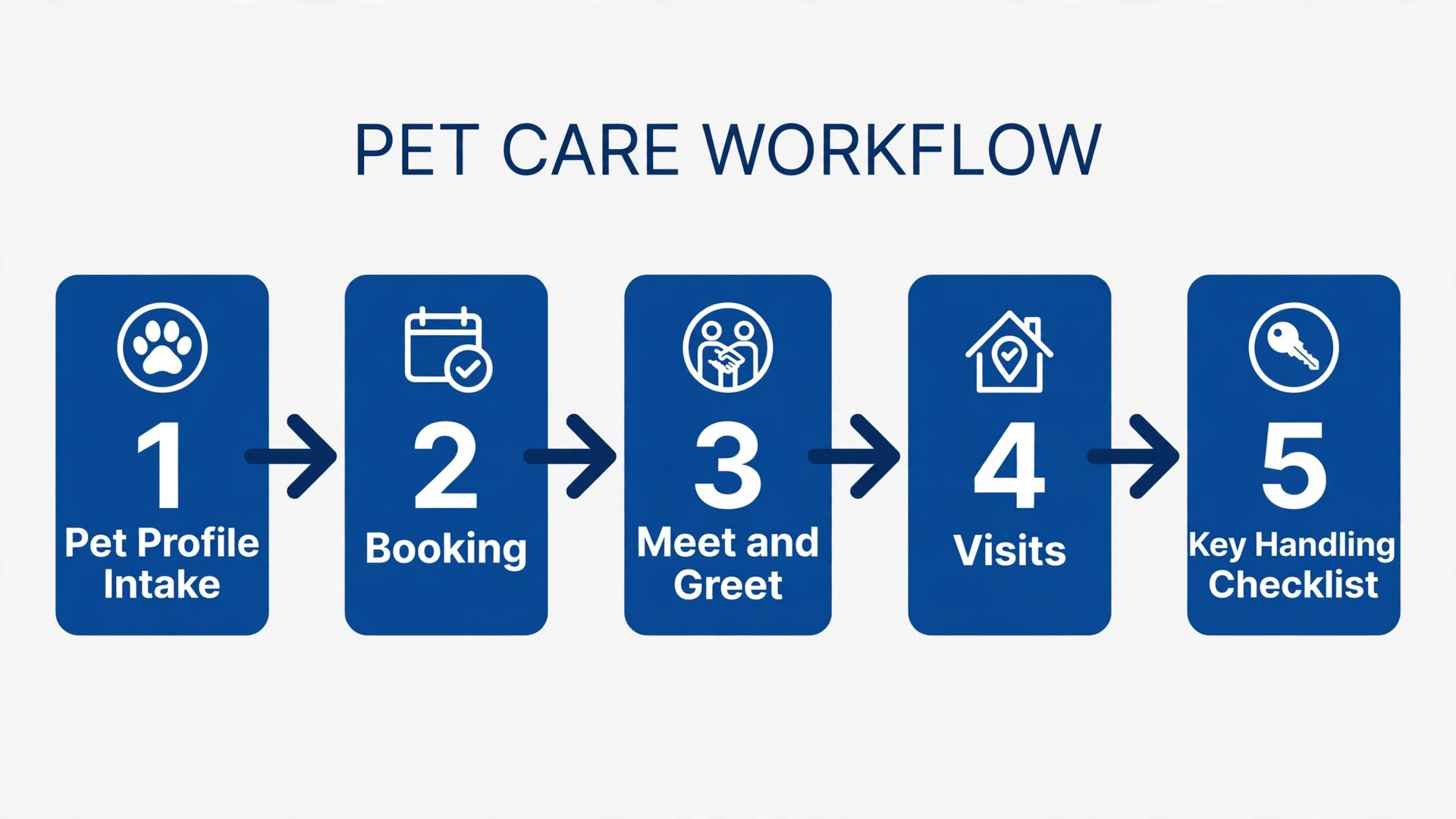
The workflow in this guide has five parts, and they must work in order. Pet profile intake collects everything a stranger needs to care for the pet safely. Sitter matching pairs the pet with a sitter who fits its needs, location, and temperament. Visit windows turn vague promises into timed, drivable routes. Photo updates close the loop with the owner after every visit. The key handling checklist protects the house, the sitter, and the business when access changes hands.
| Workflow part | What good looks like | Failure it prevents |
|---|---|---|
| Pet profile intake | One complete profile before the first paid visit | Sitters guessing about food, medicine, or behaviour |
| Sitter matching | Fit by pet needs, area, and availability | Wrong sitter for an anxious or reactive dog |
| Visit windows | Timed windows grouped by neighbourhood | Late visits and impossible driving routes |
| Photo updates | Photo plus short note after every visit | Worried owners flooding the sitter with messages |
| Key handling checklist | Logged handover and return for every key | Lost keys and disputed access |
Step 1. Pet Profile Intake That Prevents a Bad First Visit
A pet profile is not a cute biography. It is a working document that a sitter who has never met the pet must be able to use at 7 am in a strange house, possibly in poor light, possibly with a dog pulling at the lead. That test should shape every field. If a detail would not help a stranger in that moment, it does not belong at the top of the profile. If a detail could change a medical outcome, it belongs at the top and in bold in the sitter’s day view.
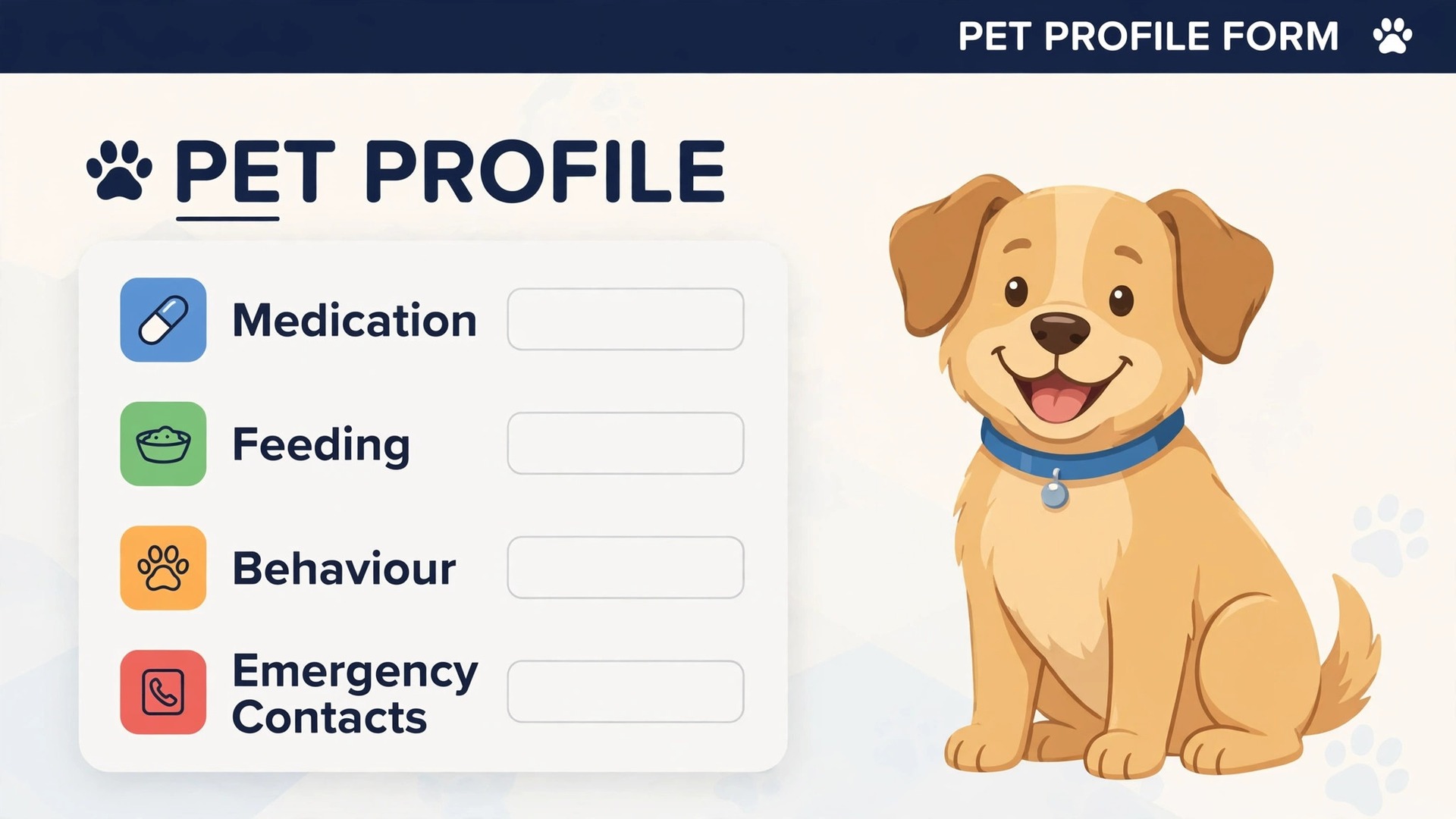
Build the intake form around five blocks. Identity and health covers species, breed, age, weight, microchip status, vaccination dates, and known conditions. Feeding and routine covers food brand and amount, feeding times, water, treats allowed, and toilet habits. Medication covers drug name, dose, timing, method, and what to do if a dose is missed. Behaviour covers triggers, fears, recall reliability, reactions to other dogs, children, and strangers, and safe calming steps. Home and emergency covers vet details, emergency vet details, a second contact, and house rules that affect the pet, such as rooms that stay shut.
AI helps intake in two practical ways. First, it can turn a long owner message or a filled form into a clean profile, flagging gaps such as a missing medication dose or a feeding amount without a unit. Second, it can draft the questions for a meet and greet based on what is missing, so the first visit answers real gaps instead of repeating facts the owner already gave. Both uses need a human check, because an invented dose or a guessed allergy is dangerous. Treat the draft as a starting point that the owner confirms in writing, never as a finished record.
Require a meet and greet before any overnight booking, and use it to verify the profile in person. Watch the dog on the lead, check where food and medicine actually live, test the key and the alarm, and note anything the form missed. A profile that survives a meet and greet is a profile a substitute sitter can trust. One that has never been tested is a guess with a nice layout.
Copy This Pet Profile Intake Template
Use this template for every new client, and do not start paid visits until every item is filled.
– Owner name, phone, email, and address, plus a second contact who can decide in an emergency – Pet name, species, breed, age, weight, and a recent photo – Vet name and phone, plus emergency vet name, phone, and address – Medical conditions, allergies, and vaccination dates – Medication name, dose, timing, and method, plus missed dose instructions – Food brand, amount per meal, meals per day, treats allowed, and foods to avoid – Walk length, lead rules, recall reliability, and reactions to dogs, people, and children – Fears and triggers, plus calming steps that have worked before – Sleep spot, toilet routine, and any rooms that stay shut – Key type, alarm code handling, and house rules that affect the pet
Step 2. Sitter Matching That Fits the Pet, Not Just the Calendar
Matching by availability alone is the fastest way to create a bad visit. A sitter free on Tuesday is not automatically the right sitter for a reactive dog, a cat that needs twice daily insulin, or a puppy that cannot be left for more than three hours. Good matching weighs four factors in order, and availability comes last, not first. Pet need comes first, then sitter skill and experience, then location and route fit, then availability.
AI matching works best as a shortlist, not an assignment. Feed it the pet profile, the visit windows, and the sitter tags, and let it rank two or three fits with a reason for each, such as distance, past visits with similar pets, or medical training. A human then confirms the pick, especially for first visits, reactive animals, and medical cases. That division keeps the speed of automation and the judgment of experience, and it leaves a clear record of why a sitter was chosen if an owner asks.
Route fit matters more than most owners realise. A sitter driving forty minutes between two visits will run late to the second, rush the first, or both. Cluster visits by neighbourhood, cap the number of houses per sitter per day, and leave buffer time for traffic, a slow dog, or a locked gate. A diary that looks full on screen but impossible on the road will fail in the afternoon, when there is no time left to fix it.
Step 3. Visit Windows That Owners Can Plan Around
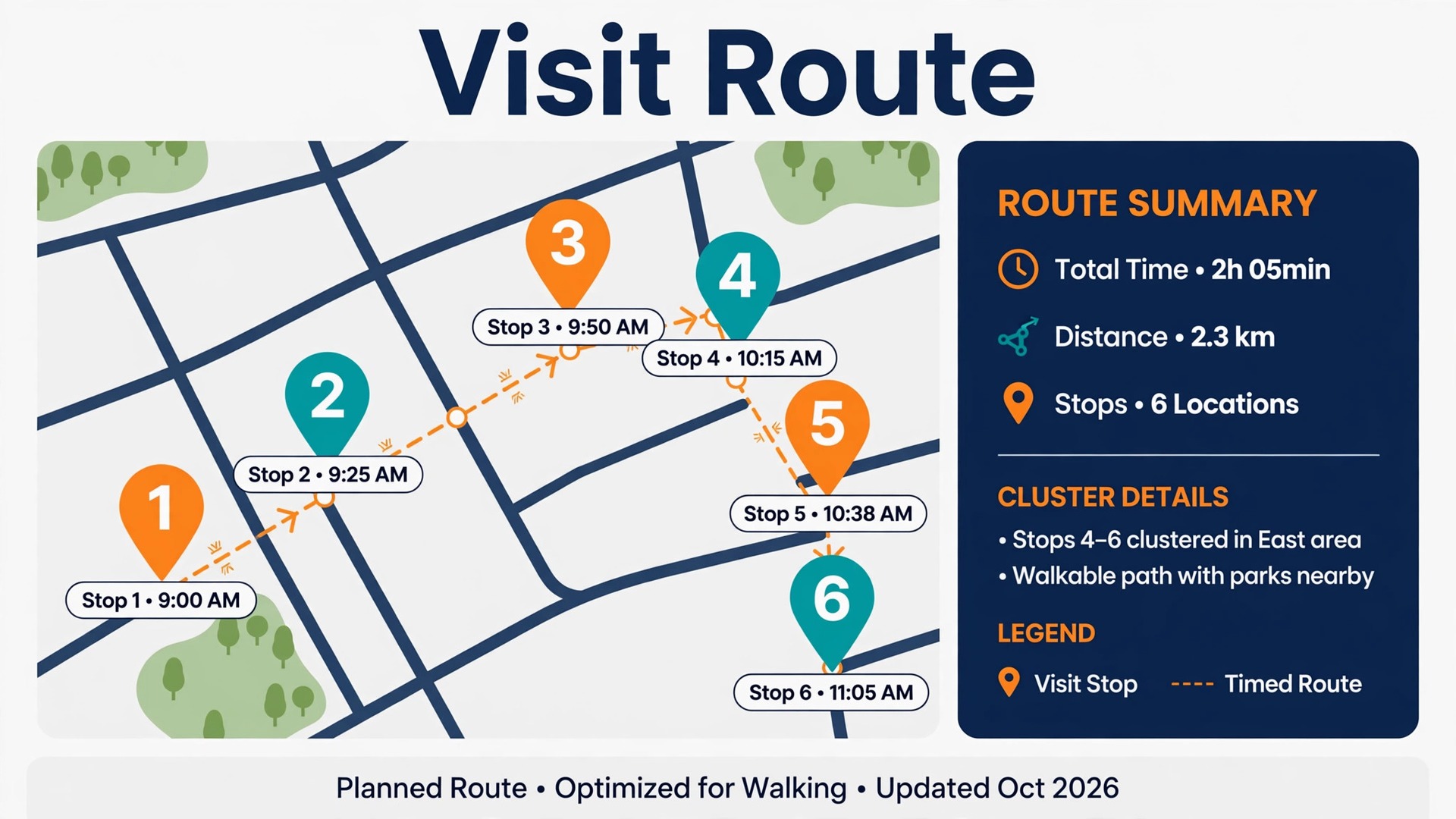
Owners do not need a sitter to arrive at an exact minute, but they do need a window they can trust. A promise of “sometime in the morning” tells an owner nothing, and it tells a sitter nothing either, because five morning visits cannot all happen first. Replace vague promises with windows of one to two hours, published at booking, and confirmed the day before. When you use AI for pet sitting booking management to build those windows, the system should group nearby houses, respect feeding and medication times, and flag any window that breaks a medical deadline.
Build the day in route order, not booking order. List visits by neighbourhood cluster, then by fixed time anchors such as insulin at 8 am and 8 pm, then by flexible visits that can shift within their window. Show each sitter the route, the drive time between houses, and the latest safe arrival for medical tasks. A route view prevents the classic peak season error, where a sitter accepts visits in four corners of town and spends the day driving instead of caring for pets.
A Worked Example Across Seven Days
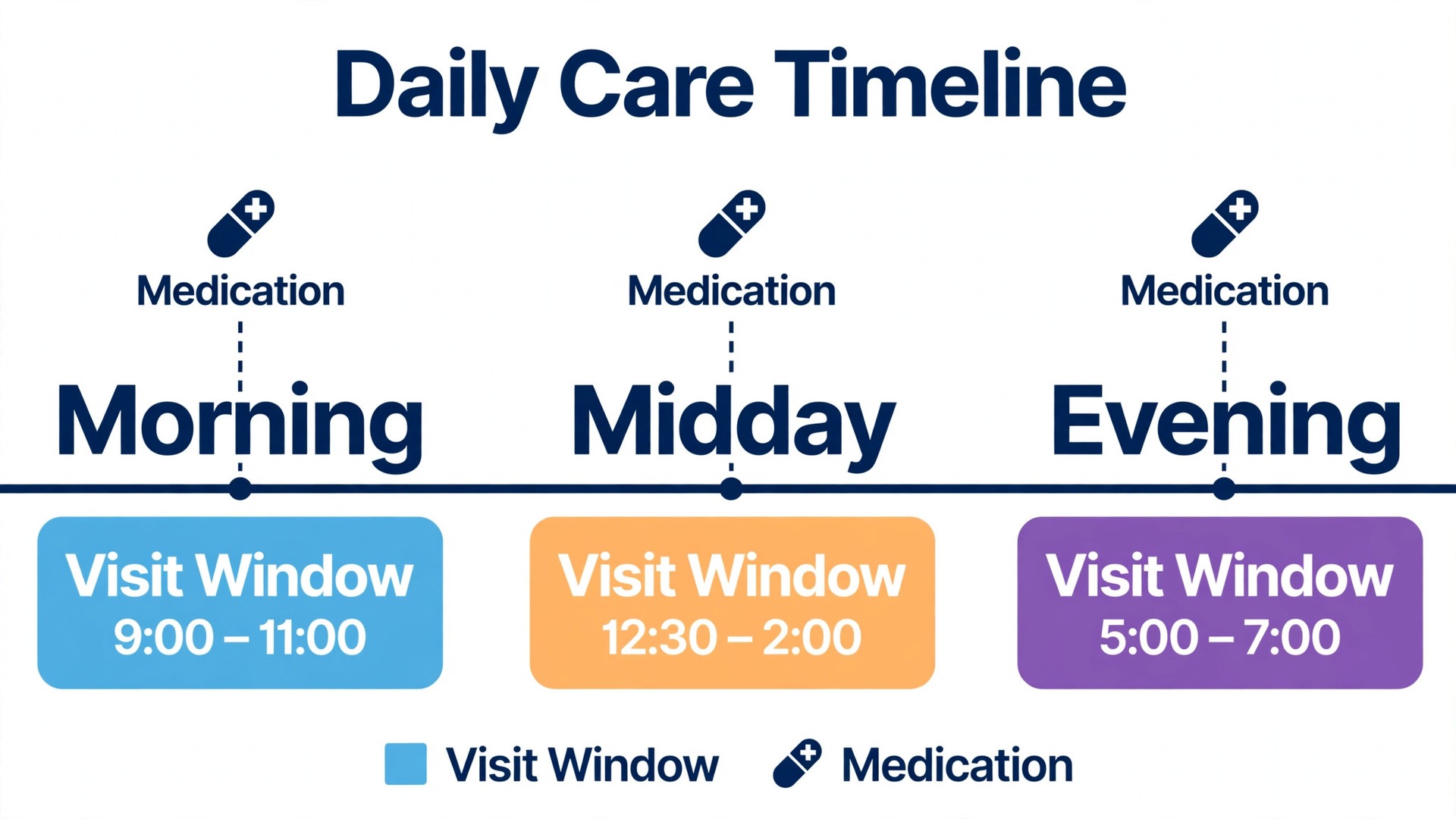
Take a common holiday booking. Two dogs, one needs medication at 8 am and 8 pm, the other is reactive to strange dogs, and the owner is away for seven nights. The intake profile flags the medication anchor first, then the reactivity rule that walks stay on lead and avoid the dog park at busy times. Matching picks a sitter with medication experience who lives ten minutes away, with a named backup who joins the meet and greet.
Visit windows follow the anchors. Morning visits run 7 am to 9 am, with the medication dog first, then the second dog walked separately. Midday visits run 12 pm to 2 pm for toilet and company. Evening visits run 6 pm to 8 pm, with medication again at 8 pm. The route groups this house with two nearby cat visits, so the sitter drives one loop instead of three separate trips. Photo updates go out after the morning and evening visits, with a short note on appetite, toilet, and mood.
Step 4. Photo Updates That Calm Owners Without Adding Admin
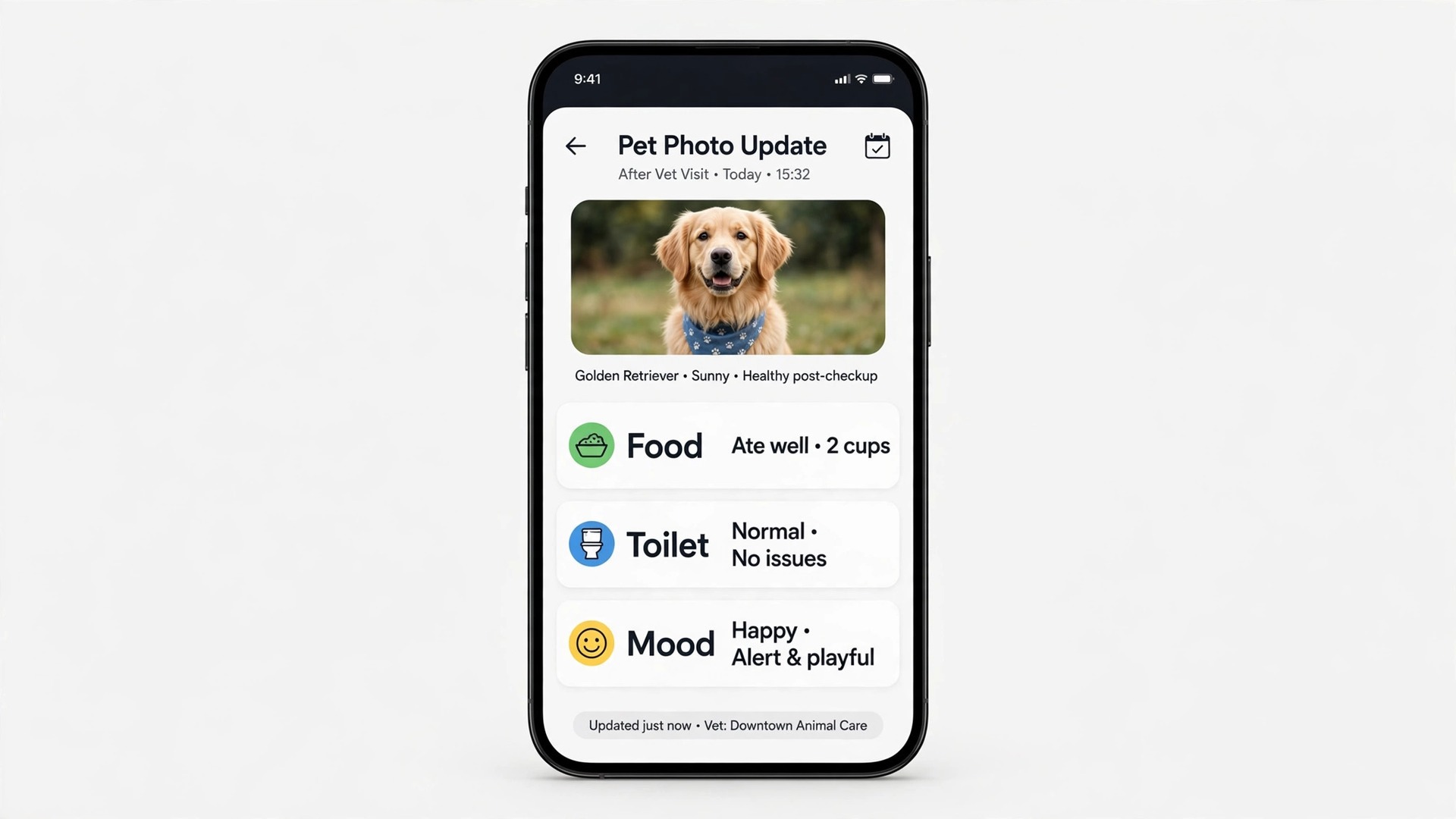
Photo updates are the highest value message a pet sitter sends, and the easiest to get wrong. Owners want three facts, and they want them fast. The pet is well, the pet ate and went to the toilet normally, and the house is secure. A photo of a relaxed dog, plus two lines covering food, toilet, and mood, answers all three. A long essay, or a batch of ten photos sent at midnight, answers none of them well, because the owner must hunt for the reassurance inside the noise.
Set a standard update format and use it every time. Photo first, then food, then toilet, then mood or behaviour, then anything unusual. Keep it to three or four lines. If nothing unusual happened, say so plainly, because owners read silence as a problem. If something unusual did happen, such as a missed meal, loose stool, or a chewed item, say so in the same update, with what was done about it. Owners trust a sitter who reports small problems early far more than one who reports only good news.
AI can draft the update from the sitter’s visit notes, but the sitter must check it before sending. A draft that invents a meal the dog refused, or softens a real concern into a vague line, does more harm than no draft at all. The safe pattern is sitter notes in, short draft out, sitter edits and approves, owner receives. That keeps the time saving without handing a care record to a guess. That check is what makes the workflow work when you use AI for pet sitting booking management.
Timing matters as much as content. Send the update within thirty minutes of the visit ending, while the details are fresh and the owner can still act if something is wrong. A morning visit reported at bedtime is a report about a day that has already passed, and an owner who spots a problem in it cannot fix it from abroad. Same day updates also cut follow up messages, because owners who have seen a photo stop asking whether the visit happened.
Step 5. The Key Handling Checklist
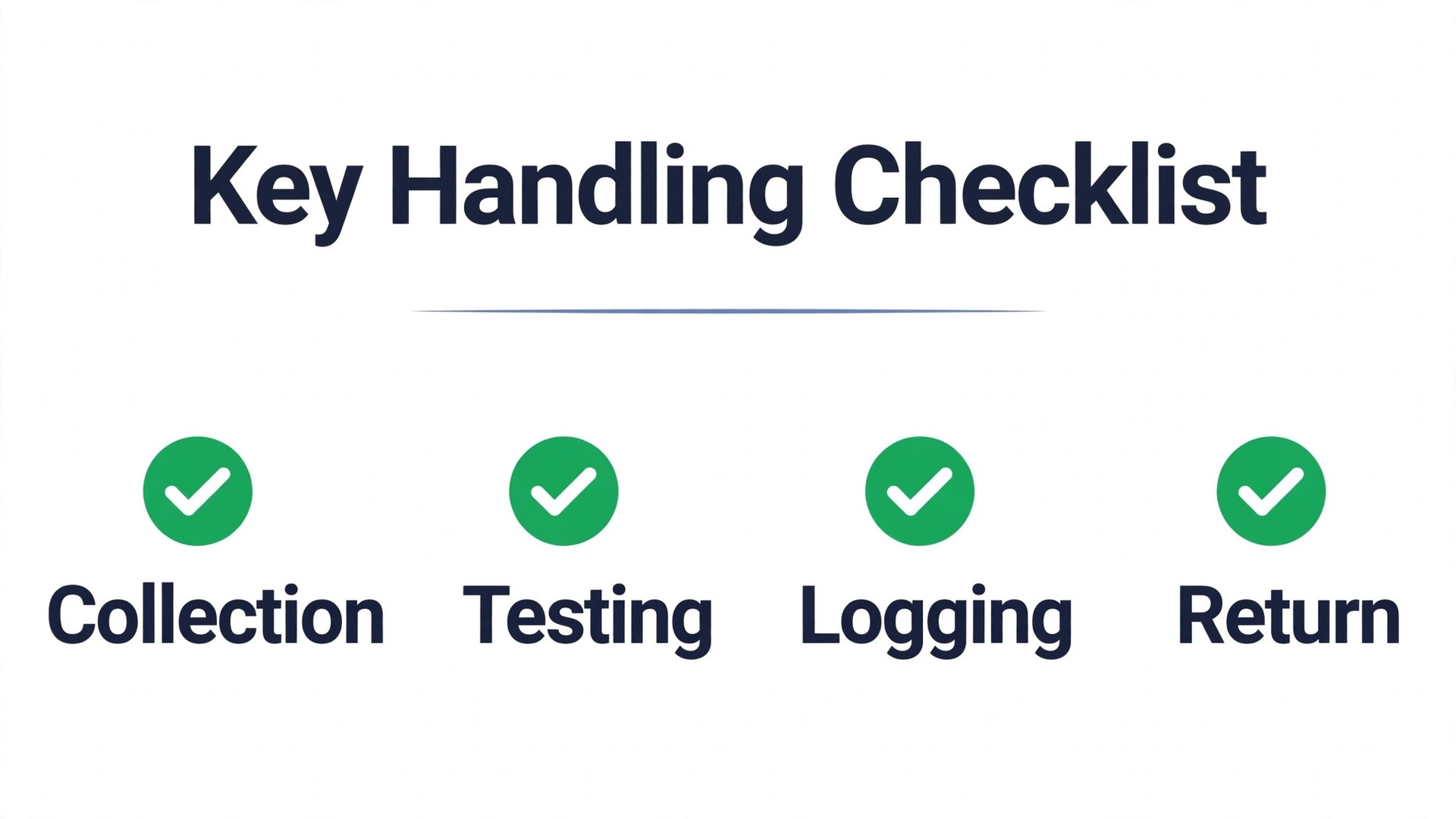
Keys are where pet sitting businesses quietly take on the most risk. A lost key, a copied key, or a key left in an agreed hiding place after a booking ends can turn a simple sitting job into a security dispute. Treat every key as a tracked asset, with a record of who holds it, when it was taken, when it was used, and when it was returned. That record protects the owner, the sitter, and the business equally, because it replaces memory with evidence.
Copy This Key Handling Checklist
– Key collected, coded, and logged with date, time, and collector name – Key tested in the door and the alarm tested at the meet and greet – Alarm code stored in the booking system only, never in a message thread or a photo – Spare key location agreed in writing, or a statement that no spare exists – Sitter briefed on lock quirks, stiff doors, and gates that must stay shut – Key use logged after each visit where access changed, such as a lockbox code change – Key returned in person or by agreed secure method, with date and receiver name logged – Owner confirms return in writing, and the log is closed the same day – Key retained between bookings only with written permission and a review date – Any lost, copied, or unreturned key reported to the owner the same day, with next steps agreed
If a key is lost, act the same day. Tell the owner, agree whether locks change, and record the decision. Delay helps no one, and an owner who hears about a lost key from the sitter, with a plan attached, is far more likely to stay a client than one who discovers it later through a third party.
Tools Worth Testing First
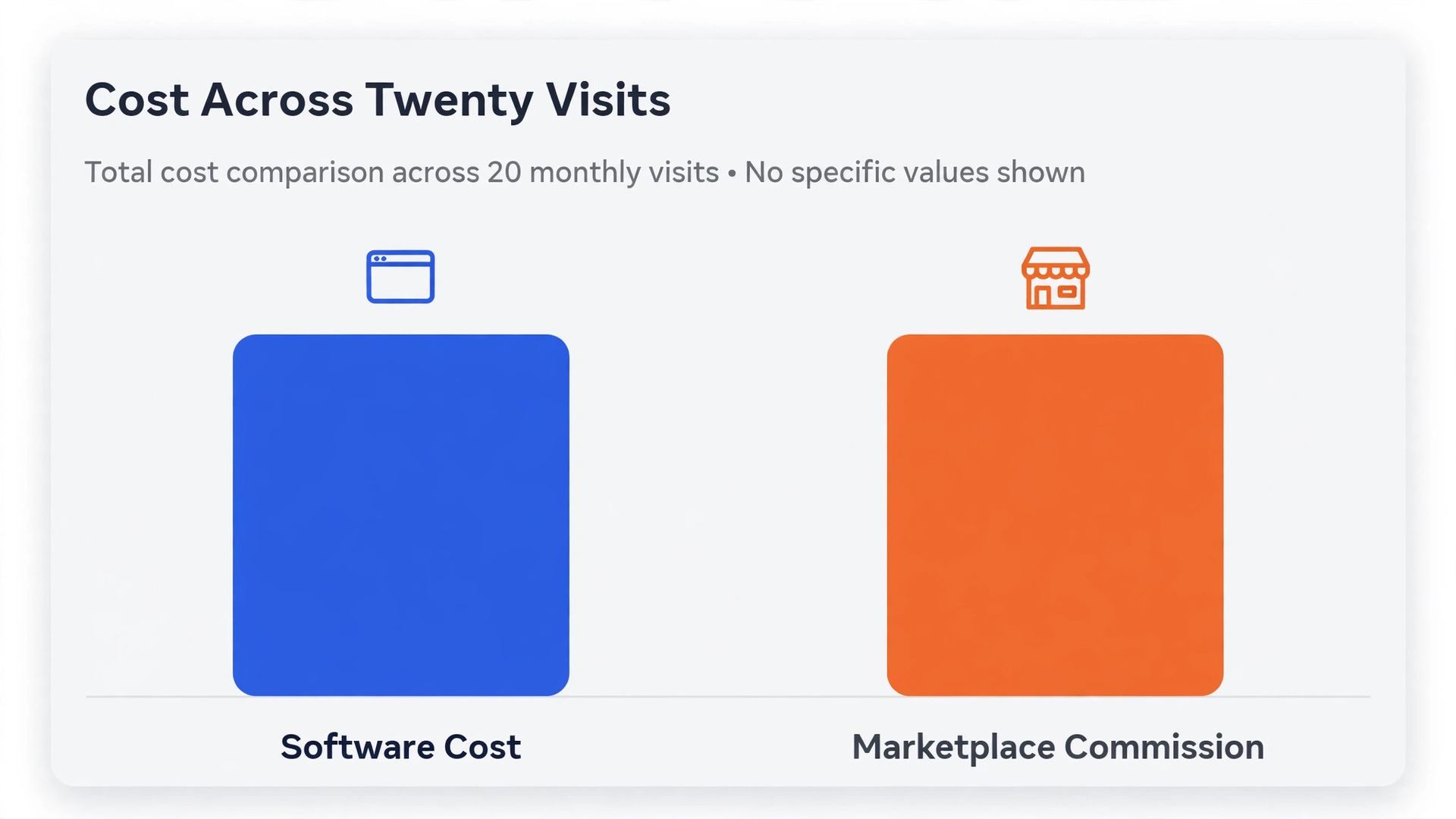
When you use AI for pet sitting booking management, the right tool depends on whether the business is solo, small team, or marketplace based. Solo sitters need simple booking, profiles, and updates. Small teams need sitter assignment, route views, and permission levels. Marketplace sitters need discovery and owner trust, and they pay for it in commission. Test tools against a real week of visits, not a demo, and judge them on the five workflow parts in this guide.
Time To Pet
Time To Pet is the most established pet sitting software in this category, with client portals, scheduling, invoicing, online payments, GPS visit tracking, and mobile apps for clients and sitters. It suits a growing team that needs scheduling and invoicing in one place, plus visit reports owners can follow. Entry pricing is often quoted from about 35 dollars a month for a solo operator, rising with sitter count and features, so confirm on the vendor page for your team size.
Scout
Scout is a newer, mobile first option built for pet sitters and dog walkers, with client booking requests, repeating appointments, GPS tracking, automated invoicing, and custom branding. It suits solo sitters and small teams that want a clean phone experience without a heavy setup. Published starting prices vary across guides from about 25 dollars a month to about 39 dollars a month depending on tier and date, so confirm on the vendor page before budgeting.
Pet Sitter Plus
Pet Sitter Plus covers booking, scheduling, client management, invoicing, and reporting, with custom forms that suit businesses with detailed intake needs. It suits a team that wants intake forms and admin in the same system, rather than bolting a form tool onto a calendar. Published starting prices sit around 23 dollars to 36 dollars a month in recent guides, so confirm on the vendor page for the current tier that matches your sitter count.
Precise Petcare
Precise Petcare offers a customisable system for pet sitting businesses, with scheduling, client records, and invoicing in one dashboard. It suits an operator that wants to shape fields, forms, and workflows around a specific service mix, rather than accepting a fixed template. Published starting prices vary widely across guides, from about 15 dollars a month in older listings to higher current tiers, so confirm on the vendor page and test the exact features you need in a trial.
Rover
Rover is a marketplace, not operations software, and that distinction matters. It brings owner discovery, profiles, messaging, payment handling, and a guarantee programme covering vet fees for injuries during a booking, up to its limits. In the United States, sitters typically keep 80 percent of the booking, with Rover taking a 20 percent service fee, while owners pay an 11 percent booking fee at checkout. Fees differ by country and in California, so confirm on the vendor page for your location before setting rates.
| Tool type | Best for | Watch out for |
|---|---|---|
| Established team software | Growing teams, invoicing plus scheduling | Cost rises with sitter count |
| Mobile first solo software | Solo sitters, phone led days | Shallower team management at scale |
| Form heavy admin software | Detailed intake and reporting needs | Setup time for custom forms |
| Marketplace | New sitters needing owner discovery | Commission on every booking |
What a Pet Sitting Business Really Pays Each Month
Software is only one part of the monthly cost, and it is often the smallest. A solo sitter using a tool in the 25 dollars to 45 dollars a month range, plus card payment fees on collected bookings, plus insurance, can run the admin side for well under 150 dollars a month in many cases, so confirm on the vendor page and with your insurer for your own figures. A team of three to five sitters moves into higher tiers, often 75 dollars to 200 dollars a month for software alone, before payment fees and insurance.
A 30 Day Rollout Plan
Week one is intake and cleanup. Build the pet profile template, move existing clients into it, and flag every profile with a gap, especially medication, vet details, and access. Test every key and alarm at a meet and greet, or at the next visit, and log the result. Do not switch on automated messages until the underlying profiles are trustworthy, because automation sends bad data faster than a human does.
Week two is a quiet pilot. Run the full workflow for three to five clients only, covering intake, matching, windows, photo updates, and key logging. Watch where sitters stall, which fields owners leave blank, and which update format owners reply to best. Fix the template and the windows before expanding, because a pilot that feels easy will expand cleanly, while a pilot that feels fiddly will be abandoned at peak season.
Week four is review and lock in. Compare reply time, double bookings, late visits, and owner messages against the month before the change, and keep only the automations that moved a number. Turn off messages owners ignored, shorten windows that left sitters rushing, and write the final settings into a one page runbook. That runbook is what keeps the system working when the lead sitter is ill and a backup steps in at short notice.
Mistakes That Lose Repeat Bookings
The first mistake is collecting a pet profile and never updating it. Pets age, medicines change, fears develop, and a profile from two years ago can be dangerously out of date. Ask owners to confirm the profile at every new booking, and update it after any incident, vet visit, or behaviour change. A two minute confirmation beats a visit done on old facts.
The second mistake is hiding the rules. Owners who do not know the visit window, the cancellation deadline, or the holiday surcharge will break all three by accident, and then blame the sitter. Publish the rules where owners book, repeat them at confirmation, and show them again when they matter, meaning at cancellation and at payment. Clear rules prevent most of the arguments that cost repeat bookings.
The third mistake is over automating the human moments. A first visit, a sick pet, a bereavement, and a complaint all deserve a human message, not a template. Automation should handle volume, meaning routine requests, reminders, and updates, while people handle exceptions, meaning worried owners, medical worries, and unhappy clients. A business that automates everything sounds efficient and feels cold, and owners notice the difference when their pet is unwell.
The Verdict on AI Pet Sitting Booking
Start with intake, matching, windows, updates, and key handling, in that order, and add tools only where they strengthen a weak step. A solo sitter can run this workflow on a simple tool and a disciplined template. A small team needs assignment, route views, and permission levels on top of that. Neither needs the most expensive platform on the market, and both need the discipline to keep profiles current and keys logged.
The payoff is not just saved admin time, though that is real. It is fewer missed enquiries, fewer late visits, calmer owners, and more repeat bookings, which are the cheapest bookings any pet sitting business will ever win. When you use AI for pet sitting booking management with that goal in mind, the system stops being software for its own sake and becomes the quiet backbone of a business owners trust with their pets and their houses.
Frequently Asked Questions About Pet Sitting Booking
How does AI sitter matching actually work?
When you use AI for pet sitting booking management, the system compares the pet profile with sitter tags, such as animals handled, medical tasks trained for, areas covered, and past visits with similar pets, then ranks two or three fits with a reason for each. A human confirms the pick, especially for first visits, reactive animals, and medical cases. Matching should never be a blind assignment based on who happens to be free, because availability alone says nothing about fit.
What should a pet profile include before the first visit?
It should include owner and emergency contacts, vet and emergency vet details, medical conditions and allergies, medication name, dose, timing, and method, food brand and amount, walk and lead rules, fears and triggers, and key and alarm handling. If any medical or access item is missing, the visit should not be confirmed until the owner supplies it in writing. A profile that is almost complete is not complete enough for a stranger to use safely.
How wide should a visit window be?
One to two hours works for most drop in visits, with fixed anchors such as medication times taking priority inside the window. Shorter windows suit medical visits and first visits, where timing matters most. Whatever window is promised, it should be published at booking, confirmed the day before, and changed only through the booking system, so the owner and the sitter always see the same time.
How often should owners get photo updates?
After every visit, within thirty minutes of the visit ending, with one photo and three or four lines covering food, toilet, mood, and anything unusual. Owners away from home worry in the gaps between updates, and a regular rhythm stops them from messaging for reassurance. If a visit finds a problem, the update should say so at once, with what was done, rather than waiting for the next routine message.
Is a marketplace or direct booking software better for a new sitter?
A marketplace suits a new sitter who needs owner discovery and trust, and who accepts commission on every booking in return. Direct booking software suits a sitter with repeat clients, because there is no per booking commission, but the sitter must find clients alone. Many sitters start on a marketplace, then move repeat clients to direct booking where the platform rules allow it, once trust and reviews are established.
What happens if a key is lost during a booking?
Tell the owner the same day, agree whether locks change, and record the decision in the booking log. Do not wait until the booking ends, and do not quietly replace a key without telling the owner. A fast, honest report with a clear next step protects the owner, the sitter, and the business, while a delayed report turns a practical problem into a trust problem that can end the client relationship.
More Reading on Stratilyze
– Use AI for Spin Studio Class Scheduling – Best Booking Software for Yoga Studios – How to Price Pet Sitting Visits Without Losing Regulars, plain text title, link not verified at writing time – Pet Sitting Cancellation Policies That Owners Actually Accept, plain text title, link not verified at writing time – Dog Walking Route Planning for Small Teams, plain text title, link not verified at writing time