
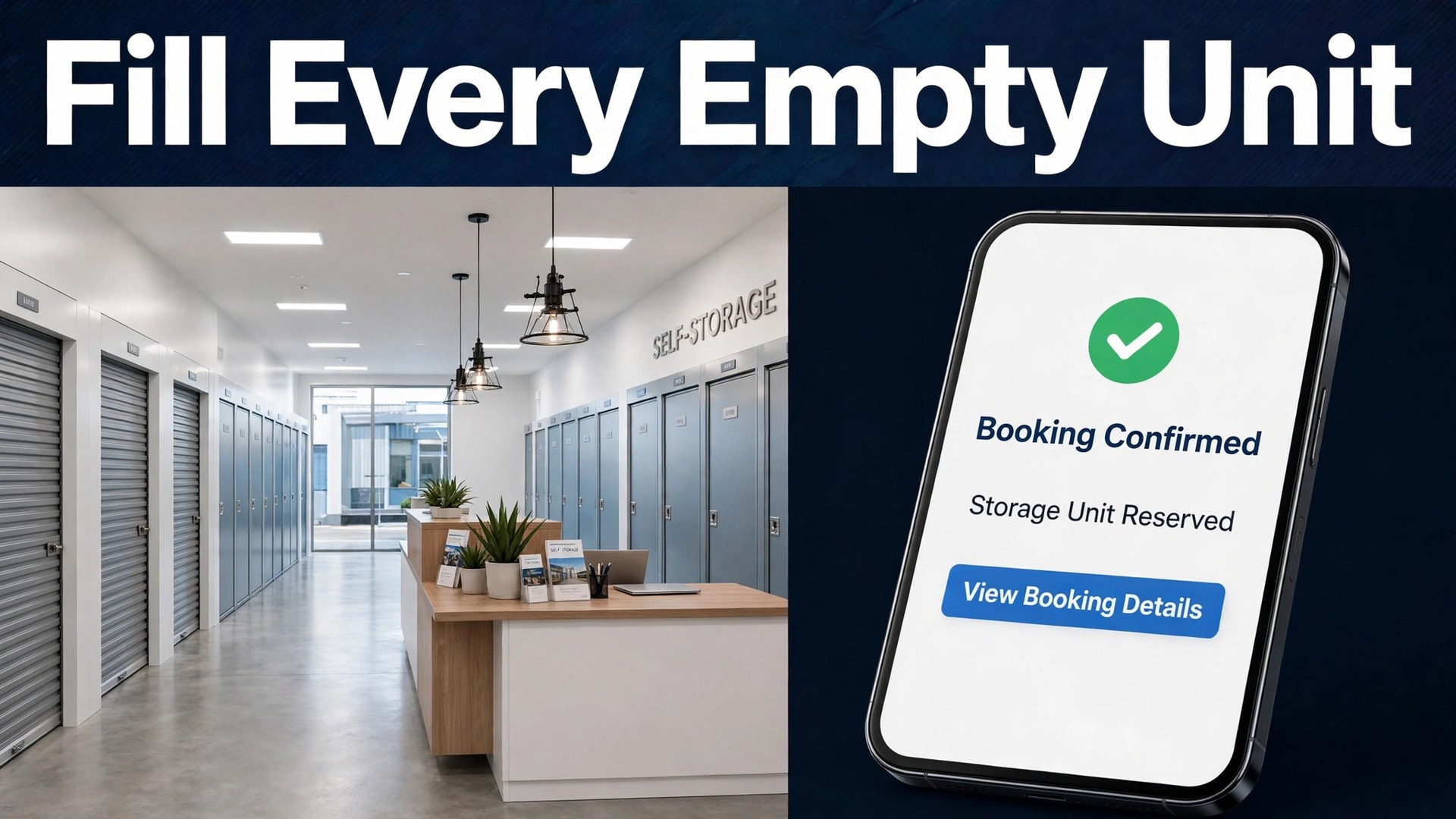
Large operators have reported that about 85 percent of its customer interactions are now digital, and published market research puts the self storage management software market at about 2.1 billion dollars in 2025. Those two numbers explain why small and mid sized facilities feel the pressure first. Renters expect to check a unit, book it, pay for it, and open the gate from a phone, even when the office is closed. If you want to use AI for self storage facility management, that expectation is your starting point, not a feature list.
A facility does not need a large team to meet it. It needs one connected record for every unit, every tenant, and every payment, plus automated messages that act on that record at the right moment. When a unit becomes free, the system should tell the waitlist before a competitor answers the phone. When a payment is late, the system should remind the tenant politely, then firmly, without a manager spending the morning on calls. When a tenant moves out, the system should produce a checklist that leaves nothing to memory.
Prices in this guide are ranges drawn from vendor pages and published guides at writing time, so confirm on the vendor page before you buy. Plans change often, and the price that matters is the one for your unit count, your locations, and the add ons you actually switch on.
Why Small Facilities Lose Renters Before They Ever Visit
A storage renter usually decides fast. They are moving, downsizing, clearing a garage, or storing stock for a small business. They search on a phone, compare two or three nearby facilities, and message the one that answers first. If the first reply arrives the next morning, the unit may already be gone. Speed is not a nice extra here. It is the sale.
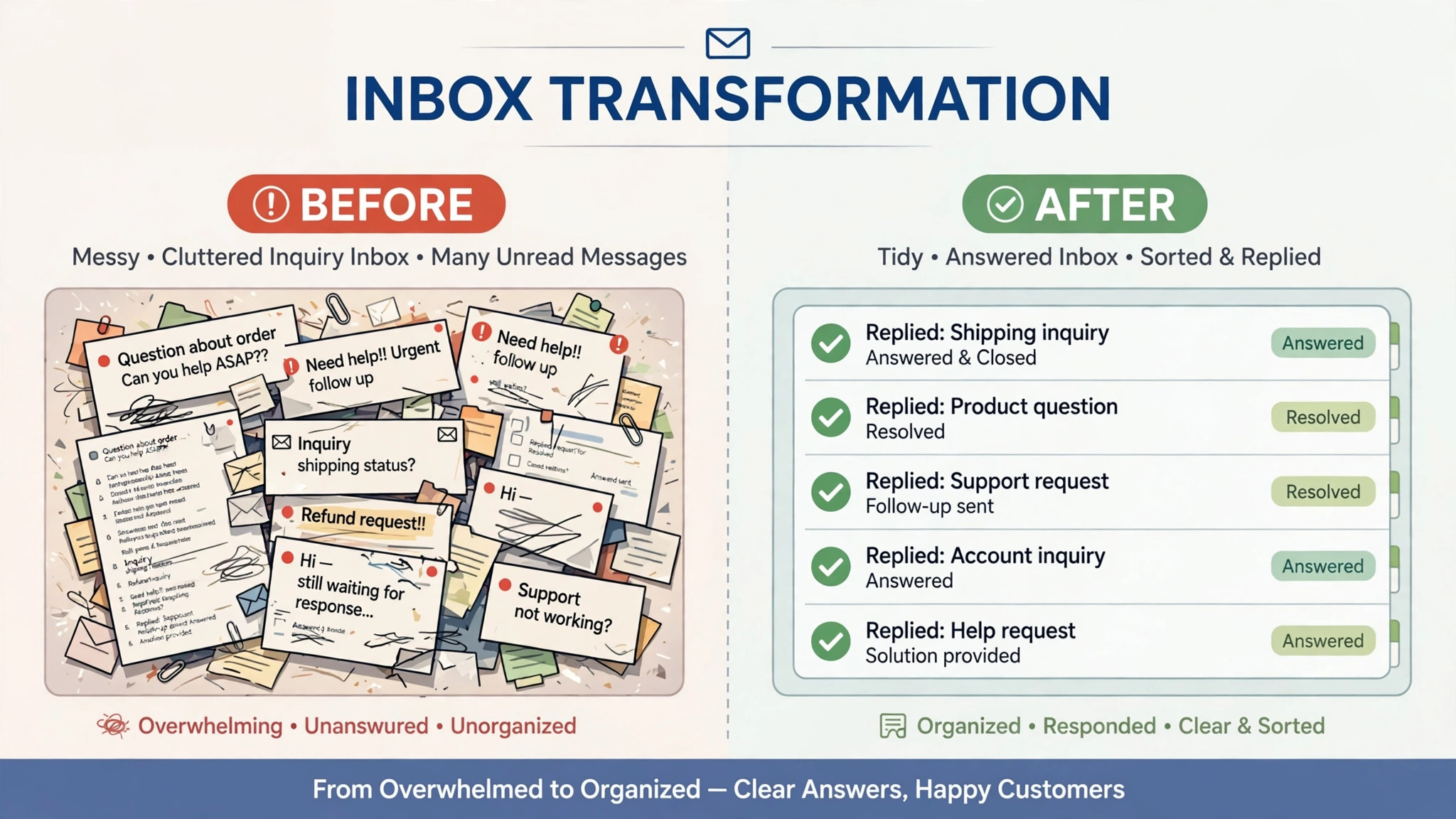
The leaks in a typical facility are easy to name. A prospect asks about a 10 by 10 unit at 9 p.m. and gets no answer until 9 a.m. A tenant forgets a gate code and waits by the gate while staff search an inbox. A late payment sits unnoticed for two weeks because nobody owns the follow up. A vacated unit sits empty for ten days because the cleaning and inspection list was verbal. Each leak looks small on its own. Together they cut occupancy and add staff hours.
AI helps most when it closes those specific gaps, and that practical focus is the best reason to use AI for self storage facility management. It does not replace a manager. It answers the repeatable question, sends the timed reminder, and flags the exception for a human. A manager who used to spend mornings on routine messages can spend that time walking the site, checking units, and talking to tenants who actually need help.
How to Use AI for Self Storage Facility Management
To use AI for self storage facility management well, start with the tenant journey rather than with a software demo. A prospect checks availability, reserves a unit, signs, pays, gets gate access, and then either stays current or needs a reminder. A good system follows that whole journey in one place, so no step depends on someone remembering to send a message.
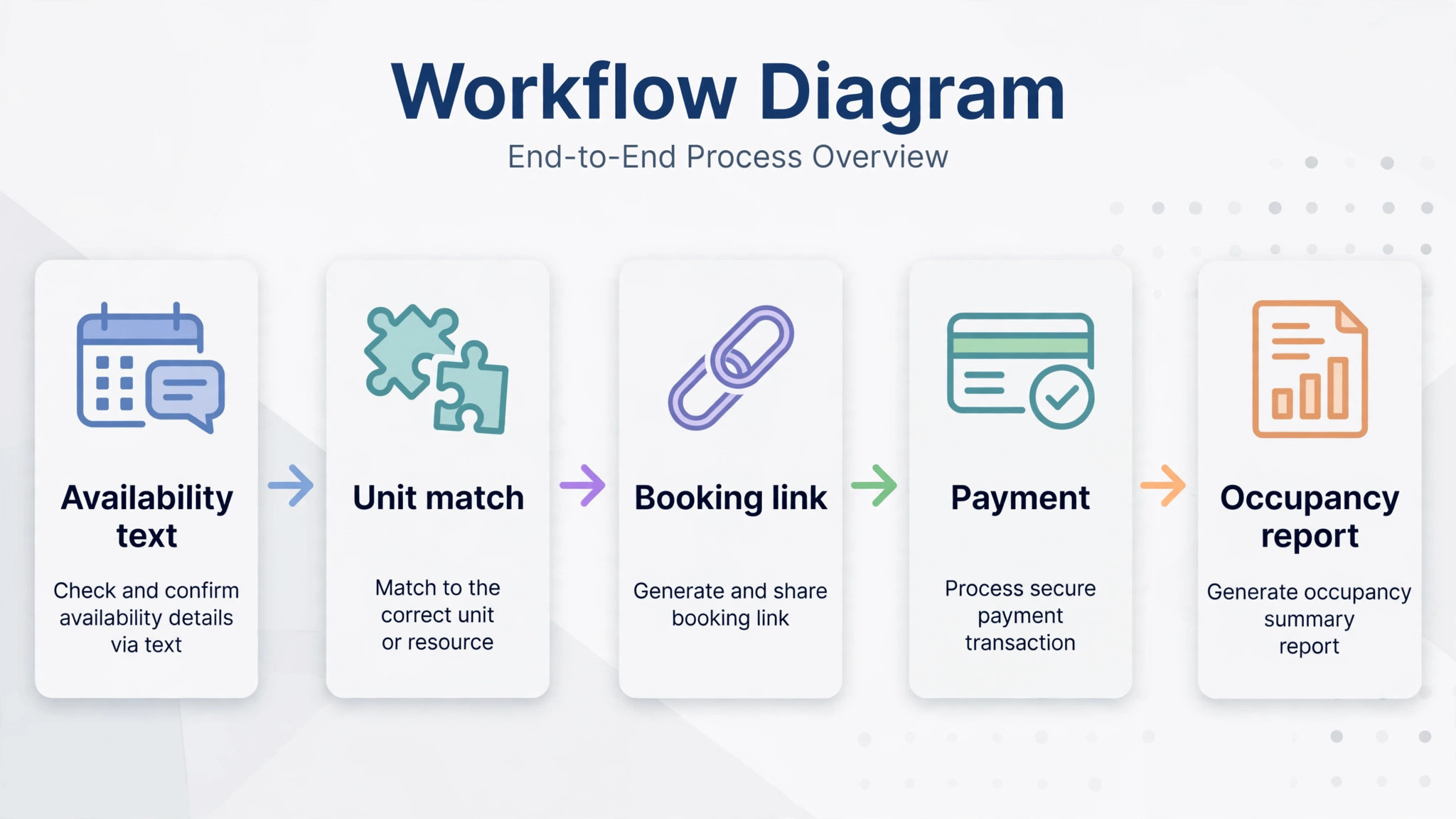
The core workflow has five moving parts, and they must work together.
1. Unit availability texts answer prospects in minutes, with the right size, the current price, and a booking link. 2. Gate access help gives a tenant a code reset or a clear next step without a trip to the office. 3. Late payment reminders follow a set schedule, polite first, firmer later, with a payment link in every message. 4. Move out checklists turn a vacated unit into a rentable unit, with inspection, cleaning, lock change, and photos. 5. Occupancy reports show which sizes are full, which are slow, and where a price change might help.
Set one rule before you switch anything on. No tenant should need to phone the office to do something the system should handle, meaning checking availability, reserving, paying, resetting gate access, and booking a move out. If a task still needs a phone call, it is not automated yet.
Unit Availability Texts That Rent Units After Hours
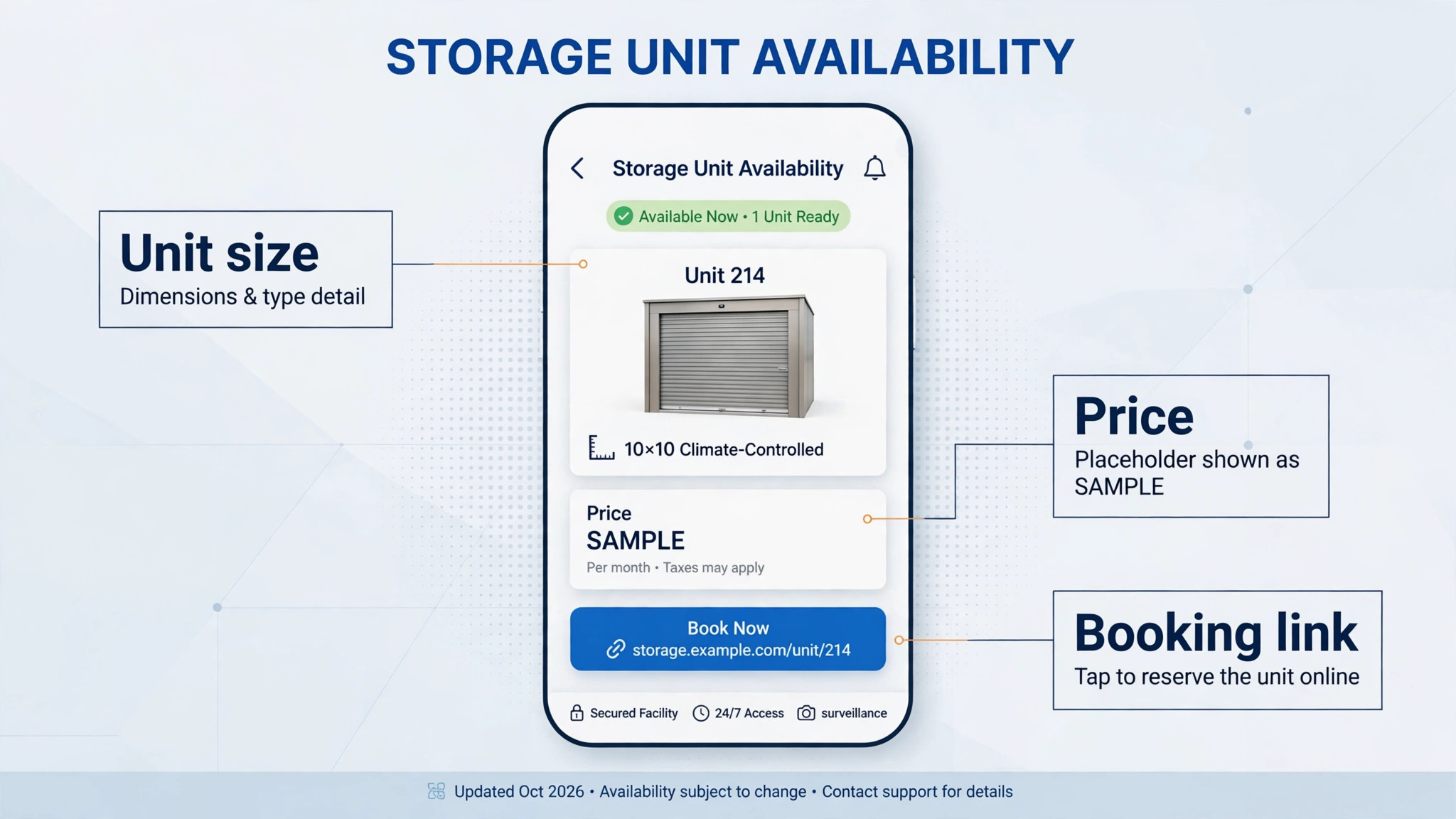
Most storage inquiries arrive outside office hours, because people search for storage in the evening when they are planning a move. An AI text reply should do three things in the first message. It should confirm the size the person asked about, give the current price and any first month offer, and include a link to reserve that exact unit. A vague reply that says someone will be in touch tomorrow loses to a clear reply sent tonight.
Build the reply from live unit data, never from a fixed script. If the 10 by 10 units are full, the system should say so and offer the nearest size, or offer the waitlist with a clear promise about when the person will hear back. Invented availability destroys trust faster than a slow reply, because the tenant arrives expecting a unit that does not exist.
Keep the message short and human. A prospect wants the size, the price, the location, and the next step. They do not want a paragraph about the company. End with one action, such as reserving online or replying with a preferred move in date. If they reply with a different size, the system should adjust and answer again, rather than restarting the conversation.
Test this flow yourself at 10 p.m. before you launch it. Ask about a size you know is full, a size you know is free, and a size that does not exist at your site. Fix every wrong answer before a real prospect sees it, because the first week of automated replies sets the tone for every review that follows.
Gate Access Help Without a Trip to the Office
Gate problems feel urgent to a tenant, even when the fix is simple. A forgotten code, a code that stopped working after a payment lapse, and a phone that will not open a smart lock all look the same from outside the gate. The tenant is standing in a car park, often with a van full of boxes, and patience is short.
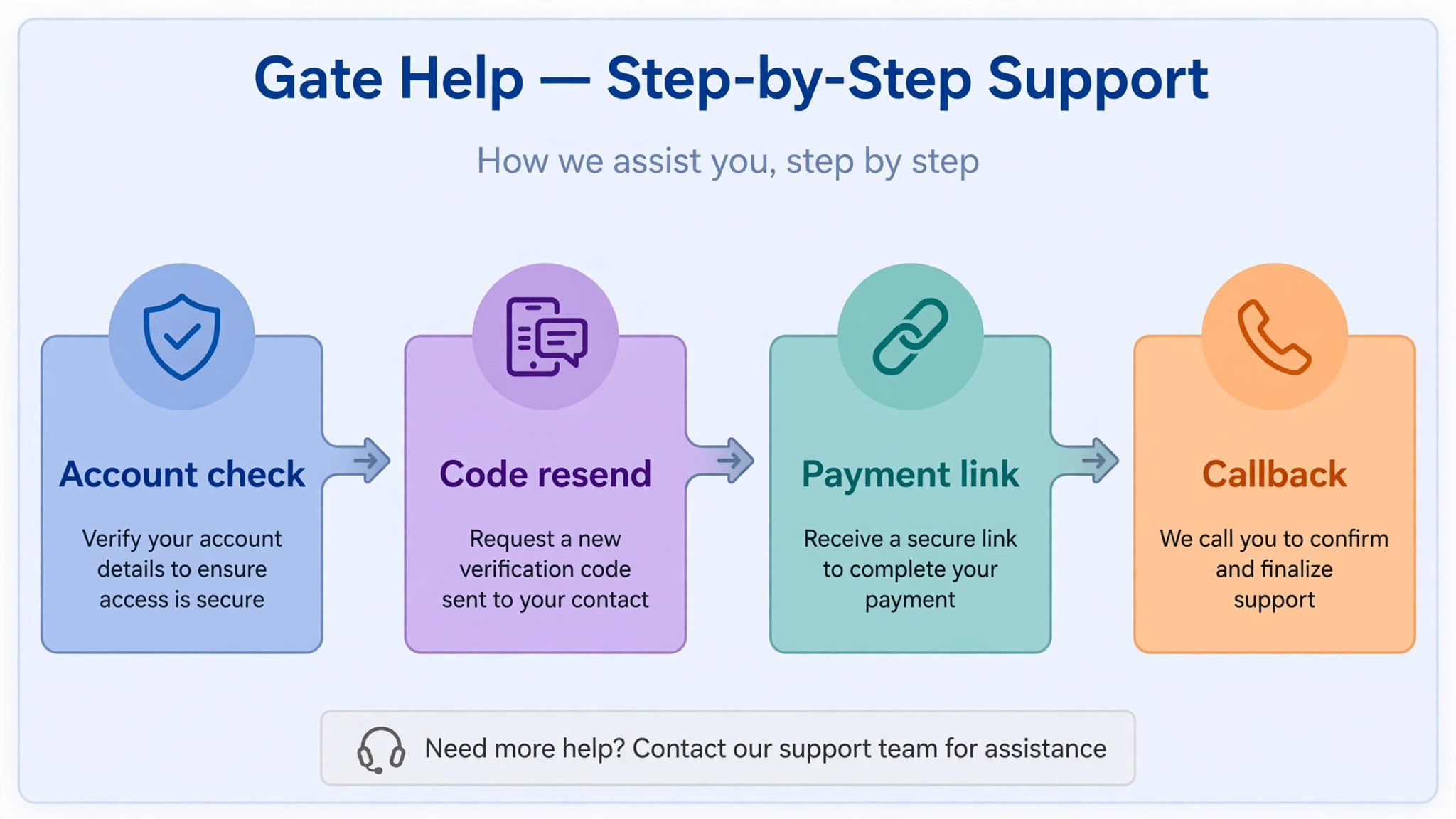
An AI assistant should first check the tenant record before it answers. Is the account current. Is the code active. Has the unit changed since the code was issued. If the account is current and the code is valid, the assistant can resend the code and walk the tenant through the keypad steps. If the account is past due, it should say so plainly and offer the payment link, rather than leaving the tenant guessing.
Smart locks add another layer. Where a facility uses them, the system can issue a temporary code, revoke an old code after a move out, and log every entry. That log matters for security and for disputes, because it shows who entered and when. It also removes the old habit of sharing one code among several people and never changing it.
Write a clear escalation rule, because a calm path to a human is part of how you use AI for self storage facility management well. If the tenant has tried twice and still cannot enter, the system should offer a human callback and a realistic time, not a loop of the same instructions. A tenant who waits an hour for a callback is unhappy. A tenant who waits an hour with no callback time at all is angry, and that anger shows up in reviews.
Late Payment Reminders That Get Paid Without Arguments
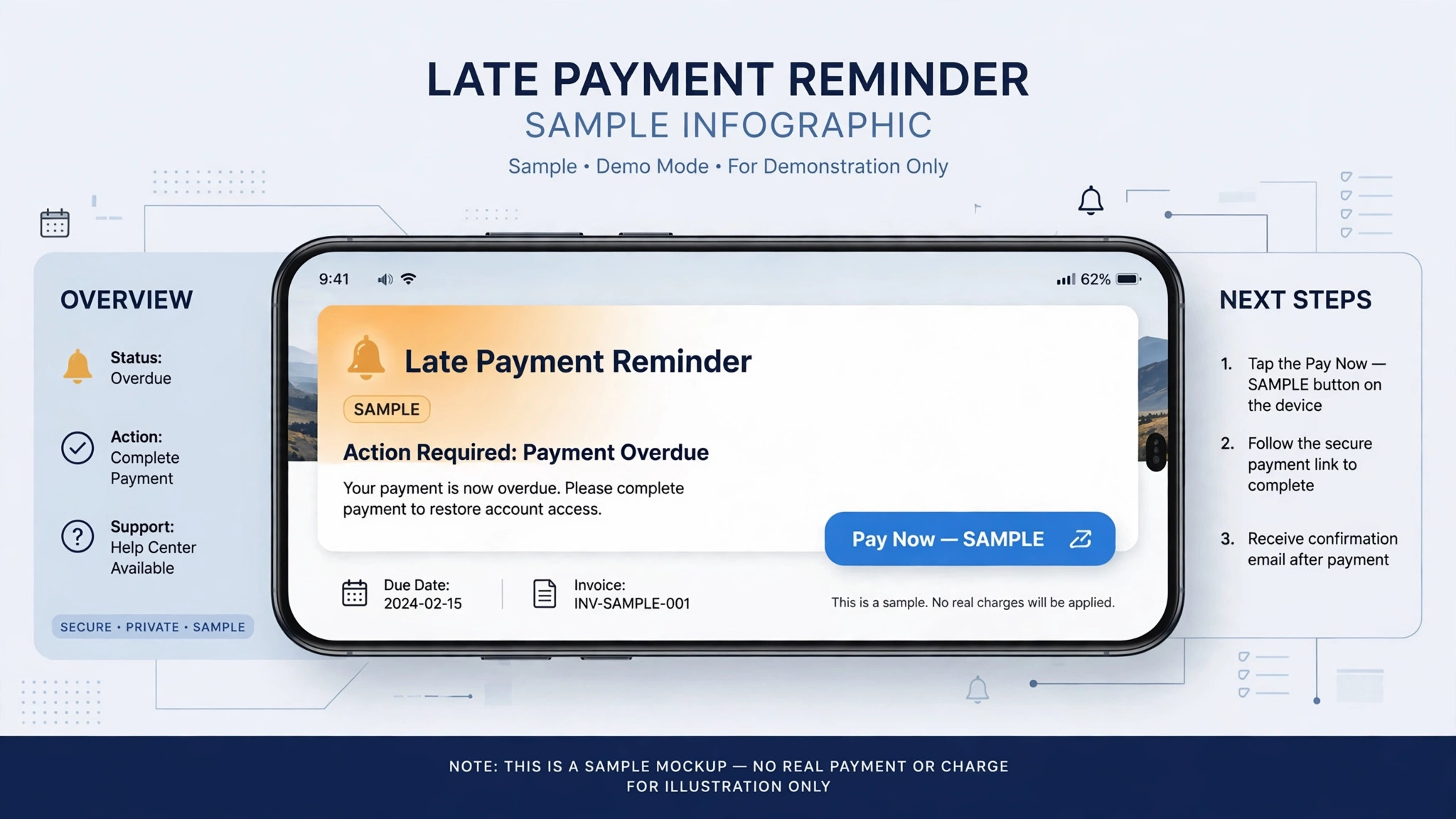
Late payment handling is where tone matters most. A tenant who is three days late usually forgot, or had a card expire. A tenant who is thirty days late needs a firmer message and a clear deadline. Sending the same blunt message on day three and day thirty annoys the first tenant and fails to move the second.
A sensible schedule looks like this. On the due date, send a short reminder with the amount and a payment link. Three days later, send a second reminder that mentions the late fee, if your terms include one. At ten days, send a message that explains the next step in plain language, such as restricted gate access on a stated date. At twenty days, a human reviews the account before any stronger action. Every message should state the amount, the date, and the link, so the tenant never has to ask what they owe.
AI drafting helps here only if a human sets the rules. Approve every template before it goes live, and read the first twenty messages it sends. Check for wrong amounts, wrong unit numbers, and any wording that sounds threatening. A payment reminder should sound like a business that wants to keep the tenant, not like a business that wants a fight.
Track the results by stage, not just by total collections, and you will see quickly whether you use AI for self storage facility management to help tenants or merely to chase them. If most tenants pay after the second reminder, your problem is forgetfulness, and earlier reminders will help. If many tenants reach the twenty day stage, your problem may be pricing, payment options, or card failures. The report tells you which problem to fix, and guessing wastes both time and goodwill.
Move Out Checklists That Turn Units Around Faster
An empty unit earns nothing, so the time between move out and the next rental is pure cost. The usual delay is not cleaning. It is the gap between the tenant leaving, someone noticing, someone inspecting, and someone updating the system to show the unit as rentable. Each handoff adds a day.
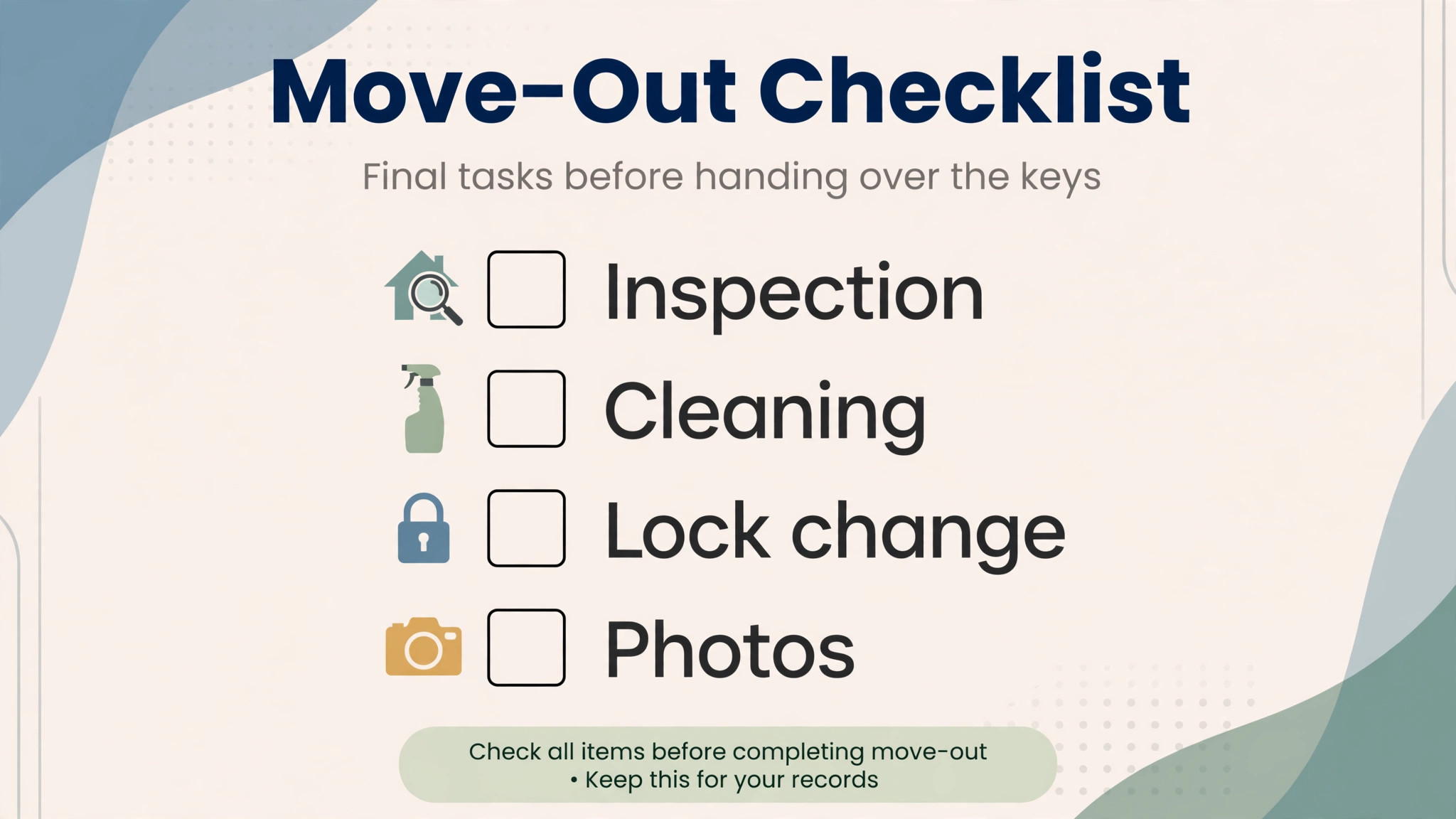
A move out checklist should start the moment the tenant gives notice. The system sends the tenant the move out steps, the final payment date, and the lock return instructions. On the move out day, it creates tasks for inspection, cleaning, lock change, and photos, each assigned to a named person with a due time. When the last task is marked done, the unit status changes to available and the waitlist gets a message automatically.
Photos are worth the extra minute. A dated photo set for each vacated unit protects the facility if a deposit dispute arises, and it shows the next tenant that the unit is clean. Store the photos on the unit record, not on a personal phone, so they are there when you need them six months later.
Set a target turnaround and measure it. Many single site operators aim for two to three working days from move out to rentable, allowing for repairs. If your average is eight days, the checklist is not the problem on its own. Look at who owns each step, and whether any step waits for a manager approval that could be decided in advance.
Occupancy Reports That Tell You What to Change
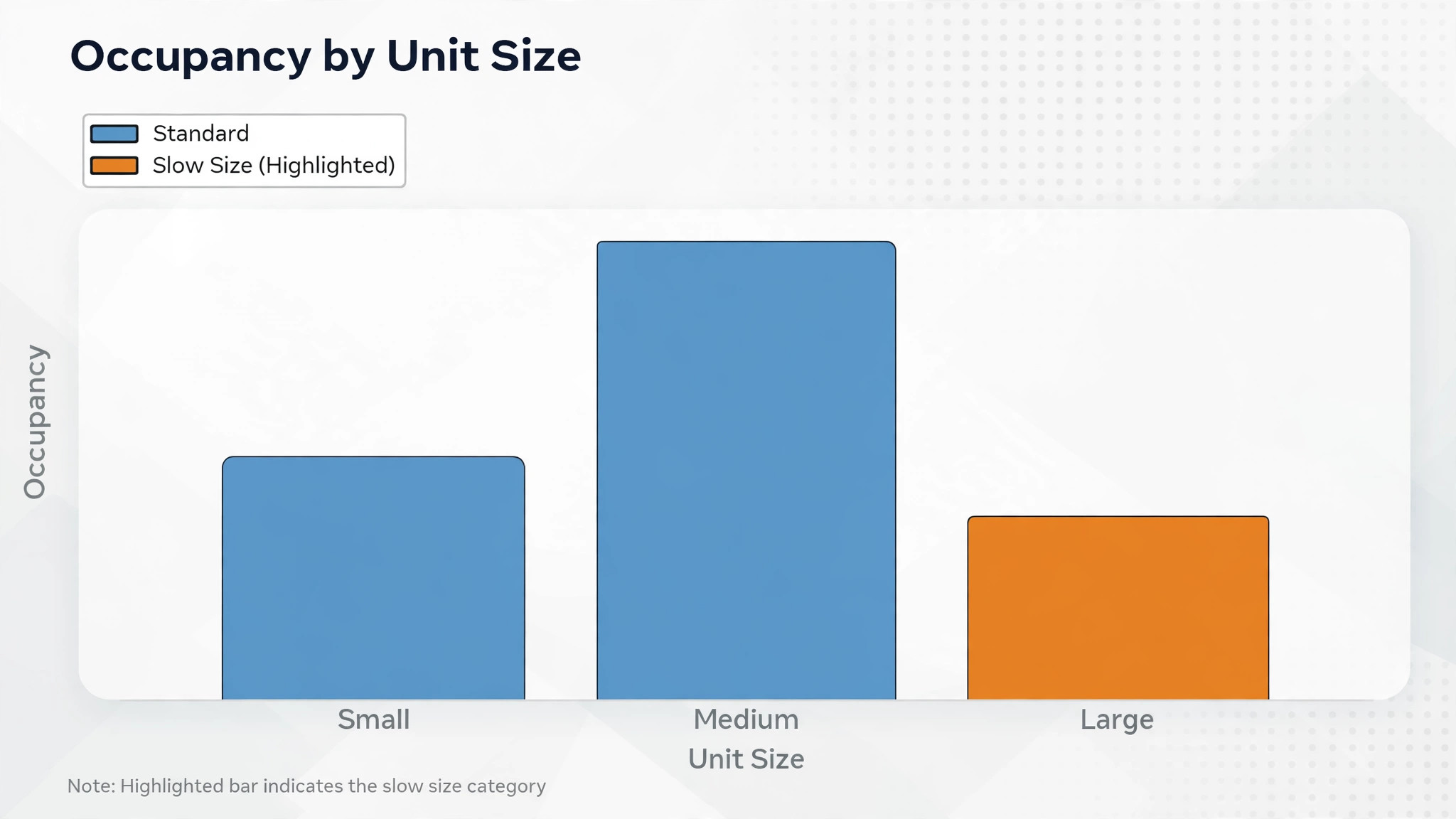
An occupancy report is useful only if it leads to a decision. A single percentage for the whole site hides the real story, because a site can be 92 percent full while its largest units sit empty for months. Break occupancy down by unit size, by building or floor, and by how long each unit has been vacant.
Watch three numbers together. Occupancy by size shows where demand is strong and where it is weak. Average rent per occupied unit shows whether discounts are eating the gain from higher occupancy. Days vacant after move out shows whether your turnaround process is working. A site with high occupancy and falling average rent may be discounting too hard. A site with low occupancy in one size may need a price change, not more advertising.
AI forecasting adds value when it uses your own history. Seasonal patterns matter in storage, with moves clustering around month ends, school terms, and summer. A forecast that ignores your local pattern will mislead you. A forecast built from your last twelve months of move ins, move outs, and inquiries will at least point in the right direction, and a manager can adjust for a new housing development or a competitor opening nearby.
Review the report weekly, not monthly, because the habit of acting on the report is what makes you use AI for self storage facility management with confidence. A weekly review catches a slow size early, when a small price adjustment or a targeted offer can still fill it. A monthly review finds the same problem after a month of empty rent, and no report can recover that income.
Pricing Decisions Backed by Real Numbers
Published research on dynamic pricing in storage suggests revenue per available unit can rise by roughly 12 to 18 percent compared with fixed pricing, though results vary by market and by how well the pricing rules are set. Treat that range as a reason to test pricing carefully, not as a promise. Your market, your competitor set, and your unit mix will decide the real result.
Start with competitor checks you can verify. Record the advertised price for each size at the three nearest comparable facilities, once a month, and note whether the price includes a first month offer. AI tools can help gather and organise this information, but a human should verify any price that will drive a decision, because advertised prices and street rates often differ.
Set guardrails before you let any system adjust prices. Decide the lowest price you will accept for each size, the highest price that still fits your market, and how often prices may change. A system that drops prices every week to chase occupancy can train renters to wait for discounts. A system that raises prices on full sizes while leaving slow sizes untouched usually does more good.
Test one size at a time, and record the result, so every decision you make when you use AI for self storage facility management rests on your own numbers. Change the price for 5 by 5 units, watch move ins and inquiries for four weeks, and compare with the previous four weeks. If the change helps, apply the same thinking to the next size. If it hurts, you have lost little and learned something specific, which is better than a site wide price change that nobody can explain.
Tools Worth Testing First
The tools below cover the main approaches in storage management, from full facility platforms to lighter systems for a single site. Prices are ranges at writing time, so confirm on the vendor page before you buy, and test with your real unit list before you commit.
StorEDGE
StorEDGE is a long established storage platform with unit management, online rentals, billing, and reporting in one place. It suits operators who want a full system and who expect to grow to more than one site. Pricing is typically quoted by unit count, so ask for a quote on your exact inventory.
SiteLink
SiteLink is another established name in storage management, with a strong focus on day to day operations, payments, and site reporting. It suits managers who want a proven workflow and who value depth in storage specific features over a general business tool. Confirm the plan that includes online rentals and automated messages, because those features drive most of the AI gains in this guide.
Cubby
Cubby is an AI native platform built for storage operators, with facility management, revenue tools, call handling, and voice AI in one system. It suits operators who want automation at the centre of the product, not added later. Cubby raised a large funding round in 2026 and reports serving hundreds of operators, which suggests fast development, but check support and onboarding for a site of your size before you sign.
Smart Storage
Smart Storage is a lighter platform with smart lock integration, AI driven pricing, occupancy analytics, online booking, and tenant self service. Published pricing at writing time started around 49 dollars a month for a single location, rising to around 99 dollars a month for a growth plan with more locations. That range makes it worth testing for a single site operator who wants modern features without a large monthly bill, so confirm on the vendor page before you buy.
Yardi
Yardi is a large property management vendor whose systems cover storage alongside other property types. It suits multi site operators and owners who already use Yardi elsewhere and want one vendor across a portfolio. Expect a longer setup and a quote based process, and weigh that against the benefit of a single system for reporting.
6Storage
6Storage is a storage management system with online booking, billing, and facility tools aimed at independent operators. It suits a smaller facility that wants a dedicated storage product without the cost or complexity of an enterprise platform. Ask for a demo using your own unit sizes and pricing, because a demo with sample data hides the setup work.
A Worked Example You Can Copy This Week
Imagine a 120 unit facility with 84 units occupied, which is 70 percent occupancy. The 10 by 10 units are full, the 5 by 5 units are at 60 percent, and three units have sat empty for more than 30 days after move out. That mix tells a clear story. Demand for mid sized units is strong, small units need attention, and turnaround is slow.
Week one, the manager switches on unit availability texts for the full sizes, with a waitlist offer, and a same day reply for every inquiry. The 5 by 5 price is tested with a modest first month offer, and only for new rentals, so existing tenants are unaffected. The move out checklist is put in writing, with a two working day target and a named owner for each step.
Week two, late payment reminders move to the staged schedule described above, with a payment link in every message. Gate access help is set to check the account first, then resend the code or offer the payment link, then offer a callback time if the problem persists. Staff stop answering the same three questions by phone and start checking the exception list each morning instead.
By week four, the manager reviews three numbers. Inquiries answered within 15 minutes, average days from move out to rentable, and occupancy by size. If inquiries are answered faster but 5 by 5 occupancy has not moved, the price or the offer needs a second look. If turnaround is still slow, the bottleneck is usually one step with no owner. The example works because each change has an owner and a number, not because the technology is new.
Copy this template for your own site, and adapt it to your unit mix, because the way you use AI for self storage facility management should fit your facility, not someone else’s. Fill in your unit count, your occupancy by size, and your current turnaround time before you change anything. A template without your numbers is just a wish list, and a wish list does not fill units.
A 30 Day Rollout Plan
Days 1 to 7 are for cleanup, not for new features. Export your unit list, check every unit status against a site walk, and fix any unit marked available that is actually occupied, or vice versa. Clean tenant records so phone numbers and email addresses are correct. A system that texts the wrong number is worse than no system at all.
Days 8 to 14 are for one workflow only. Choose unit availability texts, because they bring in rent and because the result is easy to measure. Write and approve the templates, test them at night, and switch them on for one size first. Watch the first twenty conversations closely and fix any wrong answer the same day.
Days 15 to 21 add late payment reminders and gate access help. Approve the reminder schedule with a human review point before stronger action. Set the gate escalation rule so a tenant who fails twice gets a callback time. Train staff on the exception list, meaning the small set of cases that need a human, rather than asking them to watch every message.
Days 22 to 30 add move out checklists and the weekly occupancy report. Set the turnaround target, assign owners, and run the first weekly review. Decide one price test for the slowest size, and write down what success looks like before the test starts. At day 30, keep what worked, fix what did not, and only then consider a second site or a new feature.
Mistakes That Cost Facilities Money
The first mistake is automating a messy process. If unit statuses are wrong, automated texts will offer units that do not exist. If tenant phone numbers are old, reminders will go nowhere. Clean the data first, even though it is dull work, because every automated message multiplies the quality of the data behind it.
The second mistake is letting the system sound like a robot. Long messages, stiff wording, and no clear next step make tenants ignore the reply and phone the office anyway, which defeats the purpose. Read every template aloud before launch. If you would not send it to a neighbour, rewrite it.
The third mistake is removing the human too early. AI should handle the routine case and flag the exception. A tenant in a dispute, a tenant with a damaged unit, and a tenant facing a genuine hardship all need a person. A system that blocks every path to a human will lose tenants who would otherwise have stayed.
The fourth mistake is measuring the wrong thing. Message volume is not success. Occupancy by size, days vacant, collection rate by stage, and inquiry response time are success. If message volume rises while occupancy stays flat, the messages are not answering the right questions, and the templates need a rewrite, not more messages.
The Quiet Verdict
The best storage operators will not be the ones with the flashiest system. They will be the ones whose units are listed correctly, whose replies arrive in minutes, whose payments are chased politely and on time, and whose empty units are ready again in days, not weeks. That is not a technology story. It is an operations story, with technology doing the repetitive parts reliably.
If you run one facility, start with availability texts and payment reminders, because those two workflows pay for the system. If you run several sites, add the weekly occupancy report next, because it is the only way to compare sites fairly. In both cases, keep a human in reach for the cases that matter, and let the system prove itself on small, measured steps before you hand it more.
Frequently Asked Questions About Self Storage Facility Management
How does AI answer a unit availability question accurately?
It reads live unit data from your management system, including size, status, and current price, then drafts a reply from that data. Accuracy depends on clean unit statuses. If a unit is marked available when it is occupied, the reply will be wrong, so a site walk and a status cleanup must come before launch.
Can AI handle gate access problems safely?
Yes, for routine cases, because it can check the account, confirm the code status, and resend a valid code or offer a payment link when the account is past due. It should never share a code without checking the tenant record first, and it should offer a human callback after two failed attempts.
Will automated payment reminders annoy good tenants?
They should not, if the schedule is staged and the tone is polite early on. A short reminder on the due date with a payment link helps forgetful tenants. Problems arise when every message sounds final, or when a tenant who already paid keeps getting reminders because payments are not reconciled promptly.
How fast should a vacated unit become rentable again?
Many single site operators aim for two to three working days, allowing for inspection, cleaning, lock change, and photos. Repairs can extend that time, but the checklist should still record each step with an owner and a due time, so delays are visible instead of hidden.
Is dynamic pricing safe for a small facility?
It can be, if you set guardrails first. Decide the lowest and highest price for each size, limit how often prices change, and test one size at a time for four weeks. Without guardrails, frequent price drops can train renters to wait, and frequent rises can push inquiries to a competitor.
Should a small facility buy a full platform or a lighter tool?
A lighter tool often fits a single site, because the cost is lower and setup is faster, while a full platform fits multi site operators who need shared reporting. Test both with your real unit list, check that online rentals and automated messages are included in the quoted plan, and confirm the price on the vendor page before you buy.
More Reading on Stratilyze
– Use AI for Spin Studio Class Scheduling – Best Booking Software for Yoga Studios – Best Dispatch Software for HVAC Companies – Best Scheduling Software for Cleaning Companies – Storage Pricing Strategies That Fill Slow Unit Sizes, plain text title, link not verified at writing time – How to Cut Vacant Days After a Tenant Moves Out, plain text title, link not verified at writing time