

The front desk phone rings during the busiest part of the morning, right when the next class is checking in and a rider is asking whether a bike is free tonight. Staff either answer and leave the desk, or serve the queue and let the call go to voicemail, and either way a booking is lost. That trade off is the problem to solve when you use AI for spin studio class scheduling, because riders book, cancel, join waitlists, and ask about class packs at all hours, while staff only answer during staffed hours. This guide sets out a workflow that keeps those routine jobs moving overnight, so a 6 a.m. ride fills while the studio is still dark.
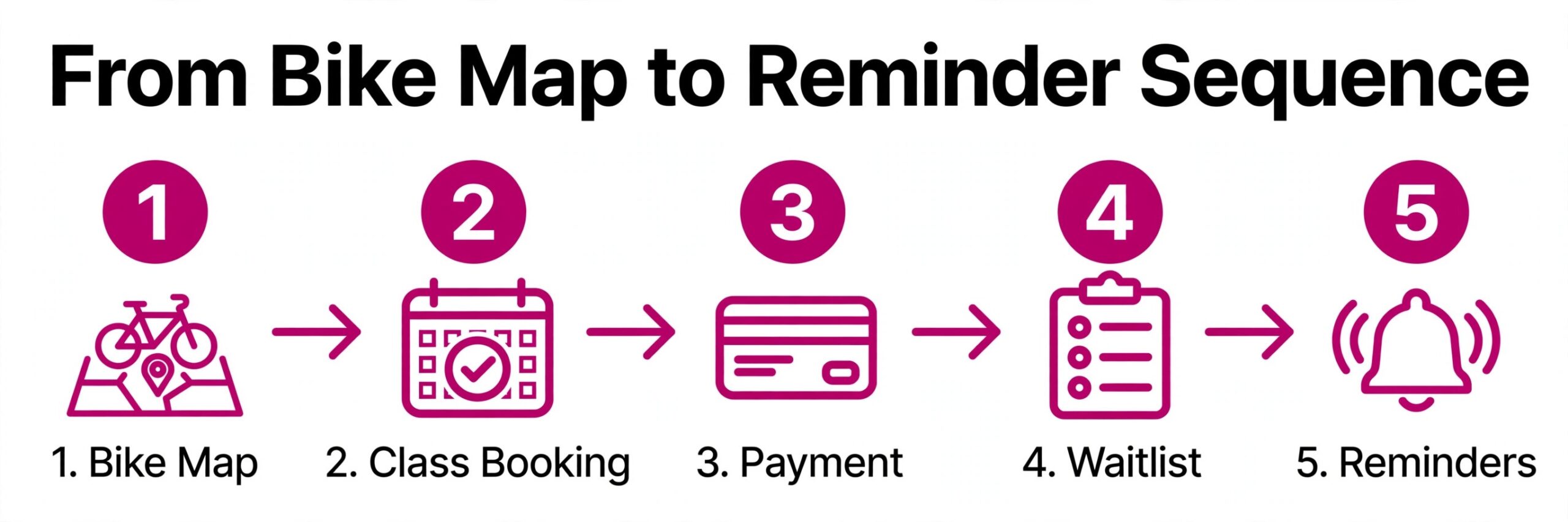
The gap between a full room and a half full room is rarely the workout. It is the booking experience around it. A rider who cannot see an open bike, who waits days for a waitlist answer, or who loses a class pack credit to an expiry rule they never saw will quietly stop booking. This guide walks through the full workflow, from the bike map to the reminder sequence, and shows which tools fit a single studio and which fit a growing chain.
Prices in this guide are ranges drawn from vendor pages and published guides at writing time, so confirm on the vendor page before you buy. Booking platforms change plans often, and the price that matters is the one on the checkout page for your rider count and location count.
Why Spin Studios Lose Money on Half Full Classes
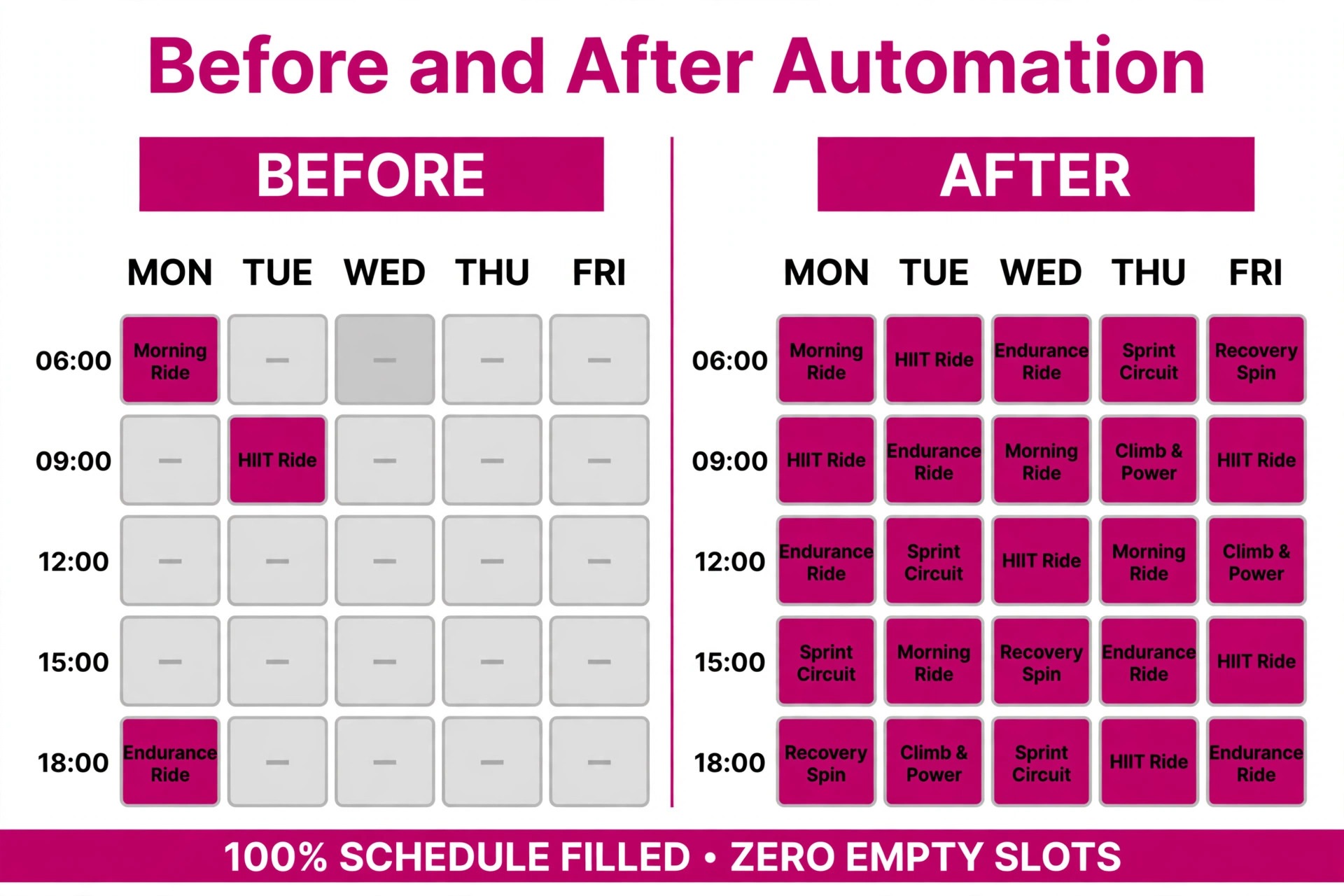
A spin room has a fixed number of bikes, a fixed timetable, and costs that barely change whether 12 riders or 30 riders show up. That makes every empty bike a direct loss, because the instructor is paid, the room is heated or cooled, the music licence is covered, and the slot cannot be sold again once the class starts. A studio with 30 bikes that averages 20 riders is giving away a third of its capacity every single ride, and no amount of social media posting fixes a booking system that leaks riders before they arrive.
The leaks usually hide in four places. First, riders book and then forget, because the reminder arrived too early or not at all. Second, riders who wanted a full class never hear when a bike opens, because the waitlist is a paper list or a spreadsheet nobody checks at 9 p.m. Third, instructor illness creates a scramble that ends in a cancelled class or a substitute the regulars do not trust. Fourth, class pack riders run out of credits mid month, hit a confusing checkout, and drift away instead of renewing. Each leak looks small on its own, yet together they decide whether a studio grows or stalls.
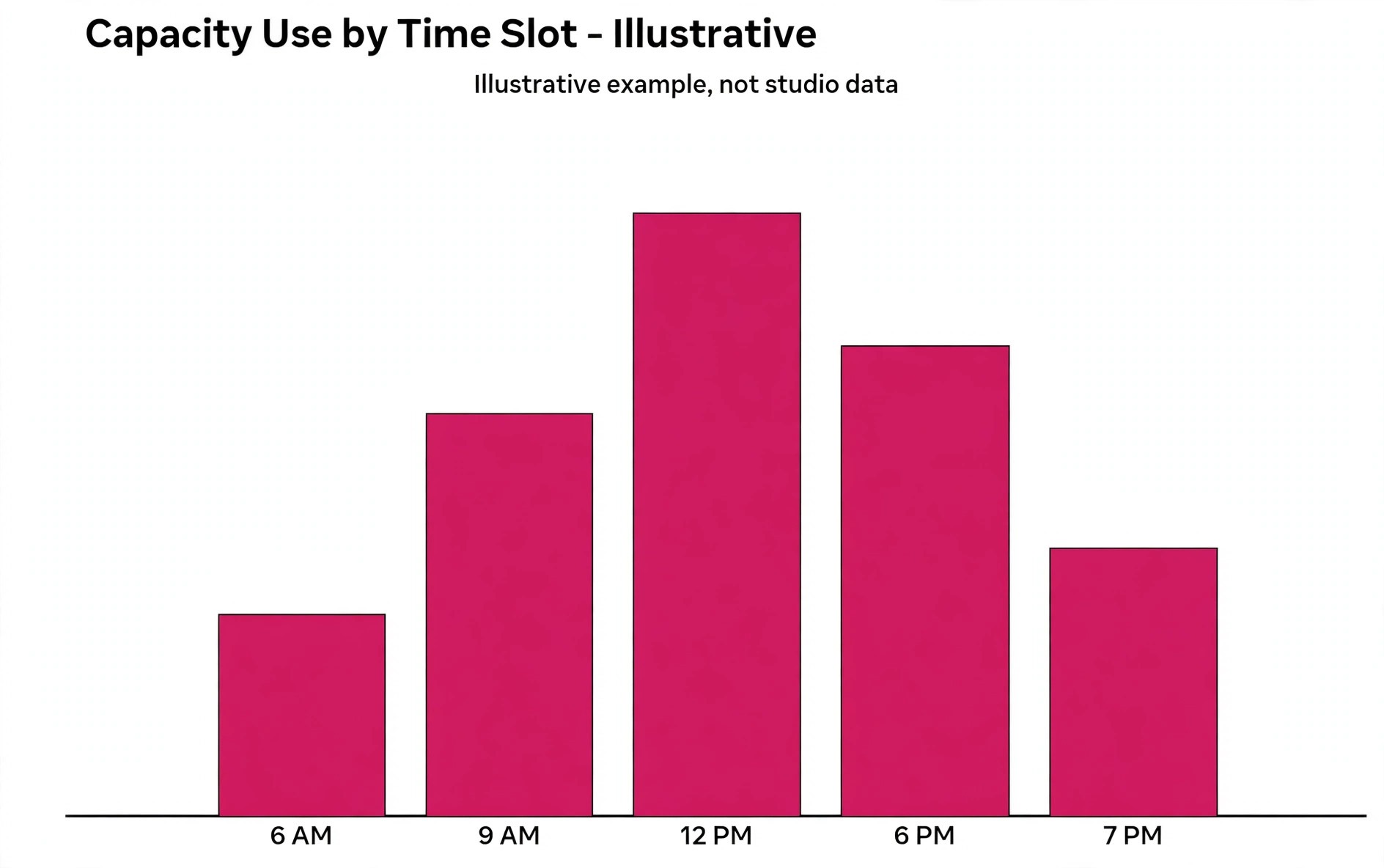
Data helps a studio see which leak matters most. Capacity use by class, by time slot, by instructor, and by location shows whether Tuesday at 6 a.m. is full week after week while Saturday at 2 p.m. needs a different format, a different instructor, or a different price. A studio that only looks at total monthly visits misses that pattern completely. The weekly timetable is where the money is won or lost, one ride at a time.
AI does not fix a bad timetable on its own. It makes a good timetable easier to run, because it fills gaps faster, answers riders sooner, and surfaces the numbers a manager needs before changing the schedule. Studios that use AI for spin studio class scheduling well treat those numbers as the starting point for every timetable change. Think of it as a tireless front desk assistant, not as a replacement for judgment about which instructor, which format, and which time slot deserves a room full of bikes.
How to Use AI for Spin Studio Class Scheduling
To use AI for spin studio class scheduling well, start with the rider journey rather than with a software demo. A rider discovers a class, picks a bike, pays with a pack or membership, gets reminders, rides, and then books again. Every step in that chain either builds trust or breaks it, and the scheduling system should make each step shorter, clearer, and harder to get wrong. Map the journey on paper first, then judge each tool against it.
The core workflow has five moving parts, and they must work together. Bike reservation mapping gives every rider a named bike and prevents double booking. Waitlist backfill moves the next rider in the moment a bike opens, not the next morning. Instructor substitution swaps one instructor for another without breaking the recurring series. Class pack tracking keeps credits, expiries, and renewals visible to riders and staff. The reminder sequence nudges riders at the right moments and frees bikes early when plans change.
Set one rule before you switch anything on. No rider should need to phone the studio to do something the app should handle, meaning booking, cancelling, joining a waitlist, checking pack balance, and swapping a bike should all work from a phone in under a minute. If a task still needs a phone call, it is not automated yet, and it will still eat staff time at the worst moment.
| Workflow part | What good looks like | Failure it prevents |
|---|---|---|
| Bike reservation map | Every bike named, every booking tied to one bike | Double booked bikes and front desk arguments |
| Waitlist backfill | Next rider offered the bike within minutes | Empty bikes in classes that showed as full |
| Instructor substitution | One session swapped, series untouched | Cancelled classes and confused regulars |
| Class pack tracking | Balance and expiry visible before checkout | Riders quitting over lost credits |
| Reminder sequence | Day before plus hour before nudges | No shows that block waitlisted riders |
The Bike Reservation Map That Stops Double Booking
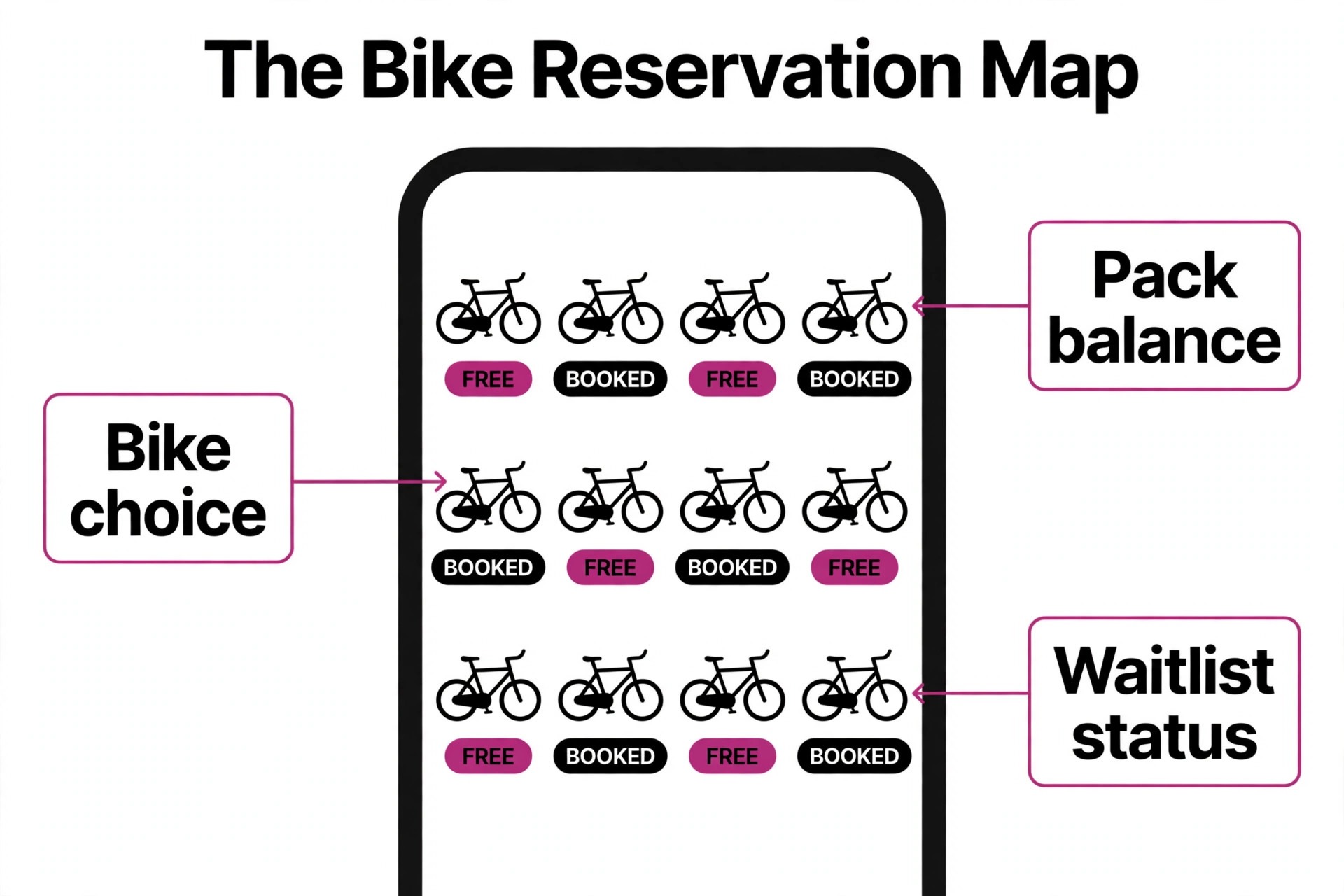
Spin is different from a general fitness class, because riders care deeply about which bike they ride. Front row regulars, riders who need a bike near the door, and riders who avoid the speaker stack all have preferences, and a booking system that only sells a headcount will disappoint them. A proper bike map lets a studio lay out the room once per class type, then shows live availability on that map when a rider books.
Build the map with care, because riders will judge the studio by it. Name bikes in a way that matches the room, so bike 12 on screen is bike 12 on the floor, and mark bikes that are out of service instead of letting riders book them and then moving them at the door. If the room layout changes for a special event, update the map before bookings open, not after riders have already chosen bikes. A small mismatch here creates a disproportionate amount of front desk friction.
AI helps most at the edges of the map. It can suggest which bikes to hold for first timers near the instructor, which bikes to release from a hold when a class is filling slowly, and which riders tend to prefer which part of the room based on past bookings. Those suggestions should stay suggestions, because a rider who always books the back row will notice if the system keeps pushing them to the front. Use the data to make booking easier, not to override a stated preference.
Test the map the way a rider would, on a phone, one handed, with a weak signal. If picking a bike takes more than three taps after choosing a class, simplify it. That phone test is a quick way to judge whether you use AI for spin studio class scheduling in a rider friendly way. If the map is unreadable on a small screen, enlarge the touch targets and drop decorative detail. The bike map is the product page for every ride, and a confusing map costs bookings before a rider ever reaches checkout.
Waitlist Backfill That Fills Seats in Minutes
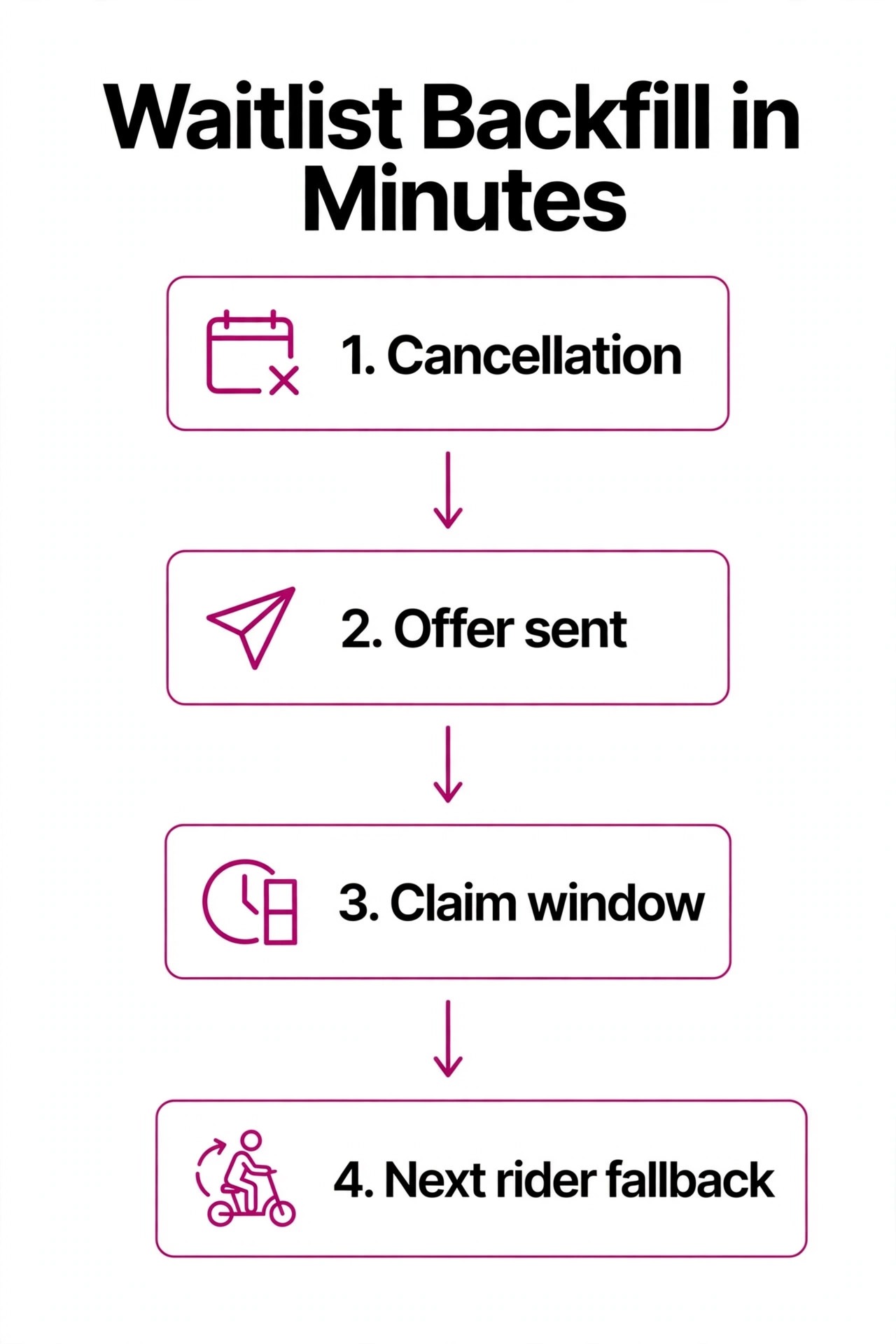
A waitlist is only useful if it moves fast. A bike that opens at 8 p.m. and stays empty until the class starts at 6 a.m. is a wasted bike, even though the class showed as full all evening. The best systems contact the next rider automatically, give them a short window to claim the bike, and then move to the next rider if they do not respond. That chain should run without staff touching it, including late at night and on weekends.
Order matters, and queue position alone is not always the fairest rule. Some systems rank by history and preference, so a rider who attends that exact class weekly gets priority over a rider who joined every waitlist in the app. Other studios prefer strict first come, first served, because it is easy to explain when a rider asks why they were skipped. Pick one rule, publish it in plain language, and keep it consistent, because riders accept a rule they understand and resent a rule that feels random.
Set the claim window to match how close the class is. A bike that opens three days out can carry a two hour claim window, while a bike that opens one hour out needs a ten minute window and an SMS, not an email that sits unread. Riders should be able to accept or decline with one tap, and a decline should instantly offer the bike to the next rider. Every minute of delay between a cancellation and a backfill is a minute a waitlisted rider might book something else.
Watch the numbers weekly. A waitlist that converts under half its offers is telling you the claim window is too long, the message channel is wrong, or riders are joining waitlists they do not really want. When you use AI for spin studio class scheduling, that conversion rate is the first number to check each Monday. A waitlist that converts well but still leaves bikes empty is telling you the list itself is too short, which usually means the class needs more promotion or a larger room allocation. Either way, the fix starts with the conversion rate, not with guesswork.
Instructor Substitution Without the 6 a.m. Panic
Instructor absence is the most stressful scheduling event in a spin studio, because it often arrives at short notice and affects a room full of regulars who booked for a specific person. A good system handles substitution as a single session change. Open the session, pick the substitute, choose whether to notify riders, and leave the recurring series assigned to the original instructor. Riders then see the updated name in the app at once, instead of hearing about the change at the door.
Build a substitute bench before you need it. List every instructor who can cover each format, note their availability windows, and record which formats they should never cover. AI can rank substitutes by format fit, past ratings for that time slot, and distance from the studio, but the manager should still approve the pick for prime time classes. A substitute who is technically free but wrong for a high intensity 6 a.m. ride will cost more in lost regulars than a cancelled class would.
Communication decides whether a substitution feels professional or chaotic. Notify booked riders as soon as the change is confirmed, name the substitute, and give riders a free cancellation window if they booked specifically for the original instructor. That window may free a few bikes, but the waitlist will refill them, and riders who stay will arrive without resentment. Silence, by contrast, guarantees complaints at the front desk and refunds after the ride.
Track substitution patterns over a quarter. If one time slot needs a substitute every other week, the problem is the timetable, not the instructor, and the slot needs a permanent change. If one instructor needs cover far more often than peers, that is a conversation about workload and availability, not a scheduling trick. The substitution log is a management tool, not just an emergency record.
Class Packs, Memberships and Expiry Tracking
Class packs and memberships are where spin studios make most of their money, and also where they lose the most trust. Riders accept expiry rules when they are clear at purchase and visible in the app, and they resent them when they discover an expiry only at checkout. The scheduling system should show pack balance, expiry date, and which classes each pack covers before a rider books, not after a booking fails.
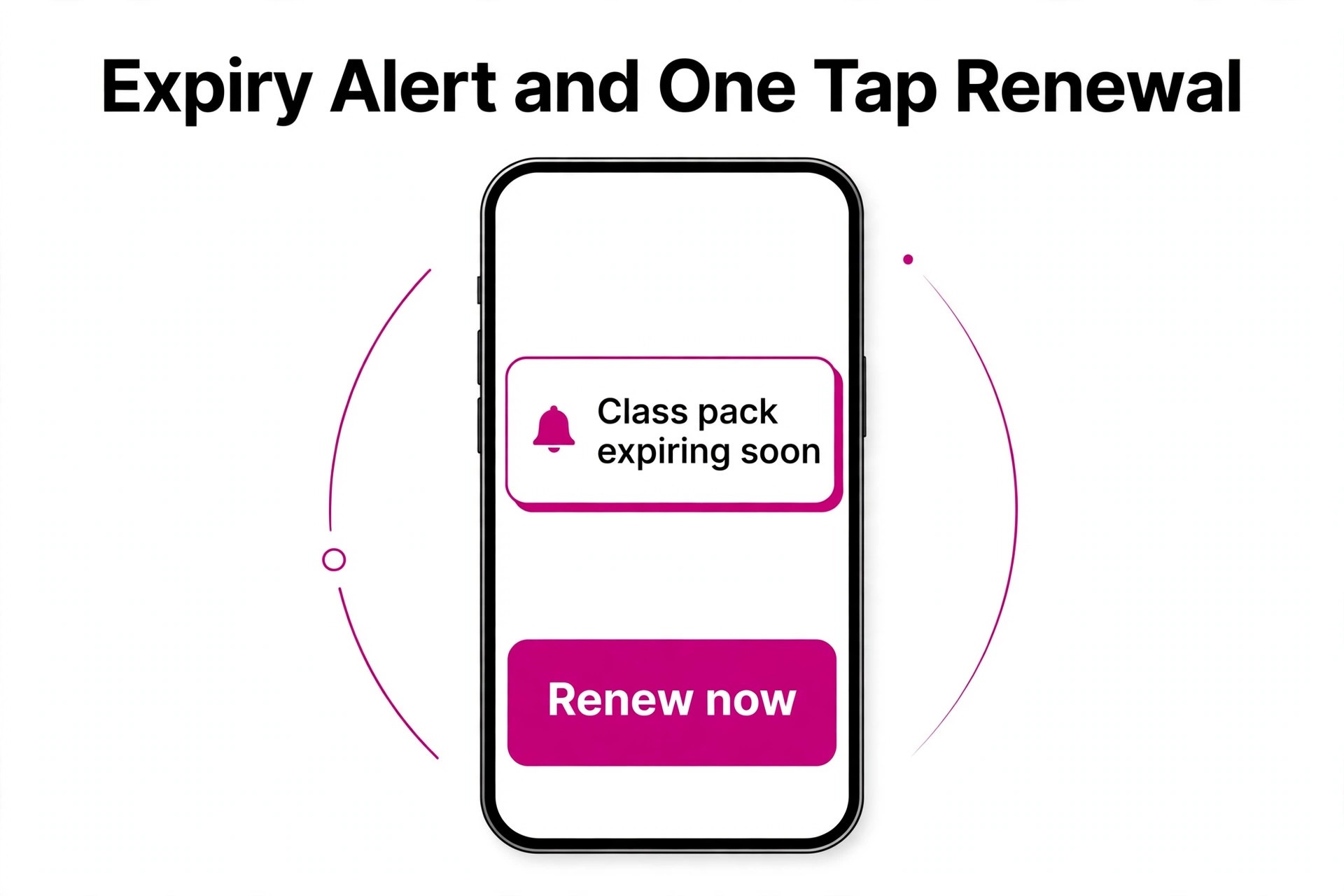
AI expiry alerts work best as a gentle sequence rather than a single warning. A rider with three credits expiring in 14 days gets a useful nudge, while a rider with three credits expiring tomorrow gets an urgent one, and a rider who has not ridden in three weeks gets a reactivation message instead of a sales push. Timing and tone matter here, because an expiry message that reads like a threat will push a rider away faster than a lost credit would.
Renewal should be a one tap decision, not a new purchase journey. When a rider books their last credit, offer renewal in the same flow, with the same pack they already use, and show the price before they commit. Studios that force riders back to a separate shop page lose renewals to friction alone. The same logic applies to memberships, where a failed payment should trigger a friendly retry message and a short grace period, not an instant lockout that embarrasses a regular at the door.
Audit pack data monthly. Look for credits that expire unused in large numbers, because that signals packs are too large, expiry windows are too short, or riders are not being reminded early enough. Look also for riders who buy a new pack while old credits remain, because that signals the balance display is confusing. Both patterns are fixable with clearer app screens and earlier reminders, and both directly protect revenue.
The Reminder Sequence That Cuts No Shows
No shows hurt twice in a spin studio. The bike stays empty, and a waitlisted rider who would have ridden stays home. The reminder sequence exists to break that pattern, by giving riders easy ways to confirm or cancel early enough for the waitlist to act. A useful sequence has three touches, and each one has a different job.
The first touch lands the day before the class and asks for a simple confirm or cancel reply. Riders who confirm are far more likely to attend, and riders who cancel free the bike while the waitlist still has time to fill it. The second touch lands a few hours before the class and covers practical details, meaning arrival time, bike number, and what to bring. The third touch is a same day nudge only for riders with a history of no shows, because bombarding reliable riders with extra messages trains them to ignore all of them.
Channel choice matters as much as timing. SMS gets read faster than email for same day messages, while email suits day before summaries and pack updates. Let riders choose their channel in the app, and respect that choice, because a rider who asked for SMS only and keeps getting email will miss the message that matters. Keep every message short, name the class, the time, and the bike, and make cancellation a single tap.
Measure the sequence, not just the send rate. Track confirmation rate, cancellation lead time, and no show rate by class type and by instructor, then adjust one variable at a time. Studios that use AI for spin studio class scheduling with discipline keep a simple log of each change and its effect. If moving the day before reminder from 24 hours to 36 hours lifts early cancellations, keep it. If an extra same day message does nothing except annoy riders, drop it. The sequence should get quieter and smarter over time, not louder.
Tools Worth Testing First
Mindbody remains the best known studio platform, with class booking, bike level reservations, waitlists, memberships, and reporting in one system, and it suits studios that want a proven tool with a large marketplace presence. Zipper is a newer boutique focused option that combines a branded booking app, memberships and class packs, automated waitlists, reminders, late fees, and reporting on capacity by class, time slot, instructor, and location. WellnessLiving and TeamUp suit growing studios with 100 to 300 members that need booking automation, payments, and marketing alongside scheduling, with entry pricing often quoted from about 19 dollars a month for simpler plans and higher tiers for full features, so confirm on the vendor page for your size.
Glofox and Arketa are also worth a shortlist spot for multi location studios, because they handle recurring classes, instructor management, and branded apps without forcing a studio into a generic appointment tool. A generic booking tool built for one to one appointments will always feel awkward for a room of 30 bikes, because it treats a class as a single slot rather than a roster with a seat count. That mismatch shows up in waitlists, bike maps, and reporting, and it rarely gets better with workarounds.
Run a two week trial the way riders will use the tool, not the way a sales demo shows it. Book a bike from a phone, join a waitlist, cancel at 9 p.m., accept a waitlist offer, check a pack balance, and swap an instructor for one session. That trial shows whether you use AI for spin studio class scheduling to help riders or merely to add software. Score each task for taps, clarity, and speed, and involve two regular riders in the test, because staff tolerance for clunky screens is always higher than rider tolerance. The cheapest tool that riders actually enjoy using will beat a powerful tool they avoid.
| Tool type | Best for | Watch out for |
|---|---|---|
| Boutique studio platform | Single studio, branded app, bike maps | Marketplace fees and add on costs |
| All in one management suite | Growing studio, payments plus marketing | Complexity for a small team |
| Freemium booking tool | Solo instructor, few classes a week | Missing capacity and waitlist depth |
| Generic appointment tool | One to one sessions only | Poor fit for a 30 bike roster |
A 30 Day Rollout Plan
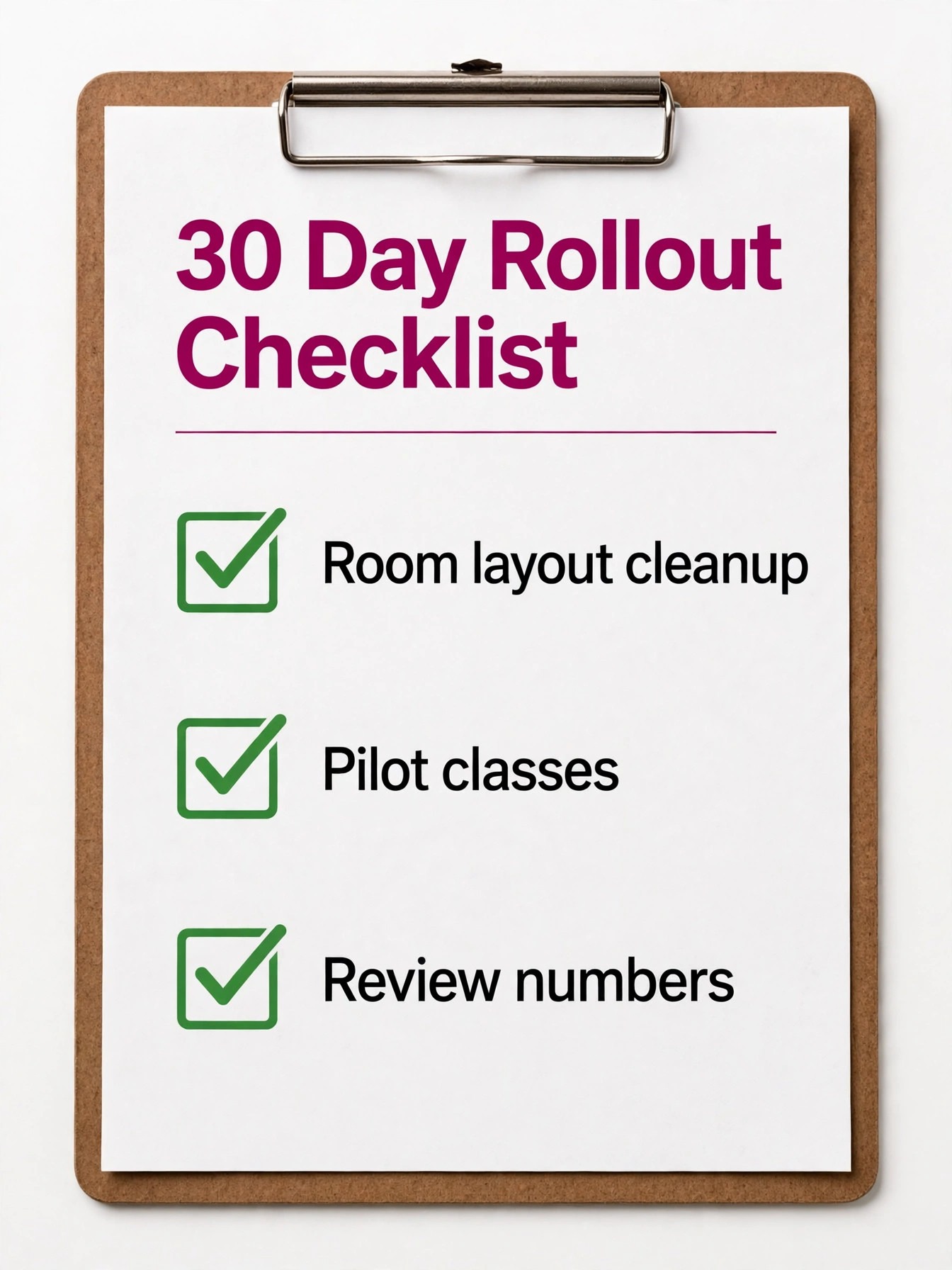
Week one is mapping and cleanup. Lay out the bike map, name every bike to match the floor, mark out of service bikes, and audit every recurring class for the correct instructor, capacity, and pack eligibility. Import rider data cleanly, meaning one record per rider, correct pack balances, and correct expiry dates, because bad data will poison every automated message that follows. Do not turn on AI messages until the underlying data is trustworthy.
Week two is a quiet pilot. Turn on automated waitlists and reminders for two or three classes only, and watch conversion, cancellation lead time, and rider messages daily. Train front desk staff on the new screens, especially substitution and pack balance checks, so they can answer rider questions without guessing. Collect rider feedback in person after classes, because a short conversation at the door reveals friction that analytics miss.
Week three expands the pilot to the full timetable, with substitution rules and expiry alerts switched on. Publish the waitlist rule, the cancellation window, and the substitution policy on the booking page and in the app, so riders know what to expect. Review capacity numbers at the end of the week, and adjust one or two weak time slots rather than rewriting the whole timetable at once. Small, evidence based changes stick better than a dramatic relaunch.
Week four is review and lock in. Compare no show rate, waitlist conversion, pack renewal rate, and front desk phone time against the month before the change, and keep only the automations that moved a number. Turn off messages that riders ignored, shorten windows that left bikes empty, and document the final settings in a one page runbook. That runbook is what keeps the system working when the manager is on holiday and a substitute is needed at short notice.
Mistakes That Empty a Class
The first mistake is treating automation as a one time setup. Message timing, channel preference, and class specific triggers need a monthly review for the first three months, because rider behaviour changes with seasons, timetables, and instructor changes. A reminder sequence that worked in January may fail in July, when holidays and daylight change attendance patterns. Review beats set and forget every time.
The second mistake is hiding the rules. Riders who do not know the cancellation window, the waitlist order, or the pack expiry will break all three by accident, and then blame the studio. Publish the rules where riders book, repeat them at purchase, and show them again when they matter, meaning at cancellation and at checkout. Transparency costs nothing and prevents most front desk arguments.
The third mistake is over automating the human moments. A substitute announcement, a pack expiry for a loyal regular, and a complaint about a bike deserve a human message, not a template. AI should handle volume, meaning routine bookings, reminders, and waitlist offers, while staff handle exceptions, meaning loyal riders, sensitive changes, and complaints. Studios that automate everything sound efficient and feel cold, and riders notice the difference.
The fourth mistake is judging the system by bookings alone. A class can look full on bookings and still lose money on no shows, expired packs, and refunds. Track attendance, not just bookings, and track renewal, not just sales. Those two numbers tell you whether the scheduling system is building a loyal rider base or just filling a timetable that empties again next month.
What to Do This Week
Start with the leak that costs you most, not with the tool that looks newest. If no shows are the problem, fix the reminder sequence and the cancellation window first. If full classes still leave empty bikes, fix waitlist backfill before anything else. If instructor absence causes chaos, build the substitute bench and the one session swap process this week. One fixed leak beats five half finished automations.
Then run the rider test. Book, cancel, join a waitlist, and check a pack balance from a phone, and time each task. Anything over a minute needs simplification, and anything that needs a phone call needs automation. That test takes an afternoon and tells you more than a month of vendor demos, because it shows the studio exactly as riders experience it.
Keep the timetable human at the centre. AI fills bikes, sends reminders, and surfaces patterns, but riders return for instructors they trust, classes that start on time, and a room where their bike is waiting. That balance is the real payoff when you use AI for spin studio class scheduling. Get those basics right, let the system handle the routine work around them, and the room will fill more often, with less stress for everyone who runs it.
Frequently Asked Questions About Spin Studio Scheduling
How does AI waitlist backfill actually work in a spin studio?
When a rider cancels, the system offers the freed bike to the next rider on the waitlist automatically, usually by SMS or app notification, with a short claim window. If that rider declines or times out, the offer moves to the next rider, and the chain continues until the bike is claimed or the class starts. The key settings are claim window length, message channel, and waitlist order, and all three should be published so riders understand the process.
Can riders book a specific bike, or only a place in the class?
Good spin platforms support bike level booking, where the studio lays out the room once and riders pick a named bike when they book. That matters because regulars have strong preferences for front row, back row, or bikes near the door, and a headcount only booking system will disappoint them. Check bike mapping on a phone during any trial, because a map that works on desktop can still fail on a small screen.
What happens when an instructor calls in sick an hour before class?
The manager opens the session, picks a substitute from the bench, and notifies booked riders, while the recurring series stays assigned to the original instructor. Riders see the new name in the app at once, and a short free cancellation window lets riders who booked for the original instructor step back without penalty. The waitlist then refills any freed bikes, so the class still runs with a full room.
How do class packs and expiries work with AI scheduling?
The system tracks pack balance and expiry dates, shows them before booking, and sends alerts as credits near expiry. Renewal should sit inside the booking flow, so a rider booking their last credit can renew in one tap without visiting a separate shop page. Audit expired credits monthly, because large numbers of unused expiring credits usually mean packs are too large or reminders arrive too late.
Will AI reminders annoy regular riders?
They can, if every rider gets every message at full volume. The fix is a tiered sequence, meaning a day before confirmation for everyone, practical details a few hours before, and extra nudges only for riders with a no show history. Let riders choose SMS or email, keep messages short with class, time, and bike number, and drop any message that data shows riders ignore.
Is a boutique studio platform better than a generic booking tool?
For spin, yes, in most cases. A boutique platform treats a class as a roster with a seat count, supports bike maps and waitlists natively, and reports capacity by class and instructor. A generic tool built for one to one appointments treats a class as a single slot and forces workarounds for waitlists and bike choice. Solo instructors with very few classes can start generic, but a studio with a full timetable will outgrow it quickly.
More Reading on Stratilyze
– Best Booking Software for Fitness Studios – Small Gym Class Booking System Setup – Best AI Tools for Gyms – Use AI for Dance Studio Class Booking – Fitness Studio Retention Tactics That Keep Riders Coming Back, plain text title, link not verified at writing time – How to Price Class Packs Without Losing Regulars, plain text title, link not verified at writing time