

Your crew is growing, your phone is full of job photos and half finished invoices, and the spreadsheet that worked when it was just you is now slowing everyone down. That is the problem Housecall Pro is sold to solve, and the first question every owner asks is what it will cost each month once real people are on it. The answer depends less on the headline price and more on how many users you need, because Housecall Pro charges by team size, and the jump from one user to five users is where the bill changes most. This guide prices cost of Housecall Pro for small business monthly for real crew sizes, not just the headline rate.
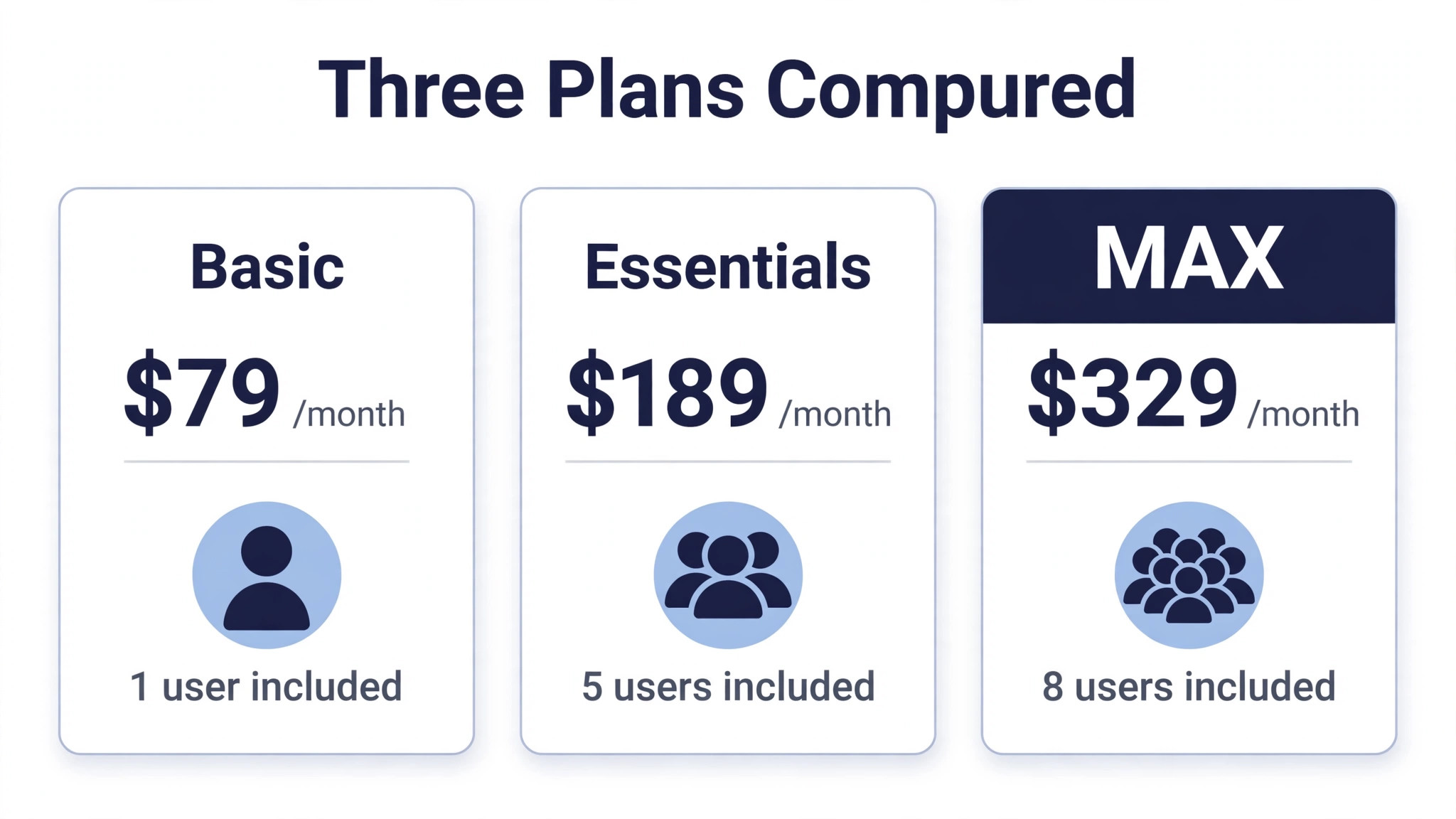
For a solo technician, the cost of Housecall Pro for small business monthly starts at 79 dollars a month, or 59 dollars a month when billed annually. For a five person crew, the realistic starting point is 189 dollars a month, or 149 dollars a month on annual billing. Those two numbers frame the whole guide. Everything between them comes down to which plan covers your crew size and which features you cannot run the business without.
This guide works through all three plans, the per user fees that catch growing crews by surprise, worked monthly totals for a solo tech and a five person crew, and the extra charges that sit outside the subscription. Prices are in US dollars and reflect the pricing page figures reported through 2026. Housecall Pro also shows different prices through a quiz style flow for some trades and team sizes, so treat these as the published list prices and confirm your own quote before paying.
The Cost of Housecall Pro for Small Business Monthly at a Glance
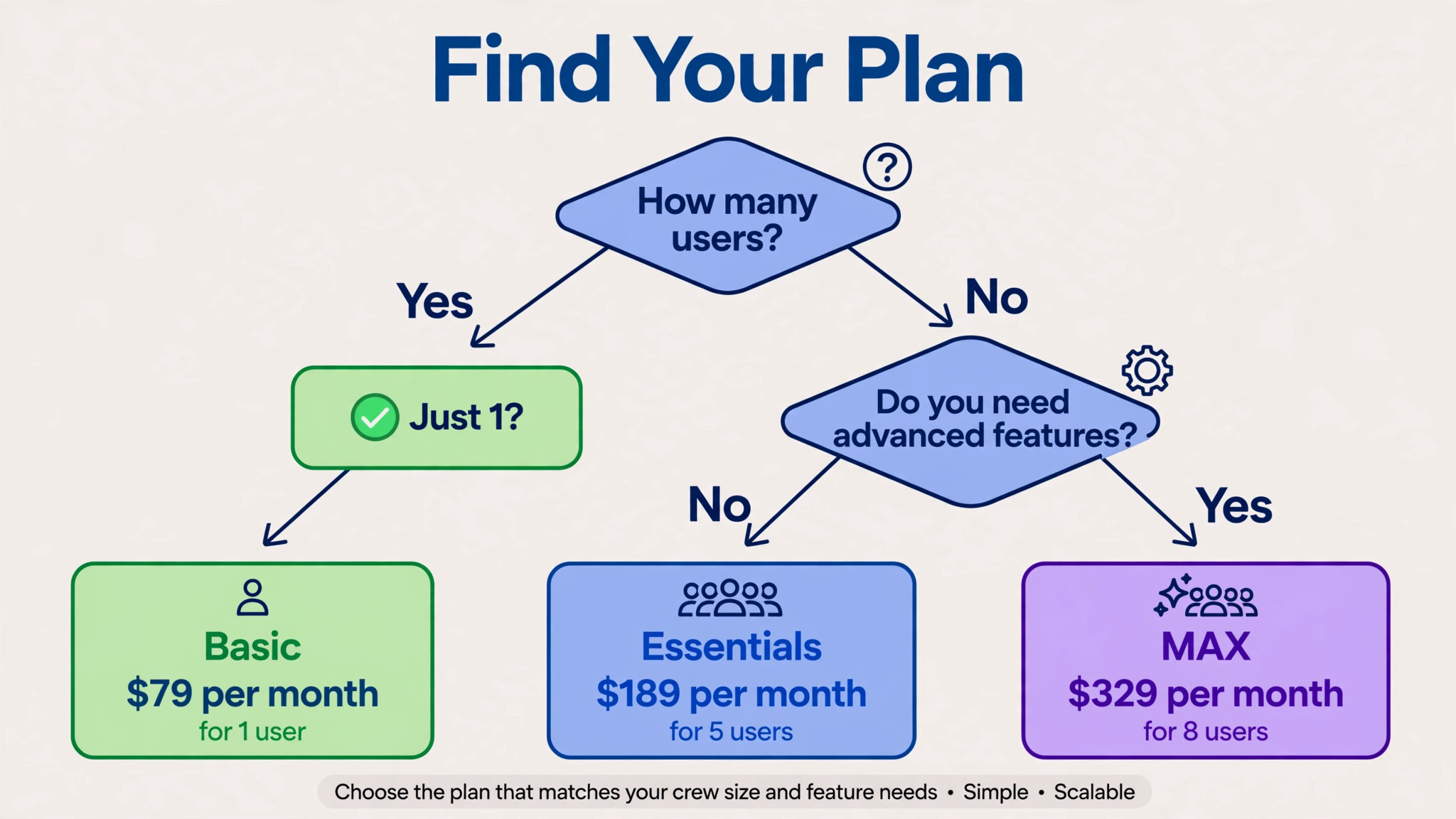
Housecall Pro sells three plans. Basic covers one user. Essentials covers up to five users. MAX covers up to eight users. There is no free plan, but there is a 14 day free trial that runs with MAX features and needs no credit card, which is a useful way to test the top tier before committing to a lower one.
The pricing page uses two billing options. Monthly billing is the higher price and keeps you free to leave. Annual billing is the lower price and commits you for a year. The gap is 20 dollars a month on Basic, 40 dollars a month on Essentials, and 30 dollars a month on MAX. Over a year, annual billing saves 240 dollars on Basic, 480 dollars on Essentials, and 360 dollars on MAX.
| Plan | Monthly billing | Annual billing per month | Users included | Each extra user |
|---|---|---|---|---|
| Basic | 79 dollars | 59 dollars | 1 | Not offered |
| Essentials | 189 dollars | 149 dollars | 5 | 100 dollars |
| MAX | 329 dollars | 299 dollars | 8 | 75 dollars |
Two things in that table deserve attention before anything else. First, Basic does not offer additional users at any published price. If you are on Basic and hire a helper, there is no small step up. You move to Essentials, which is a jump of 110 dollars a month on monthly billing.
Second, the extra user fees are steep. Essentials charges 100 dollars a month for each user beyond five, and MAX charges 75 dollars a month for each user beyond eight. Some third party pages quote 35 dollars a month for extra MAX users, but the pricing page figures reported most recently list 75 dollars, so this guide budgets at 75 dollars and flags the discrepancy for you to check.
Sales tax can apply in some states, so the amount that leaves your account may sit slightly above the headline price. That is a small point, but it is worth knowing before you compare the subscription against your current costs.
What Basic Gives a Solo Technician
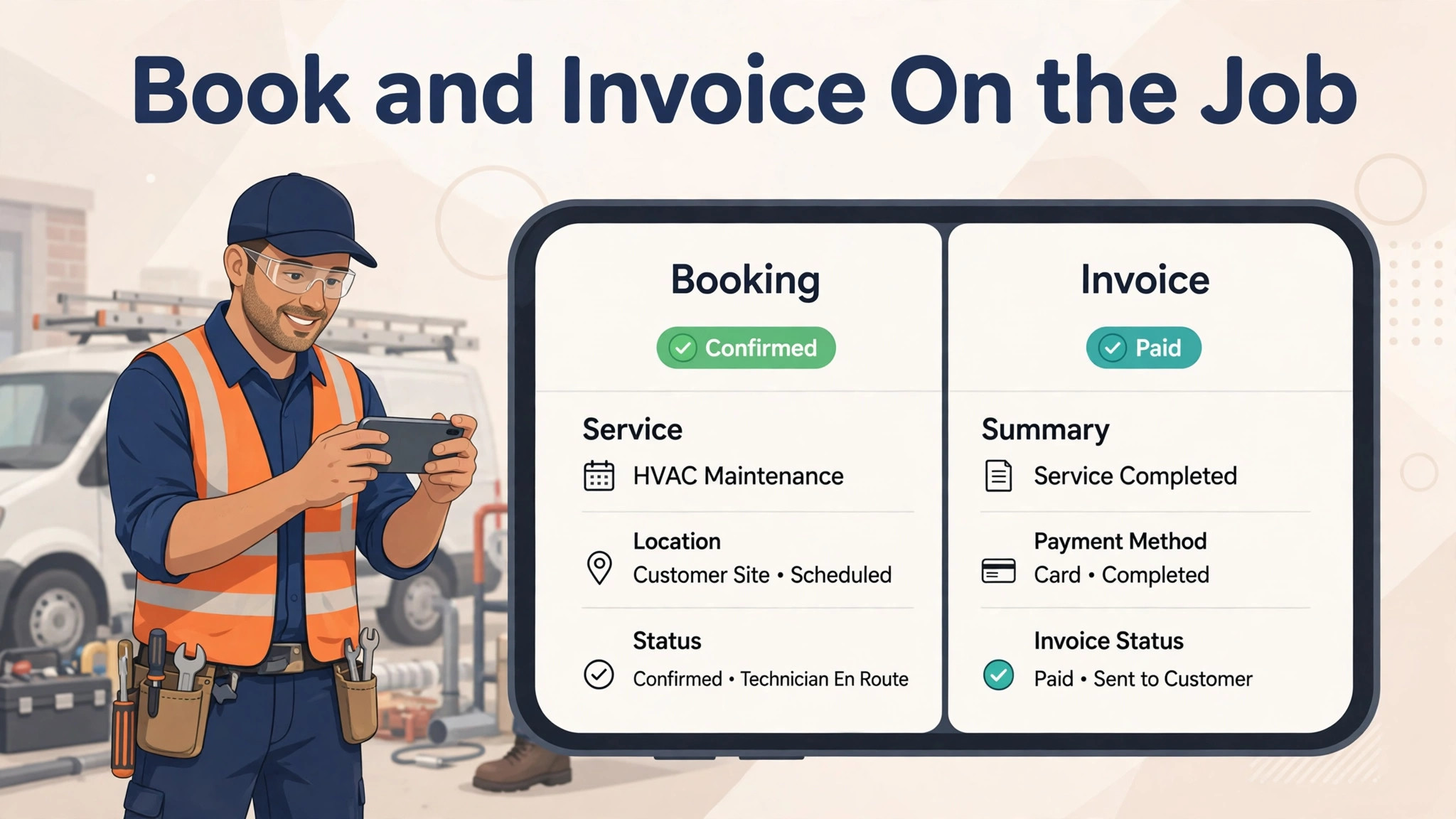
Basic is built for one person doing everything. It includes online booking, so customers can book and pay from Google or your website at any hour. It includes scheduling and dispatch, estimates and invoicing, and the mobile app your tech carries on the job. For a solo operator who needs to stop juggling calls, texts, and paper invoices, that is a complete core kit.
What Basic does not include is equally important. There is no GPS tracking, no flat rate pricing book, no route tools, no checklists automation, and no accounting software sync. Support is also more limited than on the higher plans. None of those gaps matter much when it is just you and a van. They start to matter the moment you add staff, because that is when you need to see where people are, price jobs consistently, and keep the books in sync without manual entry.
The hard limit is the user count. Basic covers one user and offers no published price for a second. That makes Basic a plan with a built in expiry date for any business that plans to hire. It is a fine starting point, and the 59 dollar annual price is reasonable for a solo tech, but you should go in knowing that your first hire triggers a move to Essentials at 149 dollars a month on annual billing, or 189 dollars month to month. Budget for that step now, rather than discovering it in the month you hire.
For a solo technician who plans to stay solo, Basic is good value. Online booking alone can recover jobs that used to go to voicemail, and digital estimates and invoices get you paid faster than paper. The question is not whether Basic works. It does. The question is how long you will stay a team of one.
What Essentials Adds for a Growing Crew
Essentials is the plan most growing crews land on, and it is priced like it. At 149 dollars a month on annual billing, or 189 dollars month to month, it includes five users and adds the tools a multi person crew actually needs. Routes let you group and sequence jobs to cut drive time. Flat rate pricing builds margin into a price book so every tech quotes consistently. Checklist automations keep job steps consistent across the crew. GPS tracking shows where everyone is. Accounting sync keeps invoices and payments flowing into your books.
Those features solve a specific set of pains. A crew without flat rate pricing quotes differently depending on who turns up, which creates awkward conversations and uneven margins. A crew without routes wastes fuel and time driving back across town. A crew without GPS cannot answer a customer who asks when the tech will arrive. Essentials addresses all of that in one step, which is why it is the default recommendation for crews of two to five people.
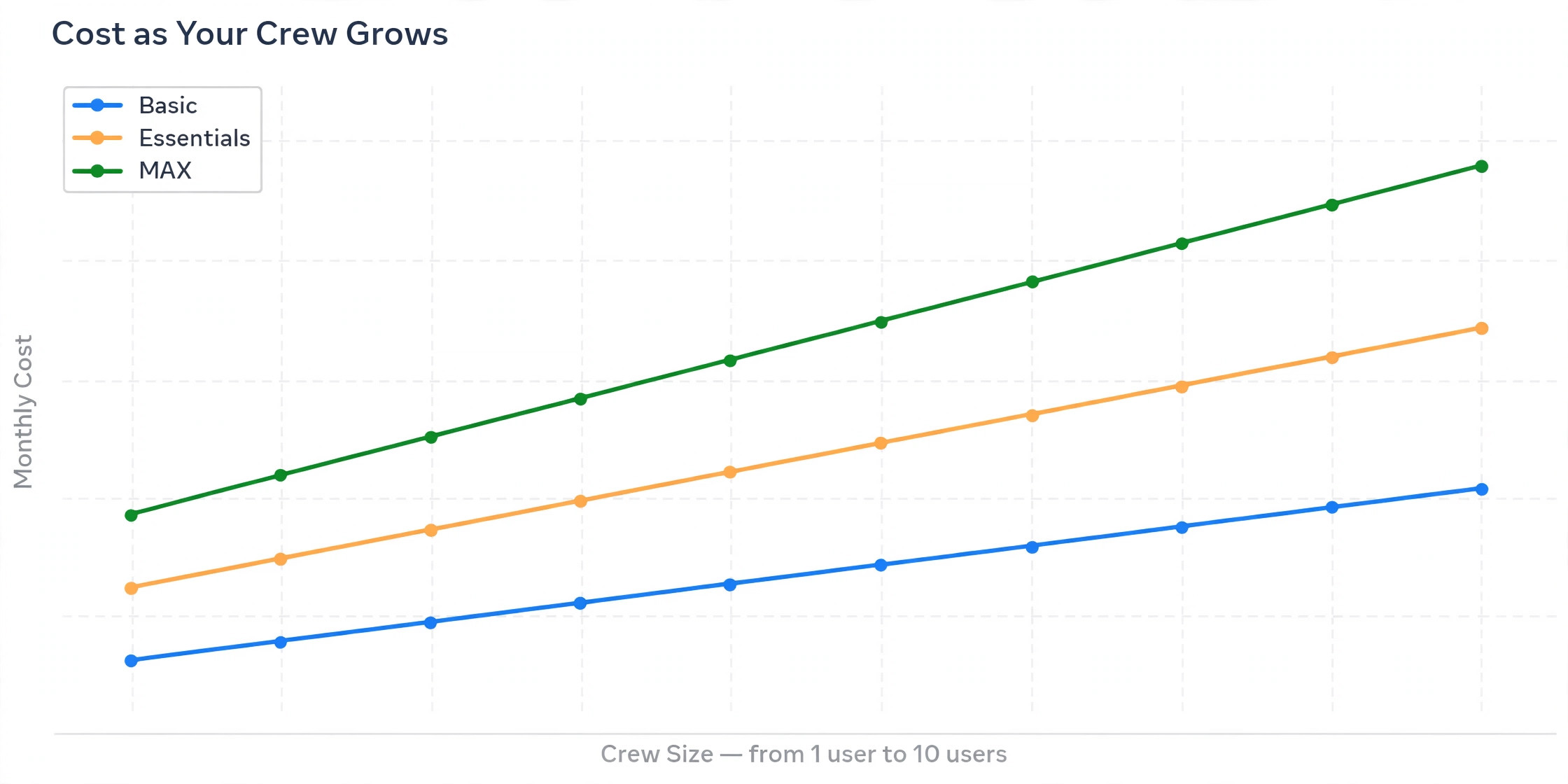
The cost sting on Essentials is the extra user fee. Each user beyond the five included costs 100 dollars a month. A six person crew therefore pays 249 dollars a month on annual billing, which is 149 dollars plus one extra user at 100 dollars, or 289 dollars month to month. A seven person crew pays 349 dollars a month on annual billing. At that point, MAX starts to look competitive, because MAX at 299 dollars a month on annual billing includes eight users and adds more features. The crossover is worth calculating before you add your sixth or seventh person, because staying on Essentials past five users gets expensive fast.
Essentials also adds phone support, which matters when a problem hits mid working day and you need a person rather than a help article. For a crew that depends on the software to run the day, that support difference alone can justify the step up from Basic.
What MAX Adds and When It Pays
MAX is the top tier, at 299 dollars a month on annual billing or 329 dollars month to month, with eight users included. It adds a sales proposal tool that Housecall Pro values at 40 dollars a month on its own. It adds recurring service plans for maintenance agreements, which suit HVAC, pest control, lawn care, and any trade that lives on repeat visits. It adds route optimisation that reorders a day of jobs in one pass, going beyond the basic routes in Essentials. It also adds open API access and dedicated onboarding.
Recurring service plans are the feature that most often justifies MAX on their own. A business that sells annual maintenance agreements needs a system that schedules repeat visits, bills them, and tracks them without manual diary work. On Essentials, that work falls back on office staff. On MAX, it is built in. If maintenance agreements are a meaningful share of your revenue, MAX pays for itself in saved admin time.
The sales proposal tool matters for bigger jobs. A clean, professional proposal with options and pricing helps close higher value work, and it replaces documents cobbled together in other tools. Route optimisation matters for crews running many jobs a day, where the order of visits decides whether the last job finishes on time. Open API access matters if you run other software that should exchange data with Housecall Pro automatically.
Extra users on MAX cost 75 dollars a month each, which is cheaper per head than Essentials at 100 dollars, but still a real cost. A nine person crew on MAX pays 374 dollars a month on annual billing, which is 299 dollars plus one extra user at 75 dollars, or 404 dollars month to month. A ten person crew pays 449 dollars a month on annual billing. At that size, it is worth asking whether every person needs a full user seat, since office staff, part time helpers, and seasonal workers may not all need the same access. Housecall Pro counts users by seats, so seat discipline is one of the few levers you have on this bill.
Worked Monthly Totals for a Solo Tech and a Five Person Crew
Here are the worked totals for the two crew shapes this guide promised, using list prices with no discounts and excluding payment processing and add ons, which are covered next.
A solo tech has one realistic option. Basic at 79 dollars a month on monthly billing, or 59 dollars a month on annual billing, which is 708 dollars for the year. There is no cheaper plan and no smaller step. A solo tech who wants GPS tracking, accounting sync, or flat rate pricing must move to Essentials, which means paying for five users to get features for one person. That is the single most frustrating quirk in this pricing structure, and it is worth knowing before you fall in love with a feature that lives on a higher tier.
A five person crew has a cleaner choice. Essentials covers exactly five users, so the bill is 189 dollars a month on monthly billing, or 149 dollars a month on annual billing, which is 1,788 dollars for the year. MAX for the same five people costs 329 dollars a month, or 299 dollars a month on annual billing, which is 3,588 dollars for the year. The gap between Essentials and MAX for a five person crew is 140 dollars a month on monthly billing, or 150 dollars a month on annual billing, and it buys the proposal tool, recurring service plans, route optimisation, open API access, and dedicated onboarding.
| Crew shape | Plan | Monthly billing | Annual billing per year | Annual equivalent per month |
|---|---|---|---|---|
| Solo tech | Basic | 79 dollars | 708 dollars | 59 dollars |
| Solo tech | Essentials | 189 dollars | 1,788 dollars | 149 dollars |
| Five person crew | Essentials | 189 dollars | 1,788 dollars | 149 dollars |
| Five person crew | MAX | 329 dollars | 3,588 dollars | 299 dollars |
A six person crew illustrates why the extra user fee matters. On Essentials, six users cost 289 dollars a month on monthly billing, which is 189 dollars plus 100 dollars for the sixth user, or 249 dollars a month on annual billing. On MAX, six users cost 329 dollars a month, or 299 dollars a month on annual billing, since six is inside the eight included users. The gap between Essentials and MAX for a six person crew is only 40 dollars a month on monthly billing, or 50 dollars on annual billing, and MAX brings the extra features with it. That crossover is the moment many crews upgrade.
Looked at per user, the picture is clear. A solo tech on Basic pays 59 to 79 dollars per user. A five person crew on Essentials pays about 30 to 38 dollars per user. A five person crew on MAX pays about 60 to 66 dollars per user. Essentials is the best per user value in the range, which is another reason it is the default for mid sized crews. MAX is a features buy, not a value buy, and it should be justified by the proposal tool, service plans, or route optimisation, not by headcount alone.
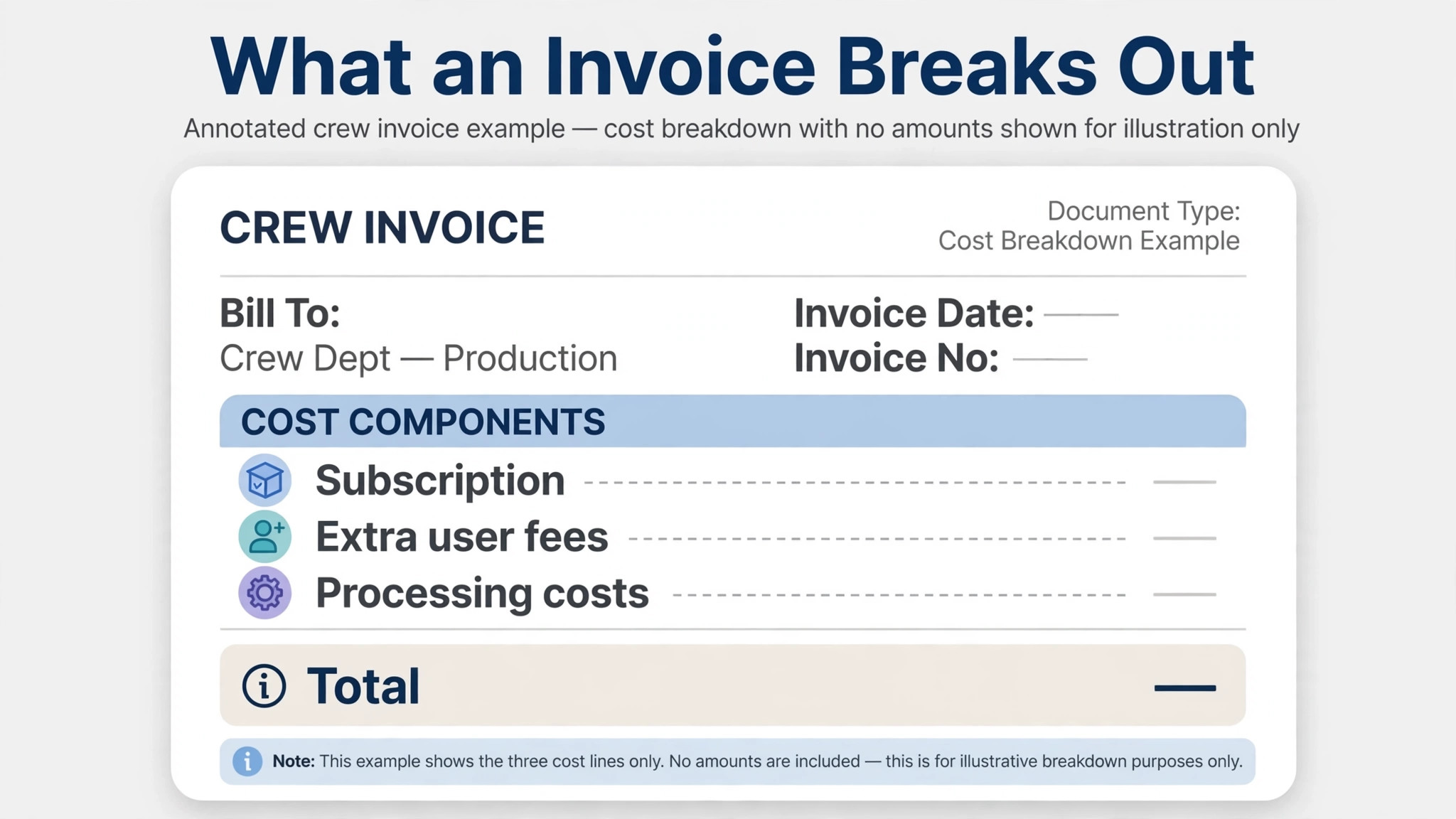
The Costs That Sit Outside the Subscription
Payment processing is the extra most owners underestimate. Housecall Pro card payments are reported at 2.59 percent to 3.49 percent depending on how the card is taken, and bank payments through ACH are reported at 1 percent. The range on card rates matters, because a card taken in person, a card taken over the phone, and a card stored on file can each price differently. Confirm the rate that applies to how you actually take payment, not just the lowest number in the range.
A worked example keeps this concrete. Suppose a five person crew collects 20,000 dollars in a month, with 15,000 dollars by card and 5,000 dollars by bank transfer. At a middle card rate of 2.9 percent, card processing costs 435 dollars. Bank transfer at 1 percent costs 50 dollars. The combined processing cost is 485 dollars in that month, which is more than double the Essentials subscription on annual billing. Processing is not a footnote. For most crews, it is the largest single cost attached to the software, and it scales with revenue rather than with seats.
Add ons sit on top as well. Housecall Pro sells marketing tools and an AI receptionist style add on separately, with prices that vary by plan and are not included in the subscription figures above. If you take those, budget them as separate lines rather than assuming they are bundled. Setup and onboarding help beyond what MAX includes can also carry a cost, though many crews get running on the standard onboarding without paying extra.
Taxes may add a small amount depending on your state. And the quiz style pricing flow deserves a note of its own. Some owners report seeing different prices after answering questions about their trade and team size. Those quotes may reflect promotions or tailored bundles. They do not invalidate the list prices in this guide, but they do mean your final quote can differ, so get your own number in writing before you decide. Taken together, processing and add ons can add more to the cost of Housecall Pro for small business monthly than the subscription itself.
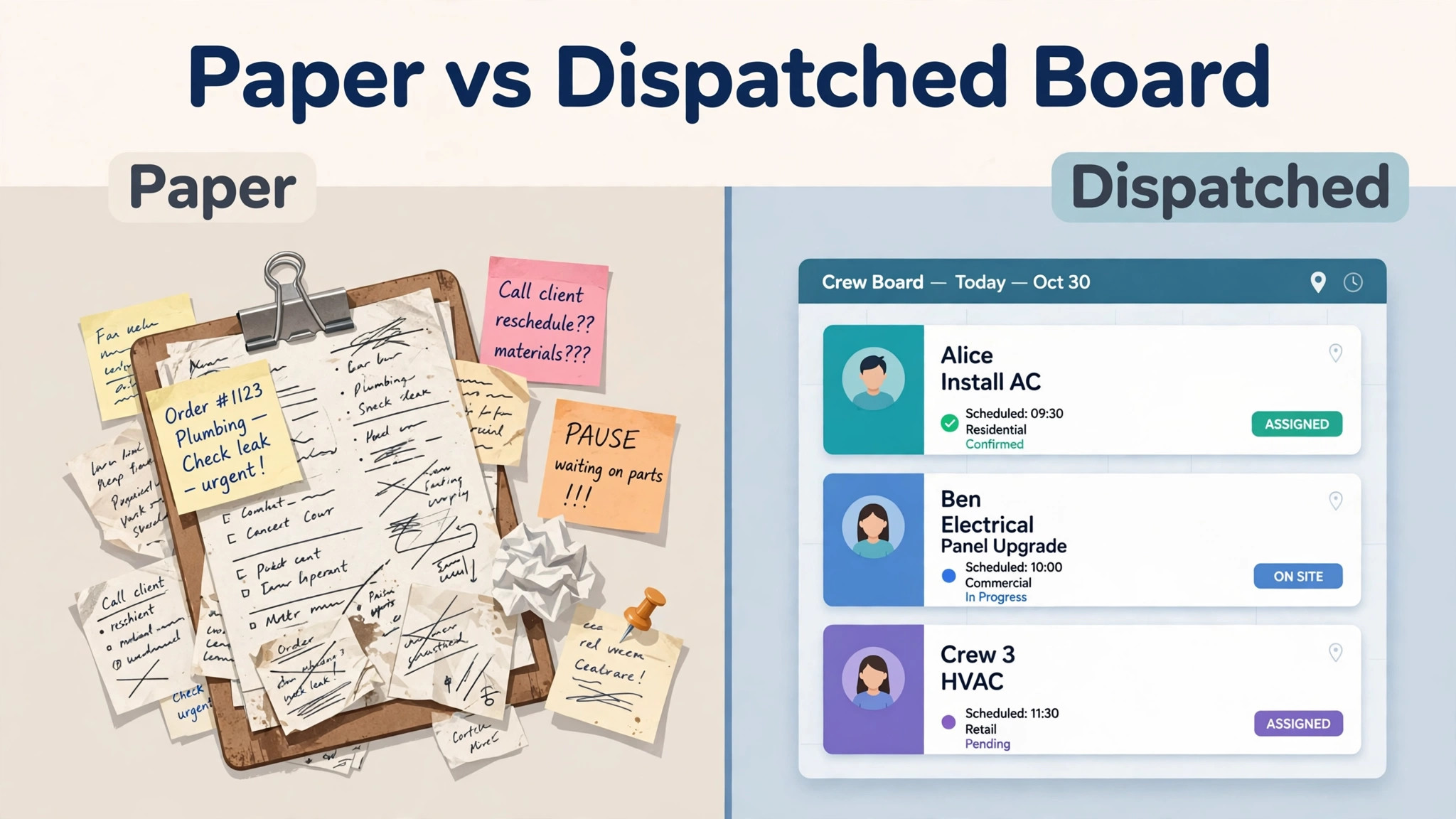
How to Keep the Bill Under Control
The biggest lever is crew size discipline. Every seat costs money, and on Essentials each seat beyond five costs 100 dollars a month. Before adding a seat, ask whether that person needs full access or whether their work can be covered by someone already on the account. Seasonal helpers, part time office staff, and apprentices are the usual cases where a business pays for seats it does not fully use. Review seats quarterly, not annually, because a seat added in a busy month has a habit of staying on the bill long after the busy period ends. That discipline is the simplest way to hold down the cost of Housecall Pro for small business monthly.
The second lever is billing period. Annual billing saves 240 dollars a year on Basic, 480 dollars on Essentials, and 360 dollars on MAX. That is worth taking once you are sure the tool fits. Until then, monthly billing is the safer choice, even though it costs more. A new system that does not fit is expensive at any price, and the monthly premium buys you the freedom to walk away.
The third lever is payment mix. Bank transfer at 1 percent is far cheaper than card payments at close to 3 percent, especially on larger job totals. Offering bank transfer as an easy option, and card as the convenient one, shifts a meaningful share of payments to the cheaper rail over time. On 20,000 dollars a month, moving even a quarter of card payments to bank transfer saves more than 70 dollars a month at typical rates.
The fourth lever is timing your upgrade. Do not jump to MAX for headcount alone. Jump when you need recurring service plans, the proposal tool, or route optimisation, or when your Essentials extra user fees have grown to within 50 dollars of the MAX price. That is the crossover where MAX stops being a luxury and starts being the sensible buy.
Who Should Pick Which Plan
Basic fits a solo technician who plans to stay solo, or who wants to test the software before hiring. It covers booking, scheduling, estimates, invoicing, and the mobile app, which is enough to run a one person business cleanly. It does not fit a business that is about to hire, because the first hire forces a jump to Essentials.
Essentials fits crews of two to five people, and it fits solo operators who need GPS tracking, flat rate pricing, or accounting sync badly enough to pay for five seats to get them. It is the best value per user in the range and the plan most crews should start their comparison from. It stops fitting well at six or seven users, where the extra user fees narrow the gap to MAX.
MAX fits crews that sell maintenance agreements, crews that need a proper proposal tool for larger jobs, crews running enough jobs per day that route optimisation changes the outcome, and crews of eight or more where the included seats make the price competitive. It also fits crews that want dedicated onboarding and open API access. If none of those apply, MAX is a premium you can postpone.
A short checklist helps. Pick the highest plan that matches a statement you agree with, and no higher.
– I am a solo tech and I need booking, scheduling, estimates, and invoicing. That is Basic. – I run a crew of two to five and I need routes, flat rate pricing, GPS, and accounting sync. That is Essentials. – I sell maintenance agreements or I need a proposal tool and route optimisation. That is MAX. – I have more than five users and my extra user fees are approaching the MAX price. That is MAX.
If you match none of these exactly, start from Essentials and adjust. It is the plan with the fewest regrets for a growing crew.
Verdict
A solo tech should budget 79 dollars a month, or 59 dollars on annual billing, and should know that the first hire moves the bill to Essentials at 189 dollars a month, or 149 dollars on annual billing. A five person crew should budget 189 dollars a month on Essentials, or 149 dollars on annual billing, and should only move to MAX at 329 dollars a month, or 299 dollars on annual billing, when the proposal tool, service plans, or route optimisation earn their keep.
The cost of Housecall Pro for small business monthly is therefore best understood as a headcount story, not a features story. The headline prices look modest. The per user fees are where the bill grows, and they grow fastest on Essentials past five users. Count your seats honestly, time your upgrade at the crossover, keep an eye on payment processing, and the software will cost what you expect it to cost rather than surprising you in the month you hire. That is the honest shape of the cost of Housecall Pro for small business monthly.
Mistakes That Inflate the Cost of Housecall Pro for Small Business Monthly
The most expensive mistake is paying for seats nobody uses. A crew that adds a seat for a seasonal helper, a part time office worker, or an apprentice who only needs occasional access will keep paying for that seat long after the busy period ends, because nobody reviews the seat list. On Essentials, each seat beyond five costs 100 dollars a month, so two idle seats cost 2,400 dollars a year. Review seats every quarter and remove the ones that are not earning their keep. The cost of Housecall Pro for small business monthly is a headcount story first, and seat discipline is the cheapest saving available.
The second mistake is staying on Essentials after growing past five users. A six person crew on Essentials pays 249 dollars a month on annual billing, and a seven person crew pays 349 dollars, while MAX covers eight users at 299 dollars a month and adds the proposal tool, service plans, and route optimisation. Once your extra user fees push Essentials within 50 dollars of MAX, the upgrade is no longer a luxury. It is the cheaper way to get more, and crews that miss the crossover pay a premium for fewer features.
The third mistake is ignoring the payment mix. Card payments at close to 3 percent and bank payments at 1 percent sound like a small difference until you apply them to real revenue. A crew collecting 20,000 dollars a month entirely by card pays around 580 dollars in processing at a middle card rate, against 200 dollars entirely by bank transfer. Even shifting a quarter of card payments to bank transfer saves more than 90 dollars a month. That saving is larger than the difference between monthly and annual billing on most plans, yet it rarely gets the same attention.
The fourth mistake is buying add ons before the business needs them. Marketing tools and call answering add ons each carry their own monthly price, and together they can add more than 100 dollars a month to the bill. Add them when they earn their keep, which for review automation means once job volume is steady, and for call answering means once missed calls are costing you jobs. Before that point, they are a subscription in search of a problem.
The fifth mistake is treating a quiz quote as the list price without checking what it includes. Some owners report seeing different prices after answering questions about trade and team size, and those quotes may reflect promotions or tailored bundles. A promotion that expires after a few months is not a price reduction. It is a discount with an end date. Budget on the list prices in this guide, treat any promotion as a bonus, and get your final quote in writing before you decide. The cost of Housecall Pro for small business monthly should be planned on the price you will pay in year two, not just the price you pay in month one.
Frequently Asked Questions
How much does Housecall Pro cost per month for a small business?
List prices run from 79 dollars a month for Basic with one user, through 189 dollars a month for Essentials with five users, to 329 dollars a month for MAX with eight users. Annual billing brings those figures to 59, 149, and 299 dollars a month respectively. Extra users, add ons, taxes, and payment processing sit on top.
Can I add a second user to the Basic plan?
No published price exists for adding a user to Basic. Basic covers one user only. The documented way to cover two people is Essentials, which is a jump of 110 dollars a month on monthly billing. That step is the single biggest pricing surprise for solo techs planning their first hire.
How much does an extra user cost on Housecall Pro?
Each user beyond the five included in Essentials costs 100 dollars a month. Each user beyond the eight included in MAX costs 75 dollars a month on the pricing page figures used in this guide. Some third party pages quote 35 dollars for extra MAX users, so confirm your own quote before budgeting for a larger crew.
Does Housecall Pro charge for payment processing?
Yes. Card payments are reported at 2.59 percent to 3.49 percent depending on how the card is taken, and bank payments through ACH are reported at 1 percent. On a crew collecting 20,000 dollars a month, processing can easily exceed the subscription itself, so the payment mix matters as much as the plan choice.
Is there a free trial?
Yes. Housecall Pro offers a 14 day free trial with MAX features and no credit card required. It is a good way to test the top tier features, including service plans and the proposal tool, before deciding whether Essentials or MAX fits your crew.
Which plan is best for a five person crew?
Essentials, in most cases. It covers exactly five users at 189 dollars a month, or 149 dollars on annual billing, and includes routes, flat rate pricing, GPS, and accounting sync. Move to MAX when you need recurring service plans, the proposal tool, or route optimisation, or when extra user fees narrow the gap.