

One accounting tool charges you for every extra seat, while another charges you once for the whole business and lets several people share the plan. That single difference explains why two firms with the same headcount can pay wildly different amounts for bookkeeping software, and it is the first thing to understand about the cost of Zoho Books for small business monthly. Zoho Books prices per organisation, not per user, so adding a bookkeeper or an office manager does not automatically add a full subscription. The catch is that each plan includes a set number of users and a set number of invoices, and crossing those limits changes the maths.
Zoho Books is a full double entry accounting system, not a simple invoice maker. It handles invoicing, expenses, bank reconciliation, tax, inventory on higher tiers, and reporting, with a client portal and project tracking as you move up the range. For a small business, the appeal is clear. You get proper accounts without paying a per seat fee for every person who touches the books. The risk is equally clear. A plan that looks cheap can become awkward when invoice volume grows, multi currency work appears, or a second location needs separate tracking.
Cost of Zoho Books for Small Business Monthly, Prices by Plan
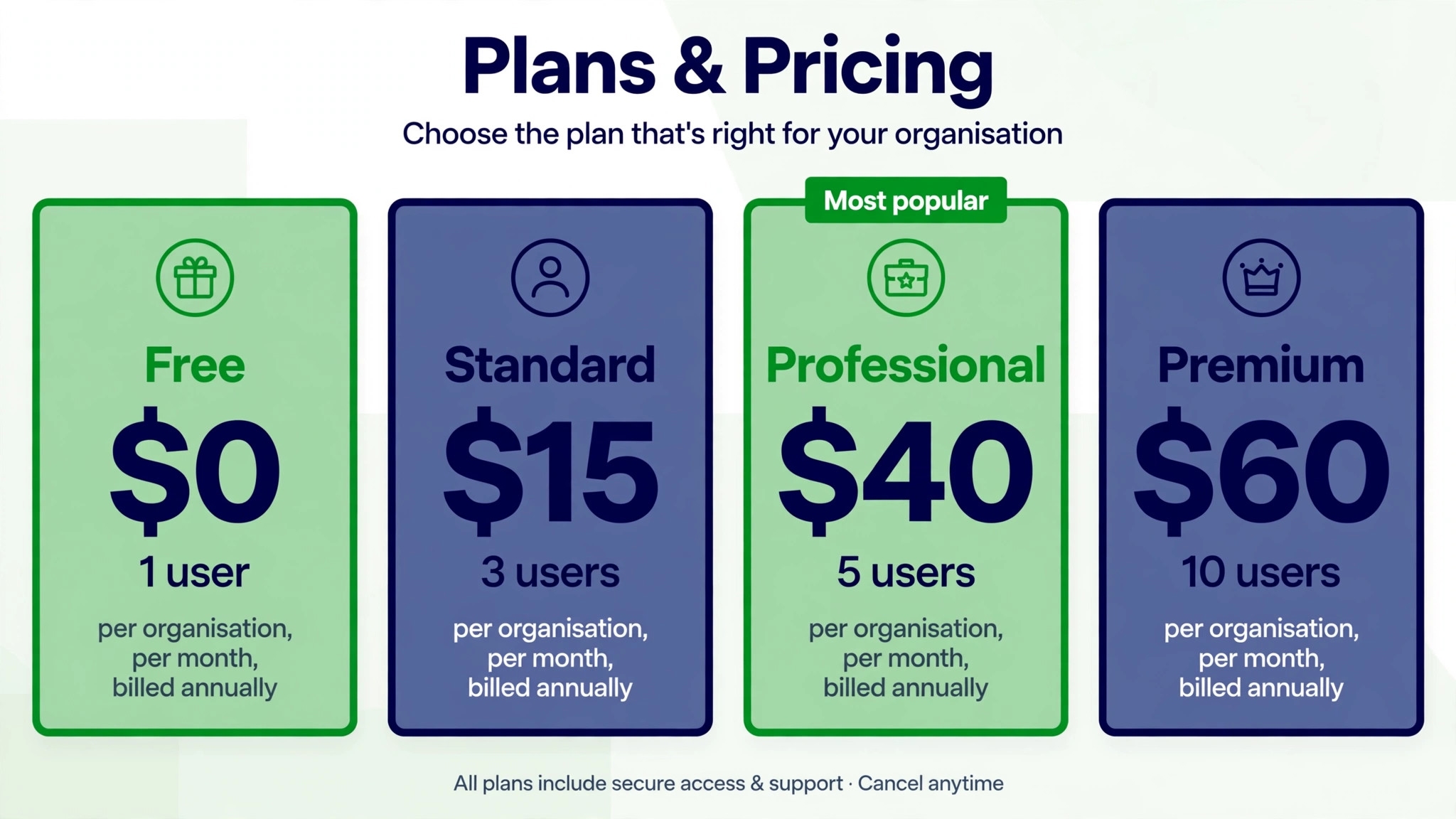
United States list prices reported in 2026 put the Free plan at zero dollars, Standard at 15 dollars per organisation per month when billed annually or 20 dollars when billed monthly, Professional at 40 dollars annually or 50 dollars monthly, and Premium at 60 dollars annually or 70 dollars monthly. Higher Elite and Ultimate plans exist for larger volumes, at 120 dollars and 240 dollars per month on annual billing, but most small businesses will choose among the four plans covered in this guide. All prices here exclude local taxes, so add tax to your final budget where it applies.
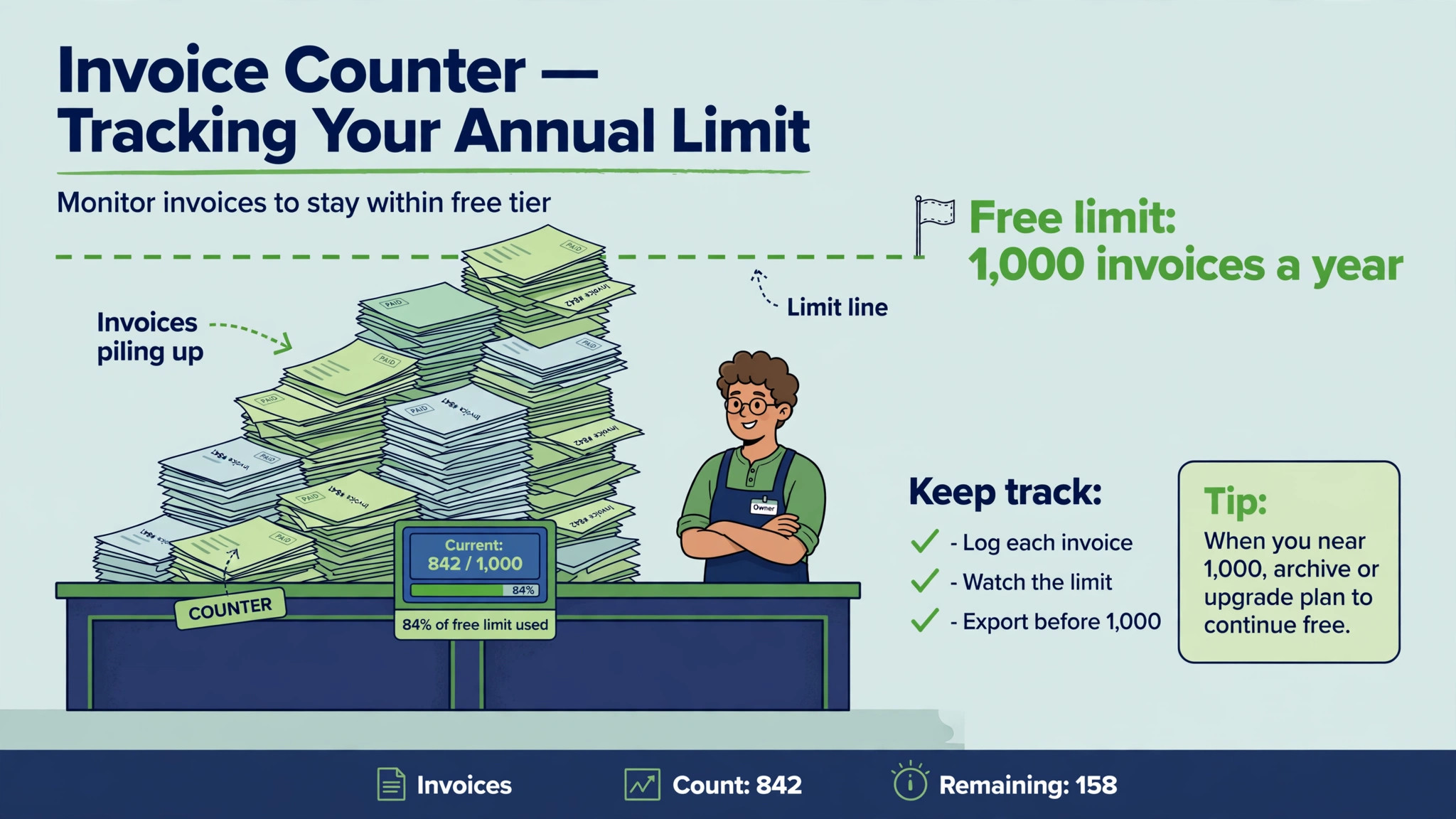
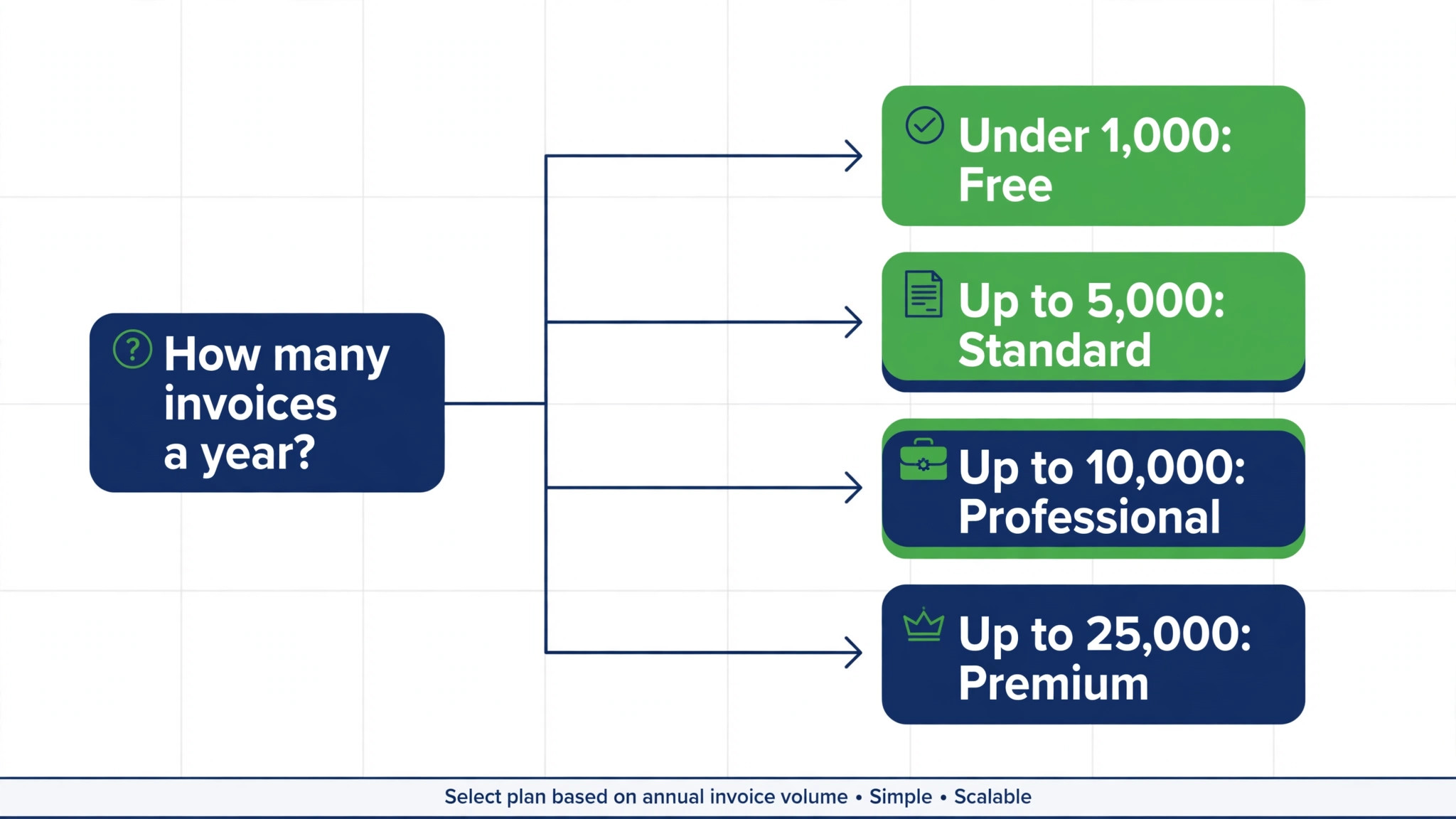
Free suits a very small business with annual revenue under 50,000 dollars. It allows one user plus one accountant, up to 1,000 invoices per year, and core invoicing and expense tracking. That limit sounds generous until a busy shop sends 100 invoices per month, which reaches 1,200 per year and crosses the cap. Free is therefore best treated as a genuine starting point for a micro business, not as a permanent home for a growing firm. The revenue test also matters, because crossing 50,000 dollars in a financial year means the free terms no longer apply.
| Plan | Per organisation per month, billed annually | Per organisation per month, billed monthly | Users included | Invoices per year |
|---|---|---|---|---|
| Free | 0 dollars | 0 dollars | 1 plus 1 accountant | 1,000 |
| Standard | 15 dollars | 20 dollars | 3 | 5,000 |
| Professional | 40 dollars | 50 dollars | 5 | 10,000 |
| Premium | 60 dollars | 70 dollars | 10 | 25,000 |
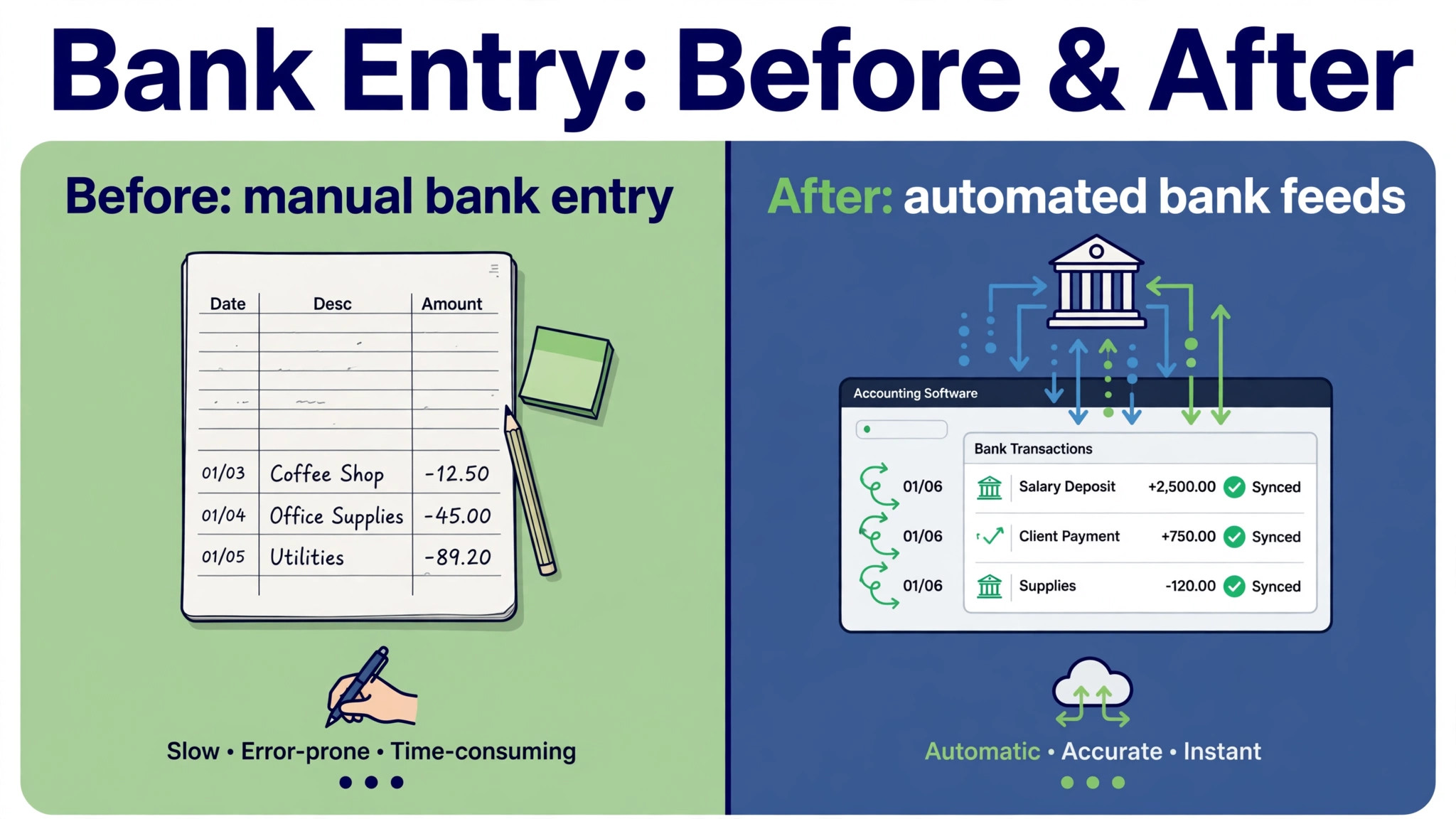
Standard adds automated bank feeds, recurring invoices, and payment reminders, with room for three users and 5,000 invoices per year. That combination suits a small shop that has moved past manual bank entry and wants invoices to chase themselves. The jump from Free to Standard is small in cash terms, yet it removes a large amount of weekly admin, because bank feeds and recurring billing cut the time spent typing transactions and following up late payers.
Professional adds multi currency support, inventory handling, sales orders, project accounting, time tracking, and a client portal, with five users and 10,000 invoices per year. A business that sells abroad, stocks products, or bills by project will feel the difference quickly. Multi currency alone can justify the step, because manual currency conversion in spreadsheets creates errors that are hard to spot until tax time. Project accounting also helps service firms see which jobs actually make money.
Premium adds workflow automation, advanced analytics, custom fields, and phone support, with ten users and 25,000 invoices per year. It also supports more locations in some regional listings, which matters for a business with more than one trading site. Premium is not about sending more invoices for most small firms. It is about control, because approval workflows and validation rules stop bad data entering the accounts in the first place. A firm with several staff entering bills needs that control more than a solo operator does.
A Solo Shop, From Free to Paid Without Guesswork
A solo shop with revenue under 50,000 dollars can start on Free at zero dollars per month and keep that cost until revenue or invoice volume forces a move. That is a rare honest free tier in accounting software, and it deserves credit. The discipline is to watch two numbers each month, which are revenue for the financial year and invoices sent so far. When either number approaches its limit, budget for Standard before the cap forces a rushed upgrade mid month.
A solo shop above the free revenue threshold pays 15 dollars per month on Standard with annual billing, or 20 dollars on monthly billing. Over a year, annual billing totals 180 dollars, while monthly billing totals 240 dollars. The 60 dollar yearly saving from annual billing is modest, but it is still money a small shop should not waste without a reason. Monthly billing makes sense only when cash flow is uneven or the business is still testing whether Zoho Books fits its workflow.
Move that solo shop to Professional and the bill rises to 40 dollars per month on annual billing, or 50 dollars monthly, which totals 480 dollars or 600 dollars per year. That step costs an extra 25 dollars per month over Standard on annual billing, or 300 dollars per year. For a solo operator, the step only pays when multi currency, inventory, projects, or the client portal solve a weekly problem. A solo consultant with domestic clients and no stock will rarely need Professional, while a solo importer with overseas suppliers may need it from day one.
On Premium, a solo shop pays 60 dollars per month on annual billing, or 70 dollars monthly, which totals 720 dollars or 840 dollars per year. That is a large jump for one person, and it rarely makes sense unless automation and advanced reporting save several hours per month. A solo shop should treat Premium as a future option, not a starting point, and should revisit it only when staff numbers or transaction volume grow. The per organisation model means a solo user pays the same plan price as a ten person team on Premium, so the value per user is poor at solo scale.
A Five Person Firm, Where Per Organisation Pricing Shines
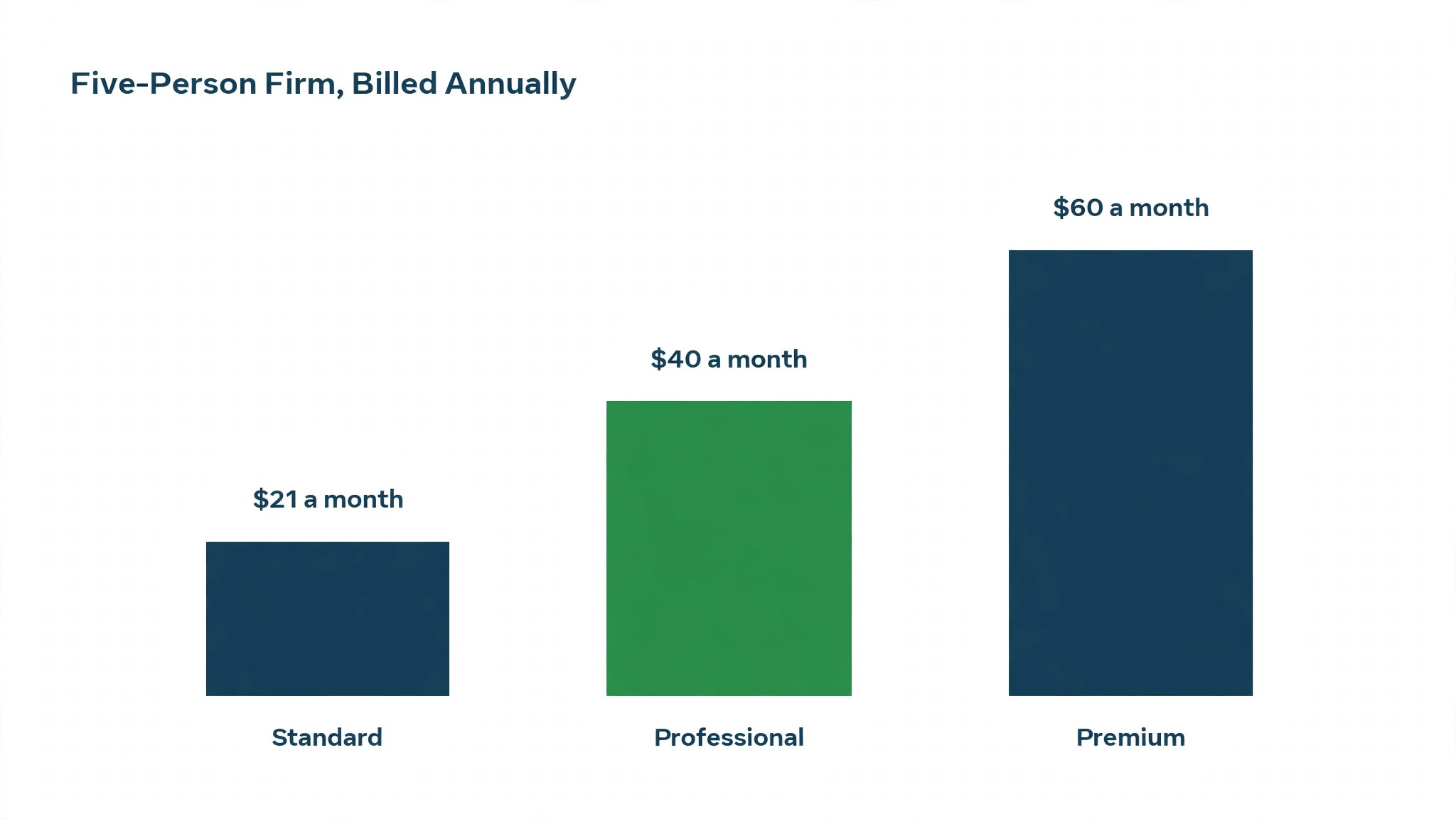
A five person firm shows why per organisation pricing changes the comparison. On Standard, five people need three included users plus two extra users. Extra users have been reported at around 3 dollars per user per month, so the estimated total on annual billing is 15 dollars plus 6 dollars, or 21 dollars per month. On monthly billing, the estimated total is 20 dollars plus 6 dollars, or 26 dollars per month. Confirm the current extra user rate before budgeting, because third party reports vary slightly, but the shape of the maths stays the same.
On Professional, five users are included in the plan, so a five person firm pays 40 dollars per month on annual billing or 50 dollars monthly, with no extra user charge. Over a year, that totals 480 dollars on annual billing or 600 dollars on monthly billing. Professional therefore costs about double the Standard plus extras total, yet it buys multi currency, inventory, projects, and portal access that Standard lacks. The decision is not about seat maths alone. It is about whether those features earn 19 dollars extra per month on annual billing.
On Premium, ten users are included, so a five person firm pays 60 dollars per month on annual billing or 70 dollars monthly, with five spare seats for growth. Over a year, that totals 720 dollars or 840 dollars. Premium gives a five person firm room to hire without an immediate price rise, plus automation and advanced analytics. A firm planning to grow from five to eight people within a year may find Premium attractive for that headroom alone, because the price stays flat while the team grows.
Compare those totals with a per user model and the advantage becomes plain. A per user tool at even a modest rate would charge five full seats every month, while Zoho Books charges one organisation fee plus a small extra user amount on Standard. That structure rewards small teams that share accounting work across several people, such as an owner, a bookkeeper, and a sales manager who raises invoices. It also means the cost per person falls as the team grows toward the included user limit.
Annual Billing, Monthly Billing, and the Tax Question
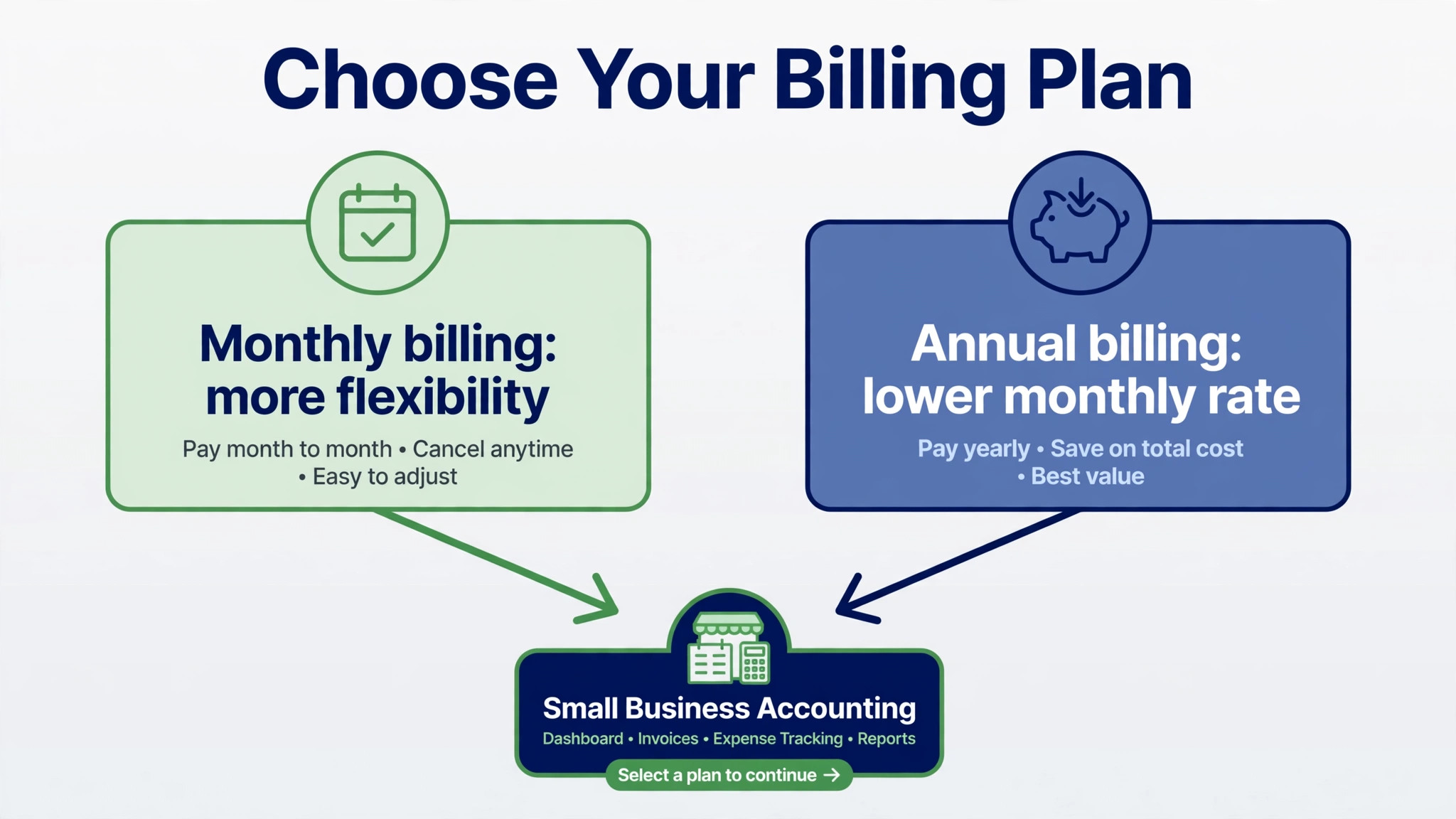
Annual billing saves 5 dollars per month on Standard, 10 dollars on Professional, and 10 dollars on Premium, compared with monthly billing. Over a year, those savings total 60 dollars, 120 dollars, and 120 dollars respectively. For a small business, those amounts are welcome but not decisive on their own. The stronger reason to choose annual billing is stability, because the monthly cost stays predictable for a full year and renewal planning becomes simpler.
Monthly billing suits a business that is testing Zoho Books, facing seasonal income, or unsure about invoice volume. A seasonal shop that earns most revenue in four months may prefer to pay monthly and keep cash free during quiet months, even though the yearly total is higher. A new business that has not yet settled its invoicing pattern should also start monthly, then switch to annual billing once volume and user count are stable. The switch itself is worth confirming, because some vendors apply annual rates only from the next renewal.
Taxes and currency add a final layer to the cost of Zoho Books for small business monthly. United States prices in this guide exclude local taxes, so the invoice total may sit slightly above the headline rate. Businesses outside the United States face different list prices and tax rules, so a reader in another country should check the regional pricing page rather than converting dollars directly. Currency conversion, bank charges, and tax treatment of software subscriptions also vary, so ask an accountant how the subscription sits in your own accounts before treating the headline price as final.
Payroll is the largest separate cost inside the cost of Zoho Books for small business monthly for many users, because payroll sits in a separate Zoho product rather than inside Books itself. Reported United States pricing for Zoho Payroll starts around 39 dollars per organisation per month plus about 6 dollars per employee, with single state and multi state options affecting the final figure. A five person firm adding payroll could therefore pay roughly 69 dollars per month on top of Books, which more than doubles a Standard subscription. Budget payroll separately from day one if you plan to run pay through Zoho.
Extra users, extra locations, and receipt scanning limits can also add cost on some plans. Standard includes no extra location in some listings, while Premium includes several, so a multi site business should check location allowances before choosing a tier. Receipt autoscan allowances also rise with tier, from 50 per month on Free to 200 on Standard and Professional, and 1,000 on Premium in some reports. A business that scans hundreds of receipts per month may hit a limit that forces an upgrade, even when invoice volume stays low.
Implementation and clean up time form a quieter hidden cost. Moving from spreadsheets or another accounting tool means rebuilding the chart of accounts, setting tax rates, connecting bank feeds, and checking opening balances. That work takes hours, and errors in opening balances can distort reports for months. A small business should plan a migration weekend, reconcile bank accounts before switching, and keep the old records readable until the first full month closes cleanly in Zoho Books.
Support level also varies by tier, with phone support appearing on Premium in many listings while lower tiers rely more on email and help pages. A business without an accountant on call may value phone support during tax season or a bank feed failure. If support speed matters to you, treat it as part of the tier value rather than an afterthought. Ask what support channels each tier includes, and what response times apply during busy periods.
Choosing the Right Tier, a Practical Method
Start by counting invoices and bills for the last twelve months, not by guessing next year volume. A business that sent 4,000 invoices last year sits comfortably on Standard, while a business that sent 6,000 invoices already needs Professional headroom. Count users who truly need access, including the owner, bookkeeper, accountant, and anyone who raises invoices or approves bills. A user who only views a report occasionally may not need a full seat, so check role options before buying extra users.
Next, list the features that solve a weekly pain. Multi currency, inventory, projects, portal access, and automation each belong to a specific tier, so the feature list quickly points to a minimum tier. If none of those features matter yet, Standard is usually enough, and the money saved can fund payroll or inventory tools elsewhere. If two or more of those features matter, Professional or Premium becomes the honest minimum, and choosing a lower tier only creates workarounds.
Test the chosen tier with real transactions for two weeks. Raise a real invoice, record a real expense, reconcile a bank feed, and generate a profit and loss report. Ask the bookkeeper whether bank reconciliation felt faster, and ask the owner whether the report answered a real question about margins or cash. A trial that only checks login screens proves nothing about month end close, which is where accounting software earns or loses its price.
Review the plan every six months, because invoice volume and user count change faster than owners expect. A business that grows from 4,000 to 9,000 invoices per year will outgrow Standard without noticing, until a limit warning appears during a busy month. A six monthly review that checks invoices used, users active, and features actually used takes little time and prevents a forced upgrade at the worst moment. When you review the cost of Zoho Books for small business monthly in that structured way, the plan stays matched to the business.
Mistakes That Inflate the Bill
The most common mistake is staying on Free too long after revenue or volume has passed its limits. Free feels like saving money, yet it can cost time when bank feeds, recurring invoices, or user access are missing. A business that spends two hours per week on manual bank entry to save 15 dollars per month is losing money on labour alone. Move to Standard when manual work becomes routine, not when the free limit finally blocks an invoice.
Another mistake is buying Premium for automation that nobody configures. Workflow rules, approval chains, and custom fields only save time when someone designs them carefully and maintains them. A small team that buys Premium and never builds a workflow pays 20 dollars extra per month over Professional for features that sit idle. Before choosing Premium, name one workflow you will build in the first month, such as approval for bills above a set amount, and assign an owner for it.
A third mistake is forgetting payroll as a separate subscription. Owners often budget for Books alone, then discover payroll adds a large monthly charge when they try to pay staff. That surprise can make the whole Zoho setup feel expensive, even though Books itself remains cheap. If payroll matters, price Books plus payroll together from the start, and compare that combined total with other options. The combined figure is the honest comparison, not the Books price alone.
Verdict, Which Plan Fits Which Business
For a micro business under the revenue threshold, Free at zero dollars is a genuine gift, provided invoice volume stays under 1,000 per year and only one user plus an accountant need access. Use it, watch the limits monthly, and move to Standard the moment manual work or volume makes free access a constraint. Free should be a launchpad, not a permanent strategy for a growing firm.
For most small businesses, Standard at 15 dollars per month on annual billing is the sweet spot. It covers bank feeds, recurring invoices, three users, and 5,000 invoices per year for less than many firms spend on coffee in a week. A solo shop above the free threshold and a small team with modest volume will both find Standard hard to beat on value, especially when extra users cost only a few dollars each.
For businesses with stock, overseas sales, projects, or portal needs, Professional at 40 dollars per month on annual billing is the right default. Five users are included, invoice headroom doubles to 10,000 per year, and the feature set matches real trading complexity. The extra 25 dollars per month over Standard buys tools that prevent errors and save hours, which is a fair trade for a trading business.
For larger small businesses with several staff entering data, Premium at 60 dollars per month on annual billing earns its price through automation, control, and headroom. Ten users and 25,000 invoices per year give room to grow, while workflows and advanced analytics help an owner see the business clearly. Choose Premium when data control and growth headroom matter more than saving 20 dollars per month, and when someone will actually build the workflows it enables.
Budgeting the First Twelve Months With Confidence
A first year budget for accounting software should start with the plan price, then add payroll if you use it, then add a reserve for accountant time. Many owners budget only for the plan price, then feel caught out when payroll or clean up work appears. When you set out the cost of Zoho Books for small business monthly as a combined monthly figure, including payroll where relevant, the comparison with other tools becomes honest and the surprise disappears.
Cash flow timing also shapes the choice between annual and monthly billing. Annual billing saves money, yet it asks for a larger payment at renewal. A business with steady monthly income can absorb that payment easily, while a seasonal business may prefer monthly billing during quiet months. The right choice depends on when money arrives, not only on which total looks lower on paper. Review bank balances across the year before committing to an annual term.
User growth is the next forecasting job. A business with three users today may need five users within a year if sales and operations staff start raising invoices. On Standard, that growth adds only a few dollars per extra user, so the budget impact stays small. On Professional, growth to five users costs nothing extra, because five seats are already included. Planning user growth in advance stops a small hiring round from turning into an unexpected software bill.
Invoice growth needs the same forward look. Count invoices sent in the busiest month last year, multiply by twelve, and compare that annualised figure with the plan limit. A business averaging 400 invoices per month already sits at 4,800 per year, close to the Standard limit of 5,000. That business should choose Professional for headroom, even when current volume technically fits Standard. Headroom is cheaper than a forced upgrade during a busy sales period.
Tax season is the moment when a cheap plan can feel expensive. Bank reconciliation errors, missing expense receipts, and unclear project costs all surface when reports are prepared for filing. A plan with automation, portal access, and clean reporting reduces that stress, and the time saved during tax season often covers several months of subscription. When you judge the cost of Zoho Books for small business monthly, include the hours saved at year end, not only the hours saved in a quiet week.
A monthly habit keeps the budget honest. Each month, check invoices used against the annual limit, users active against the included count, and any payroll or extra user charges on the invoice. Compare the invoice total with the original quote, and query any line that does not match your expectation. That ten minute check catches seat creep and limit drift early, and it gives you a clear record to use at renewal. Owners who review the cost of Zoho Books for small business monthly in this way rarely face a surprise renewal.
Finally, keep records exportable even when you plan to stay for years. Export a trial balance, a customer list, and a sample of invoices during setup, and confirm the files open cleanly outside the platform. A business that can leave on fair terms negotiates renewals with confidence, while a business locked into one format pays whatever renewal price appears. Knowing the cost of Zoho Books for small business monthly matters, but knowing your data stays yours matters just as much for long term planning.
Invite your accountant into the trial before migrating anything. Agree the chart of accounts, the invoice template and the tax settings together, because fixing those after data has moved costs more than setting them up well at the start. Import one quarter of real invoices and bank transactions first, run a full reconciliation, and only then bring in the older history. Review the plan every six months against invoice volume and user count, since a business that outgrows Standard quietly will hit limits at the worst moment, usually during a tax deadline.
Frequently Asked Questions
Is the Free plan really free for a small business
Yes, Free costs zero dollars for a business with annual revenue under 50,000 dollars, with one user plus one accountant and up to 1,000 invoices per year. It is not a trial with an expiry date, but it does carry revenue and volume limits. Cross either limit and a paid plan becomes necessary, so monitor revenue and invoice count monthly rather than assuming free access lasts forever.
How much does a five person firm pay per month
A five person firm on Standard pays an estimated 21 dollars per month on annual billing, based on 15 dollars for the organisation plus about 6 dollars for two extra users, or about 26 dollars on monthly billing. On Professional, the same firm pays 40 dollars on annual billing or 50 dollars monthly, with all five users included. On Premium, the firm pays 60 dollars on annual billing or 70 dollars monthly, with spare seats for growth.
Does per organisation pricing mean unlimited users
No, per organisation pricing means the plan price covers the business rather than charging a full subscription per person, but each plan still includes a set user count. Standard includes three users, Professional includes five, and Premium includes ten, with extra users charged separately where the plan allows. The advantage is that extra users cost a few dollars each, not a full plan price, so team growth stays cheap until a tier limit is reached.
What costs sit outside the Books subscription
Payroll is the main separate cost, because it runs as a separate Zoho product with its own base fee plus a per employee charge. Extra users, extra locations, and receipt scanning limits can also affect the total on some plans, and local taxes sit on top of headline prices. Implementation time and accountant clean up work also carry a cost, even when no vendor invoice shows them.
Should a seasonal business choose annual or monthly billing
A seasonal business should usually start on monthly billing, because cash flow varies and the business may not need the same capacity all year. Monthly billing costs more over a full year, but it keeps cash free during quiet months. Once revenue and invoice volume stabilise, switching to annual billing saves 60 dollars to 120 dollars per year depending on tier, which is a sensible move for a stable business.
Premium is worth the extra money when automation, approval workflows, advanced analytics, or growth headroom solve a real weekly problem. A business with several staff entering bills, multiple locations, or high transaction volume will benefit from control features that Professional lacks. A business that only needs multi currency or inventory should stay on Professional, because Premium adds cost without adding a feature that business actually uses.