
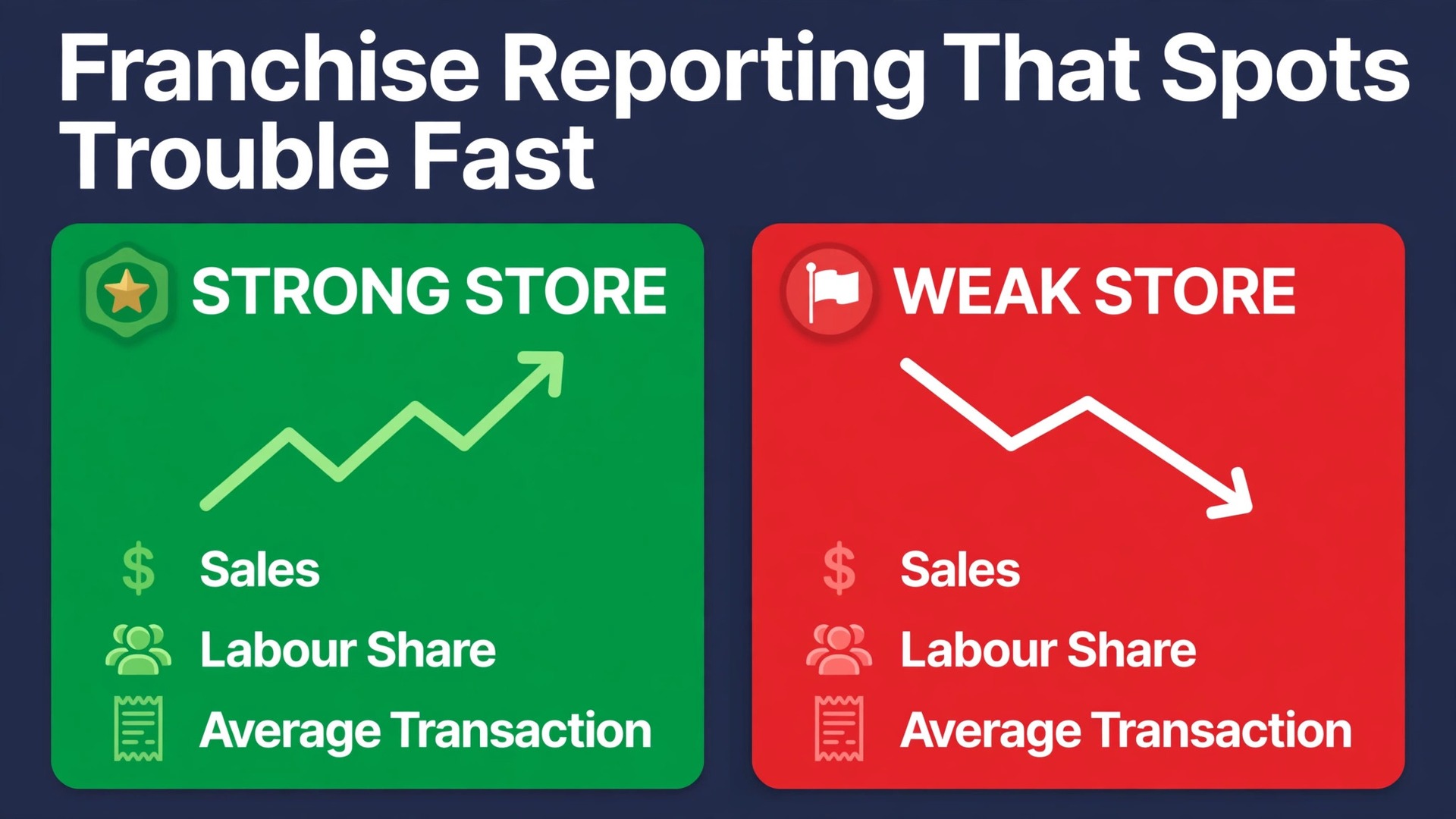
Franchise owners who run five or more locations often learn about a bad week too late. One recent industry survey pattern keeps showing up in operator forums. Managers spend hours copying sales figures from separate point of sale systems into one spreadsheet, and by the time the report is ready the week it describes is already over. When you use AI for franchise owner multi-location reporting, that delay shrinks from days to hours, because the gathering, sorting and first draft of the summary can run on a repeatable schedule instead of depending on one person finding a free afternoon.
This guide gives you a practical workflow for that change. It covers a weekly sales roll-up, a clear way to flag outliers, short staffing notes and a one page owner summary. It also names the tools that can help, the limits you should respect and the checks that keep an AI draft honest. Nothing here replaces your judgment about a location, a manager or a team member. The goal is narrower and more useful. You get the numbers sooner, you see the exceptions faster, and you spend your review time on decisions instead of data entry.
Why Multi-Location Reporting Breaks Down
Most franchise reporting problems start with fragmentation. Each location may run the same brand system, but the daily figures still live in different places. One store exports from its point of sale system at closing time. Another manager emails a screenshot of a daily total. A third location uses a different register setup after a refurbishment. By Monday morning, the owner has five versions of the truth and no single table that can be trusted without checking each source by hand.
The second problem is timing. A monthly pack is useful for accountants and lenders, but it is a poor tool for running stores. A staffing mistake made in the first week of a month can repeat for three more weeks before a monthly report exposes it. A price change that hurts one location can sit unnoticed while the other locations carry the total. Weekly reporting catches these issues while there is still time to fix them, but weekly reporting by hand is exactly the workload that busy owners skip first.
The third problem is attention. A long report that lists every location and every metric in the same flat style hides the decisions. Owners skim it, managers file it, and nobody acts on it. A good weekly report does the opposite. It leads with the total, names the two or three locations that need attention, and puts the supporting detail behind that short list. AI helps most at this stage, because it can draft that short list from the numbers instead of asking a human to hunt through them.
How to Use AI for Franchise Owner Multi-Location Reporting in Seven Steps
This section is the core workflow. Run it on the same day each week, with the same sources and the same template, so that week to week comparisons stay honest. The first run will take longer than later runs. That is normal. You are building the definitions once, and then reusing them every week after.
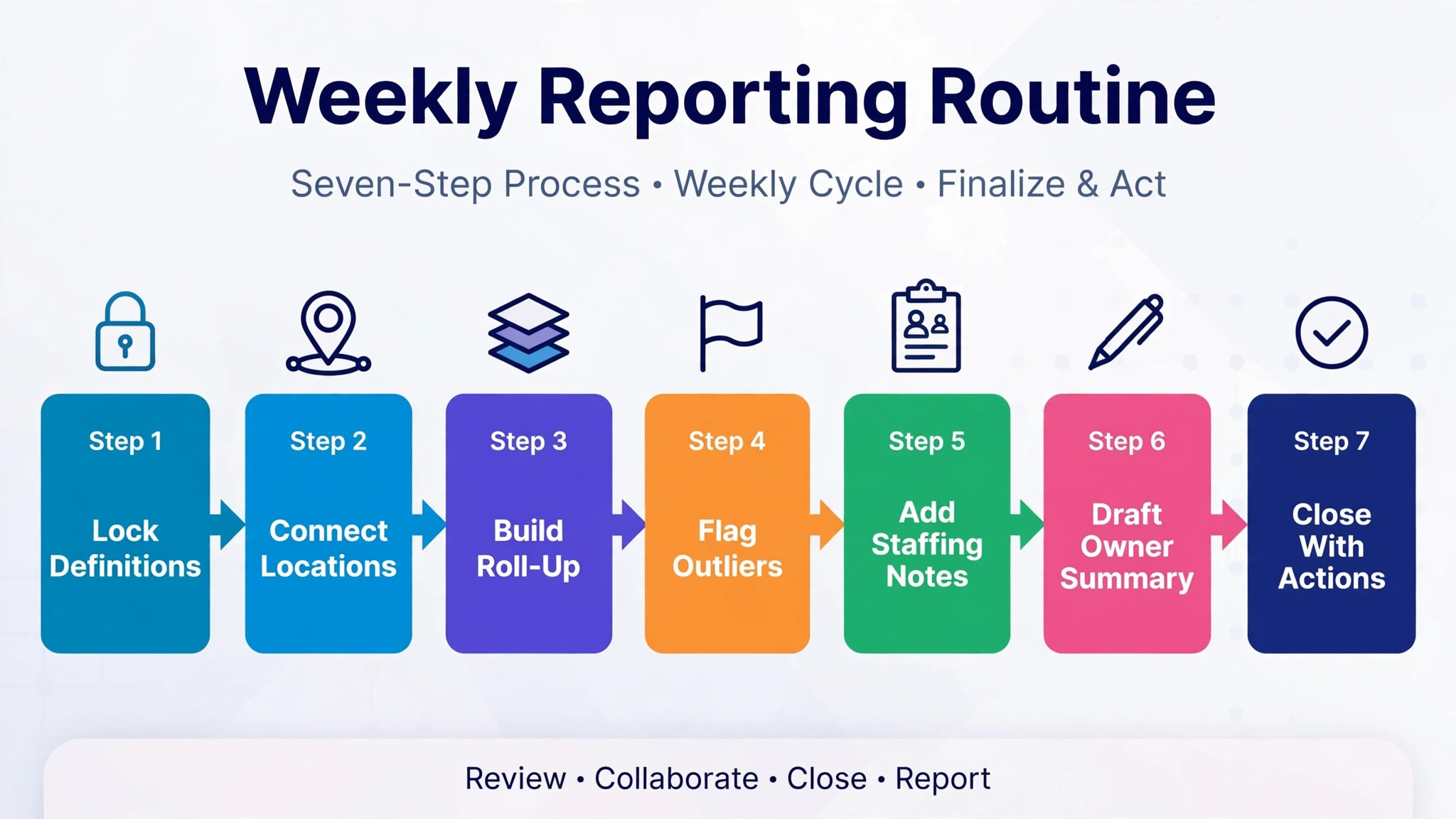
Step 1. Lock the Metric Definitions Before You Automate
Write down what each number means before any tool touches it. Net sales, gross sales, refunds, discounts and delivery fees are not interchangeable, and different locations may record them differently. Decide whether labour cost means scheduled hours or paid hours, and whether it includes manager salaries. Decide how you treat gift card sales, catering orders and third party delivery commissions. Put those definitions in a short reference sheet and share it with every manager.
This step matters because AI can only be as consistent as the definitions you feed it. If one location reports sales before refunds and another reports sales after refunds, an AI summary will present a comparison that looks precise and is wrong. A definitions sheet prevents that. It also makes handover easier when a manager leaves, because the new manager inherits the same rules instead of inventing a new set.
Review the definitions once a quarter. Prices change, delivery partners change, and a new product line can blur an old category. A short quarterly review keeps the weekly report comparable over time, which is the whole point of a roll-up.
Step 2. Connect Every Location to One Data Source
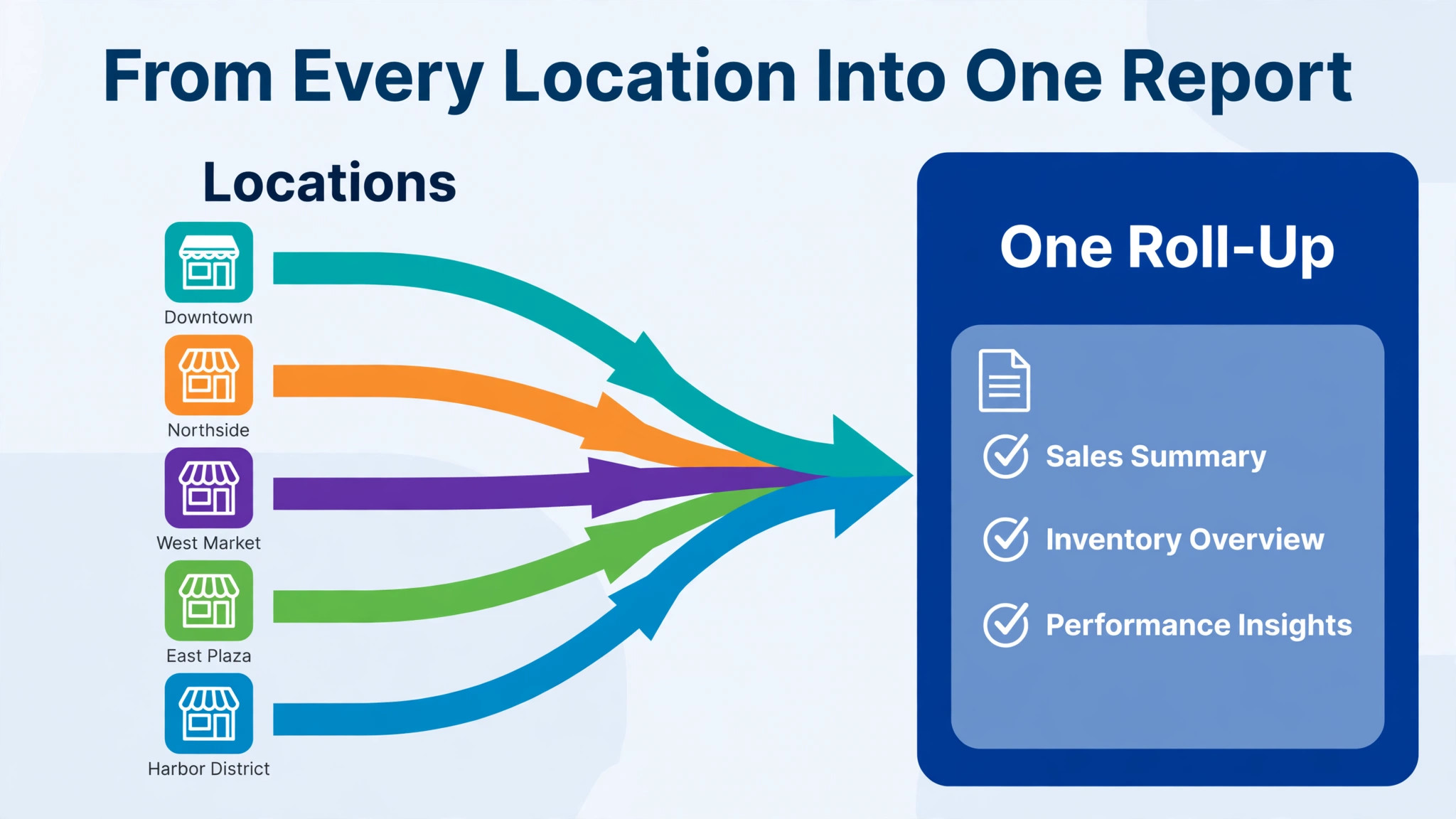
Pull each location into one place before you ask AI to summarise anything. That place can be a reporting dashboard, a business intelligence tool or a well structured spreadsheet fed by exports. The form matters less than the rule. Every location must arrive through the same route, on the same schedule, with the same fields.
Start with sales and labour, because those two series drive most weekly decisions. Add inventory or food cost in a second phase if your first phase is stable. Trying to connect everything at once is the most common reason these projects stall. A narrow, reliable feed beats a broad, flaky one every time.
Check the feed every Monday before the summary runs. A missing location is not a zero. It is a gap, and the summary must say so in plain words. An AI draft that silently treats a missing export as a quiet week will mislead you. Build a simple completeness check into the workflow. If a location is absent, the report names it at the top and the owner follows up with that manager first.
Step 3. Build the Weekly Sales Roll-Up
The roll-up is one table with one row per location and a total row at the bottom. Keep the columns few. Sales this week, sales last week, change in percent, sales for the same week last year if you have it, labour cost as a share of sales, and average transaction value are enough for most franchise operations. Extra columns can live in an appendix, not in the main table.
Ask the AI tool to draft the table from the connected data, then verify the total row by hand for the first four weeks. Add the location figures yourself or check them against the point of sale totals. After four clean weeks, move to spot checks, but never drop verification entirely. A total that does not equal the sum of its rows is a signal to stop and find the break before anyone acts on the report.
Keep the roll-up in the same order every week. Owners learn to scan a familiar layout fast. When locations jump around because the table is sorted by sales each week, a reader can mistake a reordering for a performance change. Sort by location name or region, and let the outlier flags carry the news about movement.
Step 4. Flag Outliers With Rules You Can Explain
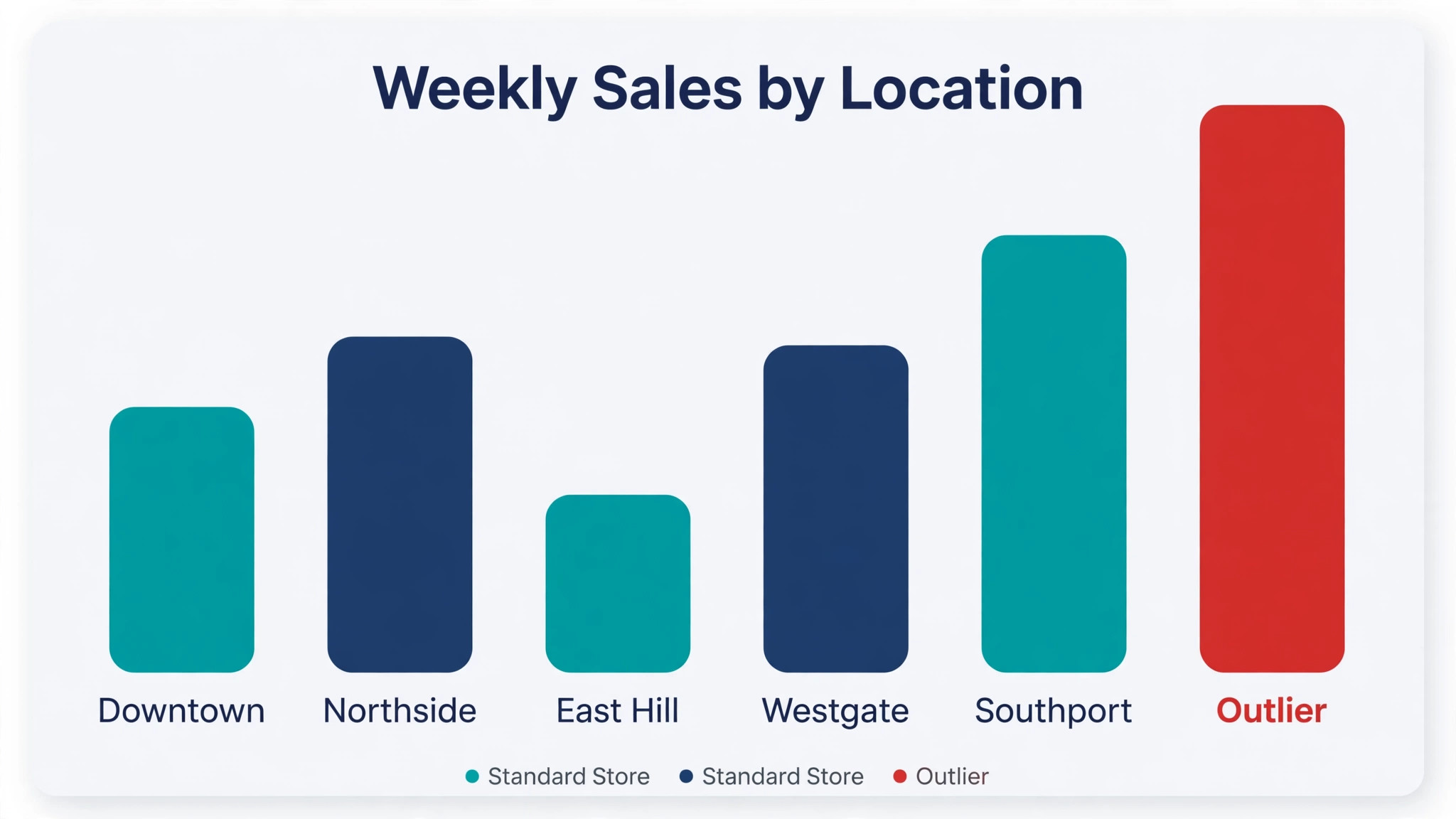
Outlier flagging is where AI earns its keep, but only if the rules stay explainable. Set thresholds in advance. A location down more than ten percent on the week, labour cost above a set share of sales for two weeks in a row, or an average transaction value that moves sharply in either direction can each trigger a flag. The AI tool then lists the flagged locations and pulls the supporting figures for each one.
Avoid flags based on a black box score that nobody can explain to a manager. If you cannot say why a location was flagged, you cannot have a fair conversation about it. A threshold rule gives you that sentence. Sales fell twelve percent while labour stayed flat, so the labour share rose. That is a starting point for a question, not a verdict on the manager.
Treat every flag as a prompt to look closer, not as proof of a problem. A road closure, a local event, a broken freezer or a one off catering order can all move a week. The manager note attached to each flag matters as much as the number. Ask managers to add one sentence of context for any flagged week, and keep those sentences in the report so the pattern over a month stays visible.
Step 5. Add Short Staffing Notes to Each Flag
A sales figure without a staffing note is hard to act on. For each flagged location, add three facts. How many hours were scheduled, how many were actually worked, and whether any shift went uncovered or was covered by overtime. If your scheduling tool exports those figures, pull them into the same weekly pack. If it does not, ask managers to send the three numbers with their context sentence.
AI can draft the staffing note from those figures. It can point out that overtime rose in the same week sales fell, or that a location ran short on a busy Friday. It cannot know whether a team member called in sick or a new hire was still training, so the manager note stays essential. The combination works well. The machine finds the pattern, and the human supplies the reason.
Over a month, staffing notes reveal habits. One location may repeatedly schedule too heavily on quiet weekdays. Another may run short every weekend. Those patterns are more valuable than any single week, because they point to a rota fix rather than a one off conversation. Keep the notes short and factual. A weekly pack that reads like a disciplinary file will stop managers from reporting honestly.
Step 6. Draft the Owner Summary and Review It Like an Editor
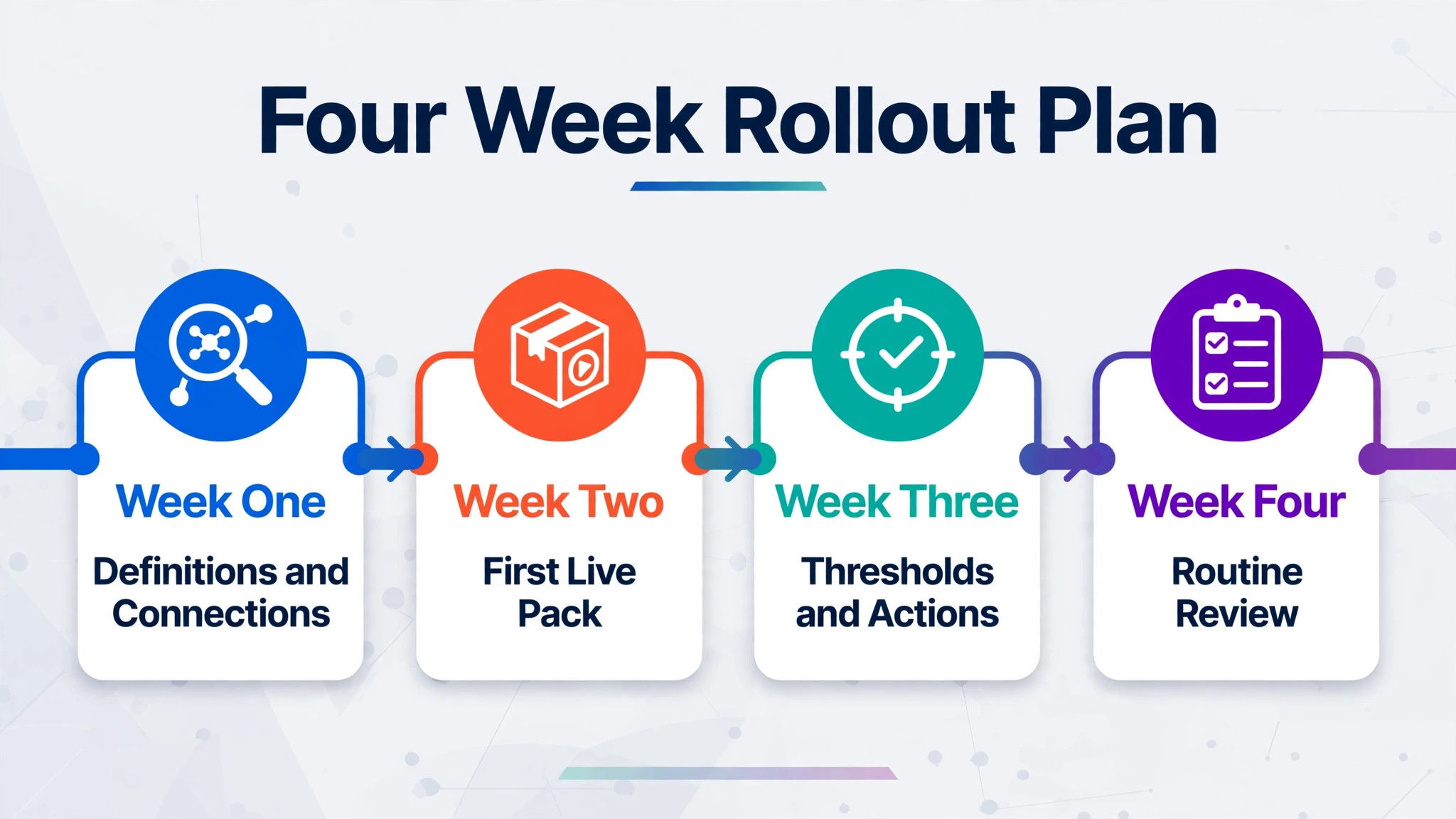
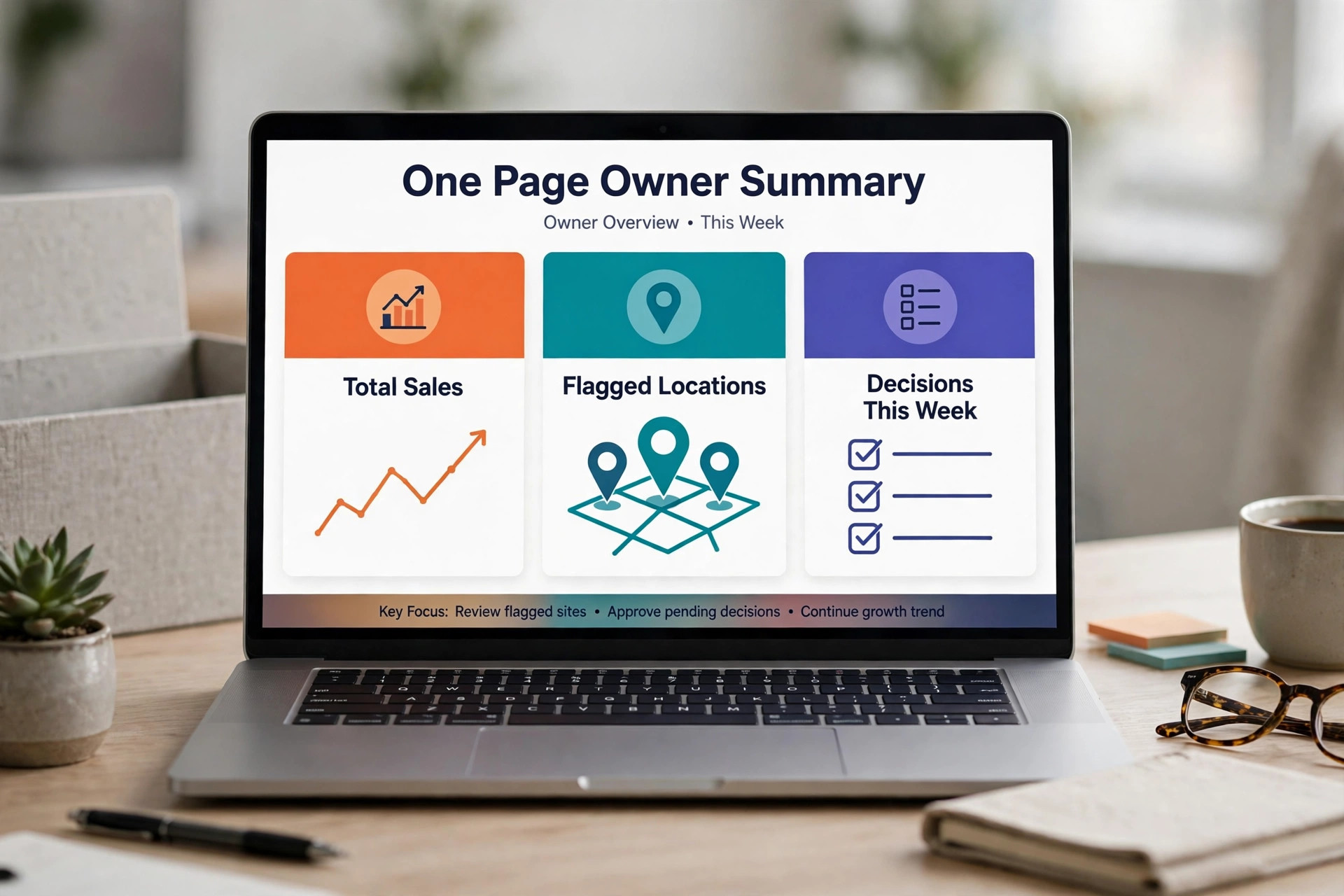
The owner summary is one page. It opens with total sales, the change on last week, and the labour share for the group. Then it lists flagged locations in order of urgency, each with one line on the number and one line on the likely cause. Then it lists decisions needed this week, such as approving overtime, visiting a location, or checking a supplier issue. Everything else goes in the appendix.
Let AI draft this page from the roll-up, the flags and the manager notes. Then read it as an editor, not as a reader. Check every number in the summary against the table. Check that no flagged location was dropped from the summary. Check that the tone is fair to managers, especially when a flag has a benign explanation. A summary that overstates a problem will cost you trust with the team that has to fix it.
Send the summary to yourself first, then to managers. Owners who read their own summary before it goes out catch errors that would otherwise travel to the whole group. That single habit does more for report quality than any tool upgrade.
Step 7. Close the Loop With Actions and Dates
A report without actions is a diary. End each weekly cycle with a short action list. Each action names one owner, one deadline and one measure of done. Visit the flagged location by Thursday. Confirm the rota change for next weekend. Check whether the delivery commission figure was recorded correctly. Small, dated actions beat long lists of good intentions.
Review last week actions at the start of the next cycle. Carry forward anything unfinished, and say why it is still open. This closing step is where many reporting routines fail, because the report itself feels like the finished job. It is not. The report is the starting point, and the action list is the part that changes next week numbers.
After eight weeks, review the routine itself. Which flags led to useful action, and which ones only created noise. Adjust thresholds, drop columns nobody reads, and keep the pack short. A weekly report that grows every week will eventually be ignored. A short, trusted pack gets read.
Weekly Reporting Template You Can Copy
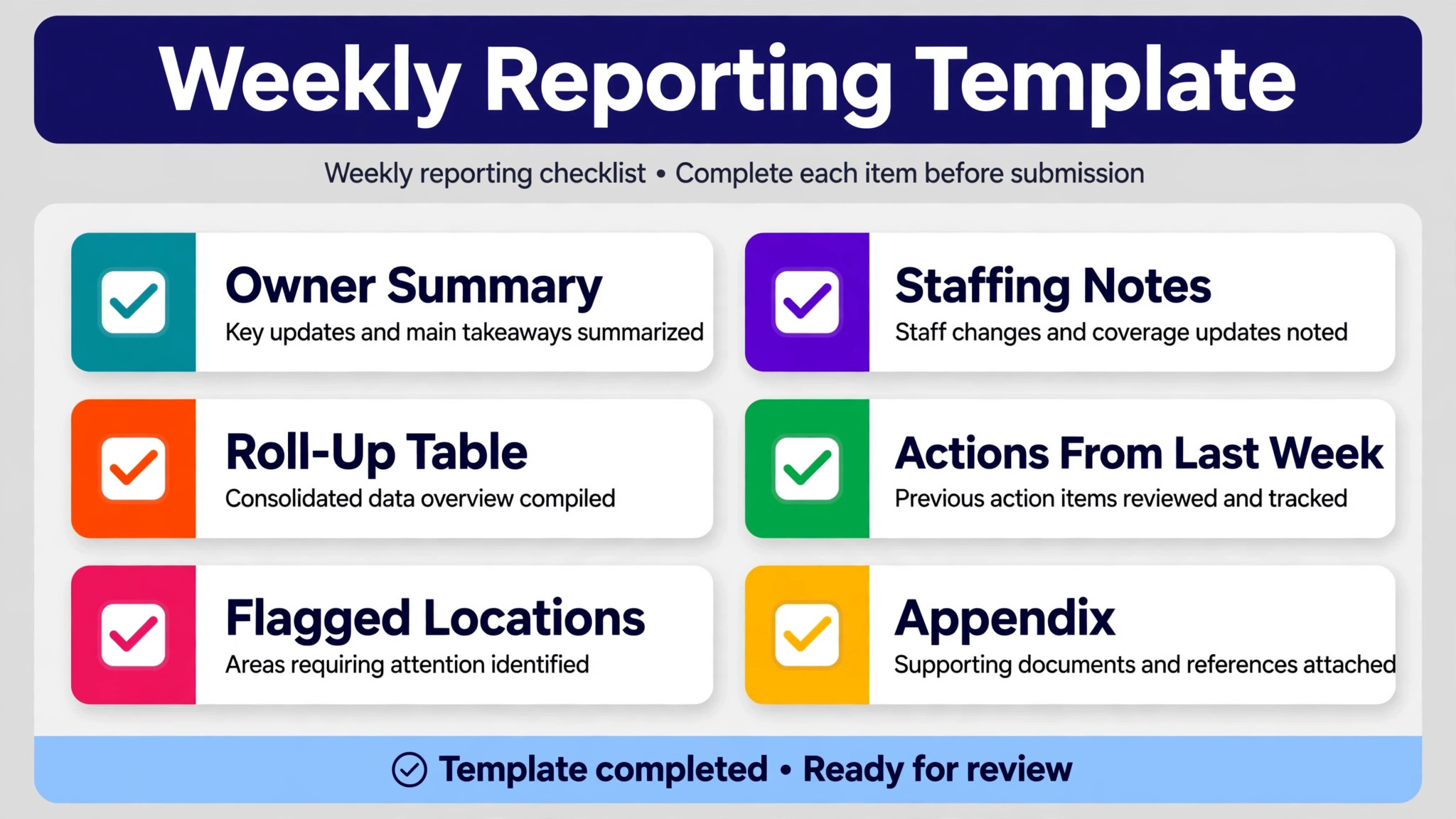
Use this template every week when you use AI for franchise owner multi-location reporting, so managers know exactly what to expect. Copy the headings into your reporting tool or document and fill them in the same order. Consistency is what makes a weekly pack easy to scan, and easy scanning is what makes it get read.
Owner summary. Total sales for the group, change on last week, labour share, and the number of locations flagged. Keep this to one short paragraph plus a three line decision list.
Roll-up table. One row per location, sorted the same way each week, with a total row at the bottom. Columns are sales this week, sales last week, change in percent, labour share, and average transaction value. A completeness note names any location whose data did not arrive.
Flagged locations. One short block per flagged location. The block gives the metric that triggered the flag, the figures behind it, the manager context sentence, and the action agreed. No flagged location appears without an action or a reason for no action.
Staffing notes. Scheduled hours, worked hours, overtime hours and uncovered shifts for flagged locations, plus a one line note on next week rota changes.
Actions from last week. Each past action marked done, in progress or carried forward, with a short reason for anything still open.
Appendix. The full metric set for readers who want it, including inventory or delivery figures if you track them. The appendix is optional reading, and the main pack must make sense without it.
Keep the template to two pages plus the appendix. If the main pack grows beyond that, cut a column or move a section to the appendix. Brevity is a feature here, not a compromise.
Tools That Fit a Franchise Reporting Workflow
No single tool covers every franchise setup when you use AI for franchise owner multi-location reporting, so pick based on where your data already lives. The tools below cover the main patterns. Dashboard tools suit owners who want a visual pack without building one. Business intelligence tools suit owners who already have an analyst or a larger group. The right choice is the one your team will actually open every Monday.
Whatagraph for Multi-Location Marketing and Sales Reporting
Whatagraph is an all in one reporting platform built for teams that report across many accounts or locations. You connect sources once, define metrics once, and reuse templates across locations, which fits the franchise pattern well. Its data layer stores and standardises figures instead of querying live sources every time a report opens, so a weekly pack loads consistently.
For a franchise owner, the practical benefit is template reuse. Build one weekly roll-up template, apply it to each location group, and compare like with like. The limit is scope. Whatagraph is strongest on marketing and cross channel data, so point of sale and labour figures may still need a separate feed or a spreadsheet step. Confirm at checkout which of your sources connect directly and which need a manual export, and price the plan on the number of sources and reports you will actually run, since pricing scales with use and the last published list price should be confirmed at checkout.
DashThis for Simple Franchise Dashboards
DashThis focuses on fast, shareable dashboards with preset templates for common report types. A franchise owner can save a report template and apply it across locations without rebuilding it each time, and share the result as a PDF, a link or an automated email. That sharing range matters when some managers prefer email and others prefer a link.
The trade-off is depth. DashThis is excellent for a clear weekly pack, but it is not a full business intelligence platform for complex modelling. If your main need is a clean, repeatable summary that managers will read, that simplicity is a strength. If you need deep drill down analysis across years of data, pair it with a heavier tool rather than forcing it to do that job.
Tableau for Larger Groups With an Analyst
Tableau is a business intelligence platform known for deep visualisation and modelling. For a franchise group with ten or more locations and someone comfortable with data work, it can handle complex comparisons, long histories and custom calculations that simpler dashboards cannot. Entry pricing for creators has been published around seventy five dollars per month per creator in recent comparisons, so confirm the last published list price at checkout before budgeting.
The honest limit is staffing. Tableau rewards a team that has an analyst or a data confident manager. Without that person, the platform can sit half built while the weekly pack still comes from a spreadsheet. Buy it for the team you have, not the team you hope to hire next year.
Klipfolio for a Certified Metric Catalogue
Klipfolio combines dashboards with a metrics catalogue, which means you can define each metric once and reuse that definition everywhere. That feature directly solves the definitions problem from Step 1. When every location report draws on the same certified definition of net sales, the comparisons in the roll-up become trustworthy.
Klipfolio pricing for its base tier has been published around one hundred and twenty dollars per month in recent comparisons, so confirm the last published list price at checkout. The limit is setup effort. Defining metrics properly takes time up front, and the payoff arrives over months of consistent reporting rather than in the first week.
What AI Can and Cannot Do in This Workflow
When you use AI for franchise owner multi-location reporting, AI is strong at gathering, sorting, drafting and flagging. It can pull figures into a table, calculate changes, spot a location that moved sharply, and draft a summary in the house style. Those tasks are repetitive, and repetition is where human attention fades and errors creep in. Automating them frees the owner to think about the flagged locations instead of hunting for them.
AI is weak at judgment, context and accountability. It cannot visit a store, sense team morale, or know that a road closure affected one location for three days unless someone tells it. It can also repeat an error with confidence, presenting a wrong total in a polished sentence. That is why the review step matters. Every AI drafted number in the owner summary should trace back to a source figure, and every flag should carry a human context note.
Data privacy deserves a note here too. Sales and labour data are commercially sensitive, and staff hours are personal data. Use tools with access controls that limit each manager to their own location detail where that fits your structure, and avoid pasting raw payroll detail into a general purpose chat tool. Keep the AI work inside the reporting platform or a vetted workflow, and keep the raw files in the system your franchise already trusts.
Mistakes That Undermine a Weekly Pack
The first mistake when you use AI for franchise owner multi-location reporting is adding metrics until the pack is unreadable. Each new column feels useful in isolation, but ten columns across twelve locations is a wall of numbers. Start with five columns and earn the right to add more by showing that readers use them.
The second mistake is changing definitions mid quarter without noting it. A sudden jump in average transaction value may reflect a new way of counting delivery orders, not a real change in customer behaviour. Note any definition change in the report itself, in one line, so future readers are not misled.
The third mistake is using flags to blame. A flagged location is a question, not a verdict. Managers who feel blamed will stop sending honest context notes, and then the flags lose their most valuable input. Keep the language factual, keep the action forward looking, and thank managers who flag their own problems early.
The fourth mistake is skipping weeks. A weekly routine that runs three weeks out of four loses its comparability, because the missing week breaks the trend. If a week must be skipped, say so in the next pack and keep the comparison honest rather than pretending the gap does not exist.
A Four Week Rollout Plan
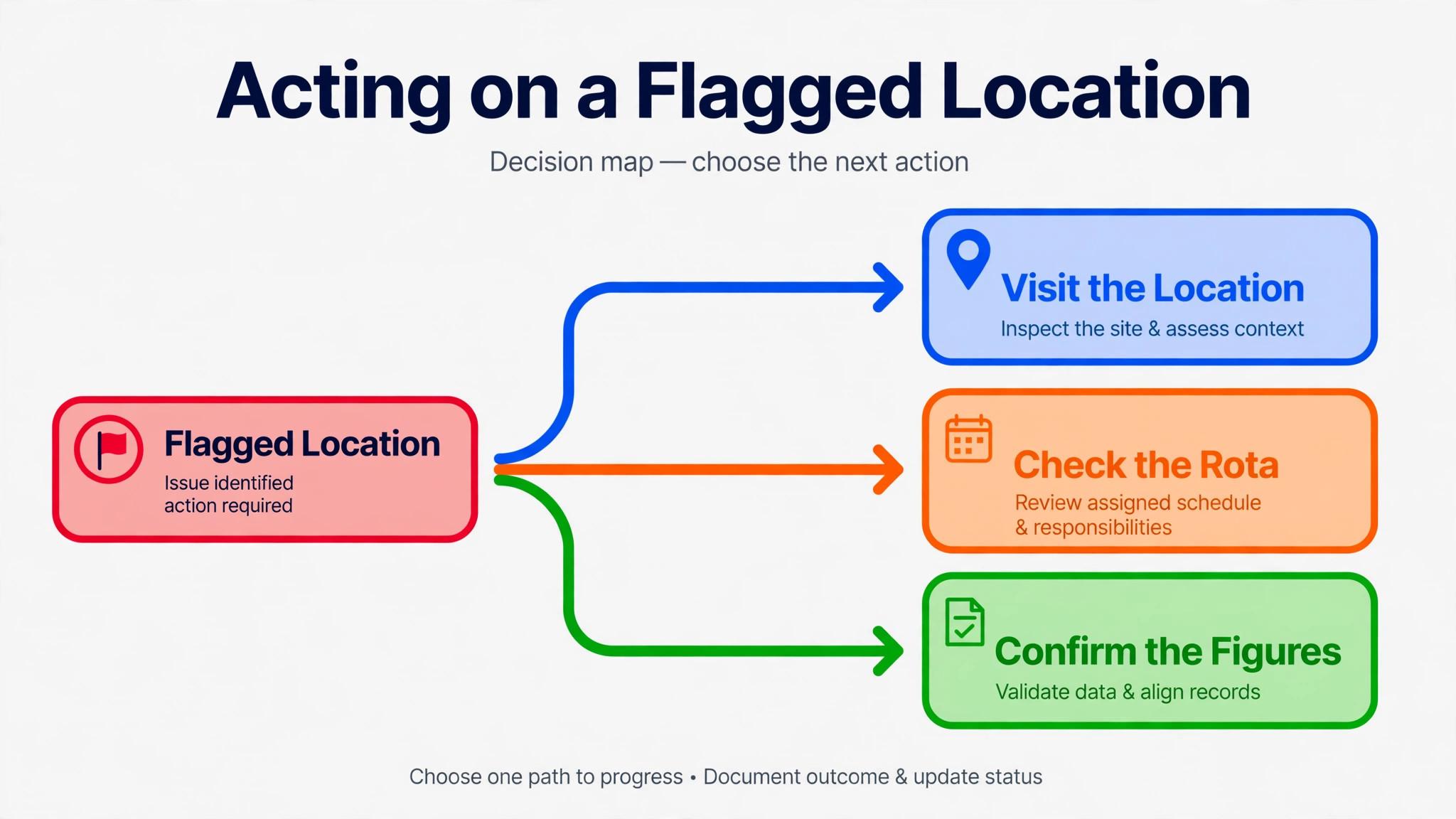
Week one is definitions and connections. Write the metric sheet, connect sales and labour for every location, and run a test roll-up for last week. Compare it by hand against the source systems and fix every mismatch before anyone else sees it.
Week two is the first live pack when you use AI for franchise owner multi-location reporting. Run the workflow on Monday, review the AI draft as an editor, add manager context notes, and send the owner summary. Keep a list of everything that felt slow or confusing, because that list is your improvement plan.
Week three is thresholds and actions. Set the outlier thresholds from what you learned in weeks one and two, and run the first action review. Carry forward unfinished actions openly, and adjust any threshold that flagged half the group, since a flag that fires everywhere tells you nothing.
Week four is the routine review. Decide what stays, what moves to the appendix, and what gets cut. Confirm who owns each step, and put the Monday slot in the calendar as a recurring commitment. A reporting routine that depends on remembering to do it will fade. A routine with a named owner and a fixed slot will last.
How the Weekly Pack Compares With Monthly Reporting
| Feature | Weekly AI assisted pack | Monthly manual pack |
|---|---|---|
| Time to spot a sales drop | Days | Weeks |
| Staffing pattern visibility | Visible within a month | Visible at quarter end |
| Manager context | Fresh and specific | Reconstructed from memory |
| Owner review time | Focused on flagged items | Spent checking totals |
| Risk of definition drift | Caught quickly | Caught late or never |
The table makes the trade-off clear for owners who use AI for franchise owner multi-location reporting. Monthly reporting is cheaper in effort per report, but far more expensive in delayed decisions. Weekly reporting costs a fixed slot each Monday, and returns faster fixes on staffing, pricing and local problems.
Verdict
A franchise owner does not need a more complex report. The owner needs the same short report every week, on time, with the exceptions named and the actions dated. When you use AI for franchise owner multi-location reporting, that rhythm becomes affordable, because the gathering and drafting work that used to eat the Monday is removed.
The owner still supplies the judgment, the managers still supply the context, and the numbers still need a human check before they travel. Put those three pieces together, and multi-location reporting stops being a month end chore and starts being a weekly management tool. Start with definitions, connect sales and labour, run the template for four weeks, and judge the routine by one test. Are you acting on problems a week sooner than before. If the answer is yes, the routine is working.
Frequently Asked Questions
How often should a franchise owner run the multi-location report?
Weekly is the right cadence for most franchise groups, because staffing and sales problems compound fast. Monthly reporting suits lenders and accountants, but it leaves a full month of drift before a problem surfaces. If your group is small, with two or three locations, a fortnightly pack may be enough. For five or more locations, weekly reporting is worth the Monday slot, especially when AI handles the gathering and drafting.
What figures belong in the weekly roll-up?
Start with sales this week, sales last week, change in percent, labour share and average transaction value. Those five columns answer the main weekly questions. How much did we sell, how does that compare, what did labour cost us, and what did the average customer spend. Add inventory, delivery or food cost only after the core five run cleanly for a month, and keep added columns in the appendix until readers prove they use them.
How do I stop AI from inventing or misreading a figure?
Keep the AI draft tied to connected data or a fixed export, and verify the total row by hand for the first four weeks. After that, spot check the summary against the table every week, and check any figure that drives a decision in full. Never let an AI summary travel to managers without that editor review. A polished sentence is not evidence, and a total that does not sum is a stop signal.
What should I do when a location data feed fails?
Name the missing location at the top of the report and do not treat it as zero sales. Follow up with that manager the same day, and keep the gap visible in the next pack until the data arrives. A silent gap is worse than a late report, because readers will assume the location had a quiet week. If feeds fail often, fix the connection before adding new metrics, since reliability matters more than breadth.
How do I set outlier thresholds that do not flag everyone?
Start with simple rules, such as a sales move beyond ten percent on the week or a labour share above your target for two weeks in a row. Run them for three weeks and count how many flags each rule produces. A rule that flags half the group every week is too sensitive, and a rule that never fires is too loose. Adjust in small steps, and review thresholds once a quarter as seasons and prices change.
Should managers see the full group roll-up or only their own location?
That choice depends on your franchise culture. Many owners share the full roll-up because it builds healthy comparison and lets managers learn from strong locations. Others share only the group total plus each manager own detail, to avoid unhelpful ranking pressure. Either approach works if the rule is consistent and stated openly. What damages trust is selective sharing that managers discover by accident, so pick a rule and stick to it.
Can a small franchise group use this workflow without buying expensive software?
Yes. A well structured spreadsheet fed by consistent exports, plus a general AI drafting step inside a vetted tool, can run this workflow for a small group. The discipline matters more than the platform. Definitions, a fixed template, a Monday slot and an action list will carry a three location group a long way. Move to a dashboard tool when manual exports start eating more than a couple of hours a week.
How long before the weekly routine pays for itself?
Most owners see value within the first month, because the first flagged staffing or pricing issue usually covers the setup effort. The deeper payoff arrives after eight to twelve weeks, when staffing patterns and seasonal comparisons become visible. Judge the routine at week eight, not week two. Early weeks carry setup friction, and the trend data that makes the pack powerful needs time to build.