

One firm guesses what clients think from a quiet inbox and a handful of reviews. Another firm asks at the right moments, sorts the answers weekly, fixes one thing a month, and tells clients what changed. The second firm does not have better clients. It has a loop, and the loop is what turns complaints into fixes and praise into referrals. This guide explains how to set up a client feedback loop small business teams can run without hiring a researcher, buying expensive software, or drowning in surveys that nobody reads.
Two Ways to Learn What Clients Think, and Only One Scales
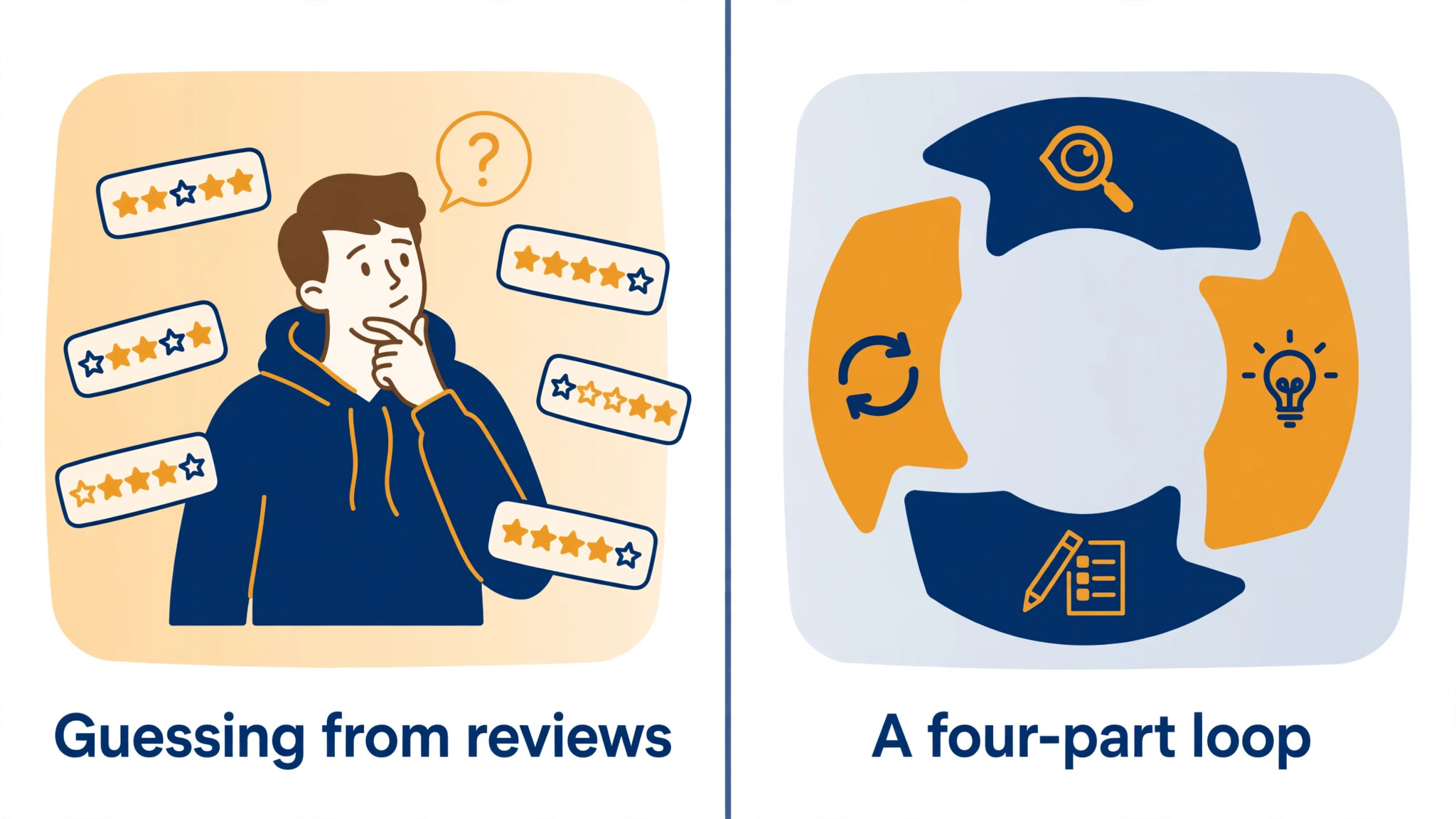
Guessing scales badly. A quiet inbox can mean happy clients, or it can mean unhappy clients who simply left without telling you. Reviews show only the extremes, the delighted and the furious, while the large middle group that is mildly frustrated stays silent until they switch to a competitor. Informal chats help, but they reach only the clients you already talk to, and they are never recorded in a way the whole team can use. Each of these sources has value, but none of them alone is a system.
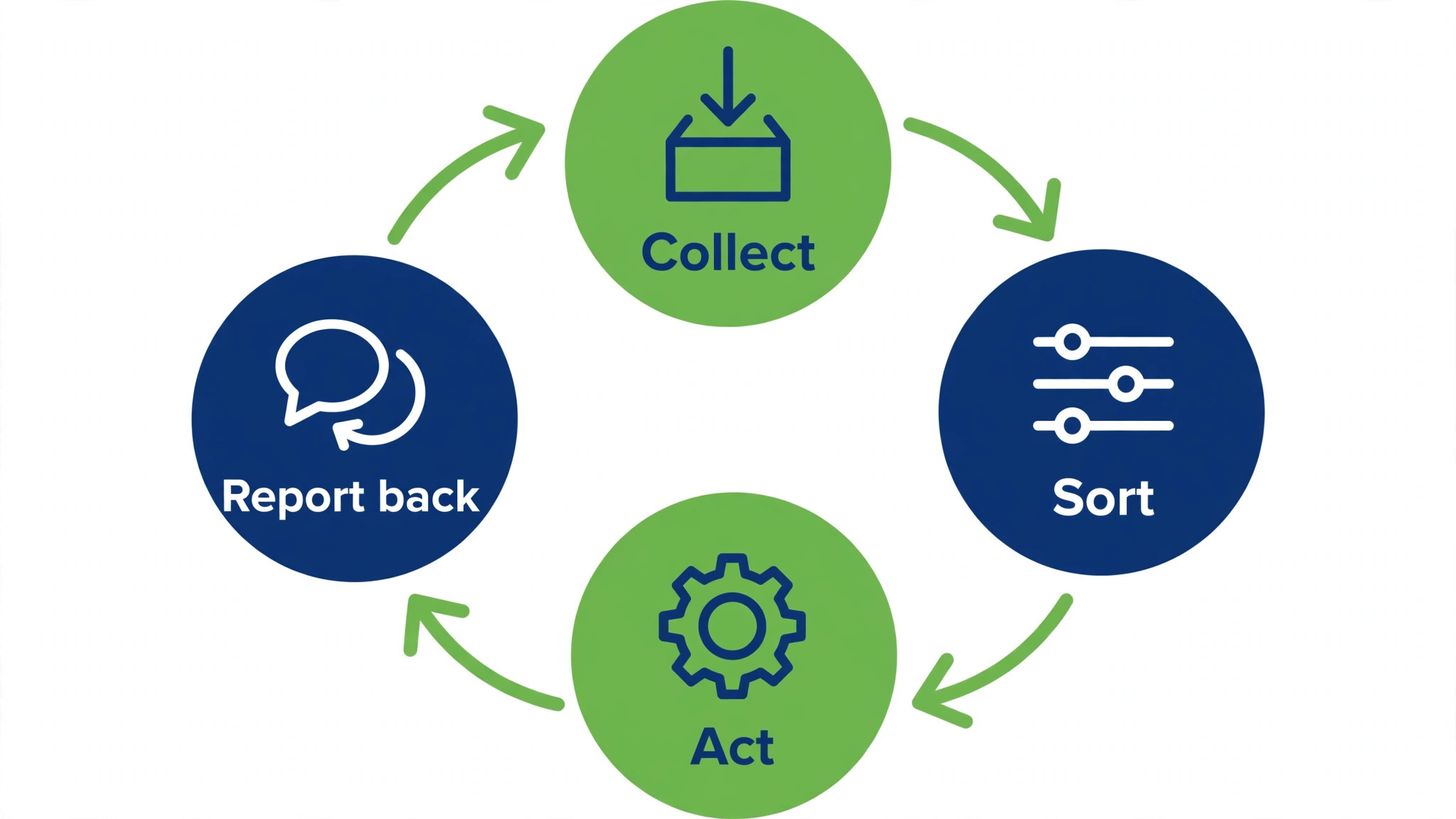
A loop is different because it has four parts that repeat. You collect feedback at chosen moments. You sort and score it. You act on the highest priority item. Then you tell clients what changed. The fourth part is the one most firms skip, and skipping it is why clients stop answering surveys. People answer once out of goodwill. They answer again only when they see that the first answer mattered. Close the loop visibly, and response rates hold. Leave it open, and each survey performs worse than the last.
Small firms have an advantage here that large firms envy. You can act fast. A large firm needs committees to change a booking page. You can change it this afternoon, email the clients who flagged it, and measure the result next week. Speed is the reason a simple loop beats a sophisticated dashboard that nobody acts on. Build for action first, and add sophistication only when action is already routine.
How to Set Up a Client Feedback Loop Small Business Teams Can Run Weekly
Start with one decision the feedback must inform. A loop without a decision collects opinions that go nowhere. Choose a decision you face regularly, such as whether onboarding is clear, whether pricing feels fair, or whether response times are fast enough. Write that decision in one sentence and keep it visible. Every question you ask should serve that decision, or a second decision you name explicitly. Questions that serve no decision should be cut, however interesting they seem.
Next, choose two or three sources, not eleven. A short post-service survey, a review prompt, and a monthly scan of support messages and call notes cover most small firms. Add interviews only for high value clients or for problems surveys cannot explain. More sources do not mean better insight. They mean more places for feedback to sit unread, and a team that cannot keep up will stop checking altogether.
Assign one owner and one weekly slot. The owner collects the week feedback, tags it by theme, and brings the top three themes to a short weekly check. The owner does not need to fix everything. Their job is to make sure nothing sits untagged and that one action has an owner and a date. A loop without an owner is a shared inbox. Everybody assumes somebody else read it, and nobody did.
Keep the weekly routine under an hour for a small team. Thirty minutes to tag and score, fifteen minutes to agree the action, fifteen minutes to draft the close-the-loop message. If the routine takes longer, simplify the survey or the tagging, because a routine that does not survive a busy week is not a routine at all.
Pick the Moments That Matter, Not Every Moment
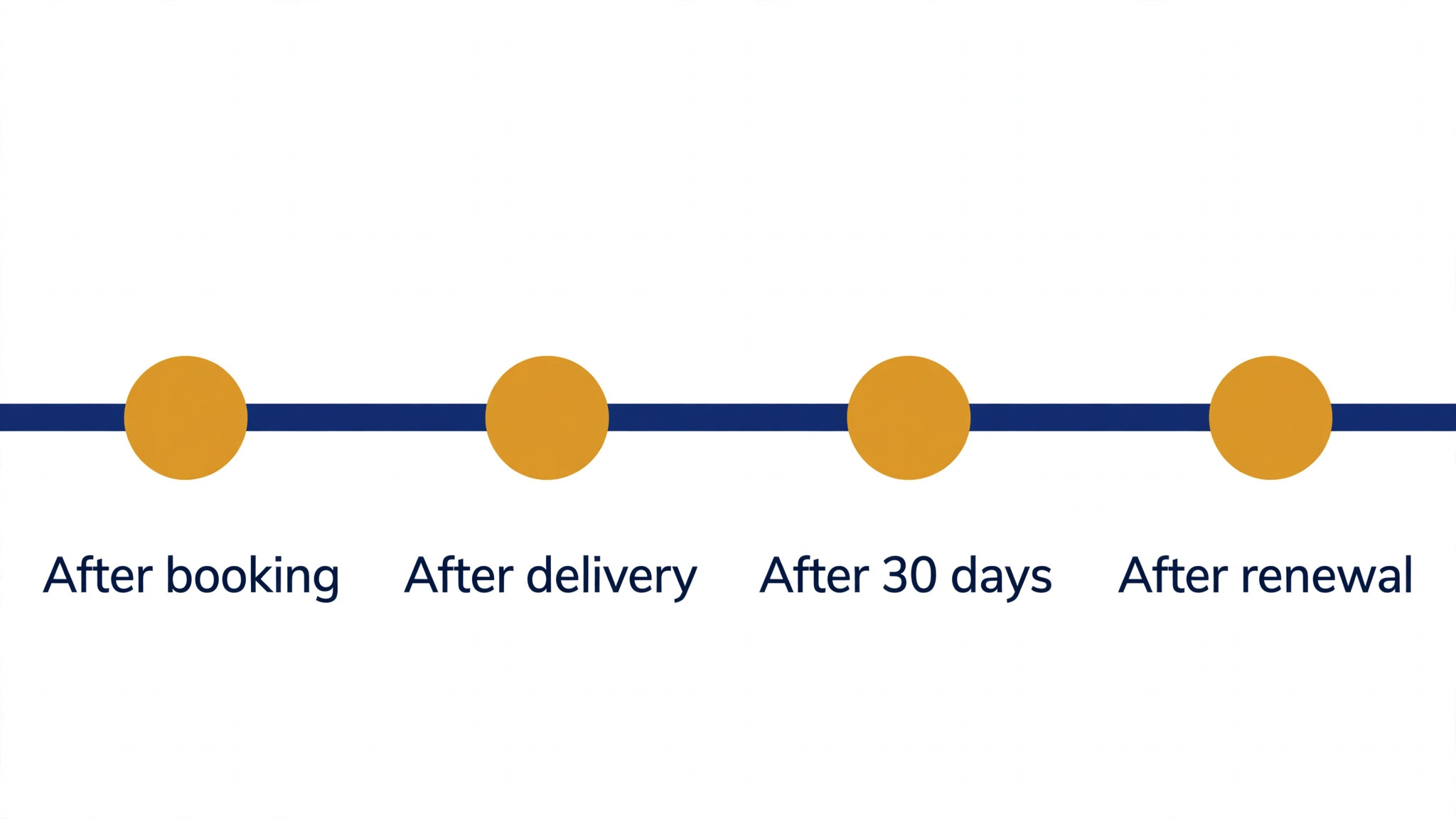
Timing changes what an answer means, and it is a core part of how to set up a client feedback loop small business clients will answer. A survey sent months after a project ends measures memory, not experience. A survey sent minutes after a support call measures that call, not the whole relationship. Both are useful, but only if you know which one you are running. Mix the two types deliberately. Transactional surveys follow an event. Relationship surveys run on a calendar.
| Moment | Survey type | Length | Why this timing works |
|---|---|---|---|
| Project or service delivered | Transactional | 3 to 5 questions | Memory is fresh, and the client can name specifics |
| Support ticket closed | Transactional | 1 to 3 questions | The interaction just ended, so the rating is about that fix |
| Onboarding step completed | Transactional | 3 to 4 questions | Early friction shows up before it becomes churn |
| Every quarter, all active clients | Relationship | 6 to 7 questions | Tracks the overall relationship over time |
| Cancellation or project end | Exit, transactional | 4 to 6 questions | Reveals reasons clients rarely volunteer earlier |
| Two to three months before renewal | Relationship, targeted | 5 questions | Leaves time to fix problems before the renewal decision |
Survey length guidance comes from voice-of-customer and survey design guides, which commonly suggest three to five questions for transactional surveys and six to seven for relationship surveys. Treat those as starting points, and test length against your own completion rates. If completion falls sharply after question three, your survey is too long for your audience, whatever a guide says. Shorter surveys with one open question often beat long surveys with no room for the client own words.
Exclude clients surveyed recently from the next round, for example anyone surveyed in the last 90 days, unless the survey follows a specific event they just experienced. Survey fatigue is real, and a client who receives three surveys in a month will answer none of them well. A simple exclusion rule, kept in your client list or CRM, protects response quality more than any incentive.
For firms that already use a CRM, tagging feedback there keeps it linked to the client record and to any action taken. The Stratilyze guide to the Best CRM for Ecommerce Brands Small Business shows how small teams organise client records, and the same tagging habit works for feedback even when the niche differs.
Write Questions Clients Will Actually Answer
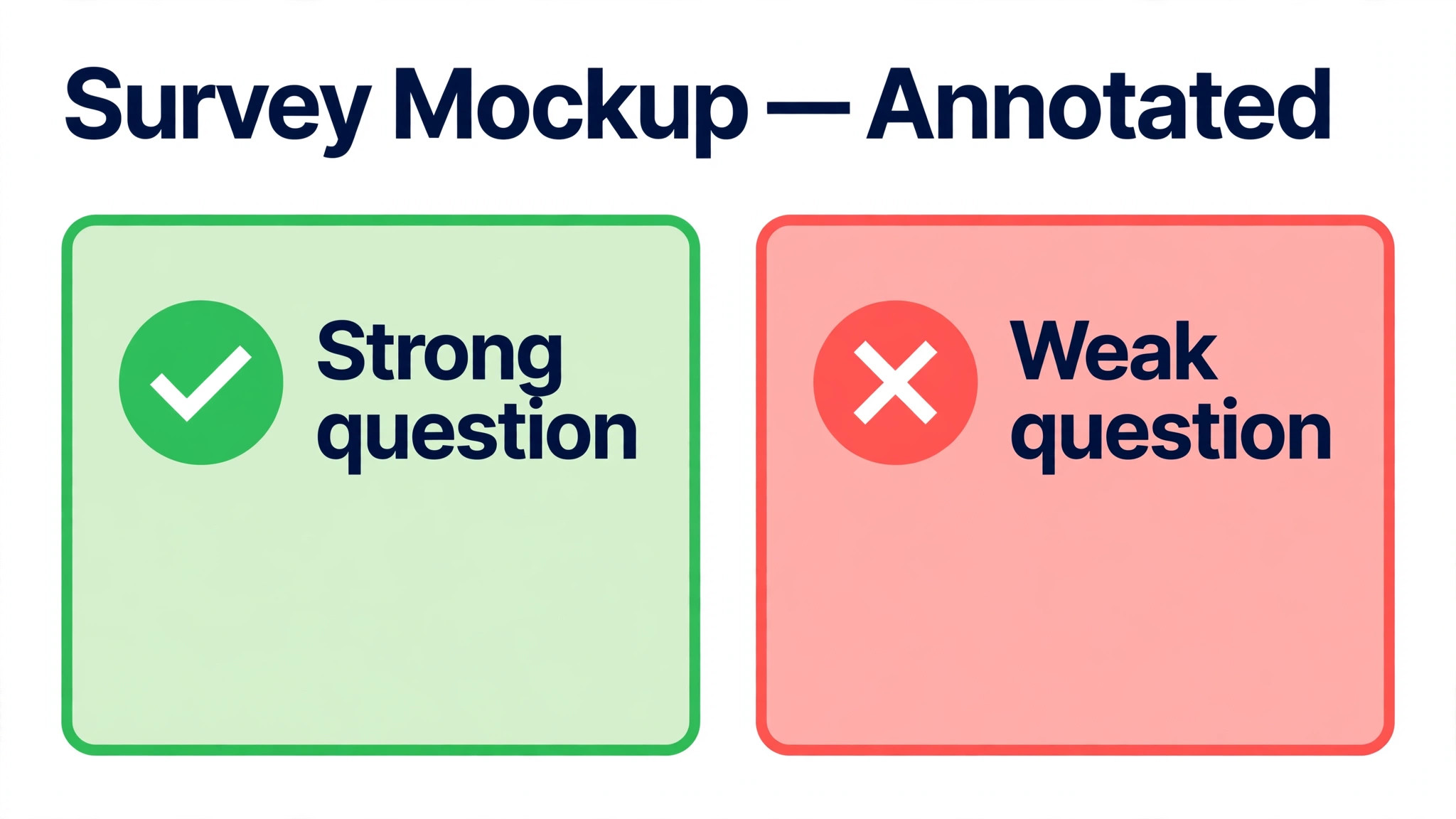
Good questions are short, specific, and tied to an action you can take. Bad questions are vague, double-barrelled, or interesting but unactionable. Compare the two. “How was your experience” invites a vague answer you cannot act on. “How clear were the next steps after your first session, on a scale of 1 to 5, and what was unclear” gives you a score, a theme, and a fix. Write every question in that second style, even if it takes longer to draft.
Pair every score with one open question. Scores tell you where to look. Words tell you what to fix. A satisfaction score of 3 with the comment “nobody told me what happened next” is actionable. A score of 3 alone is a mystery. Keep the open question optional, so clients who only have a minute can still submit a score, and clients with more to say have room to say it.
Avoid leading questions that push clients toward praise. “How great was our service” corrupts the data and teaches clients that you want flattery, not honesty. Use neutral wording, offer the full scale, and include a question that invites criticism explicitly, such as “What should we stop doing” or “What nearly stopped you from booking”. Clients who feel safe criticising give you the feedback that saves future clients.
Test the survey on two clients or colleagues before you send it widely. Ask them which question confused them, which felt irrelevant, and how long it took. Fix those three things, then send. A survey tested on two people outperforms a survey debated for a week in a meeting, because real readers find problems that authors cannot see.
Sort, Score and Route Complaints Before They Spread
Collection without triage creates a pile, which is why how to set up a client feedback loop small business teams can sustain must include triage from week one. Triage turns the pile into a queue. Tag every piece of feedback by theme, such as onboarding, pricing, communication, quality, or scheduling, and by source, such as survey, review, email, or call note. Tagging by theme is what reveals patterns. Ten separate complaints about unclear next steps are one problem with ten witnesses. Ten untagged complaints are just noise.
Score each theme on four factors, frequency, impact on retention, revenue at risk, and effort to fix. A theme that appears often, drives cancellations, affects high value clients, and is cheap to fix goes first. A theme that appears once, affects one client, and needs a rebuild goes later, with a direct reply to that client in the meantime. Scoring prevents the loudest single complaint from beating a quiet pattern that affects many clients.
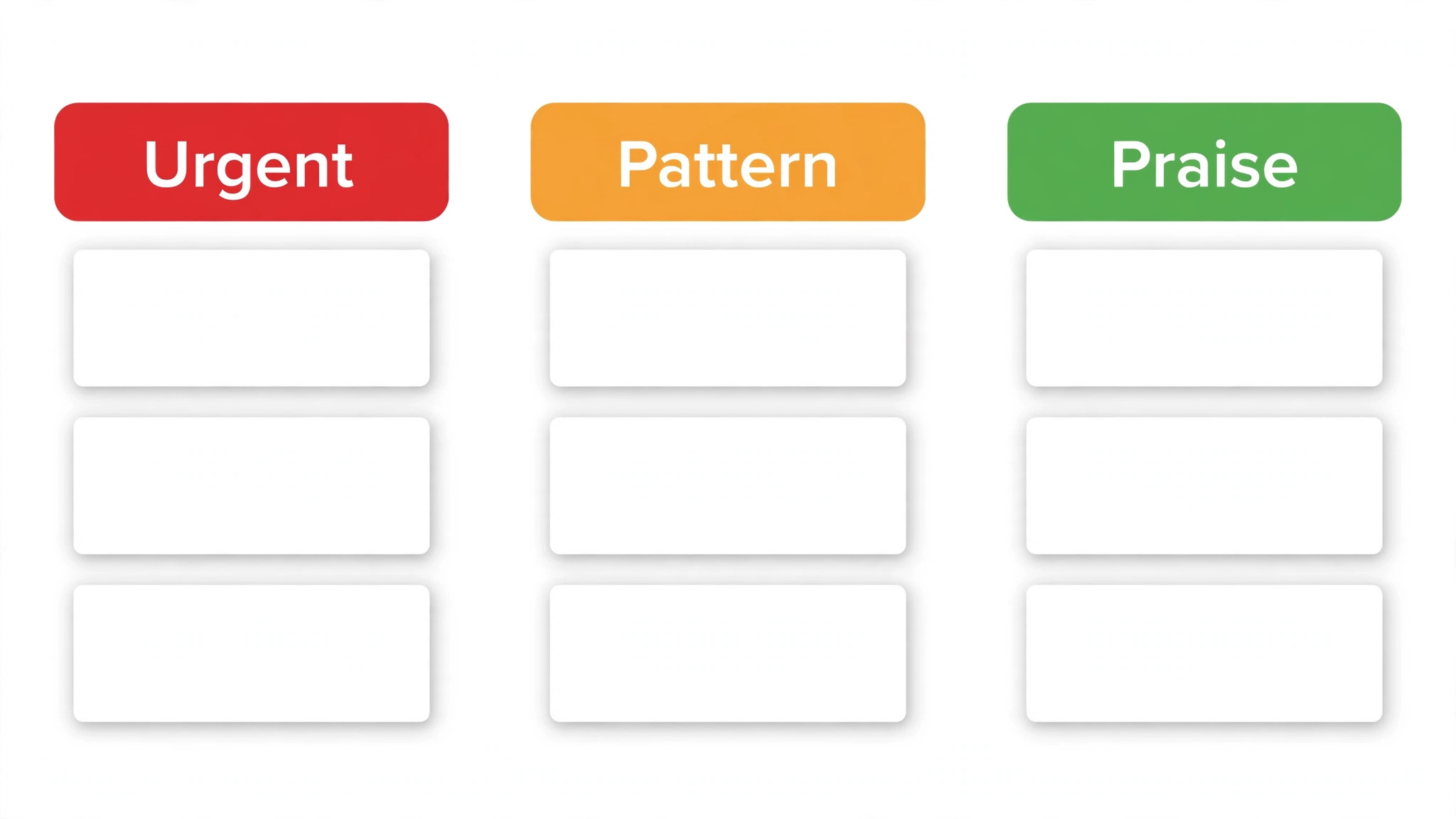
Route by urgency, not by inbox order. Low scores, detractor ratings, and complaints that mention leaving need a same-day acknowledgement and a named owner, even if the full fix takes longer. A same-day reply that states who is handling the issue and when the client can expect an update preserves trust while the fix is underway. Positive feedback needs routing too. Praise about a specific team member or step should reach that person and, with permission, become a testimonial or a review prompt.
| Triage band | Signal | Response time | Owner action |
|---|---|---|---|
| Urgent | Low score, complaint, mention of leaving | Same day acknowledgement | Own the case, give a date for the next update |
| Pattern | Same theme three or more times in a month | Weekly review | Add to the monthly action list with a fix date |
| Single issue | One client, one specific problem | Within two business days | Fix for that client, note whether it signals a wider issue |
| Praise | High score, specific positive comment | Within a week | Thank the client, ask permission to share it |
Complaint triage also protects the team. Without a system, the person who reads the angriest message feels personally attacked and either overreacts or avoids reading feedback at all. With a system, the message becomes a tagged item with a score and an owner, which is far easier to handle calmly. That emotional distance is not indifference. It is what lets a small team keep listening when the feedback is hard to hear.
The Monthly Action Review That Closes the Loop Internally
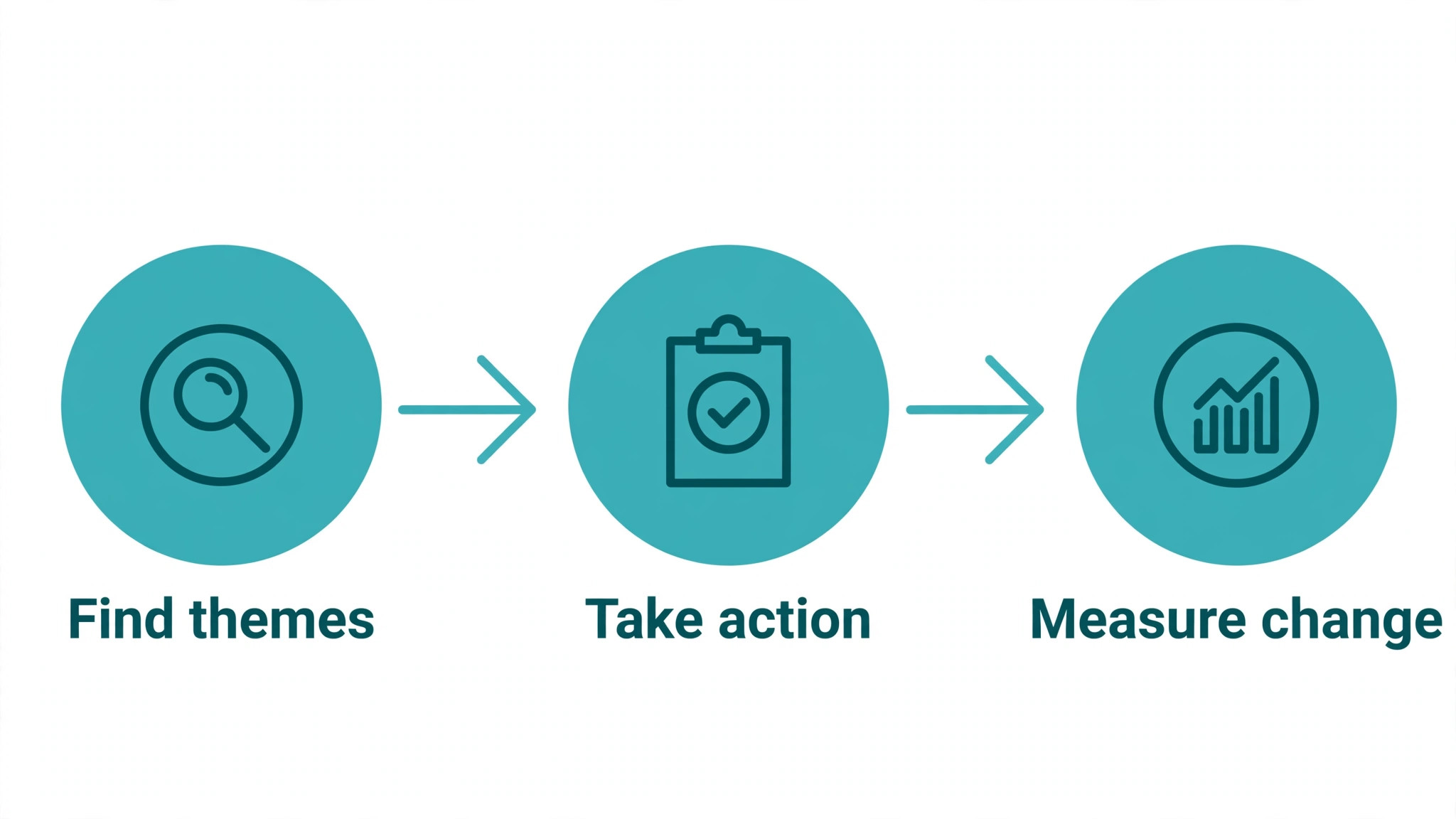
Weekly tagging keeps the queue tidy. Monthly review turns the queue into change. Once a month, for no more than an hour, review the top themes, the actions taken, and the results. Ask three questions. What did clients flag most. What did we fix. What changed in the scores since the fix. If you cannot answer the third question, the fix was not measured, and you do not know whether it worked.
Pick one main action per month, plus one quick win. The main action is the highest scoring theme that needs real work, such as rewriting onboarding emails or changing a scheduling step. The quick win is a small fix that can ship this week, such as adding a reschedule link to a reminder or clarifying one price line. One main action plus one quick win keeps progress visible without overloading a small team. Teams that pick five actions a month finish none of them well.
Record the action, the owner, the date, and the measure of success in a simple log. The log is what turns a loop into institutional memory. When a new team member joins, the log shows what clients flagged, what was tried, and what worked. When a theme returns after a fix, the log shows whether the fix was incomplete or whether a new cause appeared. Without a log, every year repeats the same complaints as if they were new.
Review response rates and completion rates alongside the scores. A falling response rate can mean survey fatigue, a survey sent at the wrong time, or clients who stopped believing answers matter. All three are fixable, but only if you notice the rate falling. A rising score with a falling response rate may mean only happy clients still answer, which flatters the numbers while hiding the problem.
Tell Clients What Changed, or the Loop Never Closes
Closing the loop externally is a short message, not a campaign. For the client who raised an issue, send a personal note when it is fixed, naming the change and thanking them for flagging it. For all clients, send a monthly or quarterly note listing one or two changes made because of feedback, in plain words, without claiming more than you did. Honesty here matters. Clients can tell when a vague “we listened” message hides no actual change, and that message does more harm than silence.
Use the channel the client already uses. Email suits a monthly summary. A short message suits a personal fix. A note in an invoice or a booking confirmation suits a small process change. Do not build a new newsletter just to close loops. The message should reach clients where they already hear from you, or it will not be read.
Ask permission before quoting a client, and quote accurately. A testimonial edited into praise the client did not give destroys trust faster than any complaint. When a client gives praise, thank them, ask whether you may share it, and use their exact words with their name or business type as agreed. That habit turns feedback into social proof without turning clients into marketing copy.
Measure the close-the-loop step itself. Track how many clients who raised an issue received a follow-up, and how many of those clients stayed, rebooked, or left a positive review afterwards. Guides on closing the loop often note that few firms inform clients about changes even though most collect feedback, which is why this step is a competitive advantage for a small firm. A firm that reliably follows up stands out precisely because most firms do not.
Tools and Habits for a Team of One to Five
A team of one does not need a feedback platform to learn how to set up a client feedback loop small business owners can run alone. A survey tool, a spreadsheet or CRM tags, and a monthly calendar reminder are enough. The habit matters more than the tool. Send the survey at the chosen moments, tag weekly, review monthly, and reply to urgent items the same day. Tools can automate sending and tagging, but they cannot decide what to fix. That decision stays with you.
A team of two to five should agree who owns tagging, who owns the monthly review, and who owns client replies, because shared ownership without named owners becomes no ownership. Use a shared tag list so two people do not tag the same theme differently. Review the tag list quarterly and merge duplicates, or the pattern data fragments and the monthly review loses its signal.
Keep feedback visible to the whole team, with client names handled sensibly. A weekly note listing the top three themes and the action taken helps everyone, including delivery staff who never see survey dashboards. When delivery staff hear the same complaint clients raise, they can fix it at the source instead of learning about it weeks later in a review. Visibility also prevents the loop from becoming one person’s private project that dies when they are busy.
Email and messaging habits support the loop too. A short feedback request inside a thank-you email after delivery performs better than a separate survey email days later, because the client is already reading. The Stratilyze guide to the Best Email Marketing Software for Online Course Creators covers email tools and timing in a different niche, but the timing principle transfers directly. Ask while the experience is fresh, keep it short, and make replying easy.
Feedback Template You Can Copy
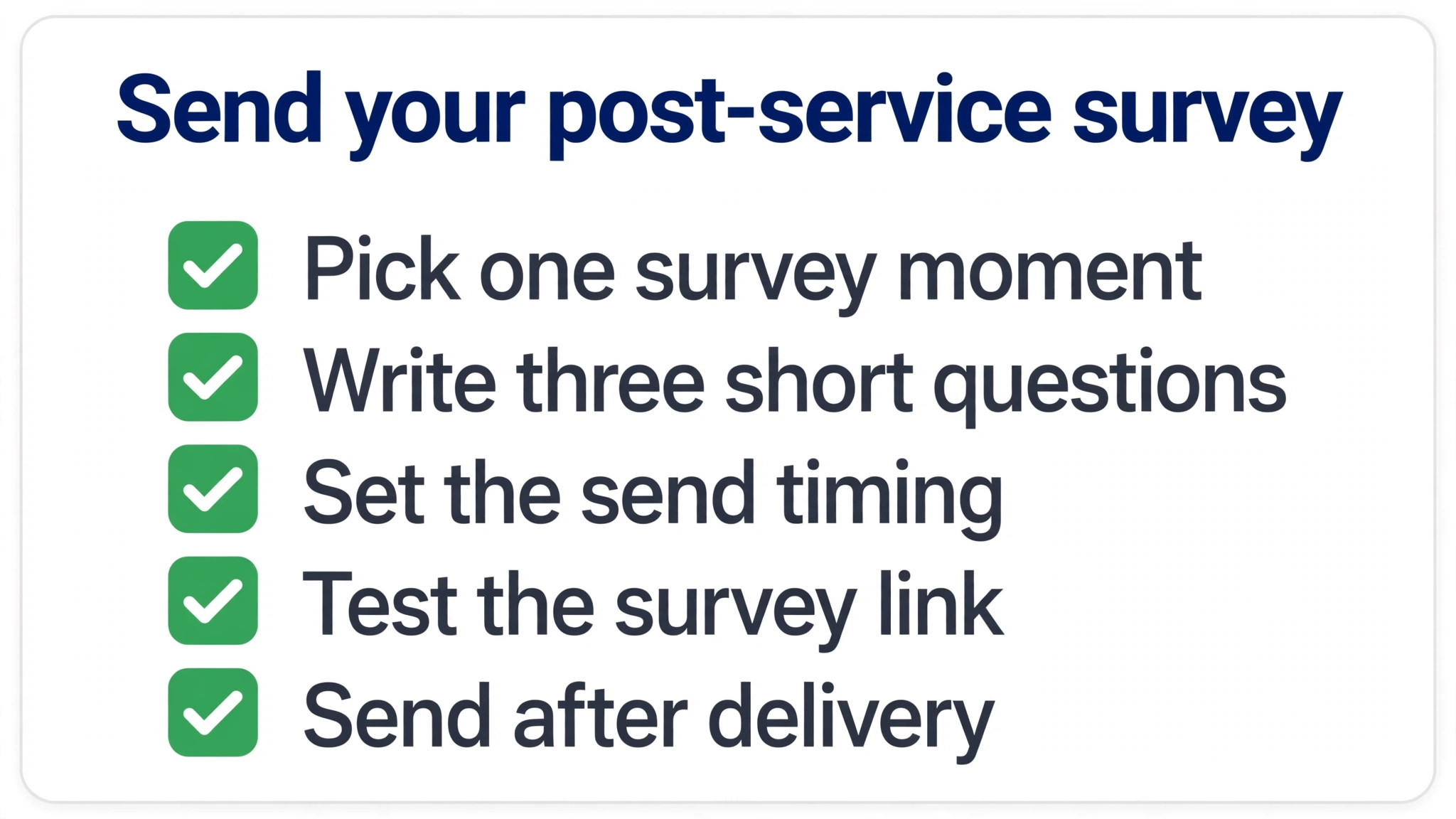
Copy this short template for a post-service survey, and adapt the wording to your service. Keep it to five questions, send it within one business day of delivery, and test completion before you expand it.
Post-service feedback for [Business Name]. Thank you for working with us. This takes about two minutes.
1. Overall, how satisfied were you with the service, on a scale of 1 to 5. 2. How clear were the next steps after our work together, on a scale of 1 to 5. 3. What did we do best on this project or service. 4. What should we improve or stop doing. 5. May we contact you about your answers, and may we share your positive comments with your permission.
Monthly action review log for [Month]. Top theme. Number of mentions. Action taken. Owner. Date completed. Measure of success. Client message sent, yes or no. Review the log at the next monthly meeting, and carry forward any action that is not yet measured. A log with no measure is a list of intentions, not a record of change.
Close-the-loop message template. Thank you for telling us that [specific issue]. We have changed [specific change], and it is now live for [who it affects]. We appreciate you flagging it, because it helped us fix something other clients were experiencing too. Please let us know if you notice the change on your next visit or project.
What to Measure So the Loop Improves
Measure four numbers each month, and no more at the start. Response rate shows whether clients still answer. Completion rate shows whether the survey is the right length. Average score by theme shows where satisfaction is moving. Follow-up rate shows whether clients who raised an issue actually heard back. Those four numbers tell you whether the loop is alive, even before you read a single comment.
Response rate needs a careful reading. A rate that falls after a strong start often means survey fatigue, a survey sent at the wrong moment, or clients who stopped believing answers lead to change. Check which explanation fits by looking at timing, length, and whether close-the-loop messages went out. Fix the cause, not just the number, because a rate propped up by incentives while clients still feel ignored will not stay up for long.
Score trends matter more than single scores. A theme that rises from 3.2 to 3.9 after a fix shows the fix worked. A theme that stays flat after two fixes suggests the fix missed the real cause, and interviews with a few clients in that theme will usually reveal it. Compare each month with the previous month and the same quarter last year, where you have the data, rather than comparing your scores with another firm’s published average, which reflects a different audience and a different service.
Follow-up rate is the measure that separates a real loop from a survey habit. Count how many clients who raised an urgent issue received a same-day acknowledgement, and how many received a message when the fix shipped. If either rate is below nine in ten, fix the follow-up routine before you expand the survey, because asking more clients for feedback you will not follow up on damages trust faster than asking fewer clients well.
Learning how to set up a client feedback loop small business teams can measure is therefore less about dashboards and more about discipline. One page, four numbers, reviewed monthly, beats a dashboard nobody opens. When the four numbers improve together, expand the loop to a new moment or a new theme. When they stall, simplify the survey, shorten the review, or repair the follow-up step, and let the next month numbers confirm whether the repair worked.
That discipline also helps you prove the loop value to yourself. A falling complaint theme, a rising score after a fix, and clients who rebook after a follow-up are concrete returns, even when they do not appear as a single revenue line. Owners who learn how to set up a client feedback loop small business clients trust often find that the loop pays for its hour a week in retained clients alone, before any new referrals are counted.
Frequently Asked Questions
How often should a small business ask clients for feedback?
Ask transactionally after key moments, such as delivery or a support fix, and relationally once a quarter for active clients. That mix captures fresh detail without surveying the same client every week. Exclude anyone surveyed in the last 90 days from the quarterly round, unless the new survey follows a specific event they just experienced. If response rates fall, reduce frequency or shorten the survey before you add incentives, because fatigue is usually a length and timing problem, not a reward problem.
What is the difference between a feedback loop and a survey?
A survey collects answers. A loop collects, sorts, acts, and reports back, then repeats. A firm that sends surveys but never acts or never tells clients what changed has a survey programme, not a loop, and clients will stop answering once they realise nothing follows. The loop label matters because it forces the two steps firms skip most often, which are acting on a priority theme and telling clients about the change. Build those steps into the calendar, or the survey will quietly die.
How many questions should a client feedback survey have?
Three to five questions suit a transactional survey after a specific event, and six to seven suit a quarterly relationship survey, according to common voice-of-customer guidance. Test those lengths against your own completion rates, because your audience may need shorter surveys. One score plus one open question often gives more usable insight than ten scores with no room for words. Cut any question that nobody will act on, however interesting the answer might seem in a meeting.
How do I handle negative feedback from a client?
Acknowledge it the same day, name who is handling it, and give a date for the next update, even if the full fix takes longer. Do not argue, do not ask the client to prove the problem, and do not promise a fix you cannot deliver. Fix the issue for that client first, then check whether the same theme affects others. A personal follow-up when the fix ships, naming the change, turns many unhappy clients into loyal ones, because they saw their complaint produce a result.
Should small businesses use Net Promoter Score or satisfaction scores?
Either score works if you use it consistently and pair it with an open question. A satisfaction score suits a specific service or interaction, because it measures that moment. A promoter-style score suits a quarterly relationship survey, because it measures overall loyalty. Do not switch scores every quarter, or you lose the trend that makes scores useful. Pick one score per survey type, keep the wording identical, and compare each quarter with the last, not with another firm’s published average.
How do I get clients to actually answer feedback surveys?
Ask at the right moment, keep the survey short, make it mobile friendly, and tell clients what you will do with the answers. A request sent within a day of delivery, with a clear time estimate of two minutes, performs better than a long survey sent weeks later. Personalise the request with the service or project name, so it does not read as a generic blast. Most importantly, follow up on previous feedback visibly, because clients answer again when they see that earlier answers mattered.
What should I do with feedback I cannot act on immediately?
Log it, tag it, reply to the client with honesty about timing, and add it to the monthly review. Some feedback needs budget, a supplier change, or a rebuild that cannot happen this month. Saying so plainly, with a realistic timeframe, preserves trust far better than silence or a vague promise. Revisit logged items each quarter, and close them with a message when they ship, even if months have passed. A late fix with a follow-up still beats a forgotten request.
How do I close the feedback loop with clients who left?
Send a short, respectful exit note thanking them, naming any change made because of their feedback, and leaving the door open without pressure. Do not offer a discount as the first move, because it teaches clients that leaving earns a deal. If the client raised a fixable issue and you have now fixed it, say so plainly and invite them to judge the change for themselves. Some will return. Those who do not still leave with a better impression, and a better impression produces referrals even from former clients.
Start Small, Close One Loop, Then Expand
You do not need a perfect system to start. Pick one decision, one survey moment, and one monthly review, and run them for a quarter. Learn how to set up a client feedback loop small business clients will answer by watching completion rates, tagging honestly, and fixing one theme a month. When the first loop closes, and a client replies that they noticed the change, expand to a second moment or a second theme. Loops grow by proof, not by planning. Start with the smallest loop you can run every week, close it visibly, and let the results earn you the next step.
More Reading on Stratilyze
– Best CRM for Ecommerce Brands Small Business – Best CRM for Wedding Vendors Small Business – Best Email Marketing Software for Online Course Creators