
A quote built from a satellite image and a quote built from a ladder climb can look similar on paper. The difference shows up later, when the crew finds a vent where a panel was drawn, when the utility asks for a revised one line diagram, or when the production estimate turns out to be optimistic. That gap is why choosing the best quoting software for solar installers matters more than choosing the cheapest design tool. The software sets the roof model, the equipment list, the financing numbers, and the promises the customer signs.
This guide compares seven tools that solar installers actually use to turn a roof into a priced proposal. Some are design led, some are operations led, and one is free at its core. The right choice depends on how much of the job you want the software to handle, and on whether your work is mostly residential rooftops, small commercial roofs, or off-grid systems where the battery and the load profile matter as much as the array.
The comparison below keeps the focus on quoting. A tool can have a strong project tracker and still be a weak quoting tool if its production model is hard to audit, if its price book is awkward to update, or if a revised design does not flow into a revised proposal without manual retyping. Those are the failure points to test in a trial, with one of your own recent jobs, before you move a sales team onto a new platform.
Why a Solar Quote Is Not a Generic Estimate
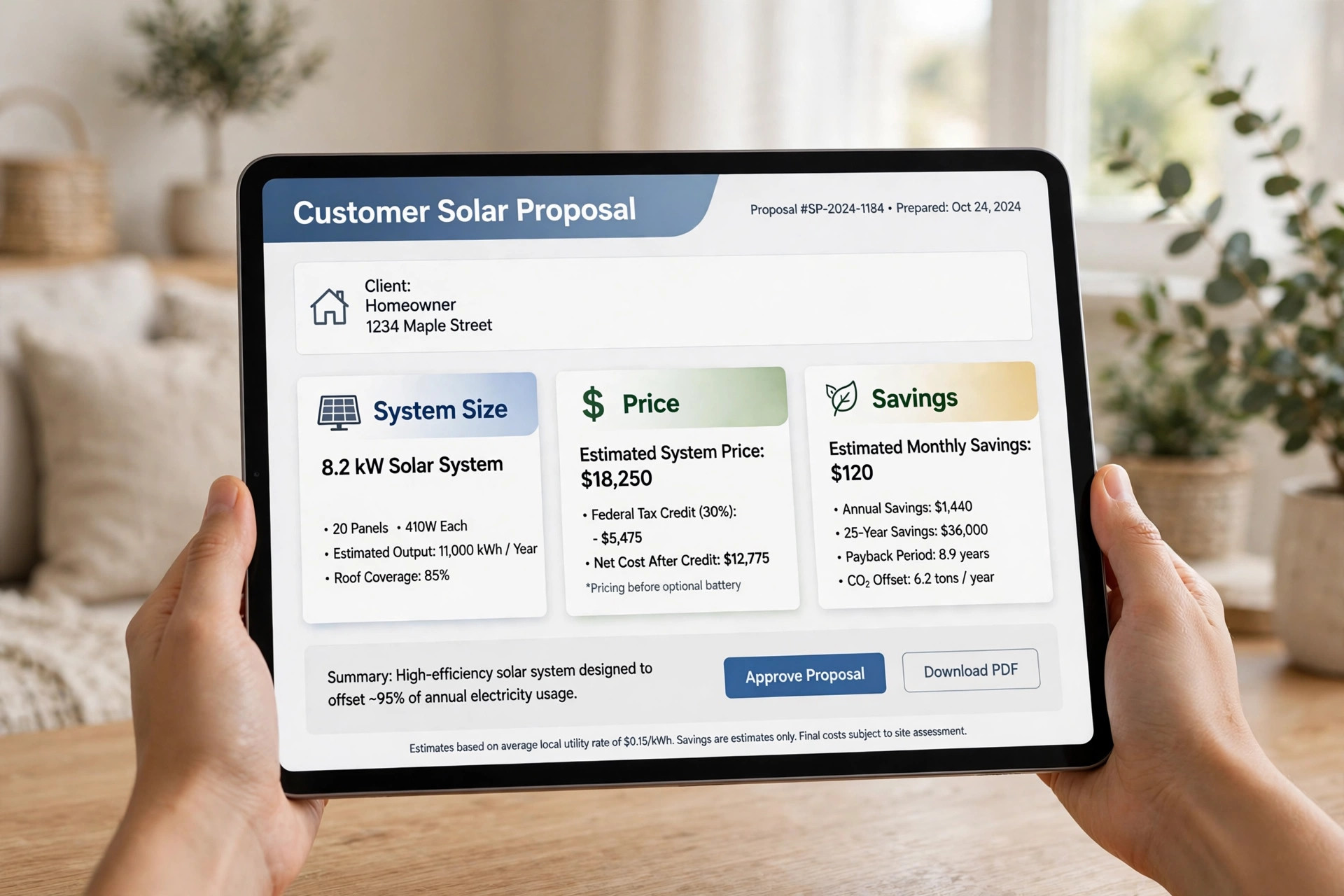
A solar quote has to answer four questions at once. How many panels fit, and where. How much energy will they produce in each month. What will the system cost, after equipment, labour, permits, and financing. And what will the customer save, under their actual tariff and net metering rules. A generic estimating tool can handle the third question. It cannot model shade from a chimney, or test a string layout, or show a customer the difference between a string inverter and microinverters in plain numbers.
That is also why the cheapest quote is often the most expensive one to install. If the design is wrong, the crew loses a day, the permit set has to be redrawn, or the customer feels misled when the first bill arrives. Good quoting software reduces those risks by keeping the design, the production model, and the price in one linked record. Change a panel count and the proposal, the equipment list, and the savings estimate should all move together.
Installers should also think about who will use the tool day to day. A sales rep in a kitchen needs a fast, clear proposal. A designer needs control over setbacks, stringing, and electrical details. An operations manager needs a clean handoff to permits and install. One tool rarely serves all three equally well, so the ranking below notes where each product is strong and where it needs a companion tool.
The 7 Tools at a Glance
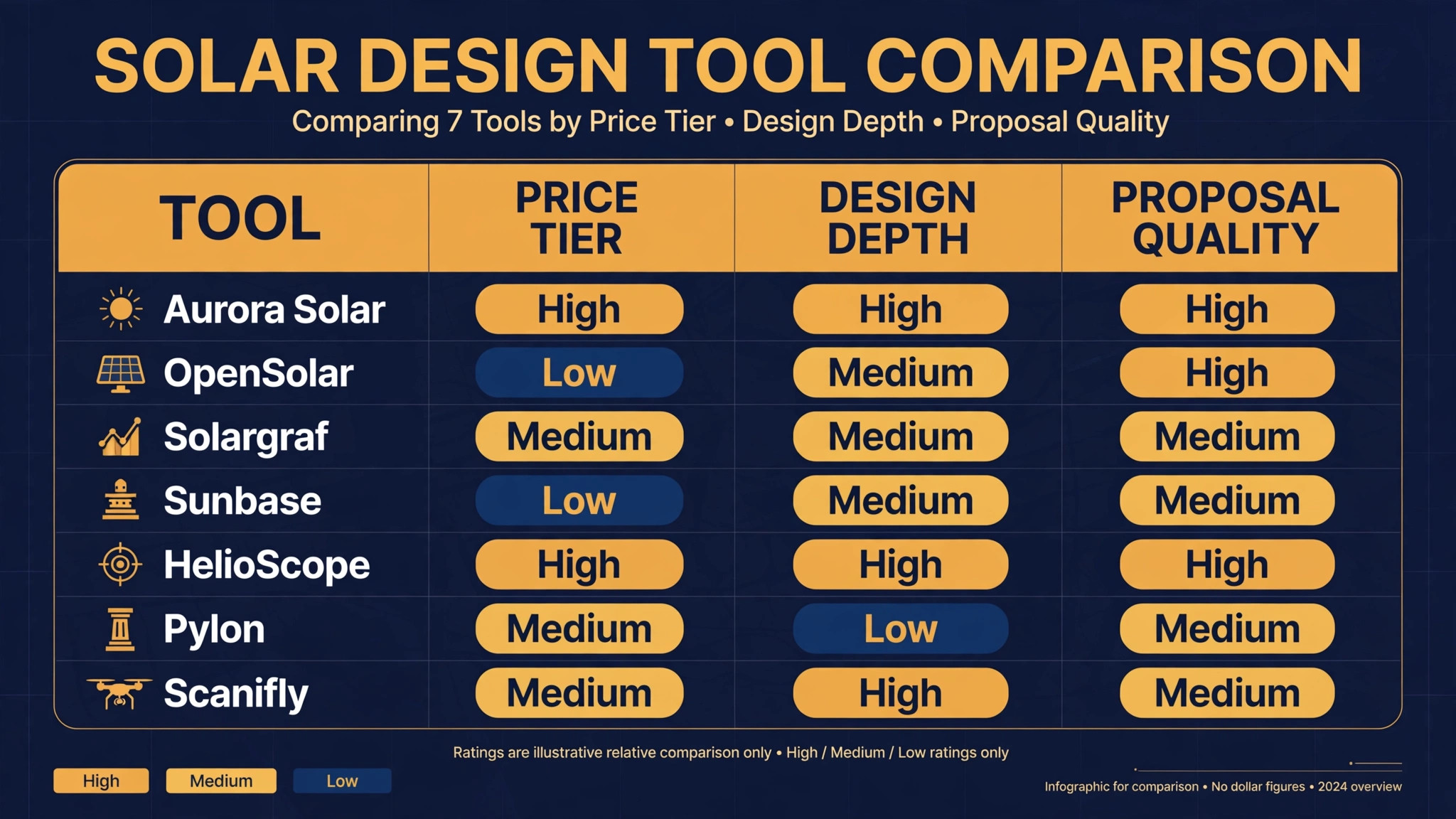
| Tool | Starting price | Best for | Quoting strength |
|---|---|---|---|
| Aurora Solar | 135 dollars per user per month on annual billing | Accuracy led residential and commercial design | Strong |
| OpenSolar | Free core platform | Cost conscious small teams | Strong |
| Solargraf | 2799 dollars per year | Residential teams on Enphase equipment | Strong |
| Sunbase | 59 dollars per user per month | One system for design, CRM, and projects | Good |
| HelioScope | 135 dollars per licence per month on annual billing | Commercial and complex roofs | Strong |
| Pylon | 4 dollars per project | Fast residential design at volume | Good |
| Scanifly | 75 dollars per month on annual billing | Drone based site surveys | Good |
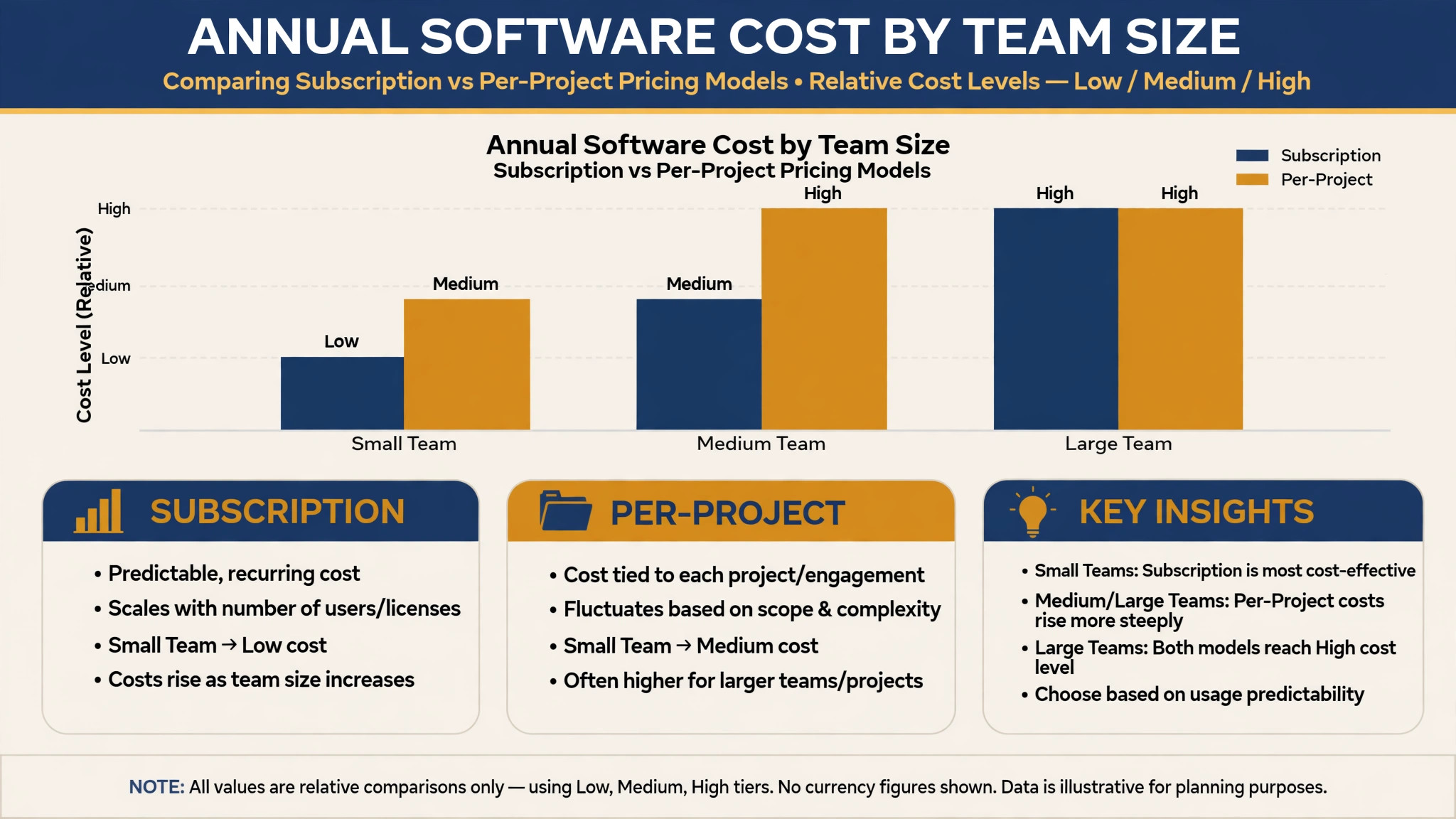
Prices in this guide come from vendor pricing pages and recent independent comparisons, and they change. Check the vendor’s current pricing page before you budget, especially where a plan is priced per user, per project, or per year. The notes below give the pricing model as well as the headline number, because a low per project fee can overtake a flat subscription once volume rises. When you compare the best quoting software for solar installers, compare the same job across tools rather than comparing marketing pages, since the same roof can produce different panel counts and savings stories.
Best Pick by Job
| Job type | First pick | Why it fits | Watch out for |
|---|---|---|---|
| Residential rooftops | Aurora Solar | Detailed roof modelling and bankable shade reports | Per user cost rises with team size |
| Small commercial roofs | HelioScope | Commercial layouts and electrical detail | Steeper learning curve |
| Off-grid systems | OpenSolar | Free core design with flexible equipment choices | Battery and load work needs careful checking |
| High volume residential sales | Pylon | Low per project cost and fast turnaround | Less depth on complex roofs |
| One system for sales and operations | Sunbase | Design, CRM, and projects in one place | Design depth is below the specialist tools |
The table above is a starting point, not a verdict for every company. A residential installer who already runs a strong CRM may get more value from a specialist design tool than from an all in one platform. That is the practical use of a shortlist built around the best quoting software for solar installers. It narrows the field to the job you actually do, and leaves the rest of the comparison to a trial on your own roofs. A small commercial installer may care more about electrical exports than about a polished customer proposal. Use the job type that matches most of your revenue, then test the runner up on a real job before you commit.
Roof Measurement and Permit Checklist
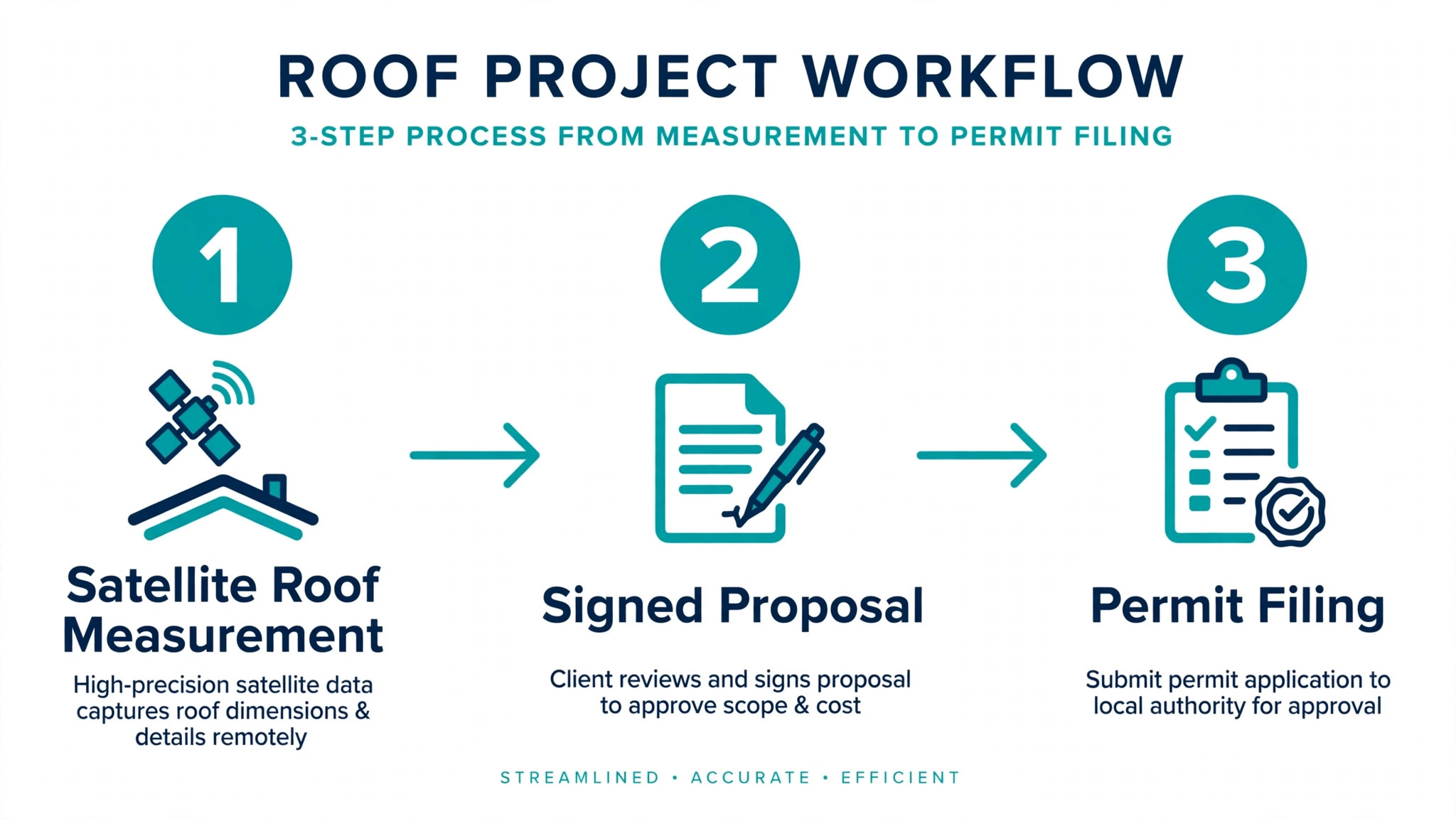
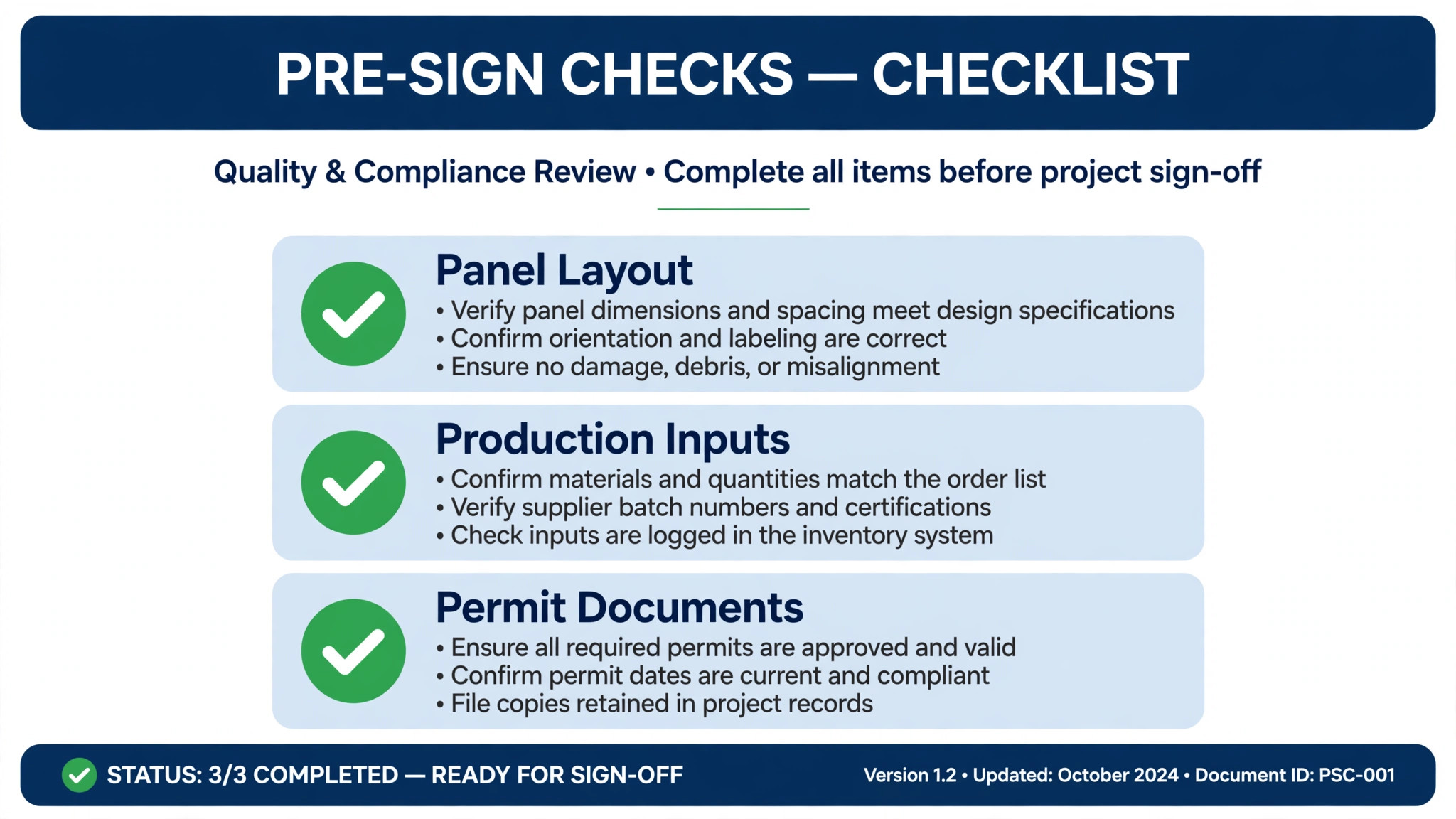
Use this checklist before a quote leaves the office. It catches the errors that cause permit rejections and install day surprises.
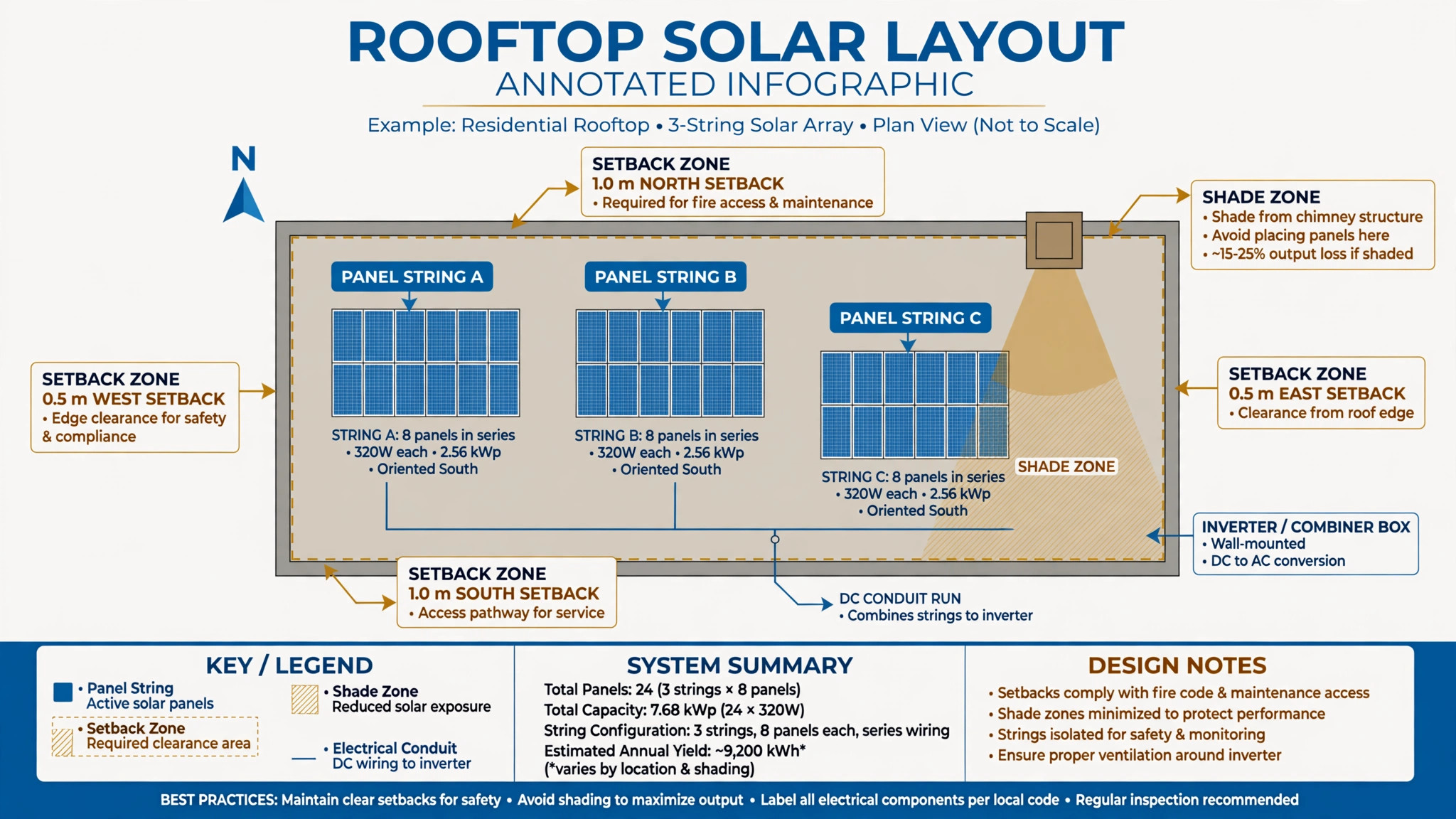
– Confirm the roof outline, pitch, and usable planes from current imagery, and note any plane that imagery alone cannot verify. – Record every obstruction, including vents, chimneys, skylights, and parapets, and keep the required setbacks visible on the design. – Check shade from trees, neighbouring buildings, and roof features across seasons, not only at midday in summer. – Confirm the panel, inverter, and battery models in the quote match the equipment you can actually source and install. – Verify string lengths, inverter capacity, and any rapid shutdown requirements before the proposal is signed. – Match the production estimate to the customer’s tariff, export rules, and any net metering limits that apply. – Attach the correct permit documents for the jurisdiction, including structural notes where the authority requires them. – Confirm who owns each next step, from site survey to interconnection, and put the dates in the project record.
A checklist only helps if it is used on every job. The tools in this guide differ in how much of this list they automate. Some flag setback problems as you draw. Others leave the checking to the designer. Ask each vendor to show the checklist steps on your own roof example, not on a clean demo roof.
The 7 Tools in Detail
1. Aurora Solar
Aurora Solar is the design engine most United States residential installers know by name. It builds three dimensional roof models from imagery and LiDAR data, runs shade and production simulations, and turns the result into a polished sales proposal with financing options modelled in. Its shade reports are treated as bankable by incentive programs, which matters when a lender or an administrator needs to trust the numbers behind a quote.
The trade-off is price and scope. Published comparisons put Aurora at 135 to 220 dollars per user per month on annual billing, with higher monthly rates on shorter terms, so a growing sales team should model the annual seat cost before signing. Aurora also stops at the signature in practical terms. It has no native customer management depth to match a full CRM, so most teams pair it with a separate sales and operations system.
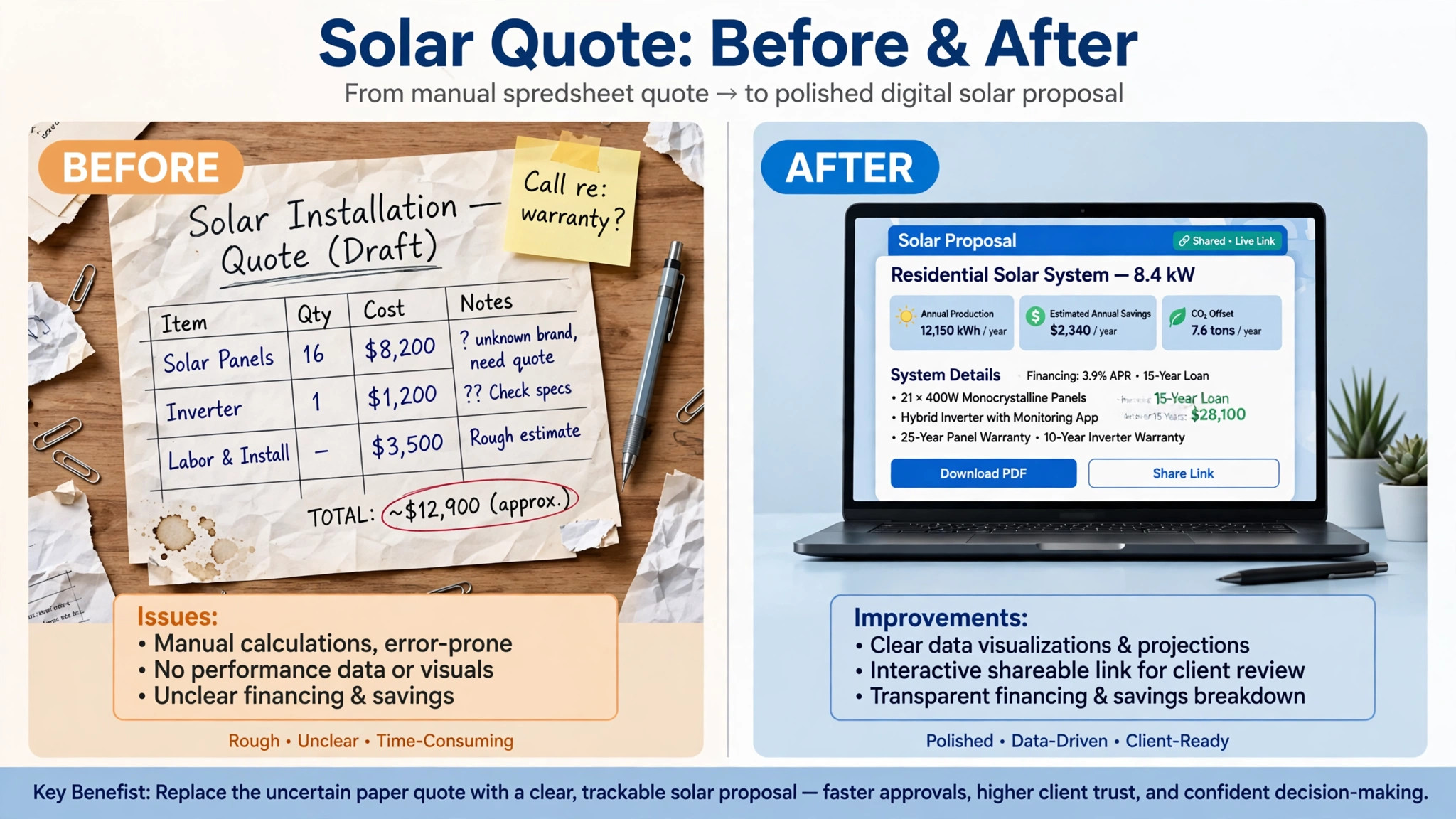
Best for installers who sell on accuracy and need proposals that stand up to lender, utility, and incentive scrutiny. Test it on a roof with dormers, multiple planes, and partial shade, because that is where a weaker modeller starts to guess.
2. OpenSolar
OpenSolar remains the strongest free option for solar design and quoting. The core platform covers design, proposals, and customer management at no licence cost, which makes it a serious starting point for a small installer or a new sales team. Recent changes matter here. API access moved to a per project fee in 2026, and accounting connectors for Xero and QuickBooks Online are charged at 49 dollars per month, so a team that needs deep integrations should price those add-ons rather than assuming the whole stack is free.
The strength of OpenSolar is that it keeps design and proposal in one linked record without a seat licence standing in the way of adding a rep. The weakness is scale and support depth. Large teams, complex commercial work, and heavy integration needs can outgrow the core platform, and the proposal design may need more customisation than a premium tool offers out of the box.
Best for small residential teams, new installers, and companies that want to prove a quoting workflow before paying per seat. Keep a second check on production numbers for off-grid and battery heavy jobs, where assumptions deserve a manual review.
3. Solargraf
Solargraf, owned by Enphase, bundles AI assisted design, interactive proposals, customer management, financing, and automated permitting into one annual subscription. Published pricing runs from 2799 dollars per year on a Starter plan to 12999 dollars per year on Enterprise, with project and user caps that vary by tier. That annual structure suits a team that wants a predictable yearly cost rather than a monthly seat bill that grows with every hire.
The obvious fit is a residential installer working heavily with Enphase equipment, where the equipment library, financing partners, and proposal flow line up neatly. The risk is the same as the benefit. A team that installs a wide mix of inverter brands, or that regularly exceeds its project cap, should check overage charges at 9 to 11 dollars per extra project and confirm that the equipment library covers its full catalogue before committing to a year.
Best for residential teams that want design, proposals, and permits in one subscription and that are comfortable standardising around Enphase. Ask for a trial on a job that uses your second most common inverter, not only your favourite one.
4. Sunbase
Sunbase is the all in one option on this list. It combines design, a native CRM, proposals, and project operations in a single platform built for solar businesses, with published pricing from 59 dollars per user per month. That matters for a small company that is currently stitching together a design tool, a spreadsheet, and a separate CRM, and losing time at every handoff.
The compromise is depth. Sunbase design is strong for everyday residential work, but it does not match Aurora on modelling precision or HelioScope on commercial electrical detail. A team that sells on complex roof geometry or on detailed commercial packages may still want a specialist design tool alongside it. For a team that values one login, one customer record, and a clear pipeline from lead to install, that compromise is often worth it.
Best for small to mid sized installers that want one system for sales and operations and that do most of their work on standard residential roofs. Check the permit and project tracking on a live job, since that is where all in one tools either save hours or create new manual work.
5. HelioScope
HelioScope is the commercial depth pick. It handles complex layouts, carports, ground mounts, and storage design with the electrical detail that larger projects require, and it is widely used by designers who need a reviewed electrical package rather than only a sales proposal. Published comparisons put it at 135 dollars per licence per month on annual billing, or 1620 to 2640 dollars per year per licence depending on tier.
That depth comes with a learning curve. A sales rep who needs a same day residential proposal may find HelioScope slower than a residential first tool, and the proposal presentation may need more work to feel customer ready. For a designer, the control over layout, stringing, and electrical checks is the point. For a sales led residential team, it may be more tool than the job needs.
Best for small commercial work, complex roofs, and teams where a designer owns the quoting step. Test the export package against your permit authority’s requirements, since that export is where HelioScope earns its fee.
6. Pylon
Pylon is built for speed at volume. It charges 4 to 10 dollars per project, which changes the maths for a high volume residential sales operation. A team quoting hundreds of homes a month pays in line with output, rather than carrying a large fixed seat bill through a slow month. The platform keeps design and proposal linked, so a revised layout flows into a revised document without rebuilding the quote from scratch.
The limit is complexity. Pylon suits standard residential roofs and repeatable sales workflows better than it suits unusual roofs, complex commercial work, or heavily customised electrical packages. A team should also model the per project cost at its real monthly volume, including revisions and lost deals, because a low headline fee can still add up when every site visit generates several design versions.
Best for high volume residential sales teams that need fast, consistent proposals and that work mostly on standard roofs. Run it on your hardest recent roof as well as your easiest one, so the speed claim is tested where it matters.
7. Scanifly
Scanifly starts from the site survey rather than from satellite imagery alone. It uses drone based data to build accurate roof models, which helps on roofs where satellite imagery is dated, obscured, or too coarse to trust for panel placement. Published pricing runs from 75 to 220 dollars per month on annual billing, depending on tier, so it sits in the middle of this list on cost.
The value depends on how you survey. A team that already flies drones, or that works on roofs where imagery fails, gets a direct accuracy gain and a clearer record for the customer and the permit file. A team that relies on satellite design and rarely visits the roof before quoting may not use the drone workflow enough to justify a separate tool. Scanifly works best as part of a quoting stack, feeding accurate models into the proposal tool the sales team already uses.
Best for installers with a drone survey workflow, or for roofs where satellite imagery alone is not reliable. Confirm the export format matches your proposal tool before you buy, since a model that cannot move cleanly into a quote is only half a solution.
What Good Quoting Software Changes in the Sales Process
Good quoting software changes the sales conversation before it changes the paperwork. When the rep can show a roof layout, a production estimate, and three price tiers on one screen, the customer stops asking whether solar works and starts asking which system fits their home. That shift matters in a market where incentives have tightened and customers compare several quotes before deciding. A clear proposal does not need to oversell. It needs to make the trade-offs visible.
The second change is speed without sloppiness. A linked design and proposal means a revision does not require rebuilding the quote, retyping the equipment list, or recalculating savings by hand. The rep can test a smaller array, a different inverter, or a battery addition while the customer is still in the room, and the numbers stay consistent. That consistency is what protects trust when the customer later compares your proposal with a competitor quote that used different assumptions.
The third change is accountability after the sale. When the design, the price book, and the permit checklist live in one record, the operations team inherits a job they can actually build. The crew sees the same panel layout the customer signed. The permit team sees the same equipment list the designer approved. Fewer handoff errors mean fewer return visits, and fewer return visits protect the margin that a low quote may already have squeezed. Judged on those three changes, the best quoting software for solar installers is the tool that improves the sale, the revision, and the handoff together, not the tool with the longest feature list.
For a small installer, that test also sets a realistic budget. You do not need every feature on day one. You need accurate design, a clear proposal, a price book you can update, and a clean export to permits and install. Buy those four capabilities well, and add advanced features only when a live job proves you need them.
How to Choose the Best Quoting Software for Solar Installers
Start with your dominant job type, not with a feature list. A residential installer, a small commercial installer, and an off-grid specialist need different strengths, and a tool that wins on one job can lose on another. Write down the share of revenue from each job type, then score each tool on that work first and on everything else second.
Next, test with your own jobs. Pick three recent projects. One easy roof, one hard roof, and one job that went wrong. Run each through the trial tool and compare the panel layout, the production estimate, the equipment list, and the final proposal against what actually happened. A vendor demo on a clean rectangular roof tells you very little about how the tool handles a dormer, a shaded plane, or a battery addition late in the sale.
Then price the whole stack, not the headline. Add seats for every rep and designer, add project fees at your real volume, add accounting and CRM connectors, and add the cost of any companion tool you still need. A free core platform with paid connectors can cost more than a mid priced subscription once integrations are included. A premium design tool with no CRM can cost more than an all in one platform once a second subscription is added.
Finally, check the handoff. A quote is only the start of the job. Ask how a signed proposal becomes a permit set, an install schedule, and an interconnection application. Ask what happens when a customer changes a panel count after signing. The tools that handle revisions cleanly save more time over a year than the tools with the prettiest first proposal.
Common Mistakes When Buying Solar Quoting Software
The first mistake is buying for the demo roof. Vendors show clean roofs, clear skies, and standard equipment. Your roofs have vents, shade, and odd angles. If you do not test the hard cases, you will discover the limits after you have trained a team.
The second mistake is trusting a production estimate without checking its inputs. A small change in shade, tilt, azimuth, or tariff assumptions can move the savings story by a wide margin. Ask each vendor to show the inputs behind a proposal, and compare the same roof across two tools before you standardise on one model.
The third mistake is ignoring the price book. Equipment prices, labour rates, and financing terms change through the year. If updating the price book is slow or requires vendor help, quotes drift out of date and margins shrink. Test a price change in the trial and time how long it takes to reach a live proposal.
The fourth mistake is buying seats for everyone on day one. Start with the designers and the reps who quote most, prove the workflow on live jobs, and then expand. A tool that is bought for a whole company before it is proven on ten jobs tends to become shelfware, with reps quietly returning to spreadsheets.
The fifth mistake is forgetting the customer experience. A proposal that is technically accurate but hard to read will lose deals to a clearer competitor quote. Show the trial proposal to someone outside solar and ask what they would sign. If they cannot explain the system size, the price, and the savings in their own words, the proposal needs work.
Frequently Asked Questions
How much does solar quoting software cost?
Costs for the best quoting software for solar installers range from a free core platform to more than 200 dollars per user per month on premium design tools, with annual plans and per project pricing in between. The right budget depends on team size, monthly project volume, and whether you need paid connectors or a companion CRM. Model the full annual stack, including seats, project fees, and integrations, before comparing headline prices.
Is free solar quoting software good enough for a professional installer?
For many small residential teams, yes, provided the design accuracy, proposal quality, and permit exports meet the standard your customers and authorities expect. Free tools work best when the team checks production assumptions carefully and does not need deep integrations. Larger teams and commercial specialists usually outgrow a free core platform as volume and complexity rise.
What is the difference between design software and quoting software?
Design software models the roof, the array, and the energy production. Quoting software turns that model into a priced proposal with equipment, financing, and savings. Many modern tools do both, but the balance differs. Some are design led with a proposal export. Others are sales led with a simpler design engine. The best fit depends on whether accuracy or sales speed matters more for your work.
Do I need a separate CRM if I buy a solar design tool?
It depends on the tool. All in one platforms include a native CRM, while specialist design tools often stop at the proposal and expect a separate system for leads, pipelines, and customer records. If your team already runs a strong CRM, a specialist tool may be the better buy. If you are tracking leads in spreadsheets, an all in one platform can remove a whole layer of manual work.
How accurate are satellite based roof measurements?
Satellite based measurement is accurate enough for most standard residential roofs, especially when combined with LiDAR data, but it has limits on obscured roofs, new builds, and complex geometry. Drone surveys and site visits still matter where imagery is dated or unclear. The safest workflow is to quote from imagery where it is reliable, and to verify measurements on site before the permit set is finalised.
Can solar quoting software handle batteries and off-grid systems?
Most tools on this list handle batteries as an add-on to a grid connected system. True off-grid design needs more care, because load profile, autonomy days, and generator backup change the sizing logic. Test off-grid jobs explicitly in a trial, and check that the proposal explains battery capacity, backup limits, and expected performance in plain terms the customer can understand.
What should I check before signing an annual solar software contract?
Check the seat count, the project cap, the overage charges, the connector fees, and the cancellation terms. Confirm which features sit on which tier, and whether proposal customisation, financing partners, and permit exports are included or charged separately. Run at least ten live jobs through the trial first, including one hard roof and one revision after signing.
How long does it take to switch solar quoting software?
A small team can switch in two to four weeks if the price book, equipment library, and proposal templates are prepared in advance. Larger teams should allow six to eight weeks, including training, parallel running on live jobs, and a check that old proposals still open correctly. The slowest part is usually migrating customer records and rebuilding templates, not learning the new design interface.
Verdict
There is no single winner for every solar installer, and any guide that names one without asking about your job mix is selling a tool rather than helping you choose. If accuracy and bankable proposals matter most, Aurora Solar remains the benchmark, with HelioScope ahead on commercial depth. If cost control matters most, OpenSolar gives a small team a professional quoting workflow without a seat licence. If speed at volume matters most, Pylon changes the cost maths for high volume residential sales.
For most installers reading this guide, the practical path is to shortlist two tools from the best quoting software for solar installers, not seven. Pick the specialist that matches your dominant job type, and pick the all in one or free option that would replace your current spreadsheet workflow. Run both on the same three jobs, compare the proposals side by side, and let the install team, not only the sales team, judge the handoff. The tool that survives that test is the one worth paying for.
More Reading on Stratilyze
– Best Field Service Software for Appliance Repair Companies – Best Estimating Software for Painting Contractors – Best Dispatch Software for Pest Control Companies – Best Proposal Software for Marketing Agencies – Cost of Jobber for Small Business Monthly – Cost of Housecall Pro for Small Business Monthly