

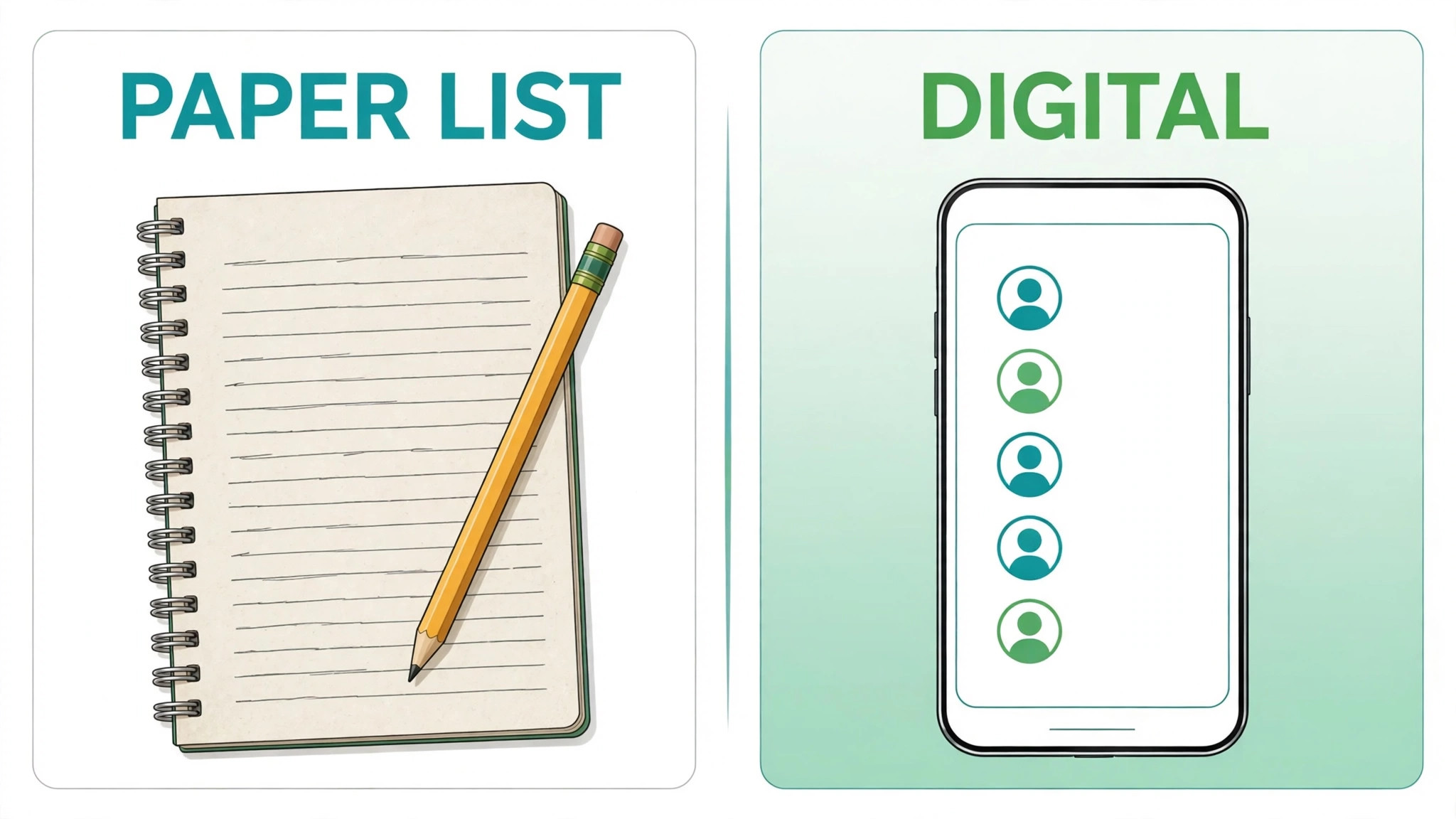
Forty names on a paper list, three phone numbers that no longer work, and one diary page with no dates. That is how many small service waitlists fail, not from lack of demand, but from lack of a system. A waitlist is not a notebook. It is a promise, a queue, and a record, all in one. When you learn how to set up a waitlist small service business owners can actually run, you replace that paper mess with a form, a clear order, a message for each opening, and a record of who converted and who did not. The result is less chasing, fewer no shows, and a diary that fills from the queue instead of from hope.
A waitlist also changes how you sell, and that change is why learning how to set up a waitlist small service business queue matters for diary fill. A service that is fully booked looks closed. A service with a clear waitlist looks in demand and still open to new clients. That difference matters for a salon, a clinic, a studio, a repair shop, a tutor, a coach, or any service where one person can serve only a limited number of clients per day. A waitlist captures interest at the moment it peaks, while a simple contact form captures a message that may sit unread. Capture the interest, confirm the place, and keep the person warm until a spot opens.
Start with capacity, not with software. Count how many clients you can serve well in a week, including preparation, travel, and follow up time. Count how many cancellations you typically see, and how far ahead clients book. A waitlist that holds ten times your weekly capacity will disappoint most people on it. A waitlist that holds about two to four weeks of capacity, depending on your service, stays credible. Set that limit before you build the form, and publish it honestly. A short, honest waitlist beats a long, stale list that nobody trusts.
When a Waitlist Helps, and When It Hurts
A waitlist helps when demand exceeds capacity for a specific service, time, or practitioner. It helps when cancellations are common, because a ready queue can fill a gap the same day. It helps when a new service launches, because early interest can be captured before the diary opens. It helps when a seasonal peak arrives, because clients who cannot book now can still join a fair queue instead of drifting to a competitor. In each case, the waitlist solves a timing problem, not a marketing problem. It does not create demand. It organises demand you already have.
A waitlist hurts when it is used as a substitute for capacity, pricing, or availability. If you are booked out for six months, a waitlist will not fix a capacity problem. It will create a long queue of frustrated people who wait and then leave. If your price is too low for the time a service takes, a waitlist will hide the pricing problem behind a long queue. If your diary is messy, a waitlist will add a second messy list on top of the first. Fix capacity, price, or diary discipline first, then add a waitlist for the remaining timing gaps.
A waitlist also hurts when nobody owns it. A list that nobody checks daily will miss same day gaps. A list that nobody messages promptly will lose people who found another provider while waiting. A list with no expiry will fill with stale names that no longer want the service. Assign one owner, even in a one person business, where the owner is you and the check is a daily habit. In a team, assign a named owner and a backup, so holidays and sick days do not freeze the queue.
Decide what the waitlist is for, in one sentence, before you build it, because purpose decides the form when you learn how to set up a waitlist small service business system. For example, the list may be for cancellations this month, for a new class starting next month, or for a specific practitioner with a long diary. That sentence decides the form fields, the ranking rules, and the messages. A cancellation list needs phone numbers and same day availability. A launch list needs service interest and preferred days. A practitioner list needs practitioner choice and flexibility. One list for every purpose will serve none of them well, so start with one purpose and one list.
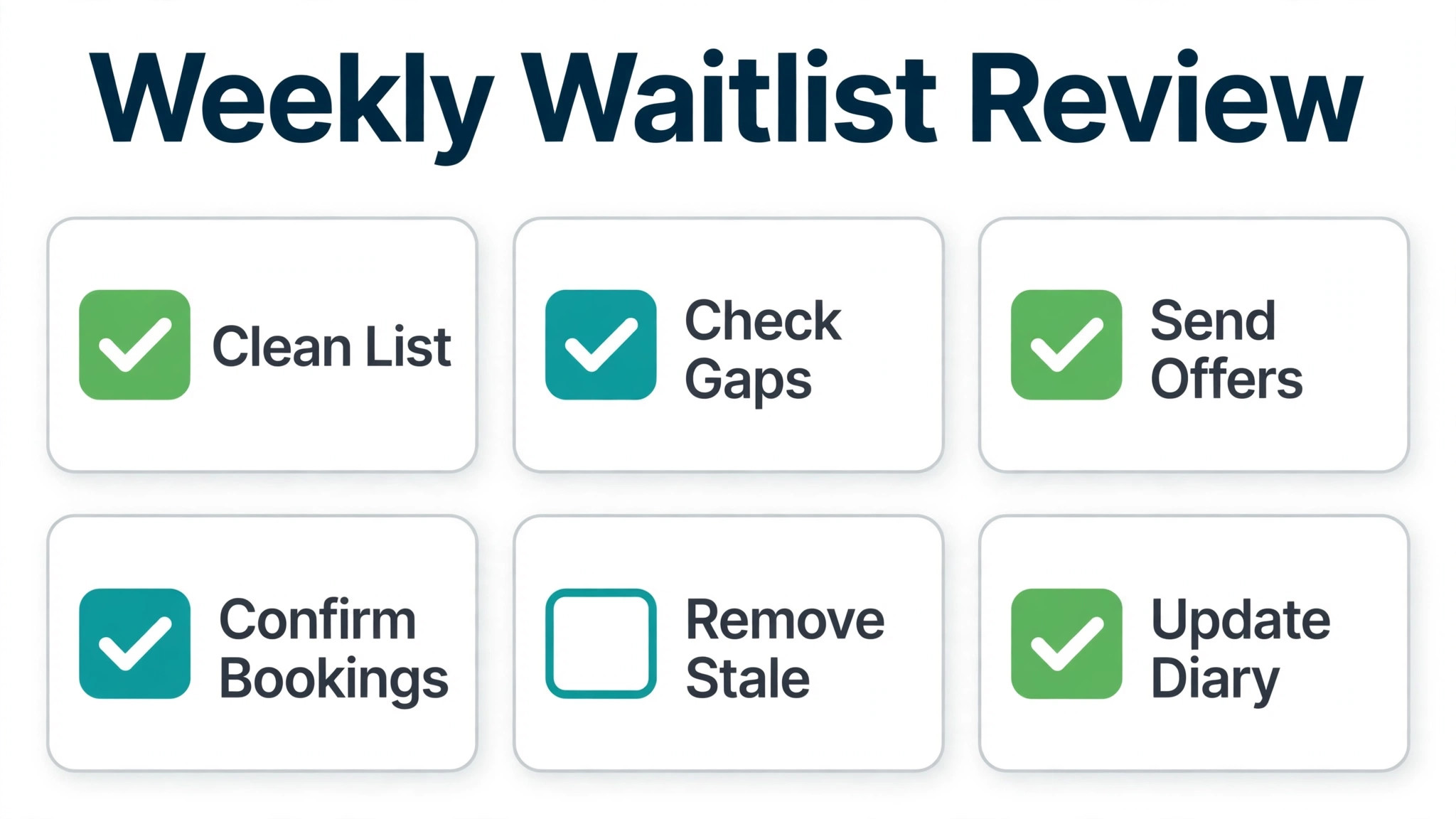
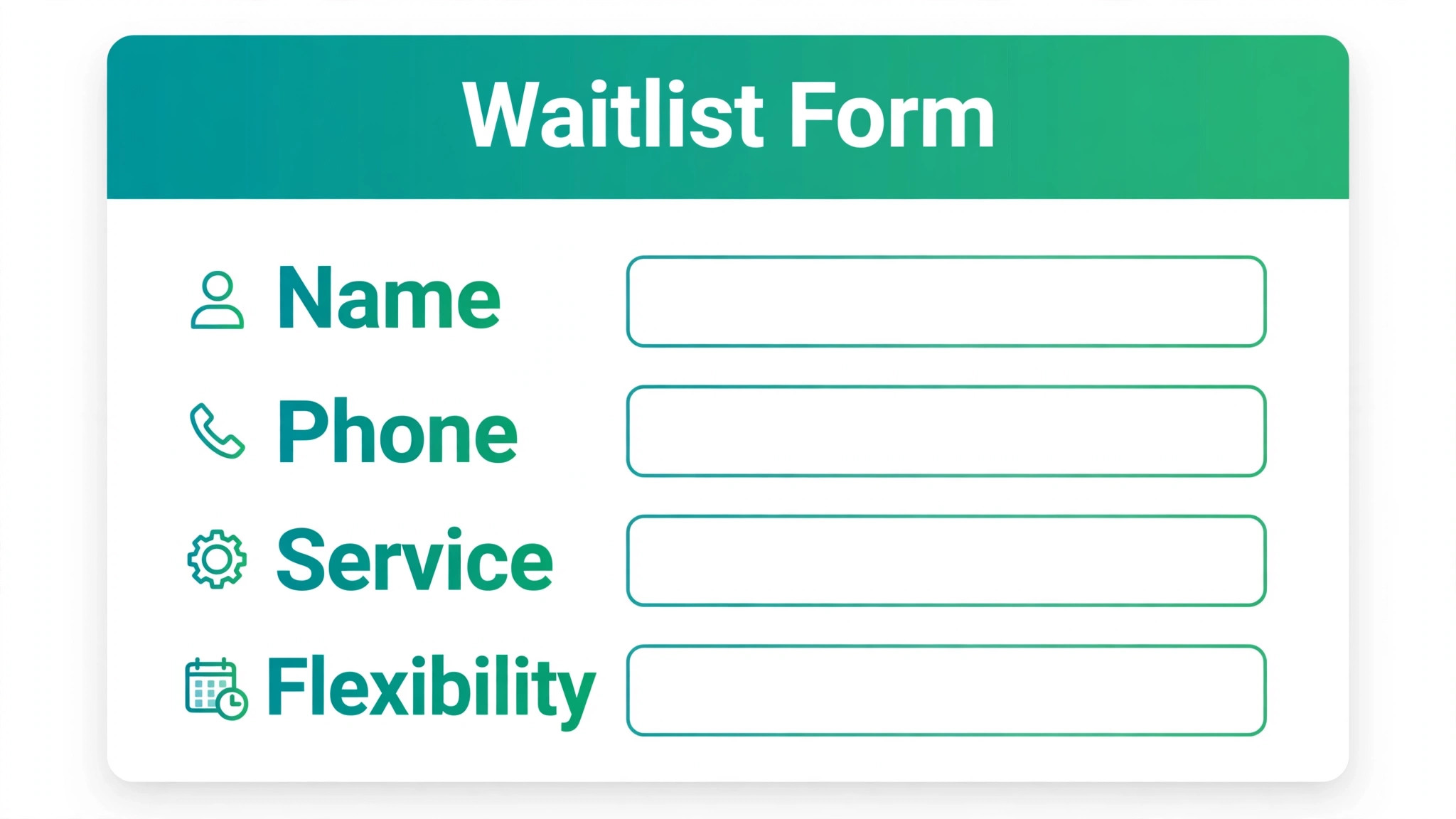
How to Set Up a Waitlist Small Service Business Form That Clients Complete
A form that asks too much will lose signups. A form that asks too little will lose the information you need to fill a spot. Ask for name, phone number, email, service wanted, preferred days or times, and flexibility. That set is enough to match a person to an opening without a long questionnaire. Phone number matters most for same day gaps, because email alone is too slow when a spot opens in two hours. Email matters for confirmations and for a record. Service and flexibility matter for ranking, because a flexible client can fill more gaps than a client who wants only one slot.
Add one question that helps you serve better, not ten questions that help you segment. For a salon, that question might be previous service history. For a clinic, it might be urgency or referral status, within privacy rules. For a studio, it might be level or experience. Keep that question optional where possible, so a person in a hurry can still join. Every required field beyond the core set should earn its place by changing how you rank or contact that person. If a field never changes a decision, remove it.
Write the form copy in plain language when you set up the form, because clear expectations are central to how to set up a waitlist small service business list that clients trust. State what joining means, how long the wait is likely to be, and how you will contact the person. State whether joining guarantees a spot, or only a place in line.
State whether a deposit is needed to hold a place, and whether that deposit is refundable, according to your policy. Honest copy reduces complaints later. A person who joins expecting a spot tomorrow will be disappointed when the wait is three weeks, even when the waitlist itself worked perfectly. A person who joins knowing the wait is three weeks will stay patient, because the expectation was set at signup.
Test the form on a phone before you publish it. Most clients will join from a phone, often from social media or a website link. Open the form on your own phone, fill it in, and check that the confirmation appears clearly. Check that the submit button is easy to tap, that error messages are clear, and that the phone number field accepts the format your clients use. A form that works on desktop but fails on a phone will lose the clients who need it most, because those clients are often booking on the move.
Ranking Rules That Stay Fair
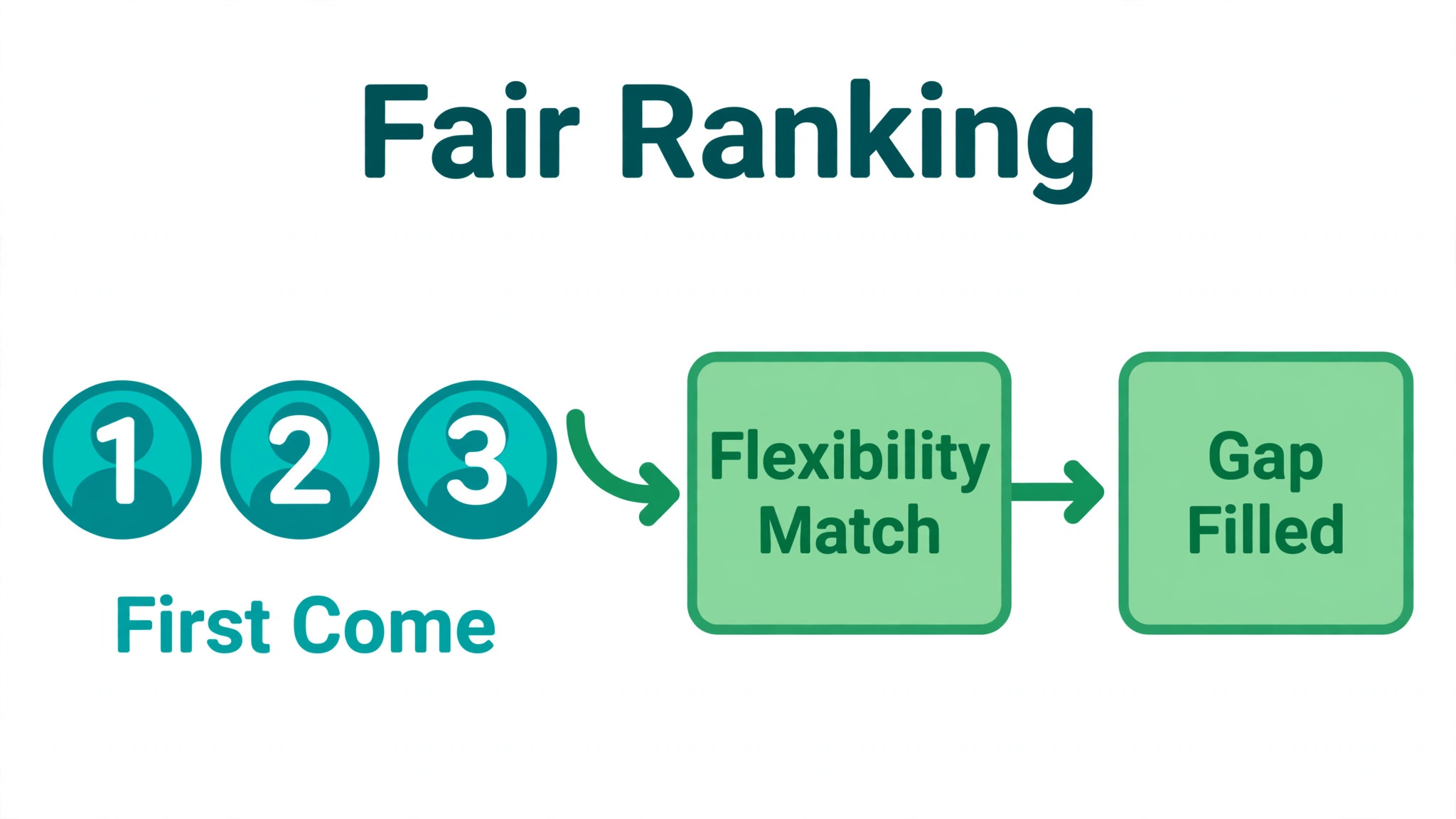
Ranking rules decide who gets the next spot, and they decide whether clients trust the list. The simplest fair rule is first come, first served. That rule is easy to explain, easy to defend, and easy to run. It works well for a general cancellation list, where every person wants a similar service. Publish that rule on the form, so clients know the order is by signup time. When you follow a published rule consistently, clients accept a wait, because they can see it is fair.
Add flexibility as a second rule, carefully, because matching a gap to a flexible client is a practical part of how to set up a waitlist small service business ranking. A client who can take any day can fill a gap that a client with one preferred day cannot fill. That does not mean flexible clients jump the queue for every spot.
It means when a specific gap opens, you offer it first to the earliest person who can take that gap. Explain that logic on the form, so a client who wants only Saturdays understands why a flexible client took a Tuesday gap. Without that explanation, flexibility looks like favouritism, even when it is simply matching a gap to a person who can use it.
Use priority only where it is justified and transparent. Urgency, medical need, a referral from an existing client, or a returning client may justify priority in some services, within your professional and legal rules. If you use priority, define it in writing, apply it consistently, and note the reason on the record. Do not use hidden priority for friends, for louder clients, or for clients who complain most. Hidden priority destroys trust faster than a long wait, because clients talk, and a queue that looks unfair will empty itself.
Handle referrals with care. A referral bonus that moves a person up the line can grow a list quickly, but it can also feel unfair to people who joined earlier and referred nobody. If you offer referral movement, cap it, publish it, and keep the earliest signup time as a tie breaker. A referral rule that lets a late joiner overtake an early joiner by many places will anger the early joiner, who did the harder work of joining first. A small, capped movement rewards sharing without breaking fairness. Review referral effects monthly, and remove the rule if it creates more complaints than signups.
Spot Open Messages That Convert
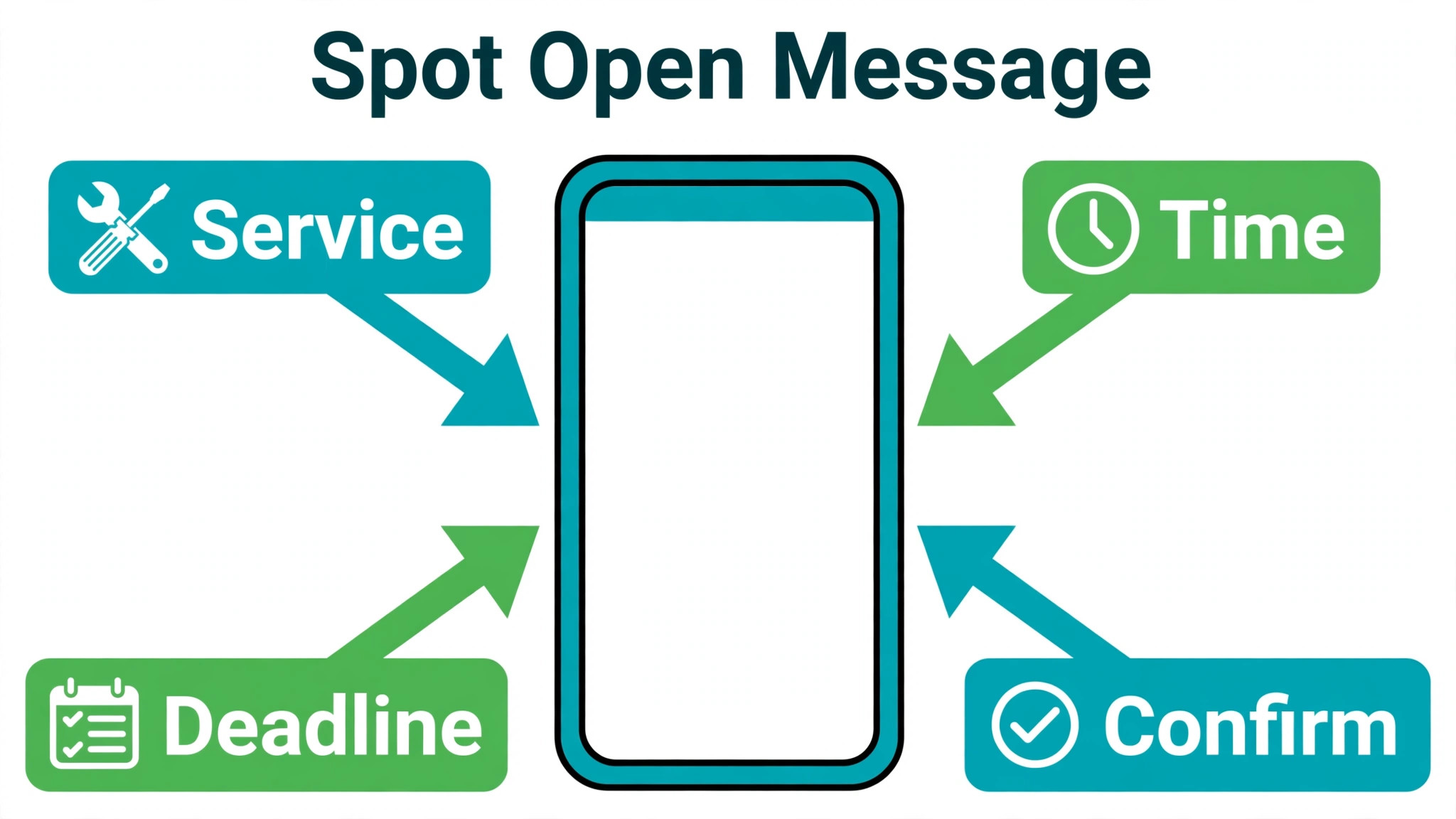
A spot open message must be short, clear, and easy to answer. State the service, the date and time, the practitioner or location if relevant, and the deadline to reply. State how to confirm, such as replying yes, tapping a link, or calling a number. State what happens if the person does not reply by the deadline, namely that the spot goes to the next person. A message without a deadline will sit unanswered while the spot stays empty. A message with a clear deadline moves the queue and protects your diary.
Send the message by the fastest channel the client agreed to. For same day gaps, a text or phone call beats email. For next week gaps, email plus text works well. Use the contact details from the form, and respect the channel the client chose. Do not send a spot offer by email alone for a gap in two hours, because the client may not check email in time. Do not call repeatedly if the client asked for text only. Match the channel to the urgency, and to the preference, and the conversion rate will rise.
Offer the spot to one person at a time, with a short window, rather than blasting the whole list at once, because single offers keep order fair when you learn how to set up a waitlist small service business queue. A blast creates a race, where the fastest reply wins, regardless of queue order. That race feels unfair and creates duplicate bookings when two people accept the same spot. A single offer with a short window, such as one hour for a same day gap or until the next morning for a future gap, keeps the order fair and the diary clean. If the first person declines or times out, offer to the next person immediately and note the outcome.
Write two templates and reuse them. The first template is the spot offer, with service, time, deadline, and confirm method. The second template is the sorry, spot taken message, for the person who replied after the deadline, with an offer to stay on the list or to choose another time. Templates keep messages consistent, fast, and free of errors under pressure. Personalise the name and the service, but keep the structure the same, so staff can send them quickly without inventing wording each time. Test both templates with a colleague before you use them live.
Conversion Tracking Without a Spreadsheet Mess
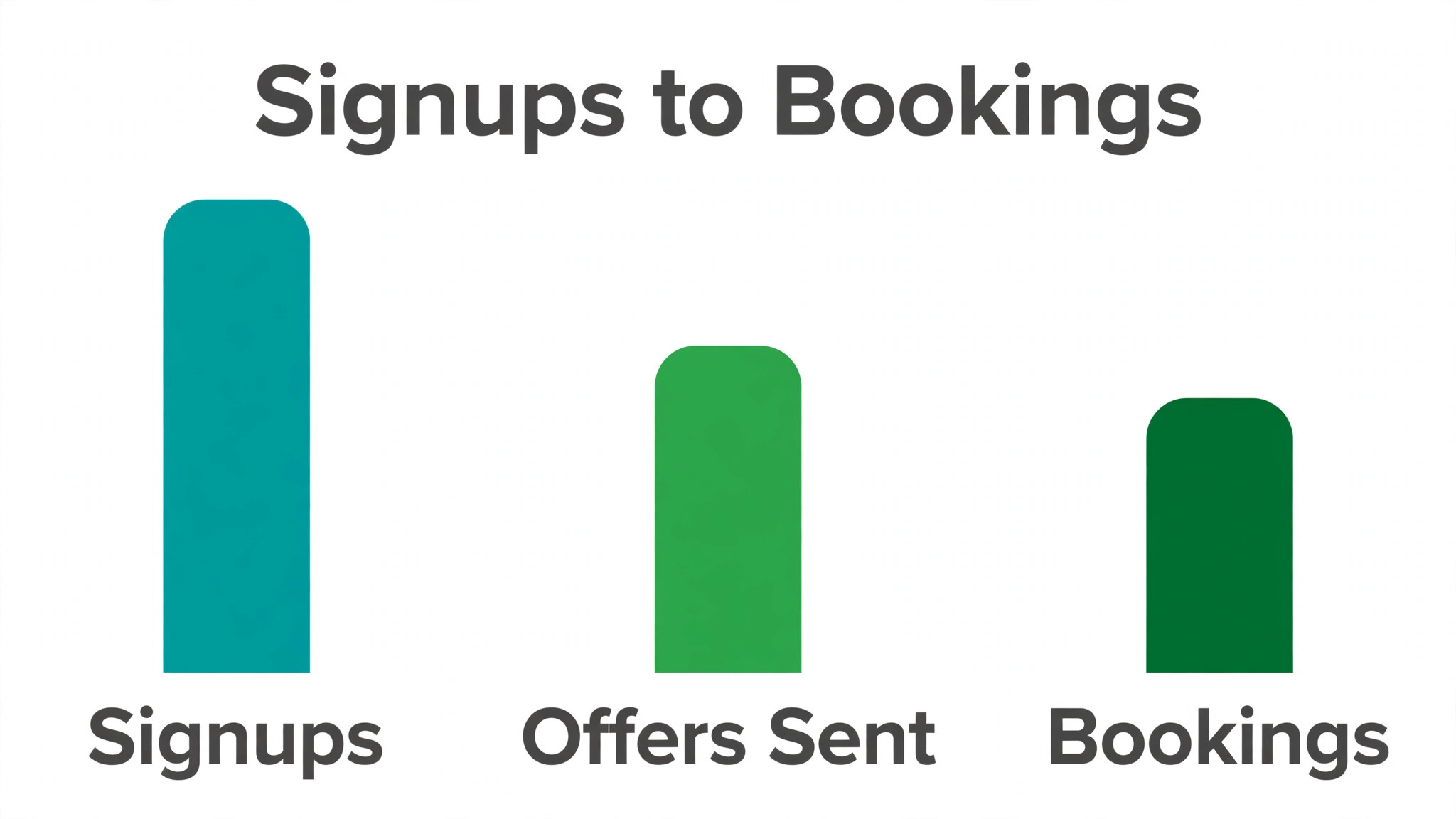
Track three numbers, and no more at first. Track signups, offers sent, and bookings made from the list. Signups show demand. Offers sent show how actively you work the list. Bookings from the list show whether the list fills gaps. Divide bookings by offers to get a simple conversion rate for offers, and divide bookings by signups to get a conversion rate for the list as a whole. Those two rates tell you whether the problem is offer speed, offer wording, or list quality. A list with many signups and few bookings needs a different fix than a list with few signups and high bookings.
Record the outcome for every offer. Note whether the person accepted, declined, timed out, or was unreachable. Note the reason for a decline where the person gives one, such as time, price, or no longer needed. That reason data is gold. If many people decline because the offered time does not match their preference, your ranking or matching needs work. If many people time out, your deadline or channel needs work. If many people are unreachable, your form needs a phone check at signup. Without outcome records, you will guess at fixes, and guessing wastes the next month of gaps.
Review the list weekly, even when it feels quiet, because cleaning is a routine step in how to set up a waitlist small service business system that converts. Remove stale entries, such as people who joined months ago, never replied, and never updated their preference. Contact stale entries once with a simple check, asking whether they still want to stay on the list. If they do not reply, remove them, with a note. A clean list converts better than a long list, because staff can work through it quickly and clients on it are genuinely interested. A stale list slows every offer, because staff waste time on people who no longer want the service.
Connect waitlist bookings to your diary and to your revenue records, in a simple way. When a waitlist booking is made, mark it as waitlist sourced in the diary. At month end, count waitlist sourced bookings and compare with total bookings. That count shows whether the waitlist earns its effort. If waitlist bookings fill gaps that would otherwise stay empty, the list pays for itself in recovered diary time. If waitlist bookings mostly replace bookings that would have come anyway, the list may still help with fairness and demand capture, but it is not adding as much as it looks. That honest count keeps the list in perspective.
Tools, Costs, and the No Tool Option
You do not need expensive software to start. A form tool, a spreadsheet, and a messaging app can run a small waitlist well, provided one person owns the list and checks it daily. That no tool option costs little, and it teaches you what you actually need before you buy software. Check the vendor current pricing page for any tool you consider, because prices and limits change, and a tool that looks free for ten entries may charge once the list grows. Start simple, prove the process, then buy only the feature that solves a proven pain, such as automatic spot offers or diary sync.
When you do choose a tool, look for five features. Look for a mobile friendly form, a clear queue order, a message template system, a diary or calendar connection, and a simple report for signups, offers, and bookings. Avoid tools that force a complex setup for a simple list. A tool that takes a week to configure will delay the waitlist longer than a spreadsheet would. Trial the tool with real data for one week, with one service, before you move the whole diary to it. A one week trial reveals whether staff actually use it, which is the only test that matters.
Watch for hidden costs in time, not only in money. A tool that sends automatic offers can save time, but it can also send offers at the wrong time if the rules are wrong. A tool that syncs with the diary can prevent double bookings, but only if the sync is checked after setup. A tool that collects referrals can grow the list, but it can also create fairness complaints if the referral rule is unclear. Budget time for setup, for testing, and for weekly review, not only for the subscription. A tool without weekly review becomes a stale list with a monthly bill.
Keep client data safe, whatever tool you use. Collect only the data you need, store it in one place, and limit access to staff who work the list. Delete stale entries promptly, and do not share the list outside the team. For health, legal, or child related services, check your professional and privacy rules before you collect urgency or health details on a form. A waitlist that collects sensitive details without a reason creates risk that outweighs any ranking benefit. Keep sensitive fields out of the form unless they genuinely change who gets the next spot.
Launch Week, From Form Live to First Booking
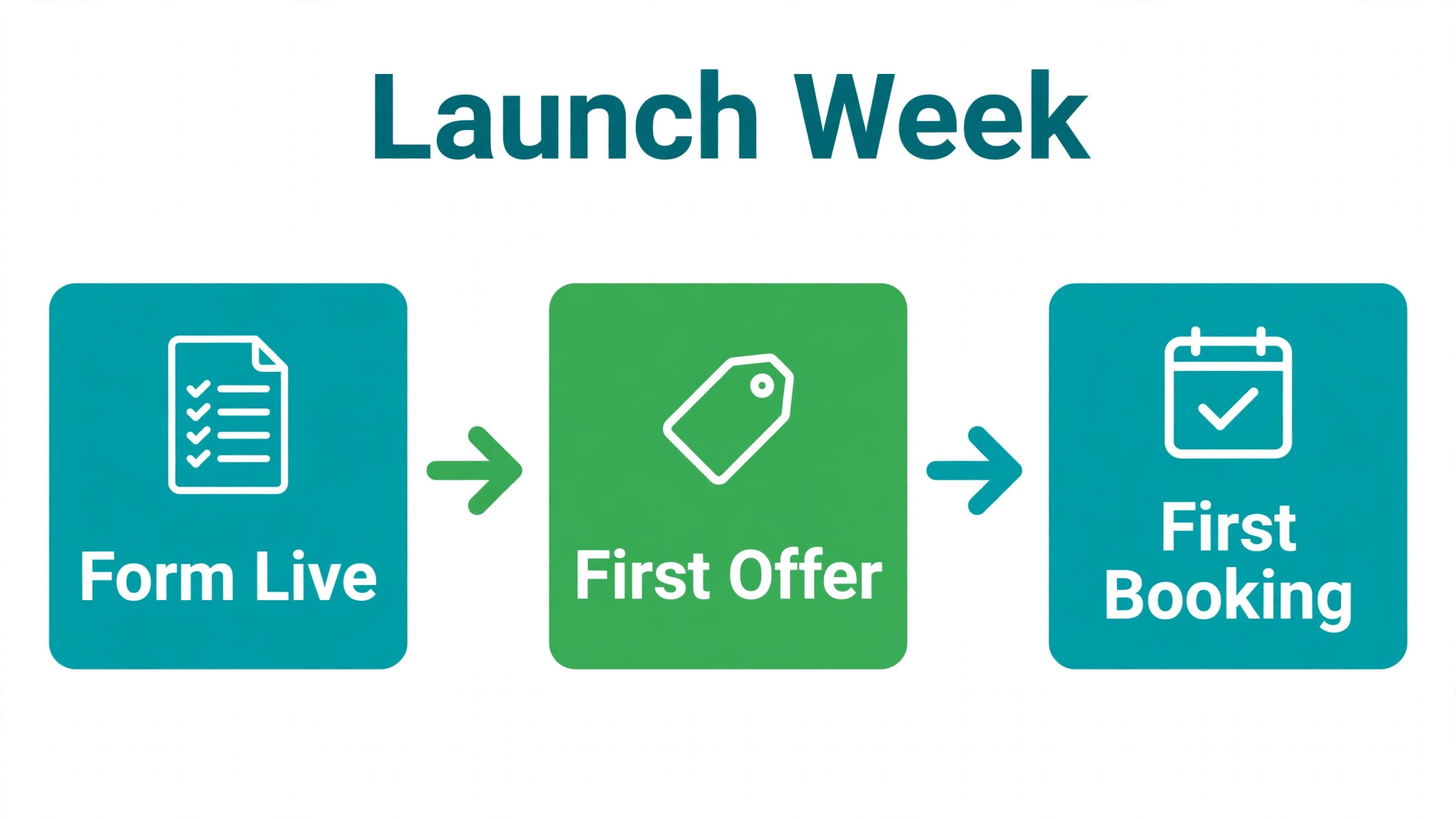
Launch in a small, controlled way when you first learn how to set up a waitlist small service business list, so one service proves the process before you expand. Publish the form for one service first, not for every service at once. Announce it where demand already exists, such as to clients who asked for a fully booked service, on your booking page, and in a short social post. State the purpose, the expected wait, and the contact method. A focused launch lets you test the form, the ranking rule, and the spot message with real clients, without overwhelming staff. Fix any friction in week one, before you expand to other services.
Work the list daily during launch week. For diary tactics that pair with a waitlist, see How to Reduce No-Shows in a Service Business, which covers the no-show habits that make gaps worth filling. Check for new signups each morning, check for diary gaps each afternoon, and send offers promptly when a gap appears. A launch week with no offers teaches clients that the list does nothing. A launch week with one or two prompt offers teaches clients that the list works, and those early bookings become stories you can share, with permission, to encourage more signups. Speed in week one builds trust that lasts for months.
Ask early clients for feedback, briefly. Ask whether the form was easy, whether the wait expectation was clear, and whether the spot message was easy to answer. Fix the top complaint before you expand. Early feedback often reveals a simple fix, such as a phone field that rejects a format, a deadline that is too short, or a message that lacks the location. Those fixes are cheap in week one and expensive later, when many clients have already formed an opinion of the list.
Expand only after the first service runs smoothly. Add a second service, then a third, using the same form structure and the same ranking logic, with service specific fields where needed. Keep one owner for the whole list system, even as services grow, so ranking stays consistent across services. A system that works for one service and breaks for three is not a system yet. It is a pilot. Treat expansion as a second launch, with the same daily checks and the same weekly review, until the new service also runs smoothly.
Common Waitlist Mistakes and Fixes
The first mistake is promising a spot that the list cannot deliver. A form that says join the waitlist, without stating the expected wait, creates an implied promise of a near term booking. When the wait stretches to months, clients feel misled, even when staff followed the queue fairly. Fix the promise at the form, not after complaints arrive. State the typical wait in weeks, state that joining holds a place in line rather than a confirmed booking, and update that estimate when demand changes. A form that promises less and delivers on time builds more trust than a form that promises speed and delivers delay.
The second mistake is collecting names without collecting a working phone number. Email signups look tidy in a spreadsheet, but they fail for same day gaps, when speed decides whether a gap fills. Fix this by making phone number a required field for cancellation lists, and by testing the number at signup with a confirmation text where your tool allows it. A list with verified phones converts at a higher rate, because offers reach people who can answer quickly. A list with emails alone will look large and perform poorly, and staff will blame demand when the real fault is contact method.
The third mistake is letting the list grow without an owner. A list owned by everyone is owned by nobody. Gaps go unfilled, offers go unsent, and stale names accumulate. Fix ownership with a named owner, a backup, and a daily check time. Put that check on the calendar, not in memory. A ten minute morning check for new signups and a ten minute afternoon check for gaps will keep a small list alive. Without those checks, even a perfect form and fair ranking rules will fail, because nobody works the queue when it matters.
The fourth mistake is offering a spot to too many people at once. A blast message creates a race and risks double bookings, and it makes queue order meaningless. Fix it with single offers and short deadlines, as described earlier, and record each offer outcome. If a spot goes unfilled after two single offers, widen the offer to the next two people in order, with a clear first to confirm rule for that round only. That controlled widening fills urgent gaps without turning every offer into a race. Note the widening in the record, so clients who missed out understand why the rule changed for that gap.
Frequently Asked Questions
How long should a waitlist be for a small service business?
Keep the list to about two to four weeks of capacity for most services, depending on how far ahead you book and how often cancellations occur. A list much longer than that will disappoint most people on it, because they will wait too long and drift away. A shorter, honest list stays credible and converts better than a long, stale list that nobody trusts.
Should I charge a deposit to join a waitlist?
A deposit can reduce no shows and show commitment, but it also reduces signups, especially for a new service. Use a deposit only when the service is high value, the spot is scarce, or no shows are a real cost. State clearly whether the deposit is refundable and when it is returned. For low cost, frequent services, a simple confirmation and a clear deadline often work better than a deposit.
How do I rank a waitlist fairly?
Start with first come, first served, and publish that rule. When a specific gap opens, offer it first to the earliest person who can take that gap. Use priority only where it is justified and transparent, with a written definition and consistent application. Avoid hidden priority, because a queue that looks unfair will lose trust faster than a long wait will.
What should a spot open message include?
Include the service, the date and time, the practitioner or location if relevant, the deadline to reply, and how to confirm. State what happens if the person does not reply by the deadline. Keep it short and easy to answer. For same day gaps, use text or phone, not email alone, because email may be too slow for a gap in a few hours.
How often should I clean a waitlist?
Review the list weekly. Contact stale entries once to ask whether they still want to stay on the list. Remove entries that do not reply, with a note. A clean list converts better than a long list, because staff can work through it quickly and the people on it are genuinely interested. Weekly cleaning also keeps your signup, offer, and booking numbers honest.
Can a waitlist work without paid software?
Yes, for a small list. A form tool, a spreadsheet, and a messaging app can run a waitlist well, provided one person owns it and checks it daily. Start with that simple setup, prove the process, and buy software only for a proven pain, such as automatic offers or diary sync. Check the vendor current pricing page before you buy, because prices and limits change.
What if nobody on the waitlist takes a spot?
If offers repeatedly go unanswered, check the channel, the deadline, and the match. A same day gap offered by email alone will often go unanswered. A deadline that is too short will also lose people. A gap that does not match preferred days will be declined. Fix the channel first, then the deadline, then the matching rule, and record each outcome so you can see which fix worked.
Should I keep a waitlist when I am not fully booked?
A waitlist is less useful when diary gaps are plentiful, because clients can book directly. Keep a small waitlist only for specific scarce services, practitioners, or peak times, even when the general diary has space. A general waitlist for a service with open diary slots will confuse clients, who will wonder why they must wait for a spot that looks available.